The right preparation can turn an interview into an opportunity to showcase your expertise. This guide to Advanced DAW Knowledge interview questions is your ultimate resource, providing key insights and tips to help you ace your responses and stand out as a top candidate.
Questions Asked in Advanced DAW Knowledge Interview
Q 1. Explain your experience with different DAWs (Pro Tools, Logic Pro X, Ableton Live, Cubase, etc.).
My experience with DAWs spans over a decade, encompassing a wide range of software, each with its strengths and weaknesses. Pro Tools remains the industry standard for many post-production houses, and I’m highly proficient in its session management, its extensive plugin ecosystem, and its precision editing capabilities. I’ve used it extensively for film scoring and audio post-production. Logic Pro X is my go-to for composing and arranging, appreciating its intuitive workflow, powerful MIDI editor, and excellent virtual instruments. Ableton Live’s strength lies in its session view, ideal for live performance and experimental electronic music production. I often use it for creating unique soundscapes and improvisational pieces. Cubase, with its deep routing options and powerful score editing features, is another valuable tool in my arsenal, particularly useful for complex orchestral arrangements. Each DAW has a unique personality, and I’ve learned to adapt my workflow depending on the project’s demands.
Q 2. Describe your workflow for a typical mixing session.
My mixing workflow is meticulous and iterative. It begins with gain staging – ensuring each track has the appropriate level before any processing. Next, I focus on frequency balancing, using EQ to carve out space in the mix and address any muddiness or harshness. Compression comes next, to control dynamics and glue the elements together. I pay close attention to stereo imaging, placing instruments appropriately within the stereo field to create a balanced and spacious sound. Reverb and delay add depth and ambience, carefully applied to avoid muddiness. Automation is key to creating dynamic and engaging mixes, and I often automate parameters like volume, panning, and effects sends to enhance the emotional journey of the track. Throughout this process, I regularly reference the mix on various playback systems to ensure it translates well across different listening environments. Finally, I perform a master bus compression and limiting to ensure a loud, yet clear and punchy final product. It’s a cyclical process involving constant listening, adjustments, and critical evaluation.
Q 3. How do you handle audio latency issues in your DAW?
Audio latency, the delay between playing a note and hearing it, is a common issue. I address it using a multi-pronged approach. Firstly, I make sure my buffer size is appropriately set in my DAW settings. A larger buffer size reduces latency but increases processing delay, so finding a balance is key—usually involving experimentation to find the sweet spot between responsiveness and processing capability. Secondly, I make sure all my drivers are up-to-date, especially my audio interface drivers, as outdated drivers are a common source of latency problems. Thirdly, I minimize the number of plugins used on individual tracks, particularly CPU-intensive ones. Using lighter alternatives, or consolidating effects using multi-effect plugins can help. Lastly, for particularly demanding projects, I might employ ASIO4ALL or a similar driver to optimize the audio processing path. If problems persist, I systematically check my hardware (cables, interface connections) to rule out any physical issues.
Q 4. What are your preferred methods for editing audio? (e.g., destructive vs. non-destructive)
My preferred method is non-destructive editing whenever possible. This allows for flexibility and experimentation. For example, instead of directly editing audio waveforms (destructive), I prefer using clip gain adjustments, automation, or even using non-destructive plugins that allow parameter changes without altering the original audio file. This way, I can easily undo edits or revisit earlier versions. However, for projects with massive file sizes, where storage is a concern, I might do some strategic destructive editing, but only after I’ve completed the non-destructive workflow and created backups. The key is to maintain version control and have a system in place to revert to previous states if needed.
Q 5. Explain your understanding of MIDI and its applications in a DAW.
MIDI (Musical Instrument Digital Interface) is a fundamental protocol in modern music production. It’s not audio itself; rather, it’s a language that transmits musical data, like notes, velocity, and controller information. In a DAW, MIDI data is used to control virtual instruments, synthesizers, and drum machines. I can record MIDI performances on a keyboard or create MIDI sequences directly within the DAW’s sequencer. This allows for flexible editing—changing notes, velocities, and timing without re-recording. Additionally, MIDI data can be used to control external hardware synthesizers and effects processors, adding significant versatility to the production process. For instance, I might use MIDI to sequence a complex synth patch in a software instrument or trigger samples within a drum sampler. The flexibility of MIDI is invaluable in modern music production.
Q 6. How do you manage large audio projects efficiently within your DAW?
Managing large audio projects requires careful planning and organization. I begin by creating a well-structured folder system for my audio files, separating them by instrument, session, and type. Within the DAW, I use track groups and folders extensively to organize tracks logically. Freezing tracks (rendering them to audio) reduces CPU load and frees up resources, especially in projects with numerous virtual instruments. Bounce-in-place can also consolidate multiple tracks into a single audio file to simplify the project’s complexity, although it reduces flexibility if editing is later required. Regular backups are crucial to prevent data loss, and using a DAW that supports session consolidation – effectively reducing file size – can be highly beneficial for long-term storage and management. Techniques like using RAM drives (if the system has the capacity) can also significantly speed up loading and saving times for large sessions.
Q 7. What are your strategies for troubleshooting common DAW problems?
Troubleshooting DAW problems requires a systematic approach. I first check the most common culprits: buffer size settings, driver updates, and plugin conflicts. If a plugin crashes the DAW repeatedly, I temporarily disable it to identify if it’s causing the issue. I also check for CPU overload—often indicated by noticeable latency or stuttering. If the problem persists, I consult the DAW’s manual, online forums, or the manufacturer’s support resources for potential solutions. Sometimes, a simple DAW restart can resolve minor issues. In more complex cases, reinstalling the DAW, or even reinstalling audio drivers, might be necessary. It’s always a good idea to save your work frequently and have multiple backups in different locations to minimize the potential for data loss during troubleshooting processes.
Q 8. Describe your experience with plugin management and organization.
Plugin management is crucial for efficient workflow and preventing project bloat. My approach involves a multi-layered strategy. First, I meticulously categorize plugins by function (compression, EQ, reverb, etc.) within my DAW’s plugin browser, often creating custom folders for specific projects or genres. This allows for quick access and prevents me from getting lost in a sea of plugins. Second, I regularly audit my plugin library, removing rarely used or redundant plugins. This keeps my system lean and prevents unnecessary loading times. Third, I leverage the power of presets, but I always critically analyze and tweak them to suit my specific needs rather than blindly using them. This ensures a unique sonic signature. For example, if I’m working on a rock track, I’ll have a dedicated folder for rock-specific amp sims and distortion plugins, pre-organized by their character. This allows for rapid experimentation and helps maintain creative focus.
Q 9. How do you utilize automation in your mixing process?
Automation is the backbone of my mixing process. I use it extensively to shape dynamics, create movement, and add subtle nuances to the mix. I rarely use static settings. For instance, I might automate a compressor’s threshold to gently duck a vocal during a particularly busy instrumental section, ensuring clarity. Similarly, I use automation to ride gain levels of individual tracks to control the overall energy throughout the song. Automation also allows for creating dynamic soundscapes; I’ll automate reverb send levels to build and release ambient effects naturally. Think of it as creating a narrative with levels, adding excitement in the build-ups, and tranquility during quiet moments. I primarily automate using DAW’s automation lanes, using a combination of linear, logarithmic, and freehand drawing to control the parameters. I prefer visual editing as it provides a clear, intuitive understanding of the automation movements.
Q 10. Explain your familiarity with different audio file formats and their pros/cons.
Understanding audio file formats is fundamental. I commonly use WAV (uncompressed, high quality, large file sizes), AIFF (similar to WAV, but sometimes preferred on Mac systems), and MP3 (compressed, small file sizes, lossy compression resulting in reduced audio quality). The choice depends on the stage of production. WAV and AIFF are ideal for the mixing and mastering stages where preserving audio quality is paramount. MP3 is suitable for final delivery and distribution, where file size is a critical factor. While lossy compression like MP3 reduces file size, it inherently discards audio information that can result in a perceptible loss of dynamic range and detail. Using lossless formats like WAV or AIFF throughout the production process eliminates the risk of cumulative quality loss from multiple conversions, and then converting to a lossy format like MP3 for distribution only as the final step.
Q 11. How do you ensure accurate sample rate and bit depth conversion?
Accurate sample rate and bit depth conversion requires careful consideration. My goal is to minimize quality degradation during conversion. I use high-quality resampling algorithms such as those found in professional-grade converters within my DAW. It’s crucial to perform conversion in a linear phase mode when possible, since this preserves the original transient response better than other modes. Oversampling during conversion can improve the accuracy of the conversion at the cost of a slight increase in processing load. I always listen critically before and after the conversion to ensure no artifacts are introduced. It’s also important to understand that going from a higher sample rate/bit depth to a lower one is an irreversible process; so it’s essential to only perform conversions when necessary and start with the highest quality source files possible.
Q 12. What methods do you employ for noise reduction and restoration?
Noise reduction and restoration are critical skills. I typically use a combination of techniques. For reducing background hiss or hum, I rely on spectral editing tools within my DAW or specialized noise reduction plugins. These plugins allow me to identify and attenuate the noise frequencies without affecting the desired audio. For more complex restoration tasks, such as removing clicks or pops, I use specialized restoration plugins which offer more targeted tools for repairing the damaged audio segments. I always prefer to use the lightest possible reduction to avoid artificial artifacts in the processed audio. One important step is to create a noise profile, which the plugin uses as a reference to identify and reduce the noise selectively. The key is a balanced approach; aggressive noise reduction can often sound unnatural, so a subtle approach is preferred.
Q 13. How do you approach mixing for different speaker systems (e.g., stereo, 5.1)?
Mixing for different speaker systems requires a strategic approach. When mixing for stereo, I focus on creating a wide, immersive soundscape, using panning, stereo widening effects, and careful arrangement to ensure a balanced sonic image across both channels. For surround sound formats like 5.1, I expand my thinking to encompass the additional channels. This means considering how sounds are spatially distributed across the surround channels to create more dimensional and engaging listening experience. I’ll use a combination of panning and surround effects plugins to place instruments within the 5.1 soundscape, ensuring clarity and proper balance. A critical aspect is monitoring on different playback systems, to get a better idea of how the mix is translated across different speaker setups.
Q 14. Describe your workflow for creating and implementing sound effects.
Creating and implementing sound effects involves a blend of creativity and technical proficiency. My workflow usually starts with the creative concept; what kind of sound effect am I aiming for? Once I have a clear idea, I might utilize a variety of methods, ranging from recording and manipulating real-world sounds to synthesizing entirely new effects using virtual instruments or granular synthesis. For example, to create a futuristic laser sound, I might begin with a simple sine wave, process it through various distortion, filtering, and modulation effects, and then layer it with other synthesized elements. Finally, I carefully balance the sound effect within the overall mix, making sure it enhances the scene without being overpowering or distracting. A crucial step is to experiment and iterate; sometimes the best effects come from unexpected combinations of sounds and processes.
Q 15. What are your strategies for creating and maintaining a well-organized session template?
Creating a well-organized session template is crucial for efficient workflow and project consistency. Think of it as building a strong foundation for your house – a poorly planned foundation leads to problems later. My strategy involves a multi-layered approach:
- Folder Structure: I establish a clear folder structure within the template, categorizing audio files (drums, vocals, instruments), MIDI files, and effects presets. This prevents a chaotic jumble as the project grows.
- Track Color-Coding: Consistent color-coding for track types (e.g., drums = red, bass = purple, vocals = green) improves visual clarity and allows for quick identification of specific elements within a complex arrangement.
- Bus Routing: I pre-configure aux tracks and busses for commonly used effects like reverb, delay, and compression. This simplifies routing and allows for global adjustments later on. For example, all drums might be sent to a drum bus with a compressor and EQ.
- Pre-loaded Plugins: I insert essential plugins (EQ, compressor, gate) on relevant tracks as defaults. This saves time and ensures a consistent starting point for each project. I often use a high-quality EQ and compressor as default inserts on tracks like vocals and drums.
- Mastering Chain Template: The template incorporates a basic mastering chain on the master bus, which may include a limiter, EQ, and stereo imager. This is a starting point that I will adjust based on the final mix.
- Automation: I set up common automation clips for functions like volume fades and panning to speed up the mixing process. Imagine being able to quickly add a standard fade-in to each new vocal line with just a few clicks.
Regularly updating and refining this template based on lessons learned from past projects ensures it remains relevant and efficient.
Career Expert Tips:
- Ace those interviews! Prepare effectively by reviewing the Top 50 Most Common Interview Questions on ResumeGemini.
- Navigate your job search with confidence! Explore a wide range of Career Tips on ResumeGemini. Learn about common challenges and recommendations to overcome them.
- Craft the perfect resume! Master the Art of Resume Writing with ResumeGemini’s guide. Showcase your unique qualifications and achievements effectively.
- Don’t miss out on holiday savings! Build your dream resume with ResumeGemini’s ATS optimized templates.
Q 16. How do you handle different dynamic range requirements across projects?
Managing dynamic range across projects requires careful consideration of the target output and the source material. Different platforms (streaming services, CD, vinyl) have their own requirements.
- Gain Staging: I prioritize proper gain staging from the beginning, ensuring signals are neither too hot (clipping) nor too low (excessive noise). This is foundational; get it right at the input stage and you avoid problems down the line.
- Monitoring Levels: Using a calibrated monitoring system is crucial for accurate gain staging and dynamic range assessment. I carefully control peak and average levels at each stage of the process to prevent clipping.
- Compression: Strategic use of compression helps control dynamics. For example, a gentle compressor on individual tracks can tame peaks, while a bus compressor can glue tracks together and increase perceived loudness.
- Limiting: I use limiting as a final stage to ensure the overall loudness is within acceptable parameters for the chosen medium. However, it’s important not to over-limit, which can reduce the dynamic range and lead to a ‘squashed’ sound.
- Loudness Metering: I rely on loudness metering tools (like LUFS meters) to ensure the final mix meets the target loudness specifications. This is vital for consistency across platforms.
The key is a balanced approach. It’s about achieving a mix that sounds good in its own right, while conforming to target loudness specifications. A well-mixed song is a great starting point, regardless of the ultimate loudness level.
Q 17. Describe your familiarity with different equalization techniques and plugin types.
Equalization (EQ) is about sculpting the frequency balance of audio. I’m proficient with various techniques and plugin types:
- Parametric EQ: This is my workhorse. I use it to precisely adjust specific frequencies using adjustable parameters (frequency, gain, Q). For instance, I might use a parametric EQ to cut muddiness in the low-mid range of a bass guitar.
- Graphic EQ: Useful for visually adjusting frequencies in broader bands. It’s great for quick overall tonal adjustments and to identify problem areas.
- Dynamic EQ: This type of EQ adjusts the gain based on the input signal’s level. It’s helpful for taming peaks in problematic frequencies or boosting quieter areas dynamically. For example, I might use it to boost quieter parts of a vocal track without affecting the loud parts too much.
- Multiband Dynamics: This combines multiple bands of dynamic processing, using compression or limiting in different frequency ranges. Useful to control overall loudness while maintaining detail in different frequency bands.
Plugin-wise, I have experience with various high-quality EQs, including FabFilter Pro-Q 3, Waves Q10, and Brainworx bx_digital V3. The choice of plugin often depends on the specific task and personal preference. The sound of each plugin adds its character to the final result.
Q 18. What are your go-to compression techniques and when would you apply them?
Compression is a powerful tool for shaping dynamics. My go-to techniques depend on the application:
- Parallel Compression: Sending a copy of a track to a heavily compressed auxiliary track and mixing it back with the original signal adds punch and sustain without sacrificing too much dynamic range. This is common on drums and bass.
- Bus Compression: Compressing a group of related tracks (e.g., drums, vocals) creates cohesion and glue, increasing the overall impact. This technique helps to make all the sounds in a drum kit sit better together.
- Transient Shaping: Some compressors offer controls to adjust attack and release times, shaping the transient response (the initial attack of a sound). Fast attack/slow release can help to create a punchier sound, while slow attack/fast release can make sounds smoother.
- Multiband Compression: This applies compression to different frequency bands individually, allowing for more precise control of the dynamics in each range. This can be particularly useful on mixes that need tighter control of different elements’ dynamics.
My choice of compressor depends on the desired effect. I frequently use plugins like Waves CLA-76, Universal Audio LA-2A, and FabFilter Pro-C 2. Each has a unique character and works best in different contexts.
Q 19. How do you use reverb and delay effects to achieve spatial depth?
Reverb and delay are essential for creating spatial depth and realism. I use them strategically:
- Reverb: I use reverb to simulate the acoustic space where the sound is being played. A small room reverb might work for close-miked vocals, while a large hall reverb might suit orchestral instruments. I experiment with different reverb algorithms (convolution, plate, hall) to find the perfect fit. It’s important to avoid excessive reverb, which can make a mix sound muddy or washed out.
- Delay: I use delay to create rhythmic echoes or to enhance the sense of space. Short delays can add subtle width and depth, while longer delays create more noticeable rhythmic effects. Using multiple delays with different settings can build complex, interesting spatial soundscapes.
- Early Reflections: The early reflections of a reverb are particularly important for creating a realistic sense of space. Carefully adjusting the early reflections can add detail and depth to the sound.
- Placement and Mixing: The placement of reverb and delay sends (auxiliary tracks) is crucial. I sometimes use multiple sends to layer different reverb types for added complexity. Properly mixing the wet and dry signals is essential to create a balanced, natural sound.
Experimentation is key; I often start with a subtle reverb, then gradually add more until the desired level of spaciousness is achieved. The key is to balance the spatial effects with the clarity of the other sounds in the mix.
Q 20. Explain your understanding of phase cancellation and how to avoid it.
Phase cancellation occurs when two identical signals are out of phase (one is inverted), resulting in a reduction or cancellation of the sound. Imagine two waves colliding – if their peaks and troughs align perfectly, they create a larger wave. But if they’re exactly opposite, they cancel each other out.
- Mono Compatibility: The most common cause is using multiple microphones to record the same source (like a single instrument). If the microphones are too close together, phase cancellation can occur in the mono version of the track. This is less noticeable in stereo, but it’s still important to address for overall mix quality.
- EQing Techniques: Incorrectly using EQ filters with narrow Q-factors can lead to phase cancellation, particularly when using multiple EQ instances on the same track. It’s crucial to be mindful of the frequencies being manipulated to avoid creating phase issues.
- Monitoring: Use mono compatibility checks during mixing to identify potential phase issues. Many DAWs include a mono button for this purpose.
- Mic Placement: For multi-microphone recordings, pay close attention to the distances and angles of the microphones. Ideally, separate microphones should record different aspects of the sound source.
- Plugin Processing: Be cautious of plugins that may alter phase relationships, especially when used in conjunction with other phase-shifting effects. Listen carefully and use a visual phase meter to check for problems.
Careful mic placement, mindful EQing, and regular mono checks are your best defenses against this often subtle but damaging problem. Listening carefully and understanding the relationship between frequencies are key.
Q 21. How do you create and manage custom instrument libraries?
Creating and managing custom instrument libraries involves several steps:
- Sample Acquisition: This is the most time-consuming part. I use high-quality microphones and preamps to record samples, ensuring optimal clarity and dynamic range. The sounds I capture will influence the overall library style.
- Sample Editing and Processing: Once recorded, samples need editing. This includes cleaning up unwanted noise, performing basic pitch and timing corrections, and applying effects where appropriate. The sounds need to be consistent and suitable for use in a DAW.
- Organization: Samples should be organized into folders, using clear naming conventions. I create folders based on instrument types, articulations (sustain, staccato, legato), and playing dynamics (pianissimo, forte). Good organization makes the samples much easier to find.
- Library Creation: Once the samples are prepared, I use sample library management software (such as Kontakt or Native Instruments’ Maschine) to create the actual library. This software allows for layering, scripting, and complex features, turning simple samples into powerful and playable instruments.
- Metadata: Adding metadata (like descriptions, instrument names, keywords) to each sample and the library itself allows for easier searching and browsing. This enhances the user experience, making it much more efficient for the user.
- Testing and Refinement: After creating the library, I thoroughly test it in my DAW, making adjustments as needed. Careful testing will highlight any issues that could impact the library’s usability.
The entire process requires attention to detail and a lot of patience. The resulting library is a valuable asset, offering sounds tailored to your specific needs, giving your projects unique sonic identity.
Q 22. What is your experience with using virtual instruments and synthesizers?
My experience with virtual instruments (VIs) and synthesizers is extensive. I’m proficient in using a wide range of them, from classic emulations like the Moog Minimoog Model D and the Roland Juno-106 to modern software synthesizers such as Native Instruments Massive, Serum, and Arturia V Collection. I understand the intricacies of subtractive, additive, FM, and wavetable synthesis, and I can effectively utilize them to create a diverse palette of sounds for various musical genres. For example, I recently used Massive to create a pulsating bassline for a techno track, and Serum to design shimmering pads for an ambient piece. My approach involves understanding the signal flow within each instrument, experimenting with modulation routing, and mastering the art of sound design to achieve the desired sonic outcome. I also have experience with various sampling techniques and manipulating sample libraries to create unique sounds.
Q 23. Explain your familiarity with different mixing consoles and their workflows.
My familiarity with mixing consoles spans both analog and digital domains. I’ve worked extensively with classic analog consoles like the Neve 1073 and API 500 series, appreciating their warmth and character. I also have significant experience with digital consoles, including those found within DAWs like Logic Pro X, Ableton Live, and Pro Tools, and dedicated hardware interfaces like the Universal Audio Apollo. Understanding the workflow of each type is crucial; analog consoles require a more hands-on, real-time approach, while digital consoles offer greater flexibility for recall, automation, and editing. I’m comfortable with different mixing techniques, such as utilizing EQ, compression, gating, and reverb to achieve a balanced and polished mix. My workflow generally involves gain staging, careful EQ sculpting to address frequency clashes, and dynamic processing to control transients and levels, ensuring a cohesive mix that translates well across different playback systems.
Q 24. Describe your experience with using routing and bussing in a DAW.
Routing and bussing are fundamental to my workflow. I use them extensively to organize complex projects and achieve a polished sound. For example, I might create auxillary sends (buses) for drums, grouping individual drum tracks (kick, snare, toms, etc.) onto a single drum bus. This allows for parallel processing, applying reverb or compression to the entire drum kit simultaneously without affecting the individual tracks’ levels. I also utilize subgroups for instruments of a similar type or section within a project – for instance, all vocals are routed to a vocal bus for global processing. This approach streamlines the mixing process and allows for more efficient workflow. Advanced routing techniques also include using VCA faders (Virtual Control Amplifiers) for dynamic group control. This is particularly beneficial for complex orchestral arrangements, permitting smooth and coordinated level adjustments across sections.
Q 25. How do you approach mastering a track for different platforms (e.g., streaming, radio)?
Mastering for different platforms requires a nuanced approach. Streaming services like Spotify and Apple Music often compress audio dynamically, resulting in a perceived lack of loudness if not prepared for it. Radio broadcasts have their own specifications, often favoring a particular LUFS (Loudness Units relative to Full Scale) target to meet broadcasting standards. My process involves analyzing the track’s loudness and frequency response using mastering-grade plugins and metering tools. For streaming, I aim for a target LUFS level that is loud enough to compete but avoids excessive compression that might result in audio muddiness. For radio, I strictly adhere to the broadcast station’s specifications, which might include specific requirements regarding dynamic range and peak levels. I use tools like iZotope Ozone and FabFilter Pro-L to precisely control the dynamics and loudness, ensuring the track sounds powerful and polished yet maintains clarity and detail across various listening environments.
Q 26. Describe your workflow for preparing audio for broadcast or distribution.
Preparing audio for broadcast or distribution involves several crucial steps. First, I ensure that the audio is properly mixed and mastered to meet the specified standards (e.g., LUFS levels, bit depth, sample rate). Next, I perform a thorough quality check, carefully listening for any clicks, pops, or other artifacts. I then export the audio in the required format and bit depth; for example, CD quality audio typically uses 16-bit/44.1kHz WAV files, while high-resolution audio might require 24-bit/96kHz or even higher sample rates. Metadata, including the track title, artist name, and other relevant information, is carefully embedded to facilitate easy identification and cataloging. Finally, I create backups of the final audio files, ensuring that the original master files are always secured and readily accessible. This meticulous approach ensures that my final products are ready for immediate broadcast or distribution, minimizing the risk of errors or complications.
Q 27. How do you stay up-to-date with the latest developments in DAW technology?
Staying current in the rapidly evolving world of DAW technology requires consistent effort. I subscribe to industry publications and online resources, which keep me updated on new features, plugins, and workflows. I actively participate in online forums and communities, engaging in discussions with other professionals and exchanging insights. Attending industry conferences and workshops also proves invaluable. Experimenting with new plugins and techniques on my personal projects helps me solidify new knowledge and refine my approach. Moreover, I follow key influencers and developers in the audio industry on social media and through their websites, which lets me discover emerging technologies and techniques before they become mainstream. This multifaceted approach keeps my knowledge base current and ensures I am consistently adapting to advancements in DAW technology.
Q 28. Explain your experience using advanced features within your preferred DAW, such as scoring or sound design tools.
My preferred DAW is Logic Pro X, and I’ve extensively utilized its advanced features for both scoring and sound design. For scoring, I leverage Logic’s powerful MIDI editor and its integration with libraries such as Spitfire Audio and Vienna Symphonic Library. I’m adept at creating complex orchestral arrangements, utilizing features such as the environment for custom routing and modulation. For sound design, I deeply explore Logic’s built-in synthesizers and extensive effects suite, along with third-party plugins. For example, I’ve used its built-in sampler to craft unique instrument sounds from field recordings, and I routinely employ its powerful granular synthesis features for textural exploration. I’ve even coded custom Max for Live patches to extend Logic’s capabilities. This experience demonstrates my proficiency in harnessing a DAW’s complete potential beyond basic recording and mixing. This also includes a deep understanding of signal processing and its applications to achieve creative results.
Key Topics to Learn for Advanced DAW Knowledge Interview
- Advanced Mixing and Mastering Techniques: Understanding dynamic processing, equalization, compression, and mastering chains for achieving professional-quality audio. Practical application includes analyzing and improving existing mixes, and applying advanced techniques to create polished final masters.
- Automation and MIDI Workflow: Mastering complex automation techniques for dynamic control over parameters, efficient MIDI editing workflows, and advanced MIDI scripting for automation and control of external devices. Practical application includes creating intricate and nuanced musical arrangements and automating complex mixing processes.
- Signal Flow and Routing: Deep understanding of signal flow within a DAW, including advanced routing techniques, bussing strategies, and the use of aux sends and returns for creative effects processing. Practical application involves creating flexible and adaptable mixing environments optimized for specific project needs.
- Plugin Management and Processing: Expertise in managing large plugin libraries, understanding different plugin architectures (VST, AU, AAX), and optimizing plugin performance for efficient workflow. Problem-solving includes troubleshooting plugin conflicts, managing CPU usage, and choosing appropriate plugins for specific tasks.
- DAW-Specific Features and Advanced Functions: In-depth knowledge of the chosen DAW’s advanced features, such as advanced editing tools, scripting capabilities, and automation options. This requires demonstrating practical expertise with the specific software being used in the interview context.
- Audio Restoration and Repair: Techniques for cleaning and restoring damaged audio, including noise reduction, click removal, and spectral editing. Practical application includes working with archival recordings or live recordings needing significant post-production cleanup.
- Sound Design and Synthesis: Understanding of subtractive and additive synthesis, sampling techniques, and advanced sound design methodologies within the DAW environment. Practical application includes creating unique sounds and effects for music production or sound design projects.
Next Steps
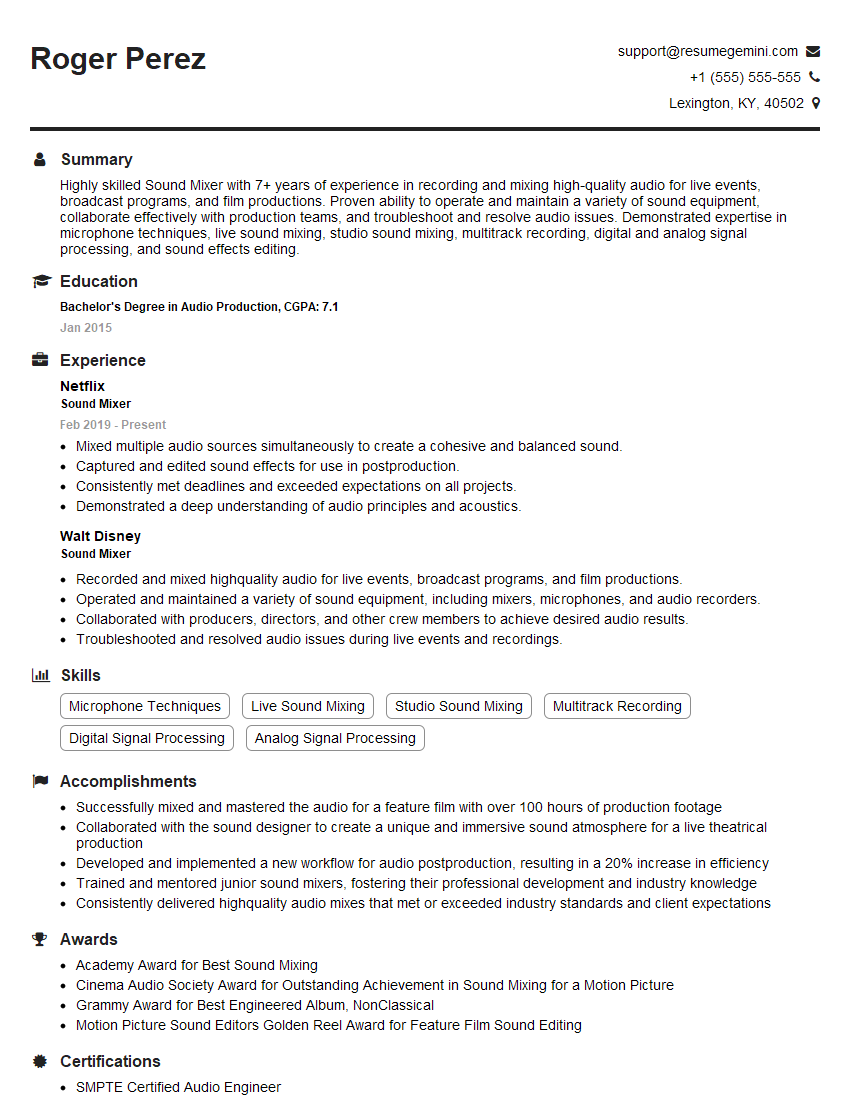
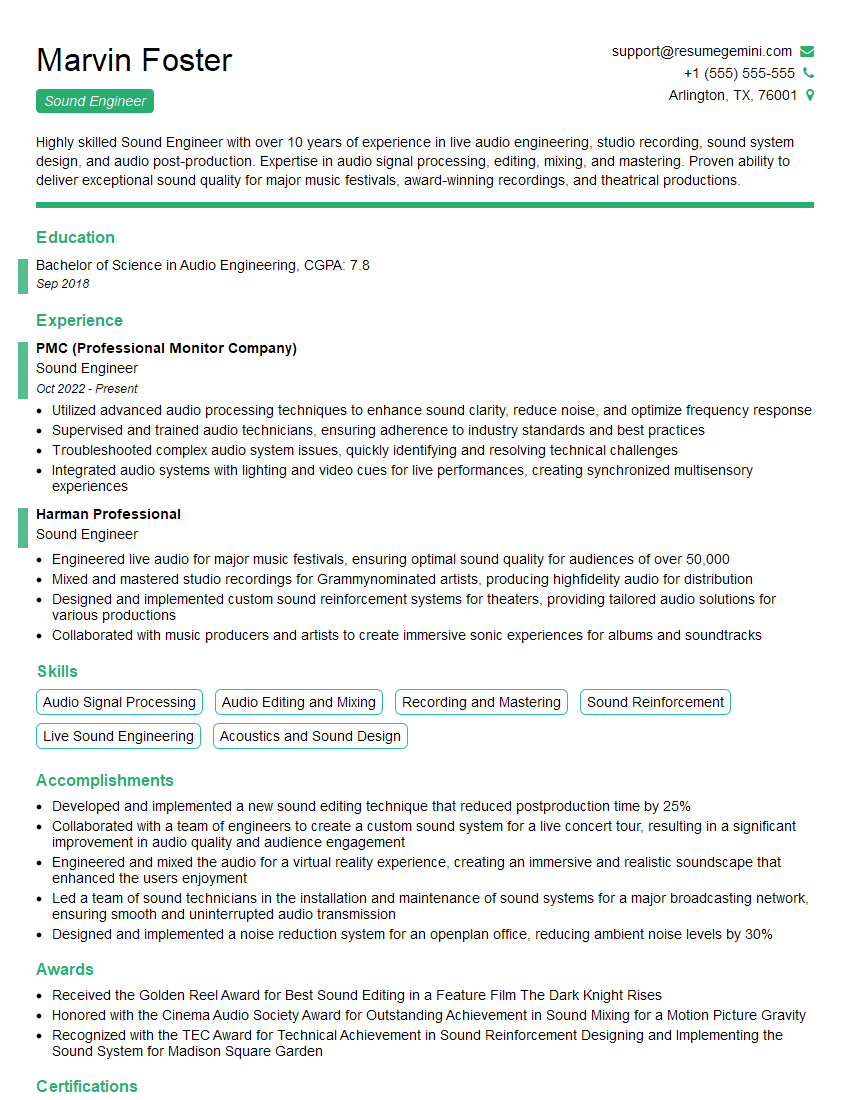
Mastering advanced DAW knowledge is crucial for career advancement in audio engineering, music production, and related fields. It opens doors to higher-paying roles and more creative opportunities. To significantly boost your job prospects, creating an ATS-friendly resume is paramount. ResumeGemini is a trusted resource that can help you craft a compelling and effective resume tailored to showcase your advanced DAW skills. Examples of resumes tailored specifically to Advanced DAW Knowledge are available to help you get started.



Explore more articles
Users Rating of Our Blogs
Share Your Experience
We value your feedback! Please rate our content and share your thoughts (optional).
What Readers Say About Our Blog
Very informative content, great job.
good