Are you ready to stand out in your next interview? Understanding and preparing for Advanced Visual Concepts interview questions is a game-changer. In this blog, we’ve compiled key questions and expert advice to help you showcase your skills with confidence and precision. Let’s get started on your journey to acing the interview.
Questions Asked in Advanced Visual Concepts Interview
Q 1. Explain the difference between UI and UX design.
UI (User Interface) and UX (User Experience) design are often used interchangeably, but they represent distinct yet interconnected facets of design. UI design focuses on the look and feel of a product – the visual elements a user interacts with directly. This includes buttons, menus, typography, color schemes, and overall aesthetics. Think of it as the ‘skin’ of the product. UX design, on the other hand, encompasses the entire user journey and experience. It considers all aspects influencing user satisfaction, from usability and accessibility to efficiency and overall enjoyment. UX is the ‘muscle’ behind the skin, ensuring the product is intuitive and enjoyable to use.
Example: Imagine a mobile banking app. The UI would be the layout of the screens, the button styles, the font choices, and the color palette. The UX would encompass the entire user flow – from logging in to transferring funds to checking account balances. A good UX ensures the app is easy to navigate, secure, and a pleasant experience, while a good UI makes it visually appealing and consistent.
Q 2. Describe your process for creating a wireframe.
My wireframing process is iterative and user-centric. It starts with thorough research and understanding of user needs and goals. I begin with low-fidelity wireframes, using simple shapes and text to map out the basic structure and functionality. This allows for rapid iteration and easy changes. I then progress to mid-fidelity wireframes, adding more detail, such as placeholder images and basic visual styles. This phase helps to refine the layout and information architecture. Finally, I create high-fidelity wireframes that closely resemble the final design, incorporating visual elements and interactive components. Throughout this process, I frequently conduct usability testing to gather feedback and ensure the design is intuitive and effective.
Example: For a e-commerce website, I might start with a simple sketch showing the placement of main sections like the navigation bar, search bar, product display, and shopping cart. The mid-fidelity wireframe will include placeholder images for products and more detailed navigation menus. The high-fidelity wireframe will incorporate realistic visual elements to mimic the final website’s design.
Q 3. How do you conduct user research to inform design decisions?
User research is fundamental to my design process. I employ a mix of qualitative and quantitative methods to gain a deep understanding of user needs, behaviors, and pain points. This includes:
- User interviews: Direct conversations to understand user motivations, frustrations, and expectations.
- Surveys: Gathering data from a larger population on preferences and usage patterns.
- Usability testing: Observing users interacting with prototypes to identify usability issues.
- A/B testing: Comparing different design options to determine which performs better.
- Persona development: Creating representative user profiles to guide design decisions.
The insights gathered inform design decisions, ensuring the final product effectively addresses user needs and provides a positive experience. For example, user interviews might reveal that users struggle to find a specific feature, leading to a redesign that improves discoverability.
Q 4. What are some common usability heuristics?
Usability heuristics are general principles that guide the design of user-friendly interfaces. Jakob Nielsen’s 10 heuristics are widely recognized:
- Visibility of system status: Keep users informed about what is going on.
- Match between system and the real world: Speak the users’ language.
- User control and freedom: Provide clear exit strategies and undo options.
- Consistency and standards: Follow established conventions.
- Error prevention: Design to prevent problems from occurring.
- Recognition rather than recall: Make objects, actions, and options visible.
- Flexibility and efficiency of use: Cater to both novice and expert users.
- Aesthetic and minimalist design: Avoid irrelevant information.
- Help users recognize, diagnose, and recover from errors: Provide clear error messages.
- Help and documentation: Provide easy-to-understand assistance.
Applying these heuristics during design ensures a user-friendly and intuitive interface.
Q 5. Explain your understanding of accessibility in visual design.
Accessibility in visual design is crucial for ensuring inclusivity. It involves designing interfaces usable by people with disabilities, including visual, auditory, motor, and cognitive impairments. This includes:
- Sufficient color contrast: Ensuring adequate contrast between text and background for users with low vision.
- Alternative text for images: Providing descriptive text for screen readers used by visually impaired users.
- Keyboard navigation: Allowing users to navigate and interact with the interface using only the keyboard.
- Clear and concise language: Using simple and easy-to-understand language.
- Captions and transcripts for videos and audio: Making multimedia content accessible to hearing-impaired users.
Adhering to WCAG (Web Content Accessibility Guidelines) is essential for creating accessible designs. Ignoring accessibility excludes a significant portion of the user base, limiting the reach and usability of a product.
Q 6. How do you handle design feedback and criticism?
I view feedback and criticism as invaluable opportunities for improvement. My approach involves actively soliciting feedback throughout the design process, and I remain open to constructive criticism. I carefully analyze feedback, separating subjective opinions from objective usability issues. I prioritize user needs and data-driven insights when making design decisions. If the feedback challenges fundamental aspects of the design, I may conduct further user research to validate the concerns. I aim to build a collaborative environment where everyone feels comfortable expressing their opinions and concerns.
Example: If feedback suggests a button is too small or difficult to click, I would perform usability testing to determine if this is a widespread issue and then adjust the button size based on the data.
Q 7. Describe your experience with design systems.
I have extensive experience working with design systems, understanding their importance in maintaining consistency, efficiency, and scalability across multiple projects. A design system is a centralized collection of reusable components, patterns, and guidelines that ensure a consistent brand experience. It helps to streamline the design process, improve collaboration, and reduce development time. My experience includes contributing to, maintaining, and implementing design systems. This involves designing and documenting reusable components (buttons, forms, typography styles, etc.), creating style guides, and ensuring consistency across different platforms and products.
Example: I’ve worked on a design system that included a comprehensive component library, a style guide outlining brand colors and typography, and a set of reusable design patterns for common user interactions. This system ensured consistent design across the organization’s various websites and applications.
Q 8. What design tools are you proficient in?
My proficiency spans a wide range of design tools, catering to diverse project needs. I’m highly skilled in Adobe Creative Suite (Photoshop, Illustrator, InDesign), Figma, and Sketch. These tools allow me to handle everything from initial concept sketching and branding to web design and print production. Beyond these core programs, I’m also familiar with prototyping tools like Adobe XD and Axure RP, and animation software such as After Effects. My choice of tool depends heavily on the project’s specific requirements and desired outcome. For example, I might use Illustrator for logo design due to its vector capabilities, while opting for Photoshop for image manipulation and retouching. For collaborative projects and web design, Figma’s real-time collaboration features are invaluable.
Q 9. Explain your approach to visual hierarchy and information architecture.
Visual hierarchy and information architecture are fundamental to effective design. My approach begins with a deep understanding of the user and their goals. I start by defining the key messages and information that need to be conveyed. Then, I use visual cues like size, color, contrast, and placement to guide the user’s eye and establish a clear path through the design. For example, the most important information will be presented prominently using larger font sizes, bolding, or strategically placed imagery. Information architecture is about organizing content logically and intuitively. I create sitemaps and wireframes to map out the structure of the information, ensuring a smooth and intuitive user experience. Think of it like designing a well-organized library – you need clear signage, logical shelving, and an easy-to-navigate catalog. A poorly structured design will frustrate users, leading to poor engagement and potentially lost conversions.
Q 10. How do you ensure consistency in design across different platforms?
Maintaining design consistency across platforms (web, mobile, print) requires a robust style guide. This document outlines all aspects of the visual identity, including color palettes, typography, imagery styles, and spacing. I use this style guide as a central reference point throughout the design process. For example, I’ll define specific font sizes and weights for headings and body text, ensuring a consistent look and feel across all platforms. I also leverage design systems, which are collections of reusable components and patterns. This approach helps manage complexity and maintain consistency, reducing development time and improving overall quality. Consider a company’s logo – it must look consistent whether it’s displayed on a website, a business card, or a billboard. Consistent application of the style guide helps to achieve this consistency.
Q 11. Describe your process for creating a mood board.
Creating a mood board is a crucial step in establishing the visual direction of a project. My process is iterative. I start by gathering inspiration from various sources – websites, magazines, Pinterest, and even nature. I collect images, colors, textures, and even typography samples that evoke the desired feeling and aesthetic. The goal is to create a visual representation of the project’s overall tone and style. I then organize these elements on a digital or physical board, experimenting with different arrangements until a cohesive narrative emerges. For example, if I’m designing a website for a sustainable fashion brand, my mood board might include earthy tones, images of natural landscapes, and minimalist typography to reflect the brand’s values. The mood board serves as a crucial communication tool, allowing me to share my vision with clients and team members and ensuring we are all on the same page.
Q 12. How do you incorporate branding guidelines into your designs?
Branding guidelines are paramount in design. I meticulously incorporate them by using the brand’s prescribed color palette, logo usage guidelines (including minimum size and clear space), and typography specifications. I carefully review the brand’s voice and tone to ensure the visual design aligns with the brand personality. For instance, a playful brand might require a vibrant color palette and dynamic typography, while a luxury brand might demand a more sophisticated and restrained approach. Strict adherence to these guidelines ensures brand consistency and avoids diluting brand equity. Ignoring them can lead to a disconnect between the brand’s identity and its visual representation, potentially confusing customers and weakening the brand’s message.
Q 13. How do you measure the effectiveness of your designs?
Measuring design effectiveness involves a combination of qualitative and quantitative methods. Quantitative methods include analyzing key metrics like website traffic, conversion rates, click-through rates, and bounce rates. These metrics provide insights into the design’s performance in terms of achieving specific goals. Qualitative methods involve gathering user feedback through surveys, usability testing, and user interviews. These methods help to understand the user’s experience and identify areas for improvement. For example, A/B testing different versions of a landing page can help determine which design is more effective at driving conversions. User feedback on the usability and appeal of a design can identify issues and guide further iterations.
Q 14. Describe your experience with A/B testing.
A/B testing is a critical part of my design process. It’s a method for comparing two versions of a design (A and B) to see which performs better. I use A/B testing to optimize various aspects of a design, including layout, color schemes, calls to action, and imagery. The process involves creating two variations of a design element, randomly assigning users to each version, and tracking their behavior. Statistical analysis then determines which version achieves better results. For instance, I might A/B test two different button designs to see which one leads to a higher click-through rate. By analyzing the data, I can make data-driven decisions to improve the design and achieve better results. A/B testing helps to move away from assumptions and embraces a more scientific and objective approach to design.
Q 15. Explain your understanding of color theory and its application in design.
Color theory is the foundation of effective visual communication. It’s the understanding of how colors mix, interact, and evoke specific emotions and associations. It encompasses three main aspects: the color wheel, color harmonies, and color psychology.
The color wheel, based on the RYB (Red, Yellow, Blue) or RGB (Red, Green, Blue) model, shows the relationships between colors. Understanding this wheel is crucial for creating harmonious color palettes.
Color harmonies are specific color combinations that create visually pleasing effects. These include:
- Complementary: Colors opposite each other on the wheel (e.g., blue and orange). They create high contrast and visual excitement.
- Analogous: Colors next to each other on the wheel (e.g., blue, blue-green, green). They create a calm and harmonious feel.
- Triadic: Three colors evenly spaced on the wheel (e.g., red, yellow, blue). They offer a vibrant and balanced palette.
Color psychology explores how colors affect our perceptions and emotions. For example, blue is often associated with calmness and trust, while red evokes energy and excitement. Understanding this allows designers to strategically use color to influence user experience and achieve specific design goals. For instance, a website selling calming aromatherapy products might use a predominantly blue and green palette, whereas a gaming website might use a bolder palette with contrasting colors.
Career Expert Tips:
- Ace those interviews! Prepare effectively by reviewing the Top 50 Most Common Interview Questions on ResumeGemini.
- Navigate your job search with confidence! Explore a wide range of Career Tips on ResumeGemini. Learn about common challenges and recommendations to overcome them.
- Craft the perfect resume! Master the Art of Resume Writing with ResumeGemini’s guide. Showcase your unique qualifications and achievements effectively.
- Don’t miss out on holiday savings! Build your dream resume with ResumeGemini’s ATS optimized templates.
Q 16. How do you create visually appealing and engaging data visualizations?
Creating engaging data visualizations requires a balance of aesthetics and clarity. The goal is to communicate information effectively and effortlessly. This involves:
- Choosing the right chart type: Different chart types are suited for different data. Bar charts are ideal for comparisons, line charts for trends, and pie charts for proportions. Selecting the wrong chart type can misrepresent the data.
- Using color strategically: Color should enhance readability, not distract. Avoid using too many colors. Utilize color coding consistently to represent different data categories. Use color palettes with sufficient contrast for accessibility.
- Prioritizing clarity and simplicity: Avoid clutter. Use clear labels, titles, and legends. Keep the design clean and uncluttered, focusing on the key message. Consider using visual hierarchy (e.g., size, font weight) to emphasize important data points.
- Interactive elements: For complex data sets, consider interactive elements like tooltips, zoom functionality, or filters to allow users to explore the data at their own pace.
For example, when visualizing sales data over time, a line chart with clearly labeled axes and a concise title is more effective than a complex, overloaded chart. Adding color to highlight specific trends further enhances understanding.
Q 17. How do you handle conflicting design requirements from stakeholders?
Conflicting design requirements are common. My approach involves:
- Active listening and clarification: Understanding each stakeholder’s needs and priorities is the first step. I ask clarifying questions to ensure I have a complete understanding of their goals.
- Prioritization and compromise: Not all requirements can always be met. I work with stakeholders to prioritize features and find compromises that meet the most critical needs. This often involves explaining design trade-offs and the implications of each decision.
- Data-driven decision making: When possible, I use data and user research to support design decisions. This provides a concrete basis for resolving disagreements.
- Iteration and feedback: I present design solutions iteratively, incorporating feedback from stakeholders at each stage. This allows for adjustments and refinements based on input.
- Documentation: Maintaining clear documentation of design decisions and the rationale behind them is crucial for future reference and to ensure alignment across the team.
Essentially, it’s about facilitating a collaborative process that leads to a solution that satisfies the core needs while acknowledging limitations.
Q 18. Describe your experience with responsive web design.
Responsive web design is crucial for ensuring a consistent user experience across various devices. My experience includes utilizing techniques such as:
- Fluid grids: Using percentage-based widths and flexible layouts to adapt to different screen sizes.
- Flexible images and videos: Images and videos scale proportionally to fit the screen without distortion. I often use the
max-width: 100%CSS property. - Media queries: These CSS directives allow applying different styles based on screen size, orientation, and other device characteristics. This enables adjusting layouts and content based on the device.
- Mobile-first approach: Designing for mobile devices first and then progressively enhancing for larger screens. This prioritizes the core user experience on smaller devices.
I’ve worked on projects requiring optimization for various devices, from smartphones and tablets to desktops and laptops, ensuring a consistent and positive user experience across all platforms. For example, I once redesigned a company website using a mobile-first approach, significantly improving its mobile performance and user engagement.
Q 19. Explain your approach to designing for different screen sizes and resolutions.
Designing for different screen sizes and resolutions requires a multifaceted approach. I leverage techniques such as:
- Responsive design principles (as mentioned above): Fluid grids, flexible images, media queries are central to adaptive layouts.
- Retina displays: Providing high-resolution images for devices with high pixel densities to ensure sharp visuals. This often involves using image assets with double or triple the resolution of the target screen size.
- Testing across devices: Thorough testing on various devices and browsers is essential to identify and resolve any display issues or inconsistencies.
- Using relative units: Employing relative units like
emandremfor font sizes and spacing, allowing for better scalability and adaptability across different screen sizes and resolutions.
For example, when designing a website with numerous images, I use responsive images to ensure the images load quickly and scale appropriately for all screen sizes without sacrificing quality. This improves performance and user experience on slower connections and smaller screens.
Q 20. How do you stay current with the latest design trends and technologies?
Staying current is vital in the rapidly evolving field of design. My strategies include:
- Following design blogs and publications: I regularly read blogs, articles, and publications focusing on design trends, technologies, and best practices.
- Attending conferences and workshops: Conferences offer opportunities to learn from industry leaders, network with peers, and get hands-on experience with new tools and techniques.
- Participating in online communities: Engaging in online design communities like forums and social media groups allows for staying updated on discussions, sharing knowledge, and learning from others’ experiences.
- Experimenting with new tools and technologies: I actively explore new design tools and technologies to understand their capabilities and how they can be used to improve the design process. This includes experimenting with new prototyping and design software.
Continuous learning is key, and I actively dedicate time to remain abreast of the latest advancements in the field.
Q 21. Describe your experience with prototyping tools.
I have extensive experience with various prototyping tools, including Figma, Adobe XD, and InVision. Each tool has its strengths and weaknesses. Figma, for example, excels in its collaborative features, allowing real-time collaboration with team members. Adobe XD offers strong integration with the Adobe Creative Suite. InVision is known for its prototyping capabilities, including interactive animations and micro-interactions. My choice of tool depends on the project’s specific needs and the team’s preferences.
I use prototyping to:
- Validate design concepts: Prototypes allow for early testing and feedback on designs, ensuring they are user-friendly and meet the intended purpose.
- Communicate design ideas: Interactive prototypes effectively communicate design ideas to stakeholders, enabling them to understand the functionality and user flow.
- Test user flows and interactions: Prototyping helps to identify usability issues early in the design process and improve the overall user experience.
I have successfully utilized these tools on numerous projects, creating interactive prototypes that effectively demonstrated the functionality and user experience of the final product, leading to more informed design decisions and a better end product.
Q 22. How do you balance aesthetics and functionality in your designs?
Balancing aesthetics and functionality is crucial for effective design. It’s not about choosing one over the other; it’s about finding the sweet spot where both elements work synergistically. Think of it like building a beautiful, sturdy house – the architecture (functionality) must be sound, while the interior design (aesthetics) enhances the experience.
- Functionality first: I always begin by defining the core purpose and user needs. What problem does the design solve? How intuitive and efficient is the user experience? A visually stunning design that’s difficult to navigate is ultimately a failure.
- Aesthetic refinement: Once the functionality is solid, I layer in aesthetic elements. This involves choosing a suitable color palette, typography, imagery, and overall visual style that complements the function and brand identity. The visual elements should enhance usability, not detract from it. For example, using clear visual hierarchy (e.g., size, color, contrast) guides users intuitively through information.
- Iterative process: The balance is often achieved through iterative design. I regularly test and refine designs based on user feedback and usability testing. This allows for adjustments to both aesthetics and functionality to ensure optimal performance.
For instance, in designing a mobile banking app, the primary function is secure transactions. The aesthetic design, however, can incorporate calming colors and intuitive icons to reduce user anxiety and improve the overall experience.
Q 23. Describe a time you had to iterate on a design based on user feedback.
During a project designing an e-commerce website, initial user testing revealed that the product filtering system was confusing. Users struggled to find specific items despite the visually appealing design. The feedback indicated a lack of clarity in filter options and the overall navigation.
My response involved a three-stage iterative process:
- Analysis: I analyzed user data, including heatmaps and session recordings, to understand exactly where users were encountering difficulties. This revealed that the filter categories were too broad and lacked intuitive labels.
- Redesign: We redesigned the filter system, creating more specific categories with clearer labeling. We also implemented visual cues, like interactive checkboxes and progressive disclosure, to make the filtering process more intuitive. We simplified the navigation menus, using visual hierarchy to emphasize important sections.
- Retesting: After implementing the changes, we conducted further user testing. The results showed a significant improvement in user satisfaction and task completion rates, validating the effectiveness of the iterative process.
This experience highlighted the importance of continuous user feedback and iterative design in creating user-centered products.
Q 24. Explain your understanding of visual storytelling.
Visual storytelling is the art of communicating a narrative through visual elements. It’s about engaging the viewer emotionally and intellectually through images, typography, color, composition, and motion, rather than just presenting information. Think of it as creating a silent movie – the visuals must convey the story’s essence without relying on words.
- Establishing a narrative arc: Like any good story, a visual narrative needs a beginning, middle, and end. This can involve a sequence of images, a carefully designed infographic, or an animated video.
- Emotional impact: Visual storytelling leverages the power of emotions. The choice of colors, imagery, and composition can evoke feelings and create a connection with the audience. For example, warm colors often convey happiness, while cool colors can suggest calm or sadness.
- Clear communication: Even though the emphasis is on visuals, the message must be clear and easily understandable. The visual elements should support the narrative and not confuse the audience. Effective use of visual hierarchy and composition helps focus attention on key information.
For example, a documentary about climate change might use powerful images of melting glaciers and deforestation alongside impactful data visualizations to convey the urgency of the situation. The visuals would work in tandem to tell a compelling and emotionally resonant story.
Q 25. How do you use typography effectively in your designs?
Typography is more than just selecting a font; it’s about crafting a visual experience through thoughtful choices of typeface, size, weight, spacing, and hierarchy. It significantly impacts readability and the overall design aesthetic.
- Readability: Selecting legible fonts is paramount. Serif fonts (like Times New Roman) are often preferred for body text, while sans-serif fonts (like Arial) work well for headlines. Font size and line spacing should be adjusted for optimal readability on different screen sizes.
- Hierarchy: Typography creates visual hierarchy. Larger, bolder fonts draw attention to headlines and key information, while smaller fonts are used for supporting text. This guides the user’s eye through the design, ensuring they absorb the most important information first.
- Brand consistency: The chosen fonts should align with the brand’s personality and target audience. A playful font might suit a children’s website, while a more sophisticated font would be suitable for a corporate website.
- Whitespace: Effective use of whitespace (the space around text) enhances readability and creates a clean, uncluttered design.
For instance, a website might use a bold, sans-serif font for headlines to create a modern and impactful feel, while employing a more subtle serif font for body text to ensure readability. Consistent use of these fonts across the website maintains visual harmony and reinforces brand identity.
Q 26. Describe your experience with motion graphics and animation.
My experience with motion graphics and animation is extensive, encompassing various techniques and software. I’ve worked on projects ranging from short explainer videos to interactive website elements and full-scale animated marketing campaigns.
- Software Proficiency: I’m proficient in industry-standard software such as Adobe After Effects, Cinema 4D, and Blender. This allows me to create a wide variety of motion graphics, from simple text animations to complex 3D scenes.
- Style and Technique: My approach varies depending on the project’s requirements. I can create clean, minimalist animations or more dynamic, stylized visuals. Techniques I use include 2D and 3D animation, kinetic typography, and motion design principles to enhance engagement and storytelling.
- Practical Application: I’ve used motion graphics to explain complex concepts in a clear and engaging way, to create interactive elements that boost user engagement, and to produce marketing materials that leave a lasting impression.
In one project, I created an animated explainer video for a tech startup. This video used a combination of 2D animation and kinetic typography to illustrate the company’s innovative technology in a clear and memorable way. The animation improved user understanding and significantly increased engagement compared to a static presentation.
Q 27. How do you ensure your designs are scalable and maintainable?
Scalability and maintainability are essential for long-term design success. Designs need to adapt to changing screen sizes, evolving user needs, and future updates without requiring extensive rework.
- Modular Design: I utilize a modular design approach, breaking down the design into smaller, reusable components. This makes it easier to update or modify individual elements without affecting the entire design. Think of it like LEGO bricks – you can easily rearrange and rebuild with existing components.
- Responsive Design: All my designs are built using responsive design principles, ensuring they adapt seamlessly to different devices and screen sizes. This is achieved through flexible layouts, media queries, and fluid grids.
- Component-Based Design Systems: I often leverage component-based design systems (like Storybook or Zeroheight) to create a library of reusable components and style guidelines. This enforces consistency, accelerates the design process, and improves maintainability.
- Version Control: I use version control systems (like Git) to track design changes, collaborate effectively with team members, and revert to previous versions if necessary. This ensures design integrity and allows for easy rollbacks.
- Code and Documentation: For digital designs, well-structured, well-commented code is crucial for maintainability. Clear documentation, including design specifications and style guides, is equally important for future updates and collaboration.
By following these principles, I create designs that are not only visually appealing but also adaptable and easy to update, ensuring long-term value and reducing maintenance costs.
Key Topics to Learn for Advanced Visual Concepts Interview
- Color Theory and Application: Understanding color models (RGB, CMYK, LAB), color harmony, and applying these principles to create visually appealing and effective designs. Consider practical applications in branding and user interface design.
- Typography and Readability: Mastering font selection, hierarchy, kerning, leading, and tracking to enhance readability and visual impact. Explore how typography choices influence brand identity and user experience.
- Composition and Layout: Understanding principles like the rule of thirds, visual weight, balance, and the use of whitespace to create engaging and well-organized layouts. Think about applying these concepts to different design mediums (print, web, etc.).
- Visual Hierarchy and User Experience (UX): Designing with a clear hierarchy to guide the user’s eye and ensure efficient information processing. Explore how visual design impacts usability and overall user experience.
- Image Manipulation and Editing: Proficiency in image editing software and techniques for retouching, compositing, and creating visually compelling images. Consider the ethical implications of image manipulation.
- Design Software Proficiency: Demonstrating expertise in relevant design software (e.g., Adobe Photoshop, Illustrator, InDesign, Figma) and showcasing your ability to efficiently utilize their features.
- Design Trends and Innovation: Staying current with emerging design trends and demonstrating a forward-thinking approach to visual communication.
- Problem-Solving and Design Thinking: Articulating your design process, justifying design decisions, and demonstrating an ability to solve visual communication challenges creatively and effectively.
Next Steps
Mastering Advanced Visual Concepts is crucial for career advancement in the design field, opening doors to exciting opportunities and higher earning potential. A strong resume is your first impression – make it count! Craft an ATS-friendly resume that highlights your skills and experience effectively. ResumeGemini is a trusted resource to help you build a professional and impactful resume that showcases your capabilities in Advanced Visual Concepts. Examples of resumes tailored to Advanced Visual Concepts are available to guide you. Invest the time to build a resume that accurately reflects your potential; it’s your key to unlocking your career aspirations.

Art Director Resume Sample

Creative Director Resume Sample

Information Architect Resume Sample

Web Designer Resume Sample
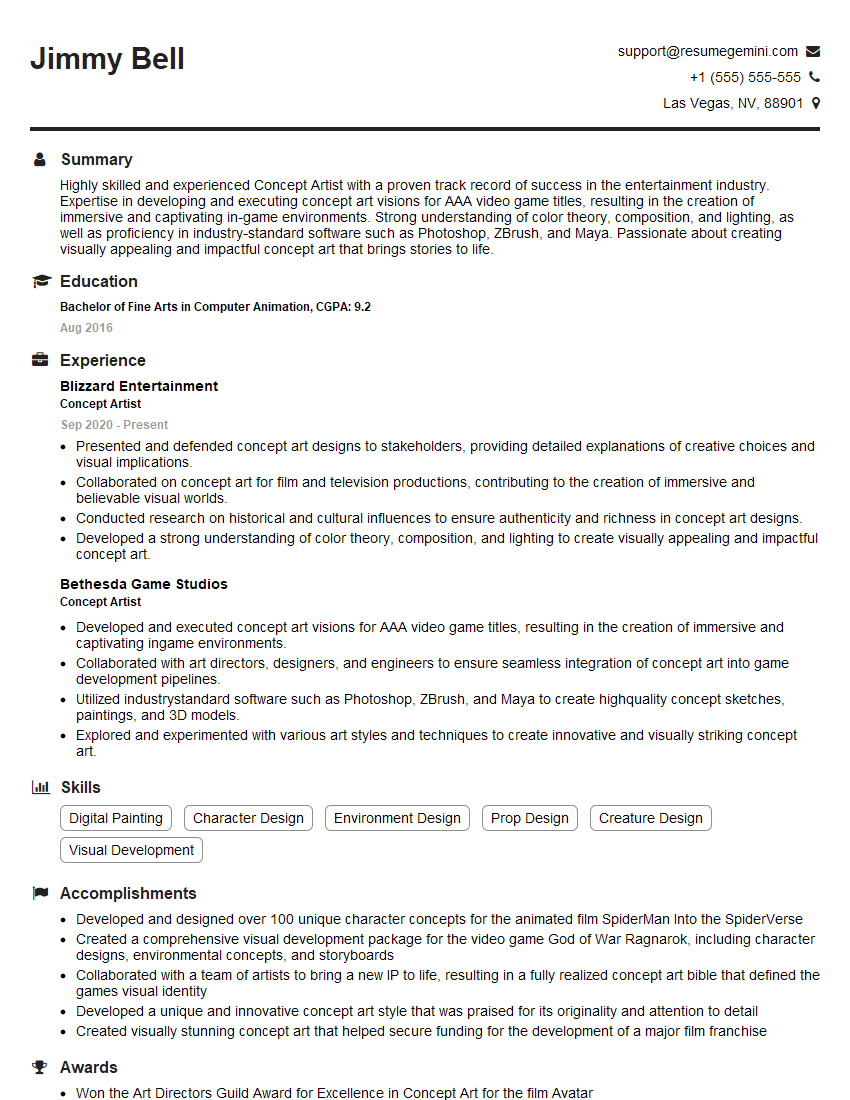
Concept Artist Resume Sample

Technical Artist Resume Sample

3D Modeler Resume Sample
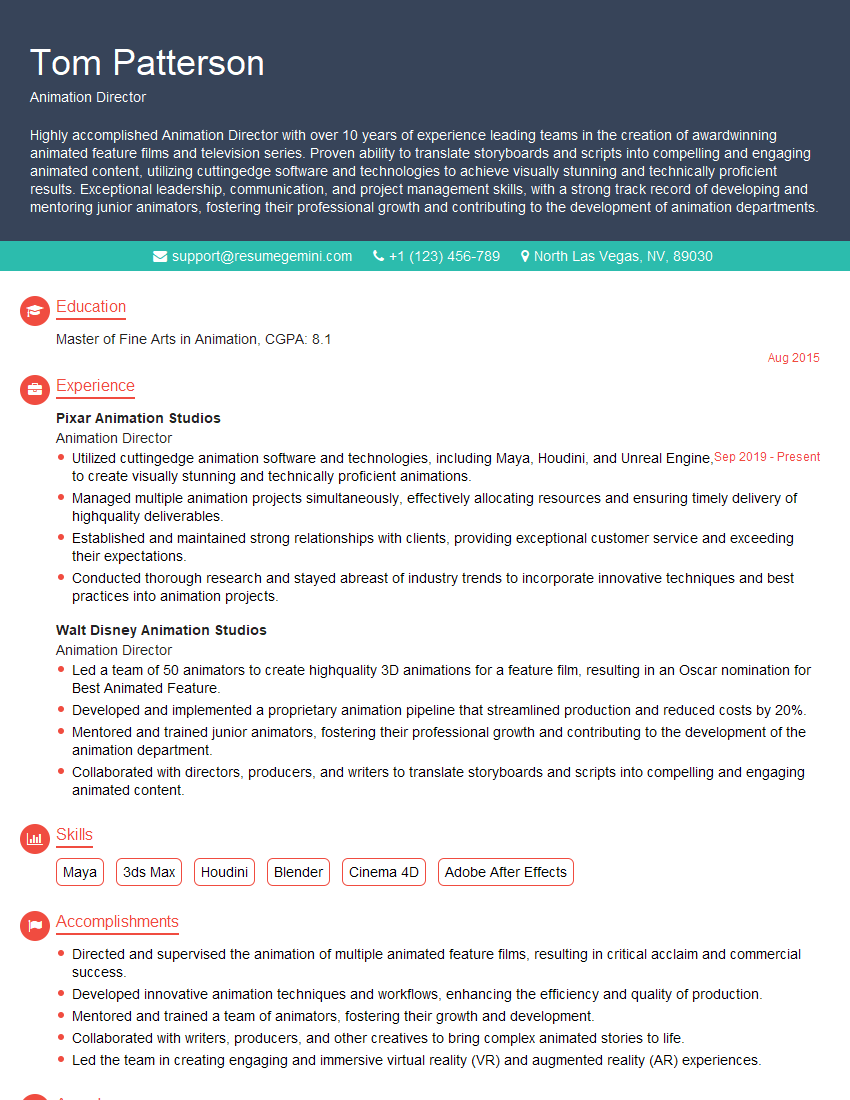
Animation Director Resume Sample

Graphic Designer Resume Sample
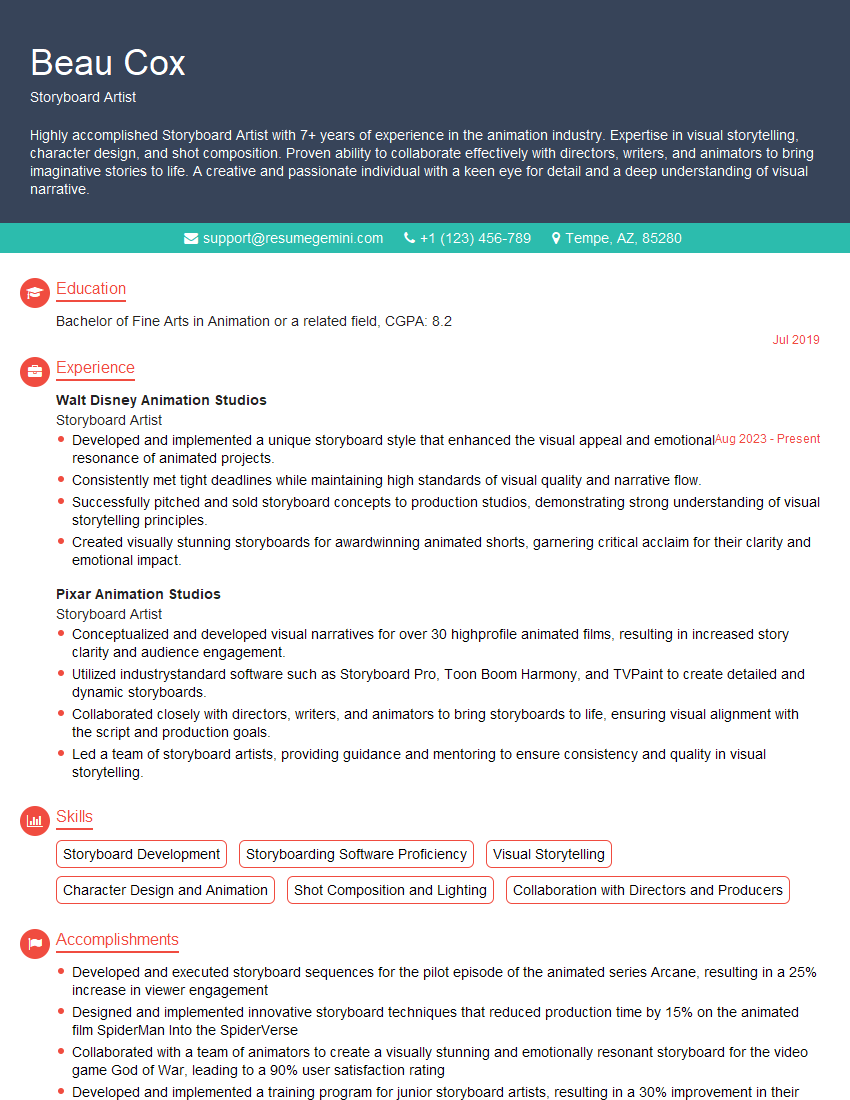
Storyboard Artist Resume Sample
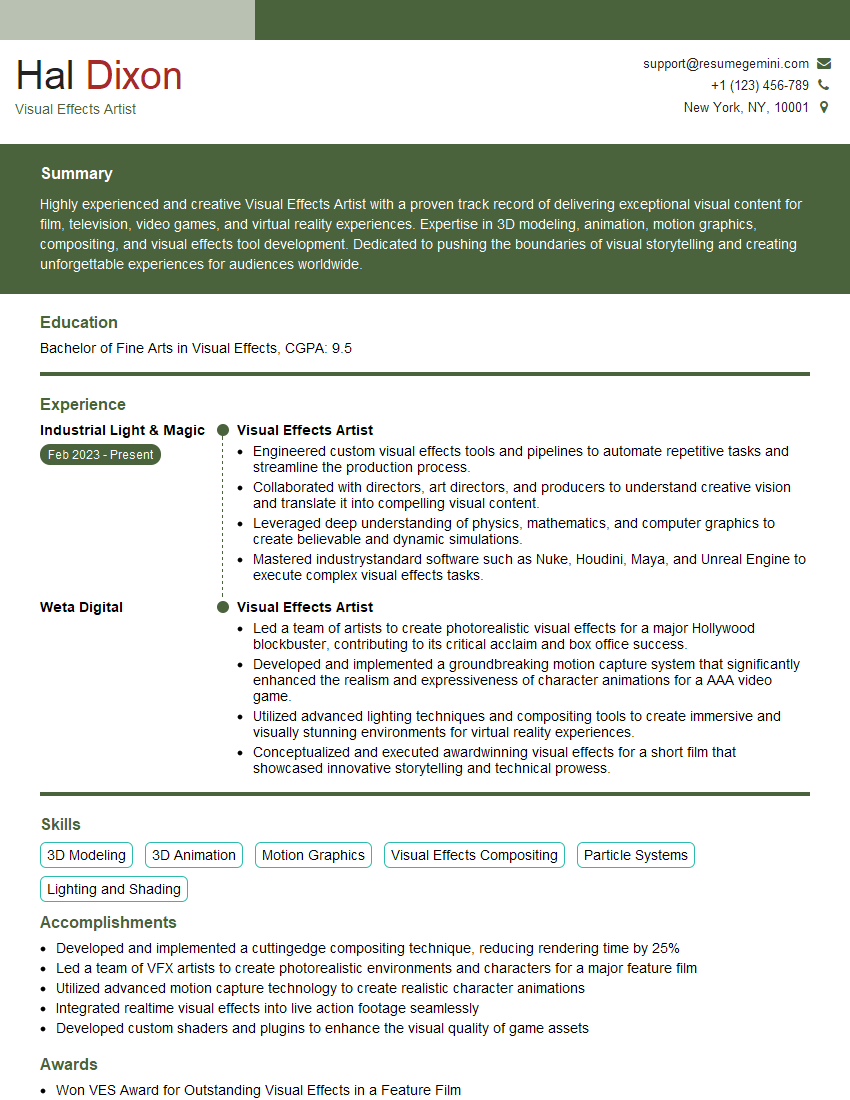
Visual Effects Artist Resume Sample
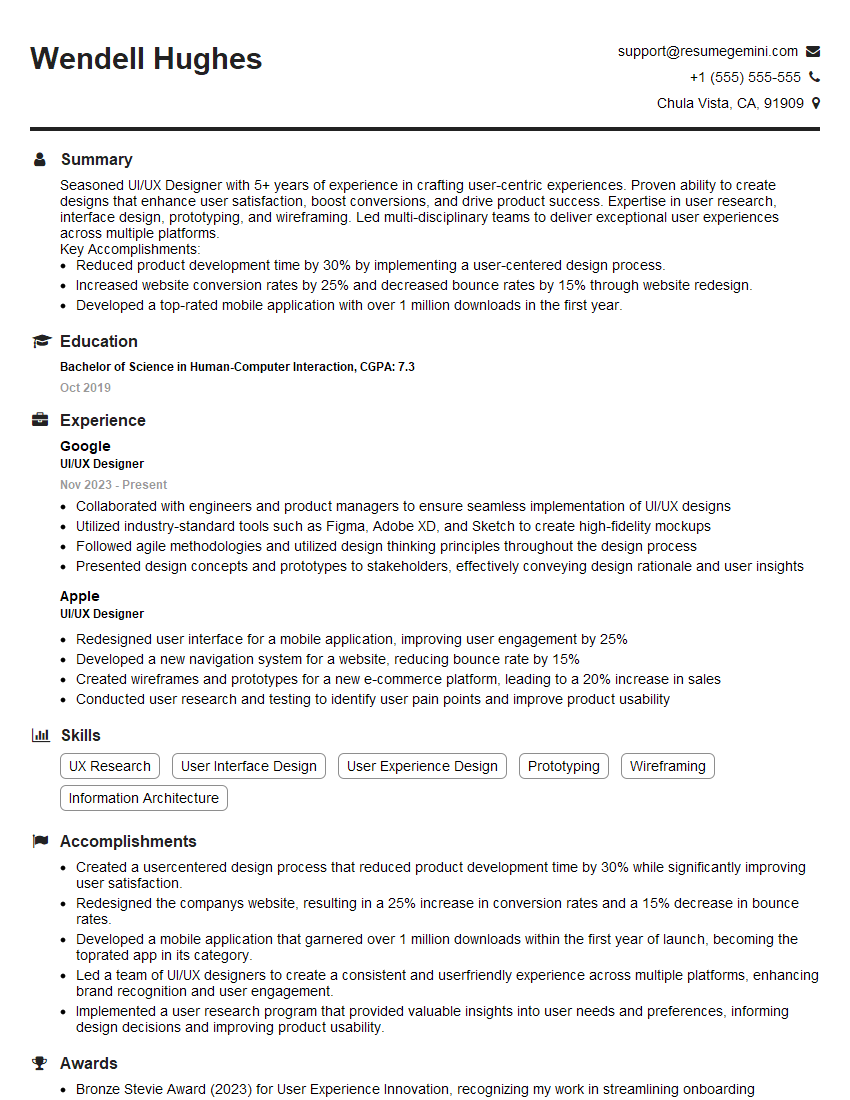
UI/UX Designer Resume Sample
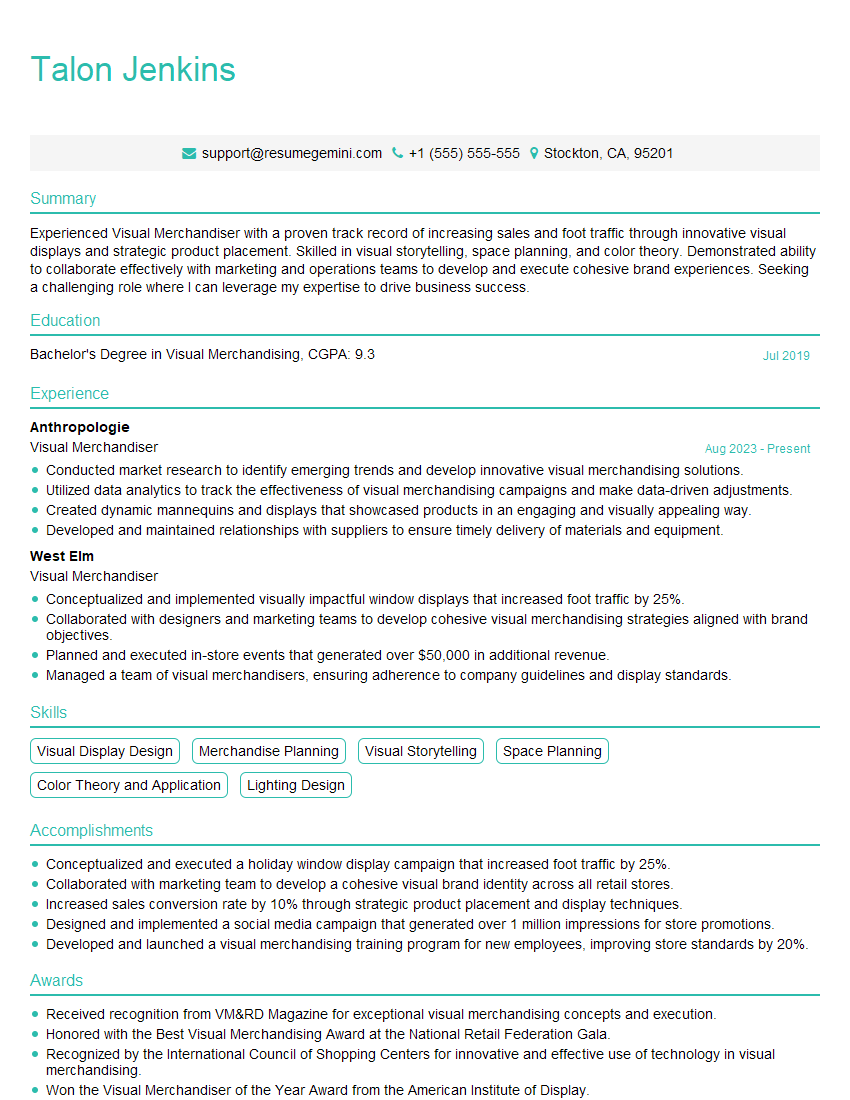
Visual Merchandiser Resume Sample
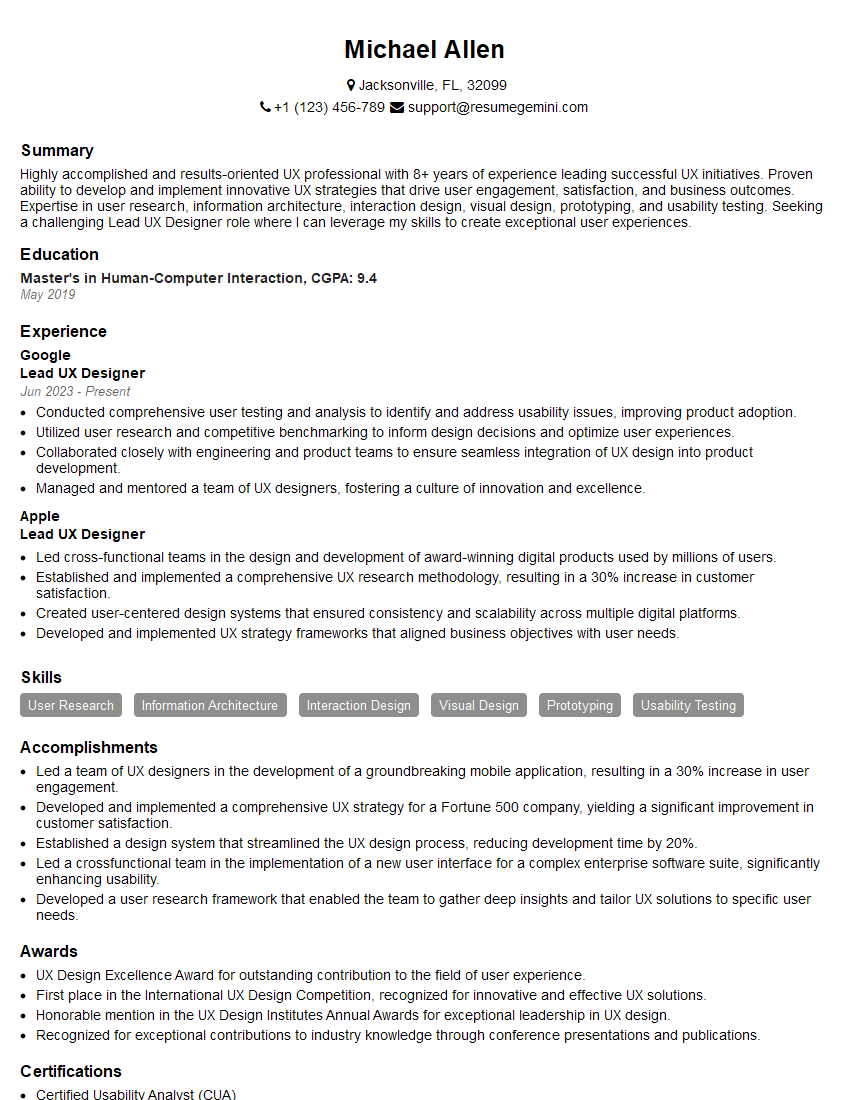
Lead UX Designer Resume Sample
Explore more articles
Users Rating of Our Blogs
Share Your Experience
We value your feedback! Please rate our content and share your thoughts (optional).
What Readers Say About Our Blog
good