Interviews are more than just a Q&A session—they’re a chance to prove your worth. This blog dives into essential Analog and Digital Platemaking interview questions and expert tips to help you align your answers with what hiring managers are looking for. Start preparing to shine!
Questions Asked in Analog and Digital Platemaking Interview
Q 1. Explain the difference between analog and digital platemaking.
Analog and digital platemaking represent two distinct approaches to creating printing plates. Analog platemaking, a more traditional method, relies on photographic processes and manual intervention. Digital platemaking, on the other hand, uses computer-aided technology to directly image the plate, eliminating many of the manual steps.
Think of it like this: analog is like hand-drawing a picture, where each step involves physical manipulation. Digital is like using a computer to create the same picture, with much greater precision and speed.
Q 2. Describe the process of making an analog plate using a stripping film.
Creating an analog plate using stripping film is a multi-step process. First, a high-resolution film negative is generated from the artwork. This negative is then carefully positioned and adhered to a sheet of stripping film – a transparent film with an adhesive backing. This combination forms the stripping film positive.
Next, the stripping film positive is carefully positioned and laminated onto a photosensitive printing plate. The plate is then exposed to ultraviolet (UV) light, hardening the exposed areas. After exposure, the plate undergoes development, washing away the unexposed areas, leaving behind a relief image on the plate which represents the image to be printed. Finally, the plate is post-processed, typically using a gumming solution, to enhance image stability and ink receptivity before mounting it onto the printing press.
It’s a precise process demanding attention to detail to prevent dust or scratches from affecting the final image quality. The slightest imperfection in alignment or handling can ruin the entire plate.
Q 3. What are the advantages and disadvantages of analog platemaking?
Analog platemaking, while offering a certain degree of control and allowing for fine-tuning of the final image, has several limitations.
- Advantages: Potential for high-quality output with careful execution, relatively inexpensive equipment (compared to CTP), better suited for very small print runs.
- Disadvantages: Labor-intensive and time-consuming, prone to errors during the manual steps, high waste generation from chemicals and materials, less efficient for large volume printing, significant limitations in terms of workflow automation and flexibility.
Q 4. Explain the process of making a digital plate using a Computer-to-Plate (CTP) system.
Digital platemaking uses Computer-to-Plate (CTP) technology, which eliminates the intermediary film stage. The digital image file, usually a PDF, is processed by a RIP (Raster Image Processor) to create a digital representation suitable for imaging the plate. This data is then used by the CTP device to directly expose the plate. Different CTP systems use various imaging technologies such as laser exposure, inkjet imaging, or thermal imaging.
The process usually involves loading the plate onto the CTP machine, setting the parameters (resolution, exposure time etc.), and initiating the imaging process. After exposure, the plate undergoes processing, typically involving a wash to remove unexposed areas. The plate is then ready for mounting and printing, significantly reducing the time and labor involved compared to analog methods.
Q 5. What are the different types of CTP plates?
Several types of CTP plates cater to different printing processes and requirements. These include:
- Thermal plates: These plates are exposed using heat from a laser or thermal inkjet head. They are relatively inexpensive and offer good quality for shorter runs.
- UV plates: These plates are exposed using ultraviolet light. They generally offer higher resolution and durability, suitable for longer print runs and high-quality work.
- Violet plates: These plates use violet lasers for exposure, offering high resolution and excellent stability. These are often used in demanding applications like high-end packaging or commercial printing.
- Waterless plates: designed for waterless offset printing, which eliminates the need for dampening solution, thus resulting in reduced chemical waste and better print quality.
The choice of plate depends on factors like print volume, image quality requirements, and budget.
Q 6. What are the advantages and disadvantages of digital platemaking?
Digital platemaking provides significant advantages over analog methods but also has some drawbacks.
- Advantages: Increased speed and efficiency, reduced labor costs, significantly less waste, greater accuracy and consistency, improved workflow automation, ability to easily make corrections and revisions, suitability for high volume printing and on-demand printing.
- Disadvantages: Higher initial investment in equipment, potential for higher plate costs per unit for smaller runs, dependence on digital workflows and expertise, potential for higher running costs if using specialized plates.
Q 7. How do you ensure accurate color reproduction in platemaking?
Accurate color reproduction in platemaking is crucial for achieving the desired print outcome. Several steps ensure this accuracy:
- Color Management System (CMS): Implementing a robust CMS is paramount. This involves profiling the scanner, monitor, RIP, and the printing press to create a consistent color space across the entire workflow. This minimizes color variations between the digital file and the final print.
- High-Resolution Images: Using high-resolution images (at least 300 dpi) is essential for preserving fine details and accurate color transitions.
- Plate Calibration and Quality Control: Regular calibration of the CTP device and careful quality control checks of the plates before printing are crucial to ensure consistent color density and reproduction.
- Proofing: Using soft proofs and hard proofs (printed samples) before committing to a large print run allows verification of color accuracy and correction of any discrepancies.
- Proper Platemaking Materials: Using high-quality plates and processing chemicals optimized for the specific printing press and inks is essential for consistent color reproduction.
By diligently following these steps, print professionals can ensure the final product closely matches the client’s vision.
Q 8. What are the common problems encountered during analog platemaking?
Analog platemaking, while offering a certain tactile charm, is susceptible to several problems. Think of it like hand-crafting a piece of art – imperfections are more likely. Common issues include inconsistent ink transfer due to variations in plate exposure, resulting in light or heavy areas in the print. This often stems from inconsistencies in the light source or inaccurate exposure times during the platemaking process. Another frequent problem is the development of scumming – unwanted ink on non-image areas – often caused by insufficient desensitization or improper cleaning of the plate. Furthermore, pinholes, small holes that allow ink to leak, can significantly affect print quality. These can arise from dust or debris during plate preparation or improper chemical processing. Finally, physical damage, like scratches or fingerprints, can also compromise the plate’s integrity, leading to flawed prints. Addressing these issues usually requires careful attention to detail in the entire workflow, from the initial film preparation to the final plate processing.
Q 9. How do you troubleshoot issues related to plate defects in both analog and digital platemaking?
Troubleshooting plate defects requires a systematic approach. In both analog and digital platemaking, we start by visually inspecting the plate for obvious flaws. For example, in analog, we’d look for scratches, pinholes, or uneven exposure. In digital, we might notice areas of missing toner or inconsistent dot formation. This visual inspection guides the next steps. If the issue seems to be consistent across the plate (e.g., overall lightness), it likely points to a problem with the exposure settings or the chemical processing (analog) or RIP settings and CTP device (digital). Inconsistencies localized to certain areas suggest issues with the original artwork, the plate material, or possible damage during handling. In digital, examining the RIP file for errors in the image data is crucial. In analog, checking the film for scratches or dust is paramount. Often, a methodical elimination process, combined with our knowledge of the specific equipment and materials used, is the key to pinpointing the exact cause.
For example, if we see a recurring pattern of light areas in the print, we might first check the exposure settings and then examine the light source for consistency. If the problem persists, we’d investigate the plate development process. This step-by-step approach ensures that we don’t overlook any potential cause.
Q 10. What is the role of a RIP (Raster Image Processor) in digital platemaking?
The Raster Image Processor (RIP) in digital platemaking is the brain of the operation. Think of it as a translator converting your digital artwork, which is typically in vector or bitmap format, into a format understood by the Computer-to-Plate (CTP) device. It takes the original file, processes it according to the desired specifications like resolution, screening, and color profiles, and creates a precise blueprint for the plate. The RIP’s role extends beyond simple translation; it performs critical functions such as halftoning, which transforms continuous-tone images into a pattern of dots for printing; trapping, where colors slightly overlap to prevent gaps between different color areas; and color management, ensuring consistent color reproduction across different devices. This allows us to generate very precise images, ready for exposure to the plate. Without a properly configured and calibrated RIP, the print quality will suffer significantly.
Q 11. Explain the importance of image resolution in platemaking.
Image resolution in platemaking is paramount; it directly impacts the final print quality. Resolution is simply the number of dots per inch (dpi) that make up an image. A higher resolution means more dots, leading to finer detail and sharper images in the final print. Think of it like a mosaic: more tiny tiles (dots) create a more realistic picture. Choosing the appropriate resolution depends on several factors, including the printing process, the type of plate, and the desired image quality. A higher resolution will result in a finer print with better detail, but it increases file size and processing time. Using insufficient resolution can lead to pixelation or jagged edges in the printed output, degrading the image quality significantly. In professional settings, finding the right balance between image quality and production efficiency is crucial.
Q 12. What are the different types of plate materials used in analog and digital platemaking?
Analog platemaking traditionally used materials like photosensitive aluminum plates, where the image was created through a photographic process. These plates often required careful chemical processing for development and etching. Digital platemaking has greatly expanded the range of materials. We now commonly use thermal plates, where heat from a laser alters the plate’s surface, directly exposing the image. These thermal plates are available in different sensitivities and chemistries, offering various advantages in terms of speed, resolution, and environmental impact. Another option is violet laser plates, which utilize a violet laser for plate exposure, providing similar advantages to thermal plates. The choice of material depends on the printing process (offset, flexo, etc.), the type of printing press, and the desired print run length. Each material has its specific properties, including sensitivity to light, resolution capabilities, and durability.
Q 13. How do you maintain and clean platemaking equipment?
Maintaining and cleaning platemaking equipment is crucial for consistent print quality and the longevity of the machines. This involves regular cleaning of all components, using appropriate solvents and cleaning agents specified by the manufacturer. For analog platemaking equipment, this includes cleaning the darkroom, developing tanks, and exposure units. For digital platemaking, the CTP device requires careful cleaning, focusing on the laser head, the imaging drum, and the plate transport system. Regular maintenance includes checking for mechanical wear and tear, calibrating exposure settings (analog) or laser power (digital), and ensuring proper ventilation to avoid chemical buildup or overheating. Proactive maintenance is key; preventative measures, like regularly scheduled servicing, prevent costly downtime and ensure the reliability of the equipment. Always refer to the manufacturer’s guidelines for detailed cleaning and maintenance procedures.
Q 14. Describe the process of mounting a plate onto a printing press.
Mounting a plate onto a printing press is a precise procedure that significantly impacts print quality and press performance. The process typically begins with carefully inspecting the plate for any damage or defects. Then, the plate is accurately positioned on the printing cylinder using registration marks, aligning the plate to the press’s other components. Often, this involves using a plate clamp or mounting tape to securely attach the plate to the cylinder. The accuracy of this alignment is critical, as any misalignment will result in image registration problems—a misalignment of colors in the printed output. After mounting, a careful check is made to ensure that the plate is properly secured and that no part of the plate is loose or at risk of coming off during printing. Any imperfections during mounting will lead to issues like blurring, misregistration, or uneven ink transfer. Therefore, this final step, while seemingly straightforward, requires precision and attention to detail for optimal printing.
Q 15. How do you ensure proper registration during platemaking?
Proper registration in platemaking ensures that all colors print precisely on top of each other, preventing misalignment or blurring. Think of it like perfectly stacking layers of colored cellophane – if they’re off, the final image is muddy. Achieving this requires meticulous attention to detail throughout the process.
Precise Plate Mounting: The plates need to be mounted accurately on the printing press. Using registration pins and carefully aligning the plate to predetermined marks on the press is crucial. Any deviation here will compound throughout the print run.
Accurate Imposition: The arrangement of pages on the plate (imposition) must be precise. Software helps plan this, but errors in the imposition file directly translate to registration problems on the press.
Consistent Substrate Handling: The material (paper, cardstock, etc.) must be consistently fed into the press. Variations in paper thickness or moisture content can lead to registration issues, especially during longer print runs.
Regular Press Maintenance: A well-maintained press is essential. Wear and tear on the press components can lead to misalignment, making accurate registration more difficult.
Test Prints and Adjustments: Regular test prints are crucial. Closely examine these for any signs of misregistration and make adjustments to the press or plate accordingly. This iterative process is vital for achieving perfect registration.
Career Expert Tips:
- Ace those interviews! Prepare effectively by reviewing the Top 50 Most Common Interview Questions on ResumeGemini.
- Navigate your job search with confidence! Explore a wide range of Career Tips on ResumeGemini. Learn about common challenges and recommendations to overcome them.
- Craft the perfect resume! Master the Art of Resume Writing with ResumeGemini’s guide. Showcase your unique qualifications and achievements effectively.
- Don’t miss out on holiday savings! Build your dream resume with ResumeGemini’s ATS optimized templates.
Q 16. What safety precautions should be taken during platemaking?
Safety is paramount in platemaking, involving both chemical and physical hazards. We need to treat it with the respect it deserves.
Chemical Handling: Many platemaking processes involve chemicals, such as developers and etchants, which can be corrosive or harmful if mishandled. Always wear appropriate personal protective equipment (PPE), including gloves, safety glasses, and lab coats. Follow the manufacturer’s safety data sheets (SDS) meticulously.
Waste Disposal: Proper disposal of chemical waste is critical. Follow local regulations and utilize appropriate containers for different chemical types. Never mix incompatible chemicals.
Laser Safety: In digital platemaking using laser technology, laser exposure can cause severe eye damage. Never look directly into the laser beam. Use safety enclosures and appropriate eye protection.
Mechanical Hazards: Platemaking equipment can have moving parts that pose potential hazards. Always operate machinery according to manufacturer guidelines, and ensure proper training before use.
Ergonomics: Pay attention to ergonomics to avoid physical strain. Use proper lifting techniques for heavy plates and maintain a comfortable workstation setup.
Q 17. What software is commonly used in digital platemaking workflows?
Several software packages are commonly used in digital platemaking workflows, each with its strengths and weaknesses. The choice often depends on the printing press and the specific needs of the print job.
RIP Software (Raster Image Processor): This software translates the digital files (like PDFs or TIFFs) into a format that the plate imager understands. Examples include Harlequin RIP, Creo’s Prinergy, and Kodak’s Prinergy Evo. These RIPs often include color management tools, screening algorithms, and other essential features.
Platemaking Software: This directly interacts with the plate imager. Software from plate manufacturers (like Kodak, Agfa, Fuji) often integrates with their specific equipment.
Prepress Workflow Software: Software such as Esko Suite, a comprehensive suite of prepress tools, manages files, automates processes, and integrates with the entire workflow from design to plate production. It plays a crucial role in streamlining the process and eliminating manual steps.
Color Management Software: Specialized software like Adobe Acrobat Pro and ColorWise assist with color profiles and ensuring color consistency across the entire workflow.
The choice and integration of these softwares is crucial for an efficient and accurate platemaking process. It’s important to note that most modern workflows use a combination of these types of software.
Q 18. Explain the concept of dot gain in platemaking.
Dot gain refers to the increase in the size of a printed dot compared to its size on the plate. Imagine printing a tiny dot – it’ll always spread out a bit due to the ink’s properties and the paper’s absorption. This spreading is dot gain.
Causes: Dot gain is influenced by factors such as the type of paper (coated papers generally exhibit less dot gain), ink, printing press, and the printing process itself. High dot gain can lead to muddy or darker images, while low dot gain can result in pale and weak images.
Impact: Accurate color reproduction requires compensation for dot gain. In prepress, we use compensation curves or algorithms to adjust the plate’s dots (making them smaller) to achieve the desired print result. Think of it as preemptively shrinking the dots to account for their expansion on the printed page.
Managing Dot Gain: Proper color management workflows address this by using color profiles that take dot gain characteristics into account. The use of high-quality printing plates and press optimization techniques also play an important role in minimizing unwanted variations.
Q 19. How do you manage color profiles in digital platemaking?
Color profile management is essential for maintaining consistent color throughout the digital platemaking workflow. A color profile is a characterization of a device (like a monitor, printer, or scanner) that describes how it reproduces color.
ICC Profiles: International Color Consortium (ICC) profiles are the standard used to define color spaces. We must use profiles specific to the devices involved (monitor, RIP, plate imager, and printing press).
Soft Proofing: This process simulates the final printed output on the screen, allowing designers to check for color accuracy before creating the plates. It requires properly calibrated monitors and appropriate color profiles.
Color Space Conversion: Digital files often use different color spaces (like sRGB or Adobe RGB). The RIP software converts these to a suitable color space for printing, ideally a CMYK space that is optimized for the specific printing press and inks being used.
Calibration and Profiling: Regular calibration of the monitor, scanner, and other devices is crucial. Professional profiling services can create precise color profiles for optimal color accuracy.
Proofing: Color proofs are essential for verifying color accuracy. There are several types available (contract proofs, digital proofs, etc.), and the choice depends on the accuracy and precision required.
Color management is a complex process. Consistency is key, and using accurate profiles throughout the workflow reduces the chances of unpleasant surprises during the print run.
Q 20. What are the environmental considerations related to platemaking?
Environmental considerations are increasingly important in platemaking. The industry is working to minimize its ecological footprint.
Water Usage: Traditional platemaking processes use substantial amounts of water. The adoption of waterless platemaking or processes that minimize water usage is becoming increasingly common.
Chemical Waste: Minimizing chemical waste is critical. Using less toxic chemicals and implementing proper waste management systems are crucial.
Energy Consumption: Platemaking processes can be energy-intensive. Using energy-efficient equipment and optimizing workflow can significantly reduce energy usage.
Plate Material Recycling: The recycling and reuse of plate materials are gaining traction, with manufacturers developing more environmentally friendly materials and processes.
Carbon Footprint Reduction: The entire process, from transportation of materials to the energy consumption of machinery, should be considered for environmental impact reduction. Using locally-sourced materials and employing environmentally-friendly practices can help minimize the overall carbon footprint of the print shop.
Adopting sustainable practices is not just an ethical consideration but also a smart business decision. More and more customers demand eco-friendly print solutions, offering a competitive advantage to those that implement sustainable practices.
Q 21. How do you handle different file formats in digital platemaking?
Digital platemaking handles various file formats, but the process usually involves converting them into a format suitable for the plate imager.
PDF: A common format for prepress, but often needs to be pre-flight checked and potentially prepped for output.
TIFF: A widely used raster image format, often used after color separation and image editing.
JPEG: Less common in prepress because of potential compression artifacts, but can be acceptable depending on the image quality and resolution.
PostScript: A page description language sometimes used, particularly for older systems.
The RIP software plays a critical role in interpreting and processing these various file formats. It’s responsible for accurate color conversion, image scaling, screening, and the creation of the final image data needed to expose the plates. Ensuring the quality of the original file and appropriate preflighting significantly reduces issues during the conversion process. Errors or inconsistencies in source files can cause significant problems during plate creation, potentially leading to costly reprints.
Q 22. Describe your experience with different types of printing presses.
My experience encompasses a wide range of printing presses, from traditional offset lithographic presses to modern, high-speed inkjet systems. I’ve worked extensively with sheetfed and web offset presses, understanding the nuances of each. Sheetfed presses are ideal for shorter runs and higher-quality work, while web presses excel at high-volume, continuous printing. I’m also familiar with various press configurations – perfecting presses (printing on both sides simultaneously), and those with in-line finishing capabilities. For example, I’ve worked with Heidelberg Speedmaster presses (sheetfed) and Goss Sunday presses (web) extensively, learning about their specific setup, maintenance requirements and the impact of different plate types on their performance.
My experience extends to digital printing presses as well, including HP Indigo and Xerox iGen systems. These presses offer significant advantages in terms of short runs, personalization, and variable data printing. A key difference I’ve observed is the need for specialized digital plates (often less durable than analog plates) and their unique handling requirements.
Q 23. Explain the process of proofing a plate before printing.
Proofing a plate before printing is crucial to avoid costly errors and ensure the final product meets specifications. The process usually involves creating a contact proof or a digital proof. A contact proof involves inking the plate and pressing it against a special paper to create a visual representation of the image. This method provides a relatively inexpensive and quick way to check for dot gain, registration, and other print-related defects. Digital proofing, on the other hand, offers a more precise and sophisticated way to examine the plate, simulating the final printed output on screen.
Regardless of the method, the proofing process should be carried out under controlled lighting conditions to accurately assess color and detail. Comparing the proof with the original artwork is critical. Any discrepancies, such as misaligned colors or missing elements, need to be addressed before proceeding to full-scale printing. For example, I once identified a subtle color shift in a contact proof that would have resulted in significant color discrepancies in a large print run, saving the company significant rework and cost. We adjusted the plate’s settings accordingly before printing.
Q 24. How do you assess the quality of a finished plate?
Assessing the quality of a finished plate involves several key checks. Firstly, we examine the plate for physical defects, such as scratches, debris, or inconsistencies in the image area. Secondly, the image quality is carefully reviewed. This includes checking for proper dot reproduction, ensuring sharpness, and verifying that halftones render smoothly with appropriate tonal range. We look for any signs of dot gain or loss, which affects the accuracy of color reproduction. Lastly, the plate’s overall durability is considered; is it robust enough to withstand the printing process and deliver the required number of prints without significant degradation?
Microscopic examination can reveal subtle defects often missed by the naked eye. Measurement tools such as a densitometer are used to quantify dot gain and other parameters. A densitometer measures the optical density of ink on the plate and helps ensure color consistency throughout the print. For instance, if we find uneven ink distribution on the plate, it indicates a problem that needs addressing, possibly requiring plate remaking.
Q 25. What are the key metrics for evaluating platemaking efficiency?
Key metrics for evaluating platemaking efficiency include throughput (plates produced per hour), platemaking cost per plate, and plate life (number of prints achievable before plate replacement). Other important factors include plate preparation time (from design to mounting), waste generated (chemicals, materials), and overall press downtime due to plate-related issues. We can track these metrics using dedicated software or spreadsheets, generating reports to identify areas for improvement.
For example, increasing throughput can be achieved by optimizing workflow, investing in faster plate imagers, and improving the efficiency of processing equipment. Minimizing waste involves using eco-friendly chemicals and implementing recycling programs. By continuously monitoring these metrics, we can identify bottlenecks and implement solutions to maximize efficiency and reduce costs.
Q 26. Describe a time you had to troubleshoot a platemaking issue under pressure.
During a high-pressure print job, we experienced repeated registration issues with a large-format, multicolor print. The problem stemmed from inconsistencies in the plate mounting process, causing slight misalignments between color plates. Initial attempts to solve the problem by simple adjustments failed. Under the pressure of looming deadlines, I systematically investigated the entire process. This included verifying the accuracy of the plate-making equipment (imager and processor), checking the quality of the mounting tape, and precisely measuring the plate dimensions.
It turned out to be a combination of factors. We found a slight misalignment in the mounting pins on the press, causing plates to be subtly out of register. This was compounded by a batch of mounting tape that was slightly thicker than usual. Solving this involved careful adjustment of the press pins and using a new batch of tape, followed by meticulous plate mounting. By following a methodical troubleshooting process, I resolved the issue, preventing a significant delay and potential financial loss.
Q 27. How do you stay updated with the latest advancements in platemaking technology?
Staying updated in this rapidly evolving field requires a multifaceted approach. I regularly attend industry conferences and trade shows such as drupa, where I network with peers and learn about new technologies. I also subscribe to industry publications and online journals specializing in platemaking technology. Additionally, I actively participate in online forums and professional groups focused on prepress and printing.
Manufacturer websites are also a valuable source of information regarding advancements in their specific equipment and software. For example, I regularly check the websites of companies like Kodak, Fujifilm, and Agfa, keeping myself updated on the introduction of new plate technologies and their benefits. Continuous learning is essential to remaining competitive and providing the best possible solutions.
Q 28. What are your salary expectations for this position?
My salary expectations for this position are in the range of [Insert Salary Range], commensurate with my experience and expertise in analog and digital platemaking. This range reflects my skills and proven ability to improve efficiency and reduce costs in demanding printing environments. I am also open to discussing a comprehensive compensation package including benefits.
Key Topics to Learn for Analog and Digital Platemaking Interview
- Analog Platemaking: Understanding the entire process from film preparation and exposure to plate processing and proofing. This includes knowledge of different types of analog plates and their characteristics (e.g., thermal, photopolymer).
- Digital Platemaking: Mastering the workflow from file preparation and RIP settings to plate imaging and quality control. Familiarize yourself with different plate types (CTP) and their respective technologies (e.g., thermal, violet laser).
- Platemaking Chemistry: A solid understanding of the chemical processes involved in both analog and digital platemaking, including developer solutions, processing times, and environmental considerations.
- Troubleshooting and Problem Solving: Be prepared to discuss common issues encountered in platemaking, such as plate defects, registration problems, and image quality inconsistencies. Showcase your ability to identify the root cause and implement effective solutions.
- Prepress Workflow Integration: Demonstrate understanding of how platemaking fits into the larger prepress workflow, including file preparation, color management, and proofing.
- Quality Control and Standards: Understanding industry standards and best practices for ensuring consistent plate quality and minimizing waste. This includes knowledge of densitometry and other quality control techniques.
- Equipment Operation and Maintenance: Familiarity with the operation and maintenance of various platemaking equipment, including processors, imagers, and other relevant machinery.
- Health and Safety: Understanding and adhering to all relevant health and safety regulations and procedures related to platemaking chemicals and equipment.
Next Steps
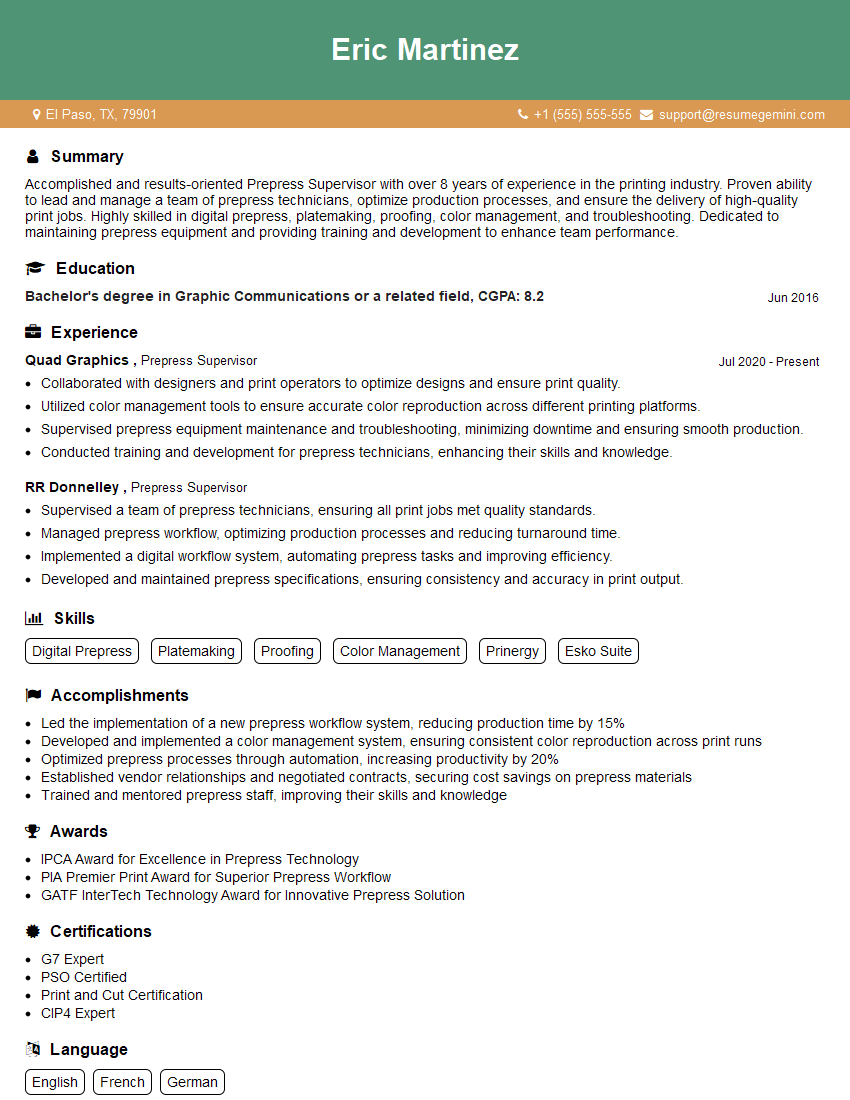
Mastering both analog and digital platemaking techniques is crucial for career advancement in the printing industry. It demonstrates a versatile skillset and a deep understanding of the printing process. To maximize your job prospects, create a professional, ATS-friendly resume that highlights your key skills and experience. ResumeGemini is a trusted resource that can help you build a compelling resume tailored to the specific requirements of the printing industry. Examples of resumes tailored to Analog and Digital Platemaking positions are available to help guide your resume building. Take this opportunity to showcase your expertise and secure your ideal role!





Explore more articles
Users Rating of Our Blogs
Share Your Experience
We value your feedback! Please rate our content and share your thoughts (optional).
What Readers Say About Our Blog
Very informative content, great job.
good