Interviews are opportunities to demonstrate your expertise, and this guide is here to help you shine. Explore the essential Archival Storage Techniques interview questions that employers frequently ask, paired with strategies for crafting responses that set you apart from the competition.
Questions Asked in Archival Storage Techniques Interview
Q 1. Explain the difference between cold storage and warm storage in archival contexts.
In archival contexts, ‘cold storage’ and ‘warm storage’ refer to different access speeds and retrieval frequencies. Think of it like this: cold storage is your deep freezer – you store things for a long time and access them infrequently, while warm storage is your refrigerator – you access things more frequently, though not as often as items on your kitchen counter (which would be considered hot storage).
Cold storage is designed for infrequently accessed data. It prioritizes low cost per gigabyte and high storage capacity, often sacrificing speed of access. Tape libraries are a prime example. Retrieving data from cold storage takes considerable time, often involving manual intervention. It’s perfect for data you know you won’t need for years, such as decades-old backups or historical research datasets.
Warm storage offers a balance between cost and access speed. Think of cloud storage with infrequent access tiers or near-line disk arrays. Access times are faster than cold storage but slower than hot storage, and the cost per gigabyte is higher than cold storage but lower than hot storage. It’s suitable for data you might need to access monthly or quarterly, such as financial records or older versions of active files.
Q 2. Describe various archival storage media and their respective advantages and disadvantages.
Archival storage media come in various forms, each with its own set of strengths and weaknesses:
- Magnetic Tape: Offers high capacity and low cost per gigabyte, making it ideal for cold storage. Disadvantages include slow access times and the risk of media degradation over time. Regular data migration is crucial.
- Optical Media (CD, DVD, Blu-ray): Relatively inexpensive and readily accessible but offer limited storage capacity compared to tape. They are also prone to degradation from scratches and environmental factors.
- Hard Disk Drives (HDDs): Offer faster access times than tape but are more expensive per gigabyte and have a shorter lifespan. Ideal for warm storage where faster access is needed.
- Solid State Drives (SSDs): Provide significantly faster access and better durability than HDDs but are the most expensive option per gigabyte. They are suitable for situations where speed and reliability are paramount, but cost is less of a constraint.
- Cloud Storage (object storage): Highly scalable, offering a range of access tiers (cold, warm, hot) to meet various requirements. The cost and access speed depend on the chosen tier. Concerns include vendor lock-in and the need for robust data governance policies.
The choice of storage media depends on factors like budget, data access frequency, data volume, and the required lifespan of the data. A multi-tiered approach, combining different media types to meet varied needs, is often the most effective strategy.
Q 3. What are the key considerations for migrating archival data to a new storage system?
Migrating archival data to a new storage system is a complex process requiring careful planning and execution. Key considerations include:
- Data Assessment: Thoroughly analyze the data to be migrated, including its size, format, and importance. Identify any potential data quality issues.
- System Compatibility: Ensure compatibility between the source and target systems. This includes data formats, metadata schemas, and access protocols.
- Migration Strategy: Choose the appropriate migration strategy – in-place migration, parallel migration, or phased migration. This decision depends on factors like data volume, downtime tolerance, and resource availability.
- Data Validation: Verify the integrity and authenticity of the data after migration using checksums and other validation techniques. This is crucial to guarantee data quality and prevent data loss during migration.
- Security: Implement robust security measures throughout the migration process to protect sensitive data. This includes encryption, access controls, and logging.
- Testing: Conduct thorough testing of the new system before the full migration to identify and resolve any potential issues.
- Documentation: Maintain comprehensive documentation of the entire migration process, including procedures, timelines, and results.
Failing to address these considerations can lead to data loss, downtime, and increased costs. A well-defined migration plan is essential to a successful outcome.
Q 4. How do you ensure data integrity and authenticity in long-term archival storage?
Ensuring data integrity and authenticity in long-term archival storage is paramount. Several strategies help achieve this:
- Checksums and Hashing: Generate checksums or hashes for each data file before storage and verify them periodically. Any discrepancies indicate data corruption.
- Data Validation: Regularly validate data using appropriate tools and techniques. This includes verifying file formats, metadata, and data structure.
- Versioning: Maintain multiple versions of data to enable recovery in case of corruption or accidental deletion.
- Metadata Management: Use comprehensive and well-structured metadata to describe the data, its origin, and its history. This is crucial for identifying and understanding data.
- Storage Media Management: Use high-quality storage media and store them in a controlled environment to minimize degradation.
- Regular Audits: Conduct regular audits of the archival storage system to assess its health, identify potential issues, and verify data integrity.
- Chain of Custody: Maintain a clear chain of custody to track access to and modifications of the data. This is essential for ensuring data authenticity.
Proactive measures are more cost-effective than reactive measures. Regular checks and preventative maintenance are key to long-term data preservation.
Q 5. Discuss different metadata schemas used in archival storage and their importance.
Metadata schemas are essential for describing archival data. They provide structure and context, facilitating efficient search, retrieval, and management of information. Several schemas exist, including:
- Dublin Core: A widely adopted metadata element set providing a basic set of descriptive elements like title, creator, subject, and date.
- METS (Metadata Encoding and Transmission Standard): A more complex standard designed for complex digital objects, allowing for the description of structural and technical information alongside descriptive metadata.
- PREMIS (Preservation Metadata Implementation Strategy): Focuses on preservation metadata, documenting the lifecycle of a digital object, including its creation, handling, and preservation actions.
The choice of metadata schema depends on the complexity of the data and the specific needs of the archive. A well-defined and consistently applied metadata schema is critical for long-term accessibility and understanding of archived data. Think of metadata as the index to your enormous library – without it, finding a specific book (data) would be nearly impossible.
Q 6. Explain the concept of data deduplication and its application in archival storage.
Data deduplication is a technique that eliminates redundant copies of data within a storage system. It identifies identical data blocks and stores only one copy, saving significant storage space. This is particularly beneficial for archival storage, where large volumes of similar data are common.
In archival storage, deduplication can significantly reduce storage costs and improve efficiency. It can be implemented at various levels, including file-level deduplication (identifying identical files) and block-level deduplication (identifying identical data blocks within files). However, implementing deduplication requires careful consideration of potential performance impacts and the need for robust metadata management to track the location of unique data blocks.
For example, consider a large archive of scanned documents. Many documents may contain identical images or text blocks. Deduplication can effectively eliminate these redundant copies, resulting in significant space savings and reducing storage costs.
Q 7. What are the best practices for disaster recovery and business continuity planning for archival data?
Disaster recovery and business continuity planning are crucial for protecting archival data. The plan should address:
- Risk Assessment: Identify potential risks such as natural disasters, cyberattacks, and hardware failures.
- Data Backup and Replication: Implement a robust backup and replication strategy using multiple geographically diverse locations. This ensures data availability even in case of a major disaster.
- Recovery Procedures: Develop detailed procedures for restoring data and systems in case of a disaster. These procedures should be regularly tested and updated.
- Recovery Time Objectives (RTO) and Recovery Point Objectives (RPO): Define acceptable RTO and RPO values to guide the recovery strategy. RTO specifies the maximum tolerable downtime, while RPO specifies the maximum acceptable data loss.
- Security: Implement robust security measures to protect against cyberattacks and data breaches.
- Testing: Regularly test the disaster recovery plan to verify its effectiveness and identify potential weaknesses.
- Communication Plan: Establish a communication plan to ensure effective communication during a disaster.
A well-defined disaster recovery plan is essential to minimizing disruption and ensuring the long-term preservation of valuable archival data. Think of it as your insurance policy against unexpected events.
Q 8. Describe different data backup and recovery strategies for archival data.
Data backup and recovery strategies for archival data are crucial for ensuring long-term data accessibility and integrity. The approach depends heavily on the sensitivity and volume of data, budget, and regulatory requirements. We typically employ a multi-layered approach, combining different methods for redundancy and disaster recovery.
3-2-1 Backup Strategy: This widely adopted strategy involves maintaining three copies of your data, on two different media types, with one copy stored offsite. For archival data, this might involve keeping one copy on tape in a climate-controlled vault, another copy on a redundant disk array in the primary data center, and a third copy on a geographically separate cloud storage service.
Versioning and Incremental Backups: Instead of full backups, incremental backups only save changes made since the last backup. This saves significant storage space and bandwidth. Versioning ensures that you can restore to any point in time.
Data Deduplication: This technique identifies and removes duplicate data, significantly reducing storage space needed for backups. This is especially beneficial for archival data where duplicate files are common.
Recovery Testing: Regularly testing the recovery process is vital. We perform periodic restores of archival data to verify its integrity and the efficiency of the recovery methods. This is often done on a smaller scale initially and scaled to full recovery exercises periodically.
For example, in one project involving a large university’s historical records, we implemented a 3-2-1 strategy using LTO tape for long-term storage, a nearline cloud storage solution for quicker access to more recent data, and an on-site redundant array of independent disks (RAID) for daily backups.
Q 9. How do you manage and control access to sensitive archival data?
Managing access to sensitive archival data requires a robust security framework. This involves implementing a multi-layered approach encompassing physical, technical, and administrative controls.
Access Control Lists (ACLs): We meticulously define granular access permissions using ACLs to specify which users or groups can access specific data sets. This ensures that only authorized personnel can view, modify, or delete sensitive information.
Role-Based Access Control (RBAC): RBAC assigns permissions based on roles within the organization. This simplifies access management and reduces the risk of human error.
Encryption: Both data at rest (on storage devices) and data in transit (during network transfer) must be encrypted using strong encryption algorithms. This protects against unauthorized access even if the storage media or network is compromised.
Auditing and Logging: Comprehensive auditing and logging mechanisms track all access attempts, successful and unsuccessful. This provides an audit trail for compliance and security investigations.
Physical Security: For on-site archival storage (like tape vaults), physical security measures such as access control systems, surveillance cameras, and environmental controls are essential.
For instance, a project with a financial institution necessitated stringent access controls, requiring multi-factor authentication and detailed auditing of all data access, aligning with regulatory compliance standards.
Q 10. What are your experiences with different archival storage technologies (e.g., tape, disk, cloud) ?
My experience spans various archival storage technologies, each with its strengths and weaknesses. The optimal choice depends on factors such as cost, performance requirements, and data retention policies.
Tape: Tape remains a cost-effective solution for long-term archival storage due to its high storage density and low cost per gigabyte. However, it’s slower to access data compared to disk-based solutions. LTO (Linear Tape-Open) technology is currently the industry standard.
Disk: Disk-based storage offers faster access speeds than tape, making it suitable for nearline archives requiring quicker retrieval times. However, it’s more expensive per gigabyte than tape, and the cost of maintaining a large disk array can be substantial.
Cloud: Cloud storage offers scalability, accessibility, and often features built-in data protection and disaster recovery capabilities. Choosing a reputable cloud provider with robust security measures is paramount. We often use a hybrid approach, combining cloud with on-premise storage for optimal cost and performance.
In a recent project for a government archive, we utilized a hierarchical storage management (HSM) system, automatically migrating less frequently accessed data from disk to tape and eventually to a cost-effective cloud archive.
Q 11. Describe your experience with implementing data retention policies.
Implementing data retention policies is a critical aspect of archival storage management. These policies define how long data needs to be retained and what disposition actions should be taken after the retention period expires. This includes legal, regulatory, and business requirements.
Policy Definition: We begin by carefully defining the retention periods for different data types based on legal, regulatory, and business requirements. This involves close collaboration with legal, compliance, and business stakeholders.
Policy Enforcement: We utilize automated tools and workflows to ensure compliance with the defined retention policies. This can involve scheduled data deletion or migration to long-term storage tiers.
Documentation and Auditability: Comprehensive documentation is crucial. This includes the retention policy itself, procedures for managing data throughout its lifecycle, and audit trails to track policy compliance.
Legal and Compliance Considerations: We always ensure that the retention policies align with all relevant legal and regulatory requirements, such as GDPR, HIPAA, etc.
For example, a healthcare provider required a robust data retention policy compliant with HIPAA regulations. We implemented a system that automatically purged patient data after the legally mandated retention period, maintaining detailed audit logs for compliance purposes.
Q 12. How do you handle the long-term preservation of different file formats?
Preserving different file formats over the long term is a significant challenge due to software obsolescence and evolving technology. A proactive strategy is essential.
Format Migration: Periodically migrating data from obsolete formats to current, widely supported formats is crucial. This often involves using specialized conversion tools.
Emulation: For formats where migration is impractical or impossible, emulation software can be used to access and render the data. This requires maintaining the necessary emulation environment.
Metadata Management: Comprehensive metadata is crucial. This includes information about the file format, creation date, creator, and any other relevant information. This helps in identifying and managing files effectively.
Digital Preservation Strategies: Adopting established digital preservation strategies, including creating checksums to verify file integrity and using standardized storage formats, enhances longevity.
In a project archiving historical scientific data, we used a combination of format migration and emulation to ensure access to data stored in various legacy formats. We maintained a detailed inventory of all file formats and their associated metadata.
Q 13. What are your strategies for dealing with data obsolescence in archival storage?
Data obsolescence is a major concern in archival storage. It arises from changes in technology, software, and data formats making it difficult or impossible to access the data.
Regular Audits: Regularly auditing the archival data identifies obsolete formats and outdated hardware or software. Early detection allows for proactive measures.
Format Migration (as above): Proactive migration to current formats minimizes the risk of data becoming inaccessible.
Emulation (as above): Using emulation software maintains access to data stored in obsolete formats.
Data Migration Planning: Developing a comprehensive data migration plan helps systematically address obsolescence. This plan should outline procedures, timelines, and resource allocation.
For example, when dealing with legacy databases, we might migrate the data to a modern database system, ensuring data integrity and preserving its accessibility.
Q 14. Explain your experience with archival storage system selection and implementation.
Selecting and implementing an archival storage system is a multifaceted process. It requires careful planning, thorough assessment, and a deep understanding of the organization’s needs.
Needs Assessment: A thorough needs assessment identifies the types of data to be archived, the volume of data, retention requirements, access frequency, budget constraints, and security requirements.
Vendor Selection: Based on the needs assessment, we evaluate different vendors and their offerings, considering factors such as cost, performance, reliability, and security. We often seek multiple quotes and thoroughly compare features.
System Design and Implementation: The system is designed to meet the organization’s specific needs. This may involve creating a hybrid system combining different technologies to optimize cost and performance.
Testing and Validation: Before deploying the system to production, thorough testing ensures its functionality, reliability, and security. We conduct load tests and disaster recovery exercises to validate the system’s resilience.
Ongoing Maintenance and Monitoring: Post-implementation, ongoing maintenance and monitoring ensure the system continues to perform optimally and meets the organization’s needs.
A recent project involved selecting and implementing an archival storage solution for a large media company. This involved a thorough evaluation of different cloud and on-premise storage solutions, culminating in the implementation of a hybrid system to efficiently manage their vast media archive.
Q 15. Describe your experience with archival data retrieval processes.
Archival data retrieval is a critical process requiring meticulous planning and execution. It involves locating, accessing, and extracting specific data from long-term storage, often after years of inactivity. The process typically begins with a clear understanding of the data required – its location (using metadata), format, and any necessary pre-processing steps.
My experience includes working with various retrieval methods, from simple keyword searches within metadata indexes to complex queries across distributed storage systems. I’ve managed projects involving the retrieval of terabytes of data, requiring careful planning to ensure minimal disruption to ongoing operations and adherence to strict SLAs (Service Level Agreements). For example, in one project involving a large media archive, we developed a custom retrieval pipeline that pre-processed media files, converted formats, and ensured digital integrity checks before delivery to the end-user. This involved handling various file formats, legacy systems, and ensuring data security throughout the retrieval process. This involved extensive testing and quality assurance to ensure the fidelity and accuracy of the retrieved data.
Another instance involved retrieving specific patient records from a HIPAA-compliant archive. This highlighted the importance of robust access controls, audit trails, and stringent security measures to ensure compliance and prevent unauthorized access.
Career Expert Tips:
- Ace those interviews! Prepare effectively by reviewing the Top 50 Most Common Interview Questions on ResumeGemini.
- Navigate your job search with confidence! Explore a wide range of Career Tips on ResumeGemini. Learn about common challenges and recommendations to overcome them.
- Craft the perfect resume! Master the Art of Resume Writing with ResumeGemini’s guide. Showcase your unique qualifications and achievements effectively.
- Don’t miss out on holiday savings! Build your dream resume with ResumeGemini’s ATS optimized templates.
Q 16. How do you ensure compliance with relevant regulations (e.g., GDPR, HIPAA) in managing archival data?
Compliance with regulations like GDPR and HIPAA is paramount in archival data management. This requires a multi-faceted approach encompassing data minimization, purpose limitation, access control, data security, and retention policies. For GDPR, this means ensuring we only collect and store data necessary for specified, explicit, and legitimate purposes. We maintain detailed records of processing activities, including data retention schedules, and facilitate data subject rights (access, rectification, erasure). HIPAA compliance necessitates strict controls over protected health information (PHI), including encryption both in transit and at rest, access restrictions based on roles and responsibilities, and thorough audit trails to monitor access and changes.
In practice, this involves implementing robust access control systems, encryption techniques (e.g., AES-256), regular security audits, and comprehensive data loss prevention (DLP) measures. We also conduct regular training for staff on compliance requirements and best practices. We meticulously document all processes and procedures to ensure auditable compliance.
Q 17. Explain your understanding of different storage tiers and their application in an archival context.
Storage tiers in archival storage represent a hierarchical structure designed to optimize cost and performance. Data is typically organized into tiers based on frequency of access and cost considerations.
- Tier 1 (Active Tier): This tier holds frequently accessed data, requiring fast access times and high performance. Examples include solid-state drives (SSDs) or high-performance network-attached storage (NAS).
- Tier 2 (Nearline Tier): This tier stores data accessed less frequently. It offers a balance between cost and access speed, utilizing technologies like cloud storage or slower hard disk drives (HDDs) in a high-availability environment.
- Tier 3 (Offline/Deep Archive Tier): This tier is for rarely accessed data, optimized for low cost and high capacity. This might include tape libraries, cloud archive services, or offline disk storage.
The application in an archival context is crucial for cost optimization. Frequently accessed data resides in faster, more expensive storage, while infrequently accessed data is moved to lower-cost, slower tiers. This strategy minimizes overall storage costs without sacrificing access to necessary information. For instance, a bank might store daily transaction data in Tier 1, monthly reports in Tier 2, and historical data from past decades in Tier 3.
Q 18. Discuss your experience with archival storage capacity planning and forecasting.
Archival storage capacity planning and forecasting is a critical aspect of long-term data management. It involves predicting future storage needs based on historical data growth rates, anticipated data volumes, and retention policies. This process often utilizes statistical modeling techniques to extrapolate future requirements.
My approach includes analyzing historical data growth trends, considering factors like business growth, new data sources, and regulatory changes. I use forecasting tools and techniques, such as exponential smoothing or ARIMA models, to predict future storage needs with varying degrees of confidence. The results are presented in a clear, concise manner, highlighting potential scenarios and risks associated with under- or over-provisioning of storage capacity. This also includes factoring in potential technology upgrades and obsolescence planning, considering migration strategies for different data types.
For example, I once worked on a project involving a rapidly growing e-commerce company. By analyzing their transaction history and anticipated growth, I was able to accurately forecast their storage needs for the next five years, allowing them to proactively manage their archival storage infrastructure and avoid costly capacity bottlenecks.
Q 19. Describe your proficiency in using specific archival software or tools.
My proficiency in archival software and tools spans a range of solutions, from open-source tools to enterprise-grade platforms. I have extensive experience with tools like OpenStack Swift (for object storage), various tape library management systems (e.g., Spectra Logic, IBM TS7700), and cloud-based archival services (e.g., AWS Glacier, Azure Archive Storage). I’m also familiar with metadata management systems (like Apache Solr or Elasticsearch) used to index and search archival data efficiently.
Beyond individual tools, I possess expertise in integrating these systems into a cohesive archival infrastructure. This includes designing robust workflows for data ingestion, storage, retrieval, and lifecycle management. I have experience working with scripting languages (e.g., Python, Bash) to automate tasks and improve efficiency. For example, I developed a Python script to automate the migration of data from an outdated NAS system to a new cloud-based archive, significantly reducing manual effort and improving data accessibility.
Q 20. What are the ethical considerations in managing archival data?
Ethical considerations in managing archival data are significant and multifaceted. They revolve around principles of transparency, accountability, privacy, and fairness.
- Transparency: Clear and accessible documentation of data collection, storage, and access policies is vital. Users should understand how their data is being handled.
- Accountability: Establish clear lines of responsibility for data management, including procedures for handling requests and resolving disputes.
- Privacy: Strict adherence to privacy regulations (like GDPR, HIPAA) and ethical best practices is essential. Data anonymization or pseudonymization techniques should be employed where appropriate.
- Fairness: Ensure equitable access to archival data and avoid bias in data selection or curation.
For instance, consider historical archives potentially containing biased or offensive content. Ethical considerations require careful evaluation of how to present such data, potentially including contextual information and disclaimers. Similarly, when dealing with sensitive personal data, anonymization or redaction may be necessary to protect individuals’ privacy.
Q 21. How do you address data security risks associated with archival storage?
Data security risks associated with archival storage are substantial, given the often long retention periods and potentially sensitive nature of the data. These risks include unauthorized access, data breaches, data loss, and data corruption.
Addressing these risks requires a layered security approach. This includes physical security measures to protect storage facilities, access control mechanisms (e.g., role-based access control, multi-factor authentication) to limit access to authorized personnel, encryption (at rest and in transit) to protect data confidentiality, and regular security audits and vulnerability assessments to identify and mitigate potential threats. A robust disaster recovery and business continuity plan is critical to ensure data availability in the event of a system failure or natural disaster. Data integrity checks and version control are also vital to ensure data accuracy and prevent corruption. Furthermore, comprehensive incident response plans are necessary to effectively handle and mitigate the impact of any security incidents.
For example, regularly scheduled security audits can detect vulnerabilities in access control systems or encryption protocols. Implementing a robust disaster recovery plan can minimize data loss in the event of a natural disaster or equipment failure.
Q 22. What is your experience with auditing archival data and systems?
Auditing archival data and systems is crucial for ensuring data integrity, compliance, and efficient resource management. It involves a systematic review of data storage, access controls, and overall system health. My experience encompasses performing both technical and administrative audits. Technical audits focus on the underlying infrastructure, verifying backup processes, assessing storage capacity, and checking for data corruption. Administrative audits examine policies, procedures, and compliance with regulations like GDPR or HIPAA. For example, in a recent audit for a historical archive, I verified the integrity of checksums on terabytes of digitized documents, ensuring no data loss occurred during the migration to a new cloud storage solution. I also reviewed access logs to ensure that only authorized personnel accessed sensitive materials, and that all access attempts were properly logged and auditable.
My approach typically involves a phased process: planning (defining scope and objectives), data collection (using automated tools and manual checks), analysis (identifying discrepancies and vulnerabilities), and reporting (providing recommendations for improvements). This methodical approach helps identify risks and ensures the long-term preservation and accessibility of archived data.
Q 23. Explain your understanding of different data encryption techniques in the context of archival storage.
Data encryption is essential for protecting archival data from unauthorized access. Several techniques exist, each offering different levels of security and performance. Symmetric encryption uses the same key for both encryption and decryption, offering faster speeds but requiring secure key exchange. Common algorithms include AES (Advanced Encryption Standard) which is widely used in archival systems. Asymmetric encryption uses separate keys for encryption (public key) and decryption (private key), offering better key management but slower performance. RSA is a prominent algorithm in this category. Hybrid approaches combine the strengths of both; a symmetric key encrypts the data, and an asymmetric key encrypts the symmetric key itself.
In archival storage, the choice of encryption method depends on factors such as sensitivity of data, storage medium, and budget. For example, highly sensitive government records might employ a hybrid approach using AES for bulk encryption and RSA for key management. Less sensitive data might use simpler symmetric encryption. Furthermore, encryption should be implemented at multiple levels, including data-at-rest and data-in-transit (when data is being transferred). The proper implementation and management of encryption keys are critical and often involve sophisticated key management systems (KMS) to safeguard the confidentiality of the data.
Q 24. How do you balance the need for accessibility with the need for data preservation?
Balancing accessibility and preservation is a central challenge in archival management. Highly accessible data is more readily used, but frequent access can degrade storage media and increase the risk of data loss. Conversely, data locked away for optimal preservation might be difficult or impossible to retrieve when needed. The solution lies in a strategic approach involving tiered storage and access control.
Frequently accessed data can be stored on readily available, but potentially less durable, media like SSDs or easily accessible cloud storage. Less frequently accessed data, which still needs ready access, might be stored on near-line or offline storage solutions such as tape libraries. Finally, archival-grade data, needing only infrequent access, might reside on the most stable media with robust preservation strategies in place. Access control lists (ACLs) and robust metadata are crucial; only authorized personnel should access specific data, and robust metadata will allow for efficient retrieval when needed, mitigating the need for frequent access.
Think of it like a library: frequently borrowed books are kept in easy reach, while less popular but valuable texts are archived in a more secure, less accessible location. This tiered approach ensures both accessibility and longevity.
Q 25. Describe your experience with the development and maintenance of archival metadata.
Metadata is the backbone of any archival system; it’s the descriptive information about the data itself. My experience with metadata encompasses its creation, management, and use in search and retrieval. I’ve worked with various metadata standards, including Dublin Core and PREMIS, tailoring them to specific archival needs. Developing a robust metadata schema requires careful consideration of the data’s context, potential uses, and long-term preservation requirements.
Maintaining metadata involves ensuring its accuracy, consistency, and completeness over time. This includes regular audits, data cleansing, and updates to reflect evolving needs. For example, I’ve developed automated workflows for importing metadata from various sources and enforcing data quality checks to prevent inconsistencies. We also employ version control to track metadata changes and allow for rollback if necessary. The goal is to create a comprehensive, easily searchable, and long-lasting record of the archival materials.
Q 26. How do you manage and resolve conflicts in archival data?
Conflicts in archival data can arise from various sources, including data duplication, conflicting versions, or inconsistencies in metadata. Resolving these conflicts requires careful analysis and a defined process. My approach involves a three-step process: identification, analysis, and resolution. First, I identify conflicting data elements using automated comparison tools and manual reviews. Analysis involves determining the source of the conflict and evaluating the validity of each data version. Resolution involves selecting the most accurate or appropriate version, documenting the decision, and implementing necessary corrections.
For example, if two versions of a historical document exist, differing only in minor textual changes, I would carefully examine both versions, considering factors such as provenance and authority, to determine the most accurate representation. Metadata plays a vital role here; detailed provenance information can help to resolve conflicts and ensure data integrity. In more complex cases, a conflict resolution committee might be convened, composed of subject matter experts to make informed decisions.
Q 27. Describe a situation where you had to troubleshoot a problem with an archival storage system.
In one project involving a large-scale digital archive, we experienced unexpected performance degradation in our retrieval system. Initial diagnostics pointed to database issues, but closer examination revealed a problem with the indexing process. A specific data format, relatively uncommon, was causing the indexing engine to hang, resulting in slow retrieval times and occasional crashes.
My troubleshooting involved several steps. First, we isolated the problematic data format through careful log analysis and targeted testing. Second, we developed a custom data pre-processing script to reformat this specific data type, making it compatible with our indexing engine. Third, we implemented a robust monitoring system to detect similar issues in the future. The entire process involved close collaboration with database administrators, software developers, and the archival team to identify the root cause, implement a solution, and put preventative measures in place. This experience highlighted the importance of proactive monitoring, rigorous testing, and a flexible approach to problem-solving in archival management.
Q 28. What are your strategies for managing large-scale archival data migrations?
Managing large-scale archival data migrations requires careful planning, robust tools, and a phased approach. My strategy typically involves several key steps:
- Assessment: A comprehensive analysis of the existing system, including data volume, format, storage medium, and metadata structure.
- Planning: Defining the migration strategy (e.g., in-place vs. staged migration), selecting appropriate tools and technologies, establishing timelines, and allocating resources.
- Data Preparation: Cleaning, validating, and transforming data to ensure compatibility with the target system. This often involves data normalization, metadata enrichment, and the application of checksums for data integrity verification.
- Migration Execution: Implementing the chosen migration strategy, monitoring progress closely, and addressing any issues that arise. This might involve using specialized migration tools or developing custom scripts.
- Verification: Post-migration validation to ensure that all data has been transferred successfully and that data integrity has been maintained.
- Post-Migration Optimization: Fine-tuning the target system to ensure optimal performance and scalability.
For example, during a recent migration from a legacy tape-based system to a cloud-based archive, I employed a staged approach, prioritizing high-value data first. This allowed for early detection and correction of any problems. Throughout the migration, we tracked progress using dashboards and automated reporting. The systematic approach ensured a smooth and efficient migration, minimizing disruption and maximizing data integrity.
Key Topics to Learn for Archival Storage Techniques Interview
- Understanding Archival Formats: Explore various digital and physical archival formats, their strengths, weaknesses, and suitability for different types of materials. Consider long-term preservation and accessibility.
- Storage Media & Technologies: Gain a comprehensive understanding of different storage media (e.g., magnetic tape, optical discs, cloud storage) and their associated technologies. Analyze their capacity, lifespan, and security implications.
- Preservation Strategies: Learn about strategies for preserving archival materials, including environmental controls, disaster preparedness, and data migration techniques. Discuss the importance of metadata and its role in preservation.
- Metadata & Description Standards: Master the use and importance of metadata schemas (e.g., Dublin Core, MODS) in organizing and retrieving archival materials. Understand the role of descriptive standards in ensuring findability and accessibility.
- Digital Preservation Best Practices: Familiarize yourself with best practices for ensuring the long-term accessibility and integrity of digital archival materials, including checksums, version control, and digital preservation policies.
- Security and Risk Management: Understand the security risks associated with archival storage and the strategies used to mitigate them. This includes access control, data encryption, and disaster recovery planning.
- Practical Application: Consider case studies of successful (and unsuccessful) archival storage projects. Analyze the decision-making process behind choosing specific technologies and strategies.
- Problem-Solving: Practice addressing hypothetical scenarios, such as data loss, media degradation, or evolving technological standards. Focus on developing solutions that balance preservation, accessibility, and cost-effectiveness.
Next Steps
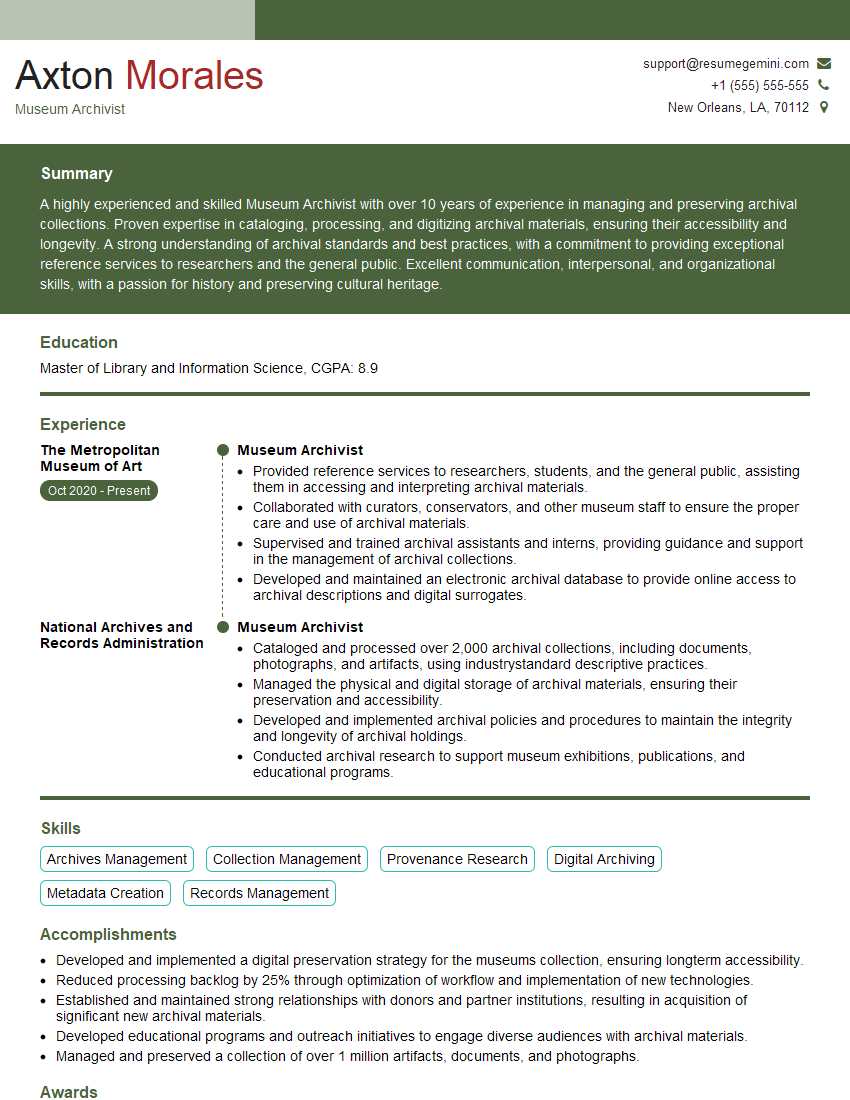
Mastering Archival Storage Techniques is crucial for career advancement in the information management field. A strong understanding of these techniques demonstrates your commitment to preserving cultural heritage and ensuring the long-term accessibility of valuable information. To maximize your job prospects, create an ATS-friendly resume that highlights your skills and experience effectively. ResumeGemini is a trusted resource for building professional resumes, and we provide examples tailored to Archival Storage Techniques to help you showcase your expertise. Use these resources to craft a compelling resume that will help you land your dream job.
Explore more articles
Users Rating of Our Blogs
Share Your Experience
We value your feedback! Please rate our content and share your thoughts (optional).
What Readers Say About Our Blog
Very informative content, great job.
good