Interviews are opportunities to demonstrate your expertise, and this guide is here to help you shine. Explore the essential ARM Assembly Language interview questions that employers frequently ask, paired with strategies for crafting responses that set you apart from the competition.
Questions Asked in ARM Assembly Language Interview
Q 1. Explain the difference between ARM and Thumb instruction sets.
ARM and Thumb are two instruction sets within the ARM architecture. They differ primarily in instruction length and encoding. ARM instructions are 32 bits long, offering a richer set of instructions and addressing modes, making them powerful but less code-dense. Thumb instructions, initially 16 bits, provide a more compact code size, ideal for memory-constrained devices and improved code density. Modern ARM architectures support Thumb-2, which extends Thumb instructions to 32 bits, retaining the space-saving benefits while offering more functionality. Think of it like this: ARM is like using a large, versatile toolbox, while Thumb is a more compact, efficient set of tools for specific jobs. The choice between them depends on the application’s needs – performance or code size.
For example, a complex mathematical operation might be more efficiently expressed in 32-bit ARM instructions, while simple control flow might be better suited to 16-bit Thumb instructions (in legacy Thumb). Thumb-2 blends the best of both worlds.
Q 2. Describe the role of the Program Counter (PC) register.
The Program Counter (PC) register is the heart of the ARM processor’s control unit. It holds the memory address of the next instruction to be executed. The PC is incremented automatically after each instruction fetch to point to the subsequent instruction in sequential program flow. Branch instructions explicitly change the PC’s value, altering the program’s execution path. Imagine the PC as a page marker in a book; it always indicates the next line to be read, but you can jump to different pages using branch instructions.
Understanding the PC is crucial for debugging and optimizing ARM code. Incorrect PC values can lead to unpredictable program behavior or crashes. Analyzing the PC’s value during runtime assists in pinpointing the exact location of program errors. Furthermore, optimizing instruction caching involves manipulating instruction fetching and managing the PC’s movements.
Q 3. What are the different addressing modes in ARM Assembly?
ARM Assembly supports a variety of addressing modes, each providing different ways to access memory operands. These modes enable efficient memory manipulation and code optimization. Key addressing modes include:
- Immediate addressing: The operand is directly encoded within the instruction.
ADD R0, R1, #10 ; Adds 10 to R1 and stores in R0 - Register addressing: The operand is in a register.
ADD R0, R1, R2 ; Adds R1 and R2, stores in R0 - Register offset addressing: An offset is added to the base register’s address to get the operand’s address.
LDR R0, [R1, #4] ; Loads word from memory at address R1 + 4 into R0 - Pre-indexed addressing: The base register is updated before the memory access.
LDR R0, [R1], #4 ; Loads from R1, then increments R1 by 4 - Post-indexed addressing: The base register is updated after the memory access.
LDR R0, [R1], #4 ; Loads from R1, then increments R1 by 4 - Scaled register addressing: The offset is multiplied by a scale factor (e.g., 4 for word access).
LDR R0, [R1, R2, LSL #2]; Loads a word from memory at address R1 + (R2 * 4)
Understanding these modes is vital for optimizing memory access and writing efficient ARM code. The choice of addressing mode impacts performance, code size, and data structures.
Q 4. Explain the concept of pipeline hazards in ARM processors.
Pipeline hazards occur in pipelined ARM processors when the sequential execution of instructions is disrupted. This happens because instructions are processed in stages (fetch, decode, execute, memory access, write-back). Three main types of hazards exist:
- Data hazards: An instruction needs data that another instruction is still producing (e.g., reading a register before it’s written to). This requires techniques like data forwarding or stalling the pipeline.
- Control hazards: A branch instruction alters the program flow, making previously fetched instructions invalid. Prediction and branch prediction techniques mitigate this.
- Structural hazards: The processor’s hardware limits simultaneous execution of certain instruction combinations (e.g., two memory accesses simultaneously). Careful design and resource allocation prevent this.
Imagine an assembly line where each worker performs a specific task. A data hazard is like one worker needing a part another worker hasn’t finished yet. A control hazard is like changing the product line mid-process. A structural hazard is a lack of necessary equipment.
Handling hazards is crucial for maximizing processor performance. Compilers and hardware implement techniques to minimize their impact, such as pipeline stalls (inserting ‘wait’ cycles) and branch prediction (guessing the branch outcome).
Q 5. How do you handle interrupts in ARM Assembly?
Interrupt handling in ARM involves a well-defined sequence of events. When an interrupt occurs, the processor saves the current context (PC, registers, etc.), identifies the interrupt source, executes the appropriate interrupt service routine (ISR), and then restores the original context to resume normal program execution. This process typically involves:
- Interrupt request: A peripheral or event signals an interrupt.
- Interrupt acknowledgement: The processor acknowledges the interrupt and stops the current instruction execution.
- Context saving: The processor saves the current PC and other relevant registers on the stack.
- Vectoring: The processor jumps to the address of the ISR corresponding to the interrupt source. This address is often found in a vector table.
- ISR execution: The ISR handles the interrupt event.
- Context restoration: The processor restores the saved registers and PC from the stack.
- Return from interrupt: The processor resumes normal program execution from where it left off.
The specific details vary depending on the ARM architecture and operating system. However, the fundamental principle remains the same: orderly saving and restoring of context to ensure smooth interrupt processing. Poorly designed interrupt handling can lead to system instability or crashes.
Q 6. Explain the function of the Link Register (LR).
The Link Register (LR) is a special-purpose register used primarily for storing the return address when a subroutine is called. When a subroutine is invoked (using a branch-with-link instruction like BL), the address of the instruction immediately following the BL instruction is automatically saved in the LR. This allows the subroutine to return to the correct location after its execution. Think of it as a bookmark indicating where to resume reading after finishing a chapter.
The LR plays a critical role in function calls and returns, enabling structured programming and modular code design. It’s essential for subroutine nesting – managing the return addresses for multiple nested calls. Improper handling of the LR can result in incorrect return addresses, leading to program crashes or unexpected behavior.
Q 7. What are the different types of data processing instructions in ARM?
ARM’s data processing instructions encompass a wide range of operations for manipulating data within registers. These include:
- Arithmetic operations: Addition (
ADD), subtraction (SUB), multiplication (MUL), division (often implemented using a library routine in older architectures), etc. - Logical operations: AND (
AND), OR (ORR), XOR (EOR), NOT (MVN), bit shifts (LSL,LSR,ASR,ROR), etc. These manipulate bits within registers. - Comparison operations: Compare (
CMP), these set flags based on the result, influencing conditional branches. - Move operations: Move data between registers (
MOV), load immediate values (MOVwith immediate operands), and transfer data between registers and memory (LDR,STR).
These instructions form the foundation of most ARM programs. Their efficient use is crucial for optimizing code performance and writing clear, maintainable code. Choosing the right instruction based on the specific operation reduces execution time and improves code readability.
Q 8. How do you perform memory access in ARM Assembly?
Memory access in ARM assembly is achieved primarily using load and store instructions. These instructions transfer data between registers and memory locations. The address of the memory location is typically calculated and held in a register, which is then used as a pointer by the load/store instruction.
For example, LDR R0, [R1] loads a word (32 bits) from the memory address specified in register R1 into register R0. Similarly, STR R0, [R1] stores the contents of register R0 into the memory location pointed to by R1. We can also specify an offset from the base address: LDR R0, [R1, #4] loads a word from the address (R1 + 4). Different addressing modes allow for more complex calculations of the memory address directly within the instruction, like pre-indexed, post-indexed, and scaled addressing.
Imagine a bookshelf (memory). Each book (data) has a location (address). The register R1 holds the shelf number (base address), and the offset adds a book number to access a specific book. LDR and STR are like your hands, fetching or placing books on the shelf.
Q 9. Explain the use of the Stack Pointer (SP) register.
The Stack Pointer (SP) register is crucial for managing the runtime stack. The stack is a last-in, first-out (LIFO) data structure used for storing temporary data, function arguments, return addresses, and local variables. The SP always points to the top of the stack.
During function calls, arguments are pushed onto the stack, the return address is pushed, and the stack frame for local variables is created. When a function returns, these elements are popped off the stack, restoring the SP to its previous state. This ensures proper function execution and prevents memory corruption.
Think of the stack as a stack of plates. The SP is your hand, pointing to the top plate. When adding a plate (push), your hand moves down. When removing (pop), it moves up. Efficient stack management is vital for program stability.
Q 10. Describe the process of function calling and returning in ARM Assembly.
Function calling and returning in ARM involves a coordinated effort between the caller and the callee, heavily reliant on the stack.
- Calling a Function: The caller first pushes any arguments onto the stack. Then, the branch instruction (e.g.,
BL function_name) transfers control to the function. The return address (the instruction following theBL) is automatically pushed onto the stack by theBLinstruction. - Function Execution: The callee creates a stack frame by pushing the current frame pointer (FP) and then setting the FP to point to the current top of the stack. Local variables are allocated within this frame. The function performs its operations.
- Returning from a Function: The callee restores the FP from the stack. Any return values are placed in designated registers (often R0). Then, the return address is popped from the stack using
POP {PC}, which transfers control back to the caller.
BL instruction saves the return address to the Link Register (LR) and then branches to the function. POP {PC} effectively retrieves the return address and jumps back to where the function was called from. This ensures seamless function execution and proper context switching.
Q 11. How do you handle conditional execution in ARM Assembly?
Conditional execution in ARM is controlled using conditional instructions. These instructions are suffixes appended to most instructions, evaluating a condition code set by previous arithmetic or comparison instructions.
For example, ADDGT R0, R1, R2 adds R1 and R2 and stores the result in R0 only if the previous instruction resulted in a ‘greater than’ condition (GT). Other common condition codes include EQ (equal), NE (not equal), LT (less than), LE (less than or equal), GE (greater than or equal), and so on. CMP (compare) is frequently used to set the condition codes before a conditional instruction.
Think of it like a set of traffic lights. A CMP instruction assesses the situation (compare two values). The conditional instruction acts as a traffic light, allowing execution only if the conditions (traffic light’s state) are met.
Q 12. Explain the concept of procedure linkage conventions.
Procedure linkage conventions define how functions interact regarding argument passing, return values, register usage, and stack management. These conventions ensure compatibility between functions written by different programmers or in different parts of a program. They are essentially rules of the road for communicating between functions.
Common conventions include which registers hold arguments, which register holds the return value (often R0), how the stack is used for local variables and temporary storage, and the preservation of caller-saved and callee-saved registers. Adhering to these conventions is critical for preventing conflicts and ensuring code correctness and portability. Inconsistency here can lead to subtle and hard-to-detect bugs.
Q 13. What are the different types of branches in ARM Assembly?
ARM assembly offers several types of branch instructions, categorized by their range and functionality:
- Unconditional Branches:
B labelunconditionally transfers control to the specified label. - Conditional Branches: These branch instructions are suffixed with condition codes (e.g.,
BEQ label,BNE label,BLT label). They transfer control only if a specific condition is met. - Link Branches (BL):
BL labelis used for function calls; it branches to the label while saving the return address in the LR register. This is crucial for function calls and returns. - Branch and Exchange (BX):
BX registerallows branching to an address stored in a register. It allows for more flexible control flow, enabling the use of function pointers or dynamic dispatch.
Each branch type offers specific advantages in different scenarios, allowing for optimal program control flow based on the task and performance requirements.
Q 14. How do you work with bit manipulation instructions in ARM?
ARM provides a rich set of bit manipulation instructions, enabling fine-grained control over individual bits or bit fields within registers. These instructions are invaluable for tasks like data packing, unpacking, masking, and bit-field manipulation.
Common instructions include:
- AND:
AND R0, R1, R2performs a bitwise AND operation between R1 and R2, storing the result in R0. - OR:
ORR R0, R1, R2performs a bitwise OR operation. - EOR (Exclusive OR):
EOR R0, R1, R2performs a bitwise XOR operation. - BIC (Bit Clear):
BIC R0, R1, R2clears bits in R1 that are set in R2, leaving other bits unchanged. - Shift instructions (LSL, LSR, ASR, ROR): These instructions shift bits within a register, offering versatile bit manipulation capabilities.
Bit manipulation is frequently used in low-level programming, device drivers, embedded systems, and cryptography, where efficient bit-level control is essential.
Q 15. Explain the use of the CPSR and SPSR registers.
The CPSR (Current Program Status Register) and SPSR (Saved Program Status Register) are crucial registers in ARM architecture that hold the processor’s status flags and control bits. Think of them as a control panel for the CPU.
The CPSR reflects the current state of the processor. It contains flags like the Zero flag (Z), Carry flag (C), Negative flag (N), Overflow flag (V), and others. These flags are set or cleared based on the results of arithmetic and logical operations. For example, if an addition results in zero, the Z flag is set. The CPSR also holds information about the processor mode (user, supervisor, etc.).
The SPSR acts as a backup for the CPSR. When an exception occurs (like an interrupt), the current CPSR is saved to the appropriate SPSR, and a new CPSR is loaded, reflecting the context of the exception handler. Once the exception is handled, the original CPSR is restored from the SPSR, allowing the program to continue execution seamlessly. This is vital for maintaining the correct processor state across different execution contexts.
Example: Imagine you’re cooking a complex dish. The CPSR is like your current state – what ingredients you’re using, the temperature of the stove, etc. If the phone rings (an interrupt), you temporarily save your cooking state (CPSR to SPSR) to answer the call. After the call, you restore your cooking state (SPSR to CPSR) and continue cooking where you left off.
Career Expert Tips:
- Ace those interviews! Prepare effectively by reviewing the Top 50 Most Common Interview Questions on ResumeGemini.
- Navigate your job search with confidence! Explore a wide range of Career Tips on ResumeGemini. Learn about common challenges and recommendations to overcome them.
- Craft the perfect resume! Master the Art of Resume Writing with ResumeGemini’s guide. Showcase your unique qualifications and achievements effectively.
- Don’t miss out on holiday savings! Build your dream resume with ResumeGemini’s ATS optimized templates.
Q 16. How do you implement a simple loop in ARM Assembly?
Implementing loops in ARM assembly involves using conditional branches to repeat a block of code. The most common method uses a counter to control the number of iterations.
Here’s a simple example of a loop that counts down from 10 to 0:
MOV R0, #10 ; Initialize counter to 10
loop:
SUB R0, R0, #1 ; Decrement counter
CMP R0, #0 ; Compare counter with 0
BGE loop ; Branch to loop if R0 >= 0
; Code to execute after the loop
This code first initializes register R0 to 10. The loop label marks the beginning of the loop. Inside the loop, the counter is decremented. CMP compares the counter with 0. BGE (Branch if Greater than or Equal to) jumps back to the loop label if the counter is still greater than or equal to 0. Once the counter reaches 0, the loop terminates, and execution continues with the code after the loop.
Important Note: Other looping methods exist, including using conditional branches based on other flags or using specific instructions to implement `for` or `while` loop equivalents.
Q 17. Describe the concept of memory mapping.
Memory mapping defines how the processor’s address space is associated with physical memory locations and peripherals. It’s like a translator between the addresses used by the software and the actual physical hardware locations.
Imagine a building with many rooms (memory addresses). Memory mapping is a directory that shows which room corresponds to what (physical memory or peripheral). The operating system uses this map to ensure programs access the correct hardware or memory locations.
Key aspects of memory mapping:
- Virtual Memory: Many systems use virtual memory, where the processor uses virtual addresses, which are then translated to physical addresses through a mechanism called MMU (Memory Management Unit).
- Physical Memory: This is the actual RAM where data is stored.
- I/O Mapping: Peripherals like keyboards, displays, and network cards are often mapped into the address space, allowing the CPU to access and control them by writing and reading from specific addresses.
- Memory-Mapped I/O: This is a technique where peripherals are accessed as if they were memory locations.
Understanding memory mapping is essential for embedded systems programming, driver development, and debugging memory-related issues.
Q 18. How do you perform arithmetic and logical operations in ARM Assembly?
ARM assembly provides a rich set of instructions for arithmetic and logical operations. These instructions operate on registers and often affect the CPSR flags.
Arithmetic Operations:
ADD: Addition (e.g.,ADD R0, R1, R2adds the contents of R1 and R2 and stores the result in R0).SUB: SubtractionMUL: MultiplicationDIV: Division (may require specialized instructions depending on the ARM architecture)
Logical Operations:
AND: Bitwise ANDORR: Bitwise OREOR: Bitwise Exclusive ORBIC: Bit Clear (AND with complement)
Example:
ADD R0, R1, #5 ; Add 5 to the value in R1 and store in R0
AND R2, R0, #0xFF ; Perform a bitwise AND between R0 and 0xFF, storing in R2
These instructions are fundamental building blocks for more complex algorithms. The flags in the CPSR, particularly the Z (zero), N (negative), V (overflow), and C (carry) flags, are updated after each arithmetic operation, providing information that can be used for conditional branching in loops and decision-making logic.
Q 19. Explain the role of exception handling in ARM processors.
Exception handling in ARM processors is a mechanism for managing unexpected events or interrupts. This ensures the system remains stable and responsive even in the face of errors or external signals.
When an exception occurs (e.g., interrupt, software interrupt, data abort, etc.), the processor saves the current context (including the CPSR) to the stack, loads a new CPSR to switch to a privileged mode, and then jumps to an exception handler routine. This routine addresses the cause of the exception. After processing the exception, the processor restores the original context from the stack and resumes normal execution.
Types of Exceptions:
- Interrupts: External signals (timers, peripherals) trigger interrupts.
- Software Interrupts (SWIs): Used to invoke system calls or other operating system services.
- Data and Prefetch Aborts: Errors related to memory access.
Importance of Exception Handling: Robust exception handling is crucial for the stability and reliability of embedded systems and operating systems. It allows for graceful handling of errors, asynchronous events, and ensures the system can continue operation even when facing unexpected issues.
Q 20. How do you debug ARM Assembly code?
Debugging ARM assembly code requires specialized tools and techniques due to its low-level nature. The most common approaches include:
1. Simulators and Emulators: These software tools allow you to run your code in a controlled environment, enabling you to step through the instructions, inspect registers and memory, and set breakpoints. Examples include QEMU and various IDE plugins.
2. Hardware Debuggers: These connect directly to the ARM processor and provide more detailed debugging capabilities, often including real-time tracing and advanced features such as instruction-level single stepping. JTAG (Joint Test Action Group) and SWD (Serial Wire Debug) are common interfaces for connecting hardware debuggers.
3. Print Statements (Limited): While less elegant, you can strategically insert instructions to write values to memory locations or peripherals (e.g., UART), which can then be observed to monitor program flow and variable values.
4. Using GDB (GNU Debugger): GDB can be used with ARM targets (either simulations or hardware) to set breakpoints, inspect registers and memory, and step through code, offering a powerful command-line debugging environment.
Effective debugging involves combining these techniques and carefully planning your debugging strategy. Logging critical values at strategic points within your code can significantly aid in identifying the source of errors.
Q 21. What are the different data types supported by ARM Assembly?
ARM assembly supports various data types, primarily based on register sizes and addressing modes.
Basic Data Types:
- Byte (8 bits): Often accessed using byte-addressing modes.
- Halfword (16 bits): Typically accessed using halfword-addressing modes.
- Word (32 bits): The most common size for data registers.
- Doubleword (64 bits): Supported on 64-bit ARM architectures.
Data Structures: ARM assembly doesn’t explicitly define data structures like C/C++. These are usually represented as contiguous blocks of memory, with the programmer managing offsets and sizes.
Floating-Point Types: ARM architectures support floating-point data types (single-precision and double-precision) through coprocessors (like VFP – Vector Floating-Point) which have their own registers and instructions.
The choice of data type depends on the application requirements, balancing memory usage with performance considerations. Correct use of data types is fundamental to efficient and correct code.
Q 22. Explain the concept of cache memory in ARM processors.
Cache memory in ARM processors, like in other architectures, is a smaller, faster memory that sits between the CPU and the main memory (RAM). It stores frequently accessed data and instructions, significantly speeding up program execution. Think of it as a chef’s mise en place – readily available ingredients for quick access. When the CPU needs data, it first checks the cache. If the data is present (a ‘cache hit’), it’s retrieved much faster than from RAM. If not (a ‘cache miss’), the data is fetched from RAM, and a copy is placed in the cache for future use. ARM processors typically employ multiple levels of cache (L1, L2, L3), each with varying sizes and speeds. L1 cache is the fastest and smallest, closest to the CPU core; L2 is larger and slower, and L3 (if present) is the largest and slowest but still significantly faster than RAM. Different cache designs (e.g., direct-mapped, set-associative, fully associative) impact performance and complexity. The effective use of caching is crucial for optimizing ARM-based system performance.
Q 23. How does memory management work in ARM systems?
Memory management in ARM systems involves controlling how processes access and utilize memory. This is crucial for multitasking and preventing conflicts. ARM architectures utilize Memory Management Units (MMUs) to translate virtual addresses used by processes into physical addresses in RAM. This abstraction allows each process to have its own seemingly independent memory space, enhancing security and stability. The MMU employs techniques like paging and segmentation. Paging divides memory into fixed-size blocks (pages), while segmentation divides it into variable-sized blocks (segments). These blocks can be mapped to different physical locations, allowing for efficient memory allocation and protection. The MMU also implements access control mechanisms, ensuring that a process can only access the memory it’s permitted to, preventing unauthorized access and improving system security. Different ARM architectures (like Cortex-A and Cortex-M) differ in their MMU implementations, with Cortex-A having more sophisticated MMUs to support complex operating systems and virtual memory, whereas Cortex-M often uses simpler memory management schemes suitable for embedded systems.
Q 24. What are the advantages and disadvantages of using ARM Assembly?
Advantages of ARM Assembly:
- Fine-grained control: Direct manipulation of registers and memory allows for precise optimization of performance and resource usage.
- Maximum performance: Assembly can achieve the highest possible execution speed and efficiency, crucial in time-critical applications.
- Hardware access: Direct interaction with hardware peripherals and low-level system components.
Disadvantages of ARM Assembly:
- Complexity: Writing and debugging ARM assembly is significantly more complex and time-consuming than using higher-level languages.
- Portability: Assembly code is highly architecture-specific, making it difficult to port between different ARM processors or platforms.
- Maintainability: Assembly code is often less readable and maintainable than higher-level languages, leading to increased development costs over time.
In practice, assembly is often used for specific performance-critical sections of code within a larger program written in a higher-level language, striking a balance between performance and development efficiency. For example, a real-time control system might use assembly for its core timing loops while using C or C++ for the rest of the application logic.
Q 25. Describe your experience with specific ARM architectures (e.g., Cortex-M, Cortex-A).
I have extensive experience working with both Cortex-A and Cortex-M architectures. With Cortex-A, I’ve worked on projects involving embedded Linux systems, focusing on optimizing performance-critical kernels and device drivers. My experience includes working with the MMU, implementing cache-coherent designs, and optimizing memory management. I’ve also worked with different Cortex-A processor variants, understanding their unique features and performance characteristics. For Cortex-M, I’ve worked primarily in embedded systems programming for various microcontrollers. This includes developing firmware for real-time applications, focusing on minimizing power consumption and maximizing efficiency. My projects included working with peripherals like UART, SPI, I2C, and ADC. I’m familiar with the different interrupt handling mechanisms, memory mapping, and the limitations of the simpler memory management models compared to Cortex-A. This experience gave me a strong understanding of the trade-offs between performance, power consumption, and development complexity in different application contexts.
Q 26. Write an ARM assembly program to calculate the factorial of a number.
This ARM assembly program (using a Thumb-2 instruction set) calculates the factorial of a number stored in register R0, placing the result in R1:
.global _start
_start:
  mov r1, #1 ; Initialize factorial to 1
loop:
  cmp r0, #0 ; Check if number is 0
  beq end ; If 0, factorial is 1
  mul r1, r1, r0 ; Multiply factorial by number
  sub r0, r0, #1 ; Decrement number
  b loop ; Repeat until number is 0
end:
  ; R1 now contains the factorial
  ; Add code here to handle the result (e.g., exit)
Note: This is a simplified example. Error handling (e.g., for numbers greater than what can be stored in the register) and a proper exit mechanism should be added in a production environment. The specific syntax might need slight adjustments based on the ARM assembler and target architecture.
Q 27. Write an ARM assembly function that reverses a string.
Here’s an ARM assembly function (Thumb-2) that reverses a null-terminated string. The string address is passed in R0, and the reversed string is in place.
.global reverse_string
reverse_string:
  push {r4-r5, lr} ; Save registers and link register
  mov r4, r0 ; Copy string address to r4
  mov r5, #0 ; Initialize counter
loop:
  ldrb r1, [r4, r5] ; Load byte from string
  cmp r1, #0 ; Check for null terminator
  beq end ; If null, string end
  add r5, r5, #1 ; Increment counter
  b loop ; Continue to next byte
end:
  sub r5, r5, #1 ; Adjust counter for last byte
  mov r2, r5 ; Copy counter to r2
loop2:
  cmp r2, #0 ; Check if counter is 0
  blt end2 ; If 0, reverse done
  sub r2, r2, #1 ; Decrement counter
  ldrb r1, [r4, r2] ; Load byte from end
  ldrb r3, [r4, r5] ; Load byte from beginning
  strb r1, [r4, r5] ; Store end byte at beginning
  strb r3, [r4, r2] ; Store beginning byte at end
  add r5, r5, #1 ; Increment beginning index
  b loop2 ; Continue reversing
end2:
  pop {r4-r5, pc} ; Restore registers and return
This function uses a two-pointer approach. It first determines the string length and then iteratively swaps bytes from the beginning and end until it reaches the middle. Proper error handling (e.g., null pointer check) should be added for robustness.
Q 28. Explain your understanding of the ARM instruction pipeline.
The ARM instruction pipeline is a crucial aspect of its performance. It allows multiple instructions to be processed concurrently, increasing throughput. A typical pipeline involves stages like instruction fetch (IF), instruction decode (ID), register fetch (RF), execution (EX), and write-back (WB). Each stage processes a different part of an instruction. For example, while one instruction is being executed, the next instruction is being fetched, and the one after that is being decoded. This overlapping execution speeds up processing. However, pipeline hazards (data hazards, control hazards, structural hazards) can disrupt this flow. Data hazards occur when an instruction needs data that another instruction hasn’t yet produced. Control hazards arise from branch instructions, where the next instruction to execute isn’t known until the branch condition is evaluated. Structural hazards occur when multiple instructions compete for the same hardware resources. ARM processors employ various techniques like forwarding, branch prediction, and pipeline stalls to mitigate these hazards and maintain efficient pipeline operation. The complexity and sophistication of the pipeline vary across different ARM architectures. For example, higher-performance Cortex-A processors have more complex pipelines with more stages and advanced hazard mitigation techniques than lower-power Cortex-M processors.
Key Topics to Learn for ARM Assembly Language Interview
- Registers and Addressing Modes: Understand the different register types (general-purpose, special-purpose), their functionalities, and the various addressing modes used to access memory locations. Practice manipulating data within registers.
- Instruction Set Architecture (ISA): Familiarize yourself with common ARM instructions, including data processing instructions (arithmetic, logical, bit manipulation), data transfer instructions (load, store), branch instructions, and exception handling instructions. Focus on understanding the impact of each instruction on the processor state.
- Memory Management: Grasp the concepts of memory organization, stacks, heaps, and how data is accessed and managed in ARM architecture. Be prepared to discuss memory allocation and deallocation strategies.
- Procedure Calls and Stack Frames: Learn how procedures are called, parameters are passed, and local variables are managed using the stack. Understand the structure of a stack frame and its role in function calls.
- Program Flow Control: Master conditional and unconditional branching, loops, and subroutines. Be able to analyze and debug code involving control flow structures.
- Interrupts and Exceptions: Understand how interrupts and exceptions are handled by the ARM processor and their impact on program execution. Know how to write code that handles interrupts effectively.
- Embedded Systems Context (if applicable): If your target role involves embedded systems, familiarize yourself with common peripherals and how to interact with them using ARM assembly. This includes topics like GPIO, timers, and serial communication.
- Practical Application: Practice writing ARM assembly code to solve simple problems, such as manipulating arrays, performing calculations, and implementing basic algorithms. This hands-on experience will significantly boost your confidence.
- Debugging and Optimization: Develop proficiency in debugging ARM assembly code using debugging tools. Learn basic optimization techniques to improve code performance and efficiency.
Next Steps
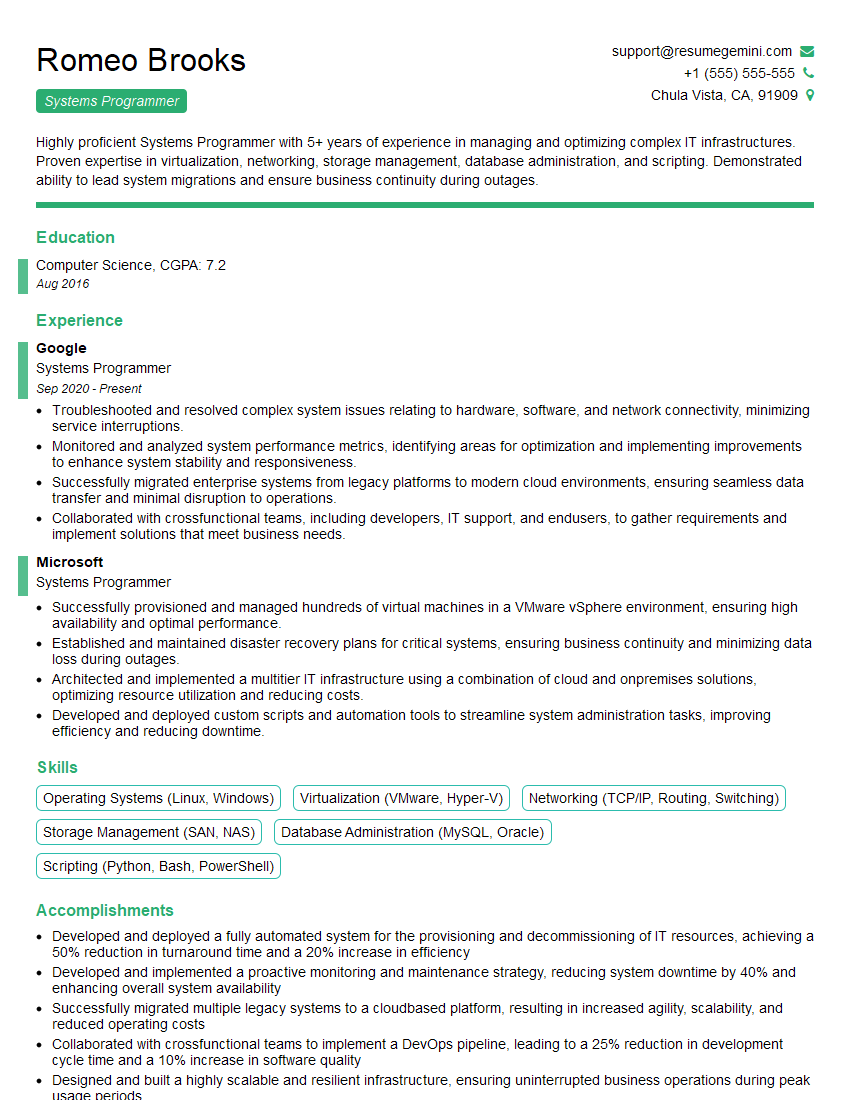
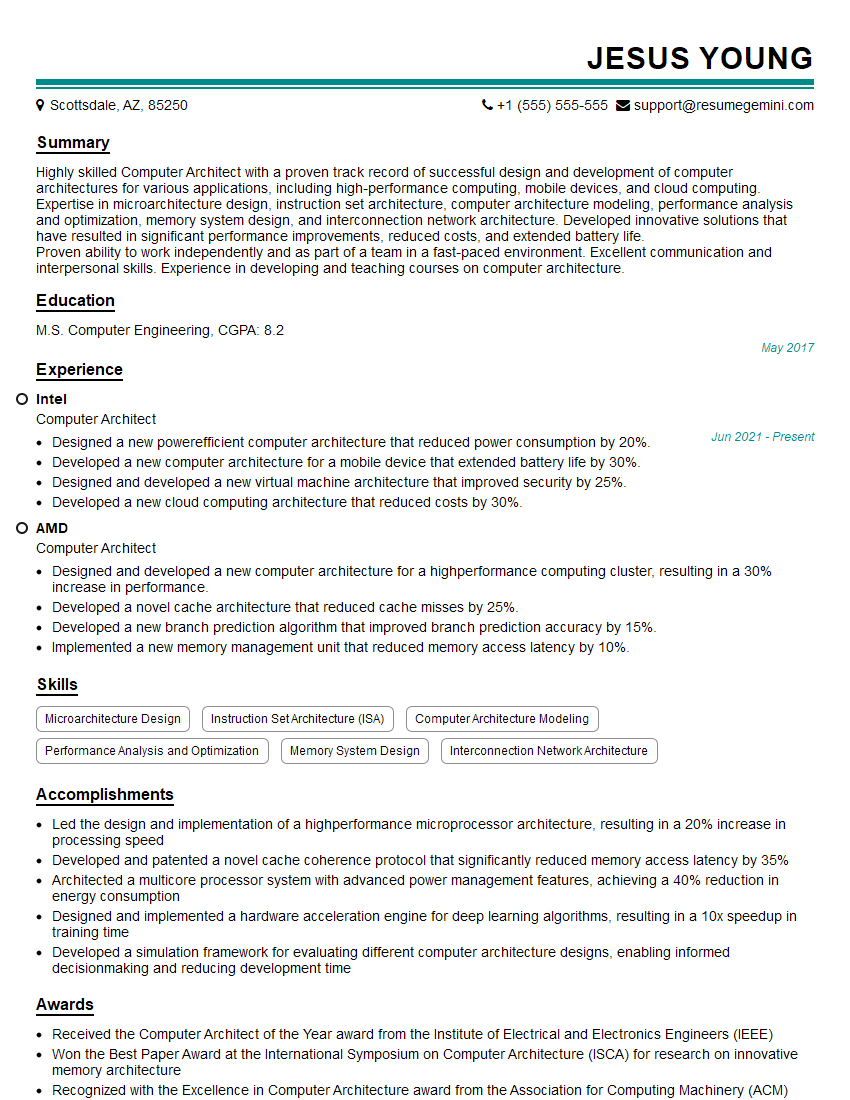
Mastering ARM Assembly Language significantly enhances your value in the competitive job market, opening doors to specialized roles in embedded systems, low-level programming, and performance-critical applications. An ATS-friendly resume is crucial for getting your application noticed. To build a compelling and effective resume that highlights your ARM Assembly Language skills, we encourage you to use ResumeGemini. ResumeGemini provides a streamlined experience and offers examples of resumes tailored to ARM Assembly Language roles – helping you present your qualifications in the best possible light.


Explore more articles
Users Rating of Our Blogs
Share Your Experience
We value your feedback! Please rate our content and share your thoughts (optional).
What Readers Say About Our Blog
Very informative content, great job.
good