Unlock your full potential by mastering the most common Artwork Preparation and File Management interview questions. This blog offers a deep dive into the critical topics, ensuring you’re not only prepared to answer but to excel. With these insights, you’ll approach your interview with clarity and confidence.
Questions Asked in Artwork Preparation and File Management Interview
Q 1. What image file formats are best suited for print vs. web?
Choosing the right image file format is crucial for achieving optimal quality and file size. For print, you generally need a format that supports high color depth and resolution, while web formats prioritize smaller file sizes for faster loading times.
- Print: TIFF (Tagged Image File Format) and PDF (Portable Document Format) are excellent choices for print. TIFFs are lossless, preserving image detail, and PDFs allow for embedding fonts and color profiles, ensuring consistent output across different printers. I often recommend using TIFFs for the initial artwork and then converting to PDF for final submission.
- Web: JPEG (Joint Photographic Experts Group) is the standard for web images. It uses lossy compression, which means some data is discarded to reduce file size. PNG (Portable Network Graphics) is better for images with sharp lines and text, as it’s a lossless format, preventing artifacts and preserving fine details. Consider using WebP, a newer format which offers superior compression compared to JPEG and PNG.
For instance, a high-resolution photograph for a magazine ad would be prepared as a TIFF, whereas a product image for an e-commerce website might be optimized as a JPEG or WebP.
Q 2. Explain the importance of color profiles (e.g., CMYK, RGB) in artwork preparation.
Color profiles are essential for ensuring color accuracy across different devices and printing processes. They act like a translation dictionary between the colors on your screen, your printer, and your final print product. RGB (Red, Green, Blue) is the color model used for screens, while CMYK (Cyan, Magenta, Yellow, Key [black]) is used for printing.
Without color profiles, the colors you see on screen might not match the printed output. For example, a vibrant blue on your monitor might appear duller in print if the artwork isn’t properly prepared in CMYK. The process is like painting with specific paints to achieve the right hue – the color profile guides the printer to use the right mix.
I always ensure that artwork intended for print is set up in CMYK and has a consistent color profile embedded. I also create a soft proof to visually check the colors before sending to print. This guarantees that the final print comes close to what the client and I expect.
Q 3. How do you handle high-resolution images for large-format printing?
Large-format printing requires very high-resolution images to avoid pixelation and maintain image quality. This is like zooming in on a photo – if the resolution is too low, the image appears blurry. The required resolution depends on the final print size and viewing distance but generally needs to be much higher than for standard print.
My process involves:
- Assessing the print size: Determine the final dimensions and calculate the necessary resolution (usually 150-300 DPI or more depending on image complexity).
- Image sourcing: Ensure the source images have sufficient resolution. If necessary, I’ll find higher resolution alternatives or use techniques like smart scaling to improve resolution without causing significant loss of quality.
- Pre-flight checks: This includes evaluating image sharpness, color balance, and overall quality prior to any scaling.
- High-resolution editing: Carefully scale the images using professional software like Adobe Photoshop, paying close attention to avoid any pixelation artifacts that might occur during resizing. Employing techniques like bicubic resampling can help maintain image sharpness and details.
Working with high-resolution images often requires significant computer resources and well-optimized workflows to avoid delays.
Q 4. Describe your experience with image editing software (e.g., Photoshop, Illustrator).
I’m highly proficient in Adobe Photoshop and Illustrator, using them daily for tasks ranging from image retouching and manipulation to creating vector illustrations and layouts.
Photoshop: I use Photoshop extensively for image editing, color correction, retouching, compositing, and preparing images for print and web. My experience includes mastering techniques such as masking, layering, and using adjustment layers to achieve specific effects. I have tackled complex projects like restoring old photographs and creating photorealistic composites.
Illustrator: My Illustrator skills are equally strong. I use it to create vector graphics, logos, illustrations, and typography-heavy layouts. I’m skilled in managing layers, using tools like the pen tool for precise illustrations, and exporting artwork in various formats. I frequently use Illustrator to create scalable designs for print materials like brochures and business cards.
In both applications, I’m adept at using non-destructive editing techniques to preserve image quality and enable easy adjustments. A recent example involved designing a high-impact brochure for a technology client where I effectively used Illustrator and Photoshop in tandem to create a visually stunning and impactful brochure.
Q 5. What are the common file size limitations for different platforms (e.g., email, web)?
File size limitations vary greatly across platforms. Understanding these limits is crucial for ensuring seamless delivery and avoiding errors.
- Email: Email providers usually have size restrictions, typically ranging from 25MB to 50MB. Sending extremely large files might result in delivery failures.
- Web: Website hosting and Content Management Systems (CMS) also have file size limits for uploading images. Optimizing images for the web, as previously discussed, is essential to avoid exceeding these limits. Large image files can lead to slow loading times and negatively affect website performance.
- Social Media: Platforms like Instagram, Facebook, and Twitter also have their own size restrictions, impacting how you share images. It’s essential to check each platform’s specifications.
To address these limitations, I often compress files using appropriate software or online tools, while maintaining sufficient image quality to meet the needs of the final platform.
Q 6. How do you ensure color consistency across different output devices?
Color consistency across output devices is paramount to ensure the final product looks as intended. Achieving this requires a multi-faceted approach.
- Color Management System (CMS): Utilizing a robust CMS like those within Adobe Creative Suite is key. It helps to standardize color profiles and ensure consistent color representation across your monitor, printer, and other output devices.
- Proofing: I always create soft proofs (on-screen simulations of the final print) and, when possible, hard proofs (actual printed samples) to assess color accuracy before proceeding with larger print runs. This helps to catch discrepancies early in the process.
- Communication with printers: Open communication with the printing facility regarding their capabilities and recommended color profiles is vital. Working with experienced printers who understand color management is crucial for successful color matching.
- Using calibrated monitors: My monitor is regularly calibrated to ensure accurate color representation.
For example, I once worked on a project where the client had specific Pantone colors in mind. By using a Pantone color reference and employing my color management workflow, I ensured that the final print closely matched their expectations, even with different output devices involved.
Q 7. What is your process for organizing and naming files for efficient management?
Organized and consistently named files are the cornerstone of efficient file management. My approach focuses on a clear, logical structure that simplifies locating and managing files.
My system typically involves:
- Project-Based Folders: Each project resides in its own folder, clearly identified by the client’s name and project title (e.g.,
'Acme Corp - Brochure Redesign'). - Subfolders: Within each project folder, I use subfolders to categorize file types (e.g.,
'Source Images,' 'Vector Files,' 'Final Artwork'). - Consistent Naming Conventions: File names are descriptive and consistent, following a format like
'ClientName_Project_FileVersion_Description.ext'(e.g.,'AcmeCorp_Brochure_v2_final.pdf'). - Metadata: I utilize metadata tagging within image files whenever possible, providing details about the image and its usage.
- Regular Backups: I maintain a cloud-based and/or local backup of all project files to protect against data loss.
This structured approach ensures that any team member or myself can easily locate any file at any time, facilitating a smooth workflow and enhancing overall productivity.
Q 8. How do you handle revisions and version control in your workflow?
Maintaining meticulous version control is paramount in artwork preparation. I typically employ a system combining file naming conventions with dedicated version control software like Git (though adapted for image files, often using a system of incremental numbering within the filename, e.g., ‘design_v1.psd’, ‘design_v2.psd’). This allows for easy tracking of revisions and a clear audit trail. For client-facing projects, I create a dedicated folder for each version, clearly labelled with the date and a brief description of the changes implemented. Imagine it like a painter meticulously documenting each stage of their masterpiece – each brushstroke captured, allowing for easy comparison and the possibility of reverting to previous states if necessary. This is especially crucial for collaborative projects where multiple stakeholders might request revisions.
For smaller projects without complex collaboration, I may use a simpler approach where I use clearly labeled file names (e.g., ‘Final_Approved.pdf’, ‘Client_feedback_incorporated.jpg’) and keep backups of earlier versions in a separate, easily accessible location. The key is to choose a method that balances efficiency with the project’s complexity and the need for collaborative accessibility.
Q 9. Describe your experience with file compression techniques.
File compression is essential for efficient storage and transmission of artwork. My experience encompasses a range of techniques, tailored to the specific file type and intended use. For raster images (like JPEGs and PNGs), I utilize lossy compression (JPEG) for photographs and graphics where minor quality loss is acceptable for significant file size reduction, and lossless compression (PNG) for images with sharp lines and text where preserving image quality is critical, like logos. For vector graphics (like AI, EPS, SVG), the compression is inherently different and more about optimizing the file structure rather than reducing color depth. I frequently use tools like Adobe Photoshop’s ‘Save for Web’ feature for JPEG and PNG optimization, which allows fine-tuning of compression settings to balance file size with image quality. For larger projects, employing ZIP or RAR compression for archiving multiple files, is a common practice to save space and to organize files during the project.
Q 10. What are your preferred methods for transferring large files?
Transferring large files safely and efficiently requires a strategic approach. For smaller files, email with file-sharing services like WeTransfer remains a viable option. However, for larger projects, I prefer dedicated file transfer services like WeTransfer (for smaller files), high-speed cloud storage (such as Dropbox, Google Drive, or specialized solutions like FTP servers or Aspera), or even physical hard drives for exceptionally large projects or where the security and integrity are utmost priority. The choice depends on factors like file size, security requirements, urgency, and client preferences. For instance, high-speed cloud storage is excellent for collaborative projects, providing real-time access to all participants. FTP servers, with secure protocols like SFTP, are ideal for transferring large amounts of data between businesses. Physical hard drives provide a reliable, offline backup for essential files and archival purposes. Ultimately, the goal is to ensure reliable, efficient, and secure delivery of the files.
Q 11. Explain your understanding of preflighting and its importance.
Preflighting is a crucial step in the artwork preparation process that involves checking a file for potential problems before it goes to print or is published online. It’s akin to proofreading a manuscript before submitting it to a publisher – you’re catching errors early on before they become costly or time-consuming to fix. I use preflighting tools built into software like Adobe Acrobat Pro or dedicated preflighting applications to check for a multitude of issues: missing fonts, embedded profiles, color spaces, image resolution, low-resolution images, and other potential printing problems. This prevents costly reprints or online publication issues. For instance, a missing font can lead to a significant disruption in the print process, and low-resolution images will look pixelated in print or on a high-resolution screen.
The importance of preflighting cannot be overstated. It saves time and resources by identifying potential problems before they become major issues. It ensures that the final product meets the required specifications and avoids unpleasant surprises during the production process. It’s a preventive measure that greatly improves efficiency and enhances professional credibility.
Q 12. How do you identify and correct common image flaws?
Identifying and correcting image flaws is a fundamental skill. Common flaws include color casts, dust spots, scratches, and noise. Using tools like Adobe Photoshop, I employ various techniques. For color casts, I use color balance adjustments or curves to neutralize unwanted hues. Dust and scratches can be effectively removed with the healing brush or cloning tools, carefully matching textures and tones. Noise reduction filters are applied judiciously to minimize graininess without compromising details. A thorough understanding of layer masks allows for targeted corrections, avoiding unwanted changes to other areas of the image. Think of it like a digital photo restoration expert carefully mending and refining a cherished family photo – each tool employed precisely to preserve the image’s integrity.
Q 13. What is your experience with image retouching techniques?
My experience with image retouching encompasses a wide range of techniques, from basic blemish removal to advanced compositing and color correction. I’m proficient in utilizing tools like the healing brush, patch tool, clone stamp, and frequency separation techniques in Adobe Photoshop to address common image imperfections. For more advanced tasks, I use masking and blending modes to seamlessly integrate elements and adjust color balance and contrast. I can retouch photographs to achieve different stylistic looks, enhancing the visual appeal while maintaining a realistic or artistic interpretation, depending on the project’s needs. For example, I may enhance portraits by smoothing skin, brightening eyes, and refining features or create a surreal photo manipulation by blending diverse images.
Q 14. Describe your knowledge of different print finishing techniques (e.g., binding, lamination).
My knowledge of print finishing encompasses various binding, cutting, and lamination techniques. I understand the different types of binding, such as saddle-stitch (for brochures), perfect binding (for books), wire-o binding (for notebooks), and case binding (for high-end books). I’m familiar with different cutting techniques, including die-cutting for creating unique shapes and perforating for tear-off sections. I also have experience specifying different types of lamination: gloss, matte, or UV coating for enhanced durability and visual appeal. This understanding allows me to effectively communicate specifications to printers, ensuring the final product accurately reflects the design intent. Choosing the right finishing technique is critical for ensuring that the printed piece not only looks professional but also functions as intended. For instance, using the wrong type of binding for a high-page-count book can lead to difficulties in turning pages.
Q 15. How do you ensure the accuracy of artwork dimensions and bleeds?
Ensuring accurate artwork dimensions and bleeds is paramount to avoid costly printing errors. Bleeds, the extra area extending beyond the trim line, are crucial for preventing white edges after printing. I meticulously check dimensions using both the design software’s built-in rulers and independent measurements. For example, if a print is specified as 8.5 x 11 inches with a 0.25-inch bleed, I verify the artwork file is actually 8.75 x 11.25 inches. This is done prior to any export. I also use the ‘preview’ feature of most design applications to check for any unexpected cropping. I always confirm these dimensions with the client before proceeding to prevent any misinterpretations.
Furthermore, I create visual guides within the artwork file itself – for example, subtle color changes on the bleed area, helping printers easily identify the trim line and bleed regions. This ensures a clear visual indicator for the print house, reducing the possibility of errors. This proactive approach minimizes the chance of costly reprints and ensures a smooth workflow.
Career Expert Tips:
- Ace those interviews! Prepare effectively by reviewing the Top 50 Most Common Interview Questions on ResumeGemini.
- Navigate your job search with confidence! Explore a wide range of Career Tips on ResumeGemini. Learn about common challenges and recommendations to overcome them.
- Craft the perfect resume! Master the Art of Resume Writing with ResumeGemini’s guide. Showcase your unique qualifications and achievements effectively.
- Don’t miss out on holiday savings! Build your dream resume with ResumeGemini’s ATS optimized templates.
Q 16. What are your strategies for troubleshooting file-related issues?
Troubleshooting file issues is a regular part of my workflow. My strategy is systematic and involves a multi-step approach. First, I identify the problem. Is it a corrupted file? A missing font? An incorrect color profile? Once identified, I take specific action. For example, if I encounter a corrupted file, I try to open it in different software or use file repair tools. If a font is missing, I locate and install the correct font; if the issue is with color profiles, I will convert the file to a suitable profile like CMYK for printing. I meticulously document each step in my troubleshooting process to aid in future problem solving, preventing the same issue from reoccurring.
I utilize various techniques, including checking file sizes and compression, verifying file extensions, and inspecting file metadata for clues. If the issue persists, I often communicate directly with the client to clarify the source file or its specifications. This collaborative approach often helps to swiftly resolve complex issues.
Q 17. How do you handle requests for different file formats from various clients?
Handling various file format requests is a crucial skill. Different clients have different needs, so I maintain proficiency in various formats, including but not limited to: AI (Adobe Illustrator), PSD (Adobe Photoshop), PDF (Portable Document Format), EPS (Encapsulated PostScript), TIFF (Tagged Image File Format), and JPEG (Joint Photographic Experts Group). Knowing the strengths and limitations of each format is essential for optimizing output. For instance, I would use a vector format like AI for scalable logos, whereas a raster format like TIFF is ideal for high-resolution image reproduction.
To ensure compatibility and prevent any loss of quality, I often create master files in the best format for editing (such as AI or PSD) and then export multiple versions for different clients as needed, making sure the exported files meet the specific client’s requirements for resolution, color profile etc. This process guarantees the delivery of high-quality files tailored to each client’s needs while maintaining a version control that prevents errors.
Q 18. What is your understanding of metadata and its importance in file management?
Metadata is crucial for efficient file management, acting like a detailed label for each file. It includes information such as file name, creation date, author, keywords, copyright information, and color profiles. This information is invaluable for organization, search, and retrieval. For example, using keywords like ‘client name’, ‘project name’, and ‘file type’ makes locating files much faster. Accurate metadata also helps manage copyright, preventing accidental misuse of assets.
In practical terms, I use metadata to efficiently organize large archives of artwork files. I consistently embed relevant metadata during the initial file creation process using the software’s built-in features. This ensures that even without a clear file naming convention, the information contained within the metadata aids in rapid file location. This practice streamlines my workflow significantly and allows for quick retrieval of files, even within large volumes of data.
Q 19. Describe your experience working with different file systems (e.g., Mac OS, Windows).
I have extensive experience with both Mac OS and Windows file systems. While the underlying principles are similar, the approaches to file management differ slightly. For example, Mac OS often uses a more visual and intuitive interface compared to Windows Explorer. My proficiency with both systems allows me to adapt to any client’s environment without difficulty. I’m equally comfortable navigating complex folder structures, utilizing advanced search functionalities, and working with shared network drives in both operating systems.
My experience extends to handling file permissions, ensuring appropriate access levels for various users and preventing unauthorized modifications. I’m familiar with both systems’ file handling protocols and can troubleshoot compatibility issues between the two platforms, converting files between the two environments flawlessly. The understanding of folder structures, file naming conventions and the nuances of each system are integral to my proficiency as a professional.
Q 20. How do you prioritize tasks when faced with multiple deadlines?
Prioritizing tasks with multiple deadlines requires a well-structured approach. I usually start by listing all tasks with their respective deadlines, then I prioritize them based on urgency and importance. The ‘Eisenhower Matrix’ (Urgent/Important) is a helpful tool that helps categorize tasks into four quadrants. This allows me to focus on the most critical tasks first. I also break down large tasks into smaller, manageable steps, making the overall project less daunting.
Effective time management techniques like time blocking and the Pomodoro Technique help maintain focus. Open communication with clients is also crucial, informing them of any potential delays or adjustments to the schedule to manage expectations effectively. Proactive communication and clear prioritization are key to successful multi-tasking and timely project completion. This ensures client satisfaction and prevents project delays.
Q 21. What is your experience with workflow automation software?
My experience with workflow automation software is substantial. I’m proficient in using tools that streamline repetitive tasks, such as automating file conversions, batch processing, and metadata management. I’ve worked with various software solutions, adapting my approach based on the specific needs of each project. Automation significantly increases efficiency and reduces the risk of human error.
For instance, I might use scripting or automation software to automatically convert a batch of files from one format to another, applying specific settings such as color profiles and resolution. This saves significant time compared to manual conversion. The use of such software allows me to focus more on creative problem solving and less on time consuming, repetitive tasks, thus enhancing my overall effectiveness and output.
Q 22. Explain your experience with quality control checks and procedures.
Quality control in artwork preparation is paramount. It ensures the final product meets the client’s specifications and is technically sound for various printing or digital applications. My process involves several rigorous checks, starting with verifying the file format and resolution. I meticulously examine the artwork for color accuracy, ensuring it’s consistent across different color profiles (like sRGB and CMYK). I also check for any technical issues, such as missing fonts, embedded low-resolution images, or incorrect bleed settings. For example, a brochure designed for offset printing requires specific bleed (extra space around the design) to prevent white edges when trimmed. I use both automated tools and manual visual inspection to catch errors, comparing the artwork to the client’s brief to ensure fidelity. If issues are found, I systematically document them and communicate them effectively to the designer, outlining the necessary corrections. This rigorous approach is vital to prevent costly reprints or project delays.
- File Format Verification: Checking if the file is in the correct format (e.g., PDF/X-1a for print, TIFF for high-resolution images).
- Resolution Check: Ensuring the resolution meets the required specifications for the intended output (e.g., 300 DPI for print).
- Color Profile Assessment: Converting colors to the correct profile (e.g., CMYK for print).
- Pre-flight Check: Utilizing software tools to automatically detect potential problems.
Q 23. How do you collaborate effectively with designers and other team members?
Effective collaboration is key to successful artwork preparation. I foster open communication with designers through regular check-ins and proactive updates. I use project management software to track progress, share files, and manage revisions. For instance, I might use a system like Asana or Slack to communicate about changes or concerns. If a designer requires a specific file format conversion, I’ll clearly explain the process and potential implications, for example, a potential loss of quality when converting a high-resolution image to a lower-resolution web format (JPEG). I proactively seek clarification on ambiguous instructions and present options to ensure optimal results. My approach is collaborative; I see myself as a partner in the creative process, not just a technician. I also actively solicit feedback to ensure that I am meeting the team’s needs effectively.
Q 24. How do you stay updated on the latest trends and technologies in artwork preparation?
Staying current in artwork preparation requires continuous learning. I regularly attend industry workshops and webinars, often those focused on the latest software updates and best practices. I subscribe to relevant industry publications and actively follow experts and industry leaders on social media. Websites and online communities dedicated to graphic design and pre-press are also valuable resources. For instance, I recently attended a workshop on the use of AI in image enhancement for print media, a field that is rapidly evolving. I also meticulously explore new software updates and features— learning how updated versions of Adobe Creative Suite programs enhance workflow or provide new capabilities.
Q 25. Describe your experience with digital asset management systems (DAM).
My experience with Digital Asset Management (DAM) systems is extensive. I’ve worked with various platforms, including [mention specific systems if comfortable]. DAM systems are crucial for organizing, storing, and retrieving digital assets efficiently. I understand the importance of metadata tagging (keywords, descriptions, etc.) to enable quick and accurate search and retrieval of files. For example, I utilize metadata tagging to categorize files by project, client, date, and file type. A robust DAM system ensures that all artwork is easily accessible, promotes version control, and facilitates collaboration across teams. This prevents duplicated effort and significantly reduces the likelihood of using outdated files.
Q 26. Explain your process for archiving and retrieving files.
My archiving and retrieval process is structured for efficiency and long-term accessibility. All files are organized using a consistent naming convention (e.g., Client Name_Project Name_Date_File Type) and stored in a secure location, either locally on a server or in a cloud-based storage solution. For archival purposes, I create multiple backups, using a combination of on-site and off-site storage to mitigate the risk of data loss. I utilize a detailed log to record the location and version of each file. When retrieving files, the detailed naming conventions and metadata ensure a quick and efficient search. This methodical approach safeguards against the loss of valuable artwork and promotes efficient workflow.
Q 27. What is your understanding of copyright and image usage rights?
Understanding copyright and image usage rights is critical. I am well-versed in various licensing models, such as Royalty-Free, Rights-Managed, and Creative Commons licenses. I know that using images without proper licensing can lead to legal complications and financial penalties. Before using any image, I always verify its licensing status and ensure that it aligns with the intended usage. This might involve contacting the copyright holder or using a reputable stock image provider. I always document the source of each image and its licensing agreement for transparency and accountability.
Q 28. How would you handle a situation where a client provides low-resolution artwork?
Receiving low-resolution artwork presents a challenge, but it’s manageable. First, I would communicate with the client to understand the context of the low-resolution file and clarify their expectations. Then, I would explore options to improve the image quality, such as upscaling techniques. However, I would emphasize to the client that upscaling can result in some loss of detail and clarity. Depending on the intended use, we might need to explore alternative solutions—possibly sourcing a higher-resolution image, redesigning elements to minimize the impact of low resolution, or using the artwork for applications where resolution is less critical (e.g., a low-resolution image for a website thumbnail). Transparency and open communication are vital to managing client expectations and finding the best possible solution.
Key Topics to Learn for Artwork Preparation and File Management Interview
- File Formats & Conversions: Understanding the nuances of various image formats (JPEG, TIFF, PNG, PDF, etc.), their suitability for different print and digital applications, and proficiency in converting between them while maintaining image quality.
- Color Management: Grasping color spaces (CMYK, RGB, Pantone), color profiles, and effective methods for ensuring color accuracy across different devices and outputs. Practical application includes troubleshooting color discrepancies and achieving consistent color reproduction.
- Image Resolution & Scaling: Knowing how resolution impacts print quality and understanding appropriate scaling techniques to avoid pixelation and maintain sharp images for various applications. This includes practical scenarios like preparing images for web vs. print.
- Prepress Techniques: Familiarity with preflighting, trapping, bleed, and other crucial prepress procedures essential for ensuring print-ready files. This includes understanding the importance of these steps in preventing costly printing errors.
- File Organization & Metadata: Implementing efficient file naming conventions, folder structures, and metadata tagging for easy retrieval and management of large volumes of artwork. This also covers best practices for version control and archival.
- Software Proficiency: Demonstrating expertise in relevant software like Adobe Photoshop, Illustrator, InDesign, and Acrobat. This includes showcasing practical skills in image editing, vector graphics manipulation, and PDF creation and manipulation.
- Problem-Solving & Troubleshooting: Highlighting your ability to identify and resolve common artwork preparation challenges, such as low-resolution images, color inconsistencies, and file format compatibility issues. Be prepared to discuss your approach to troubleshooting.
Next Steps
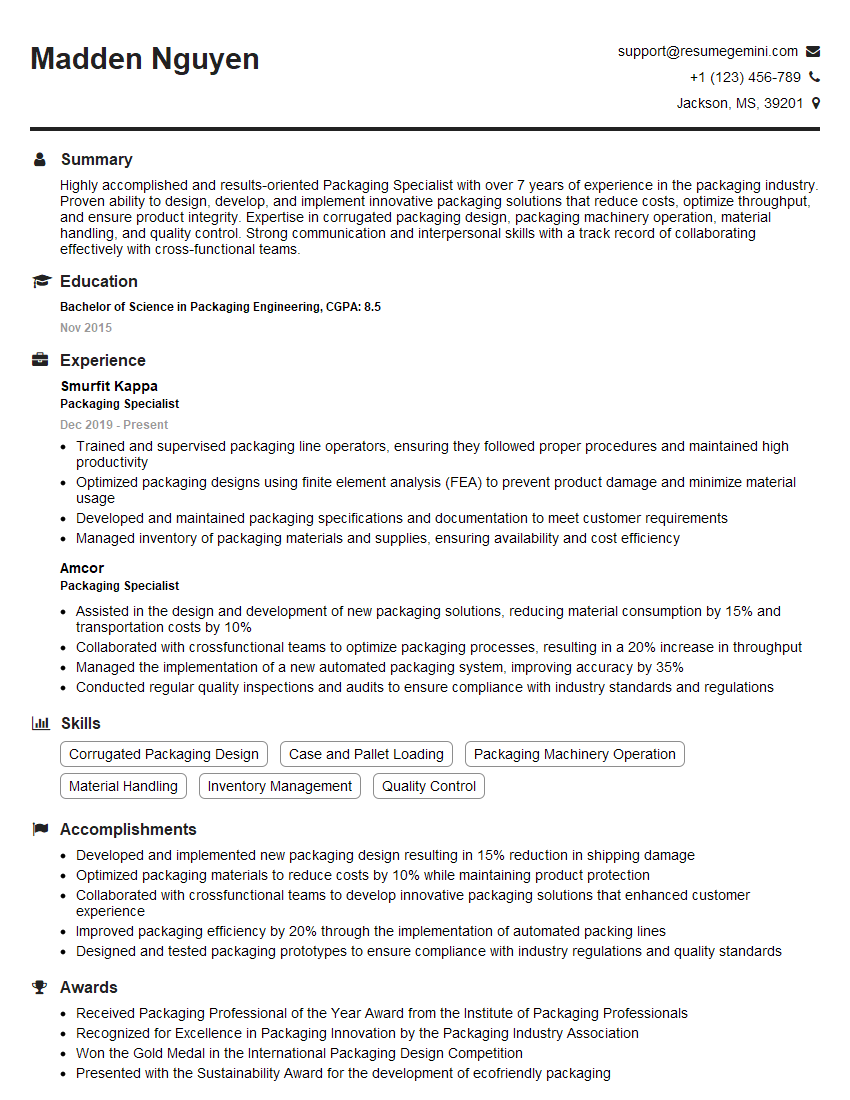
Mastering Artwork Preparation and File Management is crucial for career advancement in graphic design, publishing, and related fields. A strong understanding of these skills demonstrates your attention to detail, technical proficiency, and ability to deliver high-quality work efficiently. To maximize your job prospects, create an ATS-friendly resume that effectively showcases your skills and experience. ResumeGemini is a trusted resource to help you build a professional and impactful resume. Examples of resumes tailored to Artwork Preparation and File Management are available to guide you.




Explore more articles
Users Rating of Our Blogs
Share Your Experience
We value your feedback! Please rate our content and share your thoughts (optional).
What Readers Say About Our Blog
Very informative content, great job.
good