Interviews are opportunities to demonstrate your expertise, and this guide is here to help you shine. Explore the essential Audio Production for Film and Television interview questions that employers frequently ask, paired with strategies for crafting responses that set you apart from the competition.
Questions Asked in Audio Production for Film and Television Interview
Q 1. Explain the difference between a boom mic and a lavalier mic.
Boom microphones and lavalier microphones are both essential tools in audio production, but they serve different purposes and have distinct characteristics. A boom mic, also known as a shotgun microphone, is a directional microphone typically mounted on a boom pole, held above the scene by a sound operator. Its highly directional pickup pattern allows for isolating the desired audio source while minimizing background noise. Think of it as a sniper rifle for sound – precise and focused. A lavalier microphone, or lav mic, is a small, clip-on microphone that’s attached to the talent’s clothing. It’s discreet and ideal for capturing dialogue in a natural and unobtrusive way. Consider it a stealth operative, always close to the action but unseen.
The key difference lies in their placement and application. Boom mics offer greater control over sound isolation and are often preferred in situations requiring pristine audio quality, such as outdoor shoots or scenes with significant background noise. Lav mics, on the other hand, provide a more natural and intimate sound, ideal for close-up conversations and scenes requiring minimal visual intrusion. The choice between a boom and a lav mic depends entirely on the specific requirements of the scene and the desired aesthetic.
Q 2. Describe your experience with Pro Tools or similar DAWs.
I’ve been working extensively with Pro Tools for over 10 years, mastering its features from basic audio editing to complex mixing and mastering tasks. My experience includes everything from dialogue editing and sound design for feature films and documentaries, to creating immersive soundscapes for video games and virtual reality experiences. I’m proficient in all aspects of Pro Tools, including session setup, track management, editing techniques, automation, mixing, and mastering. I’m comfortable working with a variety of plugins, including those for noise reduction, reverb, delay, equalization, and dynamic processing. I’m adept at efficiently managing large and complex projects, ensuring smooth workflows and timely deliverables. For instance, on a recent documentary project, Pro Tools allowed me to precisely manage hundreds of audio files, and apply consistent processing to them, which would have been a herculean effort without a robust DAW.
Beyond Pro Tools, I’m familiar with other DAWs like Logic Pro X and Ableton Live, which allows me to adapt to different project requirements and team preferences.
Q 3. How do you handle syncing audio and video in post-production?
Syncing audio and video is a critical step in post-production, ensuring that the audio aligns perfectly with the visual content. The most common method is using synchronization tools within a Digital Audio Workstation (DAW) like Pro Tools. These tools often rely on identifying common points in both the audio and video waveforms – think of it as finding matching fingerprints. Common methods include:
- Using a slate: A clapperboard is often used at the beginning of each take; the visual and audio aspects of the clap create a precise synchronization point.
- Timecode: Embedding timecode in both audio and video recordings provides an extremely precise and reliable synchronization method. This is particularly crucial for larger projects with multiple takes and cameras.
- Automatic detection software: Advanced software can analyze audio and video waveforms to automatically detect synchronization points, although manual verification is still essential.
Once synchronization points are identified, the audio is aligned with the video using the DAW’s editing tools. It’s crucial to pay attention to minor adjustments and ensure everything sounds natural. Inaccurate syncing creates distracting and jarring inconsistencies.
Q 4. What are your preferred methods for noise reduction and dialogue cleanup?
Noise reduction and dialogue cleanup are crucial for achieving clean and polished audio. My approach is multifaceted and combines both automated and manual techniques. I frequently use noise reduction plugins like iZotope RX, which can effectively eliminate background hums, hiss, and other unwanted sounds. The key is to carefully analyze the audio to identify the noise profile and apply the plugins thoughtfully to avoid artifacts or unintended sound alterations. For example, applying a noise reduction algorithm to the entire track can make the dialogue sound lifeless. This is where nuanced manual cleaning comes in handy.
For dialogue cleanup, I often employ spectral editing tools within Pro Tools to manually remove specific clicks, pops, and other imperfections. This is a meticulous process, akin to digital surgery, but it’s often necessary to restore natural dialogue clarity and quality. De-essing is also commonly used to tame harsh sibilance in dialogue. The goal isn’t to remove all imperfections – some imperfections can even add character to the audio – but to remove distracting anomalies. The process often involves a combination of automated plugins and detailed manual editing, depending on the audio’s condition.
Q 5. Explain your workflow for creating sound effects.
My workflow for creating sound effects begins with a clear understanding of the director’s vision and the specific needs of the scene. I gather source material from various libraries, recordings, and field recordings. I then use audio editing software such as Pro Tools, along with sound design software like Ableton Live, to manipulate and process these sounds. This often involves layering, pitching, time-stretching, adding reverb, and applying other effects to create a cohesive soundscape. For example, a simple footstep might involve layering several recordings with slight variations, creating a richer and more nuanced sound. This often starts with finding similar sources which may need manipulation and addition to get to the desired effect.
Creating unique sound effects can involve the use of physical objects and recording their manipulation – such as a breaking glass or a screeching door. These are then further processed digitally. I frequently utilize techniques like Foley recording, which involves creating sound effects during post-production to enhance the synchronization and realism. The final step involves integrating the created sound effects seamlessly with the dialogue and music within the project.
Q 6. How do you approach designing sound for a specific genre?
Sound design for a specific genre requires a deep understanding of the genre’s conventions and emotional landscape. For example, a horror film will utilize a drastically different sonic palette from a romantic comedy. In horror, you might use dissonant sounds, low frequencies, and unsettling silence to create suspense and fear. A romantic comedy, on the other hand, might employ brighter sounds, upbeat music, and playful sound effects to evoke feelings of joy and lightheartedness. A science fiction film may utilize otherworldly sounds and synthesizers to create a futuristic atmosphere.
My approach involves researching the genre thoroughly, analyzing successful examples, and identifying recurring sonic elements. I then work to create a sound design that complements the visual narrative while enhancing the emotional impact. This may involve collaborating closely with the director and composer to ensure the sound design aligns with the overall artistic vision. The final product should feel authentic to the genre while adding something unique and unexpected. This is a crucial factor for a successful audio design.
Q 7. Describe your experience with ADR (Automated Dialogue Replacement).
Automated Dialogue Replacement (ADR), or looping, is the process of re-recording dialogue in a controlled studio environment to improve clarity, replace poorly recorded lines, or synchronize dialogue with newly edited footage. My experience with ADR involves all aspects of the process, from coordinating with actors to managing the technical aspects of recording and editing the new lines. This often starts with the preparation of the recordings, which includes syncing to the video and creating a cue sheet.
During the ADR session, I work closely with the actors to ensure that they’re comfortable and can deliver their lines naturally, while maintaining consistency with the original performance. This often requires guiding them through the emotional cues, and ensuring that their line reads match the on-screen actions. Once the recordings are completed, I use audio editing techniques such as EQ, compression, and noise reduction to further refine the audio and ensure seamless integration with the rest of the soundtrack. Finally, I’ll handle the mixing and mastering of the ADR.
Q 8. What are some common challenges you face in location sound recording?
Location sound recording presents unique challenges due to the uncontrolled environment. Imagine trying to record crystal-clear dialogue on a busy city street – that’s the reality! Common issues include:
- Unwanted Noise: Traffic, wind, birds, even distant construction can ruin a take. Minimizing this requires careful microphone placement, using windshields (deadcats), and potentially employing sound blankets to absorb reflections.
- Background Noise Variability: The sound environment can change dramatically, requiring constant monitoring and adjustment. One minute it might be quiet, the next a siren blares. Adaptability is key.
- Weather Conditions: Rain, extreme heat, or cold can affect equipment performance and introduce unwanted sounds. Protective gear is essential, and planning for various weather scenarios is vital.
- Difficult Terrain and Accessibility: Locations might be physically demanding, requiring portable equipment and creative solutions for microphone placement in tight spaces or challenging environments.
- Limited Control: Unlike a soundstage, you have little control over the acoustic properties of the location. This requires using techniques like sound absorption and reflection control creatively and quickly.
For example, during a recent shoot in a bustling marketplace, we used a combination of a shotgun microphone positioned far enough away to capture dialogue while minimizing the surrounding chaos and a highly directional parabolic microphone to get additional dialogue details from specific individuals. We also had to quickly and effectively manage changes in background noise by adjusting gain settings on our field recorder.
Q 9. How do you manage large audio projects efficiently?
Managing large audio projects demands meticulous organization and efficient workflow strategies. Think of it like conducting an orchestra – every instrument (sound element) needs to be in harmony.
- Project Management Software: Tools like Pro Tools, Reaper, or even simpler project management apps are crucial for tracking files, metadata, and deadlines. They let you create and maintain a comprehensive library of audio assets.
- Clear Naming Conventions: Consistent file naming prevents chaos. A system like ‘Scene_Take_Description’ (e.g.,
Scene01_TakeA_Dialogue) ensures easy identification and retrieval. - Session Organization: Within DAWs (Digital Audio Workstations), careful organization of tracks and folders is essential. Grouping similar sounds together allows for easy manipulation and mixing.
- Cloud Storage and Collaboration Tools: Cloud storage platforms (e.g., Dropbox, Google Drive) facilitate collaboration among team members and ensure backup of precious audio assets.
- Automation and Batch Processing: Automating tasks like metadata embedding or file conversion saves time and reduces manual errors. Tools within the DAWs make this possible.
For instance, on a recent TV series, we utilized a shared Google Drive for all audio files and project documentation. Each sound designer had their own dedicated folder, and all tracks in Pro Tools were meticulously organized using a clear naming convention. This allowed for seamless collaboration and smooth post-production workflow.
Q 10. What is your experience with 5.1 or Dolby Atmos mixing?
I have extensive experience in both 5.1 surround sound and Dolby Atmos immersive audio mixing. 5.1 utilizes six channels (left, center, right, left surround, right surround, and subwoofer) to create a spatial audio experience, while Dolby Atmos expands on this by adding height channels and object-based audio. It’s like the difference between a painting and a 3D sculpture!
- 5.1 Mixing: This involves carefully panning sounds across the speaker array to create a sense of space and realism. It’s a more traditional approach, but still effective for creating a cinematic soundscape.
- Dolby Atmos Mixing: This is more advanced and offers a much greater level of control over sound placement. Sounds are placed as individual objects in a 3D space, allowing for greater flexibility and immersion. This is particularly useful for creating complex soundscapes with moving sound elements.
In a recent film project, we used Dolby Atmos to create a thrilling helicopter chase scene. By placing individual sound elements – the helicopter rotor, the wind, the dialogue – as objects in the 3D soundscape, we could create a more immersive and engaging experience for the viewer. The sound moved dynamically with the action of the scene.
Q 11. Describe your understanding of audio compression and dynamic range.
Audio compression and dynamic range are fundamental concepts in audio production. Dynamic range refers to the difference between the loudest and quietest parts of an audio signal. Compression reduces this difference, making quieter sounds louder and louder sounds quieter.
- Dynamic Range: A wide dynamic range is characteristic of a recording with a large difference in volume levels, like a live concert, whereas a narrow dynamic range might be desirable for dialogue, which should be consistently audible.
- Compression: Compression is used to control loudness and even out the dynamic range, making mixing easier and allowing for greater consistency in playback across different systems.
- Compression Ratio: This determines how much the signal is reduced when it exceeds a threshold. A higher ratio means more compression.
- Threshold: This is the level at which compression begins to occur.
- Attack and Release: These control how quickly the compressor reacts to changes in level, affecting the overall character of the compression.
For example, I might use compression on a vocal track to control its loudness and even out its dynamic range, preventing peaks from clipping and ensuring clarity. However, I’d apply less aggressive compression to preserve some natural dynamics.
Q 12. How do you collaborate effectively with other members of a sound team?
Effective collaboration is the backbone of any successful sound team. Open communication and shared understanding are crucial. I emphasize:
- Regular Communication: Frequent meetings, updates, and open dialogue are essential for keeping everyone on the same page. Daily or weekly meetings depending on project complexity.
- Clear Roles and Responsibilities: Defining each team member’s role upfront prevents confusion and overlaps. A clear understanding of who is responsible for which tasks ensures smooth workflow.
- Shared Workflow and Tools: Using the same DAW and adopting a consistent file organization system avoids compatibility issues and simplifies collaboration.
- Feedback and Review: Regular review sessions provide opportunities for feedback, ensuring everyone’s vision is integrated effectively. Constructive criticism is essential for growth and improvement.
- Empathy and Respect: Treating everyone’s ideas and contributions with respect fosters a collaborative and positive environment.
On a recent project, we used daily check-in meetings to discuss progress, challenges, and potential solutions. This open communication led to quick problem-solving and fostered a strong sense of teamwork, resulting in a superior final product.
Q 13. What are some of the common audio formats used in film and television?
The film and television industry uses various audio formats, each with its own advantages and disadvantages:
- WAV (Waveform Audio File Format): A lossless format commonly used for high-quality audio in post-production. It’s great for preserving fidelity but takes up more storage space.
- AIFF (Audio Interchange File Format): Another lossless format, similar to WAV, often used on Apple platforms.
- MP3 (MPEG Audio Layer III): A lossy compressed format used for distribution. It’s popular for its smaller file size, but some audio quality is sacrificed.
- AAC (Advanced Audio Coding): A lossy format often used for online streaming and distribution. It provides better quality than MP3 at similar file sizes.
- BWF (Broadcast Wave Format): A metadata-rich WAV format often used for broadcast and archiving. It includes additional information valuable in professional settings.
The choice of format often depends on the stage of production. For example, WAV or AIFF are preferable during recording and mixing to maintain high fidelity, while MP3 or AAC might be used for final delivery to clients or streaming platforms.
Q 14. How do you troubleshoot audio problems during a shoot or in post-production?
Troubleshooting audio problems requires a systematic approach. Think of it like detective work, using your knowledge and skills to identify and solve the mystery.
- On-Set Troubleshooting: This involves identifying and addressing problems immediately. Check microphone levels, cables, and power sources first. Use a waveform monitor to examine audio signals for potential issues. Often a simple cable replacement can fix problems.
- Post-Production Troubleshooting: This is more complex. It might involve using plugins like noise reduction, de-clipping, or de-essing to address specific problems. Identifying the source of the problem (e.g., microphone placement, room acoustics, clipping) is essential to find a proper solution.
- Systematic Approach: Start with the simplest solutions. Check your levels, equipment connections, and software settings before moving on to more complex issues.
- Use Monitoring Tools: Visual tools like oscilloscopes and spectrum analyzers are extremely valuable in diagnosing audio issues.
- Consult Resources: Don’t be afraid to look up information online, refer to manuals, or consult with other sound professionals.
For instance, if I notice excessive background noise in a recording, I might start by checking microphone placement and using noise reduction plugins in post-production. If clipping is an issue, I’d review the input levels during recording and potentially use a de-clipper plugin.
Q 15. Describe your experience with Foley recording and creation.
Foley is the art of creating sound effects in a studio to synchronize with picture. It’s a crucial part of filmmaking, filling in gaps or enhancing sounds that weren’t adequately captured during filming. My experience encompasses a wide range of Foley techniques, from the classic ‘walking on gravel’ using varied materials to more nuanced effects like the subtle creak of a door hinge. I’m proficient in using a variety of tools and materials to create a vast soundscape, from footsteps and clothing rustles to weapon impacts and environmental noises. I’ve worked on projects ranging from independent shorts to feature films, always striving for realism and believability.
For instance, on a recent project involving a fight scene, we used a combination of leather hitting leather, crushed paper for body impacts, and even a carefully-controlled watermelon smash for a particularly dramatic blow. The key to successful Foley is meticulous synchronization with the picture, attention to detail, and a creative approach to using available materials to achieve the desired sound.
I’m also experienced in using Foley libraries and sound design software to manipulate and layer sounds, creating unique and complex soundscapes that enhance the emotional impact of a scene.
Career Expert Tips:
- Ace those interviews! Prepare effectively by reviewing the Top 50 Most Common Interview Questions on ResumeGemini.
- Navigate your job search with confidence! Explore a wide range of Career Tips on ResumeGemini. Learn about common challenges and recommendations to overcome them.
- Craft the perfect resume! Master the Art of Resume Writing with ResumeGemini’s guide. Showcase your unique qualifications and achievements effectively.
- Don’t miss out on holiday savings! Build your dream resume with ResumeGemini’s ATS optimized templates.
Q 16. What is your understanding of room tone and its importance?
Room tone is the ambient sound of a location captured when the camera is rolling but no dialogue or other significant sound is occurring. It’s essentially the ‘fingerprint’ of a location, capturing the background hum of the environment. Its importance lies in its ability to seamlessly blend audio elements within a scene and create a more realistic atmosphere.
Consider a scene set in a bustling cafe. Without room tone, the dialogue might sound isolated and unnatural. By adding appropriately matched room tone to the scene, we create a sense of environment and depth, making the dialogue feel more integrated into the setting. Room tone is also essential for creating realistic transitions between scenes – a sudden cut between two wildly different audio environments can be jarring, while a smooth transition using room tone creates a sense of continuity. It also allows the sound editor to ‘clean up’ quieter areas of the dialogue tracks more seamlessly, making it much easier to adjust for sound quality inconsistencies without introducing artificial silence.
Q 17. How do you manage and organize audio files in a post-production workflow?
Efficient audio file management is paramount in post-production. I utilize a hierarchical folder structure, meticulously organizing files by project, scene, and sound type (dialogue, SFX, music, etc.). This allows for quick and easy access to any element. File naming conventions are crucial – I use a consistent system incorporating project name, scene number, and a clear description (e.g., ProjectX_Scene03_Dialogue_LeadActor.wav).
Furthermore, I heavily rely on metadata tagging in my Digital Audio Workstations (DAWs), such as Pro Tools or Logic Pro X. This tagging includes detailed descriptions, keywords, and any special notes relevant to the audio clip. This makes searching and filtering a breeze, especially in large projects.
I also employ database management systems such as Soundminer or similar software that can manage a large amount of audio data efficiently. Backup strategies are crucial to safeguard the project from data loss, employing multiple levels of redundant backups locally and in the cloud. This system ensures all my projects are organized efficiently, allowing for smooth collaboration and fast turnarounds, minimizing the risk of lost files.
Q 18. Explain the concept of sound perspective and its role in storytelling.
Sound perspective, in the context of film and television, refers to the way sound is used to create a sense of distance, depth, and realism within a scene. It’s more than just placing sounds in a stereo or surround field. It’s about manipulating the sounds to enhance realism and emotional impact by mimicking our ears’ natural perception of sound.
For example, a gunshot that occurs close to the camera will sound loud, direct, and possibly even jarring. The same gunshot happening far in the distance will sound softer, more muffled, and might contain reverb or other reflections. By manipulating factors such as volume, reverb, and equalization, we can effectively communicate the spatial relationships between sounds and the viewer. This is crucial for storytelling, as it enhances our understanding of where the sound is coming from in relation to the visual content and allows us to connect to the characters’ environment on a much deeper level.
Imagine a chase scene: the sound of footsteps getting closer, accompanied by increasing volume and clarity of the pursuer’s breathing, builds suspense and creates tension. Sound perspective is an invaluable tool in immersing the audience and creating an unforgettable experience.
Q 19. What are your preferred techniques for creating realistic sound effects?
Creating realistic sound effects often involves a blend of recording real-world sounds and manipulating them through processing techniques. I have extensive experience with field recording, capturing ambient sounds in various locations to build a diverse sound library. I prioritize capturing sounds with high fidelity using high-quality microphones and recording equipment. In a pinch, I also utilize readily available materials and tools in creative ways to create unique sounds, as discussed before.
For instance, I recently created the sound of a metal door creaking by recording a similar sound from an old wooden cupboard and processing it by reducing the treble response with EQ and adding distortion to create a metallic resonance. Advanced techniques like granular synthesis and layering sounds using several sources to create a complex, realistic, and unique effect allow for a very nuanced and specific creative approach to sound design.
Software-based techniques are equally important – utilizing DAWs and sound design plugins, I can manipulate recorded sounds in countless ways – adding reverb to simulate distance, adjusting EQ for a specific timbre, or applying granular synthesis to alter the texture completely.
Q 20. How do you use EQ, compression, and reverb in audio mixing?
EQ (Equalization), compression, and reverb are fundamental tools in audio mixing. EQ shapes the tonal balance of a sound by boosting or cutting specific frequencies. Compression controls the dynamic range, reducing the difference between the loudest and quietest parts of a sound. Reverb simulates the acoustic environment by adding reflections, simulating the impact of the surrounding space on the sound.
I use EQ to sculpt individual sounds, clarifying muddiness in the low frequencies or adding brilliance to the highs. For example, a dialogue track might require a slight cut around 250Hz to reduce muddiness caused by proximity effect, while boosting the high frequencies can increase clarity. Compression is used to make sounds more consistent in volume and punchier, preventing clipping or distracting peaks. I would typically use compression on dialogue tracks to even out the dynamics, ensuring consistent loudness without making it sound unnatural.
Reverb helps to place sounds in a space. A long, lush reverb might be used for a grand hall, while a short, sharp reverb would suit a smaller, drier space. The appropriate use of these tools enhances the realism and emotional impact of the audio landscape, contributing to an immersive viewing experience.
Q 21. Describe your experience working with music supervisors and composers.
Collaboration with music supervisors and composers is a key aspect of my work. I value clear communication and mutual respect throughout the creative process. From the initial stages, I work closely with the music supervisor to understand the overall vision for the score and how it will complement the sound design.
This often involves reviewing temp tracks that are used to establish the emotional tone of a scene, which will then inform my approach to sound design and editing. I then ensure that the final mixed audio track complements the musical score without clashing or creating muddiness. This necessitates careful consideration of sonic frequencies and balancing the elements for a cohesive soundscape. I understand the importance of providing the music supervisor with clean audio tracks, properly mixed to accommodate the score, with enough space to accommodate the music without compromising the storytelling or emotional effect of the overall soundscape.
I have a strong history of successful collaborations, resulting in projects that showcase the synergy between sound design, music and picture. My approach emphasizes a collaborative spirit, ensuring that the final product is a harmonious whole.
Q 22. What software and hardware are you proficient with?
My proficiency spans a wide range of both software and hardware crucial for high-quality audio production. In terms of Digital Audio Workstations (DAWs), I’m highly experienced with Pro Tools, Avid Media Composer, and Logic Pro X. I also have significant experience with Adobe Audition for sound design and restoration. My expertise extends to various plug-ins, including those from Waves, iZotope, and FabFilter, for tasks ranging from equalization and compression to reverb and delay. For hardware, I’m comfortable working with a variety of interfaces, such as those from Universal Audio and Focusrite, and I’m adept at microphone techniques, using both condenser and dynamic mics from Neumann, Shure, and AKG, along with outboard processing gear including compressors, equalizers and limiters from brands like API, Neve, and Telefunken. I am also proficient in using different types of monitoring systems for accurate mixing and mastering.
Q 23. Describe a challenging audio project and how you overcame the difficulties.
One particularly challenging project involved post-production sound for an independent film shot guerrilla-style with limited resources. The original audio was plagued with significant background noise, inconsistent levels, and numerous continuity issues. The dialogue was often difficult to understand, especially in crowded scenes, and the ambient sounds were extremely noisy. To overcome these challenges, I employed a multi-stage approach. First, I meticulously cleaned each audio track individually using noise reduction and spectral editing tools in Pro Tools and Adobe Audition. This involved identifying and isolating specific noise frequencies and using spectral repair tools to selectively remove them without compromising the integrity of the dialogue or other essential sounds. Then, I used advanced dialogue editing techniques, including ADR (Automated Dialogue Replacement) and Foley recording to fill in missing dialogue and enhance realism. I created a detailed Foley library which helped me match sounds seamlessly to the film’s visuals. Finally, I carefully mixed and mastered the audio to create a polished and immersive soundscape.
Q 24. How do you prioritize different aspects of sound during a mix?
Prioritizing aspects of a sound mix requires a nuanced understanding of storytelling and audience engagement. My approach involves a hierarchical system. The first priority is always dialogue intelligibility. If the audience can’t understand what’s being said, the entire experience is compromised. Next, I prioritize musicality, ensuring the musical score complements the emotional arc of the film or show and complements the visuals. Then comes sound effects, which are used for world-building and enhancing emotional impact. Finally, I fine-tune ambient sounds to add realism and depth, avoiding muddiness by carefully balancing and positioning elements in the stereo field. This process is iterative, involving constant listening and adjustments to find the perfect balance, guided by the visual material and the director’s vision. The art lies in knowing how to subtly bring all these elements into a harmonious whole, supporting the story without overwhelming the viewer or listener.
Q 25. What is your experience with sound design for different types of media?
My sound design experience encompasses various media. I’ve worked on feature films, television series, documentaries, video games, and commercials. Each medium presents unique challenges and opportunities. For instance, in feature films, the emphasis is often on creating a realistic and immersive soundscape, while video games often require a wider range of effects and more interactive soundscapes. Documentaries may focus on environmental sounds to capture the atmosphere of a location, while commercials frequently employ specific sound design choices to immediately grab the viewers’ attention. This adaptability requires deep versatility in both technical skills and creative approach, and in creating sonic environments that fit the specific narrative and aesthetic for each project.
Q 26. How do you balance realism and artistic expression in your work?
Balancing realism and artistic expression is central to effective sound design. Realism grounds the narrative and creates believability; for example, the realistic sound of rain enhances the feeling of a gloomy scene. Artistic expression adds emotional depth and stylistic choices which enhance the narrative’s mood. For instance, adding subtle sound effects that aren’t strictly realistic might emphasize the character’s inner thoughts or highlight the underlying tension of a scene. The key is finding a dynamic equilibrium; the artistic choices must serve the narrative and never detract from the realism. This delicate balance is best achieved through close collaboration with the director and other creative team members.
Q 27. Explain your understanding of the importance of audio in enhancing storytelling.
Audio is far more than just background noise; it is an integral part of storytelling, capable of profoundly affecting the audience’s emotional response and understanding of the narrative. It establishes mood and atmosphere, guides the audience’s attention, and adds layers of meaning that the visuals alone cannot convey. The sound of a creaking door can add suspense, a soaring musical score can heighten a moment of triumph, and subtle changes in ambience can subtly shift a scene’s emotional tone. Without nuanced sound design, the story can feel flat and emotionally empty, even if the visuals are perfectly executed. Therefore, well-crafted audio elevates the viewing experience, shaping the narrative and emotionally resonating with the audience in a way that visual elements alone simply cannot achieve.
Q 28. What are your salary expectations?
My salary expectations are commensurate with my experience and skills, and are competitive within the industry standards for a senior audio engineer with my qualifications. I’m open to discussing a specific salary range based on the project’s scope, duration, and other relevant factors. My primary goal is finding a fulfilling role within a collaborative team that values creative excellence and high-quality audio production.
Key Topics to Learn for Audio Production for Film and Television Interview
- Production Sound Mixing: Understanding boom operation, microphone techniques (directional, omni, shotgun), and recording strategies for dialogue, sound effects, and ambient sounds. Practical application: Discuss scenarios where you’ve had to problem-solve difficult recording environments (e.g., noisy locations, limited access).
- Post-Production Sound Design: Familiarity with audio editing software (Pro Tools, Logic Pro, etc.), sound effect libraries, Foley recording, and dialogue editing and cleaning. Practical application: Describe your workflow for creating realistic sound effects or enhancing dialogue clarity.
- Audio for Picture: Understanding the relationship between sound and image, creating a cohesive soundscape that enhances the narrative, and applying sound design principles to different genres (e.g., drama, comedy, action). Practical application: Explain how you’ve used sound to create a specific mood or emotion in a past project.
- Microphone Techniques and Placement: Deep understanding of various microphone types and their applications, including polar patterns and frequency responses. Practical application: Explain the rationale behind your choice of microphone for a specific recording situation.
- Audio Post-Production Workflow: Knowledge of the entire post-production audio workflow, from editing and mixing to mastering and delivery. Practical application: Outline a typical workflow for a short film or television episode, highlighting key stages and challenges.
- ADR (Automated Dialogue Replacement): Understanding the process of recording and syncing replacement dialogue, and the technical challenges involved. Practical application: Discuss strategies for minimizing noise and achieving natural-sounding ADR.
- Sound Editing Software Proficiency: Demonstrate a strong understanding of at least one major Digital Audio Workstation (DAW) and its capabilities. Practical application: Discuss your experience with specific editing tools and techniques.
Next Steps
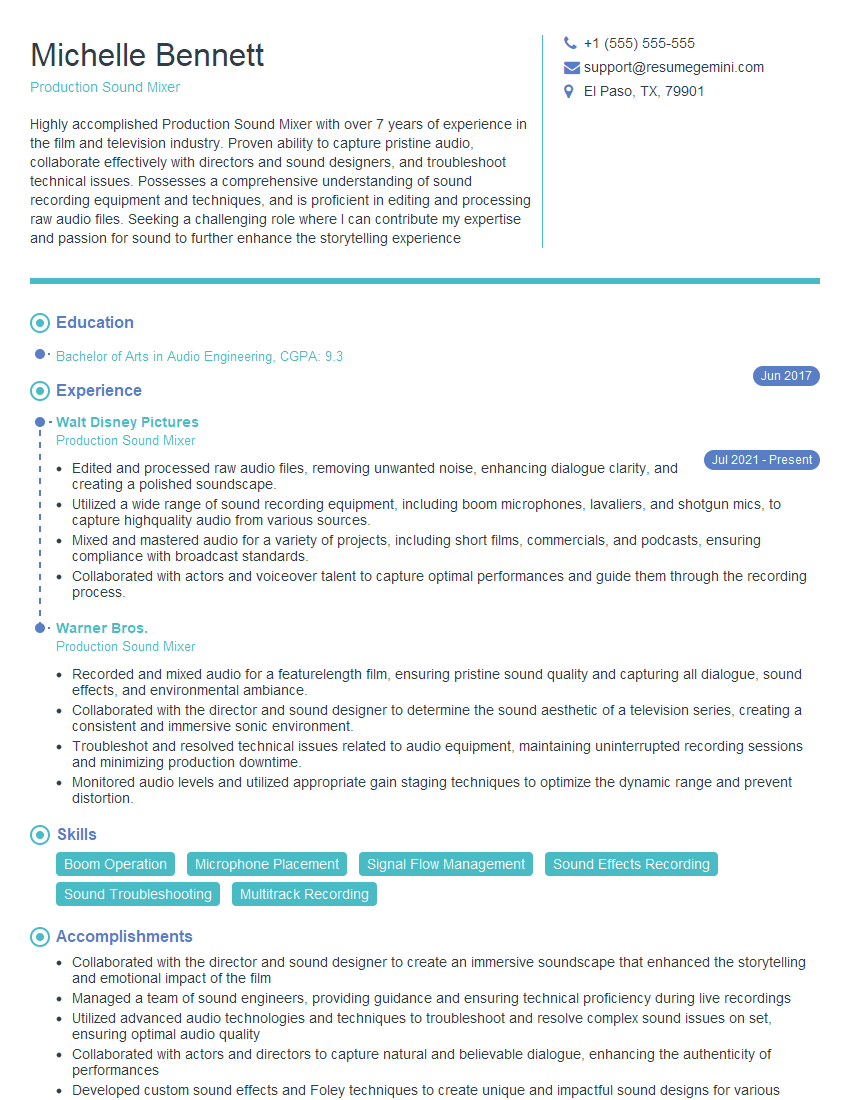
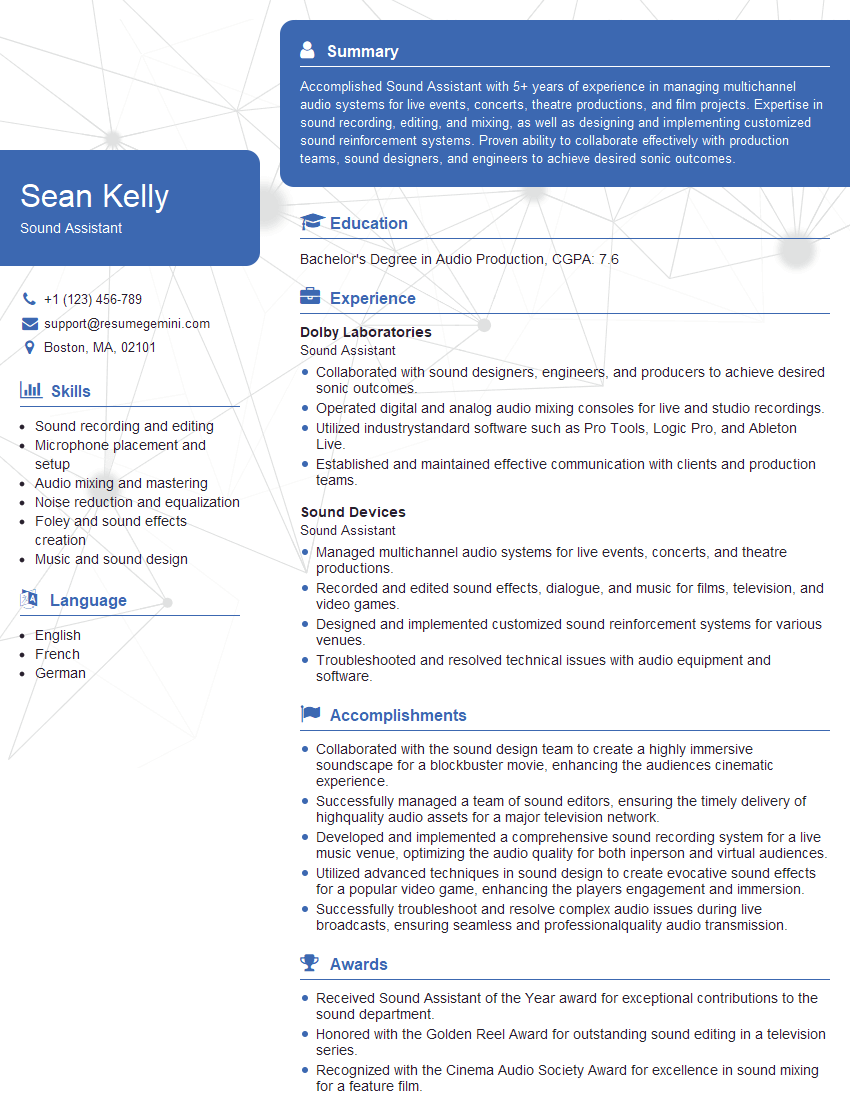
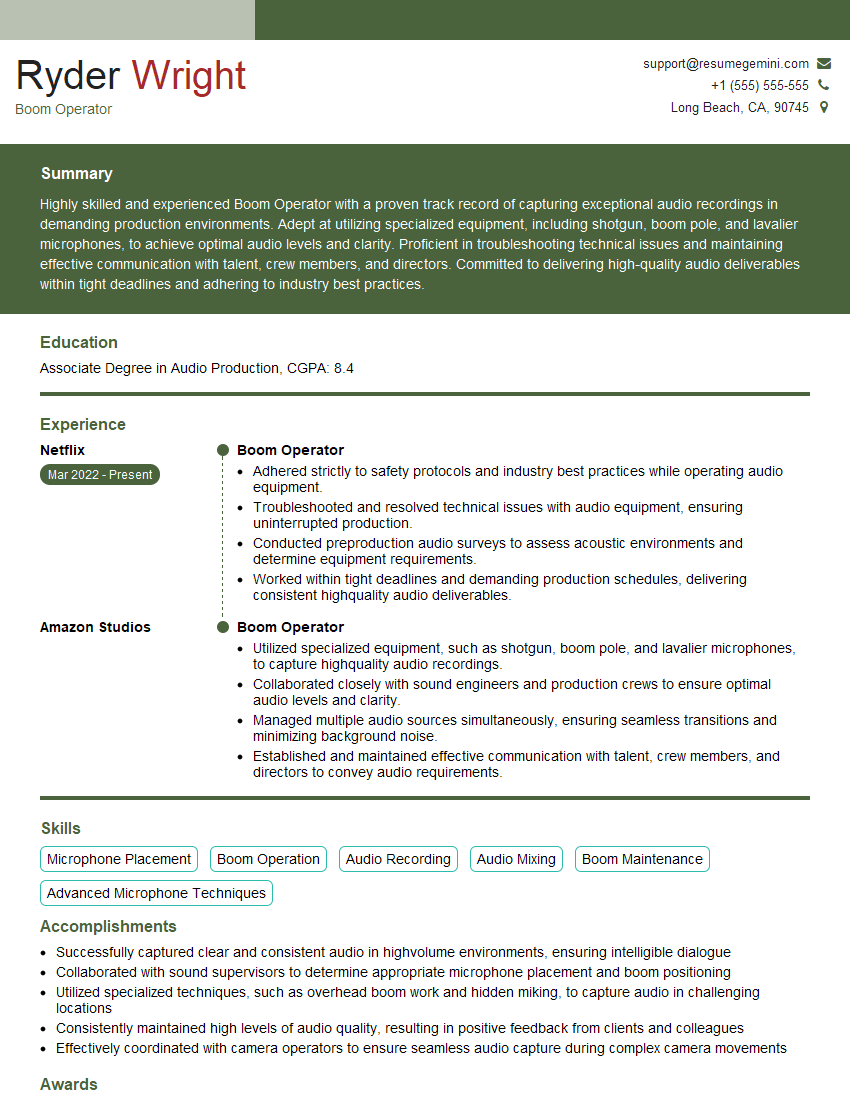
Mastering Audio Production for Film and Television opens doors to exciting careers in a dynamic and creative industry. To maximize your job prospects, it’s crucial to present your skills and experience effectively. Creating an ATS-friendly resume is key to getting your application noticed. ResumeGemini is a trusted resource to help you build a professional and impactful resume that showcases your talents. They provide examples of resumes tailored specifically to Audio Production for Film and Television, ensuring your application stands out from the competition. Take the next step in your career journey today!


Explore more articles
Users Rating of Our Blogs
Share Your Experience
We value your feedback! Please rate our content and share your thoughts (optional).
What Readers Say About Our Blog
Very informative content, great job.
good