Unlock your full potential by mastering the most common Automotive Design Software (Alias, CATIA, SolidWorks) interview questions. This blog offers a deep dive into the critical topics, ensuring you’re not only prepared to answer but to excel. With these insights, you’ll approach your interview with clarity and confidence.
Questions Asked in Automotive Design Software (Alias, CATIA, SolidWorks) Interview
Q 1. Explain the difference between NURBS and polygon modeling.
NURBS (Non-Uniform Rational B-Splines) and polygon modeling are two fundamentally different approaches to creating 3D models. Think of it like sculpting with clay versus assembling LEGOs. NURBS models are mathematically defined curves and surfaces, resulting in smooth, precise shapes ideal for Class A surfaces in automotive design. Polygon modeling, on the other hand, uses a mesh of interconnected polygons (triangles, quads) to represent a shape. This is more flexible for complex organic forms but can lack the precision and smoothness of NURBS.
- NURBS: Offers superior smoothness and precision. Excellent for representing flowing curves and surfaces. Requires more computational resources. Used extensively in automotive design for exterior body panels and interior components demanding a high-quality finish.
- Polygon Modeling: Offers flexibility and ease of manipulation. Suitable for complex shapes and organic forms. Can result in jagged edges if not carefully managed. Often used for creating initial concepts or models requiring less precise details.
In automotive design, NURBS is preferred for final production-ready surfaces, while polygon modeling might be used for early concept modeling, rapid prototyping, or when working with complex, organic shapes that are difficult to represent with NURBS.
Q 2. Describe your experience with Alias surfacing tools.
My Alias experience spans over seven years, encompassing a wide range of surfacing techniques. I’m proficient in all core functionalities, including curve creation (using various tools like interpolation, reconstruction, and sketching), surface creation (using techniques like lofting, sweeping, and network surfaces), and advanced surface manipulation (using tools like sculpting, blending, and shape modification). I have extensive experience in creating Class A surfaces, paying close attention to reflection lines and maintaining consistent curvature for optimal aesthetic appeal and manufacturability. I’ve utilized Alias extensively in projects involving exterior body panels, interior trims, and even complex mechanical components, requiring precise surface control. For instance, I once used Alias’s powerful sculpting tools to refine a challenging hood surface, smoothly integrating complex character lines while ensuring the surface maintained manufacturability.
Q 3. How proficient are you in CATIA’s generative shape design workbench?
I’m highly proficient in CATIA’s Generative Shape Design workbench. My skills encompass creating and manipulating freeform surfaces using various tools such as the ‘Fill’ command, ‘Sweep’ function, and ‘Offset’ function. I understand the underlying mathematical principles of the algorithms, allowing me to effectively control the shape and quality of the surfaces produced. I can effectively utilize the workbench for creating complex organic shapes, as well as for generating high-quality Class A surfaces. I’ve used it extensively in projects requiring complex surface modeling and have successfully navigated challenges, such as managing tangent continuity across multiple surfaces and dealing with complex surface intersections. A recent project involved using Generative Shape Design to optimize the aerodynamic efficiency of a vehicle component, requiring a deep understanding of surface manipulation and analysis.
Q 4. What are the limitations of SolidWorks in automotive design compared to Alias or CATIA?
While SolidWorks is a powerful and versatile CAD software, it has limitations compared to Alias and CATIA when it comes to automotive design, especially concerning Class A surfacing. SolidWorks’ surfacing tools, while adequate for many applications, lack the sophistication and control offered by Alias and CATIA. Alias and CATIA provide superior tools for creating and manipulating highly refined, smooth surfaces crucial for automotive aesthetics and manufacturing. SolidWorks excels in mechanical design and assembly, but its surface modeling capabilities are less robust for the intricate, high-quality surfaces required in automotive design. In essence, SolidWorks is a great workhorse for mechanical components, but Alias and CATIA are specifically tailored to handle the complexities of automotive exterior and interior design.
Q 5. Explain your process for creating a Class A surface in Alias.
Creating a Class A surface in Alias is an iterative process requiring precision and an understanding of surface aesthetics and manufacturing constraints. My process typically involves the following steps:
- Initial Concept Modeling: I begin with a basic form, potentially using polygon modeling or simpler surfaces to establish the overall shape and proportions.
- Curve Creation: Precise curves are meticulously created, defining the key features and character lines of the surface. This involves utilizing various curve creation tools within Alias, ensuring continuity and smoothness.
- Surface Creation: Surfaces are constructed using techniques like lofting, sweeping, and blending, carefully considering curvature distribution and reflection line analysis.
- Refinement & Manipulation: This is where the majority of the work happens. I utilize tools such as sculpting, blending, and shape modification to achieve the desired aesthetic and ensure continuity, tangency, and curvature flow. This involves repeatedly refining the surface based on reflection line analysis and visual inspection, making subtle adjustments to achieve the required quality.
- Class A Validation: The surface is thoroughly inspected for reflection line quality, curvature continuity, and manufacturability. Any imperfections are addressed through further refinement.
Throughout the process, I frequently use tools to analyze the surface’s curvature and reflection lines to ensure high-quality aesthetics and manufacturability. The goal is not just a visually appealing surface, but one that can be successfully manufactured using real-world processes.
Q 6. How would you handle a clash detection issue between different parts in an assembly?
Clash detection in assemblies is a critical aspect of the design process. My approach involves a combination of preventative measures and proactive detection techniques. First, I leverage the assembly design tools within the CAD software to detect clashes early on. Many software packages offer automatic clash detection features which will highlight areas of interference between different components. I also rely on proper component organization and management within the assembly. For instance, using layers and component grouping allows for easier management and visualization of potential collision areas. If clashes are detected, I would utilize the software’s analysis tools to pinpoint the exact location and nature of the interference. Resolution strategies depend on the severity and location of the clash. Sometimes, minor adjustments to component positioning or geometry are sufficient. In other cases, more substantial design changes may be necessary, potentially requiring adjustments to the individual components themselves. Furthermore, clear communication with other design team members is vital to ensure coordinated efforts and avoid repetitive clashes.
Q 7. Describe your experience with different types of CAD file formats (e.g., STEP, IGES).
I have extensive experience working with various CAD file formats, including STEP (Standard for the Exchange of Product data), IGES (Initial Graphics Exchange Specification), and others like STL (Stereolithography) and Parasolid. STEP and IGES are commonly used for exchanging data between different CAD systems. STEP is generally preferred for its ability to retain more design information, minimizing data loss during translation. IGES, while older, is still widely used and generally provides a more compact file size. Understanding the limitations of each format is crucial. For instance, translating highly complex surfaces between formats can sometimes result in data loss or inaccuracies. I always carefully inspect the translated files to ensure geometry fidelity and address any discrepancies. My experience includes troubleshooting issues arising from format conversion, including dealing with surface imperfections or data corruption. I’ve had instances where a STEP file imported minor geometry discrepancies from the original design, which I resolved through careful comparison and correction.
Q 8. How do you manage large assemblies in SolidWorks?
Managing large assemblies in SolidWorks efficiently is crucial for avoiding performance issues and maintaining a smooth workflow. Think of it like organizing a massive warehouse – you wouldn’t just throw everything in haphazardly. Instead, you’d use a system.
- Component Grouping: I utilize SolidWorks’ component grouping features extensively. This involves creating logical groups of parts that function together. For example, in designing a car door, I’d group the inner and outer panels, window mechanism, and latch system separately. This simplifies selection, manipulation, and the overall assembly management.
- Lightweight Components: For parts that don’t require detailed modification in the assembly, I’ll often create lightweight components. This significantly reduces file size and improves performance without sacrificing the overall model integrity. Imagine replacing high-resolution blueprints with lower-resolution thumbnails for faster browsing.
- Configuration Management: SolidWorks’ configuration management allows me to create multiple versions of the same assembly (e.g., different trim levels of a car) by managing design options easily without creating multiple assemblies. It saves storage space and speeds up design iterations.
- Large Assembly Features: SolidWorks offers features like ‘Component Patterns’ and ‘Sub-assemblies’ which help in managing repetitive components and breaking down a large assembly into more manageable sections. Consider this as modular building – creating smaller sections that can be easily assembled together to make the entire structure.
- External References: If the assembly contains parts designed by others, using external references to manage these external files ensures version control and reduces file size. It’s like collaborating on a project using shared documents rather than sending large files back and forth.
By implementing these strategies, I ensure that even the most complex assemblies remain manageable, improving performance and overall efficiency.
Q 9. What are your preferred methods for creating complex curves and surfaces?
Creating complex curves and surfaces is where the artistry of automotive design truly shines. My preferred methods leverage the strengths of each software package. In Alias, I rely heavily on its freeform sculpting capabilities. Imagine shaping clay – that’s the feeling you get when using Alias’s tools.
- Alias: I use a combination of curve creation tools (splines, curves from points) and surface creation tools (network surfaces, blend surfaces, ruled surfaces) to define the initial shape. Then, I frequently employ the sculpting tools to refine and perfect the form, ensuring organic and aesthetically pleasing shapes.
- CATIA: In CATIA, I utilize the Generative Shape Design workbench for creating complex curves and surfaces. This module offers tools like multi-section curves and sweeping along complex paths to generate smooth, accurate surfaces. It’s ideal for precisely defining technical surfaces, like those found in underbody panels or air intakes.
- SolidWorks: While SolidWorks excels in solid modeling, it also has advanced surface modeling capabilities, including the ability to create sweeps, revolves, and lofted surfaces. I use SolidWorks for surfaces that need to directly connect with solid features in a robust assembly model.
The choice of software depends on the specific needs of the design. Alias is my go-to for initial conceptualization and styling, while CATIA and SolidWorks are vital for technical modeling and manufacturing data creation.
Q 10. Describe your experience using CATIA’s Knowledgeware.
CATIA’s Knowledgeware is a powerful tool for automating design processes and creating reusable design components. Think of it as a macro for design tasks. It allows to create parametric models that can be easily modified by changing input variables.
My experience includes creating Knowledgeware routines to automate repetitive tasks such as generating different variations of a part based on user-defined parameters (e.g., generating different sized fuel tanks with changes in volume input), defining complex relationships between design elements, or ensuring consistency across multiple designs. This allows for more efficient design iterations, reduced errors, and improved collaboration. One specific example involved creating a Knowledgeware application that generated different bumper designs based on crash test requirements, significantly reducing the design time and iterations required.
Q 11. How do you ensure the accuracy and precision of your 3D models?
Accuracy and precision are paramount in automotive design; a millimeter off can have serious consequences. My approach is multi-faceted:
- Precise Measurements: I meticulously define dimensions and tolerances from the outset. Think of it like a meticulous blueprint. Accurate measurements are crucial.
- Constraint-Based Modeling: Employing constraint-based modeling in SolidWorks and CATIA ensures geometric relationships are well defined, avoiding inconsistencies and errors as the model is updated.
- Design Reviews and Checks: Regular design reviews, both internally and with manufacturing engineers, are essential for detecting errors early in the design process. It’s like getting a second pair of eyes on the blueprint to verify the accuracy before construction.
- Model Verification: I use the software’s built-in verification tools to check for errors and inconsistencies. Imagine a spell check for your 3D model.
- Tolerance Analysis: In certain cases, I incorporate tolerance analysis into the design to assess the impact of manufacturing variations on the final product.
This comprehensive approach helps ensure the 3D model is not just visually appealing, but also manufacturable and meets all functional and safety requirements.
Q 12. Explain your process for creating a detailed technical drawing from a 3D model.
Creating detailed technical drawings from a 3D model is a critical step in the manufacturing process. It’s like translating the 3D blueprint into instructions for builders. My process follows these steps:
- Model Preparation: I ensure the 3D model is fully constrained, detailed, and error-free. This is the foundation of a good drawing.
- View Creation: I strategically select the necessary views to fully illustrate the part’s geometry and features, using standard orthographic projection principles.
- Dimensioning and Tolerancing: I carefully add dimensions and GD&T (Geometric Dimensioning and Tolerancing) symbols according to industry standards (e.g., ASME Y14.5). This is vital to ensuring the part is manufactured to the required specifications. It’s the detailed instruction manual.
- Drawing Sheet Creation: I arrange the views on the drawing sheet to create a clear and organized drawing, complying with company standards. It’s making sure the construction manual is visually clear.
- Drawing Review: I conduct a thorough review of the drawing to ensure it accurately represents the 3D model and conforms to standards.
Software like SolidWorks and CATIA have automated features that simplify this process, but the crucial part is the understanding and proper application of engineering drawing principles.
Q 13. How familiar are you with different rendering techniques for automotive design?
I’m familiar with a range of rendering techniques, each with its strengths and weaknesses in conveying different aspects of a design. Imagine choosing the right camera lens for a photoshoot – each one provides a different perspective and effect.
- Ray Tracing: This technique provides highly realistic renderings with accurate lighting and reflections. It’s great for showcasing the final design in a photorealistic manner. It’s the high-end professional camera for the most realistic shots.
- Rasterization: Faster but less realistic than ray tracing, it’s commonly used for early-stage visualizations and design reviews. This is the digital point-and-shoot for quick previews.
- Global Illumination: This technique simulates the indirect light bounces within a scene, creating more realistic lighting effects. This is like using softboxes or diffusers to create softer, more realistic lighting.
- Physical Based Rendering (PBR): PBR focuses on simulating real-world materials and their interaction with light. It’s essential for accurate material representation and achieving high realism. This is the meticulous setup with realistic lighting, shadows, and material properties.
My selection of rendering techniques depends on the stage of the design process, the desired level of realism, and the intended audience. I frequently use KeyShot, V-Ray and other rendering plugins with CAD Software depending on the project’s demands.
Q 14. What is your experience with simulation software integrated with CAD (e.g., FEA)?
Simulation software integrated with CAD, like FEA (Finite Element Analysis), is vital for validating the structural integrity and performance of automotive designs. Think of it as a virtual crash test or wind tunnel simulation.
My experience includes using ANSYS and Abaqus, integrated with CATIA and SolidWorks. I use FEA to simulate various scenarios, including crashworthiness, structural strength, and fluid dynamics (CFD). This involves creating the FEA model from the CAD geometry, defining material properties, applying loads and boundary conditions, running the simulation, and interpreting the results. For example, I’ve used FEA to optimize the design of a car’s chassis to improve its crash performance while reducing weight. The insights gained from simulation greatly influence the design iteration and decision-making process and help in preventing costly real-world testing failures.
Q 15. Describe a time you had to troubleshoot a complex CAD model issue. What was the solution?
During a project designing a complex automotive dashboard, I encountered a significant issue with surface continuity in Alias. A blend surface between the instrument cluster and the center console exhibited unexpected ripples and discontinuities, preventing a smooth, high-quality render. This interfered with downstream manufacturing processes as these imperfections would be difficult to manufacture.
My troubleshooting involved a systematic approach. First, I meticulously reviewed the history tree in Alias to identify the problematic surfaces and their creation parameters. I then isolated the problematic area and systematically simplified the model, removing or modifying individual surfaces until I isolated the root cause. It turned out that overly aggressive curvature parameters in one of the underlying base surfaces were causing interference with the blend function. The solution involved carefully adjusting these parameters, paying close attention to the curvature plots in Alias’ analysis tools. Additionally, I re-evaluated the control points in the problematic areas using the move and reshape functions to achieve the desired smooth surface. After several iterations of adjustments and re-blending, the continuity issues were resolved, ensuring a visually appealing and manufacturable design.
Career Expert Tips:
- Ace those interviews! Prepare effectively by reviewing the Top 50 Most Common Interview Questions on ResumeGemini.
- Navigate your job search with confidence! Explore a wide range of Career Tips on ResumeGemini. Learn about common challenges and recommendations to overcome them.
- Craft the perfect resume! Master the Art of Resume Writing with ResumeGemini’s guide. Showcase your unique qualifications and achievements effectively.
- Don’t miss out on holiday savings! Build your dream resume with ResumeGemini’s ATS optimized templates.
Q 16. How do you manage data management within a large CAD project?
Managing data in large CAD projects requires a robust strategy. Think of it like organizing a massive library – you need a clear system for locating and accessing information quickly and efficiently. We utilize a combination of techniques, including a centralized data management system (PDM) like Teamcenter or Windchill. These systems provide version control, access control, and a structured workflow for managing different revisions of CAD models and associated documentation. Beyond the PDM, we enforce strict naming conventions for files and folders, following a logical hierarchy based on project phases and component types (e.g., Project_Name/Phase_1/Body_in_White/Doors/Door_Left.prt). Regular data cleansing is vital; this includes archiving obsolete data and periodically verifying the integrity of the data within the PDM. We also use regular data backups to minimize risk of data loss.
Q 17. What is your experience with version control systems for CAD data?
My experience with version control systems for CAD data is extensive. I’ve worked extensively with both PDM systems mentioned above, which inherently include version control functionality. Understanding the concepts of branching, merging, and conflict resolution is crucial. Imagine a scenario where two designers are working simultaneously on different parts of the same assembly. Branching allows them to work independently without affecting each other’s progress. When their work is ready, we merge the changes, resolving any conflicts through careful comparison and decision-making. I’ve also used Git, though less directly with the CAD models themselves, for managing auxiliary files like scripts, macros, and documentation that enhance the CAD workflow.
Q 18. How do you ensure design intent is maintained throughout the design process?
Maintaining design intent is paramount. It ensures that the final product aligns with the original design goals and that changes made during the iterative design process don’t compromise core functionality or aesthetics. We achieve this through several measures. Firstly, creating well-documented design specifications at the outset is essential. This includes detailed sketches, 3D conceptual models, and comprehensive design requirements. Second, we frequently use parametric modeling techniques in SolidWorks and CATIA, where design elements are defined by parameters rather than fixed dimensions. Changing a parameter automatically updates related elements, ensuring consistency. Thirdly, we utilize design reviews and actively communicate design decisions throughout the process. This ensures that everyone understands the reasoning behind design choices and potential implications of modifications. Regularly checking the model against initial design parameters and specifications throughout the design cycle also helps to ensure that design intent is preserved.
Q 19. What are some best practices for maintaining CAD file organization?
Maintaining organized CAD files is crucial for efficiency and collaboration. Imagine searching for a specific part in a disorganized mess – it’s a nightmare! Our best practices include a clear, logical folder structure mirroring the vehicle’s assembly hierarchy. We use descriptive file names and avoid generic names like ‘part1.prt’. A typical file name would resemble FrontBumper_Left_v03.prt. This immediately provides information about the part’s location, version, and revision. Regular file cleanup and purging of obsolete files is crucial. It’s also important to use data management tools to track revisions and prevent accidental overwriting of files. We also use metadata tagging, adding relevant keywords and descriptions to facilitate easy searches.
Q 20. How do you collaborate with other designers and engineers in a CAD environment?
Collaboration is key in automotive design. We utilize several methods for seamless teamwork. PDM systems provide a central repository for sharing and accessing models, allowing multiple designers to work on different parts simultaneously. We conduct regular design reviews, using the CAD software to collaboratively review models and discuss design solutions. Tools like annotations and markup features within the CAD software itself are also heavily utilized for commenting and providing feedback directly on the model. This eliminates ambiguity and streamlines the design review process. We also utilize digital communication tools like email, project management software, and instant messaging for quick clarifications and updates. We typically leverage shared workspaces and cloud collaboration features to improve real-time collaboration.
Q 21. Describe your experience with different CAD modeling techniques (e.g., subtractive, additive).
I have extensive experience with various CAD modeling techniques. Subtractive modeling, common in SolidWorks, involves starting with a solid block and removing material to create the desired shape. Think of sculpting a statue from a block of clay. This is perfect for creating complex shapes with intricate details. Additive modeling, often used in Alias for Class A surfacing, involves adding surface elements to create the final form. Imagine building a sculpture layer by layer. This excels in creating aesthetically pleasing, smooth surfaces. I’ve also utilized hybrid modeling techniques, combining both approaches for optimal results. For instance, I might use subtractive modeling to create the basic form and then use additive modeling to refine the surfaces for a visually appealing outcome. The choice of modeling technique depends on the specific design task and desired outcome. For example, a complex engine component would be more effectively modeled using subtractive modeling, while a sleek car body would benefit from additive modeling techniques.
Q 22. Explain your understanding of design for manufacturing (DFM) principles in relation to CAD.
Design for Manufacturing (DFM) is a crucial methodology that integrates manufacturing considerations into the early stages of product design. In CAD, this means designing parts and assemblies that are not only aesthetically pleasing and functionally sound but also cost-effective and easily manufacturable. It’s about thinking like a manufacturer from day one.
- Material Selection: Choosing materials readily available and suitable for chosen manufacturing processes (e.g., injection molding, casting, machining).
- Part Simplification: Reducing the number of parts, minimizing complex geometries, and avoiding features that are difficult or expensive to produce.
- Tolerance Analysis: Defining realistic manufacturing tolerances to prevent costly rework or scrap. Overly tight tolerances increase production costs.
- Assembly Considerations: Designing parts for easy assembly and minimizing the need for specialized tools or fixtures. Think about how the parts will fit together and how easily they can be joined.
- Surface Finish: Specifying appropriate surface finishes considering the manufacturing process and functional requirements.
For example, in designing a car door handle, DFM principles would guide the choice of material (e.g., a cost-effective plastic rather than expensive machined metal), a simple geometry that’s easy to mold, and tolerances that account for the inherent variations in the injection molding process. Ignoring DFM can result in designs that are impossible or prohibitively expensive to manufacture.
Q 23. How familiar are you with automotive industry standards and regulations relevant to CAD?
I am very familiar with automotive industry standards and regulations relevant to CAD. My experience encompasses standards related to data exchange (like STEP AP242 and JT), geometric dimensioning and tolerancing (GD&T) per ASME Y14.5, and manufacturing process specifications. Understanding these is critical for successful collaboration across different teams and companies in the automotive supply chain.
For instance, I’ve worked extensively with standards that dictate the level of detail required in CAD models for different purposes—from initial design concept models for styling reviews to highly detailed manufacturing models used for tooling creation. Familiarity with these standards ensures data integrity and prevents costly errors down the line.
Furthermore, I’m aware of regulations concerning data security and intellectual property protection, which are paramount in the automotive sector.
Q 24. What is your experience with parametric modeling techniques?
Parametric modeling is the foundation of my CAD workflow. It’s a powerful technique where you define a model using parameters (variables) instead of fixed dimensions. Changing a single parameter automatically updates the entire model, significantly streamlining the design process and facilitating design exploration.
In Alias, I use parameters to control surface curvature and shape. In CATIA and SolidWorks, I leverage parameters to define dimensions, features, and relationships between parts in an assembly. I often create design families based on parametric modeling. For example, I might create a parametric model of a car seat that can be adjusted by changing parameters like seat height, back angle, and cushion thickness, generating numerous variations from a single model.
Example (Conceptual SolidWorks): Let's say we have a rectangular block. Instead of fixed length, width, and height, we'd define those as parameters (e.g., Length = L, Width = W, Height = H). Changing 'L' will automatically adjust the block's length.
Q 25. Describe your experience with creating and using design templates in your chosen CAD software.
Creating and using design templates are essential for efficient and consistent design practices. I routinely use templates in all three CAD packages. These templates pre-define standards such as units, layers, naming conventions, and even initial geometry to provide a consistent starting point for new projects.
In Alias, a template might set up the correct layer structure for different model phases (e.g., Class A surfaces, engineering surfaces). In CATIA and SolidWorks, templates predefine the part’s material, coordinate systems, and default features. This ensures design consistency across the team, making revisions and collaboration smoother. The use of templates drastically cuts down the initial setup time for new designs.
For example, when starting a new bumper design in SolidWorks, I’d use a template that already includes the correct material properties, a predefined coordinate system, and even basic geometry representing the bumper’s overall shape. This saves considerable time compared to manually setting these up each time.
Q 26. How do you stay up-to-date with new features and advancements in automotive design software?
Staying updated is vital in the rapidly evolving world of automotive design software. I employ several strategies:
- Vendor Training and Webinars: Dassault Systèmes (CATIA), Autodesk (Alias), and SolidWorks offer regular training courses and webinars on new features and best practices. I actively participate in these sessions.
- Industry Publications and Conferences: I regularly read industry publications and attend conferences like SAE International conferences to learn about the latest software developments and their applications in automotive design.
- Online Communities and Forums: Engaging with online communities and forums allows me to learn from other experts’ experiences and discover solutions to challenges I encounter.
- Self-directed Learning: I dedicate time to exploring new features and functionalities on my own through tutorials, online documentation, and experimenting with different techniques.
Continuous learning ensures that I remain proficient and adopt innovative methodologies to enhance design efficiency and product quality.
Q 27. What are your strengths and weaknesses in using Alias, CATIA, and SolidWorks?
My strengths and weaknesses vary across the three software packages, reflecting my experience and project focus:
- Alias: Strength: Class A surfacing and freeform modeling. Weakness: Less proficient in its advanced assembly and mechanism simulation capabilities compared to CATIA or SolidWorks.
- CATIA: Strength: Strong in complex assemblies, surface modeling, and simulation capabilities (FEA, CFD). Weakness: Steeper learning curve and can be less intuitive for quick concept modeling compared to Alias.
- SolidWorks: Strength: Ease of use for part modeling and assembly design, extensive library of features and tools, and readily available support resources. Weakness: Less suited to high-end Class A surfacing compared to Alias.
I consider my overall proficiency across all three software packages as a significant strength, allowing me to choose the optimal tool for any given task. This versatility is highly valuable in automotive design where different stages require specialized software skills.
Q 28. How would you approach creating a digital twin of a vehicle component?
Creating a digital twin of a vehicle component involves building a virtual representation that mirrors the physical component’s behavior and characteristics as accurately as possible. This process involves multiple stages:
- 3D Modeling: Creating a highly accurate 3D CAD model of the component, incorporating all relevant geometric details and features.
- Material Properties Definition: Assigning realistic material properties to the model, including mechanical, thermal, and electrical characteristics.
- Mesh Generation: Generating a suitable mesh (a network of interconnected elements) for simulation purposes. The mesh density is crucial for accuracy.
- Simulation and Analysis: Conducting simulations based on relevant physics (e.g., Finite Element Analysis (FEA) for structural analysis, Computational Fluid Dynamics (CFD) for aerodynamic analysis). This provides data regarding stress, strain, temperature distribution, flow patterns, etc.
- Validation and Calibration: Comparing the simulation results with real-world test data to validate the accuracy of the digital twin. Calibration might be needed to fine-tune the model based on discrepancies.
- Integration and Visualization: Integrating the simulation results into a user-friendly interface that allows for visualization and analysis of the component’s performance. This may include interactive dashboards, charts, and 3D visualizations.
For example, creating a digital twin of a car engine’s piston would involve detailed 3D modeling, assigning realistic material properties for the piston material (e.g., aluminum alloy), mesh generation for FEA to analyze stress and strain under various engine loads, and validating these results against real-world engine testing data. The final digital twin would allow engineers to predict the piston’s behavior and longevity under different operating conditions.
Key Topics to Learn for Automotive Design Software (Alias, CATIA, SolidWorks) Interview
- Surface Modeling (Alias): Understanding Class A surface creation, sculpting techniques, and the importance of surface continuity (G1, G2, G3). Practical application: Creating a smooth, aesthetically pleasing car body panel.
- Solid Modeling (SolidWorks, CATIA): Mastering features like extrude, revolve, sweep, and pattern creation. Practical application: Designing and assembling complex automotive components like engine parts or interior elements.
- Assembly and Constraints (SolidWorks, CATIA): Understanding constraints, mates, and assembly management. Practical application: Creating a fully functional digital model of a vehicle’s suspension system.
- Part Design and Manufacturing Considerations (SolidWorks, CATIA): Knowledge of draft angles, tolerances, and manufacturing processes. Practical application: Designing parts that are feasible to manufacture using various techniques like casting or machining.
- Data Management and Collaboration (All Software): Understanding version control, file management, and efficient teamwork within a design environment. Practical application: Collaborating with other designers on a large-scale automotive project.
- Advanced Techniques (All Software): Explore advanced features like freeform modeling, parametric design, and simulation capabilities. Practical application: Optimizing designs for weight reduction, aerodynamics, or structural integrity.
- Design for Manufacturing and Assembly (DFMA): Understanding how design choices impact manufacturing costs and assembly time. Practical Application: Designing for ease of production and reduced waste.
Next Steps
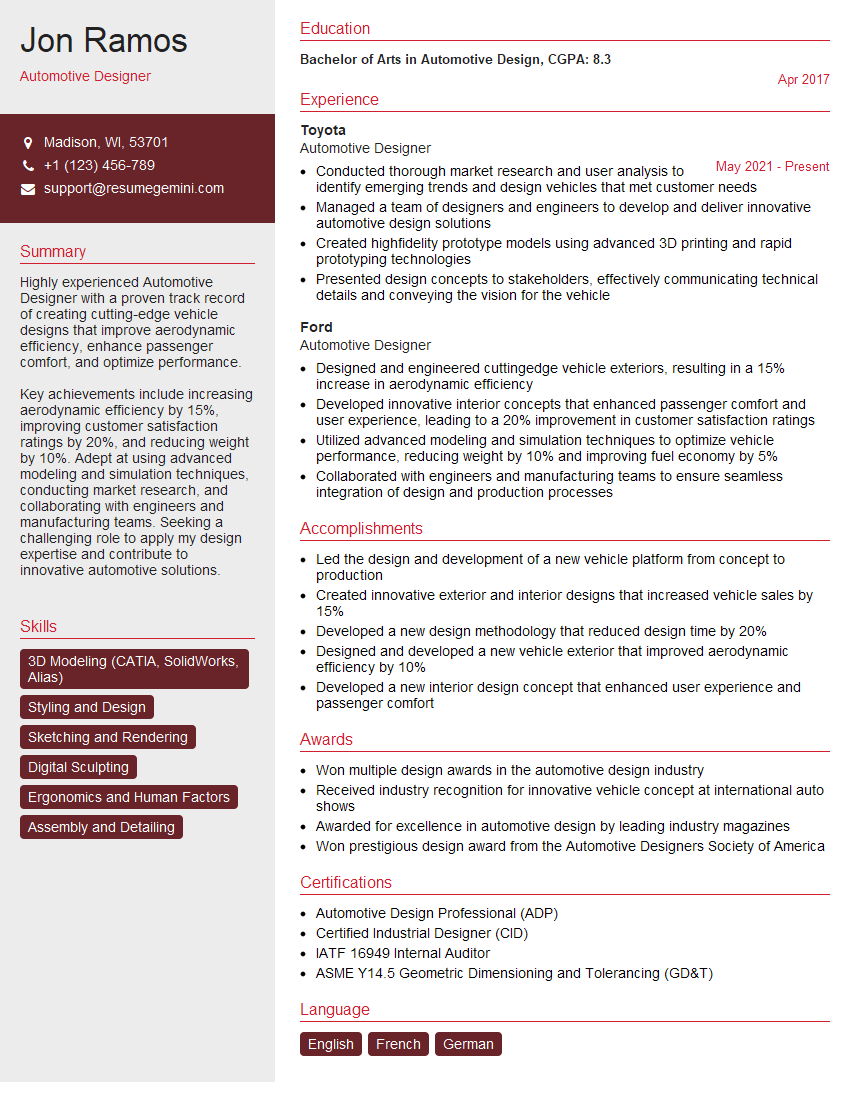
Mastering Automotive Design Software like Alias, CATIA, and SolidWorks is crucial for a successful career in automotive design, opening doors to exciting opportunities and higher earning potential. A well-crafted resume is your key to unlocking these possibilities. To significantly improve your chances, create an ATS-friendly resume that highlights your skills and experience effectively. ResumeGemini is a trusted resource to help you build a professional and impactful resume that grabs the attention of recruiters. Examples of resumes tailored to showcase expertise in Alias, CATIA, and SolidWorks are available to help you get started.




Explore more articles
Users Rating of Our Blogs
Share Your Experience
We value your feedback! Please rate our content and share your thoughts (optional).
What Readers Say About Our Blog
Very informative content, great job.
good