Cracking a skill-specific interview, like one for Digital Printing Knowledge, requires understanding the nuances of the role. In this blog, we present the questions you’re most likely to encounter, along with insights into how to answer them effectively. Let’s ensure you’re ready to make a strong impression.
Questions Asked in Digital Printing Knowledge Interview
Q 1. Explain the difference between offset and digital printing.
Offset and digital printing are fundamentally different methods of transferring ink to a substrate (like paper). Offset printing is an analog process, relying on a plate-making process to create an image which is then transferred to a rubber blanket and finally to the paper. This indirect transfer allows for very high-volume printing with consistent color and sharp detail, making it ideal for large print runs. Think of printing millions of brochures or magazines – that’s offset territory.
Digital printing, on the other hand, is a digital process. The image is directly printed onto the substrate from a digital file, often using inkjet or toner technologies. This eliminates the plate-making stage, making it highly efficient for short-run, personalized, and on-demand printing. Think of personalized greeting cards or customized t-shirts – these are perfect for digital printing.
- Offset: High volume, consistent quality, higher setup costs, longer turnaround time.
- Digital: Short to medium runs, variable data printing, lower setup costs, faster turnaround time, potentially higher per-unit cost for large runs.
Q 2. Describe your experience with color management and profiling.
Color management and profiling are critical aspects of my work. I’ve extensively used ICC (International Color Consortium) profiles to ensure color accuracy across various stages of the printing process, from design to press output. My experience encompasses creating and implementing custom ICC profiles for specific printers and substrates to achieve optimal color reproduction. I’ve worked with both hardware and software color calibration tools – spectrophotometers and color management software – to measure and correct color discrepancies.
For example, I recently worked on a project involving metallic inks. Achieving consistent metallic color across a large print run required meticulous profiling of the metallic ink on the specific substrate. By creating a custom ICC profile, we were able to accurately reproduce the desired color, avoiding costly reprints and delays. My expertise also extends to managing color spaces (RGB, CMYK, etc.) and converting between them to minimize color shifts during the workflow.
Q 3. What are the common file formats used in digital printing?
The most common file formats in digital printing are PDF (Portable Document Format), TIFF (Tagged Image File Format), and JPEG (Joint Photographic Experts Group). PDF is preferred due to its ability to embed fonts, preserve vector graphics, and handle complex layouts. TIFF is often used for high-resolution images, particularly in large-format printing, as it preserves image data without compression. JPEG, while convenient, is lossy, meaning some image data is discarded during compression, which makes it less ideal for high-quality printing, but it is fine for lower-resolution images.
Other formats, like EPS (Encapsulated PostScript), might be used depending on the specific printing application or software used. However, it’s important to note that proper preflighting is essential to ensure the files are compatible with the printer and meet the required specifications.
Q 4. How do you troubleshoot common print quality issues?
Troubleshooting print quality issues requires a systematic approach. My process typically starts with identifying the nature of the problem, such as banding, color mismatches, blurry images, or poor registration. I then investigate potential causes, following a logical flow.
- Check the file: Are the images high enough resolution? Are the colors correctly calibrated? Is the file properly formatted?
- Examine the printer settings: Are the correct paper type and print settings selected? Are the printer drivers up to date?
- Inspect the media: Is the paper or substrate appropriate for the print job? Is it properly loaded into the printer? Are there any defects in the media itself?
- Assess the printer hardware: Are the print heads clean? Are there any mechanical issues with the printer?
- Review the print profile: Is the ICC profile correctly applied and accurate for the specific printer, media, and inks?
For instance, banding often indicates a problem with the printer heads or ink flow. Blurry images might suggest low resolution or misaligned optics. Color mismatches might be due to improper color profile settings or calibration issues. A methodical approach, combined with knowledge of the printing process and hardware, allows for efficient troubleshooting and resolution.
Q 5. What are your experiences with different types of digital printing presses (e.g., inkjet, toner-based)?
My experience encompasses a wide range of digital printing presses, including both inkjet and toner-based systems. Inkjet presses utilize liquid ink sprayed onto the substrate, providing excellent color gamut and smooth gradations, and are particularly well-suited for high-quality photo printing and variable data applications. They are also commonly used in large format printing.
Toner-based presses, on the other hand, use powdered toner fused onto the substrate using heat and pressure. These offer a higher resolution and sharper detail, and usually better at handling text-heavy documents, though their color gamut is generally smaller than that of inkjet. They also are used frequently for large-scale production runs of high-quality business cards or flyers.
I’ve worked with various manufacturers and models, gaining hands-on experience with their unique capabilities and limitations. This broad experience helps me select the optimal printing technology for each specific project, balancing factors such as print quality, speed, cost, and substrate compatibility.
Q 6. Explain your understanding of color space conversions (e.g., RGB to CMYK).
Color space conversions, such as RGB to CMYK, are essential in digital printing. RGB (Red, Green, Blue) is the additive color model used in digital displays, while CMYK (Cyan, Magenta, Yellow, Key/Black) is the subtractive color model used in printing. Converting from RGB to CMYK often involves color losses because the CMYK color space has a smaller gamut than RGB. Not all colors visible on a screen can be accurately reproduced in print.
The conversion process uses a color profile to map RGB values to their closest CMYK equivalents. This profile needs to consider the specific printer and paper being used to ensure the most accurate reproduction possible. Improper conversion can lead to color shifts, resulting in inaccurate colors in the final print. Therefore, a good understanding of color management principles and the use of accurate color profiles is crucial for ensuring color accuracy in print output.
Q 7. How do you handle large-format printing projects?
Handling large-format printing projects requires careful planning and execution. This begins with understanding the client’s requirements, including the desired size, resolution, media type, and application. Next, I thoroughly review the provided files, ensuring they meet the necessary resolution and color requirements. Often, large format projects need meticulous preparation to avoid issues.
The print process itself requires attention to detail, including proper media handling, accurate color calibration, and careful monitoring during printing to ensure consistent color and quality across the entire print. Post-processing might include trimming, mounting, and finishing, depending on the project’s needs. For example, a large-format banner needs different preparation and finishing compared to a fine art print on canvas. Successful large-format printing projects rely on precise planning and a comprehensive understanding of both the digital workflow and finishing techniques.
Q 8. Describe your experience with pre-press processes.
Pre-press in digital printing encompasses all the steps taken before the actual printing begins. Think of it as the crucial preparation phase for a flawless final product. My experience covers a wide range of tasks, including:
- Image editing and manipulation: This involves adjusting brightness, contrast, sharpness, and color balance to optimize the image for print. For instance, I’ve worked extensively with Adobe Photoshop to correct color casts in photographs destined for high-end brochures.
- File format conversion: Different printers and RIP software require specific file formats (e.g., PDF, TIFF). My expertise lies in converting files without compromising image quality, often using software like Adobe Acrobat Pro.
- Color profile management: Ensuring consistent color across different devices and stages is critical. I utilize ICC profiles to manage color spaces accurately, preventing discrepancies between the screen preview and the final print.
- Imposition and trapping: For multi-page documents, I expertly arrange pages for efficient printing and apply trapping (slightly overlapping colors) to prevent unwanted gaps between colors during printing, especially crucial for vibrant designs.
- Proofing: I carefully review soft and hard proofs to catch any errors before printing, verifying details like text accuracy, image resolution, and color fidelity. I’m experienced in using both on-screen proofing software and creating physical proofs using color-managed printers.
Throughout these processes, I prioritize meticulous attention to detail and strive for optimal results, always ensuring client expectations are met and exceeded.
Q 9. How do you ensure accurate color consistency across multiple prints?
Maintaining consistent color across multiple prints is paramount. It’s achieved through a multi-faceted approach involving hardware and software solutions. Think of it like baking a cake – you need precise measurements and consistent oven temperature to get the same results each time.
- Color calibration and profiling: Regularly calibrating the printer and monitor with colorimeters ensures accuracy. I create and use ICC profiles, which act like digital recipes, defining the exact color relationships between my devices and the desired color space (e.g., CMYK).
- Consistent media: Using the same type and batch of printing media (paper, canvas, etc.) across all prints minimizes variations caused by different paper absorbency or texture.
- RIP software settings: The RIP (Raster Image Processor) software is key here. I meticulously configure the settings to match the printer and chosen media, considering factors like ink density and dot gain (the spreading of ink on the paper).
- Color management system (CMS): I always work within a robust CMS, ensuring every stage of the printing process – from design to output – is color-managed, minimizing variations. This might involve using a dedicated color management software or integrated CMS functions within my design and RIP software.
- Test prints and adjustments: Before large print runs, I always conduct test prints, visually evaluating and, if necessary, adjusting the RIP settings or color profiles to achieve the required consistency.
This systematic approach minimizes color discrepancies and ensures that each print is a faithful representation of the original design.
Q 10. What is your experience with print finishing techniques (e.g., cutting, binding, laminating)?
Print finishing is where the printed output transforms into a polished, marketable product. My experience includes a wide range of techniques:
- Cutting: Using guillotines and die-cutting machines for precise cutting, creating unique shapes and sizes. I’ve handled projects requiring intricate die-cuts for business cards and custom packaging.
- Binding: I’m proficient in various binding methods including saddle stitching (for brochures), perfect binding (for books), wire-o binding (for notebooks), and spiral binding. The choice depends on the project’s needs; a book requires a different binding than a calendar.
- Laminating: Applying gloss or matte laminate to enhance durability, provide UV protection, and improve the overall aesthetic appeal. I understand the different types of laminates and their suitability for different applications.
- Folding and creasing: Accurate folding and creasing are crucial for clean folds in brochures and leaflets. This involves using specialized equipment to ensure precise and consistent folds.
- Other techniques: I’m also experienced with embossing, debossing, spot UV coating (for selective gloss), and various other finishing techniques to add unique value to the final product.
I understand that the selection of finishing techniques is crucial for the final product’s functionality and visual appeal, and I always consult with clients to determine the best approach for their specific project.
Q 11. Explain your experience with RIP software.
RIP software is the bridge between the digital design file and the printer. It translates the digital image into a format the printer understands, effectively driving the entire printing process. My experience spans multiple RIP software packages, including EFI Fiery, and Onyx. This allows me to leverage the strengths of different systems depending on the project’s demands and the printer being utilized.
- Color management: RIP software is central to color management, allowing for precise color control and profile management.
- Image processing: I utilize RIP software’s features to optimize image resolution, sharpness, and color balance for different printing substrates.
- Workflow automation: Many RIP packages offer features to automate tasks like imposition and nesting, significantly speeding up the production process. I have implemented these workflows to improve efficiency in large-scale printing jobs.
- Printer control: The RIP software acts as the control center for the printer, managing ink levels, print speed, and other printer-specific settings. I carefully configure these parameters to ensure optimal print quality and minimize waste.
- Troubleshooting: My experience extends to identifying and resolving print errors using RIP diagnostics and error logs. This often involves refining color settings, resolving media mismatches, or identifying and correcting hardware malfunctions.
In essence, my proficiency in RIP software is a cornerstone of my ability to produce high-quality, consistent prints efficiently.
Q 12. Describe your process for setting up a print job, including media selection and calibration.
Setting up a print job involves a methodical approach that ensures the final output meets the client’s expectations. It’s a bit like assembling a complex puzzle, where every piece must fit perfectly.
- Job briefing and review: I thoroughly review the client’s brief, paying close attention to specifications such as print size, quantity, paper type, color mode (CMYK or RGB), and finishing requirements.
- Media selection: The choice of media depends on many factors, including the print’s purpose, budget, and desired aesthetic. For instance, a high-end art print will require archival-quality paper, while a flyer might use a more economical option. I’m knowledgeable about the properties of various media, including their weight, texture, and ink absorption.
- Color profile selection and calibration: I select the appropriate ICC color profiles for both the monitor and printer, ensuring consistent color representation from design to print. Regular calibration using a colorimeter ensures accuracy.
- File preparation: I prepare the print files by converting them to the correct format (e.g., PDF/X-1a for high-quality print), checking resolution, and ensuring all fonts and images are embedded.
- RIP setup: I configure the RIP software to align with the selected media and color profiles, optimizing settings like ink limits, dot gain compensation, and other parameters to ensure excellent print quality.
- Test print and adjustments: Before proceeding with a large print run, I always perform a test print to evaluate color accuracy, image sharpness, and overall quality. Adjustments are made as needed.
This process allows me to predict and avoid problems, ensuring the final printed product matches the digital design accurately.
Q 13. How do you manage print production schedules and deadlines?
Managing print production schedules is crucial for timely delivery and client satisfaction. I employ several strategies to effectively manage deadlines:
- Project scheduling and planning: I meticulously plan the production timeline, considering each stage from file preparation to finishing. Tools like project management software assist in tracking progress.
- Prioritization: I prioritize jobs based on deadlines and urgency, ensuring that time-sensitive projects receive the necessary attention. This might involve adjusting workflows or allocating resources efficiently.
- Communication: I maintain clear and consistent communication with clients and team members, keeping them updated on the project’s progress and addressing any potential delays proactively.
- Contingency planning: I build in buffer time to account for unexpected delays, such as equipment malfunctions or unforeseen issues with file preparation. This helps avoid jeopardizing deadlines.
- Resource allocation: I manage resources efficiently, ensuring that personnel and equipment are allocated optimally to meet the production demands.
By combining meticulous planning with efficient resource allocation and effective communication, I successfully manage print production schedules while maintaining high-quality output and meeting deadlines.
Q 14. How do you maintain and troubleshoot printing equipment?
Maintaining and troubleshooting printing equipment is an essential part of ensuring smooth, uninterrupted production. It’s akin to regular car maintenance – preventative measures minimize downtime and ensure longevity.
- Preventative maintenance: I conduct regular cleaning and maintenance of printers, including nozzle checks, head cleaning, and ink system checks. This prevents clogs and ensures consistent ink flow.
- Calibration and adjustment: Regular calibration using colorimeters guarantees accurate color reproduction and prevents deviations over time.
- Troubleshooting: I’m skilled in diagnosing and resolving various printer issues, ranging from paper jams and ink cartridge problems to more complex mechanical or electronic faults. This involves using diagnostic tools and manufacturer documentation to identify and fix the root cause.
- Software updates: I ensure the printer firmware and RIP software are regularly updated to benefit from performance enhancements, bug fixes, and new features.
- Documentation: I meticulously document maintenance procedures, troubleshooting steps, and equipment history to aid in future repairs and maintenance.
By adopting a proactive maintenance approach and possessing strong troubleshooting skills, I ensure minimal downtime and maintain the optimal performance of our printing equipment.
Q 15. What is your experience with different substrates (e.g., paper, vinyl, canvas)?
My experience with various substrates in digital printing is extensive. I’ve worked extensively with a range of materials, each requiring a different approach for optimal results. Think of it like choosing the right tool for the job – you wouldn’t use a hammer to screw in a screw!
- Paper: I’m proficient with various paper weights, finishes (gloss, matte, uncoated), and types (photo paper, card stock, fine art paper). Understanding the paper’s absorbency and texture is crucial for achieving the desired print quality and color vibrancy. For instance, a heavier paper stock will result in a more robust final product, but might require adjustments to the printing settings to avoid ink bleeding.
- Vinyl: I have significant experience with different vinyl types, including self-adhesive vinyl for stickers and banners, and printable vinyl for vehicle wraps and large format displays. This involves understanding the specific properties of each vinyl – its flexibility, durability, and adhesive strength – to ensure long-lasting and high-quality prints. Applying the right pressure and heat during the printing and application process is key for preventing bubbles and wrinkles.
- Canvas: Printing on canvas for fine art reproductions or gallery prints requires a delicate approach. I understand how different canvas textures impact the final print, and the importance of choosing the right ink type (pigment-based inks are generally preferred for their longevity) and print settings to achieve a professional finish. The canvas stretching and framing process, while not directly part of digital printing, is also essential to the overall quality of the final product.
My experience encompasses not just the printing itself, but also the pre-press preparation and post-printing finishing techniques for each substrate, ensuring the final result meets the highest standards.
Career Expert Tips:
- Ace those interviews! Prepare effectively by reviewing the Top 50 Most Common Interview Questions on ResumeGemini.
- Navigate your job search with confidence! Explore a wide range of Career Tips on ResumeGemini. Learn about common challenges and recommendations to overcome them.
- Craft the perfect resume! Master the Art of Resume Writing with ResumeGemini’s guide. Showcase your unique qualifications and achievements effectively.
- Don’t miss out on holiday savings! Build your dream resume with ResumeGemini’s ATS optimized templates.
Q 16. How do you handle client requests and revisions?
Handling client requests and revisions is a cornerstone of successful digital printing. I follow a structured process to ensure smooth communication and timely project completion.
- Initial Consultation: A thorough initial consultation is vital. We discuss the client’s vision, budget, and deadlines, clarifying all requirements and expectations. This often involves reviewing mockups or examples to ensure we’re on the same page.
- Proofing and Feedback: I provide digital proofs for client review and feedback. I encourage clients to review and approve every detail before proceeding to printing. This proofing process may involve multiple iterations, depending on the level of detail required.
- Revision Management: Revisions are handled efficiently using a version control system, tracking each change and ensuring clarity in communication. This transparent approach reduces the chance of miscommunication and keeps the project on track.
- Clear Communication: Open and honest communication is key throughout the process. I promptly respond to queries, keep clients updated on progress, and manage expectations effectively. This builds trust and helps prevent any surprises.
For instance, recently a client wanted to adjust the font size and colour scheme of business cards after the initial proof. I documented those changes, implemented them, and created a second proof for their approval, ensuring they were satisfied before proceeding with the print run.
Q 17. Describe your experience with quality control procedures in digital printing.
Quality control is paramount in digital printing. My experience encompasses a multi-stage process, starting from pre-press to post-print inspection, using a combination of software and manual checks.
- Pre-press Checks: This includes verifying the image resolution, color profiles, and file formats. Software tools are used to identify potential issues like low-resolution images or incorrect color spaces before printing begins.
- Process Monitoring: During printing, I continuously monitor the print output for color accuracy, registration (alignment of colors), and ink density. Regular test prints are analyzed against the approved proofs to catch any discrepancies early on. Modern digital printers often include built-in quality control features and sensors.
- Post-print Inspection: After printing, a thorough visual inspection is performed to check for defects such as smudging, misalignment, or print inconsistencies. This might involve the use of specialized measuring tools to ensure accuracy and consistency.
- Documentation: All quality control steps and findings are meticulously documented. This record helps in tracking and resolving issues, improving future processes, and addressing any customer concerns.
For example, a recent large format print job required meticulous color matching. We used a color management system (CMS) to accurately profile the printer and media, ensuring that the final print precisely matched the approved digital proof.
Q 18. How familiar are you with various printing inks and their properties?
My familiarity with various printing inks and their properties is comprehensive. Understanding ink properties is crucial for achieving desired print results across different substrates. It’s not simply about the color; it’s about how that color interacts with the material.
- Dye-based inks: These inks are vibrant but less water-resistant and fade more quickly than pigment-based inks. They are cost-effective and are suitable for prints that won’t be exposed to harsh environments.
- Pigment-based inks: These inks are more durable, water-resistant, and fade-resistant, making them ideal for fine art prints, canvas prints, or outdoor applications. They are more expensive than dye-based inks.
- UV-curable inks: These inks are cured using ultraviolet light, resulting in instant drying and exceptional durability. They are excellent for outdoor signage or applications where immediate drying time is important. But they require specialized UV printers.
- Eco-solvent inks: A less volatile alternative to solvent-based inks, eco-solvent inks offer good durability and are suitable for various applications, including banners and signage, offering a balance between cost and quality.
Selecting the right ink is a critical decision based on the project’s requirements and the substrate being used. For example, I would never use dye-based inks on canvas intended for outdoor display. Their sensitivity to UV exposure would lead to rapid color fading.
Q 19. What is your understanding of print resolution and DPI?
Print resolution, measured in dots per inch (DPI), determines the sharpness and detail of a printed image. Higher DPI means more dots of ink per inch, leading to a clearer, crisper image. It’s a crucial factor in achieving high-quality prints.
Think of it like building a mosaic: a higher DPI is like using more, smaller tiles to create a more detailed and realistic picture. A lower DPI uses fewer, larger tiles, resulting in a less detailed, blockier image.
Generally, a DPI of 300 is considered ideal for high-quality prints, particularly for applications requiring fine details, such as photographs or fine art reproductions. For larger format prints, such as banners or billboards, lower DPIs might suffice, but understanding the viewing distance is important. A lower DPI might be acceptable from afar, but unacceptable up close.
Understanding DPI is critical in the pre-press stage to avoid issues such as blurry or pixelated prints. Incorrect DPI settings can lead to wasted materials and time.
Q 20. Describe your experience with variable data printing.
Variable data printing (VDP) allows for the personalization of printed materials, creating unique outputs for each printed piece. Imagine generating thousands of unique postcards, each with a different recipient’s name and address, or a personalized marketing offer. That’s the power of VDP.
My experience with VDP includes using software that merges database information with print templates. This involves integrating different data sources, such as customer databases or spreadsheets, to create personalized documents. This can range from simple name and address personalization to more complex elements, such as tailored images or messages based on customer segmentation.
For example, I’ve used VDP for creating personalized direct mail campaigns, customized certificates, and individualized event tickets. Each print is unique, enhancing the recipient’s experience and improving the overall effectiveness of the marketing campaign or communication.
The key to successful VDP is accurate data handling and efficient workflow management. Ensuring data integrity and seamless integration between database and print engine is essential to avoid errors and maintain efficiency.
Q 21. How do you estimate the cost of a digital printing project?
Estimating the cost of a digital printing project requires a thorough understanding of several factors. It’s more than just the price of ink and paper; it involves a holistic evaluation of all the elements involved.
- Material Costs: This includes the cost of paper, ink, canvas, vinyl, or any other substrate used. The quantity and type of material significantly impact the overall cost.
- Printing Costs: The cost of printing depends on the size, quantity, and complexity of the print job. Larger format prints and higher quantities typically result in economies of scale.
- Pre-press Costs: This encompasses the time and effort spent on design, file preparation, color correction, and proofing. Complex designs or extensive revisions will increase pre-press costs.
- Finishing Costs: Costs associated with post-printing processes such as cutting, trimming, binding, lamination, or any special finishing techniques add to the total cost.
- Labor Costs: The time spent on setting up the printer, monitoring the process, and quality control adds to the overall labor cost. This cost needs to be considered when determining pricing.
To estimate costs accurately, I use a combination of standardized pricing structures and customized cost assessments based on the project’s specific requirements. I always provide clients with a detailed breakdown of the cost estimate, ensuring complete transparency.
Q 22. What software programs are you proficient in (e.g., Adobe Creative Suite, etc.)?
My proficiency in software is a cornerstone of my digital printing expertise. I’m highly skilled in the Adobe Creative Suite, specifically Photoshop, Illustrator, and InDesign. These are essential for preparing files for optimal printing. Photoshop allows for detailed image manipulation and color correction crucial for achieving vibrant, accurate prints. Illustrator is critical for vector-based designs, ensuring sharp lines and scalability regardless of print size. InDesign is my go-to for complex layouts, especially for brochures, catalogs, and multi-page documents. Beyond Adobe, I also have experience with RIP software like Fiery and Onyx, which are essential for managing color profiles, optimizing print settings, and controlling the digital printing presses. Finally, I am proficient in various file management systems and cloud-based collaboration tools, enhancing efficiency and workflow.
Q 23. Explain your experience with different types of finishing equipment.
My experience with finishing equipment encompasses a wide range of processes that add value and professionalism to printed materials. I’m familiar with different types of cutting machines, including die cutters for intricate shapes and guillotine cutters for straight cuts. I’ve worked extensively with various binding methods such as saddle-stitch binding (for booklets), perfect binding (for books), and wire-o binding (for notebooks and calendars). Furthermore, I’m proficient in lamination (glossy, matte, or UV), which protects prints and enhances their durability. I’ve also used folding machines, creasing machines, and even embossing/debossing equipment, which add unique tactile elements to the final product. My experience includes troubleshooting common issues with these machines, ensuring efficient and high-quality finishing.
Q 24. How do you manage inventory of printing supplies?
Managing inventory of printing supplies requires a meticulous and organized approach. I typically employ a combination of methods including a robust inventory management system (both physical and digital). This system tracks stock levels, reorder points, and consumption rates for each consumable, like inks, toners, paper, and substrates. Regular stocktaking is crucial to ensure accuracy. I also utilize forecasting techniques based on past usage data and projected job volume to anticipate future needs. This proactive approach minimizes downtime caused by unexpected shortages. Furthermore, I establish strong relationships with reliable suppliers to ensure timely delivery and competitive pricing. Effective inventory management is crucial for cost control, preventing waste, and ensuring the smooth operation of the printing process. For instance, maintaining adequate ink levels prevents costly production delays.
Q 25. Describe your approach to problem-solving in a fast-paced printing environment.
In a fast-paced printing environment, problem-solving is paramount. My approach is systematic and focused on efficiency. I start by clearly defining the issue, gathering all relevant information, and assessing the urgency. This is often followed by a brainstorming session to explore potential solutions. I prioritize solutions that minimize downtime and maintain quality. For example, if a printer malfunctions during a high-priority job, I quickly assess the error message, check for obvious causes (like paper jams or ink cartridges), and, if necessary, contact technical support while simultaneously exploring workaround options like using a backup machine. Documentation is key – I maintain detailed records of issues, solutions, and lessons learned to prevent recurrence. A calm and organized approach, coupled with strong technical skills, is essential for navigating the pressures of a busy printing environment.
Q 26. What safety precautions do you observe while operating printing equipment?
Safety is my top priority when operating printing equipment. I rigorously adhere to all safety guidelines and regulations. Before operating any machine, I perform a thorough inspection to identify potential hazards. I always wear appropriate personal protective equipment (PPE), including safety glasses, gloves, and hearing protection, depending on the task. I am trained in the safe handling and disposal of inks, toners, and other chemicals. Regular maintenance and cleaning of equipment are vital to prevent accidents. I also ensure that the workspace is properly organized and free from clutter to avoid trip hazards. Moreover, I understand and follow the emergency procedures, ensuring that I am prepared for any unforeseen event. In short, a proactive and safety-conscious approach is crucial to avoid injuries and ensure a safe work environment.
Q 27. How do you stay updated with the latest advancements in digital printing technology?
Keeping abreast of the latest advancements in digital printing technology is crucial for maintaining a competitive edge. I achieve this through a variety of methods. I regularly attend industry trade shows and conferences, interacting with vendors and learning about new equipment and software. I subscribe to industry publications and online journals, staying informed about emerging trends and innovations. Participating in online forums and professional networks allows me to connect with other professionals and exchange knowledge. Moreover, I actively seek out online courses and webinars offered by manufacturers and training providers to enhance my skillset. Continuous learning ensures I can effectively utilize the latest technology to improve efficiency, quality, and cost-effectiveness.
Q 28. Describe a time you had to resolve a complex printing issue. What was the solution?
One memorable challenge involved a recurring banding issue on a high-volume print job. The banding, uneven ink distribution across the printed surface, was inconsistent and difficult to pinpoint. My initial troubleshooting steps included inspecting the print heads, checking for ink clogs, and ensuring proper calibration. After systematically eliminating those possibilities, I noticed subtle inconsistencies in the paper feed. Upon closer examination, I discovered that a minor misalignment in the paper rollers was causing slight variations in the paper path, leading to the banding. The solution was to carefully readjust the rollers to ensure consistent paper movement. This solved the banding issue, and after a successful test print, we resumed production. The experience highlighted the importance of thorough diagnostics and meticulous attention to detail, even in seemingly minor aspects of the printing process.
Key Topics to Learn for Digital Printing Knowledge Interview
- Color Management: Understanding color profiles (CMYK, RGB, Pantone), color conversion processes, and troubleshooting color discrepancies in digital prints. Practical application: calibrating a digital printer for accurate color reproduction.
- Print File Preparation: Knowledge of pre-press processes, including file formats (PDF, TIFF, etc.), image resolution, bleed and margins, and trapping techniques. Practical application: preparing artwork for different printing substrates and optimizing files for efficient printing.
- Digital Printing Technologies: Familiarity with various digital printing methods (e.g., inkjet, toner-based, electrophotographic), their applications, advantages, and limitations. Practical application: selecting the appropriate printing technology for a specific project based on budget, turnaround time, and quality requirements.
- Substrate Knowledge: Understanding different printing substrates (paper, vinyl, canvas, etc.), their properties, and how they affect print quality. Practical application: recommending appropriate substrates for specific print jobs and troubleshooting print issues related to substrate compatibility.
- Troubleshooting and Maintenance: Basic understanding of common digital printing problems (e.g., banding, streaking, misregistration) and troubleshooting techniques. Practical application: performing basic printer maintenance and identifying potential issues before they impact production.
- Workflow and Production: Familiarity with digital print workflows, including job submission, pre-flighting, color proofing, and quality control. Practical application: optimizing print workflows for efficiency and minimizing production bottlenecks.
- Finishing Techniques: Knowledge of post-printing processes like cutting, folding, binding, and laminating. Practical application: specifying appropriate finishing techniques to enhance the final product.
Next Steps
Mastering digital printing knowledge is crucial for career advancement in this dynamic industry. A strong understanding of these principles will significantly enhance your job prospects and allow you to contribute effectively to a team. To maximize your chances, create an ATS-friendly resume that highlights your skills and experience effectively. ResumeGemini is a trusted resource that can help you build a professional and impactful resume. They provide examples of resumes tailored to Digital Printing Knowledge to help guide you through the process. Investing time in crafting a compelling resume significantly increases your chances of landing your dream job.

Print Production Coordinator Resume Sample

Print Production Manager Resume Sample

Prepress Manager Resume Sample
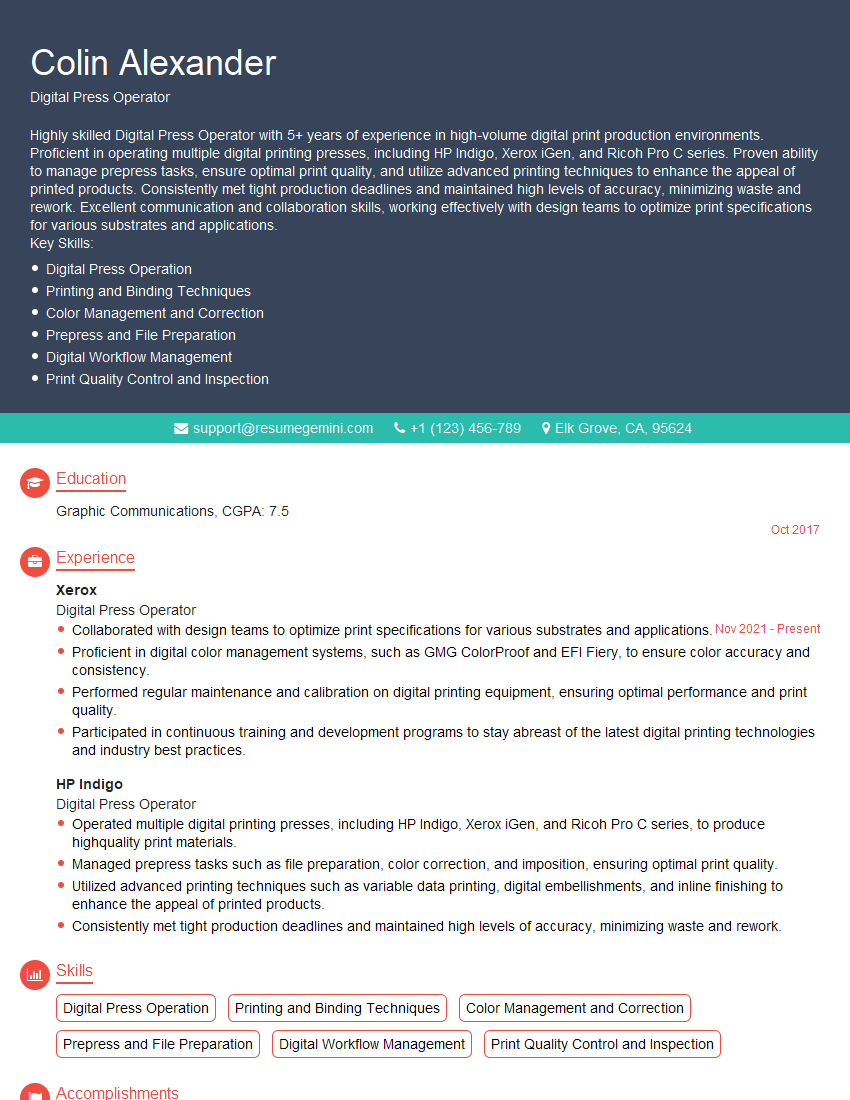
Digital Press Operator Resume Sample

Graphic Arts Technician Resume Sample

Prepress Technician Resume Sample

Offset Press Operator Resume Sample

Screen Printer Resume Sample
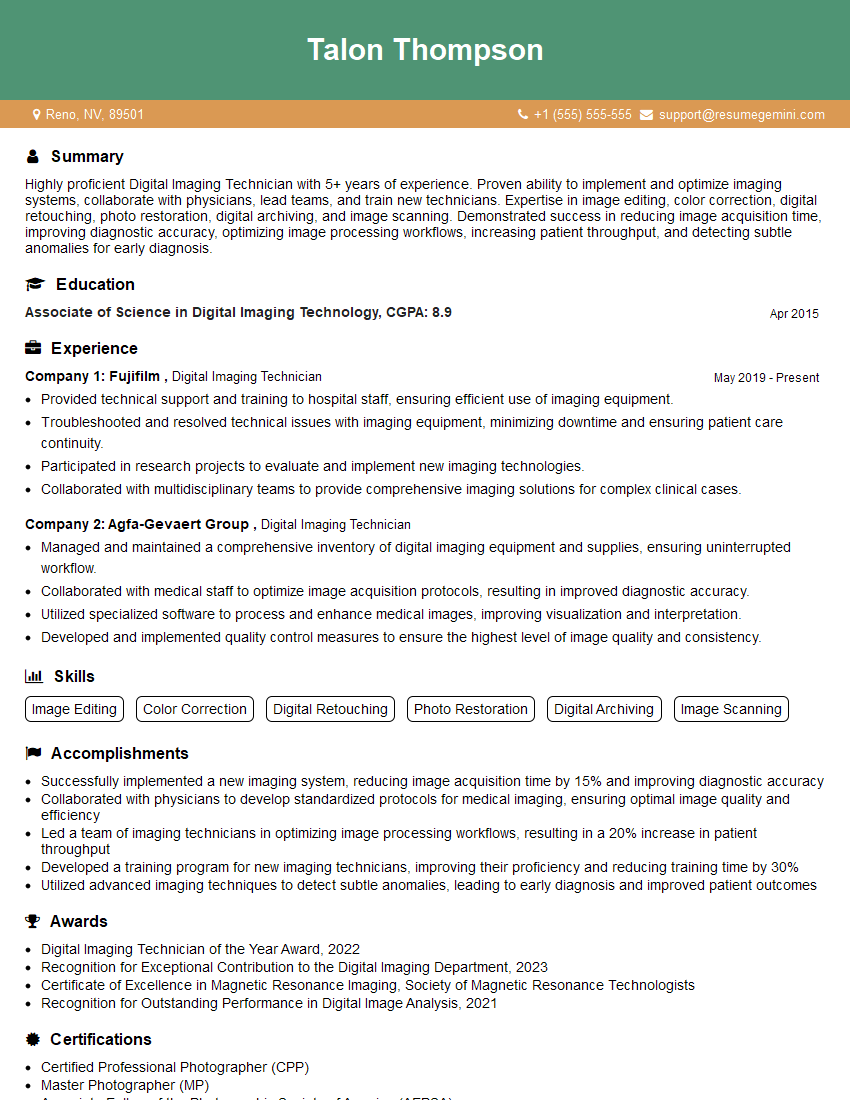
Digital Imaging Technician Resume Sample

Print Finisher Resume Sample
Explore more articles
Users Rating of Our Blogs
Share Your Experience
We value your feedback! Please rate our content and share your thoughts (optional).
What Readers Say About Our Blog
Very informative content, great job.
good