Cracking a skill-specific interview, like one for Beckhoff TwinCAT, requires understanding the nuances of the role. In this blog, we present the questions you’re most likely to encounter, along with insights into how to answer them effectively. Let’s ensure you’re ready to make a strong impression.
Questions Asked in Beckhoff TwinCAT Interview
Q 1. Explain the architecture of the Beckhoff TwinCAT system.
TwinCAT’s architecture is based on a real-time operating system (RTOS) running on a Beckhoff PLC. It’s a software platform that integrates automation tasks seamlessly. Think of it as a highly organized and efficient city, where different parts work together harmoniously. The key components are:
- The PLC: This is the heart of the system, performing real-time control tasks. It’s like the city’s power grid, ensuring everything runs smoothly.
- The RTOS: This manages the execution of tasks and resources. It’s the city’s traffic control system, optimizing the flow of operations.
- The TwinCAT Engineering Environment: This is where you develop, configure, and debug your applications. It’s the city’s planning and design department, allowing you to create and manage the entire system.
- Fieldbuses and I/O: These provide the connection to the physical world. These are like the city’s roads and communication networks, providing the channels for information to travel.
- The HMI (Human Machine Interface): This enables interaction with the system. It’s the city’s communication system, displaying information and allowing users to control the system.
This integrated approach allows for efficient control of hardware and software, leading to fast and reliable automation solutions. For example, a manufacturing process might use the PLC for precise timing of actuators, the RTOS for managing concurrent tasks, the engineering environment for configuring the overall system, the fieldbuses for communicating with sensors and actuators, and the HMI for monitoring and control.
Q 2. Describe the difference between a task and an event in TwinCAT.
In TwinCAT, tasks and events are fundamental for managing program execution. Tasks are cyclical; they run repeatedly at a predetermined rate, like a heart beating. Events, conversely, are triggered by specific occurrences, akin to a doorbell ringing.
- Task: A task is a scheduled execution unit that runs periodically. You define its execution cycle (e.g., 1ms, 10ms). Think of controlling a robot arm’s movement: you’d use a task to continually update the arm’s position based on calculations.
- Event: An event is an asynchronous notification triggered by something happening in the system, such as a sensor detecting an object or a button being pressed. Imagine a safety system stopping the robot if a person enters its workspace; this would be handled by an event.
The crucial difference is that tasks have a predictable execution time, while events are unpredictable and occur only when triggered. Efficient use of both is key to robust TwinCAT applications. Using only tasks for everything could lead to unnecessary computational load, while relying only on events could cause missed deadlines.
Q 3. How do you handle data logging in TwinCAT?
Data logging in TwinCAT is crucial for analyzing system performance and identifying potential issues. There are several ways to achieve this:
- TwinCAT’s built-in logging: This offers easy access to basic logging functionality, suitable for simple applications. Variables can be logged directly to the system’s hard drive or a network share, allowing for post-run analysis. I’ve often used this for quick checks on motor speeds and sensor readings.
- Third-party logging libraries: Several libraries offer more sophisticated logging features, providing options like timestamps, customized log formats, and database integration. These provide higher levels of control and analysis compared to basic functionality.
- Database integration: Connecting your TwinCAT application to a database (SQL, etc.) is an excellent way to handle large volumes of logged data, particularly useful in industrial environments with extensive monitoring needs. In past projects, this approach has been critical in providing robust data analytics.
The choice depends on application complexity and data volume. For a small test setup, basic logging might suffice, whereas a large-scale manufacturing application would likely benefit from database integration.
Q 4. What are the different ways to implement motion control in TwinCAT?
TwinCAT offers multiple ways to implement motion control, catering to various levels of complexity:
- TwinCAT Motion Control: This is Beckhoff’s own integrated motion control solution and provides a powerful, versatile, and efficient means of controlling motion axes. It offers functionalities such as camming, electronic gearing, and interpolation.
- Third-party motion control libraries: Various vendors offer specialized motion libraries that integrate with TwinCAT. These libraries can provide advanced functionality beyond what TwinCAT Motion Control offers, such as specialized control algorithms or support for specific types of actuators. In one project, we used a specialized library for high-precision robot control.
- Custom implementations: Highly specialized motion control systems can be created by implementing customized control algorithms within the TwinCAT environment using PLC languages (Structured Text, Ladder Diagram, etc.). This provides maximum flexibility but demands a deeper understanding of control theory and TwinCAT’s capabilities.
The best approach depends on project requirements. For most applications, TwinCAT Motion Control will be sufficient. More complex applications may benefit from third-party libraries or custom implementations.
Q 5. Explain your experience with TwinCAT’s PLC programming language (structured text, ladder diagram, etc.).
I’m proficient in all common TwinCAT PLC programming languages: Structured Text (ST), Ladder Diagram (LD), Function Block Diagram (FBD), and Instruction List (IL). Structured Text is my preferred language for complex logic due to its readability and maintainability. I find Ladder Diagram particularly useful for simple visual representations of logic, and frequently use it for simpler tasks or when collaborating with technicians more familiar with that paradigm. I’ve used all four languages, and my choice depends on the application’s complexity and the preferences of the team.
Example (Structured Text):IF sensorValue > threshold THEN
output := TRUE;
ELSE
output := FALSE;
END_IF;
My experience includes developing large and complex PLC programs and maintaining legacy code, often resolving integration issues between different parts of the system. I understand the importance of well-structured code, comments, and version control in large projects.
Q 6. How do you troubleshoot a TwinCAT application?
Troubleshooting a TwinCAT application requires a systematic approach. My usual strategy involves these steps:
- Check the error messages: TwinCAT provides detailed error messages. Start by carefully reading these messages, as they often pinpoint the problem.
- Examine the system logs: TwinCAT logs various events. Review these logs to identify any abnormalities in execution or communication.
- Utilize TwinCAT’s debugging tools: Breakpoints, single-stepping, and variable monitoring help in identifying the root cause of a problem. I’ve solved many seemingly intractable issues using the debugger.
- Isolate the faulty section: Try to pinpoint the part of the application that’s causing the issue. Comment out sections of code or disable tasks to narrow down the problem area.
- Use oscilloscopes and logic analyzers: For hardware related issues, these tools provide valuable information about signal integrity and timing. I often rely on this, especially when investigating communication problems with I/O.
- Verify the hardware: Make sure that all cables are correctly connected, sensors and actuators are functioning correctly, and the hardware configuration matches the software configuration. I’ve found many ‘software’ errors were actually loose connections.
My experience in handling complex problems has taught me the importance of patience and thoroughness. This combination of methodical analysis, use of available tools, and practical experience helps to resolve most TwinCAT issues effectively.
Q 7. Describe your experience with HMI development in TwinCAT.
I have extensive experience developing HMIs (Human Machine Interfaces) in TwinCAT using both TwinCAT HMI and third-party HMI solutions that integrate with TwinCAT. TwinCAT HMI offers a built-in, powerful interface for creating HMIs directly within the TwinCAT engineering environment. I’ve found it particularly useful for smaller projects or when a rapid prototyping solution is required.
For larger, more complex projects requiring advanced functionalities or specific visual styles, I’ve used third-party HMI software packages that interface seamlessly with TwinCAT via OPC UA or other communication protocols. This allows me to create visually appealing and highly functional user interfaces. I am comfortable designing and implementing user interfaces, integrating them with PLC data, and ensuring smooth data exchange between the HMI and the PLC. My HMIs have included alarms, trend displays, advanced graphical representations, and customizable user dashboards. Understanding user needs and usability is critical, and I always aim to create effective and intuitive HMIs.
Q 8. How do you manage version control in TwinCAT projects?
Version control in TwinCAT projects is crucial for collaborative development, managing changes, and ensuring project stability. I typically leverage a combination of methods. Firstly, I always utilize a dedicated version control system like Git, integrated with a platform such as GitHub, GitLab, or Bitbucket. This allows for the tracking of all changes to the project files, enabling rollback to previous versions if needed and facilitating collaborative work among team members. I structure my repositories to include all relevant project files, including PLC projects (.tcproj), HMI projects, libraries, and any associated documentation. Secondly, within TwinCAT itself, I utilize the built-in functionality for versioning individual PLC code elements (function blocks, programs, etc.). This is particularly helpful for tracking smaller changes within the project. For example, before making any significant modifications, I would create a new branch in Git, make my changes, thoroughly test them, and then merge the branch back into the main branch once validated. This approach prevents accidental overwrites and allows for easy tracking of modifications. Using meaningful commit messages is essential to ensure proper documentation of changes made.
Q 9. Explain your understanding of TwinCAT’s real-time capabilities.
TwinCAT’s real-time capabilities are its core strength, allowing it to perform deterministic tasks within precisely defined timeframes. This is achieved through the use of a real-time operating system (RTOS) that schedules tasks based on priorities and deadlines. This is unlike typical Windows applications that are subject to unpredictable interruptions and performance variations. Think of it like a highly organized orchestra – each instrument (task) plays its part precisely on cue, ensuring the overall performance is smooth and predictable. The hard real-time capabilities are crucial in applications demanding precise control and timing, such as robotics, motion control, and process automation. Soft real-time offers a more flexible approach, prioritizing tasks but tolerating minor timing deviations. Within TwinCAT, this is configured using the task configuration parameters, defining the priority, cycle time, and other properties of each task. For example, a task controlling high-speed motor movements might have a much higher priority and faster cycle time than a task responsible for logging data. Proper task scheduling and priority assignment are essential for optimal real-time performance. Misconfiguration can lead to timing jitter or missed deadlines resulting in control issues.
Q 10. How do you handle communication between different TwinCAT controllers?
Communication between different TwinCAT controllers is typically accomplished using various network protocols. The most common approach involves using industrial Ethernet networks like EtherCAT or PROFINET. These protocols are designed to facilitate deterministic data exchange between multiple devices, essential for real-time applications. Within TwinCAT, this is configured using the network configuration tools to define the communication parameters such as IP addresses, port numbers and network settings. For example, one controller could act as a master, sending commands to several slave controllers which manage various parts of a process. Another approach is using TwinCAT’s ADS (Automation Device Specification) protocol, which allows for communication across different networks and even between different TwinCAT versions. ADS offers a flexible method for exchanging data, function calls, and even accessing variables. I have used ADS to create centralized data monitoring systems, allowing operators to view data from multiple controllers on a single HMI screen.
Q 11. Describe your experience with different fieldbus communication protocols (e.g., EtherCAT, PROFINET).
I have extensive experience with both EtherCAT and PROFINET, two leading fieldbus communication protocols in industrial automation. EtherCAT (Ethernet for Control Automation Technology) is known for its high speed and deterministic nature, making it ideal for applications requiring precise synchronization, like robotics and high-speed motion control. I’ve worked extensively on projects implementing EtherCAT to control numerous I/O modules simultaneously, ensuring high throughput and low latency. PROFINET, on the other hand, is a versatile protocol offering both real-time and non-real-time communication capabilities, making it suitable for various automation tasks. I’ve used PROFINET in projects where communication with various devices, some requiring real-time performance and others not, was crucial. My experience includes configuring both protocols, troubleshooting network issues, and optimizing communication settings for efficiency. The choice between EtherCAT and PROFINET often depends on the specific project requirements, considering factors such as required speed, determinism level, cost, and the availability of devices supporting the protocol.
Q 12. How do you implement safety functions in a TwinCAT application?
Implementing safety functions in a TwinCAT application involves leveraging TwinCAT’s safety features, which are based on the PLCopen Safety standard. This allows for the creation of safety-related control systems that comply with functional safety standards like IEC 61131-8. The process typically involves designing and implementing safety functions as separate programs or function blocks within the TwinCAT application, utilizing certified safety components and configuring the hardware and software appropriately. The critical aspect here is the separation of safety-related logic from standard control logic. One common approach is to use a dedicated safety PLC or a safety-certified controller. Within the TwinCAT safety framework, I’ve created safety functions for emergency stops, speed monitoring, and safeguarded spaces. This includes configuring safety I/Os, defining safety zones and utilizing safety-related functions blocks. Thorough testing and verification are essential to ensure that the safety functions meet the required safety integrity level (SIL).
Q 13. Explain your experience with TwinCAT’s data visualization tools.
TwinCAT offers robust data visualization tools, primarily through the use of its integrated HMI (Human Machine Interface) development environment. This allows for the creation of custom user interfaces for monitoring and controlling the PLC application. I have extensive experience designing HMIs using various visualization elements such as trend displays, gauges, and alarm management systems. I use this to create effective and intuitive interfaces for operators to monitor process variables, adjust parameters, and manage alarms. For example, I’ve created custom dashboards showing real-time data from multiple controllers and I/O modules. I prefer structured approaches for designing HMIs and creating reusable components for consistency across projects. This approach enhances maintainability and reduces development time for future projects. Beyond the native HMI tools, I have integrated TwinCAT with third-party visualization software for more advanced scenarios involving larger-scale applications requiring specific visualization needs.
Q 14. How do you optimize the performance of a TwinCAT application?
Optimizing the performance of a TwinCAT application requires a multifaceted approach. It starts with efficient PLC code development, using optimized data structures and algorithms. Avoiding unnecessary calculations, using efficient data types, and minimizing memory allocation are crucial steps. Proper task configuration is also essential, ensuring tasks are scheduled effectively, priorities are well-defined, and cycle times are optimized. Overloading a controller with tasks can lead to performance issues. Using efficient communication protocols, such as EtherCAT, can significantly reduce communication overheads. Careful consideration of I/O mapping and network configuration can also positively affect overall performance. Profiling tools available within TwinCAT can provide insights into program execution and identify bottlenecks. By using these profiling tools, I can systematically pinpoint areas needing optimization. For example, I might identify a function call that’s computationally intensive and optimize it or restructure data handling. Finally, regular code review and testing are essential for ensuring the application’s efficient and robust operation.
Q 15. Describe your experience with using TwinCAT’s debugging tools.
TwinCAT’s debugging tools are indispensable for efficient development. I’ve extensively used the integrated debugger, leveraging its features like breakpoints, stepping through code (step-over, step-into, step-out), and inspecting variables in real-time. This allows for precise identification and resolution of logic errors, timing issues, and unexpected behavior within PLC code and application code running on the target hardware.
For example, when debugging a complex state machine, I might set breakpoints at state transitions to examine the values of input signals and internal variables. The watch window is particularly helpful for monitoring critical variables across multiple function blocks. The call stack view helps trace the execution flow and pinpoint the origin of errors. I find the ability to debug both online (on the PLC) and offline (in a simulated environment) crucial for ensuring code stability and performance before deploying to physical hardware.
Furthermore, TwinCAT’s advanced debugging capabilities extend beyond simple breakpoint debugging. For instance, I’ve used the tracing functionality to log the sequence of events in a system, providing crucial insight when dealing with intermittent issues. The ability to trace specific variables adds significant value. Overall, proficient use of the debugger is paramount to efficient development and deployment within TwinCAT.
Career Expert Tips:
- Ace those interviews! Prepare effectively by reviewing the Top 50 Most Common Interview Questions on ResumeGemini.
- Navigate your job search with confidence! Explore a wide range of Career Tips on ResumeGemini. Learn about common challenges and recommendations to overcome them.
- Craft the perfect resume! Master the Art of Resume Writing with ResumeGemini’s guide. Showcase your unique qualifications and achievements effectively.
- Don’t miss out on holiday savings! Build your dream resume with ResumeGemini’s ATS optimized templates.
Q 16. What is your experience with the different TwinCAT licensing models?
My experience encompasses various TwinCAT licensing models, including the runtime license, the engineering license (allowing development and deployment), and the different levels of functionality available within these licenses (e.g., basic, professional, etc.). Understanding these models is essential for managing project costs and ensuring compliance. I’ve worked on projects requiring both single-user and multi-user licenses, adapting my workflow according to the specific license limitations. For instance, a multi-user license simplifies collaborative development while carefully managing the concurrent access and potentially requiring a license manager. I’ve also worked with projects that leverage the different license levels, selecting the appropriate level of functionality to balance project needs and cost effectiveness.
I’m familiar with the process of license activation and the importance of maintaining proper license keys. This includes understanding the implications of license expiration and the necessary steps for renewal or transfer. Furthermore, I understand the implications of using licensed components within a larger system and the necessary procedures to ensure legal compliance.
Q 17. How do you handle error handling and exception management in TwinCAT?
Robust error handling and exception management are critical in TwinCAT, particularly in industrial automation where system reliability is paramount. My approach involves a layered strategy. At the lowest level, I use structured exception handling (try...except blocks in structured text) to catch and handle specific exceptions, preventing application crashes. This is often paired with logging mechanisms to record error details, timestamps, and context.
TRY
  // Code that might raise an exception
EXCEPT
  // Handle the exception
END_TRY;
Beyond this, I implement diagnostic routines that periodically check critical system variables and conditions, such as sensor values or communication links. If any anomalies are detected, appropriate actions are taken, which may include alerting operators, switching to backup systems, or initiating a safe shutdown procedure. The strategy also includes careful use of assertions to validate assumptions during development and detect unexpected situations at runtime. The use of appropriate data types and range checks also greatly improve the code’s resilience to errors.
In real-world applications, I have used this approach to handle unexpected sensor failures, communication timeouts, and other issues that can occur in an industrial setting. For instance, within a robotic control system, a communication timeout with the vision system could trigger an error handler that switches the robot to a safe mode while logging the error and notifying the operator.
Q 18. Explain your experience with integrating third-party libraries into TwinCAT.
Integrating third-party libraries into TwinCAT requires careful consideration of several factors. First, I need to ensure compatibility with the TwinCAT version and the target platform (e.g., PLC, PC). This often involves checking for supported data types and communication protocols. The library’s licensing terms must also be reviewed for compliance. Once compatibility is confirmed, the integration process typically involves adding the library to the TwinCAT project, configuring appropriate settings (e.g., include paths), and then calling the library’s functions from within the TwinCAT application code.
I’ve successfully integrated libraries for tasks like advanced mathematical calculations, communication with specific hardware devices, and using specialized data processing algorithms. For example, I integrated a third-party library for image processing to enable a machine vision system in a manufacturing process. This involved careful attention to data type conversion and communication protocols between the image processing library and the PLC.
Thorough testing is essential after integration to validate correct functionality and prevent unintended consequences. I usually run rigorous unit and integration tests to ensure the library interacts seamlessly with the existing TwinCAT code. Documentation from the third-party library is crucial in understanding its functionalities and how to use it effectively within the TwinCAT environment.
Q 19. How do you develop and test a TwinCAT application?
Developing and testing a TwinCAT application is an iterative process that I approach methodically. It typically starts with defining clear requirements, followed by designing the application architecture (considering the PLC and associated I/O hardware). I often use a structured design approach, breaking down complex tasks into smaller, more manageable modules or function blocks. This approach improves code readability, maintainability, and reusability.
Unit testing is crucial; I test individual function blocks in isolation using TwinCAT’s testing functionalities before integrating them into the main application. Integration testing follows to verify the interaction between different modules and the overall application functionality. I utilize TwinCAT’s simulation capabilities extensively for testing in a safe and controlled environment before deploying to the real hardware. This includes simulating inputs, outputs, and communication interfaces to mimic real-world conditions.
Finally, comprehensive system testing is performed on the target hardware, ensuring everything works as expected in the actual operational environment. This involves verifying functionality, performance, and robustness under various conditions, including edge cases and fault injections. Continuous integration and continuous deployment (CI/CD) practices, where appropriate, help streamline the testing and deployment process.
Q 20. Describe your experience with TwinCAT’s configuration tools.
TwinCAT’s configuration tools are vital for setting up and managing the entire automation system. I’m proficient in using the TwinCAT System Manager, which allows for configuring the PLC’s communication interfaces, I/O mappings, and various hardware components. This includes setting up Ethernet communication, configuring fieldbus connections (e.g., Profibus, Profinet), and defining the physical connections between the PLC and I/O modules. Furthermore, I utilize the TwinCAT Configuration Editor to define the PLC application’s structure, including creating tasks, programs, and function blocks. This also enables the configuration of various system parameters and the integration of third-party libraries and drivers. I regularly leverage the visualization and diagnostic features within the configuration tools to analyze system health and performance.
My experience includes configuring different PLC hardware architectures, from small, compact PLCs to larger, more powerful systems. I can efficiently manage complex hardware configurations and ensure smooth communication between various system components. Understanding the implications of configuration changes and the potential impact on system stability is crucial. This requires a thorough understanding of the hardware and software components and how they interact within the automation system.
Q 21. Explain your understanding of the TwinCAT Scope View.
The TwinCAT Scope View is a powerful tool for monitoring and analyzing signals within a running TwinCAT application. Think of it as an advanced oscilloscope, allowing you to visualize the behavior of variables and signals over time. This provides real-time insight into system behavior, invaluable for debugging, performance analysis, and system optimization. It enables monitoring of various data types, including analog signals, digital signals, and complex data structures.
I frequently use the Scope View to observe signal trends, identify anomalies, and pinpoint timing issues within the system. For instance, when investigating a control loop’s performance, I can monitor the control signal, feedback signal, and error signal simultaneously. This allows for a detailed analysis of the loop’s behavior and identification of potential tuning adjustments. The ability to trigger recordings based on specific events or conditions is also highly useful for capturing specific moments of interest. The post-processing capabilities of the data captured within the Scope View also provide the opportunity for creating detailed reports and visualizations of the system behaviour.
Q 22. How do you use the TwinCAT system manager?
The TwinCAT System Manager is the central hub for managing and configuring your entire TwinCAT system. Think of it as the control panel for your automation project. It allows you to manage PLC projects, configure network settings, monitor the runtime behavior of your application, and even deploy software to your target hardware.
I typically use it in several key ways:
- Project Management: Creating, opening, saving, and managing multiple PLC projects simultaneously. This is crucial when working on complex automation systems with different functional units.
- Device Configuration: Identifying and configuring Beckhoff hardware, such as I/O modules, PLCs, and fieldbuses. This involves assigning addresses, setting communication parameters, and configuring modules based on their specific functions. For instance, configuring an EtherCAT network, assigning addresses to I/O modules, and configuring safety features are all handled within the System Manager.
- Online Monitoring and Debugging: Observing the real-time behavior of the PLC, monitoring variable values, and diagnosing errors using online debugging tools. This is critical for troubleshooting during development and maintenance. For example, I use online tracing and breakpoint functionality extensively to track down issues during runtime.
- Software Deployment: Deploying the PLC application (from the development environment) to the target hardware. The System Manager facilitates this process, providing progress updates and error reporting.
- Runtime Management: Starting, stopping, and restarting the PLC application. You can monitor the application’s health and performance statistics here.
In a recent project involving a large-scale packaging system, I used the System Manager extensively to configure and monitor over 50 EtherCAT I/O modules spread across multiple Beckhoff PLCs. The system manager’s intuitive interface significantly reduced the time required for configuration and troubleshooting.
Q 23. Describe your experience with using TwinCAT’s simulation capabilities.
TwinCAT’s simulation capabilities are invaluable for testing and validating PLC code before deploying it to the physical hardware. This avoids potential risks associated with deploying faulty code to real-world equipment. I extensively use the TwinCAT simulation environment to create virtual I/O modules that mimic the behavior of the physical hardware. This allows me to develop and test the control logic even before the actual hardware is available.
My experience involves using both built-in simulation functionalities and third-party simulation packages integrated with TwinCAT. I find that the ability to simulate both analog and digital I/O is very helpful, as it allows me to simulate various sensor and actuator behaviors.
For example, I recently simulated a robotic arm movement using a virtual I/O module mimicking the encoder feedback and motor control signals. This allowed me to thoroughly test the robotic control algorithms in a safe and controlled environment before deploying them to the physical robot.
//Example of a virtual I/O definition (simplified) //This isn't actual TwinCAT code, but illustrates the concept virtualInput := 10; // Simulate a sensor reading of 10 units virtualOutput := 50; // Simulate a command to the motor to move to position 50 The ability to rapidly iterate on code and test different scenarios in simulation significantly shortens the development cycle and increases the overall quality of the final product.
Q 24. How do you handle data synchronization in a distributed TwinCAT system?
Data synchronization in a distributed TwinCAT system is crucial for maintaining consistency and reliability. Several methods are employed, depending on the application’s requirements.
- Shared Memory: This approach uses shared memory segments, accessible by different PLCs over the network. This offers fast access to shared data but needs careful management to prevent race conditions. I use this when real-time performance is paramount and data exchange is relatively simple.
- TwinCAT ADS (Automation Device Specification): This protocol provides a powerful mechanism for data exchange between different TwinCAT PLCs. I use ADS extensively for complex distributed systems where PLCs need to communicate various data types efficiently and reliably. Error handling and acknowledgment features in ADS are critical for ensuring data integrity.
- Message Queues: These are particularly useful for asynchronous communication between PLCs. For instance, when one PLC needs to send information to another without waiting for an immediate response. This method is advantageous when managing large volumes of asynchronous data.
- EtherCAT Distributed Clocks: For applications requiring precise synchronization (e.g., motion control systems), using EtherCAT with distributed clocks provides nanosecond-level accuracy in data acquisition and control across the network.
In a recent project involving multiple PLCs coordinating the operation of a conveyor system, I used a combination of ADS for exchanging real-time control signals and message queues for handling asynchronous diagnostic events. This approach ensured reliable operation and enhanced the system’s responsiveness.
Q 25. What are the advantages of using Beckhoff hardware with TwinCAT?
The advantages of using Beckhoff hardware with TwinCAT are numerous and stem from their tight integration. This integration allows for seamless communication and optimal performance.
- Optimized Performance: The hardware and software are designed to work together flawlessly, resulting in superior real-time performance. This is especially crucial for high-speed applications.
- Ease of Use: The integrated development environment provides a streamlined workflow, simplifying the development and deployment process. Configuration, programming, and troubleshooting are much more straightforward compared to mixed-vendor solutions.
- Scalability: Beckhoff’s modular hardware platform allows for flexible scaling to meet the diverse needs of various projects, from small-scale applications to complex industrial automation systems.
- Real-Time Capabilities: The combination of Beckhoff hardware and TwinCAT’s real-time capabilities allows for reliable and predictable performance. This is vital for applications requiring strict timing constraints, such as motion control systems or safety-critical applications.
- Extensive Support and Documentation: Beckhoff provides robust support and comprehensive documentation, aiding in faster development and minimizing troubleshooting time.
In a project involving a high-speed pick-and-place machine, the combination of Beckhoff PLCs and EtherCAT I/O provided the necessary real-time capabilities and precision needed for accurate and fast operation. The integrated nature of the system allowed us to meet the demanding timing requirements with ease.
Q 26. Explain your understanding of the TwinCAT target system.
The TwinCAT target system refers to the physical hardware on which your PLC application runs. This can be a Beckhoff PLC, a PC-based controller, or even specialized embedded devices. It’s the destination for your compiled code. The target system provides the runtime environment for executing the PLC program, handling I/O communication, and interacting with the real world.
Understanding the target system is crucial for several reasons:
- Hardware Configuration: You need to know the specific hardware capabilities (processing power, memory, I/O interfaces) to ensure that your PLC program meets the performance requirements and can run smoothly.
- Real-Time Constraints: Understanding the target system’s real-time capabilities helps in designing algorithms and control strategies that meet the specific application’s timing requirements.
- Resource Management: Knowing the target system’s memory capacity helps in optimizing your code to prevent memory leaks and improve performance.
- Safety Considerations: When working with safety-critical applications, you need to understand the target system’s safety features to ensure compliance with relevant safety standards.
For instance, while deploying a PLC program onto a small embedded system, I had to carefully optimize my code to reduce memory usage and ensure efficient execution. This involved careful attention to data structures and algorithmic efficiency.
Q 27. How do you manage projects using TwinCAT’s version control system?
TwinCAT doesn’t have a built-in version control system like Git. However, it seamlessly integrates with external version control systems like Git, SVN, or others through standard file system operations. My typical approach involves using a separate version control system to manage TwinCAT projects.
My workflow generally involves the following steps:
- Project Setup: I initialize a new repository (using Git, for example) for the project directory containing all the TwinCAT project files (e.g., .tsproj files, configuration files, source code).
- Regular Commits: I regularly commit changes to the repository, documenting changes with clear and concise commit messages. This allows for tracking the evolution of the project and facilitates rollback if needed.
- Branching and Merging: For larger projects or when working collaboratively, I employ branching to develop new features or bug fixes in isolation. Once testing is complete, I merge the changes back into the main branch.
- Conflict Resolution: If conflicts occur (e.g., two developers modify the same file concurrently), I use the version control system’s tools to resolve conflicts efficiently.
- Backup and Restoration: The version control system provides a reliable backup and restoration mechanism. I can easily revert to previous versions of the project if necessary.
In a recent project where multiple engineers worked collaboratively, using Git allowed us to manage the project effectively, merge code changes smoothly, and quickly resolve any conflicts that arose. The version control system was integral to our success in delivering a complex automation project on time and within budget.
Key Topics to Learn for Beckhoff TwinCAT Interview
- TwinCAT System Architecture: Understand the core components of TwinCAT (RTE, PLC, NC PTP, Scope, etc.) and their interaction. Be prepared to discuss the advantages of this architecture compared to traditional PLC systems.
- Structured Text (ST) Programming: Master the syntax and best practices of ST programming within the TwinCAT environment. Be ready to explain your approach to code organization, error handling, and data structures.
- Automation Technology: Demonstrate a solid understanding of industrial automation concepts, including PLC programming principles, motion control, fieldbus communication (e.g., EtherCAT), and HMI design. Prepare examples of how you’ve applied these to real-world scenarios.
- TwinCAT PLC Programming: Discuss your experience with creating and debugging PLC programs, including the use of function blocks, data types, and communication protocols within the TwinCAT framework.
- Motion Control with TwinCAT: If applicable to your experience, demonstrate knowledge of TwinCAT’s motion control capabilities, including configuring axes, creating motion programs, and troubleshooting motion-related issues. Be prepared to discuss different motion control strategies.
- Troubleshooting and Debugging: Describe your methodology for identifying and resolving issues within TwinCAT projects. This should include your approach to using debugging tools and analyzing error messages.
- Real-Time Systems: Understand the concepts of real-time operating systems and their importance in industrial automation. Be prepared to discuss the benefits and challenges of real-time programming.
- Safety in Automation: Discuss your knowledge of safety standards and their implementation in TwinCAT projects. This might include concepts like safety PLCs and functional safety.
Next Steps
Mastering Beckhoff TwinCAT opens doors to exciting and rewarding careers in industrial automation. Demonstrating proficiency in TwinCAT significantly enhances your job prospects in a highly competitive field. To maximize your chances, creating a strong, ATS-friendly resume is crucial. ResumeGemini is a valuable tool to help you build a professional and effective resume that highlights your skills and experience. We provide examples of resumes tailored to Beckhoff TwinCAT to guide you in creating a compelling application that grabs the attention of recruiters. Take advantage of these resources to propel your career forward!

Automation Engineer Resume Sample

Test Engineer Resume Sample

Field Service Engineer Resume Sample
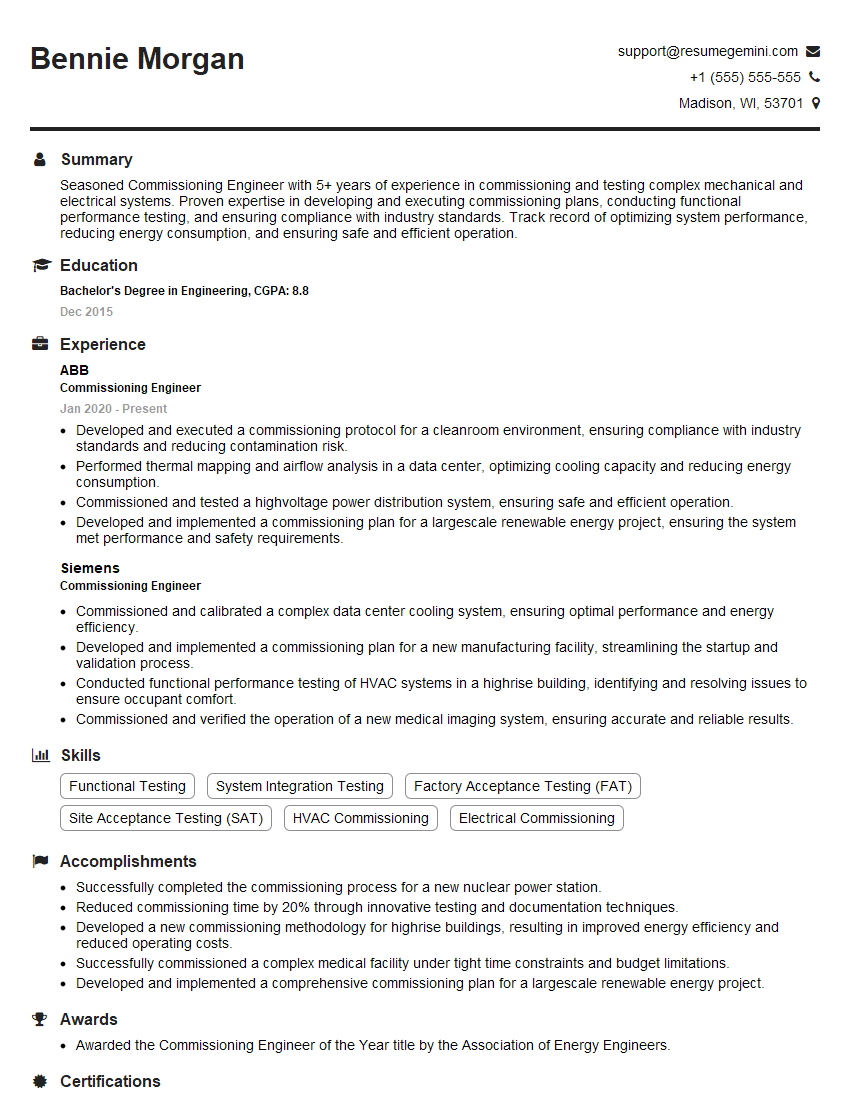
Commissioning Engineer Resume Sample

Manufacturing Engineer Resume Sample

Validation Engineer Resume Sample

Control Systems Engineer Resume Sample
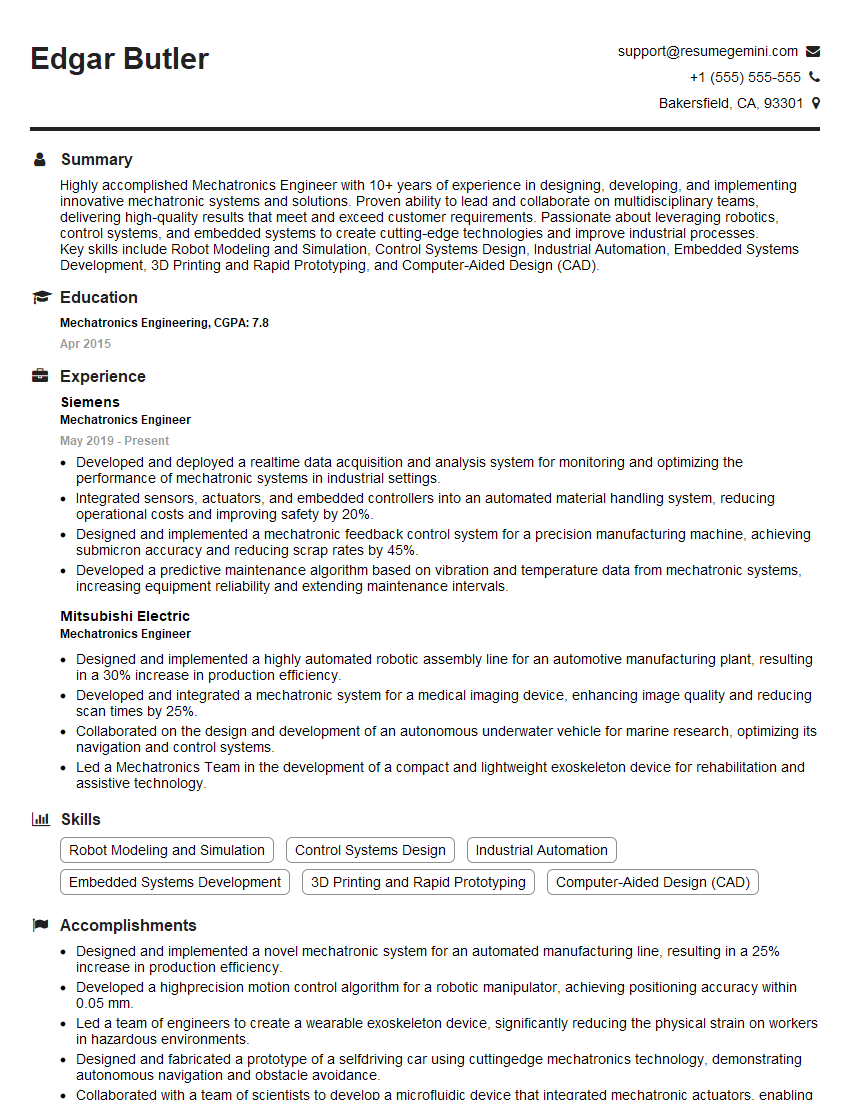
Mechatronics Engineer Resume Sample

Robotics Engineer Resume Sample
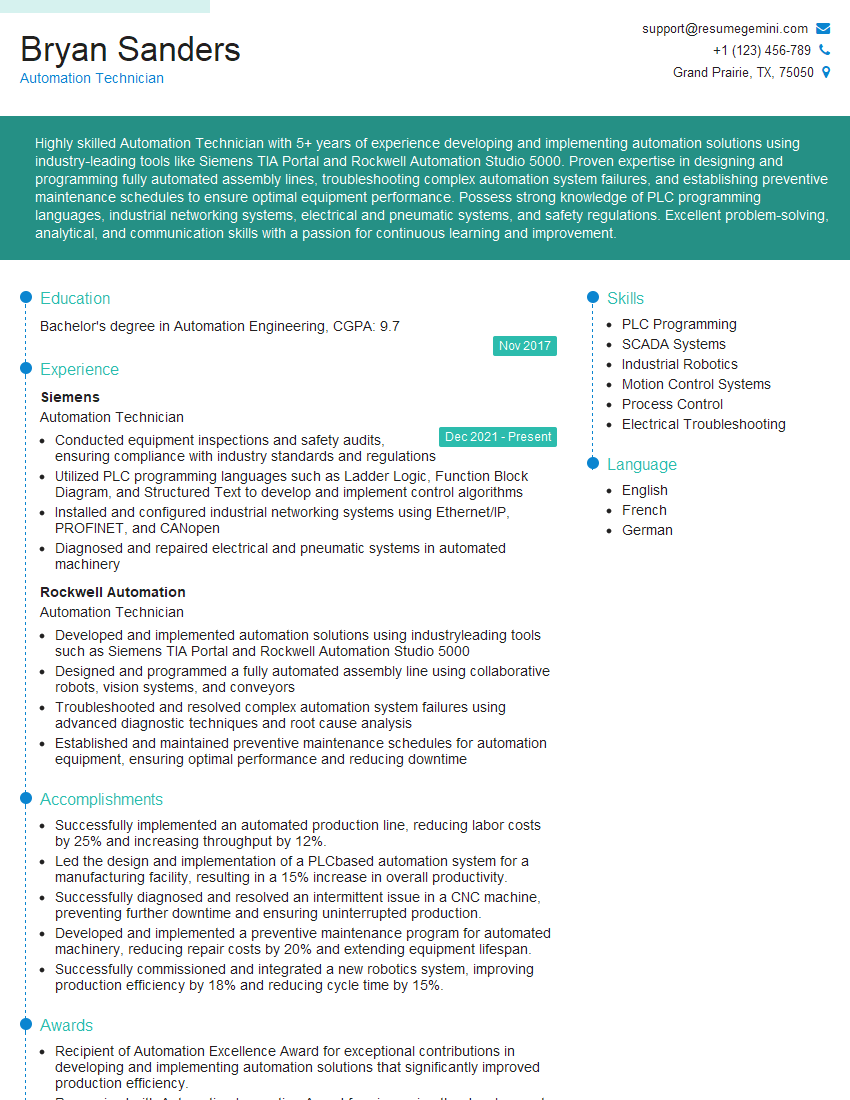
Automation Technician Resume Sample
Explore more articles
Users Rating of Our Blogs
Share Your Experience
We value your feedback! Please rate our content and share your thoughts (optional).
What Readers Say About Our Blog
Very informative content, great job.
good