Interviews are more than just a Q&A session—they’re a chance to prove your worth. This blog dives into essential Bleed and Registration interview questions and expert tips to help you align your answers with what hiring managers are looking for. Start preparing to shine!
Questions Asked in Bleed and Registration Interview
Q 1. Explain the concept of bleed in print design.
Bleed in print design refers to extending the design elements, such as images and background colors, beyond the final trim size of the printed piece. Imagine you’re painting a picture; you might extend the paint slightly beyond the canvas edges to ensure the final artwork doesn’t have any unsightly white borders after trimming.
This extension ensures that even after the printing sheet is trimmed to its final size, no white edges or gaps appear where the design should be. It’s a crucial part of professional printing to guarantee a clean and visually appealing final product.
Q 2. What is the purpose of bleed and why is it crucial?
The purpose of bleed is to prevent unsightly white borders on the final printed piece after trimming. During the printing process, slight variations in the cutting and trimming can occur. If your design stops exactly at the trim line, these inconsistencies will result in visible white edges, ruining the professional look. Bleed compensates for this inaccuracy. It’s crucial because it ensures the intended design is visible all the way to the edge and provides a professional, polished finish. Without bleed, you risk having your printed materials look amateurish and incomplete.
Q 3. What are the standard bleed margins for various print formats?
Standard bleed margins are typically 1/8 inch (3.175 mm) or 0.125 inches on all sides of the document (top, bottom, left, and right). However, this can vary depending on the printer, the printing method, and the size of the printed material. For example, large format printing may require larger bleed margins. Always check with your printer to confirm their specific requirements to avoid unexpected trimming issues.
Some examples:
- Business Cards: 1/8 inch bleed
- Flyers/Brochures: 1/8 inch bleed
- Posters: May require 1/4 inch or even larger bleed depending on the size and printer
It’s always best practice to confirm the required bleed with your print provider before sending your artwork.
Q 4. Describe the process of setting up bleed in Adobe InDesign/Illustrator.
Setting up bleed in Adobe InDesign or Illustrator is straightforward. You’ll need to create your document with dimensions that exceed the final trim size by the required bleed amount (e.g., 1/8 inch). Here’s a breakdown:
- InDesign: When creating a new document, specify the bleed settings in the ‘Document Setup’ dialog box. InDesign allows you to directly input bleed values.
- Illustrator: You’ll need to adjust the artboard size to include the bleed. Extend the design elements beyond the trim area. You can create guides to help with accurate placement.
Regardless of the software, ensure that all critical design elements, especially images and background colors, extend into the bleed area.
Example (InDesign): Let’s say you need a finished business card size of 3.5 x 2 inches with 1/8 inch bleed. You would create a document sized 3.75 x 2.25 inches (3.5 + 0.25, 2 + 0.25).
Q 5. How do you ensure accurate bleed during the prepress stage?
Accurate bleed during prepress relies on careful preparation and communication with your printer. Key steps include:
- High-Resolution Files: Ensure your design files are high-resolution and in the correct color mode (CMYK for print).
- Proofing: Always request a proof from your printer to visually check for bleed and registration before final printing.
- Pre-flight Checks: Use pre-flight tools within your design software or provided by your printer to identify any potential issues, such as missing bleed or color profile inconsistencies.
- Communication: Clearly communicate the bleed requirements with your printer and provide them with a detailed artwork specification sheet.
- PDF/X-1a Export: Export your artwork as a PDF/X-1a compliant file. This helps preserve the color, fonts, and image settings, reducing chances of errors during the printing process.
By following these steps, you minimize the risk of errors related to bleed and increase the likelihood of obtaining a high-quality final product.
Q 6. Explain the concept of registration in printing.
Registration in printing refers to the accurate alignment of multiple colors or elements printed on top of each other. Think of printing a full-color image; it’s actually built up by several separate plates (cyan, magenta, yellow, and black). Perfect registration means each color prints precisely on top of its corresponding area on the other plates, creating a sharp, well-defined image. If the colors are misaligned, you’ll get blurry edges, mismatched colors, or even color fringes.
In simpler terms, it’s the precision with which each ink color aligns perfectly with others to produce the final printed image.
Q 7. What causes registration errors and how can they be avoided?
Registration errors can stem from several issues:
- Mechanical Problems: Issues with the printing press itself, such as misaligned rollers or worn parts. This is usually addressed through regular press maintenance.
- Paper Issues: Variation in paper thickness or inconsistencies in the paper feed can cause misalignment. Using high-quality consistent paper is key.
- Prepress Errors: Mistakes made during the prepress stage, including incorrect plate setup or inaccurate imposition (arranging pages on the printing sheet). Careful prepress checks are paramount.
- Operator Error: Human error during the printing process can also lead to misalignment. Experienced operators are important for accurate results.
To avoid registration errors, use high-quality printing materials, ensure thorough prepress checks, regular maintenance of printing equipment, and work with experienced printers who prioritize quality control.
Q 8. How do different printing methods affect registration?
Different printing methods significantly impact registration, the accurate alignment of multiple colors or images printed on top of each other. Offset printing, for instance, relies on precise plate-cylinder relationships and careful makeready to achieve accurate registration. Any slight misalignment in the plates or cylinders can result in noticeable shifts. Digital printing, while offering flexibility, may experience registration issues due to variations in paper feed or print head alignment. Screen printing, with its individual screen for each color, requires precise positioning of each screen, making accurate registration highly dependent on operator skill and the quality of the screen-printing setup. For example, a slight shift in an offset print run might lead to a noticeable color halo around images or text while inconsistencies in a digital printing workflow might manifest as blurry images, or misalignment in certain areas of the print.
The type of press (sheet-fed vs. web), the quality of the press mechanics, and the skill of the press operator all influence the achievable registration accuracy across various printing methods.
Q 9. What are some common registration problems and their solutions?
Common registration problems include color shifts (colors not perfectly aligned), misregistration (images or text noticeably out of alignment), and banding (visible gaps or overlaps of colors due to imperfect alignment). These can be caused by various factors such as worn press components, improper plate mounting, variations in paper thickness, or incorrect press settings.
- Solution for Color Shifts: Careful color calibration, proper ink density control, and thorough makeready procedures can minimize color shifts. This often involves adjusting ink keys and ensuring consistent ink viscosity.
- Solution for Misregistration: Regular press maintenance, precise plate mounting and alignment, and careful monitoring of paper feed are crucial. Using high-quality registration marks and adjusting the press settings accordingly can correct misregistration.
- Solution for Banding: Maintaining consistent ink flow and pressure across the print run, as well as carefully adjusting the impression pressure on the press, can help minimize banding. Ensuring proper paper handling and humidity control also plays a role.
Identifying the root cause is paramount; for example, consistently poor registration across multiple jobs might indicate a problem with the press itself, while inconsistent registration within a single job might point to a problem with the plates or paper handling.
Q 10. How do you troubleshoot registration issues during a press run?
Troubleshooting registration issues during a press run requires a systematic approach. First, visually inspect the printed sheets for the type and location of the misregistration. Are multiple colors affected, or just one? Is it consistent across the entire sheet or localized to specific areas?
Next, check the press settings – ink keys, impression cylinder pressure, and paper feed. Examine the plates for any damage or improper mounting. This often involves taking test prints, adjusting settings, and closely monitoring the results. If the problem persists, check for inconsistencies in the substrate (paper) – for example, variations in thickness or moisture content can affect registration. For example, if misregistration is concentrated on one side of the sheet, this suggests a problem with the paper feed or grippers.
Finally, consider the press itself; worn parts or misalignment within the press mechanics can create persistent registration issues. Professional maintenance is usually required in such cases.
Q 11. Explain the relationship between bleed and registration.
Bleed and registration are closely related but distinct concepts in printing. Bleed refers to extending the printed image beyond the trim line (the final size of the printed piece) to ensure that no white edges show after trimming. Registration, as discussed previously, is the precise alignment of different colors or images printed on top of each other.
The relationship is that accurate registration is crucial when dealing with bleed. If the colors are not perfectly registered, the trimmed piece may reveal unintended white gaps or color mismatches, even if bleed was correctly implemented. Imagine a design with a colored background that needs to bleed; if the background color isn’t precisely registered with other elements, the white edge will show after trimming even though bleed was added in the design. Therefore, good bleed management always necessitates achieving accurate registration.
Q 12. What is the role of color management in bleed and registration?
Color management plays a critical role in ensuring accurate bleed and registration. A well-defined color profile is crucial for achieving consistent color reproduction across different stages of the print production process, from design to printing. This helps to ensure that the colors intended to bleed will align correctly with other colors after trimming. Without proper color management, discrepancies in color reproduction might lead to registration issues, especially in multi-color prints. For example, if the color profiles are mismatched during the design and print stages, the colors might appear different, making precise registration virtually impossible.
Using a standardized color space (like CMYK) throughout the workflow and employing a color management system (CMS) helps minimize these discrepancies, improving the likelihood of precise bleed and registration.
Q 13. How do you ensure accurate color reproduction with bleed and registration?
Accurate color reproduction with bleed and registration requires meticulous attention to detail throughout the entire print workflow. This starts with a correctly designed file with appropriate bleed allowances. Next, ensuring proper color profiles are used across all software and hardware involved in the process is critical. Careful pre-press procedures are also key; this includes accurate plate making, proper proofing, and press calibration. During the press run, continuous monitoring of ink density, and careful adjustment of press settings are essential for maintaining consistent color and registration. The use of color management software and densitometers for regular color checks plays a significant role in helping to achieve accurate color reproduction.
An example would be using a soft proofing system that simulates the final print, enabling early detection of potential problems in color reproduction and registration, before incurring the costs of printing a large run.
Q 14. Describe the importance of proofing in relation to bleed and registration.
Proofing is an indispensable step in ensuring accurate bleed and registration. A proof provides a visual representation of the final printed piece, allowing for the detection of any potential issues before committing to a large print run. Different types of proofs exist, each with varying degrees of accuracy: soft proofs (digital simulations), contract proofs (visually representative), and press proofs (printed on the same press as the final job).
The key is to use a proofing method that accurately represents the final print in terms of color and registration. A carefully examined proof allows for corrections to be made to the design or print settings before the actual print job begins, minimizing costly reprints and ensuring a quality final product. For example, if a contract proof reveals registration inaccuracies, adjustments can be made to the printing plates before the press run begins, thereby saving time and materials.
Q 15. What are the different types of proofing methods?
Proofing methods are crucial for ensuring the final printed product meets the client’s expectations regarding bleed and registration. They allow for the detection of errors before the job goes to press, saving time and money. Different methods offer varying levels of accuracy and cost.
- Soft Proof: This is a digital representation of the final print, viewed on a calibrated monitor. It’s a quick and inexpensive way to check for major issues, but doesn’t perfectly replicate the final print’s appearance.
- Hard Proof: A physical print of the job, usually produced on a proofing press using similar inks and paper to the final print run. This is more accurate than a soft proof and allows for a better assessment of color and registration. Different types exist, including contract proofs which are legally binding.
- Digital Proofing (with color management): This involves using specialized software and calibrated monitors to accurately simulate the final printed output, including the impact of different paper stocks. This is becoming increasingly common and very accurate.
- Press Proof: A trial run on the actual printing press that will be used for the final job. This is the most accurate method, but also the most expensive and time-consuming. Usually reserved for large-scale, high-value projects.
The choice of proofing method depends on the project’s complexity, budget, and required accuracy.
Career Expert Tips:
- Ace those interviews! Prepare effectively by reviewing the Top 50 Most Common Interview Questions on ResumeGemini.
- Navigate your job search with confidence! Explore a wide range of Career Tips on ResumeGemini. Learn about common challenges and recommendations to overcome them.
- Craft the perfect resume! Master the Art of Resume Writing with ResumeGemini’s guide. Showcase your unique qualifications and achievements effectively.
- Don’t miss out on holiday savings! Build your dream resume with ResumeGemini’s ATS optimized templates.
Q 16. How do you handle a client’s request for non-standard bleed margins?
Handling non-standard bleed margins requires careful communication and a collaborative approach. The first step is to understand why the client is requesting this. Is it due to a specific design element that necessitates it, or is there a misunderstanding?
Once the reason is understood, I would discuss the implications with the client, such as potential difficulties in trimming and the possibility of visible white edges if the cut isn’t perfectly accurate. I’d then outline the extra costs involved, as non-standard bleeds often require more attention and precision during printing and finishing.
If the client still insists, I’d prepare detailed specifications for the press operators, including precise measurements and clear instructions. I’d also ensure meticulous quality control during the proofing and printing stages. Using a PDF with clearly marked bleed areas helps greatly in avoiding miscommunication.
Q 17. What are the implications of incorrect bleed on the final printed product?
Incorrect bleed can have several detrimental effects on the final printed product. The most common issue is the appearance of unsightly white borders around the edges. This happens when the design doesn’t extend far enough beyond the trim line. The amount of bleed is typically 1/8 inch, but this can vary.
Beyond this, inconsistent or inadequate bleed can create issues during trimming. If the bleed isn’t sufficient, the guillotine or other trimming mechanisms may not cut cleanly, leading to uneven edges or variations in the final size of the printed pieces. This will affect the overall presentation and professionalism of the final product.
In extreme cases, it could mean that the printing needs to be completely scrapped and reprinted; therefore, good bleed is absolutely essential.
Q 18. What are the implications of incorrect registration on the final printed product?
Incorrect registration refers to a misalignment of the colors or images on a printed piece. Imagine a four-color print (CMYK); if the registration is off, the cyan, magenta, yellow, and black may not perfectly overlap, resulting in blurred edges, mismatched colors, and a generally unprofessional look.
The severity of the problem depends on the degree of misregistration. Slight misregistration might be barely noticeable, especially on simple designs, but significant misalignment can be extremely distracting and unacceptable. It can affect readability and the overall visual appeal, making the product appear amateurish.
For example, if the black text is slightly out of register with the color underneath, it will look fuzzy and unprofessional. This is more visible on detailed images and sharp lines.
Q 19. How do you communicate effectively with press operators regarding bleed and registration?
Effective communication with press operators is critical for achieving accurate bleed and registration. This involves providing clear, concise, and unambiguous instructions, ideally in writing, and being available to answer any questions they may have.
I usually provide the press operators with a detailed pre-press checklist including the following information:
- Bleed specifications: Precise measurements for the bleed area, clearly indicated on the artwork.
- Registration marks: Confirmation that registration marks are included and where they are located on the sheets.
- Paper stock specifications: Type and weight of paper being used, as this can influence registration.
- Color profiles: Ensuring consistent color across different stages of the printing process.
- Contact Information: My contact information for any questions or issues.
I also conduct a pre-press check together with the press operators to verify everything before the actual printing begins. Open communication, and addressing any concerns proactively, is key to a successful outcome.
Q 20. Describe your experience with different types of printing presses.
My experience encompasses a range of printing presses, from smaller digital presses to large-format offset presses and even some experience with flexographic printing.
Digital Presses: These are ideal for smaller print runs and offer quick turnaround times. They are generally very reliable regarding registration, but the paper stock choice is more limited compared to offset.
Offset Presses: These are used for larger print runs and offer higher quality and more consistent color reproduction, though they demand more intricate set-up and maintenance. Proper maintenance is crucial to maintain accurate registration on these larger presses.
Flexographic Presses: These are suited to flexible materials and high-volume production; registration is crucial, particularly for packaging. This type of printing often requires highly specialized skills and understanding of the equipment.
My experience across these technologies has provided me with a comprehensive understanding of the various factors that influence bleed and registration, allowing me to adapt my approach based on the specific printing method used.
Q 21. How does the choice of paper stock affect bleed and registration?
The choice of paper stock significantly impacts both bleed and registration. The paper’s absorbency, thickness, and surface texture all play a role.
Absorbency: Highly absorbent paper can cause ink to spread, potentially blurring edges and affecting registration, particularly on detailed designs.
Thickness: Thicker paper stocks are generally more stable and easier to handle, resulting in better registration. Thinner paper can cause slight shifts during the printing process.
Surface Texture: The paper’s surface texture influences how the ink sits on the paper. A smooth surface provides better ink transfer and crisp detail, leading to better registration. A rough surface might lead to variations in ink absorption, potentially affecting registration accuracy.
Understanding these characteristics allows me to select the right paper for the job and account for these factors when setting up the job. I always consult with the client to find a balance between desired aesthetic and print capabilities.
Q 22. What software or tools do you use to check for bleed and registration issues?
Checking for bleed and registration issues requires a multi-faceted approach using a combination of software and tools. The process begins long before the file goes to print. I typically use Adobe Illustrator and InDesign for initial design and pre-flight checks. These programs allow me to visually inspect for bleed and to set up the correct bleed margins. For more precise measurements and pre-press checks, I utilize tools like PitStop Pro, which provides detailed reports on potential issues, including bleed discrepancies, missing bleed, and registration problems. Furthermore, I always include a proof stage utilizing a color-managed soft-proofing process to ensure the final print matches my digital review. Finally, a physical proof from the printer, is a crucial step in ensuring accuracy before full-scale production.
Q 23. Explain your experience with different file formats and their impact on bleed and registration.
Different file formats have significant implications for bleed and registration. For instance, PDFs are the industry standard for print production, but not all PDFs are created equal. A high-resolution PDF/X-1a compliant file is crucial, ensuring accurate color representation and preventing potential bleed or registration issues. Working with lower-resolution JPEGs or TIFFs can introduce quality problems, such as pixelation and loss of crucial detail at the edges— directly impacting bleed. Similarly, AI or InDesign files, while editable, must be carefully pre-flighted and converted to PDF/X-1a before sending to print, making sure all bleed and registration marks are properly included. Experience has taught me the importance of clearly specifying acceptable file formats to clients upfront to avoid costly rework later.
Q 24. How do you handle complex designs with multiple colors and intricate details regarding bleed and registration?
Handling complex designs with multiple colors and intricate details requires meticulous attention to bleed and registration. My approach begins with a well-organized file structure, ensuring all elements are clearly layered and named. I use the ‘Overprint Preview’ feature in Adobe Illustrator and InDesign to carefully check for any unexpected color interactions, especially in areas near the bleed edge. I meticulously create bleed extensions for all elements, ensuring they extend beyond the trim line by the required amount (typically 3mm or 1/8 inch). When dealing with extremely detailed elements or fine lines near the bleed, I increase the resolution to avoid any loss of information during printing. Regularly checking the document in ‘Outline’ mode to identify any potential overlaps or misalignments helps prevent unwanted surprises. Using color swatches, rather than ad-hoc color selection enhances consistency and repeatability across the artwork.
Q 25. What is your experience with color separations and their role in bleed and registration?
Color separations are fundamental to accurate bleed and registration. In the past, this involved creating separate plates for each color (CMYK), but now many digital presses manage color separations internally. Regardless, understanding the separation process is critical. Inaccurate separations can lead to misregistration, where the colors don’t align perfectly, or to unexpected color shifts due to ink trapping or overprinting. I carefully review the separations generated by the prepress software— whether created automatically or manually— to check for any anomalies and to ensure all elements are correctly aligned and separated within the bleed area. Working closely with the printer to ensure they understand the design specifications and how color separation will be handled is essential. This communication helps prevent surprises and discrepancies between the digital proof and the final print.
Q 26. How do you manage deadlines and prioritize tasks when dealing with bleed and registration issues?
Managing deadlines and prioritizing tasks related to bleed and registration necessitates a structured approach. I use project management software to track all deadlines, tasks, and communication with clients and printers. This lets me identify potential bottlenecks early on. I prioritize tasks based on urgency and impact. Tasks directly impacting bleed and registration are always given high priority since any errors in this stage can halt the entire printing process. I also build in contingency time to address unforeseen issues. Open and honest communication with clients, especially if any problems arise, is crucial in avoiding delays and resolving issues proactively.
Q 27. Describe a time you had to solve a challenging problem related to bleed or registration. What was your approach?
I once worked on a project with a complex design featuring intricate photographic elements and subtle gradients. The client’s specification called for a very tight registration tolerance, which is often challenging. During the final pre-flight check, I detected a slight misalignment in the gradient between the two color separations when overprinted. My approach was to immediately contact the printer, explaining the situation and proposing solutions. We collaborated to adjust the separation settings and generate a new proof. While this delayed the project slightly, it prevented a costly reprint and ensured the final product met the highest quality standards. The experience highlighted the importance of close collaboration, proactive communication, and a willingness to adapt to unexpected challenges.
Q 28. How do you stay up-to-date with industry best practices regarding bleed and registration?
Staying current with industry best practices is vital in this field. I actively participate in relevant online forums, subscribe to industry publications (both digital and print), and attend workshops and conferences whenever possible. Participating in online and in-person networking events also provides exposure to the latest technologies, techniques, and problem-solving methods. Keeping abreast of new software updates and pre-press technologies is essential, allowing me to optimize my workflow and improve the quality of my work and avoid obsolescence. Continuous learning is key in a rapidly evolving industry like print production.
Key Topics to Learn for Bleed and Registration Interview
- Understanding Bleed: Defining bleed area, its importance in preventing white borders after trimming, and calculating the necessary bleed margins for different print projects.
- Registration Marks: Explaining the purpose of registration marks, their role in precise color alignment during printing, and identifying different types of registration marks.
- Color Management in Bleed and Registration: Discussing the impact of color profiles and color spaces on accurate bleed and registration, and addressing potential color discrepancies.
- Practical Applications: Illustrating how bleed and registration are applied in various printing processes (e.g., offset printing, digital printing), and explaining the differences in their implementation across these methods.
- Troubleshooting: Identifying common issues related to incorrect bleed and registration (e.g., misaligned colors, unwanted white borders), and outlining effective problem-solving strategies.
- Software Applications: Demonstrating proficiency in using design software (e.g., Adobe InDesign, Illustrator) to set up bleed and registration correctly, including preflight checks.
- File Preparation and Submission: Understanding the best practices for preparing print-ready files with appropriate bleed and registration settings, and accurately communicating specifications to printers.
Next Steps
Mastering bleed and registration is crucial for success in graphic design and pre-press roles, demonstrating a meticulous eye for detail and a thorough understanding of print production. A strong understanding of these concepts significantly improves your chances of landing your dream job. To further enhance your job prospects, create an ATS-friendly resume that highlights your skills effectively. ResumeGemini is a trusted resource that can help you build a professional and impactful resume. Take advantage of this opportunity to craft a compelling document that showcases your expertise. Examples of resumes tailored to Bleed and Registration positions are available to guide you.

Print Production Manager Resume Sample

Print Buyer Resume Sample

Production Artist Resume Sample

Proofreader Resume Sample

Packaging Specialist Resume Sample

Prepress Manager Resume Sample

Press Operator Resume Sample

Platemaker Resume Sample

Prepress Technician Resume Sample

Offset Printer Resume Sample
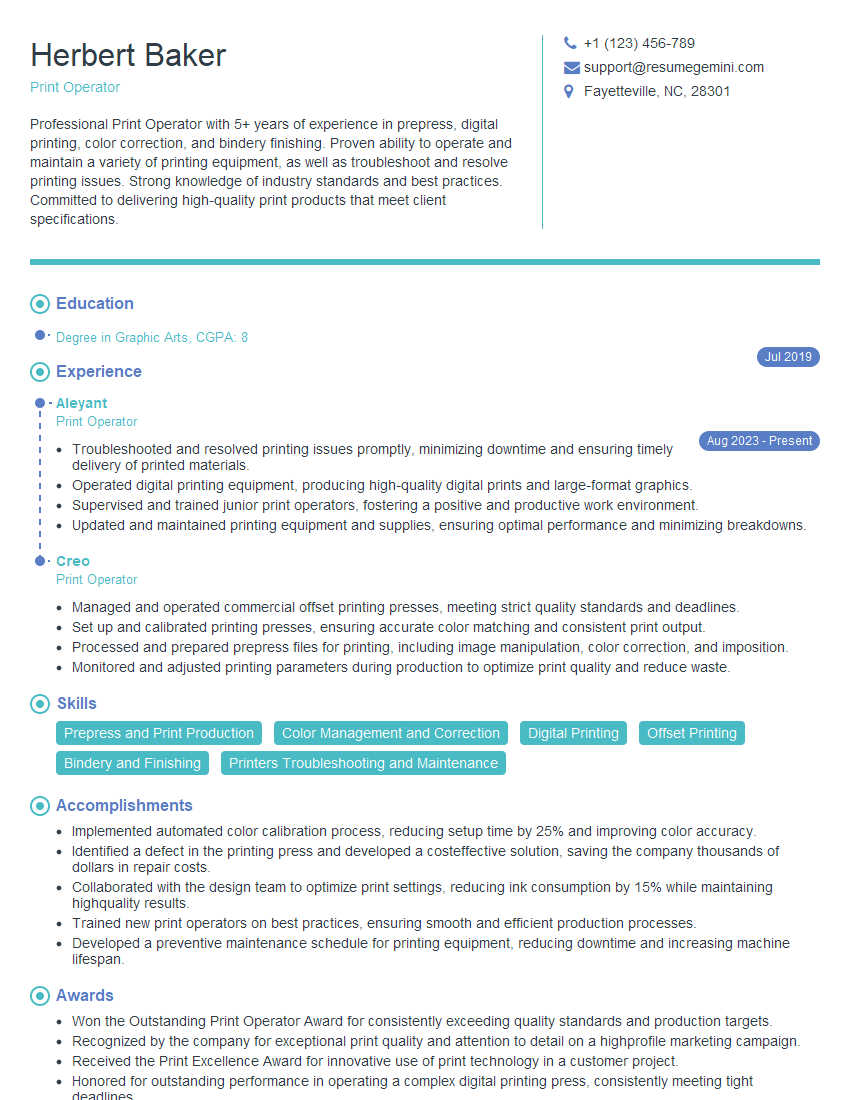
Print Operator Resume Sample
Explore more articles
Users Rating of Our Blogs
Share Your Experience
We value your feedback! Please rate our content and share your thoughts (optional).
What Readers Say About Our Blog
Very informative content, great job.
good