Unlock your full potential by mastering the most common CAD/CAE Proficiency interview questions. This blog offers a deep dive into the critical topics, ensuring you’re not only prepared to answer but to excel. With these insights, you’ll approach your interview with clarity and confidence.
Questions Asked in CAD/CAE Proficiency Interview
Q 1. Explain the difference between CAD and CAE.
CAD (Computer-Aided Design) and CAE (Computer-Aided Engineering) are closely related but distinct disciplines in product development. Think of CAD as the ‘design’ phase and CAE as the ‘analysis’ phase. CAD software is used to create 3D models of parts and assemblies, defining their geometry and features. It’s like sketching a blueprint, but in a digital 3D environment. CAE, on the other hand, uses these CAD models to simulate real-world conditions and predict the performance of the design. This involves analyzing stress, strain, heat transfer, fluid flow, and other physical phenomena. Essentially, CAE helps engineers validate their designs before they are manufactured, saving time and resources by identifying potential problems early on.
For example, a CAD software might be used to design a car engine block, precisely defining its dimensions, cooling channels, and mounting points. CAE software would then be used to simulate how the engine block responds to the forces and temperatures it experiences during operation, revealing potential weaknesses or areas for improvement before the part is ever cast.
Q 2. What are the key applications of Finite Element Analysis (FEA)?
Finite Element Analysis (FEA) is a powerful CAE technique used to predict how a product reacts to real-world forces, vibration, heat, fluid flow, and other physical effects. Its key applications span diverse industries:
- Structural Analysis: Determining stress, strain, and deflection under load. This is crucial for ensuring parts won’t break under anticipated conditions, for example, designing a bridge to withstand traffic loads or analyzing the stress on a turbine blade.
- Thermal Analysis: Predicting temperature distributions and heat transfer. This is important for designing efficient cooling systems for electronics or assessing the thermal performance of a building.
- Fluid Flow Analysis (Computational Fluid Dynamics or CFD): Simulating fluid behavior around or inside objects. Examples include optimizing the aerodynamics of a car or predicting the flow of blood in an artery.
- Modal Analysis: Determining the natural frequencies and vibration modes of structures. This is vital in preventing resonance and ensuring design stability. For instance, analyzing the vibration modes of a helicopter rotor to prevent catastrophic failure.
- Crashworthiness Analysis: Simulating the response of structures during impact. This is critical for designing safe vehicles and protective equipment.
Essentially, FEA allows engineers to ‘virtually test’ their designs, saving the cost and time associated with physical prototypes and testing.
Q 3. Describe your experience with different CAD software packages (e.g., SolidWorks, AutoCAD, Creo).
I have extensive experience with several leading CAD packages. My proficiency in SolidWorks, for instance, includes advanced surface modeling, creating complex assemblies, and generating detailed manufacturing drawings. I’ve utilized its simulation capabilities for basic FEA studies. AutoCAD has been instrumental in 2D drafting, particularly for creating detailed manufacturing drawings and schematics. I’m also proficient in Creo Parametric, which I’ve used extensively for more complex mechanical design projects, leveraging its advanced features for surface modeling, mechanism simulations, and generating manufacturing-ready designs. My experience spans a variety of industries, allowing me to adapt my approach based on the specific needs of each project. For example, I used SolidWorks to design a consumer product housing, ensuring ergonomic design and ease of manufacturability, while Creo was used for designing complex assembly parts for a heavy-duty machine.
Q 4. How do you handle meshing challenges in FEA?
Meshing, the process of dividing a CAD model into smaller elements for FEA, is crucial for accuracy and computational efficiency. Challenges often arise from complex geometries or highly refined areas. I address these by using a combination of techniques:
- Adaptive Meshing: This automatically refines the mesh in areas of high stress or strain gradients, improving accuracy without unnecessary computational cost.
- Mesh Refinement: Manually refining the mesh in critical areas, such as stress concentrations, to capture detailed results.
- Mesh Smoothing: Improving mesh quality by adjusting element shapes to reduce skewness and improve numerical stability.
- Different Element Types: Selecting appropriate element types for different regions of the model. For example, using tetrahedral elements for complex geometries and hexahedral elements for regions requiring higher accuracy.
- Mesh Independence Study: Performing multiple analyses with increasingly refined meshes to ensure that the results are not significantly affected by mesh density.
My approach is always to prioritize mesh quality, understanding that a well-refined mesh is fundamental to achieving accurate and reliable FEA results. I’ve had to troubleshoot various scenarios, including using different meshing algorithms and element types based on the particular geometry and analysis type. This involved experimenting with several mesh density settings to determine the best compromise between accuracy and computation time.
Q 5. What are the different types of elements used in FEA?
FEA utilizes various element types, each suited for specific applications and geometry. The choice depends on factors like accuracy requirements, computational cost, and the nature of the problem:
- Linear Elements: These are the simplest, approximating the behavior of the material within the element as linear. They are computationally efficient but may lack accuracy for complex non-linear behavior.
- Quadrilateral and Hexahedral Elements (2D and 3D respectively): These are preferred for their accuracy and efficiency in structured meshes. They are generally more accurate than triangular or tetrahedral elements.
- Triangular and Tetrahedral Elements (2D and 3D respectively): These are more versatile, easily meshing complex geometries. They are less accurate than quadrilateral or hexahedral elements but often the only practical choice for complex shapes.
- Higher-Order Elements: These use higher-order polynomials to approximate the material behavior, leading to improved accuracy but increased computational cost.
Selecting the appropriate element type is a crucial step in FEA, significantly influencing the accuracy and efficiency of the simulation. A poor choice can lead to inaccurate or misleading results.
Q 6. Explain the concept of boundary conditions in CAE simulations.
Boundary conditions in CAE simulations define how the model interacts with its surroundings. They represent the constraints, loads, and other physical influences acting on the model. Accurate boundary conditions are essential for obtaining realistic results. Incorrect boundary conditions can lead to significant errors and misleading conclusions.
Examples include:
- Fixed Supports: These constrain all degrees of freedom (displacement in x, y, and z directions, as well as rotations) at specific points or surfaces, mimicking a fixed connection to a rigid body. For example, fixing one end of a beam in a structural analysis.
- Hinges/Joints: These restrict certain degrees of freedom while allowing others. For instance, a hinge allows rotation but prevents translation.
- Loads: These represent forces, pressures, or moments acting on the model, such as gravity, applied forces, or thermal loads.
- Thermal Boundary Conditions: These define the temperature or heat flux at specific surfaces, which is crucial for thermal simulations.
Defining appropriate boundary conditions requires careful consideration of the physics of the problem and the real-world conditions the model is intended to represent. Inaccurate boundary conditions will lead to inaccurate results.
Q 7. How do you validate the results of a CAE simulation?
Validating CAE simulation results is a critical step to ensure their reliability. This involves comparing the simulation predictions with experimental data or established analytical solutions.
Methods for validation include:
- Experimental Verification: Comparing simulation results with results obtained from physical experiments. For example, comparing the predicted stress in a component from FEA with the stress measured in a physical test.
- Analytical Solutions: Comparing simulation results with known analytical solutions for simplified cases. This is useful for validating the accuracy of the simulation methodology.
- Benchmarking: Comparing simulation results with results from other established simulations or published data for similar problems. This can help to identify potential errors or discrepancies.
- Sensitivity Analysis: Evaluating the influence of input parameters on the simulation results. This helps to identify potential sources of error and quantify their impact.
- Mesh Convergence Study: Ensuring that the results are not significantly affected by the mesh density.
Validation is an iterative process. Discrepancies between simulation and experimental results may require adjustments to the model, material properties, boundary conditions, or the simulation methodology itself. This rigorous validation process is essential for building confidence in the accuracy and reliability of the CAE simulations.
Q 8. What are the limitations of FEA?
Finite Element Analysis (FEA) is a powerful tool, but it does have limitations. The accuracy of FEA results is heavily dependent on several factors, and ignoring these can lead to inaccurate or misleading predictions.
- Mesh Dependency: The accuracy of the solution is directly tied to the mesh quality and density. A coarse mesh may not capture fine details, leading to inaccurate stress concentrations or displacements. Think of it like trying to draw a detailed map with only a few large brushstrokes – you lose important information. Refining the mesh improves accuracy, but at a computational cost.
- Material Model Assumptions: FEA relies on constitutive models that describe the material behavior. These models are often simplifications of real-world material behavior, and inaccuracies in these models will directly affect the simulation results. For example, using a linear elastic model for a material that undergoes significant plastic deformation will lead to inaccurate predictions.
- Boundary Conditions: Applying the correct boundary conditions is crucial. Incorrectly defining supports, loads, or contacts can dramatically alter the results. Imagine simulating a bridge – if you don’t correctly model the support conditions, your analysis of stress and deflection will be completely wrong.
- Computational Cost: Complex geometries, fine meshes, and non-linear analyses can require significant computational resources and time. This can limit the scope of analyses and the ability to explore a wide range of design options.
- Software Limitations: The software itself may have limitations in terms of the types of analyses it can perform, the element types it supports, or the size of the problems it can handle.
Addressing these limitations often involves careful mesh refinement studies, selection of appropriate material models, and thorough verification of boundary conditions. Experienced engineers understand these limitations and employ strategies to mitigate their impact.
Q 9. Describe your experience with Computational Fluid Dynamics (CFD).
My experience with Computational Fluid Dynamics (CFD) spans several years and various applications. I’ve used commercial CFD software like ANSYS Fluent and OpenFOAM to simulate a wide range of fluid flow phenomena. For example, I’ve worked on projects involving:
- Aerodynamic analysis of aircraft components: Simulating airflow around wings to optimize lift and reduce drag.
- Internal flow simulations in heat exchangers: Analyzing fluid flow and heat transfer to improve exchanger efficiency.
- Pipe flow simulations: Predicting pressure drop and velocity profiles in pipelines to optimize design.
My work typically includes geometry preparation, mesh generation, defining boundary conditions (inlet velocity, outlet pressure, wall conditions), selecting appropriate turbulence models, running the simulations, and post-processing the results to extract meaningful insights, such as pressure distribution, velocity fields, and temperature gradients. I am proficient in analyzing the results to draw engineering conclusions and make design recommendations.
Q 10. What are the different turbulence models used in CFD?
Turbulence modeling is a crucial aspect of CFD. Turbulence is characterized by chaotic and irregular fluctuations in velocity and pressure. Directly simulating turbulence at all scales is computationally prohibitive for most engineering applications. Therefore, we use turbulence models to approximate these effects.
Common turbulence models include:
- RANS (Reynolds-Averaged Navier-Stokes) models: These models solve time-averaged equations and use additional equations (like k-ε or k-ω SST) to model the turbulent stresses. The k-ε model is relatively simple and computationally efficient, while the k-ω SST model is more accurate, particularly near walls. The choice depends on the specific application and required accuracy.
- LES (Large Eddy Simulation): LES directly resolves the large turbulent eddies and models the smaller scales using subgrid-scale models. It’s more computationally expensive than RANS but provides more accurate results for complex flows.
- DNS (Direct Numerical Simulation): DNS resolves all turbulent scales. This is the most accurate approach but is extremely computationally demanding, limiting its application to simple geometries and low Reynolds numbers.
The choice of turbulence model depends heavily on the specific application and the balance between accuracy and computational cost. For simple flows, a RANS model might suffice. For complex flows with strong turbulence effects, LES might be necessary.
Q 11. How do you choose the appropriate mesh size for a CFD simulation?
Choosing the appropriate mesh size is crucial for accurate CFD simulations. Too coarse a mesh can lead to inaccurate results, while too fine a mesh can result in excessive computational time and cost. The ideal mesh size depends on several factors:
- Flow features: Regions with high gradients in velocity, pressure, or temperature require a finer mesh to accurately capture these features. For example, near a sharp corner or a boundary layer, you’ll need a much finer mesh.
- Turbulence intensity: Higher turbulence levels require a finer mesh to resolve the smaller turbulent scales. This ties directly into the choice of turbulence model.
- Geometry complexity: Complex geometries might necessitate a more refined mesh to accurately represent the shape and its impact on flow.
- Computational resources: The available computing power dictates the maximum mesh density that is feasible within a reasonable timeframe.
A common approach is to start with a relatively coarse mesh and gradually refine it in regions of interest. Mesh independence studies (discussed in the next question) are essential to determine the optimal mesh size that provides sufficiently accurate results without excessive computational cost. I often employ adaptive mesh refinement techniques to automatically refine the mesh in critical regions.
Q 12. Explain the concept of mesh independence in CAE.
Mesh independence in CAE refers to the situation where the solution of the simulation is no longer significantly affected by further refinement of the mesh. In other words, the solution has converged to a stable result regardless of the mesh density.
Achieving mesh independence is crucial to ensure the accuracy and reliability of the simulation results. It’s not about having the finest possible mesh, but about finding the point of diminishing returns. Continuing to refine the mesh beyond this point is a waste of computational resources.
To achieve mesh independence, a series of simulations is performed with progressively finer meshes. If the results remain essentially unchanged between successive refinements, then mesh independence is considered to be achieved. This is usually verified by comparing key results, like stress values or fluid velocities, and observing the change between meshes. A quantitative convergence criteria can be set – for instance, a change of less than 1% in a key result between two meshes could be acceptable.
Q 13. What is the difference between static and dynamic analysis in FEA?
In FEA, static and dynamic analyses differ fundamentally in how they handle time and load application:
- Static Analysis: This analysis assumes that loads are applied slowly and that inertial effects are negligible. The structure is assumed to be in equilibrium at all times, and the results represent the steady-state response of the structure to the applied loads. Think of it like slowly placing a weight on a table – the table’s deformation is the static response.
- Dynamic Analysis: This analysis considers the effects of inertia and time-dependent loading. This type of analysis is necessary when the loads are applied rapidly or when the structure’s natural frequencies are important. Dynamic analyses can model various phenomena, including vibrations, shocks, and impacts. Imagine dropping the weight onto the table – the table’s response will involve both instantaneous deformation and vibrations.
Different types of dynamic analyses exist, including transient dynamic analysis (for time-varying loads) and modal analysis (to determine natural frequencies and mode shapes).
Q 14. How do you handle non-linearity in FEA?
Non-linearity in FEA arises when the relationship between load and response is not linear. This can be due to several factors:
- Material Non-linearity: Materials may exhibit non-linear stress-strain behavior, such as plasticity (yielding), hyperelasticity (large deformations), or creep (time-dependent deformation).
- Geometric Non-linearity: Large displacements or rotations can significantly alter the geometry of the structure, influencing the stress distribution. This is especially relevant for flexible structures.
- Contact Non-linearity: Contact between components introduces non-linearity because contact surfaces can change during the analysis.
Handling non-linearity in FEA requires specialized techniques and iterative solution procedures. Instead of a single solution, a series of incremental steps are used to solve the equations. This typically involves:
- Incremental Loading: Applying the load in small increments to allow the solver to track the changing response.
- Newton-Raphson Method: This iterative method is commonly used to solve the non-linear equations at each load increment. It refines the solution progressively until convergence is achieved.
- Arc-length methods: These methods are used to improve convergence when dealing with snap-through or bifurcation phenomena in which the solution can become unstable.
Proper selection of solution parameters and convergence criteria is crucial for successful non-linear analysis. The selection of appropriate element types is also important, as certain elements are better suited to handle large deformations or contact.
Q 15. Describe your experience with optimization techniques in CAE.
Optimization techniques in CAE are crucial for designing efficient and robust products. They involve systematically modifying design parameters to achieve a desired objective, such as minimizing weight, maximizing strength, or reducing cost, while satisfying various constraints. I’ve extensive experience with various methods, including:
- Topology Optimization: This technique removes material from a design where it’s not structurally necessary, leading to lightweight yet strong parts. I’ve used it to optimize the design of a complex automotive bracket, reducing its weight by 25% without compromising its load-bearing capacity. This involved defining load cases, boundary conditions, and material properties in a FEA software (like ANSYS or Abaqus) and letting the software iteratively remove unnecessary material.
- Shape Optimization: This refines the shape of existing geometry to improve performance. I used shape optimization to improve the aerodynamic efficiency of a wind turbine blade, leading to a 5% increase in power generation. This often involves parameterization of the geometry in CAD and iterative coupling with FEA.
- Size Optimization: This adjusts the thickness or dimensions of elements within a design. I’ve used size optimization to minimize the deflection of a beam subjected to a specific load, achieving significant weight reduction while maintaining structural integrity.
- Response Surface Methodology (RSM): This statistical approach builds a surrogate model to approximate the relationship between design parameters and responses, allowing efficient exploration of the design space. It’s particularly useful when computationally expensive FEA simulations are involved.
My experience spans different software packages and I am proficient in selecting and implementing the most appropriate optimization technique based on the specific design challenge and available computational resources.
Career Expert Tips:
- Ace those interviews! Prepare effectively by reviewing the Top 50 Most Common Interview Questions on ResumeGemini.
- Navigate your job search with confidence! Explore a wide range of Career Tips on ResumeGemini. Learn about common challenges and recommendations to overcome them.
- Craft the perfect resume! Master the Art of Resume Writing with ResumeGemini’s guide. Showcase your unique qualifications and achievements effectively.
- Don’t miss out on holiday savings! Build your dream resume with ResumeGemini’s ATS optimized templates.
Q 16. What are some common post-processing techniques used in CAE?
Post-processing in CAE involves extracting meaningful information from the vast amount of data generated by simulations. Key techniques I regularly utilize include:
- Contour Plots: These visually represent the distribution of results (stress, displacement, temperature, etc.) across the model, quickly identifying areas of high concentration or unusual behavior. Imagine finding a stress hotspot in a turbine blade – contour plots help pinpoint the exact location.
- Iso-surfaces: These create surfaces of constant value, useful for visualizing complex 3D phenomena. For instance, creating an iso-surface of a specific stress level can help in identifying potential failure zones.
- Animation: Animating displacement or other time-dependent results provides valuable insights into the dynamic behavior of the model. Observing the deformation of a car chassis during a crash simulation is a prime example.
- Data Extraction: Extracting specific data points or values from the results is vital for reporting and further analysis. This might include calculating maximum stress or displacement at particular locations.
- Report Generation: Generating comprehensive reports with tables, charts, and images is essential for effectively communicating simulation results to stakeholders.
Beyond these, techniques like path plotting (to analyze results along a specific line or curve) and fringe plotting (to represent results using a color scale) are invaluable tools in my arsenal.
Q 17. How do you interpret stress and strain results from an FEA simulation?
Interpreting stress and strain results from FEA requires a good understanding of material behavior and engineering mechanics. Stress represents the internal forces within a material, while strain represents the deformation caused by these forces. In FEA, we typically look at:
- Von Mises Stress: A scalar measure of the combined stresses, often used to predict yielding or failure. High Von Mises stress indicates potential for failure.
- Principal Stresses: These are the maximum and minimum normal stresses at a point, providing a clearer picture of the stress state.
- Principal Strains: Similar to principal stresses, but reflecting the deformation in the principal directions.
- Strain Energy Density: This represents the energy stored within the material due to deformation, useful for assessing damage potential.
I always compare the calculated stresses and strains against material yield strength and failure criteria to determine if the design is safe. Furthermore, understanding the context of the simulation – loading conditions, boundary conditions, material properties – is crucial for accurate interpretation. For example, high stress at a fixed boundary might be expected and not necessarily critical, whereas high stress in a thin section may indicate a design flaw.
Q 18. How do you ensure the accuracy of your CAE models?
Ensuring accuracy in CAE models is paramount. It involves a multi-faceted approach that starts before the simulation even begins:
- Mesh Refinement: Using finer meshes in critical areas where high stress gradients are expected helps improve accuracy. This is crucial for capturing intricate details and stress concentrations.
- Model Validation: Comparing simulation results with experimental data (e.g., from physical testing) is vital for verifying model accuracy. Discrepancies highlight areas for improvement in the model or experimental setup.
- Mesh Convergence Study: Performing a mesh convergence study involves running the analysis with increasingly finer meshes to check whether the results are changing significantly. If not, it suggests the mesh is adequately refined.
- Material Property Selection: Choosing appropriate material properties is critical. I carefully consult material data sheets and validate properties through experimental data or literature review.
- Boundary Condition Verification: Accurate representation of boundary conditions is essential. Carefully consider support conditions, load application points, and any other interactions with the environment.
- Software Verification and Validation: Ensuring the CAE software itself is properly validated and calibrated is also key. This requires checking software licensing, updates, and periodic validation procedures.
A systematic approach to these steps minimizes errors and helps build confidence in the simulation results, leading to robust and reliable design decisions.
Q 19. Explain your experience with different types of material models used in CAE.
My experience encompasses a wide range of material models, tailored to specific applications and material behavior:
- Linear Elastic: This is the simplest model, suitable for materials that deform proportionally to applied loads within the elastic limit. It’s commonly used for initial design evaluations.
- Nonlinear Elastic: This accounts for nonlinear stress-strain relationships, useful for materials like rubber or certain polymers exhibiting hyperelastic behavior.
- Plasticity Models (e.g., J2, von Mises): These models describe the material’s permanent deformation after exceeding the yield strength. These are essential when analyzing scenarios involving large plastic deformations.
- Creep Models: These account for time-dependent deformation under constant load at elevated temperatures, crucial for high-temperature applications like turbine blades.
- Viscoelastic Models: These capture both viscous and elastic behavior, important for materials exhibiting both instantaneous and time-dependent response (like polymers).
- Fracture Mechanics Models: These are used to predict crack initiation and propagation, critical for assessing the safety of components with existing flaws.
- Composite Materials Models: I have experience working with homogenized models for composite materials, accounting for the fiber orientation and material properties of the constituent phases.
Selecting the appropriate material model is crucial for accurate simulation results. The choice depends heavily on the material itself, the loading conditions, and the intended application.
Q 20. How do you manage large CAE models?
Managing large CAE models efficiently requires a strategic approach:
- Model Simplification: Whenever possible, I simplify models by removing unnecessary detail, using symmetry, or employing sub-modeling techniques to focus on critical areas.
- Mesh Optimization: Employing adaptive meshing techniques ensures that mesh density is higher in critical regions while maintaining computational efficiency.
- High-Performance Computing (HPC): Leveraging HPC resources, such as parallel processing, is crucial for reducing simulation time for large models. I have experience with cluster computing and cloud-based solutions.
- Model Decomposition: Breaking down a large model into smaller, manageable sub-models, analyzing them independently, and then combining the results can significantly speed up the analysis.
- Data Management: Implementing robust data management strategies, including version control, ensures efficient organization and access to large datasets.
My experience includes handling models with millions of elements, optimizing simulation workflows, and utilizing specialized software features to effectively manage computational resources.
Q 21. Describe your experience with scripting or automation in CAD/CAE.
Scripting and automation are invaluable for increasing efficiency and repeatability in CAD/CAE workflows. I am proficient in several scripting languages, primarily Python, and have used them extensively for:
- Geometry Generation: Automating the creation of complex geometries, parameterizing designs, and creating design variations.
- Mesh Generation: Automating the meshing process, ensuring consistent mesh quality, and simplifying the workflow.
- Pre-processing Automation: Scripting tasks such as applying loads, boundary conditions, and material properties, reducing manual errors and time.
- Post-processing Automation: Automating the extraction of results, generating reports, and creating visualizations, streamlining the analysis process. For instance, I’ve created scripts to automatically generate contour plots and extract maximum stress values from numerous simulations.
- CAE Workflow Integration: Connecting different software packages through scripts, enabling seamless data transfer and automation between CAD and CAE tools.
# Example Python snippet for automating mesh generation (Illustrative):
import pyansys
# ... code to define geometry and mesh parameters ...
mesh = pyansys.mesh.generate_mesh(geometry, mesh_parameters)
# ... code to export mesh data ...
Through automation, I have significantly reduced manual effort, improved consistency, and enhanced the overall efficiency of the CAD/CAE process.
Q 22. What are some common challenges you have encountered in CAE simulations and how did you overcome them?
CAE simulations, while powerful, often present challenges. One common issue is meshing complexity. Generating a high-quality mesh – the numerical representation of the geometry – is crucial for accurate results. A poorly meshed model can lead to inaccurate stress concentrations, convergence issues, or even a complete failure of the simulation. I overcome this by carefully choosing the appropriate meshing technique based on the geometry and the physics involved. For instance, for complex geometries with sharp features, I might use a hybrid meshing approach, combining tetrahedral and hexahedral elements. Another challenge is defining appropriate boundary conditions, which represent the interaction of the model with its environment. Improperly defined boundary conditions can lead to unrealistic results. To mitigate this, I always meticulously review the physical problem and consult relevant literature to ensure the conditions accurately reflect the real-world scenario. For example, in simulating a bolted joint, precisely defining the contact pressure between the bolt and the material is essential. Finally, validating simulation results with experimental data or analytical solutions is crucial. Discrepancies might indicate inaccuracies in the model, mesh, or boundary conditions. This iterative validation process helps refine the model and ensure reliable results.
Q 23. How do you collaborate with other engineers during the design and analysis process?
Collaboration is paramount in CAD/CAE. I typically utilize a combination of methods. Firstly, we leverage version control systems like Git to manage CAD and simulation files, ensuring everyone works with the latest version and tracking changes effectively. Secondly, we hold regular design reviews where all stakeholders – designers, manufacturing engineers, and test engineers – present their work and provide feedback. This fosters a shared understanding and allows for early identification and resolution of potential problems. Thirdly, we extensively use collaborative platforms like project management software (e.g., Jira, Asana) to track tasks, share documents, and facilitate communication. Finally, for complex simulations, we might employ High-Performance Computing (HPC) clusters, allowing us to efficiently handle large datasets and complete simulations more quickly. This shared access to resources enhances teamwork and speeds up the design cycle.
Q 24. Explain your understanding of design for manufacturing (DFM) considerations in CAD/CAE.
Design for Manufacturing (DFM) is crucial for ensuring that a design is not only functionally sound but also manufacturable efficiently and cost-effectively. In CAD/CAE, DFM considerations are integrated throughout the design process. This involves early engagement with manufacturing engineers to understand limitations and possibilities of different manufacturing processes. For instance, during the CAD stage, I might avoid features like undercuts or very thin walls which would be difficult or expensive to machine. CAE simulations are used to validate the manufacturability of the design. Finite Element Analysis (FEA), for example, can be used to predict the stresses and strains during manufacturing processes like casting or forging. This can help identify potential defects or areas of weakness before production begins. Simulation can also be used to optimize part geometry for reduced material usage or faster processing. For example, simulations can help optimize the placement of cooling channels in a casting, leading to better quality parts and reduced cycle time.
Q 25. What are your strengths and weaknesses in using CAD/CAE software?
My strengths lie in my proficiency with ANSYS Mechanical and Abaqus for FEA, and SolidWorks and CATIA for CAD. I have extensive experience in simulating complex phenomena like non-linear material behavior, contact interactions, and fluid-structure interaction. I am also adept at scripting and automation, which allows me to streamline repetitive tasks and improve efficiency. My weakness, if I had to identify one, would be limited experience with specialized CAE software used in specific industries, such as mold flow analysis software. However, I’m a quick learner, and I am confident in my ability to acquire the necessary skills quickly.
Q 26. How do you stay up-to-date with the latest advancements in CAD/CAE technology?
Staying current in the rapidly evolving field of CAD/CAE requires continuous learning. I actively participate in online courses, webinars, and conferences offered by software vendors and industry associations. I regularly read industry publications and journals to remain informed about new techniques and software advancements. Moreover, I engage with the wider CAE community through online forums and professional networks. Participating in these communities allows me to learn from others’ experiences and stay abreast of the latest trends. Furthermore, I regularly undertake personal projects to apply new techniques and challenge myself to expand my skillset. This hands-on approach helps me solidify my knowledge and identify areas where I need further development.
Q 27. Describe a complex CAE project you worked on and your contributions.
One complex project involved the optimization of a high-pressure turbine blade for an aircraft engine. This required a multi-physics approach, combining Computational Fluid Dynamics (CFD) to model the airflow and FEA to analyze the structural integrity of the blade under high temperature and centrifugal loads. My contributions included developing the CAD model, generating the mesh, defining the boundary conditions, conducting the CFD and FEA simulations, and post-processing the results to identify areas for improvement. I implemented optimization algorithms to explore design variations and eventually identified a design that improved the blade’s efficiency while maintaining its structural integrity. This involved extensive data analysis and the use of design of experiments (DOE) methods. The successful completion of this project resulted in substantial improvements in engine performance and durability.
Q 28. How would you approach a new CAE project with limited information?
Approaching a new CAE project with limited information requires a structured and iterative approach. First, I would clearly define the project goals and objectives. Next, I would gather as much information as possible, including existing documentation, drawings, and discussions with relevant stakeholders. Based on this initial information, I would develop a preliminary model, making clear assumptions and documenting any uncertainties. I would then perform a simplified simulation to obtain preliminary results. This initial analysis would inform further data collection and refinement of the model. This iterative process, combining simulation with data collection, allows for a progressive understanding of the problem and a more accurate and reliable solution. Transparency about assumptions and uncertainties is crucial throughout this process to ensure responsible engineering practices.
Key Topics to Learn for CAD/CAE Proficiency Interview
- CAD Software Proficiency: Mastering at least one major CAD software (SolidWorks, AutoCAD, CATIA, etc.). Focus on 3D modeling techniques, including sketching, feature creation, assembly modeling, and part detailing. Understand the software’s interface and its capabilities thoroughly.
- CAE Fundamentals: Grasp the core concepts of Finite Element Analysis (FEA), Computational Fluid Dynamics (CFD), and other relevant simulation methods. Understand the process of meshing, boundary conditions, and interpreting simulation results.
- Practical Applications: Be prepared to discuss real-world applications of CAD/CAE in your chosen field. Examples include stress analysis, optimization studies, fluid flow simulations, and manufacturing process simulations. Prepare examples from past projects or academic work.
- Geometric Dimensioning and Tolerancing (GD&T): Demonstrate a clear understanding of GD&T principles and their application in engineering drawings. This is critical for ensuring manufacturability and proper part fit.
- Material Selection and Properties: Be familiar with various engineering materials and their properties, and how material choices impact the design and simulation process.
- Design for Manufacturing (DFM): Understand the principles of DFM and how to design parts that are easily and cost-effectively manufactured. This includes considerations for tooling, assembly, and material processing.
- Problem-Solving and Troubleshooting: Practice identifying and solving common CAD/CAE related problems. Be ready to discuss your approach to debugging errors and optimizing simulations for accuracy and efficiency.
- Data Management and Collaboration: Understand the importance of proper data management within a CAD/CAE workflow and how to effectively collaborate with other engineers.
Next Steps
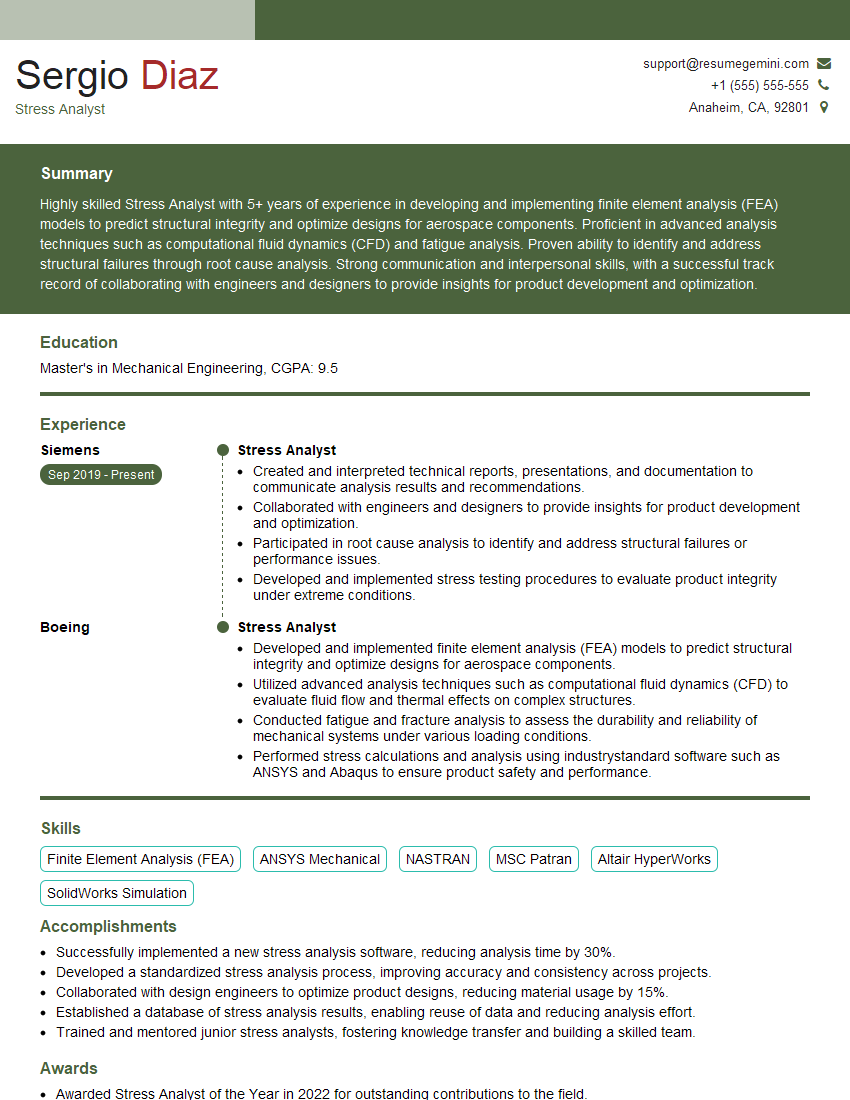
Mastering CAD/CAE proficiency is crucial for a successful and rewarding career in engineering and related fields. It opens doors to exciting opportunities and allows you to contribute meaningfully to innovative projects. To maximize your job prospects, crafting a strong, ATS-friendly resume is essential. ResumeGemini is a trusted resource that can help you build a professional resume that highlights your skills and experience effectively. Examples of resumes tailored to CAD/CAE proficiency are available to help guide you through the process.
Explore more articles
Users Rating of Our Blogs
Share Your Experience
We value your feedback! Please rate our content and share your thoughts (optional).
What Readers Say About Our Blog
Very informative content, great job.
good