Interviews are more than just a Q&A session—they’re a chance to prove your worth. This blog dives into essential CAD/CAM for Engraving interview questions and expert tips to help you align your answers with what hiring managers are looking for. Start preparing to shine!
Questions Asked in CAD/CAM for Engraving Interview
Q 1. Explain the difference between CAD and CAM in the context of engraving.
In engraving, CAD (Computer-Aided Design) and CAM (Computer-Aided Manufacturing) are two distinct but interconnected processes. Think of it like designing a blueprint (CAD) and then creating the actual product based on that blueprint (CAM).
CAD is all about creating the design. We use specialized software to create the digital artwork that will be engraved. This involves importing images, creating vector art, adjusting parameters like font size, depth, and spacing. The output of the CAD stage is a digital file that accurately represents what we want engraved.
CAM, on the other hand, translates that design into instructions for the engraving machine. The CAM software takes the CAD file and generates the toolpaths – the precise movements the machine needs to make to create the engraving. This process involves selecting the right tools, setting parameters like cutting speed, depth of cut, and feed rate, depending on the material and desired effect.
For example, in creating a personalized engraved pen, the CAD process would involve designing the text and logo, and the CAM process would determine the precise laser path or the rotary tool’s movements to etch the design onto the pen’s surface. Without CAM, the perfectly designed CAD file would remain just a digital image.
Q 2. What CAM software are you proficient in?
I’m proficient in several CAM software packages, most notably VCarve Pro and Aspire. VCarve Pro is excellent for 2D engraving tasks, offering intuitive toolpath generation and strong support for various engraving machines. I particularly appreciate its ease of use for generating precise vector toolpaths for both rotary and laser engraving. Aspire, on the other hand, allows for more complex 3D engraving projects, including relief carving and multi-axis machining. My experience with Aspire includes creating intricate 3D models and then translating them into highly detailed toolpaths for a variety of materials.
I also have experience with some open-source CAM software. My familiarity with different platforms allows me to adapt quickly to the needs of any project.
Q 3. Describe your experience with various engraving techniques (e.g., laser, rotary).
My engraving experience encompasses a range of techniques. I’ve extensively worked with both laser engraving and rotary engraving.
- Laser Engraving: I’m experienced in using CO2 and fiber lasers for engraving various materials, from wood and acrylic to metals and ceramics. Laser engraving offers speed and precision, especially for intricate designs. A memorable project involved creating a highly detailed company logo on a range of high-end, custom-made pens. The precision of the laser was essential in capturing the fine details.
- Rotary Engraving: This involves using a rotating cutting tool to remove material. I’ve worked with various rotary tools and bits to achieve different effects, from delicate line work to deep carving. Rotary engraving offers great control over depth and texture. A personal project used rotary engraving to carve an intricate family crest onto a walnut plaque. The varying bit sizes allowed for a beautifully textured finish.
I’m also familiar with other methods like diamond drag engraving and ultrasonic engraving, though my experience in those is more limited. The choice of technique often depends on the material, the desired level of detail, and the scale of the project.
Q 4. How do you create toolpaths for different engraving materials?
Creating toolpaths for different engraving materials requires careful consideration of the material properties and the desired outcome. The key is to select appropriate parameters for the specific machine and tool being used.
- Material Hardness: Harder materials, like steel, require more robust tools and slower feed rates to prevent tool breakage. Softer materials like wood can tolerate faster speeds and shallower cuts.
- Material Type: The toolpath strategy varies based on the material. For example, engraving wood might involve a v-bit for clean lines, whereas engraving metal might require a ball-nose end mill for a smoother finish.
- Desired Depth: Toolpath parameters, like step-over and cut depth, directly influence the overall depth of the engraving. Shallow engravings require fewer passes, while deeper engravings necessitate multiple passes.
For example, engraving a logo onto a wooden plaque would use a different set of parameters compared to engraving the same logo onto a metal plate. In the wooden plaque, a v-bit with a rapid feed rate would be suitable, whereas the metal engraving may require a ball-nose end mill with multiple passes and slower feed rates to prevent tool damage. The CAM software helps in calculating the optimal settings for consistent, high-quality results.
Q 5. What are the common challenges encountered during the engraving process?
Engraving presents several challenges, some of which are:
- Material inconsistencies: Variations in material hardness or density can lead to uneven engraving depth or tool breakage. Wood grain, for instance, can affect the toolpath’s outcome.
- Tool wear: Repeated use of tools, especially on harder materials, leads to wear, causing inconsistencies in the engraving quality. Regular tool maintenance is critical.
- Machine calibration: Incorrect machine calibration (like the Z-axis alignment) can result in uneven engravings or damage to the workpiece. Proper calibration and regular checks are crucial.
- Software glitches: Software errors during toolpath generation or unexpected machine behavior can lead to inaccuracies or machine crashes.
- Material burn or damage (laser engraving): Incorrect laser power settings can result in burning or charring of the material, ruining the workpiece.
Addressing these challenges requires careful planning, quality control procedures, and using appropriate safety measures.
Q 6. How do you troubleshoot issues related to toolpath generation or machine operation?
Troubleshooting is a critical part of engraving. My approach is systematic and involves a combination of practical checks and software diagnostics:
- Visual Inspection: Carefully examining the workpiece and the toolpaths can often reveal the source of the problem. Are there obvious tool marks or areas with uneven depth? This can indicate a problem with the tool, its positioning, or the feed rate.
- Software Review: Checking the CAM software settings for errors in toolpath generation or machine parameters can help pinpoint problems. Simulating the toolpath within the software can often reveal potential collisions or areas of concern.
- Machine Calibration: Ensuring that the machine is properly calibrated and aligned is fundamental. An out-of-alignment Z-axis can lead to inconsistencies in engraving depth.
- Material Analysis: If the problem seems to be related to the material itself, such as uneven density, alternative materials or cutting strategies might be necessary.
- Tool Condition: Checking for tool wear or damage can prevent further problems. Worn or damaged tools can affect engraving quality and potentially cause breakage.
Through a combination of these methods, I can systematically identify and address issues, ensuring consistent, high-quality results. For example, once I experienced uneven engraving depth, which was quickly identified as a faulty Z-axis limit switch. Replacing it resolved the issue.
Q 7. Explain your experience with different file formats used in engraving (e.g., DXF, AI).
I have extensive experience working with various file formats crucial for engraving projects. The most common ones include:
- DXF (Drawing Exchange Format): A widely used CAD file format that’s excellent for vector graphics and easily imported into most CAM software. DXF files preserve critical information like line weight, enabling accurate toolpath generation.
- AI (Adobe Illustrator): AI files, typically containing vector art, are another popular choice. These files are often used for logos, illustrations, or intricate designs, frequently requiring meticulous engraving.
- SVG (Scalable Vector Graphics): SVG is a vector-based format that’s becoming increasingly popular, especially for web-based design applications. Its ability to scale without loss of quality makes it suitable for engraving at different sizes.
- STL (Stereolithography): While less common for 2D engraving, STL files are fundamental for 3D models that require 3D carving or relief engraving. They represent 3D objects as a mesh of triangles.
My experience with these various file formats ensures that I can work with designs from a variety of sources, maintaining accuracy and consistency throughout the engraving process. I’m also familiar with converting between different formats, as needed, which allows seamless transition between CAD and CAM software.
Q 8. How do you ensure accuracy and precision in your engravings?
Accuracy and precision in engraving are paramount. It’s like sculpting with a machine – the slightest error can ruin the piece. We achieve this through a multi-pronged approach.
- Precise CAD Design: I begin with meticulous CAD modeling, ensuring vector designs are clean and free of inconsistencies. This is the foundation. Any flaws here will be magnified during engraving.
- Machine Calibration and Testing: Regular calibration of the engraving machine is crucial. I use test engravings on scrap material before working on the final piece to verify settings like depth, speed, and tool path. Think of it as a ‘test drive’ before the main event.
- Tool Selection and Maintenance: Selecting the appropriate engraving bit is vital. Different materials require different tools, and dull bits lead to inaccuracy. I routinely inspect and replace bits to maintain sharpness. A sharp tool is like a sharp knife – clean cuts, precise results.
- Material Selection and Preparation: The material itself influences accuracy. A smooth, stable surface is essential for consistent engraving. I ensure the material is properly cleaned and secured to the machine bed to prevent movement during the process.
- CAM Software Optimization: The CAM (Computer-Aided Manufacturing) software plays a critical role. I optimize the toolpath to minimize vibrations and ensure smooth transitions between cuts. Think of this as the machine’s ‘driving instructions’ – clear instructions are key.
For example, when engraving intricate details on a delicate piece of jewelry, I might use a smaller bit at a slower speed, and multiple passes to achieve the desired depth and detail without damaging the material. Each step is crucial to ensure the final product is flawless.
Q 9. Describe your experience with setting up and maintaining engraving machines.
My experience with engraving machines encompasses both setup and maintenance. It’s like being a mechanic for a highly precise instrument. I’m proficient in several machine types, including rotary and laser engravers.
- Setup: This includes installing the machine, connecting it to the computer, configuring software settings, and performing initial calibration. I meticulously level the machine bed and ensure proper alignment of the spindle and laser head (depending on the type of machine). Think of it as getting a car ready for a long journey – proper setup prevents many problems.
- Maintenance: Regular maintenance is vital for extending the lifespan of the equipment and maintaining accuracy. This includes lubrication of moving parts, cleaning of the optical components (for laser engravers), checking belts and motors, and performing routine checks on the machine’s sensors and controls. It’s like regular servicing a vehicle to avoid bigger breakdowns.
- Troubleshooting: I’m adept at troubleshooting common problems, such as inconsistent engraving depths, skipped steps, or alignment issues. My approach is systematic: I first check the obvious (material, tool, software settings) and then move towards more complex issues, often checking the machine’s logs or consulting the manufacturer’s documentation.
For instance, during one project using a rotary engraver, I noticed inconsistent engraving depth. By systematically checking each component, I discovered a slightly loose belt causing irregular spindle speed. Replacing the belt solved the problem immediately. Effective maintenance prevents costly downtime and ensures consistent quality.
Q 10. How do you manage material costs and optimize material usage?
Managing material costs and optimizing usage is essential for profitability. It’s like being a chef who carefully selects ingredients without waste. I employ several strategies.
- Accurate Material Estimation: I use the CAD software to accurately estimate the material required for each project, minimizing waste. This ensures we only purchase the necessary amount.
- Material Recycling: Whenever possible, I recycle scrap material, especially when working with expensive materials like hardwoods or metals. This reduces material costs and contributes to sustainability.
- Nesting Optimization: For projects involving multiple engravings on a single sheet, I utilize nesting software to optimize the layout and minimize material waste. It’s like a jigsaw puzzle – fitting as many pieces as possible to use the whole sheet efficiently.
- Material Sourcing: I develop relationships with reliable suppliers to get competitive pricing on high-quality materials. Finding good suppliers is like finding the best ingredients – you get better results and pay less.
For example, in a recent project with numerous small engravings, nesting optimization saved approximately 30% of the material, resulting in significant cost savings.
Q 11. What is your experience with post-processing techniques for engravings?
Post-processing techniques are essential for achieving a high-quality finish. It’s the final polish that transforms a good engraving into a masterpiece. The techniques depend on the material and desired result.
- Cleaning: Removing debris from the engraving is often the first step. This might involve compressed air, brushes, or ultrasonic cleaning for delicate items.
- Finishing: Depending on the material and design, finishing can involve sanding, polishing, coating (lacquer, varnish, powder coating), or even hand-finishing. This improves the overall aesthetic and durability.
- Coloring: For enhanced visual appeal, I might use paints, inks, or dyes to add color to the engravings, enhancing the details and contrast.
For instance, after engraving a wooden sign, I would use fine sandpaper to smooth out any rough edges and then apply a clear coat of varnish to protect it from the elements. In contrast, metal engravings might require a polishing compound to achieve a high shine.
Q 12. How do you handle complex designs and intricate details during engraving?
Handling complex designs and intricate details requires a strategic approach. It’s like navigating a labyrinth – a careful plan is crucial. I use a combination of techniques:
- Vector Design Optimization: I meticulously optimize the vector design to ensure the software can interpret the intricate details accurately. This includes using appropriate line weights, simplifying complex curves where possible, and checking for potential overlaps or issues.
- Toolpath Strategy: I employ sophisticated CAM techniques to generate toolpaths that can precisely follow the complex contours. This often involves using multiple passes with different sized tools or specialized toolpaths for intricate areas.
- Multiple Passes and Depth Control: For deep or very fine engravings, I use multiple passes at a shallower depth to avoid tool chatter and ensure crisp lines. The control over depth is crucial, like sculpting with layers.
- Simulation: Before starting the engraving, I run a simulation of the toolpath in the CAM software to check for potential collisions or problems. It’s like a pre-flight check.
For instance, when engraving a detailed portrait, I might use a series of smaller bits, starting with a larger bit to define the main features and then progressively smaller bits for finer details. The simulation helps prevent costly mistakes.
Q 13. What safety measures do you follow while operating engraving machinery?
Safety is paramount in operating engraving machinery. It’s like working with any powerful tool – caution and respect are essential.
- Personal Protective Equipment (PPE): I always wear appropriate PPE, including safety glasses, hearing protection (especially for rotary engravers), and a dust mask (to protect against airborne particles generated during engraving).
- Machine Guards and Enclosures: I ensure all safety guards and enclosures are in place before operating the machine to prevent accidental contact with moving parts or lasers.
- Emergency Stop Procedures: I’m familiar with the location and operation of all emergency stop buttons and procedures. It’s like knowing your way out of a building in an emergency.
- Proper Material Handling: I handle materials safely, avoiding sharp edges or potentially hazardous substances. It’s about taking precautions to avoid accidents.
- Regular Inspections: Regular inspections of the machine and its components ensure that everything is functioning properly and safely. This proactive approach prevents many potential problems.
For example, I would never operate a laser engraver without wearing appropriate laser safety glasses, as exposure to the laser beam can cause serious eye damage.
Q 14. Explain your understanding of different engraving cutting tools and their applications.
Engraving cutting tools vary depending on the material being engraved and the desired effect. It’s like having a toolbox full of specialized instruments, each suited for a specific job.
- Rotary Engraving Bits: These are used in rotary engravers and come in various shapes, sizes, and materials (e.g., carbide, diamond). V-shaped bits are common for lettering, while ball-nose bits are used for 3D engraving.
- Laser Engraving: Laser engraving uses a focused laser beam to remove material or alter its surface properties. It offers great precision and is suitable for various materials but requires careful control of laser power and speed.
- Diamond Dragging Tools: These tools are used for extremely fine detail work, and often for softer materials. The diamond tip leaves a very fine line.
- CNC Milling Bits: For deeper engravings or more extensive material removal, CNC milling bits, similar to those used in woodworking or metalworking, can be utilized. These often have more aggressive cutting profiles.
Choosing the right tool is essential. A V-bit is ideal for clean lines in wood, while a ball-nose bit might be better for carving a three-dimensional design in metal. Selecting the wrong bit can lead to poor results or even damage to the material or machine.
Q 15. How do you calculate the cutting parameters for different materials and designs?
Calculating cutting parameters for engraving is crucial for achieving the desired results. It’s like baking a cake – you need the right ingredients (parameters) in the right proportions to get the perfect outcome. The process involves considering several factors: the material’s hardness, the engraving depth, the design complexity, and the machine’s capabilities.
Material Hardness: Harder materials like steel require higher speeds and lower feed rates to prevent tool breakage. Softer materials like wood allow for higher feed rates and potentially lower speeds. I use material-specific databases and test cuts to determine optimal settings.
Engraving Depth: Deeper engravings necessitate slower speeds and multiple passes to avoid chipping or tearing. The depth is often defined in the CAD design, and I adjust the parameters accordingly to ensure the final depth aligns precisely with the design.
Design Complexity: Intricate designs with small details require slower speeds and shallower cuts to maintain precision. Large, open areas can tolerate faster speeds. I often break complex designs into sections with varying parameters for optimal results.
Machine Capabilities: Each machine has limitations on speed, feed rate, and spindle power. Exceeding these limits can damage the machine or the workpiece. I always consult the machine’s specifications and perform test cuts before proceeding with the final engraving.
Example: Engraving a logo onto a brass plate requires significantly different parameters than engraving the same logo onto a piece of soft pine wood. For brass, I’d use a smaller, harder cutting bit, a lower feed rate, and potentially multiple passes to achieve the desired depth without damaging the bit. For wood, a larger bit and higher feed rates could be used.
Career Expert Tips:
- Ace those interviews! Prepare effectively by reviewing the Top 50 Most Common Interview Questions on ResumeGemini.
- Navigate your job search with confidence! Explore a wide range of Career Tips on ResumeGemini. Learn about common challenges and recommendations to overcome them.
- Craft the perfect resume! Master the Art of Resume Writing with ResumeGemini’s guide. Showcase your unique qualifications and achievements effectively.
- Don’t miss out on holiday savings! Build your dream resume with ResumeGemini’s ATS optimized templates.
Q 16. What is your experience with different types of engraving machines (e.g., CNC routers, laser engravers)?
My experience spans a variety of engraving machines, each with its unique strengths and weaknesses. I’ve worked extensively with CNC routers for larger-scale projects requiring high precision and depth, particularly in wood and metal engraving. I’m proficient in using different bits, from V-bits for lettering to ball-nose bits for complex 3D engravings. I understand the importance of proper bit selection and maintenance to ensure consistent results.
I also have considerable experience with laser engravers, which are ideal for intricate designs on a wide range of materials, including wood, acrylic, and leather. Laser engraving offers a non-contact process, minimizing the risk of damaging delicate materials. I’m skilled in adjusting laser power, speed, and focus to optimize the engraving quality for different materials. My experience includes working with both CO2 and fiber lasers, each suited for different applications.
Furthermore, I’m familiar with rotary engravers, best suited for smaller, more detailed work and ideal for personalized items. I’ve had the opportunity to work on a variety of projects, demonstrating my adaptability across various engraving technologies.
Q 17. How do you choose the appropriate engraving method for a particular application?
Choosing the right engraving method hinges on several factors: the material, the design complexity, the desired aesthetic, and the project’s budget and timeline. It’s a bit like choosing the right tool for a job – you wouldn’t use a hammer to screw in a screw!
Material: Laser engraving excels on materials like wood, acrylic, and leather, providing a crisp, clean finish. CNC routing is better suited for harder materials like metals, where a laser might be less effective.
Design Complexity: Intricate designs with fine details are best handled by laser engraving or rotary engraving, offering high precision. For larger, simpler designs, CNC routing may be more efficient.
Aesthetic: Laser engraving can achieve a variety of finishes, from delicate etching to deep burning. CNC routing provides deeper cuts and can be used for 3D relief carving. The desired aesthetic heavily influences method selection.
Budget and Timeline: Laser engraving is often faster and less expensive for smaller projects, while CNC routing can be more cost-effective for mass production. Project constraints must be considered.
Example: Engraving a delicate logo onto a leather wallet would best be done with a laser engraver. Engraving a deep relief carving on a wooden sign might be best achieved using a CNC router. Choosing the right method ensures quality and efficiency.
Q 18. Explain your experience with using simulation software to preview engravings.
Simulation software is an invaluable tool in my workflow. It allows me to preview the engraving before actually cutting the material, saving time, materials, and preventing costly mistakes. Think of it as a ‘dry run’ before the main performance. I typically use software that integrates with my CAD program, allowing for a seamless transition between design and simulation.
These simulations let me visualize the final product, checking for errors in the design, adjusting cutting parameters, and ensuring that the final engraving meets the client’s specifications. I can simulate different toolpaths, material properties, and cutting parameters to optimize the process and anticipate potential issues. Furthermore, some software packages allow for material simulations to predict material removal accurately, improving the overall efficiency and quality of the work.
Example: In a recent project involving a complex 3D engraving on a metal plate, the simulation allowed me to identify potential collisions between the tool and the workpiece, allowing for adjustments to the toolpath and preventing a costly mistake. This ability to adjust parameters virtually is highly beneficial for intricate designs.
Q 19. How do you ensure the quality and consistency of your engravings?
Ensuring quality and consistency is paramount. My approach involves a multi-faceted strategy centered around precision, process control, and continuous improvement.
Precision: I meticulously calibrate my machines regularly, ensuring the accuracy of their movements and cutting tools. This minimizes errors and ensures consistent results. I also pay close attention to the material’s characteristics, ensuring it’s properly secured and prepared to avoid inconsistencies.
Process Control: I follow standardized procedures for each type of engraving, including material preparation, tool selection, parameter setting, and post-processing. This minimizes variations and ensures a consistent output. Careful documentation of each step in the process helps maintain quality over time. This also allows for better tracking and analysis of potential issues.
Continuous Improvement: I constantly evaluate my methods, identifying areas for refinement. Test cuts are a regular part of my workflow, allowing for adjustments and optimizations based on the results. Learning from past experiences and seeking feedback help me consistently improve my processes. I also stay current with industry best practices and new technologies.
Q 20. Describe your workflow from design to finished product in an engraving project.
My workflow is a carefully orchestrated process, ensuring a smooth transition from design to the finished product. It’s like a well-rehearsed orchestra, each section playing its part in perfect harmony.
1. Design and Planning: I start with the client’s brief, translating their vision into a detailed CAD model. This involves choosing the appropriate file format, considering material compatibility, and designing to the specific capabilities of the chosen engraving machine.
2. Toolpath Generation: Using CAM software, I generate the toolpaths (the instructions for the machine to follow) based on the CAD model and chosen cutting parameters. This is where simulation software plays a crucial role, allowing me to preview and fine-tune the process.
3. Machine Setup: I prepare the engraving machine and material, carefully clamping and securing the workpiece. I double-check all settings and parameters to match the simulated parameters.
4. Engraving Process: I initiate the engraving process and monitor the machine closely. Real-time monitoring is vital for identifying and addressing potential problems promptly.
5. Post-Processing: After engraving, I perform necessary post-processing steps, which may include cleaning, finishing, or adding protective coatings. The final step involves a quality check and review.
6. Delivery: Once the quality check is complete, the engraved product is prepared for delivery or handover to the client.
Q 21. How do you handle customer requests and specifications?
Handling customer requests involves clear communication, meticulous attention to detail, and a proactive approach. I begin by actively listening to the client’s needs, asking clarifying questions to fully understand their vision. It’s important to avoid assumptions and ensure we’re on the same page.
I translate their verbal or visual descriptions into precise specifications – dimensions, materials, design elements, and any special requirements. I then present a detailed proposal, outlining the approach, timelines, and costs. Open communication is crucial throughout the entire process. I provide regular updates to the client, addressing any questions or concerns promptly. It’s about building trust and ensuring the client feels involved every step of the way.
If a request is outside my area of expertise, I’ll be honest and transparent with the client, suggesting alternative solutions or referring them to a more appropriate professional. Maintaining integrity and client satisfaction are my top priorities.
Q 22. Explain your experience working with different file formats (.STL, .OBJ, etc.)
My experience spans a wide range of file formats commonly used in CAD/CAM for engraving. I’m proficient in handling mesh-based formats like .STL (Stereolithography) and .OBJ (Wavefront OBJ), which are ideal for representing complex 3D shapes. I also work extensively with vector-based formats such as .DXF (Drawing Exchange Format) and .AI (Adobe Illustrator), which are better suited for text and 2D designs. Understanding the strengths and limitations of each format is crucial. For instance, .STL files are great for representing intricate surfaces but can be large and less efficient for simple designs. Conversely, .DXF files are perfect for clean lines and text but lack the ability to represent complex 3D curves efficiently. My workflow often involves converting between these formats depending on the project’s needs, ensuring optimal results for the engraving process. For example, a client might provide a high-resolution .OBJ model of a sculpture; I’d then optimize it for the machine’s capabilities before converting to a more suitable format like .DXF for vector engraving or slicing it into layers for 3D engraving.
Q 23. How do you manage and troubleshoot machine errors?
Troubleshooting machine errors requires a systematic approach. My first step is always safety – ensuring the machine is powered down if necessary. Then, I carefully examine error messages and logs provided by the machine’s control system. These logs often provide clues about the nature of the problem. For example, a low-power error might indicate a problem with the power supply, while a sensor error could signal a mechanical issue. I then consult the machine’s technical documentation, which contains detailed troubleshooting guides and flowcharts. Beyond the manuals, my years of experience enable me to recognize common issues, such as tool wear, material inconsistencies, or problems with the machine’s calibration. A practical example: Recently, I encountered a repetitive error that pointed to a faulty laser head alignment. By adjusting the mirrors within the laser head, I was able to restore functionality and eliminate the error. If the problem persists, I don’t hesitate to seek expert assistance from the manufacturer or a qualified technician. Preventative maintenance, such as regular cleaning and calibration checks, significantly reduces the frequency of errors.
Q 24. Describe your experience with calibrating engraving machines.
Calibrating engraving machines is a critical step to ensure accuracy and precision. The process varies depending on the machine type (laser, rotary, etc.), but generally involves several key steps. For laser engravers, this often includes adjusting the laser’s focus, ensuring proper alignment of the laser beam with the work surface, and verifying the machine’s coordinate system. For rotary engravers, the process involves precisely aligning the spindle, checking the rotational speed accuracy and verifying the bit depth. I typically use test engravings on calibration materials (like scrap metal or plastic) to check for consistency and adjust the settings accordingly. For example, when calibrating a laser engraver, I might engrave a series of precisely spaced lines and measure the actual spacing. Any deviation indicates a need to fine-tune the settings. Precise calibration is paramount; inaccurate calibration leads to inconsistent engraving depth, misaligned images, and ultimately, wasted materials and time. I document each calibration step for traceability and future reference.
Q 25. What is your knowledge of different engraving material properties?
Understanding material properties is crucial for successful engraving. Different materials react differently to engraving processes. For example, hardwoods might require a slower speed and deeper cut depth than softer woods to achieve a clean engravement. Metals require specific parameters to avoid damaging the surface. I consider factors such as hardness, density, thermal conductivity, and the material’s susceptibility to damage during the engraving process. For plastics, I consider their melting point and flexibility. Knowledge of these properties informs my choice of tooling, engraving parameters (speed, power, depth), and post-processing techniques. For example, when engraving on wood, I might use a different type of bit depending on whether I’m carving a shallow design or creating a deep relief. When engraving on softer metals like aluminum, I choose appropriate settings to avoid melting or burning.
Q 26. How do you optimize engraving speed and efficiency?
Optimizing engraving speed and efficiency involves a balance between quality and production time. Faster speeds can save time but might compromise the quality of the engraving, leading to uneven cuts or burnt surfaces. I use CAD/CAM software to optimize toolpaths, minimizing unnecessary movements and ensuring efficient material removal. I experiment with different feed rates and depths to determine the optimal settings for a given material and design. For example, I might use a faster feed rate for a simple vector design compared to a complex 3D model. Pre-processing steps, such as properly cleaning and preparing the material, are also vital for efficiency, ensuring a smooth engraving process. Regular maintenance of the machine, including cleaning and sharpening tools, ensures prolonged efficiency and minimizes downtime.
Q 27. How do you incorporate design feedback into the engraving process?
Incorporating design feedback is a collaborative process. I typically hold regular meetings or communicate frequently with clients to review progress. I use visual aids such as mock-ups or test engravings to demonstrate potential adjustments. Feedback might involve adjustments to the design’s size, depth, or even the choice of font. This iterative feedback process refines the design until it perfectly matches the client’s vision. For example, I recently worked on a project where the client requested a change in the font used in a logo after seeing a test engraving. This adjustment was readily implemented, showcasing the flexibility and adaptability of our approach.
Q 28. What are your strategies for continuous improvement in engraving techniques?
My strategies for continuous improvement focus on several key areas. I actively participate in professional development activities, attending workshops and conferences to learn about new technologies and techniques. I also stay updated on the latest advancements in CAD/CAM software and hardware. I regularly evaluate my processes, seeking opportunities to streamline workflows, reduce material waste, and improve the overall efficiency. For instance, I’ve recently implemented a new software feature that reduces the toolpath calculation time by 20%, significantly improving turnaround times. Furthermore, I maintain a detailed record of my projects, including successful techniques and lessons learned from any encountered challenges. This knowledge base enables me to continuously refine my approaches and improve my expertise.
Key Topics to Learn for CAD/CAM for Engraving Interview
- Software Proficiency: Demonstrate a strong understanding of relevant CAD/CAM software packages (e.g., Mastercam, Vectric, Aspire) used in engraving. Be prepared to discuss your experience with specific functionalities like toolpath generation, material selection, and simulation.
- Design Principles for Engraving: Showcase your knowledge of design elements crucial for successful engraving projects. This includes understanding vector art, fonts, and the limitations of different engraving techniques (e.g., laser, rotary).
- Toolpath Strategies: Explain different toolpath strategies (e.g., contouring, pocketing, v-carving) and their applications in engraving. Be prepared to discuss the impact of toolpath choices on efficiency, surface finish, and material removal.
- Material Selection and Properties: Demonstrate your understanding of various materials used in engraving (e.g., wood, metal, plastics) and their properties. Discuss how material selection impacts the engraving process and the final product.
- Troubleshooting and Problem Solving: Highlight your ability to identify and resolve common issues encountered during the CAD/CAM process for engraving, such as tool breakage, inaccurate cuts, or design flaws. Discuss your approach to diagnosing and resolving such problems.
- Production Workflow: Describe your understanding of the entire production workflow, from initial design to final product. Include steps like importing artwork, generating toolpaths, machine setup, and quality control.
- Safety Procedures: Demonstrate awareness of safety protocols related to operating engraving machinery and handling materials.
Next Steps
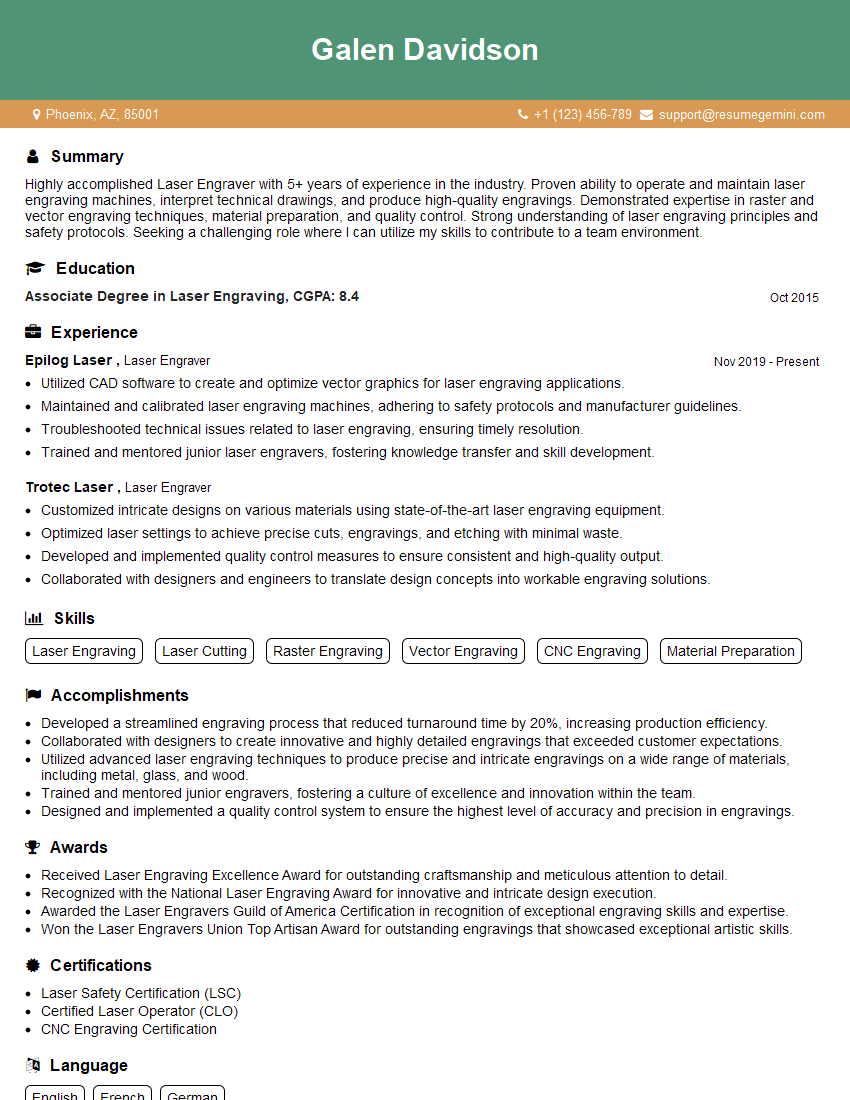
Mastering CAD/CAM for engraving is crucial for career advancement in this specialized field. It opens doors to higher-paying roles with increased responsibilities and opportunities for creative expression. To significantly boost your job prospects, focus on crafting a resume that is both visually appealing and optimized for Applicant Tracking Systems (ATS). ResumeGemini is a trusted resource for building professional, ATS-friendly resumes that truly showcase your skills and experience. Examples of resumes tailored specifically to CAD/CAM for Engraving are available to help you get started. Make your skills shine – invest in your future today!
Explore more articles
Users Rating of Our Blogs
Share Your Experience
We value your feedback! Please rate our content and share your thoughts (optional).
What Readers Say About Our Blog
Very informative content, great job.
good