Interviews are more than just a Q&A session—they’re a chance to prove your worth. This blog dives into essential Certified Kubernetes Administrator (CKA) interview questions and expert tips to help you align your answers with what hiring managers are looking for. Start preparing to shine!
Questions Asked in Certified Kubernetes Administrator (CKA) Interview
Q 1. Explain the different Kubernetes components and their roles.
Kubernetes is composed of several key components working together to orchestrate containerized applications. Think of it like a sophisticated city management system for your containers.
- Nodes: These are the worker machines that run your containers. Imagine them as individual buildings in our city.
- Pods: The smallest deployable units in Kubernetes. A pod contains one or more containers that share resources. Think of a pod as an apartment within a building – several tenants (containers) sharing the same space.
- Deployments: Manage the desired state of your application by ensuring a specific number of pods are always running and automatically handling updates or failures. This acts as the city’s planning department, ensuring enough housing (pods) is always available.
- Services: Expose your pods to the outside world, providing a stable IP address and DNS name even if the underlying pods change. This is like the city’s post office – consistently delivering mail (network requests) even if the houses (pods) move around.
- Namespaces: Provide logical isolation within a single Kubernetes cluster, allowing you to organize resources by team, environment, or application. Imagine different neighborhoods in our city, each with its own distinct function.
- Control Plane: The brain of the operation. It manages and orchestrates all the components within the cluster. It’s like the city hall that governs everything.
- kubelet: Runs on each node and manages the containers within pods. It’s like the building manager, responsible for the individual buildings’ maintenance.
- kube-proxy: Enables service discovery and load balancing within the cluster. It’s like the city’s transportation system, facilitating efficient movement of traffic (network requests).
- etcd: A distributed key-value store that holds the cluster’s state. This is the city’s data center, keeping records of all information.
Understanding these components is crucial for effective Kubernetes administration.
Q 2. Describe the Kubernetes control plane and its functions.
The Kubernetes control plane is the brain of the cluster, responsible for managing and orchestrating all the components. It’s a collection of master nodes that run several key processes:
- kube-apiserver: The central API endpoint for interacting with the cluster. All communication with the Kubernetes cluster goes through this component.
- etcd: A highly available, distributed key-value store that stores all cluster data – the cluster’s ‘brain’ where all configuration and state are kept.
- kube-scheduler: Responsible for scheduling pods to nodes based on various factors, such as resource availability and constraints. Think of it as the city’s housing allocation office.
- kube-controller-manager: Manages the state of the cluster and implements core controllers (e.g., replication controller, deployment controller, endpoint controller) that maintain the desired state of the cluster. Like the city’s maintenance department, ensuring everything functions correctly.
The control plane ensures the high availability and scalability of the cluster by managing and coordinating all the worker nodes and applications. For instance, if a node goes down, the controller manager detects it and reschedules the pods to healthy nodes.
Q 3. How does Kubernetes manage and schedule pods?
Kubernetes manages and schedules pods through a sophisticated process. First, when you create a pod, the kube-scheduler analyzes available resources on each node (CPU, memory, etc.) and evaluates pod requirements (resource requests and limits, node affinities/anti-affinities). It then selects the most suitable node to run the pod.
Pod scheduling considers several factors:
- Resource Availability: The scheduler checks for available resources on each node.
- Node Affinities/Anti-affinities: You can specify that pods should run on specific nodes or avoid running on certain nodes.
- Taints and Tolerations: Taints mark nodes with specific characteristics, while tolerations allow pods to schedule on tainted nodes.
- Pod Priority and Preemption: Pods with higher priority can preempt pods with lower priority to ensure critical workloads are always running.
Once scheduled, the kubelet on the selected node is responsible for creating and managing the container(s) within the pod. The kubelet also monitors the pod’s health and restarts it if necessary.
Imagine it like this: the scheduler is a smart matchmaker, pairing your apartment requests (pods) with available buildings (nodes) based on your preferences and their capabilities.
Q 4. What are Kubernetes namespaces and how are they used?
Kubernetes namespaces provide a way to logically partition the cluster into separate logical units. They are essentially virtual clusters within a single physical cluster. This allows for better resource organization and isolation.
Think of namespaces as different departments within a company. Each department can have its own resources (pods, deployments, services) without interfering with others.
Namespaces are used for:
- Team Isolation: Different teams can work independently within their own namespace.
- Environment Separation: Separate namespaces for development, testing, and production environments.
- Resource Quotas: Set resource limits for each namespace to control resource usage.
- Network Policies: Control network traffic within and between namespaces.
You can create namespaces using the kubectl create namespace command. They offer a critical mechanism for managing and organizing resources in large, complex Kubernetes clusters.
Q 5. Explain Kubernetes services and their different types.
Kubernetes Services provide a stable abstraction over a set of Pods. They provide a stable IP address and DNS name for accessing your application even if the underlying Pods change. They are like a virtual IP address that routes traffic to your application.
Different types of Services exist:
- ClusterIP: The default service type. It creates a service with an internal IP address accessible only within the cluster.
- NodePort: Exposes the service on each Node’s IP at a static port. This allows external access to the service.
- LoadBalancer: Creates a load balancer outside the cluster. This is often used for production deployments.
- ExternalName: Maps the service to an external DNS name.
Choosing the right Service type depends on your needs. For example, a LoadBalancer is suitable for production apps requiring external accessibility, while a ClusterIP might suffice for internal services.
Q 6. How do you manage persistent storage in Kubernetes?
Managing persistent storage in Kubernetes involves using Persistent Volumes (PVs) and Persistent Volume Claims (PVCs). PVs represent a piece of storage, while PVCs are requests for storage. They decouple storage from your applications and ensure that your data persists even if Pods are deleted or rescheduled.
The process works as follows:
- Provisioning PVs: You can provision PVs manually, dynamically using a storage class, or through cloud providers.
- Creating PVCs: Applications request storage by creating a PVC, specifying the required storage capacity and other parameters (e.g., storage class).
- Binding PVs and PVCs: Kubernetes matches PVs and PVCs based on storage class and other criteria.
- Using the Storage: Your application mounts the PV associated with its PVC.
Popular solutions for persistent storage in Kubernetes include cloud storage providers (like AWS EBS, Azure Disk Storage), network file systems (NFS), and local storage.
Example: You might define a storage class for AWS EBS, and then applications request storage through PVCs using that class. Kubernetes will then dynamically provision an EBS volume and bind it to the PVC.
Q 7. Describe the concept of Kubernetes deployments and their lifecycle.
Kubernetes Deployments provide a declarative way to manage the desired state of your application. They define how many replicas of your application should be running and handle updates and rollbacks.
The Deployment lifecycle:
- Creation: You create a Deployment, specifying the desired number of replicas and the pod template.
- Scaling: You can easily scale the number of replicas up or down.
- Rollouts: Deployments manage updates gracefully. New versions of your application are rolled out gradually, minimizing downtime. Strategies include rolling updates, blue/green deployments, canary deployments.
- Rollbacks: If a new version has problems, you can easily roll back to a previous stable version.
- Health Checks: Deployments often use liveness and readiness probes to ensure pods are healthy and ready to serve traffic.
Using Deployments makes managing your application’s lifecycle much easier and less error-prone. They automate many tasks and ensure high availability. Imagine a construction project – the Deployment ensures the right number of buildings (pods) are always running and handles upgrades smoothly.
Q 8. How do you perform rolling updates and rollbacks in Kubernetes?
Rolling updates and rollbacks in Kubernetes are crucial for deploying new versions of your applications with minimal disruption. Think of it like updating your phone’s operating system – you want the new features, but you don’t want your phone to crash in the process! Kubernetes achieves this through Deployment controllers.
Rolling Updates: A rolling update gradually replaces older pods with newer ones, ensuring high availability. Deployment controllers manage this process by creating new pods with the updated image, verifying their health, and then terminating the old pods. This happens one or a few pods at a time based on the `maxSurge` and `maxUnavailable` settings in the deployment’s spec.
Example: Imagine you have a deployment with 3 replicas. A rolling update with maxSurge: 1 and maxUnavailable: 0 would create one new pod. Once that’s healthy, it would then replace one of the old pods. This continues until all pods are updated.
Rollbacks: If a new release introduces issues, you can quickly revert to the previous stable version. The deployment controller keeps track of previous versions, allowing you to rollback with a simple command. This is like hitting the ‘undo’ button for your application deployment.
Example: If the updated pods in the above scenario are unhealthy, a rollback command will return the deployment to its previous stable state with the original image version.
In summary: Rolling updates minimize downtime and facilitate iterative development, while rollbacks are essential for handling issues quickly and safely. Both are managed by the deployment controller, making them a fundamental part of a robust Kubernetes deployment strategy.
Q 9. Explain Kubernetes StatefulSets and their use cases.
Kubernetes StatefulSets are designed to manage applications that require persistent storage and stable, unique network identities across deployments. Unlike deployments, which treat pods as interchangeable, StatefulSets guarantee that each pod retains its identity and storage even if it’s rescheduled to a different node. Think of them as persistent, named instances of your application, like individual database servers.
Use Cases: StatefulSets are ideal for applications needing persistent data, unique network addresses, or ordered scaling. Common examples include:
- Databases: Each database pod needs its own unique storage and network address to function correctly. StatefulSets ensure this consistency.
- Stateful Applications: Applications that rely on persistent data, like message queues or distributed caches, are well-suited for StatefulSets.
- Clustered Services: Applications that need stable network identities, like ZooKeeper or etcd, benefit from the ordered deployment and stable identity provided by StatefulSets.
Key features: StatefulSets provide persistent volumes (PVs), stable network identities (using Headless services), and ordered scaling. They maintain a stable, ordered identity for your pods, ensuring data persistence and consistent networking throughout their lifecycle.
Q 10. How do you manage secrets in Kubernetes securely?
Securing secrets in Kubernetes is critical. You wouldn’t leave your house keys lying around, and similarly, you shouldn’t expose your API keys, database passwords, or other sensitive information directly within your Kubernetes deployments. Kubernetes offers several ways to manage secrets securely:
- Secrets API: This is the built-in Kubernetes mechanism for storing sensitive data. Secrets are base64-encoded and stored securely within the Kubernetes cluster. Applications can access these secrets using the Kubernetes API. However, it’s essential to mount secrets responsibly and use appropriate security contexts for pod access.
- External Secret Management Tools: For increased security and more sophisticated features, consider using external secret management tools like HashiCorp Vault, AWS Secrets Manager, or Google Cloud Secret Manager. These tools provide centralized management, encryption at rest and in transit, and robust access control.
- Best Practices: Avoid hardcoding secrets into your application code. Regularly rotate your secrets and use least privilege access controls to limit the number of applications and users who can access your secrets.
Example using Secrets API: You create a secret containing your database credentials and mount it as a volume in your application’s pod. The application can then access the credentials from the mounted volume. Remember that the pods need appropriate permissions to access the mounted secret.
In summary: Never expose secrets directly. Always use secure secret management mechanisms and follow security best practices to protect your sensitive data within your Kubernetes cluster.
Q 11. What are Kubernetes DaemonSets and when are they useful?
Kubernetes DaemonSets ensure that a specific pod is running on every node in your cluster. Think of them like system services – they need to be present on every machine. Unlike other controllers that manage multiple replicas, a DaemonSet only ensures one pod per node.
Use Cases: DaemonSets are perfect for tasks that need to run on every node, such as:
- Logging agents: Collecting logs from every node.
- Monitoring agents: Monitoring the health and performance of each node.
- Network plugins: Setting up network configurations on each node.
- Node-level security tools: Enhancing the security posture of each node.
Key Feature: A DaemonSet ensures that a pod is running on every node, even if nodes join or leave the cluster. It automatically handles the creation and deletion of pods to maintain this consistency. The DaemonSet ensures availability even in case of node failures.
Q 12. Describe Kubernetes ReplicaSets and their purpose.
ReplicaSets are controllers that maintain a specified number of pod replicas. They ensure that a set number of identical pods are always running. If a pod fails, the ReplicaSet automatically creates a new one to maintain the desired replica count. Think of it as a simple way to achieve high availability for your application by replicating the pods.
Purpose: The main purpose is to ensure high availability and scalability. It achieves this by constantly monitoring the running pods and creating new ones to replace any that fail or are deleted. This makes your application resilient and helps it handle failures gracefully.
Relationship to Deployments: Deployments are built on top of ReplicaSets and provide additional features, like rolling updates and rollbacks. ReplicaSets provide the core functionality of ensuring the desired number of pods remain active.
Example: You might define a ReplicaSet with three replicas for your web application. If one pod goes down, the ReplicaSet creates a new one to keep the total number at three.
Q 13. How do you troubleshoot common Kubernetes issues?
Troubleshooting Kubernetes issues involves a systematic approach. It’s like detective work, piecing together clues to find the root cause.
Step-by-step approach:
- Check the Kubernetes Events: Use
kubectl describe podandkubectl get events --namespaceto look for errors or warnings. These events often provide valuable clues about what went wrong. - Examine the Pod Logs: Use
kubectl logsto inspect the application logs running within the pod. These logs frequently reveal issues within the application itself. - Inspect the Pod Status: Check the pod status (
kubectl get pods) to see if the pod is running, pending, or terminated. The reason for the status might provide insight into the problem. - Verify Node Health: Ensure that the nodes in your cluster are healthy using
kubectl get nodes. Node issues can impact pod scheduling and functionality. - Use kubectl describe: The `kubectl describe` command is your friend; use it to get detailed information about deployments, services, nodes, or any other Kubernetes resource that might be relevant to the problem.
- Check Resource Limits: Are your pods running out of CPU or memory? Check resource usage and limits using
kubectl top podsand adjust them accordingly. - Network Connectivity: Ensure that your pods can communicate with each other and with external services. Check network policies and namespaces.
Tools: Utilize tools like Grafana, Prometheus, and other monitoring and logging solutions for more comprehensive insights into your cluster’s health and performance.
Example: If a pod is in a ‘CrashLoopBackOff’ state, the logs will usually tell you why the container keeps crashing and provide clues about how to fix the application code or its configuration.
Q 14. Explain the concept of Kubernetes nodes and their roles.
Kubernetes nodes are the worker machines in your cluster that run your pods (containers). They are the physical or virtual machines where your applications actually live. Each node plays a specific role in the cluster’s operation.
Node Roles:
- Control Plane Node(s): These nodes run the core Kubernetes control plane components, like the kube-apiserver, kube-controller-manager, kube-scheduler, and etcd. They are responsible for managing the cluster’s overall state and resources. You typically want redundancy (multiple control-plane nodes) for high availability.
- Worker Nodes: These nodes run the kubelet, which communicates with the Kubernetes control plane. They are responsible for running the containers of your application pods. These are the most common type of node and typically scaled based on your application needs.
Key Differences: Control plane nodes manage the cluster, while worker nodes run your applications. Control plane nodes should be highly available, and worker nodes should be scaled to handle application load.
Analogy: Imagine a factory. Control plane nodes are like the management team overseeing operations, while worker nodes are like the assembly lines that produce your goods (applications).
Q 15. How do you monitor and log Kubernetes resources?
Monitoring and logging in Kubernetes is crucial for maintaining the health and stability of your cluster. It involves collecting metrics, events, and logs from various Kubernetes components and your applications to gain insights into their performance and identify potential issues.
Several approaches exist:
- Metrics: Tools like Prometheus and Grafana are commonly used. Prometheus scrapes metrics exposed by Kubernetes components (like the kubelet, kube-proxy, and etcd) and custom applications. Grafana then provides dashboards for visualizing this data, allowing you to monitor CPU usage, memory consumption, pod status, and more.
- Events: Kubernetes itself generates events related to pod creation, termination, and other state changes. These events are accessible via the
kubectl get eventscommand and can be integrated with monitoring systems for alerting. - Logs: Container logs are typically streamed to standard output and error. These logs are collected and aggregated using solutions such as the Elastic Stack (Elasticsearch, Logstash, Kibana), Fluentd, or the Kubernetes Logging stack (using a fluentd daemonset, for example). These systems enable you to search, filter, and analyze container logs across your entire cluster, making debugging much easier.
- Centralized Logging: A robust approach involves using a centralized logging system. This allows you to collect logs from various sources, apply consistent logging policies, and gain a holistic view of your cluster’s health.
Example: Using kubectl logs retrieves logs for a specific pod. Integrating with a centralized logging solution adds capabilities such as log analysis and alerting based on specific criteria.
Career Expert Tips:
- Ace those interviews! Prepare effectively by reviewing the Top 50 Most Common Interview Questions on ResumeGemini.
- Navigate your job search with confidence! Explore a wide range of Career Tips on ResumeGemini. Learn about common challenges and recommendations to overcome them.
- Craft the perfect resume! Master the Art of Resume Writing with ResumeGemini’s guide. Showcase your unique qualifications and achievements effectively.
- Don’t miss out on holiday savings! Build your dream resume with ResumeGemini’s ATS optimized templates.
Q 16. What are Kubernetes Jobs and CronJobs?
Kubernetes Jobs and CronJobs are used for running finite tasks or scheduled tasks, respectively.
- Jobs: A Job creates one or more Pods and ensures that a specified number of them successfully complete. Once all pods reach a successful state, the Job completes. Jobs are ideal for batch processing tasks, such as image processing or data analysis. Imagine needing to process 100 images: a Job ensures all 100 are processed even if some processing pods fail, automatically restarting them until the target number succeeds. The Job controller tracks these pods and their success/failure.
- CronJobs: CronJobs are designed for scheduled execution. They run Jobs at specific intervals based on a cron expression, similar to the Unix cron utility. CronJobs are perfect for tasks that need to run periodically, such as generating daily reports or running backups.
Example: A CronJob could be set up to run a Job daily at midnight to back up your database. If the backup fails, the CronJob will reschedule the Job until it succeeds (depending on its configuration).
Key Difference: Jobs run once, while CronJobs run repeatedly according to a schedule. Both ensure a specified number of successful executions.
Q 17. Explain the difference between Pods, Deployments, and ReplicaSets.
Pods, Deployments, and ReplicaSets are all core Kubernetes concepts, but they operate at different levels of abstraction:
- Pods: The smallest and most fundamental deployable units in Kubernetes. A Pod represents a single instance of a running container (or multiple containers with shared resources). Think of a Pod as a single apartment within a building.
- ReplicaSets: Manage the desired number of Pods running for a given application. It ensures that a specific number of Pods are always running, automatically replacing any failed or terminated Pods. Consider a ReplicaSet as the building manager, responsible for maintaining a set occupancy of apartments.
- Deployments: Manage the update and rollout of ReplicaSets. They provide declarative configurations, allowing you to specify the desired state of your application, such as the number of replicas and the desired version. Deployments handle the process of updating your application with minimal downtime using strategies like rolling updates and blue/green deployments. Think of a Deployment as the real estate developer: they plan and execute the upgrades and expansions of the building.
Relationship: A Deployment manages a ReplicaSet, which in turn manages Pods. Deployments provide higher-level management capabilities such as rollouts and rollbacks, while ReplicaSets handle the underlying pod management.
Q 18. Describe how to configure network policies in Kubernetes.
Network Policies in Kubernetes control the communication between Pods within a cluster. They act as a firewall, allowing you to define rules that specify which Pods can communicate with each other based on various criteria such as namespaces, labels, and ports. This enhances the security and isolation of your applications.
Configuration: Network Policies are defined using YAML files and applied to namespaces or individual Pods using kubectl apply -f . A policy typically includes:
- Namespace Selector: Specifies which namespaces the policy applies to.
- Pod Selector: Specifies which Pods within the namespace are affected by the policy.
- Ingress Rules: Defines which traffic is allowed into the selected Pods.
- Egress Rules: Defines which traffic is allowed out of the selected Pods.
Example: A simple policy might allow all traffic within a specific namespace, while another policy might only allow traffic on port 80 between two sets of Pods with specific labels.
Implementation: Kubernetes relies on a network plugin (like Calico or Cilium) to enforce these policies at the network level. These plugins integrate with the Kubernetes API to intercept and filter network traffic based on the defined rules. Proper network policy design is crucial for security and isolation. Overly restrictive policies can hinder application functionality, while inadequately defined policies leave your cluster vulnerable.
Q 19. How do you handle resource limits and requests in Kubernetes?
Resource limits and requests in Kubernetes control the amount of CPU and memory allocated to containers. This is crucial for ensuring the stability and performance of your applications and prevents resource starvation.
- Requests: Specify the minimum amount of resources a container needs to function correctly. The Kubernetes scheduler uses this information to make informed decisions about where to place the Pod. Insufficient request specifications can negatively impact performance.
- Limits: Define the maximum amount of resources a container can consume. This prevents a single container from monopolizing cluster resources and impacting other applications. Exceeding limits might lead to throttling or container termination.
Configuration: Both requests and limits are specified in the Pod’s resource specifications using a YAML file. For example:
apiVersion: v1 kind: Pod spec: containers: - name: my-app image: my-image resources: requests: cpu: 100m memory: 256Mi limits: cpu: 200m memory: 512Mi Here, the container my-app requests 100 millicores of CPU and 256 MiB of memory, and it can use up to 200 millicores and 512 MiB.
Importance: Setting appropriate resource limits and requests is vital for cluster resource management. Overly generous limits waste resources, while overly restrictive limits can lead to performance problems. It’s essential to monitor resource usage and adjust limits and requests based on observed performance and resource utilization to optimize cluster resource allocation.
Q 20. What are Kubernetes admission controllers and how do they work?
Kubernetes Admission Controllers are plugins that intercept requests to the Kubernetes API server before they are processed. They act as gatekeepers, allowing you to enforce policies and modify requests before they’re applied to the cluster. They are crucial for security, validation, and enforcing various policies throughout the cluster.
Functionality: Admission controllers can:
- Validate requests: Check if a request meets specific criteria, rejecting invalid requests.
- Mutate requests: Modify requests before they are processed, adding or changing aspects of the object such as labels or annotations.
- Enforce policies: Enforce security policies, resource quotas, or other operational rules.
Examples:
- ResourceQuota: Prevents users from exceeding a defined resource limit (CPU, memory).
- NamespaceLifecycle: Manages the lifecycle of namespaces, performing operations like automatic deletion.
- ValidatingWebhook: Performs custom validation by calling an external service. This allows for sophisticated external policy enforcement.
Mechanism: The API server calls the admission controller for each request. Based on the request and configured policies, the controller decides whether to allow, reject, or modify the request. The ability to modify the requests offers great flexibility, enabling automatic modifications to enhance security or streamline operations.
Q 21. Explain the concept of Kubernetes RBAC (Role-Based Access Control).
Kubernetes Role-Based Access Control (RBAC) is a mechanism for controlling access to Kubernetes resources. It allows you to define roles and assign them to users, groups, or service accounts, granularly specifying what actions they can perform. This enhances the security of your cluster by limiting access to only necessary resources and actions.
Key Components:
- Roles: Define a set of permissions on a specific set of resources. For example, a role might allow reading pods in a particular namespace.
- ClusterRoles: Similar to Roles but apply cluster-wide.
- RoleBindings: Bind Roles to users, groups, or service accounts. They specify who can perform the actions defined in a role.
- ClusterRoleBindings: Bind ClusterRoles to users, groups, or service accounts.
- Service Accounts: Special accounts used by Pods to access cluster resources. They should be granted only the minimum necessary permissions.
Example: You might create a role allowing read-only access to pods and services in a ‘production’ namespace and bind it to a specific development team. Another role could allow a database administrator to create and manage persistent volumes.
Importance: RBAC is crucial for securing Kubernetes clusters, ensuring that only authorized users and processes have access to specific resources. Implementing RBAC with the principle of least privilege – granting only the minimum necessary permissions – helps prevent unauthorized access and protects sensitive information.
Q 22. How do you troubleshoot networking problems in a Kubernetes cluster?
Troubleshooting network issues in Kubernetes involves a systematic approach, starting with identifying the scope of the problem – is it affecting a single pod, a namespace, or the entire cluster? Tools like kubectl describe pod and kubectl get events are your first line of defense. These commands provide detailed information about pod status, events, and the reasons for failures.
Next, check the Kubernetes networking components. For example, if using Calico, examine Calico’s status using kubectl get pods -n kube-system -l app=calico-node. Look for errors or warnings. Similarly, for Cilium, examine its status using the appropriate Cilium commands. Analyzing the cluster’s network policies (using kubectl get networkpolicies) is crucial to identify potential restrictions blocking traffic.
Inspect the node’s network configuration. Are there any firewall rules preventing communication? Are the kubelet services running correctly? Use standard network diagnostic tools like ping, traceroute, and tcpdump (or its equivalents) to verify connectivity between nodes and pods. Remember to check the network configuration of the underlying infrastructure (cloud provider, VMs, etc.) as well, since issues can originate outside the Kubernetes cluster itself.
Finally, consider logging and monitoring tools. Tools like Prometheus and Grafana can offer valuable insights into network performance and potential bottlenecks. They can pinpoint slow connections or high latency, helping you zero in on the root cause. Remember, systematic examination, starting with the most specific details and working outward to the infrastructure, is key to effective troubleshooting.
Q 23. How do you upgrade the Kubernetes cluster?
Upgrading a Kubernetes cluster is a critical operation that requires careful planning and execution to minimize downtime and ensure data integrity. The process generally involves rolling updates, which means updating one node or control plane component at a time. This minimizes risk and allows for quick rollback if needed.
Before initiating an upgrade, always back up your cluster state. This is crucial for restoring to a previous working state in case of unforeseen issues. You should also perform thorough testing in a staging environment to identify and resolve potential compatibility problems with your applications and cluster addons before upgrading your production environment.
The specific steps involved vary based on your Kubernetes distribution (e.g., Kubeadm, Rancher, GKE, AKS). For instance, with Kubeadm, you’d typically use commands like kubeadm upgrade apply v to upgrade the control plane and then kubectl rollout restart deployment kube-proxy -n kube-system to restart the kube-proxy on all worker nodes. However, always refer to the official documentation of your distribution for precise, version-specific instructions. A phased rollout approach, validating each step, is crucial to avoid widespread service disruptions.
During the upgrade process, monitoring tools are invaluable to observe the status of nodes and applications. A gradual rollout allows for detecting and resolving problems early on, minimizing downtime. After the upgrade, verify the functionality of your applications and ensure all components are operating correctly. Regular upgrades are vital for security and leveraging the latest Kubernetes features and performance improvements.
Q 24. Describe how to use kubectl to manage Kubernetes resources.
kubectl is the command-line tool for managing Kubernetes resources. Its versatility extends from creating and deleting resources to inspecting their status and performing actions like scaling and rolling updates. Think of kubectl as the primary interface for interacting with your Kubernetes cluster.
The core commands you’ll frequently use include:
kubectl get: Retrieves a list of resources (pods, deployments, services, etc.). For example,kubectl get podslists all pods.kubectl describe: Shows detailed information about a specific resource. For example,kubectl describe pod my-poddisplays extensive details about podmy-pod.kubectl create -f: Creates a resource from a YAML file. This is the standard way to define and deploy applications and other resources.kubectl apply -f: Applies configuration from a YAML file. This command is used for creating, updating, or patching resources. It’s more common thancreatefor managing evolving configurations.kubectl delete -f: Deletes resources defined in the YAML file.kubectl logs: Displays logs from a specific pod, essential for debugging application issues.kubectl exec -it: Executes a command inside a running pod, allowing for interactive debugging and troubleshooting.-- bash
kubectl uses YAML files to define resources. Understanding YAML syntax is crucial for working with Kubernetes. These files specify resource attributes such as labels, selectors, and environment variables.
Q 25. Explain different methods for deploying applications to Kubernetes.
Deploying applications to Kubernetes involves several approaches, each suited for different needs and complexities. The choice depends on factors like application scale, update strategy, and desired level of automation.
- Deployments: The most common method, offering declarative specifications for desired application state (number of replicas, updates, rollbacks). They manage the lifecycle of application pods, ensuring a certain number of healthy instances are always running.
- StatefulSets: Ideal for applications requiring persistent storage and unique identities for each pod (like databases). They manage persistent volumes and ensure data consistency across pod restarts.
- DaemonSets: Run a single instance of a pod on every node in the cluster, useful for system-level daemons or agents.
- Jobs: For one-off tasks or batch processing. Pods created by a Job terminate after completion.
- CronJobs: Schedule jobs to run periodically, useful for scheduled backups or data processing tasks.
- Helm: A package manager for Kubernetes, simplifying deployment and management of complex applications. Helm charts package application configurations, dependencies, and deployment logic into manageable units.
Choosing the right deployment method depends on your application’s characteristics. For instance, a simple web application would likely use Deployments, while a stateful database would need a StatefulSet. Helm is incredibly useful for larger and more complex deployments, managing dependencies and configurations effectively.
Q 26. What are different strategies for managing Kubernetes configurations?
Managing Kubernetes configurations effectively is vital for maintaining consistency, automating deployments, and ensuring scalability. There are several key strategies:
- YAML configuration files: The basic approach, defining resources directly in YAML files. While suitable for small deployments, it becomes unwieldy for larger clusters. Version control (e.g., Git) is essential for tracking changes.
- ConfigMaps and Secrets: Manage sensitive data (passwords, API keys) and non-sensitive configuration data separately from application code, enhancing security and maintainability. These objects are mounted as environment variables or files within pods.
- Helm Charts: A powerful way to package and manage application configurations, including dependencies and deployment logic. Helm charts offer templating capabilities, making it easy to customize configurations for different environments.
- Operator Pattern: For advanced configurations, operators provide custom controllers that manage the lifecycle of specific applications or infrastructure components (e.g., databases). They automate complex tasks and offer higher-level abstractions.
- GitOps: A powerful operational model for managing Kubernetes configurations using Git as the single source of truth. Changes are applied through Git commits, providing version history, collaboration, and automated deployments using tools like Argo CD or Flux.
The best strategy depends on the complexity of your deployments and your team’s expertise. For simple deployments, YAML files might suffice, while large and complex applications benefit from Helm charts and the GitOps approach. Operators are valuable for managing complex stateful applications.
Q 27. How do you scale applications running in Kubernetes?
Scaling applications in Kubernetes involves adjusting the number of replicas of a Deployment, StatefulSet, or other resource. This ensures sufficient resources to handle current demand while maintaining high availability.
The simplest approach is to modify the replica count directly in the YAML file using kubectl set scale deployment . This command updates the desired state; Kubernetes will then automatically manage the creation or deletion of pods to reach the new target.
For more advanced scaling, consider:
- Horizontal Pod Autoscaler (HPA): Automatically scales the number of pods based on metrics such as CPU utilization or custom metrics. This ensures that the application scales dynamically according to its needs.
- Vertical Pod Autoscaler (VPA): Automatically adjusts the resource requests and limits of pods based on their usage, optimizing resource allocation without manual intervention.
HPAs and VPAs provide automated scaling mechanisms that respond to changes in demand, preventing manual intervention and ensuring optimal resource utilization. Monitoring tools allow you to observe the effects of scaling and adjust configurations as needed.
Q 28. How do you ensure high availability and fault tolerance in a Kubernetes environment?
Ensuring high availability and fault tolerance in a Kubernetes environment is essential for application resilience. Several key strategies contribute to this:
- Multiple nodes and availability zones: Distribute pods across multiple nodes in different availability zones or regions to prevent single points of failure. If one node or zone fails, the application continues to run on other nodes.
- Replication and redundancy: Run multiple replicas of your application pods. If one pod fails, other replicas automatically take over, ensuring continuous service.
- Pod anti-affinity scheduling: Prevents pods from being scheduled on the same node, reducing the impact of a single node failure. This is defined through pod affinity and anti-affinity rules.
- Liveness and readiness probes: Monitor the health of your applications. Liveness probes check if a container is still alive and should be restarted if unhealthy. Readiness probes ensure that the container is ready to receive requests. These probes allow Kubernetes to automatically restart unhealthy pods and remove unhealthy pods from the service.
- Service discovery and load balancing: Kubernetes services ensure that traffic is distributed across healthy pods, automatically directing traffic to the available replicas.
- Persistent volumes and backups: For stateful applications, use persistent volumes to store data separately from pods. Regular backups prevent data loss due to pod or node failures.
These combined strategies create a robust and resilient Kubernetes environment that can withstand hardware failures, network issues, and other disruptions. Regular monitoring and proactive maintenance are also vital for ensuring high availability.
Key Topics to Learn for Certified Kubernetes Administrator (CKA) Interview
Conquering your Certified Kubernetes Administrator (CKA) interview requires a deep understanding of both theory and practice. Focus your preparation on these key areas:
- Kubernetes Fundamentals: Master core concepts like pods, deployments, services, namespaces, and controllers. Understand their interactions and lifecycle management.
- Networking and Security: Explore Kubernetes networking models (CNI plugins), service discovery, ingress controllers, and security best practices (RBAC, network policies). Be prepared to discuss practical scenarios involving network connectivity and security configurations.
- Storage: Understand different persistent volume (PV) and persistent volume claim (PVC) types, and how to provision and manage persistent storage for your applications. Be ready to troubleshoot storage-related issues.
- Scheduling and Resource Management: Grasp concepts like resource quotas, limits, and requests. Understand how Kubernetes schedules pods and manages resources across nodes. Prepare to explain strategies for optimizing resource utilization.
- Monitoring and Logging: Learn how to monitor the health and performance of your Kubernetes cluster using tools like Prometheus and Grafana. Understand effective logging strategies for troubleshooting and debugging.
- Troubleshooting and Problem Solving: Practice diagnosing common Kubernetes issues. Be prepared to discuss your approach to troubleshooting, focusing on systematic investigation and utilizing Kubernetes tools effectively.
- Advanced Concepts: Explore topics like StatefulSets, DaemonSets, Jobs, CronJobs, and operators, depending on your experience level. Understanding these advanced concepts demonstrates a deeper understanding of Kubernetes capabilities.
Next Steps
Earning your Certified Kubernetes Administrator (CKA) certification significantly boosts your career prospects, opening doors to high-demand roles with excellent compensation. To maximize your chances of landing your dream job, a well-crafted resume is crucial. An ATS-friendly resume, optimized to highlight your skills and experience, is essential for getting past Applicant Tracking Systems and into the hands of recruiters.
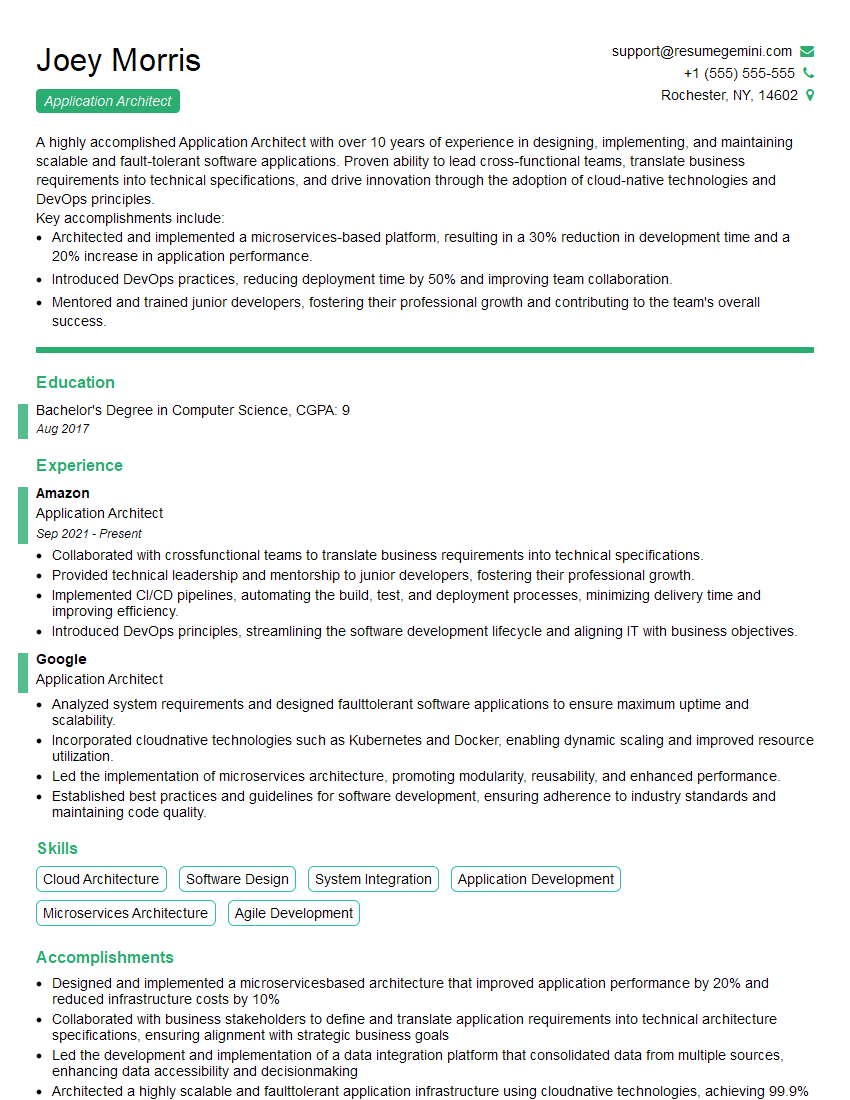
We highly recommend using ResumeGemini to build a professional and effective resume. ResumeGemini provides the tools and resources to create a compelling narrative that showcases your CKA expertise. Examples of resumes tailored specifically to Certified Kubernetes Administrator (CKA) candidates are available to help you get started.







Explore more articles
Users Rating of Our Blogs
Share Your Experience
We value your feedback! Please rate our content and share your thoughts (optional).
What Readers Say About Our Blog
Very informative content, great job.
good