Feeling uncertain about what to expect in your upcoming interview? We’ve got you covered! This blog highlights the most important Clay and Digital Sculpting interview questions and provides actionable advice to help you stand out as the ideal candidate. Let’s pave the way for your success.
Questions Asked in Clay and Digital Sculpting Interview
Q 1. Describe your workflow for creating a high-poly digital sculpt from a concept sketch.
My workflow for creating a high-poly digital sculpt from a concept sketch begins with thorough understanding of the concept. I start by analyzing the sketch, identifying key shapes, proportions, and details. Then, I import the sketch into my preferred 3D software (usually ZBrush) as a reference image. I begin blocking out the main forms using simple primitives like spheres, cubes, and cylinders, progressively refining the shape using various sculpting tools. This ‘blocking’ stage focuses on establishing the overall anatomy and pose. Once the basic form is established, I move into detail sculpting, focusing on surface features like wrinkles, muscles, and textures. I constantly refer back to the sketch for accuracy. This iterative process involves sculpting, zooming in on details, and constantly refining until the final high-poly model matches my vision and the original concept art. I often use masking and subdivisions to control detail and maintain performance.
For example, if I’m sculpting a character, I would first block out the head, torso, and limbs, then refine each part individually. I might start with simple shapes to represent the skull and then add the facial features gradually.
Q 2. What software are you proficient in for digital sculpting? List at least 3.
I’m proficient in several digital sculpting software packages. My top three are:
- ZBrush: This is my go-to software, known for its powerful sculpting tools and dynamic brush system. It’s excellent for high-poly modeling and detailed texturing.
- Blender: A free and open-source option, Blender’s sculpting capabilities are increasingly sophisticated. I appreciate its versatility, which extends to animation, rendering, and compositing.
- Mudbox: Mudbox offers a strong workflow, integrating well with other Autodesk products. Its interface is intuitive for many users and is highly regarded for its painting and texturing features alongside sculpting.
Q 3. Explain the difference between retopology and sculpting.
Sculpting and retopology are distinct yet complementary processes in 3D modeling. Sculpting is the process of creating a 3D model by adding and removing virtual clay, directly manipulating the surface geometry. Think of it like working with real clay—you can push, pull, and mold the material as you see fit. Sculpting often results in a high-poly mesh, which is detailed but can be cumbersome for game development or animation.
Retopology, on the other hand, is the process of creating a new, clean, low-poly mesh over an existing high-poly sculpt. It’s like taking a sculpted clay model and creating a simplified wireframe representation to improve performance. The retopologized mesh preserves the original form and detail, but with significantly fewer polygons. This is crucial for optimizing models for real-time applications where performance is critical.
Imagine sculpting a detailed human head. The sculpt might have millions of polygons. Retopology would create a new, simpler mesh with only a few thousand polygons, but which still looks realistic.
Q 4. How do you approach sculpting organic forms versus hard-surface models?
Sculpting organic and hard-surface models requires different approaches. Organic forms, like characters or creatures, require a more intuitive and fluid sculpting style. I focus on understanding underlying anatomy, muscle structure, and flow of forms. Using dynamic brushes and focusing on subtle variations in surface detail is key here. I often use reference images of anatomy and real-world examples for accuracy.
Hard-surface modeling, such as vehicles or machinery, involves a more precise and geometric approach. I rely heavily on the use of edge loops, precise symmetry, and Boolean operations to create clean, sharp edges and well-defined shapes. Maintaining straight lines and consistent proportions is vital. I often employ a combination of sculpting and traditional polygon modeling techniques for hard-surface models.
Q 5. Describe your process for creating realistic skin texture in a digital sculpt.
Creating realistic skin texture in a digital sculpt is a multi-step process. I begin by sculpting the underlying musculature and fat distribution to provide a solid base. Then, I utilize displacement maps and normal maps to add fine details like pores, wrinkles, and blemishes. These maps are often created from high-resolution scans or photographic references. I incorporate various sculpting brushes in ZBrush to add subtle variations and imperfections to the surface, avoiding uniformity. In addition, I might utilize layering techniques, painting in details using layered textures or using different brushes with varied strengths.
Furthermore, I use ZBrush’s texturing capabilities to add subsurface scattering effects, which simulate how light interacts with the skin’s subsurface layers, creating a more realistic look. This often involves carefully adjusting color and transparency settings in the material properties. Finally, I utilize polypaint or other texturing methods for final color and detail refinements.
Q 6. What techniques do you use to maintain a low polygon count while preserving detail?
Maintaining a low polygon count while preserving detail involves a strategic approach to both sculpting and retopology. During sculpting, I avoid unnecessary detail in areas that won’t be easily visible. I focus on strategically placing detail where it will have the greatest impact. Techniques like using displacement and normal maps to add micro-details are highly effective. These maps allow me to pack high-frequency information into a low-poly model.
Retopology plays a crucial role. I use optimized topology—a clean and efficient mesh structure—that distributes polygons effectively. This means avoiding unnecessary triangles or N-gons and focusing on quad polygons for smoother results. During this process, I ensure details from the high-poly sculpt are faithfully represented by the lower polygon count. Careful consideration of edge flow and how it impacts smoothness and shading is critical.
Q 7. How do you handle sculpting anatomy, specifically muscles and bone structure?
Sculpting anatomy accurately requires a strong understanding of human or animal anatomy. I start by studying anatomical references—books, photographs, and even 3D scans—to grasp the underlying bone structure and muscle groups. I then block out the basic forms, paying close attention to proportions and relationships between bones and muscles. I then progressively add details, building layer upon layer. It’s an iterative process, constantly referencing anatomical diagrams to ensure accuracy.
For example, when sculpting a bicep, I first define the underlying humerus bone and then add the different muscle heads, paying attention to their origin and insertion points. I use subtle changes in form and surface detail to suggest the underlying muscle structure without being overly detailed. I rely heavily on anatomical references to avoid inaccuracies and make my work look credible and lifelike.
Q 8. Explain your experience with different sculpting brushes and their uses.
My experience with sculpting brushes, both in clay and digitally, is extensive. Understanding the nuances of each brush is crucial for achieving different effects. In clay, I’ve mastered the use of various tools – from simple wooden rib tools for smoothing and shaping large forms, to loop tools for precise detail work and various sized needles for adding texture. Each tool imparts a unique quality; the rib tool creates broad, sweeping strokes, while the needle is ideal for creating fine lines and hair-like details. Digitally, this translates to the vast array of brushes found in software like ZBrush or Blender. I frequently utilize:
Clay Buildups: These brushes, mimicking the addition of clay, are essential for adding volume and shaping.
Smooth Brushes: These are crucial for refining the sculpt and removing unwanted details. I often use them after a major form change to even out the surface.
Standard Brushes: These are my workhorses, offering control over the addition and subtraction of material. Their strength and size influence the level of detail.
Specialized Brushes: For example, I use alpha brushes for adding textures like skin pores, scales, or fabric wrinkles. These textures are applied to the sculpt through brush settings using custom or built-in alphas (images used as stamps).
Inflat Brushes: For quick volume changes, especially during the blocking stage. They push vertices out to expand volumes efficiently.
Choosing the right brush depends entirely on the stage of sculpting and the desired effect. For instance, I’d use a large clay buildup brush during the initial blocking stage to establish the overall form, then switch to smaller, more precise brushes for details like facial features or intricate textures.
Q 9. How do you utilize reference images effectively during the sculpting process?
Reference images are indispensable. I approach them strategically. First, I gather a wide range of high-quality images showing different angles and lighting conditions of my subject. This ensures I capture the essence of the form and avoid relying on a single perspective, which can lead to inaccuracies. I often project images onto my digital sculpt to maintain accurate proportions and details, continually adjusting and comparing my work against the reference.
During the blocking stage, I focus on overall form and silhouette, referencing images that clearly show the subject’s basic shapes and proportions. As I progress to more refined stages, I incorporate references emphasizing surface details, textures, and subtle anatomical features. For example, when sculpting a portrait, I would compare my work against references that show the subtle planes of the face, the way light interacts with skin, and the specific characteristics of the subject’s eyes, nose, and mouth. It’s an iterative process of constant comparison and refinement.
Q 10. Describe your approach to resolving common sculpting problems like topology issues.
Topology issues are common, particularly in digital sculpting. Poor topology leads to issues with animation and 3D printing. I address them proactively, not reactively. I try to plan my workflow meticulously from the outset. A well-planned base mesh (the initial mesh on which sculpting occurs) helps prevent many topology problems. For example, for an organic character, starting with a good base mesh with clean edge loops in key areas like joints prevents polygon stretching later on.
If topology problems do arise, I use a variety of methods to resolve them:
Remeshing: This replaces the existing mesh with a new one optimized for improved topology.
ZRemesher (in ZBrush): This tool is very efficient for generating a clean, evenly distributed mesh.
Manual Topology Fixing: This is sometimes necessary to fix smaller, isolated problems by using tools to insert, delete, or move edges.
Decimation Master (in ZBrush): Helps reduce polygon count while maintaining the sculpt’s form. This is useful before export to maintain file size and optimization for other software.
By employing these techniques, I ensure my sculpts are clean and efficient, ready for animation or any downstream processes.
Q 11. What are your preferred methods for creating believable hair or fur in your sculpts?
Creating believable hair or fur is challenging but rewarding. My approach usually involves a combination of techniques. I rarely sculpt individual strands; instead, I rely on:
FiberMesh (in ZBrush): This tool allows for the quick generation of realistic hair and fur. I control factors like length, density, and overall shape using parameters.
Grooming Software: Once FiberMesh generates the base hair or fur, I might import it into dedicated grooming software like XGen (Maya) or Yeti (Houdini) for more advanced styling, shaping and simulation. This level of control ensures dynamic movement and realism.
Particle Systems: Using a particle system in a 3D package, I can simulate hair and fur growth, adding complexity and natural variation.
The key to success is understanding how hair and fur behave in terms of physics. Paying attention to clumping, directionality, and the underlying form is vital for creating natural-looking results.
Q 12. How do you ensure consistency in the scale and proportions of your sculpts?
Maintaining consistent scale and proportions is paramount. I use several methods:
Initial Reference Study: Careful analysis of my references, often including sketches and measurements, helps establish correct proportions from the outset. Using anatomical guides (human skeleton or animal skeletons) can be extremely valuable in maintaining proportions.
Scale Tools: Digital sculpting software provides tools for accurately measuring and scaling portions of the sculpt. I use these frequently to compare different parts and ensure they align with the overall intended size and proportions. Measuring tools in the software are extremely valuable.
Projection Master (in ZBrush): This tool allows me to project a smaller model onto a larger scale model or to adjust the scale in an effective and efficient way.
Subdivision Levels: In digital sculpting, working at different subdivision levels allows for adjustments to large forms at lower levels, and finer details at higher levels, enabling a structured approach to scaling.
Regular checks against references are crucial, ensuring that the model maintains the correct scale and proportions throughout the sculpting process.
Q 13. How familiar are you with different digital sculpting software’s tools?
I’m proficient in multiple digital sculpting software packages. My primary software is ZBrush, which I use extensively for its powerful sculpting tools, incredible brush customization, and FiberMesh capabilities. I’m also comfortable using Blender, renowned for its open-source nature, versatile tools, and strong modeling capabilities. I’ve experimented with other programs, including Mudbox and Sculptris, understanding their strengths and limitations. Each software has its unique workflow, and understanding these differences allows me to choose the right tool for the job. My skill encompasses not just the base sculpting tools, but also the secondary tools needed for efficient workflow—like retopology, UV unwrapping, and texturing capabilities.
Q 14. Have you worked with traditional clay sculpting? If so, how has it informed your digital work?
Yes, traditional clay sculpting has been instrumental in shaping my digital skills. The tactile experience of working with clay instilled a deep understanding of form, volume, and anatomy. The process of adding and subtracting material, feeling the weight and texture of the clay, significantly impacts my digital workflow. Understanding the limitations of clay translates to efficient problem-solving in digital environments. For example, the understanding of how clay behaves under pressure translates to how I approach creating smooth transitions and organic shapes during the digital sculpting process.
Clay sculpting forces you to think spatially and conceptually, which translates to efficient digital modeling techniques. The muscle memory and the overall sense of form that comes from physically manipulating clay makes the digital transition easier, leading to improved proficiency and enhanced creativity in digital sculpting.
Q 15. Describe your process for optimizing sculpts for game engine integration.
Optimizing sculpts for game engines involves a delicate balance between artistic fidelity and performance. The goal is to maintain visual appeal while keeping the polygon count (polycount) low enough for the target platform to handle smoothly. My process begins with a high-resolution sculpt, capturing all the necessary details. Then, I strategically reduce the polygon count using techniques like retopology or decimation. Retopology involves creating a new, lower-poly mesh that accurately follows the form of the high-poly sculpt. Decimation tools automatically reduce polygon count while attempting to preserve detail, though manual refinement is often necessary. I also pay close attention to the model’s topology – the arrangement of polygons – ensuring clean loops and edges for optimal UV unwrapping and texturing. Finally, I bake high-resolution details such as normal maps, ambient occlusion maps, and displacement maps onto the low-poly model. These maps allow the game engine to render the high-resolution detail without the performance cost of a high-poly model. For example, a character model might start with 2 million polygons and be optimized down to 10,000-50,000 polygons for a game, preserving details through normal mapping.
I typically use tools such as ZBrush’s Decimation Master or Blender’s decimate modifier for automatic reduction, followed by manual cleaning and edge loop adjustments in software like Blender or Maya. The final step always involves rigorous testing within the game engine to ensure the final model performs well and looks as intended.
Career Expert Tips:
- Ace those interviews! Prepare effectively by reviewing the Top 50 Most Common Interview Questions on ResumeGemini.
- Navigate your job search with confidence! Explore a wide range of Career Tips on ResumeGemini. Learn about common challenges and recommendations to overcome them.
- Craft the perfect resume! Master the Art of Resume Writing with ResumeGemini’s guide. Showcase your unique qualifications and achievements effectively.
- Don’t miss out on holiday savings! Build your dream resume with ResumeGemini’s ATS optimized templates.
Q 16. How do you create believable wrinkles and folds in clothing or fabric?
Creating believable wrinkles and folds in clothing or fabric requires understanding the principles of draping and physics. I start by sculpting the underlying form of the garment, paying attention to how it would naturally fall and drape on the body. Then, I use a combination of techniques to add detail. For larger folds, I’ll often sculpt directly, using brushes with varying strengths to create deep creases. For finer wrinkles, I might use noise brushes or layered sculpting techniques to build up a subtle texture. Subdivision levels are crucial here; working at a high subdivision level allows for finer control over these details. It is important to observe real-world references, studying photographs or videos of fabric to understand how light interacts with the folds and wrinkles to accurately represent them. The key is not just creating random wrinkles but understanding how the folds are formed by the fabric’s weight, tension, and interaction with the underlying form. For example, a simple t-shirt draped on a mannequin would have different folds than one tightly wrapped around a body, requiring different approaches to sculpting them believably.
Q 17. Explain your understanding of polycount and its significance in digital sculpting.
Polycount refers to the number of polygons (triangles, quads, or other shapes) used to make up a 3D model. In digital sculpting, it’s a critical factor because it directly impacts the performance of a model in real-time applications like video games or VR. A higher polycount means more detail, but also a heavier computational load on the system. Lower polycount models are smoother and faster to render, but may sacrifice details. Understanding polycount allows me to make informed decisions during the sculpting process, balancing artistic fidelity with technical constraints. For example, a character’s face might require a high polycount for fine detail, while the character’s hair might be represented with a lower polycount using particle systems or card-based methods to manage performance. Managing polycount effectively often involves employing techniques like retopology and normal mapping to retain the high-frequency detail while using a lower polycount base mesh.
Q 18. How do you balance artistic expression with technical requirements in sculpting?
Balancing artistic expression with technical requirements is a constant challenge in sculpting. It’s like a tightrope walk, requiring a deep understanding of both artistic vision and technical limitations. My approach involves iterative refinement. I start with a freely expressive sculpt, focusing solely on achieving the desired artistic look. Once I’m happy with the form and details, I assess its polycount and begin the optimization process. I may need to compromise on certain details, but I always strive to maintain the essence of the original artistic vision. This might involve simplifying complex geometry or strategically reducing detail in less prominent areas. Effective communication with the team is essential; understanding the target platform and its limitations helps guide the optimization process. For instance, a highly detailed ornament might need to be simplified for a mobile game, even if it looks less impressive, to prevent it from impacting the overall game’s performance.
Q 19. What is your preferred method for creating high-resolution details?
My preferred method for creating high-resolution details involves a combination of techniques. I usually start with a base sculpt, ensuring the overall form is well-defined. Then, I use ZBrush’s sculpting brushes to add finer details incrementally, gradually increasing the subdivision levels to refine the mesh. For very fine details like skin pores or intricate textures, I might use alphas, custom brushes, or even external image planes as references and projection maps. I frequently leverage ZBrush’s masking and projection features to apply details selectively, avoiding unnecessary increases in polycount. This layered approach allows me to maintain control and avoid excessive mesh complexity. For example, I might sculpt individual strands of hair separately at high resolution and then merge or instance them onto the head model for efficiency.
Q 20. Describe a time you had to overcome a challenging sculpting task.
One challenging task involved sculpting a highly detailed dragon for a video game. The brief required an incredibly intricate design, including scales, horns, and wings with individual feathers. The initial sculpt reached an unmanageable polycount, far exceeding the game engine’s limitations. Overcoming this involved a multi-stage approach. First, I focused on blocking out the main forms, ensuring the overall silhouette was appealing. Then, I sculpted the details in sections, focusing on one area at a time. I regularly used decimation tools to reduce polycount, frequently checking performance in the game engine. The solution was a blend of artistic compromise and technical skill. I simplified less visible areas while preserving crucial details in prominent areas, using normal maps to fake the fine detail on lower polygon models. This allowed me to meet performance requirements while maintaining visual fidelity.
Q 21. How familiar are you with different sculpting workflows such as Dynamesh, ZRemesher, etc. ?
I am very familiar with various sculpting workflows and utilize them based on the specific needs of the project. Dynamesh in ZBrush is my go-to for initial sculpting and blocking, providing a non-destructive workflow where I can easily add and remove geometry. I often use ZRemesher to simplify complex meshes, and re-topologize my models. It creates clean, quad-based topology suitable for animation and texturing. Other techniques, such as using Blender’s sculpting tools for retopology or Maya’s modeling tools for precise mesh manipulation, are utilized depending on project needs. My understanding extends beyond just the tools themselves; I comprehend the strengths and weaknesses of each method and select the appropriate workflow to efficiently create the desired model. For instance, Dynamesh is great for organic modeling, while ZRemesher excels at creating game-ready models with optimal topology. Selecting the right workflow is pivotal to efficient and high-quality results.
Q 22. Explain your understanding of normal maps and their application in sculpting.
Normal maps are essentially a type of texture that adds surface detail to a 3D model without increasing the polygon count. Think of it like painting fine details onto a smooth surface. Instead of modeling every tiny bump and scratch, a normal map stores information about the direction of surface normals – essentially, which way the surface is facing at each point. This information is then used by the rendering engine to simulate the lighting and shading as if those details were actually present.
In sculpting, normal maps are incredibly useful for adding high-frequency detail to a low-poly model. For example, you might sculpt a character’s face with a relatively low polygon count to maintain a reasonable file size and render time. Then, you can create a high-resolution normal map from a separate, much more detailed sculpt. This allows for intricate wrinkles, pores, and other fine details without the performance hit of a high-poly model. The process involves baking the normal map from the high-poly model onto the low-poly model using software like ZBrush or Substance Painter.
For instance, I once worked on a game project where we needed to create hundreds of unique characters. Creating highly detailed high-poly models for each would have been impossible within our time constraints. Using normal maps, we were able to sculpt detailed faces with high-frequency details and then apply those details to low-poly game-ready meshes, significantly improving visual fidelity.
Q 23. How do you maintain a clean workflow to avoid issues with your sculpts?
Maintaining a clean workflow is paramount in sculpting. It prevents frustrating errors and saves a significant amount of time in the long run. My approach involves a multi-layered strategy.
- Organized Layers: In programs like ZBrush, I utilize layers extensively. Each major feature (e.g., clothing, hair, face) gets its own layer. This allows for easy non-destructive editing. If I make a mistake, I can easily hide or delete the layer without impacting the rest of the sculpt.
- Frequent Saves & Versions: I save my work incredibly frequently, often using auto-save features. I also regularly create new versions (e.g., ‘version_1’, ‘version_2’) to track my progress and easily revert to earlier states if needed. This is particularly crucial for large and complex projects.
- Subdivision Levels: I strategically utilize subdivision levels. I start with a low-poly base mesh and gradually add subdivisions as I refine details. This prevents the model from becoming overly dense and difficult to manipulate, while allowing for precise detailing at higher resolutions.
- Regular Clean-Ups: Periodically, I take time to perform a ‘clean-up’ pass. This involves removing unnecessary polygons, merging vertices, and generally optimizing the mesh topology. This keeps the file size manageable and avoids issues during rendering or export.
Think of it like a painter meticulously cleaning their brushes between colors to avoid muddy results. Regular clean-ups ensure the sculpt retains clarity and avoids accumulating unwanted geometry or topology problems.
Q 24. Describe your approach to creating convincing textures using sculpting techniques.
Creating convincing textures through sculpting involves more than just adding surface details; it’s about understanding how light interacts with different materials. My approach is a blend of digital and traditional sculpting principles.
- Understanding Material Properties: Before I even begin sculpting, I consider the material’s properties (roughness, smoothness, porosity, etc.). This informs my sculpting style. A rough stone surface will have different textural details compared to smooth, polished metal.
- Sculpting Variation: I focus on creating variations in surface details. No surface is perfectly uniform. I use brushes to introduce randomness and subtle differences in depth and form. I might use a combination of noise brushes, alpha brushes, and custom brushes to create more organic and believable results.
- Layering Details: I often layer my details. This means I start with larger forms and progressively add finer details. This mimics how textures form in the real world. Think of the layers of paint on a canvas or the geological layers in a rock formation.
- Polypainting and Masks: In ZBrush, I frequently use polypainting to add color and texture information directly onto the model. Masking allows me to isolate areas for more precise detailing or texture application. For example, I can mask an area to apply a specific type of dirt or damage to only that area.
For example, when creating a realistic rock surface, I would begin by sculpting large, coarse forms, gradually refining with smaller details like crevices and scratches. Polypainting would then allow me to add realistic color variation, shadowing, and weathering effects.
Q 25. How do you deal with feedback on your sculpts from colleagues or clients?
Feedback is essential for growth as a sculptor. I approach feedback constructively, focusing on learning and improvement.
- Active Listening: I actively listen to the feedback, asking clarifying questions to ensure I fully understand the points being made.
- Objective Assessment: I try to approach the feedback objectively, separating constructive criticism from personal opinions. Not all feedback is equally valid, and it’s important to discern between genuine improvements and subjective preferences.
- Implementing Changes: Once I’ve processed the feedback, I strategically implement changes. This might involve resculpting sections, adjusting details, or making global changes depending on the nature of the feedback.
- Maintaining Professionalism: Regardless of the nature of the feedback, I maintain a professional and respectful demeanor. A positive attitude encourages a collaborative environment.
I recall one instance where a client felt a character’s expression lacked intensity. While I initially disagreed, their feedback highlighted a subtle issue in the character’s jawline, which I adjusted to improve the expression. It made the final sculpt significantly better.
Q 26. How do you stay up to date with the latest trends and technologies in 3D sculpting?
Staying up-to-date in this rapidly evolving field requires a proactive approach.
- Online Communities & Forums: I actively participate in online communities like ArtStation, ZBrushCentral, and various subreddits dedicated to 3D sculpting. These platforms are filled with talented artists sharing their work and insights.
- Following Leading Artists: I follow prominent digital sculptors on social media and other online platforms. This provides exposure to new techniques and creative approaches.
- Industry Events & Workshops: Whenever possible, I attend industry events, workshops, and online courses. Hands-on experience and direct interaction with instructors are invaluable for skill development.
- Experimentation with New Software & Tools: I regularly experiment with new software, plugins, and sculpting tools. This ensures I’m familiar with the latest advancements and their potential applications in my work.
Essentially, I treat continuous learning as an integral part of my profession, always striving to refine my skills and knowledge.
Q 27. What are your strengths and weaknesses as a digital sculptor?
My strengths lie in my ability to create realistic and believable characters and creatures with a strong understanding of anatomy and form. I am proficient in various sculpting software, adept at managing complex workflows, and comfortable receiving and implementing constructive criticism. I excel at bringing lifelike detail to my work, from subtle wrinkles to intricate textures.
However, I recognize that my weakness is sometimes spending too much time perfecting small details, potentially impacting overall project timelines. I am actively working on improving my time management skills and learning to prioritize tasks more effectively. I am also continually exploring new techniques in texturing and material presentation.
Q 28. Why are you interested in this specific sculpting position?
This specific sculpting position aligns perfectly with my career aspirations and skillset. The opportunity to contribute to [mention specific project or company details if known] is particularly exciting. I am drawn to [mention specific aspects of the job description or company culture that appeal to you]. I am confident that my expertise in digital sculpting, coupled with my collaborative spirit and dedication to excellence, would make me a valuable asset to your team.
Key Topics to Learn for Clay and Digital Sculpting Interview
- Fundamental Forms and Anatomy: Understanding basic shapes and their application in sculpting both physically and digitally. This includes understanding human and animal anatomy for realistic representation.
- Material Properties and Techniques: Exploring different clay types (e.g., oil-based, water-based) and their handling, as well as digital sculpting software tools and their unique brushes and functionalities. This includes understanding surface texturing and material simulation.
- Workflow and Process: Developing efficient workflows, from initial concept sketching to final rendering, in both clay and digital environments. This encompasses planning, sculpting, refining, and presentation.
- Digital Sculpting Software Proficiency: Demonstrating expertise in industry-standard software like ZBrush, Blender, or Mudbox. This includes mastery of sculpting tools, retopology, and exporting models for different applications.
- Problem-Solving and Troubleshooting: Articulating your approach to resolving common sculpting challenges, such as fixing topology issues, achieving realistic textures, and overcoming technical limitations in either medium.
- Portfolio Presentation and Communication: Effectively showcasing your skills and artistic vision through a well-curated portfolio and clear communication of your creative process.
- Understanding Different Art Styles: Demonstrating familiarity with various artistic styles and their application in sculpting (e.g., realism, stylized, cartoon).
Next Steps
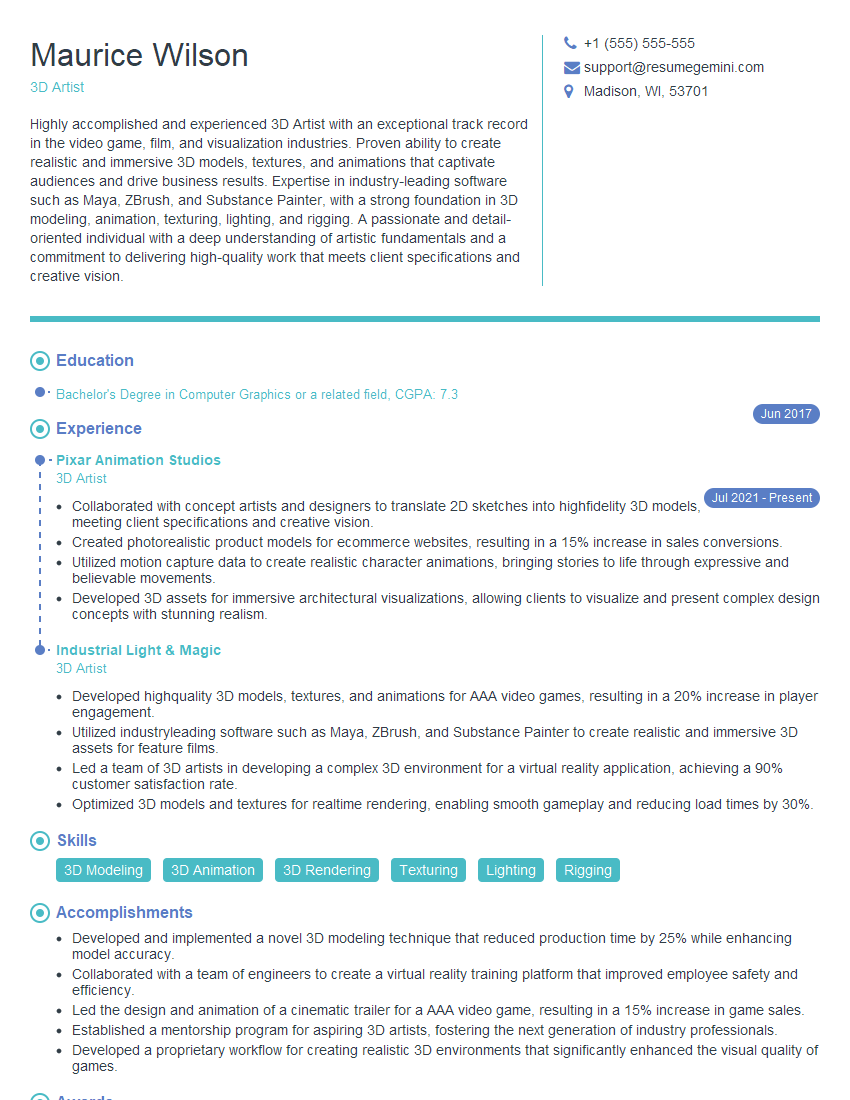
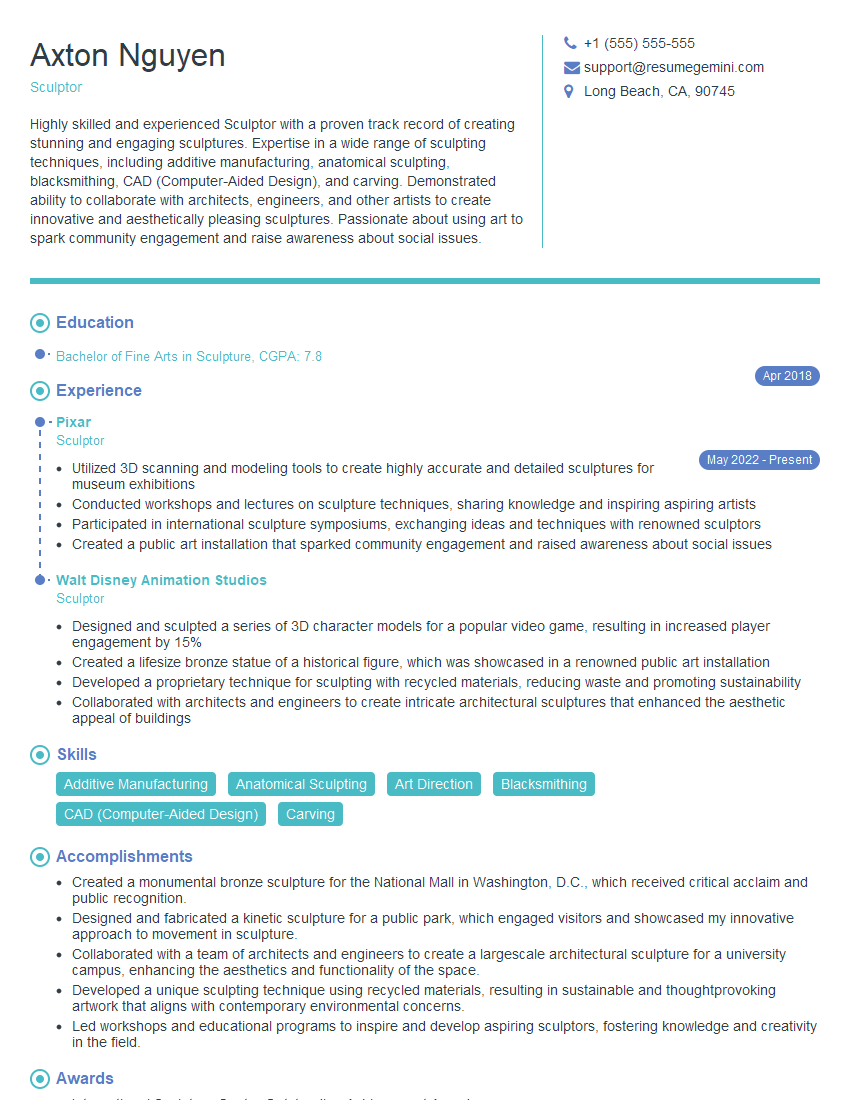
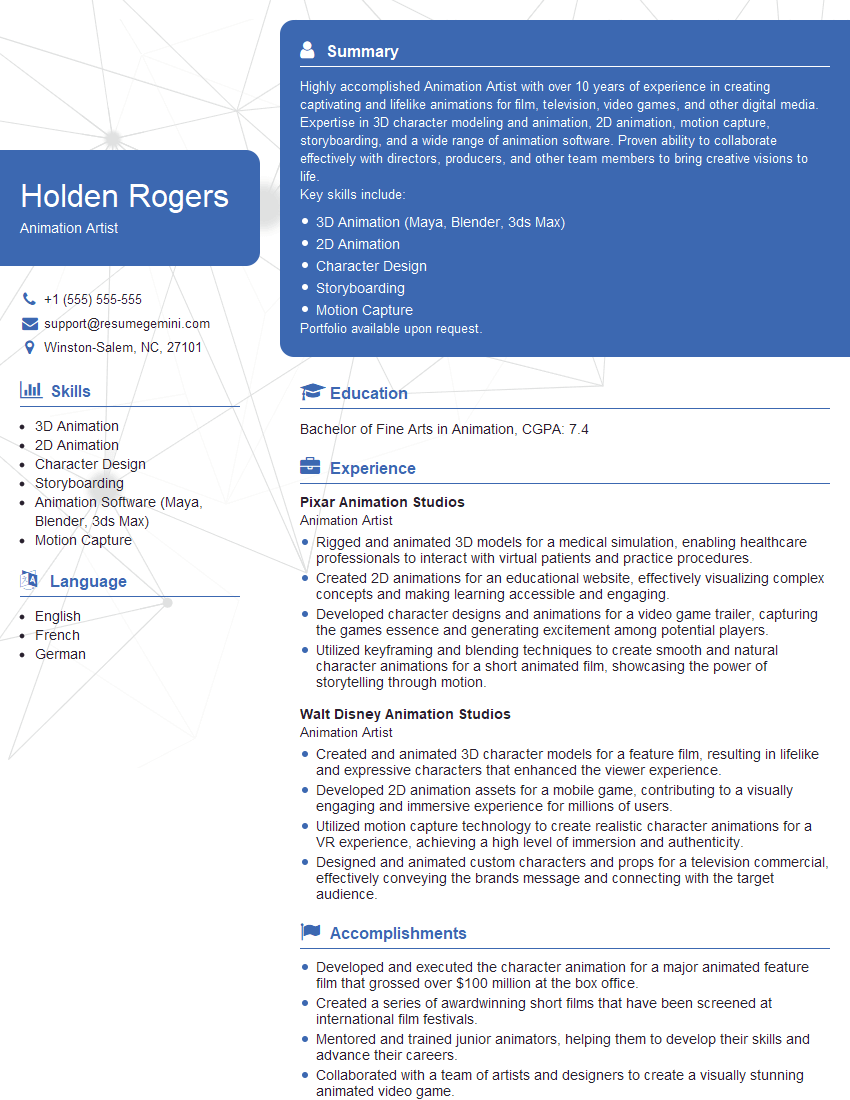
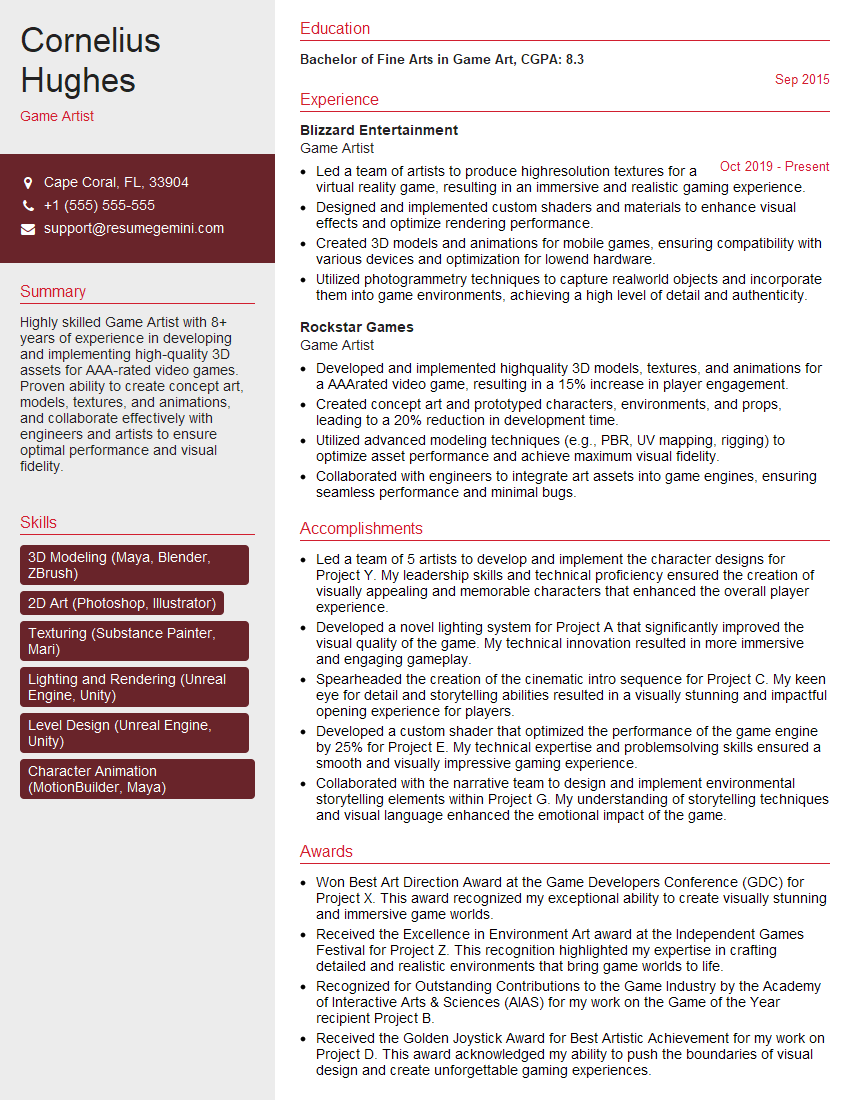
Mastering both clay and digital sculpting opens doors to exciting career opportunities in game development, animation, film, and visual effects. A strong portfolio is crucial, but your resume is your first impression. An ATS-friendly resume ensures your skills and experience are highlighted effectively to potential employers. To create a truly impactful resume that showcases your abilities in Clay and Digital Sculpting, we recommend using ResumeGemini. ResumeGemini provides tools and resources to build a professional resume, and examples of resumes tailored to Clay and Digital Sculpting are available to help you get started.

Explore more articles
Users Rating of Our Blogs
Share Your Experience
We value your feedback! Please rate our content and share your thoughts (optional).
What Readers Say About Our Blog
Very informative content, great job.
good