Interviews are more than just a Q&A session—they’re a chance to prove your worth. This blog dives into essential Cloud-Based Development interview questions and expert tips to help you align your answers with what hiring managers are looking for. Start preparing to shine!
Questions Asked in Cloud-Based Development Interview
Q 1. Explain the difference between IaaS, PaaS, and SaaS.
IaaS, PaaS, and SaaS are three fundamental service models in cloud computing, each offering different levels of abstraction and control. Think of it like building a house:
- IaaS (Infrastructure as a Service): This is like getting the land and basic building materials. You’re responsible for everything else – the actual construction, interior design, and utilities. With IaaS, you manage the servers, operating systems, storage, and networking. Examples include Amazon EC2, Microsoft Azure Virtual Machines, and Google Compute Engine. You have maximum control but also maximum responsibility.
- PaaS (Platform as a Service): This is like getting a pre-fabricated house structure. The foundation, walls, and roof are already in place. You can customize the interior and add your own fixtures, but you don’t have to worry about the structural integrity. PaaS providers handle the underlying infrastructure, allowing you to focus on developing and deploying your applications. Examples include AWS Elastic Beanstalk, Google App Engine, and Heroku. It offers a good balance between control and ease of use.
- SaaS (Software as a Service): This is like moving into a fully furnished apartment. Everything is ready to go; you simply need to move in and start using it. With SaaS, you access applications over the internet without managing any underlying infrastructure. Examples include Salesforce, Gmail, and Microsoft Office 365. It’s the easiest to use but offers the least amount of control.
The best choice depends on your technical expertise, budget, and the specific needs of your application.
Q 2. Describe your experience with containerization technologies like Docker and Kubernetes.
I have extensive experience with Docker and Kubernetes, having used them to build and deploy highly scalable and resilient applications. Docker provides lightweight, portable containers that package an application and its dependencies, ensuring consistency across different environments. I’ve used it to streamline the development lifecycle and improve deployment speed. For instance, in a recent project, we used Docker to create consistent development and testing environments for our team, eliminating the “it works on my machine” problem.
Kubernetes takes container orchestration to the next level. It automates the deployment, scaling, and management of containerized applications across a cluster of machines. I’ve used Kubernetes to build highly available and fault-tolerant systems, leveraging features like automated rollouts, health checks, and self-healing capabilities. In one project, we utilized Kubernetes to manage a microservices architecture, dynamically scaling individual services based on real-time demand, significantly improving our application’s responsiveness and efficiency. I’m proficient in using YAML to define Kubernetes manifests and am familiar with concepts like pods, deployments, services, and ingress controllers.
Q 3. How do you ensure scalability and high availability in a cloud-based application?
Ensuring scalability and high availability in a cloud-based application requires a multi-faceted approach. The key is to design your application with these principles in mind from the very beginning.
- Horizontal Scaling: Instead of scaling vertically (increasing the resources of a single server), we horizontally scale by adding more servers to handle the increased load. This is easily managed using tools like Kubernetes.
- Load Balancing: Distribute incoming traffic across multiple servers to prevent any single server from becoming overloaded. Cloud providers offer managed load balancers.
- Redundancy: Implement multiple instances of critical components to prevent single points of failure. This could involve deploying your application across multiple availability zones or regions.
- Database Replication: Replicate your database to ensure data availability in case of a server failure. Many cloud database services offer built-in replication features.
- Caching: Cache frequently accessed data to reduce the load on your application servers and databases.
Monitoring and automated scaling are crucial. Cloud platforms provide tools and services for monitoring resource utilization and automatically scaling your infrastructure based on predefined thresholds. This proactive approach ensures that your application can handle fluctuating demand efficiently and reliably.
Q 4. Explain your understanding of serverless computing.
Serverless computing is a cloud execution model where the cloud provider dynamically manages the allocation of computing resources. You don’t manage servers; instead, you focus solely on writing and deploying code as functions. These functions are triggered by events, such as HTTP requests or messages in a queue.
The benefits are numerous: reduced operational overhead, improved scalability (the provider automatically scales resources based on demand), and cost savings (you only pay for the compute time used). I’ve used serverless technologies, like AWS Lambda and Azure Functions, to build highly scalable and cost-effective applications, particularly for event-driven architectures and microservices. For example, I used AWS Lambda to process images uploaded to an S3 bucket, automatically resizing them and saving them to a different location. This entire process is handled automatically without any server management on my part.
Q 5. What are the different types of cloud storage and when would you use each?
Cloud storage comes in various types, each suited for different needs:
- Object Storage (e.g., Amazon S3, Azure Blob Storage, Google Cloud Storage): Ideal for storing unstructured data like images, videos, and backups. It’s highly scalable, durable, and cost-effective for large datasets.
- Block Storage (e.g., Amazon EBS, Azure Disk Storage, Google Persistent Disk): Provides raw storage that’s directly attached to virtual machines. It’s suitable for applications requiring high performance and low latency.
- File Storage (e.g., Amazon EFS, Azure Files, Google Cloud Filestore): Offers a network file system that can be accessed by multiple virtual machines. It’s well-suited for shared data and collaborative environments.
- Archive Storage (e.g., Amazon Glacier, Azure Archive Storage, Google Cloud Archive Storage): Designed for long-term data archiving. It’s highly durable and cost-effective but has slower retrieval times.
Choosing the right type depends on the application requirements. For example, images and videos would be stored in object storage, while a database might use block storage for optimal performance. Archival data suitable for long-term retention would go into archive storage.
Q 6. How do you monitor and manage cloud resources?
Monitoring and managing cloud resources is crucial for ensuring application performance, cost optimization, and security. I use a combination of techniques and tools:
- Cloud Provider Monitoring Tools: Cloud providers (AWS CloudWatch, Azure Monitor, Google Cloud Monitoring) provide comprehensive monitoring dashboards, alerting systems, and metrics for resource utilization, application performance, and security. I leverage these tools extensively to track key metrics and receive alerts for any potential issues.
- Infrastructure as Code (IaC): Using tools like Terraform or CloudFormation, I define and manage my infrastructure as code, allowing for automation and repeatability. This also enables version control and easier rollback in case of errors.
- Logging and Centralized Logging Systems: I use centralized logging services like ELK stack or Splunk to aggregate logs from various sources, enabling efficient log analysis and troubleshooting.
- Automated Alerting: I configure automated alerts based on predefined thresholds to receive notifications about potential problems proactively.
This integrated approach ensures that I can efficiently monitor and manage my cloud resources, proactively identifying and addressing potential issues, thus guaranteeing optimal performance and cost-efficiency.
Q 7. Describe your experience with cloud security best practices.
Cloud security is paramount, and I adhere to a robust set of best practices:
- Least Privilege Access: Grant users only the necessary permissions to perform their tasks. This limits the potential damage from compromised accounts.
- Regular Security Audits and Penetration Testing: Conduct regular security audits and penetration testing to identify vulnerabilities and strengthen security posture.
- Data Encryption: Encrypt data both in transit and at rest to protect sensitive information.
- IAM (Identity and Access Management): Implement robust IAM policies to control access to cloud resources.
- Network Security: Utilize firewalls, VPNs, and other network security measures to protect against unauthorized access.
- Vulnerability Management: Regularly scan for and address vulnerabilities in applications and infrastructure.
- Security Information and Event Management (SIEM): Use SIEM tools to monitor security events and detect potential threats.
These practices, combined with staying updated on the latest security threats and vulnerabilities, are fundamental to maintaining a secure cloud environment.
Q 8. How do you handle cloud cost optimization?
Cloud cost optimization is crucial for maintaining a healthy budget and ensuring the financial viability of any cloud-based project. It involves strategically managing cloud resources to minimize expenses without compromising performance or functionality. Think of it like managing your household budget – you want to get the most value for your money.
- Rightsizing Instances: Avoid over-provisioning. Instead of using a large, expensive instance when a smaller one would suffice, carefully select the instance type that best meets your application’s needs. Regularly review instance usage and downsize or shut down idle instances. For example, if a database server is only heavily used during business hours, you could schedule it to automatically scale down or shut down overnight.
- Leveraging Reserved Instances or Committed Use Discounts: Many cloud providers offer discounts for committing to using resources for a certain period. If you have predictable workload patterns, this can significantly reduce costs. It’s similar to getting a bulk discount at a grocery store.
- Utilizing Spot Instances (AWS) or Preemptible VMs (GCP): These are surplus compute capacity offered at significantly lower prices, but they can be terminated with short notice. Use them for fault-tolerant applications or tasks that can be easily restarted.
- Efficient Storage Management: Use the appropriate storage class for your data. For example, archive infrequently accessed data to cheaper storage tiers. Regularly delete unnecessary files and data backups.
- Monitoring and Alerting: Implement robust monitoring and alerting systems to detect and address resource inefficiencies or potential cost overruns promptly. Set up alerts for high resource utilization or unexpected spikes in costs.
- Cost Allocation and Tracking: Use the cloud provider’s cost management tools to allocate costs to different projects or teams. This allows for better cost tracking, accountability, and identification of cost-optimization opportunities.
In a recent project, we identified significant cost savings by rightsizing our database instances and utilizing reserved instances. This resulted in a 30% reduction in monthly cloud expenses without impacting performance.
Q 9. Explain your experience with CI/CD pipelines in a cloud environment.
CI/CD (Continuous Integration/Continuous Delivery) pipelines are the backbone of modern cloud-based development. They automate the process of building, testing, and deploying software, ensuring faster release cycles and improved software quality. Imagine a factory assembly line, but instead of cars, we’re building and deploying software.
My experience includes designing and implementing CI/CD pipelines using tools like Jenkins, GitLab CI, and Azure DevOps. I’ve worked with various technologies, including Docker containers and Kubernetes for orchestration. A typical pipeline involves:
- Source Code Management: Using Git to manage code and track changes.
- Build Automation: Automating the build process using tools like Maven or Gradle.
- Automated Testing: Implementing unit, integration, and end-to-end tests to ensure software quality.
- Deployment Automation: Automating the deployment process to various environments (development, staging, production) using tools like Ansible or Terraform.
- Monitoring and Logging: Monitoring the deployed application’s performance and logging errors for quick troubleshooting.
In a previous project, we implemented a CI/CD pipeline that reduced our deployment time from days to hours, significantly accelerating the delivery of new features and bug fixes.
Example: A simple Jenkins pipeline might involve stages like 'Build', 'Test', and 'Deploy', each triggered automatically upon code changes.Q 10. Describe your experience with different cloud providers (AWS, Azure, GCP).
I have extensive experience with AWS, Azure, and GCP, each with its strengths and weaknesses. My choice of cloud provider depends on the specific project requirements and constraints.
- AWS (Amazon Web Services): A mature and comprehensive platform with a vast ecosystem of services. I’ve worked extensively with EC2 (compute), S3 (storage), RDS (databases), and Lambda (serverless computing). AWS excels in breadth of services and market share but can sometimes be complex and expensive.
- Azure (Microsoft Azure): A strong contender with a robust set of services tightly integrated with the Microsoft ecosystem. I’ve utilized Azure VMs, Blob Storage, Azure SQL Database, and Azure Functions. Azure offers excellent integration with .NET technologies but might lack the sheer breadth of AWS.
- GCP (Google Cloud Platform): Known for its innovative services and strong focus on data analytics and machine learning. I have experience with Compute Engine, Cloud Storage, Cloud SQL, and Cloud Functions. GCP’s strengths lie in its cutting-edge technologies and competitive pricing.
I’ve successfully migrated applications between different cloud providers, leveraging each provider’s unique strengths to optimize performance and cost.
Q 11. What are your preferred tools for cloud-based development?
My preferred tools for cloud-based development depend on the specific task but generally include:
- Version Control: Git (GitHub, GitLab, Bitbucket)
- Infrastructure as Code (IaC): Terraform, CloudFormation, ARM Templates
- Containerization: Docker, Kubernetes
- CI/CD Tools: Jenkins, GitLab CI, Azure DevOps, CircleCI
- Monitoring and Logging: CloudWatch (AWS), Azure Monitor, Cloud Logging (GCP), Prometheus, Grafana
- Cloud IDEs: Cloud9, VS Code (with extensions)
- Collaboration Tools: Slack, Microsoft Teams
The choice of specific tools is often driven by project needs and team preferences. For instance, Terraform offers multi-cloud support making it my go-to for IaC, while the choice of CI/CD tools often depends on existing infrastructure and team expertise.
Q 12. How do you troubleshoot issues in a cloud environment?
Troubleshooting in a cloud environment requires a systematic and methodical approach. It’s like detective work, requiring careful observation and analysis of clues.
- Log Analysis: Start by examining logs from the application, the cloud provider, and any relevant services. Logs provide valuable insights into errors and unexpected behavior. Tools like CloudWatch, Azure Monitor, and Stackdriver help in effective log aggregation and analysis.
- Monitoring Tools: Utilize monitoring tools to track resource utilization (CPU, memory, network), identify bottlenecks, and spot anomalies. This helps in quickly pinpointing performance issues.
- Network Diagnostics: Investigate network connectivity issues using tools like
ping,traceroute, and cloud provider-specific network diagnostic tools. This can help identify network latency or connectivity problems. - Cloud Provider Documentation and Support: Leverage the extensive documentation and support resources provided by the cloud provider. They often have troubleshooting guides, FAQs, and support channels that can help in resolving common issues.
- Reproducing the Issue: Try to reproduce the issue in a controlled environment (e.g., a staging environment) to isolate the problem and test potential solutions.
- Rollback Strategies: Have rollback strategies in place to quickly revert to a previous working version if necessary, minimizing downtime.
In one instance, we used CloudWatch to identify a memory leak in our application, which was causing performance degradation. By analyzing the logs and metrics, we were able to pinpoint the cause and deploy a fix quickly.
Q 13. Explain your experience with cloud networking concepts (e.g., VPCs, subnets).
Cloud networking concepts, like VPCs and subnets, are fundamental for building secure and scalable cloud-based applications. Think of it as designing a city’s infrastructure – you need well-defined zones and pathways for traffic to flow efficiently and securely.
- Virtual Private Cloud (VPC): A logically isolated section of a cloud provider’s network. It’s like a private network within the public cloud, offering enhanced security and control. You can create multiple VPCs to isolate different applications or environments.
- Subnets: Subdivisions within a VPC. They allow you to further segment your network based on security needs or administrative boundaries. For instance, you could have separate subnets for databases, web servers, and application servers.
- Security Groups: Firewall rules applied at the instance level, controlling inbound and outbound traffic. They act like security guards at the door of each server, letting only authorized traffic pass through.
- Route Tables: Define how traffic is routed within and outside the VPC. They are like traffic signs that direct network traffic to its destination.
- Network Address Translation (NAT): Allows instances within a private subnet to access the internet without having public IP addresses. It’s like a proxy server, masking the private IPs.
In my experience, I’ve designed and implemented VPCs with multiple subnets and security groups to isolate different parts of our applications, ensuring security and preventing unauthorized access. Properly designed networking is crucial for protecting your applications and data.
Q 14. How do you manage databases in a cloud environment?
Managing databases in a cloud environment involves choosing the right database service, configuring it for optimal performance, ensuring security, and implementing efficient backup and recovery strategies. Think of it like being a librarian – you need to organize, protect, and make the books (data) readily available to your patrons (applications).
- Choosing the Right Database Service: Select a service that aligns with your application’s requirements. Cloud providers offer various options, including relational databases (e.g., MySQL, PostgreSQL, SQL Server), NoSQL databases (e.g., MongoDB, Cassandra), and managed database services (e.g., AWS RDS, Azure SQL Database, Google Cloud SQL).
- Performance Optimization: Tune database parameters, ensure sufficient resources (CPU, memory, storage), and use appropriate indexing strategies to optimize query performance. Regularly monitor performance metrics to identify and address potential bottlenecks.
- Security: Implement strong security measures to protect database credentials, restrict access, and encrypt data at rest and in transit. This involves configuring appropriate security groups, using IAM roles, and enabling encryption.
- Backup and Recovery: Regularly back up your databases and implement a robust recovery plan to ensure data availability in case of failures or disasters. Cloud providers usually offer automated backup services and point-in-time recovery options.
- Scaling: Design your database for scalability to handle increasing data volume and user traffic. Cloud providers offer options for scaling both vertically (increasing resources of a single instance) and horizontally (adding more instances).
In a recent project, we migrated our on-premises database to AWS RDS, significantly improving performance and simplifying database management. We also implemented automated backups and point-in-time recovery, enhancing data protection and business continuity.
Q 15. Describe your experience with cloud-based logging and monitoring tools.
Cloud-based logging and monitoring are crucial for maintaining the health and performance of applications. I’ve extensively used tools like CloudWatch (AWS), Stackdriver (Google Cloud), and Azure Monitor, each offering robust capabilities for collecting, analyzing, and visualizing logs and metrics. These platforms allow me to track everything from application errors and performance bottlenecks to infrastructure resource utilization.
For example, in a recent project, we used CloudWatch to set up alerts based on CPU utilization and latency. When CPU usage exceeded 80% for more than 5 minutes, we received immediate notifications, allowing us to proactively scale our infrastructure and prevent performance degradation. We also leveraged the integrated dashboards to visually monitor key metrics like request latency and error rates, enabling rapid identification and resolution of issues. The ability to correlate logs with metrics provided critical insights into the root cause of problems, significantly reducing our mean time to resolution (MTTR).
Beyond basic monitoring, these tools offer advanced features like log filtering, searching, and analysis, enabling us to quickly identify patterns and anomalies. This is particularly useful for debugging complex issues and identifying trends in application behavior.
Career Expert Tips:
- Ace those interviews! Prepare effectively by reviewing the Top 50 Most Common Interview Questions on ResumeGemini.
- Navigate your job search with confidence! Explore a wide range of Career Tips on ResumeGemini. Learn about common challenges and recommendations to overcome them.
- Craft the perfect resume! Master the Art of Resume Writing with ResumeGemini’s guide. Showcase your unique qualifications and achievements effectively.
- Don’t miss out on holiday savings! Build your dream resume with ResumeGemini’s ATS optimized templates.
Q 16. How do you ensure data security and compliance in the cloud?
Data security and compliance are paramount in cloud environments. My approach involves a multi-layered strategy encompassing several key areas. Firstly, I leverage the inherent security features offered by each cloud provider, like encryption at rest and in transit, access control lists (ACLs), and identity and access management (IAM) systems.
Secondly, I implement robust security practices throughout the software development lifecycle (SDLC), including secure coding practices, regular security audits, and penetration testing. We use tools like SonarQube to detect vulnerabilities during development.
Thirdly, compliance is crucial. Depending on the project’s needs, I ensure adherence to relevant regulations like GDPR, HIPAA, or PCI DSS. This includes implementing appropriate data governance policies, encryption protocols, and audit trails.
For example, when working with sensitive healthcare data, we implemented HIPAA compliant solutions using AWS’s HIPAA eligible services, ensuring all data was encrypted both in transit and at rest, and access was strictly controlled through IAM roles with least privilege access.
Regular security assessments and penetration testing help identify vulnerabilities before they are exploited. We also employ security information and event management (SIEM) tools to monitor for suspicious activity and provide real-time alerts.
Q 17. Explain your understanding of microservices architecture in the cloud.
Microservices architecture involves breaking down a large application into smaller, independent, deployable services. Each microservice focuses on a specific business function and communicates with other services via APIs. This approach offers several benefits in the cloud environment, including improved scalability, resilience, and maintainability.
Think of it like a modular Lego castle – each tower is a microservice. You can easily add, remove, or modify individual towers without affecting the entire castle. This contrasts with monolithic applications, which are harder to update and scale.
In practice, I utilize containerization technologies like Docker and Kubernetes to deploy and manage microservices. Kubernetes simplifies orchestration, scaling, and deployment across multiple cloud instances. Service mesh technologies like Istio enhance communication, security, and observability between services. API gateways handle routing and management of external requests.
For example, in an e-commerce application, we could have separate microservices for user authentication, product catalog, shopping cart, and order processing. Each service is independently scalable, allowing us to allocate more resources to high-demand services during peak periods.
Q 18. How do you handle disaster recovery and business continuity in the cloud?
Disaster recovery and business continuity are essential for cloud-based applications. My approach combines proactive measures with robust recovery strategies. I typically utilize a multi-region or multi-availability zone deployment strategy, ensuring that application components are geographically dispersed and protected from regional outages.
We regularly perform backups and utilize cloud-native services for replication and failover. For example, AWS offers services like S3 for data backups and RDS for database replication across availability zones. Google Cloud provides similar services like Cloud Storage and Cloud SQL.
Regular disaster recovery drills and simulations are critical to validate our plans and identify potential weaknesses. These drills help us refine our procedures and ensure that our team can effectively respond to unforeseen events. We document these procedures meticulously and maintain a detailed runbook for each scenario.
In one project, we implemented a hot standby environment in a different availability zone, ensuring minimal downtime during a regional outage. The failover process was automated, minimizing the manual intervention required and resulting in a near seamless transition.
Q 19. What are your experiences with different deployment strategies (e.g., blue/green, canary)?
Deployment strategies are crucial for minimizing disruption during application updates. I’ve extensive experience with blue/green and canary deployments.
Blue/Green Deployments: This involves maintaining two identical environments – a ‘blue’ (production) and a ‘green’ (staging). The new version is deployed to the green environment, and after testing, traffic is switched from blue to green. If issues arise, we can quickly switch back to the blue environment. This minimizes downtime and risk.
Canary Deployments: In this approach, the new version is gradually rolled out to a small subset of users (‘canaries’). We monitor the performance and stability of the new version in this limited environment before gradually increasing the rollout to the wider user base. This helps identify and address potential problems early, reducing the impact of a widespread failure.
I’ve used both strategies successfully. Blue/green is ideal for less complex applications where a complete switch is acceptable, while canary deployments are better suited for applications requiring more gradual rollouts and continuous monitoring.
Q 20. Explain your experience with Infrastructure as Code (IaC) tools (e.g., Terraform, CloudFormation).
Infrastructure as Code (IaC) is fundamental to managing cloud infrastructure efficiently and reliably. I’ve worked extensively with Terraform and CloudFormation, both of which allow for defining and managing infrastructure through code, rather than manual processes. This improves consistency, repeatability, and version control.
Terraform: A multi-cloud IaC tool allowing me to manage infrastructure across various providers. Its declarative nature simplifies infrastructure management. I’ve used it to provision everything from virtual machines and networks to databases and load balancers across AWS, Azure, and GCP.
CloudFormation: AWS’s native IaC tool. It’s tightly integrated with AWS services, offering a seamless experience within the AWS ecosystem. It’s especially beneficial for automating the provisioning of resources within a single AWS account.
Using IaC tools ensures consistency across environments, simplifies infrastructure provisioning, and reduces the risk of human error. Version control allows us to track changes and easily revert to previous states if necessary. It also allows for automated testing and deployment pipelines, promoting a DevOps culture.
Q 21. How do you automate tasks in a cloud environment?
Automation is critical for efficiency and reliability in a cloud environment. I use various tools and techniques to automate tasks, including scripting languages like Python and Bash, along with cloud-native services and CI/CD pipelines.
Scripting: I use scripts for automating routine tasks like server provisioning, software deployments, and log analysis. Python’s versatility and extensive libraries make it ideal for automating complex workflows. Bash scripts are often used for quick, straightforward tasks within the Linux environment.
Cloud-native services: Cloud providers offer various managed services for automation. For example, AWS Lambda allows executing code in response to events, eliminating the need to manage servers. Azure Functions provides similar capabilities within the Azure ecosystem.
CI/CD pipelines: I integrate IaC with CI/CD pipelines (e.g., Jenkins, GitLab CI, CircleCI) to automate the entire software development and deployment lifecycle. Code changes trigger automated builds, tests, and deployments, ensuring rapid and reliable releases.
For instance, I automated the entire deployment process for a web application using a Jenkins pipeline. The pipeline pulls code from a Git repository, runs unit and integration tests, builds a Docker image, and deploys it to a Kubernetes cluster. This process ensures consistent and reliable deployments and reduces manual intervention, significantly improving efficiency and reducing the potential for human errors.
Q 22. Describe your experience with cloud-based API management.
Cloud-based API management is crucial for securely exposing and managing application programming interfaces (APIs) in a cloud environment. It involves designing, deploying, securing, and monitoring APIs to enable seamless integration between different applications and services. My experience encompasses the entire API lifecycle, from initial design and specification using OpenAPI (formerly Swagger) to deployment on platforms like AWS API Gateway or Azure API Management.
I’ve worked extensively with API gateways, which act as a central point of control for all API traffic. This includes configuring rate limiting, authentication (OAuth 2.0, JWT), and authorization mechanisms to ensure secure access. I’m also proficient in implementing API versioning to manage updates and maintain compatibility. For example, in a recent project, we used AWS API Gateway to manage APIs for a microservices architecture, leveraging its features to handle authentication with Cognito and implement sophisticated throttling policies to prevent denial-of-service attacks. This resulted in a more robust and scalable system.
Furthermore, I’m experienced in using API management platforms to monitor API performance, track usage metrics, and identify potential issues. This proactive monitoring allows for early detection of performance bottlenecks and security vulnerabilities, minimizing downtime and ensuring optimal API performance.
Q 23. How do you handle capacity planning in the cloud?
Capacity planning in the cloud is a critical process that ensures your applications have the necessary resources – compute, storage, and network – to meet current and future demands. It’s not just about throwing more resources at a problem; it’s about strategically allocating resources to optimize cost and performance. I approach this in a multi-faceted way.
- Baseline Monitoring and Analysis: I begin by carefully monitoring existing application performance metrics, including CPU utilization, memory consumption, network traffic, and database I/O. This provides a baseline understanding of resource usage patterns.
- Forecasting: Based on the baseline, I use historical data and projected growth to forecast future resource requirements. This might involve using statistical models or incorporating business projections for user growth or increased transaction volume.
- Scalability Design: I design applications for scalability from the outset, using techniques such as autoscaling (e.g., AWS Auto Scaling, Azure Autoscale) to dynamically adjust resource allocation based on real-time demand. This ensures that applications can handle fluctuations in traffic without performance degradation.
- Cost Optimization: I prioritize cost-effective solutions. This could involve utilizing spot instances (AWS) or reserved instances (Azure) to reduce compute costs, selecting appropriate storage tiers, and leveraging serverless functions where appropriate.
- Testing and Simulation: Before deploying any changes, I perform thorough load testing and simulations to validate that the planned capacity can handle expected peak loads. This helps prevent unexpected outages or performance issues.
For instance, in a recent e-commerce project, we used AWS Auto Scaling to dynamically adjust the number of web servers based on website traffic. This ensured optimal performance during peak shopping seasons while minimizing costs during off-peak periods.
Q 24. Explain your experience with cloud-based analytics and big data solutions.
My experience with cloud-based analytics and big data solutions is extensive. I’ve worked with various platforms and technologies to extract insights from large datasets and support data-driven decision-making. This includes experience with both structured and unstructured data sources.
I’m proficient in using cloud-based data warehousing services such as Amazon Redshift, Snowflake, or Google BigQuery. These services provide scalable and cost-effective solutions for storing and querying large datasets. I’ve also worked with various big data processing frameworks like Apache Spark running on cloud platforms such as Databricks or EMR (Elastic MapReduce). Spark’s ability to process data in parallel significantly speeds up analysis, crucial for big data workloads.
Furthermore, I’m familiar with various data visualization and business intelligence (BI) tools, enabling me to translate raw data into actionable insights. For example, in a previous role, we used Google BigQuery to analyze customer behavior data, identifying key trends that informed marketing campaigns and improved customer retention. We used Tableau to visualize these insights, making them readily accessible to stakeholders.
Beyond this, I have practical experience with data pipelines, leveraging services like AWS Glue or Azure Data Factory to automate data ingestion, transformation, and loading (ETL) processes. This ensured efficient and reliable data flow into our analytical systems.
Q 25. How do you stay up-to-date with the latest cloud technologies?
Staying current in the rapidly evolving world of cloud technologies requires a multi-pronged approach.
- Online Courses and Certifications: I regularly engage in online courses on platforms like Coursera, edX, and A Cloud Guru, focusing on specific cloud technologies and best practices. Obtaining relevant certifications (e.g., AWS Certified Solutions Architect, Azure Solutions Architect Expert) demonstrates my commitment to continuous learning and validates my skills.
- Industry Blogs and Publications: I follow industry blogs, publications (e.g., InfoQ, DZone), and podcasts from leading cloud providers and technology experts to stay informed about the latest advancements and trends.
- Conferences and Webinars: Attending industry conferences and webinars provides opportunities to network with other professionals, learn from experts, and gain insights into real-world applications of cloud technologies. This hands-on learning is invaluable.
- Hands-on Projects and Experiments: I actively seek out opportunities to experiment with new technologies and implement them in personal projects. This practical experience is crucial for solidifying my understanding and enhancing my skills.
- Community Engagement: Participating in online forums and communities allows me to engage with other professionals, ask questions, and share knowledge. This collaborative environment facilitates continuous learning.
This combination of formal and informal learning keeps me well-informed about emerging technologies and best practices, ensuring I remain at the forefront of the field.
Q 26. Describe a time you had to troubleshoot a complex cloud issue.
In a previous project involving a microservices architecture on AWS, we experienced intermittent performance issues with one of our core services. Initial diagnostics pointed to high CPU utilization, but the root cause wasn’t immediately apparent.
My troubleshooting process involved a systematic approach:
- Gather Data: I started by collecting detailed performance metrics from CloudWatch, including CPU utilization, memory usage, network latency, and error logs. This provided a comprehensive view of the service’s behavior.
- Identify Patterns: Analyzing the CloudWatch data revealed that the high CPU spikes correlated with specific API requests. This narrowed down the potential problem area.
- Code Review and Profiling: We reviewed the code for the affected microservice and used AWS X-Ray to identify performance bottlenecks within the application code. This revealed that an inefficient database query was responsible for the performance issues.
- Optimization and Testing: We optimized the database query by adding appropriate indexes and refactored some parts of the code to improve efficiency. After the changes, we ran thorough load testing using tools like JMeter to validate the improvements.
- Deployment and Monitoring: Once the changes were tested, we deployed them to the production environment and continued monitoring the system using CloudWatch to confirm that the performance issues were resolved.
This systematic approach, utilizing cloud-native monitoring and debugging tools, allowed us to quickly identify and resolve the performance bottleneck, minimizing the impact on our users.
Q 27. How do you collaborate with other teams in a cloud development environment?
Collaboration is paramount in cloud development. I leverage various tools and strategies to ensure seamless teamwork.
- Version Control (Git): We utilize Git for code versioning, facilitating collaborative development and allowing for easy rollback in case of errors. We often use branching strategies like Gitflow to manage features and releases effectively.
- Communication Tools (Slack, Microsoft Teams): We employ instant messaging platforms for quick communication, facilitating real-time problem-solving and knowledge sharing. This enables immediate clarification and prevents misunderstandings.
- Project Management Tools (Jira, Asana): We use project management tools to track tasks, manage sprints, and monitor project progress. This improves transparency and keeps everyone aligned on goals and deadlines. They also facilitate clear task assignment and progress visibility.
- Documentation and Wikis: We maintain comprehensive documentation, including API specifications, architectural diagrams, and operational procedures, to ensure all team members have access to the information they need. This minimizes redundancy and enhances collaboration.
- Regular Meetings and Stand-ups: We hold regular meetings and daily stand-ups to discuss progress, identify roadblocks, and coordinate efforts. This ensures everyone is on the same page and promotes proactive problem-solving.
By embracing these collaborative tools and practices, we ensure smooth workflows and effective communication, resulting in faster development cycles and higher-quality products. Open communication and a culture of mutual respect are key.
Q 28. What are your salary expectations?
My salary expectations are commensurate with my experience and skills in cloud-based development, along with the specific responsibilities and benefits offered. I am open to discussing a competitive compensation package based on the details of the role and industry benchmarks. I am more focused on the opportunity for professional growth and the potential to contribute significantly to a challenging and rewarding project than on a specific number.
Key Topics to Learn for Your Cloud-Based Development Interview
- Cloud Platforms: Understand the core differences and strengths of major cloud providers (AWS, Azure, GCP). Consider exploring specific services within each platform, such as compute, storage, and databases.
- Microservices Architecture: Learn the principles of designing, building, and deploying applications as a collection of small, independent services. Practice applying this architecture to solve common development problems.
- Containerization (Docker & Kubernetes): Grasp the fundamentals of containerization and orchestration. Be prepared to discuss how containers improve deployment and scalability. Explore real-world use cases.
- Serverless Computing: Familiarize yourself with serverless functions and their benefits. Understand how to design applications using this architecture and its implications for cost and scalability.
- API Design and Integration: Master RESTful API principles and best practices. Be ready to discuss different API design patterns and how to integrate various services seamlessly.
- DevOps and CI/CD: Understand the principles of DevOps and the importance of continuous integration and continuous deployment (CI/CD). Explore different CI/CD tools and pipelines.
- Security Best Practices in the Cloud: Discuss cloud security measures, including access control, data encryption, and vulnerability management. Be prepared to discuss common security threats and mitigation strategies.
- Cloud-Native Development Patterns: Explore design patterns specifically optimized for cloud environments, focusing on resilience, scalability, and maintainability.
- Database Technologies in the Cloud: Gain a firm grasp of cloud-based database options (SQL and NoSQL) and their suitability for different application requirements.
- Monitoring and Logging: Understand the importance of monitoring and logging in cloud environments for performance optimization, troubleshooting, and security.
Next Steps
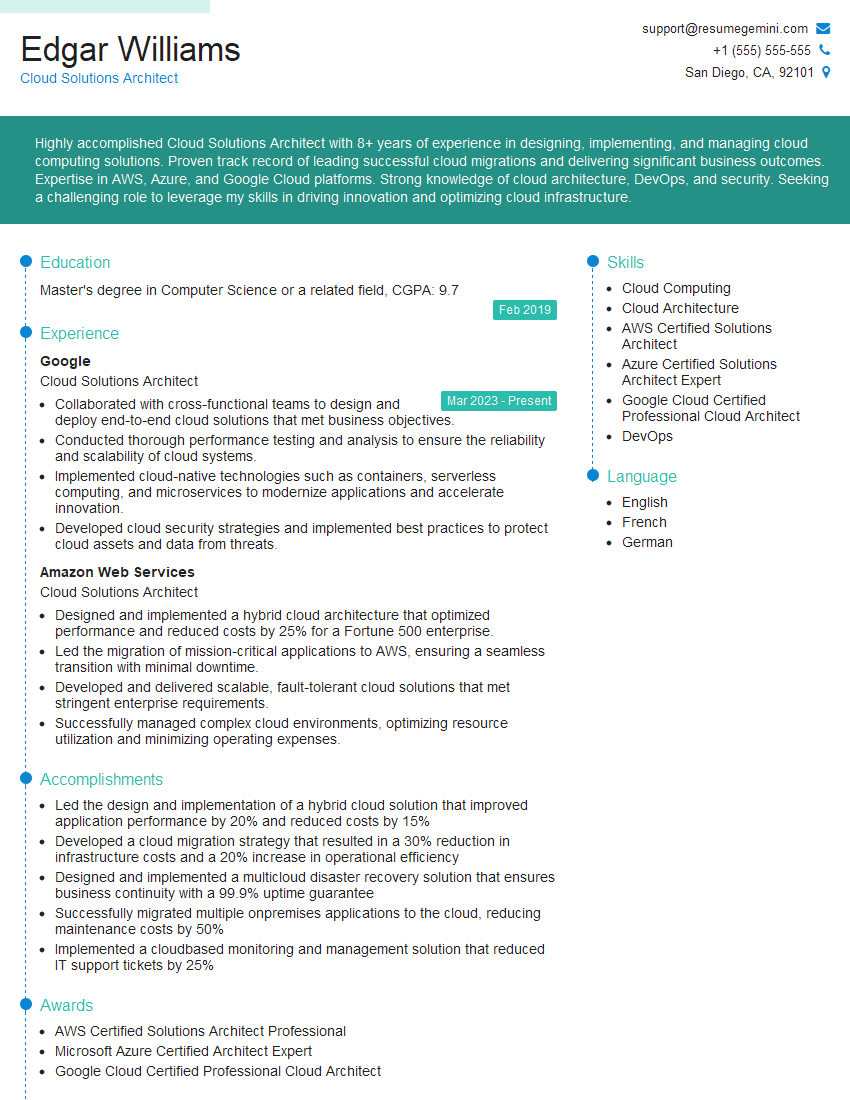
Mastering cloud-based development opens doors to exciting and high-demand roles, significantly boosting your career trajectory. To maximize your job prospects, it’s crucial to present your skills effectively. Creating a strong, ATS-friendly resume is paramount. We recommend using ResumeGemini, a trusted resource, to build a professional and impactful resume that highlights your cloud development expertise. Examples of resumes tailored to Cloud-Based Development are available to help guide you.



Explore more articles
Users Rating of Our Blogs
Share Your Experience
We value your feedback! Please rate our content and share your thoughts (optional).
What Readers Say About Our Blog
Very informative content, great job.
good