Cracking a skill-specific interview, like one for Cloud Computing and Big Data, requires understanding the nuances of the role. In this blog, we present the questions you’re most likely to encounter, along with insights into how to answer them effectively. Let’s ensure you’re ready to make a strong impression.
Questions Asked in Cloud Computing and Big Data Interview
Q 1. Explain the difference between IaaS, PaaS, and SaaS.
IaaS, PaaS, and SaaS are three distinct service models in cloud computing, each offering different levels of abstraction and responsibility. Think of them as layers in a cake, with IaaS being the bottom, most fundamental layer, and SaaS the top, most complete layer.
- IaaS (Infrastructure as a Service): This provides the most basic building blocks of computing: virtual servers, storage, networks, and operating systems. You’re essentially renting the raw infrastructure. You manage the operating systems, applications, and middleware. Think of it like renting a plot of land – you have the land, but you need to build everything yourself. Examples include Amazon EC2, Azure Virtual Machines, and Google Compute Engine.
- PaaS (Platform as a Service): PaaS builds on IaaS by providing a pre-configured platform for application development and deployment. It includes operating systems, middleware, databases, and programming language support. You only manage the applications themselves. This is like renting an apartment – the building is there, the plumbing works, you just furnish and decorate. Examples include AWS Elastic Beanstalk, Azure App Service, and Google App Engine.
- SaaS (Software as a Service): SaaS offers ready-to-use applications accessed over the internet. You don’t manage anything; the provider handles everything from infrastructure to software updates. Think of it like renting a fully furnished apartment; you just move in. Examples include Salesforce, Gmail, and Microsoft 365.
Q 2. Describe your experience with different cloud providers (AWS, Azure, GCP).
I have extensive experience with all three major cloud providers: AWS, Azure, and GCP. My experience spans various services within each platform.
- AWS: I’ve worked extensively with EC2 (for virtual machines), S3 (for object storage), RDS (for managed databases), Lambda (for serverless functions), and various other services within the AWS ecosystem. For example, I designed a highly scalable data processing pipeline using EC2 instances, S3 for data storage, and EMR (Elastic MapReduce) for Hadoop processing.
- Azure: My Azure experience includes using Virtual Machines, Azure Blob Storage, Azure SQL Database, and Azure Functions (their serverless offering). I built a real-time analytics dashboard using Azure Stream Analytics and Power BI, integrating data from IoT devices.
- GCP: On Google Cloud, I’ve utilized Compute Engine, Cloud Storage, Cloud SQL, and Cloud Functions. I developed a machine learning model using Google Cloud AI Platform and deployed it to Cloud Run for scalable inference.
My experience isn’t limited to just the core services; I’m also familiar with their respective management consoles, APIs, and command-line interfaces, allowing for efficient automation and orchestration of cloud resources.
Q 3. What are the benefits and drawbacks of using a cloud-based database?
Cloud-based databases offer significant benefits but also come with some drawbacks.
- Benefits:
- Scalability: Easily scale resources up or down based on demand, avoiding the complexities and costs of managing on-premises infrastructure.
- Cost-effectiveness: Pay-as-you-go models reduce upfront investment and ongoing maintenance expenses.
- High Availability and Disaster Recovery: Cloud providers offer robust solutions for data redundancy and failover, minimizing downtime.
- Accessibility: Access data from anywhere with an internet connection.
- Automatic Updates and Maintenance: The provider handles updates and maintenance, freeing up your team’s time.
- Drawbacks:
- Vendor Lock-in: Migrating data to a different provider can be complex and time-consuming.
- Security Concerns: Relying on a third-party provider means entrusting them with sensitive data; careful security planning and monitoring are essential.
- Internet Dependency: Downtime or network issues can disrupt access to your database.
- Cost Management: Unexpected spikes in usage can lead to higher than anticipated bills if not carefully monitored.
Q 4. How would you design a scalable and fault-tolerant system on the cloud?
Designing a scalable and fault-tolerant system on the cloud requires a multi-faceted approach, leveraging the cloud’s inherent strengths.
- Choose the right services: Select cloud services that inherently support scalability and fault tolerance. For example, use managed databases with automatic replication (like AWS RDS with Multi-AZ deployments) rather than managing your own database cluster.
- Load balancing: Distribute incoming traffic across multiple instances using a load balancer (like AWS Elastic Load Balancing or Azure Load Balancer). This ensures no single instance is overwhelmed and increases availability.
- Horizontal scaling: Design your system so that you can easily add more instances to handle increased load. Avoid reliance on single points of failure.
- Redundancy: Employ redundancy at every level – multiple availability zones, multiple regions, and backups. This protects against regional outages or data loss.
- Auto-scaling: Configure auto-scaling groups (like AWS Auto Scaling or Azure Auto-Scaling) to automatically adjust the number of instances based on demand. This ensures optimal resource utilization and handles fluctuations in traffic.
- Monitoring and Alerting: Implement comprehensive monitoring and alerting to proactively identify and respond to issues. Cloud providers offer robust monitoring tools, enabling early detection of problems.
Example: Consider an e-commerce website. We’d use a load balancer to distribute traffic across multiple web servers in multiple availability zones. Auto-scaling would automatically add more servers during peak shopping hours. The database would be a managed, highly available service with replication.
Q 5. Explain the concept of serverless computing.
Serverless computing is a cloud execution model where the cloud provider dynamically manages the allocation of computing resources. Instead of managing servers, you write and deploy individual functions (code snippets) that run only when triggered by an event, such as an HTTP request or a message in a queue.
- Key Features:
- Event-driven: Functions are triggered by events, eliminating the need for constantly running servers.
- Automatic scaling: The cloud provider automatically scales resources up or down based on demand.
- Pay-per-use: You only pay for the compute time your functions consume.
- Reduced operational overhead: No server management is required; the provider handles everything.
- Benefits:
- Cost savings: Only pay for what you use.
- Improved scalability and efficiency: Automatic scaling handles traffic fluctuations.
- Faster development cycles: Focus on code, not infrastructure.
- Examples: AWS Lambda, Azure Functions, Google Cloud Functions.
Q 6. What are some common cloud security concerns and how do you address them?
Cloud security is paramount. Common concerns include:
- Data breaches: Unauthorized access to sensitive data.
- Misconfigurations: Incorrectly configured security settings leading to vulnerabilities.
- Insider threats: Malicious or negligent actions by employees or contractors.
- Denial-of-service (DoS) attacks: Overwhelming a system with traffic, making it unavailable.
- Third-party risks: Security vulnerabilities in third-party applications or services.
Addressing these concerns involves a multi-layered approach:
- Implement strong access control: Use multi-factor authentication (MFA), least privilege access, and regular security audits.
- Data encryption: Encrypt data both in transit and at rest.
- Regular security assessments: Conduct penetration testing and vulnerability scans.
- Security Information and Event Management (SIEM): Utilize SIEM tools to monitor security events and detect threats.
- Intrusion Detection/Prevention Systems (IDS/IPS): Implement IDS/IPS to detect and prevent malicious activity.
- Compliance: Adhere to relevant industry regulations and security standards (e.g., HIPAA, PCI DSS).
A proactive, layered security approach, combined with a strong security culture within the organization, is essential for mitigating cloud security risks.
Q 7. Describe your experience with containerization technologies (Docker, Kubernetes).
Containerization technologies, primarily Docker and Kubernetes, are vital for modern cloud deployments. They streamline application development, deployment, and management.
- Docker: Docker provides a way to package applications and their dependencies into containers, ensuring consistent execution across different environments. This solves the “it works on my machine” problem. Think of Docker as creating a self-contained package for your application, including everything it needs to run.
- Kubernetes: Kubernetes is an orchestration platform for managing containerized applications at scale. It automates deployment, scaling, and management of containers across a cluster of machines. It handles tasks like load balancing, health checks, and rolling updates, making it much easier to manage complex applications in the cloud.
My experience includes using Docker to build and deploy applications, and Kubernetes to orchestrate and manage those applications in a production environment. I have leveraged Kubernetes features like deployments, services, and ingress controllers to create highly available and scalable applications. I have worked with various Kubernetes distributions, including those offered by the major cloud providers.
Q 8. What is the difference between Hadoop and Spark?
Hadoop and Spark are both powerful frameworks for processing large datasets, but they differ significantly in their architecture and approach. Hadoop, the elder statesman, utilizes a batch processing model primarily based on MapReduce, making it ideal for large-scale offline data processing. Imagine it as a massive assembly line, where each step is carefully planned and executed sequentially. It’s robust and reliable, handling data fault-tolerance impeccably. Spark, on the other hand, is a more modern framework that employs in-memory computation, significantly speeding up processing times for iterative algorithms and interactive queries. Think of Spark as a highly agile team, quickly responding to changes and working collaboratively to complete tasks in parallel. Spark’s in-memory processing capabilities make it superior for real-time analytics and machine learning workloads, although its fault tolerance might not match Hadoop’s at the same scale. In short, Hadoop excels in batch processing of massive datasets, while Spark is better suited for speed and real-time applications that involve iterative tasks.
Here’s a table summarizing the key differences:
| Feature | Hadoop | Spark |
|---|---|---|
| Processing Model | Batch Processing | In-Memory Processing |
| Speed | Slower | Faster |
| Fault Tolerance | High | High, but potentially less robust at extreme scale compared to Hadoop |
| Best Use Cases | Offline data processing, ETL | Real-time analytics, machine learning, iterative algorithms |
Q 9. Explain the concept of MapReduce.
MapReduce is a programming model and an associated implementation for processing and generating large data sets with a parallel, distributed algorithm on a cluster. It’s the foundational algorithm for Hadoop’s distributed processing. Imagine you have a huge pile of unsorted LEGO bricks (your data). MapReduce works in two phases:
- Map: This phase is like sorting the LEGO bricks by color. Each mapper takes a portion of the data and transforms it, creating key-value pairs. For example, if you’re counting word occurrences, the mapper would read each document, split it into words, and output key-value pairs like (word, 1).
- Reduce: This phase is like combining the sorted LEGO bricks by color to build something. The reducer collects all the key-value pairs with the same key (e.g., all instances of the word ‘the’) and combines their values. In our example, the reducer would sum the values, resulting in (word, total count).
The beauty of MapReduce is that these map and reduce operations can be parallelized across many machines, allowing for the processing of datasets far larger than the memory of a single machine. A real-world example is analyzing web server logs to identify popular pages or detecting fraudulent transactions by analyzing patterns in financial data.
Q 10. How would you handle large datasets exceeding available memory?
Handling datasets exceeding available memory requires employing techniques that distribute the processing across multiple machines. Here’s a multi-pronged approach:
- Data Partitioning: Break the large dataset into smaller, manageable chunks that can fit into the memory of individual machines. This is a core principle of both Hadoop and Spark.
- Distributed Computing Frameworks: Leverage frameworks like Hadoop, Spark, or Dask. These frameworks handle the distribution and coordination of processing across multiple nodes in a cluster, ensuring scalability and efficiency. For example, Spark’s RDD (Resilient Distributed Datasets) allows for distributed computations on large datasets.
- Sampling: If a precise answer isn’t critical, a representative sample of the dataset can be analyzed, providing insights without processing the entire dataset. This approach requires careful consideration to ensure the sample is representative.
- Data Summarization: Techniques like aggregation (e.g., calculating sums, averages, counts) can reduce the dataset’s size while retaining crucial information. This often involves pre-processing steps to transform the data for efficiency.
- Out-of-Core Algorithms: These algorithms are designed to work with data that resides primarily on disk, minimizing the amount of data loaded into memory at any one time. They are more complex but essential for extremely large datasets.
The choice of technique often depends on the specific analysis task, dataset characteristics, and available resources. For instance, if you need to train a machine learning model on a dataset that doesn’t fit in memory, you’d likely employ mini-batch gradient descent within Spark, iteratively processing smaller subsets of the data.
Q 11. Describe your experience with NoSQL databases.
I have extensive experience with NoSQL databases, having worked with several key types, including:
- Document Databases (e.g., MongoDB): These are ideal for storing semi-structured or unstructured data in JSON or XML format. I’ve used MongoDB extensively in applications requiring flexible schema and rapid prototyping. For example, I’ve employed it in a project managing customer information, where the data structure could evolve organically without requiring extensive schema modifications.
- Key-Value Stores (e.g., Redis, Amazon DynamoDB): These are excellent for high-performance applications needing fast read and write operations. I’ve used Redis for caching frequently accessed data in a web application, leading to significant performance improvements. DynamoDB was invaluable in a project handling massive volumes of session data, guaranteeing scalability and availability.
- Graph Databases (e.g., Neo4j): These are perfect for modeling relationships between data points. A project where I utilized Neo4j involved analyzing social network data, allowing for efficient traversal of connections and identification of influential nodes.
- Wide-Column Stores (e.g., Cassandra, HBase): These are robust for handling large volumes of time-series data and applications requiring high write throughput. I’ve applied Cassandra in a project handling sensor data from thousands of devices.
My experience includes database design, optimization, performance tuning, and data migration. The selection of a NoSQL database hinges on the specific application requirements, considering factors such as data structure, scalability needs, and performance expectations. I always emphasize appropriate schema design and indexing strategies to ensure optimal database performance.
Q 12. What are some common data warehousing techniques?
Data warehousing involves several key techniques to effectively store and manage large volumes of data for analytical purposes. These techniques often work together to create a robust and efficient data warehouse:
- Data Modeling: Designing a logical and physical model of the data warehouse to organize data efficiently. Star schema and snowflake schema are common models. Star schema utilizes a central fact table surrounded by dimension tables, while snowflake schema normalizes the dimension tables further.
- ETL (Extract, Transform, Load): A crucial process to collect data from diverse sources, transform it into a consistent format, and load it into the data warehouse. We’ll discuss ETL in more detail later.
- Data Partitioning: Dividing the data into smaller, manageable sections to improve query performance and scalability. Partitioning enables parallel processing and reduces the amount of data scanned during query execution.
- Data Compression: Reducing storage space and improving query performance by compressing the data. Various compression techniques exist, and the choice depends on the data characteristics and trade-offs between compression ratio and decompression speed.
- Indexing: Creating indexes to speed up data retrieval. Well-designed indexes can significantly improve query performance, particularly in large data warehouses. Appropriate indexing strategies vary depending on the query patterns.
- Data Governance: Establishing procedures for data quality, security, and access control to ensure data integrity and compliance.
Effective data warehousing relies on a combination of these techniques to create a system that is scalable, efficient, and supports business intelligence effectively.
Q 13. Explain the ETL process.
ETL (Extract, Transform, Load) is a crucial process in data warehousing that involves extracting data from various sources, transforming it into a consistent format, and loading it into a target data warehouse or data lake. Think of it as a three-stage pipeline:
- Extract: This stage involves gathering data from diverse sources like databases, flat files, APIs, and cloud services. It uses connectors and scripts to pull data from each source.
- Transform: This is where the data is cleaned, standardized, and transformed to match the target data warehouse’s schema. This includes handling missing values, correcting inconsistencies, performing calculations, and data type conversions. For instance, if you have dates in different formats across sources, they’ll be transformed into a single, consistent format.
- Load: The transformed data is loaded into the target data warehouse. This usually involves optimizing data storage based on the chosen data warehouse technology, and it might use batch processing or real-time streaming techniques.
Efficient ETL processes are crucial for maintaining data quality and consistency. Tools like Apache Kafka, Apache NiFi, and Informatica PowerCenter are commonly used to automate and manage ETL pipelines.
For example, imagine extracting customer data from a CRM system, sales data from a transactional database, and web analytics data from a Google Analytics account. The ETL process would combine these disparate datasets, cleaning inconsistencies in customer names, aligning date formats, and calculating aggregate metrics like lifetime customer value before loading the data into a data warehouse for analysis.
Q 14. What are some common data visualization tools?
Numerous data visualization tools cater to different needs and preferences. Here are some popular options:
- Tableau: A user-friendly drag-and-drop tool for creating interactive dashboards and visualizations. It’s excellent for exploring data quickly and creating visually appealing reports.
- Power BI: Another popular business intelligence tool with similar capabilities to Tableau, tightly integrated with the Microsoft ecosystem.
- Qlik Sense: Known for its associative exploration capabilities, allowing users to freely explore data relationships without predefined paths.
- Matplotlib and Seaborn (Python): These are powerful Python libraries for creating static, interactive, and animated visualizations. They offer granular control over visualization details but require coding skills.
- D3.js (JavaScript): A flexible JavaScript library for creating highly customized and interactive visualizations for web applications.
- Google Charts: A free and easy-to-use library for creating various charts and graphs that can be easily embedded in web pages.
The best tool depends on the complexity of the data, the technical skills of the user, and the desired level of interactivity and customization.
Q 15. What is data modeling and why is it important?
Data modeling is the process of creating a visual representation of data structures and relationships within a database or system. Think of it like creating a blueprint for a house – you need a plan before you start building! It defines how data will be organized, stored, and accessed. This is crucial for efficient data management and analysis.
Its importance lies in several key areas:
- Improved Data Integrity: A well-defined model ensures data consistency and accuracy, reducing errors and redundancies.
- Enhanced Data Analysis: A clear model makes it easier to understand the data, ask meaningful questions, and derive valuable insights.
- Efficient Database Design: The model guides the creation of an efficient and scalable database, optimizing performance and storage.
- Facilitates Communication: It provides a common language for stakeholders to discuss data structure and requirements.
For example, imagine designing a database for an e-commerce platform. A data model would define entities like ‘Customers’, ‘Products’, and ‘Orders’, along with their attributes (e.g., customer name, product price, order date) and the relationships between them (e.g., a customer can place multiple orders, an order contains multiple products).
Career Expert Tips:
- Ace those interviews! Prepare effectively by reviewing the Top 50 Most Common Interview Questions on ResumeGemini.
- Navigate your job search with confidence! Explore a wide range of Career Tips on ResumeGemini. Learn about common challenges and recommendations to overcome them.
- Craft the perfect resume! Master the Art of Resume Writing with ResumeGemini’s guide. Showcase your unique qualifications and achievements effectively.
- Don’t miss out on holiday savings! Build your dream resume with ResumeGemini’s ATS optimized templates.
Q 16. How do you handle missing data in a dataset?
Handling missing data is a critical step in data preprocessing. Ignoring it can lead to biased results and inaccurate analyses. Several strategies exist, each with its own pros and cons:
- Deletion: Removing rows or columns with missing values. This is simple but can lead to significant data loss if missing data is substantial or non-random.
- Imputation: Replacing missing values with estimated values. Common methods include:
- Mean/Median/Mode Imputation: Replacing missing values with the mean, median, or mode of the respective column. Simple but may distort the distribution.
- Regression Imputation: Predicting missing values using a regression model based on other variables. More sophisticated but requires careful model selection.
- K-Nearest Neighbors (KNN) Imputation: Imputing missing values based on the values of similar data points. Considers relationships between variables but can be computationally expensive.
- Prediction Model Integration: If your goal is prediction, you might design your model to handle missing data directly (e.g., using algorithms like XGBoost or Random Forest, which are robust to missing values).
The best approach depends on the nature of the missing data, the amount of missing data, and the analysis goals. For instance, in a medical dataset with many missing values, KNN imputation might be suitable, preserving more data than simple deletion. However, for a smaller dataset with randomly distributed missing data, mean imputation might be sufficient.
Q 17. Explain different data cleaning techniques.
Data cleaning, or data cleansing, is the process of identifying and correcting (or removing) inaccurate, incomplete, irrelevant, duplicated, or inconsistent data. It’s a crucial step to ensure data quality and reliability.
Common techniques include:
- Handling Missing Values: As discussed earlier, techniques like imputation or deletion are used.
- Smoothing Noisy Data: Techniques like binning (grouping values into intervals) or regression can be used to reduce the impact of outliers or random errors.
- Identifying and Removing Outliers: Outliers are extreme values that deviate significantly from the rest of the data. They can be identified using box plots, scatter plots, or statistical methods (e.g., Z-score). They can be removed, capped, or transformed.
- Resolving Inconsistent Data: Standardizing data formats, units, and spellings (e.g., converting ‘street’ and ‘st’ to a consistent value) helps ensure consistency.
- Deduplication: Identifying and removing duplicate records can significantly improve data quality. This often involves comparing records based on key attributes.
- Data Transformation: Techniques like normalization (scaling data to a specific range) or standardization (centering data around a mean of zero) improve the performance of many machine learning algorithms.
For example, imagine a dataset with inconsistent date formats (e.g., MM/DD/YYYY, DD/MM/YYYY). Data cleaning would involve standardizing all dates to a single format.
Q 18. What are some common machine learning algorithms and their applications?
Many machine learning algorithms exist, each suited for specific tasks. Here are some common ones:
- Linear Regression: Predicts a continuous target variable based on a linear relationship with predictor variables. Used for predicting house prices, stock prices, etc.
- Logistic Regression: Predicts the probability of a categorical outcome. Used for credit risk assessment, spam detection, etc.
- Decision Trees: Creates a tree-like model to classify or regress data based on a series of decisions. Easy to interpret and visualize, used for customer churn prediction, medical diagnosis, etc.
- Support Vector Machines (SVM): Finds the optimal hyperplane to separate data points into different classes. Effective in high-dimensional spaces, used for image classification, text classification, etc.
- Naive Bayes: Based on Bayes’ theorem, used for text classification (spam filtering), sentiment analysis, etc.
- Random Forest: An ensemble method that combines multiple decision trees to improve prediction accuracy and robustness. Used for various prediction tasks.
- K-Means Clustering: Partitions data points into clusters based on similarity. Used for customer segmentation, anomaly detection, etc.
The choice of algorithm depends on the problem type (classification, regression, clustering), the size and characteristics of the data, and the desired outcome.
Q 19. Describe your experience with different programming languages used in Big Data (e.g., Python, Scala, Java).
My experience with Big Data programming languages is extensive. I’m proficient in Python, Scala, and Java, each offering unique advantages in different Big Data contexts.
- Python: I use Python extensively for data analysis, preprocessing, and building machine learning models using libraries like Pandas, NumPy, Scikit-learn, and TensorFlow/PyTorch. Its ease of use and rich ecosystem make it ideal for rapid prototyping and exploratory data analysis. I’ve used it with Spark (using PySpark) for distributed computing.
- Scala: I leverage Scala’s functional programming paradigm and its seamless integration with Spark for building high-performance, scalable Big Data applications. Its conciseness and type safety contribute to robust and maintainable code.
- Java: My Java skills are primarily focused on Hadoop ecosystem components like MapReduce and building custom components for Spark. Java’s maturity and widespread adoption in enterprise environments make it crucial for building robust and scalable production systems.
I’ve worked on projects involving large-scale data processing, machine learning model training, and real-time data streaming using these languages, often in combination with cloud platforms like AWS or Azure.
Q 20. How would you measure the success of a Big Data project?
Measuring the success of a Big Data project requires a multi-faceted approach. It goes beyond simply completing the project; it’s about achieving the intended business outcomes.
Key metrics include:
- Business Value: Did the project achieve its intended business goals? This might involve measuring increased revenue, improved efficiency, reduced costs, or enhanced customer satisfaction. This often requires defining Key Performance Indicators (KPIs) at the outset.
- Data Quality: Was the data accurately processed and analyzed? Were the insights derived reliable and meaningful? This involves tracking data completeness, accuracy, consistency, and timeliness.
- Scalability and Performance: Did the system perform efficiently under heavy load? Did it scale as expected to handle future data growth? Metrics like processing time, throughput, and resource utilization are important.
- Cost-Effectiveness: Was the project delivered within budget? This requires careful cost planning and tracking.
- Maintainability and Usability: Is the system easy to maintain and update? Are the insights readily accessible to the relevant stakeholders? This assesses long-term sustainability and user adoption.
For example, a Big Data project aimed at improving customer targeting might be measured by tracking conversion rates, customer lifetime value, and return on investment (ROI) of targeted marketing campaigns.
Q 21. Explain the concept of data governance.
Data governance is a collection of policies, processes, and controls designed to ensure the quality, integrity, and security of data throughout its lifecycle. It’s about establishing clear accountability and responsibility for data management.
Key aspects of data governance include:
- Data Quality Management: Implementing processes to ensure data accuracy, completeness, consistency, and timeliness.
- Data Security and Privacy: Implementing controls to protect data from unauthorized access, use, disclosure, disruption, modification, or destruction, adhering to regulations like GDPR or CCPA.
- Metadata Management: Tracking information about data, such as its origin, format, and meaning, to ensure data understandability and traceability.
- Data Access and Sharing: Defining clear policies and procedures for accessing and sharing data, ensuring appropriate authorization and control.
- Data Retention and Archival: Establishing policies for how long data is retained and how it is archived, considering legal and regulatory requirements.
- Compliance and Auditing: Ensuring adherence to relevant regulations and conducting regular audits to verify compliance.
Effective data governance is essential for organizations to manage their data assets responsibly, ensuring data reliability and trust. It often involves cross-functional teams and requires strong leadership commitment.
Q 22. What is data lineage and why is it important?
Data lineage is essentially a comprehensive record of the journey of data from its origin to its final destination. Think of it as a detailed family tree for your data, tracking its transformations, movements, and sources throughout its lifecycle. It documents every step, including where the data came from, how it was processed, and who accessed or modified it.
Why is this important? Imagine building a house without blueprints. You’d likely encounter significant problems! Similarly, without data lineage, tracking down data quality issues, identifying the root cause of errors, and ensuring regulatory compliance becomes extremely difficult. For example, if a critical business decision is made based on flawed data, tracing back to the source of the error is crucial for remediation and preventing future incidents. Data lineage offers accountability, facilitates auditing, and improves overall data governance.
- Improved Data Quality: Quickly identify and correct flawed data by tracing its origin and transformations.
- Enhanced Compliance: Meet regulatory requirements (e.g., GDPR, CCPA) by demonstrating data provenance and access control.
- Streamlined Data Governance: Establish clear data ownership and responsibilities.
- Faster Troubleshooting: Pinpoint the source of errors and implement faster fixes.
Q 23. Describe your experience with data lake vs. data warehouse architectures.
I have extensive experience with both data lakes and data warehouses, having deployed and managed both architectures in various projects. The key difference lies in their approach to data storage and processing.
A data warehouse is a centralized repository designed for analytical processing. Data is structured, organized, and typically loaded in a batch process from various sources. It’s optimized for querying and reporting, often using relational databases (like SQL Server or Oracle). Think of it as a well-organized library with books neatly cataloged and shelved. It’s great for pre-defined reports and analyses.
A data lake, on the other hand, is a more flexible, schema-on-read approach that stores raw data in its native format. It’s like a large, unorganized storage facility where you dump all your raw materials. Processing happens later, as needed. This allows for exploration of diverse data types (structured, semi-structured, and unstructured) and supports exploratory data analysis. While offering agility, it requires careful management of data quality and governance.
In my experience, the best approach often involves a hybrid model. A data lake can serve as a raw data repository, while a data warehouse houses curated, transformed data for analytical reporting. This combination harnesses the strengths of both architectures: the agility of the lake and the optimized querying capabilities of the warehouse.
Q 24. How do you ensure data quality in a Big Data environment?
Ensuring data quality in a Big Data environment requires a multi-faceted approach. It’s not a one-time fix but an ongoing process.
- Data Profiling and Validation: This is the first line of defense. We use automated tools to analyze data characteristics, identify anomalies, and verify data against predefined rules (data quality rules). This helps detect inconsistencies, missing values, and outliers.
- Data Cleansing and Transformation: Once issues are identified, we implement data cleansing processes to handle missing values, correct inconsistencies, and standardize formats. This often involves ETL (Extract, Transform, Load) processes.
- Data Monitoring and Alerting: Continuous monitoring of data quality metrics is vital. We set up alerts to notify us of any deviations from established thresholds. This proactive approach enables us to address issues quickly.
- Data Governance Framework: Establish clear data ownership, roles, and responsibilities. Define data quality standards and metrics, and establish processes for data validation and approval.
- Metadata Management: Comprehensive metadata management (data about data) provides crucial context about the data’s origin, quality, and transformations. This is essential for tracking data lineage and ensuring accuracy.
For example, in one project involving customer transaction data, we implemented automated checks to flag inconsistencies in customer IDs and addresses. This early detection helped prevent downstream errors in sales reporting.
Q 25. What are some common performance optimization techniques for Big Data applications?
Optimizing performance in Big Data applications is crucial for efficient processing and timely insights. Several key techniques are commonly employed:
- Data Partitioning and Bucketing: Dividing large datasets into smaller, manageable chunks to improve query processing times. This allows parallel processing across multiple nodes.
- Data Compression: Reducing storage space and improving I/O performance by using appropriate compression techniques (e.g., Snappy, GZIP).
- Caching: Storing frequently accessed data in memory (e.g., using Redis or Memcached) to reduce the need to access the main data store.
- Query Optimization: Analyzing and refining SQL queries to improve efficiency. This involves using appropriate indexes, avoiding full table scans, and optimizing join operations.
- Hardware Upgrades: Scaling up the cluster by adding more nodes with increased processing power and memory.
- Choosing the right algorithms: Selecting algorithms that are efficient for Big Data processing, like MapReduce or Spark.
In a past project, we significantly improved query performance by implementing data partitioning and optimizing join operations using techniques like broadcast joins in Spark. This resulted in a reduction of query execution time by over 70%.
Q 26. Explain your understanding of distributed computing.
Distributed computing is a paradigm where a computational task is divided into smaller subtasks and executed across multiple machines (nodes) in a network. Each node performs a portion of the work independently, and the results are combined to produce the final output. This is crucial for processing large datasets that exceed the capacity of a single machine.
Think of it like assembling a large jigsaw puzzle. Instead of one person trying to do it alone, you distribute the puzzle pieces to multiple people, each working on a section concurrently. Once everyone is finished, the sections are combined to complete the puzzle.
Popular frameworks like Hadoop and Spark facilitate distributed computing. These frameworks handle the complexities of data distribution, task scheduling, and fault tolerance. They provide abstractions that allow developers to focus on the logic of the application rather than the low-level details of distributed processing.
Q 27. How do you handle data security and privacy in Big Data projects?
Data security and privacy are paramount in Big Data projects. My approach involves a layered security strategy, addressing security at every stage of the data lifecycle:
- Data Encryption: Encrypting data both at rest and in transit using strong encryption algorithms. This protects data from unauthorized access even if a breach occurs.
- Access Control: Implementing robust access control mechanisms based on the principle of least privilege. Only authorized users with specific permissions should have access to sensitive data.
- Data Masking and Anonymization: Protecting sensitive information by masking or anonymizing personally identifiable information (PII) before it’s used for analysis.
- Network Security: Securing the network infrastructure to prevent unauthorized access to the Big Data cluster. This includes firewalls, intrusion detection systems, and VPNs.
- Auditing and Monitoring: Regularly auditing access logs and monitoring the system for suspicious activities. This enables early detection of potential security breaches.
- Compliance with Regulations: Ensuring compliance with relevant data privacy regulations like GDPR and CCPA.
For instance, in a project dealing with healthcare data, we implemented strict access control measures using role-based access control (RBAC) and encrypted all sensitive patient data both at rest and in transit to comply with HIPAA regulations.
Q 28. Describe your experience with stream processing frameworks like Kafka or Flink.
I have significant experience working with stream processing frameworks, specifically Kafka and Flink. These frameworks are crucial for handling real-time data streams from various sources.
Kafka is a distributed, fault-tolerant message streaming platform. It acts as a central hub, receiving and distributing data streams to various consumers. Think of it as a high-speed highway for data. It’s excellent for building real-time data pipelines and handling high-throughput data streams.
Flink is a distributed stream processing framework that provides capabilities for stateful computations and windowing operations on streaming data. It’s powerful for processing complex event streams and extracting meaningful insights in real time. Imagine analyzing website traffic data in real time to understand user behavior and adjust marketing strategies accordingly.
In a previous project, we used Kafka to ingest real-time sensor data and Flink to perform anomaly detection, alerting us to any deviations from normal operating conditions within a manufacturing plant. The combination allowed for timely interventions and minimized production downtime.
Key Topics to Learn for Cloud Computing and Big Data Interviews
- Cloud Computing Fundamentals: Understanding different cloud deployment models (public, private, hybrid), key services (IaaS, PaaS, SaaS), and the benefits of cloud adoption. Consider exploring specific cloud platforms like AWS, Azure, or GCP.
- Big Data Technologies: Familiarize yourself with Hadoop, Spark, and NoSQL databases. Practice explaining their architectures and when each technology is most appropriate.
- Data Warehousing and ETL Processes: Grasp the concepts of data warehousing, data lakes, and the Extract, Transform, Load (ETL) process. Understand how data is ingested, cleaned, and prepared for analysis.
- Data Modeling and Database Design: Develop a strong understanding of relational and NoSQL database design principles. Be ready to discuss schema design and optimization strategies.
- Data Analysis and Visualization: Practice analyzing large datasets and visualizing insights using tools like Tableau or Power BI. Understanding statistical concepts is crucial.
- Cloud Security: Discuss cloud security best practices, including access control, data encryption, and compliance regulations.
- Practical Applications: Prepare examples from your experience (or hypothetical scenarios) demonstrating how you’ve applied cloud computing and big data technologies to solve real-world problems. Focus on quantifiable results.
- Problem-Solving Approach: Practice breaking down complex problems into smaller, manageable parts. Be prepared to discuss your problem-solving methodology and how you approach challenges in a data-driven environment.
Next Steps
Mastering Cloud Computing and Big Data significantly enhances your career prospects, opening doors to high-demand, high-paying roles. To maximize your chances of landing your dream job, crafting an ATS-friendly resume is paramount. This ensures your qualifications are effectively communicated to recruiters and hiring managers. ResumeGemini is a trusted resource to help you build a professional and impactful resume. They provide examples of resumes tailored to Cloud Computing and Big Data roles, giving you a head start in showcasing your skills and experience effectively.

Data Analyst Resume Sample

Data Scientist Resume Sample

ETL Developer Resume Sample

DevOps Engineer Resume Sample

Cloud Architect Resume Sample

Machine Learning Engineer Resume Sample

Cloud Engineer Resume Sample
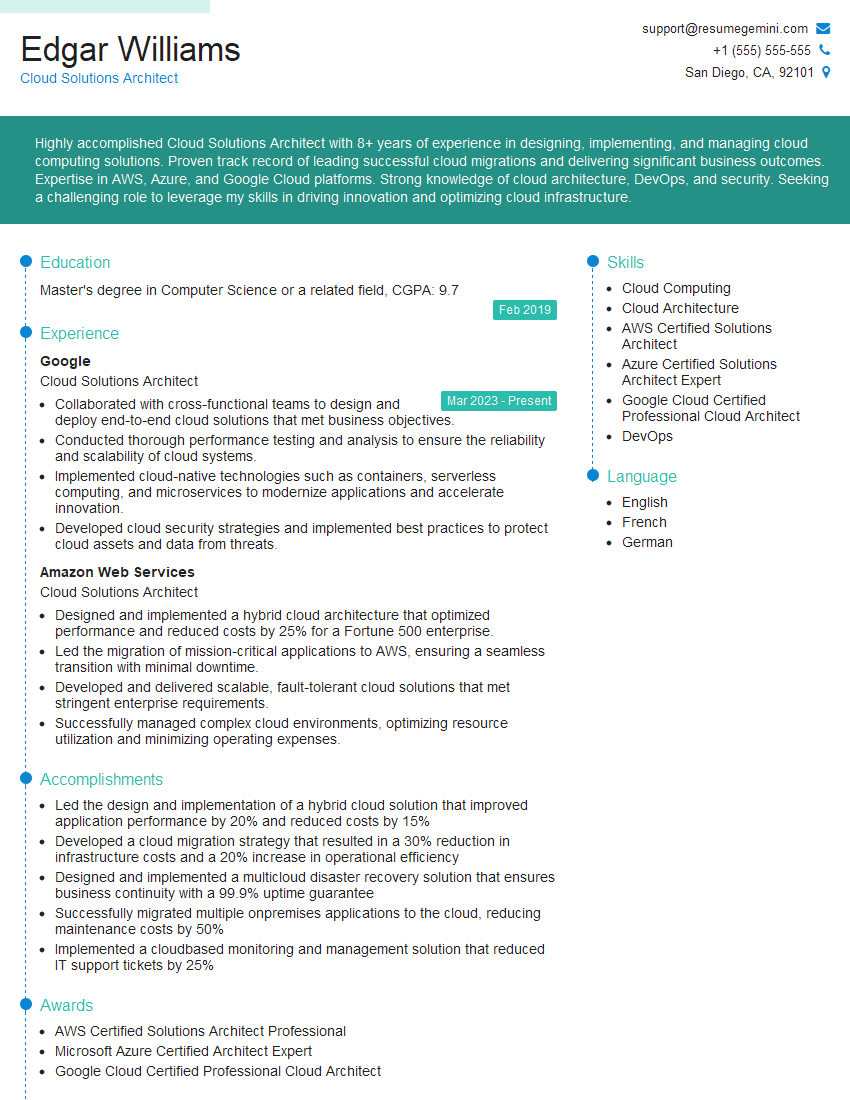
Cloud Solutions Architect Resume Sample
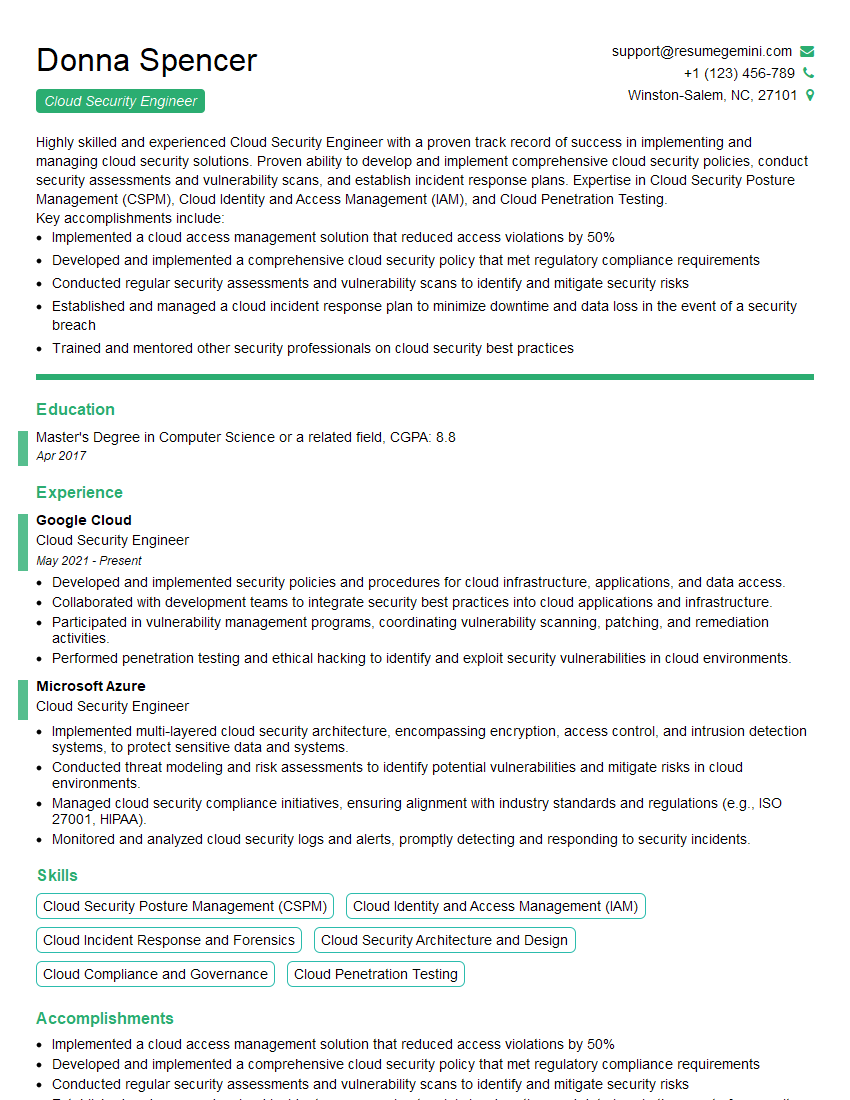
Cloud Security Engineer Resume Sample
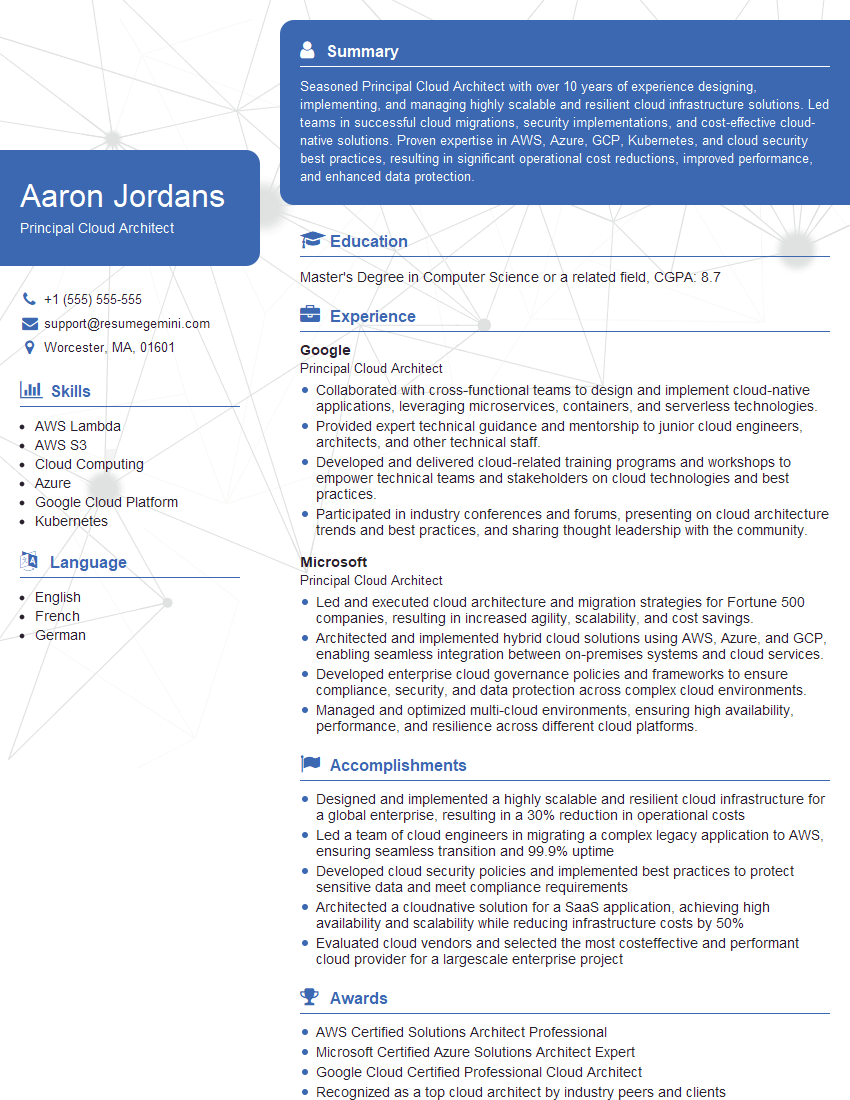
Principal Cloud Architect Resume Sample
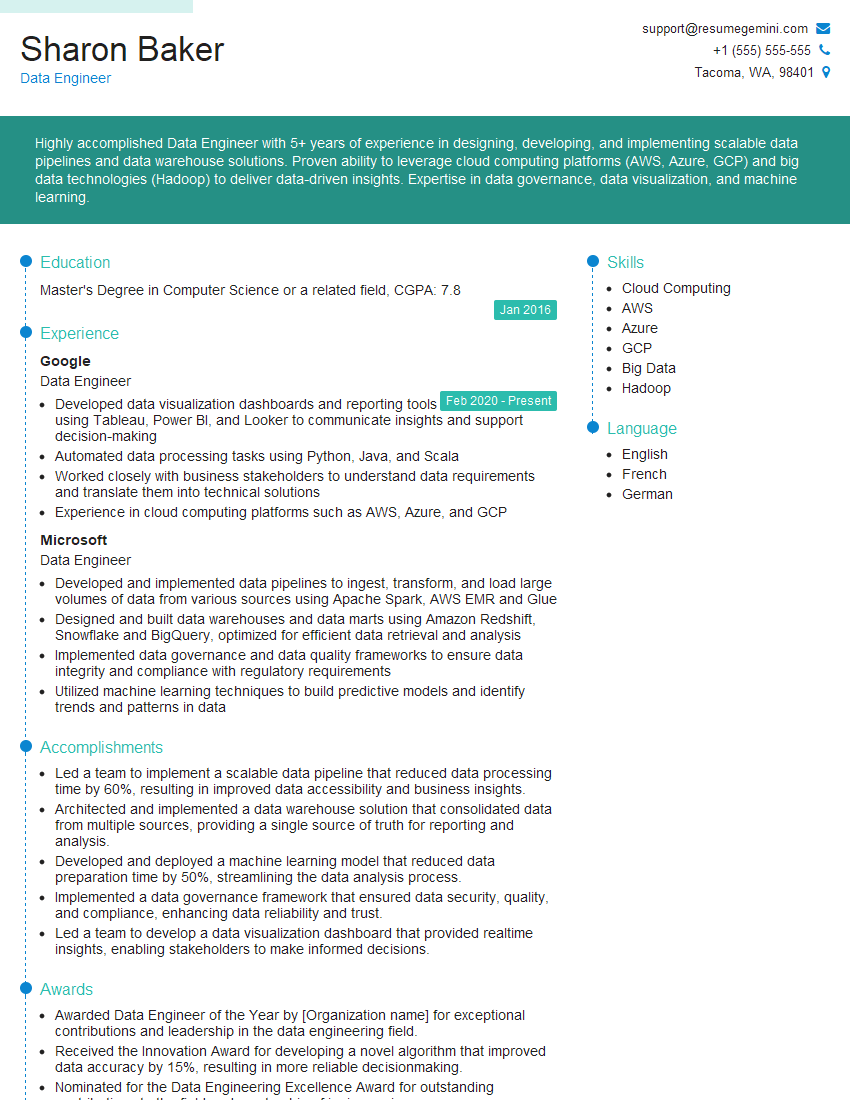
Data Engineer Resume Sample
Explore more articles
Users Rating of Our Blogs
Share Your Experience
We value your feedback! Please rate our content and share your thoughts (optional).
What Readers Say About Our Blog
Very informative content, great job.
good