Feeling uncertain about what to expect in your upcoming interview? We’ve got you covered! This blog highlights the most important Cloud Computing Basics (AWS, Azure, GCP, etc.) interview questions and provides actionable advice to help you stand out as the ideal candidate. Let’s pave the way for your success.
Questions Asked in Cloud Computing Basics (AWS, Azure, GCP, etc.) Interview
Q 1. Explain the difference between IaaS, PaaS, and SaaS.
IaaS, PaaS, and SaaS represent different levels of cloud service abstraction. Think of it like building a house: IaaS provides the land and raw materials (servers, storage, networking), PaaS provides the pre-fabricated walls and roof (operating systems, databases, middleware), and SaaS is the fully furnished house (complete application ready to use).
- IaaS (Infrastructure as a Service): You manage the operating systems, applications, and middleware. Examples include AWS EC2, Azure Virtual Machines, and GCP Compute Engine. This offers maximum control but requires significant expertise in managing infrastructure.
- PaaS (Platform as a Service): You focus on building and deploying applications. The cloud provider handles the underlying infrastructure, operating systems, and middleware. Examples include AWS Elastic Beanstalk, Azure App Service, and GCP App Engine. This simplifies development and deployment.
- SaaS (Software as a Service): You simply use the software application over the internet. The provider manages everything. Examples include Salesforce, Gmail, and Dropbox. This requires minimal management and is often the most cost-effective option, but offers the least control.
For instance, if you’re building a complex, highly customized application requiring fine-grained control over hardware, IaaS is suitable. If you’re a startup with limited resources focusing on application development, PaaS is a better choice. If you need a simple email service, SaaS is perfect.
Q 2. Describe the core services offered by AWS, Azure, and GCP.
AWS, Azure, and GCP offer a broad spectrum of services, but here’s a summary of their core offerings:
- AWS (Amazon Web Services): Known for its extensive range of services, AWS includes compute (EC2), storage (S3), databases (RDS, DynamoDB), networking (VPC), analytics (Redshift, EMR), and machine learning (SageMaker). They also have robust management and security services.
- Azure (Microsoft Azure): Strengths lie in its integration with Microsoft technologies. Core services include virtual machines (Azure VMs), storage (Azure Blob Storage), databases (Azure SQL Database, Cosmos DB), networking (Azure Virtual Network), and analytics (Azure Synapse Analytics). Azure excels in hybrid cloud environments.
- GCP (Google Cloud Platform): Highlights include strong capabilities in data analytics, machine learning, and Kubernetes. Core offerings encompass compute (Compute Engine), storage (Cloud Storage), databases (Cloud SQL, Cloud Spanner), networking (Virtual Private Cloud), and big data analytics (BigQuery, Dataproc).
Each platform has its strengths and weaknesses, and the best choice depends on your specific needs and existing infrastructure. For example, a company heavily invested in Microsoft technologies might prefer Azure for seamless integration.
Q 3. What are the key differences between AWS EC2 and Azure Virtual Machines?
Both AWS EC2 and Azure Virtual Machines are IaaS offerings providing virtualized computing resources, but there are key differences:
- Pricing Models: AWS EC2 offers a more granular pricing model with various instance types optimized for different workloads, allowing for fine-tuned cost control. Azure VMs have a simpler pricing model, which might be easier to understand initially but could be less cost-effective in specific scenarios.
- Integration with Other Services: AWS EC2 integrates seamlessly with other AWS services, forming a robust ecosystem. Azure VMs similarly integrate well within the Azure environment. The level of integration might influence your choice depending on the specific services you plan to use.
- Operating System Choices: Both offer a wide range of operating systems, but the specific versions and options might differ slightly.
- Customization Options: Both provide customization options, including the ability to choose instance sizes, storage types, and networking configurations, but the specifics and options might vary.
For instance, if you need very specific hardware configurations for a performance-critical application, careful comparison of instance types across both platforms is required. The optimal choice depends on factors like performance needs, budget, and integration with other services.
Q 4. How do you ensure high availability and fault tolerance in a cloud environment?
High availability and fault tolerance are crucial for reliable cloud applications. This involves designing systems to withstand failures without significant disruption. Strategies include:
- Redundancy: Deploying multiple instances of your application across different availability zones or regions. If one fails, others continue operating. This is often implemented using load balancers that distribute traffic across healthy instances.
- Replication: Replicating data across multiple data centers to protect against data loss. This could be synchronous (immediate replication) or asynchronous (delayed replication) depending on the application’s requirements.
- Autoscaling: Automatically scaling resources up or down based on demand. This ensures sufficient capacity during peak loads and avoids wasted resources during low usage.
- Failover Mechanisms: Implementing automated failover mechanisms that automatically switch to backup systems in case of failures. Database replication with failover is a good example.
Consider a web application: distributing instances across multiple availability zones prevents a single data center outage from bringing down the entire application. Database replication ensures that data is safe even if a primary database fails. Load balancers ensure that requests are distributed across healthy instances, maintaining application availability.
Q 5. Explain the concept of a virtual network and its importance in cloud computing.
A virtual network (VNet) in cloud computing is a logically isolated section of a cloud provider’s network, similar to a private network in an on-premises data center. It’s a fundamental building block for securing and organizing cloud resources.
- Isolation: VNets provide isolation between different applications and workloads, improving security and preventing unauthorized access.
- Resource Organization: You can organize your cloud resources (virtual machines, databases, etc.) within a VNet, improving management and control.
- Connectivity: VNets allow connectivity between different resources within the network and to external networks via gateways (e.g., VPN gateways, NAT gateways).
- Security: You can implement firewalls, Network Access Control Lists (NACLs), and other security measures within a VNet to enhance security.
Imagine a company with multiple departments, each needing its own network for security. Each department can have its own VNet, ensuring isolation and preventing cross-department access. Further, connecting VNets through VPNs provides secure communication between departments or with on-premises networks.
Q 6. What are the different types of cloud storage options and their use cases?
Cloud storage options are categorized based on access methods, performance, and cost. Here are some common types:
- Object Storage (e.g., AWS S3, Azure Blob Storage, GCP Cloud Storage): Stores data as objects with metadata, ideal for unstructured data like images, videos, and backups. Cost-effective for large-scale storage.
- Block Storage (e.g., AWS EBS, Azure Managed Disks, GCP Persistent Disks): Stores data as blocks, typically attached to virtual machines as persistent disks for operating systems and applications. Offers high performance but can be more expensive than object storage.
- File Storage (e.g., AWS EFS, Azure Files, GCP Filestore): Stores data as files and folders, providing a familiar file system interface. Suitable for applications that require a file-based storage approach. Often used for shared file access among VMs.
- Archive Storage (e.g., AWS Glacier, Azure Archive Storage, GCP Archive Storage): Designed for long-term data archiving. Retrieval times are longer than other storage types but significantly cheaper.
For instance, a media streaming service would use object storage for storing videos, while a database server needs block storage for its data files. A team collaborating on a project might use file storage for shared documents, while inactive log files might be moved to archive storage.
Q 7. Describe your experience with cloud security best practices.
My experience with cloud security best practices centers around a multi-layered approach, incorporating these key elements:
- Identity and Access Management (IAM): Implementing strong IAM policies to control access to cloud resources, using the principle of least privilege. This involves creating granular user roles with only the necessary permissions.
- Network Security: Utilizing Virtual Private Clouds (VPCs), security groups, and network access control lists (NACLs) to control network traffic and prevent unauthorized access. VPNs are used for secure connectivity to on-premises networks.
- Data Security: Employing encryption both in transit (TLS/SSL) and at rest to protect sensitive data. Data loss prevention (DLP) tools are also crucial.
- Vulnerability Management: Regularly scanning for vulnerabilities using security scanners and patching systems promptly. Automated vulnerability patching is preferred.
- Logging and Monitoring: Implementing comprehensive logging and monitoring to detect and respond to security incidents quickly. Security Information and Event Management (SIEM) systems are valuable here.
- Compliance: Adhering to relevant security standards and compliance requirements such as ISO 27001, SOC 2, or HIPAA, depending on the industry and data handled.
For example, in a project involving sensitive customer data, we implemented end-to-end encryption, strict IAM roles, regular security audits, and intrusion detection systems. This multi-layered approach minimized risk and ensured compliance with relevant regulations.
Q 8. How do you manage and monitor cloud resources?
Managing and monitoring cloud resources is crucial for maintaining performance, security, and cost efficiency. This involves leveraging the built-in monitoring tools provided by each cloud provider (AWS CloudWatch, Azure Monitor, GCP Cloud Monitoring), as well as third-party solutions.
My approach typically involves a multi-layered strategy:
- Setting up alerts and notifications: I configure alerts for critical metrics like CPU utilization, memory usage, network latency, and disk space. These alerts can be sent via email, SMS, or integrated into communication platforms like Slack. For example, in AWS, I’d create CloudWatch alarms based on specific thresholds and trigger SNS notifications.
- Utilizing dashboards for visualization: I create custom dashboards to visualize key performance indicators (KPIs) in a user-friendly format. This allows me to quickly identify trends and potential issues. These dashboards might show metrics like application response times, error rates, and resource consumption over time.
- Implementing logging and log analysis: Comprehensive logging is essential for troubleshooting and identifying root causes of issues. I utilize centralized logging services like AWS CloudTrail, Azure Activity Log, or GCP Cloud Logging and then use tools like Splunk or ELK stack for log analysis and correlation.
- Leveraging auto-scaling and other management tools: Auto-scaling dynamically adjusts resources based on demand, preventing performance bottlenecks and optimizing costs. I also use resource tagging for better organization and cost allocation. In Azure, for instance, I would configure auto-scaling for virtual machines based on CPU utilization or other relevant metrics.
- Regular review and optimization: I routinely review resource utilization and costs to identify areas for improvement. This includes identifying underutilized resources and right-sizing instances.
By combining these strategies, I ensure proactive monitoring, early detection of problems, and efficient management of cloud resources.
Q 9. Explain the concept of serverless computing.
Serverless computing is a cloud execution model where the cloud provider dynamically manages the allocation of computing resources. Instead of managing servers, you focus on writing and deploying your code; the cloud provider handles everything else, including scaling, provisioning, and maintenance.
Think of it like this: imagine renting a whole apartment (traditional server) versus renting just a single bed in a shared dorm (serverless). You only pay for the bed you use, and the dorm manager handles all the utilities and maintenance.
Key components include:
- Functions-as-a-Service (FaaS): This is the core of serverless computing. You write code as small, independent functions that are triggered by events (e.g., HTTP requests, database changes). Examples include AWS Lambda, Azure Functions, and Google Cloud Functions.
- Backend-as-a-Service (BaaS): This encompasses various services like databases, authentication, and storage, managed by the cloud provider. You don’t manage the infrastructure; you just use the services.
Benefits: Reduced operational overhead, improved scalability, cost efficiency (pay-per-use), and faster development cycles.
Drawbacks: Vendor lock-in, potential cold starts (latency when first invoking a function), and debugging complexities.
Q 10. What are some common cloud networking challenges and how do you address them?
Common cloud networking challenges include:
- Security vulnerabilities: Misconfigured firewalls, lack of proper access control, and insecure configurations can expose your cloud resources to attacks. Solutions involve implementing strong security policies, using Virtual Private Clouds (VPCs), and employing network security groups (NSGs).
- Network latency and performance issues: Distance between resources, network congestion, and inefficient routing can lead to slow performance. Solutions include using Content Delivery Networks (CDNs) to cache content closer to users, optimizing network topology, and utilizing load balancers.
- Cost optimization: Unoptimized network configurations can lead to high bandwidth charges. Solutions include optimizing data transfer, using cost-effective networking options, and monitoring network traffic patterns.
- Complexity and management: Managing complex cloud networks can be challenging. Solutions include using Infrastructure-as-Code (IaC) tools like Terraform or CloudFormation to automate network provisioning and configuration, and using network monitoring tools for better visibility.
- Hybrid cloud connectivity: Connecting on-premises infrastructure to the cloud securely and efficiently can be complex. Solutions involve using VPNs, Direct Connect, or other hybrid cloud solutions.
Addressing these challenges requires a proactive approach that combines proper planning, secure configurations, and continuous monitoring and optimization.
Q 11. Describe your experience with containerization technologies like Docker and Kubernetes.
I have extensive experience with Docker and Kubernetes. Docker enables packaging applications and their dependencies into containers, ensuring consistent execution across environments. Kubernetes, an orchestration platform, manages and automates deployment, scaling, and management of containerized applications across a cluster of hosts.
Docker: I use Docker to create and manage container images, simplifying deployment and reducing dependency conflicts. For example, I’ve used Docker to package a Python web application with its dependencies, ensuring it runs consistently on my local machine, in a CI/CD pipeline, and in a cloud environment. I’m familiar with Docker Compose for defining and managing multi-container applications.
Kubernetes: I’ve leveraged Kubernetes to deploy and manage containerized applications at scale. I’m proficient in defining deployments, services, and pods, using YAML configurations. I understand concepts like deployments, replicas, and rolling updates. I’ve utilized Kubernetes features like ingress controllers for managing external access and services for discovering containers within the cluster. For example, in a production setting, I’ve used Kubernetes to deploy a microservices architecture, automatically scaling application components based on demand.
My experience also extends to using Helm, a package manager for Kubernetes, to simplify the deployment of complex applications.
Q 12. How do you implement CI/CD pipelines in a cloud environment?
Implementing CI/CD pipelines in a cloud environment involves automating the processes of building, testing, and deploying software. This significantly reduces manual effort, accelerates release cycles, and improves software quality. A typical pipeline consists of several stages:
- Source Code Management (SCM): The pipeline begins with code stored in a repository like GitHub or GitLab.
- Build: Automated compilation and packaging of the code into deployable artifacts (e.g., Docker images).
- Test: Automated testing to identify bugs early. This typically includes unit, integration, and system tests.
- Deploy: Automated deployment of the code to various environments (development, staging, production) using tools like AWS CodeDeploy, Azure DevOps, or Google Cloud Build.
- Monitor: Continuous monitoring of the application in production to identify issues and measure performance.
Tools and Technologies: I use a combination of tools such as Jenkins, GitLab CI, or CircleCI to orchestrate the pipeline, alongside cloud-native services like AWS CodePipeline or Azure DevOps. Infrastructure-as-Code (IaC) tools like Terraform or CloudFormation are often integrated to automate infrastructure provisioning.
Example: For a project using Docker and AWS, I’d use GitLab CI to trigger builds upon code commits. The build stage would create a Docker image, followed by automated tests. Finally, AWS CodeDeploy would automatically deploy the new image to an Elastic Container Service (ECS) cluster.
Q 13. What are the benefits and drawbacks of using cloud computing?
Cloud computing offers numerous benefits but also has some drawbacks.
Benefits:
- Scalability and Elasticity: Easily scale resources up or down based on demand, paying only for what you use.
- Cost Savings: Reduce capital expenditure on hardware and maintenance.
- Increased Agility: Faster deployment of applications and services.
- Improved Collaboration: Enhanced collaboration among teams through shared resources.
- Global Reach: Access to global infrastructure and reach a wider audience.
- Disaster Recovery: Enhanced resilience through geographically distributed data centers.
Drawbacks:
- Vendor Lock-in: Migrating from one cloud provider to another can be complex.
- Security Concerns: Responsibility for security is shared between the cloud provider and the user.
- Internet Dependency: Requires a stable internet connection.
- Compliance Issues: Ensuring compliance with regulations and standards can be challenging.
- Cost Management: Unoptimized cloud usage can lead to unexpected costs.
The decision to use cloud computing depends on a careful evaluation of these factors based on specific organizational needs and constraints.
Q 14. Explain the concept of cloud cost optimization.
Cloud cost optimization is the process of reducing cloud spending while maintaining performance and service levels. It’s crucial for maximizing ROI and avoiding unexpected expenses.
My approach to cloud cost optimization includes:
- Right-sizing instances: Selecting instances appropriate for the workload, avoiding over-provisioning.
- Utilizing reserved instances or committed use discounts: Obtaining discounts by committing to using resources for a specific period.
- Implementing auto-scaling: Dynamically adjust resources based on demand, minimizing waste.
- Leveraging spot instances: Using spare compute capacity at significantly reduced prices.
- Optimizing storage: Using the appropriate storage class based on access frequency and data lifecycle.
- Monitoring and analyzing cloud costs: Regularly reviewing cost reports and identifying areas for improvement using tools like AWS Cost Explorer, Azure Cost Management, or GCP Billing.
- Tagging resources: Using tags to track and allocate costs effectively.
- Using cost-effective services: Choosing cheaper alternatives when available, like using managed services instead of building everything from scratch.
- Implementing cost allocation and chargeback mechanisms: Tracking costs to different departments or projects.
By adopting a holistic and proactive approach that combines technical optimization with careful cost management practices, significant savings can be achieved without compromising service quality.
Q 15. How do you handle cloud resource scaling and automation?
Cloud resource scaling and automation are crucial for efficient and cost-effective cloud deployments. Scaling involves adjusting resources (compute, storage, network) based on demand, while automation streamlines these processes using scripts and tools. Think of it like having a self-adjusting restaurant kitchen – more chefs are added during peak hours, then reduced later.
I handle scaling using several approaches:
- Auto-scaling groups (AWS, Azure, GCP): These services automatically adjust the number of instances based on predefined metrics (CPU utilization, request count, etc.). For example, if CPU usage consistently exceeds 80%, the auto-scaling group automatically launches more instances. Conversely, if usage drops below a threshold, it terminates idle instances.
- Container orchestration (Kubernetes, Docker Swarm): For microservices, container orchestration platforms dynamically manage containers, scaling them up or down based on resource needs and application demands. This allows for fine-grained control and efficient resource allocation.
- Serverless computing (AWS Lambda, Azure Functions, Google Cloud Functions): Serverless functions automatically scale based on the number of incoming requests. You pay only for the compute time used, making it highly cost-effective for event-driven architectures.
Automation is achieved through:
- Infrastructure as Code (IaC): Tools like Terraform, CloudFormation, and ARM templates define and manage infrastructure in code, allowing for repeatable and automated deployments. This ensures consistency and reduces human error.
- Configuration Management tools (Chef, Puppet, Ansible): These tools automate the configuration and management of servers and applications, ensuring consistent settings across multiple environments.
- CI/CD pipelines (Jenkins, GitLab CI, CircleCI): These pipelines automate the build, testing, and deployment processes, integrating scaling and automation strategies seamlessly into the software development lifecycle.
In a past project, I used AWS Auto Scaling groups with CloudWatch alarms to automatically scale web servers based on CPU utilization and request latency. This ensured high availability and responsiveness during traffic spikes, while reducing costs during periods of low demand. We also integrated this with a Terraform-based IaC approach for reproducible infrastructure deployments across different environments (development, testing, production).
Career Expert Tips:
- Ace those interviews! Prepare effectively by reviewing the Top 50 Most Common Interview Questions on ResumeGemini.
- Navigate your job search with confidence! Explore a wide range of Career Tips on ResumeGemini. Learn about common challenges and recommendations to overcome them.
- Craft the perfect resume! Master the Art of Resume Writing with ResumeGemini’s guide. Showcase your unique qualifications and achievements effectively.
- Don’t miss out on holiday savings! Build your dream resume with ResumeGemini’s ATS optimized templates.
Q 16. Describe your experience with cloud database services (e.g., RDS, Cosmos DB, Cloud SQL).
I have extensive experience with various cloud database services, including Amazon RDS, Azure Cosmos DB, and Google Cloud SQL. Choosing the right database depends heavily on the application’s requirements – scalability, cost, data model, and consistency requirements are all crucial factors.
- Amazon RDS: I’ve used RDS for relational databases (MySQL, PostgreSQL, Oracle, SQL Server). It simplifies database administration with features like automated backups, patching, and scaling. I appreciate its managed nature, freeing up time for application development instead of database management tasks.
- Azure Cosmos DB: This is a great choice for NoSQL databases and globally distributed applications requiring high availability and scalability. I’ve used it in projects demanding high throughput and low latency, leveraging its multi-region capabilities for global reach.
- Google Cloud SQL: Similar to RDS, Cloud SQL is a managed service for MySQL, PostgreSQL, and SQL Server databases. I find its integration with other GCP services, such as Compute Engine and Kubernetes, seamless and efficient.
In one project, we migrated a legacy MySQL database to Amazon RDS. This improved performance significantly due to RDS’s optimized infrastructure and reduced administration overhead. We also implemented read replicas to enhance read performance and availability. In another project, we utilized Azure Cosmos DB to build a highly scalable, globally distributed application requiring real-time data synchronization across multiple regions.
Q 17. Explain your understanding of different cloud deployment models (e.g., public, private, hybrid).
Cloud deployment models offer different levels of control and security depending on an organization’s needs. They represent distinct ways of accessing and managing cloud resources.
- Public Cloud: This is the most common model where resources are provided over the public internet by a third-party provider (AWS, Azure, GCP). It offers scalability, flexibility, and cost-effectiveness, but security is primarily the responsibility of the cloud provider and the user. Think of it like renting an apartment – you have access, but the building’s security is managed by the landlord and you.
- Private Cloud: Here, cloud resources are dedicated to a single organization, often within the organization’s own data center or a managed private cloud environment. It offers greater control and security than a public cloud, but comes with higher infrastructure costs and management overhead. It’s like owning a house – you have complete control but bear all responsibility for maintenance.
- Hybrid Cloud: This combines elements of both public and private clouds, allowing organizations to leverage the benefits of each. Sensitive data can be kept on a private cloud, while less critical workloads can be hosted on a public cloud for scalability and cost savings. It’s like having an apartment plus a vacation home – the best of both worlds.
The best model depends on several factors such as security requirements, compliance regulations, budget, and application architecture. For example, a healthcare organization with strict HIPAA compliance might prefer a private cloud, while a startup with rapid growth might opt for a public cloud’s scalability.
Q 18. What are some common cloud security threats and how do you mitigate them?
Cloud security is paramount. Several common threats exist:
- Data breaches: Unauthorized access to sensitive data, often through misconfigurations, weak passwords, or vulnerabilities in applications.
- Denial-of-service (DoS) attacks: Overwhelming resources to make them unavailable to legitimate users.
- Malware infections: Compromising servers or applications with malicious software.
- Insider threats: Malicious or negligent actions by employees or contractors.
- Misconfigurations: Incorrectly configured security settings exposing resources.
Mitigation strategies include:
- Strong authentication and authorization: Multi-factor authentication (MFA), strong passwords, and least privilege access models significantly reduce the risk of unauthorized access.
- Regular security audits and vulnerability assessments: Identifying and addressing vulnerabilities promptly.
- Data encryption: Protecting data both in transit and at rest using encryption technologies.
- Intrusion detection and prevention systems (IDS/IPS): Monitoring network traffic for malicious activity.
- Web application firewalls (WAFs): Protecting web applications from common attacks.
- Security Information and Event Management (SIEM): Centralized log management and security monitoring.
- Virtual Private Clouds (VPCs): Isolating resources within a secure, virtual network.
- Regular patching and updates: Keeping software and operating systems up-to-date.
I actively implement these strategies, focusing on a layered security approach. In a previous project, we detected a potential vulnerability in our application through regular security scanning. By quickly deploying a patch and implementing a WAF, we prevented a potential data breach.
Q 19. How do you monitor and troubleshoot cloud applications?
Monitoring and troubleshooting cloud applications requires a proactive and systematic approach. It involves continuously observing the application’s performance, identifying issues, and resolving them efficiently.
I leverage several tools and techniques:
- Cloud provider monitoring services (CloudWatch, Azure Monitor, Cloud Monitoring): These provide comprehensive metrics on resource utilization, application performance, and logs. I set up custom dashboards and alarms to track key metrics and receive alerts about potential problems.
- Application performance monitoring (APM) tools (Datadog, New Relic, Dynatrace): These tools provide deeper insights into application performance, tracing requests, and identifying bottlenecks.
- Logging and log aggregation (Splunk, ELK stack, CloudWatch Logs): Centralized log management allows for efficient troubleshooting by correlating events across different components.
- Tracing tools: Distributes tracing helps pinpoint performance issues across microservices.
When troubleshooting, I follow a systematic approach:
- Identify the problem: Gather information from monitoring tools, logs, and user reports.
- Isolate the cause: Use tracing tools and logs to pinpoint the root cause of the issue.
- Develop a solution: Based on the root cause, determine the best course of action (code changes, infrastructure adjustments, etc.).
- Implement the solution: Apply the necessary changes and test thoroughly.
- Monitor the results: Observe the system’s behavior to ensure the issue is resolved and prevent recurrence.
For example, using CloudWatch, I identified a high error rate in a specific microservice. By analyzing the logs and using APM tools, I found a database query causing performance degradation. I optimized the query and the error rate dropped significantly.
Q 20. Explain your experience with Infrastructure as Code (IaC).
Infrastructure as Code (IaC) is a crucial practice for managing and automating cloud infrastructure. It involves defining and provisioning infrastructure through code, enabling repeatable deployments, version control, and automated testing. Think of it as a blueprint for your cloud environment, allowing for consistent and reliable deployments across different environments.
My experience includes using various IaC tools:
- Terraform: This is a highly versatile tool supporting multiple cloud providers. I’ve used it extensively to define and manage complex infrastructures, including networks, databases, and compute resources. Its declarative approach simplifies infrastructure management.
- AWS CloudFormation: Specific to AWS, CloudFormation provides a powerful way to manage AWS resources using JSON or YAML templates. I’ve used it to automate the deployment of complex AWS applications.
- Azure Resource Manager (ARM) templates: Similar to CloudFormation, ARM templates are used for managing Azure resources using JSON. I find it efficient for automating Azure deployments.
Using IaC offers numerous advantages:
- Consistency: Ensures consistent infrastructure deployments across different environments.
- Version control: Allows for tracking changes and reverting to previous versions if necessary.
- Automation: Enables automated provisioning and updates, reducing manual effort and errors.
- Testability: Facilitates testing infrastructure changes before deployment.
In a previous project, we migrated from manual infrastructure provisioning to a Terraform-based IaC approach. This drastically reduced deployment time, improved consistency, and facilitated collaboration among team members. Changes were version-controlled, allowing us to roll back easily if necessary.
Q 21. Describe your experience with different cloud load balancing solutions.
Cloud load balancing distributes network traffic across multiple servers to ensure high availability and performance. It prevents overload on individual servers and improves application responsiveness, especially during traffic spikes.
I have experience with various load balancing solutions:
- AWS Elastic Load Balancing (ELB): Provides different types of load balancers (classic, application, network) catering to different needs. I’ve used ELB extensively to distribute traffic across EC2 instances, ensuring high availability and scalability for web applications.
- Azure Load Balancer: A similar service to ELB, Azure Load Balancer distributes traffic across virtual machines (VMs) in Azure. I’ve used it to improve the performance and availability of applications in Azure.
- Google Cloud Load Balancing: Offers various types of load balancing services for distributing traffic across Google Compute Engine instances. I’ve used it in conjunction with Kubernetes for managing traffic in containerized environments.
- Content Delivery Networks (CDNs): Services like Amazon CloudFront, Azure CDN, and Google Cloud CDN cache static content (images, videos) closer to users, reducing latency and improving performance. I’ve used CDNs to improve the performance of web applications by delivering static content more efficiently.
Choosing the right load balancer depends on the application’s architecture and requirements. For example, I used an application load balancer for a web application that required HTTP/HTTPS routing and health checks. For a game server requiring extremely low latency, I chose a network load balancer.
Q 22. How do you manage backups and disaster recovery in a cloud environment?
Managing backups and disaster recovery (DR) in the cloud is crucial for business continuity. It involves creating redundant copies of your data and applications, ensuring you can quickly recover in case of failures. This is achieved through a multi-layered approach.
- Data Backup: We utilize cloud-native backup services like AWS Backup, Azure Backup, or GCP’s Backup for VMs and databases. These services automate the process, ensuring regular backups and providing options for versioning and retention policies. For example, we might schedule daily backups for critical databases and weekly backups for less critical systems.
- Replication: Replication across Availability Zones (AZs) or regions provides geographic redundancy. In AWS, this might involve using services like S3 cross-region replication or EC2 instance replication across AZs. Azure offers similar features with its availability sets and geo-redundant storage. GCP’s regional and zonal replication offers similar benefits. This ensures data survivability even if an entire AZ or region suffers an outage.
- Disaster Recovery Plans (DRP): A well-defined DRP is essential. This document outlines the steps to take in a disaster scenario, including failover procedures, recovery time objectives (RTOs), and recovery point objectives (RPOs). RTO defines how quickly you need to restore services, while RPO defines the acceptable data loss in case of a failure. Regular DR drills are crucial to validate the plan.
- Testing and Validation: Regular testing is vital to ensure that your backup and DR strategy works as intended. This might involve performing a failover to a secondary region or performing a restore operation to verify data integrity and application functionality.
For example, in a recent project, we used AWS Backup to automate daily backups of a critical MySQL database. We then implemented cross-region replication to an entirely separate AWS region for disaster recovery. This ensured low RTO and RPO, meeting the client’s stringent business continuity requirements.
Q 23. Explain your experience with cloud-based identity and access management (IAM).
Cloud-based Identity and Access Management (IAM) is foundational for securing cloud resources. My experience spans all major cloud providers, focusing on implementing least privilege access, multi-factor authentication (MFA), and robust auditing.
- Least Privilege: I strictly adhere to the principle of least privilege, granting users only the necessary permissions to perform their jobs. This minimizes the impact of compromised credentials. This involves using granular permission policies and roles instead of overly broad administrative access.
- Multi-Factor Authentication (MFA): MFA is mandatory for all users. I enforce this using cloud provider’s built-in MFA features, such as AWS MFA, Azure MFA, or GCP’s MFA. This provides an extra layer of security beyond passwords.
- Role-Based Access Control (RBAC): I leverage RBAC extensively to manage access based on roles within the organization. This simplifies permission management and promotes consistency. We create roles for developers, operations teams, and security personnel, each with precisely defined permissions.
- Auditing and Monitoring: Regular auditing and monitoring are crucial to detect suspicious activity. Cloud providers provide detailed audit logs, which we analyze to identify potential security breaches and maintain compliance.
In a past project, we migrated a legacy on-premise application to AWS. Implementing AWS IAM, we created specific IAM roles with minimal privileges for different services, enabling granular control and enhancing security while streamlining the migration process.
Q 24. What is your experience with cloud-based analytics and big data solutions?
My experience with cloud-based analytics and big data solutions includes working with various services like AWS EMR, Redshift, Glue, Azure Databricks, HDInsight, and GCP’s Dataproc, BigQuery, and Dataflow.
- Data Warehousing: I’ve designed and implemented data warehouses using services like Redshift and BigQuery, optimizing for query performance and scalability. This involved designing efficient schemas, using partitioning and compression techniques, and optimizing query performance.
- Data Processing: I have experience with processing large datasets using services like EMR (Hadoop), Databricks, and Dataproc (Spark). This includes developing ETL (Extract, Transform, Load) pipelines and performing data transformations at scale.
- Data Lakes: I’ve worked with cloud-based data lakes using S3, Azure Data Lake Storage, and Google Cloud Storage, leveraging their scalability and cost-effectiveness for storing raw data. This included designing data governance and access control policies.
- Data Visualization and Reporting: I have experience using various visualization tools, integrated with cloud-based analytics services, to create dashboards and reports for business intelligence.
For example, in one project, we used AWS Glue and EMR to process terabytes of log data to generate insights into user behavior. The results were visualized on a custom dashboard using Amazon QuickSight, providing real-time insights to the business team.
Q 25. Describe your experience with cloud migration strategies.
Cloud migration strategies require careful planning and execution. My experience involves assessing applications, choosing the right migration approach, and minimizing downtime.
- Assessment and Planning: The first step involves a thorough assessment of the existing IT infrastructure, identifying applications suitable for migration, and defining the migration scope and timeline. This includes analyzing application dependencies, security considerations, and potential challenges.
- Migration Approaches: I have experience with various migration approaches, including rehosting (lift and shift), refactoring, repurchasing, and retiring. The choice depends on application architecture, budget, and timeline constraints. Rehosting is suitable for applications requiring minimal changes, while refactoring involves significant code changes to optimize for cloud environments.
- Tools and Services: Cloud providers offer various migration tools and services, such as AWS Migration Hub, Azure Migrate, and GCP Migrate for Compute Engine. These tools automate the migration process and minimize downtime.
- Testing and Validation: Thorough testing and validation are crucial to ensure applications function correctly in the cloud environment before cutover. This includes performance testing, security testing, and functional testing.
In a recent project, we migrated a large on-premise ERP system to Azure using a phased approach. We started by migrating non-critical modules using a lift-and-shift strategy, followed by refactoring critical modules for better cloud optimization.
Q 26. What are the advantages and disadvantages of using different cloud providers?
Each major cloud provider (AWS, Azure, GCP) offers a wide range of services, each with advantages and disadvantages.
- AWS: Offers the broadest range of services and a mature ecosystem. Advantages include extensive documentation, a large community, and a vast partner network. Disadvantages include potentially higher costs and a steeper learning curve.
- Azure: Strong integration with Microsoft technologies and a focus on hybrid cloud solutions. Advantages include strong security features and good enterprise support. Disadvantages include sometimes less comprehensive documentation compared to AWS and a smaller community.
- GCP: Known for its strong data analytics and machine learning capabilities and a focus on open source. Advantages include competitive pricing and excellent scalability. Disadvantages include sometimes a less mature ecosystem and a smaller community compared to AWS.
The best provider depends on specific requirements. For example, a company heavily reliant on Microsoft technologies might prefer Azure, while a company focused on big data analytics might favor GCP.
Q 27. How do you choose the right cloud service for a specific application?
Choosing the right cloud service depends on several factors:
- Application Requirements: Consider the application’s scalability needs, performance requirements, and security needs.
- Cost Optimization: Evaluate the pricing models of different cloud services and choose the option that best fits the budget.
- Integration with Existing Systems: Consider how well the chosen cloud service integrates with existing on-premise systems or other cloud services.
- Vendor Lock-in: Assess the potential for vendor lock-in and choose a solution that provides flexibility and portability.
- Compliance Requirements: Ensure that the cloud service meets relevant regulatory and compliance requirements.
For example, a simple web application might be suitable for a Platform as a Service (PaaS) offering like AWS Elastic Beanstalk, while a complex, high-traffic application might require a more customized Infrastructure as a Service (IaaS) approach on AWS EC2.
Q 28. Explain your understanding of cloud-native application development.
Cloud-native application development involves building and running applications specifically designed for cloud environments. This contrasts with lifting and shifting existing applications.
- Microservices Architecture: Cloud-native applications are often built using a microservices architecture, breaking down the application into small, independent services. This enhances scalability, resilience, and maintainability.
- Containerization (Docker, Kubernetes): Containers are used to package and deploy applications consistently across different environments. Kubernetes is used for orchestrating and managing containers at scale.
- DevOps and CI/CD: DevOps practices and Continuous Integration/Continuous Delivery (CI/CD) pipelines are used to automate the development, testing, and deployment processes. This speeds up development cycles and improves reliability.
- Serverless Computing: Serverless functions (like AWS Lambda, Azure Functions, or Google Cloud Functions) allow developers to focus on code without managing servers. This enhances scalability and cost-efficiency.
For instance, a cloud-native e-commerce application might be composed of independent microservices for user authentication, product catalog, shopping cart, and order processing. Each microservice runs in its own container, orchestrated by Kubernetes, and deployed using a CI/CD pipeline.
Key Topics to Learn for Cloud Computing Basics (AWS, Azure, GCP, etc.) Interview
- Fundamental Cloud Concepts: IaaS, PaaS, SaaS, cloud deployment models (public, private, hybrid), and the differences between them. Understand the advantages and disadvantages of each.
- Compute Services: Virtual Machines (VMs), containers (Docker, Kubernetes), serverless computing (Lambda, Azure Functions, Cloud Functions). Be prepared to discuss their use cases and when to choose one over another.
- Storage Services: Object storage (S3, Azure Blob Storage, Google Cloud Storage), block storage, file storage. Understand data durability, availability, and cost implications of different storage options.
- Networking: Virtual Private Clouds (VPCs), subnets, routing, load balancing, firewalls, and security groups. Know how to design secure and scalable network architectures.
- Databases: Relational databases (RDS, Azure SQL Database, Cloud SQL), NoSQL databases (DynamoDB, Cosmos DB, Cloud Firestore). Understand database choices based on application needs (scalability, consistency, cost).
- Security: Identity and Access Management (IAM), security best practices, common security threats and mitigation strategies in cloud environments. Demonstrate an understanding of the shared responsibility model.
- Pricing and Cost Optimization: Understand the different pricing models (pay-as-you-go, reserved instances), and strategies for optimizing cloud spending. This is a crucial aspect for many interviews.
- Monitoring and Logging: CloudWatch, Azure Monitor, Cloud Logging. Understand the importance of monitoring and logging for application performance and troubleshooting.
- Deployment and Automation: Infrastructure as Code (IaC) using tools like Terraform or CloudFormation. Automation of deployments and configuration management.
- Specific Cloud Provider Knowledge: While focusing on general cloud concepts is key, having some hands-on experience with at least one major provider (AWS, Azure, or GCP) will significantly boost your chances. Focus on one deeply rather than superficially covering all three.
Next Steps
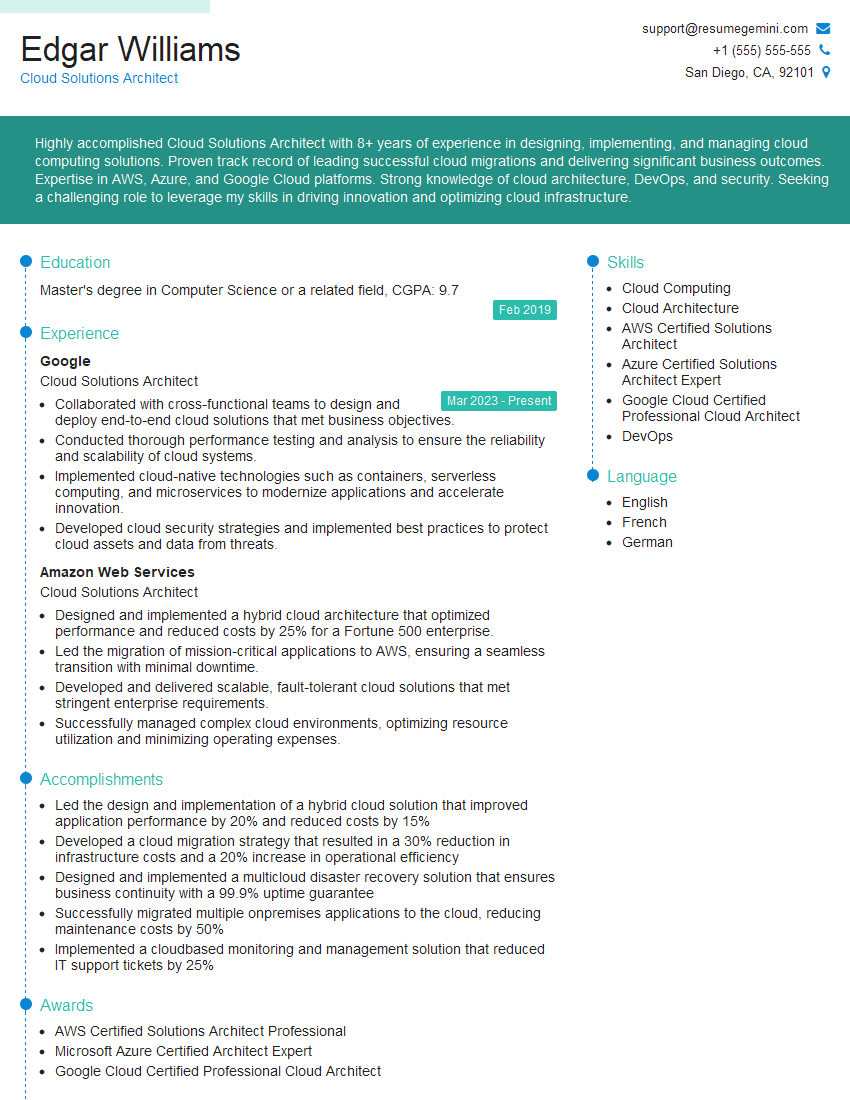
Mastering Cloud Computing Basics is crucial for a thriving career in today’s tech landscape. It opens doors to high-demand roles and significant career progression. To maximize your job prospects, create an ATS-friendly resume that highlights your skills and experience effectively. ResumeGemini is a trusted resource to help you build a professional and impactful resume that stands out. We provide examples of resumes tailored specifically to Cloud Computing Basics roles featuring AWS, Azure, and GCP experience – check them out to see how to best present your skills!



Explore more articles
Users Rating of Our Blogs
Share Your Experience
We value your feedback! Please rate our content and share your thoughts (optional).
What Readers Say About Our Blog
Very informative content, great job.
good