Preparation is the key to success in any interview. In this post, we’ll explore crucial Cloud Security and Infrastructure interview questions and equip you with strategies to craft impactful answers. Whether you’re a beginner or a pro, these tips will elevate your preparation.
Questions Asked in Cloud Security and Infrastructure Interview
Q 1. Explain the difference between IaC and PaaS.
IaC (Infrastructure as Code) and PaaS (Platform as a Service) are both cloud computing models, but they differ significantly in their level of abstraction and management responsibility.
IaC treats infrastructure—servers, networks, storage—as code. You define your infrastructure using descriptive configuration files (e.g., Terraform, Ansible, CloudFormation), and these files are then used to automatically provision and manage those resources. Think of it like a blueprint for your cloud environment. You have complete control over every aspect of the infrastructure.
PaaS, on the other hand, provides a platform where you can deploy and run your applications without managing the underlying infrastructure. The cloud provider handles the servers, operating systems, databases, and other underlying components. You focus solely on deploying and managing your application code. Think of it as a pre-built apartment—you move in and furnish it, but you don’t worry about the plumbing or electricity.
In short: IaC gives you complete control but requires more technical expertise, while PaaS simplifies management but offers less control.
Example: Imagine you need a web server. With IaC, you’d write code to create a virtual machine, install an operating system, configure a web server (Apache or Nginx), and set up security rules. With PaaS, you’d simply upload your application code to the platform, and the provider handles the rest.
Q 2. Describe the shared responsibility model in cloud security.
The shared responsibility model in cloud security outlines how responsibility for security is divided between the cloud provider (e.g., AWS, Azure, GCP) and the customer.
The cloud provider is responsible for securing the underlying infrastructure—the physical hardware, the network, and the hypervisors. They ensure the security of the cloud platform itself. Think of it as securing the building itself. They’re responsible for the physical security, the building’s structural integrity, and the utilities like electricity and internet connectivity.
The customer is responsible for securing everything they deploy and manage on that infrastructure. This includes the operating systems, applications, data, and user accounts. This is like securing your apartment within the building. You’re responsible for the locks on your door, your personal belongings, and your tenant’s safety.
The exact division of responsibility varies slightly depending on the service model (IaaS, PaaS, SaaS), but the general principle remains the same: the provider secures the ‘what’, and the customer secures the ‘how’.
Example: AWS is responsible for securing their data centers and the physical servers. However, you are responsible for securing your EC2 instances (servers), configuring firewalls, managing user access, and protecting your data stored on those instances.
Q 3. What are the key components of a robust cloud security posture?
A robust cloud security posture is built upon several key components:
- Identity and Access Management (IAM): Implementing strong authentication (like MFA), authorization (least privilege access), and robust identity management systems.
- Data Security: Protecting data at rest (encryption, access control) and in transit (TLS/SSL). This includes data loss prevention (DLP) mechanisms.
- Network Security: Implementing firewalls, Virtual Private Clouds (VPCs), network segmentation, and intrusion detection/prevention systems.
- Vulnerability Management: Regularly scanning for and patching vulnerabilities in operating systems, applications, and infrastructure.
- Security Monitoring and Logging: Actively monitoring cloud environments for suspicious activity, analyzing logs, and having a robust incident response plan.
- Compliance and Governance: Adhering to relevant industry regulations and compliance standards (e.g., HIPAA, PCI DSS, GDPR).
- Security Automation: Automating security tasks like patching, vulnerability scanning, and incident response to improve efficiency and reduce human error.
Think of it as a layered security approach, where each layer provides an additional level of protection.
Q 4. How would you implement multi-factor authentication (MFA) in a cloud environment?
Implementing MFA in a cloud environment involves integrating MFA capabilities into your identity and access management (IAM) system. This usually involves using a third-party authentication provider or leveraging the built-in MFA features offered by cloud providers.
Steps to implement MFA:
- Choose an MFA method: Select an appropriate MFA method such as TOTP (Time-based One-Time Password) using authenticator apps (Google Authenticator, Authy), hardware tokens, or SMS-based codes. TOTP is generally preferred for its security and convenience.
- Integrate with IAM: Configure your cloud provider’s IAM system (AWS IAM, Azure Active Directory, GCP IAM) to require MFA for all or specific users. This typically involves enabling MFA for specific users or groups within the IAM console.
- Test and Deploy: Thoroughly test the MFA implementation to ensure it functions correctly and doesn’t disrupt legitimate access. Gradually roll out MFA to all users to minimize disruption.
- Regular Review: Periodically review and update your MFA configuration to ensure it remains effective and aligned with evolving security best practices.
Example: In AWS IAM, you can enable MFA for users by associating a virtual MFA device with their account. Then, during login, users will need to enter their password and a one-time code from their authenticator app.
Q 5. Explain the concept of least privilege access in cloud security.
The principle of least privilege access dictates that users and applications should only have the minimum necessary permissions to perform their tasks. This significantly reduces the impact of a security breach, as a compromised account or application will have limited privileges.
In a cloud environment, this translates to granting users and applications only the specific permissions they need to access resources. Avoid granting broad administrator or root-level access whenever possible. Use granular role-based access control (RBAC) to define fine-grained permissions.
Example: Instead of giving a developer full administrative access to a cloud environment, you’d create a custom IAM role with only the permissions needed to deploy and manage their application code (e.g., read/write access to specific S3 buckets, ability to deploy to specific EC2 instances).
Benefits:
- Reduced attack surface: Limits the impact of a compromised account.
- Improved security posture: Minimizes risks associated with excessive privileges.
- Better compliance: Aligns with various security standards and regulations.
Q 6. How do you secure cloud databases?
Securing cloud databases requires a multi-layered approach combining infrastructure, network, and application-level security measures:
- Network Security: Restrict database access to authorized users and applications only using firewalls, VPCs, and network segmentation. Utilize private subnets whenever possible to isolate your database from the public internet.
- Database Security Configurations: Configure database security settings properly. This includes strong passwords, enabling auditing, and setting up appropriate user roles with least privilege access.
- Data Encryption: Encrypt data at rest using encryption at the database level and in transit using TLS/SSL.
- Regular patching and updates: Ensure the database software and related components are regularly updated with security patches.
- Monitoring and Logging: Implement robust monitoring and logging to detect any suspicious activity or security breaches.
- Database Activity Monitoring: Monitor database activity for unusual behavior that may indicate a security threat.
- Access Control: Use strong password policies and multi-factor authentication for all database users.
- Vulnerability Scanning: Regularly scan the database for vulnerabilities to ensure it remains secure.
Example: In AWS, you would use security groups to control network access to your RDS (Relational Database Service) instances, encrypt your data using encryption keys, and implement IAM roles to limit access to specific database users.
Q 7. What are some common cloud security vulnerabilities?
Common cloud security vulnerabilities include:
- Misconfigured cloud storage: Publicly accessible storage buckets containing sensitive data. This is a frequent occurrence due to improper access control settings.
- Lack of MFA: Failure to implement multi-factor authentication, leaving accounts vulnerable to credential stuffing attacks.
- Insecure APIs: Weak API security, resulting in unauthorized access or data breaches. This is especially critical with publicly facing APIs.
- Unpatched systems: Running outdated software with known vulnerabilities that can be exploited by attackers.
- Lack of security monitoring and logging: Inability to detect and respond to security incidents effectively.
- Insider threats: Malicious or negligent actions by employees or contractors with access to cloud resources.
- Compromised credentials: Stolen or leaked usernames and passwords that enable attackers to gain access to cloud accounts.
These vulnerabilities often stem from misconfiguration, insufficient security awareness, or neglecting regular security updates and assessments.
Q 8. Describe your experience with cloud security monitoring tools.
Cloud security monitoring tools are crucial for maintaining the integrity and confidentiality of cloud-based systems. My experience encompasses a wide range of tools, from Security Information and Event Management (SIEM) systems like Splunk and QRadar, to Cloud Access Security Brokers (CASB) such as McAfee MVISION Cloud and Zscaler, and Cloud Security Posture Management (CSPM) tools such as Azure Security Center and AWS Security Hub.
For example, I’ve used Splunk to correlate security logs from various cloud services (AWS, Azure, GCP) and on-premises systems to identify and respond to threats in real-time. This involved creating custom dashboards and alerts to monitor critical security events, such as unusual login attempts, data exfiltration attempts, and configuration changes. With CASB solutions, I’ve enforced data loss prevention (DLP) policies and monitored user activity to prevent sensitive data from leaving the organization’s control. CSPM tools have been instrumental in assessing the security posture of our cloud environments, identifying misconfigurations, and ensuring compliance with security best practices.
In one specific project, we used a combination of SIEM and CSPM to detect and remediate a critical vulnerability in our AWS environment. The CSPM tool identified a misconfigured S3 bucket with public access enabled, while the SIEM provided real-time alerts indicating unauthorized access attempts. We immediately addressed the misconfiguration and implemented stronger access controls, preventing a potential data breach.
Q 9. How would you respond to a security incident in the cloud?
Responding to a cloud security incident requires a swift and methodical approach. My process follows a well-defined incident response plan that adheres to industry best practices, like NIST Cybersecurity Framework. It generally involves these steps:
- Preparation: Proactive measures like regular security assessments, vulnerability scanning, and incident response planning are crucial. This includes defining roles and responsibilities and establishing communication protocols.
- Detection: This involves utilizing various monitoring tools and techniques to detect suspicious activities. This could range from alerts from a SIEM to unusual network traffic patterns.
- Analysis: Once an incident is detected, a thorough analysis is performed to understand the nature, scope, and impact of the incident. This involves examining logs, network traffic, and potentially affected systems.
- Containment: This involves isolating the affected systems or resources to prevent further damage or spread of the incident. This might involve shutting down affected servers, blocking IP addresses, or revoking access credentials.
- Eradication: The root cause of the incident is identified and addressed. This might involve patching vulnerabilities, removing malware, or restoring data from backups.
- Recovery: Affected systems and services are restored to a fully operational state. This might involve reinstalling software, restoring data, and verifying functionality.
- Post-Incident Activity: Lessons learned are documented, and improvements to security procedures are implemented to prevent similar incidents from happening in the future.
For instance, imagine a ransomware attack on our cloud infrastructure. We would follow this process to contain the attack by isolating affected systems, eradicate the malware, restore data from backups, and then conduct a post-incident review to improve our security posture and strengthen our defenses against future attacks.
Q 10. Explain your understanding of vulnerability scanning and penetration testing in the cloud.
Vulnerability scanning and penetration testing are both essential components of a robust cloud security program, but they serve different purposes.
Vulnerability scanning is an automated process that identifies known security weaknesses in systems and applications. Tools like Nessus, QualysGuard, and OpenVAS are commonly used. These tools analyze configurations, software versions, and operating systems to identify potential vulnerabilities. Think of it as a comprehensive health check that highlights potential problems. It’s essential to schedule regular vulnerability scans, especially after deployments or software updates.
Penetration testing, often called ethical hacking, goes a step further. It simulates real-world attacks to assess the effectiveness of security controls and identify exploitable vulnerabilities. This involves actively attempting to compromise systems to evaluate their resilience. Penetration testing can be black box (testers have no prior knowledge of the system), white box (testers have full knowledge of the system), or grey box (testers have some limited knowledge). This provides a more realistic assessment of security risks compared to vulnerability scanning.
In a cloud environment, these processes are often automated and integrated with CI/CD pipelines to ensure ongoing security. For example, a vulnerability scan might be automatically triggered after a new application is deployed to a cloud platform like AWS. A more comprehensive penetration test might be performed quarterly to ensure security controls remain effective in the face of evolving threats.
Q 11. What are the key differences between AWS, Azure, and GCP security services?
AWS, Azure, and GCP offer comprehensive security services, but they differ in their approach and specific features. Here’s a comparison:
- AWS: AWS boasts a mature and extensive security portfolio. It offers services like AWS Security Hub, GuardDuty (threat detection), Inspector (vulnerability management), and IAM (Identity and Access Management) for granular access control. Its strengths lie in its wide range of services and its established ecosystem of third-party tools.
- Azure: Azure provides Azure Security Center, a centralized security management platform, along with services like Azure Active Directory (for identity management), Azure Monitor (for log analysis), and Azure Sentinel (SIEM). Azure integrates well with other Microsoft products and services, making it a strong choice for organizations heavily invested in the Microsoft ecosystem.
- GCP: GCP offers Cloud Security Command Center, which provides a central view of security posture, along with services like Cloud Security Scanner (vulnerability management), Cloud IAM (identity and access management), and Cloud Logging (log management). GCP is known for its strong focus on compliance and its powerful data analytics capabilities.
The key differences lie in the specific features, integrations, and pricing models of each platform. Choosing the right platform depends on factors like your existing infrastructure, specific security requirements, budget constraints, and organizational expertise.
Q 12. How do you ensure compliance with relevant regulations (e.g., GDPR, HIPAA, SOC 2)?
Ensuring compliance with regulations like GDPR, HIPAA, and SOC 2 requires a multi-faceted approach. It’s not just about using specific tools, but establishing a robust security program that meets the requirements of these frameworks.
GDPR focuses on data privacy and requires organizations to implement measures to protect personal data. This includes data encryption, access control, and data breach notification procedures. We need to document data processing activities, ensure compliance with data subject requests, and implement appropriate technical and organizational measures.
HIPAA governs the security and privacy of Protected Health Information (PHI). Compliance requires implementing strong access controls, audit trails, and encryption for PHI. We need to conduct regular security risk assessments and implement measures to safeguard against unauthorized access, use, disclosure, alteration, or destruction of PHI.
SOC 2 focuses on the security, availability, processing integrity, confidentiality, and privacy of customer data. Compliance requires a comprehensive system and organization controls (SOC) review, demonstrating that our systems meet specific security standards. This involves implementing robust security controls, documenting processes, and undergoing regular audits by a third-party auditor.
To ensure compliance, we use a combination of automated tools (e.g., configuration management tools, security information and event management systems), manual processes (e.g., risk assessments, audits), and ongoing monitoring to continuously assess and improve our security posture. Compliance is an ongoing process, requiring vigilance and continuous improvement.
Q 13. Explain your experience with cloud security automation tools.
Cloud security automation is paramount for efficiently managing security in dynamic cloud environments. My experience spans various automation tools and techniques.
I’ve used Infrastructure as Code (IaC) tools like Terraform and CloudFormation to automate the provisioning and configuration of secure cloud infrastructure. This includes automatically implementing security best practices, such as setting up security groups, encryption, and access controls, during the deployment process. This ensures consistency and reduces human error.
Furthermore, I’ve leveraged automation tools for security tasks such as vulnerability scanning, patching, and incident response. For instance, integrating vulnerability scanners into CI/CD pipelines enables automatic vulnerability checks before deployments. Security orchestration, automation, and response (SOAR) platforms like Splunk Phantom and IBM Resilient are utilized to automate incident response processes, accelerating the identification and remediation of security incidents.
In a recent project, we automated the patching of our cloud servers using Ansible. This reduced patching time from days to hours, minimizing the window of vulnerability and improving overall security posture. Automation has proven crucial in our ability to scale our security operations efficiently and effectively in the face of growing complexity.
Q 14. How do you manage and monitor cloud security logs?
Managing and monitoring cloud security logs is critical for detecting and responding to security incidents. This involves a combination of centralized logging, log analysis, and alert mechanisms.
I typically use cloud-native logging services such as AWS CloudTrail, Azure Activity Log, and GCP Cloud Audit Logs. These services provide comprehensive logs of activity within the cloud environment. These logs are then centralized and analyzed using a SIEM system. This allows for correlation of events from various sources, enabling the identification of patterns and anomalies indicative of security threats.
For example, using Splunk, we can create dashboards to visualize key security metrics, such as the number of failed login attempts, unusual network traffic patterns, or configuration changes. We also configure alerts to be triggered when specific security events occur, allowing for prompt response to potential threats. The logs are also archived for compliance purposes and for future forensic analysis.
To ensure efficient log management, we implement log retention policies that balance the need for historical data with storage costs. We also utilize log filtering and aggregation to reduce the volume of data that needs to be analyzed, focusing attention on the most critical events. Regular review and optimization of log monitoring configurations are essential to ensure optimal performance and early threat detection.
Q 15. Describe your experience with implementing and managing cloud firewalls.
Cloud firewalls are the first line of defense in securing cloud environments. My experience encompasses implementing and managing both network-level firewalls (like those offered by AWS, Azure, and GCP) and web application firewalls (WAFs). I’ve worked extensively with configuring security groups (AWS), network security groups (Azure), and firewall rules (GCP) to control inbound and outbound traffic based on IP addresses, ports, protocols, and other criteria. This involves defining granular rules to allow only necessary traffic while blocking everything else, adhering to the principle of least privilege.
For example, in a recent project, we used AWS Security Groups to restrict access to our database servers to only our application servers within the same VPC, preventing direct internet access. We also implemented a WAF to protect against common web application attacks like SQL injection and cross-site scripting. Managing these firewalls involves regular monitoring, log analysis, and proactive adjustments to security rules based on changing security needs and threat landscapes. This includes incorporating automated responses to detected threats and regular security audits to ensure the effectiveness of our firewall configurations.
Career Expert Tips:
- Ace those interviews! Prepare effectively by reviewing the Top 50 Most Common Interview Questions on ResumeGemini.
- Navigate your job search with confidence! Explore a wide range of Career Tips on ResumeGemini. Learn about common challenges and recommendations to overcome them.
- Craft the perfect resume! Master the Art of Resume Writing with ResumeGemini’s guide. Showcase your unique qualifications and achievements effectively.
- Don’t miss out on holiday savings! Build your dream resume with ResumeGemini’s ATS optimized templates.
Q 16. What are your preferred methods for securing cloud storage?
Securing cloud storage is critical, and my preferred methods focus on a multi-layered approach. This starts with robust access controls using Identity and Access Management (IAM) to grant only necessary permissions to specific users, groups, or services. For example, a developer might only have read access to production data, whereas an administrator might have full control. Next, I leverage encryption both in transit (using HTTPS or TLS) and at rest (using server-side encryption like AWS S3’s SSE-S3 or Azure Blob Storage’s server-side encryption). Data loss prevention (DLP) tools are also essential for identifying and preventing sensitive data from leaving the cloud environment unintentionally. Finally, regular security audits and vulnerability scans are crucial to identify and remediate any weaknesses in the storage infrastructure.
Imagine storing sensitive customer data: using IAM, we only give the database team read/write access, and the analytics team only read-only access. Encryption ensures that even if a breach occurs, the data remains unreadable. DLP helps to catch any attempts to download or copy the data outside approved channels. Regular security checks add an additional layer of protection, uncovering any unforeseen vulnerabilities.
Q 17. How do you handle sensitive data in the cloud?
Handling sensitive data in the cloud requires a holistic strategy built on several pillars. First, data classification is paramount: identifying data sensitivity levels (e.g., Personally Identifiable Information (PII), financial data, intellectual property) allows for appropriate security controls. Then, I employ strong encryption both at rest and in transit, as previously mentioned. Access control via IAM is rigorously enforced, ensuring the principle of least privilege. Data masking or tokenization can anonymize sensitive information for testing or analysis while preserving data integrity. Finally, robust auditing and logging are essential for tracking access and detecting any unauthorized activity. Compliance with relevant regulations, like GDPR or HIPAA, is also crucial, dictating specific security and privacy requirements.
For instance, if we’re handling customer credit card details, we’d classify it as highly sensitive, encrypt it using a strong algorithm like AES-256, and restrict access strictly to authorized payment processing systems. We’d also log all access attempts and implement regular security audits to maintain compliance with PCI DSS.
Q 18. Explain your understanding of network security in the cloud.
Cloud network security is significantly different from on-premises security due to the shared responsibility model. While cloud providers secure the underlying infrastructure, organizations are responsible for securing their own resources and configurations within that infrastructure. This includes securing virtual networks (VPCs), subnets, and routing tables, implementing firewalls and intrusion detection/prevention systems (IDS/IPS), and configuring network access controls. VPN connections and secure gateways provide secure access to cloud resources from on-premises networks. Regular security monitoring, including log analysis and threat intelligence, is essential to detect and respond to potential threats. Microservices architecture adds complexity, requiring specific security measures at the API and inter-service communication levels.
Think of it like this: the cloud provider gives you the building, but you’re responsible for the locks, alarms, and security cameras inside. You need strong security measures across your entire network to defend against attacks that could exploit any weakness in your configurations or applications.
Q 19. How do you perform cloud security assessments?
Cloud security assessments are crucial for identifying vulnerabilities and ensuring compliance. My approach involves a combination of automated tools and manual reviews. Automated tools like vulnerability scanners assess the security posture of cloud resources, identifying misconfigurations, weak passwords, and other potential vulnerabilities. These tools can be integrated into continuous integration/continuous delivery (CI/CD) pipelines for regular assessments. Manual reviews focus on examining configurations, access controls, and security policies to identify gaps and weaknesses that automated tools might miss. Penetration testing simulates real-world attacks to identify exploitable vulnerabilities. Compliance audits verify adherence to industry standards and regulations.
The process usually involves a detailed scoping phase to define the assessment’s objectives and scope. Then comes vulnerability scanning, penetration testing, and a review of security logs, followed by a detailed report detailing the findings and recommendations for remediation. This cycle often involves regular re-assessments to account for changes in infrastructure and threat landscape.
Q 20. What are some best practices for securing cloud APIs?
Securing cloud APIs is critical, as they often represent a direct entry point for attackers. Best practices include using strong authentication and authorization mechanisms like OAuth 2.0 and OpenID Connect. API gateways provide a centralized point for managing and securing API traffic, allowing for features like rate limiting, input validation, and bot protection. Implementing robust input validation prevents injection attacks. Regular security audits and penetration testing are essential to identify vulnerabilities. Logging and monitoring API traffic provide valuable insights into usage patterns and potential threats. Following the principle of least privilege limits the scope of access granted to each API consumer.
Imagine an e-commerce API: OAuth 2.0 ensures only authenticated users can access sensitive data; rate limiting prevents denial-of-service attacks; input validation protects against SQL injection attempts; logging and monitoring help in detecting suspicious activities and immediate mitigation. This comprehensive approach strengthens API security and reduces the risk of breaches.
Q 21. Describe your experience with implementing and managing Identity and Access Management (IAM) in the cloud.
IAM is foundational to cloud security. My experience involves implementing and managing IAM across various cloud providers, focusing on granular access control, least privilege, and robust auditing. This includes creating and managing users, groups, and roles, defining permissions at the resource level, and leveraging multi-factor authentication (MFA) for enhanced security. Regularly reviewing and adjusting IAM policies is crucial to prevent privilege creep. Implementing strong password policies and regularly rotating credentials enhance security. Centralized IAM management tools streamline the administration and provide a single point of control. Auditing and monitoring IAM activity helps to detect and respond to suspicious access attempts.
For instance, instead of assigning a single administrator role to all developers, we’d create specific roles with limited permissions, allowing developers access only to the resources they need. Regular reviews of access rights ensure no one has unnecessary permissions. This granular approach not only enhances security but also improves compliance and reduces the risk of data breaches.
Q 22. How do you ensure the security of serverless applications?
Securing serverless applications requires a shift in security mindset from securing individual servers to securing the entire function lifecycle. It’s about focusing on the code, the environment it runs in, and the access controls around it. Think of it like protecting a highly specialized, temporary worker: you need to carefully vet their credentials (code), the tools they use (environment), and limit their access (permissions) to only what’s absolutely necessary.
IAM Roles with Least Privilege: Grant only the minimum necessary permissions to your serverless functions. Never use overly permissive roles like ‘Administrator’.
Secure Function Code: Use secure coding practices to prevent vulnerabilities like SQL injection and cross-site scripting. Regularly scan your code for vulnerabilities using tools like Snyk or SonarQube.
Environment Security: Ensure your cloud provider’s environment is properly configured. This includes setting up VPCs, security groups, and network ACLs to restrict access to your functions.
Secrets Management: Never hardcode sensitive data like API keys or database passwords directly into your code. Use a secrets manager service provided by your cloud provider (e.g., AWS Secrets Manager, Azure Key Vault) to securely store and manage these secrets.
Monitoring and Logging: Implement robust monitoring and logging to detect suspicious activity and security breaches. CloudTrail (AWS), Azure Monitor, or similar services are crucial here.
Regular Security Audits: Conduct regular security audits and penetration tests to identify and address potential vulnerabilities.
For example, if deploying a function that interacts with a database, you would create an IAM role granting only read/write access to the specific database tables necessary and nothing more. This prevents unauthorized access even if the function itself is compromised.
Q 23. Explain your understanding of container security best practices.
Container security is paramount because containers package applications and their dependencies, so any vulnerability in the image can compromise the application. Best practices focus on securing the image, the runtime environment, and the orchestration platform.
Image Security: Use minimal base images, scan images for vulnerabilities using tools like Clair or Trivy, and regularly update images. Employ multi-stage builds to reduce image size and attack surface.
Runtime Security: Run containers in isolated namespaces, utilize security contexts for enhanced control over resource access, and implement runtime security scanning.
Orchestration Platform Security: Secure your Kubernetes clusters with Role-Based Access Control (RBAC), network policies, and pod security policies (or Pod Security Admission for newer Kubernetes versions). Regularly audit your cluster configuration and access controls.
Secrets Management: Use a secrets manager to securely store and manage sensitive data needed by your containerized applications.
Vulnerability Scanning and Remediation: Integrate automated vulnerability scanning into your CI/CD pipeline to detect vulnerabilities early in the development process.
Imagine a container as a well-protected apartment. The image is the building plan, the runtime is the apartment itself with its security features, and the orchestration platform is the entire apartment complex with its shared security infrastructure. Each layer needs to be secure for comprehensive protection.
Q 24. How do you integrate security into the CI/CD pipeline?
Integrating security into the CI/CD pipeline is crucial for shifting security left – addressing security issues early in the development process. This involves automating security checks and scans throughout the pipeline.
Static Code Analysis: Integrate tools like SonarQube or Snyk to automatically scan code for security vulnerabilities during the build phase.
Dynamic Application Security Testing (DAST): Incorporate DAST tools like OWASP ZAP to test the running application for vulnerabilities after deployment.
Software Composition Analysis (SCA): Use SCA tools to identify vulnerabilities in open-source libraries and dependencies used in the application.
Container Image Scanning: Scan container images for vulnerabilities before deploying them to production.
Security Testing in Staging: Conduct security testing in a staging environment that mirrors production as closely as possible.
Automated Compliance Checks: Automate compliance checks to ensure the application meets security and regulatory requirements.
For instance, a failed security scan at any stage should automatically halt the deployment process, preventing vulnerable code from reaching production. This ensures that only secure code is released.
Q 25. Describe your experience with cloud security incident response plans.
My experience with cloud security incident response plans involves developing, implementing, and testing plans to mitigate the impact of security incidents. This is a crucial aspect of cloud security, requiring a structured approach and well-defined roles and responsibilities.
Incident Response Plan Development: I’ve developed plans that incorporate identification, containment, eradication, recovery, and post-incident activity phases. These plans involve clearly defined escalation paths, communication protocols, and roles for various teams.
Plan Implementation: I’ve implemented plans using tools like SIEMs (Security Information and Event Management) for monitoring and alerting, and automated response systems for faster incident handling.
Plan Testing: I’ve conducted regular tabletop exercises and simulated incidents to test the effectiveness of the plan and identify areas for improvement.
Post-Incident Analysis: I’ve conducted post-incident analyses to understand root causes, identify weaknesses, and implement preventative measures.
Compliance and Reporting: I’ve ensured that incident response activities align with relevant regulations and compliance requirements, and documented everything for auditing purposes.
A real-world example: during a recent incident involving unauthorized access to a database, our incident response plan guided us through identifying the compromised systems, isolating them from the network, restoring the data from backups, and strengthening our security posture.
Q 26. How do you stay up-to-date with the latest cloud security threats and vulnerabilities?
Staying current with cloud security threats and vulnerabilities requires a multifaceted approach. It’s like being a detective, always looking for clues of new threats emerging.
Threat Intelligence Feeds: I subscribe to reputable threat intelligence feeds from organizations like the SANS Institute, NIST, and cloud providers themselves (AWS Security Hub, Azure Security Center).
Security Blogs and Newsletters: I regularly read security blogs and newsletters from industry experts and security companies, which helps to keep me informed about the latest attack techniques and vulnerabilities.
Security Conferences and Webinars: Attending industry conferences and webinars allows me to learn about the latest threats and best practices from leading experts.
Vulnerability Databases: I consult vulnerability databases like the National Vulnerability Database (NVD) to stay informed about newly discovered vulnerabilities.
Cloud Provider Security Updates: I carefully monitor the security updates and advisories released by my cloud providers.
Industry Certifications: Pursuing and maintaining relevant certifications (like AWS Certified Security – Specialty, Azure Security Engineer Associate) ensures I’m continuously learning and updating my knowledge.
By combining these methods, I ensure I’m always aware of emerging threats and can proactively adjust our security measures.
Q 27. Explain your understanding of data loss prevention (DLP) in the cloud.
Data Loss Prevention (DLP) in the cloud focuses on preventing sensitive data from leaving the cloud environment without authorization. It’s like having a highly secure vault for your most precious data.
Data Discovery and Classification: Identifying and classifying sensitive data based on its type (PII, financial, etc.) is the first step. This often involves using data discovery tools and automation.
Data Loss Prevention Tools: Utilizing cloud-native DLP tools provided by the cloud providers (e.g., AWS Macie, Azure Information Protection) or third-party solutions to monitor data movement and enforce policies.
Access Control: Implementing granular access control mechanisms to limit who can access and modify sensitive data.
Data Encryption: Encrypting data at rest and in transit to protect it from unauthorized access even if a breach occurs.
Monitoring and Alerting: Implementing monitoring and alerting to detect suspicious data access and exfiltration attempts.
Regular Audits: Regular audits and reviews of access control and data protection measures to ensure effectiveness.
For instance, you might configure DLP rules to prevent sensitive data from being downloaded to unauthorized devices or emailed outside the organization. These rules can trigger alerts or block the data transfer altogether.
Q 28. How would you design a secure cloud architecture for a specific application?
Designing a secure cloud architecture requires a holistic approach, considering the specific application’s needs and security requirements. It’s like building a fortress, carefully considering every aspect of its defenses.
Let’s consider a hypothetical e-commerce application:
Virtual Private Cloud (VPC): Isolate the application within its own VPC to prevent unauthorized network access.
Security Groups and Network ACLs: Implement granular firewall rules to control inbound and outbound network traffic.
Identity and Access Management (IAM): Implement strong IAM controls with least privilege principles to manage user access.
Database Security: Secure the database using encryption at rest and in transit, along with strong access control mechanisms.
Web Application Firewall (WAF): Deploy a WAF to protect the application from common web attacks like SQL injection and cross-site scripting.
Data Encryption: Encrypt sensitive data both at rest and in transit.
Monitoring and Logging: Implement comprehensive monitoring and logging to detect suspicious activity.
Vulnerability Scanning: Regular vulnerability scanning to identify and address security flaws.
Disaster Recovery: Design a disaster recovery plan to ensure business continuity.
By layering these security measures, we create a robust and secure cloud architecture for the e-commerce application, ensuring its data and availability are protected.
Key Topics to Learn for Cloud Security and Infrastructure Interview
- Cloud Security Fundamentals: Understand core security principles like CIA triad (Confidentiality, Integrity, Availability), risk management, and threat modeling within the cloud environment. Explore practical applications like implementing security controls and incident response planning.
- Identity and Access Management (IAM): Master IAM concepts, including different authentication and authorization methods (e.g., MFA, RBAC, ABAC). Practice applying these concepts to real-world scenarios like securing cloud resources and managing user permissions.
- Data Security and Privacy: Deep dive into data encryption techniques, data loss prevention (DLP) strategies, and compliance regulations (e.g., GDPR, HIPAA). Consider practical examples such as securing databases and managing sensitive data in the cloud.
- Networking and Virtualization: Gain a solid understanding of cloud networking architectures (e.g., VPCs, subnets, firewalls) and virtualization technologies (e.g., containers, serverless). Practice troubleshooting network connectivity issues and designing secure virtual networks.
- Security Monitoring and Logging: Learn how to implement and utilize security information and event management (SIEM) systems. Explore techniques for analyzing log data, detecting security incidents, and responding effectively.
- Cloud Security Posture Management (CSPM): Understand the importance of continuous security assessment and compliance monitoring. Explore tools and techniques for automating security checks and maintaining a secure cloud environment.
- Cloud Provider Specific Services: Familiarize yourself with the security features and best practices offered by major cloud providers (AWS, Azure, GCP). Understand their unique security models and how to leverage their services to enhance security.
- Disaster Recovery and Business Continuity: Explore strategies for protecting against outages and ensuring business continuity in the cloud. Practice designing robust disaster recovery plans and implementing failover mechanisms.
Next Steps
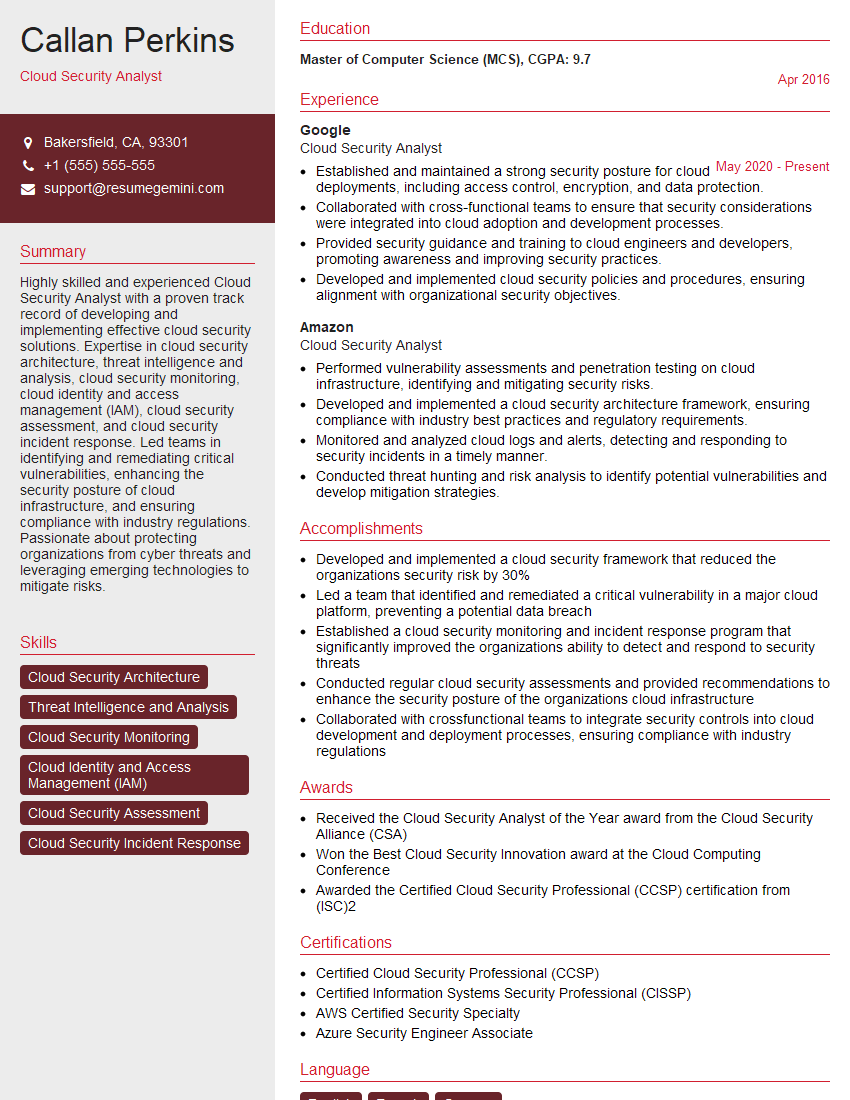
Mastering Cloud Security and Infrastructure is crucial for a thriving career in the tech industry, offering high demand and excellent growth potential. A strong, ATS-friendly resume is your key to unlocking these opportunities. To build a compelling resume that highlights your skills and experience effectively, we recommend using ResumeGemini. ResumeGemini provides a user-friendly platform and offers examples of resumes tailored to Cloud Security and Infrastructure roles, helping you present your qualifications in the best possible light. Take the next step towards your dream career today!

Explore more articles
Users Rating of Our Blogs
Share Your Experience
We value your feedback! Please rate our content and share your thoughts (optional).
What Readers Say About Our Blog
Very informative content, great job.
good