Unlock your full potential by mastering the most common Cloud Service Management interview questions. This blog offers a deep dive into the critical topics, ensuring you’re not only prepared to answer but to excel. With these insights, you’ll approach your interview with clarity and confidence.
Questions Asked in Cloud Service Management Interview
Q 1. Explain the difference between IaaS, PaaS, and SaaS.
IaaS, PaaS, and SaaS represent different levels of cloud service abstraction. Think of it like building a house: IaaS provides the land and basic building materials (servers, storage, networking); PaaS provides the pre-fabricated walls and roof (operating systems, databases, programming languages); and SaaS provides the fully furnished house (ready-to-use applications).
- IaaS (Infrastructure as a Service): You manage the operating systems, middleware, and applications. Examples include Amazon EC2, Microsoft Azure Virtual Machines, and Google Compute Engine. Imagine you are a construction company, you need to build everything from the ground up. You have complete control but also complete responsibility.
- PaaS (Platform as a Service): The cloud provider manages the underlying infrastructure, while you manage applications and data. Examples include AWS Elastic Beanstalk, Azure App Service, and Google App Engine. This is like having a pre-built framing structure – you only need to focus on interior work.
- SaaS (Software as a Service): You only access and use the applications over the internet. Examples include Salesforce, Google Workspace, and Microsoft Office 365. This is the finished house, you just move in and use it.
The key differences lie in the level of management responsibility and the level of control you have. IaaS offers the most control, SaaS the least, and PaaS sits in the middle, offering a balance between control and ease of use.
Q 2. Describe your experience with cloud security best practices.
Cloud security is paramount. My experience encompasses a multi-layered approach, focusing on the CIA triad (Confidentiality, Integrity, Availability). I’ve implemented and managed security best practices including:
- Identity and Access Management (IAM): Using role-based access control (RBAC) to grant least privilege access, employing multi-factor authentication (MFA) and regularly reviewing user permissions. For example, I ensured that database administrators only had access to database resources, and not virtual machines, and that access was always via MFA.
- Data Encryption: Implementing encryption both in transit (using TLS/SSL) and at rest (using encryption services provided by the cloud provider). I’ve worked with various encryption types, including AES-256, to safeguard sensitive data.
- Security Information and Event Management (SIEM): Utilizing SIEM tools to monitor security logs, detect anomalies, and respond to security incidents promptly. We used CloudWatch (AWS) and Azure Security Center in different projects to proactively identify threats.
- Vulnerability Management: Regularly scanning systems for vulnerabilities using automated tools and patching identified weaknesses promptly. This involved integrating vulnerability scanners with our CI/CD pipeline.
- Network Security: Implementing network segmentation, firewalls, and intrusion detection/prevention systems to protect our cloud infrastructure. This included configuring Security Groups in AWS and Network Security Groups in Azure.
I also emphasize security awareness training for all team members to foster a security-conscious culture.
Q 3. How do you manage cloud costs effectively?
Managing cloud costs effectively requires a proactive approach. My strategy involves:
- Rightsizing Instances: Regularly reviewing resource utilization and adjusting instance sizes to match actual needs. Over-provisioning is a common cause of wasted spend, and I prioritize efficient sizing using metrics and monitoring.
- Reserved Instances/Savings Plans: Leveraging commitment-based discounts offered by cloud providers to reduce costs significantly. This involves careful forecasting and planning of future resource requirements.
- Cost Allocation and Tracking: Implementing a robust cost allocation strategy using tagging and cost management tools to track spending by team, project, and environment. This provides the visibility needed to pinpoint cost drivers.
- Automation: Automating resource provisioning and de-provisioning to avoid leaving unnecessary resources running. This includes using Infrastructure as Code (IaC) tools like Terraform or CloudFormation to create and manage resources efficiently.
- Regular Cost Reviews: Conducting regular reviews of cloud spending reports to identify areas for optimization and cost reduction. This is a crucial aspect of ongoing cloud cost optimization and should not be treated as a once-off activity.
I’ve successfully reduced cloud spending by up to 20% in previous roles by implementing these strategies.
Q 4. What are your preferred cloud monitoring tools?
My preferred cloud monitoring tools depend on the specific cloud provider and the requirements of the project, but some of my favorites include:
- CloudWatch (AWS): Provides comprehensive monitoring of AWS resources, including metrics, logs, and traces. It’s excellent for gaining visibility into the performance and health of our AWS deployments.
- Azure Monitor (Azure): Similar to CloudWatch, it offers comprehensive monitoring capabilities for Azure resources. I value its integration with other Azure services.
- Stackdriver (Google Cloud Platform): GCP’s monitoring solution, offering robust metrics, logs, and tracing capabilities. Its unified view of GCP services is invaluable.
- Prometheus/Grafana: Open-source monitoring solutions that provide flexibility and customizability. I often use these when I need more specialized monitoring configurations that aren’t fully addressed by the vendor’s default tools.
- Datadog: A third-party monitoring service offering excellent cross-cloud monitoring capabilities, making it useful when dealing with multi-cloud environments.
The choice often depends on existing infrastructure and team familiarity. I find that a mix of provider-specific tools and third-party solutions can provide the most comprehensive monitoring coverage.
Q 5. Explain your experience with cloud automation and scripting.
I have extensive experience with cloud automation and scripting, using various tools to streamline processes and improve efficiency. My expertise includes:
- Infrastructure as Code (IaC): I’m proficient in using Terraform and CloudFormation to define and manage infrastructure in a declarative manner. This ensures consistency, repeatability, and reduces manual configuration errors.
- Configuration Management: I use tools like Ansible and Chef to automate the configuration and management of servers and applications. This allows me to consistently manage application and server settings across a cloud environment.
- Scripting Languages: I’m fluent in Python and Bash scripting for automating various tasks such as provisioning resources, deploying applications, and managing cloud services. For example, I’ve created scripts to automatically scale resources based on demand or to back up and restore databases.
- CI/CD Pipelines: I have experience integrating automation tools into CI/CD pipelines using tools like Jenkins, GitLab CI, and GitHub Actions to automate the build, test, and deployment process.
Automation not only reduces manual effort but also improves consistency, reduces errors, and enables faster deployments. I consistently apply these techniques to improve the efficiency and reliability of my cloud environments.
Q 6. How do you troubleshoot performance issues in a cloud environment?
Troubleshooting performance issues in a cloud environment is a systematic process. My approach typically involves:
- Identify the problem: Pinpoint the affected services or applications, and collect relevant metrics (CPU utilization, memory usage, network latency, disk I/O).
- Gather data: Utilize cloud monitoring tools (like CloudWatch, Azure Monitor, or Stackdriver) to gather detailed performance data and logs. This often involves checking logs from applications, web servers, and the underlying infrastructure.
- Analyze the data: Examine the collected data to identify bottlenecks or anomalies. Look for patterns, unexpected spikes, or consistent slowdowns. This might require correlating data from multiple sources.
- Isolate the root cause: Determine the underlying cause of the performance issue. This could be anything from insufficient resources (CPU, memory, network bandwidth) to code inefficiencies, database issues, or network problems.
- Implement a solution: Based on the root cause analysis, implement an appropriate solution. This could involve scaling up resources, optimizing code, upgrading hardware, or addressing network issues. This might also involve adjusting configurations to resolve issues like inefficient query performance.
- Verify the solution: After implementing the solution, verify that the performance issue has been resolved and monitor the system to ensure the problem doesn’t recur.
This systematic approach, combined with a strong understanding of cloud infrastructure, is critical for effectively resolving performance issues.
Q 7. Describe your experience with different cloud providers (AWS, Azure, GCP).
I have hands-on experience with the three major cloud providers: AWS, Azure, and GCP. My experience includes:
- AWS: I’ve worked extensively with EC2, S3, RDS, Lambda, and other core AWS services. I have experience designing and implementing highly available and scalable architectures on AWS, including using services like Elastic Load Balancing and Auto Scaling.
- Azure: I’m familiar with Azure Virtual Machines, Azure Blob Storage, Azure SQL Database, Azure Functions, and other Azure services. I’ve designed and implemented solutions leveraging Azure’s managed services and its strong integration with Microsoft technologies.
- GCP: My experience with GCP includes working with Compute Engine, Cloud Storage, Cloud SQL, Cloud Functions, and other GCP services. I’ve utilized GCP’s strengths in data analytics and machine learning.
My experience extends beyond individual services to encompass the broader aspects of each platform, including cost management, security best practices, and operational excellence. I can adapt quickly to different cloud environments and leverage the strengths of each provider to meet specific project needs.
Q 8. Explain your understanding of cloud networking concepts (VPN, VPC, subnets).
Cloud networking relies heavily on Virtual Private Clouds (VPCs), Virtual Private Networks (VPNs), and subnets to provide secure and isolated environments. Think of it like building a virtual office complex.
A VPC is your entire virtual office building – a logically isolated section of a cloud provider’s network. You have complete control over its configuration, including IP address ranges and security settings. This ensures that your resources are separate from others, enhancing security and preventing accidental access.
Subnets are like individual floors or wings within your virtual building. You can further segment your VPC into smaller, more manageable units based on functionality (e.g., a subnet for databases, another for web servers). This improves security and network performance by limiting broadcast domains.
A VPN acts as a secure tunnel connecting your on-premise network (your physical office) to your cloud VPC (your virtual office). This allows secure access to your cloud resources from your local network, or even from a remote location. Imagine a secure, encrypted hallway connecting your physical and virtual offices, ensuring only authorized personnel can pass through.
For example, a company might have a VPC with multiple subnets: one for development servers, one for production servers, and one for databases. They would then use a VPN to connect their on-premises network to the VPC, allowing developers to securely access and manage the development servers from their office, while the production servers remain isolated.
Q 9. How do you ensure high availability and disaster recovery in the cloud?
High availability and disaster recovery are crucial for cloud applications. They ensure minimal downtime and data loss in case of failures. We achieve this through redundancy and replication.
For high availability, consider deploying multiple instances of your application across different availability zones within a region. If one zone fails, the application seamlessly switches to another, providing continuous operation. Think of it like having multiple backups of your critical business operations running simultaneously in separate geographic locations.
For disaster recovery, we leverage geographically separate regions. By replicating your data and applications to a second region, you can easily recover from a major outage affecting an entire region. Imagine having a complete mirror image of your office building in a different city, ensuring your operations can resume quickly in case of a major catastrophe in the primary location. This typically involves implementing tools like AWS’s Disaster Recovery as a Service (DRaaS) or Azure Site Recovery.
Specific strategies include using load balancers to distribute traffic across multiple instances, implementing database replication for data redundancy, and employing automated failover mechanisms.
Q 10. What are your experience with containerization technologies (Docker, Kubernetes)?
I have extensive experience with both Docker and Kubernetes. Docker provides containerization – packaging applications and their dependencies into isolated units. This makes deploying and managing applications across various environments much easier and consistent. Think of it as standardizing the shipping containers for your application’s code.
Kubernetes orchestrates the deployment, scaling, and management of containerized applications. It automates many tasks like resource allocation, load balancing, and self-healing. It’s like the air traffic control system for your containerized applications, ensuring smooth and efficient operation.
For example, I’ve used Docker to create and deploy microservices, and Kubernetes to orchestrate these services across a cluster of virtual machines, enabling auto-scaling and high availability. We used kubectl extensively to manage the Kubernetes cluster.
kubectl get podsQ 11. Describe your experience with CI/CD pipelines in a cloud environment.
CI/CD (Continuous Integration/Continuous Delivery) pipelines are essential for automating the software development lifecycle in cloud environments. They accelerate the delivery of new features and bug fixes.
My experience includes designing and implementing pipelines using tools like Jenkins, GitLab CI, and AWS CodePipeline. These pipelines typically involve stages such as code build, automated testing, deployment to various environments (development, staging, production), and monitoring. We use branching strategies like Gitflow to manage code releases and ensure stability.
For example, a typical pipeline would involve developers committing code to a Git repository, triggering an automated build process, running unit and integration tests, deploying the application to a staging environment for manual testing, and finally deploying to production after successful review.
This automation reduces manual effort, minimizes errors, and speeds up the software release cycle.
Q 12. How do you handle capacity planning in the cloud?
Capacity planning in the cloud requires a combination of forecasting, monitoring, and automation. It’s about ensuring you have sufficient resources to handle current and future demand without overspending.
I use historical data, projected growth rates, and performance metrics to forecast resource needs. Tools like CloudWatch (AWS) and Azure Monitor provide invaluable insights into resource utilization. Based on this data, we can scale resources up or down automatically using autoscaling features provided by cloud providers.
For example, we might use autoscaling groups to automatically adjust the number of web servers based on CPU utilization or request volume. This ensures that we always have enough capacity to handle traffic spikes, while minimizing costs during periods of low demand.
Regular reviews of capacity plans, combined with the use of predictive analytics tools, allow for proactive adjustments and prevent sudden resource bottlenecks.
Q 13. Explain your understanding of cloud security compliance (SOC2, ISO 27001).
Cloud security compliance standards like SOC 2 and ISO 27001 are crucial for demonstrating that your cloud infrastructure and operations meet specific security requirements. These frameworks ensure that you’re safeguarding sensitive data and upholding a high level of security.
SOC 2 focuses on the security, availability, processing integrity, confidentiality, and privacy of customer data. Compliance involves implementing strong security controls and undergoing independent audits to prove adherence to the framework.
ISO 27001 is a broader information security management standard covering various aspects of information security, including risk management, access control, and incident response. It requires a robust information security management system (ISMS) to be implemented and regularly audited.
Achieving these certifications often involves rigorous assessments, penetration testing, and implementation of specific controls such as encryption, access control lists, multi-factor authentication, and regular security audits. These steps ensure alignment with best practices and regulatory requirements, fostering trust among clients and partners.
Q 14. How do you monitor and manage cloud resources?
Monitoring and managing cloud resources requires a multi-faceted approach, leveraging cloud provider tools and third-party solutions.
Cloud providers offer comprehensive monitoring services. For example, AWS CloudWatch provides metrics, logs, and events for various services. Azure Monitor offers similar functionalities. These tools allow us to track resource utilization, performance metrics, and potential issues. We can set up alerts to notify us of anomalies or critical events.
We utilize these monitoring tools to create dashboards to visualize key performance indicators (KPIs) and identify potential bottlenecks or areas for optimization. Automated scaling based on these metrics is a key aspect of resource management.
Beyond native tools, third-party monitoring and management platforms offer additional functionality and centralized views across multiple cloud providers. They often provide features like advanced analytics, anomaly detection, and automated remediation workflows. This consolidated view simplifies resource management and facilitates proactive problem-solving.
Q 15. What are your experience with cloud-based databases (e.g., RDS, Cosmos DB, Cloud SQL)?
My experience with cloud-based databases is extensive, encompassing both relational and NoSQL solutions. I’ve worked extensively with Amazon RDS (Relational Database Service), particularly for MySQL and PostgreSQL deployments, managing everything from instance provisioning and scaling to backup and recovery strategies. I’ve leveraged RDS’s capabilities for high availability and read replicas to ensure optimal performance and data redundancy. For NoSQL needs, I’ve used Azure Cosmos DB extensively, appreciating its scalability and flexibility for handling large volumes of unstructured data. Its multi-model capabilities have been particularly useful in projects requiring both document and graph databases. Finally, I have experience with Google Cloud SQL, often utilizing its integration with other Google Cloud Platform services. In each case, my focus has been on optimizing database performance, security, and cost-effectiveness, always considering factors like instance sizing, storage optimization, and query optimization techniques.
For instance, in one project, migrating a legacy application to the cloud, we chose Amazon RDS for MySQL due to its familiarity and strong integration with our existing infrastructure. We implemented read replicas to offload read traffic from the primary instance, significantly improving application response times. In another project, we used Azure Cosmos DB to manage a rapidly expanding IoT data stream, choosing it for its seamless scalability and ability to handle the unpredictable volume of data.
Career Expert Tips:
- Ace those interviews! Prepare effectively by reviewing the Top 50 Most Common Interview Questions on ResumeGemini.
- Navigate your job search with confidence! Explore a wide range of Career Tips on ResumeGemini. Learn about common challenges and recommendations to overcome them.
- Craft the perfect resume! Master the Art of Resume Writing with ResumeGemini’s guide. Showcase your unique qualifications and achievements effectively.
- Don’t miss out on holiday savings! Build your dream resume with ResumeGemini’s ATS optimized templates.
Q 16. Describe your experience with serverless computing.
Serverless computing has revolutionized how I approach application development. It allows me to focus on writing code without worrying about infrastructure management. I’ve worked with AWS Lambda, Azure Functions, and Google Cloud Functions, deploying various applications, from simple API endpoints to complex event-driven architectures. The key benefit is scalability; resources are automatically scaled based on demand, eliminating the need for manual provisioning and reducing operational overhead. Cost-effectiveness is another major advantage, as I only pay for the compute time consumed.
For example, I used AWS Lambda to process images uploaded to an S3 bucket. The Lambda function automatically triggered on each upload, resizing the image and saving it to a different location. This serverless approach eliminated the need for a constantly running server, resulting in significant cost savings. Another example involves using Azure Functions to build a real-time data processing pipeline, triggered by events from an IoT device. The functions handled the data transformation and storage, all without requiring the management of any underlying servers.
Q 17. How do you approach migrating on-premise applications to the cloud?
Migrating on-premise applications to the cloud is a multi-step process that requires careful planning and execution. My approach involves a phased migration strategy, starting with an assessment of the application’s dependencies, infrastructure requirements, and architecture. This assessment helps identify potential challenges and informs the choice of migration strategy—rehosting (lift-and-shift), refactoring, re-platforming, repurposing, or replacing.
Following the assessment, I develop a detailed migration plan, outlining the steps involved, timelines, resources required, and risk mitigation strategies. This plan includes considerations for data migration, network connectivity, security, and testing. I often employ tools for automated migration, where applicable, to reduce manual effort and minimize downtime. Post-migration, continuous monitoring and optimization are critical to ensuring the application’s performance and stability in the cloud environment.
For example, I recently migrated a large legacy application using a phased approach. Initially, we rehosted some non-critical components to the cloud using a lift-and-shift approach. This allowed us to gain experience with the cloud environment before migrating the core application components. The core application was refactored to leverage cloud-native services, improving its scalability and performance. Throughout the process, rigorous testing and monitoring ensured a smooth transition with minimal disruption.
Q 18. Explain your understanding of different cloud deployment models (public, private, hybrid).
Cloud deployment models represent different ways of accessing and managing cloud resources. A public cloud, like AWS, Azure, or GCP, provides on-demand access to shared computing resources over the internet. This is cost-effective and highly scalable but requires trust in the cloud provider’s security measures. A private cloud uses cloud computing resources exclusively for a single organization, often deployed on-premises or hosted in a data center. This provides greater control over security and compliance but requires higher upfront investment and ongoing management. A hybrid cloud combines elements of both public and private clouds, allowing organizations to leverage the benefits of each. This is commonly used for applications requiring both security and scalability, with sensitive data residing in the private cloud and less-sensitive data or applications utilizing the public cloud.
Choosing the right deployment model depends on factors like security requirements, compliance needs, budget, and scalability requirements. For instance, a financial institution might prefer a private cloud for sensitive transaction data, while a startup might opt for a public cloud for its cost-effectiveness and scalability.
Q 19. What are your experience with cloud-based logging and monitoring solutions?
My experience with cloud-based logging and monitoring solutions is vital for maintaining application health and performance. I’ve extensively used services like AWS CloudWatch, Azure Monitor, and Google Cloud Monitoring. These platforms provide comprehensive monitoring of various metrics, including CPU utilization, memory usage, network traffic, and application logs. This allows for proactive identification of performance bottlenecks, errors, and security threats. These tools also offer powerful alerting capabilities, notifying administrators of critical events in real-time, enabling swift responses to potential issues.
For example, using CloudWatch, I set up custom dashboards to monitor key metrics of a web application, including response times, error rates, and request volumes. This allowed me to quickly identify and address performance issues. I also leveraged CloudWatch Logs to analyze application logs, identify error patterns, and troubleshoot problems efficiently. In another project, we used Azure Monitor to track resource usage across different virtual machines, enabling us to optimize resource allocation and reduce costs.
Q 20. How do you manage cloud access control and identity management?
Managing cloud access control and identity management (IAM) is paramount for maintaining security. I’ve employed various IAM best practices, including the principle of least privilege, multi-factor authentication (MFA), and role-based access control (RBAC). I’ve extensively utilized the IAM services offered by major cloud providers such as AWS IAM, Azure Active Directory, and Google Cloud IAM. These services allow me to granularly control access to cloud resources, ensuring that only authorized users and applications can access specific resources.
For instance, I implemented RBAC in an AWS environment to assign specific permissions to different user roles, ensuring that developers only had access to resources relevant to their tasks. MFA was enforced for all users to enhance security. In Azure, I integrated Azure Active Directory with other enterprise systems to provide single sign-on (SSO) capabilities, streamlining user access management and improving security. Regular security audits and vulnerability scans are also crucial aspects of my IAM management strategy.
Q 21. Describe your experience with cloud-native applications.
Cloud-native applications are designed specifically to leverage the benefits of cloud environments. They are built using microservices architecture, containerization (Docker, Kubernetes), and DevOps practices. My experience involves designing, developing, and deploying cloud-native applications using various tools and technologies. I’m proficient in using Kubernetes for container orchestration, allowing for seamless scaling and management of microservices. I leverage CI/CD pipelines to automate the build, test, and deployment process, ensuring rapid iteration and frequent releases.
For example, I led the development of a cloud-native e-commerce platform, utilizing a microservices architecture with each service deployed as a Docker container managed by Kubernetes. This architecture allowed for independent scaling of individual services based on demand, improving overall application performance and resilience. The use of CI/CD pipelines enabled the frequent release of new features and bug fixes, improving the overall development cycle.
Q 22. How do you optimize cloud performance for specific workloads?
Optimizing cloud performance for specific workloads is a multifaceted process that requires a deep understanding of the application’s needs and the capabilities of the cloud provider’s infrastructure. It’s not a one-size-fits-all solution; you need to tailor your approach.
Here’s a breakdown of key strategies:
- Right-Sizing Instances: Start by choosing the appropriate instance type (CPU, memory, storage) for your workload. Over-provisioning wastes money, while under-provisioning leads to performance bottlenecks. Utilize cloud provider tools like AWS EC2 instance recommendation or Azure Virtual Machine size recommendations to help with this.
- Auto-Scaling: Implement auto-scaling to dynamically adjust resources based on demand. This ensures optimal performance during peak times while avoiding unnecessary costs during low-demand periods. Think of it like having a flexible workforce – you expand or contract your team as needed.
- Content Delivery Network (CDN): For applications with geographically distributed users, leveraging a CDN dramatically improves performance by caching content closer to the end-users. This reduces latency and improves response times. Imagine a library with branches all over the city instead of one central location.
- Database Optimization: Database performance is crucial. This involves selecting the appropriate database type (relational, NoSQL), optimizing queries, and ensuring sufficient resources are allocated to the database server. Consider using managed database services offered by cloud providers, as they often include built-in performance optimizations.
- Caching Strategies: Implementing caching mechanisms at various layers (e.g., browser caching, CDN caching, application-level caching) significantly reduces the load on your servers and improves response times. Caching is like having a readily accessible set of frequently used tools, saving you the time of searching for them every time.
- Load Balancing: Distribute traffic across multiple instances to prevent overload on any single server. This ensures high availability and consistent performance. It’s like having multiple checkout lanes at a supermarket to prevent long queues.
- Monitoring and Analysis: Continuously monitor performance metrics (CPU utilization, memory usage, network latency, etc.) and use this data to identify bottlenecks and areas for improvement. Regularly analyzing these metrics is like a doctor’s checkup for your application – it helps detect and address problems early.
For example, in a recent project involving a high-traffic e-commerce application, we implemented auto-scaling based on request rates, utilized a CDN for faster content delivery, and optimized database queries to significantly improve website responsiveness and user experience.
Q 23. Explain your understanding of different cloud storage options (object storage, block storage, file storage).
Cloud storage options cater to various needs and data types. Choosing the right type depends on factors such as access patterns, data size, and cost considerations.
- Object Storage: This is ideal for unstructured data like images, videos, and backups. Data is stored as objects within a flat namespace, accessed via unique identifiers (URLs). It’s highly scalable, durable, and cost-effective for large datasets. Think of it as storing files in a massive digital warehouse, easily accessible via their names.
- Block Storage: This provides raw storage capacity, typically used as virtual hard disks for servers. Data is organized into blocks, making it suitable for applications requiring high I/O performance and low latency, such as databases and virtual machines. Imagine it as the hard drive inside your computer.
- File Storage: This offers a hierarchical file system, similar to traditional file storage. It’s suitable for applications requiring shared access to files, collaborative workflows, and structured data. Think of it as a networked file system like you’d find in an office environment, with folders and files organized in a familiar structure.
For instance, we used object storage for storing user-uploaded images in a social media application, block storage for the application servers’ operating systems, and file storage for sharing project files within our development team.
Q 24. How do you ensure data security and privacy in the cloud?
Ensuring data security and privacy in the cloud is paramount. It requires a multi-layered approach encompassing various security controls.
- Data Encryption: Encrypting data both in transit (using HTTPS/TLS) and at rest (using encryption at the storage level) is fundamental. This ensures that even if data is compromised, it remains unreadable.
- Access Control: Implementing robust access control mechanisms, such as role-based access control (RBAC), ensures that only authorized users can access specific data. This is like having a keycard system to access different areas of a building.
- Identity and Access Management (IAM): Centralized IAM solutions enable secure user authentication and authorization, facilitating granular control over who can access what resources. It provides a single point of control for managing user permissions.
- Regular Security Audits and Penetration Testing: Conducting regular security assessments identifies vulnerabilities and ensures the effectiveness of security controls. This is like conducting regular fire drills to prepare for emergencies.
- Data Loss Prevention (DLP): Implementing DLP tools helps prevent sensitive data from leaving the cloud environment unauthorized. It’s like having security guards at the exits of a building to prevent theft.
- Compliance and Regulations: Adhering to relevant industry regulations and compliance standards (e.g., GDPR, HIPAA) is crucial. This ensures you’re operating within legal boundaries.
For example, in a healthcare project, we implemented stringent encryption, RBAC, and regular security audits to ensure HIPAA compliance. We also utilized cloud provider-managed security services to augment our security posture.
Q 25. What are your experience with cloud-based backup and recovery solutions?
My experience with cloud-based backup and recovery solutions is extensive. I’ve worked with various providers and strategies, focusing on creating resilient and reliable backup and recovery systems.
- Cloud-Native Backup Services: I have significant experience with managed backup services offered by major cloud providers like AWS Backup, Azure Backup, and Google Cloud Backup. These services offer features like automated backups, versioning, and easy restore capabilities, simplifying the backup process.
- Third-Party Backup Solutions: I have also utilized third-party backup solutions that integrate with various cloud platforms, offering enhanced features or specialized functionality for specific applications. This often involves deeper integrations and potentially more configuration work, but it provides greater flexibility.
- Backup Strategies: My approach focuses on developing comprehensive backup strategies, including defining retention policies, regularly testing restores, and implementing disaster recovery plans. This ensures that we can recover data quickly and efficiently in case of any incident.
- Data Replication and High Availability: I prioritize solutions that incorporate data replication across multiple regions or availability zones to ensure high availability and disaster recovery capabilities. This means having data copies in separate locations, protected from single points of failure.
For example, in a recent project, we implemented a three-site backup strategy using AWS Backup, replicating data to multiple regions and regularly testing restores to ensure business continuity.
Q 26. Describe a challenging cloud project you worked on and how you overcame the obstacles.
One challenging project involved migrating a legacy on-premises application to the cloud. The application was monolithic, poorly documented, and lacked clear architecture diagrams. The migration needed to be completed with minimal downtime.
The obstacles were:
- Complexity of the Application: The application’s complex architecture and undocumented code made assessing dependencies and potential migration challenges difficult.
- Data Migration: The size and sensitivity of the data required careful planning and execution to ensure data integrity and minimal disruption.
- Testing and Validation: Thorough testing was essential to confirm the application’s functionality and performance in the cloud environment.
To overcome these obstacles, we employed a phased migration approach. We:
- Created Detailed Documentation: We began by documenting the application’s architecture, dependencies, and processes. This involved reverse engineering parts of the application.
- Refactored the Application: We refactored the application into smaller, more manageable modules, making it easier to migrate and test.
- Implemented a Robust Testing Strategy: We employed a comprehensive testing plan, including unit, integration, and system tests. We also conducted performance testing to ensure the application met performance requirements in the cloud.
- Used a Blue/Green Deployment: We used a blue/green deployment strategy for minimal downtime. This involved deploying the application in a new cloud environment (green) and then switching traffic once testing was complete.
- Monitored and Optimized: Post-migration, we continuously monitored the application’s performance and implemented optimizations as needed.
The phased approach, coupled with careful planning and execution, allowed for a successful migration with minimal downtime and disruption to users.
Q 27. How do you stay up-to-date with the latest cloud technologies and trends?
Staying current with the ever-evolving landscape of cloud technologies is crucial for any cloud professional. I employ a multi-pronged approach to stay updated:
- Industry Conferences and Webinars: Attending conferences like AWS re:Invent, Microsoft Ignite, and Google Cloud Next provides invaluable exposure to the latest innovations and trends directly from the experts. Webinars offer more frequent and focused updates.
- Online Courses and Certifications: Platforms like Coursera, edX, and A Cloud Guru offer in-depth courses and certifications, allowing for continuous learning and skill enhancement. Cloud providers also offer their own training programs.
- Technical Blogs and Publications: Following leading cloud blogs, publications, and industry news sites provides insights into the latest developments and best practices. These often feature articles from experts in the field.
- Hands-on Experience: Experimenting with new technologies and services on a personal cloud account (or a sandbox environment provided by the cloud provider) allows for practical application of newly learned concepts.
- Networking with Peers: Participating in online forums, communities, and networking events helps connect with other cloud professionals, fostering knowledge sharing and learning from collective experiences.
By actively engaging in these activities, I maintain a strong understanding of current and emerging cloud trends, ensuring my expertise remains relevant and cutting-edge.
Key Topics to Learn for Cloud Service Management Interview
- Cloud Service Models: Understand IaaS, PaaS, and SaaS – their differences, advantages, and use cases in various business scenarios. Consider how to choose the right model for specific client needs.
- Cloud Security and Compliance: Explore best practices for securing cloud environments, including access control, data encryption, and compliance with relevant regulations (e.g., HIPAA, GDPR). Be ready to discuss incident response and security audits.
- Cost Optimization and Management: Learn strategies for optimizing cloud spending, including right-sizing instances, utilizing reserved instances, and leveraging cost management tools. Be prepared to discuss budgeting and forecasting.
- Cloud Monitoring and Logging: Master the use of monitoring and logging tools to identify performance bottlenecks, security threats, and operational issues. Discuss proactive monitoring strategies and incident management procedures.
- Automation and Orchestration: Demonstrate your understanding of tools and techniques for automating cloud infrastructure management tasks, including Infrastructure as Code (IaC) and configuration management. Be ready to discuss specific tools like Terraform or Ansible.
- Disaster Recovery and Business Continuity: Explain your knowledge of designing and implementing robust disaster recovery plans for cloud environments. Discuss failover mechanisms, backup strategies, and recovery time objectives (RTOs) and recovery point objectives (RPOs).
- Cloud Migration Strategies: Understand various approaches to migrating workloads to the cloud, including lift-and-shift, rehosting, refactoring, and repurposing. Be ready to discuss the pros and cons of each approach.
Next Steps
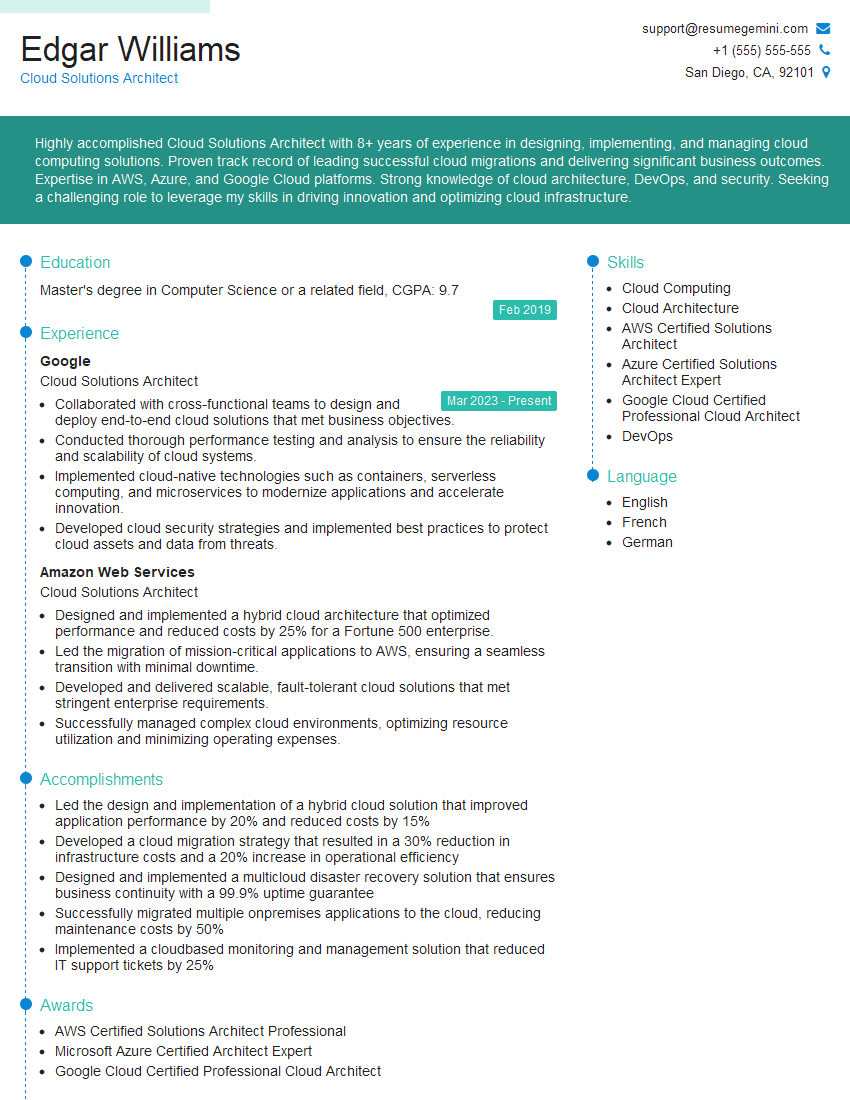
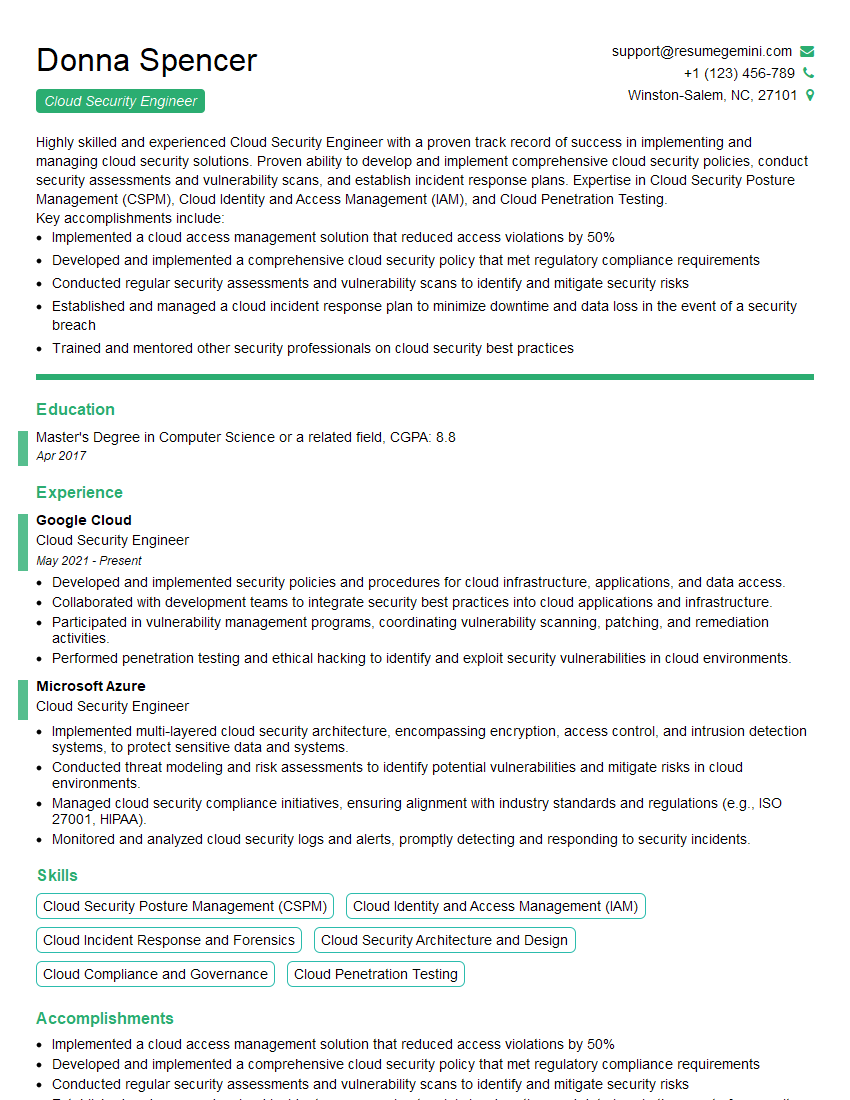
Mastering Cloud Service Management opens doors to exciting and high-demand roles, significantly boosting your career prospects. To maximize your chances of landing your dream job, invest time in creating a compelling and ATS-friendly resume that showcases your skills and experience effectively. ResumeGemini is a trusted resource that can help you build a professional and impactful resume, tailored to the specific demands of Cloud Service Management roles. Examples of resumes tailored to this field are available to guide you. Take the next step towards your career success today!


Explore more articles
Users Rating of Our Blogs
Share Your Experience
We value your feedback! Please rate our content and share your thoughts (optional).
What Readers Say About Our Blog
Very informative content, great job.
good