Interviews are more than just a Q&A session—they’re a chance to prove your worth. This blog dives into essential Computer-Aided Design (CAD) for Marine Engineering interview questions and expert tips to help you align your answers with what hiring managers are looking for. Start preparing to shine!
Questions Asked in Computer-Aided Design (CAD) for Marine Engineering Interview
Q 1. What CAD software are you proficient in (AutoCAD, SolidWorks, etc.)?
My core CAD proficiency lies in AutoCAD, SolidWorks, and Navisworks. AutoCAD is invaluable for 2D drafting and detailed drawings, especially for producing construction documents adhering to marine standards. SolidWorks excels in 3D modeling, allowing me to create complex hull forms, internal layouts, and component assemblies for vessels, and Navisworks is my go-to for model coordination and clash detection, crucial in large-scale marine projects. I also have working experience with Rhino and other specialized shipbuilding CAD packages.
Q 2. Explain your experience with 2D and 3D modeling in a marine context.
My experience spans both 2D and 3D modeling within the marine domain. In 2D, I’ve produced general arrangement plans, detailed drawings of piping systems, electrical schematics, and structural layouts using AutoCAD. These 2D drawings are essential for communication with fabricators and construction teams. Moving into 3D, SolidWorks has enabled me to model complex components like propeller shafts, engine rooms, and even entire vessel hulls. The benefit is that 3D allows for easier design iterations, clash detection, and the generation of accurate material lists, significantly reducing potential errors and rework during construction.
For example, I recently used SolidWorks to model the entire propulsion system for a yacht, including the engines, gearboxes, shafts, and propellers. This 3D model allowed for accurate analysis of space constraints and identification of potential interference issues before construction. The resulting 2D drawings derived from the 3D model ensured precision and consistency across all documentation.
Q 3. Describe your process for creating detailed drawings of marine components.
Creating detailed drawings of marine components involves a systematic approach. It starts with a clear understanding of the component’s function and the relevant marine standards. I begin by building a 3D model in SolidWorks, ensuring accuracy in dimensions and tolerances. This 3D model forms the basis for creating 2D drawings using AutoCAD. I typically create multiple views – orthographic projections, sectional views, isometric views – to provide comprehensive detail.
My process emphasizes clarity and precision. Each drawing includes detailed dimensions, material specifications, surface finish details, and any necessary tolerances. I always follow established marine standards, such as those from ABS, DNV, or Lloyd’s Register, to guarantee compliance. I also meticulously label every component and include revision control to maintain accuracy throughout the design process. For example, creating a detailed drawing for a marine valve requires precise annotation of its dimensions, pressure rating, material, and connection type, ensuring that fabricators can accurately construct the part.
Q 4. How do you manage large CAD files efficiently?
Managing large CAD files efficiently is critical in marine engineering, where models can easily reach gigabytes in size. My strategy involves several key elements:
- Data Management System: Utilizing a robust Product Data Management (PDM) system to organize files, manage revisions, and control access. This system ensures that everyone on the project team is working with the latest version, preventing conflicts and ensuring data integrity.
- File Organization: Adopting a logical file naming convention and organizing files into folders and subfolders based on component type or system. This allows for easy retrieval of specific files.
- Model Simplification: Using techniques like model simplification and creating reference models to manage file sizes without compromising detail where it matters most. This involves creating lower resolution models for initial design reviews and higher-resolution models for final detailing.
- Data Cleaning: Regularly purging unnecessary data within the model to remove redundant entities or unused layers, reducing file size and improving performance.
- High-Performance Hardware: Working with a computer system with sufficient RAM, a fast processor, and a solid-state drive to ensure smooth operation and prevent delays.
Q 5. What are your strategies for resolving CAD model conflicts?
Resolving CAD model conflicts is crucial for collaborative projects. My strategy involves a combination of proactive measures and conflict resolution techniques:
- Version Control: Using a PDM system that tracks revisions and allows for merging changes effectively. This helps to identify and resolve conflicts early.
- Regular Model Reviews: Conducting frequent model reviews using tools like Navisworks to detect and address clashes proactively. This collaborative approach minimizes the time and effort needed to resolve conflicts later.
- Clear Communication: Maintaining clear communication among team members is vital. Any changes should be communicated clearly and documented to avoid confusion and conflicts. This could involve a dedicated communication channel or shared document for change management.
- Conflict Resolution Strategies: Employing different strategies depending on the nature of the conflict. This might involve adjusting geometry, modifying design parameters, or negotiating compromises among team members. In some cases, I might need to create a new sub-assembly to resolve complex clashes.
Q 6. How familiar are you with marine design standards and regulations?
I am highly familiar with marine design standards and regulations, including those from major classification societies such as ABS, DNV GL, Lloyd’s Register, and IMO. I understand the requirements for structural design, stability, fire safety, and other critical aspects of marine vessel design. I have extensive experience in applying these standards to projects, ensuring that all designs meet the necessary regulations for safety and compliance.
My knowledge extends to specific standards for different vessel types, from cargo ships and tankers to yachts and offshore platforms. I’m adept at interpreting regulatory documents and incorporating the relevant requirements into the CAD models and associated documentation. This ensures that the designs are not only functional and efficient but also fully compliant with all applicable regulations, reducing risks associated with non-compliance during construction, certification, and operation.
Q 7. How do you incorporate design changes into an existing CAD model?
Incorporating design changes into an existing CAD model requires a careful and systematic approach. The first step is to understand the nature and extent of the changes. Then, I would review the impact assessment of the change across the entire design. Using a PDM system, I would create a new revision of the model and implement the changes, meticulously documenting each alteration. This ensures traceability and facilitates a controlled process for managing revisions.
For minor changes, I might directly edit the existing 3D model in SolidWorks. However, for significant changes, I might create a new component or assembly. I would then update all relevant 2D drawings and other documentation to reflect the modifications. This process ensures consistency across all design artifacts and minimizes the risk of errors. Version control is critical here; the history of changes is meticulously recorded to allow for easy rollback if necessary and maintain complete control over design iterations.
Q 8. Explain your experience with CAD data management and version control.
Effective CAD data management is crucial in marine engineering, where projects involve massive datasets and multiple collaborators. My experience encompasses using industry-standard platforms like Autodesk Vault and Teamcenter. These systems allow for version control, ensuring that everyone works with the most up-to-date files and preventing conflicts.
For example, on a recent project designing a cruise ship, we used Vault to manage thousands of CAD files, encompassing everything from hull design to interior fittings. The system’s version history allowed us to track changes, revert to previous versions if needed, and easily identify the author of each modification. This prevented overwriting, ensured data integrity, and streamlined collaboration amongst the design team, the shipyard, and various subcontractors.
Furthermore, I’m proficient in implementing workflows that incorporate check-in/check-out procedures, automated backups, and controlled release processes to maintain data integrity and minimize the risk of data loss. This systematic approach ensures that the project’s CAD data remains organized, accessible, and reliable throughout its lifecycle.
Q 9. Describe your approach to creating accurate and detailed marine structural drawings.
Creating accurate and detailed marine structural drawings demands precision and a deep understanding of naval architecture principles. My approach begins with a thorough review of the project specifications, including class society rules (e.g., ABS, DNV), and client requirements. I then leverage parametric modeling techniques in software like AutoCAD or Inventor to create highly detailed 3D models. These models aren’t just pretty pictures; they’re the foundation for all subsequent drawings and analyses.
For instance, when detailing a ship’s bulkhead, I would model it precisely, including all stiffeners, openings, and penetrations. This ensures structural integrity and compatibility with other systems. Subsequently, I utilize automated features within the CAD software to generate 2D orthographic views, sections, and detailed assembly drawings, ensuring consistency and accuracy. I meticulously check dimensions, tolerances, and annotations against the 3D model to prevent discrepancies. Finally, the drawings are reviewed by experienced colleagues for quality control and compliance before release.
Q 10. How familiar are you with creating piping and HVAC systems within a marine CAD environment?
I possess extensive experience designing piping and HVAC systems within a marine CAD environment, primarily using dedicated modules within Autodesk Inventor or AutoCAD Plant 3D. This involves creating isometrics, creating system schematics, and generating detailed fabrication drawings. The key is understanding the unique constraints of marine environments – limited space, vibration, and the need for robust, corrosion-resistant systems.
For example, I’ve worked on projects where I had to route complex piping systems within confined engine rooms, ensuring proper clearances and minimizing stress on the pipes. This required using specialized tools within the CAD software to optimize routing, perform clash detection (discussed further in Question 7), and generate fabrication drawings compliant with industry best practices. I also have experience with integrating HVAC system design with structural models to identify potential conflicts early in the design process. This integrated approach helps ensure that all aspects of the design are thoroughly considered and coordinated.
Q 11. Explain your experience with generating detailed construction drawings from 3D models.
Generating detailed construction drawings from 3D models is a crucial step in streamlining the shipbuilding process. My approach involves utilizing the advanced features of modern CAD software to extract 2D drawings directly from the 3D model. This eliminates the time-consuming and error-prone manual drafting process. I use tools that automatically generate sections, elevations, and detailed views from the 3D geometry, ensuring consistency between the 3D model and the construction drawings.
For instance, when creating construction drawings for a ship’s deck, I’d start with a highly detailed 3D model of the deck structure. Then, I’d use the software’s ‘sheet metal’ functions to generate fully detailed parts lists, nested layouts, and manufacturing drawings. I would generate various views, such as plan views, sections, and details that clearly show the arrangement of components and construction methodology. This method ensures that the fabrication process is efficient and that the final product accurately reflects the design intent. Regular quality checks throughout this process are crucial to maintaining the integrity of the documentation.
Q 12. How do you ensure dimensional accuracy and tolerance in your CAD models?
Dimensional accuracy and tolerance are paramount in marine engineering, where even minor discrepancies can have significant consequences. I employ several strategies to ensure this precision. Firstly, I begin with accurate source data – surveyed dimensions, manufacturer specifications, and regulatory standards. Secondly, I rigorously utilize parametric modeling, creating models where dimensions are linked and automatically update if one value changes. This minimizes human error and ensures consistency.
Additionally, I consistently apply constraints and relations during the modeling process to ensure that parts fit together correctly. Lastly, I regularly employ dimensional checks and tolerance analyses, both within the CAD software and with specialized tools. For example, I might use interference detection features to identify any clashes between components. This proactive approach to quality control is essential for preventing costly errors during construction and ensuring the vessel’s structural integrity and regulatory compliance.
Q 13. What techniques do you use to optimize CAD model performance?
Optimizing CAD model performance is vital, particularly when dealing with large, complex marine projects. My strategies include using simpler geometry when possible, avoiding overly complex features, and employing appropriate levels of detail depending on the intended use of the model. I also regularly ‘purge’ unnecessary data and compress files to reduce file size and improve performance.
For example, instead of modeling every single rivet in a large structure, I might use a simplified representation for the overall effect. This significantly reduces file size without compromising the overall accuracy. Another key technique is the use of layers and layer management. This allows for the selective display of elements and greatly speeds up performance when working with large assemblies.
Finally, I regularly update my CAD software and hardware to ensure optimal processing capabilities. This proactive approach allows for smoother workflows and prevents bottlenecks that can significantly hinder productivity.
Q 14. Describe your experience with creating clash detection and resolution reports.
Clash detection and resolution are crucial for preventing costly rework during construction. I’m experienced in using dedicated clash detection software integrated with our CAD systems. This software analyzes the 3D model to identify interference between different systems, such as piping, HVAC, and structural elements. Once clashes are identified, I generate detailed reports visualizing the conflicts, including their location, severity, and involved components.
The resolution process involves collaboration with other engineering disciplines. For example, if a pipe clashes with a bulkhead, I might work with the structural engineer to adjust the bulkhead design or reroute the pipe. This iterative process continues until all significant clashes are resolved. The final clash detection report serves as critical documentation, ensuring that all interferences have been addressed and that the design is ready for construction.
Q 15. How do you handle design revisions and updates in your CAD workflow?
Managing design revisions and updates in CAD for marine engineering requires a robust system. Think of it like building a ship – each revision is a new layer of detail and improvement. I typically leverage version control within the CAD software itself, such as using Autodesk Vault or similar systems. This allows me to track changes, revert to previous versions if needed, and collaborate effectively with team members.
My workflow involves creating a new revision whenever significant changes are implemented. This includes clearly documenting the changes made, the date, and the author in a revision log. This ensures traceability and accountability. Furthermore, I utilize naming conventions for files, such as adding revision numbers (e.g., `HullDesign_v01.dwg`, `HullDesign_v02.dwg`), to avoid confusion. For large projects, I often break the model into smaller, manageable assemblies, making revisions more targeted and efficient. This modular approach prevents cascading changes that can affect unrelated parts of the design.
In one project, we had to revise the propeller design after hydro-dynamic analysis revealed potential cavitation issues. Using version control, we smoothly integrated the new propeller model into the main assembly while maintaining a full history of all changes, making it easy to compare different iterations and assess the impact of the modifications.
Career Expert Tips:
- Ace those interviews! Prepare effectively by reviewing the Top 50 Most Common Interview Questions on ResumeGemini.
- Navigate your job search with confidence! Explore a wide range of Career Tips on ResumeGemini. Learn about common challenges and recommendations to overcome them.
- Craft the perfect resume! Master the Art of Resume Writing with ResumeGemini’s guide. Showcase your unique qualifications and achievements effectively.
- Don’t miss out on holiday savings! Build your dream resume with ResumeGemini’s ATS optimized templates.
Q 16. What is your experience with creating and managing BOMs (Bill of Materials)?
Creating and managing Bills of Materials (BOMs) is crucial for accurate costing, procurement, and construction in marine engineering. It’s like creating a shopping list for building the ship, ensuring you have all the necessary parts. My experience involves using both integrated BOM features within CAD software (e.g., SolidWorks BOM, Autodesk Inventor BOM) and dedicated BOM management software, depending on project complexity.
I ensure data integrity by linking BOM entries directly to CAD components. This automates updates; when a component changes, its properties are updated automatically in the BOM. I use custom properties within CAD to capture essential information like part numbers, material specifications, quantity, and supplier details. This allows for detailed reporting, streamlining communication with procurement and manufacturing teams.
For instance, in a recent project, I used an integrated BOM to manage over 1000 components of a luxury yacht. The automated updates saved countless hours in manual data entry and ensured accuracy. The linked data allowed easy generation of reports for purchasing and inventory management.
Q 17. Explain your knowledge of different CAD file formats and their applications.
Understanding various CAD file formats is essential for interoperability and data exchange. Think of it as different languages that need translation for collaboration. I’m proficient with several formats, including:
.dwg(Autodesk AutoCAD): The industry standard for 2D drafting. I use it for detailed drawings, plans, and general arrangements..dxf(Drawing Exchange Format): A neutral format that allows for interchange between different CAD systems. This is often used for data exchange between external consultants or contractors..stp/.step(Standard for the Exchange of Product data): A neutral 3D model format, ensuring compatibility across various CAD platforms. Useful for sharing models with collaborators using different software..igs(Initial Graphics Exchange Specification): Another neutral 3D model format, similar to STEP..sldprt/.sldasm(SolidWorks Part/Assembly): Native formats for SolidWorks, used extensively for 3D modeling and assembly management..ipt/.iam(Inventor Part/Assembly): Native formats for Autodesk Inventor, used similarly to SolidWorks formats.
The choice of format depends on the specific application and the need for compatibility. For instance, I might use .dxf to exchange 2D drawings with a shipyard, while .stp would be used for sharing 3D models with a structural analysis team.
Q 18. How do you ensure that your CAD models comply with industry best practices?
Adhering to industry best practices in CAD modeling for marine engineering is paramount for safety and efficiency. It’s like following a rigorous shipbuilding code to ensure seaworthiness. This involves several key aspects:
- Consistent Modeling Standards: I follow established standards for naming conventions, layer organization, and model structure. This ensures clarity and facilitates collaboration.
- Data Management: Using a robust data management system for version control and change tracking is critical for traceability and error prevention.
- Quality Assurance: Regularly performing model checks for errors, inconsistencies, and potential clashes helps prevent costly issues later in the project. I routinely use interference detection tools.
- Classification Societies: Compliance with regulations and standards set by classification societies (e.g., ABS, DNV GL, Lloyd’s Register) is crucial. Models must meet specific requirements for structural integrity and safety.
For example, I always create a detailed model tree, organizing parts logically to make the design easily understandable and manageable. This ensures that if errors are found, they can be quickly traced and corrected without impacting the entire project.
Q 19. Describe your experience with rendering and visualization techniques for marine designs.
Rendering and visualization are powerful tools for communicating design intent and showcasing the final product in marine design. Think of it as creating a photorealistic image of the ship before it’s built. I have extensive experience using rendering software such as KeyShot, V-Ray, and Lumion, integrated with my CAD software.
I use rendering to create high-quality images and animations for presentations, marketing materials, and client review sessions. This allows stakeholders to better understand the design’s aesthetics and functionality. I also create virtual walkthroughs to simulate the experience of being aboard the vessel. I commonly utilize different rendering techniques, such as ray tracing and path tracing, to achieve photorealistic results, including realistic lighting, reflections, and shadows.
In a recent project, I created a high-resolution animation of a superyacht sailing through the Mediterranean. This visually captivating presentation helped secure significant client investment.
Q 20. How familiar are you with the use of plugins and add-ons for enhancing CAD functionality?
Plugins and add-ons significantly enhance CAD functionality, providing specialized tools and automation. Think of them as power-ups for your CAD software. I have experience using several plugins and add-ons, depending on the specific task and software.
For example, I utilize plugins for:
- Automated Reporting: Generating reports on component properties, material quantities, and other relevant data.
- Advanced Analysis: Integrating with FEA software or other analysis tools for structural or hydrodynamic simulations.
- Data Import/Export: Facilitating seamless data exchange between different CAD systems or other software platforms.
- Customization: Tailoring the software interface and workflow to suit specific project needs.
By using such plugins, I can drastically reduce the time and effort required for certain tasks, leading to higher efficiency and accuracy. One specific example is a plugin I used to automate the creation of fabrication drawings from a 3D model, reducing manual work by approximately 60%.
Q 21. Explain your experience with CAD-based simulations and analyses (e.g., FEA).
CAD-based simulations and analyses are integral to ensuring the structural integrity and performance of marine designs. Think of it as testing the ship’s strength and stability virtually before it’s built. My experience includes utilizing Finite Element Analysis (FEA) software such as ANSYS and Abaqus, often integrated with my CAD models.
I use FEA to simulate various loading conditions, such as wave impacts, structural stresses, and hydrodynamic forces. The results help optimize the design for strength, weight, and performance. This prevents costly design flaws and ensures compliance with safety standards. I can also perform computational fluid dynamics (CFD) simulations for hull optimization and propeller design. I understand how to interpret FEA results, identify critical areas, and implement necessary design changes.
For example, in a recent project, FEA analysis revealed a critical stress point in the hull structure during extreme wave conditions. By modifying the design based on the analysis results, we were able to reinforce the structure effectively, preventing potential structural failure.
Q 22. How do you collaborate with other engineers and stakeholders using CAD?
Collaboration in marine CAD projects relies heavily on efficient data sharing and version control. We utilize platforms like Autodesk Vault or similar Product Data Management (PDM) systems to manage different revisions and prevent conflicts. For instance, when designing a new tugboat, the hull design team might use one CAD model, while the propulsion system engineers work on a separate but linked model. The PDM system allows us to merge these models seamlessly, check each other’s work, and leave comments directly within the 3D environment. We also frequently leverage cloud-based collaboration tools such as BIM 360 or similar platforms for real-time interaction and feedback, streamlining communication between engineers, naval architects, clients, and other stakeholders.
Regular team meetings, utilizing shared screen sessions, are also crucial. This allows for quick clarification of designs, immediate feedback on modifications, and coordinated problem-solving. Effective communication ensures everyone is on the same page, reducing the risk of costly errors and delays.
Q 23. Describe a situation where you had to troubleshoot a complex CAD issue.
During the design of a large cruise ship, we encountered a significant issue with interference between the engine room ventilation system and newly installed piping. The initial CAD model, while seemingly accurate, showed a collision only when performing a complex interference check. Standard visual checks failed to detect the problem. The interference was subtle, caused by a slight misalignment in a complex network of pipes.
To resolve this, we first isolated the problematic area using section planes within the CAD software. Then, we painstakingly reviewed the individual pipe routing using both the 3D model and 2D drawings. We utilized the software’s interference detection tools, combined with manual inspection and measurements. We discovered that a minor error in the parametric modeling of one pipe fitting had propagated through the system, leading to the collision. Correcting the parametric definition and regenerating the model solved the interference. This highlighted the importance of meticulous model creation and rigorous interference checking, especially in complex systems.
Q 24. What is your understanding of different types of marine vessels and their design considerations?
My understanding of marine vessels spans a broad range, including commercial ships (containerships, tankers, bulk carriers), specialized vessels (tugs, dredgers, research vessels), and passenger vessels (ferries, cruise ships). Each type presents unique design considerations. For example:
- Containerships prioritize cargo capacity and efficient loading/unloading, demanding optimized hull design and sophisticated crane systems.
- Tankers require robust structures and specialized compartmentalization to handle various liquid cargoes, with strict regulations for safety and environmental protection.
- Cruise ships necessitate passenger comfort, focusing on spacious public areas, advanced entertainment systems, and stability in various sea states.
- High-speed ferries are designed for speed and maneuverability, requiring lightweight materials and advanced hydrodynamic shaping.
These considerations extend to structural integrity (considering factors like wave loading and seakeeping), propulsion systems, safety regulations (SOLAS, IMO), and environmental considerations. The design process must account for these, along with regulations specific to the vessel type and intended operating environment.
Q 25. How do you balance design aesthetics with functional requirements in marine CAD?
Balancing aesthetics and functionality in marine CAD requires a delicate approach. While aesthetically pleasing designs are important, especially for passenger vessels, they can’t compromise safety or functionality. For example, the sleek lines of a modern yacht might look impressive, but they can negatively affect hydrodynamic performance if not carefully considered.
My strategy involves iterative design and constant feedback. We start with functional requirements – cargo capacity, speed, stability – and create a preliminary design meeting those needs. Then, we explore aesthetic enhancements without compromising function. This may involve subtle modifications to the hull shape, incorporation of stylish features without added weight or structural weakness, or careful selection of materials and finishes. Computational Fluid Dynamics (CFD) analysis can help us verify that aesthetic changes don’t negatively impact performance, allowing us to refine the design until we achieve an optimal balance between form and function.
Q 26. How do you stay current with the latest advancements in marine CAD technology?
Staying updated in marine CAD is critical. I achieve this through several avenues:
- Industry conferences and webinars: Events such as SMM (Hamburg) or similar gatherings offer opportunities to learn about the newest software, techniques, and industry trends.
- Professional development courses and certifications: I regularly pursue advanced training in relevant software (Autodesk ShipConstructor, Rhino, etc.) and related fields like CFD and Finite Element Analysis (FEA).
- Industry publications and journals: Keeping up with peer-reviewed research papers and industry news helps me understand the newest technologies and design methodologies.
- Online resources and forums: Online communities and forums provide opportunities for knowledge exchange with other engineers, allowing for shared learning and access to diverse perspectives.
This commitment to continuous learning is integral to my professional growth and ensures I’m equipped with the latest tools and best practices.
Q 27. Describe your approach to ensuring data integrity and accuracy in your CAD projects.
Data integrity and accuracy are paramount in marine CAD. A small error can have catastrophic consequences. My approach involves a multi-layered strategy:
- Version control: Using PDM systems prevents accidental overwriting of data and allows for tracking of design changes. Each modification is documented, ensuring traceability.
- Regular data backups: Frequent backups to both local and cloud storage guarantee data protection against loss or corruption.
- Quality checks and validation: We conduct rigorous checks at each design stage, including dimensional checks, interference detection, and automated analysis to identify potential issues early.
Furthermore, we implement strict naming conventions and documentation standards, ensuring all data is clearly labeled and organized. This methodical approach minimizes errors and ensures that the final designs are accurate, reliable, and meet all required standards.
Q 28. What are your salary expectations for this role?
My salary expectations for this role are commensurate with my experience and skills, and are within the competitive range for senior marine CAD engineers with my background. I am open to discussing specific compensation details further, taking into consideration the responsibilities, benefits, and overall compensation package offered.
Key Topics to Learn for Computer-Aided Design (CAD) for Marine Engineering Interview
- 2D and 3D Modeling Techniques: Mastering the creation and manipulation of 2D and 3D models of marine vessels and components using industry-standard CAD software (e.g., AutoCAD, SolidWorks, Inventor).
- Marine Engineering Drawings and Standards: Understand and apply the relevant ISO and other industry standards for creating and interpreting marine engineering drawings, including piping, structural, and electrical diagrams.
- Blueprint Reading and Interpretation: Develop proficiency in reading and interpreting complex technical drawings, extracting crucial information for design, manufacturing, and analysis.
- CAD Software Proficiency: Demonstrate expertise in at least one major CAD software package relevant to marine engineering. Showcase your skills in features like constraint-based modeling, assemblies, and detailed drawings.
- Finite Element Analysis (FEA) Basics: Understanding the fundamentals of FEA for structural analysis of marine components is a significant advantage. Be ready to discuss its application in design optimization.
- Material Selection and Properties: Showcase knowledge of relevant materials used in marine engineering, their properties, and how to incorporate them effectively into your designs.
- Design for Manufacturing (DFM): Discuss your approach to designing components and assemblies considering manufacturability, cost-effectiveness, and ease of assembly.
- Computational Fluid Dynamics (CFD) Principles (Optional but Beneficial): Familiarity with CFD concepts and their application in analyzing fluid flow and hydrodynamic performance can be a strong differentiator.
- Problem-Solving and Design Iteration: Be prepared to discuss your approach to tackling design challenges, explaining your problem-solving methodology and iterative design process.
- Collaboration and Teamwork: Highlight your ability to work effectively within a team, sharing designs, and integrating feedback from colleagues and stakeholders.
Next Steps
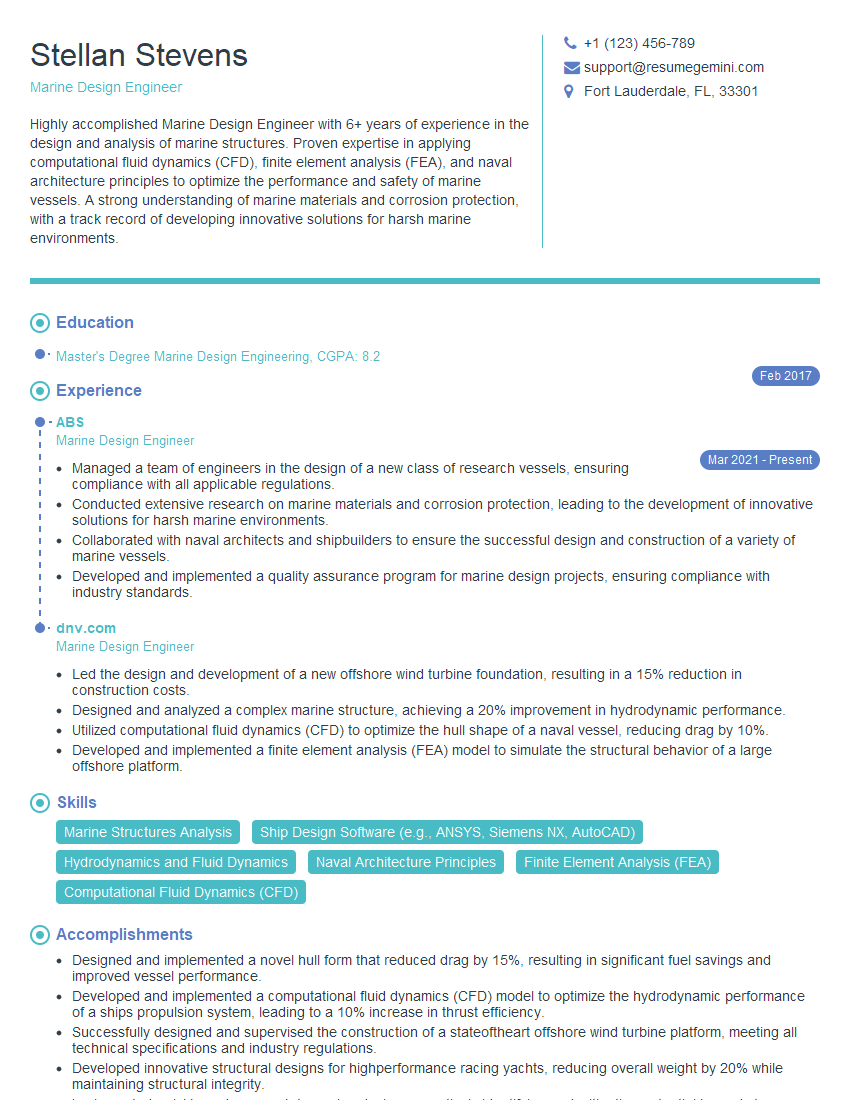
Mastering Computer-Aided Design (CAD) is crucial for a successful career in Marine Engineering. It’s the cornerstone of modern ship design and construction, opening doors to exciting opportunities and career advancement. To maximize your job prospects, creating a strong, ATS-friendly resume is paramount. ResumeGemini is a trusted resource that can help you build a professional and impactful resume, tailored to highlight your CAD skills and experience. Examples of resumes tailored to Computer-Aided Design (CAD) for Marine Engineering are available to help guide you.
Explore more articles
Users Rating of Our Blogs
Share Your Experience
We value your feedback! Please rate our content and share your thoughts (optional).
What Readers Say About Our Blog
Very informative content, great job.
good