Unlock your full potential by mastering the most common Computer Networks and Cybersecurity interview questions. This blog offers a deep dive into the critical topics, ensuring you’re not only prepared to answer but to excel. With these insights, you’ll approach your interview with clarity and confidence.
Questions Asked in Computer Networks and Cybersecurity Interview
Q 1. Explain the difference between TCP and UDP.
TCP (Transmission Control Protocol) and UDP (User Datagram Protocol) are both communication protocols used in computer networks, but they differ significantly in how they handle data transmission. Think of it like sending a package: TCP is like sending a registered package requiring a signature, ensuring reliable delivery, while UDP is like sending a postcard – it’s faster but there’s no guarantee it will arrive.
- TCP: Connection-oriented, reliable, ordered delivery, uses acknowledgments (ACKs) to confirm successful receipt of data packets, and provides error correction. It’s ideal for applications requiring reliable data transfer, such as web browsing (HTTP) and email (SMTP).
- UDP: Connectionless, unreliable, unordered delivery, doesn’t guarantee delivery or order of packets, and offers minimal overhead. It’s faster than TCP and suitable for applications where speed is prioritized over reliability, such as online gaming (where a slightly delayed packet is better than no packet), and streaming video (where minor packet loss is usually acceptable).
In essence, the choice between TCP and UDP depends on the application’s needs. If reliability is paramount, use TCP; if speed is crucial and some data loss is tolerable, use UDP.
Q 2. Describe the OSI model and its layers.
The OSI (Open Systems Interconnection) model is a conceptual framework that standardizes the functions of a telecommunication or computing system without regard to its underlying internal structure and technology. It’s a seven-layer model, each layer performing a specific function, allowing for modularity and interoperability.
- Layer 1: Physical Layer: Deals with the physical transmission of data bits over a medium (e.g., cables, wireless signals).
- Layer 2: Data Link Layer: Provides error-free transmission of data frames between two directly connected nodes (e.g., Ethernet). Includes MAC addressing.
- Layer 3: Network Layer: Handles routing of packets across networks (e.g., IP addressing, routing protocols like RIP and OSPF).
- Layer 4: Transport Layer: Provides end-to-end communication between applications (e.g., TCP and UDP). Manages segmentation and reassembly of data.
- Layer 5: Session Layer: Manages sessions between applications, providing synchronization and checkpointing.
- Layer 6: Presentation Layer: Handles data formatting, encryption, and decryption.
- Layer 7: Application Layer: Provides network services to applications (e.g., HTTP, FTP, SMTP).
Imagine a letter being sent. The physical layer is the envelope, the data link layer is the address on the envelope, the network layer is the postal service routing the letter, the transport layer ensures the letter arrives intact, the session layer manages the conversation, the presentation layer is the formatting and language of the letter, and the application layer is the intention behind writing and sending the letter.
Q 3. What are the different types of network attacks?
Network attacks come in many forms, targeting various aspects of network security. Here are some key types:
- Denial-of-Service (DoS) and Distributed Denial-of-Service (DDoS) Attacks: Flooding a server with traffic to make it unavailable to legitimate users.
- Man-in-the-Middle (MitM) Attacks: Intercepting communication between two parties to eavesdrop or manipulate the data.
- Phishing Attacks: Tricking users into revealing sensitive information (e.g., passwords, credit card details) through deceptive emails or websites.
- SQL Injection Attacks: Injecting malicious SQL code into a web application to gain unauthorized access to a database.
- Cross-Site Scripting (XSS) Attacks: Injecting malicious scripts into a website to steal user data or redirect users to malicious websites.
- Brute-Force Attacks: Trying numerous password combinations to gain unauthorized access.
- Zero-Day Exploits: Exploiting software vulnerabilities before a patch is available.
These attacks vary greatly in their sophistication and target. Effective cybersecurity requires a multi-layered approach, incorporating preventative measures, detection systems, and incident response plans.
Q 4. How does a firewall work?
A firewall acts as a gatekeeper, controlling network traffic based on predefined rules. It examines incoming and outgoing network packets and decides whether to allow or block them based on various criteria, such as source and destination IP addresses, ports, protocols, and application data.
Imagine a bouncer at a nightclub. The bouncer (firewall) checks everyone’s ID (packet header information) and only lets in those who meet specific criteria (rules defined by the network administrator). Firewalls can be hardware-based devices or software applications. They enforce security policies, preventing unauthorized access and protecting networks from malicious activities. Different types of firewalls exist, including packet filtering firewalls, stateful inspection firewalls, and next-generation firewalls (NGFWs), each offering different levels of security and functionality.
Q 5. Explain the concept of a VPN.
A VPN (Virtual Private Network) creates a secure, encrypted connection over a public network, such as the internet. It essentially creates a private tunnel between your device and a VPN server, protecting your data from eavesdropping and unauthorized access. Think of it as a secure, encrypted tube transporting your data.
When you use a VPN, your internet traffic is routed through the VPN server, masking your real IP address and encrypting your data. This is beneficial for protecting your privacy when using public Wi-Fi, accessing location-restricted content, or bypassing censorship. However, VPNs are not foolproof and should be used in conjunction with other security measures.
Q 6. What is a DDoS attack and how can it be mitigated?
A DDoS (Distributed Denial-of-Service) attack is a coordinated attempt to make a network resource unavailable to legitimate users. Unlike a DoS attack, which originates from a single source, a DDoS attack uses multiple compromised systems (bots) across the internet to overwhelm the target with traffic.
Imagine a swarm of bees overwhelming a single hive. Each bee represents a compromised system, and the hive is the target server. The sheer volume of traffic renders the server incapable of responding to legitimate requests. Mitigation strategies include:
- Traffic filtering: Blocking suspicious traffic based on source IP addresses or other criteria.
- Rate limiting: Limiting the number of requests from a single source within a given time frame.
- Content Delivery Networks (CDNs): Distributing traffic across multiple servers to reduce the load on any single server.
- Cloud-based DDoS protection services: Leveraging the resources and expertise of specialized providers.
The best approach usually involves a combination of these techniques, tailored to the specific nature and scale of the attack.
Q 7. Describe different authentication methods.
Authentication methods verify the identity of a user or device. Several methods exist, each with its strengths and weaknesses:
- Password-based authentication: The most common method, relying on users remembering a password. Vulnerable to brute-force attacks and phishing.
- Multi-factor authentication (MFA): Requires users to provide multiple forms of authentication, such as a password and a one-time code from a mobile app. Significantly enhances security.
- Biometric authentication: Uses unique biological characteristics, such as fingerprints or facial recognition, for authentication. Generally considered more secure than password-based methods.
- Token-based authentication: Uses tokens, usually short-lived, to verify user identity. Common in APIs and web applications.
- Certificate-based authentication: Uses digital certificates to verify identity. Commonly used in secure network communications (TLS/SSL).
Choosing the appropriate authentication method depends on the security requirements and risk tolerance. For high-security applications, MFA and biometric authentication are often preferred.
Q 8. What is encryption and why is it important?
Encryption is the process of converting readable data (plaintext) into an unreadable format (ciphertext) to prevent unauthorized access. Think of it like writing a secret message in a code only you and the intended recipient can understand. It’s crucial for protecting sensitive information like passwords, financial data, and personal communications. Without encryption, any data transmitted over a network or stored on a device is vulnerable to interception and theft.
For example, when you access your online banking account, your connection to the bank’s server is likely encrypted using HTTPS. This ensures that your login credentials and transaction details are not visible to eavesdroppers on the network.
Q 9. Explain the difference between symmetric and asymmetric encryption.
Symmetric encryption uses the same secret key to both encrypt and decrypt data. It’s like using the same lock and key to secure and open a box. This is fast and efficient but requires a secure way to share the key between communicating parties. Examples include AES and DES.
Asymmetric encryption, also known as public-key cryptography, uses two separate keys: a public key for encryption and a private key for decryption. Imagine a mailbox with a slot (public key) where anyone can drop a letter (encrypted data), but only the recipient with the key to the mailbox (private key) can open it and read it. This solves the key distribution problem of symmetric encryption. RSA and ECC are common asymmetric algorithms. It’s slower than symmetric encryption but provides essential security features like digital signatures and key exchange.
Q 10. What are the key principles of cybersecurity?
The key principles of cybersecurity are often summarized as CIA – Confidentiality, Integrity, and Availability.
- Confidentiality: Ensuring that sensitive information is accessible only to authorized individuals or systems. This involves access control mechanisms and encryption.
- Integrity: Maintaining the accuracy and completeness of data and preventing unauthorized modification. Hashing and digital signatures help guarantee data integrity.
- Availability: Ensuring that authorized users have timely and reliable access to information and resources. Redundancy, backups, and disaster recovery plans are crucial.
Beyond CIA, other important principles include Authentication (verifying the identity of users and devices), Non-Repudiation (preventing users from denying their actions), and Accountability (tracing actions to responsible individuals).
Q 11. What is a vulnerability scan and how is it performed?
A vulnerability scan is an automated process that identifies security weaknesses in computer systems and networks. Think of it as a security checkup for your digital assets. It works by probing systems for known vulnerabilities, checking for outdated software, weak passwords, and misconfigurations.
Vulnerability scans are performed using specialized software tools that send automated requests to target systems. These tools check for known vulnerabilities by comparing system configurations against extensive databases of known security flaws. The results usually present a list of identified vulnerabilities, their severity, and recommended remediation steps. Examples of such tools include Nessus, OpenVAS, and QualysGuard. These scans are crucial for proactive security management and should be performed regularly.
Q 12. Describe different types of malware.
Malware encompasses various malicious software designed to damage, disrupt, or gain unauthorized access to computer systems. Here are some key types:
- Viruses: Self-replicating programs that attach themselves to other files or programs.
- Worms: Self-replicating programs that spread independently across networks.
- Trojans: Malicious programs disguised as legitimate software.
- Ransomware: Malware that encrypts data and demands a ransom for its release.
- Spyware: Software that secretly monitors user activity and collects personal information.
- Adware: Software that displays unwanted advertisements.
- Rootkits: Programs that hide their presence on a system and provide persistent backdoor access.
The impact of malware can range from minor inconveniences to catastrophic data loss and financial damage. It is vital to use antivirus software, practice safe browsing habits, and regularly update software to mitigate the risk.
Q 13. Explain the concept of intrusion detection and prevention systems (IDS/IPS).
Intrusion Detection and Prevention Systems (IDS/IPS) are security technologies designed to detect and respond to malicious activity on networks and host systems. An IDS monitors network traffic and system logs for suspicious patterns indicative of attacks. It alerts administrators to potential security breaches, while an IPS takes it a step further by actively blocking or mitigating malicious activity.
Think of an IDS as a security guard who observes suspicious activities and raises an alarm, whereas an IPS is a security guard with the authority to stop intruders. IDSs rely primarily on signature-based detection (looking for known attack patterns) and anomaly-based detection (looking for deviations from normal behavior). IPSs also employ these techniques but can actively block traffic or take other preventative measures. They are vital for detecting and preventing a wide range of attacks, including denial-of-service attacks, malware infections, and unauthorized access attempts.
Q 14. What is risk assessment and how is it conducted?
Risk assessment is the process of identifying, analyzing, and prioritizing potential security threats and vulnerabilities. It’s a systematic approach to understanding the likelihood and potential impact of security incidents. Think of it as evaluating the risks in a casino, identifying which bets have the highest and lowest odds of success.
A typical risk assessment involves the following steps:
- Identify Assets: Determine what needs to be protected (data, systems, applications).
- Identify Threats: Identify potential threats (malware, hackers, natural disasters).
- Identify Vulnerabilities: Determine weaknesses that could be exploited by threats.
- Assess Risk: Calculate the likelihood and impact of each risk (likelihood x impact).
- Develop Mitigation Strategies: Create plans to reduce or eliminate identified risks (e.g., patching vulnerabilities, implementing security controls).
- Monitor and Review: Regularly review and update the risk assessment as the environment changes.
The outcome of a risk assessment informs the development of security policies and controls, helping organizations prioritize their security investments and allocate resources effectively.
Q 15. What is a security information and event management (SIEM) system?
A Security Information and Event Management (SIEM) system is a crucial tool in cybersecurity, acting as a central monitoring system for security alerts generated by various network devices and applications. Think of it as a security detective, constantly collecting and analyzing logs from across your entire IT infrastructure to identify potential threats and security breaches.
A SIEM system collects logs from firewalls, intrusion detection systems (IDS), servers, endpoints, and more. It then uses these logs to detect patterns indicative of malicious activity such as unusual login attempts, data exfiltration, or malware infections. The system analyzes this data using various techniques like correlation and pattern matching, alerting security personnel to potential issues in real-time or near real-time. Once an incident is identified, the SIEM provides tools to investigate the issue and respond effectively.
For example, if a SIEM detects a large number of failed login attempts from a single IP address, it might alert security personnel to a potential brute-force attack. The system might then provide information about the affected accounts and the IP address, allowing for rapid investigation and remediation.
In a professional setting, SIEMs are essential for compliance with industry regulations like HIPAA and PCI DSS, which require organizations to maintain detailed security logs and demonstrate their ability to detect and respond to security incidents. They are also crucial for proactive threat hunting, allowing security analysts to proactively search for indicators of compromise (IOCs) even before an alert is triggered.
Career Expert Tips:
- Ace those interviews! Prepare effectively by reviewing the Top 50 Most Common Interview Questions on ResumeGemini.
- Navigate your job search with confidence! Explore a wide range of Career Tips on ResumeGemini. Learn about common challenges and recommendations to overcome them.
- Craft the perfect resume! Master the Art of Resume Writing with ResumeGemini’s guide. Showcase your unique qualifications and achievements effectively.
- Don’t miss out on holiday savings! Build your dream resume with ResumeGemini’s ATS optimized templates.
Q 16. Explain the concept of zero-trust security.
Zero-trust security is a security model that assumes no implicit trust granted to any user, device, or network, regardless of location. Instead of a broad perimeter-based security approach (like a castle moat), zero trust verifies every access request before granting access. It’s based on the principle of ‘never trust, always verify’.
Imagine a traditional office network. Employees inside the network were implicitly trusted. Zero trust changes this by requiring authentication and authorization for every access attempt, even from internal users. Access is granted based on context, such as user identity, device posture, location, and application being accessed. This approach significantly reduces the impact of breaches as even if an attacker gains access to part of the network, their lateral movement is significantly restricted.
Key components of zero trust include:
- Strong Authentication: Multi-factor authentication (MFA) is crucial, requiring multiple forms of verification to confirm user identity.
- Micro-segmentation: Network segmentation is employed to isolate sensitive resources and restrict access based on the principle of least privilege.
- Continuous Monitoring and Analytics: Continuous monitoring of user and device behavior is essential to detect anomalous activity.
- Data Loss Prevention (DLP): Techniques and technologies to prevent sensitive data from leaving the organization’s control are implemented.
Zero trust is becoming increasingly important in today’s cloud-centric and remote work environments, where traditional perimeter-based security is less effective.
Q 17. What are some common security protocols (e.g., TLS, SSH)?
Several security protocols are essential for securing communication over networks. Here are some common examples:
- Transport Layer Security (TLS): TLS is the successor to Secure Sockets Layer (SSL) and is widely used to encrypt communication between a web browser and a web server. It ensures confidentiality and integrity of data transmitted over the internet, securing online transactions and protecting sensitive information. You see this in the ‘https’ prefix in website addresses.
- Secure Shell (SSH): SSH is used for secure remote login and other secure network services over an unsecured network. It allows users to securely access and manage remote servers, transferring files and commands securely. Think of it as a secure remote desktop connection.
- Internet Protocol Security (IPsec): IPsec provides authentication and encryption for Internet Protocol (IP) communications. It’s often used in Virtual Private Networks (VPNs) to create secure tunnels for transmitting data over public networks. This is frequently employed by corporations to create secure remote access for their employees.
- Secure Copy Protocol (SCP): SCP is a secure file transfer protocol that uses SSH for secure file copying between a client and a server. It ensures confidentiality and integrity of the transferred files.
These protocols use various cryptographic techniques to protect data and ensure secure communication, making them vital for maintaining online security.
Q 18. How does a DNS server work?
A Domain Name System (DNS) server acts as a translator between human-readable domain names (like google.com) and machine-readable IP addresses (like 172.217.160.142). When you type a website address into your browser, your computer first queries a DNS server to find the corresponding IP address of the server hosting that website.
The process typically involves several steps:
- Recursive Resolver: Your computer first contacts its local DNS server (often provided by your Internet Service Provider). This server acts as a recursive resolver, meaning it will recursively query other DNS servers until it finds the IP address.
- Root Name Servers: The recursive resolver starts by querying the root name servers. These servers hold a list of top-level domain (TLD) servers (like
.com,.org,.net). - TLD Servers: The resolver then queries the appropriate TLD server for the requested domain name.
- Authoritative Name Servers: The TLD server provides the address of the authoritative name server, which is responsible for the specific domain name. This server contains the mapping between the domain name and the IP address.
- IP Address: Finally, the authoritative name server returns the IP address to the recursive resolver, which forwards it to your computer.
This process allows you to easily access websites using human-readable domain names without needing to remember complex IP addresses. DNS servers are a fundamental component of the internet infrastructure.
Q 19. What are the different types of firewalls?
Firewalls are network security systems that monitor and control incoming and outgoing network traffic based on predetermined security rules. They act as a barrier between your internal network and the outside world, protecting against unauthorized access and malicious attacks.
There are several types of firewalls:
- Packet Filtering Firewalls: These firewalls examine each packet of data individually, checking its header information (source/destination IP address, port number, protocol) against a set of rules. They are simple and fast but can’t inspect the data payload within the packet.
- Stateful Inspection Firewalls: These are more advanced than packet filtering firewalls. They maintain a state table that tracks the connections passing through the firewall. They only allow responses to initiated connections, enhancing security.
- Application-Level Gateways (Proxy Servers): These firewalls act as intermediaries between the internal network and the outside world. They inspect the application data itself, providing more granular control over the traffic and increased protection against application-level attacks.
- Next-Generation Firewalls (NGFWs): NGFWs combine features of several firewall types, including deep packet inspection, application control, intrusion prevention, and malware scanning. They provide comprehensive security features and threat protection.
The choice of firewall depends on factors such as security requirements, network size, and budget. Larger organizations often use NGFWs to protect their complex networks, while smaller businesses might use simpler packet filtering or stateful inspection firewalls.
Q 20. Explain the concept of network segmentation.
Network segmentation is the practice of dividing a large network into smaller, isolated subnetworks. This is done to enhance security and improve network performance. By segmenting a network, you limit the impact of a security breach, preventing attackers from easily accessing other parts of the network.
Imagine a building with different departments. Network segmentation is like having separate floors or wings for each department. If a fire (security breach) occurs in one area, it’s contained and doesn’t spread to other areas. This limits the damage and makes it easier to identify and resolve the issue.
Benefits of Network Segmentation:
- Enhanced Security: If one segment is compromised, the attacker’s access is limited to that specific segment.
- Improved Performance: By reducing network traffic congestion, segmentation improves overall network performance.
- Simplified Troubleshooting: Isolating problems becomes easier due to the smaller network segments.
- Compliance: It helps meet compliance requirements by isolating sensitive data and systems.
Techniques for network segmentation include using VLANs (Virtual LANs), firewalls, and routers to create distinct network segments. The level of segmentation depends on the organization’s specific security needs and infrastructure.
Q 21. Describe different types of network topologies.
Network topologies refer to the physical or logical layout of nodes (computers, servers, etc.) and connections in a network. Different topologies offer different advantages and disadvantages in terms of performance, scalability, and reliability.
Common network topologies include:
- Bus Topology: All devices are connected to a single cable (the bus). It’s simple and inexpensive but a single point of failure in the bus can bring down the entire network.
- Star Topology: All devices connect to a central hub or switch. It’s reliable, easy to troubleshoot, and adding or removing devices is simple. Most modern networks use a star topology.
- Ring Topology: Devices are connected in a closed loop. Data travels in one direction around the ring. It’s less prone to collisions than a bus topology but a single failure can disrupt the entire network.
- Mesh Topology: Devices are interconnected with multiple paths between them. It’s highly reliable and fault-tolerant but complex and expensive to implement.
- Tree Topology: A hierarchical structure that combines elements of bus and star topologies. It’s commonly used in larger networks.
The choice of topology depends on factors like the size of the network, the desired level of redundancy, and the budget. Star topology is a popular choice for its ease of management and reliability.
Q 22. What is the difference between a router and a switch?
Routers and switches are both fundamental networking devices, but they operate at different layers of the network model and serve distinct purposes. Think of it like this: a switch is like a highly organized post office within a building, sorting mail (data packets) to the correct recipient (device) within the same building (local network). A router, on the other hand, is like a postal service connecting different buildings (networks). It determines the best path to send mail across different buildings.
More technically, a switch operates at Layer 2 (Data Link Layer) of the OSI model. It uses MAC addresses to forward data frames within a local area network (LAN). Switches learn MAC addresses by examining the source MAC address of each frame they receive and building a MAC address table. This allows for efficient local communication.
A router, operating at Layer 3 (Network Layer), uses IP addresses to forward data packets between different networks. It uses routing protocols to learn about networks and determine the best path to forward packets, often across geographically diverse locations. Routers perform more complex functions, such as routing, subnetting, and Network Address Translation (NAT).
- Switch: Connects devices on the same LAN, uses MAC addresses, faster processing speeds within a LAN.
- Router: Connects different networks, uses IP addresses, slower processing speeds than switches due to routing table lookups, handles inter-network communication.
For example, your home network might use a single switch to connect all your devices (computers, phones, smart TVs). Your internet service provider (ISP) uses routers to connect your home network to the wider internet.
Q 23. How do you perform network troubleshooting?
Network troubleshooting is a systematic process. I begin by gathering information to narrow down the problem. This involves asking questions such as: What exactly isn’t working? When did the problem start? What changed recently? Has this happened before?
My approach follows a structured methodology:
- Identify the Problem: Clearly define the issue. Is it connectivity, performance, or security related?
- Gather Information: Collect information from affected users, network monitoring tools, and logs. Look for error messages or patterns.
- Isolate the Issue: Try to narrow down the source of the problem. Is it a single device, a specific application, a network segment, or the internet connection?
- Test and Verify: Use diagnostic tools such as
ping,traceroute,netstat, or Wireshark to test network connectivity and identify bottlenecks or errors. - Implement a Solution: Based on the diagnosis, implement the appropriate fix. This may involve configuring network devices, restarting services, updating software, or replacing faulty hardware.
- Document and Monitor: Document the troubleshooting process and the solution implemented. Monitor the network to ensure the problem is resolved and doesn’t recur.
For instance, if users report slow internet speeds, I might start by checking the internet service provider’s status, then examine network device performance metrics, check for bandwidth hogs, and potentially use Wireshark to analyze network traffic for congestion or errors.
Q 24. What are some common security best practices?
Strong cybersecurity best practices are crucial for protecting systems and data. They’re not just about technology; they’re about people and processes as well. Here are some key practices:
- Strong Passwords and Authentication: Enforce strong, unique passwords for all accounts and enable multi-factor authentication (MFA) whenever possible.
- Regular Software Updates and Patching: Stay up-to-date with the latest software and security patches to mitigate known vulnerabilities.
- Firewall and Intrusion Detection Systems (IDS): Employ firewalls to control network traffic and IDS to detect malicious activity.
- Data Backup and Recovery: Regularly back up critical data to prevent data loss in case of a disaster.
- Security Awareness Training: Educate users about phishing attacks, social engineering, and other security threats.
- Principle of Least Privilege: Grant users only the necessary permissions to perform their tasks, limiting potential damage from compromised accounts.
- Network Segmentation: Divide the network into smaller, isolated segments to limit the impact of a security breach.
- Regular Security Audits and Penetration Testing: Conduct regular assessments to identify vulnerabilities and strengthen security posture.
Consider a scenario where an employee receives a phishing email. Strong password policies and security awareness training, along with email filtering, are vital in preventing the employee from clicking the malicious link and compromising company data. Regular security audits would uncover any weaknesses in the email filtering system.
Q 25. What experience do you have with penetration testing?
I have extensive experience in penetration testing, both black-box and white-box. I’ve conducted numerous assessments for clients across various industries, including financial services, healthcare, and e-commerce. My approach is methodical and comprehensive, starting with a thorough understanding of the client’s environment and objectives.
My typical penetration testing engagement involves:
- Planning and Scoping: Defining the scope of the test, including targets, methodologies, and timelines.
- Reconnaissance: Gathering information about the target system through passive and active techniques.
- Vulnerability Analysis: Identifying security vulnerabilities using automated tools and manual techniques.
- Exploitation: Attempting to exploit identified vulnerabilities to assess their impact.
- Reporting: Documenting findings, including identified vulnerabilities, their severity, and remediation recommendations.
For example, in a recent engagement for a financial institution, I used a combination of automated tools and manual techniques to identify vulnerabilities in their web application and network infrastructure. My report detailed critical vulnerabilities such as SQL injection and cross-site scripting (XSS), along with step-by-step remediation strategies.
Q 26. What is your experience with incident response?
My incident response experience involves handling security incidents from initial detection through remediation and recovery. I’ve managed several critical incidents, including malware outbreaks, data breaches, and denial-of-service (DoS) attacks. My approach focuses on containment, eradication, recovery, and post-incident analysis.
My process typically involves:
- Preparation: Developing and maintaining an incident response plan, including roles, responsibilities, and communication protocols.
- Detection and Analysis: Identifying and analyzing the security incident to understand its nature and scope.
- Containment: Isolating the affected systems to prevent further damage or spread of the incident.
- Eradication: Removing the root cause of the incident, such as malware or a compromised account.
- Recovery: Restoring affected systems and data to their pre-incident state.
- Post-Incident Activity: Conducting a thorough post-incident analysis to identify lessons learned and improve future response efforts.
In one instance, we responded to a ransomware attack that encrypted critical data. Our immediate response involved isolating affected servers, collaborating with forensic specialists to analyze the malware, and ultimately restoring data from a recent backup. Post-incident analysis led to enhancements in our backup strategy and security awareness training.
Q 27. Describe your experience with cloud security.
Cloud security is a critical area of my expertise. I have experience securing various cloud platforms, including AWS, Azure, and GCP. My focus extends to securing cloud infrastructure, applications, and data. I understand the shared responsibility model of cloud security and work closely with clients to define appropriate security measures.
Key areas of my cloud security experience include:
- Identity and Access Management (IAM): Implementing strong IAM policies to control access to cloud resources.
- Data Security: Utilizing encryption, data loss prevention (DLP) tools, and access controls to protect sensitive data.
- Network Security: Configuring virtual private clouds (VPCs), firewalls, and other network security controls.
- Security Monitoring and Logging: Implementing robust monitoring and logging to detect and respond to security incidents.
- Compliance: Ensuring adherence to relevant security and compliance standards, such as ISO 27001, SOC 2, and HIPAA.
For example, I recently assisted a client in migrating their on-premises infrastructure to AWS. My role involved designing and implementing a secure cloud architecture, including VPC setup, IAM roles, and encryption at rest and in transit. Regular security assessments ensured continued compliance and a strong security posture.
Q 28. What are your thoughts on ethical hacking?
Ethical hacking is crucial for improving cybersecurity. It’s the practice of using hacking techniques to identify vulnerabilities in systems and networks, but with the explicit permission of the owner. It’s a proactive approach to security, aiming to identify weaknesses before malicious actors can exploit them.
I believe ethical hacking plays a vital role in:
- Vulnerability Discovery: Identifying security flaws that could be exploited by attackers.
- Security Awareness: Educating organizations and individuals about security risks.
- Improving Security Posture: Helping organizations strengthen their security defenses by providing actionable remediation advice.
- Compliance: Ensuring organizations meet regulatory requirements and industry best practices.
Ethical hackers must adhere to a strict code of conduct, ensuring they only test systems with explicit authorization and report findings responsibly. It’s a profession requiring both technical skills and a strong ethical compass. I’ve personally contributed to several vulnerability disclosure programs, helping vendors improve the security of their products and services.
Key Topics to Learn for Computer Networks and Cybersecurity Interview
- Network Fundamentals: Understanding TCP/IP model, OSI model, subnetting, routing protocols (RIP, OSPF, BGP), and network topologies. Consider practical applications like troubleshooting network connectivity issues or designing a secure network architecture.
- Network Security: Explore firewalls, intrusion detection/prevention systems (IDS/IPS), VPNs, and various encryption techniques. Think about real-world scenarios like implementing security measures for a cloud-based application or responding to a security breach.
- Cryptography: Grasp the fundamentals of symmetric and asymmetric encryption, hashing algorithms, and digital signatures. Practice applying these concepts to secure data transmission and authentication.
- Cybersecurity Threats and Vulnerabilities: Familiarize yourself with common threats like malware, phishing, denial-of-service attacks, and SQL injection. Understand vulnerability assessment and penetration testing methodologies.
- Cloud Security: Explore security considerations specific to cloud environments, including access control, data encryption, and compliance regulations. Consider how to secure data stored in cloud services like AWS or Azure.
- Wireless Security: Understand the security protocols used in Wi-Fi networks (WPA2, WPA3) and potential vulnerabilities. Think about securing a corporate Wi-Fi network.
- Operating System Security: Learn about user and group permissions, file system permissions, and hardening techniques for common operating systems (Windows, Linux). Practical application would be securing a server environment.
- Ethical Hacking and Penetration Testing (Conceptual): Understand the principles and methodologies behind ethical hacking and penetration testing, focusing on the legal and ethical implications.
Next Steps
Mastering Computer Networks and Cybersecurity is crucial for a thriving career in today’s technology-driven world. These skills are highly sought after, opening doors to diverse and rewarding roles. To maximize your job prospects, creating a strong, ATS-friendly resume is essential. ResumeGemini is a trusted resource that can help you build a professional and impactful resume, showcasing your expertise effectively. We provide examples of resumes tailored to Computer Networks and Cybersecurity roles to guide you through the process. Invest time in crafting a compelling resume – it’s your first impression on potential employers.

Compliance Officer Resume Sample

Security Consultant Resume Sample

Security Engineer Resume Sample

Network Administrator Resume Sample
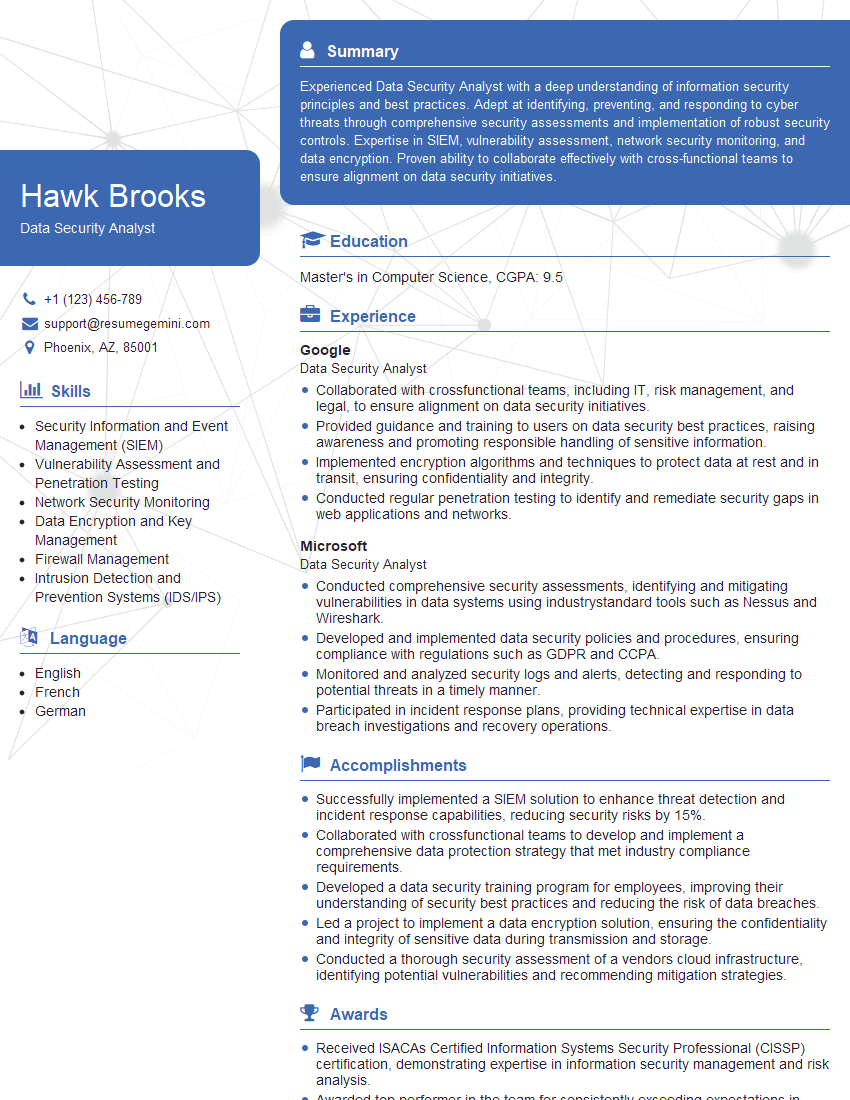
Data Security Analyst Resume Sample

Information Security Manager Resume Sample

Network Engineer Resume Sample
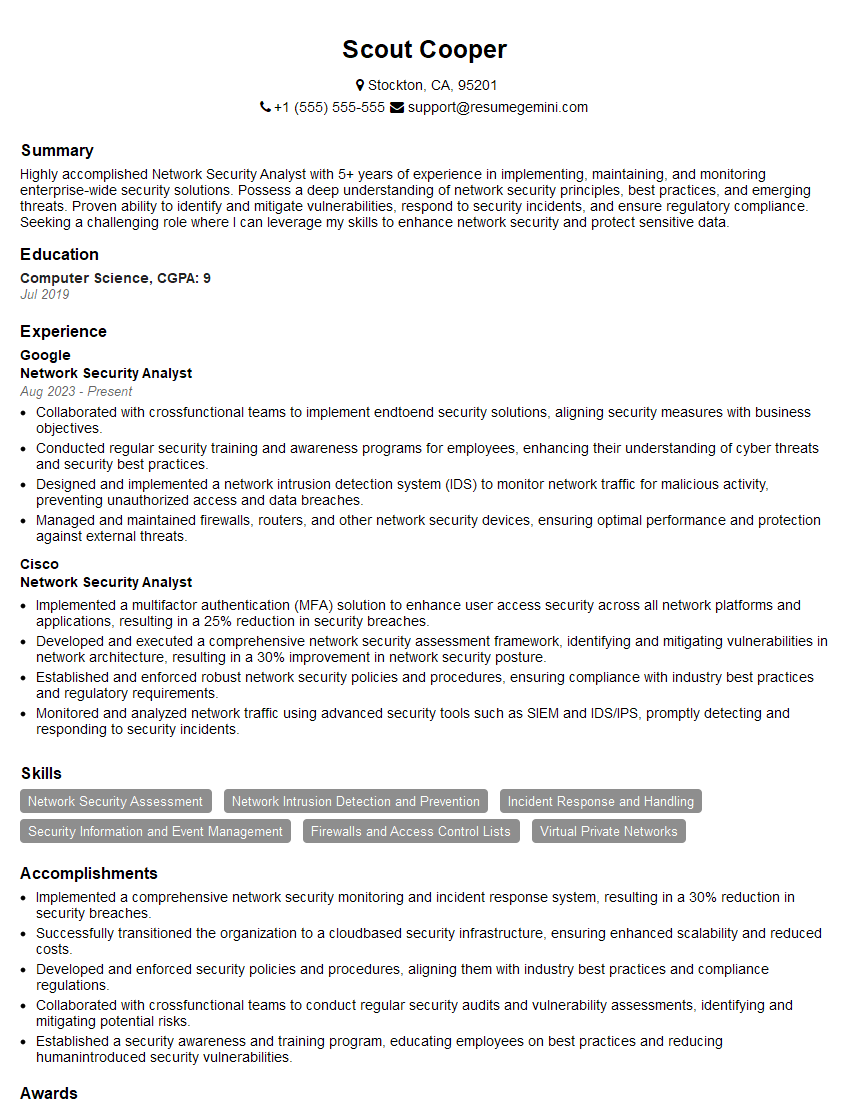
Network Security Analyst Resume Sample

Security Architect Resume Sample

Systems Administrator Resume Sample

Network Architect Resume Sample

IT Manager Resume Sample

Cybersecurity Analyst Resume Sample
Explore more articles
Users Rating of Our Blogs
Share Your Experience
We value your feedback! Please rate our content and share your thoughts (optional).
What Readers Say About Our Blog
Very informative content, great job.
good