Are you ready to stand out in your next interview? Understanding and preparing for ComputerAided Engineering (CAE) interview questions is a game-changer. In this blog, we’ve compiled key questions and expert advice to help you showcase your skills with confidence and precision. Let’s get started on your journey to acing the interview.
Questions Asked in ComputerAided Engineering (CAE) Interview
Q 1. Explain the difference between implicit and explicit finite element analysis.
Implicit and explicit finite element analysis are two fundamentally different approaches to solving dynamic problems. The key difference lies in how they handle time integration.
Implicit methods solve the equations of motion at the end of a time step. They require solving a system of equations at each time step, which is computationally more expensive but allows for larger time steps. Think of it like carefully planning your entire day before starting; you ensure everything fits, but it takes a while to plan.
Explicit methods solve the equations of motion at the beginning of a time step. They don’t require solving a system of equations, making them computationally faster, but they need much smaller time steps for stability. Imagine acting spontaneously; you can react quickly to situations, but you may need to make more frequent adjustments.
Example: In a crash simulation, explicit methods are preferred because they are efficient in handling the short duration, high-velocity events. In contrast, implicit methods might be better for a slow, steady-state structural analysis where accuracy over speed is prioritized.
Q 2. What are the advantages and disadvantages of using different element types (e.g., linear vs. quadratic)?
The choice between element types, like linear and quadratic, significantly impacts accuracy and computational cost. Linear elements use straight lines to approximate the geometry and solution variables, while quadratic elements use curves, offering a more refined representation.
- Linear Elements: Advantages include simplicity, lower computational cost, and faster simulation times. Disadvantages are lower accuracy, especially for problems with significant curvature or stress gradients. Imagine approximating a circle with a polygon; more sides (quadratic) give a closer fit than fewer (linear).
- Quadratic Elements: Advantages include higher accuracy, particularly in capturing complex geometries and stress concentrations. Disadvantages are higher computational cost and increased mesh generation complexity. They are like using a higher-resolution image; more detail but require more processing power.
Example: For a simple beam analysis under uniform load, linear elements may suffice. However, for stress analysis around a hole in a plate, quadratic elements would capture the stress concentration more accurately.
Q 3. Describe your experience with meshing techniques and their impact on simulation accuracy.
Meshing is crucial for FEA accuracy. It’s the process of dividing the geometry into smaller elements. The quality and density of the mesh directly influence the simulation results.
My experience includes using various techniques, such as structured, unstructured, and adaptive meshing. Structured meshing creates regularly spaced elements, ideal for simple geometries but can be inefficient for complex shapes. Unstructured meshing allows for flexibility in element size and shape, adapting to complex geometries but can be more computationally demanding. Adaptive meshing refines the mesh automatically in regions of high stress gradients, optimizing accuracy and efficiency.
Impact on Accuracy: A poorly meshed model can lead to inaccurate results, including artificial stress concentrations or overly smooth stress distributions. Insufficient mesh density in critical areas might miss important details. I use mesh refinement studies to assess the impact of mesh density on the solution and ensure the results are mesh-independent. This ensures the accuracy isn’t limited by the mesh quality.
Q 4. How do you handle convergence issues in FEA simulations?
Convergence issues in FEA signify that the solution algorithm isn’t progressing towards a stable, accurate result. This can stem from various sources including poor mesh quality, inappropriate element type selection, incorrect boundary conditions, or numerical instability.
Handling Convergence Issues: My approach involves a systematic process:
- Mesh Refinement: Check for poor element quality (aspect ratio, skewness) and refine the mesh in critical areas.
- Element Type Change: Explore using higher-order elements (e.g., quadratic instead of linear) or different element types better suited for the problem.
- Boundary Condition Review: Verify the accuracy and completeness of boundary conditions.
- Solver Settings: Adjust solver parameters such as tolerances, time step size (for transient analysis), or iteration limits.
- Nonlinear Solution Strategies: Employ techniques like arc-length methods or automatic time step control for nonlinear problems.
- Model Simplification: If the problem is very complex, consider simplifying the geometry or material model.
Often, a combination of these steps is necessary to achieve convergence. Careful documentation of each step and its impact on convergence is essential for troubleshooting.
Q 5. Explain your experience with different solvers (e.g., direct vs. iterative).
Different solvers have distinct strengths and weaknesses. Direct solvers solve the system of equations directly, providing accurate results but requiring significant computational resources, especially for large models. Think of it as solving a system of equations directly, like using a calculator. Iterative solvers find an approximate solution iteratively, requiring less memory but may not always converge to a solution or require more iterations. This is like using a numerical method to approximate the solution.
My experience includes using both types: direct solvers for smaller, more precise problems and iterative solvers for large models where memory usage is critical. The choice depends on the problem size, accuracy requirements, and available computational resources. For example, for a large-scale structural analysis of an aircraft wing, an iterative solver would be preferred due to its memory efficiency. However, if higher accuracy is critical, like in a detailed stress analysis of a small component, a direct solver may be necessary.
Q 6. How do you validate and verify your CAE simulation results?
Validation and verification are essential steps for ensuring the reliability of FEA results. Verification confirms that the simulation model accurately represents the intended mathematical model. This involves checks on the mesh quality, boundary conditions, material properties, and the solver settings. Did the software accurately solve the equations we gave it?
Validation compares the simulation results to experimental data or analytical solutions. This ensures the mathematical model accurately represents the real-world problem. Does the solution match the real world?
My approach involves:
- Mesh Convergence Studies: Refining the mesh until the results are independent of mesh size.
- Comparison with Analytical Solutions: Using simple analytical solutions (if available) to verify the accuracy of the simulation.
- Experimental Validation: Comparing simulation results to experimental data, like strain gauge measurements or physical testing.
- Sensitivity Studies: Assessing the influence of input parameters on the results.
Discrepancies between simulation and experimental data necessitate revisiting the model assumptions and inputs to identify and correct the source of error. A well-documented validation plan helps maintain transparency and accountability.
Q 7. Describe your experience with different CAE software packages (e.g., ANSYS, Abaqus, Nastran).
I possess extensive experience with various CAE software packages, including ANSYS, Abaqus, and Nastran. Each has its strengths:
- ANSYS: A comprehensive suite with broad capabilities, particularly strong in structural, thermal, and CFD analysis. I’ve extensively used ANSYS Mechanical for structural simulations, employing its advanced features like nonlinear material models and contact algorithms. I find it user-friendly for many applications, with excellent post-processing capabilities.
- Abaqus: Known for its powerful nonlinear capabilities and extensive element library, making it ideal for complex material behavior and large-deformation problems. I’ve used Abaqus extensively for nonlinear finite element simulations, focusing on its ability to handle intricate contact interactions and highly non-linear material models.
- Nastran: A widely used solver, particularly in aerospace and automotive industries. Its strength lies in its efficient solution of large-scale linear problems. I’ve utilized Nastran for modal analysis and linear static stress analysis, particularly appreciating its efficiency in handling very large models.
My choice of software depends on the specific requirements of the project. The software’s capabilities, ease of use, and licensing considerations all play a role in the final decision.
Q 8. How do you account for material nonlinearities in your simulations?
Material nonlinearities in CAE simulations refer to situations where a material’s response to stress and strain isn’t linear, meaning stress isn’t directly proportional to strain. This often occurs beyond a material’s yield strength. To account for this, we employ several methods.
- Nonlinear Material Models: We use constitutive models that capture the nonlinear behavior. These models, often implemented through material cards in the FEA software, mathematically describe the relationship between stress and strain. Examples include plasticity models (like von Mises or Tresca), hyperelasticity models (for rubber-like materials), and creep models (for time-dependent deformation). The choice depends on the material and loading conditions.
- Incremental Solution Procedures: Because nonlinearity changes the stiffness of the structure during deformation, we can’t solve the problem in one step. Instead, we use incremental solutions. The software applies a small load increment, solves the linear problem for that increment (using the material properties at the beginning of the increment), updates the material state, and repeats the process until the full load is applied. This process is iterative to ensure accuracy.
- Convergence Criteria: We set convergence criteria (tolerance levels for residual forces or displacements) to ensure the solution converges to an acceptable level of accuracy. If the solution doesn’t converge, we might need to refine the mesh, adjust the load steps, or reassess the material model.
Example: In simulating a car crash, the metal parts undergo plastic deformation. A nonlinear plasticity model, like the Johnson-Cook model, is crucial to accurately predict the deformation and energy absorption. Without this, the simulation would significantly underestimate the deformation and could lead to inaccurate safety assessments.
Q 9. Explain the concept of boundary conditions and their importance in FEA.
Boundary conditions in Finite Element Analysis (FEA) define how a structure interacts with its environment. They represent the constraints and loads applied to the model. They’re crucial because they dictate the solution; without appropriate boundary conditions, the simulation results are meaningless.
- Fixed Supports (Constraints): These simulate constraints like a weld, a bolted joint, or a built-in support. They restrict degrees of freedom (DOF) – the ability to move or rotate in different directions.
For example, fixing all six DOFs of a node completely constrains it. - Loads: These represent the forces or moments applied to the structure, such as gravity, pressure, or applied forces from machinery.
- Symmetry Conditions: These simplify the model by exploiting symmetry. If a structure is symmetrical, you can model only a portion, applying symmetry boundary conditions to the cut planes, significantly reducing computational cost.
- Thermal Boundary Conditions: These specify temperature or heat fluxes on the boundaries, crucial in thermal analysis.
Importance: Incorrect boundary conditions lead to inaccurate and often misleading results. For example, if you analyze a beam by only applying a force without fixing its ends, the beam will likely translate infinitely.
Q 10. How do you handle contact problems in FEA?
Contact problems in FEA involve situations where different parts of a model interact physically, like two components touching, rubbing, or impacting. These interactions are complex because the contact region and forces change as the structure deforms.
- Contact Algorithms: FEA software uses contact algorithms to handle these interactions. These algorithms detect contact, calculate contact forces, and update the model’s stiffness matrix accordingly. Common algorithms include penalty methods, Lagrange multipliers, and augmented Lagrangian methods. The choice depends on the complexity and accuracy required.
- Contact Parameters: Accurate definition of contact parameters is essential for accurate simulation results. These parameters include friction coefficient, contact stiffness, and separation criteria. Incorrect parameters can lead to convergence issues or unrealistic results.
- Meshing Considerations: Proper meshing near the contact area is critical. A fine mesh is generally needed to accurately capture the stress concentrations that often occur in contact regions.
Example: Simulating a gear mesh involves defining contact between the gear teeth. Accurate contact modeling is vital to determine stress concentrations, wear, and potential failure points. I’ve used different contact algorithms for different scenarios, selecting the appropriate one based on the level of accuracy and computational cost.
Q 11. Describe your experience with modal analysis and its applications.
Modal analysis is a technique used to determine the natural frequencies and mode shapes of a structure. Natural frequencies are the frequencies at which a structure will vibrate freely without any external forcing. Mode shapes are the displacement patterns associated with each natural frequency.
- Applications: Modal analysis is widely used to predict structural response to dynamic loads and prevent resonance. It’s crucial in designing structures like bridges, aircraft, and buildings where vibration can be detrimental. It allows engineers to identify potential resonance issues by comparing natural frequencies with expected excitation frequencies.
- Process: A modal analysis typically involves creating a finite element model, applying boundary conditions, and then solving an eigenvalue problem to determine the natural frequencies and mode shapes. The software then visualizes the mode shapes, allowing engineers to see how the structure will vibrate at each frequency.
- Example: I once used modal analysis to analyze the vibration of a turbine blade. Identifying the natural frequencies helped determine the operating range to avoid resonance and potential failure due to excessive vibration.
Understanding the dynamic response of a structure is crucial for preventing resonance and ensuring structural integrity. It allows us to design robust structures capable of withstanding vibrations during operation.
Q 12. Explain your experience with harmonic analysis and its applications.
Harmonic analysis is used to determine the steady-state response of a structure to sinusoidal (cyclic) loads. Unlike transient analysis, which considers the entire time history of the load, harmonic analysis focuses on the response at each excitation frequency.
- Applications: This technique is widely used in analyzing structures subjected to rotating machinery, such as turbines, engines, and pumps. These components often generate periodic forces that can lead to fatigue and resonance if not carefully considered.
- Process: A harmonic analysis involves applying loads that vary sinusoidally with time at specific frequencies. The software then solves for the steady-state displacement, stress, and strain at each frequency. This allows for detailed frequency response analysis.
- Example: I’ve used harmonic analysis to study the vibration of a motor housing subjected to the rotating forces of the motor. By identifying the amplitude of the vibration at different frequencies, I helped optimize the design to minimize unwanted noise and vibration.
Harmonic analysis provides valuable insights into the structure’s behavior under cyclic loading, avoiding problems like resonance and ensuring long-term reliability.
Q 13. Describe your experience with transient analysis and its applications.
Transient analysis simulates the response of a structure to time-varying loads. Unlike static analysis which assumes loads are applied slowly and gradually, transient analysis considers the loads’ dynamic effects, including inertia and damping.
- Applications: Transient analysis is used extensively to simulate impacts, explosions, and other events involving rapidly changing loads. It’s also used to analyze the response of structures to sudden shocks or seismic events.
- Process: The process involves defining the time history of the loads, including the magnitude and duration. The software solves the equations of motion, accounting for inertia and damping effects, to determine the response of the structure as a function of time.
- Example: I used transient analysis to simulate the impact of a bird striking an aircraft engine. This analysis helped determine the stress levels and potential for damage, leading to improved engine design.
Transient analysis is essential for understanding the dynamic response of structures under rapidly changing loads, and designing them to withstand such events.
Q 14. Explain the concept of fatigue analysis and its applications.
Fatigue analysis predicts the lifespan of a component subjected to cyclic loading. It considers the effects of repeated stress cycles, which can lead to crack initiation and propagation, even if the stress levels are below the yield strength of the material.
- Applications: This is crucial in designing components for aircraft, automobiles, and many other applications where parts experience repeated loading cycles. Proper fatigue analysis helps engineers ensure that components have sufficient lifespan to prevent catastrophic failure.
- Process: Fatigue analysis often involves using S-N curves (stress-life curves), which relate the number of cycles to failure to the stress amplitude. The analysis considers stress history and uses various life prediction methods like Palmgren-Miner’s rule to estimate the fatigue life.
- Example: I used fatigue analysis to assess the lifespan of a weld joint in a pressure vessel subjected to repeated pressure cycles. This analysis helped determine the required safety factor and prevent potential failure.
Fatigue analysis is critical for ensuring the longevity and safety of structures and components operating under cyclic loading conditions, by predicting potential failure points and increasing their lifespan.
Q 15. How do you perform a sensitivity analysis in your simulations?
Sensitivity analysis in CAE helps determine how much the output of a simulation changes in response to changes in the input parameters. Think of it like this: if you’re designing a bridge, you want to know how much the stress on the bridge changes if the wind speed increases or the material strength decreases. We use several methods.
One-at-a-time (OAT) method: This is the simplest approach. We vary one parameter at a time while keeping others constant, observing the effect on the output. It’s easy to understand but can miss interactions between parameters.
Design of Experiments (DOE): DOE methods, like full factorial or Latin Hypercube sampling, are more sophisticated. They systematically vary multiple parameters simultaneously, allowing us to identify both individual and combined effects. This is far more efficient than OAT when dealing with many parameters.
Adjoint sensitivity analysis: This advanced technique uses the adjoint equations to calculate the sensitivity of the output to all input parameters efficiently, especially useful for large-scale simulations where OAT or DOE would be computationally prohibitive. It’s particularly valuable in optimization problems.
In practice, I often start with OAT for a quick understanding and then move to DOE for a more comprehensive analysis, especially for critical designs where understanding interactions is crucial. For extremely large models, adjoint methods become essential.
Career Expert Tips:
- Ace those interviews! Prepare effectively by reviewing the Top 50 Most Common Interview Questions on ResumeGemini.
- Navigate your job search with confidence! Explore a wide range of Career Tips on ResumeGemini. Learn about common challenges and recommendations to overcome them.
- Craft the perfect resume! Master the Art of Resume Writing with ResumeGemini’s guide. Showcase your unique qualifications and achievements effectively.
- Don’t miss out on holiday savings! Build your dream resume with ResumeGemini’s ATS optimized templates.
Q 16. What are the common sources of error in CAE simulations?
Errors in CAE simulations stem from various sources. It’s a critical skill to understand these sources so we can mitigate them. Think of it like baking a cake – if you use the wrong ingredients or don’t follow the recipe precisely, you won’t get the expected outcome. Similarly, CAE requires careful attention to detail.
Modeling Errors: These are inherent limitations in representing reality. For example, simplifying a complex geometry, idealizing material properties, or neglecting certain physical phenomena (e.g., neglecting heat transfer in a structural analysis when it’s significant).
Meshing Errors: An improperly refined mesh (too coarse or too fine) can lead to inaccurate results. A coarse mesh might miss important details, while an overly fine mesh can be computationally expensive and prone to numerical instability.
Numerical Errors: These errors arise from the approximations used in solving the governing equations. Choosing the wrong numerical solver or using insufficient precision can introduce inaccuracies. For example, selecting a first-order scheme instead of a second-order scheme for a specific problem.
Boundary Condition Errors: Incorrectly defining boundary conditions (e.g., pressure, temperature, displacement) can dramatically impact the results. This is particularly critical in fluid dynamics and heat transfer problems.
Software Errors: While less common with well-established software, bugs in the CAE software itself can be a source of error.
Addressing these errors requires careful model creation, thorough mesh refinement studies, convergence checks, and verification of boundary conditions. Experimental validation is also crucial in confirming the accuracy of the simulation.
Q 17. Describe your experience with optimization techniques in CAE.
Optimization in CAE involves finding the best design parameters that meet specific objectives, such as minimizing weight while maintaining sufficient strength. I have extensive experience with several optimization techniques.
Gradient-based methods: These methods use the gradient of the objective function to iteratively move towards the optimal solution. Examples include steepest descent and conjugate gradient. These are efficient for smooth objective functions but can get stuck in local optima.
Evolutionary algorithms: Techniques like genetic algorithms and particle swarm optimization are population-based methods that mimic natural selection. They are robust and can handle non-smooth objective functions and multiple optima but require more computational resources.
Response surface methodology (RSM): RSM approximates the complex relationship between design parameters and the objective function with a simpler, usually polynomial, model. This approximate model is then used for optimization. It’s particularly useful when direct simulations are computationally expensive.
In a recent project designing a lightweight aircraft component, I used a genetic algorithm to optimize the shape and material distribution, leading to a 15% weight reduction without compromising structural integrity. The choice of optimization method depends on the problem’s complexity, computational constraints, and the desired level of accuracy.
Q 18. Explain your experience with experimental validation of CAE results.
Experimental validation is crucial for building confidence in CAE results. It involves comparing simulation predictions with experimental measurements from physical prototypes or tests. This is absolutely essential for verifying the accuracy of the model and identifying potential sources of error.
My experience includes designing and conducting experiments, such as strain gauge measurements on structural components and pressure measurements in fluid flow experiments. I then compare the experimental data with the CAE predictions, quantifying the discrepancies using metrics like percentage error or correlation coefficients. These comparisons inform model refinement and improvement. For example, in a project involving the aerodynamic analysis of a car, wind tunnel testing allowed us to validate our CFD predictions and fine-tune the model to better represent the real-world behavior.
Discrepancies between simulation and experiment often lead to improvements in the CAE model, highlighting areas for refinement, such as refining the mesh, improving the material models, or accounting for neglected physical phenomena.
Q 19. How do you ensure the quality of your mesh in CFD simulations?
Mesh quality is paramount in CFD simulations. A poor mesh can lead to inaccurate or even completely wrong results. Imagine trying to paint a picture with a very coarse brush – you’ll miss the fine details. Similarly, a poor mesh will miss important flow features.
Ensuring mesh quality involves several steps:
Appropriate Mesh Type: Selecting the right mesh type (structured, unstructured, hybrid) is crucial. Structured meshes are suitable for simple geometries, while unstructured meshes offer greater flexibility for complex shapes. Hybrid meshes combine the advantages of both.
Refinement Strategy: Mesh refinement should be focused in regions of high gradients, such as near walls (boundary layers) or in areas with significant flow features. Adaptive mesh refinement (AMR) automatically refines the mesh in critical areas during the simulation.
Mesh Metrics: Monitoring mesh quality metrics like aspect ratio, skewness, and orthogonality is vital. These metrics indicate the shape and quality of individual mesh elements. High aspect ratios and skewed elements can lead to inaccurate results.
Mesh Independence Study: Performing a mesh independence study is crucial to confirm that the solution has converged and is not overly sensitive to the mesh resolution. This involves running the simulation with progressively finer meshes until the solution no longer changes significantly.
In my experience, using a combination of automated mesh generation tools and manual refinement, coupled with rigorous monitoring of mesh quality metrics and mesh independence studies, is essential for achieving accurate and reliable CFD results.
Q 20. Explain different turbulence models and their applications in CFD.
Turbulence models are essential for simulating turbulent flows in CFD. Turbulence is characterized by chaotic and seemingly random fluctuations in velocity and pressure. Directly resolving all these fluctuations is computationally prohibitive for most engineering applications. Therefore, we use turbulence models to approximate the effects of turbulence.
RANS (Reynolds-Averaged Navier-Stokes) models: These models decompose the flow variables into mean and fluctuating components and solve for the mean flow. Popular RANS models include:
k-ε model: This is a two-equation model solving for the turbulent kinetic energy (k) and its dissipation rate (ε). It’s relatively simple and computationally efficient but can be inaccurate in some flows.
k-ω SST model: This model combines the strengths of k-ε and k-ω models, providing better accuracy near walls and in adverse pressure gradients. It’s more computationally demanding than k-ε.
LES (Large Eddy Simulation): LES directly resolves the large-scale turbulent structures and models the smaller scales. It’s more accurate than RANS but computationally much more expensive. It’s suitable for high-fidelity simulations where accuracy is paramount.
DES (Detached Eddy Simulation): DES blends the advantages of RANS and LES. It uses RANS in regions of attached flow and LES in regions of detached flow. This offers a good compromise between accuracy and computational cost.
The choice of turbulence model depends on the specific application and the desired level of accuracy. For example, the k-ε model is often sufficient for many industrial applications where computational efficiency is a priority, while LES is preferred for more complex flows where accurate resolution of turbulence structures is crucial. I’ve successfully used all of these models on various projects, selecting the most appropriate one based on the problem’s characteristics and available resources.
Q 21. Describe your experience with different CFD solution methods.
CFD simulations require numerical methods to solve the governing equations. I have experience with several solution methods.
Finite Volume Method (FVM): This is the most widely used method in CFD. It divides the computational domain into control volumes, and the governing equations are integrated over each volume. It is conservative, meaning that quantities like mass and momentum are conserved throughout the solution process. I’ve used FVM extensively for its robustness and conservation properties.
Finite Element Method (FEM): While less common in general-purpose CFD, FEM is employed in specialized applications, particularly those dealing with complex geometries or coupled phenomena. It discretizes the domain into elements and solves the equations within each element. It’s known for its flexibility in handling complex geometries.
Finite Difference Method (FDM): FDM uses approximations of derivatives to solve the governing equations on a grid. It’s simpler to implement than FVM or FEM, but less flexible for complex geometries. Its use is often restricted to structured grids.
The choice of solution method depends on factors such as the geometry complexity, the desired accuracy, and the available computational resources. I consider the strengths and weaknesses of each method when making this critical decision, often selecting FVM as my primary choice due to its conservation properties and widespread applicability.
Q 22. How do you handle multiphase flow in CFD simulations?
Handling multiphase flow in CFD simulations requires choosing the right model based on the specific characteristics of the flow. This involves understanding the phases involved (e.g., liquid-liquid, gas-liquid, etc.), their interactions, and the relevant physical phenomena. The selection isn’t one-size-fits-all; it depends heavily on the problem’s complexity and the desired accuracy.
- Volume of Fluid (VOF): This is a widely used Eulerian method where a volume fraction is tracked for each phase. It’s effective for capturing interfaces between immiscible fluids and is suitable for many industrial applications, like sloshing in a fuel tank or the mixing of liquids in a reactor. For instance, simulating the flow of oil and water in a pipeline would benefit from using VOF.
- Eulerian-Eulerian: This approach models each phase as an interpenetrating continuum. It’s particularly useful for flows with dispersed phases, such as bubbly flows or fluidized beds. Think of simulating the flow of sand and air in a pneumatic conveying system; this approach would be appropriate.
- Lagrangian-Eulerian: This hybrid method treats one phase (usually the dispersed phase) as discrete particles that are tracked individually within a continuous fluid. This is commonly used for modeling spray painting or the combustion of fuel droplets in an engine.
Beyond the model choice, accurate representation also demands careful consideration of interfacial phenomena like surface tension and mass transfer between phases. Choosing appropriate turbulence models and numerical schemes is also crucial to achieve accurate and stable results. Mesh refinement near the interface is often necessary to capture the complex flow features.
Q 23. Explain your experience with heat transfer simulations.
My experience with heat transfer simulations spans various applications, from simple conduction problems to complex conjugate heat transfer (CHT) scenarios. I’m proficient in using different approaches, including finite element and finite volume methods, to model various heat transfer mechanisms: conduction, convection, and radiation. I’ve extensively worked with software like ANSYS Fluent and COMSOL Multiphysics.
For example, I once worked on optimizing the cooling system of an electronic device. This involved modeling the heat generated by the components, the heat transfer through the device’s housing, and the convective cooling by ambient air. This project required employing CHT techniques to model the heat transfer between the solid components and the surrounding fluid. This involved careful meshing to capture the thermal gradients accurately near the component surfaces. The results guided design modifications that reduced the device’s operating temperature significantly, improving its reliability and lifespan.
Another instance involved simulating the heat transfer in a gas turbine blade. Here, radiation effects played a significant role, and I had to implement a surface-to-surface radiation model to capture radiative heat exchange between the blade surfaces. The simulations helped optimize the blade’s design for improved efficiency and durability.
Q 24. How do you use CAE to improve product design and reduce development time?
CAE is indispensable for improving product design and accelerating the development cycle. By simulating various aspects of a product’s performance early in the design phase, CAE helps identify potential issues and optimize designs before physical prototypes are created, saving both time and resources.
- Early Problem Detection: CAE simulations can uncover design flaws such as stress concentrations, flow instabilities, or thermal hotspots that might otherwise only be detected during physical testing, often at a considerable cost.
- Design Optimization: CAE allows for iterative design optimization. By systematically modifying design parameters and running simulations, engineers can pinpoint designs that meet performance requirements while minimizing weight, cost, or material usage. For example, topology optimization can be used to identify optimal structural shapes for weight reduction.
- Reduced Prototyping: Extensive simulations significantly reduce the need for physical prototypes. This cuts down on manufacturing costs, shortens testing cycles, and speeds up the time to market.
For example, in the automotive industry, CAE is used extensively to analyze crashworthiness, aerodynamics, and thermal management of vehicles. By simulating these aspects virtually, designers can make informed decisions about structural design, optimize aerodynamic performance, and enhance cooling efficiency, leading to safer, more fuel-efficient, and more comfortable vehicles.
Q 25. Describe a challenging CAE project you worked on and how you overcame the challenges.
One challenging project involved simulating the fluid-structure interaction (FSI) of a flexible membrane in a high-velocity airflow. The membrane’s deformation significantly impacted the airflow, creating a complex coupled problem. The challenge stemmed from the high computational cost and the need for accurate modeling of both fluid and structural dynamics. The initial simulations were unstable and yielded inaccurate results.
To overcome these challenges, we implemented several strategies:
- Adaptive Mesh Refinement (AMR): We employed AMR to focus computational resources on areas of high flow gradients and membrane deformation, significantly improving the accuracy of the simulation without an unreasonable increase in computational time.
- Implicit Coupling Scheme: An implicit coupling scheme was implemented to enhance the stability of the FSI simulation and reduce the risk of divergence. This scheme allows for a more stable and efficient solution of the coupled equations.
- Model Order Reduction (MOR): To reduce the computational cost, we explored model order reduction techniques to approximate the high-fidelity FSI model with a lower-dimensional representation, enabling faster simulation times.
By systematically addressing these challenges, we obtained stable and accurate results, providing valuable insights into the membrane’s behavior and guiding design improvements for enhanced robustness and performance.
Q 26. Explain your understanding of design of experiments (DOE) in the context of CAE.
Design of Experiments (DOE) in CAE is a powerful statistical technique used to efficiently explore the design space and identify the most influential design parameters on the desired response variables. Instead of running simulations for every possible combination of design parameters (which can be computationally prohibitive), DOE employs carefully selected experimental designs to minimize the number of simulations while maximizing the information gained.
Common DOE techniques include:
- Full Factorial Designs: All possible combinations of parameters are tested, providing comprehensive information but can be computationally expensive.
- Fractional Factorial Designs: A subset of the full factorial design is used, reducing computational cost but potentially losing some information.
- Taguchi Methods: Focuses on orthogonal arrays to efficiently study the effects of factors and their interactions.
- Latin Hypercube Sampling (LHS): A stratified sampling technique that provides a more uniform coverage of the design space compared to random sampling.
Once the simulations are run using the chosen DOE, statistical analysis techniques like ANOVA (Analysis of Variance) are used to determine the significance of each design parameter on the response variables. This allows for targeted optimization efforts, focusing on the parameters with the greatest influence.
Q 27. How do you stay current with the latest advancements in CAE software and techniques?
Staying current in CAE requires a multifaceted approach. I regularly engage in the following activities:
- Professional Development Courses: Attending workshops and online courses offered by software vendors (like ANSYS, Dassault Systèmes, etc.) and professional organizations (like ASME) keeps me updated on new features and best practices.
- Conferences and Workshops: Participating in industry conferences and workshops allows for networking with other professionals and learning about cutting-edge research and applications.
- Peer-Reviewed Publications: I actively read scientific journals and conference proceedings to stay abreast of the latest advancements in CAE methodologies and applications.
- Online Resources: Engaging with online communities, forums, and tutorials provides a wealth of information and opportunities to learn from others’ experiences.
- Software Updates and Documentation: Regularly updating my CAE software and reviewing the accompanying documentation ensures I’m using the most current versions and features.
This combination of formal and informal learning keeps my skills sharp and ensures I’m using the most effective techniques in my work.
Q 28. Describe your experience with scripting or automation in CAE.
Scripting and automation are integral parts of my CAE workflow, enabling me to significantly increase efficiency and productivity. I’m proficient in Python and have used it extensively for various tasks, including:
- Pre-processing Automation: Generating complex meshes, defining boundary conditions, and setting up simulation parameters automatically, eliminating repetitive manual work. This includes using libraries like PyVista for mesh manipulation.
- Post-processing and Data Analysis: Extracting and analyzing simulation results, generating custom reports, and creating visualizations to present key findings efficiently. I leverage libraries like Matplotlib and Pandas for data manipulation and visualization.
- Workflow Integration: Creating custom scripts to automate the entire CAE workflow, from pre-processing to post-processing, enabling seamless integration with other tools and platforms.
- Batch Processing: Executing multiple simulations with varying parameters, thus enabling design exploration and optimization across a wide range of conditions.
#Example Python snippet for automating mesh generation: import pyvista as pv # ...mesh generation code using pyvista... mesh.save('mymesh.vtk')
These automation techniques significantly reduce turnaround time, minimize errors associated with manual tasks, and free up time for higher-level analysis and interpretation of results.
Key Topics to Learn for Computer-Aided Engineering (CAE) Interview
- Finite Element Analysis (FEA): Understanding the fundamental principles, meshing techniques, and different element types. Practical application: Analyzing stress and strain in a mechanical component under load.
- Computational Fluid Dynamics (CFD): Grasping the governing equations (Navier-Stokes), boundary conditions, and turbulence modeling. Practical application: Simulating airflow around an aircraft wing to optimize its design.
- Software Proficiency: Demonstrating expertise in industry-standard CAE software like ANSYS, Abaqus, or COMSOL. Practical application: Solving real-world engineering problems using chosen software packages.
- Material Modeling: Knowledge of different material constitutive models (elastic, plastic, viscoelastic) and their application in simulations. Practical application: Accurately predicting the behavior of materials under various loading conditions.
- Pre and Post-Processing: Mastering the techniques of model preparation, data interpretation, and result visualization. Practical application: Effectively communicating simulation results to stakeholders.
- Model Validation and Verification: Understanding the importance of validating simulation results against experimental data and verifying the accuracy of the numerical model. Practical application: Ensuring the reliability and trustworthiness of simulation results.
- Optimization Techniques: Familiarity with different optimization algorithms and their applications in CAE. Practical application: Designing optimal components or systems by minimizing weight or maximizing performance.
Next Steps
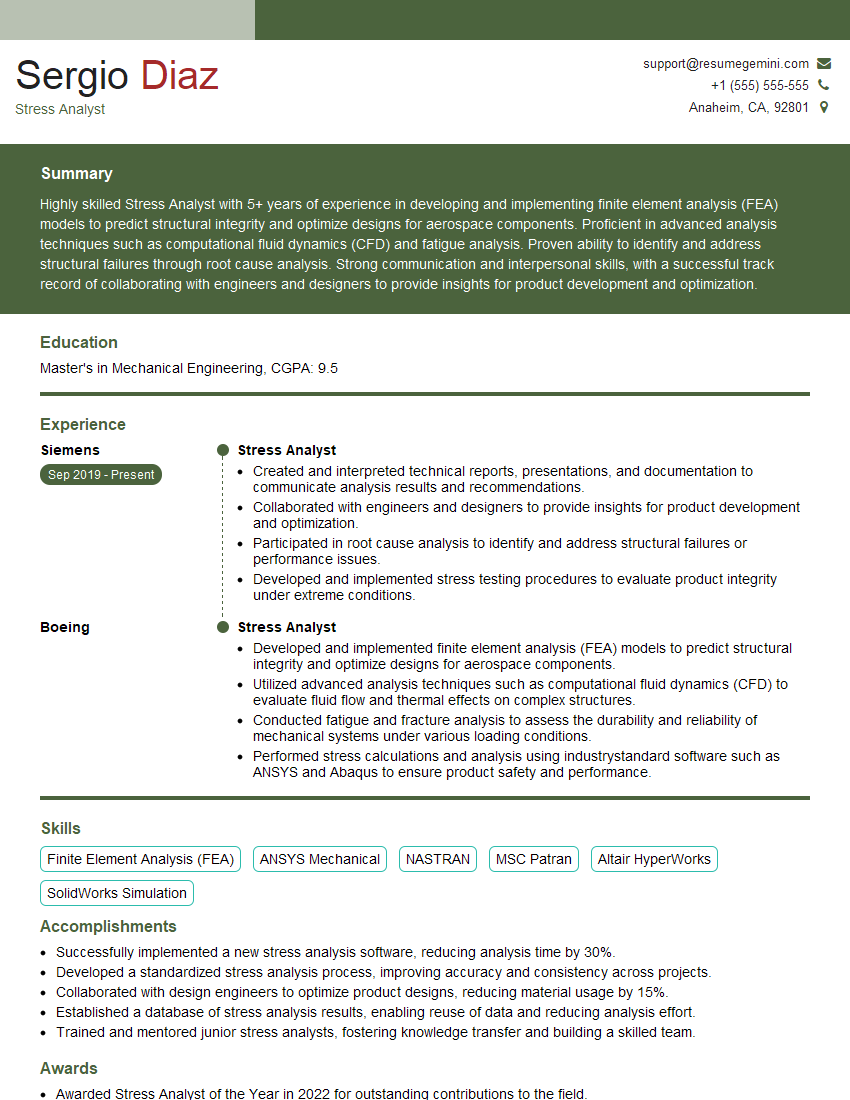
Mastering Computer-Aided Engineering (CAE) opens doors to exciting and rewarding careers in various industries. To maximize your job prospects, creating a strong, ATS-friendly resume is crucial. ResumeGemini is a trusted resource that can help you build a professional and impactful resume, tailored to highlight your CAE skills and experience. Examples of resumes tailored to Computer-Aided Engineering (CAE) are available to guide you in crafting a compelling application that will impress potential employers. Invest the time to build a resume that truly showcases your capabilities – it’s an investment in your future success.
Explore more articles
Users Rating of Our Blogs
Share Your Experience
We value your feedback! Please rate our content and share your thoughts (optional).
What Readers Say About Our Blog
Very informative content, great job.
good