Cracking a skill-specific interview, like one for Testing Equipment and Methodology, requires understanding the nuances of the role. In this blog, we present the questions you’re most likely to encounter, along with insights into how to answer them effectively. Let’s ensure you’re ready to make a strong impression.
Questions Asked in Testing Equipment and Methodology Interview
Q 1. Explain the difference between Verification and Validation.
Verification and validation are both crucial aspects of ensuring software quality, but they address different aspects. Think of it like building a house: verification checks if you’re building the house correctly according to the blueprints, while validation checks if you’ve built the right house – the one that meets the customer’s needs.
- Verification: This focuses on the process. It confirms that each step in the development process is performed correctly and meets the specified requirements. This often involves reviews, inspections, and walkthroughs of documents, code, and designs. For example, verifying that the code compiles without errors or that a design document accurately reflects the requirements.
- Validation: This focuses on the product. It confirms that the final product meets the needs and expectations of the customer or user. This is typically done through testing, including unit, integration, system, and acceptance testing. For instance, validating that the software performs the intended functions correctly and meets the performance criteria.
In short, verification asks, “Are we building the product right?” while validation asks, “Are we building the right product?” Both are essential for ensuring a high-quality, successful product.
Q 2. Describe your experience with different testing methodologies (e.g., Agile, Waterfall).
I have extensive experience working with both Agile and Waterfall methodologies. My experience highlights the key differences in approach and the resulting impact on testing strategies.
- Waterfall: In Waterfall, testing is typically a distinct phase that occurs after development is complete. This approach allows for thorough testing but can lead to late discovery of defects and higher costs for rectification. I’ve worked on several projects using this methodology, where we executed rigorous test plans, focusing on system and integration testing towards the end of the project lifecycle. We used detailed test documentation and a comprehensive defect tracking system.
- Agile: Agile emphasizes iterative development and continuous testing. Testing is integrated throughout the development lifecycle, allowing for early detection and resolution of defects. This is more efficient and allows for rapid feedback. In my Agile projects, I’ve employed techniques like Test-Driven Development (TDD), where tests are written before the code, and continuous integration and continuous delivery (CI/CD) pipelines, enabling automated testing at every stage. This approach significantly reduced the risk of major issues emerging later in the development process.
My adaptability allows me to effectively tailor my testing approach to the chosen methodology, focusing on delivering high-quality software within the constraints of each.
Q 3. What are the key characteristics of a good test case?
A good test case is characterized by several key features that ensure effective and efficient testing. These features can be summarized as being CLEAR, CONCISE, and COMPLETE.
- Clear and Unambiguous: The steps should be easy to understand and follow, leaving no room for interpretation. This ensures consistency across testers.
- Concise: The test case should be focused and avoid unnecessary steps. This improves efficiency and reduces the risk of errors.
- Complete: It should cover all aspects of the functionality being tested, including positive and negative testing scenarios, boundary conditions, and error handling.
- Reproducible: The test case should provide sufficient detail to allow another tester to reproduce the test and obtain the same results.
- Independent: It should not rely on the successful execution of other test cases.
- Atomic: The test should test only one specific aspect of the functionality, making it easy to isolate and debug any issues.
For example, a poorly written test case might say, “Test the login functionality.” A well-written test case would specify, “1. Enter valid username ‘testuser’. 2. Enter valid password ‘password123’. 3. Click ‘Login’ button. 4. Verify successful navigation to the home page.” This level of detail is crucial for effective testing.
Q 4. How do you approach test planning and execution?
My approach to test planning and execution is structured and iterative, adapting to the specific project requirements and methodology.
- Requirement Analysis: I begin by thoroughly reviewing the requirements documents to understand the scope of the testing effort. This helps identify critical functionalities and potential areas of risk.
- Test Planning: I create a detailed test plan that outlines the testing scope, objectives, timelines, resources, and risks. This plan includes defining the testing levels (unit, integration, system, acceptance), identifying test environments, and selecting appropriate testing tools. The plan also identifies the test data needed and the approach to test data management.
- Test Case Design: I design comprehensive test cases based on the requirements and test plan. This involves identifying positive and negative test scenarios, boundary conditions, and edge cases.
- Test Environment Setup: I work with the development team to set up the necessary test environments, ensuring they mirror the production environment as closely as possible.
- Test Execution: I execute the test cases meticulously, documenting the results and any identified defects. I utilize defect tracking tools to report and track defects throughout their lifecycle.
- Test Reporting: I prepare detailed test reports that summarize the test results, identified defects, and overall test coverage. These reports help stakeholders understand the quality of the software and identify any areas needing further attention.
- Test Closure: I ensure that all planned testing activities are completed and that all identified defects are resolved or appropriately addressed.
Throughout the entire process, I maintain open communication with the development team and stakeholders, ensuring transparency and collaboration.
Q 5. Explain your experience with various testing types (e.g., unit, integration, system, acceptance).
My experience encompasses a wide range of testing types, each playing a vital role in ensuring software quality.
- Unit Testing: This involves testing individual components or modules of the software in isolation. I often use techniques like Test-Driven Development (TDD) to write unit tests before coding, ensuring code correctness from the start. I have experience using various unit testing frameworks like JUnit (Java) and pytest (Python).
- Integration Testing: This focuses on testing the interaction between different modules or components. I use various approaches like top-down, bottom-up, and big-bang integration, choosing the most suitable method based on the system architecture.
- System Testing: This involves testing the entire system as a whole, verifying that all components work together seamlessly to meet the specified requirements. I have experience performing both functional and non-functional system testing, including performance, security, and usability testing.
- Acceptance Testing: This is the final stage of testing, where the software is tested by the end-users or stakeholders to ensure that it meets their requirements and expectations. I have experience with user acceptance testing (UAT) and alpha/beta testing.
Understanding the strengths and weaknesses of each testing type allows me to develop a comprehensive testing strategy that minimizes risks and ensures the delivery of high-quality software.
Q 6. Describe your experience with different testing tools (specify tools).
Throughout my career, I’ve gained proficiency in using various testing tools, each suited for different tasks and stages of the software development lifecycle.
- Test Management Tools: Jira, TestRail, HP ALM – for test case management, defect tracking, and reporting.
- Automation Tools: Selenium, Appium, Cypress – for automating UI testing across web and mobile applications.
- Performance Testing Tools: JMeter, LoadRunner – for performance and load testing to assess the system’s ability to handle various user loads.
- API Testing Tools: Postman, REST-assured – for testing APIs and web services.
- Static Analysis Tools: SonarQube, FindBugs – for identifying potential code defects early in the development lifecycle.
My ability to select and effectively utilize these tools enhances testing efficiency, accuracy, and overall software quality.
Q 7. How do you handle test data management?
Test data management is critical for ensuring the reliability and validity of testing results. Poor test data can lead to inaccurate results and missed defects.
My approach to test data management involves several key strategies:
- Data Creation: I use various methods to create test data, including data generation tools, database scripts, and manual creation. The approach depends on the complexity of the data and the requirements of the test cases. I often utilize techniques to anonymize sensitive data while maintaining data integrity.
- Data Masking: For sensitive data, I employ data masking techniques to protect personal information while preserving the structure and format of the data for testing purposes.
- Data Subsetting: I create subsets of production data to reduce the size of the test data while ensuring that it represents the characteristics of the production data.
- Data Refreshing: I regularly refresh the test data to keep it aligned with the latest changes in the production database.
- Data Management Tools: I utilize data management tools to efficiently manage and maintain the test data, ensuring consistency and traceability.
By implementing robust test data management strategies, I contribute to more reliable test results and enhanced software quality.
Q 8. Explain your understanding of defect life cycle.
The defect life cycle, also known as the bug life cycle, tracks the journey of a software defect from its discovery to its resolution and closure. Think of it like a bug’s life story within a software project. It typically involves several stages:
- New: The defect is identified and reported for the first time.
- Assigned: The defect is assigned to a developer or team for investigation and resolution.
- Open: The developer is actively working on fixing the defect.
- Fixed: The developer believes the defect is resolved and sends it back for verification.
- Pending Retest: The defect is awaiting retesting by the QA team.
- Retest: The QA team is retesting the defect to verify the fix.
- Verified: The fix is confirmed, and the defect is considered resolved.
- Closed: The defect is officially closed, marking the end of its life cycle.
- Reopened: If the defect reappears after verification, it’s reopened and the cycle begins again.
For example, imagine a user reports that a button on a website doesn’t work. This begins the cycle as a ‘New’ defect. After assignment, the developer investigates (‘Open’), fixes the issue (‘Fixed’), and the QA team verifies (‘Verified’). Finally, the defect is marked as ‘Closed’. Properly managing this cycle ensures efficient bug resolution and contributes to a higher quality product.
Q 9. How do you prioritize test cases?
Prioritizing test cases is crucial for maximizing testing efficiency. Imagine you only have a limited time to test a complex system; you need a strategy. We use a multi-faceted approach:
- Risk Assessment: Cases covering high-risk areas (e.g., critical functionalities, security features) are prioritized. Think of this as focusing on the areas most likely to cause significant problems if they fail.
- Business Impact: Test cases impacting key business processes get top priority. If a defect in an online shopping cart prevents checkout, it’s far more critical than a minor visual glitch.
- Test Case Coverage: A balance is maintained to ensure sufficient coverage of all functionalities, including less critical ones.
- Severity and Priority: These are often assigned to individual defects. Severity describes the impact of the defect (e.g., critical, major, minor), while priority indicates the urgency of fixing it (e.g., high, medium, low). These help prioritize test cases associated with particular defects.
- Dependencies: Test cases dependent on other modules’ functionality might be sequenced based on their dependencies to avoid blocking further testing.
Tools like TestRail or Jira can assist in managing prioritization, allowing for easy tracking and modification as needed.
Q 10. Describe your experience with risk-based testing.
Risk-based testing focuses on testing the most critical areas of the application first. It’s like a fire fighter responding to a fire – they tackle the most dangerous flames first. My experience involves identifying potential risks through various methods:
- Requirement Analysis: Identifying high-risk requirements that are complex, unclear, or likely to change.
- Technical Analysis: Assessing technical risks in the system architecture, such as database interactions or third-party integrations.
- Historical Data: Analyzing historical data on past defects to identify areas prone to failure.
- User Stories/Use Cases: Identifying high-priority user stories/use cases.
Based on this risk assessment, I prioritize the test cases associated with those high-risk areas. I’ve used this approach successfully to mitigate major risks in various projects, saving valuable time and resources by ensuring that the most critical parts of the application are thoroughly tested.
Q 11. How do you measure the effectiveness of your testing efforts?
Measuring testing effectiveness is crucial for demonstrating value and identifying areas for improvement. We use several key metrics:
- Defect Density: The number of defects found per lines of code or functional points. A lower density indicates better quality.
- Defect Leakage: The number of defects found after release. A lower leakage rate indicates more effective testing.
- Test Coverage: The percentage of requirements or code covered by test cases. A higher percentage implies broader testing but doesn’t guarantee quality.
- Test Execution Efficiency: The number of test cases executed per unit of time. This helps evaluate the team’s productivity.
- Time to Resolution: The time taken to resolve a defect after it’s reported. A shorter resolution time indicates a more efficient development process.
By tracking these metrics, we can identify trends, pinpoint bottlenecks, and make data-driven decisions to improve the overall testing process. For instance, a high defect leakage rate might indicate that we need to enhance our test strategies or increase test coverage.
Q 12. Explain your experience with performance testing tools (specify tools).
I have extensive experience with various performance testing tools, including:
- JMeter: A popular open-source tool for load and performance testing of web applications. I’ve used it to simulate a large number of users accessing an application simultaneously, identifying bottlenecks and performance issues.
- LoadRunner: A commercial tool offering advanced features for load, stress, and performance testing. I’ve leveraged its capabilities for simulating complex user scenarios and analyzing detailed performance metrics.
- Gatling: A Scala-based tool for high-performance load testing. I’ve found it particularly useful for its ability to create concise and maintainable test scripts.
My experience spans diverse scenarios, from simple load tests to complex performance simulations involving various protocols (HTTP, WebSockets, etc.). For instance, I once used JMeter to identify a memory leak in a web server that was causing performance degradation under high load. Using the tools effectively requires understanding system architecture, network protocols, and performance analysis techniques. Raw data analysis is just as important as understanding the underlying software.
Q 13. How do you handle conflicting priorities in testing?
Conflicting priorities are common in software testing. Think of it as juggling multiple balls – you need a strategy to keep them all in the air. My approach involves:
- Prioritization Matrix: Create a matrix that weighs the impact and urgency of each task. This helps to visualize and rank tasks objectively.
- Communication: Clearly communicate the constraints and challenges to stakeholders, including developers, project managers, and clients. Collaboration is key.
- Negotiation: Negotiate priorities based on the risk assessment, business value, and available resources. Sometimes, compromises are needed.
- Scope Management: If necessary, scope adjustments might be needed. This could involve reducing the scope of testing or delaying less critical features.
- Risk Mitigation: Focus on mitigating risks associated with the highest priority tasks first.
In one project, the marketing team pushed for an early release, conflicting with our testing schedule. By clearly outlining the risks of insufficient testing, we managed to negotiate a slightly delayed release, ensuring higher quality.
Q 14. Describe your experience with test automation frameworks (specify frameworks).
I have experience with several test automation frameworks:
- Selenium: A widely used framework for web application testing. I’ve used it extensively for creating automated browser-based tests, covering functionalities like data input, navigation, and verification.
- Appium: A framework for automating mobile applications (iOS and Android). I’ve used it to build automated tests for various mobile applications, ensuring consistent quality across different platforms.
- Cypress: A modern framework for end-to-end testing. It offers a more developer-friendly approach, improving test readability and debugging.
- TestNG (Java): I’ve utilized TestNG for organizing and managing test suites, providing features like test grouping, data-driven testing, and parallel execution.
Beyond the tools, designing a robust framework necessitates choosing appropriate design patterns (e.g., Page Object Model), implementing proper reporting mechanisms, and ensuring maintainability. For example, I utilized the Page Object Model in a Selenium project to improve code reusability and maintainability across multiple test scripts. Each page of the application had a corresponding class, encapsulating its elements and actions. This modular approach made maintenance and updates significantly easier.
Q 15. How do you ensure test coverage?
Ensuring test coverage is crucial for delivering high-quality software. It’s about verifying that all aspects of the application have been adequately tested. We achieve this through a combination of techniques, primarily focusing on requirements traceability and test case design.
- Requirements Traceability Matrix (RTM): An RTM maps requirements to test cases, ensuring that every requirement has at least one corresponding test case designed to verify its fulfillment. This helps avoid gaps in testing, where crucial functionalities go untested.
- Test Case Design Techniques: Employing techniques like equivalence partitioning, boundary value analysis, and state transition testing ensures comprehensive coverage. For example, if a field accepts numbers from 1 to 100, equivalence partitioning would identify test cases for values within the range (e.g., 50), below the lower bound (e.g., 0), and above the upper bound (e.g., 101).
- Code Coverage Analysis (for Unit and Integration Tests): Tools can measure how much of the codebase is exercised by your tests. Different types of code coverage exist (statement, branch, path), each offering varying levels of detail about test completeness. Aiming for high code coverage, coupled with RTM and design techniques, gives high confidence in test thoroughness.
- Risk-Based Testing: Prioritize testing efforts based on the criticality of features. High-risk areas (e.g., payment processing) receive more rigorous testing than lower-risk ones (e.g., a help section).
Imagine building a house. A complete test plan would involve inspecting the foundation, walls, electrical wiring, plumbing, etc., to ensure every aspect meets specifications. Skipping a critical test (like checking the foundation) could lead to catastrophic consequences.
Career Expert Tips:
- Ace those interviews! Prepare effectively by reviewing the Top 50 Most Common Interview Questions on ResumeGemini.
- Navigate your job search with confidence! Explore a wide range of Career Tips on ResumeGemini. Learn about common challenges and recommendations to overcome them.
- Craft the perfect resume! Master the Art of Resume Writing with ResumeGemini’s guide. Showcase your unique qualifications and achievements effectively.
- Don’t miss out on holiday savings! Build your dream resume with ResumeGemini’s ATS optimized templates.
Q 16. Explain your experience with different types of testing environments.
I’ve worked extensively across various testing environments, from simple local setups to complex cloud-based infrastructures. My experience includes:
- Development/Local Environment: Testing on my own machine or a dedicated developer workstation using tools like JUnit or pytest. This is great for early-stage unit testing.
- Staging Environment: A replica of the production environment, often residing on a server or cloud instance. It allows for integration and system testing in a near-production setting. This simulates the live experience with reduced risk.
- Test Environment: A dedicated environment specifically designed for testing. This is independent of development and staging, allowing for simultaneous testing and development without interference. This is highly controlled and ideal for regression and performance testing.
- Production Environment (for limited tests): In some cases, non-intrusive monitoring and A/B testing can be conducted in production. This offers real-world data and user feedback.
- Cloud-Based Environments: Experience with cloud platforms (AWS, Azure, GCP) for test infrastructure provisioning and management. This allows scaling resources as needed for tests and provides elasticity.
In each environment, careful configuration and data management are vital to ensure consistency and accurate testing results. Each setting has its strengths and must be selected based on the stage of testing.
Q 17. How do you deal with bugs found late in the development cycle?
Finding bugs late in the development cycle is unfortunately common, but effective strategies exist to mitigate their impact. The approach is multifaceted:
- Immediate Prioritization: Late-stage bugs, especially critical ones, demand immediate attention. A prioritized bug triage process determines severity and the required fix.
- Risk Assessment: Evaluate the impact of the bug on the system’s stability and user experience. This guides prioritization—some bugs might be acceptable to address in a later release.
- Root Cause Analysis: Investigate the root cause to prevent similar bugs in the future. This could involve code review, process improvements, or updated testing strategies.
- Hotfix or Patch: For critical bugs that cannot wait for the next release, a hotfix or patch needs to be deployed quickly. Rigorous testing of the fix before release is essential.
- Communication: Keep stakeholders informed of the situation, including the severity of the bug, proposed solution, and deployment timeline.
- Lessons Learned: Document the bug and the lessons learned to improve the development and testing process. This is crucial for continuous improvement.
Think of it as fixing a leak in a nearly completed house. While inconvenient, it’s better to discover and fix the leak than to let it cause further damage. The key is to quickly assess the situation, apply a fix, and learn from the experience.
Q 18. Explain your understanding of software testing metrics.
Software testing metrics provide quantifiable insights into the testing process’s effectiveness. Key metrics include:
- Defect Density: Number of defects found per line of code or per module. A lower defect density indicates higher quality.
- Defect Detection Rate: Percentage of defects found during testing versus those found in production. A high rate indicates effective testing.
- Test Execution Time: Time taken to execute test suites. Tracking this helps identify bottlenecks and improve efficiency.
- Test Case Coverage: Percentage of requirements or code covered by tests. Aims to ensure comprehensive testing.
- Test Pass/Fail Ratio: Ratio of passed to failed test cases. Reflects test suite reliability and stability.
- Test Cycle Time: Time taken for a complete test cycle from planning to completion. Monitoring this can lead to faster releases.
These metrics, when carefully tracked and analyzed, provide valuable data for improving the software development lifecycle (SDLC). For example, consistently high defect density in a specific module may indicate a need for improved coding standards or more rigorous testing in that area.
Q 19. How do you contribute to continuous improvement in testing processes?
Continuous improvement in testing processes is vital for delivering high-quality software efficiently. My contributions include:
- Test Automation: Automating repetitive test tasks frees up time for more complex testing activities. It also reduces the chances of human error.
- Test Process Optimization: Regularly reviewing and refining test processes to identify and eliminate bottlenecks. This can involve streamlining workflows, improving communication, or adopting new tools.
- Test Data Management: Implementing strategies for creating, managing, and maintaining high-quality test data. This ensures realistic testing scenarios.
- Defect Tracking and Analysis: Analyzing defect reports to identify trends and patterns. This data helps prioritize testing efforts and improve prevention strategies.
- Knowledge Sharing: Sharing best practices, lessons learned, and new tools with the team through presentations, workshops, and documentation.
- Adopting New Technologies: Exploring and implementing new testing tools and methodologies to enhance efficiency and test coverage.
Continuous improvement is a cyclical process; you constantly analyze, refine, and improve. A key aspect is promoting a culture of open communication and collaboration within the testing team and with developers. This approach keeps testing relevant and effective as the software grows in size and complexity.
Q 20. Describe your experience with security testing.
Security testing is crucial for protecting applications from vulnerabilities. My experience encompasses various security testing techniques:
- Static Application Security Testing (SAST): Analyzing source code without executing it to identify potential security flaws. Tools like SonarQube are frequently used for this.
- Dynamic Application Security Testing (DAST): Testing the running application to find vulnerabilities. Tools like OWASP ZAP are common choices for this type of testing.
- Penetration Testing: Simulating real-world attacks to identify exploitable vulnerabilities. This requires specialized skills and a deep understanding of attack vectors.
- Security Code Reviews: Manually reviewing code to detect security flaws. This requires extensive knowledge of secure coding practices.
- Vulnerability Scanning: Using automated tools to scan the application for known vulnerabilities. Regular scans are necessary to stay updated on the latest threats.
Consider a bank’s mobile application. Thorough security testing is paramount to prevent unauthorized access to sensitive financial data. Techniques like penetration testing would simulate potential attacks, exposing weaknesses to be rectified before malicious actors could exploit them.
Q 21. Explain your experience with mobile application testing.
Mobile application testing presents unique challenges due to the variety of devices, operating systems, and network conditions. My experience covers:
- Functional Testing: Verifying that the app meets its functional requirements across different devices and operating systems.
- Performance Testing: Assessing app responsiveness, stability, and resource usage under various load conditions.
- Usability Testing: Evaluating the app’s ease of use and user experience. This often involves user feedback sessions.
- Compatibility Testing: Ensuring the app functions correctly on different devices and operating systems (Android, iOS, etc.). Emulators and real devices are used.
- Network Testing: Verifying the app’s behavior under different network conditions (e.g., Wi-Fi, 3G, 4G, no connectivity).
- Security Testing: Assessing the app’s security to protect user data and prevent unauthorized access. Specific mobile security testing tools and techniques are used.
- Automation: Leveraging automated testing frameworks like Appium or Espresso to improve efficiency and test coverage across various devices.
Imagine an e-commerce app. Thorough testing would verify that users can add items to their cart, check out securely, and receive order confirmations across various devices and network conditions. Failure to do so could lead to a poor user experience and lost sales.
Q 22. How do you use version control systems in testing?
Version control systems (VCS), like Git, are indispensable in testing. They track changes to test scripts, test data, and even test environments. This allows for easy rollback to previous versions if issues arise, facilitates collaboration among testers, and ensures reproducibility of test results.
Imagine a scenario where a new test script introduces a bug. With a VCS, we can easily revert to a previous, stable version, minimizing downtime. Furthermore, multiple testers can work on the same test suite concurrently, merging their changes safely and efficiently. Branching in Git allows parallel development of test cases for different features or bug fixes.
In my experience, I utilize Git extensively to manage all test artifacts. We create branches for specific features, allowing individual testers to work independently. Once testing is complete and approved, the branch is merged into the main repository after code review. This ensures that only thoroughly tested changes are integrated into the main test suite.
Q 23. Describe your experience with API testing.
API testing is crucial for validating the backend functionality of an application. I’ve worked extensively with tools like Postman and REST-assured to test RESTful APIs. My approach involves creating test cases that verify various aspects, including HTTP status codes, response times, data validation, and security.
For example, when testing a user authentication API, I would verify that a successful login returns a 200 OK status code along with a valid authentication token. Conversely, a failed login attempt should return a 401 Unauthorized code. I also use tools to automate the execution of these test cases and generate reports to track their success and failures. I’ve incorporated BDD frameworks like Cucumber to write human-readable specifications for API tests, ensuring clear communication between developers and testers.
// Example using REST-assured (Java):
 given().contentType("application/json").body(requestBody).when().post("/users").then().statusCode(201);
This code snippet shows a simple POST request to create a user and asserts that the response status code is 201 (Created).
Q 24. Explain your understanding of different testing levels (e.g., component, system, integration).
Software testing is typically structured into several levels, each focusing on a specific aspect of the software. Component testing (also known as unit testing) verifies the functionality of individual components or modules in isolation. Integration testing ensures that different components interact correctly with each other. System testing verifies the entire system as a whole, confirming it meets requirements. Acceptance testing validates that the system meets the needs of the user or client.
- Component Testing: Think of this as testing individual Lego bricks to make sure each one works as expected before building.
- Integration Testing: This is like assembling the Lego bricks to see if they fit together and function as a small unit.
- System Testing: This is the final assembly of the Lego model – testing the entire thing to ensure it works as designed.
- Acceptance Testing: This is showing the completed Lego model to the client and getting their approval.
Understanding these levels is critical for creating a comprehensive testing strategy that catches defects early in the development cycle and minimizes risks.
Q 25. How do you perform root cause analysis of defects?
Root cause analysis is a systematic approach to identifying the underlying reason for a defect. My approach typically involves a combination of techniques including debugging, code review, log analysis, and stakeholder interviews. I often utilize the 5 Whys technique, repeatedly asking “why” to drill down to the root cause. This helps to move beyond surface-level symptoms to understand the fundamental problem.
For example, if a system crashes intermittently, we might start by asking ‘Why did the system crash?’ The answer might be ‘Due to a memory leak’. Next, we ask ‘Why was there a memory leak?’ – perhaps due to improper resource management in a specific module. By asking ‘why’ repeatedly, we eventually uncover the root cause, which could be a coding error or a design flaw that needs to be addressed.
Defect tracking systems and collaborative tools are important for documenting the analysis and assigning responsibility for resolving the root cause. Proper documentation also helps prevent similar defects from recurring in the future.
Q 26. Describe your experience with database testing.
Database testing is crucial for ensuring data integrity and accuracy. My experience includes testing various aspects, from data validation and consistency checks to performance and security. I use SQL extensively to verify data accuracy, check constraints, and perform data manipulation tasks. I use tools like SQL Developer or Toad to execute queries and analyze results. For performance testing, I might use tools to simulate high loads and monitor database response times.
For instance, I might verify that all foreign key relationships are intact, ensuring referential integrity. I might also test stored procedures and triggers to ensure they function correctly and efficiently. Security testing involves assessing database access controls and vulnerability to SQL injection attacks.
In one project, I discovered a critical data inconsistency due to a flawed stored procedure. By identifying and fixing this issue through database testing, we prevented potentially significant data corruption and maintained the overall application integrity.
Q 27. How do you manage and report on testing progress?
Managing and reporting on testing progress involves using appropriate tools and methodologies to track test execution, identify bottlenecks, and communicate status to stakeholders. I typically use test management tools such as Jira or TestRail to create and manage test cases, track execution status, log defects, and generate reports.
Regular status meetings and dashboards are crucial for transparency and timely communication of progress. Dashboards can visually display key metrics like test execution progress, defect density, and test coverage. These dashboards help stakeholders easily understand the overall testing health and identify potential risks.
Comprehensive reports are generated at the end of each testing phase, highlighting key findings, including test coverage, defects found, their severity, and resolution status. These reports inform decision-making regarding release readiness and prioritize areas for improvement.
Q 28. Explain your approach to testing in a DevOps environment.
In a DevOps environment, testing is integrated seamlessly into the continuous integration/continuous delivery (CI/CD) pipeline. This requires a shift-left approach, incorporating testing early and often in the development process. Automation is key, with automated tests running as part of the build and deployment process. This ensures rapid feedback and quick identification of issues.
I’ve used tools like Jenkins or GitLab CI to automate test execution and integrate them into the CI/CD pipeline. This enables continuous testing and reduces the risk of deploying defective software. Close collaboration between development and testing teams is vital, with shared goals and communication channels ensuring smooth integration and timely resolution of issues.
In a DevOps setting, the focus is on speed and efficiency, while maintaining high quality. The shift-left testing approach, coupled with automation, significantly contributes to achieving this balance.
Key Topics to Learn for Testing Equipment and Methodology Interview
- Types of Testing Equipment: Familiarize yourself with various equipment used in different testing methodologies, including oscilloscopes, multimeters, signal generators, spectrum analyzers, and automated test equipment (ATE). Understand their functionalities and applications.
- Testing Methodologies: Master different testing methodologies such as functional testing, performance testing, regression testing, and acceptance testing. Understand their strengths, weaknesses, and when to apply each.
- Test Planning and Design: Learn how to effectively plan and design tests, including defining test objectives, creating test cases, and selecting appropriate test data. Practice designing tests for different scenarios and levels of complexity.
- Data Acquisition and Analysis: Develop skills in acquiring and analyzing test data. Understand statistical analysis techniques and their application in interpreting test results. Practice visualizing data to identify trends and anomalies.
- Test Automation: Explore the fundamentals of test automation, including scripting languages and automation frameworks. Understand the benefits and challenges associated with test automation and its role in improving efficiency and reducing costs.
- Troubleshooting and Problem-Solving: Practice identifying and resolving issues that may arise during testing. Develop your diagnostic skills and ability to effectively communicate technical problems and solutions.
- Calibration and Maintenance: Understand the importance of equipment calibration and maintenance procedures. Know how to ensure the accuracy and reliability of test results.
- Documentation and Reporting: Learn to create clear, concise, and comprehensive test documentation, including test plans, test cases, and test reports. Master the art of effectively communicating test results to both technical and non-technical audiences.
Next Steps
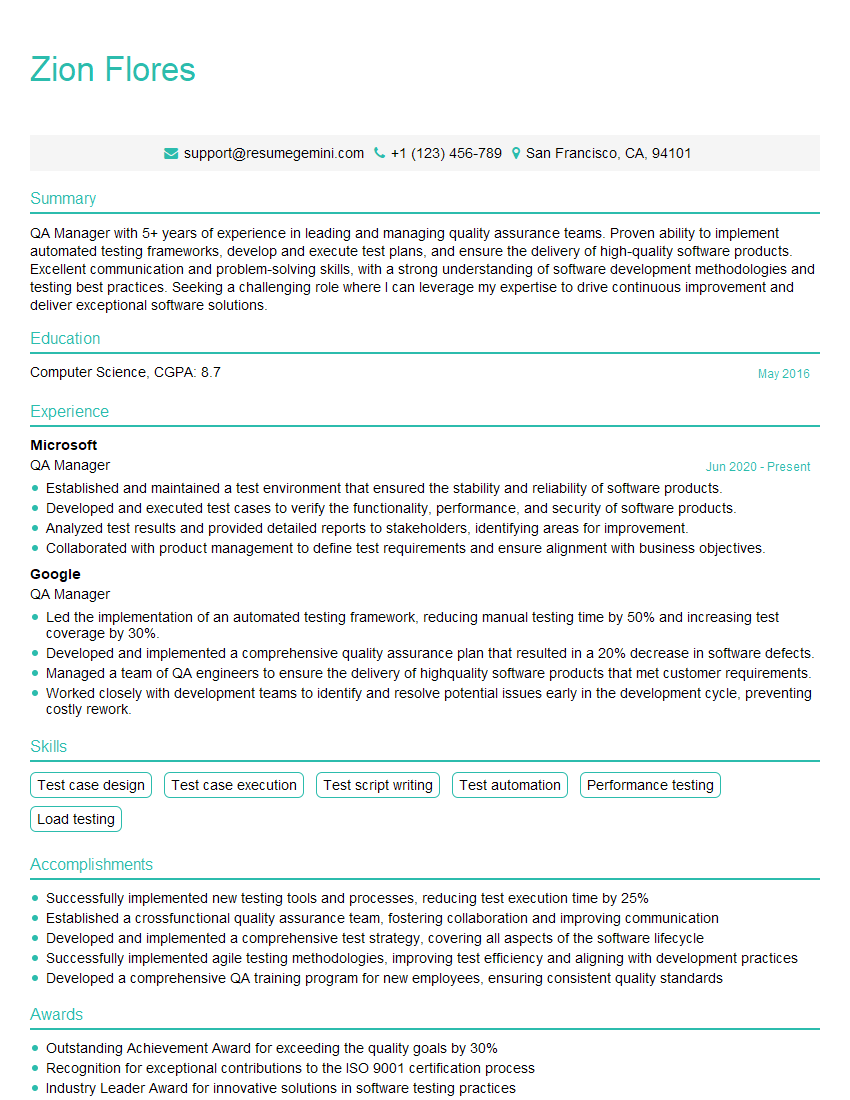
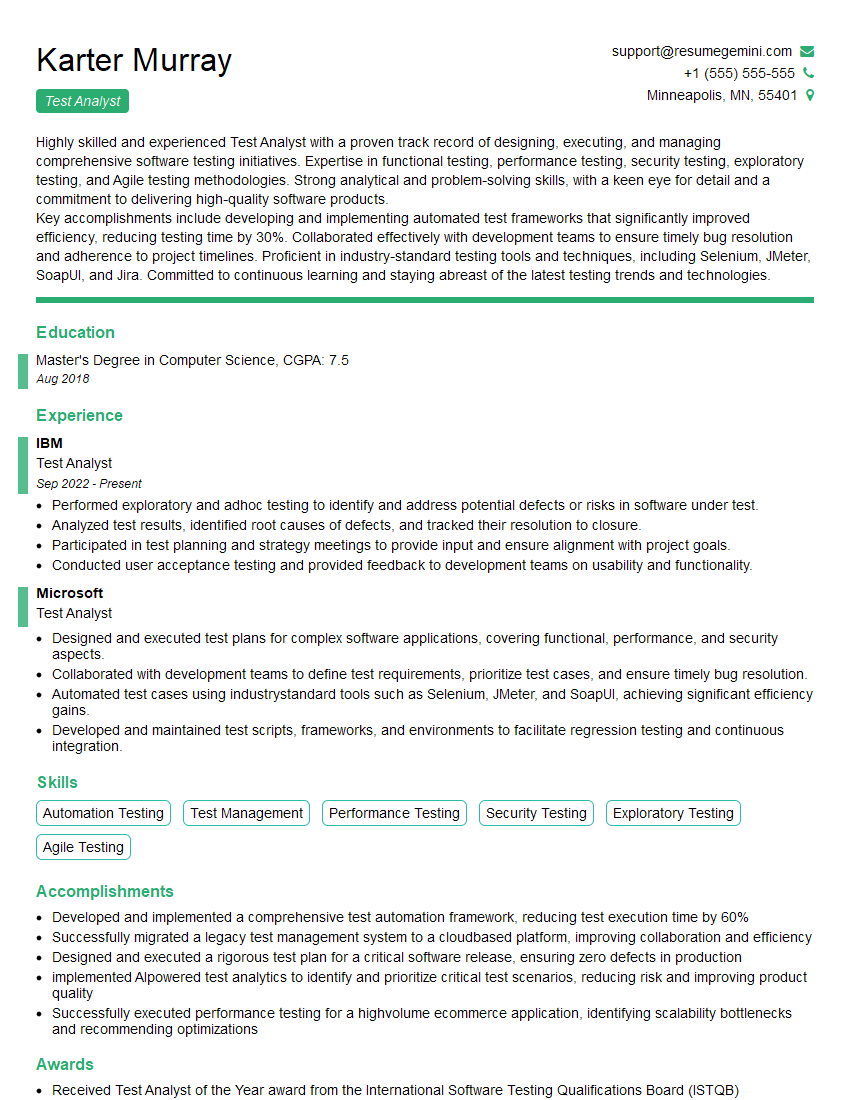
Mastering Testing Equipment and Methodology is crucial for advancing your career in quality assurance and engineering. A strong understanding of these concepts will significantly improve your interview performance and open doors to exciting opportunities. To maximize your job prospects, invest time in crafting an ATS-friendly resume that highlights your skills and experience effectively. ResumeGemini is a trusted resource that can help you build a professional and impactful resume. Take advantage of their expertise and access examples of resumes tailored to Testing Equipment and Methodology to refine your application materials. This will significantly enhance your chances of landing your dream role.



Explore more articles
Users Rating of Our Blogs
Share Your Experience
We value your feedback! Please rate our content and share your thoughts (optional).
What Readers Say About Our Blog
Very informative content, great job.
good