Every successful interview starts with knowing what to expect. In this blog, we’ll take you through the top Construction Project Documentation interview questions, breaking them down with expert tips to help you deliver impactful answers. Step into your next interview fully prepared and ready to succeed.
Questions Asked in Construction Project Documentation Interview
Q 1. Describe your experience with various Document Management Systems (DMS).
My experience spans several Document Management Systems (DMS), both cloud-based and on-premise. I’ve worked extensively with systems like Procore, Autodesk BIM 360 Docs, and PlanGrid, each offering unique features. Procore, for example, excels in its integration with other construction management tools, streamlining workflows. Autodesk BIM 360 Docs is powerful for managing large BIM models and related documentation, while PlanGrid provides a robust mobile interface, crucial for field teams. My familiarity extends to understanding their respective strengths and weaknesses, enabling me to select the optimal system based on project size, complexity, and team needs. I’m also proficient in customizing workflows within these systems to optimize document control for specific project requirements.
For instance, on a recent large-scale commercial project using Procore, I configured the system to automatically route submittals for approvals, triggering notifications to relevant stakeholders, and creating a clear audit trail for each document. This dramatically improved efficiency and reduced the risk of missed deadlines or approvals.
Q 2. Explain the importance of version control in construction documentation.
Version control is paramount in construction because it maintains a complete and accurate history of every document revision. Imagine a scenario where multiple teams are working on the same drawing; without version control, you risk using an outdated version, leading to costly errors and rework. Version control prevents this by tracking every change, allowing us to revert to previous versions if needed and clearly see who made each alteration, when, and why. This accountability is vital for mitigating risk and resolving discrepancies.
Think of it like writing a collaborative document using Google Docs – every edit is tracked, providing a clear timeline of changes. In construction, this translates to avoiding costly clashes between disciplines, ensuring that everyone works from the most up-to-date information, and providing a robust audit trail for liability purposes. Version control doesn’t just prevent errors; it safeguards the project from potential disputes and legal complications down the line.
Q 3. How do you ensure the accuracy and completeness of project documentation?
Ensuring accuracy and completeness requires a multi-pronged approach. It begins with establishing a robust document control plan at the project outset, defining document types, naming conventions, and approval workflows. This plan is then implemented using a chosen DMS, incorporating features such as automated workflows, document numbering, and revision tracking. Regular quality checks are crucial; these include scheduled reviews by the project team and independent verification to confirm that all required documentation is present and accurate. The process also involves rigorous checks for completeness against the project specifications and applicable building codes.
For example, before a shop drawing is approved, a thorough review is conducted to ensure it accurately reflects the design intent and meets all safety and code requirements. This might involve checks by the design team, structural engineer, and even a third-party QA/QC specialist depending on the project’s complexity. Any identified discrepancies are flagged for correction, and the revised document is then re-reviewed before final approval.
Q 4. What methods do you use to track and manage revisions of project documents?
Revision tracking relies heavily on the selected DMS and its built-in version control features. Most DMS systems automatically create revision numbers (e.g., Rev A, Rev B) for each update. This system maintains a clear history of changes, allowing easy identification of specific alterations. For crucial documents, a detailed revision log might be created manually or through the DMS’s functionalities, noting the date, author, description of changes, and approval status. Furthermore, clear naming conventions are vital; each document’s file name should include the revision number (e.g., Drawing_001_RevC.pdf). This makes identification of the latest version quick and easy for everyone involved.
In practice, a change request is usually initiated by identifying a necessary revision and detailing the change. Once approved, the DMS assists in uploading the new version and linking it to its predecessors, automatically creating a clear chain of changes visible to all users. This approach ensures everyone is working with the approved latest version.
Q 5. Describe your experience with document indexing and retrieval systems.
My experience with document indexing and retrieval systems involves leveraging the capabilities of various DMS platforms and, in some cases, supplementary tools. Effective indexing ensures quick and easy retrieval of documents. This is done by implementing a consistent and logical tagging system, using keywords, project phases, disciplines (e.g., structural, architectural, MEP), and document types. This allows for quick searching and filtering based on various criteria. Some DMS platforms also allow for custom metadata fields to further improve organization and retrieval.
For example, in a large project involving many disciplines, creating an index based on document type, revision number, and the responsible party ensures that anyone can locate a specific document quickly. I’ve also implemented systems where documents are automatically indexed based on metadata embedded within the document file itself, further streamlining the retrieval process. In essence, creating a robust indexing system is like having a highly organized library where you can quickly find exactly what you need.
Q 6. How do you handle conflicting versions of project documents?
Conflicting versions are handled through a structured process involving identifying the source of the conflict, verifying the correct version, and communicating the resolution to all stakeholders. This usually involves a comparison of the conflicting versions to determine the latest and most accurate iteration. The DMS often aids in this process by highlighting the differences between versions. Once the correct version is identified, the conflicting versions are archived, and the approved version is distributed as the official document. Transparency is key; this process is documented and communicated to all team members to avoid further confusion.
Imagine two teams simultaneously revising the same drawing. The DMS will highlight the discrepancies, allowing us to reconcile the edits. The decision of which edits to keep is usually made by a designated project manager or lead, ensuring consistency and accuracy across the project.
Q 7. Explain your process for distributing and controlling project documents.
Document distribution and control involve a controlled process to ensure that only the approved versions of documents are disseminated and used. The process begins with establishing access permissions within the DMS, granting view-only or editing access to different team members based on their roles and responsibilities. Distribution is managed through the DMS, either by directly sharing documents within the system or providing controlled access to the central repository. Regular checks are performed to ensure that only the most recent, approved versions of documents are accessible and in use. Regular updates and communication to the team are integral to maintaining control and awareness of the latest document versions.
For instance, a subcontractor would only have access to the drawings relevant to their work, and only the approved versions would be accessible to them through the system. This prevents using outdated or incorrect information, minimizes errors, and maintains control over the project documentation.
Q 8. How do you ensure compliance with relevant regulations and standards in document management?
Ensuring compliance in construction document management starts with a thorough understanding of all applicable regulations and standards. This includes local building codes, national standards like those published by the American Institute of Architects (AIA) or other relevant organizations, and any specific requirements mandated by the client or project owner.
My approach involves a multi-faceted strategy. First, I establish a comprehensive checklist of all relevant regulations at the project’s outset. This checklist serves as a living document, updated throughout the project lifecycle. Second, I implement a robust document review and approval process where each document is checked against this checklist before release. This ensures that all aspects, from safety protocols to material specifications, meet regulatory requirements. Third, I utilize document management software with features that allow for version control and easy traceability – this ensures that we always have access to the most current and compliant version of each document. For instance, if a new regulation is introduced mid-project, the software facilitates quick identification and updating of affected documents. Finally, regular audits are conducted to verify ongoing compliance. Think of it like a quality control process for documentation; this ensures that our project remains compliant throughout its life cycle. Any discrepancies are addressed immediately, ensuring that compliance is not compromised.
Q 9. Describe your experience with document archiving and retrieval processes.
My experience with document archiving and retrieval revolves around building efficient and easily searchable systems. This often involves a combination of digital and physical archiving methods, depending on the project’s specifics and client preferences.
For digital archives, I’ve successfully employed cloud-based solutions and on-premise servers, ensuring data security and accessibility. These systems rely on a robust metadata tagging system; this allows for efficient search and retrieval. Keywords, project phases, document types – all are tagged to make locating a specific document quick and simple. Think of it like a well-organized library, where each book is meticulously cataloged for easy access. For physical archives, we use a well-defined filing system with clear labeling and indexing, following established industry best practices for document storage and preservation.
The retrieval process is designed to be equally efficient, with clear procedures for request submission and fulfillment. This often involves a designated individual responsible for managing the archive. We frequently conduct routine checks to ensure documents are accessible and in good condition. This meticulous approach prevents data loss and ensures that information remains readily available for future reference, audits, or potential disputes.
Q 10. What software have you used for construction document management?
Throughout my career, I’ve become proficient in using a variety of construction document management software. Some of the most prominent include Procore, Autodesk BIM 360, and PlanGrid. Each platform offers a unique set of features, but they all share a common goal: streamlining document management and improving collaboration.
Procore, for instance, excels in its ability to centralize all project communication and documentation in a single platform. Autodesk BIM 360 seamlessly integrates with BIM software, enhancing the management of model-based documents. PlanGrid’s strength lies in its user-friendly interface and mobile accessibility, ideal for field teams. My experience with these platforms extends to utilizing their features for version control, document distribution, approval workflows, and reporting. Choosing the right software depends on the project’s specific needs and the size of the team; for example, for smaller projects, a platform like PlanGrid’s simplicity might be ideal, whereas a larger project might benefit from the comprehensive features of Procore or BIM 360.
Q 11. Explain your experience with BIM (Building Information Modeling) document management.
BIM (Building Information Modeling) document management is crucial for modern construction. It goes beyond simple file storage; it leverages the model as a central repository of information, linking documents to specific elements within the design.
My experience involves using BIM software like Revit and ArchiCAD to manage documents associated with the model. This includes specifications, shop drawings, and other project documentation. We link documents to specific elements or systems within the model, making it easy to track changes and ensure consistency. For example, a change to a specific beam in the model would automatically flag any associated documents, ensuring they are reviewed and updated. This collaborative approach improves accuracy and minimizes errors by creating a single source of truth for all project information.
Furthermore, I’ve utilized the software’s features to manage clash detection, issue tracking, and progress reporting, using the BIM model as the central hub. This allows for more efficient collaboration among architects, engineers, contractors, and other stakeholders. The process is not only about managing documents efficiently; it’s also about improving communication and coordination, resulting in a smoother and more efficient construction process.
Q 12. How do you manage document security and access control?
Document security and access control are paramount, particularly in the construction industry where sensitive data, such as financial information and proprietary designs, is regularly handled.
My approach involves a layered security strategy. First, we use password-protected access to our document management systems, with different access levels assigned to users based on their roles and responsibilities. Project managers might have full access, while subcontractors might only have access to relevant documents. Second, we regularly review and update user access permissions to ensure that only authorized personnel have access to specific information. Think of this like a sophisticated keycard system, limiting access to designated areas based on authorization. Third, encryption is utilized for sensitive documents both in transit and at rest, protecting data from unauthorized access. Finally, we maintain rigorous audit trails for all document access and modifications to track activity and identify any suspicious behavior. This comprehensive strategy ensures that our project data remains secure and confidential throughout the project’s lifecycle.
Q 13. How do you handle document approvals and authorizations?
Document approvals and authorizations are managed using a structured workflow process. This usually involves a defined sequence of steps for each document, ensuring it’s reviewed and approved by all necessary parties before release. The specific steps will vary depending on the document type and its importance.
Using document management software, we create digital workflows that automate the approval process. This usually involves assigning reviewers and setting deadlines. The software sends automatic notifications to stakeholders, prompting them to review and approve or reject the document. This automated process ensures that nothing is missed and speeds up the review cycle. We maintain a record of all approvals and rejections for transparency and accountability. Once a document is approved, it’s marked as final and becomes part of the project’s official record. This creates a clear chain of custody and reduces the chances of errors or misunderstandings.
Q 14. Describe your experience with document lifecycle management.
Document lifecycle management (DLM) encompasses the entire journey of a document from creation to disposal. It is a crucial aspect of effective construction document management.
My approach follows a structured framework that includes several key phases. The first is creation and initial review, where the document is drafted and checked for accuracy and completeness. The next is approval and release, where it goes through a formal approval process before being made available to relevant parties. Then comes distribution and utilization, ensuring the document is readily accessible and used correctly throughout the project. Next is maintenance and version control, tracking changes, amendments, and ensuring everyone is working with the most current version. Archiving and retrieval follows, as discussed previously, and finally, the document is disposed of according to defined retention policies, respecting legal and compliance requirements. This holistic approach ensures that documents are efficiently managed and that information is consistently accurate, readily available, and properly archived. It’s much like managing a product’s lifecycle, ensuring quality control and efficiency at every stage.
Q 15. How do you identify and resolve document-related issues?
Identifying and resolving document-related issues starts with a proactive approach. Think of it like being a detective for your project’s documentation. First, I’d establish a clear document control system with defined naming conventions, version control, and a centralized repository. This preventative measure minimizes chaos. Issues typically arise from missing documents, outdated versions, or conflicting information.
- Missing Documents: I use regular audits and checklists to identify gaps. If a document is missing, I trace back to understand why – was it never created, was it misplaced, or was the process for its creation flawed? Then, I work with the responsible party to rectify the situation, possibly implementing stronger tracking methods.
- Outdated Versions: Version control is crucial. We use a system (like a dedicated software or even a simple, well-maintained folder structure with clear version numbering) to track revisions. Outdated documents are identified through regular reviews and flagged for update or archival. Communication is key here – informing stakeholders of the updated versions is vital.
- Conflicting Information: Inconsistencies are addressed by comparing documents, consulting with relevant parties, and establishing a single source of truth. This may involve creating a consolidated document or updating conflicting versions to reflect the most accurate information. I prioritize clear communication to avoid further discrepancies.
Ultimately, resolving these issues involves a combination of careful planning, consistent monitoring, and effective communication within the project team.
Career Expert Tips:
- Ace those interviews! Prepare effectively by reviewing the Top 50 Most Common Interview Questions on ResumeGemini.
- Navigate your job search with confidence! Explore a wide range of Career Tips on ResumeGemini. Learn about common challenges and recommendations to overcome them.
- Craft the perfect resume! Master the Art of Resume Writing with ResumeGemini’s guide. Showcase your unique qualifications and achievements effectively.
- Don’t miss out on holiday savings! Build your dream resume with ResumeGemini’s ATS optimized templates.
Q 16. Explain your experience with creating and maintaining document control procedures.
My experience with creating and maintaining document control procedures is extensive. I’ve developed and implemented procedures for various projects, from small renovations to large-scale construction projects. This involves designing a comprehensive system encompassing document creation, review, approval, distribution, storage, and archiving.
For example, on a recent high-rise project, I established a procedure that used a dedicated document management system (DMS). This system ensured that every document had a unique ID, version number, and clear revision history. The approval workflow was integrated into the system, streamlining the review process. We defined roles and responsibilities for document management, assigning specific individuals to oversee different aspects, such as document creation, review, and archiving. Regular training sessions were conducted to ensure everyone understood the procedures. This resulted in a significant improvement in document control, reducing errors and improving efficiency. The DMS also allowed for easy tracking and retrieval of documents, crucial for audits and reporting.
Q 17. How do you ensure the accessibility of project documents to all stakeholders?
Ensuring document accessibility involves choosing the right tools and establishing clear access protocols. The approach depends on the project size and the stakeholders involved. For smaller projects, a shared network drive with appropriate access permissions may suffice. However, for larger, more complex projects, a dedicated document management system (DMS) is invaluable. This provides centralized storage, version control, and granular access control.
For instance, on a recent project, we used a cloud-based DMS which allowed all stakeholders, including architects, engineers, subcontractors, and clients, to access the relevant documents securely. Access permissions were customized based on roles; for example, subcontractors only had access to the documents relevant to their scope of work. This not only enhanced accessibility but also strengthened security. Regular training on the system ensured that everyone could effectively use the platform. Moreover, the DMS facilitated communication and collaboration, as stakeholders could leave comments and annotations directly on documents.
Q 18. What is your experience with electronic document management vs. paper-based systems?
My experience encompasses both electronic and paper-based systems. While paper-based systems were more prevalent earlier in my career, the shift towards electronic document management has been overwhelmingly positive. Electronic systems offer significant advantages in terms of organization, accessibility, version control, and searchability.
Paper-based systems are cumbersome, prone to loss or damage, and difficult to search. Finding a specific document could take hours. In contrast, a well-organized electronic system allows for quick retrieval of any document. Version control is significantly easier, avoiding confusion caused by multiple revisions. Electronic systems also allow for easier collaboration, as multiple users can access and modify documents simultaneously. However, it’s crucial to have robust data backup and security measures in place to mitigate potential risks associated with data loss or unauthorized access. A hybrid system, combining electronic management with carefully archived physical copies for crucial documents, can also be an effective solution. The best system is the one which meets project specific needs and risk tolerances.
Q 19. How do you handle large volumes of project documents?
Handling large volumes of project documents requires a structured and organized approach. The key is to implement a robust document management system (DMS) from the project’s inception. A DMS enables efficient organization, search functionality, and version control.
Furthermore, a well-defined filing structure is vital. This might involve using a hierarchical folder system with clear naming conventions, categorizing documents by type (drawings, specifications, reports, etc.) and project phase. Regular purging of obsolete documents is also crucial to maintain efficiency. We also use document tagging and metadata to facilitate searching and retrieval. For instance, tagging documents with keywords like ‘structural’, ‘electrical’, or ‘phase 2’ makes finding specific information much easier. Finally, leveraging the advanced search capabilities of the DMS ensures quick retrieval even within vast document repositories. Periodic audits to verify the integrity and accessibility of the document archive is also important.
Q 20. Describe a time you had to resolve a significant document control issue.
On a large-scale highway construction project, we faced a significant document control issue when a crucial set of revised structural drawings was accidentally overwritten with an older version. This oversight resulted in a temporary halt to construction, potentially causing significant delays and cost overruns. The issue was discovered during a routine site inspection, where discrepancies were noted between the as-built drawings and the construction in progress.
To resolve this, we immediately initiated a comprehensive review of our document management procedures. We identified the flaw in our version control system – inadequate communication and a lack of robust change management protocols. We implemented stricter version control protocols including mandatory sign-offs before overwriting documents, and mandatory review periods. A backup system was also put in place to safeguard against future data loss. Finally, we conducted a comprehensive training session for all involved stakeholders to ensure better understanding and compliance with improved procedures. The situation, while challenging, ultimately led to enhanced and far more robust document control procedures, improving overall project efficiency.
Q 21. How do you use technology to improve document control processes?
Technology plays a vital role in improving document control processes. I leverage several tools and techniques to enhance efficiency and accuracy. Cloud-based document management systems (DMS) are my go-to solution. They provide centralized storage, version control, access control, and collaborative features.
Beyond DMS, I utilize tools like project management software (e.g., Microsoft Project, Primavera P6) which often integrate with DMS, streamlining workflows. These tools allow for better tracking of document approvals and distribution. Optical Character Recognition (OCR) software can digitize paper documents, making them searchable and accessible within the DMS. Building Information Modeling (BIM) software, where applicable, integrates design and construction documents, reducing inconsistencies. Furthermore, utilizing collaboration platforms such as SharePoint or Slack allows seamless communication and quick document sharing, preventing version conflicts and enhancing transparency. The choice of technology depends greatly on the project’s complexity and budget but the focus should always be on optimizing efficiency and minimizing errors.
Q 22. What metrics do you use to measure the effectiveness of your document control processes?
Measuring the effectiveness of document control hinges on quantifiable metrics that reflect accuracy, timeliness, and accessibility. We track several key indicators. First, Document Error Rate: This measures the percentage of documents with errors (e.g., incorrect revisions, missing approvals) identified during audits or project reviews. A low error rate indicates a robust system. Second, Document Turnaround Time: This monitors the time taken to process documents from submission to final approval and distribution. Faster turnaround times translate to better project efficiency. Third, Document Retrieval Time: We measure the time it takes to locate and retrieve specific documents when requested. Quick retrieval signifies an effective filing and search system. Finally, Compliance Rate: This indicates adherence to document control procedures, like version control and approval workflows, and is calculated as the percentage of documents processed according to established standards. We strive for a 100% compliance rate but analyze variances to understand and resolve issues.
For example, if our Document Error Rate is consistently above 5%, we investigate the root causes. This might involve reviewing training materials, improving our version control system, or clarifying approval workflows. Similarly, high Document Retrieval times point to inefficiencies in our document management system which may require software upgrades or a restructure of our filing system.
Q 23. How do you prioritize different types of construction documentation?
Prioritizing construction documentation requires a clear understanding of project phases and dependencies. We employ a tiered approach. Tier 1 includes critical documents directly impacting safety, regulatory compliance, and the project schedule. These include approved structural drawings, permits, safety plans, and key specifications. These are given top priority, ensuring immediate availability and rigorous version control. Tier 2 encompasses documents crucial for construction progress but with less immediate impact on safety or schedule – detailed shop drawings, material specifications, and certain submittals. These are prioritized according to their impact on the project timeline and potential disruptions. Tier 3 contains supporting documentation, including meeting minutes, correspondence, and less critical specifications. These are managed efficiently but with a lower priority than the previous tiers.
Think of it like building a house: Foundation plans (Tier 1) are paramount, while interior paint color selections (Tier 3) can wait until the structure is complete. A clear, well-defined prioritization system prevents bottlenecks and ensures timely access to critical information.
Q 24. Explain your familiarity with ISO 19650 (or relevant standards).
ISO 19650 is a crucial standard for building information modelling (BIM) and information management in the construction industry. It provides a framework for collaborative working, focusing on data management across the entire lifecycle of a project. I’m thoroughly familiar with its key components, particularly Parts 1 and 2, which deal with concepts and principles, as well as the implementation of information management processes. Understanding information delivery planning (IDP), common data environments (CDEs), and the roles and responsibilities defined in ISO 19650 is essential for effective document control.
In practice, this means understanding how to structure our CDE, ensuring all project data is properly classified and accessible to authorized parties. It also entails the creation of robust IDPs that clearly define information requirements, delivery mechanisms, and responsibilities throughout the project stages. For example, I’ve used ISO 19650 to guide the selection and implementation of a cloud-based CDE, ensuring compatibility with different stakeholders’ software and improving data collaboration.
Q 25. Describe your process for training team members on document control procedures.
Team training on document control is an ongoing process, not a one-time event. We use a multi-faceted approach. Initially, we conduct comprehensive onboarding sessions covering our document control procedures, the use of our chosen document management system (DMS), and the relevant project-specific standards (e.g., ISO 19650). This involves both theoretical instruction and hands-on practice using mock documents and scenarios.
Following onboarding, we incorporate regular training modules into team meetings, focusing on specific aspects of document control, such as version control, approval workflows, and handling document revisions. We also leverage online training resources and utilize checklists to reinforce best practices. Finally, we conduct periodic audits and assessments to evaluate understanding and identify areas for improvement. This continuous approach ensures that team members stay updated with the latest procedures and best practices.
Q 26. How do you handle document requests from external stakeholders?
Handling external stakeholder document requests requires a structured approach that balances efficiency and security. We utilize a secure portal or designated email address for all external communication regarding documents. Requests are logged, reviewed, and processed according to established protocols. Access is granted only to authorized individuals, often requiring verification of their identity and project role. Before releasing sensitive information, we ensure that non-disclosure agreements (NDAs) are in place, if necessary.
For instance, if an architect requests revised shop drawings, we’ll verify their identity through a secure portal and only then release the relevant, approved version. This method maintains transparency while safeguarding against unauthorized access.
Q 27. How do you ensure the confidentiality of sensitive project documentation?
Confidentiality of sensitive documentation is paramount. We employ a multi-layered approach. First, access to our DMS is restricted via user roles and permissions, ensuring that only authorized personnel can access specific documents. Second, we utilize encryption for sensitive data both in transit and at rest, protecting the information from unauthorized access even if a breach occurs. Third, regular audits are conducted to review access logs, identify any unusual activity, and ensure that our security measures are effective.
Furthermore, we have a clear policy on handling confidential information, which includes password management guidelines, data disposal procedures, and reporting mechanisms for security incidents. We also conduct regular security awareness training to educate team members about potential risks and best practices.
Q 28. What are some common challenges you’ve faced in construction document control and how did you overcome them?
One common challenge is managing the influx of documents, especially on large, complex projects. In the past, we’ve struggled with version control, leading to confusion and errors. We overcame this by implementing a robust DMS with version tracking capabilities and establishing a clear revision control process. Another challenge was ensuring consistent adherence to document control procedures across the entire project team. We addressed this through improved training, regular audits, and consistent feedback.
Finally, integrating new technologies and systems into our existing document management workflows presented challenges. We solved this through phased implementations, thorough testing, and dedicated training for the team. By proactively addressing these challenges, we’ve significantly improved our document control processes and enhanced project efficiency and accuracy.
Key Topics to Learn for Construction Project Documentation Interview
- Project Setup & Planning Documentation: Understanding and applying project charters, work breakdown structures (WBS), and project schedules. Practical application: Explain how a poorly defined WBS can impact project timelines and costs.
- Daily/Weekly Reporting & Logs: Mastering the creation and interpretation of daily reports, progress reports, and meeting minutes. Practical application: Describe a situation where accurate reporting prevented a potential project delay.
- Change Management & Documentation: Understanding the process for managing change orders, RFIs (Requests for Information), and variations to the original plans. Practical application: Explain how to effectively document and track changes to ensure compliance and avoid disputes.
- Material Tracking & Procurement Documentation: Understanding methods for tracking materials from ordering to installation, including managing inventory and waste. Practical application: Describe strategies for minimizing material waste and optimizing procurement processes.
- Quality Control & Assurance Documentation: Understanding and applying quality control procedures, including inspections, testing, and documentation of non-conformances. Practical application: Explain how to effectively document and address quality issues to maintain project standards.
- Health & Safety Documentation: Understanding and applying health and safety regulations, including risk assessments, permits, and incident reporting. Practical application: Describe your experience in maintaining a safe work environment and documenting safety procedures.
- Project Closeout Documentation: Understanding the process for finalizing project documentation, including as-built drawings, final reports, and project handover. Practical application: Explain the importance of thorough closeout documentation for future reference and potential audits.
- Software & Technology for Documentation: Familiarity with relevant software (e.g., BIM software, project management software) used for creating and managing construction documentation. Practical application: Discuss your proficiency in using at least one relevant software package.
- Problem-Solving & Decision-Making in Documentation: Demonstrate your ability to identify and resolve issues related to incomplete, inaccurate, or missing documentation. Practical application: Explain how you would handle a situation where critical documentation is missing or incomplete.
Next Steps
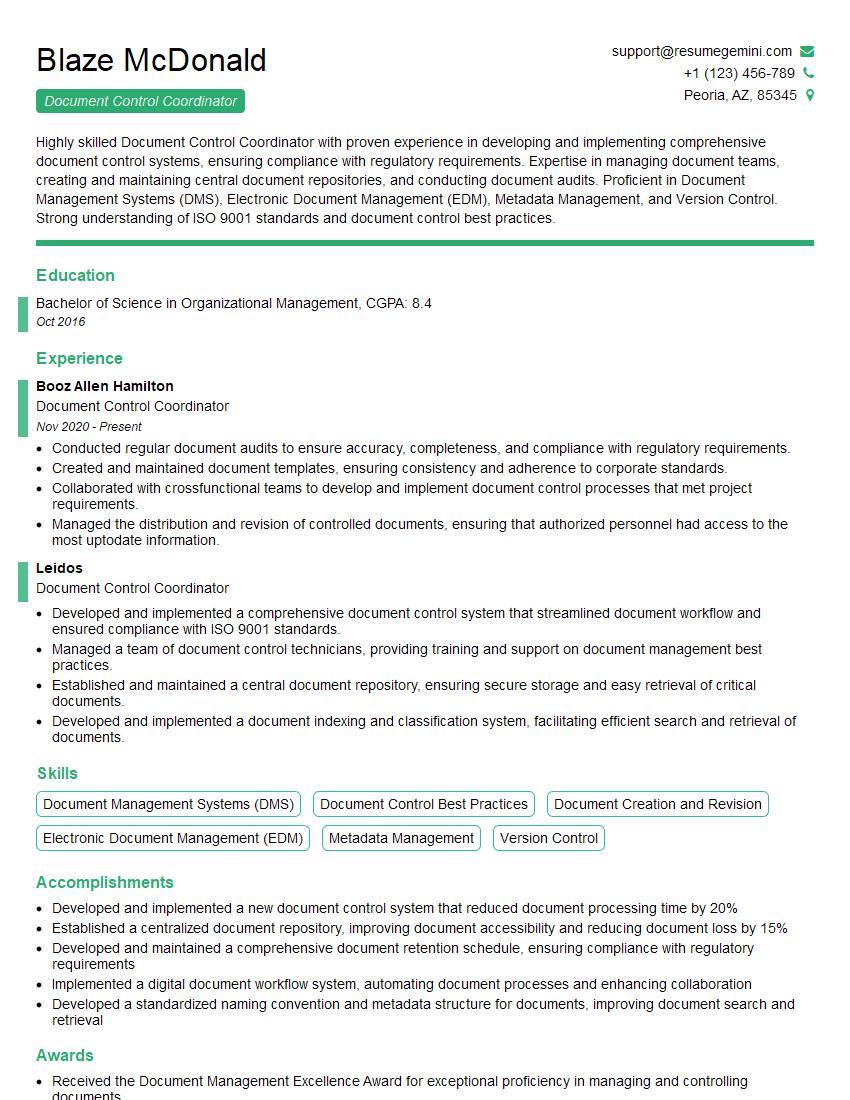
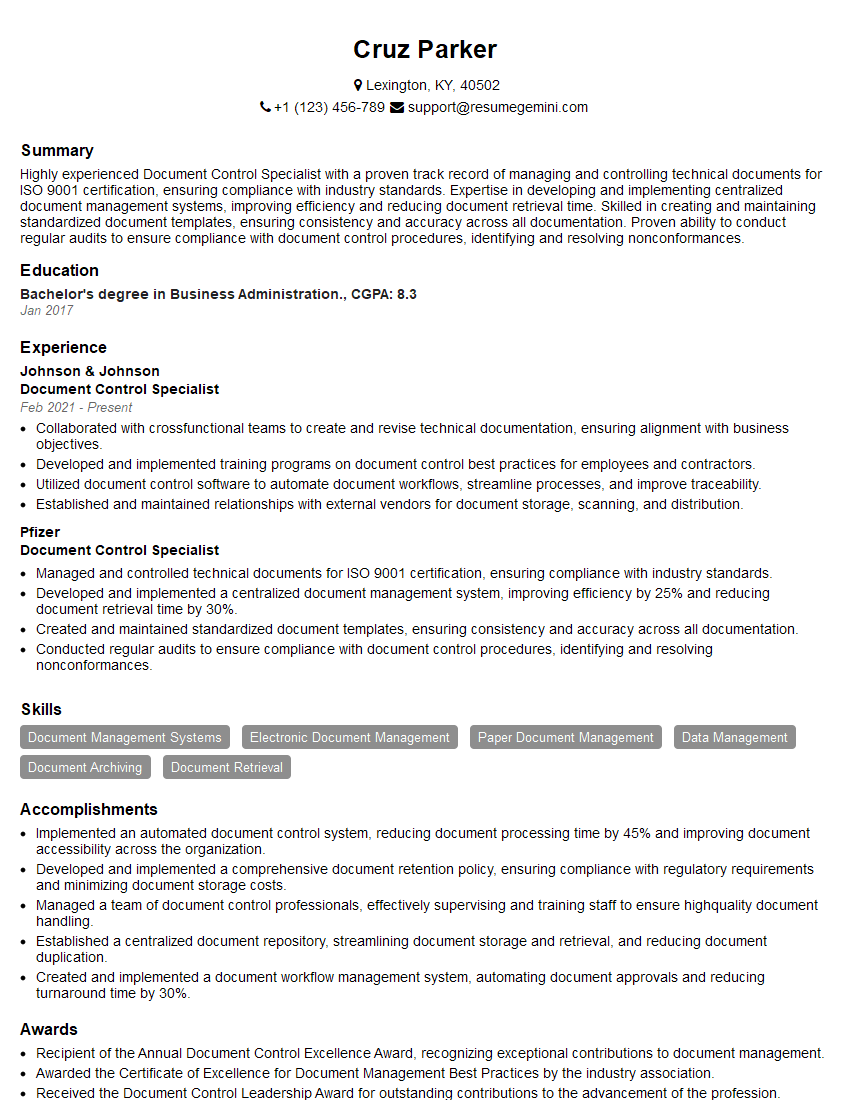
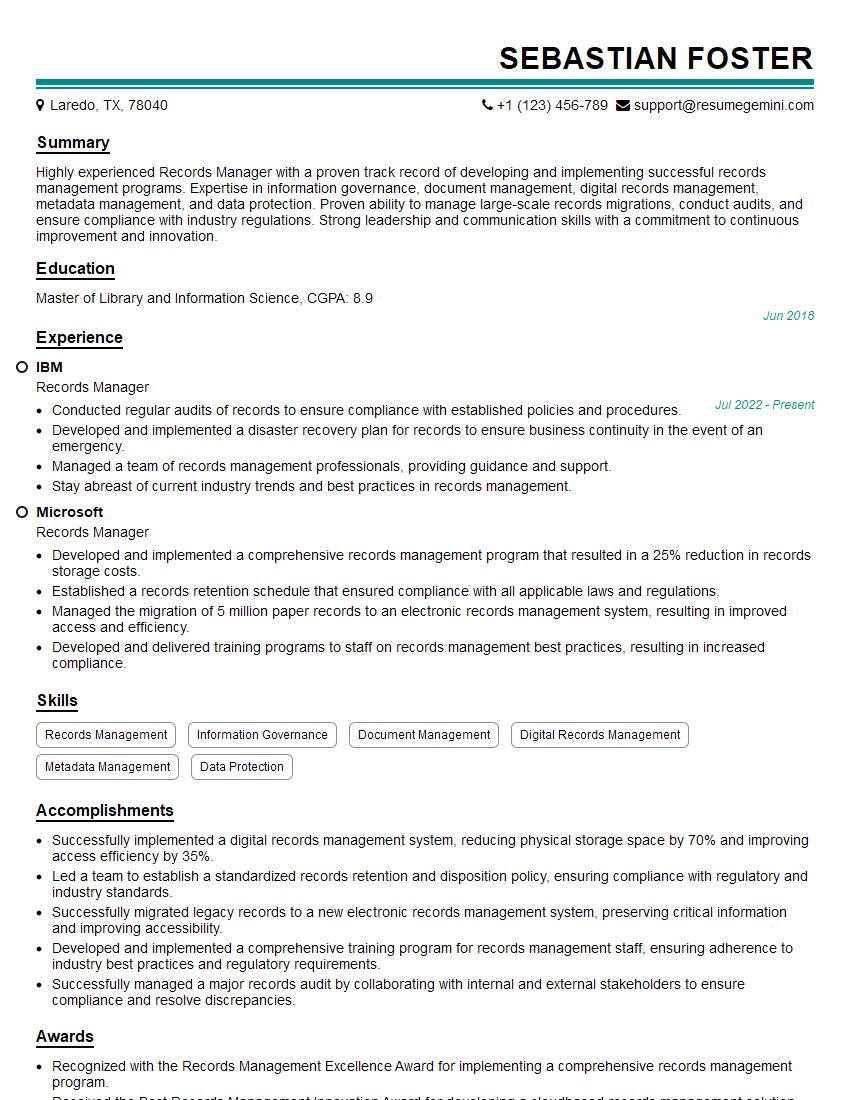
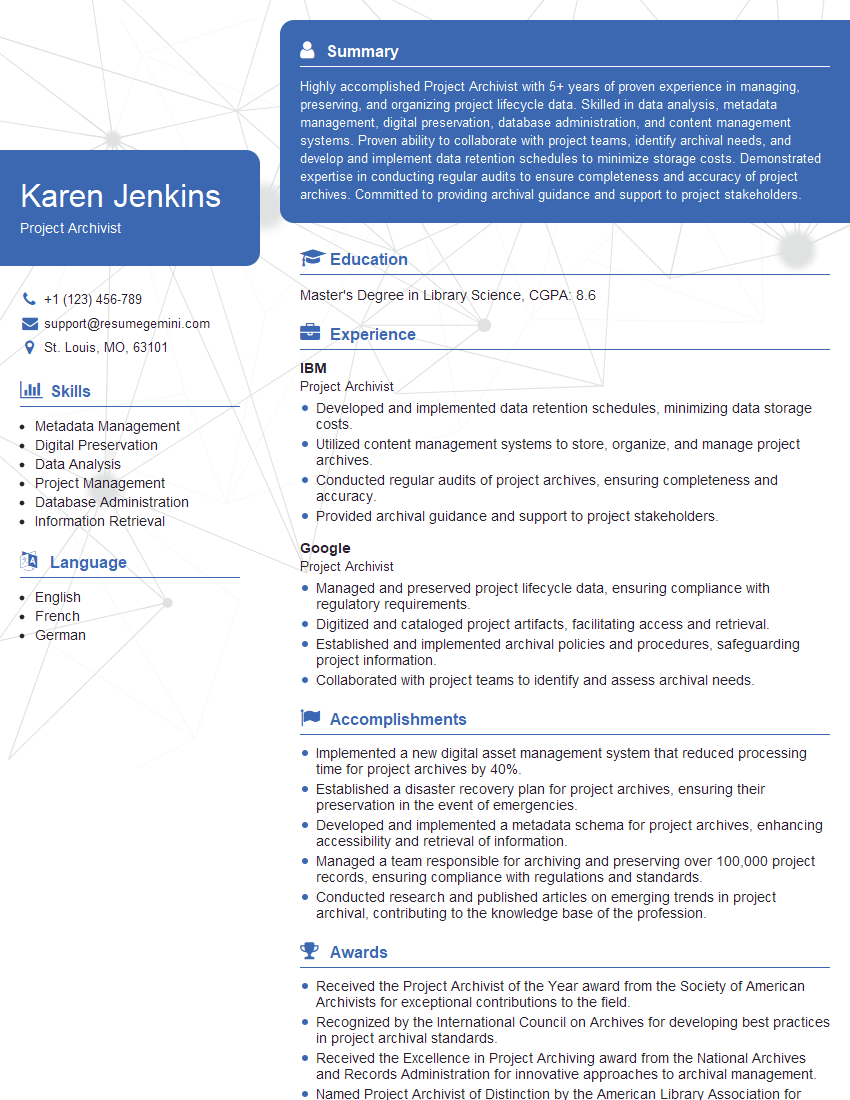
Mastering Construction Project Documentation is crucial for career advancement, demonstrating your organizational skills, attention to detail, and ability to contribute to successful project completion. This skillset is highly sought after, leading to greater responsibility and higher earning potential. To maximize your job prospects, create an ATS-friendly resume that effectively showcases your expertise. ResumeGemini is a trusted resource that can help you build a professional, impactful resume tailored to the Construction industry. Examples of resumes specifically designed for candidates with expertise in Construction Project Documentation are available to help you create a standout application.
Explore more articles
Users Rating of Our Blogs
Share Your Experience
We value your feedback! Please rate our content and share your thoughts (optional).
What Readers Say About Our Blog
Very informative content, great job.
good