The right preparation can turn an interview into an opportunity to showcase your expertise. This guide to Contact Printing and Exposing interview questions is your ultimate resource, providing key insights and tips to help you ace your responses and stand out as a top candidate.
Questions Asked in Contact Printing and Exposing Interview
Q 1. Explain the process of contact printing.
Contact printing is a photographic technique used to create a positive or negative image from a transparency (like a film negative or positive) onto photosensitive material, like photographic paper. Think of it like making a photocopy, but instead of ink, we use light to expose the photosensitive material. The transparency and the photosensitive material are placed in direct contact, and then exposed to a light source, usually UV light. The light passes through the transparent areas of the original, exposing the photosensitive material beneath, while the opaque areas block the light, leaving those areas unexposed. This creates a direct copy of the original, either as a positive or negative depending on the nature of the original and the material used.
For example, if you have a film negative, contact printing will produce a positive print. If you have a film positive transparency, you’ll get a negative print. The process is simple, yet powerful in its ability to create precise copies.
Q 2. What are the different types of contact printing frames?
Contact printing frames come in various types, each designed for different needs and scales. The most common types include:
- Simple Contact Frames: These are basic frames that hold the negative and photosensitive material in contact using pressure. They are inexpensive but often lack precision in holding the materials perfectly flat, leading to uneven exposure.
- Vacuum Frames: These frames use a vacuum to create a very strong, even pressure between the negative and the photosensitive material, ensuring perfect contact and preventing air bubbles that could cause inconsistencies in exposure. This is critical for professional results.
- Point Source Frames: These use a more controlled light source with a smaller aperture to reduce the effect of light scattering. This improves sharpness and contrast. These may be combined with vacuum functionality for highest quality.
- Specialized Frames: For specific needs, like large format printing or unusual material types, other frame designs exist. These might incorporate features such as adjustable pressure systems or specialized glass types.
Q 3. Describe the role of a vacuum frame in contact printing.
A vacuum frame is crucial for achieving high-quality contact prints. Its primary role is to ensure perfect contact between the original transparency (e.g., a film negative) and the photosensitive material (e.g., photographic paper). This is achieved by creating a vacuum that sucks the air out from between the two, pressing them firmly together. Any air bubbles or gaps would result in uneven exposure, creating light spots or halos in the final print. The even pressure also flattens any wrinkles in the paper, preventing distortion in the final image. In essence, the vacuum frame guarantees consistent and accurate image reproduction.
Imagine trying to print a photograph with a piece of paper slightly lifted – the resulting print would be unevenly exposed. The vacuum frame eliminates this issue entirely.
Q 4. What factors influence exposure time in contact printing?
Several factors influence the exposure time needed in contact printing:
- Light Source Intensity: A more powerful UV light source requires less exposure time. Conversely, a dimmer light source requires a longer exposure.
- Light Source Distance: The distance between the light source and the frame also affects intensity; closer means stronger, shorter exposure time.
- Type of Photosensitive Material: Different papers and films have different sensitivities to light. Some require shorter exposures than others; check the manufacturer’s specifications.
- Negative Density: A dense negative (darker areas) requires a longer exposure than a thin negative. Highly contrasted images may require different exposure times for different areas.
- Filter Usage: Any filters used in the light source will alter the intensity of light reaching the photosensitive material, affecting exposure time.
Q 5. How do you determine the correct exposure time?
Determining the correct exposure time involves a process of testing and refinement, often using a test strip. This involves making a series of small exposures of varying durations on a single piece of photosensitive material. Each exposure represents a different time. These are usually geometrically increased, like 1, 2, 4, 8, 16, 32 seconds, or similar, to allow for rapid optimization. After developing the test strip, you can analyze the results and choose the exposure that produced the desired level of contrast and density. This gives you an accurate baseline exposure time for your specific setup and materials.
For instance, if exposures at 8 and 16 seconds show good results and 4 seconds looks too light and 32 too dark, the 8-second exposure or perhaps a value in between based on visual preference would be selected.
Q 6. Explain the concept of reciprocity failure in exposure.
Reciprocity failure refers to the phenomenon where the relationship between exposure time and light intensity isn’t perfectly linear, especially at very short or very long exposure times. In simpler terms, it means that doubling the exposure time doesn’t always double the density of the resulting image (it often produces a lighter than expected outcome in case of extremely long exposures). This is due to complex chemical processes within the photosensitive material. At very short exposures, the material may not fully react to the light, while at very long exposures, certain chemical reactions can reverse the effect of the light exposure leading to reduced density.
To compensate for reciprocity failure, you might need to slightly increase exposure time for very long exposures and for very short exposures. Consult your photosensitive material’s data sheet for reciprocity failure curves, which show how much adjustment is necessary at different exposure times.
Q 7. What safety precautions are necessary when handling UV light sources?
UV light sources used in contact printing emit high-energy ultraviolet radiation, which can be harmful to your eyes and skin. Therefore, several safety precautions are essential:
- UV Protective Eyewear: Always wear specialized UV-blocking eyewear that meets safety standards. Regular sunglasses are not sufficient.
- Skin Protection: Wear long sleeves and gloves to minimize exposure of your skin to UV radiation.
- Proper Ventilation: Ensure adequate ventilation in the workspace to minimize exposure to ozone, a byproduct of UV light reacting with oxygen in the air.
- Safe Handling of Light Source: Follow manufacturer instructions carefully when using and storing the UV light source.
- Shield the Light Source: Use safety shielding or barriers to prevent accidental exposure to the UV light.
- Never Look Directly at the UV Light: Looking at the light even for brief periods can cause permanent eye damage.
Remember, UV light exposure is cumulative – small doses over time add up to significant damage. Prioritizing safety is vital when working with UV lights.
Q 8. Describe different types of light sources used in exposure.
The choice of light source in contact printing is crucial for achieving consistent and high-quality results. Different light sources offer varying spectral outputs and intensities, impacting exposure time and the final image. Common choices include:
- Incandescent Bulbs (Tungsten): These offer a broad spectrum, but their output is significantly skewed towards the red end, often requiring longer exposure times. They are inexpensive but generate a lot of heat, posing potential risks to the photosensitive material. Think of them like a warm, yellowish light.
- Fluorescent Tubes: More energy-efficient than incandescent bulbs, fluorescent tubes provide a more even spectrum, albeit with some variation depending on the type of phosphor used (e.g., cool white, daylight). They offer better consistency compared to incandescent bulbs, but might still require color correction filters to achieve neutral tones.
- UV Lamps (Ultraviolet): For specialized photosensitive materials, such as those used in certain printing processes or photolithography, UV lamps are essential. These lamps emit light in the ultraviolet spectrum, a wavelength highly effective in initiating photochemical reactions, leading to shorter exposure times. However, the intensity and wavelength must be precisely controlled.
- LEDs (Light Emitting Diodes): LEDs offer precise control over wavelength and intensity, making them ideal for fine-tuning exposure parameters. Different colored LEDs can be used to control the spectral composition of the light. They are energy-efficient, long-lasting, and produce less heat compared to other light sources.
The choice depends on factors such as the photosensitive material’s spectral sensitivity, desired exposure time, budget, and safety considerations.
Q 9. How do you ensure proper contact between the negative and photosensitive material?
Ensuring perfect contact between the negative and the photosensitive material is paramount for achieving sharp, detailed prints. Imperfect contact leads to blurry areas and uneven exposure. Several techniques ensure proper contact:
- Vacuum Contact Frames: These frames use a vacuum to pull the negative and photosensitive material tightly together, eliminating air gaps that would cause diffusion of light.
- Weighted Contact Frames: Simpler and less expensive, these frames use weight to press the negative against the photosensitive material. Ensure even weight distribution to prevent uneven pressure.
- Glass Plates & Backing Boards: Using clean, smooth glass plates and rigid backing boards help to create a flat, even surface, maximizing contact and minimizing air bubbles. This is critical for delicate negatives.
- Careful Placement: Before closing the frame, visually inspect for dust particles or air bubbles. Gently smooth the negative to ensure proper contact. A slight rocking motion might help release trapped air.
Regular cleaning of the contact frame and the materials is crucial to preventing dust or debris from interfering with the contact.
Q 10. What are the common problems encountered during contact printing?
Contact printing, while seemingly straightforward, presents several challenges. Common problems include:
- Uneven Exposure: Caused by imperfect contact, uneven light distribution, or variations in the negative density.
- Dust and Debris: These appear as white spots or marks on the print.
- Newton’s Rings: Caused by interference patterns when the negative isn’t perfectly flat against the photosensitive material, resulting in concentric rings of varying density.
- Chemical Fog: A slight graying of the entire print, caused by improper handling or storage of the photosensitive materials.
- Insufficient or Excessive Exposure: Leading to a too-light or too-dark print, respectively. This is often due to incorrect exposure time or a mismatch between light source and photosensitive material.
Careful technique, proper cleaning, and diligent monitoring are crucial to minimize these issues.
Q 11. How do you troubleshoot uneven exposure?
Uneven exposure is often the most frustrating problem. Troubleshooting involves systematic investigation:
- Inspect the Negative: Check for dust, scratches, or inconsistencies in density that could cause uneven light transmission.
- Check Contact: Ensure perfect contact between the negative and photosensitive material. Examine for air bubbles or uneven pressure.
- Assess the Light Source: Make sure the light source is evenly distributed. If using multiple bulbs, check for inconsistencies in intensity.
- Adjust Exposure Time: Conduct test exposures, progressively adjusting the exposure time to find the optimal setting for even exposure. Start with shorter exposure times and increase incrementally.
- Use a Test Strip: Create a test strip with varying exposure times to find the sweet spot. This allows for precise adjustments to achieve uniformity.
- Consider Filters: If the unevenness is related to color balance, graduated filters can be used to compensate for differences in exposure across the image.
Careful observation and systematic testing are key to identifying the root cause and achieving a uniform exposure.
Q 12. Explain the importance of pre-exposure testing.
Pre-exposure testing is absolutely critical for success in contact printing. It acts as a safety net, preventing wasted materials and time. A simple test exposure, using a test strip, allows you to:
- Determine the Optimal Exposure Time: Finding the precise exposure time that yields the desired density and contrast range.
- Check for Reciprocity Failure: Some photosensitive materials exhibit reciprocity failure, meaning the exposure time needed isn’t directly proportional to the light intensity. Pre-exposure tests identify this behavior.
- Evaluate Light Source and Material Compatibility: Verify the chosen light source and photosensitive material work effectively together.
- Assess Developer Activity: Test strips can also help to evaluate the activity of the developer, ensuring proper processing.
- Prevent Waste: By identifying problems early on, you save on expensive photosensitive materials.
Investing a few minutes in pre-exposure testing saves hours of frustration and wasted resources.
Q 13. What are the different types of photosensitive materials used in contact printing?
Contact printing utilizes various photosensitive materials, each with its own characteristics:
- Photographic Paper: Available in various grades (e.g., fiber-based, resin-coated) offering different contrast ranges and surface textures. This is the most commonly used material, especially in darkroom printing.
- Photographic Plates: Higher resolution than paper, plates offer increased detail and sharpness, often used for high-quality reproductions or printing fine-art negatives.
- Lithographic Films: Used for creating printing plates for offset printing. These films are designed to withstand the rigors of the printing process and provide excellent detail.
- Specialty Films: Various films are used for specialized applications, such as silkscreen printing, or electronic circuit fabrication, each with specific sensitivity and chemical properties.
The choice depends heavily on the end application and the desired level of detail and longevity.
Q 14. How do you choose the appropriate photosensitive material for a specific application?
Choosing the right photosensitive material requires careful consideration of several factors:
- Resolution Requirements: High-resolution images necessitate higher-resolution materials like photographic plates.
- Contrast Needs: The desired contrast of the final print dictates the choice of paper grade or film type.
- Spectral Sensitivity: The photosensitive material’s sensitivity to different wavelengths of light must match the light source used.
- Durability and Longevity: Archival-quality prints require materials designed for long-term stability.
- Budget and Application: Cost and the nature of the application (e.g., darkroom printing, offset printing) also affect the material choice.
A thorough understanding of the project’s demands is crucial for making an informed decision that ensures the optimal outcome.
Q 15. Describe the process of developing photosensitive materials.
Developing photosensitive materials, like those used in contact printing, involves transforming the latent image – the invisible image formed after exposure to UV light – into a visible, permanent one. This is achieved through a chemical reaction in a process called development. Think of it like baking a cake: the exposed material is the batter, and the developer is the heat that transforms the batter into a cake.
The process generally involves immersing the exposed material (e.g., photoresist coated substrate) in a developer solution for a specific time and temperature. The developer selectively dissolves the exposed areas, leaving the unexposed areas intact. This creates the physical relief or pattern that represents the original image.
For example, in positive photoresists, the exposed areas become soluble and wash away, leaving a negative image of the original mask. Conversely, in negative photoresists, the exposed areas become insoluble and remain, creating a positive image.
Career Expert Tips:
- Ace those interviews! Prepare effectively by reviewing the Top 50 Most Common Interview Questions on ResumeGemini.
- Navigate your job search with confidence! Explore a wide range of Career Tips on ResumeGemini. Learn about common challenges and recommendations to overcome them.
- Craft the perfect resume! Master the Art of Resume Writing with ResumeGemini’s guide. Showcase your unique qualifications and achievements effectively.
- Don’t miss out on holiday savings! Build your dream resume with ResumeGemini’s ATS optimized templates.
Q 16. What are the different developing solutions used?
The choice of developer solution depends heavily on the type of photosensitive material being used. There isn’t one universal developer. Common examples include:
- Alkaline developers: These are frequently used for diazo-type photoresists and some types of photographic papers. They work by breaking down the exposed areas, making them soluble. The specific chemicals vary widely depending on the resist material. Typical components include sodium hydroxide (NaOH) or potassium hydroxide (KOH).
- Acid developers: These are less common but can be used in specific applications, such as with certain types of negative photoresists where an acid etches away the unexposed portions of the material. They often contain acids like sulfuric acid or other specialized etchants.
- Solvent developers: These are used to dissolve the exposed regions in some photoresists that are not chemically altered by aqueous developers. Common examples include acetone, xylene, and isopropyl alcohol. The specific solvent choice is critical for the specific photoresist system.
Selecting the incorrect developer will either not develop the image or lead to poor resolution and defects.
Q 17. How do you ensure proper chemical handling and disposal?
Chemical handling and disposal are paramount in contact printing and exposure. Improper handling can lead to health hazards and environmental damage. Strict adherence to safety protocols is essential.
- Personal Protective Equipment (PPE): Always wear gloves, eye protection, and lab coats when handling chemicals. This protects you from skin irritation, eye damage, and chemical burns.
- Ventilation: Work in a well-ventilated area or use a fume hood to minimize inhalation of chemical fumes.
- Storage: Store chemicals according to manufacturer’s instructions, ensuring proper labeling and segregation of incompatible chemicals. Never mix incompatible chemicals. This can lead to dangerous or even explosive reactions.
- Waste Disposal: Follow all local, regional, and national regulations for chemical waste disposal. Most developer solutions are considered hazardous waste and require special handling. Contact your local waste management authority for guidance and proper disposal procedures.
An example of a serious consequence could be a chemical burn from splashing or accidental exposure. Always prioritize safety.
Q 18. Explain the importance of maintaining accurate chemical concentrations.
Maintaining accurate chemical concentrations is critical for consistent and high-quality results. Deviations from the recommended concentrations can lead to several problems.
- Underdeveloped Images: Too weak a developer solution will result in a faint image, or it may not develop at all. This is similar to underbaking a cake – you won’t get the desired outcome.
- Overdeveloped Images: Too strong a developer, or prolonged development time, can lead to excessive etching and loss of fine detail, resulting in a grainy or blurred image. Think of it like overbaking a cake – it becomes too dry and crumbly.
- Uneven Development: Inconsistent concentration can lead to uneven development across the photoresist surface, resulting in areas of varying thickness or density. This is like having parts of the cake baked more than others.
Accurate concentration is maintained through precise measurements using calibrated instruments, regular monitoring and potential adjustment as per the manufacturing specifications.
Q 19. How do you monitor the quality of the developed image?
Monitoring the quality of the developed image involves visual inspection and potentially further measurement techniques.
- Visual Inspection: Carefully examine the developed image under a microscope or magnifying glass to assess the resolution, sharpness, and uniformity of the developed features. Look for any defects like pinholes, scratches, or uneven etching.
- Microscopic Examination: This allows for detailed inspection of the features in the developed photoresist to ensure they meet the desired dimensions and shapes. A high-powered microscope allows detection of minute defects which are difficult to spot with naked eyes.
- Profilometry: This technique can be used to measure the thickness and profile of the developed features, providing quantitative data on the quality of the development process. This is particularly critical in processes where very precise dimensions are required.
For instance, in microelectronics fabrication, the quality of the developed image directly impacts the functionality of the final device.
Q 20. What are the common defects encountered during developing?
Several defects can occur during development. These include:
- Uneven Development: This manifests as areas of varying density or thickness in the developed image, often caused by inadequate agitation, temperature variations, or inconsistent developer concentration.
- Pinholes: Small holes or voids in the developed image, frequently resulting from dust particles on the photoresist surface prior to development, or from bubbles trapped during the development process.
- Scratches: These can be introduced during handling or processing, especially if the photoresist is not properly protected.
- Underdevelopment/Overdevelopment: These are caused by improper development time or concentration, leading to a weak or excessively etched image respectively.
- Residue: Undeveloped resist areas left behind due to insufficient cleaning or improper developer selection.
Identifying the root cause of these defects requires careful observation and a systematic approach.
Q 21. How do you troubleshoot developing defects?
Troubleshooting developing defects requires a methodical approach. Here’s a step-by-step process:
- Identify the Defect: Carefully examine the developed image to pinpoint the type and location of the defects. Take photographs and detailed notes.
- Review the Process: Go back through all the steps of the development process – exposure, pre-bake, development, post-bake, etc. Look for any deviations from the established procedure.
- Check Chemical Concentrations and Age: Ensure that the developer solution is at the correct concentration and hasn’t expired or degraded. Old or contaminated developers are common causes of problems.
- Agitation and Temperature: Verify that the developer solution is properly agitated during development and that the temperature is correctly controlled.
- Cleanliness: Check for any contamination on the photoresist substrate or in the development tank.
- Test Runs: Conduct test runs using fresh solutions and meticulously following the correct procedure. This can help isolate the cause of the defects.
For example, if you find pinholes, you might suspect dust contamination, requiring a thorough cleaning of your work area. Addressing each potential factor systematically increases the likelihood of identifying and rectifying the source of the issue.
Q 22. Describe the relationship between exposure time and light intensity.
Exposure time and light intensity in contact printing are inversely proportional. This means that if you increase the intensity of the light source, you can reduce the exposure time to achieve the same level of density on the print. Think of it like this: a bright flashlight will expose a photographic paper quicker than a dim one. The total amount of light reaching the photosensitive material determines the final image density. A longer exposure with low intensity will yield the same result as a short exposure with high intensity, provided the total light energy is the same. In practice, this relationship is crucial for achieving proper exposure; overexposure leads to excessively dark prints, while underexposure results in faint or weak images. Photographers carefully balance these two factors using test strips to determine the optimal exposure time for a given light intensity.
Q 23. What is the difference between hard and soft contact printing?
The difference between hard and soft contact printing lies in the level of contrast produced in the final print. Hard contact printing involves creating direct, intimate contact between the negative and the photosensitive material (e.g., photographic paper). This results in a high-contrast print, with deep blacks and bright whites – a very sharp and defined image. Think of a stark, black-and-white photo where the details are easily discernible, even fine lines. Soft contact printing, conversely, involves creating a slight gap or using a diffuser between the negative and the photosensitive material. This softens the contrast, resulting in a more gradual tonal range with smoother transitions between light and dark areas. This technique is great for producing a more muted and atmospheric effect, where subtle details might be emphasized over stark lines. Imagine a dreamy landscape photo where the clouds softly blend into the sky.
Q 24. How do you choose between hard and soft contact printing techniques?
The choice between hard and soft contact printing depends entirely on the desired aesthetic and the characteristics of the negative. If you have a negative with strong contrast and want to emphasize the sharpness and detail, hard contact printing is ideal. This is often used for images with strong graphic elements or high contrast scenes. On the other hand, if the negative is slightly underexposed or has subtle tonal variations that you wish to preserve, soft contact printing will give you a more pleasing result. Soft contact can also help to mask minor imperfections in the negative, minimizing distractions from the overall mood. For instance, you might use soft contact for portraits where skin tones and subtle shading need to be preserved, creating a more natural and less harsh look.
Q 25. Explain the concept of resolution in contact printing.
Resolution in contact printing refers to the ability of the process to reproduce fine details from the negative onto the final print. High resolution means that very small details, like fine lines or textures, are faithfully replicated. Low resolution results in a blurry or indistinct image, losing crucial details. The resolution is fundamentally limited by the finest detail that can be transferred through direct contact between the negative and the photosensitive material. Any imperfections or gaps between the negative and the paper will reduce resolution, resulting in a loss of sharpness. This is why meticulous attention to contact and the use of a proper printing surface is critical for achieving high-resolution contact prints. Factors such as the grain of the negative and the type of paper used will also impact the achieved resolution.
Q 26. How does the resolution of the negative affect the final print?
The resolution of the negative directly influences the final print’s resolution. You can’t get a sharper print than the resolution of your negative allows. A high-resolution negative, with fine detail and sharp lines, will produce a high-resolution print, given proper contact printing technique. However, a low-resolution negative, even with perfect contact printing, will result in a low-resolution, blurry print. Think of it like this: you can’t sharpen a blurry image beyond a certain point, no matter how good your technique is. It’s crucial to start with a high-quality negative to achieve a high-resolution contact print. In fact, many photographers prioritize the quality of the negative over sophisticated printing techniques to guarantee the final image quality.
Q 27. What is the role of a contact screen in screen printing?
In contact printing, a contact screen isn’t used. Contact screens are specific to screen printing, a completely different technique. In screen printing, a contact screen (also called a halftone screen or stencil) is a finely woven mesh with areas selectively blocked to allow ink to pass through, creating the image. The screen is placed directly in contact with the printing surface, hence the name. This is fundamentally different from contact printing, where the image is transferred from a negative via light exposure onto photosensitive paper. So while the word ‘contact’ appears in both terms, the techniques and functions are entirely different. The contact screen in screen printing acts as a filter, controlling the distribution of ink and creating dots of varying sizes to simulate a continuous tone.
Q 28. Explain the differences between contact printing and other printing methods.
Contact printing differs significantly from other printing methods in its simplicity and directness. Unlike offset lithography which uses plates and rollers, or inkjet printing which sprays ink directly onto the surface, contact printing involves directly exposing photosensitive material to light through a negative. This is an analog process, completely different from the digital nature of inkjet or laser printing. Other techniques like darkroom enlarging are also indirect methods of printing. Contact printing is a one-to-one, direct transfer of the image; no intermediary steps are involved in the image transfer to the paper. It provides a unique level of control and intimacy in the printing process; however, it is limited in its ability to enlarge or manipulate the image size once the negative is made. This simplicity makes it accessible but also limits its flexibility compared to more advanced printing techniques.
Key Topics to Learn for Contact Printing and Exposing Interview
- Image Formation: Understanding the fundamental principles of light transmission and absorption in contact printing, including the role of the negative and the printing medium.
- Exposure Techniques: Mastering various exposure techniques for different materials and desired results, including considerations for exposure time, light intensity, and filter usage.
- Material Properties: Deep knowledge of various printing materials (e.g., photosensitive papers, films) and their characteristics—sensitivity, contrast, and resolution—to optimize the printing process.
- Contact Printing Equipment: Familiarity with the operation and maintenance of contact printing frames, enlargers, and safelights, including troubleshooting common issues.
- Troubleshooting and Quality Control: Developing a systematic approach to identifying and resolving issues such as uneven exposure, poor contrast, and dust contamination, ensuring consistent high-quality prints.
- Health and Safety: Understanding and adhering to safety protocols related to chemical handling, darkroom procedures, and safelight usage.
- Applications and Techniques: Practical application knowledge in various fields like photography, screen printing, and graphic arts, showcasing specific techniques employed.
- Alternative Processes and Advancements: Awareness of alternative printing techniques and technological advancements in the field, demonstrating ongoing learning and adaptability.
Next Steps
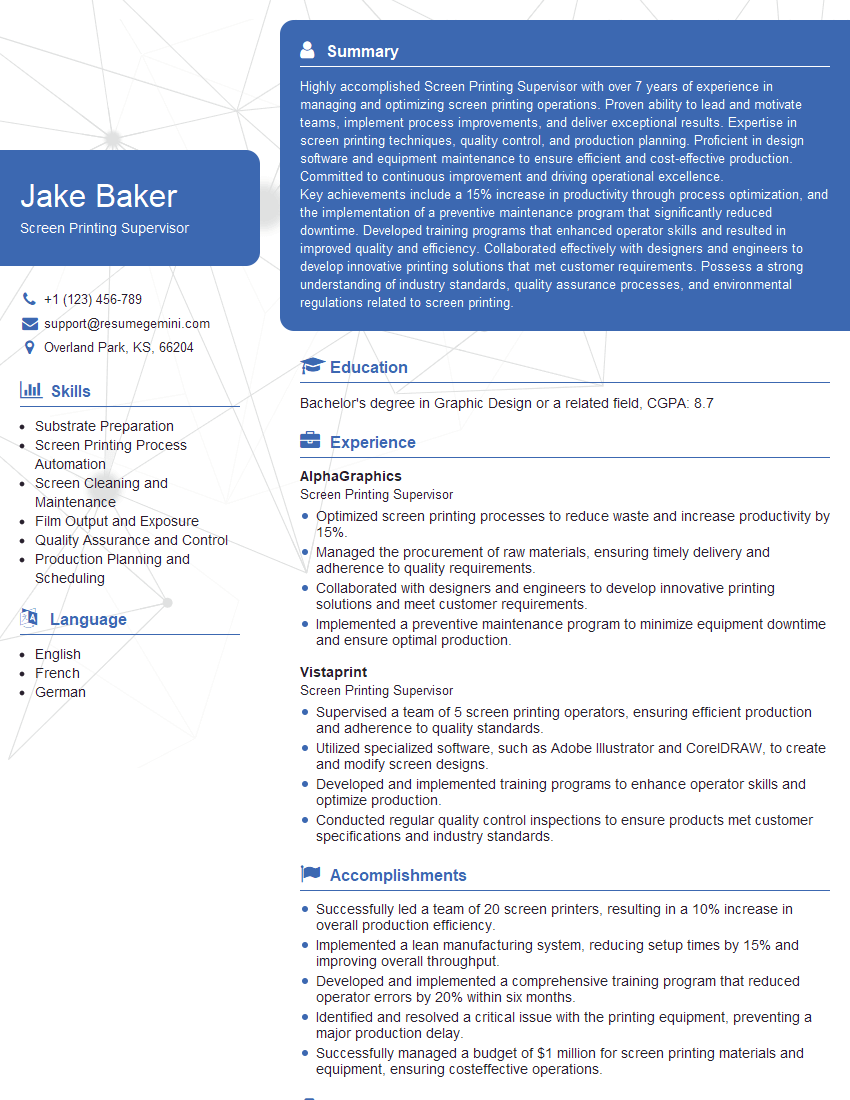
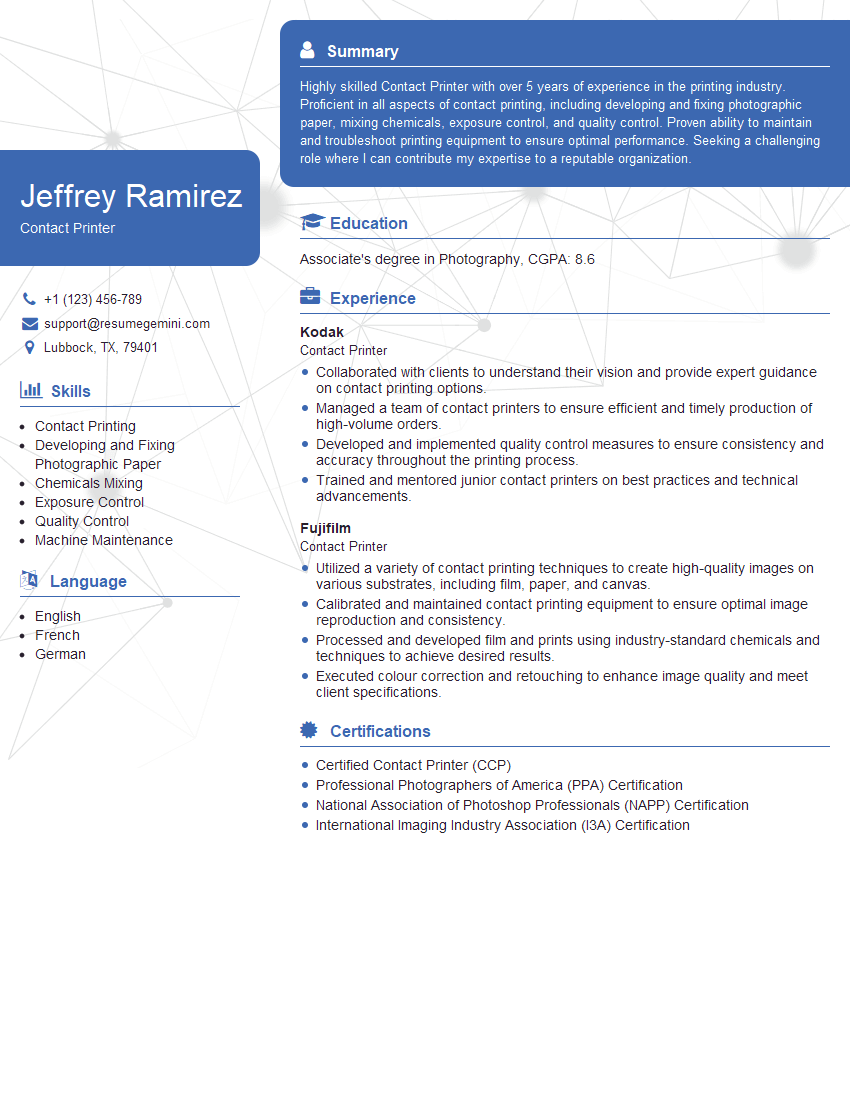
Mastering Contact Printing and Exposing opens doors to exciting career opportunities in photography, graphic design, and related fields. A strong understanding of these techniques demonstrates technical proficiency and problem-solving skills highly valued by employers. To significantly boost your job prospects, creating an ATS-friendly resume is crucial. ResumeGemini is a trusted resource that can help you build a professional and effective resume, ensuring your qualifications shine. Examples of resumes tailored to Contact Printing and Exposing are available within ResumeGemini to guide you. Take the next step towards your dream career – craft a compelling resume that highlights your expertise!


Explore more articles
Users Rating of Our Blogs
Share Your Experience
We value your feedback! Please rate our content and share your thoughts (optional).
What Readers Say About Our Blog
Very informative content, great job.
good