Cracking a skill-specific interview, like one for Cybersecurity Analysis, requires understanding the nuances of the role. In this blog, we present the questions you’re most likely to encounter, along with insights into how to answer them effectively. Let’s ensure you’re ready to make a strong impression.
Questions Asked in Cybersecurity Analysis Interview
Q 1. Explain the difference between symmetric and asymmetric encryption.
Symmetric and asymmetric encryption are two fundamental methods for securing data. The core difference lies in the number of keys used.
Symmetric encryption uses a single, secret key to both encrypt and decrypt data. Think of it like a padlock with one key; whoever has the key can lock (encrypt) and unlock (decrypt) the box (data). This is highly efficient, making it ideal for encrypting large amounts of data. However, securely sharing this single key becomes a major challenge. If the key is intercepted, the entire system is compromised.
Asymmetric encryption, on the other hand, uses two separate keys: a public key and a private key. The public key can be freely distributed, and it’s used to encrypt data. Only the corresponding private key can decrypt it. This is analogous to a mailbox: anyone (public key) can drop a letter (encrypted data) in, but only the owner (private key) has the key to open it and read it. This solves the key distribution problem; the private key remains secret, enhancing security. However, it’s computationally more intensive than symmetric encryption, making it less efficient for large datasets.
In practice, hybrid approaches are often used. A fast symmetric key is generated and used to encrypt the data. Then, an asymmetric key is used to encrypt the symmetric key itself. This combines the speed of symmetric encryption with the security of asymmetric encryption for key exchange.
Q 2. Describe the CIA triad (Confidentiality, Integrity, Availability).
The CIA triad – Confidentiality, Integrity, and Availability – forms the cornerstone of information security. It’s a model that outlines the three key principles to protect information assets.
- Confidentiality: This ensures that only authorized individuals or systems can access sensitive information. Think of it as keeping secrets safe. Methods include access controls, encryption, and data masking.
- Integrity: This guarantees that data is accurate, complete, and trustworthy, and hasn’t been tampered with. This means ensuring data hasn’t been altered or destroyed without authorization. Checksums, digital signatures, and version control are used to maintain integrity.
- Availability: This ensures that authorized users have timely and reliable access to information and resources when needed. Redundancy, failover systems, and disaster recovery plans are crucial for ensuring availability.
Example: A hospital’s patient records must maintain confidentiality (only authorized personnel can access them), integrity (records must be accurate and unaltered), and availability (doctors need access to records quickly during emergencies).
Q 3. What are the different types of malware and how do they work?
Malware encompasses various malicious software designed to harm computer systems or steal data. Here are some common types:
- Viruses: These require a host program to replicate and spread, often attaching themselves to executable files. They can damage files, corrupt data, or even crash the system.
- Worms: These self-replicate and spread independently, often exploiting network vulnerabilities. They consume bandwidth and can cripple network functionality.
- Trojans: These disguise themselves as legitimate software but secretly carry out malicious actions, like installing keyloggers or backdoors.
- Ransomware: This encrypts user files and demands a ransom for their release. It is a particularly serious threat due to the potential data loss and financial impact.
- Spyware: This secretly monitors user activity, stealing sensitive information such as passwords, browsing history, and keystrokes.
- Adware: This displays unwanted advertisements, often slowing down system performance and potentially redirecting users to malicious websites.
- Rootkits: These hide their presence on the system, making them difficult to detect and remove. They provide attackers with persistent access.
How they work: Malware operates through various techniques, including exploiting software vulnerabilities, using social engineering tactics (like phishing emails), and leveraging network weaknesses. They often aim to gain unauthorized access, steal data, or disrupt system functionality.
Q 4. What is a firewall and how does it protect a network?
A firewall is a network security system that monitors and controls incoming and outgoing network traffic based on predetermined security rules. It acts as a barrier between a trusted internal network and an untrusted external network (like the internet).
How it protects: Firewalls examine network packets and block or allow them based on defined rules. These rules can filter traffic based on IP addresses, ports, protocols, and applications. For example, a firewall could block all incoming connections on port 23 (Telnet), a notoriously insecure protocol. They can also perform deep packet inspection (DPI), analyzing the content of packets to identify malicious traffic.
Types of firewalls: There are several types, including packet filtering firewalls, stateful inspection firewalls, and application-level gateways (proxies). Modern firewalls often incorporate multiple techniques.
In a real-world scenario: A company’s firewall protects its internal network from unauthorized access from the internet. It prevents malicious actors from directly accessing sensitive data and systems by blocking unwanted connections.
Q 5. Explain the concept of a zero-trust security model.
Zero Trust security is a cybersecurity framework that assumes no implicit trust granted to any user, device, or network, regardless of location (inside or outside the organization’s network). It operates on the principle of “never trust, always verify.”
Key concepts: Zero Trust relies on continuous verification and micro-segmentation. Every access request is rigorously validated, regardless of where it originates. Instead of granting broad network access, resources are segmented, limiting the impact of a breach. Multi-factor authentication (MFA) is crucial, adding extra layers of security beyond simple passwords.
Benefits: Zero Trust significantly reduces the attack surface and limits the blast radius of successful attacks. It is particularly relevant in today’s increasingly distributed workforce with remote access being common.
Example: Even if a user is inside the company network, accessing a specific application or data requires authentication and authorization. The user’s device might be constantly monitored for security posture before granting access. This is in contrast to traditional models which grant broad access once a user is authenticated within the network perimeter.
Q 6. What are the common phases of incident response?
Incident response is a structured process for handling cybersecurity incidents. The common phases are:
- Preparation: This involves developing incident response plans, defining roles and responsibilities, establishing communication protocols, and creating backups and recovery procedures. Regular security awareness training for employees is crucial.
- Identification: This is detecting and confirming a security incident. It might involve monitoring security logs, intrusion detection systems (IDS), security information and event management (SIEM) systems, or employee reports.
- Containment: This involves isolating the affected systems or networks to prevent further damage or spread of the attack. This could involve shutting down infected machines, disabling network connections, or implementing access controls.
- Eradication: This is removing the root cause of the incident, which may involve removing malware, patching vulnerabilities, or resetting affected systems. A thorough investigation is crucial at this stage.
- Recovery: This involves restoring systems and data to a functional state. This typically includes restoring from backups, reconfiguring systems, and performing system tests.
- Post-incident activity: This focuses on lessons learned, updates to security policies and procedures, and improving security defenses to prevent future incidents. A detailed post-mortem analysis is critical.
Practical Application: A company experiencing a ransomware attack would follow these steps. First, they would contain the attack by isolating infected machines, then eradicate the malware, recover data from backups, and finally update security measures to prevent future attacks.
Q 7. Describe your experience with vulnerability scanning and penetration testing.
I have extensive experience with vulnerability scanning and penetration testing, both crucial components of a robust security posture. I have used tools like Nessus, OpenVAS, and Nmap for vulnerability scanning. These tools automate the process of identifying known security weaknesses in systems and applications, providing a comprehensive inventory of potential vulnerabilities. My experience encompasses a wide range of targets, from web applications and servers to network infrastructure and embedded systems.
Penetration testing, on the other hand, is more active and involves simulating real-world attacks to identify exploitable vulnerabilities that might be missed by vulnerability scans. I have performed both black-box (no prior knowledge of the system) and white-box (with complete knowledge) testing. My approach prioritizes responsible disclosure and minimizes the risk of damaging the systems under test. I have documented findings meticulously and created detailed reports, including recommendations for remediation. I always ensure I have the proper authorization before conducting penetration tests.
Example: In a recent engagement, I conducted a penetration test for a financial institution. My white-box testing uncovered a vulnerability in their authentication system that could have led to unauthorized access to sensitive customer data. My detailed report enabled the institution to address the issue promptly, strengthening their overall security.
Q 8. How do you identify and mitigate SQL injection vulnerabilities?
SQL injection is a code injection technique that exploits vulnerabilities in database interactions. Attackers inject malicious SQL code into input fields, manipulating database queries to gain unauthorized access to data, modify data, or even execute commands on the database server.
Identifying SQL Injection Vulnerabilities:
- Manual Code Review: Carefully examine application code that interacts with databases. Look for instances where user input is directly concatenated into SQL queries without proper sanitization or parameterization.
- Dynamic Application Security Testing (DAST): Use automated tools that simulate attacks to identify vulnerabilities. Tools like OWASP ZAP can effectively detect SQL injection flaws.
- Static Application Security Testing (SAST): SAST tools analyze source code without execution to find potential vulnerabilities. They can highlight areas where SQL injection is possible.
- Penetration Testing: Employ experienced security professionals to simulate real-world attacks to identify vulnerabilities.
Mitigating SQL Injection Vulnerabilities:
- Parameterized Queries (Prepared Statements): Separate user-supplied data from SQL code using parameterized queries. This prevents the data from being interpreted as executable code. For example, instead of:
String query = "SELECT * FROM users WHERE username = '" + username + "'";- Use:
PreparedStatement statement = connection.prepareStatement("SELECT * FROM users WHERE username = ?");
statement.setString(1, username);- Input Validation and Sanitization: Validate and sanitize all user inputs before using them in SQL queries. Remove or escape special characters that could be used for SQL injection.
- Least Privilege Principle: Database users should only have the necessary permissions to perform their tasks. Avoid granting excessive privileges.
- Regular Security Audits: Conduct regular security audits to identify and address new vulnerabilities.
- Use an ORM: Object-Relational Mappers abstract database interactions, often providing built-in protection against SQL injection.
Example: Imagine a login page where an attacker inputs ' OR '1'='1 in the username field. Without proper sanitization, this could bypass authentication checks because the resulting query (e.g., SELECT * FROM users WHERE username = '' OR '1'='1') will always return true. Parameterized queries prevent this.
Q 9. Explain the difference between a virus, worm, and Trojan horse.
Viruses, worms, and Trojan horses are all types of malware, but they differ in how they spread and operate:
- Virus: A virus needs a host program or file to attach itself to and spread. It replicates by infecting other files. Think of it like a biological virus that needs a host cell to reproduce. It often requires user interaction, such as opening an infected file or running an infected program, to spread.
- Worm: A worm is a self-replicating program that can spread independently without needing a host program. It typically exploits network vulnerabilities to propagate across networks, infecting multiple systems automatically. Imagine it as a highly contagious disease that spreads rapidly through a population without needing a specific carrier.
- Trojan Horse: A Trojan horse disguises itself as a legitimate program or file. Users are tricked into installing or running it, often with the promise of useful functionality. Once installed, it can perform malicious activities like stealing data, installing other malware, or providing backdoor access to a system. It’s like a gift that seems harmless on the outside but contains a hidden threat.
Key Differences Summarized:
- Virus: Requires a host, spreads through infection.
- Worm: Self-replicating, spreads via network vulnerabilities.
- Trojan Horse: Disguised as legitimate software, spreads through deception.
Q 10. What is phishing and how can it be prevented?
Phishing is a type of social engineering attack where attackers attempt to trick individuals into revealing sensitive information such as usernames, passwords, credit card details, or social security numbers. They often do this by disguising themselves as a trustworthy entity in email, text messages, or websites.
How Phishing Works: Attackers create deceptive messages that appear to come from legitimate sources like banks, online retailers, or social media platforms. These messages may contain urgent requests, threats, or enticing offers to lure victims into clicking malicious links or downloading attachments. The links often lead to fake login pages or websites that steal credentials.
Preventing Phishing Attacks:
- Education and Awareness: Train users to identify phishing attempts. Emphasize recognizing suspicious email addresses, URLs, and requests for personal information.
- Email Filtering and Spam Detection: Implement robust email filters and spam detection mechanisms to block suspicious emails before they reach users’ inboxes.
- Multi-Factor Authentication (MFA): Implement MFA whenever possible, adding an extra layer of security beyond just passwords.
- URL Verification: Carefully examine URLs before clicking. Look for misspellings or unusual characters. Hover over links to see the actual destination URL.
- Security Software: Use reputable antivirus and anti-phishing software to detect and block malicious websites and attachments.
- Regular Security Awareness Training: Conduct regular training sessions to keep users updated on the latest phishing techniques.
Example: A phishing email might claim to be from your bank, stating your account has been compromised and requesting you click a link to verify your details. This link would actually lead to a fake website designed to steal your login credentials.
Q 11. Describe your experience with SIEM tools (e.g., Splunk, QRadar).
I have extensive experience with SIEM tools, primarily Splunk and QRadar. I’ve utilized them in various capacities, including threat detection, incident response, security monitoring, and compliance reporting.
Splunk: My experience with Splunk includes developing custom dashboards and alerts to monitor security events, analyzing log data to identify suspicious activities, correlating events across different systems, and using Splunk’s search processing language (SPL) to develop sophisticated queries for threat hunting.
QRadar: With QRadar, I’ve leveraged its pre-built rules and use cases for threat detection, created custom rules based on specific security requirements, and used its correlation engine to identify patterns and relationships between security events. I have also been involved in configuring QRadar to integrate with other security tools and platforms.
Specific examples: In one engagement, I used Splunk to analyze web server logs and identify a series of SQL injection attempts. By using SPL, I created a dashboard that visually presented the frequency and source IP addresses of these attacks, allowing for rapid identification and blocking of malicious actors. In another case, I used QRadar to detect and respond to a ransomware attack by correlating file system activity, network traffic, and security alerts to pinpoint the source and extent of the breach.
My experience extends to the administration and maintenance of these SIEM tools, including data ingestion, log management, and performance optimization.
Q 12. How do you perform log analysis to identify security threats?
Log analysis is crucial for identifying security threats. It involves systematically examining log data from various sources – such as firewalls, intrusion detection systems (IDS), servers, and applications – to detect patterns, anomalies, and suspicious activities that indicate potential security breaches or compromises.
Steps in Log Analysis for Threat Identification:
- Data Collection: Gather log data from relevant sources using a centralized logging system or SIEM tool. Ensure logs are properly formatted and timestamped.
- Data Normalization: Standardize log data formats to facilitate efficient analysis. This often involves parsing log entries and extracting relevant fields.
- Data Filtering: Filter log data based on specific criteria, such as source IP addresses, event types, or timestamps. This helps to reduce noise and focus on relevant events.
- Pattern Recognition: Identify patterns and anomalies in log data that could indicate security threats. For example, a sudden surge in failed login attempts from a specific IP address could indicate a brute-force attack.
- Threat Correlation: Correlate security events across different log sources to gain a comprehensive understanding of the context of an attack. This helps in tracing the attack path and identifying the root cause.
- Alerting and Response: Generate alerts based on detected security threats and initiate appropriate response procedures.
Tools and Techniques: Various tools, including SIEMs (Splunk, QRadar), log management platforms, and custom scripting, can be used to streamline log analysis. Techniques such as regular expressions, statistical analysis, and machine learning can be employed to improve accuracy and efficiency.
Example: Observing a large number of failed SSH login attempts from various IP addresses in a short period could indicate a brute-force attack. Correlating this with firewall logs could reveal whether these IP addresses have been blocked or allowed entry. Furthermore, correlating with system logs might pinpoint the accounts targeted in the attack.
Q 13. Explain your understanding of network protocols (TCP/IP, UDP).
TCP/IP and UDP are fundamental network protocols in the Internet Protocol Suite (IP suite) that govern how data is transmitted across networks.
TCP (Transmission Control Protocol): TCP is a connection-oriented protocol, meaning it establishes a dedicated connection between two devices before transmitting data. This connection ensures reliable data delivery and avoids data loss or corruption. TCP uses acknowledgments (ACKs) and sequence numbers to guarantee data delivery and order. It’s like sending a registered letter that requires a signature to confirm receipt. It’s slower but more reliable, suitable for applications that require guaranteed delivery such as web browsing (HTTP) and email (SMTP).
UDP (User Datagram Protocol): UDP is a connectionless protocol, meaning it doesn’t establish a dedicated connection before transmitting data. Data is sent as individual packets, and there’s no guarantee of delivery or order. It’s faster and more efficient than TCP but less reliable. It’s like sending a postcard – you send it, but there’s no guarantee it’ll arrive or arrive in the same order if multiple postcards are sent. It’s ideal for applications where speed is prioritized over reliability, such as online gaming and streaming.
Key Differences Summarized:
- Connection-oriented vs. connectionless: TCP is connection-oriented, UDP is connectionless.
- Reliability: TCP is reliable, UDP is unreliable.
- Speed: UDP is faster, TCP is slower.
- Overhead: TCP has higher overhead, UDP has lower overhead.
Both TCP and UDP operate over IP (Internet Protocol), which handles the addressing and routing of data packets across the network.
Q 14. What are common network security threats and how can they be addressed?
Common network security threats are numerous and ever-evolving. Here are some of the most prevalent ones and how they can be addressed:
- Denial-of-Service (DoS) and Distributed Denial-of-Service (DDoS) Attacks: These attacks flood a network or server with traffic, making it unavailable to legitimate users. Mitigation: Employ DDoS mitigation techniques like rate limiting, firewalls, and content delivery networks (CDNs).
- Man-in-the-Middle (MitM) Attacks: Attackers intercept communication between two parties, eavesdropping on data or manipulating it. Mitigation: Use strong encryption (HTTPS, VPNs), verify digital certificates, and employ intrusion detection systems.
- SQL Injection: (Already discussed in question 1)
- Cross-Site Scripting (XSS): Attackers inject malicious scripts into websites to steal user data or redirect users to malicious sites. Mitigation: Implement input validation and sanitization, output encoding, and use a web application firewall (WAF).
- Phishing: (Already discussed in question 3)
- Malware Infections: Malicious software such as viruses, worms, and Trojans can infect devices, stealing data, disrupting operations, or providing backdoor access. Mitigation: Use antivirus software, keep systems updated, and educate users about safe browsing practices.
- Zero-Day Exploits: Attacks that exploit previously unknown vulnerabilities. Mitigation: Patch systems regularly, employ vulnerability scanning, and have an incident response plan in place.
- Insider Threats: Malicious or negligent actions by employees or insiders. Mitigation: Implement strong access control measures, conduct background checks, and enforce security policies.
Addressing these threats often involves a multi-layered approach, combining technical controls (firewalls, intrusion detection systems, encryption) with administrative controls (access control policies, security awareness training, incident response plans). Regular security audits and penetration testing also play a crucial role in identifying and mitigating vulnerabilities before they can be exploited.
Q 15. Describe your experience with intrusion detection and prevention systems (IDS/IPS).
Intrusion Detection and Prevention Systems (IDS/IPS) are crucial components of a robust cybersecurity infrastructure. An IDS passively monitors network traffic and system activities for malicious behavior, generating alerts when suspicious events are detected. An IPS, on the other hand, actively prevents or blocks malicious activity in addition to alerting. Think of an IDS as a security guard who observes and reports, while an IPS is a security guard with the power to intervene and stop threats.
In my experience, I’ve worked extensively with both signature-based and anomaly-based IDS/IPS solutions. Signature-based systems detect known malicious patterns, like specific virus signatures or exploit attempts. Anomaly-based systems, however, learn normal network behavior and flag anything that deviates significantly from that baseline. This is helpful in detecting zero-day exploits – attacks that haven’t been identified previously.
For example, I once used an anomaly-based IPS to detect a sophisticated insider threat. The system flagged unusual data exfiltration attempts by an employee, even though the methods used were not matched to any known malicious signatures. This allowed us to quickly investigate and mitigate the threat before significant damage occurred. I have also administered and tuned various commercial IPS solutions like Snort and Suricata, integrating them into SIEM platforms for centralized monitoring and log analysis. This integration ensures that alerts generated by the IDS/IPS are correlated with other security events, providing a holistic view of the security posture.
Career Expert Tips:
- Ace those interviews! Prepare effectively by reviewing the Top 50 Most Common Interview Questions on ResumeGemini.
- Navigate your job search with confidence! Explore a wide range of Career Tips on ResumeGemini. Learn about common challenges and recommendations to overcome them.
- Craft the perfect resume! Master the Art of Resume Writing with ResumeGemini’s guide. Showcase your unique qualifications and achievements effectively.
- Don’t miss out on holiday savings! Build your dream resume with ResumeGemini’s ATS optimized templates.
Q 16. How do you prioritize security vulnerabilities?
Prioritizing security vulnerabilities is a critical task, requiring a structured approach. I typically use a risk-based prioritization model, considering factors like the likelihood of exploitation (probability) and the potential impact (severity) of a successful attack. This is often represented using a risk matrix.
The likelihood of exploitation depends on several factors, including the vulnerability’s public awareness, the ease of exploitation (technical complexity), and the presence of readily available exploit tools. The potential impact considers factors like data loss, financial damage, reputational harm, and disruption to business operations. A critical vulnerability would be one with a high likelihood and high impact.
For example, a vulnerability allowing remote code execution (RCE) on a web server with access to sensitive customer data would be prioritized higher than a low-impact vulnerability on an internal system with minimal access rights. I use frameworks like CVSS (Common Vulnerability Scoring System) to quantitatively assess vulnerabilities and then combine it with qualitative judgment based on the context of the specific environment and business impact. This allows for a balanced and informed approach to vulnerability management.
Q 17. What is risk assessment and how is it performed?
Risk assessment is the process of identifying, analyzing, and evaluating potential threats and vulnerabilities that could impact an organization’s assets. The goal is to understand the likelihood and potential consequences of these risks, enabling informed decisions about how to mitigate them.
A risk assessment typically involves these steps:
- Asset Identification: Identifying all valuable assets, including hardware, software, data, and intellectual property.
- Threat Identification: Identifying potential threats, such as malware, phishing attacks, insider threats, and natural disasters.
- Vulnerability Identification: Identifying weaknesses in the systems and processes that could be exploited by threats.
- Risk Analysis: Assessing the likelihood and impact of each risk by combining threats and vulnerabilities.
- Risk Response Planning: Developing strategies to mitigate risks, such as implementing security controls, developing incident response plans, and purchasing insurance.
For instance, a risk assessment for a financial institution might reveal that a significant risk is a data breach caused by a successful phishing attack against employees. This would then lead to the development of mitigation strategies such as enhanced security awareness training and multi-factor authentication.
Q 18. Explain your experience with security frameworks (e.g., NIST, ISO 27001).
I have extensive experience working with various security frameworks, including NIST Cybersecurity Framework (CSF) and ISO 27001. These frameworks provide standardized guidelines and best practices for establishing, implementing, operating, monitoring, and maintaining an effective information security management system (ISMS).
NIST CSF provides a flexible framework for managing cybersecurity risk based on five core functions: Identify, Protect, Detect, Respond, and Recover. I’ve used NIST CSF to guide the development and implementation of cybersecurity programs, aligning them with organizational objectives and risk tolerance. It helps in prioritizing security controls based on the specific needs and environment.
ISO 27001 is a widely recognized international standard that outlines a comprehensive approach to ISMS. I’ve used ISO 27001 to help organizations achieve certification, implementing and maintaining a documented ISMS that demonstrates compliance with the standard. This includes establishing policies, procedures, and controls to manage risks related to confidentiality, integrity, and availability of information. My experience includes conducting internal audits, vulnerability assessments, and gap analyses to ensure continuous improvement of the ISMS.
Q 19. What is the difference between authentication and authorization?
Authentication verifies the identity of a user, device, or other entity. It answers the question: “Who are you?”. Authorization, on the other hand, determines what a user or entity is permitted to access or do once their identity is verified. It answers the question: “What are you allowed to do?”.
Think of it like this: authentication is like showing your driver’s license to prove you are who you say you are, while authorization is like the police officer checking to see if your license allows you to drive that specific vehicle.
For example, a user might authenticate to a system using a username and password. Once authenticated, the system then checks the user’s authorization to determine which resources they can access. A user might be authorized to read certain files but not allowed to write or delete them. Robust security systems combine both authentication and authorization to ensure only authorized users can access sensitive information and perform specific actions.
Q 20. Explain your understanding of cryptography and its applications.
Cryptography is the practice and study of techniques for secure communication in the presence of adversarial behavior. It involves transforming information using mathematical algorithms to protect its confidentiality, integrity, and authenticity.
Several cryptographic techniques have different applications:
- Symmetric-key cryptography uses the same key for encryption and decryption. Algorithms like AES (Advanced Encryption Standard) are commonly used for securing data at rest and in transit.
- Asymmetric-key cryptography uses a pair of keys: a public key for encryption and a private key for decryption. RSA and ECC (Elliptic Curve Cryptography) are examples, commonly used for digital signatures and key exchange.
- Hash functions create a one-way transformation of data, used for data integrity verification. SHA-256 and SHA-3 are popular examples.
I have experience implementing and assessing the security of various cryptographic systems. For example, I’ve helped organizations implement secure HTTPS using SSL/TLS certificates and configure secure file transfer protocols like SFTP. I also have experience in key management best practices, ensuring the proper generation, storage, and rotation of cryptographic keys to maintain system security. Understanding cryptography is vital in designing and implementing secure systems and applications.
Q 21. Describe your experience with security monitoring and alerting.
Security monitoring and alerting are critical for detecting and responding to security incidents in a timely manner. It involves continuously monitoring systems and networks for suspicious activity and generating alerts when potential threats are identified. This requires a proactive approach to detecting and responding to security events.
My experience includes configuring and managing Security Information and Event Management (SIEM) systems. SIEMs collect and correlate security logs from various sources, providing a centralized view of security events. I leverage these systems to set up alerts based on specific events or patterns, ensuring that security teams are notified promptly about potential breaches. For instance, I might configure alerts for failed login attempts, unusual network traffic, or access to sensitive files. These alerts are then prioritized and investigated to determine if they represent genuine threats.
In addition to SIEM, I have utilized other security monitoring tools such as network intrusion detection systems, endpoint detection and response (EDR) solutions, and vulnerability scanners. Combining these tools provides a layered approach to security monitoring, ensuring that threats are detected from multiple perspectives. Effective response plans are crucial, enabling a swift and coordinated response to security incidents, minimizing their impact.
Q 22. How do you stay up-to-date with the latest cybersecurity threats and vulnerabilities?
Staying current in cybersecurity is a continuous process, akin to staying informed about a rapidly evolving battlefield. I employ a multi-pronged approach:
- Threat Intelligence Feeds: I subscribe to reputable threat intelligence platforms like VirusTotal, MISP (Malware Information Sharing Platform), and feeds from various security vendors. These provide early warnings about emerging threats and vulnerabilities.
- Security Blogs and Newsletters: I regularly read blogs and newsletters from cybersecurity experts and organizations like Krebs on Security, SANS Institute, and Cybrary. This keeps me abreast of the latest research and analysis.
- Industry Conferences and Webinars: Attending conferences like Black Hat, DEF CON, and RSA Conference, and participating in webinars, provides invaluable insights directly from leading experts and researchers.
- Vulnerability Databases: I actively monitor vulnerability databases such as the National Vulnerability Database (NVD) and Exploit-DB to understand the impact and potential exploits of newly discovered vulnerabilities.
- Professional Certifications: Pursuing and maintaining professional certifications like CISSP, CISM, or CEH necessitates continuous learning and keeps me engaged with the latest best practices and standards.
By combining these methods, I ensure a comprehensive understanding of the ever-changing cybersecurity landscape.
Q 23. What are your preferred methods for conducting security audits?
My preferred method for conducting security audits is a systematic and phased approach combining automated tools with manual verification. This ensures a thorough and comprehensive assessment.
- Planning and Scoping: Defining the scope, objectives, and timelines of the audit is crucial. This involves identifying the critical assets and systems to be assessed.
- Vulnerability Scanning: Automated tools like Nessus, OpenVAS, and QualysGuard are used to identify known vulnerabilities in the system. This helps prioritize areas needing manual review.
- Penetration Testing: Simulating real-world attacks to identify exploitable vulnerabilities. This involves ethical hacking techniques to probe system defenses.
- Configuration Review: Manual inspection of system configurations to ensure compliance with security policies and best practices. This includes checking firewall rules, access control lists, and user permissions.
- Code Review (where applicable): Reviewing application code for security vulnerabilities, particularly in custom-developed applications.
- Social Engineering Assessment: Evaluating the organization’s susceptibility to social engineering attacks. This often involves simulated phishing campaigns.
- Reporting and Remediation: Documenting findings, providing recommendations for remediation, and tracking the implementation of those recommendations.
Throughout the audit, I maintain meticulous documentation and adhere to ethical guidelines, always prioritizing data protection and business continuity.
Q 24. Describe a time you had to troubleshoot a security incident. What was the outcome?
During my time at [Previous Company Name], we experienced a Distributed Denial of Service (DDoS) attack targeting our web application. The website became completely unavailable, impacting business operations.
My role involved:
- Initial Triage: Immediately identifying the nature and severity of the incident. Network monitoring tools showed a massive spike in incoming traffic from various sources.
- Mitigation: Working with our hosting provider to implement mitigation strategies, including rate limiting and traffic filtering. We also engaged our DDoS protection service.
- Root Cause Analysis: Investigating the attack vectors and identifying potential weaknesses in our infrastructure that may have contributed to the attack’s success. This included reviewing firewall logs and network traffic.
- Recovery: Once the attack was mitigated, we worked to restore the website’s functionality and ensure business continuity. This included bringing back online any affected systems and services.
- Post-Incident Review: Reviewing the incident to identify lessons learned and implementing improvements to prevent future similar attacks. This included enhancing our DDoS protection measures and updating our security policies.
The outcome was a successful mitigation of the attack, minimal downtime, and an enhanced security posture for future incidents.
Q 25. What is your experience with cloud security best practices (e.g., AWS, Azure, GCP)?
I possess significant experience with cloud security best practices across major cloud providers like AWS, Azure, and GCP. My experience encompasses:
- IAM (Identity and Access Management): Implementing and managing least privilege access control, using roles, policies, and federated identity solutions to control access to cloud resources.
- Security Groups and Network ACLs: Configuring firewalls and network access control lists to secure cloud networks, limiting inbound and outbound traffic to essential ports and protocols.
- Data Encryption: Implementing encryption at rest and in transit, using services like AWS KMS, Azure Key Vault, and GCP Cloud KMS to protect sensitive data.
- Vulnerability Management: Utilizing cloud-native vulnerability scanning and patching services to identify and address security weaknesses in cloud environments.
- Cloud Security Posture Management (CSPM): Employing tools to continuously monitor and assess cloud security configurations and compliance with security policies.
- Data Loss Prevention (DLP): Implementing DLP measures in the cloud, using cloud-native tools to prevent sensitive data from leaving the cloud environment.
I understand the shared responsibility model in cloud security, understanding that security is a collaboration between the cloud provider and the organization.
Q 26. Explain your understanding of data loss prevention (DLP) techniques.
Data Loss Prevention (DLP) involves implementing measures to prevent sensitive data from leaving the organization’s control. Techniques include:
- Data Classification: Identifying and classifying sensitive data based on regulatory requirements and business needs. This often involves tagging data with metadata.
- Access Control: Implementing strict access controls to limit who can access sensitive data, using role-based access control (RBAC) and least privilege principles.
- Data Encryption: Encrypting sensitive data both at rest and in transit to protect it from unauthorized access, even if intercepted.
- Data Loss Prevention (DLP) Tools: Using specialized DLP software to monitor data movement, identify sensitive data patterns, and block unauthorized transfers. These tools can integrate with email gateways, file servers, and cloud storage platforms.
- Network Segmentation: Isolating sensitive data networks from less sensitive ones to limit the impact of a security breach.
- Regular Security Awareness Training: Educating employees about the importance of data protection and how to identify and avoid phishing and other social engineering attacks.
- Monitoring and Logging: Implementing robust logging and monitoring of data access and transfers to detect and respond to suspicious activity.
A layered approach combining these techniques provides the most effective DLP strategy.
Q 27. How familiar are you with different types of security testing (e.g., static, dynamic)?
I am familiar with various types of security testing, understanding their strengths and limitations. These include:
- Static Application Security Testing (SAST): Analyzing source code without executing the application. This helps identify vulnerabilities in the code itself, before deployment. Tools like SonarQube and Fortify are examples.
- Dynamic Application Security Testing (DAST): Testing a running application to identify vulnerabilities during runtime. Tools like Burp Suite and OWASP ZAP are used to scan for vulnerabilities.
- Interactive Application Security Testing (IAST): A combination of SAST and DAST that provides real-time feedback during testing. This allows for faster identification and remediation of vulnerabilities.
- Penetration Testing: Simulating real-world attacks against systems and applications to identify exploitable weaknesses. This is a more comprehensive and hands-on approach.
- Vulnerability Scanning: Automated scanning of systems and networks to identify known vulnerabilities based on vulnerability databases like the NVD.
The choice of testing methods depends on the specific context and risk profile of the system being assessed. A well-rounded approach often combines multiple methods for a more comprehensive analysis.
Q 28. Describe your experience with incident response planning and execution.
My experience with incident response planning and execution follows a structured framework like NIST’s Cybersecurity Framework or similar methodologies. This involves:
- Preparation: Developing and maintaining an incident response plan that outlines roles, responsibilities, escalation procedures, and communication strategies. This includes regular training and drills.
- Identification: Identifying and confirming a security incident. This may involve monitoring security systems, receiving alerts, or investigating suspicious activity.
- Containment: Isolating the affected systems or networks to prevent further damage or data breaches. This could involve shutting down systems, blocking network traffic, or disabling accounts.
- Eradication: Removing the root cause of the incident. This might involve removing malware, patching vulnerabilities, or resetting compromised accounts.
- Recovery: Restoring systems and data to a functional state. This may involve restoring backups, reinstalling software, or reconfiguring systems.
- Post-Incident Activity: Conducting a thorough post-incident review to identify lessons learned, update the incident response plan, and improve security measures to prevent future incidents. This includes documenting the incident thoroughly for future reference.
I have practical experience in leading incident response efforts, managing communications during critical situations, and ensuring the swift and effective resolution of security incidents.
Key Topics to Learn for Cybersecurity Analysis Interview
- Threat Modeling and Vulnerability Assessment: Understanding common attack vectors, identifying vulnerabilities in systems and applications, and proposing mitigation strategies. Practical application includes performing penetration testing simulations or analyzing security audits.
- Incident Response and Forensics: Mastering incident handling methodologies (e.g., NIST framework), digital forensics techniques, log analysis, and malware analysis. Practical application involves simulating incident response scenarios and analyzing simulated or real-world log data.
- Network Security Analysis: Deep understanding of network protocols (TCP/IP, OSI model), network security devices (firewalls, IDS/IPS), and network traffic analysis. Practical application includes packet capture analysis and network intrusion detection.
- Security Information and Event Management (SIEM): Working with SIEM tools for log aggregation, correlation, and alert management. Practical application involves configuring and using SIEM systems for threat detection and response.
- Cloud Security: Understanding cloud security concepts (e.g., IaC, shared responsibility model), cloud security best practices, and common cloud security threats. Practical application might include designing secure cloud architectures or analyzing cloud security logs.
- Security Auditing and Compliance: Familiarity with relevant security standards and frameworks (e.g., ISO 27001, NIST Cybersecurity Framework). Practical application involves conducting security audits or assessing compliance with security regulations.
- Data Loss Prevention (DLP): Implementing and managing DLP solutions to prevent sensitive data breaches. Practical application includes configuring and monitoring DLP tools.
- Ethical Hacking and Penetration Testing (Conceptual): Understanding ethical hacking principles and methodologies. Focus on the conceptual aspects; hands-on experience is valuable but not necessarily a core interview topic for all roles.
Next Steps
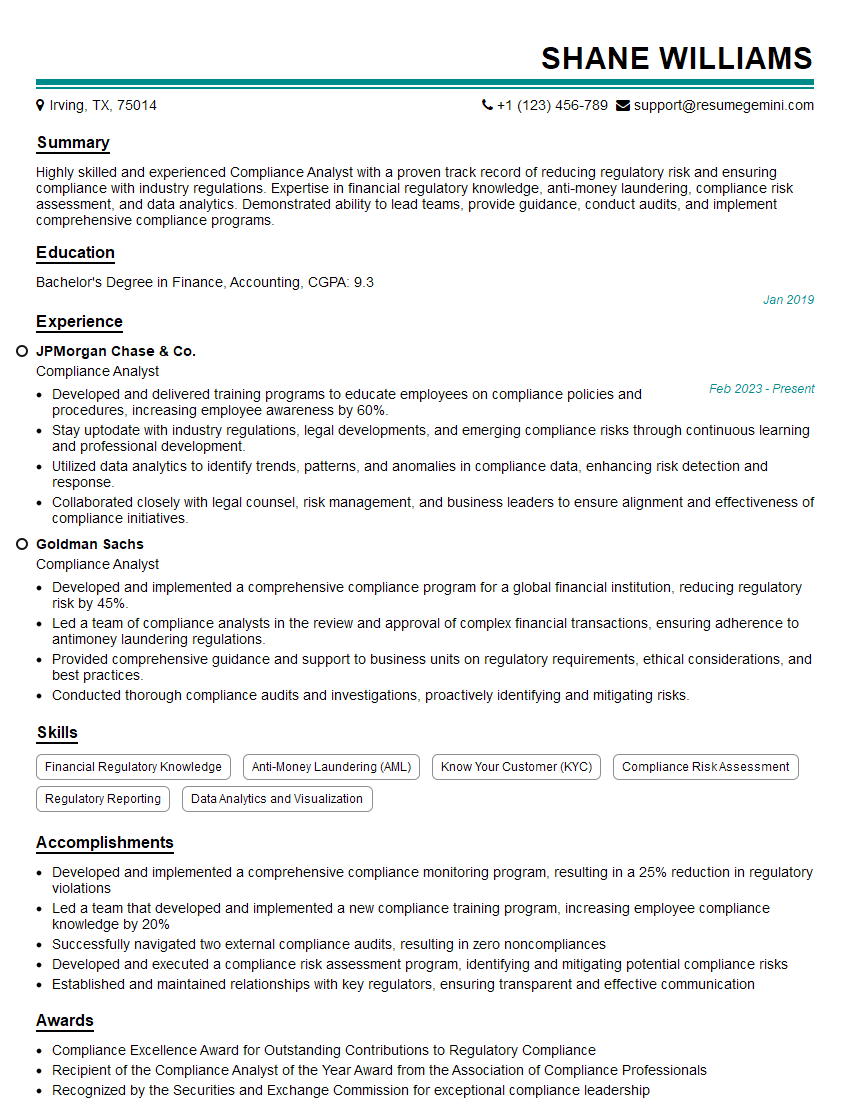
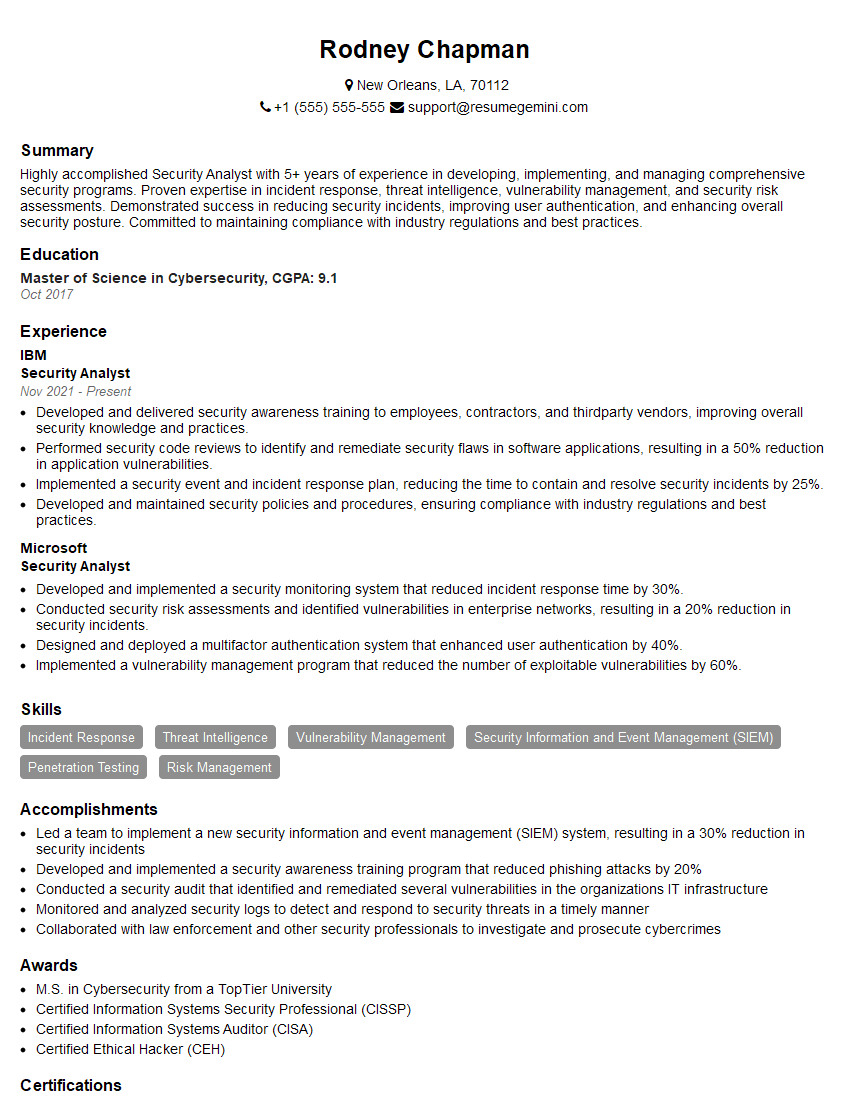
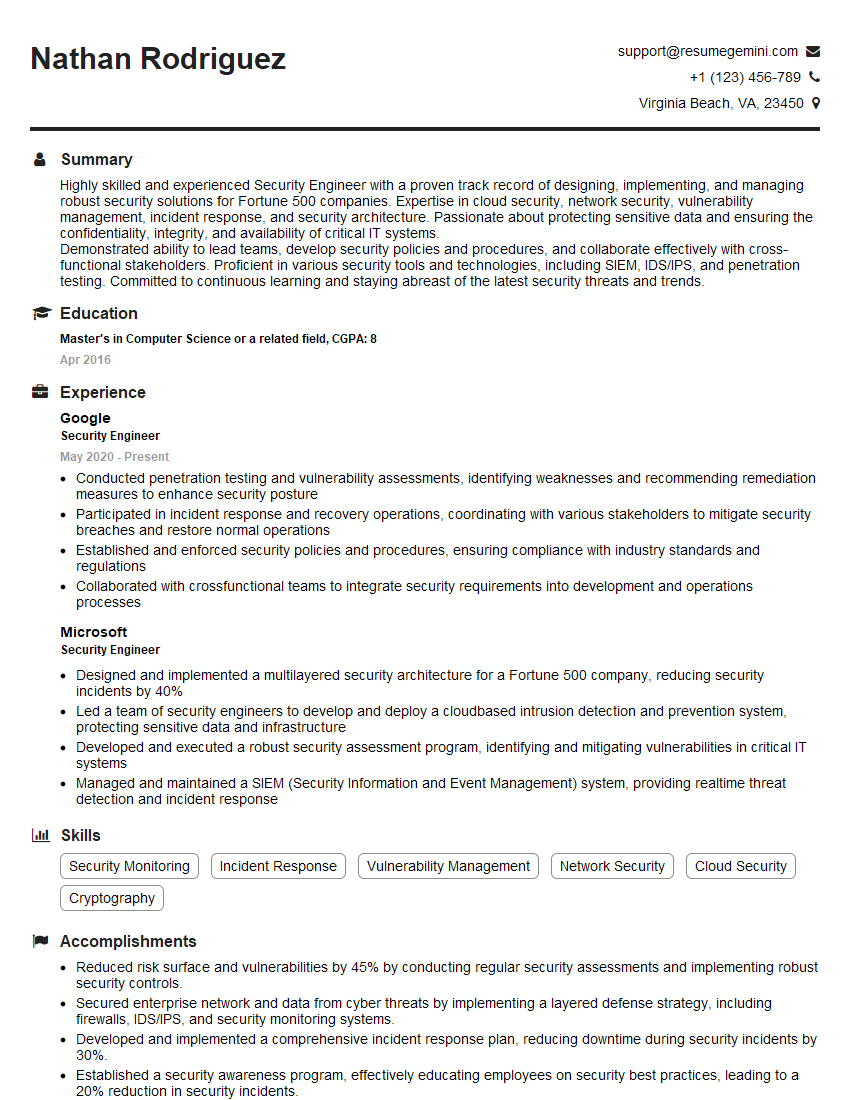
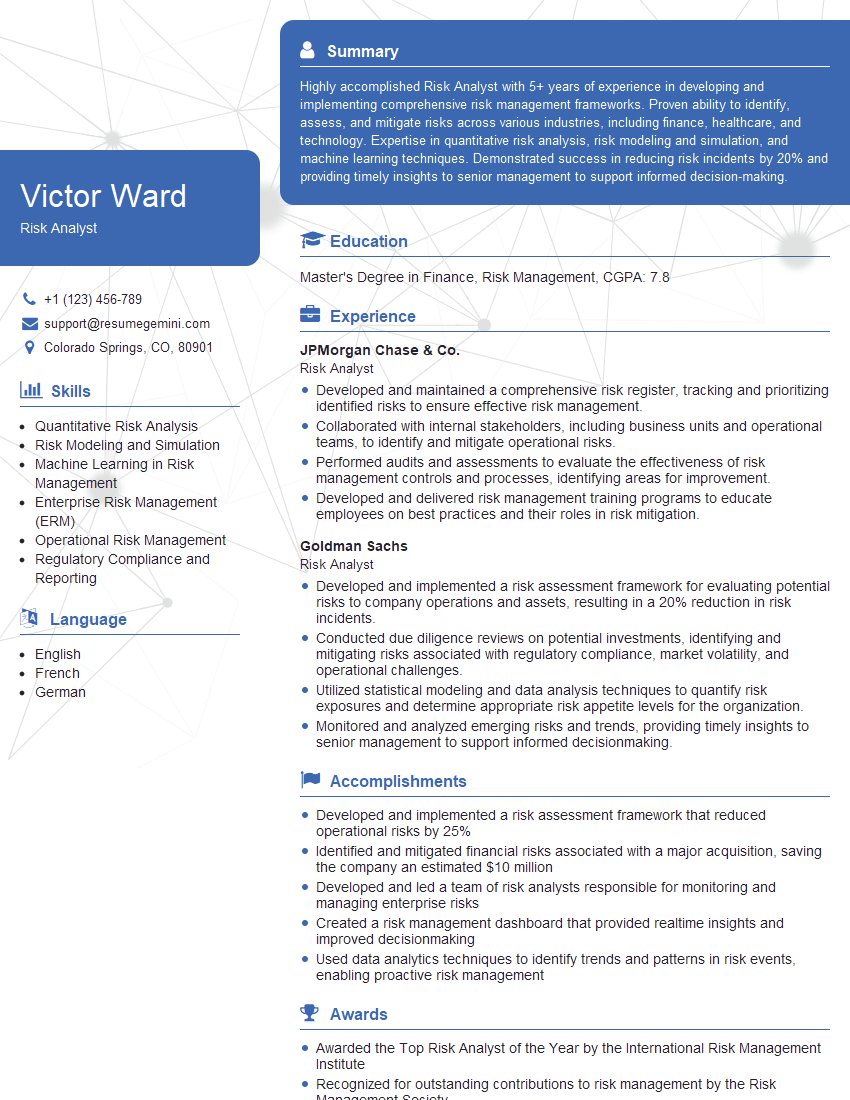
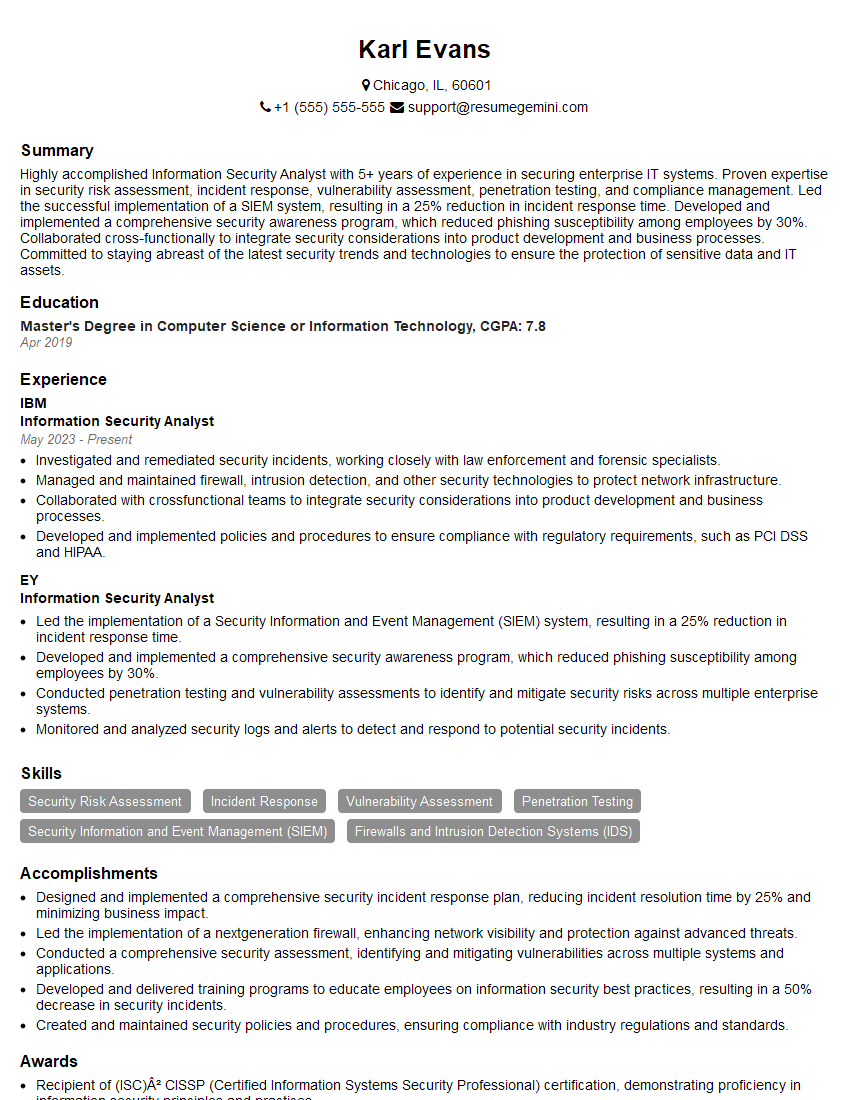
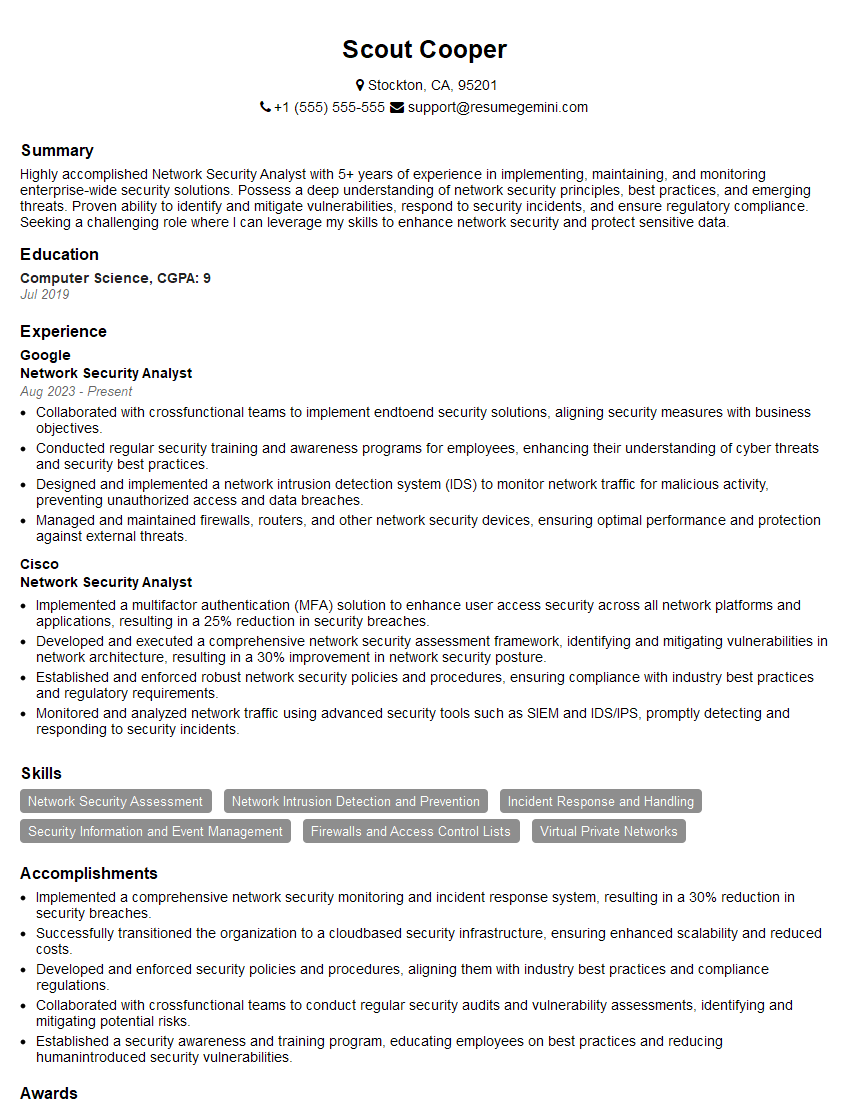
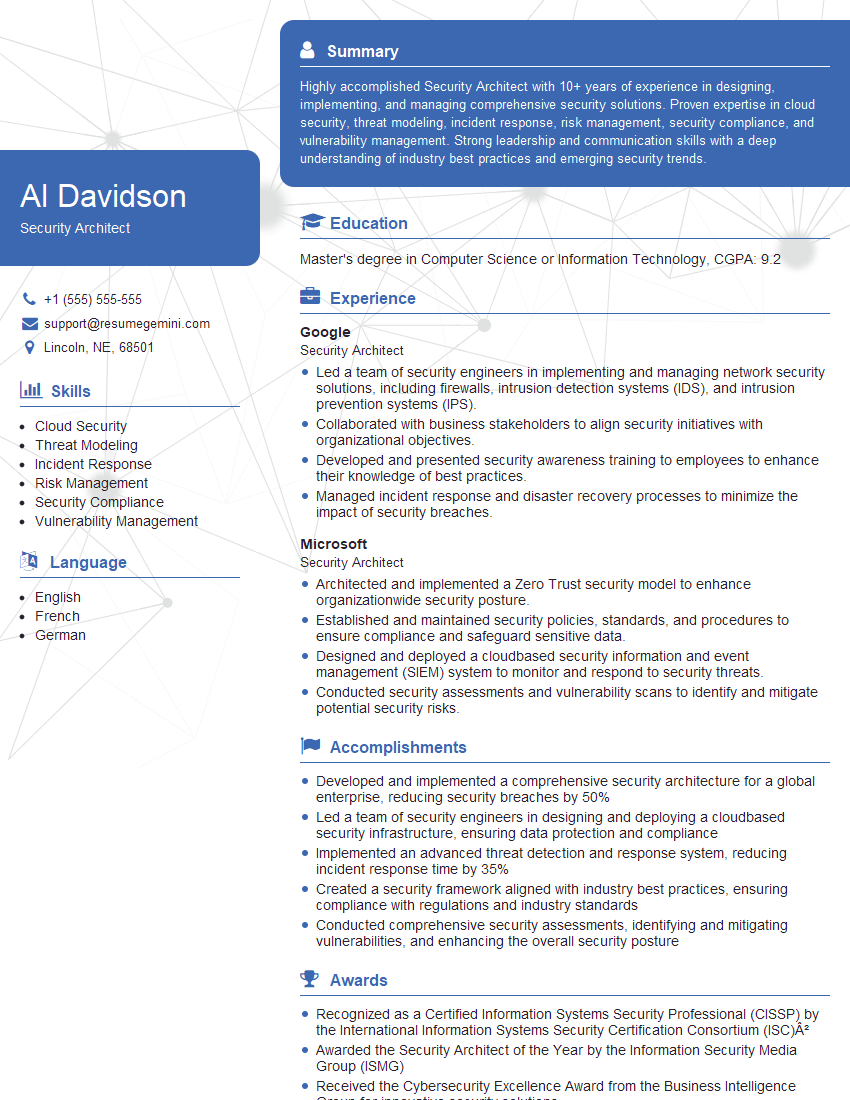
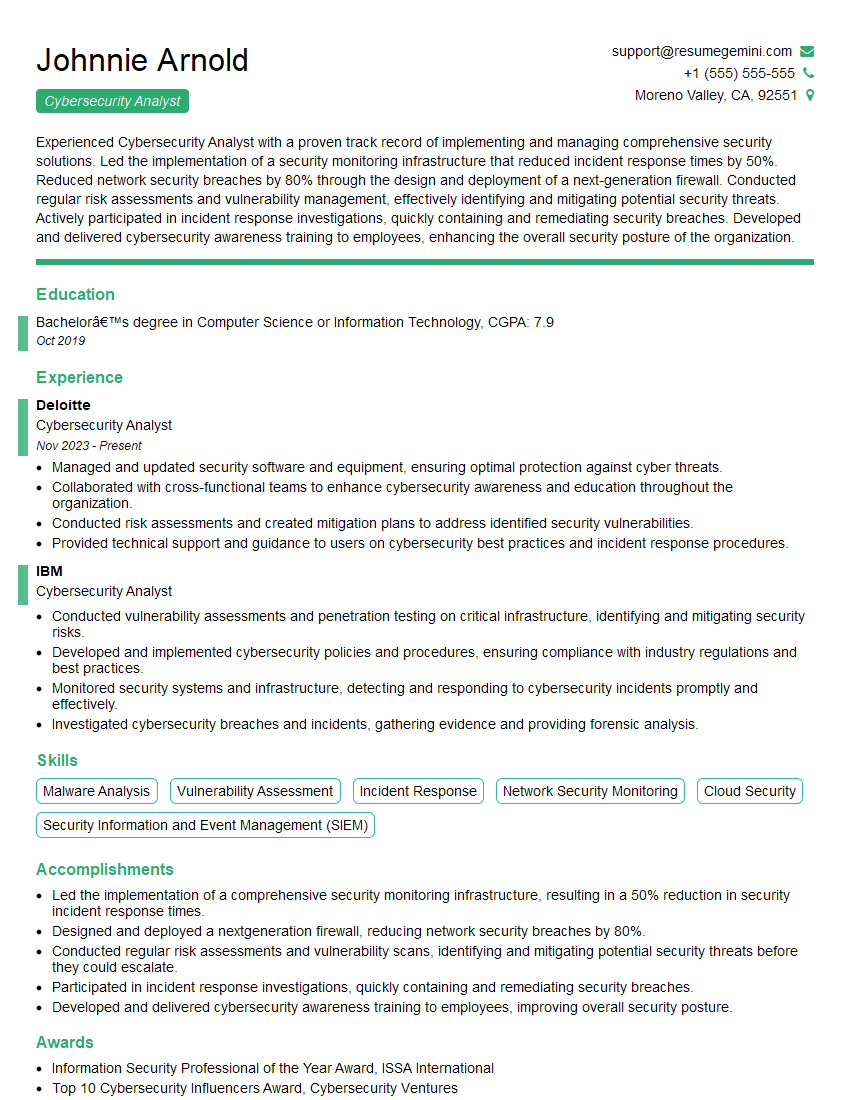
Mastering Cybersecurity Analysis opens doors to exciting and impactful careers, offering significant growth potential and high demand. To maximize your job prospects, crafting a compelling and ATS-friendly resume is crucial. ResumeGemini is a trusted resource to help you build a professional and effective resume that showcases your skills and experience effectively. Examples of resumes tailored to Cybersecurity Analysis are available to help guide your process, ensuring your qualifications shine.
Explore more articles
Users Rating of Our Blogs
Share Your Experience
We value your feedback! Please rate our content and share your thoughts (optional).
What Readers Say About Our Blog
Very informative content, great job.
good