Interviews are opportunities to demonstrate your expertise, and this guide is here to help you shine. Explore the essential Cybersecurity and Information Warfare interview questions that employers frequently ask, paired with strategies for crafting responses that set you apart from the competition.
Questions Asked in Cybersecurity and Information Warfare Interview
Q 1. Explain the difference between symmetric and asymmetric encryption.
Symmetric and asymmetric encryption are two fundamental approaches to securing data. The core difference lies in how they handle encryption and decryption keys.
Symmetric encryption uses the same secret key for both encryption and decryption. Think of it like a secret codebook shared between two people. Both use the same book to encrypt and decrypt messages. This is efficient, but the challenge is securely sharing that secret key. Examples include AES (Advanced Encryption Standard) and DES (Data Encryption Standard).
Asymmetric encryption, also known as public-key cryptography, uses two separate keys: a public key and a private key. The public key can be freely distributed, and it’s used to encrypt messages. Only the corresponding private key can decrypt the message. This elegantly solves the key distribution problem. Imagine a padlock with a unique key: anyone can lock it (encrypt) using the publicly available padlock, but only the owner with the private key can unlock it (decrypt). RSA (Rivest–Shamir–Adleman) and ECC (Elliptic Curve Cryptography) are common examples.
In practice, often hybrid approaches are used, combining the speed of symmetric encryption with the secure key exchange facilitated by asymmetric encryption. For instance, an asymmetric algorithm might be used to securely exchange a symmetric key, which is then used for faster encryption of the actual data.
Q 2. Describe the CIA triad (Confidentiality, Integrity, Availability).
The CIA triad – Confidentiality, Integrity, and Availability – represents the three core principles of information security. They form the foundation for building secure systems and protecting sensitive data.
- Confidentiality ensures that only authorized individuals or systems can access sensitive information. This involves measures like access controls, encryption, and data masking. Think of a bank account – only you and authorized personnel should have access to your balance.
- Integrity guarantees the accuracy and completeness of information and prevents unauthorized modification. This is achieved through techniques like checksums, digital signatures, and version control. Imagine an accounting ledger: if someone alters a transaction, it should be immediately apparent.
- Availability ensures that information and resources are accessible to authorized users when needed. This involves measures like redundancy, failover systems, and disaster recovery plans. Think of a website – it needs to be available to users when they try to access it, not just when it’s convenient.
These three pillars are interconnected. A breach in one area often impacts the others. For example, a successful attack that compromises confidentiality (e.g., a data breach) might also violate integrity (e.g., data alteration) and availability (e.g., system downtime).
Q 3. What are the key components of a security information and event management (SIEM) system?
A Security Information and Event Management (SIEM) system is a crucial tool for security monitoring and incident response. It collects, analyzes, and correlates security data from various sources to detect and respond to security threats in real-time. Key components include:
- Log Management: This is the core function, collecting security logs from various sources (firewalls, servers, applications, etc.).
- Security Monitoring: The system analyzes the collected logs to identify suspicious activity patterns and potential threats. It uses various techniques including correlation, anomaly detection, and pattern matching.
- Alerting and Notification: When a threat or suspicious activity is detected, the SIEM system generates alerts and notifications to security personnel, allowing for timely response.
- Incident Response: The SIEM system helps streamline incident response by providing investigators with the necessary information to understand the nature and scope of an incident, facilitating faster containment and remediation.
- Reporting and Compliance: The system produces reports on security events, trends, and compliance status, fulfilling regulatory requirements.
- Data Aggregation and Normalization: SIEMs collect data from disparate sources, which often use different formats and structures. The system normalizes the data, enabling unified analysis and correlation.
In essence, a SIEM acts as a central nervous system for security, providing real-time visibility into the security posture of an organization and enabling proactive threat detection and response.
Q 4. Explain the concept of a zero-trust security model.
The Zero Trust security model operates on the principle of “never trust, always verify.” Unlike traditional models that assume trust within the network perimeter, Zero Trust assumes no implicit trust, regardless of location (inside or outside the network). Every user and device, even those already inside the network, must be authenticated and authorized before accessing resources.
Key tenets of Zero Trust include:
- Microsegmentation: Dividing the network into smaller, isolated segments to limit the impact of breaches.
- Least Privilege Access: Granting users only the necessary access rights required for their job, minimizing the potential damage from compromised accounts.
- Continuous Authentication and Authorization: Regularly verifying the identity and access rights of users and devices, even after initial authentication.
- Strong Authentication Methods: Employing multi-factor authentication (MFA) and other robust authentication mechanisms to ensure strong identity verification.
- Data Encryption: Protecting data both in transit and at rest using encryption techniques.
Zero Trust is particularly relevant in today’s cloud-centric and distributed work environments where traditional perimeter-based security is less effective. By enforcing strict verification at every access point, Zero Trust significantly reduces the attack surface and mitigates the impact of successful breaches.
Q 5. What are common types of malware and how do they work?
Malware encompasses various malicious software designed to harm computer systems. Some common types include:
- Viruses: Self-replicating programs that attach to other files and spread when those files are executed. They often cause damage or disrupt system functionality.
- Worms: Self-replicating programs that spread independently across networks, often exploiting vulnerabilities. Unlike viruses, they don’t need to attach to other files.
- Trojans: Programs disguised as legitimate software that secretly perform malicious actions. They often provide attackers with remote access to the infected system.
- Ransomware: Malware that encrypts a victim’s files and demands a ransom for their release.
- Spyware: Software that secretly monitors a user’s activity and collects sensitive information like passwords and browsing history.
- Adware: Software that displays unwanted advertisements on a user’s computer.
- Rootkits: Software that hides its presence on a system and grants attackers persistent access, often granting administrator level control.
Malware operates through various techniques, including exploiting software vulnerabilities, social engineering (tricking users into executing malicious files), and using drive-by downloads (automatically downloading malware without user interaction).
Q 6. Describe different types of network attacks (e.g., DDoS, Man-in-the-Middle).
Network attacks exploit vulnerabilities in network infrastructure and communication protocols to compromise systems and steal data. Some common types include:
- Denial-of-Service (DoS) attacks: Overwhelm a target system with traffic, making it unavailable to legitimate users. A Distributed Denial-of-Service (DDoS) attack amplifies this by using multiple compromised systems (a botnet) to launch the attack.
- Man-in-the-Middle (MitM) attacks: The attacker intercepts communication between two parties, eavesdropping on their conversation or modifying the communication. This could involve intercepting encrypted traffic if the attacker obtains the encryption keys.
- SQL Injection attacks: Exploit vulnerabilities in database applications by injecting malicious SQL code into input fields, allowing the attacker to access or modify database data.
- Cross-Site Scripting (XSS) attacks: Inject malicious scripts into websites to steal user information or hijack sessions. This often involves tricking users into clicking malicious links or visiting compromised websites.
- Phishing attacks: Deceive users into revealing sensitive information (like usernames, passwords, and credit card details) by disguising themselves as trustworthy entities (e.g., banks, online retailers).
These attacks leverage various techniques, from exploiting known vulnerabilities to employing social engineering tactics. Understanding these attack vectors is critical for designing robust network security measures.
Q 7. Explain the process of vulnerability assessment and penetration testing.
Vulnerability assessment and penetration testing are crucial steps in ensuring the security of a system. They are distinct but complementary processes.
Vulnerability Assessment is a systematic process of identifying security weaknesses in a system or network. It involves using automated tools and manual techniques to scan for known vulnerabilities and misconfigurations. This process aims to provide a comprehensive inventory of potential security risks.
Penetration Testing, also known as ethical hacking, simulates real-world attacks to determine the effectiveness of existing security controls. Pen testers attempt to exploit identified vulnerabilities and assess the impact of a successful breach. Unlike vulnerability assessments, penetration testing focuses on actively testing the system’s defenses and identifying exploitable weaknesses.
The process typically involves:
- Planning and Scoping: Defining the objectives, target systems, and testing methodology.
- Information Gathering: Collecting information about the target systems and their configuration.
- Vulnerability Identification: Identifying potential vulnerabilities using automated tools and manual techniques.
- Exploitation: Attempting to exploit identified vulnerabilities to gain unauthorized access or control.
- Post-Exploitation: Assessing the impact of a successful breach, determining the extent of damage or data compromise, and analyzing the attacker’s capabilities.
- Reporting: Providing a comprehensive report detailing the findings, including the identified vulnerabilities, exploited weaknesses, and recommendations for remediation.
Regular vulnerability assessments and penetration testing are essential for maintaining a strong security posture and mitigating the risk of cyberattacks. They provide valuable insights into the system’s security weaknesses and allow for proactive remediation.
Q 8. What are the different phases of incident response?
Incident response follows a structured process to handle security breaches. Think of it like a well-orchestrated emergency response team. Each phase is crucial for minimizing damage and restoring systems.
- Preparation: This involves proactive measures like establishing incident response plans, defining roles and responsibilities, and creating communication channels. It’s like having a fire drill plan in place before a fire actually occurs.
- Identification: This is the detection of a security event. It could be anything from an alert triggered by your intrusion detection system (IDS) to a user reporting suspicious activity. This is identifying the smoke from the potential fire.
- Containment: This involves isolating the affected systems or networks to prevent further damage. Imagine isolating a burning room to prevent the fire from spreading to the rest of the building. This is crucial to limit the impact of the attack.
- Eradication: This is the removal of the threat. This involves identifying the root cause and taking the necessary steps to eliminate it, such as removing malware or patching vulnerabilities. This is extinguishing the fire.
- Recovery: This phase involves restoring affected systems and data. It’s like rebuilding after a fire, ensuring everything is back to normal, and even improved to prevent future incidents.
- Lessons Learned: This is a critical post-incident review. You analyze what went wrong, what worked well, and identify improvements to the incident response plan. This helps you improve your emergency response team and preparation for future events.
Q 9. How does a firewall work and what are its limitations?
A firewall acts like a gatekeeper for your network, controlling the flow of traffic in and out. It examines incoming and outgoing network packets based on pre-defined rules, blocking or allowing them accordingly. Think of it as a bouncer at a nightclub, selectively letting people in based on their credentials and behavior.
Firewalls can filter based on various criteria, including IP addresses, ports, protocols, and application content. They use packet filtering, stateful inspection, and application-level gateways to inspect and control traffic.
However, firewalls aren’t foolproof. Limitations include:
- Sophisticated attacks: Firewalls can be bypassed by advanced attacks like zero-day exploits that leverage unknown vulnerabilities.
- Internal threats: Firewalls primarily focus on external threats. They offer less protection against threats originating from within the network.
- Dependency on rules: Effective firewall management requires creating and maintaining comprehensive and accurate rules. Incorrect rules can either block legitimate traffic or allow malicious traffic through.
- Performance overhead: Inspecting every packet introduces performance overhead, especially with high-traffic networks.
Q 10. What are some common security protocols (e.g., TLS, SSH, IPsec)?
Several security protocols ensure secure communication over networks. They’re like different encryption methods to keep information private and prevent eavesdropping.
- TLS (Transport Layer Security): This protocol ensures secure communication over a network. It’s used to secure web traffic (HTTPS), encrypting data exchanged between a web browser and a server. Think of it as a secure tunnel for your online banking transactions.
- SSH (Secure Shell): SSH provides secure remote login and other secure network services over an unsecured network. It’s used for secure remote access to servers, and its encryption protects the data from prying eyes.
- IPsec (Internet Protocol Security): IPsec provides authentication and encryption for network traffic at the IP layer. It’s often used to secure VPN connections, creating a secure tunnel for communication between networks. Consider it as a secure private line for sensitive communication between two office branches.
Q 11. Explain the concept of risk assessment and management.
Risk assessment and management is a systematic process to identify, analyze, and mitigate security risks. It’s like a house inspection, pinpointing potential vulnerabilities and planning preventative measures.
Risk assessment identifies potential threats and vulnerabilities and analyzes their likelihood and impact. It answers ‘what could go wrong?’ and ‘how bad would it be?’
Risk management involves developing strategies to address these risks, prioritizing them based on their severity, and implementing controls to mitigate them. This includes implementing security measures to reduce likelihood of the risks occurring and reducing the impact if they do.
The process usually includes:
- Asset identification: Listing valuable assets like data, systems, and applications.
- Threat identification: Identifying potential threats like malware, phishing attacks, or insider threats.
- Vulnerability identification: Pinpointing weaknesses in your systems or security controls.
- Risk analysis: Evaluating the likelihood and impact of each risk.
- Risk response: Developing strategies to address the risks (e.g., mitigation, avoidance, transfer, acceptance).
- Monitoring and review: Regularly reviewing and updating the risk assessment and management plan.
Q 12. What are the key elements of a security awareness training program?
Security awareness training is crucial for educating employees about security threats and best practices. It’s like a fire safety training program, teaching everyone how to prevent and respond to incidents.
Key elements include:
- Phishing awareness: Educating employees on how to identify and avoid phishing emails and scams.
- Password security: Promoting strong password practices, including using unique passwords and password managers.
- Social engineering awareness: Teaching employees about social engineering tactics used by attackers and how to avoid them.
- Data security: Educating employees on data security policies and procedures, including data handling and access controls.
- Malware awareness: Teaching employees to identify and avoid malware, including ransomware, viruses, and trojans.
- Incident reporting: Training employees on how to report security incidents appropriately.
- Regular refresher training: Conducting training regularly to keep employees informed about the latest threats and best practices.
Effective training combines interactive modules, real-world scenarios, and regular assessments to ensure knowledge retention.
Q 13. Describe different authentication methods (e.g., multi-factor authentication).
Authentication methods verify the identity of a user or device. They’re like different ways to prove you are who you say you are.
- Something you know: This is typically a password or PIN. While simple, it is prone to being easily forgotten, cracked or phished.
- Something you have: This involves a physical device like a security token or a smart card. It adds a layer of security, but can be lost or stolen.
- Something you are: This uses biometrics like fingerprint, facial recognition, or iris scanning. While highly secure, it can be affected by technological failures or compromised through spoofing.
- Multi-factor authentication (MFA): This combines two or more of the above methods. For example, requiring a password and a code from a security token. This significantly enhances security by adding multiple layers of verification, making it much harder for attackers to gain access.
MFA is now considered a best practice for many sensitive systems due to its layered security approach.
Q 14. What are common cloud security threats and mitigation strategies?
Cloud security threats are similar to traditional IT security threats, but with a unique twist due to the shared responsibility model in cloud computing. The shared responsibility model divides security responsibilities between the cloud provider and the cloud customer.
Common threats include:
- Data breaches: Unauthorized access to sensitive data stored in the cloud.
- Account hijacking: Compromised user accounts granting attackers access to cloud resources.
- Misconfigurations: Incorrectly configured cloud resources leading to vulnerabilities.
- Insider threats: Malicious or negligent actions by employees or contractors with cloud access.
- Malware: Viruses, ransomware, or other malicious software targeting cloud environments.
- Denial-of-service (DoS) attacks: Attacks aimed at disrupting cloud services.
Mitigation strategies:
- Strong authentication and authorization: Implementing strong passwords, MFA, and least privilege access controls.
- Data encryption: Encrypting data both in transit and at rest.
- Regular security assessments: Conducting vulnerability scans and penetration testing.
- Secure configuration: Ensuring that cloud resources are configured securely according to best practices.
- Monitoring and logging: Implementing robust monitoring and logging to detect suspicious activities.
- Incident response plan: Developing and testing an incident response plan to address security incidents promptly.
Remember that cloud security is a shared responsibility. While the cloud provider takes care of the underlying infrastructure security, the customer is responsible for securing their data and applications.
Q 15. Explain the concept of data loss prevention (DLP).
Data Loss Prevention (DLP) is a set of strategies and technologies designed to prevent sensitive data from leaving an organization’s control. Think of it as a security perimeter, but for your data. It involves identifying, monitoring, and protecting confidential information across various platforms—from databases and emails to cloud storage and endpoints.
A DLP system typically uses several methods to achieve this:
- Data Discovery and Classification: First, it identifies where sensitive data resides. This involves scanning for keywords, regular expressions, or using machine learning to identify patterns indicative of sensitive data like credit card numbers, social security numbers, or intellectual property.
- Monitoring and Alerting: Once sensitive data is located, the system monitors its movement. If unauthorized access or transfer attempts are detected, alerts are triggered.
- Prevention: DLP tools can prevent data from leaving the organization through various mechanisms such as blocking emails with sensitive attachments, preventing data from being copied to USB drives, or restricting access based on pre-defined policies.
- Response and Remediation: When an incident occurs, DLP helps organizations respond quickly by providing information on the data breach and assisting in the remediation process.
Example: A bank might use DLP to prevent employees from emailing customer account details to personal email addresses. The system would scan outgoing emails, identify sensitive data, and block the email if it violates the bank’s policies.
Career Expert Tips:
- Ace those interviews! Prepare effectively by reviewing the Top 50 Most Common Interview Questions on ResumeGemini.
- Navigate your job search with confidence! Explore a wide range of Career Tips on ResumeGemini. Learn about common challenges and recommendations to overcome them.
- Craft the perfect resume! Master the Art of Resume Writing with ResumeGemini’s guide. Showcase your unique qualifications and achievements effectively.
- Don’t miss out on holiday savings! Build your dream resume with ResumeGemini’s ATS optimized templates.
Q 16. How does encryption protect data in transit and at rest?
Encryption is the process of transforming readable data (plaintext) into an unreadable format (ciphertext) using a cryptographic key. This key is essential for both encrypting and decrypting the data. Encryption protects data both in transit (while it’s being transferred) and at rest (while it’s stored).
Encryption in Transit: This protects data as it travels across networks, such as the internet or a company’s internal network. Examples include using HTTPS for secure web browsing (the ‘s’ stands for secure) and using VPNs (Virtual Private Networks) to encrypt data sent over public Wi-Fi.
Encryption at Rest: This protects data stored on hard drives, servers, cloud storage, and other storage media. This is crucial for protecting data even if a device is lost or stolen. Full disk encryption is a common method for protecting data at rest on laptops and servers.
Example: Imagine sending a credit card number to an online store. HTTPS encryption ensures that the number is scrambled during transmission, preventing eavesdroppers from intercepting it. Similarly, the store might use encryption at rest to protect the stored credit card numbers in their database.
Q 17. What is the difference between a virus, worm, and trojan horse?
These are three common types of malware (malicious software), each with distinct characteristics:
- Virus: A virus needs a host program or file to attach to and replicate itself. It spreads by infecting other files and programs. Think of it as a biological virus—it needs a host to survive and spread.
- Worm: A worm is a self-replicating program that can spread independently across networks without needing a host program. It actively seeks out vulnerabilities on systems and replicates itself, consuming network resources and potentially causing a denial-of-service.
- Trojan Horse: A trojan horse disguises itself as legitimate software. Users are tricked into installing it, often without realizing its malicious nature. Once installed, it can perform various harmful actions, from stealing data to giving attackers remote access to the system.
Key Differences: Viruses require a host, worms are self-replicating and network-borne, and trojans rely on deception to gain entry.
Example: A virus might infect a Word document. A worm might spread across a network by exploiting a security flaw in a server. A trojan horse might disguise itself as a game and install a keylogger to steal passwords.
Q 18. Describe the role of intrusion detection and prevention systems (IDS/IPS).
Intrusion Detection and Prevention Systems (IDS/IPS) are network security technologies designed to detect and respond to malicious activity. They act as guardians, monitoring network traffic and system activity for suspicious patterns.
IDS (Intrusion Detection System): An IDS primarily focuses on detecting malicious activities. It analyzes network traffic and system logs, identifying anomalies and potential intrusions. It generates alerts when suspicious events are detected, but it doesn’t automatically stop the attack. Think of it as a security guard who raises an alarm.
IPS (Intrusion Prevention System): An IPS goes a step further. It not only detects malicious activity but also takes action to prevent or mitigate the attack. This could involve blocking malicious traffic, resetting connections, or isolating infected systems. Think of it as a security guard who both raises the alarm and physically intervenes to stop the threat.
Example: An IDS might detect a port scan (an attempt to identify open ports on a system) and generate an alert. An IPS would, in addition to the alert, block the malicious traffic from the source of the scan, preventing further attempts.
Q 19. Explain the concept of social engineering and how to mitigate its risks.
Social engineering is a manipulation technique used by attackers to trick individuals into revealing confidential information or granting access to systems. It exploits human psychology rather than technical vulnerabilities. Think of it as a con artist targeting your trust.
Common Techniques:
- Phishing: Sending deceptive emails or text messages that appear to be from legitimate sources (e.g., banks, social media platforms) to trick users into revealing sensitive information.
- Baiting: Offering something desirable (e.g., a free gift card) to lure victims into clicking a malicious link or downloading malware.
- Pretexting: Creating a false scenario to gain the victim’s trust and obtain information. For instance, pretending to be a tech support representative.
- Quid Pro Quo: Offering a service or favor in exchange for sensitive information.
Mitigation Strategies:
- Security Awareness Training: Educate employees about common social engineering tactics and how to identify and report suspicious activities.
- Strong Password Policies: Enforce strong, unique passwords and encourage the use of multi-factor authentication.
- Verify Requests: Never share sensitive information unless you have independently verified the legitimacy of the request.
- Email Filtering and Spam Protection: Implement robust email security measures to filter out phishing emails.
Example: A phishing email might impersonate a bank, asking the recipient to update their account details by clicking a link that leads to a fake website.
Q 20. What are the legal and ethical considerations in cybersecurity?
Legal and ethical considerations in cybersecurity are paramount. Organizations and individuals must navigate a complex landscape of laws, regulations, and ethical principles to ensure responsible and lawful practices.
Legal Considerations:
- Data Protection Laws (e.g., GDPR, CCPA): These laws dictate how organizations can collect, use, and protect personal data. Failure to comply can result in substantial fines and legal repercussions.
- Cybersecurity Frameworks (e.g., NIST Cybersecurity Framework): These provide guidance on best practices for implementing cybersecurity measures. Compliance with these frameworks demonstrates due diligence and can mitigate legal liability.
- Computer Fraud and Abuse Act (CFAA): This US law criminalizes unauthorized access to computer systems and networks.
Ethical Considerations:
- Privacy: Respecting the privacy of individuals and organizations by protecting their data from unauthorized access.
- Transparency: Being transparent about security practices and data handling procedures.
- Accountability: Taking responsibility for security breaches and taking steps to prevent future incidents.
- Due Diligence: Implementing reasonable security measures to protect against threats.
Example: A company must comply with GDPR when processing personal data from EU citizens. Ethically, they must also be transparent about their data practices and take responsibility for any data breaches.
Q 21. Describe different types of denial-of-service (DoS) attacks.
Denial-of-Service (DoS) attacks aim to disrupt or shut down online services by overwhelming their resources. Various types exist, categorized by their approach and scale.
Types of DoS Attacks:
- Volumetric Attacks: These flood the target with massive amounts of traffic, consuming bandwidth and preventing legitimate users from accessing the service. Examples include UDP floods and ICMP floods.
- Protocol Attacks: These exploit vulnerabilities in network protocols to disrupt services. Examples include SYN floods (exploiting the TCP three-way handshake) and Smurf attacks (amplifying attacks using ICMP).
- Application-Layer Attacks: These target specific applications or services by sending malformed requests or exploiting vulnerabilities in the application’s code. Examples include HTTP floods and Slowloris attacks.
- Distributed Denial-of-Service (DDoS) Attacks: These are amplified versions of DoS attacks, using a network of compromised computers (botnet) to launch a coordinated attack. They are significantly more powerful and harder to defend against than simple DoS attacks.
Example: A volumetric attack might send a massive stream of UDP packets to a web server, exhausting its bandwidth and making it unavailable to users. A DDoS attack might utilize thousands of compromised devices to simultaneously flood the server with requests, rendering it unresponsive.
Q 22. Explain the role of blockchain technology in cybersecurity.
Blockchain technology, at its core, is a decentralized, immutable ledger. This inherent immutability offers significant advantages in cybersecurity. Imagine a record of all system access attempts, encrypted and stored across multiple locations – impossible to alter without detection. This is the essence of how blockchain can enhance security.
- Data Integrity: Because each block is cryptographically linked to the previous one, any tampering would be immediately apparent, ensuring the integrity of sensitive data. This is particularly useful for logging and auditing purposes, providing undeniable proof of actions taken.
- Enhanced Trust and Transparency: By distributing the ledger across multiple nodes, blockchain removes single points of failure and reduces the risk of data manipulation. This fosters greater trust in data authenticity, as multiple parties can independently verify its validity.
- Secure Identity Management: Blockchain can be used to create secure digital identities, making authentication more robust and less susceptible to phishing or credential stuffing attacks. Decentralized identity solutions offer improved user privacy and control.
- Supply Chain Security: Tracking the movement and authenticity of products throughout the supply chain using blockchain helps prevent counterfeit goods and ensures the integrity of the entire process.
For example, imagine a medical supply chain where each drug’s journey is logged on a blockchain. Counterfeiting becomes extremely difficult because the history of the drug is transparent and verifiable.
Q 23. What is the importance of security patching and vulnerability management?
Security patching and vulnerability management are cornerstones of any robust cybersecurity posture. Think of it as regularly maintaining your home’s security system – fixing vulnerabilities before attackers can exploit them. Failure to do so leaves your systems vulnerable to attacks.
- Mitigating Risks: Patches address known vulnerabilities in software and hardware, preventing attackers from exploiting them to gain unauthorized access or cause damage. This significantly reduces the attack surface.
- Compliance: Many industry regulations and compliance standards (like HIPAA, PCI DSS) mandate regular patching and vulnerability management to ensure data security and privacy. Failing to comply can lead to hefty fines and legal repercussions.
- Reducing Downtime: While patching can involve some downtime, it’s far less disruptive than dealing with a full-blown security breach. Addressing vulnerabilities promptly minimizes the chances of system failures and data loss.
- Proactive Defense: Patching and vulnerability management are proactive rather than reactive measures. They strengthen the defenses before an attack happens, preventing breaches instead of simply responding to them.
A real-world example is the WannaCry ransomware attack in 2017. Many victims were infected because they hadn’t patched a known vulnerability in their Windows systems. This highlights the critical importance of promptly addressing known vulnerabilities.
Q 24. Describe your experience with security tools such as SIEM, SOAR, and EDR.
My experience encompasses a wide range of security tools, including SIEM (Security Information and Event Management), SOAR (Security Orchestration, Automation, and Response), and EDR (Endpoint Detection and Response). These tools are crucial for effective threat detection and response.
- SIEM: I’ve extensively used SIEM solutions like Splunk and QRadar to collect and analyze security logs from various sources. This allows for the detection of suspicious activities and security incidents, providing valuable insights into threats and their impact. For example, I used Splunk to detect a pattern of unusual login attempts originating from a specific geographical location, quickly identifying a potential compromise attempt.
- SOAR: SOAR platforms, such as IBM Resilient and Palo Alto Networks Cortex XSOAR, have been instrumental in automating incident response processes. I’ve used these tools to streamline workflows, reduce response times, and improve the efficiency of incident handling by automating tasks like threat hunting, malware analysis, and containment.
- EDR: EDR solutions, such as CrowdStrike Falcon and Carbon Black, provide real-time visibility into endpoint activity. This has proven invaluable in detecting and responding to advanced threats, including malware and insider threats. I leveraged EDR to detect and isolate a compromised machine before the attacker could exfiltrate sensitive data.
These tools work synergistically. SIEM provides context and visibility, SOAR automates responses, and EDR provides detailed information about endpoint behavior, creating a comprehensive security ecosystem.
Q 25. How do you stay up-to-date with the latest cybersecurity threats and vulnerabilities?
Staying current in cybersecurity requires a multi-faceted approach. The threat landscape is constantly evolving, so continuous learning is paramount.
- Threat Intelligence Feeds: I subscribe to various threat intelligence feeds from reputable sources like the SANS Institute, Recorded Future, and threat intelligence platforms provided by security vendors. This keeps me informed about emerging threats and vulnerabilities.
- Security Blogs and Publications: I regularly read security blogs, research papers, and industry publications (e.g., Krebs on Security, Dark Reading) to stay abreast of the latest trends and techniques.
- Security Conferences and Webinars: Participating in industry conferences (like Black Hat, DEF CON) and webinars is invaluable for learning about new technologies and threats from leading experts.
- Certifications and Training: Continuous professional development through certifications (e.g., CISSP, CISM) and training courses ensures I maintain a high level of technical expertise and knowledge.
- Vulnerability Databases: I regularly monitor vulnerability databases like the National Vulnerability Database (NVD) to identify and prioritize vulnerabilities affecting our systems.
This combined approach ensures that I’m always prepared for the latest threats and equipped to defend against them effectively.
Q 26. Explain your understanding of the kill chain model.
The Lockheed Martin Cyber Kill Chain is a widely used model that outlines the phases of a cyberattack. It helps security professionals understand the adversary’s actions and provides a framework for developing defensive strategies. Think of it as a map of an attacker’s journey.
- Reconnaissance: Attackers gather information about their target.
- Weaponization: Attackers create a malicious payload (e.g., malware).
- Delivery: Attackers deliver the payload to the target (e.g., phishing email).
- Exploitation: Attackers exploit a vulnerability to gain access.
- Installation: Attackers install malware or other tools on the target system.
- Command and Control: Attackers establish communication with the compromised system.
- Actions on Objectives: Attackers achieve their goals (e.g., data theft, system disruption).
Understanding the kill chain allows security teams to implement appropriate defenses at each stage, disrupting the attacker’s progress and mitigating the impact of an attack. For instance, implementing strong email security can disrupt the delivery phase, while intrusion detection systems can detect exploitation attempts.
Q 27. How would you handle a security incident?
Handling a security incident requires a structured and methodical approach. My response follows a well-defined incident response plan, typically adhering to the NIST Cybersecurity Framework or similar methodologies.
- Preparation: This involves establishing incident response procedures, identifying key personnel, and defining communication protocols. This stage is crucial for effective response.
- Identification: Detecting and confirming the incident is the first step. This may involve analyzing security logs, alerts from security tools, or user reports.
- Containment: Isolating the affected systems to prevent further damage or spread of the attack is critical. This might involve disconnecting systems from the network or blocking malicious traffic.
- Eradication: Removing the threat from the affected systems. This could involve deleting malware, patching vulnerabilities, or resetting compromised accounts.
- Recovery: Restoring affected systems to their operational state. This includes data recovery, system restoration, and application reconfiguration.
- Lessons Learned: Analyzing the incident to identify vulnerabilities, improve security measures, and prevent future incidents. This crucial step ensures continuous improvement.
For example, in a ransomware incident, I would immediately isolate the infected system, initiate data backups from unaffected systems, and then work to eradicate the ransomware and recover data. A post-incident review would analyze the cause of the breach and update security policies to prevent similar incidents.
Q 28. Explain your experience with incident response methodologies such as NIST or ISO 27001.
My incident response experience heavily draws upon established frameworks like NIST and ISO 27001. These provide a structured and comprehensive approach to incident management.
- NIST Cybersecurity Framework: I have utilized the NIST framework’s five functions – Identify, Protect, Detect, Respond, and Recover – to guide incident response activities. Its risk-based approach helps prioritize responses and resources effectively.
- ISO 27001: My experience with ISO 27001 compliance has emphasized the importance of having a robust information security management system (ISMS) in place. This framework provides a structured approach to managing risks and incidents, ensuring a consistent and effective response.
In practice, this translates into developing detailed incident response plans that align with these frameworks, creating runbooks for common scenarios, regularly testing incident response procedures, and ensuring adequate training for incident response teams. This ensures we can respond efficiently and effectively to any security incident, minimizing its impact on our organization.
Key Topics to Learn for Cybersecurity and Information Warfare Interview
- Network Security Fundamentals: Understanding network topologies, protocols (TCP/IP, UDP), and common vulnerabilities like SQL injection and cross-site scripting. Practical application: Explain how you would design a secure network for a small business.
- Cryptography and Encryption: Knowledge of symmetric and asymmetric encryption, hashing algorithms, and digital signatures. Practical application: Describe the strengths and weaknesses of different encryption methods and when you would choose one over another.
- Incident Response and Forensics: Understanding the process of identifying, containing, and eradicating security incidents. Practical application: Outline your approach to investigating a suspected data breach.
- Vulnerability Assessment and Penetration Testing: Experience with vulnerability scanners, ethical hacking techniques, and penetration testing methodologies. Practical application: Explain how you would conduct a penetration test on a web application.
- Security Architecture and Design: Designing secure systems and applications, incorporating security principles throughout the development lifecycle. Practical application: Describe how you would design a secure cloud infrastructure.
- Information Warfare Concepts: Understanding the strategies and tactics used in information warfare, including disinformation campaigns, cyber espionage, and propaganda. Practical application: Analyze a hypothetical information warfare scenario and propose countermeasures.
- Threat Modeling and Risk Management: Identifying and assessing potential threats and vulnerabilities, developing mitigation strategies. Practical application: Explain how you would conduct a threat model for a new software application.
- Compliance and Regulations: Familiarity with relevant security standards and regulations (e.g., GDPR, HIPAA). Practical application: Discuss the implications of a specific regulation on a company’s security posture.
- Cloud Security: Understanding the security considerations specific to cloud environments (e.g., AWS, Azure, GCP). Practical application: Explain how you would secure data stored in a cloud-based database.
- Data Loss Prevention (DLP): Implementing measures to prevent sensitive data from leaving the organization’s control. Practical application: Discuss different DLP strategies and their effectiveness.
Next Steps
Mastering Cybersecurity and Information Warfare opens doors to exciting and impactful careers, offering high demand and excellent growth potential. A strong, ATS-friendly resume is crucial for maximizing your job prospects. To create a truly compelling resume that showcases your skills and experience effectively, we recommend using ResumeGemini. ResumeGemini provides a streamlined process for building professional resumes, and we offer examples of resumes specifically tailored to Cybersecurity and Information Warfare roles to help guide you. Take the next step in your career journey – build a resume that makes a statement.

Compliance Officer Resume Sample

Security Consultant Resume Sample

Security Engineer Resume Sample
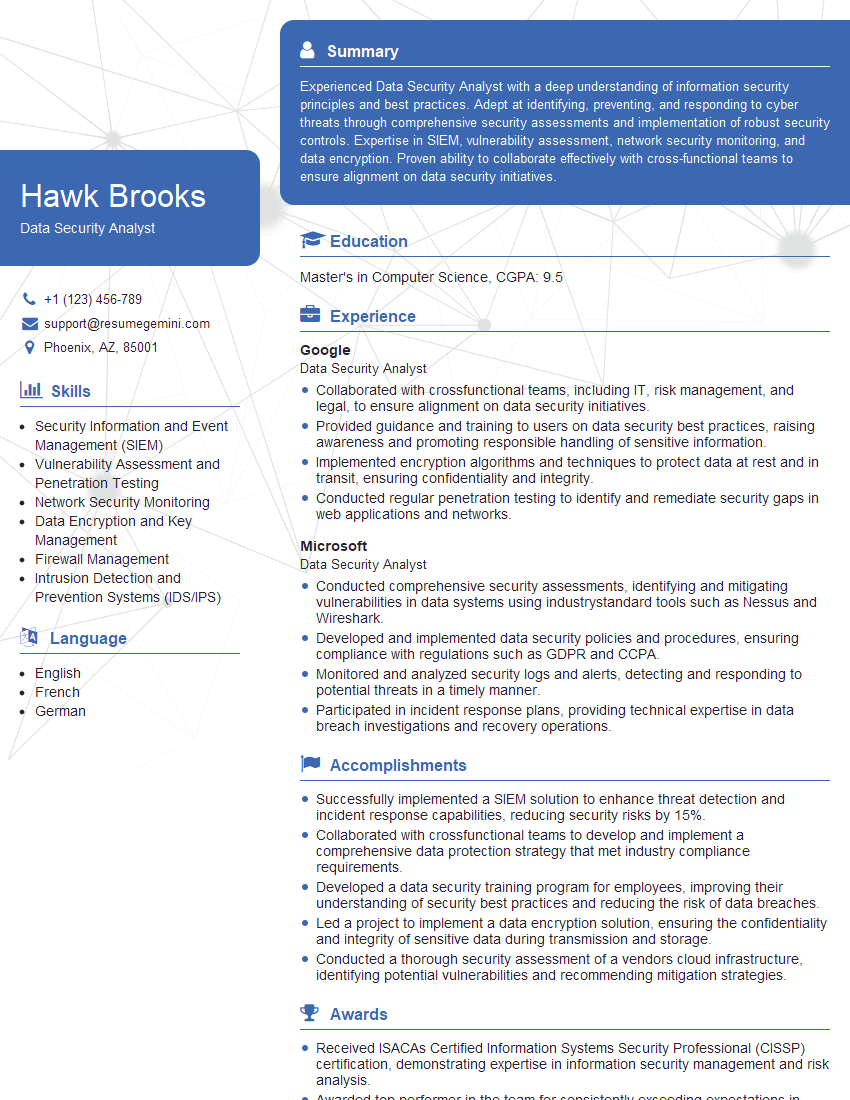
Data Security Analyst Resume Sample

Information Security Manager Resume Sample

Network Security Engineer Resume Sample

Security Architect Resume Sample

Cybersecurity Analyst Resume Sample
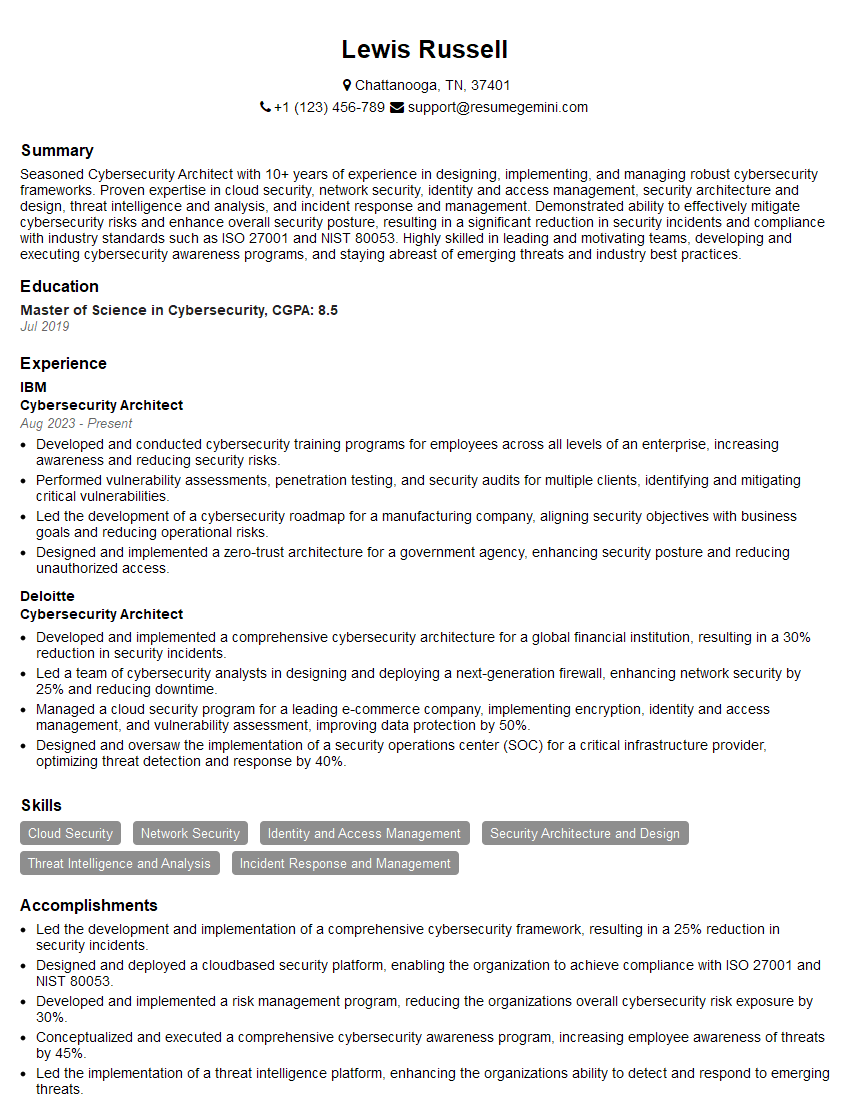
Cybersecurity Architect Resume Sample
Explore more articles
Users Rating of Our Blogs
Share Your Experience
We value your feedback! Please rate our content and share your thoughts (optional).
What Readers Say About Our Blog
Very informative content, great job.
good