The right preparation can turn an interview into an opportunity to showcase your expertise. This guide to Data Management and Archival interview questions is your ultimate resource, providing key insights and tips to help you ace your responses and stand out as a top candidate.
Questions Asked in Data Management and Archival Interview
Q 1. Explain the difference between data management and data governance.
Data management and data governance are closely related but distinct concepts. Think of data management as the how and data governance as the what, why, and who.
Data management focuses on the technical aspects of handling data throughout its lifecycle – from creation and storage to processing, archiving, and disposal. This includes tasks like database administration, data integration, and data quality control. It’s about the mechanics of keeping data organized, accessible, and usable.
Data governance, on the other hand, is a broader, more strategic approach. It defines policies, processes, and responsibilities for managing data to ensure its quality, integrity, and compliance with regulations. It’s about establishing a framework to make sure data is used consistently, accurately, and ethically. It sets the rules and accountability for data management.
Analogy: Imagine building a house. Data management is like building the house itself – laying the foundation, framing the walls, installing plumbing, etc. Data governance is like creating the blueprints, obtaining permits, and establishing regulations for how the house will be used and maintained.
Q 2. Describe your experience with data modeling techniques.
I have extensive experience with various data modeling techniques, including entity-relationship diagrams (ERDs), dimensional modeling (star schema, snowflake schema), and NoSQL data modeling. I’ve used these techniques in diverse projects, from designing relational databases for customer relationship management (CRM) systems to building data warehouses for business intelligence (BI) reporting.
For example, in a recent project for a large e-commerce company, I employed a dimensional model to design their data warehouse. This involved identifying key business dimensions (e.g., time, product, customer) and facts (e.g., sales amount, quantity sold). The star schema facilitated efficient querying and reporting on sales performance, allowing the business to gain valuable insights into customer behavior and product trends. I also incorporated data profiling techniques to understand the characteristics of each data source, helping optimize the data warehouse’s performance and scalability. In another project, a NoSQL document database was selected for an application that required flexible schema and high scalability. I created a flexible model which facilitated rapid development and easier data manipulation.
My experience extends beyond model creation; I’m proficient in using modeling tools such as ERwin Data Modeler and Lucidchart to visualize and document data models effectively, ensuring clear communication and collaboration amongst team members.
Q 3. What are the key components of a successful data governance program?
A successful data governance program rests on several key components:
- Data Governance Council/Steering Committee: A high-level group that sets the overall strategy and direction for data governance.
- Data Policies and Standards: Clearly defined rules and guidelines for data quality, security, and usage.
- Data Ownership and Accountability: Assigning clear responsibility for data management to specific individuals or teams.
- Data Quality Management: Implementing processes to ensure data accuracy, completeness, consistency, and timeliness.
- Metadata Management: Managing information about data, including its source, format, and meaning.
- Data Security and Privacy: Protecting data from unauthorized access and misuse, complying with relevant regulations (e.g., GDPR, CCPA).
- Data Architecture and Infrastructure: Designing and managing the systems and technologies that support data management.
- Data Literacy Training: Educating employees on the importance of data governance and best practices.
- Monitoring and Reporting: Regularly tracking key metrics to assess the effectiveness of the data governance program.
These components work together to create a comprehensive framework for managing data effectively and efficiently. The success of a data governance program hinges on strong leadership, clear communication, and ongoing monitoring and improvement.
Q 4. How do you ensure data quality throughout its lifecycle?
Ensuring data quality throughout its lifecycle requires a proactive and multi-faceted approach. It’s not a one-time fix, but a continuous process.
Proactive Measures:
- Data Profiling and Cleansing: Analyzing data to identify and correct errors, inconsistencies, and duplicates before it enters the system.
- Data Validation Rules: Implementing rules and constraints to ensure data meets predefined standards during data entry and updates.
- Master Data Management (MDM): Establishing a single, authoritative source for critical business data to ensure consistency and accuracy.
- Data Standardization: Defining and enforcing consistent data formats and naming conventions.
Reactive Measures:
- Data Quality Monitoring: Regularly assessing data quality using automated tools and manual checks to detect and address issues as they arise.
- Data Quality Dashboards: Visualizing key data quality metrics to provide insights into the overall health of data.
- Root Cause Analysis: Investigating the causes of data quality problems to prevent recurrence.
- Data Remediation: Correcting identified data quality issues.
By combining proactive and reactive measures, organizations can build a robust data quality management program that ensures accurate, reliable, and trustworthy data for decision-making.
Q 5. Explain your understanding of metadata and its importance in data management.
Metadata is data about data. It provides context and meaning to the actual data, making it easier to understand, manage, and use effectively. Think of it as the descriptive information that accompanies your data, like the title, author, and publication date of a book.
Importance in Data Management:
- Discoverability: Metadata helps users find and understand the data they need.
- Data Quality: Metadata helps track data lineage, provenance, and quality metrics.
- Data Governance: Metadata enables enforcing data policies and standards.
- Data Integration: Metadata facilitates integration of data from diverse sources.
- Data Archiving and Retention: Metadata supports efficient management of archived data.
Example: A metadata record for a sales transaction might include information like the transaction date, customer ID, product ID, sales amount, and currency. This metadata helps users understand the context of the data and facilitates reporting and analysis.
Effective metadata management is crucial for successful data management and data governance. Without it, data can become difficult to find, understand, and use, leading to inefficiencies and poor decision-making.
Q 6. What are some common data security threats and how can they be mitigated?
Data security threats are numerous and constantly evolving. Some common threats include:
- Unauthorized Access: Gaining access to data without proper authorization, often through hacking or phishing attacks.
- Data Breaches: Unauthorized disclosure of sensitive data, often resulting in reputational damage and financial losses.
- Malware: Malicious software that can infect systems and steal or damage data.
- Insider Threats: Malicious or negligent actions by employees or other insiders.
- Data Loss: Accidental or intentional deletion or corruption of data.
Mitigation Strategies:
- Access Control: Restricting access to data based on roles and responsibilities.
- Encryption: Protecting data by converting it into an unreadable format.
- Network Security: Implementing firewalls, intrusion detection systems, and other security measures to protect network infrastructure.
- Data Loss Prevention (DLP): Preventing sensitive data from leaving the organization’s control.
- Regular Security Audits: Identifying vulnerabilities and ensuring compliance with security standards.
- Employee Training: Educating employees about security threats and best practices.
- Incident Response Plan: Having a plan in place to handle security incidents effectively.
A layered security approach, combining multiple mitigation strategies, is crucial to minimize the risk of data security breaches.
Q 7. Describe your experience with data warehousing and ETL processes.
I have significant experience with data warehousing and ETL (Extract, Transform, Load) processes. I’ve been involved in designing, implementing, and maintaining data warehouses for various clients across diverse industries.
My experience includes working with various ETL tools like Informatica PowerCenter and SSIS (SQL Server Integration Services). I’m familiar with different data warehouse architectures, including star schemas and snowflake schemas, and I know how to choose the appropriate architecture based on the business requirements and data characteristics. For example, in a project for a telecommunications company, we used a star schema to model customer call detail records (CDRs) and billing data. This allowed for fast query performance for reporting on customer usage patterns and revenue generation. This involved designing the ETL process to cleanse and transform CDRs, billing, and customer information from different source systems, loading them into the data warehouse, and ensuring data integrity and consistency.
I understand the importance of performance optimization in ETL processes and have experience implementing techniques such as data partitioning, indexing, and parallel processing to improve efficiency. I also have experience with data quality checks throughout the ETL process and using monitoring tools to track data volume, processing time, and error rates, allowing for timely identification and resolution of issues.
Q 8. How do you handle data migration projects?
Data migration is a complex process involving moving data from one system to another. A successful migration requires meticulous planning, execution, and validation. My approach involves several key phases:
- Assessment and Planning: This crucial initial phase involves a thorough analysis of the source and target systems, identifying data volume, structure, and dependencies. We define clear objectives, timelines, and resource allocation. For example, I’d analyze database schemas, identify data transformations needed, and estimate migration time based on data volume and network bandwidth.
- Data Extraction, Transformation, and Loading (ETL): This phase uses specialized tools to extract data from the source system, transform it according to the target system’s requirements (e.g., data type conversions, cleaning, and deduplication), and load it into the target system. We often employ scripting languages like Python or ETL tools like Informatica to automate this process. For instance, I’ve used Python with libraries like Pandas and SQLAlchemy to efficiently handle large datasets and ensure data integrity.
- Testing and Validation: Before going live, rigorous testing is crucial. This involves comparing data in the source and target systems to identify any discrepancies. This often uses techniques like checksum verification or record-level comparisons. This step ensures data accuracy and completeness.
- Go-Live and Post-Migration Support: The final phase involves a phased rollout to minimize disruption, followed by ongoing monitoring and support. This could involve establishing a monitoring dashboard to track data quality and system performance.
For example, I recently led a migration project for a large financial institution moving from a legacy mainframe system to a cloud-based data warehouse. The project involved migrating terabytes of data with minimal downtime, requiring careful planning and phased execution.
Q 9. What are your preferred methods for data backup and recovery?
Data backup and recovery are paramount for business continuity. My preferred methods incorporate a multi-layered approach, combining different strategies for redundancy and resilience:
- Full and Incremental Backups: I utilize a combination of full backups (copying all data) and incremental backups (copying only changes since the last backup) to optimize storage space and backup time. This strategy allows for faster recovery times.
- Versioning and Snapshots: To ensure data recoverability, I leverage versioning systems and snapshots, creating point-in-time copies of the data. This is particularly valuable for managing accidental deletions or data corruption.
- Offsite Storage: I always recommend storing backups offsite, in a geographically separate location to protect against physical disasters like fires or floods. Cloud storage providers are a commonly used method for offsite backup.
- Regular Testing and Drills: Regular testing and disaster recovery drills are vital to ensure the backup and recovery process works effectively in a real-world scenario. This might involve restoring a subset of data from backup to a test environment.
For example, in a previous role, we implemented a three-site backup strategy using cloud storage for offsite backups, ensuring business continuity in case of regional disasters. Regular tests ensured our RTO (Recovery Time Objective) and RPO (Recovery Point Objective) were met.
Q 10. Explain your experience with different database management systems (DBMS).
My experience spans several DBMS, including relational databases like Oracle, MySQL, PostgreSQL, and NoSQL databases like MongoDB and Cassandra. I’m proficient in SQL and NoSQL query languages, database design, optimization, and administration.
Relational Databases: I’ve worked extensively with Oracle, known for its scalability and reliability in enterprise environments, and MySQL, a more cost-effective option for smaller projects. I’m familiar with database normalization techniques, indexing strategies, and query optimization to enhance database performance. For example, I optimized a slow-running query in a MySQL database by creating an index on a frequently queried column, significantly improving response time.
NoSQL Databases: My experience with MongoDB and Cassandra has provided expertise in handling large-scale, unstructured data. I’ve used MongoDB for document-oriented data storage, leveraging its flexibility and scalability. Cassandra’s distributed nature has proved useful in building highly available and fault-tolerant systems.
My choice of DBMS depends on the specific project needs and data characteristics. For example, a project requiring high transaction throughput and ACID properties would benefit from a relational database, while a project dealing with large volumes of semi-structured data would be more suitable for a NoSQL database.
Q 11. How do you manage data retention and disposal policies?
Data retention and disposal policies are crucial for compliance and security. My approach focuses on defining clear policies based on legal, regulatory, and business requirements. These policies outline which data needs to be retained, for how long, and how it should be securely disposed of.
Policy Creation: I work with stakeholders to identify relevant data categories and determine appropriate retention periods, considering legal mandates (e.g., GDPR, HIPAA) and business needs. A well-defined policy will clearly specify the retention period for each data type.
Implementation and Monitoring: This involves integrating the retention policies into data management systems, utilizing features such as automated data archiving and deletion. We also monitor adherence to these policies, regularly auditing data stores to ensure compliance.
Secure Disposal: Secure disposal methods, such as data sanitization or destruction, are implemented to ensure confidential data is irretrievably deleted when no longer needed. This is particularly crucial for sensitive data like Personally Identifiable Information (PII).
Example: I developed and implemented a data retention policy for a healthcare organization, ensuring compliance with HIPAA regulations. This policy specified retention periods for patient records, medical images, and other sensitive data, and incorporated secure disposal mechanisms for data no longer needed.
Q 12. Describe your experience with data archival and retrieval processes.
Data archival and retrieval are essential for long-term data preservation and access. My experience encompasses various archiving methods, including:
- Data Migration to Archival Storage: This involves moving data to cost-effective storage tiers, typically lower-cost cloud storage or tape libraries, designed for long-term storage. Metadata management is crucial for efficient retrieval.
- Metadata Management: Comprehensive metadata (data about data) is crucial for locating and retrieving archived data. This includes information like data origin, date, format, and any relevant context.
- Data Compression and Deduplication: To optimize storage space and reduce retrieval times, we use data compression and deduplication techniques to eliminate redundant data.
- Access Control and Security: Robust access controls and security measures are implemented to ensure only authorized personnel can access the archived data. This often involves encryption and authentication mechanisms.
- Retrieval Processes: Retrieval involves locating the required data based on metadata, extracting it, and converting it into a usable format. This process needs to be efficient and reliable.
Example: I was involved in archiving a large collection of historical financial records for a bank. We migrated the data to a cloud-based archive, implemented a robust metadata management system, and ensured secure access control, allowing authorized personnel to efficiently retrieve relevant information for audits or other purposes.
Q 13. What are some best practices for data archival in the cloud?
Cloud-based data archival offers several advantages, but best practices must be followed to ensure data integrity, security, and cost-effectiveness:
- Choose the Right Cloud Provider: Select a provider that meets your specific security, compliance, and performance requirements. Consider factors such as data sovereignty, service level agreements (SLAs), and data encryption capabilities.
- Data Encryption: Encrypt data both in transit and at rest to protect it from unauthorized access. Utilize the cloud provider’s encryption features or implement your own encryption solutions.
- Data Governance and Access Control: Implement robust access control mechanisms to ensure only authorized personnel can access archived data. Use granular access control lists and role-based access control (RBAC) to manage permissions.
- Data Versioning and Backup: Utilize cloud provider’s features for data versioning and backup to ensure data recoverability in case of corruption or accidental deletion.
- Metadata Management: Maintain accurate and comprehensive metadata to facilitate efficient data discovery and retrieval. Use cloud-based metadata management tools if available.
- Compliance and Regulations: Ensure the cloud provider and your implementation adhere to relevant data privacy regulations (e.g., GDPR, CCPA).
- Cost Optimization: Use appropriate storage classes based on access frequency. For infrequently accessed data, consider using lower-cost archive storage tiers.
For example, I designed a cloud-based archival system for a media company that used Glacier storage for long-term archiving of video content. Data encryption, robust access control, and a detailed metadata management system ensured security, compliance, and efficient retrieval.
Q 14. How do you ensure compliance with data privacy regulations (e.g., GDPR, CCPA)?
Ensuring compliance with data privacy regulations like GDPR and CCPA is critical. My approach involves a multi-faceted strategy:
- Data Mapping and Inventory: A comprehensive inventory of all personal data processed is necessary. This helps identify data subjects’ rights and obligations under relevant regulations.
- Data Minimization and Purpose Limitation: Collect only the necessary personal data and use it only for the stated purpose. Avoid collecting excessive or irrelevant information.
- Consent and Transparency: Obtain explicit consent for processing personal data, providing clear and concise information about the data collected, its purpose, and retention period.
- Data Security Measures: Implement appropriate technical and organizational measures to protect personal data from unauthorized access, loss, or alteration. This includes encryption, access control, and regular security audits.
- Data Subject Access Requests (DSAR): Establish a process for handling DSARs efficiently and promptly, allowing individuals to access, rectify, or delete their personal data.
- Data Breach Response Plan: Develop and test a plan to respond effectively to data breaches, including notification procedures and remediation steps.
- Privacy by Design: Integrate data privacy considerations into all stages of the data lifecycle, from design and development to disposal.
For example, I worked with a retail company to implement GDPR compliance. This included developing a comprehensive data map, implementing robust access controls, establishing a DSAR process, and creating a data breach response plan.
Q 15. Explain your experience with data visualization tools.
Data visualization is crucial for understanding complex datasets. My experience spans several tools, including Tableau, Power BI, and Python libraries like Matplotlib and Seaborn. I’m proficient in creating various chart types – from simple bar charts to intricate interactive dashboards – depending on the data and the audience’s needs. For example, in a previous role, I used Tableau to create a dashboard that tracked key performance indicators (KPIs) for a marketing campaign, allowing stakeholders to easily monitor campaign effectiveness in real-time. This involved connecting to various data sources, cleaning and transforming the data, and then designing an intuitive interface to present the insights clearly. With Python libraries, I’ve created custom visualizations for more specialized analytical needs, allowing for greater flexibility and control over the presentation.
My approach always begins with understanding the underlying data and the story it needs to tell. Then, I choose the appropriate visualization method to effectively communicate those insights. This often involves iterative refinement – experimenting with different chart types and layouts to find the most effective way to convey the information. I also prioritize clarity and accessibility, ensuring that visualizations are easy to understand, even for those without a strong technical background.
Career Expert Tips:
- Ace those interviews! Prepare effectively by reviewing the Top 50 Most Common Interview Questions on ResumeGemini.
- Navigate your job search with confidence! Explore a wide range of Career Tips on ResumeGemini. Learn about common challenges and recommendations to overcome them.
- Craft the perfect resume! Master the Art of Resume Writing with ResumeGemini’s guide. Showcase your unique qualifications and achievements effectively.
- Don’t miss out on holiday savings! Build your dream resume with ResumeGemini’s ATS optimized templates.
Q 16. How do you prioritize competing data management tasks?
Prioritizing competing data management tasks requires a structured approach. I use a combination of methods, including MoSCoW prioritization (Must have, Should have, Could have, Won’t have), urgency/impact matrices, and stakeholder input. I begin by clearly defining the goals and objectives for each task, considering factors like deadlines, resource availability, and potential impact on business operations. For instance, if a critical data pipeline is failing, that takes precedence over a less urgent task like data quality improvement for a less crucial dataset.
The MoSCoW method helps categorize tasks based on their importance. An urgency/impact matrix plots tasks based on their urgency and the potential impact of delay. This allows for a visual representation of priorities. Finally, gathering input from stakeholders helps ensure alignment on the priorities, addressing concerns and adjusting the plan accordingly. This collaborative approach is vital for successful data management, minimizing disruption and maximizing value.
Q 17. Describe a time you had to troubleshoot a data management issue.
In a previous project, we experienced unexpected slowdowns in our data warehouse. Initial investigations pointed to database performance issues. However, after carefully reviewing query logs and system metrics, I discovered that the slowdown wasn’t due to the database itself, but rather a poorly optimized ETL (Extract, Transform, Load) process. A specific transformation step was incredibly inefficient, causing significant delays and resource consumption.
My troubleshooting steps involved:
- Identifying the bottleneck: Analyzing query execution plans and resource usage metrics pinpointed the inefficient ETL step.
- Root cause analysis: Close examination of the code revealed a poorly designed loop that was processing data iteratively instead of using set-based operations.
- Solution implementation: I rewrote the problematic code, replacing the inefficient loop with a much more efficient set-based approach. This involved using optimized SQL queries and leveraging the database’s inherent capabilities for faster processing.
- Testing and validation: After implementing the changes, I thoroughly tested the ETL process to ensure that it was performing as expected and that data accuracy was maintained.
This experience highlighted the importance of thorough monitoring, efficient code design, and a systematic approach to troubleshooting complex data management issues. The resolution significantly improved the performance of our data warehouse, reducing processing time by over 75%.
Q 18. What is your experience with data version control?
Data version control is essential for managing changes to datasets and data pipelines. I have extensive experience using Git for tracking changes to data scripts and configurations. This allows for collaboration, rollback capabilities, and a clear audit trail of modifications. For larger datasets, I’ve utilized DVC (Data Version Control) which allows for efficient versioning of large files and datasets, often stored in cloud storage.
In practice, this means that every change to a script or dataset is tracked, enabling easy reversion to previous versions if needed. This is crucial for maintaining data integrity, facilitating collaboration among team members, and providing a comprehensive history of modifications. Using Git or DVC ensures that the evolution of data and related processes is completely transparent and auditable, avoiding potential errors and facilitating collaboration. I also use descriptive commit messages to help keep track of changes.
Q 19. How do you handle conflicting data sources?
Handling conflicting data sources requires a well-defined strategy that ensures data consistency and accuracy. The approach depends on the nature of the conflict and the data’s importance. I typically begin by identifying the source of the conflict, investigating why the discrepancies exist, and then determining the most accurate and reliable source based on data quality, provenance, and business rules.
Methods I employ include:
- Data profiling and validation: This helps identify inconsistencies and anomalies in different data sources.
- Data quality rules: Implementing rules to assess data quality and identify potential issues before conflicts arise.
- Data reconciliation: Developing processes to compare and reconcile conflicting data points, potentially using automated reconciliation tools or manual review processes.
- Prioritization of data sources: Assigning weights or priorities to data sources based on their reliability and trustworthiness.
- Conflict resolution procedures: Establishing a clear process for resolving data conflicts, involving appropriate stakeholders as needed.
For example, if two sources report different sales figures for the same product, I would investigate the reasons for the discrepancy. This might involve verifying data sources, checking for data entry errors, or identifying differences in reporting periods. The decision on which source to trust might involve consulting with sales representatives or other domain experts to determine the most accurate data.
Q 20. Describe your experience with data lineage tracking.
Data lineage tracking is the process of documenting the journey of data from its origin to its final destination. It’s crucial for data governance, compliance, and troubleshooting. My experience includes using both automated lineage tracking tools and manual documentation techniques. Automated tools often integrate with ETL processes, databases, and cloud platforms, automatically capturing data transformations and movements. Manual documentation is useful for supplementing automated tracking or for documenting processes not fully covered by automated tools.
The benefits of data lineage are significant. It facilitates debugging by allowing quick identification of the source of data issues. It helps with regulatory compliance by proving the origin and processing steps of sensitive data. Furthermore, it supports data governance by offering insights into data usage and dependencies, which is essential for informed data management decisions. In a previous project, robust lineage tracking enabled us to quickly identify and rectify a data corruption issue, minimizing its impact on our business.
Q 21. What are your preferred methods for documenting data management processes?
Documenting data management processes is critical for maintaining consistency, ensuring repeatability, and facilitating collaboration. My preferred methods combine structured documentation with visual aids. I use a combination of tools and techniques, including:
- Data dictionaries: Detailed descriptions of data elements, their definitions, data types, and usage.
- Process flow diagrams: Visual representations of data processing workflows, using tools like Lucidchart or draw.io.
- Standard operating procedures (SOPs): Detailed step-by-step instructions for common data management tasks.
- Wiki pages: Centralized repositories for documenting data management processes, policies, and guidelines, enabling collaboration and ease of access.
- Code comments and documentation: Well-commented code is essential for understanding data processing logic within scripts and programs.
This multi-faceted approach ensures comprehensive documentation that is readily understandable by both technical and non-technical audiences. It’s also crucial to regularly review and update the documentation to reflect changes in processes and data structures. This ensures the documentation remains relevant and useful, maintaining the integrity and efficiency of data management processes.
Q 22. Explain your understanding of different data formats and their uses.
Data formats are the ways data is structured and stored. Choosing the right format significantly impacts data storage, processing, and analysis. Different formats cater to different needs, from simple text files to complex databases.
- Structured Data: This is highly organized data easily stored in relational databases like SQL databases. Examples include CSV (Comma Separated Values), which is a simple tabular format, and JSON (JavaScript Object Notation), which is a human-readable format ideal for web applications. A CSV file might store customer data with columns for Name, Address, and ID. JSON would represent this as nested objects within an array.
- Semi-structured Data: This data lacks rigid schemas but contains tags or markers to organize information. XML (Extensible Markup Language) is a prominent example, used extensively for configuring software and storing data where the structure may evolve. An XML file might store book details with tags defining title, author, and ISBN.
- Unstructured Data: This data lacks predefined formats or organization. It’s prevalent in modern data landscapes and includes images, audio files, video clips, and text documents. Think of social media posts, emails, or medical images—analyzing these requires different techniques.
- Binary Data: This is data represented in binary format (0s and 1s), directly understood by computers but often requiring specialized software for interpretation. Executable files (like .exe), image files (like .jpg or .png), and database files are all typically binary data.
The choice of data format depends on the application’s requirements: for instance, if you need fast querying and structured information, a relational database like SQL would be preferred. However, for managing complex, evolving data with different levels of structure, XML or NoSQL databases might be more suitable.
Q 23. How do you measure the success of your data management initiatives?
Measuring the success of data management initiatives requires a multi-faceted approach, tracking both quantitative and qualitative metrics.
- Data Quality: This focuses on the accuracy, completeness, consistency, and timeliness of data. We can track metrics like the percentage of accurate records, the number of data errors identified and corrected, and the time taken for data updates. For example, tracking a decrease in error rate in data entry.
- Data Accessibility and Usability: Measuring ease of access for authorized users is crucial. Metrics include the time taken to retrieve information, user satisfaction surveys, and the number of successful data requests.
- Data Security and Compliance: Monitoring adherence to security protocols and regulations is essential. We would track the number of security incidents, successful audits, and the effectiveness of access control mechanisms.
- Cost Efficiency: Monitoring storage costs, processing costs, and personnel costs helps evaluate the initiative’s financial viability.
- Business Impact: Ultimately, we measure the impact of improved data management on business outcomes. This might include improved decision-making, increased revenue, reduced operational costs, or enhanced customer satisfaction.
A balanced scorecard approach, integrating these metrics, provides a comprehensive view of the initiative’s success. Regularly reviewing these metrics ensures continuous improvement.
Q 24. What are some challenges in managing big data?
Managing big data presents unique challenges due to its volume, velocity, variety, veracity, and value (often summarized as the 5 Vs).
- Volume: The sheer size of big data requires specialized storage and processing solutions. Traditional methods are often insufficient.
- Velocity: Big data streams in at an incredibly high speed, requiring real-time processing capabilities to derive insights.
- Variety: Big data comes in many forms, including structured, semi-structured, and unstructured data. Integrating and analyzing these diverse forms necessitates sophisticated tools and techniques.
- Veracity: Big data can be inconsistent, incomplete, or inaccurate. Ensuring data quality and reliability is a significant hurdle.
- Value: Extracting meaningful insights and business value from big data requires advanced analytical tools and expertise. Knowing what to look for and how to interpret the results is critical.
Addressing these challenges requires a combination of technologies, such as distributed storage systems (Hadoop), parallel processing frameworks (Spark), and advanced analytics tools. Effective data governance, data quality control measures, and skilled professionals are also crucial for managing big data successfully. For example, ensuring proper data cleaning processes to handle inconsistencies in data from various sources is critical.
Q 25. Describe your experience with data integration tools.
My experience encompasses various data integration tools, each suited for specific tasks.
- ETL (Extract, Transform, Load) tools: In ETL processes, tools like Informatica PowerCenter, IBM DataStage, and Talend Open Studio are used for extracting data from multiple sources, transforming it into a consistent format, and loading it into a target system (like a data warehouse). For example, I’ve used Informatica to integrate data from a CRM system, an ERP system, and a marketing automation platform, cleaning and standardizing it before loading it into a data warehouse for business intelligence.
- Data Integration Platforms: Cloud-based platforms like AWS Glue, Azure Data Factory, and Google Cloud Data Fusion provide managed services for data integration, simplifying the process significantly and often integrating directly with other cloud services.
- API-driven Integration: Utilizing APIs (Application Programming Interfaces) allows for direct data exchange between different systems. This approach is particularly relevant for integrating web services and applications.
The choice of tool depends on the scale and complexity of the integration project, the specific data sources and target systems, and the budget and technical expertise available. My approach always considers factors like scalability, maintainability, and security.
Q 26. How do you ensure data integrity?
Ensuring data integrity involves implementing various measures to guarantee accuracy, consistency, and trustworthiness throughout the data lifecycle.
- Data Validation: Implementing rules and checks to validate data at the point of entry, ensuring data meets defined standards. For example, checking if a date format is correct or if a zip code is valid.
- Data Cleansing: Identifying and correcting inconsistencies, errors, and duplicates in the data. This might involve removing outliers, handling missing values, and standardizing data formats.
- Data Governance: Establishing clear policies, procedures, and roles for managing data, including data quality standards and ownership responsibilities. This establishes a robust framework for ensuring data integrity.
- Version Control: Tracking changes to data over time, allowing for rollback to previous versions if errors occur. Using Git for data versioning is a prime example.
- Data Backup and Recovery: Regularly backing up data to prevent data loss and ensuring business continuity. Implementing procedures for data recovery in case of failures or data corruption.
- Access Control: Implementing strict access controls to limit data modification only to authorized personnel.
A combination of these measures, supported by robust technology, ensures high data integrity. Regular audits and reviews are necessary to verify the effectiveness of these controls.
Q 27. Explain your experience with data anonymization and pseudonymization techniques.
Data anonymization and pseudonymization are crucial techniques for protecting privacy while still allowing data analysis.
- Anonymization: This involves removing or modifying identifying information so that individuals cannot be identified from the data. Techniques include data masking (replacing sensitive data with random values), generalization (replacing specific values with broader categories), and suppression (removing sensitive attributes entirely).
- Pseudonymization: This involves replacing identifying information with pseudonyms (unique identifiers that don’t directly reveal identity). A mapping table links the pseudonyms to the original identifiers, but this table is typically kept separately and secured with strict access control. This allows for linking data across datasets while preserving individual privacy.
The choice between anonymization and pseudonymization depends on the data’s intended use and privacy requirements. Anonymization is generally preferred for public release or research purposes where complete de-identification is necessary, whereas pseudonymization is useful for linking data across multiple datasets within a controlled environment while still maintaining a level of privacy. Compliance with regulations like GDPR and HIPAA is crucial when implementing these techniques.
For example, in a healthcare setting, we might pseudonymize patient records, replacing names and addresses with unique identifiers, allowing researchers to analyze data trends without revealing patient identities.
Q 28. What are your strategies for managing unstructured data?
Managing unstructured data requires a different approach than managing structured data. It often involves a combination of techniques to extract meaningful information.
- Metadata Management: Creating comprehensive metadata to describe the unstructured data. This includes information about the source, format, content, and context of the data. Proper metadata allows for effective search and retrieval.
- Text Mining and Natural Language Processing (NLP): Applying techniques to extract valuable information from text data, such as sentiment analysis, topic modeling, and information extraction. NLP helps in understanding the meaning and context of unstructured text data.
- Image and Video Analysis: Using computer vision techniques to analyze images and videos, identifying patterns, objects, and features. This can be particularly useful in areas like medical imaging or security surveillance.
- Data Storage and Indexing: Utilizing specialized databases or storage systems designed for handling unstructured data, such as NoSQL databases or object storage systems. Effective indexing is crucial for efficient search and retrieval.
- Data Classification and Tagging: Organizing unstructured data by creating meaningful classifications or tags. This helps in browsing, filtering, and retrieving relevant information.
For example, in a customer service application, we might analyze unstructured customer feedback (emails, survey responses) using NLP to identify recurring themes and areas for improvement.
Key Topics to Learn for Data Management and Archival Interview
- Data Governance and Policies: Understand the principles of data governance, including data quality, security, and compliance with relevant regulations (e.g., GDPR, HIPAA). Consider how policies are implemented and enforced.
- Database Management Systems (DBMS): Gain familiarity with relational (SQL) and NoSQL databases. Be prepared to discuss database design, normalization, query optimization, and data modeling techniques. Practical experience with specific DBMS (e.g., MySQL, PostgreSQL, MongoDB) is highly valuable.
- Data Archiving and Retention: Master the principles of data lifecycle management, including data archiving strategies, retention policies, and the practical application of these policies within an organization. Explore different archiving technologies and methodologies.
- Data Migration and Transformation: Understand the process of migrating data between systems, including data cleansing, transformation, and validation. Be prepared to discuss challenges and best practices for successful data migrations.
- Metadata Management: Discuss the importance of metadata in managing and retrieving data. Explore different metadata schemas and standards, and how metadata contributes to data discoverability and usability.
- Data Security and Risk Management: Understand data security best practices, including access control, encryption, and data loss prevention. Be prepared to discuss risk assessment and mitigation strategies within the context of data management and archival.
- Cloud-Based Data Management: Explore cloud storage solutions and their role in data management and archival. Discuss the advantages and challenges of using cloud-based solutions for data storage and retrieval.
- Data Warehousing and Business Intelligence: Understand the principles of data warehousing and how it supports business intelligence and reporting. Consider ETL (Extract, Transform, Load) processes and their importance in data warehousing.
Next Steps
Mastering Data Management and Archival opens doors to exciting and rewarding careers with significant growth potential. These skills are highly sought after across diverse industries, offering opportunities for advancement and increased earning potential. To maximize your job prospects, creating a strong, ATS-friendly resume is crucial. ResumeGemini can be a trusted partner in building a professional and impactful resume that highlights your skills and experience effectively. Examples of resumes tailored specifically to Data Management and Archival roles are available to guide you. Invest time in crafting a compelling resume – it’s your first impression on potential employers.

Compliance Officer Resume Sample

Data Analyst Resume Sample

Data Scientist Resume Sample
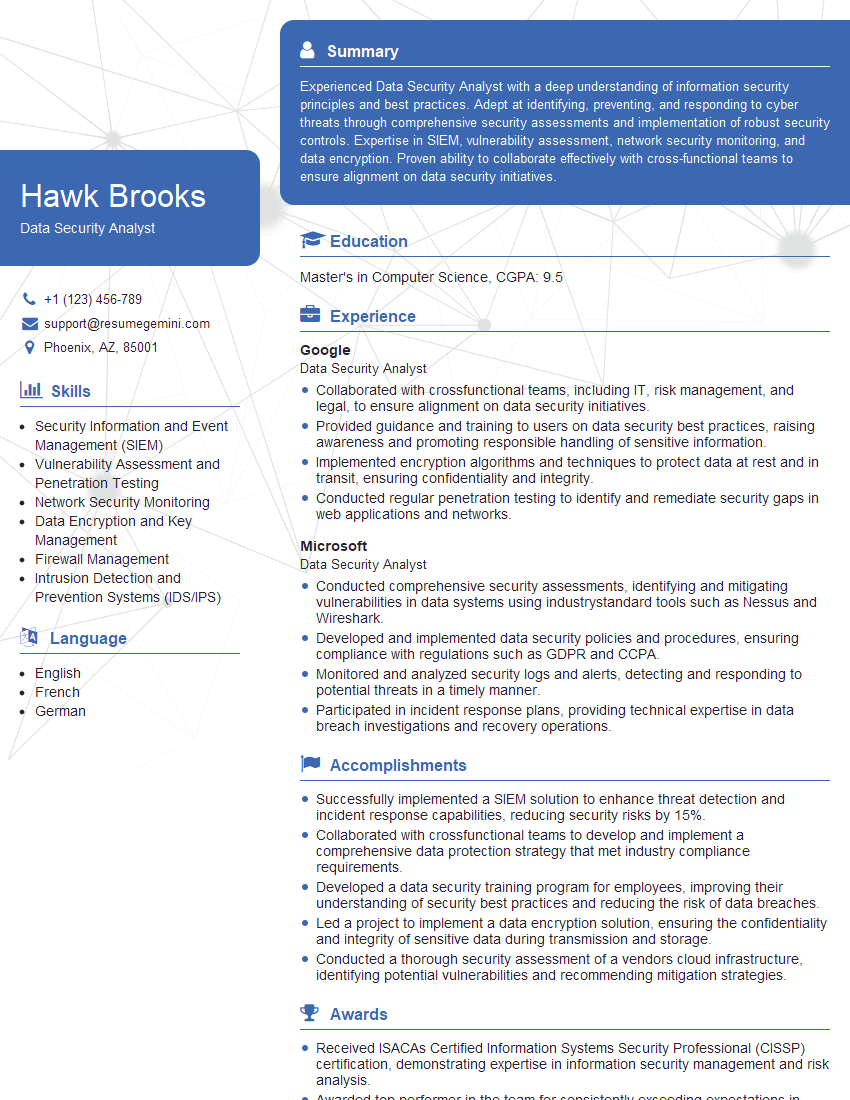
Data Security Analyst Resume Sample

Information Security Analyst Resume Sample

Information Architect Resume Sample
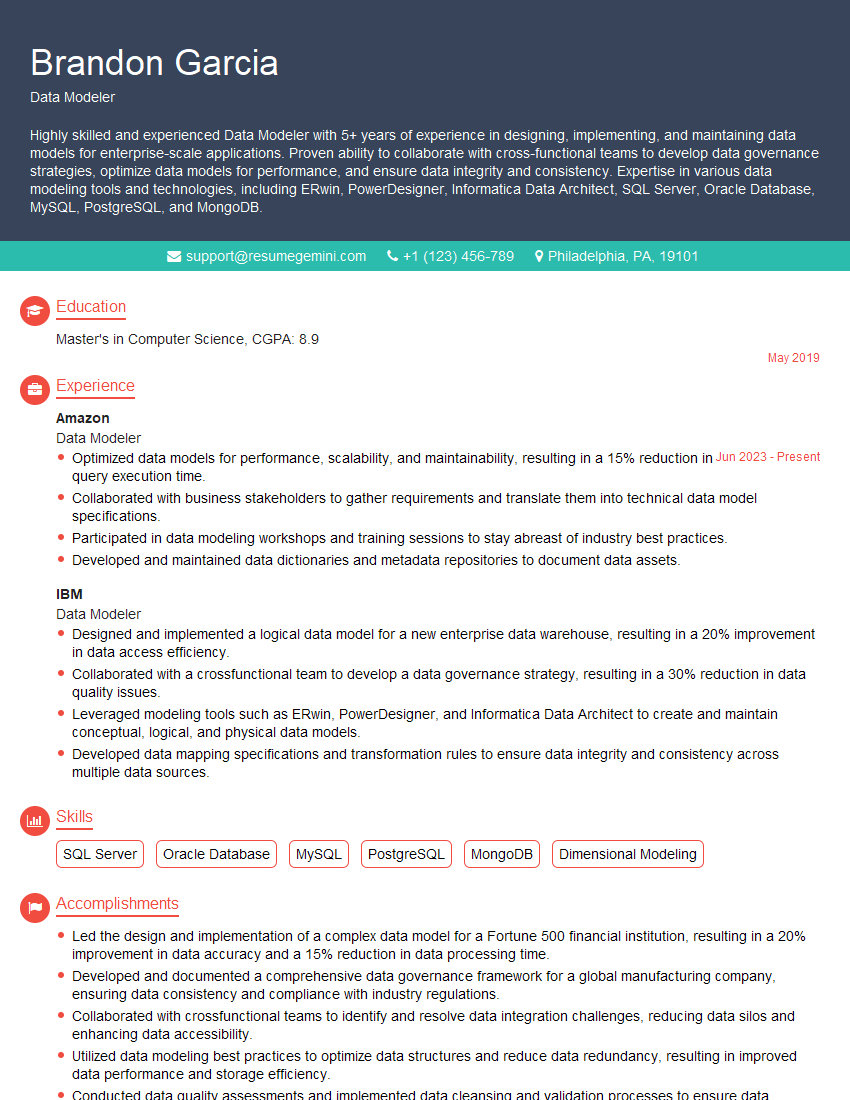
Data Modeler Resume Sample

Data Architect Resume Sample

ETL Developer Resume Sample
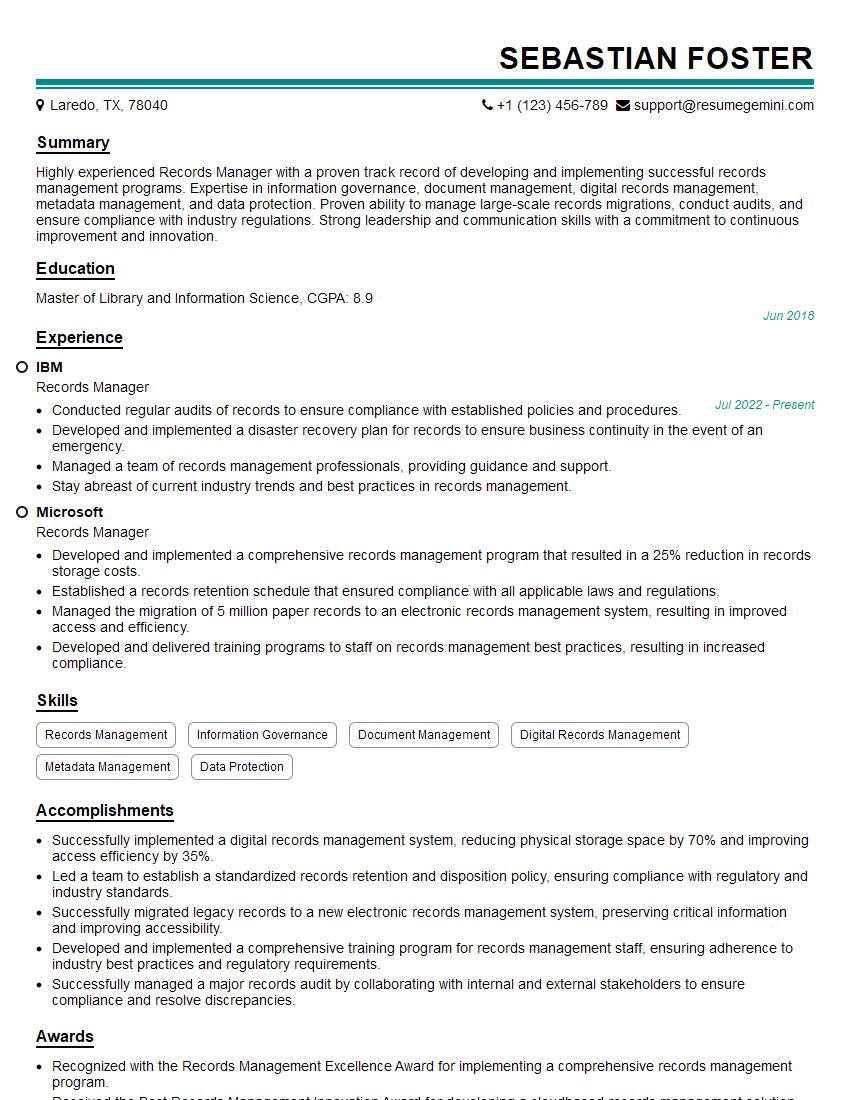
Records Manager Resume Sample
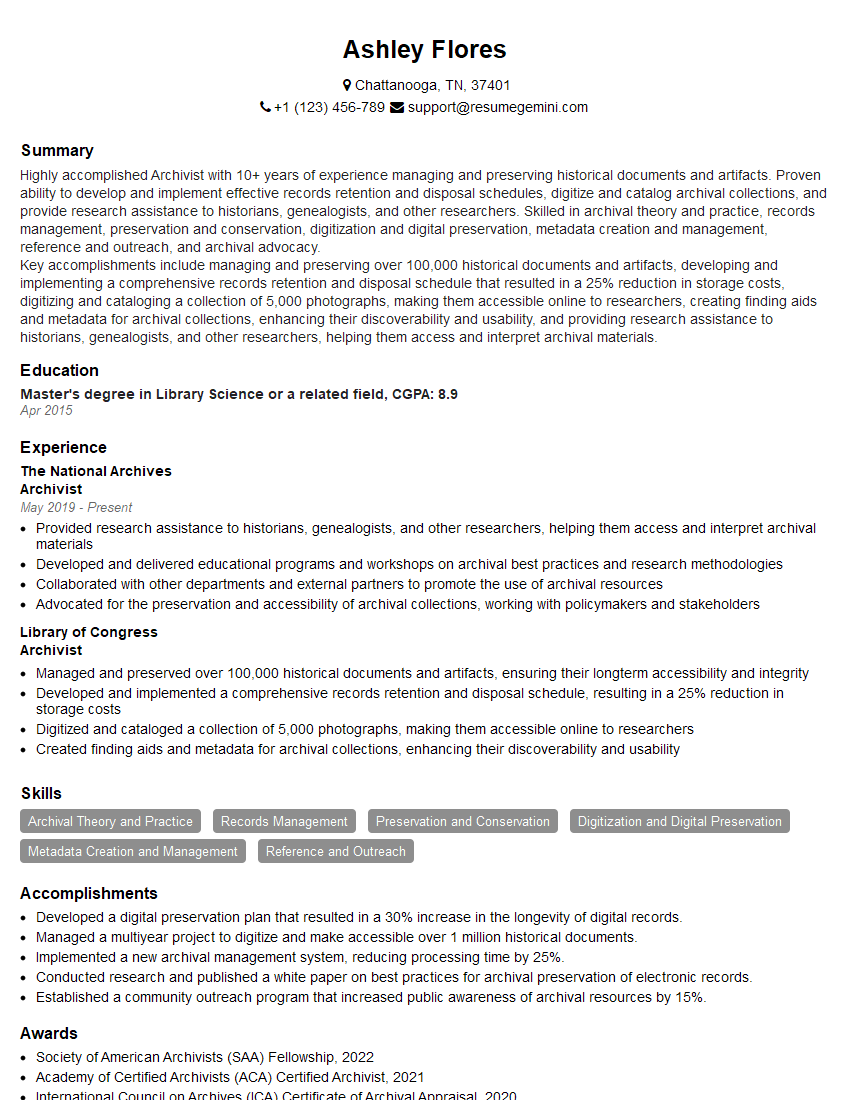
Archivist Resume Sample

Database Administrator Resume Sample
Explore more articles
Users Rating of Our Blogs
Share Your Experience
We value your feedback! Please rate our content and share your thoughts (optional).
What Readers Say About Our Blog
Very informative content, great job.
good