The thought of an interview can be nerve-wracking, but the right preparation can make all the difference. Explore this comprehensive guide to Database Management and CRM interview questions and gain the confidence you need to showcase your abilities and secure the role.
Questions Asked in Database Management and CRM Interview
Q 1. Explain the difference between OLTP and OLAP databases.
OLTP (Online Transaction Processing) and OLAP (Online Analytical Processing) databases serve vastly different purposes. Think of OLTP as your daily banking transactions – quick, individual updates. OLAP, on the other hand, is like creating a yearly financial report – analyzing large datasets for trends.
- OLTP: Designed for high-volume, short transactions. It emphasizes speed and efficiency in updating data. Examples include order entry systems, banking systems, and point-of-sale systems. Data is highly normalized to minimize redundancy and ensure data integrity. Queries are typically short and focused on updating specific records.
- OLAP: Optimized for complex analytical queries across large datasets. It focuses on retrieving and summarizing data to identify trends and insights. Examples include business intelligence systems, data warehousing, and financial reporting systems. Data is often denormalized for faster query performance. Queries are typically complex, involving aggregation and summary functions across multiple dimensions.
In essence, OLTP is about doing things quickly and accurately, while OLAP is about understanding what has already happened.
Q 2. What are the ACID properties of database transactions?
ACID properties are fundamental guarantees in database transactions to ensure data consistency and reliability. They stand for Atomicity, Consistency, Isolation, and Durability.
- Atomicity: A transaction is treated as a single, indivisible unit. Either all changes within the transaction are committed, or none are. Imagine transferring money between accounts: either both the debit and credit happen, or neither does.
- Consistency: A transaction maintains the database’s integrity constraints. It moves the database from one valid state to another. If a transaction violates a constraint (like exceeding a credit limit), it will fail.
- Isolation: Concurrent transactions are isolated from each other. One transaction shouldn’t see the intermediate, uncommitted changes of another. Think of multiple people accessing a bank account simultaneously; each should see a consistent view.
- Durability: Once a transaction is committed, the changes are permanent even in case of system failure. The data is saved to persistent storage, guaranteeing it won’t be lost.
These properties work together to guarantee reliable data management, crucial for applications where data accuracy is paramount.
Q 3. Describe normalization and its different forms.
Normalization is the process of organizing data in a database to reduce redundancy and improve data integrity. It involves dividing larger tables into smaller ones and defining relationships between them. Different forms or levels of normalization exist:
- 1NF (First Normal Form): Eliminate repeating groups of data within a table. Each column should contain atomic values (indivisible values). For example, instead of storing multiple phone numbers in a single column, create separate columns for each phone number type.
- 2NF (Second Normal Form): Meet 1NF and eliminate redundant data that depends on only part of the primary key (in tables with composite keys). This addresses partial dependencies.
- 3NF (Third Normal Form): Meet 2NF and eliminate transitive dependencies. A transitive dependency occurs when a non-key attribute depends on another non-key attribute.
- BCNF (Boyce-Codd Normal Form): A stricter version of 3NF, addressing certain anomalies that 3NF might not handle.
Higher normalization levels reduce redundancy further, but can also lead to more complex queries. The optimal level depends on the specific application’s needs, balancing data integrity with query performance.
Q 4. What are indexes and how do they improve database performance?
Indexes are special lookup tables that the database search engine can use to speed up data retrieval. Simply put, they’re like the index in the back of a book – they allow you to quickly locate specific information without reading the entire book.
An index is a pointer to data in a table. When a query is executed, the database engine can use the index to quickly locate the relevant rows without performing a full table scan, drastically improving query performance. Indexes are particularly helpful for frequently queried columns or columns used in WHERE clauses.
However, creating too many indexes can slow down data insertion and update operations because the indexes themselves must be updated whenever data is modified. Choosing which columns to index requires careful consideration of query patterns and data usage.
Q 5. Explain the concept of database clustering.
Database clustering involves combining multiple database servers to work together as a single unit. This enhances performance, availability, and scalability. Imagine a single server as one librarian handling all requests; a cluster is like a team of librarians collaborating to serve more customers efficiently.
There are different types of database clustering, each with its own advantages and disadvantages. Some common approaches include:
- Shared-nothing architecture: Each server has its own independent data and resources. This is highly scalable but requires careful data distribution.
- Shared-disk architecture: All servers share the same storage. This simplifies data management but presents a single point of failure for the storage.
- Shared-memory architecture: Servers share memory. This is the fastest but has limited scalability.
Clustering is used extensively in high-volume applications where data redundancy and high availability are crucial.
Q 6. What is SQL injection and how can it be prevented?
SQL injection is a code injection technique used to attack data-driven applications. It occurs when malicious SQL code is inserted into an application’s input fields, allowing attackers to manipulate the database queries. This can lead to data breaches, data modification, or even complete system compromise. Think of it as a hacker sneaking a hidden command into your database search request.
Prevention techniques include:
- Parameterized queries or prepared statements: These separate the data from the SQL code, preventing the injection of malicious SQL.
- Input validation and sanitization: Thoroughly check and clean all user inputs to remove or escape any potentially harmful characters.
- Least privilege principle: Database users should have only the necessary permissions to perform their tasks, minimizing the impact of a successful injection.
- Regular security audits and penetration testing: Identify and fix vulnerabilities before attackers can exploit them.
Using appropriate security measures is critical to safeguarding database applications.
Q 7. Describe different types of database joins.
Database joins combine rows from two or more tables based on a related column between them. They’re essential for retrieving comprehensive data from a relational database. Several types of joins exist:
- INNER JOIN: Returns only the rows where the join condition is met in both tables. Think of it as finding the intersection of two sets.
- LEFT (OUTER) JOIN: Returns all rows from the left table (the one specified before
LEFT JOIN), even if there’s no match in the right table. Unmatched rows in the right table will haveNULLvalues for the columns from the right table. - RIGHT (OUTER) JOIN: Similar to
LEFT JOIN, but it returns all rows from the right table, even if there are no matches in the left table. - FULL (OUTER) JOIN: Returns all rows from both tables. If a row has a match in the other table, the corresponding columns are populated. If not,
NULLvalues are used.
The choice of join type depends on the specific data retrieval requirements. Understanding the nuances of each type is critical for efficiently querying relational databases.
Q 8. How do you optimize database queries for better performance?
Optimizing database queries is crucial for ensuring your application runs smoothly and efficiently. Slow queries can lead to frustrating user experiences and wasted resources. Think of it like optimizing a highway system – a well-planned system ensures traffic flows smoothly, while a poorly planned one leads to bottlenecks and delays. Here’s how we optimize:
- Indexing: Indexes are like the table of contents in a book. They allow the database to quickly locate specific data without having to scan the entire table. For frequently queried columns, creating indexes is vital. For example, if you frequently search for customers by their last name, indexing the ‘lastName’ column significantly improves search speed.
- Query Rewriting: Often, a poorly written query can be significantly improved with a few tweaks. This might involve using more efficient joins (e.g., INNER JOIN instead of a less efficient LEFT JOIN where possible), avoiding
SELECT *(always specify the columns you need), and optimizing subqueries. Consider usingEXPLAIN(or a similar tool depending on your database system) to understand how the database will execute the query and identify potential bottlenecks. - Normalization: A well-normalized database reduces data redundancy and improves data integrity. This, in turn, leads to faster and more efficient queries. Imagine a database with address information duplicated across multiple tables – querying it will be slow and inefficient, unlike one using normalized data.
- Caching: Caching frequently accessed data in memory can drastically reduce database load. This is like keeping frequently used items readily accessible, instead of having to go to the store each time you need them.
- Connection Pooling: Efficiently managing database connections reduces the overhead of establishing new connections for every request. This is akin to having a fleet of delivery trucks instead of requesting a new truck for each delivery.
- Database Tuning: Tuning involves adjusting various database parameters to optimize performance. This includes things like buffer pool size, memory allocation, and query execution plans. This is like tuning the engine of a car for maximum performance and fuel efficiency.
For example, a poorly written query like SELECT * FROM Customers WHERE city LIKE '%London%' (using a wildcard at the beginning of the string) can be much slower than a query with an index on the city column and a more precise condition, such as SELECT * FROM Customers WHERE city = 'London'.
Q 9. What are stored procedures and why are they useful?
Stored procedures are pre-compiled SQL code blocks that can be stored in the database and executed repeatedly. Think of them as reusable functions or subroutines. They offer several advantages:
- Performance Improvement: Since they’re pre-compiled, they execute faster than ad-hoc SQL queries because the database doesn’t need to parse and optimize the code each time they’re called. This is comparable to having a prepared meal ready to serve, as opposed to making it from scratch each time.
- Security: Stored procedures help enhance security by encapsulating business logic. You can grant users access to specific stored procedures, rather than granting direct access to underlying tables, reducing the risk of unauthorized data manipulation.
- Code Reusability: Stored procedures promote code reusability. Instead of rewriting the same SQL code in multiple places, you can define it once in a stored procedure and call it from anywhere in your application.
- Maintainability: If you need to make changes to the underlying SQL logic, you only need to modify the stored procedure in one place, rather than hunting it down in every place it’s used.
For example, a stored procedure could be created to handle the insertion of new customer data into a CRM database, incorporating data validation and ensuring data integrity. This ensures that the insertion is always done in a consistent, secure and optimized manner.
-- Example (MySQL): DELIMITER // CREATE PROCEDURE AddCustomer(IN p_firstName VARCHAR(255), IN p_lastName VARCHAR(255), IN p_email VARCHAR(255)) BEGIN INSERT INTO Customers (firstName, lastName, email) VALUES (p_firstName, p_lastName, p_email); END // DELIMITER ;Q 10. What are triggers and how do you use them?
Triggers are special stored procedures that automatically execute in response to specific events on a particular table or view. These events are typically INSERT, UPDATE, or DELETE operations. Imagine them as automated responses triggered by specific actions.
- Data Integrity: Triggers are crucial for maintaining data integrity. For example, you might use a trigger to prevent the deletion of records that are referenced by other tables, or to enforce business rules (e.g., ensuring that a customer’s credit limit is not exceeded).
- Auditing: Triggers can be used to log changes made to the database, providing an audit trail for tracking data modifications. This helps to trace activities and identify issues effectively.
- Cascading Operations: They can automate cascading operations, such as updating related tables when a record is modified in the primary table.
For instance, imagine a CRM system where you want to automatically update a customer’s last contacted date whenever a new interaction (like an email or phone call) is recorded. A trigger on the ‘Interactions’ table could be used to update the customer’s ‘lastContacted’ field in the ‘Customers’ table whenever a new interaction record is inserted.
-- Example (PostgreSQL): CREATE OR REPLACE FUNCTION update_last_contacted() RETURNS TRIGGER AS $$ BEGIN UPDATE Customers SET lastContacted = NEW.interactionDate WHERE customerId = NEW.customerId; RETURN NEW; END; $$ LANGUAGE plpgsql; CREATE TRIGGER update_customer_contact AFTER INSERT ON Interactions FOR EACH ROW EXECUTE PROCEDURE update_last_contacted();Q 11. Explain the difference between DELETE and TRUNCATE commands.
Both DELETE and TRUNCATE commands remove data from a table, but they differ significantly:
DELETE: This command removes rows based on a specified condition (or all rows if no condition is given). It is a logged operation, meaning the database records the changes. This allows for rollbacks and provides a history of the deletions. This is like meticulously removing items from a box, each item logged carefully.TRUNCATE: This command removes all rows from a table without logging the individual changes. It’s much faster thanDELETEbecause it doesn’t record each row deletion. However, this means you cannot roll back the operation. This is similar to emptying the entire box at once, where individual item removals are not documented.
Key Differences Summarized:
- Speed:
TRUNCATEis typically faster. - Logging:
DELETEis logged;TRUNCATEis not. - Rollback:
DELETEcan be rolled back;TRUNCATEcannot. - WHERE Clause:
DELETEallows aWHEREclause for selective deletion;TRUNCATEdoes not.
In a CRM context, you might use DELETE to remove specific customer records that meet certain criteria (e.g., those who have opted out of marketing communications), while TRUNCATE might be used for situations where a table needs to be completely cleared for testing or other purposes, knowing that data loss cannot be reversed.
Q 12. What is a view in a database?
A view in a database is a virtual table based on the result-set of an SQL statement. It doesn’t physically store data; it’s simply a stored query. Think of it like a custom report or a specific lens through which you view the underlying data.
- Simplified Queries: Views can simplify complex queries by providing a simpler interface to the underlying data. This is akin to using a pre-made salad instead of carefully choosing and combining individual ingredients.
- Data Security: Views can be used to restrict access to sensitive data by only exposing specific columns or rows. This is like having a secure vault with only selective keys for different authorized personnel.
- Data Abstraction: Views provide an abstract layer over the underlying tables, shielding the users from the complexities of the database schema. This simplifies database interactions for users and makes them less prone to errors.
For example, in a CRM system, you might create a view that only shows customer contact information (name, email, phone number) without exposing sensitive data such as credit card numbers or internal notes. This allows customer service representatives to easily access the necessary information without compromising security.
Q 13. What are the different types of relationships in database design?
Database relationships define how data in different tables are connected. Understanding these relationships is essential for designing efficient and well-structured databases. Common types include:
- One-to-One: One record in a table is related to only one record in another table. Example: A person might have only one passport.
- One-to-Many: One record in a table is related to multiple records in another table. Example: A customer can have many orders.
- Many-to-Many: Multiple records in one table can be related to multiple records in another table. This requires a junction table (or intermediate table) to represent the relationship. Example: Students can take many courses, and each course can be taken by many students. The junction table would store student IDs and course IDs, representing the enrollment.
In a CRM, a one-to-many relationship would exist between customers and orders; a many-to-many relationship might exist between customers and products (a customer can purchase many products, and each product can be purchased by many customers).
Q 14. Describe your experience with ETL processes.
ETL (Extract, Transform, Load) processes are vital for moving data from various sources into a target data warehouse or data mart. My experience includes working with various ETL tools and designing efficient pipelines for large-scale data integration.
The process generally involves three stages:
- Extract: Data is extracted from various sources (databases, flat files, APIs, etc.). This may involve connecting to multiple systems, handling different data formats, and potentially performing initial data cleansing.
- Transform: The extracted data is transformed into a consistent format and structure suitable for the target system. This might involve data cleaning (handling missing values, correcting inconsistencies), data transformation (data type conversions, aggregation), and data enrichment (adding data from external sources).
- Load: Finally, the transformed data is loaded into the target system (data warehouse, CRM system, data lake). This often involves handling bulk data loads efficiently and managing potential conflicts between incoming and existing data.
I have used tools such as Informatica PowerCenter, Talend Open Studio, and SSIS (SQL Server Integration Services) to build and manage ETL processes. In one project, we migrated customer data from multiple legacy systems into a centralized CRM platform, requiring complex data transformations and cleansing to ensure data quality and consistency. This involved handling data from different formats, resolving inconsistencies, and mapping data fields to the CRM’s schema. The successful implementation significantly improved data visibility and reporting capabilities for the sales team.
Q 15. What are the key features of a CRM system?
A CRM, or Customer Relationship Management system, is a software solution designed to manage and analyze customer interactions and data throughout the customer lifecycle. Its core purpose is to improve business relationships. Key features typically include:
- Contact Management: Storing and organizing customer information like contact details, communication history, and purchase records.
- Sales Management: Tracking leads, managing sales pipelines, forecasting sales, and automating sales processes.
- Marketing Automation: Automating marketing campaigns, managing email marketing, and tracking campaign performance.
- Customer Service: Managing customer inquiries, resolving issues, and tracking customer satisfaction.
- Reporting and Analytics: Providing insights into customer behavior, sales performance, and marketing effectiveness. This allows for data-driven decision-making.
- Integration Capabilities: Seamlessly integrating with other business systems like email platforms, accounting software, and e-commerce platforms.
For example, a CRM can automatically send a follow-up email to a customer after a purchase, or generate a report showing the effectiveness of a recent marketing campaign.
Career Expert Tips:
- Ace those interviews! Prepare effectively by reviewing the Top 50 Most Common Interview Questions on ResumeGemini.
- Navigate your job search with confidence! Explore a wide range of Career Tips on ResumeGemini. Learn about common challenges and recommendations to overcome them.
- Craft the perfect resume! Master the Art of Resume Writing with ResumeGemini’s guide. Showcase your unique qualifications and achievements effectively.
- Don’t miss out on holiday savings! Build your dream resume with ResumeGemini’s ATS optimized templates.
Q 16. Explain the difference between a CRM and a database.
While both CRMs and databases manage data, they serve different purposes and have distinct characteristics. A database is a structured set of data organized for efficient storage, retrieval, and management. Think of it as a powerful filing cabinet capable of holding vast amounts of information. A CRM, on the other hand, is a specific application built on top of a database (or multiple databases). It focuses on customer-related data and provides tools for managing customer interactions and improving business relationships.
A database is a foundational technology; a CRM is an application built to solve a specific business problem using that technology. A CRM uses a database to store its data, but it adds features for sales, marketing, and customer service. You could build a CRM using various database technologies like MySQL, PostgreSQL, or SQL Server. But the CRM itself is more than just the database; it includes the user interface, the workflows, and the business logic to manage customer interactions.
Q 17. How do you ensure data integrity in a CRM system?
Ensuring data integrity in a CRM is crucial for accurate reporting and effective decision-making. Here’s a multi-faceted approach:
- Data Validation: Implementing rules to ensure data accuracy during entry. For example, requiring a valid email format or checking for plausible phone numbers.
- Data Cleansing: Regularly cleaning the database to remove duplicate entries, correct inconsistencies, and update outdated information. This might involve using automated scripts or specialized data cleansing tools.
- Access Controls: Restricting access to data based on user roles and permissions. Preventing unauthorized changes ensures data accuracy and prevents accidental or malicious modification.
- Version Control: Tracking changes to data over time, enabling you to revert to previous versions if necessary. This is crucial for auditing and for correcting mistakes.
- Data Backup and Recovery: Regularly backing up the CRM data to protect against data loss due to hardware failure or other unforeseen events. A robust recovery plan is essential.
- Data Standardization: Establishing consistent data formats and naming conventions to ensure data consistency across different parts of the organization. This simplifies reporting and analysis.
Think of it like carefully maintaining a meticulously organized library: You wouldn’t want misplaced books or incorrect cataloging; similarly, a CRM needs consistent, accurate data.
Q 18. What is data warehousing and how is it related to CRM?
Data warehousing is a process of collecting and managing data from various sources into a centralized repository. This repository is designed for analytical processing rather than transactional processing, meaning it’s optimized for querying and reporting. It’s like a vast library of historical data, ideal for understanding long-term trends and patterns.
The relationship between data warehousing and CRM is that CRM data often feeds into a data warehouse. By combining CRM data with other data sources (e.g., sales, marketing, financial data), organizations can gain a more comprehensive understanding of their customers and their business performance. For example, analyzing CRM data alongside website analytics can reveal which marketing channels are most effective in acquiring new customers. This holistic view from a data warehouse is essential for strategic decision-making.
Q 19. Describe your experience with different CRM platforms (Salesforce, Microsoft Dynamics, etc.).
I’ve worked extensively with both Salesforce and Microsoft Dynamics 365, as well as several other CRM platforms. Salesforce stands out for its extensive app ecosystem and highly customizable nature. I’ve used it to build complex sales pipelines, integrate with marketing automation tools, and create custom dashboards for real-time sales tracking. I’ve found its strength in scalability and its ability to adapt to the changing needs of a rapidly growing business.
Microsoft Dynamics 365, on the other hand, excels in its integration with other Microsoft products like Outlook and Excel, making it particularly user-friendly for organizations already heavily invested in the Microsoft ecosystem. I have utilized its capabilities to manage customer service tickets, automate workflows, and enhance communication within teams. Its strengths lie in its integration and robust reporting tools. The choice between platforms often depends on the specific needs of an organization and its existing IT infrastructure.
Q 20. How do you manage data security within a CRM system?
Data security in a CRM is paramount. A robust security strategy involves multiple layers:
- Access Control: Implementing role-based access controls to limit user access to only the data they need. This principle of least privilege is vital.
- Data Encryption: Encrypting data both in transit (using HTTPS) and at rest (using database encryption) to protect against unauthorized access.
- Regular Security Audits: Conducting regular security assessments to identify vulnerabilities and ensure compliance with security standards.
- User Authentication: Employing strong password policies and multi-factor authentication to prevent unauthorized logins.
- Intrusion Detection and Prevention Systems: Implementing systems to monitor for and prevent malicious activities.
- Data Loss Prevention (DLP): Using DLP tools to prevent sensitive data from leaving the organization’s control.
Imagine securing a bank vault; multiple locks and security measures are necessary to ensure that only authorized individuals have access. The same principle applies to securing sensitive CRM data.
Q 21. What are some common challenges in implementing a CRM system?
Implementing a CRM system can present several challenges:
- Data Migration: Migrating existing customer data from legacy systems can be complex and time-consuming, requiring careful planning and execution. Data cleansing is crucial during this phase.
- User Adoption: Getting users to adopt and effectively utilize the new system requires thorough training and ongoing support. Resistance to change is a common hurdle.
- Integration Challenges: Integrating the CRM with other business systems can be technically challenging, requiring expertise in both the CRM and other systems.
- Cost: The initial investment in software, implementation, and training can be significant. Ongoing maintenance and support costs must also be considered.
- Customization: Over-customizing the CRM can make it complex and difficult to maintain. Finding the right balance between customization and standard functionality is crucial.
- Data Quality Issues: Inaccurate or incomplete data can render the CRM ineffective. Regular data cleansing and validation are essential.
A successful CRM implementation requires careful planning, user involvement, and ongoing management. Treat it as a significant project, not just a software installation.
Q 22. How do you handle data migration between different CRM systems?
Migrating data between CRM systems is a complex process requiring careful planning and execution. It’s not a simple copy-paste job; data structures, field mappings, and data cleansing are critical. My approach involves several key steps:
- Data Assessment and Mapping: I begin by thoroughly analyzing both the source and target CRM systems. This includes identifying data fields, their data types, and any discrepancies. A detailed mapping document is created to show how data from the source system will be transformed and mapped to the corresponding fields in the target system. For example, a ‘Customer Name’ field in one system might need to be split into ‘First Name’ and ‘Last Name’ fields in the other.
- Data Cleansing and Transformation: Before migration, data cleansing is crucial. This involves identifying and correcting inconsistencies, duplicates, and incomplete data. Data transformation might be necessary to convert data formats or standardize data entries. For instance, converting date formats from mm/dd/yyyy to yyyy-mm-dd or standardizing address formats.
- Migration Strategy Selection: The best migration strategy depends on factors like data volume, system downtime tolerance, and budget. Options include a phased approach (migrating data in batches), a parallel run (running both systems simultaneously during the transition), or a big-bang approach (a complete cutover). I’ve successfully used all three, tailoring the choice to the specific client needs. For instance, a large enterprise with minimal downtime tolerance would benefit from a phased approach, while a smaller company might opt for a big-bang approach.
- Testing and Validation: Before the full migration, thorough testing is crucial. I perform several rounds of testing, including unit tests (testing individual components), integration tests (testing the interaction between components), and user acceptance testing (UAT) with end users. This ensures the migrated data is accurate, complete, and functions correctly in the new system.
- Post-Migration Monitoring: After the migration, I monitor the system closely for any issues. This typically involves tracking data integrity, system performance, and user feedback to address any post-migration problems promptly.
In one project, I migrated data from Salesforce to HubSpot. The careful mapping of custom fields and the phased approach ensured a smooth transition with minimal disruption to the sales team.
Q 23. Explain your experience with CRM reporting and analytics.
CRM reporting and analytics are central to understanding business performance and driving strategic decisions. My experience spans various CRM platforms, including Salesforce, Microsoft Dynamics 365, and HubSpot. I’m proficient in using built-in reporting tools and external business intelligence (BI) platforms such as Power BI and Tableau to create insightful dashboards and reports.
I’ve built dashboards to track key metrics such as lead conversion rates, sales pipeline velocity, customer lifetime value (CLTV), and customer churn rate. For example, I developed a dashboard for a marketing agency that visually presented lead source performance, campaign ROI, and website conversion rates. This allowed them to optimize their marketing efforts by allocating budget and resources more effectively.
Beyond standard reports, I can perform advanced data analysis using SQL and other programming languages to extract valuable insights from raw data. This includes identifying trends, correlations, and anomalies that can help businesses make data-driven decisions. For example, I used SQL queries to analyze customer segmentation, identify high-value customers, and predict customer churn.
Q 24. How do you measure the success of a CRM implementation?
Measuring CRM implementation success goes beyond simply launching the system. It’s about assessing whether the system is achieving its intended business objectives. Key metrics I use include:
- Improved Sales Productivity: Increased sales conversion rates, shortened sales cycles, and improved sales forecasting accuracy are all good indicators of success.
- Enhanced Customer Satisfaction: Higher customer satisfaction scores, reduced customer churn rates, and improved customer retention are crucial indicators of a successful implementation.
- Increased Marketing Effectiveness: Improved lead generation, higher marketing ROI, and more targeted marketing campaigns show that marketing efforts are leveraging the CRM effectively.
- Improved Operational Efficiency: Streamlined workflows, reduced manual data entry, and improved collaboration among teams indicate improved operational efficiency.
- Return on Investment (ROI): Calculating the ROI of the CRM implementation helps determine its overall financial impact on the organization. This involves comparing the cost of implementation to the benefits, such as increased sales, reduced costs, and improved efficiency.
For instance, I recently measured the success of a CRM implementation by comparing sales performance before and after the implementation. We saw a 15% increase in sales conversion rates and a 10% reduction in sales cycle length, demonstrating a clear return on investment.
Q 25. What are your skills in data analysis and interpretation related to CRM data?
My data analysis skills are crucial for extracting meaningful insights from CRM data. I’m proficient in SQL, R, and Python, which I use to perform various analytical tasks. I can conduct:
- Descriptive Analysis: Summarizing data to understand key trends and patterns.
- Predictive Analysis: Using statistical models to forecast future outcomes, such as sales revenue or customer churn.
- Prescriptive Analysis: Using optimization techniques to recommend actions that improve business outcomes.
For example, I used R to build a predictive model that forecasted customer churn with 85% accuracy. This allowed the business to proactively identify at-risk customers and implement retention strategies. I also use SQL extensively to query and manipulate large CRM datasets, extracting specific information to address business questions and create custom reports. My strong analytical skills allow me to translate complex data into actionable insights, driving data-driven decision-making within organizations.
Q 26. Describe your experience with API integrations related to CRM systems.
API integrations are essential for connecting CRM systems with other business applications, creating a unified and efficient ecosystem. My experience includes integrating CRM systems with various platforms using REST and SOAP APIs. I’ve worked with numerous APIs, including marketing automation platforms (like Marketo and Pardot), e-commerce platforms (like Shopify and Magento), and other enterprise applications.
For example, I integrated a CRM with a marketing automation platform to automate lead nurturing workflows. This involved configuring the API to automatically transfer leads from the CRM to the marketing automation platform, triggering automated email sequences based on lead behavior. Another project involved integrating the CRM with an e-commerce platform to track customer purchases and automatically update customer information within the CRM. This helped sales teams have a comprehensive view of customer interactions and buying history.
I understand the importance of secure and reliable API integrations. I follow best practices for authentication, authorization, and error handling to ensure data integrity and system stability. I have experience working with API documentation, testing API calls, and troubleshooting integration issues.
Q 27. How do you ensure data quality in a CRM system?
Maintaining data quality in a CRM is paramount for accurate reporting and effective decision-making. My approach involves several key strategies:
- Data Validation Rules: Implementing data validation rules within the CRM system to ensure data accuracy and consistency. This includes using required fields, data type validation, and range checks. For example, ensuring that phone numbers adhere to a specific format and that email addresses are valid.
- Data Cleansing Processes: Regularly cleansing the data to remove duplicates, correct inconsistencies, and update outdated information. This often involves automated processes and manual review of data.
- Data Governance Policies: Establishing clear data governance policies and procedures to define roles, responsibilities, and processes related to data management. This ensures data quality is a shared responsibility across the organization.
- User Training and Education: Providing thorough training to users on how to enter and maintain accurate data in the CRM system. This includes guidelines on data entry standards and best practices.
- Data Monitoring and Auditing: Monitoring data quality through regular reports and audits to identify and address any issues proactively. This involves analyzing data completeness, accuracy, and consistency.
In a previous role, I implemented a data quality dashboard that visualized key data quality metrics, allowing us to quickly identify and address issues. This proactive approach ensured that our CRM data remained accurate and reliable.
Q 28. What are your preferred methods for backing up and recovering database data?
Database backups and recovery are crucial for business continuity and data protection. My preferred methods are based on a robust strategy incorporating both full and incremental backups.
Full Backups: I schedule regular full backups of the entire database to a secure offsite location. This creates a complete copy of the database at a specific point in time. The frequency depends on the rate of data changes, but often a daily or weekly full backup is sufficient.
Incremental Backups: To minimize storage space and backup time, I supplement full backups with incremental backups. These backups only store the changes made to the database since the last full or incremental backup. This significantly reduces the time and resources required for backups.
Backup Verification: Regularly testing the backups to ensure they are recoverable is crucial. I perform test restores periodically to confirm the integrity of the backups and the recovery process.
Disaster Recovery Planning: I always develop a comprehensive disaster recovery plan that outlines procedures for restoring the database in the event of a system failure or other disaster. This plan includes specifying the recovery time objective (RTO) and the recovery point objective (RPO).
I also leverage database features like point-in-time recovery for rapid recovery from unexpected data loss. Furthermore, my experience includes using cloud-based backup solutions that provide robust data protection and scalability. The specific solution is chosen based on the client’s needs, budget, and infrastructure.
Key Topics to Learn for Database Management and CRM Interview
- Relational Database Management Systems (RDBMS): Understanding concepts like normalization, ACID properties, indexing, and query optimization is crucial. Consider practical applications like designing a database schema for a specific business scenario.
- SQL Proficiency: Mastering SQL queries (SELECT, INSERT, UPDATE, DELETE), joins (INNER, LEFT, RIGHT, FULL), subqueries, and aggregate functions is essential. Practice writing efficient and optimized queries for various data manipulation tasks.
- NoSQL Databases: Familiarize yourself with different NoSQL database types (document, key-value, graph) and their use cases. Understand when to choose a NoSQL database over a relational one.
- Data Modeling and Design: Learn how to design effective database schemas, considering data relationships, constraints, and performance. Practice creating Entity-Relationship Diagrams (ERDs).
- Data Warehousing and Business Intelligence: Understand the concepts of data warehousing, ETL processes, and data visualization techniques. Explore how data warehousing supports business decision-making.
- CRM Fundamentals: Grasp core CRM concepts like contact management, lead nurturing, sales pipeline management, customer segmentation, and reporting. Consider practical applications like improving customer retention or streamlining sales processes.
- CRM Integrations: Understand how CRMs integrate with other business systems (e.g., marketing automation, ERP). Explore the challenges and best practices of data integration.
- CRM Data Analysis and Reporting: Learn how to extract meaningful insights from CRM data to improve business performance. Practice creating reports and dashboards to track key metrics.
- Data Security and Privacy: Understand data security best practices within database management and CRM systems, including access control, encryption, and compliance with relevant regulations.
- Troubleshooting and Problem Solving: Be prepared to discuss approaches to common database issues like performance bottlenecks, data integrity problems, and error handling. Showcase your analytical and problem-solving skills.
Next Steps
Mastering Database Management and CRM skills significantly boosts your career prospects in technology and related fields. These in-demand skills open doors to high-growth roles with excellent compensation packages. To maximize your job search success, creating a strong, ATS-friendly resume is vital. ResumeGemini is a trusted resource that can help you craft a professional and impactful resume tailored to your skills and experience. Examples of resumes optimized for Database Management and CRM roles are available to guide you.

Data Analyst Resume Sample

Data Scientist Resume Sample
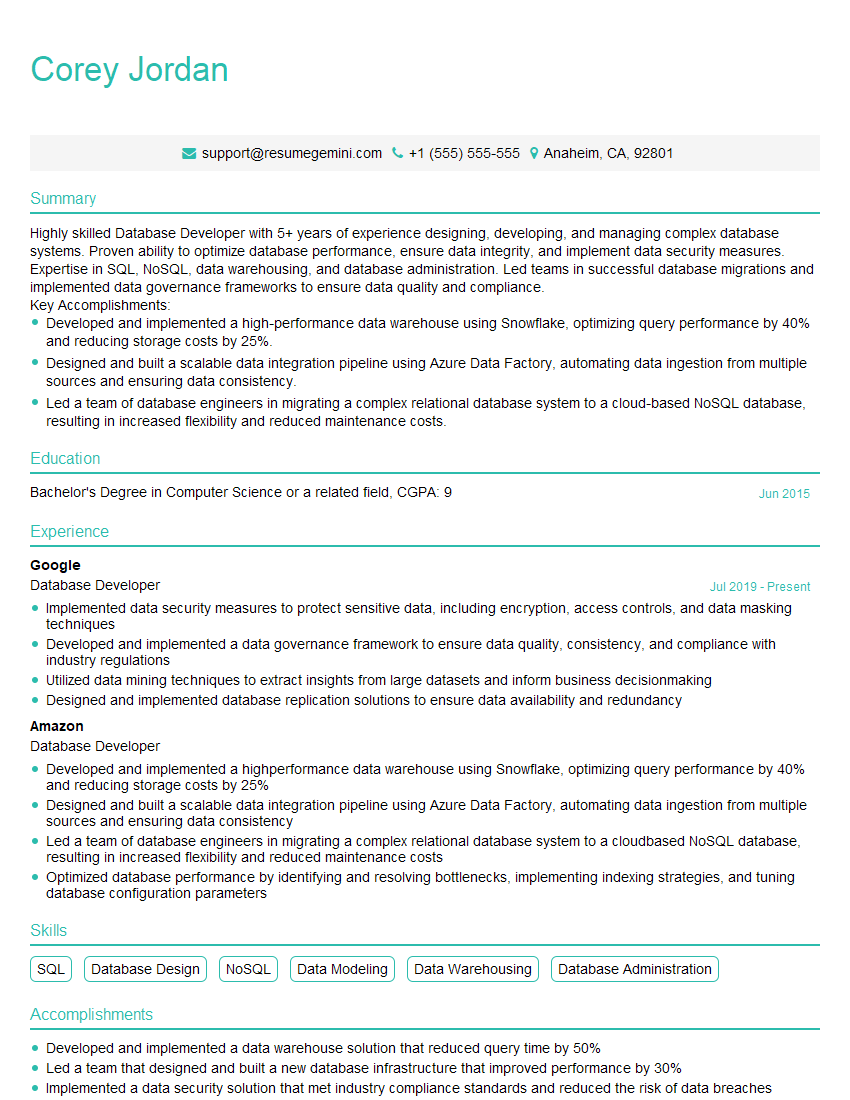
Database Developer Resume Sample
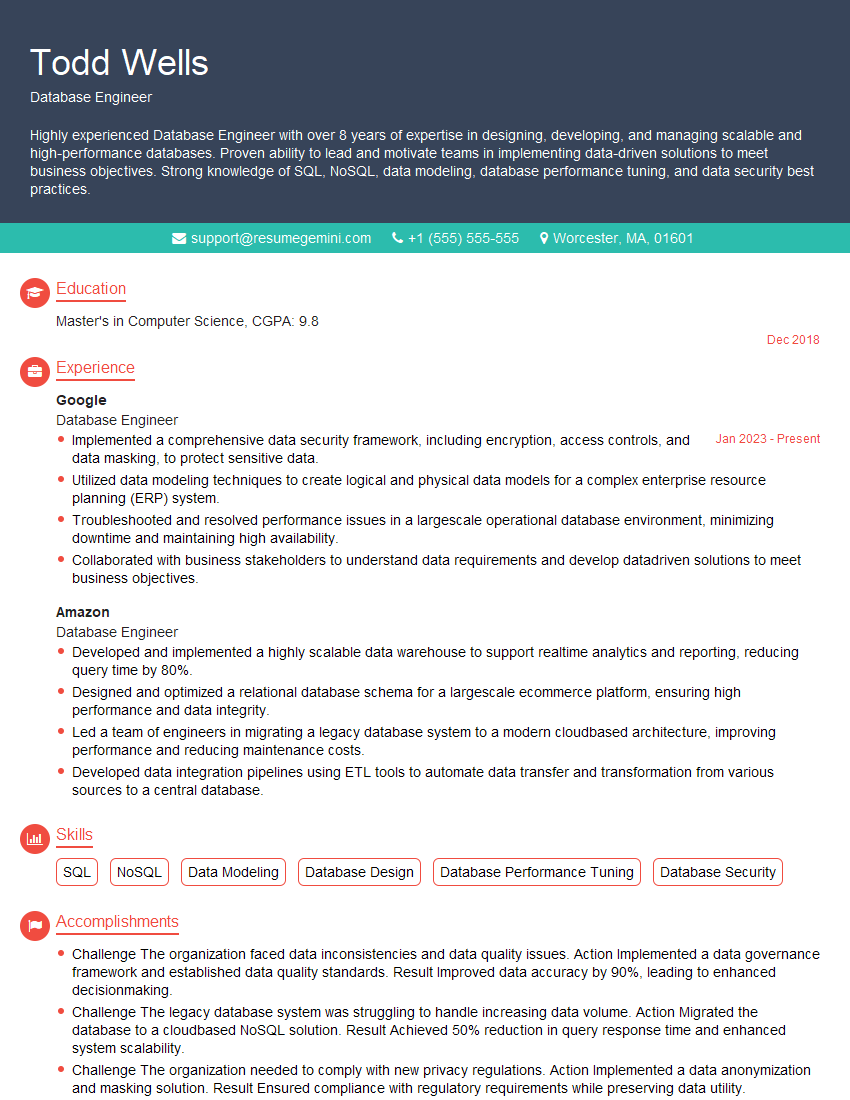
Database Engineer Resume Sample
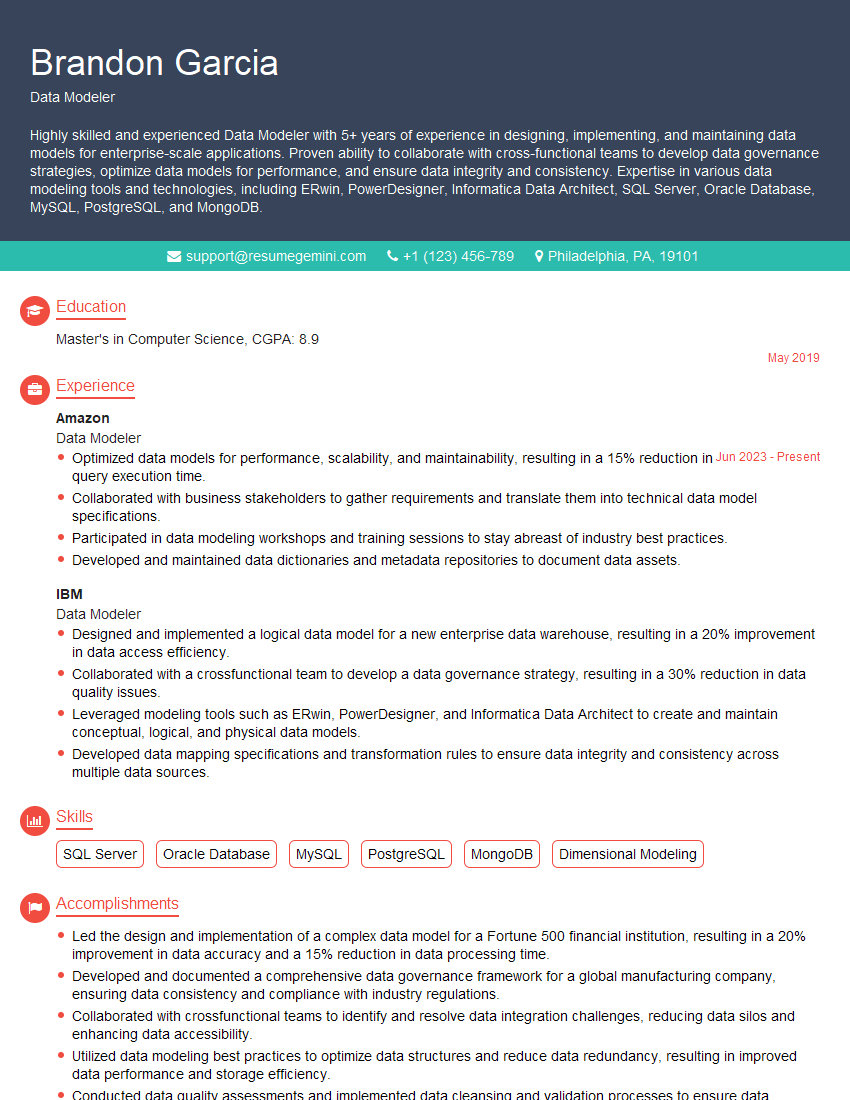
Data Modeler Resume Sample

Data Architect Resume Sample

ETL Developer Resume Sample
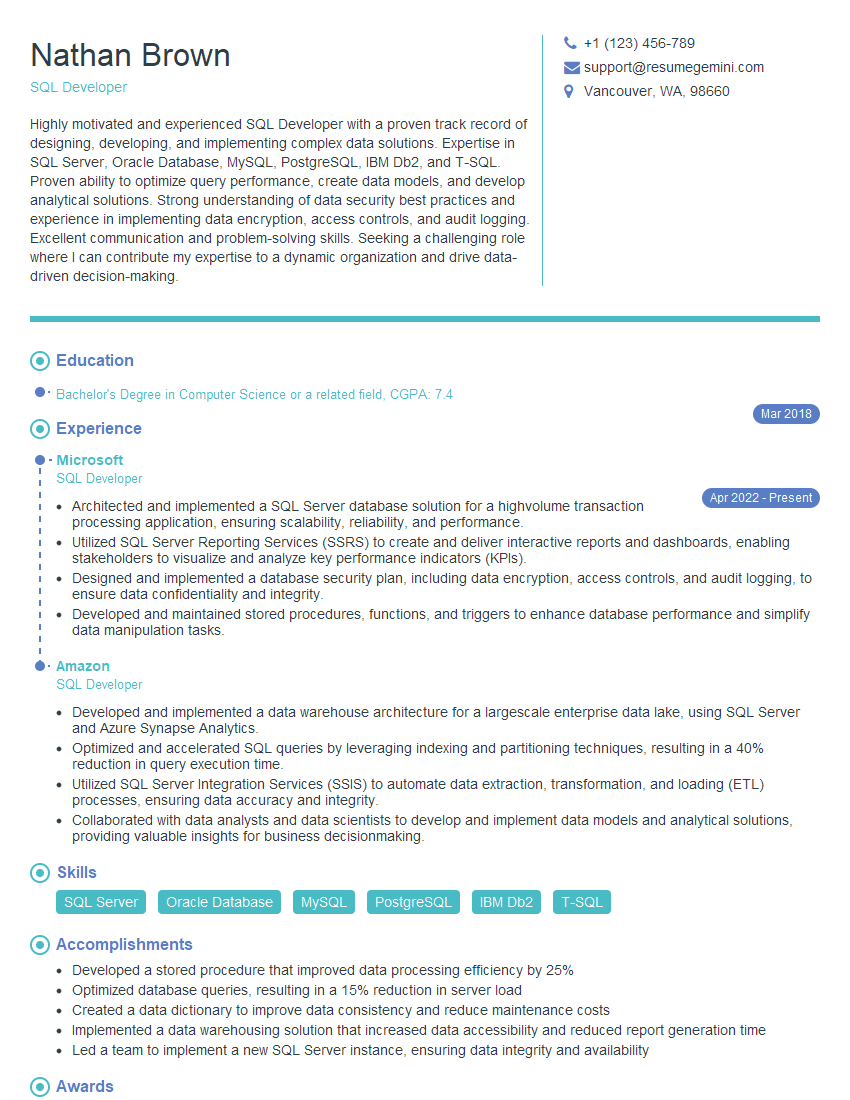
SQL Developer Resume Sample
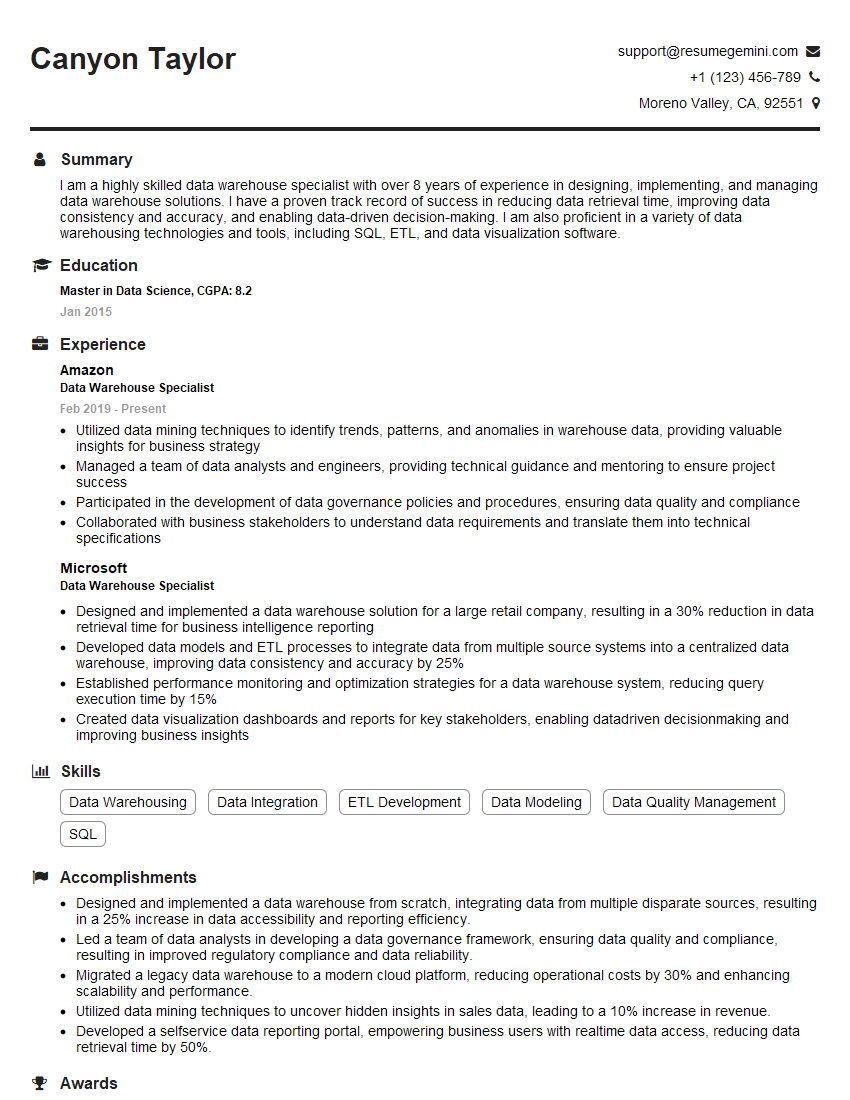
Data Warehouse Specialist Resume Sample

Business Intelligence Analyst Resume Sample

Database Administrator Resume Sample
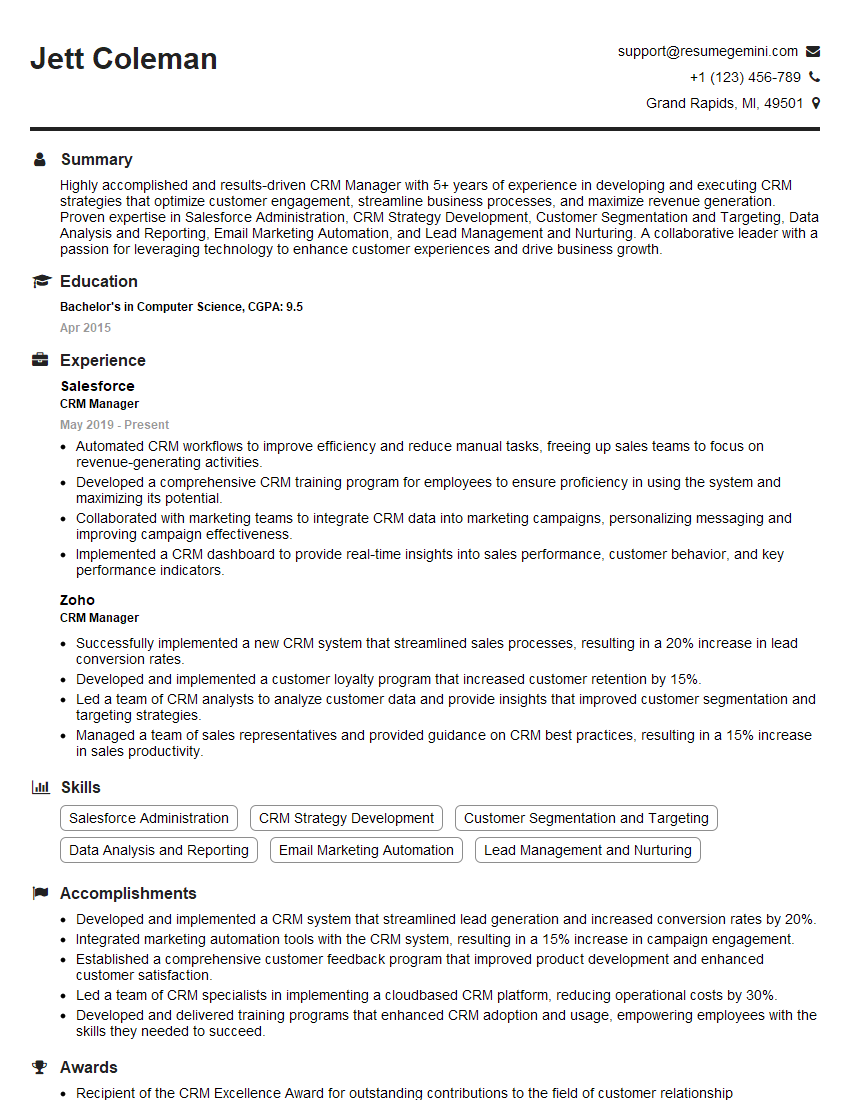
CRM Manager Resume Sample
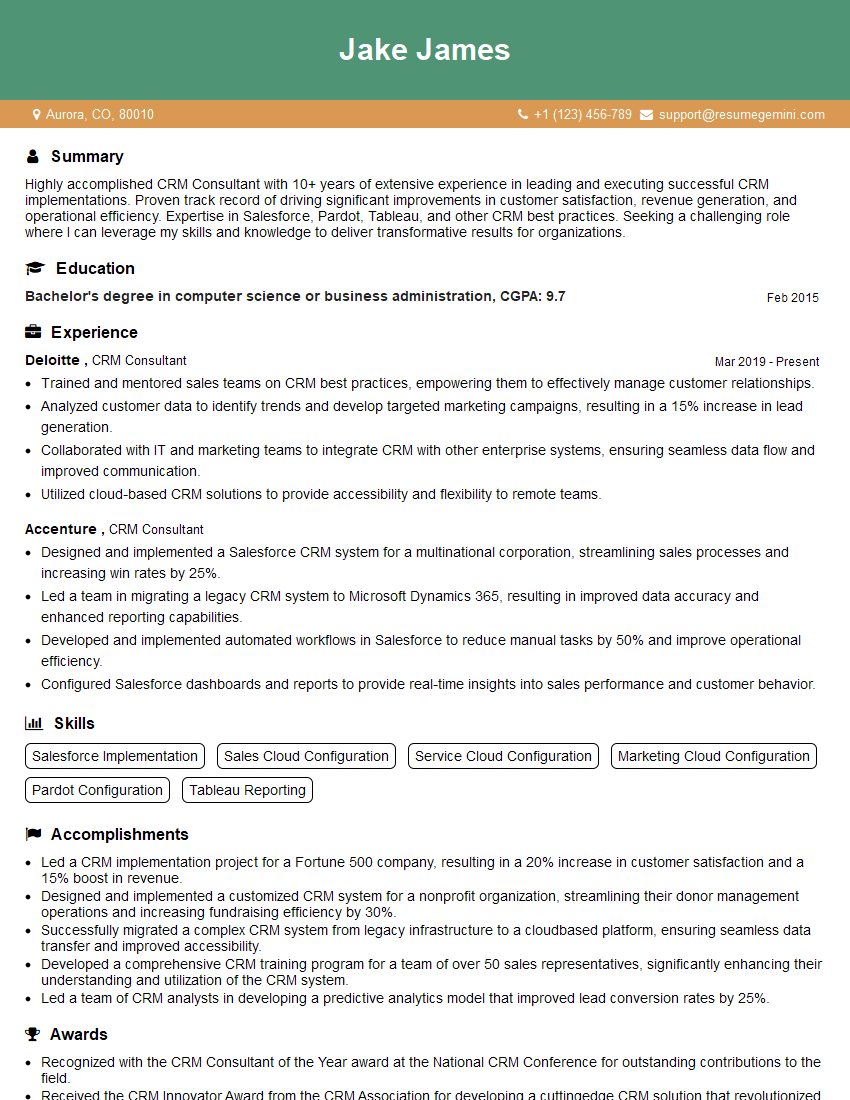
CRM Consultant Resume Sample
Explore more articles
Users Rating of Our Blogs
Share Your Experience
We value your feedback! Please rate our content and share your thoughts (optional).
What Readers Say About Our Blog
Very informative content, great job.
good