Feeling uncertain about what to expect in your upcoming interview? We’ve got you covered! This blog highlights the most important Design Creation interview questions and provides actionable advice to help you stand out as the ideal candidate. Let’s pave the way for your success.
Questions Asked in Design Creation Interview
Q 1. Explain the difference between UX and UI design.
UX (User Experience) and UI (User Interface) design are closely related but distinct disciplines. Think of it like this: UX is the overall experience a user has while interacting with a product, while UI is the specific look and feel of that interaction.
UX design focuses on the user’s journey and how easy and enjoyable the product is to use. It involves understanding user needs, conducting research, creating user flows, information architecture, and ensuring overall usability. A good UX makes a product intuitive and delightful to use. For example, a UX designer might research how users search for products on an e-commerce site to optimize the search functionality and navigation.
UI design, on the other hand, focuses on the visual aspects of the product, such as the layout, typography, color palette, and imagery. UI designers translate the UX designer’s vision into a tangible, aesthetically pleasing interface. For example, a UI designer would choose the specific fonts, colors, and button styles for the e-commerce site’s search page, ensuring they are consistent with the brand and easy to understand.
In short, UX is about the what and why of a product, while UI is about the how it looks and feels. While they are separate disciplines, they work hand-in-hand to create a successful product.
Q 2. Describe your design process.
My design process is iterative and user-centric. I follow a modified version of the double-diamond design process:
- Discover: This phase is all about understanding the problem. I conduct user research, analyze existing solutions, and define the project goals and scope.
- Define: I synthesize my research findings to formulate clear user needs and define the problem statement. This often involves creating user personas and journey maps.
- Develop: I begin ideating and creating solutions. This involves wireframing, prototyping, and visual design. I often use different brainstorming techniques like sketching, mind-mapping, and mood boarding.
- Deliver: This is where I refine the design based on user testing and feedback. This phase is about iterations and improvement.
Throughout the entire process, I constantly iterate and test my designs, ensuring they meet user needs and project goals. This iterative approach allows for flexibility and improvement based on real-world feedback.
Q 3. How do you conduct user research?
User research is critical to effective design. I employ a variety of methods depending on the project’s needs. Some common techniques I use include:
- User interviews: I conduct one-on-one interviews with target users to understand their needs, behaviors, and pain points. These are typically semi-structured, allowing for flexibility and in-depth exploration.
- Surveys: I utilize online surveys to gather quantitative data from a larger group of users. This helps identify trends and patterns.
- Usability testing: I observe users interacting with prototypes to identify usability issues and areas for improvement. This involves recording users’ actions and getting their feedback.
- A/B testing: Once a design is launched, A/B testing helps compare different versions to see which performs better based on metrics like conversion rates or engagement.
- Competitive analysis: Understanding what competitors are doing helps identify best practices and potential opportunities for differentiation.
The specific research methods I choose depend on the project’s goals, budget, and timeline. The data gathered informs my design decisions, ensuring the final product is user-centered and effective.
Q 4. What are your preferred design tools?
My preferred design tools depend on the stage of the design process. I’m proficient in a range of software and tools, including:
- Figma: For wireframing, prototyping, and collaborative design.
- Adobe Photoshop & Illustrator: For visual design and creating high-fidelity mockups.
- Sketch: Another excellent tool for UI design and prototyping, particularly for Mac users.
- Miro/Mural: For collaborative brainstorming and mind mapping during the ideation phase.
- Optimal Workshop: For conducting user research studies like tree testing and card sorting.
I am adaptable and comfortable using various tools, and I choose the best tool for the specific task at hand.
Q 5. How do you handle design feedback?
Handling design feedback is a crucial aspect of the design process. I approach feedback constructively, viewing it as an opportunity for improvement. My process involves:
- Active listening: I carefully listen to the feedback, asking clarifying questions to fully understand the concerns.
- Prioritization: I analyze the feedback, prioritizing comments based on their impact and feasibility. Not all feedback is created equal.
- Justification: I assess the validity of the feedback in relation to user research and design principles. Sometimes feedback needs to be explained back to the stakeholders.
- Iteration: I incorporate the valuable feedback into the design, creating updated prototypes and designs.
- Documentation: I document all feedback and design changes for transparency and future reference.
Ultimately, I strive for a collaborative approach, working with stakeholders to reach a solution that aligns with user needs and business goals.
Q 6. Explain your experience with wireframing and prototyping.
Wireframing and prototyping are essential steps in my design process. Wireframes are low-fidelity representations of the layout and structure of a design. They focus on the information architecture and functionality, not the visual details. I typically use tools like Figma or Sketch to create wireframes. They are helpful in early stages for exploring different layout options and testing usability.
Prototyping involves creating interactive mockups to simulate the actual user experience. This allows for testing user flows, interactions, and overall usability. Prototypes can be low-fidelity (e.g., paper prototypes) or high-fidelity (e.g., interactive prototypes in Figma). High-fidelity prototypes closely resemble the final product, allowing for more thorough user testing.
For example, when designing a mobile app, I might first create low-fidelity wireframes to explore the arrangement of screens and navigation. Then, I’d create a high-fidelity prototype to test the user experience and gather feedback before moving into the visual design phase.
Q 7. Describe a time you had to iterate on a design.
I was once tasked with designing a new dashboard for a SaaS product. My initial design focused on displaying all the data points available, resulting in a cluttered and overwhelming interface. User testing revealed significant usability issues; users struggled to find the information they needed.
Based on this feedback, I iterated on the design, focusing on prioritizing information based on user needs and using clear visual hierarchy. I implemented card sorting to better organize the information, grouping related data points together. The revised dashboard was cleaner and more intuitive, resulting in significantly improved user satisfaction and task completion rates. This experience reinforced the importance of iterative design and the value of user feedback in creating successful products.
Q 8. How do you ensure design accessibility?
Ensuring design accessibility means creating experiences usable by everyone, regardless of their abilities. This involves considering users with visual, auditory, motor, cognitive, and neurological differences. It’s not just about compliance with accessibility standards (like WCAG), but about empathetically designing for inclusivity.
- Visual Accessibility: Using sufficient color contrast, providing alternative text for images (alt text), ensuring text is easily readable (font size, style), and offering captions and transcripts for videos.
- Auditory Accessibility: Providing transcripts for audio content, using clear audio cues, and avoiding relying solely on sound for critical information.
- Motor Accessibility: Designing for keyboard navigation, ensuring sufficient target sizes for clickable elements, and avoiding reliance on mouse-only interactions. Think about users who might use assistive technologies like screen readers or switch controls.
- Cognitive Accessibility: Using clear and concise language, avoiding complex layouts, and providing clear instructions and navigation. This includes using predictable patterns and layouts.
- Neurological Accessibility: Minimizing sensory overload (e.g., flashing animations, jarring transitions), providing options for customization (e.g., font size, background color), and designing for users with conditions like epilepsy or autism.
For example, when designing a website, I would always use a sufficient color contrast checker to ensure that text is clearly readable against its background. I would also carefully craft alt text for all images, describing the image’s content and purpose. This isn’t just about ticking boxes; it’s about ensuring everyone can access and enjoy the experience.
Q 9. How do you measure the success of a design?
Measuring design success depends on the design’s goals. It’s not just about aesthetics; it’s about achieving business objectives and user satisfaction. A holistic approach is key, using both qualitative and quantitative data.
- Quantitative Metrics: These are measurable data points. Examples include conversion rates, bounce rates, task completion rates, time on task, click-through rates, and user engagement metrics (e.g., time spent on a page).
- Qualitative Metrics: This involves understanding the ‘why’ behind the data. Methods include user interviews, usability testing, surveys, and feedback forms. These provide insights into user experience, satisfaction, and pain points.
For instance, if designing a landing page, success might be measured by the conversion rate (percentage of visitors who complete a desired action, such as making a purchase). However, we should also conduct user interviews to understand why some users didn’t convert – perhaps the call to action wasn’t clear enough. A combination of quantitative and qualitative data provides a comprehensive view of success.
Q 10. How do you stay up-to-date with design trends?
Staying current in the rapidly evolving design landscape requires a multifaceted approach.
- Following Design Publications and Blogs: Sites like Awwwards, Dribbble, Behance, and various design blogs showcase cutting-edge work and design trends.
- Attending Conferences and Workshops: Industry events offer networking opportunities and exposure to new ideas and technologies.
- Exploring Design Communities: Engaging in online forums and communities allows for interaction with other designers and participation in discussions about current trends.
- Experimenting with New Tools and Technologies: Hands-on experience with emerging design software and tools keeps skills sharp and fosters innovation.
- Analyzing Competitors and Industry Leaders: Observing successful designs in the same industry provides valuable insights into current trends and user preferences.
I personally use a combination of these methods. I subscribe to several design newsletters, follow key designers on social media, and attend industry events whenever possible. This ensures I am not only aware of new trends but also understand their underlying principles and implications for design projects.
Q 11. Explain your understanding of design systems.
A design system is a collection of reusable components, guidelines, and documentation that ensures consistency and efficiency in design and development. Think of it as a single source of truth for all design and branding elements within an organization. It accelerates the design process, improves consistency across different platforms, and streamlines collaboration.
- Components: Reusable UI elements like buttons, forms, icons, and typography styles.
- Guidelines: Rules and best practices for using the components, including spacing, color palettes, and typography rules.
- Documentation: A central repository of all the components, guidelines, and usage examples.
A well-defined design system dramatically improves efficiency. Instead of recreating elements for each project, designers can leverage pre-built components, ensuring consistent branding and a unified user experience across all products and platforms. This leads to faster development cycles and reduced costs. For instance, a button in a design system will look and behave the same way regardless of which platform or application it’s used in.
Q 12. Describe your experience with A/B testing.
A/B testing, also known as split testing, is a method used to compare two versions of a design element to see which performs better. It’s a crucial aspect of data-driven design.
My experience involves setting up A/B tests using tools like Optimizely or Google Optimize. The process typically involves:
- Defining a Hypothesis: Formulate a testable hypothesis about which design variant will perform better (e.g., ‘A button with a more compelling call to action will result in a higher click-through rate’).
- Creating Variations: Design two or more versions of the element, differing only in the aspect being tested.
- Implementing the Test: Use A/B testing software to randomly show different versions of the element to users.
- Collecting and Analyzing Data: Monitor key metrics (e.g., click-through rates, conversion rates) to determine which variation performs better.
- Iterating and Improving: Use the results to inform future design decisions. The winning variation becomes the new standard, and further iterations can be tested.
For example, I might A/B test two different button designs on a landing page—one with a green background and one with a blue background—to see which leads to more clicks. The results will inform which color is more effective and should be used consistently across the platform.
Q 13. How do you prioritize design features?
Prioritizing design features requires a structured approach to ensure the most impactful features are developed first. Various frameworks can be used:
- MoSCoW Method: Categorizes features into Must have, Should have, Could have, and Won’t have. This helps focus on the essential features first.
- Value vs. Effort Matrix: Plots features on a matrix based on their value to the user and the effort required to implement them. High-value, low-effort features are prioritized.
- Prioritization Matrix: A simple matrix that considers the impact and urgency of features.
I often use a combination of these methods. I start by gathering user requirements and understanding their needs. Then, I use a prioritization matrix to analyze features based on their impact and urgency. This matrix helps to visualize the relative importance of each feature, allowing for clear decision-making and resource allocation. The MoSCoW method then helps to refine the prioritization further by clearly differentiating essential features from less critical ones.
Q 14. How do you handle conflicting design requirements?
Conflicting design requirements are common and require effective communication and negotiation. The key is to understand the underlying needs and motivations behind each requirement.
- Identify and Clarify Conflicts: Clearly define the conflicting requirements and understand the stakeholders involved.
- Facilitate Discussion and Collaboration: Bring stakeholders together to discuss the conflict, fostering open communication and compromise.
- Explore Trade-offs and Alternatives: Identify potential compromises and explore alternative solutions that meet the most critical needs.
- Prioritize Based on Business Goals and User Needs: Align the decisions with overall project objectives and user experience goals.
- Document Decisions and Rationale: Clearly document the decisions made and the rationale behind them for transparency and future reference.
For instance, if a marketing team wants a visually striking design that might not be fully accessible, and the development team points out accessibility concerns, I would facilitate a discussion to find a solution that balances both aesthetic appeal and accessibility standards. Perhaps we can modify the design slightly to improve accessibility without sacrificing visual impact, or we prioritize accessibility for now and work on improving the aesthetics later. It’s all about finding the balance that best serves both business goals and user experience.
Q 15. Explain your experience with responsive design.
Responsive design is the practice of creating websites and applications that adapt seamlessly to different screen sizes and devices. This means a user will have a consistent and optimal experience whether they’re viewing the design on a desktop computer, a tablet, or a smartphone. It’s not just about making things smaller; it’s about intelligently reorganizing content and adjusting layouts to maintain usability and visual appeal.
My experience with responsive design includes utilizing various techniques such as:
- Fluid grids: Using percentage-based widths for columns and elements, allowing them to resize proportionally with the screen.
- Flexible images: Ensuring images scale appropriately without distorting, often using
max-width: 100%;andheight: auto;. - Media queries: Employing CSS media queries (
@media (min-width: 768px) { ... }) to apply different styles based on screen size, allowing for tailored layouts for different devices. For instance, a three-column layout on a desktop might become a single-column layout on a phone. - Responsive frameworks: Leveraging frameworks like Bootstrap or Tailwind CSS to streamline the process and ensure consistent responsiveness. These frameworks offer pre-built components and utility classes that simplify the implementation of responsive design principles.
For example, I recently worked on a project where we needed to redesign a company’s e-commerce website. By using a responsive design approach, we improved the mobile user experience significantly, resulting in a 25% increase in mobile conversions.
Career Expert Tips:
- Ace those interviews! Prepare effectively by reviewing the Top 50 Most Common Interview Questions on ResumeGemini.
- Navigate your job search with confidence! Explore a wide range of Career Tips on ResumeGemini. Learn about common challenges and recommendations to overcome them.
- Craft the perfect resume! Master the Art of Resume Writing with ResumeGemini’s guide. Showcase your unique qualifications and achievements effectively.
- Don’t miss out on holiday savings! Build your dream resume with ResumeGemini’s ATS optimized templates.
Q 16. What is your preferred design philosophy?
My preferred design philosophy centers around human-centered design. This means prioritizing the user’s needs, experiences, and expectations at every stage of the design process. I believe a successful design isn’t just aesthetically pleasing; it’s also functional, intuitive, and solves a real problem for the user. It’s about understanding the user’s context, their goals, and potential pain points. I always strive to create designs that are accessible, inclusive, and leave a positive lasting impression.
This philosophy guides my approach in several ways:
- User research: I conduct thorough user research to understand the target audience, their behaviors, and their needs.
- Iterative design: I embrace an iterative approach, testing designs with users and incorporating feedback throughout the design process.
- Accessibility considerations: I ensure designs are accessible to users with disabilities, adhering to WCAG guidelines.
- Simplicity and clarity: I prioritize clean and simple designs that are easy to understand and navigate.
I find that by focusing on the user first, I can create designs that are not only beautiful but also highly effective.
Q 17. How do you create user personas?
Creating user personas involves developing detailed representations of your target audience. These aren’t just demographics; they’re rich profiles that capture the users’ goals, motivations, frustrations, and behaviors. They help bring your users to life and inform your design decisions. Think of them as fictional yet realistic representatives of your users.
My process for creating user personas involves:
- Research: This includes user interviews, surveys, and analyzing existing data about your users. I aim to understand their backgrounds, tech skills, and their typical day-to-day activities.
- Data synthesis: I identify patterns and commonalities within the collected data.
- Persona development: Based on the research, I create a persona document for each user group. This typically includes a name, photo, age, occupation, goals, frustrations, and a quote that sums up their attitude.
- Validation: I validate the personas with stakeholders and further refine them as needed.
For example, when designing a mobile banking app, I might create personas like “Sarah, the Busy Professional” and “David, the Tech-Savvy Student.” Understanding their different needs allows me to design features and functionalities that cater specifically to each user group, resulting in a better overall experience.
Q 18. Describe your experience with visual hierarchy.
Visual hierarchy is the arrangement of elements on a page to guide the user’s eye and communicate importance. It’s about prioritizing information and creating a clear path for the user to follow. It’s like a visual roadmap on your website or application.
My experience in creating visual hierarchy includes:
- Size: Larger elements naturally draw more attention.
- Color: Using contrasting colors to highlight key elements.
- Spacing: Using whitespace effectively to create visual separation and emphasis.
- Typography: Using different font sizes, weights, and styles to indicate importance (e.g., headings, subheadings, body text).
- Position: Placing important elements prominently, often at the top or center of the page.
Imagine a website selling products. The visual hierarchy might direct the user’s gaze to the hero image showcasing the main product, then to prominent calls to action (like “Shop Now”), and lastly to supplementary information such as testimonials or product details. By employing these techniques, I create intuitive and easy-to-navigate designs.
Q 19. How do you ensure design consistency across platforms?
Maintaining design consistency across platforms—web, mobile, and potentially even desktop applications—is crucial for brand recognition and a seamless user experience. Inconsistency can confuse users and weaken your brand identity.
My strategies for ensuring consistency include:
- Style guides: Creating comprehensive style guides that document design elements such as colors, typography, spacing, and imagery. These guides serve as a central source of truth for all designers and developers.
- Component libraries: Using design systems or component libraries to ensure reusable and consistent UI elements across different platforms. This can be managed through tools like Figma, Sketch, or Abstract.
- Design tokens: Utilizing design tokens (variables representing design attributes like colors and spacing) to centralize and manage design elements, simplifying updates and ensuring consistency across platforms. A change in one token automatically updates all elements using that token.
- Version control: Using version control systems (like Git) to track changes and maintain a consistent design language across iterations.
A well-defined style guide, coupled with consistent use of a component library and design tokens, ensures a cohesive look and feel, no matter the platform. This leads to a stronger brand identity and improved user experience.
Q 20. Explain your understanding of color theory.
Color theory is the study of how colors mix, match, and interact to create visual effects and evoke emotions. Understanding color theory is essential for creating effective and aesthetically pleasing designs. It’s more than just picking your favorite colors; it’s about strategically using color to communicate meaning, guide the user’s eye, and create the desired mood.
My understanding of color theory encompasses:
- Color wheel: Understanding the relationships between colors, including complementary (opposite on the wheel), analogous (next to each other), and triadic (equally spaced) color schemes. This helps in selecting harmonious color palettes.
- Color harmony: Using color palettes that create a visually pleasing and balanced effect. Consider using color contrast appropriately to ensure readability and accessibility.
- Color psychology: Recognizing the emotional impact of different colors—for example, blues often convey calmness while reds may evoke excitement or urgency.
- Color accessibility: Ensuring sufficient color contrast between text and background to meet accessibility guidelines (like WCAG) for users with visual impairments.
For example, a website for a spa might use calming blues and greens, while a website for a gaming company might use vibrant reds and yellows. Careful consideration of color psychology and accessibility ensures a design that resonates with the target audience and is inclusive for all users.
Q 21. How do you use typography effectively?
Typography is the art and technique of arranging type to make written language legible, readable, and appealing. When used effectively, it enhances the overall design and conveys the desired message and tone. It’s not just about choosing a font; it’s about using different font weights, sizes, and styles to create visual hierarchy and improve readability.
My approach to effective typography includes:
- Font pairing: Selecting fonts that complement each other—one for headings (often bolder and more prominent) and another for body text (more legible and readable).
- Font size and weight: Using varying sizes and weights to create visual hierarchy and guide the reader’s eye. Headings are typically larger and bolder than body text.
- Line height and spacing: Optimizing line height and spacing between paragraphs for improved readability and visual appeal. Too much or too little spacing can hinder readability.
- Kerning and tracking: Fine-tuning the spacing between individual letters (kerning) and words (tracking) for optimal legibility.
- Accessibility: Choosing fonts and sizes that are easily readable by users with visual impairments. Using sufficient contrast between text and background.
For instance, I might pair a clean sans-serif font like Open Sans for body text with a more stylish serif font like Merriweather for headings to create a sophisticated yet readable design. The right typography choices greatly contribute to a design’s overall success.
Q 22. Describe your experience with information architecture.
Information architecture (IA) is the structural design of shared information environments. It’s essentially the blueprint for how users will find and interact with content within a digital product or website. My experience involves creating sitemaps, card sorting exercises, and content inventories to organize information logically and intuitively. For example, during a recent project for an e-commerce site, I conducted card sorting with potential users to understand how they naturally categorize products. This informed the site’s navigation structure, ensuring users could easily find what they were looking for. I also utilize tree testing to validate the hierarchical structure of information and ensure that users can efficiently navigate through the various levels of content.
Beyond simple navigation, I consider user mental models and their information seeking behaviors. A well-structured IA minimizes cognitive load on the user, allowing them to focus on their tasks rather than struggling to find information. This often involves creating clear labels, consistent terminology, and a well-defined taxonomy – the system of organizing and classifying information.
Q 23. How do you create effective user flows?
Creating effective user flows involves mapping out the steps a user takes to complete a specific task within a product or service. Think of it like a roadmap for the user’s journey. I start by identifying key user goals and then break down each task into a series of steps. This process often uses tools like flowcharts and wireframes. I consider various scenarios and potential pain points, mapping out both successful and unsuccessful pathways. For instance, when designing the checkout process for an online store, I’d map out the typical flow, but also include alternative paths for guest checkouts, using different payment methods, or dealing with shipping options. I incorporate user feedback throughout this process – identifying potential friction points and refining the flow accordingly. This iterative process ensures that the user experience is seamless and intuitive.
Q 24. Explain your understanding of interaction design principles.
Interaction design principles guide how users interact with a product or system. They focus on creating engaging and intuitive experiences. Key principles I apply include:
- Consistency: Maintaining a consistent visual language and interaction patterns throughout the product. For example, buttons should always look and behave the same way.
- Feedback: Providing clear and immediate feedback to user actions. A simple loading indicator or confirmation message lets the user know their action is being processed.
- Affordances: Designing elements that clearly communicate their purpose and how they can be used. A button should look like a button and clearly indicate what it does.
- Accessibility: Ensuring the product is usable by people with disabilities, following WCAG guidelines. This includes features such as keyboard navigation and sufficient color contrast.
- Error Prevention: Designing the interface to minimize errors and provide helpful guidance when they occur. This might involve form validation or clear error messages.
I constantly strive for a balance between providing enough guidance to ensure ease of use, while not overwhelming users with unnecessary information or steps. It’s a delicate balance, and often refined through iterative user testing and feedback.
Q 25. Describe your experience with usability testing.
Usability testing is crucial for evaluating the effectiveness of a design. My experience encompasses various methods, including moderated and unmoderated tests. In moderated tests, I observe users as they interact with a prototype, guiding them through tasks and asking questions. Unmoderated tests leverage tools to collect user data remotely. Regardless of method, I focus on collecting both quantitative and qualitative data. Quantitative data might include task completion rates and error rates, while qualitative data involves observations of user behavior and their feedback. I’ve used eye-tracking to understand how users scan a page and heatmaps to identify areas of interest and frustration. Analyzing this data helps me identify usability issues and refine the design for a more intuitive and user-friendly experience. For example, in a recent usability study for a mobile app, we found that users struggled to find the settings menu. This led us to redesign the navigation to make it more prominent and easily accessible.
Q 26. How do you handle design constraints?
Design constraints are inevitable. They can range from technical limitations (e.g., browser compatibility, platform restrictions) to business constraints (e.g., budget, timeline, brand guidelines). My approach involves understanding the constraints early in the design process and working creatively within those limitations. For example, if there’s a limited budget for visual assets, I might focus on creating a strong and effective design using a minimal aesthetic and high-quality typography. If there’s a tight deadline, I prioritize the core features and iterate on the design rapidly, utilizing quick prototyping and testing cycles. I collaborate closely with developers and stakeholders to find optimal solutions that meet the requirements while preserving the user experience. It’s about prioritizing features and finding creative solutions to meet the needs within the given circumstances.
Q 27. Explain your experience with creating design specifications.
Creating design specifications is about clearly documenting design decisions, ensuring everyone involved – designers, developers, and stakeholders – is on the same page. This typically involves style guides, component libraries, and detailed interaction specifications. A style guide outlines the visual elements, typography, color palettes, and branding guidelines, ensuring consistency across the product. Component libraries contain reusable design elements (buttons, forms, etc.) with detailed specifications about their behavior and appearance. Interaction specifications describe in detail how each component should behave in different scenarios, including animations, transitions, and error handling. These are often created using tools like Zeplin or Figma, that allow for easy collaboration and asset sharing with developers.
Thorough design specifications reduce ambiguity and errors during the development phase, resulting in a more efficient and accurate implementation of the design. They serve as a valuable reference point throughout the project lifecycle.
Q 28. How do you collaborate with developers?
Collaboration with developers is crucial for successful product development. I prioritize clear and open communication, using shared design files (Figma, Sketch) to ensure that developers have access to the latest design assets and specifications. I am actively involved in the development process, providing support and answering questions as needed. Regular check-ins and feedback sessions help to catch potential issues early on. I also translate design decisions into technical specifications – for example, providing detailed measurements and pixel-perfect specifications for UI elements. This ensures that the final product accurately reflects the design intent. Openness to feedback from developers is crucial; they often provide valuable insights into feasibility and technical constraints, enabling me to make informed design decisions.
Key Topics to Learn for Design Creation Interview
- Design Principles: Understanding core principles like composition, balance, contrast, hierarchy, and proximity. Be prepared to discuss how you apply these principles in your work.
- Software Proficiency: Demonstrate your skills in relevant design software (e.g., Adobe Creative Suite, Figma, Sketch). Practice showcasing your workflow and problem-solving within these tools.
- User Experience (UX) and User Interface (UI) Design: Explain your understanding of UX principles and how you translate user needs into effective UI designs. Be ready to discuss user research methodologies and iterative design processes.
- Visual Communication: Discuss your ability to effectively communicate ideas and information visually. Prepare examples of how you’ve used visuals to tell a story or convey a message.
- Design Thinking: Articulate your understanding of the design thinking process – empathize, define, ideate, prototype, test – and how you apply it in your projects. Provide examples of your design process.
- Branding and Identity Design: Explain your knowledge of creating consistent and memorable brand identities. Be prepared to discuss logo design, color palettes, typography, and brand guidelines.
- Accessibility and Inclusivity: Demonstrate your awareness of accessibility guidelines and how you incorporate inclusive design principles into your work. Show examples of how you ensured accessibility in a design project.
- Project Portfolio & Case Studies: Prepare to discuss your past projects in detail, highlighting your role, the challenges you faced, and the solutions you implemented. Focus on the impact of your designs.
Next Steps
Mastering Design Creation is crucial for a successful and fulfilling career. It allows you to translate ideas into impactful visual solutions and directly influence how users interact with products and services. To significantly boost your job prospects, crafting an ATS-friendly resume is essential. This ensures your skills and experience are highlighted effectively by Applicant Tracking Systems used by many companies. We highly recommend using ResumeGemini to build a professional and impactful resume. ResumeGemini provides tools and resources to optimize your resume, and examples of resumes tailored to Design Creation are available to help guide you.

Art Director Resume Sample

Creative Director Resume Sample

Information Architect Resume Sample

Web Designer Resume Sample

Game Designer Resume Sample

Product Designer Resume Sample

Graphic Designer Resume Sample
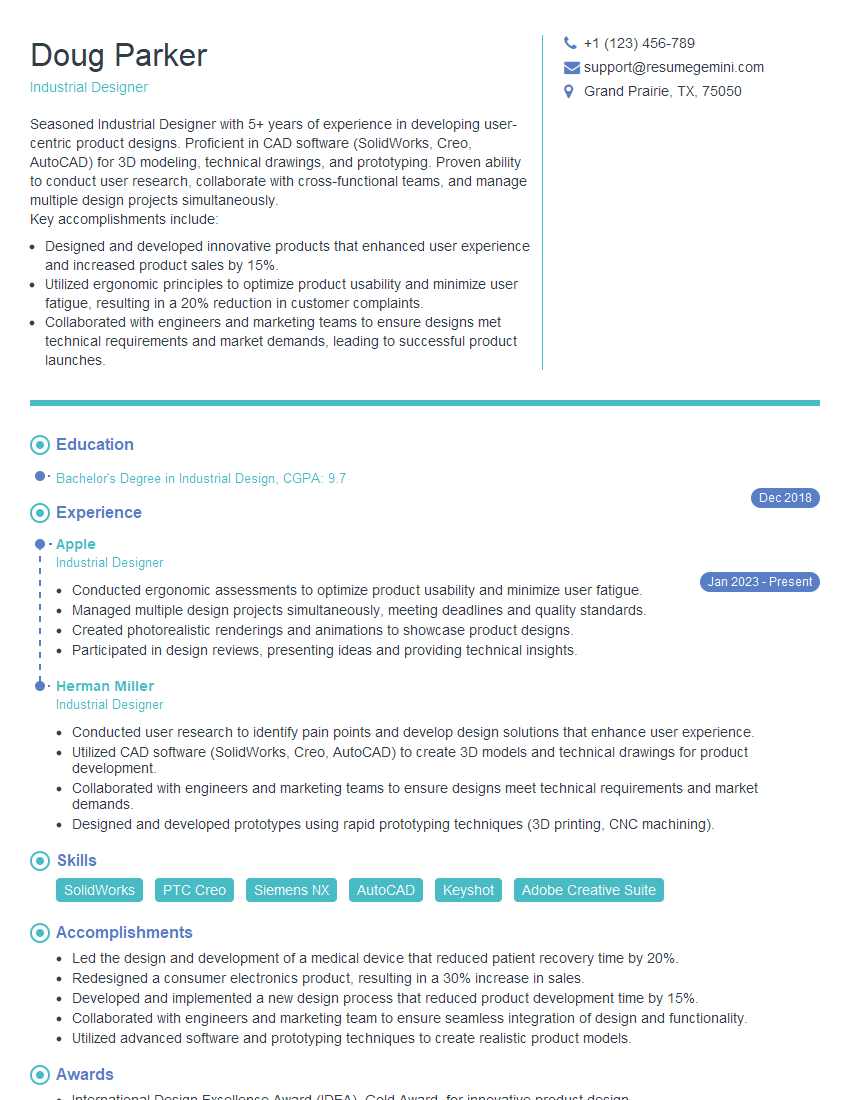
Industrial Designer Resume Sample
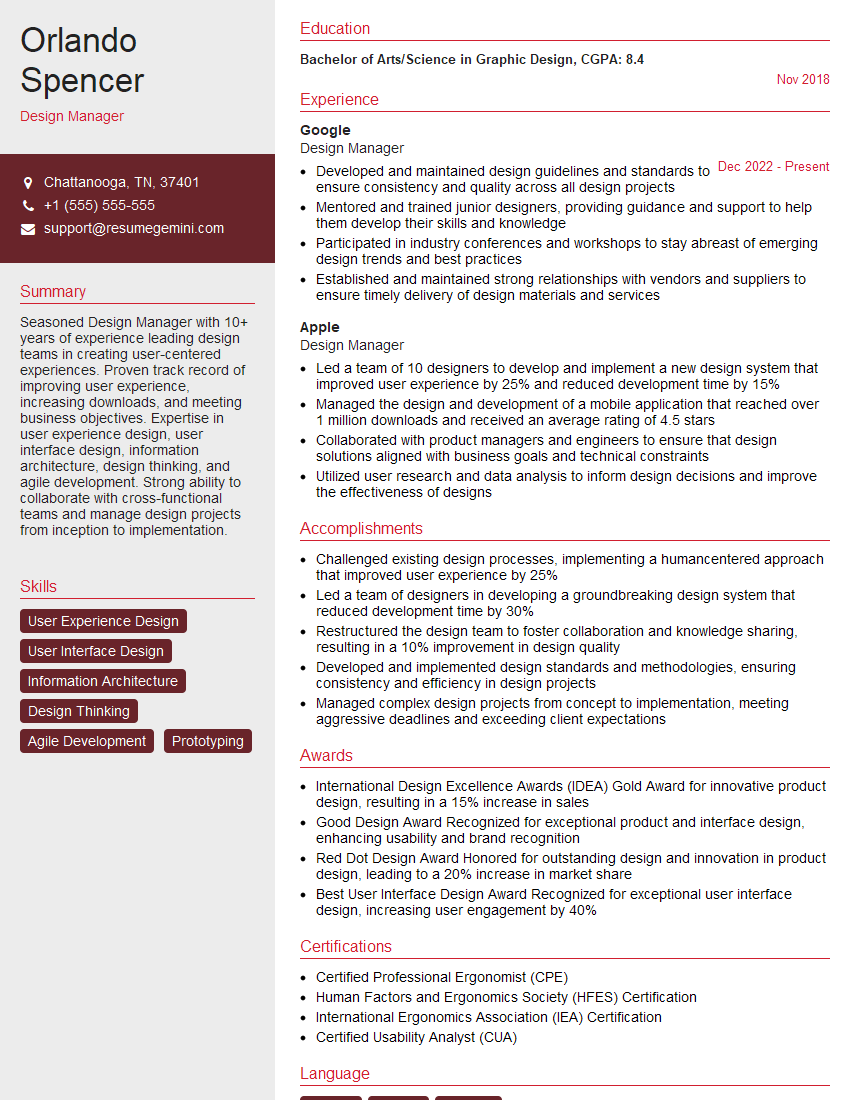
Design Manager Resume Sample
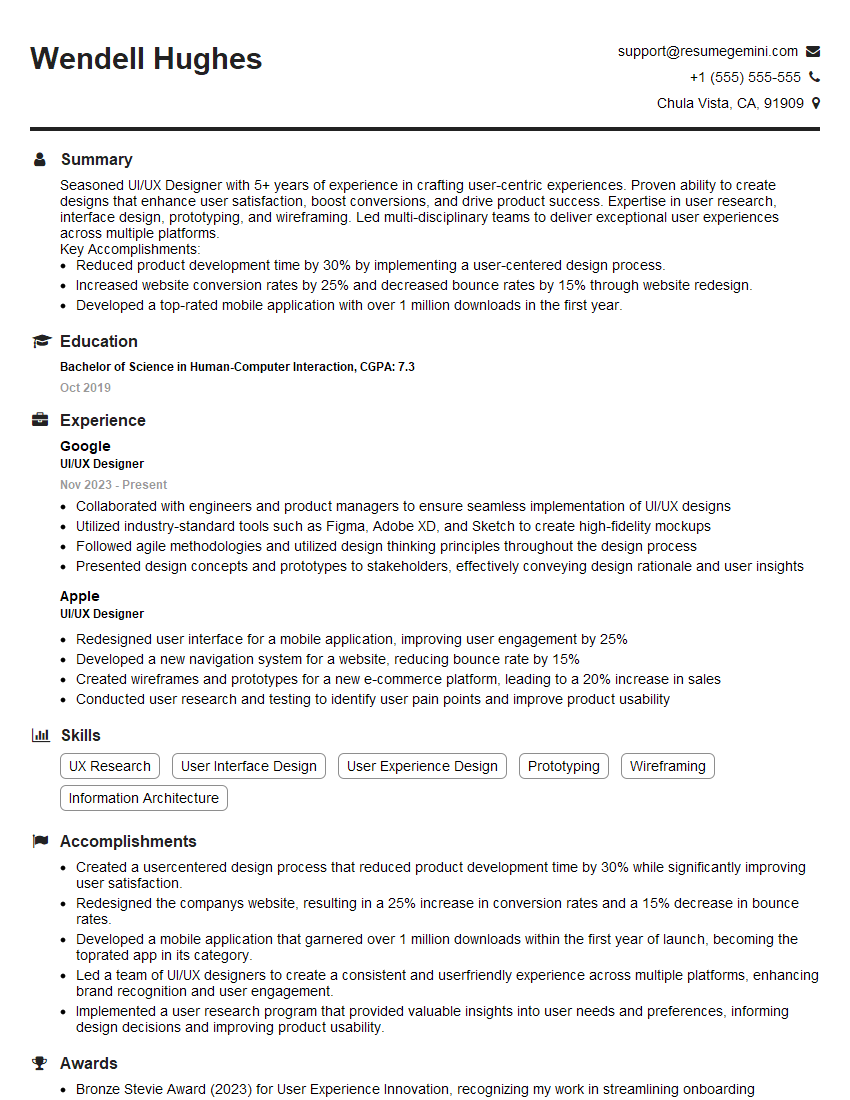
UI/UX Designer Resume Sample

UX Designer Resume Sample
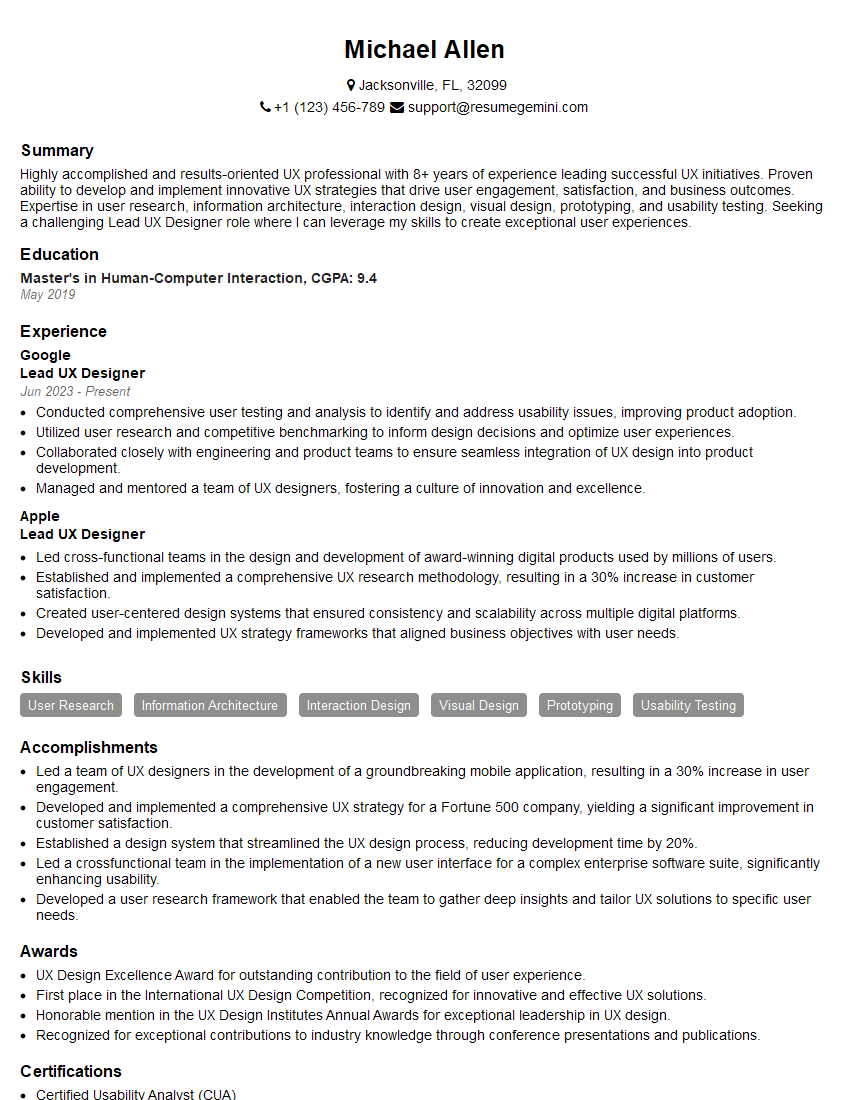
Lead UX Designer Resume Sample
Explore more articles
Users Rating of Our Blogs
Share Your Experience
We value your feedback! Please rate our content and share your thoughts (optional).
What Readers Say About Our Blog
Very informative content, great job.
good