Cracking a skill-specific interview, like one for Design Printing Machine Set-Up, requires understanding the nuances of the role. In this blog, we present the questions you’re most likely to encounter, along with insights into how to answer them effectively. Let’s ensure you’re ready to make a strong impression.
Questions Asked in Design Printing Machine Set-Up Interview
Q 1. Explain the process of setting up a digital printing press for a specific job.
Setting up a digital printing press for a specific job is a multi-step process that requires meticulous attention to detail. Think of it like preparing a recipe – each ingredient (setting) needs to be measured precisely to achieve the desired outcome (print).
- Pre-flight Check: First, I thoroughly review the job specifications, including the artwork, paper type, desired quantity, and color profile. This ensures all necessary files and materials are available and compatible.
- Media Selection and Loading: I select the correct paper based on the job’s requirements (e.g., weight, finish, and color). The paper is then loaded into the press, ensuring proper alignment and feed. I always check for any inconsistencies or defects in the paper stack to prevent jams.
- Color Profile Selection and Calibration: The correct ICC (International Color Consortium) profile for the chosen paper and ink is loaded into the press. This ensures consistent color reproduction across different jobs. I might perform a test print to fine-tune the color settings.
- Print Settings Configuration: I adjust the printing settings, such as resolution, ink density, and drying settings based on the artwork and paper type. This includes optimizing settings for speed and print quality, balancing sharpness against ink usage and potential issues like smearing.
- Test Print and Adjustment: Before starting the full print run, I conduct a test print to evaluate the quality and make any necessary adjustments. This could involve fine-tuning color balance, registration, or other critical settings.
- Production Run: Once the test print is approved, the full print run begins. Constant monitoring is essential during this phase to ensure consistent quality and to address any issues that might arise.
For example, if I’m printing a high-resolution photograph on glossy paper, I would select a high-resolution setting, optimize the ink density for vibrant colors, and choose a drying system that prevents smudging. Conversely, for a simple black and white document on standard paper, I would select a faster, lower-resolution setting.
Q 2. Describe your experience with color calibration and profile creation for printing.
Color calibration and profile creation are crucial for achieving consistent and accurate color reproduction in printing. It’s like ensuring your recipe’s measurements are consistently accurate using a reliable measuring tool.
My experience involves using spectrophotometers to measure color accurately. I’ve worked extensively with software like X-Rite i1Profiler and other color management systems to create ICC profiles specific to different printers, inks, and substrates. I understand the importance of using reference standards and maintaining calibration consistency across multiple printers and devices. For example, I might create a custom profile for a specific batch of paper to ensure that the colors on the final print exactly match the colors on my digital design.
The process typically involves measuring color patches using the spectrophotometer, creating a profile using color management software, and then testing the profile on the printing press using test prints. It often requires iterative adjustments to fine-tune the profile for optimal accuracy.
Troubleshooting discrepancies often involves analyzing the deviations between the target colors and the printed output to determine if the issue stems from the profile, printer settings, or the ink itself.
Q 3. How do you troubleshoot common paper jams in a high-speed printing press?
Troubleshooting paper jams in a high-speed printing press requires a systematic approach, combining technical knowledge with practical experience. Think of it as detective work – you need to identify the cause before you can fix the problem.
- Safety First: Always turn off and power down the press before attempting to clear a jam. Never reach into the press while it’s running.
- Identify the Location: Determine the exact location of the jam using the press’s indicators or visual inspection. Some presses have sophisticated sensors that pinpoint the jam location.
- Remove the Jam: Carefully remove the jammed paper, ensuring not to damage any internal components. The process often involves accessing specific access points within the printer to extract the paper safely.
- Check for Obstructions: Once the jam is cleared, inspect the paper path for any obstructions, such as foreign objects or bent paper guides. Correct any misalignments or defects.
- Paper Quality: Examine the paper for defects like wrinkles or excessive moisture, which can increase the likelihood of jamming. Using the correct paper type for the press is crucial.
- Sensor Check: If jams persist, check for malfunctioning sensors that detect paper movement. These need to be cleaned or replaced as needed.
For instance, a recurring jam at the feed tray might indicate a problem with the paper’s alignment, requiring adjustment of the paper guides. A jam near the rollers could mean worn or damaged rollers needing replacement.
Q 4. What are the key safety procedures you follow when operating printing machinery?
Safety is paramount when operating printing machinery. I strictly adhere to a comprehensive set of safety procedures, prioritizing both personal safety and the protection of equipment.
- Lockout/Tagout Procedures: Before performing any maintenance or repair, I always follow lockout/tagout procedures to prevent accidental startup.
- Personal Protective Equipment (PPE): I consistently wear appropriate PPE, including safety glasses, gloves, and hearing protection.
- Machine Inspection: Before each operation, I thoroughly inspect the machine for any damage, loose parts, or potential hazards.
- Emergency Shutdown Procedures: I am familiar with the location and operation of all emergency stop buttons and emergency shutdown procedures.
- Proper Lifting Techniques: When handling heavy materials, I use proper lifting techniques to prevent injuries.
- Training and Certification: I ensure that all personnel operating the equipment have received adequate training and hold the necessary certifications.
For example, before cleaning rollers, I always power down the press, lock the power switch, and tag it to prevent accidental activation. I always double-check the safety mechanism to ensure the machine is fully powered off and safe before approaching.
Q 5. How do you identify and resolve issues related to print quality (e.g., banding, misregistration)?
Identifying and resolving print quality issues like banding and misregistration requires a systematic approach and a deep understanding of the printing process. It is much like diagnosing a medical condition – examining the symptoms to pinpoint the cause.
Banding: Often caused by inconsistent ink distribution, banding manifests as horizontal streaks across the print. Troubleshooting steps include checking for clogged print heads (in digital printing), ensuring proper ink agitation, and verifying the correct ink viscosity. Cleaning the print heads or replacing the ink cartridges might be required.
Misregistration: This occurs when colors or elements aren’t aligned correctly. It can stem from improper calibration of the printing press, worn parts (like rollers), or incorrect media handling. Possible solutions include adjusting the press registration settings, replacing worn parts, and carefully reviewing the paper path for any obstructions or misalignments.
Other print quality problems such as color inconsistencies, blurring, or dot gain require investigation of several factors: the image file itself, the print settings, the calibration of the device, the quality of the inks, the substrate, and the environment in which the machine operates. A systematic check of each parameter will ultimately lead to the source of the issue.
Q 6. Describe your experience with different types of printing inks and their applications.
Different printing inks cater to various applications and have unique properties. This is similar to choosing the right tool for a specific task – a screwdriver for screws and a hammer for nails.
- Solvent-based inks: Used in screen printing and some offset printing, they offer vibrant colors and good adhesion to various substrates. However, they have a strong odor and environmental concerns.
- UV-curable inks: Used in digital and screen printing, they cure instantly upon exposure to UV light, making them ideal for fast turnaround times and high-quality output.
- Water-based inks: Eco-friendly and often used in digital printing and some offset printing, they have a lower environmental impact but might offer slightly less vibrancy than solvent-based inks. They work especially well on paper and less well on some plastics or metals.
- Vegetable-based inks: More sustainable and environmentally friendly alternative to petroleum-based inks, providing a similar quality of print with decreased environmental impact. Their adhesion and color range can vary depending on the formulation.
The choice of ink depends heavily on the substrate, the desired print quality, the environmental considerations, and the type of printing press being used. For instance, UV-curable inks are often preferred for high-quality, durable prints on plastics and other non-porous materials, while water-based inks are ideal for printing on paper and fabrics where environmentally friendly solutions are critical.
Q 7. Explain your understanding of different printing methods (offset, digital, screen, etc.).
Different printing methods each have unique strengths and weaknesses, making them suitable for different applications. Think of it as a toolbox with various tools for different jobs.
- Offset Printing: A high-volume, cost-effective method ideal for large print runs. It uses plates to transfer ink onto a blanket and then onto the paper, delivering high-quality, consistent results. However, it’s less suitable for short runs and personalized projects.
- Digital Printing: Suitable for short to medium runs, offering quick turnaround times and cost-effectiveness for personalized projects. It directly prints ink onto the paper without the need for plates. Image quality can be excellent depending on the press and settings but might not match offset’s fine detail at its highest resolution.
- Screen Printing: Ideal for creating high-quality prints on various substrates like textiles, plastics, and wood. It uses stencils to apply ink, resulting in bold, vibrant prints. However, it’s less suitable for detailed images and intricate designs and can be labor-intensive.
- Flexographic Printing: Used for high-volume printing on flexible materials like plastic packaging. It utilizes flexible rubber plates and is adaptable to high-speed printing.
Choosing the right printing method depends on factors such as print quantity, substrate, budget, and required print quality. For instance, offset printing is usually the most cost-effective for large print runs of books or magazines, while digital printing is better suited for customized t-shirts or short-run business cards. Screen printing excels when printing bold graphics onto t-shirts and other merchandise.
Q 8. How do you maintain and clean printing equipment to ensure optimal performance?
Maintaining printing equipment is crucial for consistent, high-quality output. Think of it like maintaining a finely tuned engine – regular care prevents breakdowns and ensures peak performance. My routine involves daily, weekly, and monthly maintenance procedures.
- Daily: This includes cleaning the inking system, removing debris from paper paths, and checking ink levels. For example, on a digital press, I’d carefully wipe down the fuser unit to remove any toner residue. On an offset press, I’d inspect the dampening system for proper ink-water balance.
- Weekly: More thorough cleaning takes place, such as cleaning rollers, inspecting for wear and tear on parts, and lubricating moving components. I might deep-clean the blanket cylinders on an offset press to ensure consistent ink transfer.
- Monthly: This involves a more comprehensive check, potentially including preventative maintenance tasks like replacing worn parts or performing more in-depth cleaning procedures. This might involve calling in a technician for specialized tasks, like inspecting and cleaning the press’s internal mechanisms.
Beyond scheduled maintenance, I always address issues as they arise. For instance, if I notice banding in the print, I’d immediately investigate the cause, which could range from a problem with the ink supply to a malfunctioning roller.
Q 9. What is your experience with pre-flighting print files and identifying potential issues?
Pre-flighting print files is essential to prevent costly errors and delays. It’s like a quality control check before the actual printing begins. I meticulously examine files for issues such as incorrect color profiles, missing fonts, low-resolution images, and incorrect bleeds.
My process involves using dedicated pre-flight software which automatically checks for these common problems. However, I also perform a manual visual inspection, paying close attention to details. For example, I’ll zoom in on images to check for pixelation and carefully examine the document’s layout to ensure all elements are correctly positioned. If an issue is found, I immediately contact the client or designer to resolve it before proceeding to print, saving time and resources.
I’ve handled situations where a client’s file lacked embedded fonts or had images with insufficient resolution. I would then inform them and request updated, print-ready files. My experience allows me to quickly identify potential problems and offer practical solutions, minimizing production disruptions.
Q 10. How familiar are you with different types of paper and their suitability for various printing techniques?
Understanding paper is fundamental to successful printing. Different papers have different properties that influence the final product. Think of it like choosing the right tool for a job. A delicate watercolor painting wouldn’t be printed on thick cardstock, just as a sturdy business card wouldn’t be printed on thin newsprint.
- Coated Papers: These offer a smooth surface ideal for high-resolution images and vibrant colors, often used for magazines or brochures.
- Uncoated Papers: These have a more porous texture, suitable for letterheads or invitations, offering a more natural feel.
- Specialty Papers: This encompasses a wide range, such as textured papers, recycled papers, or metallic papers, each lending unique qualities to the final product.
My experience allows me to recommend the most appropriate paper for a given printing technique and project. For example, I’d advise against using uncoated paper for a four-color process print job requiring sharp details, as the ink might bleed and reduce image quality.
Q 11. Describe your experience with imposition and how it affects the printing process.
Imposition is the arrangement of pages on a printing sheet before printing. It’s like strategically planning the layout of a jigsaw puzzle to minimize waste and ensure the final product is assembled correctly. Incorrect imposition leads to misaligned pages or missing sections in the final printed piece.
My experience includes using both manual and automated imposition software. Manual imposition requires understanding the sheet size, page count, and binding method to create a layout that optimizes the use of paper and reduces waste. Automated imposition software streamlines this process, especially for complex projects. For example, I use software to create a layout for a 64-page booklet, ensuring that the pages are accurately arranged to allow for correct folding and binding. A mistake here results in a completely unusable final product.
Q 12. How do you handle urgent print jobs with tight deadlines?
Handling urgent jobs requires a systematic approach and prioritization. It’s akin to managing a crisis – quick thinking and efficient execution are essential. My approach involves:
- Immediate Assessment: I first determine the job’s specifics, including deadline, quantity, and complexity.
- Resource Allocation: I assess the available resources – personnel, equipment, and materials – to optimize the workflow.
- Prioritization and Workflow Adjustment: I might need to rearrange other jobs to accommodate the urgent one, possibly working overtime if necessary.
- Clear Communication: Maintaining transparent communication with the client, keeping them updated on progress and any potential challenges.
I remember an instance where a client needed 500 brochures printed overnight. Through efficient planning and team coordination, we successfully delivered the job on time, showcasing our ability to handle high-pressure situations.
Q 13. Explain your experience with different types of printing plates and their preparation.
Printing plates are crucial for transferring images to the printing substrate. They are like stencils that guide the ink onto the paper. Different printing methods utilize various types of plates, each requiring specific preparation.
- Offset Plates: These are commonly used in offset printing and come in various materials like aluminum, requiring careful processing including image exposure, developing, and proofing before mounting on the press.
- Flexographic Plates: These are used for flexible packaging and require precise imaging and processing to ensure accurate color reproduction and durability.
- Letterpress Plates: These plates, often made from metal, are raised to create impressions on the paper. Proper preparation involves engraving or photopolymer techniques to form the desired relief image.
Preparation involves using specialized equipment and chemicals, always following safety guidelines. For example, when preparing offset plates, I carefully expose the plate to UV light ensuring precise alignment and exposure time to achieve optimal image quality. Incorrect exposure could lead to poor image quality or even damage the plate.
Q 14. How do you manage inventory of printing supplies (inks, paper, plates)?
Managing inventory is crucial to avoid production downtime and ensure cost-effectiveness. It’s like managing a well-stocked kitchen – you need the right ingredients at the right time. My approach involves:
- Regular Stock Checks: I perform frequent checks to monitor inventory levels and anticipate future needs.
- Min/Max Levels: I set minimum and maximum stock levels for each item, triggering reordering when minimums are reached.
- Supplier Relationships: I maintain strong relationships with reliable suppliers to ensure timely delivery.
- Data Tracking: I utilize inventory management software to track consumption rates and predict future demand.
This proactive approach ensures we have sufficient supplies on hand to avoid delays and maintains a balance between carrying excessive inventory and risking shortages. For example, tracking ink consumption allows me to forecast demand and place orders to prevent unexpected disruptions to print jobs.
Q 15. Describe your experience with using color management software.
Color management software is crucial for ensuring consistent color reproduction across different devices and print processes. My experience encompasses working with industry-standard software like Adobe Color Management Modules (CMM), GMG ColorProof, and X-Rite i1Profiler. I’m proficient in creating and applying ICC profiles to calibrate monitors, printers, and press devices, ensuring accurate color representation from design to final print. For example, I’ve used GMG ColorProof extensively to create custom ICC profiles for specific substrates and printing conditions, leading to a significant reduction in color discrepancies during print jobs. I also understand the importance of color space management, frequently working with sRGB, Adobe RGB, and CMYK color spaces, making the appropriate conversions to avoid color shifts.
I routinely use these tools to define color standards for a project, which are then consistently maintained during proofing and production. This guarantees a consistent and reliable color experience throughout the entire print workflow.
Career Expert Tips:
- Ace those interviews! Prepare effectively by reviewing the Top 50 Most Common Interview Questions on ResumeGemini.
- Navigate your job search with confidence! Explore a wide range of Career Tips on ResumeGemini. Learn about common challenges and recommendations to overcome them.
- Craft the perfect resume! Master the Art of Resume Writing with ResumeGemini’s guide. Showcase your unique qualifications and achievements effectively.
- Don’t miss out on holiday savings! Build your dream resume with ResumeGemini’s ATS optimized templates.
Q 16. What is your understanding of the relationship between DPI and LPI in printing?
DPI (Dots Per Inch) and LPI (Lines Per Inch) are two distinct but related concepts in printing. DPI refers to the resolution of the digital image file – essentially, how many dots of ink are placed per inch. A higher DPI generally results in a sharper image. LPI, on the other hand, refers to the fineness of the screen used in printing – the number of lines of halftone dots used to reproduce a continuous tone image per inch. A higher LPI generally results in smoother color gradations and finer details, but requires a higher DPI to avoid moiré patterns (unwanted interference patterns).
The relationship is crucial: If the DPI of your image is too low compared to the LPI of your printing screen, you will see a noticeable ‘screen’ or ‘banding’ effect in the printed image. Ideally, the DPI should be at least twice the LPI. For example, a 300 DPI image is suitable for a 150 LPI screen, providing sufficient detail without causing visual distortions. Using lower DPI with higher LPI results in loss of detail and potential for aliasing.
Q 17. How do you ensure consistent color accuracy across multiple print runs?
Maintaining consistent color accuracy across multiple print runs involves a multi-faceted approach. It begins with meticulous color management during the design phase, using software and hardware calibration as described previously. Beyond that, a key element is establishing a color standard early in the process using a colorimetric device such as a spectrophotometer to measure the color of a printed swatch that serves as the reference point.
This reference swatch is then used to check color accuracy at each print run using a densitometer to measure ink density, or another spectrophotometer for more accurate colorimetric readings. This allows for adjustments to ink levels and printing settings on the press to maintain consistency. Regular monitoring of the printing press, including cleaning and maintaining rollers and ensuring proper ink mixing, is also critical. Finally, storing color standards with the client’s provided specs enables future jobs to be matched seamlessly.
Q 18. How do you interpret and follow print specifications provided by clients?
Interpreting and following print specifications is paramount. I meticulously review client-provided specifications, looking for details such as:
- Paper type and weight: This dictates the appropriate printing method and settings.
- Dimensions and bleed: Ensuring accurate sizing to avoid cropping issues.
- Color mode (CMYK, Pantone, RGB): Selecting the correct color profile for the printing process.
- Resolution (DPI): Ensuring sufficient resolution for sharp output.
- Finishing requirements: Understanding specific folding, cutting, and binding needs.
- Number of copies and turnaround time: Planning the production schedule accordingly.
I use checklists and detailed notes to ensure all specifications are understood and followed. Any ambiguities are always clarified with the client before proceeding to avoid costly reprints. This detailed approach is crucial for preventing errors and delivering a high-quality final product which meets or exceeds the client’s expectations.
Q 19. Describe a time you had to troubleshoot a complex printing machine malfunction.
During a large-scale print job, our six-color Heidelberg press experienced a recurring misregistration issue. The colors were printing slightly off-register, leading to blurry images and unacceptable color blending. Initial troubleshooting steps, such as checking the paper path and adjusting the register rollers, proved ineffective.
My systematic approach involved:
- Detailed analysis: I carefully examined the printed sheets, noting the exact nature and pattern of the misregistration.
- Elimination process: I systematically checked each component of the press, starting with the simplest elements – paper feed, transfer rollers, impression cylinder – to rule out common issues.
- Precision measurement: Using specialized measuring tools, I checked the alignment and tension of all moving parts of the press.
- Identifying the root cause: Eventually, I discovered a worn gear in the impression cylinder’s drive system, causing minute discrepancies in timing and alignment.
- Resolution: The gear was replaced, and the press was thoroughly recalibrated.
After this fix, the print quality was restored, and the job was completed successfully, emphasizing the importance of careful observation and systematic troubleshooting in resolving complex printing malfunctions.
Q 20. What is your experience with using RIP software?
RIP (Raster Image Processor) software is essential for translating vector-based images into raster formats suitable for printing. My experience includes working with various RIPs such as Esko CDI, EFI Fiery, and Kodak Prinergy. I understand how to optimize RIP settings to fine-tune image quality, color management, and printing speed. For example, I utilize the color management features of the Fiery RIP to ensure accurate color matching across various printing substrates and conditions. I’m familiar with different image processing algorithms and understand how to manipulate them to achieve the best results, including techniques for sharpening, halftoning, and color correction within the RIP.
I also leverage the job management capabilities of these RIPs to manage complex print jobs, track progress, and optimize workflow efficiency. Using these features I can significantly improve output speed and reduce wasted materials by accurately pre-viewing and managing jobs prior to printing.
Q 21. Explain your understanding of different finishing techniques (cutting, folding, binding).
Finishing techniques significantly impact the final presentation and usability of a printed piece. My experience covers a wide range of finishing options.
- Cutting: Includes guillotine cutting for precise straight cuts, die-cutting for intricate shapes (like business cards), and creasing to prepare for folding.
- Folding: This encompasses various techniques like simple half-folds, letter folds, gate folds, and more complex accordion or Z-folds; selection depends heavily on the final product’s design and intended use.
- Binding: This includes saddle-stitch binding (for magazines), perfect binding (for books), wire-o binding (for calendars or notebooks), and case binding (for high-end books). The choice is dependent on the project’s needs and budget. For example, perfect binding is ideal for large page-count books where a flatter spine is desired, while saddle-stitch binding is perfect for shorter publications where a simple and cost-effective binding method is needed.
I understand the implications of each technique on the final product and work closely with clients to select the most appropriate options to meet their specific requirements and budget.
Q 22. How do you prioritize tasks and manage your workload in a fast-paced print environment?
In a fast-paced print environment, efficient task prioritization is crucial. I utilize a combination of techniques. Firstly, I employ a priority matrix, categorizing tasks based on urgency and importance. Urgent and important tasks, such as a rush order for a client’s critical marketing materials, take immediate precedence. Less urgent but important tasks, like preventative maintenance on the printing press, are scheduled proactively. Less important tasks are delegated or deferred when possible. Secondly, I leverage job ticketing systems to manage the workflow. These systems provide a clear overview of all jobs, their deadlines, and their current status, allowing me to easily identify bottlenecks and reallocate resources as needed. For example, if one job requires specialized finishing, and another is less time-sensitive, I’ll prioritize the job that requires the specialized equipment first, making best use of my time. Finally, effective communication is key. I regularly communicate with my team and supervisors to ensure everyone is on the same page, preventing delays and conflicts. This might involve quick check-ins during peak hours to troubleshoot any small hiccups before they become larger issues.
Q 23. What are your preferred methods for documenting and tracking print jobs?
My preferred methods for documenting and tracking print jobs involve a multi-faceted approach. I rely heavily on digital job tracking systems, usually integrated with the printing press’s control software. These systems capture crucial information, such as job specifications, client details, material usage, and production timestamps, creating a detailed audit trail. For example, I’ll input details like paper type, ink specifications, and finishing requirements directly into the system. Beyond the digital systems, I maintain physical job folders containing hard copies of proofs, client briefs, and any other relevant documents. This serves as a backup and facilitates easy reference. Additionally, I meticulously document any adjustments or troubleshooting steps undertaken during the printing process, especially when dealing with unique challenges or complex projects. A simple log book alongside the digital record keeping prevents any knowledge gaps and allows me to refine my processes over time. Imagine needing to reproduce a job after several weeks; these detailed records ensure seamless replication.
Q 24. How do you ensure the accuracy and consistency of print output?
Ensuring accurate and consistent print output is paramount. This involves a rigorous process starting with pre-press quality control. I meticulously check the digital files for resolution, color profiles, and any potential errors before sending them to the printing press. We use color calibration tools to match the on-screen preview with what comes out of the press, for example using color swatches and spectrophotometers. During the printing process itself, I regularly monitor color consistency, ink levels, and paper feed. I use standardized color charts and perform regular test prints to detect and correct any deviations. If a deviation occurs, I take steps to diagnose the issue and take appropriate action. Finally, post-press inspection is critical. I visually inspect every sheet for blemishes, misalignment, and other defects before packaging. This systematic approach, combining digital and physical checks, ensures that the final product meets the highest quality standards. I treat this process as my safeguard against any printing inconsistencies.
Q 25. Describe your experience with different types of printing substrates.
My experience with printing substrates is extensive. I’ve worked with a wide variety of materials, including standard offset papers (coated and uncoated), various types of card stock, specialty papers like linen or textured papers, and even synthetic substrates such as plastics and vinyl. Understanding the properties of each substrate is crucial for optimal print results. For example, coated papers offer excellent image reproduction, but may be more prone to scratches than uncoated papers; while thicker card stocks require adjustments to the printing press’s feeding mechanism to avoid jams. I adapt my press settings and techniques accordingly. Working with more delicate substrates requires more careful handling and adjustments to the printing pressure to avoid damage. This involves considering factors like the paper’s thickness, porosity, moisture content, and surface texture. For instance, handling a delicate silk paper requires a different machine calibration than working with a heavy-duty cardboard. This broad experience ensures I can tackle any project with confidence, tailoring my approach to the specific requirements of the material.
Q 26. How familiar are you with automated print workflows and systems?
I am very familiar with automated print workflows and systems. My experience encompasses various pre-press automation tools, including automated imposition software, color management systems, and workflow automation platforms like MIS (Management Information Systems). These systems streamline the entire print process from file submission to final output, significantly improving efficiency and reducing errors. For instance, I’ve used systems that automatically generate imposition layouts, optimize color profiles, and track job progress in real-time, minimizing human intervention and boosting productivity. I’m also proficient in using JDF (Job Definition Format) and other industry standards for automated data exchange, ensuring seamless integration between different software and hardware components within the workflow. Familiarity with these systems allows for smoother, more efficient, and less error-prone processes, allowing for quicker turnaround times and increased capacity.
Q 27. What are your strengths and weaknesses in a printing press operator role?
My strengths as a printing press operator include a meticulous attention to detail, a strong understanding of color management, and the ability to troubleshoot technical issues effectively. I’m adept at quickly diagnosing and resolving problems, ensuring minimal downtime and maintaining consistent output quality. I also thrive in fast-paced environments and am comfortable managing multiple tasks simultaneously. However, one area I am always striving to improve is my knowledge of the newest, cutting edge print technologies and software. While I quickly pick up new skills, the rapidly evolving printing technology landscape necessitates continuous learning and upskilling. I actively seek out training opportunities and online resources to maintain my expertise in this ever-changing field.
Q 28. What are your salary expectations for this position?
My salary expectations for this position are in line with the industry standard for experienced printing press operators with my skill set and experience. I’m open to discussing a competitive salary range based on the specifics of the role and the company’s compensation structure. I believe that my skills and contributions would add significant value to your organization, and I’m confident that we can reach a mutually agreeable compensation package.
Key Topics to Learn for Design Printing Machine Set-Up Interview
- Machine Operation & Maintenance: Understanding the intricacies of various design printing machines, including their functionalities, safety protocols, and routine maintenance procedures. This includes preventative maintenance schedules and troubleshooting common malfunctions.
- Pre-Press Preparation: Mastering file preparation, color management (CMYK, Pantone), and ensuring accurate imposition and trapping for optimal print results. This involves practical experience with software like Adobe Acrobat and potentially others depending on the specific role.
- Print Quality Control: Developing a keen eye for identifying and rectifying print defects, such as misregistration, color inconsistencies, and ink bleeding. This includes understanding the metrics used to assess print quality and making adjustments to achieve desired outcomes.
- Setup & Calibration: Gaining proficiency in setting up and calibrating different types of design printing machines, including adjusting ink levels, perfecting registration, and optimizing printing speeds. This demands a practical understanding of the mechanical aspects and software interface of the machines.
- Troubleshooting & Problem-Solving: Developing effective strategies for diagnosing and resolving machine malfunctions, including identifying the root cause of issues and implementing corrective actions. This aspect emphasizes analytical skills and a methodical approach to problem-solving.
- Material Handling & Management: Understanding the properties of various printing materials (paper, substrates, inks) and their impact on print quality. Efficient and safe handling of these materials is crucial for optimal productivity and safety.
- Health and Safety: Thorough knowledge of all relevant safety regulations and procedures related to operating and maintaining design printing machinery. Understanding and adhering to these procedures is paramount for a safe and efficient work environment.
Next Steps
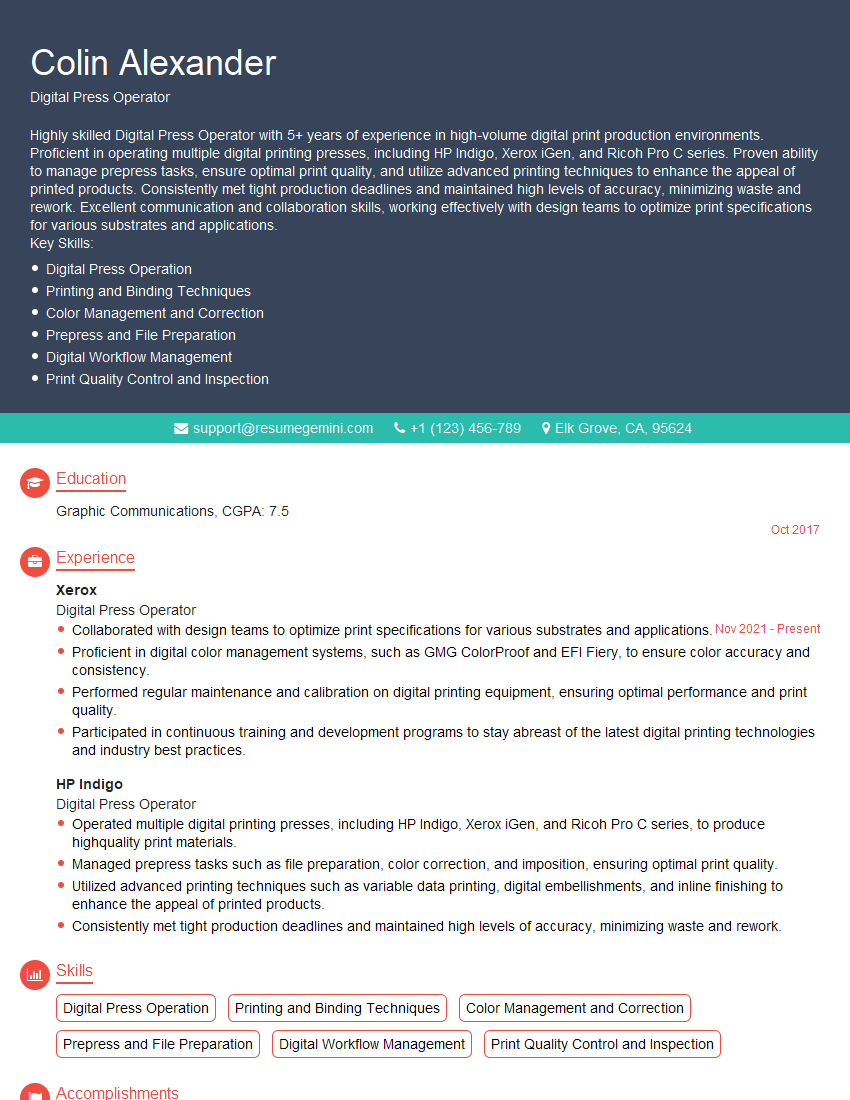
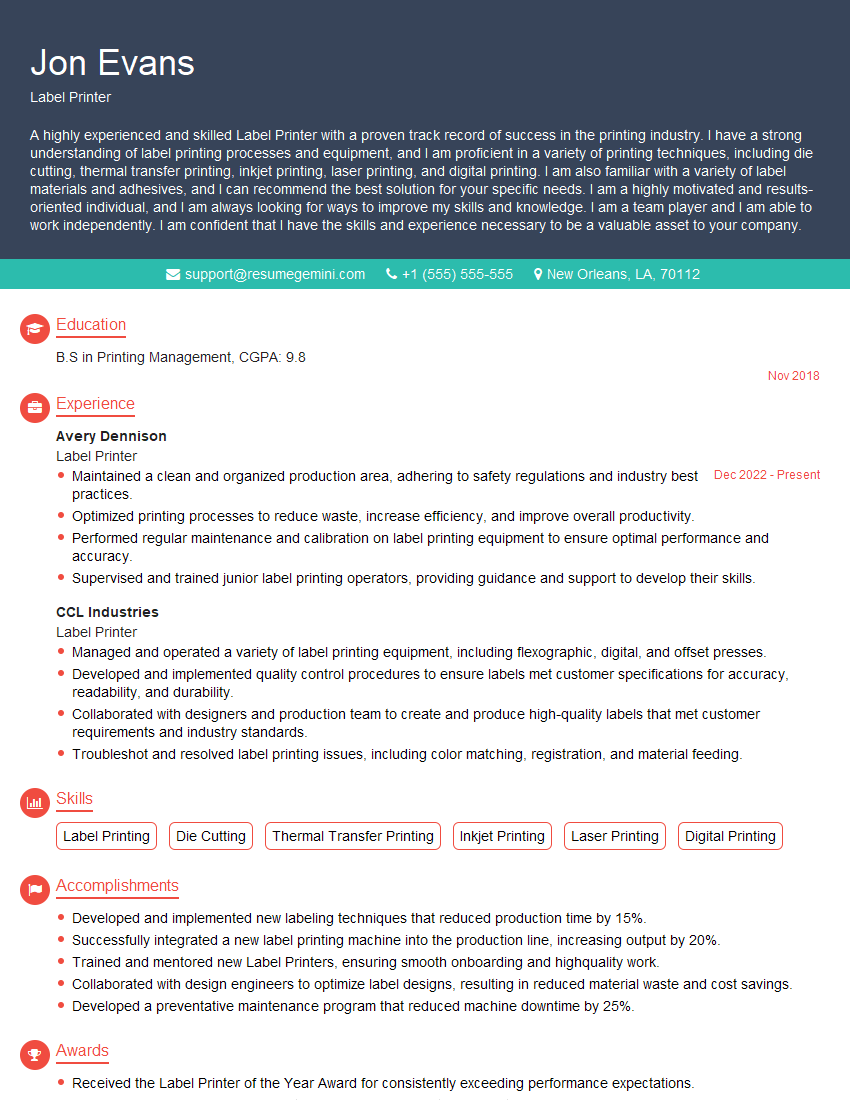
Mastering Design Printing Machine Set-Up opens doors to exciting career opportunities with significant growth potential. Developing expertise in this field allows you to contribute significantly to a company’s production efficiency and print quality. To maximize your job prospects, creating a strong, ATS-friendly resume is crucial. ResumeGemini is a trusted resource that can help you craft a professional and impactful resume, highlighting your skills and experience effectively. Examples of resumes tailored to Design Printing Machine Set-Up are available to guide you through this process.




Explore more articles
Users Rating of Our Blogs
Share Your Experience
We value your feedback! Please rate our content and share your thoughts (optional).
What Readers Say About Our Blog
Very informative content, great job.
good