Unlock your full potential by mastering the most common DevOps (CI/CD, Automation) interview questions. This blog offers a deep dive into the critical topics, ensuring you’re not only prepared to answer but to excel. With these insights, you’ll approach your interview with clarity and confidence.
Questions Asked in DevOps (CI/CD, Automation) Interview
Q 1. Explain the CI/CD pipeline and its stages.
A CI/CD pipeline automates the process of building, testing, and deploying software. Think of it as an assembly line for your code, ensuring consistent and reliable releases. It’s broken down into several key stages:
- Source Code Management (SCM): This is where your code lives (e.g., Git). Changes are triggered automatically, initiating the pipeline.
- Build: The code is compiled, packaged, and prepared for deployment. This might involve dependency management, compiling code, and creating deployable artifacts.
- Testing: Automated tests (unit, integration, system, etc.) are run to verify code quality and functionality. This is crucial for catching bugs early.
- Deployment: The built and tested application is deployed to a target environment (e.g., development, staging, production). This often involves configuration management and orchestration.
- Monitoring: Post-deployment monitoring tracks performance, errors, and other metrics to ensure the application is healthy and functioning correctly. This allows for swift response to issues.
For example, a change in the source code repository might trigger a build. After successful build and testing, the application automatically gets deployed to the staging environment for further testing. Once approved, it’s moved to production.
Q 2. Describe your experience with different CI/CD tools (e.g., Jenkins, GitLab CI, CircleCI).
I have extensive experience with various CI/CD tools, each with its strengths and weaknesses. I’ve used Jenkins for its flexibility and extensive plugin ecosystem, ideal for complex pipelines and custom integrations. For simpler projects or those hosted on GitLab, GitLab CI’s seamless integration offers speed and efficiency. CircleCI’s focus on speed and ease of use has made it a good choice for projects needing fast feedback loops. The choice depends entirely on project needs and team expertise; I adapt my approach to suit the specific context.
For instance, in a previous role, we utilized Jenkins to orchestrate a multi-stage pipeline for a large microservices application. We leveraged its extensive plugin library to integrate with various tools such as SonarQube for code quality analysis, JUnit for automated testing, and Ansible for deployment automation. In another project, the speed and simplicity of GitLab CI made it a perfect choice for a small, agile team working on a web application.
Q 3. How do you handle failed builds in a CI/CD pipeline?
Handling failed builds is critical for maintaining a reliable CI/CD pipeline. My approach involves a multi-pronged strategy:
- Automated Notifications: The pipeline should immediately notify the relevant team members (via email, Slack, etc.) about failed builds, including the reason for the failure.
- Detailed Logging: Comprehensive logs are essential for debugging. This includes build logs, test results, and any error messages.
- Rollback Strategy: In cases of deployment failures, having a rollback plan to quickly revert to a known stable version is crucial to minimize downtime.
- Automated Remediation (where possible): For some common failures, automated fixes can be implemented. For example, automatically restarting a failed container or retrying a failing test a certain number of times.
- Root Cause Analysis: Thorough investigation to determine the underlying cause of the failure is necessary to prevent future occurrences. This might involve code reviews, examining test results, or analyzing server logs.
Imagine a failed build due to a failing unit test. The notification system alerts the developers. The detailed logs pinpoint the failing test and highlight the code causing the issue. The developers address the bug, and a new build is triggered. This iterative process is crucial.
Q 4. What are some common challenges in implementing CI/CD, and how have you addressed them?
Implementing CI/CD presents numerous challenges, some common ones include:
- Legacy Systems Integration: Integrating CI/CD into legacy systems can be difficult and time-consuming due to outdated technologies and lack of automation.
- Testing Complexity: Creating comprehensive and effective automated tests can be challenging, especially for complex applications. Insufficient test coverage increases the risk of deploying faulty code.
- Deployment Complexity: Deploying to complex environments (multiple servers, microservices, cloud platforms) can be challenging to automate.
- Cultural Resistance: Getting teams to adopt a new CI/CD process requires change management and training.
To address these, I’ve focused on:
- Incremental Adoption: Start with a small, manageable portion of the application and gradually expand CI/CD coverage.
- Automated Testing Strategies: Invest in robust automated testing frameworks to ensure high code quality.
- Infrastructure as Code (IaC): Use IaC to manage and provision infrastructure, automating deployment and reducing manual effort.
- Continuous Training and Collaboration: Regularly train team members and foster collaboration to promote adoption and address challenges proactively.
Q 5. Explain your understanding of Infrastructure as Code (IaC).
Infrastructure as Code (IaC) is the practice of managing and provisioning infrastructure through code instead of manual processes. Think of it like managing your application’s code—you have version control, testing, and automation for the infrastructure itself. This improves consistency, repeatability, and reduces errors.
Instead of manually configuring servers, networks, and other infrastructure components, you use code to define the desired state. Tools then automate the process of creating and managing that infrastructure, ensuring consistency across environments (development, testing, production). This greatly enhances efficiency and reduces human error.
Q 6. What IaC tools have you used (e.g., Terraform, Ansible, CloudFormation)?
I’ve worked extensively with Terraform, Ansible, and CloudFormation. Terraform is excellent for managing multi-cloud and hybrid environments, defining infrastructure as code in a declarative manner. Ansible excels at configuration management and automation tasks, using an agentless architecture for simplified deployments. CloudFormation, AWS’s IaC solution, provides deep integration with the AWS ecosystem. The best choice depends upon the specific needs of a project and its cloud provider.
For example, I used Terraform to provision infrastructure across AWS and Azure for a client’s hybrid cloud setup, ensuring consistent infrastructure configurations across different environments. Ansible was instrumental in automating configurations on numerous Linux servers in another project, simplifying the process and increasing reliability. In an AWS-centric project, CloudFormation’s tight integration significantly streamlined the process of provisioning and managing resources.
Q 7. How do you manage configurations in a large-scale environment?
Managing configurations in large-scale environments requires a structured and automated approach. This involves:
- Configuration Management Tools: Employing tools like Ansible, Chef, Puppet, or SaltStack to centrally manage configurations across numerous servers and applications.
- Version Control: Storing all configurations in a version control system (like Git) enables tracking changes, rollbacks, and collaboration.
- Centralized Configuration Repository: Maintain a single source of truth for configurations, avoiding discrepancies and inconsistencies.
- Automated Deployment: Automate the process of deploying configurations using CI/CD pipelines to ensure consistency and reduce manual effort.
- Configuration Validation: Implement validation mechanisms to ensure configurations are correct before deployment, preventing errors.
In a previous large-scale project, we used Ansible to manage configurations across hundreds of servers. Ansible playbooks defined the desired state, and automated deployment ensured consistency across the environment. Using Git for version control provided a history of configuration changes, simplifying troubleshooting and rollbacks.
Q 8. Describe your experience with configuration management tools (e.g., Ansible, Puppet, Chef).
Configuration management tools are crucial for automating the provisioning and management of infrastructure. I have extensive experience with Ansible, Puppet, and Chef, each with its strengths. Ansible, my preferred choice for its agentless architecture and simplicity, uses YAML to define playbooks – instructions to manage systems. This makes it easy to read and write, ideal for collaborative teams. For instance, I’ve used Ansible to automate the deployment of web servers across multiple cloud instances, configuring firewalls, installing necessary software packages, and setting up load balancing all in a single playbook.
Puppet uses a declarative language (Puppet DSL) to define the desired state of the system. It’s powerful for managing complex infrastructure but comes with a steeper learning curve. I’ve used it in projects requiring fine-grained control over system configuration and managing a large number of servers across different environments.
Chef, similar to Puppet, utilizes a declarative approach with its own Ruby-based domain specific language (DSL). I have used Chef’s robust cookbook ecosystem to manage intricate applications and automate tasks that required a stronger focus on recipe organization and reusable modules.
My experience spans across managing both physical and virtual servers, and I adapt my choice of tool based on the project’s complexity, team’s familiarity and the desired level of control.
Q 9. Explain your approach to automating infrastructure provisioning and deployment.
My approach to automating infrastructure provisioning and deployment is built around Infrastructure as Code (IaC) principles. This involves defining and managing infrastructure through code rather than manual processes. I typically leverage tools like Terraform or CloudFormation, depending on the cloud provider. This ensures consistency, repeatability, and version control for our infrastructure. We establish a clear pipeline, starting with defining the infrastructure in code (e.g., creating virtual machines, networks, databases within Terraform). This is then integrated with our CI/CD pipeline, automating the build, testing and deployment processes.
For instance, when deploying a new web application, the pipeline will trigger Terraform to create the necessary EC2 instances, configure security groups, and establish connections to a managed database service. Following this, Ansible playbooks will deploy the application, configure the application server and run database migrations. The entire process is tracked and logged, allowing for easy rollback if needed.
The benefits include faster deployment cycles, reduced human error, and improved consistency across environments (dev, test, production).
Q 10. How do you ensure security throughout your CI/CD pipeline?
Security is paramount throughout the CI/CD pipeline. My approach focuses on several key areas:
- Secure Code Scanning: Integrating Static Application Security Testing (SAST) and Dynamic Application Security Testing (DAST) tools into the pipeline to identify vulnerabilities early in the development process.
- Secret Management: Using dedicated secret management tools like HashiCorp Vault or AWS Secrets Manager to securely store and manage sensitive information such as API keys, database credentials, and certificates. This prevents hardcoding credentials into the code.
- Image Scanning: Regularly scanning container images for vulnerabilities before deployment. Tools like Trivy or Clair help identify and address security risks in the images.
- Access Control: Implementing robust role-based access control (RBAC) at every stage of the pipeline. Only authorized personnel have access to specific parts of the process.
- Compliance and Auditing: Utilizing automated security checks and audits to ensure compliance with relevant industry standards and regulations. Logging all activities in the pipeline provides a complete audit trail.
By incorporating these security measures into every step, we minimize the risk of vulnerabilities and ensure secure deployments.
Q 11. What are your preferred monitoring and logging tools, and why?
My preferred monitoring and logging tools are Datadog and ELK stack (Elasticsearch, Logstash, Kibana). Datadog provides comprehensive monitoring across various aspects – infrastructure, application performance, logs, and security. Its user-friendly dashboard and powerful alerting system make it ideal for real-time monitoring and proactive issue detection. I’ve used it to monitor everything from server resource usage to application response times and automatically trigger alerts when key metrics cross predefined thresholds.
The ELK stack offers a highly customizable and scalable solution for log aggregation and analysis. I utilize it for deep dive analysis of logs and to correlate events across multiple systems. Its ability to handle massive volumes of log data makes it essential for troubleshooting and identifying patterns within large deployments. For instance, I’ve leveraged ELK to track the cause of a recent performance degradation, analyzing logs to pinpoint the root cause of slow database queries.
The choice of tool often depends on the scale and complexity of the system. For smaller projects, a simpler monitoring solution might suffice, but for large-scale applications, Datadog and the ELK stack provide the necessary scale and functionality.
Q 12. Describe a time you had to troubleshoot a complex CI/CD issue.
During a recent project, our CI/CD pipeline consistently failed during the deployment stage to our Kubernetes cluster. Initially, the error messages were vague, pointing only to a general deployment failure. My troubleshooting started with meticulously reviewing the logs, focusing on the Kubernetes deployment logs. I noticed that resource requests and limits were not properly defined in our deployment YAML files, leading to resource contention within the Kubernetes cluster. As a result, deployments would often fail due to insufficient resources.
I then systematically checked each step in the pipeline. I implemented more granular logging, capturing the state of the system at each point. This allowed me to narrow down the problem to a specific stage of the deployment. I also deployed the application manually to isolate whether the problem was in the application code or the deployment process. Once I confirmed the issue with the resource limits, I updated the YAML files with appropriate resource definitions, tested the changes thoroughly in our staging environment, and deployed the corrected files to production. This resolved the deployment failures and improved our pipeline’s reliability. Throughout this process, I emphasized clear communication and collaboration with the development and operations teams, providing regular updates and involving them in the problem-solving.
Q 13. How do you handle version control in your DevOps workflows?
Version control is fundamental to my DevOps workflows. We use Git for all code, configuration files, and infrastructure as code. Every change is tracked, allowing us to revert to previous states if necessary. Branching strategies are crucial for managing concurrent development. We use a Gitflow workflow which promotes a structured approach to branching and merging code. This includes distinct branches for development, features, releases, and hotfixes.
Pull requests are mandatory for code reviews, ensuring code quality and collaboration. Every change is reviewed and approved before merging into the main branch. This reduces the risk of introducing bugs and ensures consistency.
We utilize Git’s tagging feature to mark specific releases and versions. This is critical for traceability and to enable quick rollbacks if a production issue occurs. A detailed commit history provides full transparency for all changes made across the entire project.
Q 14. Explain your understanding of Git branching strategies.
Git branching strategies are essential for managing concurrent development and releasing software efficiently. I’m familiar with several strategies, but Gitflow is my preferred method for its clarity and structure. Gitflow establishes distinct branches for different purposes:
main(ormaster): This branch holds the production-ready code.develop: This branch integrates features from feature branches.feature: Branches created for individual features. These are merged into thedevelopbranch upon completion.release: Branches created to prepare for a release. Bug fixes are done here before merging intomainanddevelop.hotfix: Branches created to quickly address urgent production issues. These are directly branched frommain, fixed, and merged back into bothmainanddevelop.
This approach provides excellent organization, allows for parallel development, and minimizes the risk of conflicts. The clear separation of concerns ensures that production-ready code is always stable and well-tested. Other strategies, like GitHub Flow or GitLab Flow, offer simpler models, often suitable for smaller teams or projects.
Q 15. What are some best practices for automating testing in CI/CD?
Automating testing in CI/CD is crucial for delivering high-quality software quickly and reliably. It involves integrating automated tests at various stages of the pipeline, from unit tests to end-to-end tests. The goal is to catch bugs early, reduce manual effort, and improve the overall speed and efficiency of the development process.
- Test Pyramid: A key best practice is following the test pyramid. This prioritizes unit tests (fast and numerous), followed by integration tests (fewer, more complex), and finally, end-to-end tests (the fewest, most complex and slowest). This approach ensures comprehensive test coverage while maintaining efficiency.
- Shift-Left Testing: Start testing early in the development cycle. This means incorporating unit and integration tests as developers write code. This helps to catch defects before they propagate through the system.
- Test Automation Frameworks: Use established frameworks like Selenium (UI testing), Jest (JavaScript unit testing), pytest (Python unit testing), and JUnit (Java unit testing) to streamline the testing process and make it easier to maintain. These frameworks provide structure, reporting, and reusable components.
- Continuous Feedback: Integrate test results directly into the CI/CD pipeline. Fail builds immediately upon test failures, providing rapid feedback to developers. This allows for quick identification and resolution of issues.
- Test Data Management: Effective management of test data is critical. Use techniques like data masking, test data generators, and data virtualization to create realistic test data sets without compromising sensitive information.
Example: In a project I worked on, we implemented a CI/CD pipeline using Jenkins. We integrated JUnit tests for our Java backend and Selenium tests for our frontend. Each commit triggered a build that ran all tests. If a test failed, the build failed immediately, notifying the developers through email and Slack. This allowed us to address bugs quickly, minimizing the time spent on debugging later in the process.
Career Expert Tips:
- Ace those interviews! Prepare effectively by reviewing the Top 50 Most Common Interview Questions on ResumeGemini.
- Navigate your job search with confidence! Explore a wide range of Career Tips on ResumeGemini. Learn about common challenges and recommendations to overcome them.
- Craft the perfect resume! Master the Art of Resume Writing with ResumeGemini’s guide. Showcase your unique qualifications and achievements effectively.
- Don’t miss out on holiday savings! Build your dream resume with ResumeGemini’s ATS optimized templates.
Q 16. How do you ensure the scalability and reliability of your CI/CD pipeline?
Ensuring scalability and reliability in a CI/CD pipeline requires careful planning and the use of appropriate technologies. The key is to design a pipeline that can handle increasing workloads without compromising performance or stability.
- Infrastructure as Code (IaC): Manage infrastructure (servers, networks, etc.) using code (e.g., Terraform, Ansible). This allows for easy scaling and replication of pipeline components.
- Containerization: Use Docker and Kubernetes to containerize your application and pipeline components. This enables consistent execution across different environments and improves portability.
- Parallel Execution: Execute tests and build steps in parallel to reduce pipeline execution time. This is particularly important for larger projects with extensive testing needs.
- Load Balancing: Distribute traffic across multiple pipeline servers to prevent bottlenecks and ensure high availability.
- Monitoring and Logging: Implement comprehensive monitoring and logging to track pipeline performance and identify potential issues. Use tools like Prometheus, Grafana, and ELK stack to monitor key metrics and visualize pipeline health.
- Automated Rollbacks: Automate the process of reverting to a previous stable version if a deployment fails. This ensures that service disruptions are minimized.
Example: In a recent project involving a high-traffic e-commerce application, we deployed our CI/CD pipeline using Kubernetes. We used Terraform to manage the Kubernetes cluster, ensuring that it automatically scaled up or down based on demand. We also implemented parallel test execution, significantly reducing the build time. By monitoring key metrics, we could proactively address performance issues before they affected end-users.
Q 17. Explain the differences between continuous integration, continuous delivery, and continuous deployment.
Continuous Integration (CI), Continuous Delivery (CD), and Continuous Deployment (CD) are closely related but distinct concepts that represent different levels of automation in the software development lifecycle. They all aim to accelerate software delivery and improve quality.
- Continuous Integration (CI): This involves frequently integrating code changes into a central repository. Each integration is then verified by an automated build and automated tests. The goal is to detect integration problems early.
- Continuous Delivery (CD): Builds upon CI by automating the release process. Code changes are automatically built, tested, and prepared for deployment to a production-like environment. Deployment to production, however, is still a manual process, often requiring approval.
- Continuous Deployment (CD): Automates the entire software release process. Once code passes all automated tests and checks, it is automatically deployed to production. This requires a highly robust and reliable automated testing process.
Analogy: Think of it like baking a cake. CI is mixing the ingredients and checking if they are well combined. CD is preparing the cake for serving (icing, decorations). Continuous deployment is automatically putting the cake on the table for guests to enjoy.
Q 18. Describe your experience with containerization technologies (e.g., Docker, Kubernetes).
Containerization technologies like Docker and Kubernetes are fundamental to modern CI/CD pipelines. They greatly improve the efficiency, consistency, and scalability of software development.
- Docker: Docker allows you to package your application and its dependencies into a container. This ensures that the application runs consistently across different environments (development, testing, production), eliminating the “it works on my machine” problem. It creates lightweight, portable, and scalable units of deployment.
- Kubernetes: Kubernetes is a container orchestration platform. It automates the deployment, scaling, and management of containerized applications. It handles tasks such as load balancing, health checks, and automatic scaling based on demand. This provides robustness and resilience for your applications.
Example: In a project I worked on, we used Docker to create containers for our application and its dependencies (database, web server, etc.). These containers were then deployed to a Kubernetes cluster. Kubernetes automatically scaled the application based on the incoming traffic, ensuring high availability and performance. Rolling updates facilitated seamless deployments with minimal downtime.
Q 19. How do you manage secrets in a CI/CD pipeline?
Managing secrets (API keys, passwords, database credentials) securely in a CI/CD pipeline is crucial to prevent unauthorized access and maintain security. Never hardcode secrets directly into your code or configuration files.
- Secret Management Tools: Use dedicated secret management tools like HashiCorp Vault, AWS Secrets Manager, or Azure Key Vault. These tools provide secure storage, access control, and auditing of secrets.
- Environment Variables: Store sensitive information as environment variables. These variables are injected into the pipeline at runtime, preventing them from being committed to the code repository.
- Dedicated Secret Repositories: Use dedicated repositories to store secrets, separate from your application code. These repositories should have strict access controls.
- Principle of Least Privilege: Grant only the necessary permissions to access secrets. This limits the impact of potential security breaches.
Example: In our CI/CD pipeline, we use AWS Secrets Manager to store database credentials. These credentials are retrieved from Secrets Manager during the deployment process using AWS CLI commands. This ensures that the credentials are never exposed in the codebase or configuration files.
Q 20. Explain your understanding of microservices architecture.
Microservices architecture is a design approach where a large application is structured as a collection of small, independent services. Each service focuses on a specific business function and communicates with other services through well-defined interfaces (typically APIs).
- Independent Deployments: Each microservice can be developed, tested, and deployed independently, allowing for faster release cycles and greater agility.
- Technology Diversity: Different microservices can use different technologies, allowing teams to choose the best tools for the job.
- Fault Isolation: If one microservice fails, it doesn’t necessarily bring down the entire application.
- Scalability: Each microservice can be scaled independently based on its specific needs.
Example: An e-commerce platform might be composed of microservices for user accounts, product catalog, shopping cart, order processing, and payment processing. Each of these services can be developed and deployed independently, allowing for greater flexibility and scalability.
Q 21. How do you handle deployments in a microservices environment?
Deploying updates in a microservices environment requires a strategic approach that minimizes downtime and ensures seamless transitions. Because of the independent nature of microservices, you can use several strategies for updates.
- Blue/Green Deployments: Maintain two identical environments (blue and green). Deploy the new version to the green environment, test it, and then switch traffic from blue to green.
- Canary Deployments: Deploy the new version to a small subset of users (canary group) and monitor its performance before rolling it out to the entire system.
- Rolling Updates: Gradually update individual microservices instances, one at a time, while maintaining system availability.
- Automated Rollbacks: Implement automated rollbacks to quickly revert to a previous version if an update causes issues.
- Service Discovery: Use a service discovery mechanism (e.g., Consul, etcd) to allow microservices to find and communicate with each other, even as instances are updated or scaled.
Example: In a recent project, we used blue/green deployments for our microservices. This allowed us to deploy new versions to a staging environment, thoroughly test them, and then seamlessly switch traffic to the new version with minimal downtime. We also implemented automated rollbacks to mitigate potential deployment failures.
Q 22. What is your experience with cloud platforms (e.g., AWS, Azure, GCP)?
My experience with cloud platforms spans several years and encompasses AWS, Azure, and GCP. I’ve worked extensively with each, leveraging their strengths for different projects. For instance, I used AWS for a large-scale microservices architecture, taking advantage of services like ECS and EKS for container orchestration and Lambda for serverless functions. With Azure, I focused on a project requiring robust database solutions, utilizing Azure SQL Database and Cosmos DB. Finally, GCP’s data analytics capabilities were instrumental in another project, where we used BigQuery for large-scale data warehousing and processing. My proficiency extends beyond basic usage; I’m comfortable with infrastructure-as-code (IaC) tools like Terraform and CloudFormation to manage and automate the provisioning of resources on all three platforms. I understand the nuances of each provider’s pricing models and security best practices, allowing me to make informed decisions about resource allocation and security configurations.
Q 23. How do you manage infrastructure costs in a cloud environment?
Managing cloud infrastructure costs requires a multi-pronged approach. It starts with right-sizing instances – choosing the appropriate compute, memory, and storage resources based on actual needs, not just peak demands. This often involves leveraging auto-scaling capabilities to dynamically adjust resources based on real-time demand. Next, I utilize cost optimization tools offered by each cloud provider, such as AWS Cost Explorer or Azure Cost Management, to identify areas for potential savings. This includes tracking spending patterns, identifying underutilized resources, and setting up budget alerts. Another key strategy is adopting a ‘pay-as-you-go’ model wherever possible and leveraging reserved instances or committed use discounts for predictable workloads. Finally, I emphasize the importance of monitoring and logging, not just for application health but also for resource utilization. This allows us to proactively identify and address potential cost inefficiencies.
For example, in a recent project, by analyzing resource utilization data, we identified several underutilized database instances. By right-sizing these instances and implementing autoscaling, we reduced database costs by approximately 30% without compromising performance.
Q 24. Describe your experience with different scripting languages (e.g., Bash, Python, PowerShell).
I’m proficient in several scripting languages, including Bash, Python, and PowerShell. My choice depends on the specific task and environment. Bash is my go-to for quick automation tasks and shell scripting within Linux environments, often used for automating deployments on servers. Python is my preferred choice for complex automation tasks, especially those requiring interaction with APIs or data manipulation due to its extensive libraries and readability. I’ve used Python extensively for tasks like building CI/CD pipelines and creating custom monitoring tools. PowerShell is valuable for managing Windows-based infrastructure, frequently used for automating tasks related to Active Directory, Windows Server management, and deployments on Windows servers. I frequently use these languages in conjunction to take advantage of their strengths in a variety of situations. For example, I might use a Python script to orchestrate a deployment process across multiple servers, using Bash scripts on Linux servers and PowerShell scripts on Windows servers.
Q 25. Explain your approach to automating database deployments.
Automating database deployments is crucial for efficiency and consistency. My approach typically involves using infrastructure-as-code (IaC) tools like Terraform or CloudFormation to manage the database infrastructure, defining database schemas, users, and permissions in declarative configuration files. This allows for repeatable and version-controlled deployments. For the actual data migration, I use database migration tools like Liquibase or Flyway, which allow for version-controlled schema changes and data migrations. These tools track changes and ensure that updates are applied consistently across different environments. This approach also incorporates testing at each stage, including unit tests for database procedures and integration tests to validate the end-to-end database functionality. Rollback capabilities are ensured through the version control of both the schema and data, allowing for easy reversion to previous states in case of issues. Finally, monitoring the database’s performance after deployment is critical, using tools like Prometheus and Grafana to track key metrics, ensuring smooth operation.
Q 26. How do you ensure the rollback capability in your CI/CD pipeline?
Ensuring rollback capability in a CI/CD pipeline is paramount. This is achieved through a combination of strategies. First, every deployment should be version-controlled, allowing us to easily revert to a previous working version. We utilize strategies like blue-green deployments or canary deployments where new versions are deployed alongside existing versions, allowing for a smooth transition and quick rollback if necessary. Infrastructure-as-code also plays a critical role; configuration files are version-controlled, allowing infrastructure to be easily recreated or rolled back to a previous state. Testing is crucial at every stage, ensuring that changes are thoroughly validated before deployment to production. This reduces the risk of needing a rollback. Finally, automated rollback scripts are implemented to quickly undo deployments should issues arise. These scripts are often triggered based on monitoring alerts or manual intervention. The rollback process is also routinely tested to ensure its reliability and speed.
Q 27. What are some common metrics you use to monitor the performance of your CI/CD pipeline?
Monitoring a CI/CD pipeline involves tracking several key metrics. Deployment frequency, lead time for changes, and change failure rate are crucial for assessing efficiency and stability. We also track deployment time, helping to identify and address bottlenecks in the process. Furthermore, we monitor the success rate of automated tests, ensuring the quality of code being deployed. Infrastructure metrics, such as CPU utilization and memory usage of CI/CD servers, are also monitored to ensure sufficient resources. Finally, we continuously analyze pipeline logs for errors or warnings which help identify potential issues. Tools like Prometheus, Grafana, and Datadog are frequently used to visualize and analyze these metrics, providing insights into pipeline performance and identifying areas for improvement.
Q 28. Describe your experience with implementing and managing a DevOps culture within a team.
Implementing and managing a DevOps culture requires a significant shift in mindset and processes. It’s not just about adopting new tools but fundamentally changing how teams collaborate and operate. I start by fostering communication and collaboration between development and operations teams, breaking down silos and promoting shared responsibility for the entire software lifecycle. This includes regular meetings, shared documentation, and collaborative problem-solving. Next, I advocate for automation at every stage, from code building and testing to deployment and infrastructure management, using tools like GitLab CI/CD, Jenkins, or Azure DevOps. We adopt agile methodologies, emphasizing iterative development, continuous feedback, and rapid iteration. Continuous learning and improvement are also vital. We encourage experimentation and the adoption of new technologies, celebrating successes and learning from failures. Measuring and tracking key metrics, as discussed earlier, allows us to continuously improve processes and demonstrate the value of DevOps practices. I believe that cultivating a culture of trust, mutual respect, and shared responsibility is crucial for achieving success with DevOps.
Key Topics to Learn for DevOps (CI/CD, Automation) Interview
- Version Control Systems (e.g., Git): Understanding branching strategies, merging, conflict resolution, and using Git for collaborative development is crucial. Practical application: Explain your experience managing codebases using Git in a team environment and handling merge conflicts.
- CI/CD Pipelines: Mastering the concepts of continuous integration, continuous delivery, and continuous deployment. Practical application: Describe your experience building and maintaining CI/CD pipelines using tools like Jenkins, GitLab CI, or CircleCI. Highlight your experience with pipeline optimization and troubleshooting.
- Containerization (Docker & Kubernetes): Learn the fundamentals of containerization, orchestration, and deployment strategies using Docker and Kubernetes. Practical application: Discuss your experience building and deploying applications using Docker containers and managing them with Kubernetes. Explain your understanding of container security and scalability.
- Infrastructure as Code (IaC): Understand the principles and benefits of IaC using tools like Terraform or Ansible. Practical application: Describe your experience automating infrastructure provisioning and management using IaC. Explain how you ensured consistency and repeatability in your infrastructure deployments.
- Automation and Scripting: Proficiency in scripting languages like Bash, Python, or PowerShell for automating tasks is essential. Practical application: Share examples of how you’ve automated repetitive tasks to improve efficiency and reduce errors in your DevOps workflow.
- Monitoring and Logging: Understanding tools and techniques for monitoring application performance, identifying bottlenecks, and troubleshooting issues. Practical application: Explain your experience with monitoring tools like Prometheus, Grafana, or Datadog, and how you use logs for debugging and performance analysis.
- Cloud Platforms (AWS, Azure, GCP): Familiarity with at least one major cloud provider is highly beneficial. Practical application: Describe your experience deploying and managing applications on a chosen cloud platform, including aspects like networking, security, and cost optimization.
- Security Best Practices: Understanding security considerations throughout the CI/CD pipeline, including secrets management and vulnerability scanning. Practical application: Discuss your experience implementing security measures in your CI/CD pipelines and your understanding of secure coding practices.
Next Steps
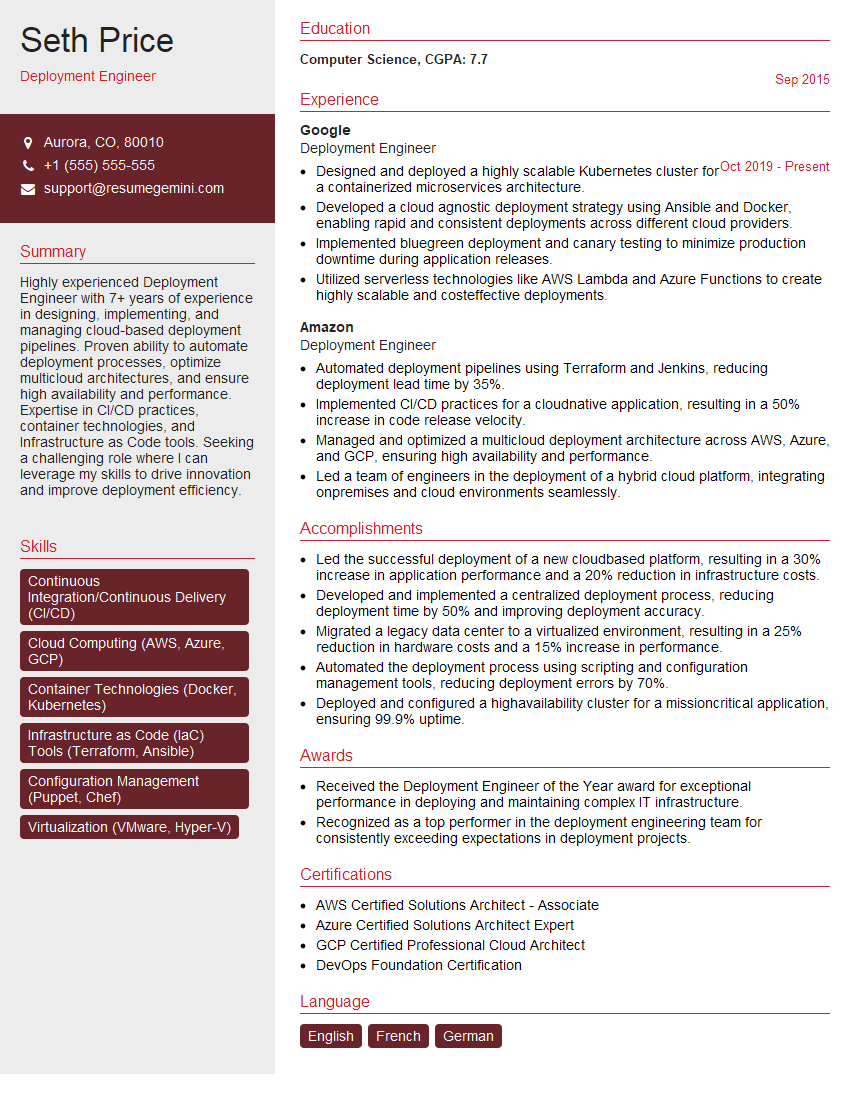
Mastering DevOps (CI/CD, Automation) skills significantly enhances your career prospects, opening doors to high-demand roles with excellent compensation and growth opportunities. Investing time in crafting an ATS-friendly resume is crucial for getting your application noticed. ResumeGemini is a trusted resource to help you build a professional and impactful resume that showcases your skills effectively. Examples of resumes tailored to DevOps (CI/CD, Automation) roles are available to guide you.

Explore more articles
Users Rating of Our Blogs
Share Your Experience
We value your feedback! Please rate our content and share your thoughts (optional).
What Readers Say About Our Blog
Very informative content, great job.
good