Interviews are opportunities to demonstrate your expertise, and this guide is here to help you shine. Explore the essential Digital Audio Workstations interview questions that employers frequently ask, paired with strategies for crafting responses that set you apart from the competition.
Questions Asked in Digital Audio Workstations Interview
Q 1. Explain the difference between destructive and non-destructive editing in a DAW.
The core difference between destructive and non-destructive editing in a DAW lies in how changes affect the original audio file. Think of it like editing a photo: destructive editing is like directly altering the original photo, while non-destructive editing is like creating a copy and working on that copy, leaving the original untouched.
Destructive editing permanently alters the original audio file. For example, if you apply a fade-out effect destructively, the fade is baked into the audio file itself. Once done, you can’t revert to the original unchanged audio. This saves storage space, as you’re not keeping multiple versions, but loses flexibility.
Non-destructive editing, on the other hand, applies changes as instructions or metadata without modifying the original audio file. The changes are stored as instructions—think of it like a recipe—that the DAW follows when playing back the audio. You can always undo these changes or adjust them later without losing the pristine original. This is far more flexible but uses more storage space as it retains multiple versions of the audio.
Example: Imagine you’re recording vocals. Destructively editing means you trim the audio, apply EQ, and compression directly to the file itself. Non-destructively, you would trim using markers, add EQ and compression as plug-ins on the track. If you later decide you prefer the original vocal, you can simply bypass those plug-ins or remove the edits.
Q 2. Describe your experience with various DAW software (e.g., Pro Tools, Logic Pro X, Ableton Live).
My experience spans several leading DAWs, each with its strengths and weaknesses. I’ve worked extensively with Pro Tools, known for its industry-standard status in professional audio production, particularly for film and television scoring. Its advanced features and robust workflow are ideal for large, complex projects requiring precision and stability. I’ve used it for everything from mastering albums to editing dialogue in documentaries.
Logic Pro X, with its comprehensive range of instruments and effects, is my go-to for composing and arranging music. Its intuitive interface and ease of use are great for composing and quickly getting ideas down. I’ve particularly enjoyed using its powerful MIDI editor and its vast library of sounds and virtual instruments.
Ableton Live excels as a live performance and electronic music production tool. Its session view, allowing for non-linear arrangement and improvisation, is a unique and powerful feature. I’ve used Ableton for creating electronic music tracks, live sets, and even for quick experimental sound design.
Each DAW serves a purpose. While proficient in each, I choose the DAW best suited for the specific project demands.
Q 3. What are your preferred methods for managing large audio projects?
Managing large audio projects requires a methodical approach. I employ several strategies, prioritizing organization and clear naming conventions. This starts with a well-structured folder system for each project, including subfolders for audio files, MIDI data, project files, and exported stems.
I use descriptive file names, incorporating project name, track number and description (e.g., ‘ProjectX_Track03_Vocals.wav’). Color-coding tracks within the DAW helps with visual organization. Within the DAW, I make extensive use of groups, busses, and folders to logically organize large numbers of tracks. For instance, all drums can be grouped together and routed to a drum bus, making mixing and processing more efficient.
Regular backups are crucial, employing both local and cloud-based storage to ensure data redundancy and prevent data loss. I use version control systems, within the DAW itself and external software, for tracking different versions of a project. This helps avoid accidental overwrites and allows me to easily revert to previous versions if necessary.
Q 4. How do you troubleshoot common audio problems like latency and clipping?
Troubleshooting audio problems like latency and clipping are common tasks in audio engineering. Latency, the delay between input and output, can be frustrating. High latency results in audio playing out of sync with the video or other instruments. The cause often lies in buffer size settings, the amount of processing power your computer dedicates to audio. Increasing the buffer size decreases latency but increases the delay.
Troubleshooting Latency:
- Increase buffer size in your DAW settings.
- Close unnecessary applications to free up computer resources.
- Upgrade your audio interface or computer.
- Check your audio driver settings.
Clipping occurs when the audio signal exceeds the maximum amplitude, resulting in distortion. It’s like turning the volume up too high on a stereo – it sounds harsh and unpleasant.
Troubleshooting Clipping:
- Lower the input gain on your audio interface or microphone preamp.
- Reduce the output gain of individual tracks or master bus.
- Use a limiter or compressor to prevent peaks from exceeding 0dBFS.
- Check for signal summing issues where multiple tracks combined exceed the maximum amplitude.
Systematic troubleshooting, starting with simple solutions before moving to more complex ones, is critical.
Q 5. Explain your understanding of different audio file formats (WAV, AIFF, MP3).
Understanding audio file formats is crucial. WAV (Waveform Audio File Format) and AIFF (Audio Interchange File Format) are lossless formats, meaning they preserve the original audio data without any compression. This results in high-quality audio but large file sizes. They are generally used for studio work and archiving, where quality is paramount.
MP3 (MPEG Audio Layer III) is a lossy compression format. This means data is discarded to reduce file size. It’s ideal for streaming and distribution, as smaller files are more easily shared and streamed. However, this compression sacrifices some audio quality, although modern MP3 compression can achieve impressive results without significant quality loss at higher bitrates.
Choosing the correct format depends on the application. Lossless is preferred for studio mastering or archiving; lossy is for distribution and online streaming, where file size is a key factor.
Q 6. Describe your workflow for mixing a song from start to finish.
My mixing workflow is iterative and flexible, but generally follows these steps:
1. Preparation: I start by organizing all tracks, creating submixes for clarity (e.g., drums, vocals, guitars). I ensure all tracks are properly timed and edited, eliminating clicks, pops, and unwanted noises.
2. Gain Staging: This is a vital step to prevent clipping and ensure proper signal levels throughout the mix. I set individual track gains, ensuring no tracks are too loud or too quiet relative to each other.
3. EQ and Compression: I use EQ to shape the tonal balance of each track, removing muddiness or harsh frequencies and creating space in the mix. Compression helps control dynamics, making tracks sound more even and punchy. I always use a reference track to compare.
4. Panning and Stereo Imaging: I carefully position tracks in the stereo field, creating a wide and balanced soundstage. This involves creatively panning instruments and using stereo widening techniques.
5. Reverb and Delay: I use reverb and delay strategically to create depth and space, adding ambience and enhancing the natural sound of each instrument.
6. Automation: I use automation extensively to control changes in parameters over time (e.g., volume, panning, effects sends), enhancing the dynamism and excitement of the mix.
7. Final Mix and Master Prep: I apply final adjustments to the overall mix balance and create a master bus using master processing (EQ, Compression, Limiting) to optimize the final audio for distribution.
8. Export: Finally, I render out a final mix at the desired bit rate and sample rate.
This workflow adapts to individual project requirements and may involve several iterations to achieve the desired final product.
Q 7. What are your preferred plugins and why?
My plugin preferences vary depending on the specific task, but some favorites include:
FabFilter Pro-Q 3: An incredibly versatile and precise equalizer. Its dynamic EQ capabilities are powerful, making it easy to surgically target problem frequencies and shape the tone of a track.
Waves CLA-76: A fantastic emulation of the classic 1176 compressor. Its fast attack and release times are great for adding punch and dynamics to drums and bass.
Universal Audio UAD plugins: This suite offers a collection of high-quality emulations of classic hardware processors. They’re computationally intensive but offer exceptional sonic character.
Plugin selection depends heavily on the project and artistic vision. While I value high-quality plugins, I’m ultimately most interested in producing the best possible audio quality irrespective of the plugins used. I often utilize free plugins as well, as there is great quality to be found within many free alternatives.
Q 8. How do you handle different microphone techniques for various instruments?
Microphone technique selection is crucial for capturing the best sound from different instruments. It’s not just about pointing a mic at something; it’s about understanding the instrument’s sonic characteristics and choosing the appropriate mic and placement to optimize its unique qualities.
- Acoustic Guitar: For a warm, natural sound, I’d often use a large-diaphragm condenser mic like a Neumann U 87 or a Royer R-121 ribbon mic, placed about 12 inches away from the soundhole. The placement can be experimented with to find the sweet spot, emphasizing different frequencies depending on the desired tone.
- Drums: Drum miking is complex, requiring multiple mics for each drum. For the snare, a dynamic mic like a Shure SM57 is a classic choice, often close-miked for punch. For the kick drum, I’d consider both an inside and outside mic—an inside dynamic for attack and an outside condenser for more body. Overheads capture the ambience.
- Vocals: The choice here heavily depends on the vocal style and the desired sound. For a bright, detailed vocal, a large-diaphragm condenser is usually preferred. For a warmer, more intimate sound, a ribbon mic could be a better option. Mic distance also affects the proximity effect (bass boost).
Experimentation and listening are key! I always A/B different mic techniques and placements to determine the best approach for each instrument and the overall song.
Q 9. Explain your experience with MIDI sequencing and virtual instruments.
MIDI sequencing and virtual instruments are fundamental to my workflow. I’m proficient in using MIDI to control both software and hardware synthesizers, samplers, and drum machines. I often use MIDI to create complex arrangements, automate parameters, and build unique soundscapes.
For example, I might sequence a bassline using a virtual instrument like Native Instruments Kontakt, layer it with a synth melody created in Ableton Live’s built-in synths, and then use MIDI to automate the synth’s filter cutoff for a dynamic effect. I find it efficient to create initial ideas and sketches using MIDI, allowing for quick iteration and experimentation with different sounds and rhythms. I also utilize various software instruments – from realistic orchestral libraries to experimental granular synths – leveraging each one’s unique strengths to enhance my productions.
Recently, I used MIDI to create a complex drum pattern in Logic Pro X, layering various drum sounds from a diverse collection of drum virtual instruments (VSTs). This allowed me to build a uniquely textured and rhythmic foundation without relying solely on sampled drum loops. I then manipulated the MIDI data to subtly automate volume and panning for increased dynamism.
Q 10. What are your strategies for achieving a good vocal mix?
Achieving a great vocal mix is a multi-step process that demands careful attention to detail. It’s not just about making the vocal loud; it’s about clarity, presence, and emotional impact.
- EQ: I’ll start by gently shaping the vocal’s EQ, removing any muddiness in the low-mids and boosting the presence in the high-mids to enhance clarity. I avoid harsh boosts and prefer subtle adjustments.
- Compression: Careful compression is crucial for smoothing out dynamics and ensuring a consistent level. I typically use a moderate amount of compression, aiming for a 2-4dB reduction with a fast attack and a slower release to retain the natural dynamics and emotional peaks.
- De-essing: If there’s excessive sibilance (hissing ‘s’ sounds), I’ll use a de-esser to tame it without dulling the vocal’s overall presence.
- Reverb and Delay: A touch of reverb adds depth and space to the vocal, while delay can add rhythmic interest. The choices are highly context-dependent. A small room reverb for an intimate feel or a larger hall reverb for a more dramatic sound.
- Automation: I often automate parameters like volume and EQ to add subtle changes and create dynamics within the vocal performance. For instance, automating a slight gain increase during particularly emotional parts or reducing the high-mids slightly to reduce harshness in certain sections.
The key to a great vocal mix is always listening critically and making small, iterative adjustments until the vocal sits perfectly within the overall mix.
Q 11. How do you approach EQ and compression in your mixing process?
EQ and compression are two essential tools in my mixing arsenal. I view them not as standalone effects, but as intertwined components shaping the overall sonic landscape.
EQ (Equalization): My EQ approach is subtractive first, meaning I focus on removing unwanted frequencies before adding any boosts. This avoids muddiness and enhances clarity. I use a combination of parametric and graphic EQs, depending on the need. For example, I’ll use a parametric EQ to surgically remove a specific resonance in the bass or a graphic EQ for a broader, more general shaping.
Compression: Compression controls dynamics. I carefully choose compression settings based on the material. Fast attack times are good for punchy sounds (like drums), while slow attack times preserve transients (like vocals). I often use multiband compression to target different frequency ranges with different compression settings for more tailored control.
Example: On a drum track, I might use EQ to reduce muddiness in the low-mid frequencies and then compress the overall signal to control its dynamic range. For vocals, I’d likely use compression to even out the volume while utilizing a de-esser to control sibilance (hissing).
Q 12. What is your experience with automation in a DAW?
Automation is a powerful tool that allows for dynamic and expressive mixing. I use it extensively to control various parameters over time, enhancing the overall energy and feel of a track. It enables far more creative control than static settings.
Examples of Automation:
- Volume Automation: I frequently automate the volume of individual tracks or groups of tracks to create a more dynamic and interesting listening experience. I might gently ride the faders to create a sense of build-up or subtle movements.
- Panning Automation: Moving sounds in the stereo field. This adds depth and width.
- EQ Automation: Changing EQ settings throughout a track to subtly shift the tonal balance.
- Effect Parameter Automation: This can be powerful for adding movement and depth. For example, gradually increasing the wet/dry signal of reverb over a section to create a sense of space.
Automation allows for a more nuanced and polished mix, breathing life and natural movement into the track.
Q 13. Describe your familiarity with different types of effects processing (reverb, delay, chorus).
Reverb, delay, and chorus are essential effects that add depth, texture, and movement to a mix. Understanding their properties and how they interact is vital.
- Reverb: Simulates the sound of a space. It adds ambience and depth. The size and type of space (room, hall, plate, etc.) drastically change the effect. I choose reverb types based on the context – small room reverbs for close-miked vocals, larger hall reverbs for a more spacious feel.
- Delay: Creates echoes or repetitions of a sound. Delay can be used creatively for rhythmic effects, adding a sense of space or creating rhythmic interest. It can be used subtly or as a prominent effect. The delay time (how long it takes for the echo to appear), feedback (how many repetitions), and panning (stereo placement) all impact the sound.
- Chorus: Creates a thicker, fuller sound by layering slightly detuned and delayed copies of the original signal. It adds a shimmering quality, thickening the sound while adding a subtle movement.
Using these effects thoughtfully and appropriately is key. Too much can muddle the mix, while subtle application can significantly enhance it. I often use them in combination, layering reverb with delay for a complex and immersive soundscape.
Q 14. How do you handle time stretching and pitch correction?
Time stretching and pitch correction are powerful tools, but they require careful application to avoid artifacts and maintain naturalness.
Time Stretching: I use this to adjust the tempo of audio without changing its pitch. Algorithms vary, some being better for preserving the original audio quality, often at the cost of processing time. I select algorithms based on the material and the required accuracy.
Pitch Correction: Pitch correction, or auto-tune, adjusts the pitch of audio. While powerful, overuse can sound unnatural. I prefer using it subtly to correct minor pitch inaccuracies, maintaining a natural vocal performance. More pronounced pitch correction is usually reserved for specific stylistic effects.
Example: When working with a vocal performance with minor pitch imperfections, I might employ pitch correction to gently correct the pitch while preserving the original phrasing and emotional delivery. This makes the vocal sound much cleaner and more polished. For time-stretching, I might use it to change the tempo of a drum loop to fit a new arrangement without altering the original groove significantly.
Q 15. Explain your experience with mastering techniques and principles.
Mastering is the final stage of audio post-production, where we refine a mixed track to achieve optimal loudness, clarity, and sonic balance across various playback systems. It’s about making the music sound its best on everything from car stereos to high-end headphones. My experience encompasses a wide range of techniques, from subtle adjustments in dynamics and EQ to more involved processes like multi-band compression and limiting. I’m proficient in using tools like spectral analysis to identify and correct frequency clashes, and I focus heavily on maximizing loudness without sacrificing dynamic range or introducing unwanted artifacts. I regularly use metering plugins to ensure the track meets broadcast standards (like LUFS for loudness) and streaming service specifications. For example, I might use a multiband compressor to gently tame harsh frequencies in the high end while simultaneously boosting the low end’s impact. I also pay close attention to stereo imaging, ensuring a wide and immersive soundscape without phasing issues. A recent project involved mastering a classical album, where preserving the nuances and delicate dynamics was paramount, demanding a different approach than a modern pop track.
Career Expert Tips:
- Ace those interviews! Prepare effectively by reviewing the Top 50 Most Common Interview Questions on ResumeGemini.
- Navigate your job search with confidence! Explore a wide range of Career Tips on ResumeGemini. Learn about common challenges and recommendations to overcome them.
- Craft the perfect resume! Master the Art of Resume Writing with ResumeGemini’s guide. Showcase your unique qualifications and achievements effectively.
- Don’t miss out on holiday savings! Build your dream resume with ResumeGemini’s ATS optimized templates.
Q 16. What are the key differences between mixing and mastering?
Mixing and mastering are distinct yet interconnected stages of audio production. Mixing is where individual tracks (vocals, instruments, etc.) are balanced, processed, and arranged to create a cohesive sonic picture. Think of it as building a house – you arrange the rooms, walls, and furniture. Mastering, on the other hand, is the final polish, like landscaping the yard and ensuring the house looks its best from the street. It involves adjusting the overall sound to ensure consistency across various playback systems. The key differences lie in scope and focus. Mixing focuses on the internal balance of a song, while mastering optimizes it for external reproduction. Mixing uses track-level processing (EQ, compression, reverb on individual tracks), while mastering uses bus- or stereo-level processing (to affect the entire mix). Imagine a cake: Mixing is combining the ingredients, and mastering is adding the icing and final touches to make it presentation-ready.
Q 17. Describe your process for creating sound effects using synthesis or sampling.
Creating sound effects involves a blend of synthesis and sampling, depending on the desired outcome. For synthesized effects, I often start by designing a basic sound using virtual synthesizers (VSTs). I might use subtractive synthesis (shaping a sound by removing frequencies) to create a whooshing sound effect, or FM synthesis (modulating frequencies to create complex timbres) for a metallic clang. I’ll then manipulate the sound using effects like reverb, delay, distortion, and filters to shape the timbre and create the desired spatial characteristics. Sampling involves taking a short audio clip (perhaps a recording of a door creak) and modifying it. This involves manipulating the pitch, time-stretching, adding effects, and layering samples to construct more complex sounds. For example, I might layer several recordings of footsteps to create a realistic walking effect in a game. A recent project involved creating a futuristic laser sound effect by layering synthesized sweeps with white noise, processed with distortion and reverb.
Q 18. How do you collaborate with other musicians or engineers within a DAW?
Collaboration within a DAW is crucial for successful projects. We often use cloud-based platforms like Dropbox or Google Drive to share project files and facilitate real-time collaboration using features like session collaboration or session templates offered by some DAWs. Communication is key – I utilize communication tools such as Slack or Discord to discuss creative ideas, provide feedback on individual tracks, and resolve any technical issues. When working remotely, we often use video conferencing to facilitate better communication and avoid misinterpretations. Version control is also important – regular backups and clear naming conventions are essential to avoid conflicts and data loss. A specific example is a recent film scoring project where I collaborated with a composer remotely. We used a shared Dropbox folder for the project files and held regular video calls to discuss the progress and creative direction.
Q 19. What are some common issues encountered during audio recording and how do you address them?
Audio recording often presents challenges. One common issue is noise. This can be background noise (hum, hiss, or room reverberation) or artifacts introduced during the recording process (clicks, pops, or distortion). I address noise using techniques like noise reduction plugins, careful microphone placement, and pre-recording checks of the recording environment. Another frequent problem is low gain, resulting in a quiet signal and a high level of background noise. Addressing this requires appropriate gain staging at the recording stage using a proper gain setting on the interface, preamp, and microphone. Phase issues can also arise, leading to cancellations in certain frequencies, particularly when using multiple microphones. This can be solved by checking phase correlation on the waveforms and making adjustments to microphone placement. Finally, unwanted frequencies in the recording can be dealt with using equalization during mixing. By systematically addressing these issues, I ensure a high-quality, pristine recording.
Q 20. Describe your experience with audio editing techniques for dialogue, sound effects, and music.
My experience with audio editing encompasses various techniques across different audio types. For dialogue, the focus is on clarity and intelligibility. I use tools like noise reduction, de-essing (reducing sibilance), and dynamic processing to enhance speech. For sound effects, editing often involves cleaning up unwanted noises, manipulating the timing and pitch, and adding effects to enhance the realism or impact. With music, editing might involve removing unwanted notes, fixing timing discrepancies, or aligning parts to ensure a tight and well-balanced performance. Specific techniques include splicing, crossfading, time-stretching, pitch shifting, and using spectral editing tools for precise frequency manipulation. For example, in a film project, I had to remove background noise from a dialogue track, correct the timing of a foley sound effect, and then carefully add reverb to enhance its realism.
Q 21. Explain your knowledge of signal flow in a professional audio environment.
Understanding signal flow is fundamental in a professional audio environment. It’s the path an audio signal takes from its source (microphone, instrument, etc.) to its final destination (speakers, recording interface, etc.). A typical signal flow in a studio might be: microphone → preamp → compressor → equalizer → analog-to-digital converter (ADC) → digital audio workstation (DAW) → digital signal processing (DSP) plugins → digital-to-analog converter (DAC) → power amplifier → speakers. Each component in the chain affects the signal, so understanding the interaction between these components is essential for a clean and high-quality signal. For instance, incorrect gain staging (the process of setting appropriate signal levels at each stage) can lead to clipping or noise. It’s important to ensure the signal doesn’t get too hot at any point in the chain, avoiding distortion or unwanted artifacts. A clear understanding of the signal path allows for troubleshooting and effective optimization of the audio signal throughout the process.
Q 22. What are some best practices for file organization and project management within a DAW?
Effective file organization and project management are crucial for efficient workflow and avoiding chaos in any DAW project. Think of it like organizing a well-stocked kitchen – if everything has its place, you can find what you need quickly and easily.
- Dedicated Project Folders: Each project should reside in its own folder. This folder should contain all related audio files, MIDI files, project files (the actual DAW file), and any relevant documentation.
- Consistent File Naming: Develop a consistent naming convention. For example, use a system like
Track_01_Guitar_Take_A.wav. This makes searching and sorting much easier. - Organized Audio File Structure: Create subfolders within your project folder for different types of audio files (e.g., ‘Drums’, ‘Vocals’, ‘Instruments’). This keeps things compartmentalized.
- Regular Backups: Implement a robust backup strategy. Consider using cloud storage and local hard drives for redundancy. Losing weeks of work due to a hard drive crash is a nightmare I’ve witnessed firsthand – it’s avoidable with proper backups.
- Color-Coding and Track Naming in DAW: Use the color-coding and robust track naming features within your DAW to easily identify the role of each track within your project.
- Regular Consolidation: Periodically consolidate your project by deleting unused files and optimizing your session. DAW projects can grow quite large.
By implementing these strategies, you’ll dramatically improve your workflow, save time, and avoid frustration later in the project.
Q 23. How do you ensure that your audio projects meet specific technical specifications?
Meeting technical specifications is paramount, especially in professional audio. This involves understanding and adhering to standards for sample rate, bit depth, and file formats. Imagine baking a cake – you need the right ingredients and measurements for the perfect result.
- Sample Rate and Bit Depth: Common standards include 44.1kHz/16-bit for CD quality and 48kHz/24-bit for higher-quality projects. The specifications will be defined by the client or the intended platform (e.g., streaming service, broadcast).
- File Formats: WAV and AIFF are lossless formats ideal for mastering and archiving. MP3 is a lossy format suitable for distribution but not archiving. Again, the client’s requirements will dictate the chosen format.
- Metering and Level Control: Proper metering ensures that your audio levels don’t clip (exceed 0dBFS) and are appropriately loud for the target platform. This requires using metering plugins within your DAW.
- Dithering: When reducing bit depth (e.g., from 24-bit to 16-bit), dithering introduces subtle noise to prevent quantization artifacts, making the resulting audio sound cleaner.
Always confirm the required specifications before starting a project and meticulously monitor your audio levels throughout the production process. Failure to do so can result in a final product that doesn’t meet the requirements, leading to costly re-work.
Q 24. Describe your experience using metering tools and analyzing audio levels.
Metering tools are essential for maintaining consistent audio levels and preventing distortion. Think of them as a precision scale for your audio. My experience spans various metering plugins and built-in DAW functionalities.
- Peak Meters: Show the highest amplitude in the signal. Crucial for preventing clipping.
- RMS (Root Mean Square) Meters: Measure the average power of the signal, which is more indicative of perceived loudness than peak meters.
- LUFS (Loudness Units relative to Full Scale) Meters: Essential for meeting loudness standards for broadcasting and streaming platforms. They measure perceived loudness, accounting for human hearing perception.
- Spectrum Analyzers: Visualize the frequency content of audio, helping identify problem frequencies like harshness or muddiness.
I routinely use these tools to ensure that my mixes are balanced, loud enough without being distorted, and adhere to broadcasting/streaming standards. Proper metering is a critical component of professional audio production.
For example, I recently worked on a project where the client required a specific LUFS target (-16 LUFS) for their streaming service. By using LUFS meters throughout the mixing process, I was able to ensure that the final product met these specifications.
Q 25. How do you stay up-to-date with the latest advancements in audio technology?
The audio technology landscape is constantly evolving. Staying current requires a multi-pronged approach.
- Industry Publications: I regularly read magazines like Sound on Sound and Mix, which cover the latest gear and software releases.
- Online Resources: Websites and blogs dedicated to audio engineering are great sources of information.
- Webinars and Workshops: Many companies and institutions offer webinars and workshops on new audio technologies.
- Industry Conferences and Trade Shows: These events provide opportunities to see the latest products and meet other professionals.
- Experimentation: I frequently experiment with new plugins and techniques. Hands-on experience is invaluable for understanding how these technologies work.
Continuous learning is critical for success in the constantly evolving world of audio technology. It is no longer sufficient to simply master the tools at your disposal; you must actively seek to improve and expand your skillset.
Q 26. What are your strengths and weaknesses when it comes to using Digital Audio Workstations?
My strengths lie in my ability to troubleshoot complex technical issues, create well-balanced mixes, and effectively collaborate with clients. However, I am always striving to improve my skills in areas such as advanced sound design techniques and mastering.
- Strengths: Problem-solving, mixing, collaboration, time management.
- Weaknesses: Sound design beyond basics, mastering techniques, keeping up with every new plugin.
I address my weaknesses by actively seeking opportunities to learn and practice in those areas. For example, I recently enrolled in an online course on advanced sound design to further develop my skills in that area.
Q 27. Describe a challenging audio project you worked on and how you overcame its difficulties.
One particularly challenging project involved recording and mixing a live orchestral performance in a less-than-ideal acoustic space. The venue had significant reverb and resonance issues, impacting the clarity of the recording.
To overcome this, I employed several techniques:
- Strategic Microphone Placement: Carefully positioning microphones to minimize unwanted reflections and maximize the direct signal was paramount.
- Room Treatment (limited): Although full room treatment wasn’t possible, we used strategically placed absorptive materials to slightly reduce the worst reflections.
- Post-Production Processing: Significant post-processing was required to address the residual reverb and resonance. This involved using plugins such as reverb gates, EQ, and de-esser to improve clarity and reduce muddiness.
- Layered Processing: I used several reverb plugins in combination to address different frequencies effectively.
The final product successfully addressed the acoustic challenges, resulting in a clean and polished recording. It taught me the importance of proactive planning, adaptability, and effective use of post-processing techniques. This involved working closely with the recording engineer to determine the most effective microphone placement and recording techniques.
Q 28. How do you handle feedback from clients or collaborators regarding your audio work?
Handling client and collaborator feedback is crucial. I prioritize open communication and active listening.
- Active Listening: I carefully listen to feedback, asking clarifying questions to fully understand their concerns.
- Objective Evaluation: I evaluate feedback objectively, separating personal opinions from constructive criticism.
- Clear Communication: I clearly communicate my understanding of the feedback and explain how I intend to address it.
- Iterative Process: I embrace feedback as an iterative process, making revisions and seeking further feedback until the client is satisfied.
- Setting Expectations: From the beginning, setting clear expectations with the client about the process, deadlines and the revision process is vital.
It’s about building a collaborative relationship where everyone feels heard and valued. A simple, ‘I appreciate your feedback, let’s see how we can work on that together,’ can go a long way.
Key Topics to Learn for Digital Audio Workstations Interview
- Audio Signal Flow: Understanding the path of audio from input to output, including signal processing stages and routing. Practical application: Troubleshooting audio dropouts or latency issues in a DAW.
- MIDI Fundamentals: Knowledge of MIDI messages, controllers, and their implementation within a DAW. Practical application: Sequencing instruments, automating parameters, and creating complex musical arrangements.
- DAW Software Proficiency: Demonstrating hands-on experience with popular DAWs (Pro Tools, Logic Pro X, Ableton Live, etc.), including their unique features and workflows. Practical application: Efficiently using editing tools, mixing techniques, and mastering processes within the chosen DAW.
- Digital Signal Processing (DSP): Basic understanding of concepts like EQ, compression, reverb, delay, and their effects on audio. Practical application: Applying these effects creatively and effectively to achieve desired sonic results.
- Audio Editing and Mixing Techniques: Proficiency in editing, arranging, mixing, and mastering techniques. Practical application: Creating a polished and professional-sounding mix from multiple audio tracks.
- Plugin Management and Workflow: Understanding how to effectively manage and utilize various audio plugins (effects and instruments). Practical application: Optimizing workflow to avoid CPU overload and maintain project stability.
- Audio File Formats and Compression: Knowledge of different audio file formats (WAV, AIFF, MP3) and their characteristics. Practical application: Choosing appropriate formats for various purposes, understanding compression techniques and their impact on audio quality.
- Troubleshooting and Problem Solving: Demonstrating the ability to diagnose and resolve common audio issues within a DAW. Practical application: Identifying and resolving issues like crackling, popping, or latency.
Next Steps
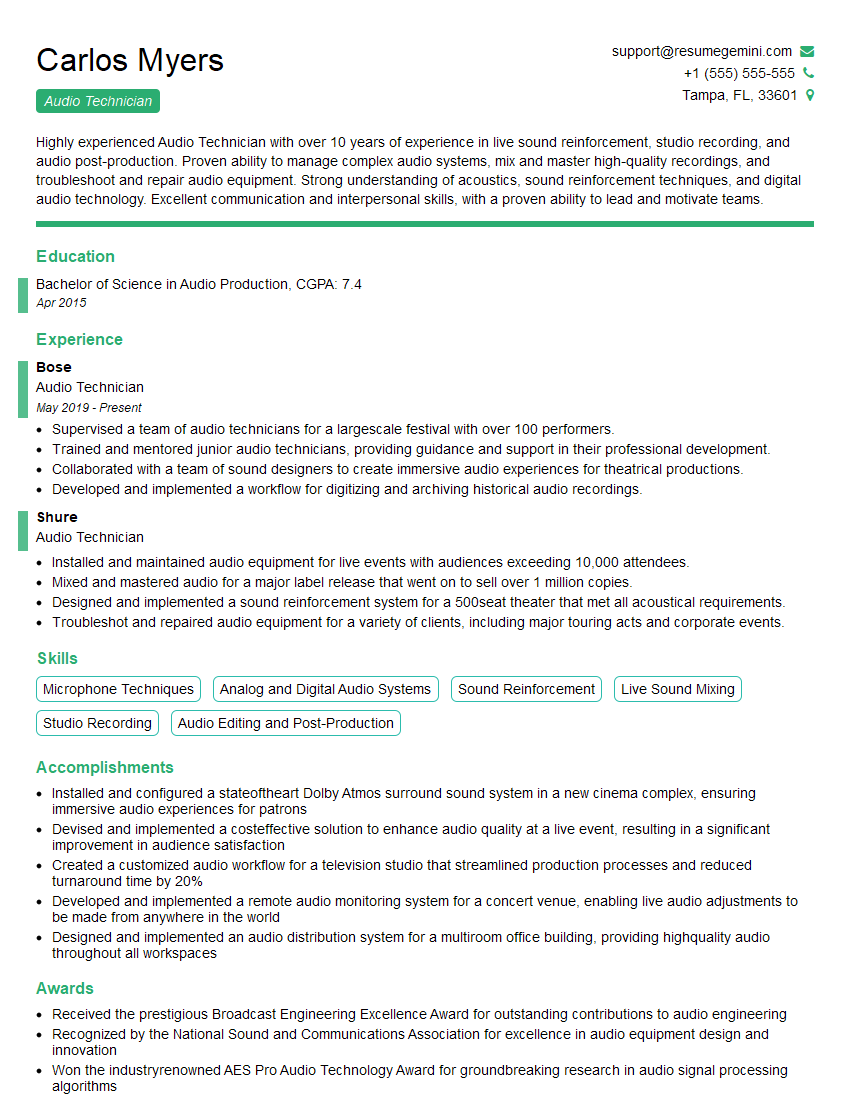
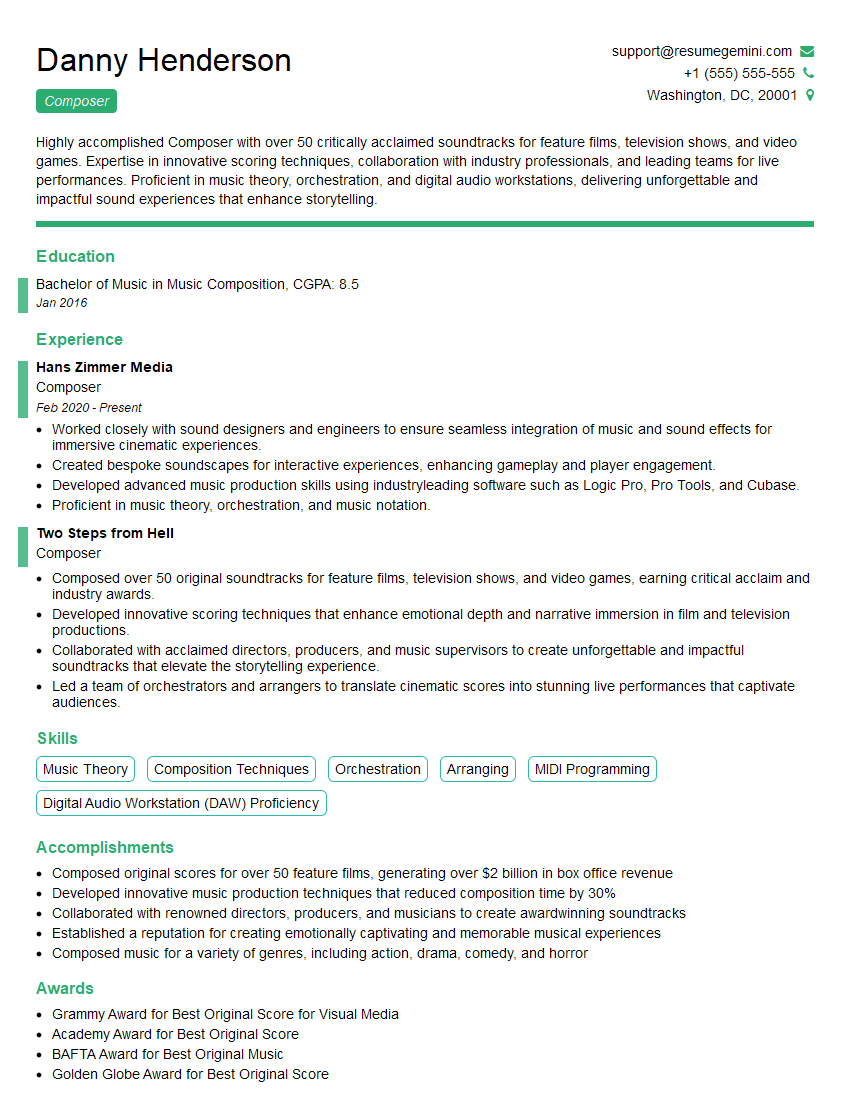
Mastering Digital Audio Workstations is crucial for career advancement in music production, sound design, audio engineering, and related fields. A strong understanding of these tools opens doors to exciting opportunities and higher earning potential. To maximize your job prospects, it’s essential to create a compelling and ATS-friendly resume that showcases your skills and experience effectively. Use ResumeGemini to build a professional resume that highlights your expertise in Digital Audio Workstations. ResumeGemini provides examples of resumes tailored to this specific field, helping you present your qualifications in the best possible light. Invest the time to craft a standout resume – it’s your first impression and a vital step in securing your dream job.







Explore more articles
Users Rating of Our Blogs
Share Your Experience
We value your feedback! Please rate our content and share your thoughts (optional).
What Readers Say About Our Blog
Very informative content, great job.
good