Interviews are more than just a Q&A session—they’re a chance to prove your worth. This blog dives into essential Digital Makeup and Photo Editing interview questions and expert tips to help you align your answers with what hiring managers are looking for. Start preparing to shine!
Questions Asked in Digital Makeup and Photo Editing Interview
Q 1. What software are you proficient in for digital makeup and photo editing?
My proficiency spans several industry-leading software packages. For digital makeup, I primarily utilize Photoshop, focusing on its powerful masking tools and blending modes to create seamless and natural-looking results. I also incorporate Adobe Lightroom for initial color grading and overall image adjustments, ensuring a solid foundation before detailed makeup application. For more advanced tasks, especially when dealing with complex 3D effects or detailed textures, I occasionally leverage Substance Painter. Finally, I am familiar with other popular tools like GIMP (as a cost-effective alternative) and Capture One, adapting my workflow based on the project requirements and client preferences.
Q 2. Describe your workflow for retouching a beauty portrait.
My retouching workflow for beauty portraits is meticulous and follows a structured approach. It typically begins in Lightroom where I adjust white balance, exposure, and contrast to create a balanced base. Then, I import the image into Photoshop. My process involves:
- Basic Cleanup: Removing blemishes, stray hairs, and dust spots using the Spot Healing Brush and Clone Stamp tools.
- Color Correction & Grading: Fine-tuning skin tones, addressing any unevenness, and creating a cohesive color palette. This might involve using curves, levels, and selective color adjustments.
- Skin Retouching: Subtly smoothing skin texture while retaining natural pores and details. Frequency separation is a key technique here, allowing for separate adjustments to detail and texture. I avoid over-smoothing, aiming for a naturally flawless look.
- Digital Makeup Application: Using layers and blending modes, I carefully apply digital makeup. This often includes enhancing eyebrows, applying lipstick, adding blush, or contouring. I always strive for realism, ensuring the makeup blends seamlessly with the skin.
- Final Touches: Sharpening the image subtly, and making final color and tonal adjustments. I meticulously check for any inconsistencies or artifacts before exporting the final image in a high-resolution format.
Throughout this process, I regularly zoom in at 100% to maintain detail and accuracy.
Q 3. How do you handle color correction in different lighting conditions?
Color correction in varied lighting conditions is crucial for achieving consistent results. The approach depends on the type of lighting:
- Harsh Sunlight: I often reduce highlights and increase shadows to balance the overall contrast and prevent overexposure. I might utilize split toning to warm or cool the image depending on the desired aesthetic.
- Soft, Diffused Light: This is generally easier to work with. I focus on subtle adjustments, mainly ensuring that the white balance is accurate and that the skin tones are natural.
- Artificial Light (Indoor): I address color casts using the White Balance tool in Lightroom and then fine-tune in Photoshop with color correction layers. I often look for a slight warmth in indoor lighting for a more flattering and cozy feel.
Regardless of the lighting, I always refer to a color checker or a neutral gray card if available in the source image. This helps establish a reliable baseline for color correction.
Q 4. Explain your approach to skin retouching, maintaining a natural look.
My skin retouching prioritizes a natural look. Over-processed skin looks artificial and unrealistic. I use a layered approach combined with frequency separation to achieve this balance. The frequency separation technique separates the image into high-frequency (detail) and low-frequency (texture) layers, allowing for independent manipulation. On the low-frequency layer, I subtly smooth the skin using tools like the Healing Brush or a Gaussian blur at a very low opacity. On the high-frequency layer, I preserve detail and texture, avoiding any loss of realism. I often employ dodging and burning techniques for subtle enhancements, focusing on areas like the T-zone to create a naturally radiant and balanced look. The key is subtlety; a little goes a long way.
Q 5. How do you create realistic digital makeup effects?
Creating realistic digital makeup requires understanding the interplay of light and shadow, color theory, and the texture of makeup products. I start with high-quality makeup textures, either sourced from online resources or created myself. These are applied as layers in Photoshop, using blending modes like ‘Soft Light’ or ‘Overlay’ to achieve a natural blend with the skin. Masking and layer masking are critical for precise application and control. For example, to create a believable lipstick application, I start with a base layer of color, then add a subtle highlight layer, and finish with a darker contour layer to add dimension. This multi-layered approach ensures depth and realism, avoiding a flat, painted-on look.
Q 6. What are some common challenges in digital makeup application, and how do you overcome them?
Common challenges in digital makeup application include:
- Maintaining a Natural Look: Over-applying makeup is a frequent mistake. The goal is enhancement, not a mask. Careful use of opacity and blending modes is key.
- Matching Makeup to Skin Tone: Incorrect color choices can lead to an unnatural appearance. Understanding color theory and skin undertones is essential for realistic results.
- Dealing with Movement and Expression: Makeup should look consistent across facial expressions. Careful use of masks and blending is needed to account for subtle shifts in texture and light.
I overcome these challenges through careful planning, using multiple layers, regularly stepping back to assess the overall effect, and iteratively refining the makeup application until it integrates seamlessly into the image.
Q 7. How do you maintain consistency in your retouching style across multiple images?
Consistency in retouching style is crucial for maintaining a professional brand. I achieve this through several strategies:
- Creating Action Sets and Presets: In Photoshop and Lightroom, I create customized actions and presets for frequently used adjustments (e.g., skin smoothing, color grading). This ensures a uniform starting point for each image.
- Developing Style Guides: I maintain a document outlining my preferred techniques and settings for various elements like skin retouching, makeup application, and color grading. This serves as a reference point throughout my work.
- Using Reference Images: Before beginning a new batch of images, I refer to previously edited images that exemplify my desired style. This helps reinforce the desired aesthetic and technique.
Regularly reviewing my work and identifying areas for improvement ensures continuous refinement and consistency over time.
Q 8. What is your experience with high-resolution image editing?
High-resolution image editing demands a different approach than working with lower-resolution images. The sheer size of the files requires efficient workflows and powerful hardware. My experience involves extensive work with images exceeding 50 megapixels, often used in advertising and editorial projects. This necessitates a deep understanding of non-destructive editing techniques to avoid degrading image quality during the editing process. I’m proficient in using software like Photoshop and Capture One Pro, leveraging their features for efficient handling of large files, including techniques like using smart objects and layers to make adjustments without permanently altering the original pixel data. For example, when retouching a high-resolution portrait, I’ll work on a smart object layer, allowing me to easily scale the image without losing quality during the entire retouching process.
Q 9. Describe your process for removing blemishes and imperfections.
Removing blemishes and imperfections is a delicate process requiring precision and a keen eye for detail. My approach is multi-faceted and depends on the severity of the imperfection. For minor blemishes, I typically use the healing brush tool in Photoshop. This tool intelligently samples surrounding pixels to seamlessly blend the imperfection, providing a natural-looking result. For larger imperfections or more complex issues like scars, I might employ a combination of the clone stamp tool and frequency separation techniques. Frequency separation allows me to work on the texture and color aspects of the skin separately, enabling a more refined correction that preserves skin texture while smoothing out the blemishes. Always, the goal is to achieve a natural look and avoid creating an unnatural, ‘airbrushed’ effect.
For instance, I recently retouched a series of portraits for a client who requested a natural look for a campaign. Instead of masking out everything, I focused on targeted blemish removal and subtle color corrections.
Q 10. How do you manage large image files efficiently?
Managing large image files efficiently is crucial for productivity. I utilize several strategies to streamline my workflow. Firstly, I always work in a non-destructive manner, using layers and adjustment layers instead of making direct edits to the base image. This allows me to easily revert changes or make adjustments later without compromising the original quality. Secondly, I organize my files meticulously, using folders and clear naming conventions. I often work with proxy files in programs such as Capture One Pro, which creates smaller versions of images that are more manageable during the editing process while preserving the original high-resolution file for final output. Finally, I regularly clear my temporary files and close unused programs. Using programs that handle large files efficiently such as Photoshop and Capture One Pro is paramount.
Q 11. How do you work with clients to understand their vision for a project?
Client communication is paramount. Before starting a project, I always schedule a consultation to thoroughly understand their vision. I encourage clients to share reference images, mood boards, and detailed descriptions of their desired outcome. I ask clarifying questions to ensure I grasp all aspects of their requirements, including the intended use of the final images, the target audience, and the overall aesthetic they’re aiming for. This thorough initial conversation often prevents misinterpretations and ensures that the final product aligns with their expectations. For example, for a recent e-commerce shoot, a clear understanding of the client’s branding and target audience helped me choose the right retouching style—a more natural approach instead of heavy retouching.
Q 12. Explain your understanding of color theory and its application in retouching.
Color theory plays a vital role in retouching. Understanding color harmonies, relationships, and contrast is essential for creating visually appealing and balanced images. For example, knowing the color wheel helps me make informed decisions about color correction. If an image is too warm, I can use color balance adjustments to introduce cooler tones and vice versa. I frequently use techniques like selective color adjustments and split toning to create subtle yet impactful changes in color, adding depth and mood to the image. Maintaining consistency in color grading across a series of images is important and understanding the implications of different color spaces is crucial for consistent delivery of files.
Q 13. How do you deal with difficult clients or unrealistic expectations?
Dealing with difficult clients or unrealistic expectations requires diplomacy and professionalism. I always approach such situations by actively listening to their concerns, acknowledging their perspectives, and explaining the technical limitations and possibilities in a clear and concise manner. Sometimes, I present alternative solutions or compromises, providing examples of previous work to illustrate what’s achievable within realistic parameters. Open communication and a willingness to find common ground are key. I also maintain detailed records of all communications and agreed-upon specifications, which serves as a reference point if any disputes arise.
Q 14. What are your preferred methods for creating seamless skin textures?
Creating seamless skin textures is an art that combines technical skill and artistic sensibility. My preferred methods often involve frequency separation, as mentioned earlier. This allows for precise control over the texture and color components of the skin, giving me the ability to smooth out imperfections without losing the natural texture. Another technique is using masking and blending modes to selectively enhance or soften specific areas of the skin. I often use a combination of these methods along with careful dodging and burning to add subtle depth and dimension to the skin. The ultimate goal is always to achieve a natural, flawless look, without making the skin appear artificial or overly processed.
Q 15. How familiar are you with different file formats (e.g., RAW, TIFF, JPEG)?
Understanding different file formats is crucial for efficient workflow and maintaining image quality. RAW, TIFF, and JPEG each have strengths and weaknesses.
- RAW: Think of RAW files as the digital negative. They contain all the image data captured by the camera’s sensor, uncompressed and unprocessed. This allows for maximum flexibility during post-processing, offering extensive control over exposure, white balance, and other parameters. However, RAW files are significantly larger than other formats and require specialized software to open and edit.
- TIFF: TIFF (Tagged Image File Format) is a lossless format, meaning no image data is discarded during saving. This preserves image quality, making it ideal for archiving and high-resolution printing. However, TIFF files can be quite large, impacting storage and transfer speeds.
- JPEG: JPEG (Joint Photographic Experts Group) is a lossy format, meaning some image data is compressed and lost during saving. This results in smaller file sizes, perfect for web use and email. The trade-off is a reduction in image quality, especially noticeable with repeated saving and editing. JPEG is generally preferred for images meant for online use where file size is paramount.
In my workflow, I frequently use RAW files for professional projects where maximum quality is required, TIFF for archiving high-resolution images, and JPEG for online distribution.
Career Expert Tips:
- Ace those interviews! Prepare effectively by reviewing the Top 50 Most Common Interview Questions on ResumeGemini.
- Navigate your job search with confidence! Explore a wide range of Career Tips on ResumeGemini. Learn about common challenges and recommendations to overcome them.
- Craft the perfect resume! Master the Art of Resume Writing with ResumeGemini’s guide. Showcase your unique qualifications and achievements effectively.
- Don’t miss out on holiday savings! Build your dream resume with ResumeGemini’s ATS optimized templates.
Q 16. Describe your experience with layer masking and blending modes.
Layer masking and blending modes are fundamental tools for non-destructive editing, allowing for precise control over image manipulation. Think of layer masks as stencils, selectively revealing or hiding parts of a layer. Blending modes determine how layers interact with each other.
Layer Masking: I frequently use layer masks to seamlessly blend digital makeup onto a portrait. For example, I might apply a layer of lipstick, then use a mask to carefully refine the edges, ensuring a natural and realistic look. This prevents harsh lines and allows for fine adjustments without altering the original image.
Blending Modes: Different blending modes create various effects. For example, using ‘Soft Light’ mode to blend a blush layer creates a more subtle and natural flush compared to simply layering the colors. ‘Overlay’ can be used to add vibrancy, while ‘Multiply’ adds depth and shadow. Understanding how each blending mode affects color and opacity is key to creating realistic and polished results.
My experience spans years of using these tools in Photoshop and other editing software. I routinely use them to retouch skin, add makeup, and combine multiple images seamlessly.
Q 17. How do you optimize images for web and print?
Optimizing images for web and print requires different approaches, focusing on file size and resolution respectively.
- Web Optimization: For web, the goal is to minimize file size without significant loss of quality. I typically reduce the image dimensions to an appropriate size for web display, convert to JPEG (with appropriate quality settings – usually 70-80% is a good balance), and potentially further compress the image using specialized tools or plugins. Using the right image format (JPEG for photographs, PNG for graphics with sharp edges) is also critical.
- Print Optimization: Print requires high resolution to avoid pixelation. I ensure the image resolution is at least 300 DPI (dots per inch) for high-quality prints. The file format is usually TIFF or sometimes high-quality JPEG for better compatibility. I may also use color profiles (like sRGB for web, Adobe RGB for print) to ensure accurate color reproduction.
For example, a high-resolution image for a magazine cover would be optimized differently than an image intended for use as a Facebook profile picture. The goal is always to provide the best possible visual experience for the intended medium.
Q 18. What is your experience with using plugins and extensions in your chosen software?
Plugins and extensions significantly enhance the capabilities of photo editing software. I’m proficient in using a wide range of plugins, including those for sharpening, noise reduction, color grading, and specialized effects.
For example, I frequently use Topaz Labs plugins for detail enhancement and noise reduction, especially when dealing with low-light images. I’ve also integrated plugins for creating specific makeup looks, such as adding realistic freckles or enhancing eye details. I carefully select plugins based on their reliability, performance, and integration with my workflow.
My experience includes evaluating and integrating new plugins based on project needs. This is an ongoing process because the landscape of available plugins is always evolving.
Q 19. How do you stay updated with the latest trends and technologies in digital makeup and photo editing?
Staying updated in this fast-paced field requires consistent effort. I utilize a multi-pronged approach:
- Following Industry Publications and Blogs: I regularly read industry publications, blogs, and online forums dedicated to digital makeup and photo editing. This helps me discover new techniques and emerging technologies.
- Attending Workshops and Online Courses: I actively participate in workshops and online courses offered by renowned professionals and educational platforms. This provides hands-on learning and networking opportunities.
- Engaging with Online Communities: Participating in online communities, such as forums and social media groups, allows for knowledge sharing and exposure to diverse perspectives and creative challenges.
- Experimentation and Continuous Learning: I always allocate time to experiment with new software, plugins, and techniques to stay at the forefront of innovation.
This proactive approach ensures that my skills remain current and adaptable to the ever-changing trends and technologies in the industry.
Q 20. Describe your experience working with different camera raw files.
My experience working with camera raw files is extensive. I’m proficient in processing various camera raw formats, including those from Canon, Nikon, Sony, and other manufacturers. Each camera’s raw format has slight variations in its data structure, but the underlying principles remain the same.
I’m adept at adjusting key parameters like exposure, white balance, contrast, and sharpness using dedicated raw processors such as Adobe Camera Raw and Lightroom. The ability to non-destructively adjust these parameters is crucial for achieving the desired look without permanently altering the original image data. I’ve worked with various types of raw files from different cameras, learning to adjust my approach to account for the individual nuances of each camera’s sensor and processing pipeline.
For example, I might need to use different noise reduction techniques based on the sensor’s sensitivity to noise in various ISO settings. Similarly, white balance adjustments may vary depending on the lighting conditions and the camera’s color profile.
Q 21. Explain your knowledge of frequency separation techniques.
Frequency separation is an advanced retouching technique used to edit the texture and color of an image separately. It involves splitting an image into two layers: one containing the high-frequency details (texture) and another containing the low-frequency information (color and tones). This allows for independent manipulation of texture and color, leading to more natural and refined results.
I use this technique extensively for skin retouching. By separating the frequencies, I can smooth the skin tones on the low-frequency layer without losing the important texture details like pores and fine lines. This prevents the skin from looking overly smooth or artificial.
Process:
1. Duplicate the image layer.
2. Apply a high-pass filter (e.g., in Photoshop) to the duplicated layer to isolate the high frequencies.
3. Adjust the radius of the high-pass filter to control the level of detail retained in the texture layer.
4. Work on the low-frequency layer (the original layer or a copy without the high-pass filter) to adjust color and tones.
5. Work on the high-frequency layer (the high-pass filtered layer) to adjust texture. Carefully retouch the skin here.
6. Blend the layers together for a seamless result.
Frequency separation allows for a more precise and controlled retouching process, avoiding the common pitfalls of overly smoothed skin and loss of texture detail that can occur with simpler methods.
Q 22. How would you approach retouching a product image for an e-commerce website?
Retouching product images for e-commerce is crucial for showcasing items accurately and appealingly. My approach involves a multi-step process prioritizing realism and brand consistency. First, I carefully assess the image’s needs; some might need only minor adjustments for brightness and contrast, while others might require more extensive work like removing blemishes or adjusting color balance. I always begin with non-destructive edits to preserve the original image’s integrity.
For example, if a lipstick swatch has slight unevenness in color, I’d use selective color correction tools, not directly altering the pixel data. This ensures that I can easily tweak the correction later without degrading image quality. For background removal, I might employ masking techniques or the pen tool, paying close attention to fine details like hair strands or product edges. Finally, I optimize the image for web use, ensuring sharp details and appropriate file size for fast loading. I also meticulously check for consistency across a range of images to maintain a unified brand aesthetic.
For instance, if I am working on a series of images for a skincare line, I would maintain a consistent level of retouching across all images. Overly processed images would stand out among the others, and potentially confuse customers.
Q 23. How do you handle image resolution issues?
Image resolution issues are a common problem. Low-resolution images appear blurry and pixelated, especially when enlarged. My strategy involves a combination of preventative measures and corrective techniques. Ideally, I prefer working with high-resolution source images, which will prevent many issues. If a low-resolution image is unavoidable, I use smart upscaling techniques. These AI-powered tools intelligently fill in missing details, providing a better result than simply stretching the image.
However, it’s important to be realistic; there are limits to what upscaling can achieve. Severe low-resolution images might need to be replaced with higher quality alternatives. It’s always better to shoot with a high resolution from the start. I often work with clients to ensure that they have an image capture process that accounts for this need. For instance, I will work with them to establish the optimal resolution for their online store’s product page, and communicate this to their photographers.
Q 24. Explain your understanding of non-destructive editing techniques.
Non-destructive editing is paramount in my workflow. It refers to editing techniques that don’t permanently alter the original image file. Instead, adjustments are recorded as layers or metadata, allowing for flexibility and reversibility. This is akin to creating a layered painting where you can change individual layers without affecting the others. Think of it like building with LEGOs—you can easily add, remove, or change pieces without dismantling the whole structure. Popular examples include using adjustment layers in Photoshop or using RAW files in camera processing.
For example, instead of directly brightening an image, I’d create a brightness/contrast adjustment layer. This allows me to easily adjust the brightness later, or even completely remove the adjustment. If I were to apply a filter directly to the image, that effect would be permanent. This is especially useful in collaborative projects, allowing others to modify the work without affecting the original file. It also helps with archiving and version control—I can always return to the original untouched file if needed.
Q 25. What are your strengths and weaknesses in digital makeup and photo editing?
My strengths lie in my meticulous attention to detail, my understanding of color theory and lighting, and my ability to seamlessly blend digital makeup with natural features. I’m proficient in both Photoshop and Lightroom, and I’m always learning new techniques to enhance my skillset. I am comfortable working with a variety of styles, and can adapt to the needs of different clients and projects. I’m also very organized and capable of efficiently managing my time.
A weakness, which I am actively working on, is mastering the latest AI-driven tools for photo enhancement. While I understand the basic principles, I’m still developing my proficiency in utilizing them fully. This requires dedicated time to fully experiment with various AI tools and learn their intricacies.
Q 26. How do you ensure the quality and consistency of your work?
Maintaining quality and consistency is achieved through a combination of established workflows and rigorous quality control. I utilize standardized processes for each type of retouching task, ensuring consistency across all projects. I maintain a style guide, or set of guidelines, that describes the specific edits and styles my work should maintain. This includes specifics regarding color grading, skin retouching techniques, and overall image aesthetics. For instance, the level of smoothing applied to skin should remain consistent. Before delivering any final product, I undergo a thorough self-review, checking for any inconsistencies or imperfections. Additionally, I consistently seek feedback from clients and utilize the insights provided for improvement.
Q 27. Describe a time you had to troubleshoot a complex photo editing problem.
Once, I was tasked with retouching a series of product shots where the lighting was inconsistent and caused significant color casts. The images were crucial for an upcoming campaign and the deadline was tight. Initial attempts to correct the color balance resulted in unnatural skin tones. After careful analysis, I realized the issue stemmed from mixed light sources (natural and artificial) that caused a complex color shift. I implemented a multi-step process involving selective color correction, masking, and utilizing color profiles to refine the color balance in different regions of each image.
The key was to use layered adjustments, allowing me to isolate the color correction to specific areas of the image. I used masking techniques to target areas needing correction. This allowed me to adjust the color balance for clothing differently from the skin tone without affecting other parts of the image. Ultimately, I successfully corrected the issue, meeting the deadline. The challenge highlighted the importance of careful assessment before applying corrections and the power of layered editing in handling complex problems.
Q 28. How do you manage your time effectively when working on multiple projects?
Effective time management is crucial when juggling multiple projects. I utilize project management tools to create detailed schedules and assign priorities. I break down large projects into smaller, manageable tasks to avoid feeling overwhelmed and to make progress easily visible. I prioritize tasks based on deadlines and importance and allocate specific time blocks for each project, ensuring that I am actively working on the most important tasks. I also utilize time-blocking techniques, allocating specific time slots for each project, and strive to minimize distractions while working. This methodical approach ensures that each project gets the attention it requires and deadlines are consistently met.
Key Topics to Learn for Digital Makeup and Photo Editing Interview
- Software Proficiency: Mastering industry-standard software like Photoshop, Lightroom, and potentially others specific to digital makeup (e.g., Makeup Genius apps). Demonstrate a deep understanding of their functionalities, tools, and workflows.
- Color Correction and Retouching: Explain your understanding of color theory, white balance, and exposure adjustments. Be prepared to discuss techniques for blemish removal, skin smoothing, and other retouching methods, highlighting ethical considerations.
- Digital Makeup Techniques: Discuss your knowledge of applying virtual makeup, including techniques for foundation matching, contouring, highlighting, eye shadow application, and lip color selection. Show understanding of blending and creating realistic effects.
- Workflow and Efficiency: Illustrate how you organize your projects, manage layers, use non-destructive editing techniques, and optimize your workflow for speed and accuracy. This showcases professionalism and attention to detail.
- Image Composition and Aesthetics: Explain your understanding of visual storytelling, and how you apply principles of composition, lighting, and overall visual appeal to enhance images and create cohesive digital makeup looks.
- Understanding Client Needs: Discuss your approach to interpreting client briefs, collaborating effectively, and understanding their vision for the final product. This highlights your communication and interpersonal skills.
- Troubleshooting and Problem-Solving: Be prepared to discuss how you approach technical challenges, identify and resolve errors, and adapt your approach to unexpected issues during the editing process.
- Portfolio Presentation: Practice clearly explaining your creative process and the technical skills utilized in your portfolio pieces. Showcasing the “why” behind your choices is crucial.
Next Steps
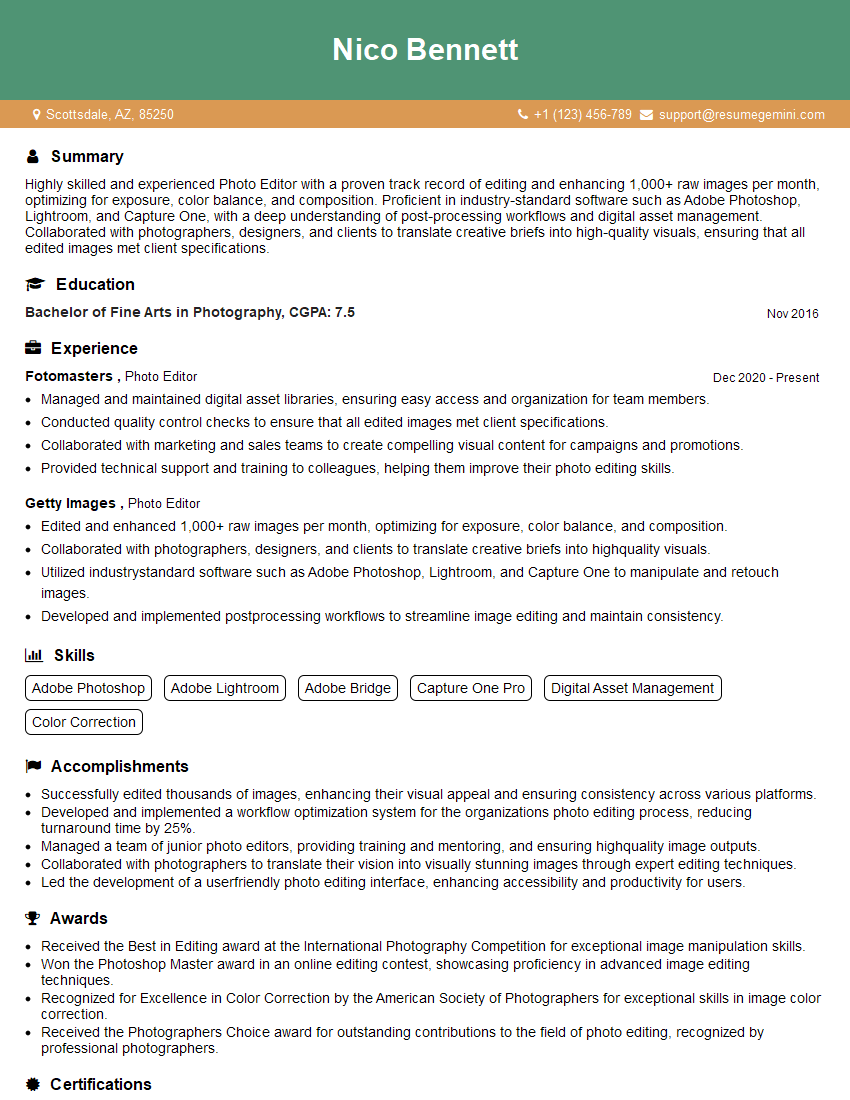
Mastering Digital Makeup and Photo Editing opens doors to exciting careers in various fields, including photography, advertising, fashion, and beauty. Building a strong professional portfolio is key to showcasing your skills. To significantly increase your chances of landing your dream job, crafting an ATS-friendly resume is crucial. ResumeGemini is a trusted resource to help you build a compelling and effective resume that highlights your unique skills and experience. Examples of resumes tailored to Digital Makeup and Photo Editing are available to help you create a standout application.
Explore more articles
Users Rating of Our Blogs
Share Your Experience
We value your feedback! Please rate our content and share your thoughts (optional).
What Readers Say About Our Blog
Very informative content, great job.
good