Every successful interview starts with knowing what to expect. In this blog, we’ll take you through the top Digital Printing Concepts interview questions, breaking them down with expert tips to help you deliver impactful answers. Step into your next interview fully prepared and ready to succeed.
Questions Asked in Digital Printing Concepts Interview
Q 1. Explain the difference between offset and digital printing.
Offset and digital printing are fundamentally different in their printing processes. Offset printing, a traditional method, uses plates to transfer ink onto a rubber blanket, which then transfers the image to the substrate (paper, etc.). This indirect process allows for high-volume, consistent, and cost-effective printing for large runs. Think of it like a stamp, but with a more sophisticated mechanism. Digital printing, on the other hand, prints directly onto the substrate using an electronic process. This eliminates the need for plates, making it ideal for short runs, personalized prints, and on-demand production. Imagine a high-resolution inkjet printer, but on an industrial scale.
- Offset: Indirect printing; uses plates; high volume; cost-effective for large runs; excellent color consistency across large print jobs.
- Digital: Direct printing; no plates; ideal for short runs, personalization, and on-demand printing; variable data printing capabilities; generally higher cost per unit for small runs.
For instance, printing millions of flyers for a national campaign would be far more efficient with offset. Printing personalized birthday cards, however, would be best suited to digital printing.
Q 2. Describe your experience with various digital printing technologies (e.g., inkjet, toner-based).
My experience spans a variety of digital printing technologies. I’ve worked extensively with both inkjet and toner-based systems. Inkjet printing, which uses liquid ink sprayed onto the substrate, offers vibrant colors and excellent image quality, particularly on photo-realistic images and fine details. I’ve used various inkjet technologies, from piezoelectric to thermal inkjet, and understand their strengths and limitations in terms of speed, resolution, and ink cost.
Toner-based printing, often using electrophotography, relies on powder-based toner fused to the substrate with heat. This method excels in producing sharp text and graphics, particularly on heavier stocks. I’ve worked with both monochrome and color toner-based printers and have expertise in managing toner consumption, fusing temperature adjustments, and optimizing print quality. My experience also includes managing and troubleshooting large-format digital printers, which are commonly used for creating posters, banners, and other wide-format prints.
One specific project involved using high-resolution inkjet printing for a large-scale art reproduction project. We needed to achieve incredibly accurate color matching and sharp details. My expertise in color management and RIP software was crucial in meeting those demands. Another project required the use of toner-based printing for a large volume of business cards, where speed and consistent quality were paramount.
Q 3. How do you ensure color accuracy in digital printing?
Ensuring color accuracy in digital printing is a multi-faceted process requiring careful attention to detail at every stage. It begins with using high-quality color profiles specifically designed for your chosen printer and substrate. Color management software (CMS) is vital for converting color data from the design software to the printer’s color space accurately. We also need to ensure the printer is properly calibrated and maintained. Regular cleaning of print heads (inkjet) or cleaning/replacing of toner cartridges (toner-based) prevents inconsistencies.
In addition to hardware and software aspects, the media itself plays a significant role. Different substrates absorb or reflect light differently, which can affect color appearance. Using a color chart and comparing print output against it helps in assessing the accuracy, especially when dealing with critical color projects.
Spot color matching requires even more precision. For projects where specific colors (Pantone colors for example) are crucial, careful color calibration and proof printing are essential to ensure that the final print closely matches the intended colors. Often, color matching software and Pantone libraries are used to get near-exact matches.
Q 4. What is color profiling and why is it crucial in digital print?
Color profiling is the process of creating a mathematical representation of how a specific device (printer, scanner, monitor) handles colors. It essentially describes the device’s color gamut – the range of colors it can reproduce. A color profile acts as a translator, ensuring consistent color representation across different devices and stages of the printing workflow.
This is crucial in digital print because different devices have varying capabilities. A color that looks accurate on your monitor might not print correctly without a proper profile. Without color profiling, the printed output may be significantly different from the digital design. The result could be disappointing, requiring costly reprints and wasting time. For example, a corporate logo printed with incorrect colors would be a significant brand identity issue.
Imagine trying to match paint colors without a reference system; some shades would be subtly (or drastically) different. Color profiling acts as that reference, ensuring consistency and preventing costly errors.
Q 5. Explain your experience with RIP software.
RIP (Raster Image Processor) software is indispensable in digital printing. It takes the digital image files from design software (like Adobe Illustrator or Photoshop) and translates them into a format that the printer can understand. This process includes color management, halftoning (converting continuous tones into dots for printing), and preparing the file for optimal print quality. I have extensive experience using various RIP software, from industry-standard solutions to those specific to certain printers.
My experience involves using RIP software to manage color profiles, optimize print settings for different substrates (like coated vs. uncoated paper), and troubleshoot printing issues related to image scaling, resolution, and color accuracy. I’m proficient in optimizing RIP settings to maximize print speed without compromising print quality. We often use nested color profiles to control the color reproduction on varying output devices. For instance, adjusting RIP settings for a banner material would significantly differ from that for a business card.
Q 6. Describe your troubleshooting skills related to digital printing equipment malfunctions.
Troubleshooting digital printing equipment malfunctions requires a systematic approach. I typically begin by analyzing the error messages generated by the printer and consulting the machine’s diagnostic reports. This often provides valuable clues about the nature of the problem.
My troubleshooting strategy involves:
- Visual inspection: Checking for obvious issues like paper jams, ink leaks, or loose connections.
- Software diagnostics: Running built-in diagnostics and checking for software updates or bugs.
- Network connectivity: Ensuring the printer is properly connected to the network and can communicate with the computer.
- Calibration: Recalibrating the printer if necessary.
- Component replacement: If the problem is identified as hardware failure, I’ll replace the necessary components, such as ink cartridges, print heads, or toner cartridges.
For example, if a printer produces faded colors, I would check the ink levels, inspect the print heads for clogging, and verify color profile accuracy. A recurring paper jam might point to a mechanical issue with the paper feed rollers.
Q 7. How do you manage print jobs with tight deadlines?
Managing print jobs with tight deadlines requires meticulous planning and efficient workflow management. My approach involves:
- Prioritization: Identifying the most urgent jobs and scheduling them accordingly.
- Resource allocation: Optimizing resource allocation such as printer time and material availability.
- Communication: Maintaining clear communication with clients and the internal team to manage expectations and address any potential delays promptly.
- Problem anticipation: Proactively identifying potential bottlenecks and developing contingency plans.
- Process optimization: Streamlining the printing process to eliminate unnecessary steps and improve efficiency.
For instance, if faced with multiple urgent orders, I would utilize the capabilities of the different printers I have available, perhaps using a faster machine for a bulk job and using a high-quality printer for projects requiring detail work. This ensures we are utilizing our resources to their fullest capacity, while still maintaining high-quality prints.
Q 8. What is your experience with different paper types and their suitability for digital printing?
Choosing the right paper is crucial for successful digital printing. Different papers offer varying textures, weights, and finishes, each impacting the final print’s look and feel. My experience encompasses a wide range of paper types, including:
- Coated Papers: These papers have a smooth, glossy or matte surface, ideal for vibrant color reproduction and sharp images. They’re perfect for brochures, magazines, and marketing materials where high-impact visuals are key. For example, a glossy coated paper will provide a more vibrant print than a matte coated paper, but the matte version reduces glare.
- Uncoated Papers: These papers have a natural, porous surface, providing a more textured feel. They’re excellent for applications requiring a more sophisticated or less-shiny look, like invitations, letterheads, or business cards. The ink absorbs more into uncoated paper, offering a softer look.
- Specialty Papers: This category includes papers with unique textures (linen, felt), colors, or weights. Think textured card stock for wedding invitations or recycled paper for environmentally conscious projects. The choice here depends heavily on the project’s branding and aesthetic goals.
Selecting the appropriate paper involves considering factors like print resolution, ink absorption, desired finish, and the overall project requirements. I always consult with clients to determine their needs and recommend the most suitable paper based on their budget and desired aesthetic.
Q 9. Explain the concept of image resolution and its impact on print quality.
Image resolution, measured in dots per inch (dpi), determines the sharpness and detail of a printed image. Higher resolution equates to a clearer, more detailed print. Think of it like a mosaic: a high-resolution image uses many tiny tiles (dots) to create a seamless picture, while a low-resolution image uses fewer, larger tiles, resulting in a pixelated or blurry appearance.
For digital printing, a resolution of at least 300 dpi is generally recommended for high-quality results. Lower resolutions might be acceptable for some applications (e.g., quick drafts or internal documents), but for professional-quality printing, especially for marketing materials or high-impact visuals, 300 dpi or higher is essential. Using lower resolution images leads to pixelation, a loss of detail, and a generally unprofessional appearance.
It’s also important to consider the output resolution of the printer. While a high-resolution image is desirable, if the printer has a low maximum resolution, the final print may still be blurry. This is why a clear understanding of both the digital file resolution and the printer capabilities is critical for optimal results.
Q 10. How do you handle color discrepancies between screen and print?
Color discrepancies between screen and print are a common challenge in digital printing. Screens use RGB (Red, Green, Blue) color, while most printers use CMYK (Cyan, Magenta, Yellow, Black). This difference in color models leads to variations in color representation. To mitigate this:
- Color Management Profiles (ICCs): I use ICC profiles for both the screen and the printer to ensure consistent color across devices. This profile provides the printer with color data that allows for accurate translation from RGB to CMYK.
- Soft Proofing: I utilize soft proofing techniques in design software to simulate the printed output, allowing me to make adjustments before sending the file to the printer. This step is crucial to minimizing surprises.
- Print Tests/Proofs: Before a large print run, I always recommend doing test prints to check color accuracy and make any necessary adjustments to the design file or printer settings.
- Understanding Paper & Ink Interactions: Different papers absorb ink differently, affecting color appearance. This is factored into the proofing process. Knowing the paper’s properties is fundamental to achieving accuracy.
Addressing color discrepancies is an iterative process that requires careful attention to detail and experience with color management tools and techniques.
Q 11. Describe your knowledge of print finishing techniques (e.g., binding, laminating).
Print finishing significantly enhances the visual appeal and durability of printed materials. My expertise includes a wide range of finishing techniques, including:
- Binding: This includes various methods like saddle stitch (stapling), perfect binding (gluing pages together), wire-o binding (double-loop wire), and case binding (hardcover). The choice depends on the document’s size, page count, and desired look and feel.
- Laminating: Applying a protective film over the printed material enhances durability and resistance to scratches, moisture, and UV damage. Options include gloss and matte lamination, with gloss offering a higher shine.
- Die-cutting: Creating custom shapes and sizes through precise cutting, adding a unique touch to business cards, packaging, or promotional materials.
- Embossing/Debossing: Adding raised or indented designs to create tactile interest and visual impact. This enhances the luxury and sophistication of printed products.
- Folding and Creasing: Precise folding and creasing ensure clean folds and enhance the overall presentation of brochures or flyers.
The choice of finishing techniques depends on the project’s specific needs, budget, and aesthetic goals. I work closely with clients to identify the best finishing options to achieve their desired results.
Q 12. What is your experience with pre-flighting and quality control checks?
Preflighting and quality control are paramount in ensuring that the final printed product meets the highest standards. My preflighting process involves:
- File Format Validation: Checking that the file is in the correct format (e.g., PDF/X-1a for print) and meets the printer’s specifications.
- Image Resolution Check: Verifying that images have sufficient resolution (300 dpi or higher for optimal quality).
- Color Profile Check: Ensuring that the correct color profile is embedded in the file.
- Font Embedding: Making sure all fonts are embedded to prevent font substitution issues.
- Bleed and Trim Marks: Checking for proper bleed and trim marks to ensure accurate cutting and trimming.
After preflighting, quality control checks include visual inspection of test prints for color accuracy, sharpness, and any defects. This ensures that the final product aligns perfectly with client expectations and maintains a professional standard.
Q 13. How familiar are you with different file formats used in digital printing (e.g., PDF, TIFF)?
I’m highly familiar with various file formats used in digital printing. The most common ones I work with include:
- PDF (Portable Document Format): This is the industry standard for print-ready files. Specifically, PDF/X-1a is crucial for ensuring color consistency and avoiding issues during the printing process. It preserves fonts and images accurately.
- TIFF (Tagged Image File Format): Commonly used for high-resolution images, TIFF files are suitable for image-heavy projects requiring detailed color accuracy. However, they are often quite large compared to PDF files.
- JPEG (Joint Photographic Experts Group): While not ideal for print-ready files due to potential compression artifacts, JPEGs are occasionally used for web-to-print workflows where image quality is less critical.
My experience allows me to identify and resolve file format-related issues swiftly and efficiently, ensuring seamless processing and high-quality printing.
Q 14. Explain your experience with imposition software.
Imposition software is critical for arranging individual pages of a document onto a larger sheet for efficient printing. My experience includes using various imposition software packages to optimize sheet layouts for different print projects. This is particularly important for projects like brochures, books, and magazines, where numerous pages need to be efficiently arranged on the printing sheet to minimize waste and maximize efficiency.
The software allows for precise control over page arrangement, imposition of bleed areas, addition of crop marks, and the creation of printer-ready files. I understand how to optimize layouts to reduce the number of sheets needed, thereby reducing costs and turnaround time. This involves understanding the different paper sizes and the printer’s capabilities to create the most efficient layout.
For example, I might use imposition software to arrange the pages of a 16-page booklet onto four sheets, ensuring that the pages are in the correct order for folding and binding. Understanding these workflows is key to efficient print production. The software features tools for automated imposition and manual adjustments, adapting to the specific demands of each project.
Q 15. How do you manage large-scale digital printing projects?
Managing large-scale digital printing projects requires meticulous planning and execution. Think of it like orchestrating a symphony – each instrument (process) needs to be in perfect harmony. It starts with a thorough project brief, clearly defining scope, deadlines, and client expectations. Then, I break down the project into manageable tasks, assigning responsibilities and timelines to team members. This often involves utilizing project management software to track progress, manage resources, and ensure seamless workflow. For example, a large-scale direct mail campaign might be segmented into design, data preparation, pre-press, printing, finishing (cutting, folding, etc.), and delivery phases. Each phase has its own checkpoints and quality control measures to prevent bottlenecks and ensure the final product meets the highest standards. Regular progress meetings and communication are crucial to address challenges proactively and keep the project on track.
A key aspect is choosing the right printing technology. High-volume projects often benefit from industrial-grade presses capable of high speeds and consistent quality. Careful consideration must be given to substrate selection and finishing options to meet the specific demands of the project. Finally, post-project analysis helps identify areas for improvement in future projects.
Career Expert Tips:
- Ace those interviews! Prepare effectively by reviewing the Top 50 Most Common Interview Questions on ResumeGemini.
- Navigate your job search with confidence! Explore a wide range of Career Tips on ResumeGemini. Learn about common challenges and recommendations to overcome them.
- Craft the perfect resume! Master the Art of Resume Writing with ResumeGemini’s guide. Showcase your unique qualifications and achievements effectively.
- Don’t miss out on holiday savings! Build your dream resume with ResumeGemini’s ATS optimized templates.
Q 16. How do you handle client requests and feedback?
Handling client requests and feedback is paramount to client satisfaction. I believe in fostering open communication from the outset. This involves actively listening to their needs, asking clarifying questions, and understanding their vision for the project. I translate their creative ideas into technically feasible solutions, providing constructive feedback and realistic expectations. I use collaborative tools, such as online proofing systems, for sharing drafts and receiving feedback. I document all changes and approvals meticulously to avoid misunderstandings. For example, if a client requests a last-minute color change, I’ll discuss the implications for the timeline and cost, offering alternatives if necessary. This transparent communication ensures the client feels heard and involved in every step of the process.
Addressing feedback is a crucial part. I approach feedback constructively, focusing on understanding the client’s concerns and providing solutions. If a feedback request is outside the project scope, I explain the necessary adjustments transparently. Ultimately, my aim is to exceed client expectations and build lasting professional relationships.
Q 17. Explain your experience with different digital print workflows.
My experience encompasses a wide range of digital print workflows, from simple single-color jobs to complex variable data printing campaigns. I’m proficient in various file formats, including PDF, TIFF, and JPEG. I’m experienced with RIP software (Raster Image Processor) from different manufacturers, such as EFI Fiery and Kodak Prinergy. I understand the importance of color management and profile creation to ensure color accuracy across different devices and substrates. For example, I’ve worked extensively with workflows involving:
- Traditional offset-to-digital workflows: Utilizing digital printing for short-run versions of jobs initially printed via offset.
- Direct-to-garment (DTG) printing: Printing custom designs onto apparel.
- Large-format printing: Handling projects such as banners, posters, and signage.
- Workflow automation: Implementing automated workflows using prepress software for efficiency and consistency.
I have a strong understanding of pre-press preparation, including image processing, color correction, and imposition, to optimize the printing process for efficiency and quality.
Q 18. What is your understanding of print costs and how to estimate them?
Understanding and estimating print costs is crucial. It’s more than just the price of ink and paper; it involves a comprehensive assessment of all factors contributing to the final cost. I consider the following elements:
- Substrate Costs: The type and quantity of paper, canvas, or other materials used significantly impact the price.
- Ink Costs: Ink consumption varies depending on the image complexity and print coverage.
- Labor Costs: This includes pre-press preparation, machine operation, finishing, and quality control.
- Equipment Costs: Maintenance, depreciation, and energy consumption contribute to the overall cost.
- Overhead Costs: Rent, utilities, and other business expenses are factored in.
- Waste Factor: Considering potential waste during printing and finishing.
Estimating involves using established pricing models and considering client-specific requirements. I may use quoting software for accurate and transparent costing. For example, a simple business card print job will have lower costs than a large-scale poster campaign with special finishing.
Q 19. Describe your experience with variable data printing.
Variable data printing (VDP) is a powerful technique allowing for personalized content on each printed piece. Imagine sending thousands of marketing letters, each addressed to a specific individual with their name and a personalized message. That’s VDP. My experience with VDP involves working with database management software and merging data with print-ready files. I understand the importance of data integrity and ensuring the correct data is mapped to the design template. This often involves using specialized software such as Adobe InDesign or dedicated VDP software to create personalized documents efficiently. I’ve worked on projects ranging from personalized marketing materials to customized certificates and tickets.
Challenges in VDP often relate to data handling and ensuring accuracy. Thorough data validation and quality checks are essential to prevent errors. I often use test prints to verify the data merging and overall quality before proceeding with large-scale printing.
Q 20. How do you maintain and optimize digital printing equipment?
Maintaining and optimizing digital printing equipment is vital for consistent output and longevity. Preventive maintenance is key – this involves regular cleaning, calibration, and inspections according to the manufacturer’s guidelines. For example, regular cleaning of print heads is crucial in inkjet printers to prevent clogging and ensure consistent ink delivery. I also monitor ink levels, regularly replace consumables, and perform basic troubleshooting. Calibration ensures color accuracy and print quality. More advanced maintenance tasks, such as replacing parts or addressing mechanical issues, are usually performed by qualified technicians. I keep detailed records of maintenance activities for tracking and analysis. Investing in proper training and staying up-to-date with the latest technology allows for efficient problem-solving and optimal machine performance.
Optimizing the equipment goes beyond maintenance. It involves using the machine’s settings efficiently and streamlining the print workflow. This includes using appropriate print resolutions, minimizing wasted materials, and maximizing machine utilization.
Q 21. What is your experience with different substrates used in digital printing?
My experience with various substrates used in digital printing is extensive. I’ve worked with a wide range of materials, each with its unique properties and printing requirements. Some examples include:
- Paper: From standard offset paper to specialty papers like textured or metallic stocks.
- Cardboard/Board: Various weights and finishes for packaging and display purposes.
- Canvas: For fine art reproductions and gallery-quality prints.
- Textiles: For garments, banners, and other fabric applications.
- Vinyl: For stickers, decals, and signage applications.
- Polycarbonate: Durable substrates often used for signage and outdoor applications.
Understanding substrate properties is essential for choosing the right printing technology and achieving optimal results. Factors to consider include material thickness, surface texture, and its suitability for different inks. Experience allows me to advise clients on the best substrate choice for their specific project, balancing cost, durability, and aesthetic appeal.
Q 22. Explain your knowledge of print calibration and maintenance.
Print calibration and maintenance are crucial for ensuring consistent, high-quality output in digital printing. Calibration involves adjusting the printer’s settings to match a known standard, guaranteeing accurate color reproduction, proper registration (alignment of colors), and consistent density. Maintenance, on the other hand, focuses on the preventative measures and repairs needed to keep the printer running smoothly.
Calibration typically involves using color charts and specialized software to profile the printer. This process analyzes the printer’s output and generates a profile that compensates for its inherent variations. For instance, one might use a spectrophotometer to measure the color patches on a test print, comparing them to ideal values. The software then adjusts the printer’s color settings to minimize discrepancies. This ensures that what you see on screen closely resembles the final printed product. Regular calibration is essential, especially with age and usage, as the printer’s components can degrade over time.
Maintenance involves tasks like cleaning print heads, replacing consumables (toner, ink, fuser units), checking paper paths for obstructions, and lubricating moving parts. Neglecting maintenance can lead to poor print quality, streaks, jams, and ultimately, costly repairs or printer failure. Think of it like regular servicing for a car – preventative measures are far cheaper than fixing major breakdowns.
For example, I once worked on a project where a client complained about inconsistent color across large format prints. After thorough calibration using a colorimetric profiling device and adjusting the printer settings based on its results, the issue was resolved, resulting in consistently vibrant and accurate prints.
Q 23. How do you ensure the security of print data?
Securing print data is paramount, especially when dealing with sensitive information like customer data, financial records, or confidential designs. My approach involves a multi-layered strategy incorporating both physical and digital security measures.
- Access Control: Limiting physical access to the printers and controlling user access to print jobs through authentication and authorization mechanisms is critical. This could involve using password-protected accounts, network security protocols, and even biometric access in high-security environments.
- Data Encryption: Encrypting data both during transmission (e.g., using SSL/TLS for network printing) and at rest (encrypting print files on servers and hard drives) safeguards information from unauthorized access. This ensures that even if someone intercepts the data, they cannot decipher it.
- Secure Print Release: Implementing a secure print release system allows users to send jobs to a central queue and then retrieve them only after authentication at the printer, preventing unauthorized access to documents left unattended.
- Audit Trails: Maintaining comprehensive audit trails of all print jobs – who printed what, when, and from which device – is vital for tracking and investigating potential security breaches.
- Regular Software Updates: Keeping printer firmware and drivers updated is crucial to patching any known security vulnerabilities. This acts as a critical preventative measure.
For instance, I implemented a secure print release system for a client dealing with medical records, significantly reducing the risk of sensitive information being left unattended.
Q 24. What is your experience with sustainable printing practices?
Sustainable printing practices are increasingly important, both environmentally and economically. My experience encompasses several key areas:
- Choosing Eco-Friendly Materials: Prioritizing the use of recycled paper, vegetable-based inks, and biodegradable toner cartridges significantly reduces the environmental impact. We should always assess the full lifecycle of the materials to minimize waste.
- Optimizing Print Processes: Employing techniques such as double-sided printing, reducing paper sizes, and using efficient print drivers help reduce paper consumption and energy use. This includes careful consideration of job design and workflow to minimize print errors and the need for reprints.
- Waste Management: Implementing a responsible waste management system for toner cartridges and paper scraps through recycling programs is crucial. We should also focus on reducing overall waste generation through mindful printing practices.
- Energy Efficiency: Selecting energy-efficient printers and managing their energy consumption through features like sleep mode and automatic shutdown contribute to a smaller carbon footprint.
- Partnering with Sustainable Suppliers: Collaborating with suppliers who share our commitment to sustainability by sourcing their materials and manufacturing processes ethically and responsibly is a vital aspect of a holistic sustainable printing strategy.
In a past project, we helped a large corporation transition to a completely recycled paper stock, resulting in a substantial reduction in their environmental footprint and aligning with their corporate sustainability goals.
Q 25. Describe your problem-solving approach when facing print-related challenges.
My approach to solving print-related challenges is systematic and data-driven. I follow a structured process:
- Identify the Problem: Begin by clearly defining the issue. Is it a color problem, a registration issue, a hardware malfunction, or something else? Gathering specific details such as error messages, print samples, and affected devices are crucial to understanding the root cause.
- Gather Data: Collect relevant information, including printer logs, driver settings, and environmental factors (e.g., temperature, humidity). This helps in pinpointing the problem area.
- Analyze the Data: Evaluate the collected data to identify patterns and potential causes. For instance, recurring banding might indicate a problem with the print heads, while blurry text might point to a driver issue.
- Develop and Test Solutions: Based on the analysis, propose and implement solutions. This could involve recalibrating the printer, cleaning or replacing components, updating drivers, or adjusting print settings. After every step, test to ensure the problem is resolved.
- Document the Solution: Once the issue is resolved, meticulously document the steps taken, the root cause, and the solution. This aids future troubleshooting and knowledge sharing.
For instance, I once dealt with a situation where a client’s large format printer was producing inconsistent color gradients. Through careful analysis of printer logs and tests, I identified a faulty ink cartridge, promptly replacing it and resolving the problem.
Q 26. How do you stay updated on the latest advancements in digital printing technologies?
Staying updated on the latest advancements in digital printing is crucial for maintaining a competitive edge. My approach involves a multi-pronged strategy:
- Industry Publications and Websites: I regularly read trade publications, industry blogs, and online forums dedicated to digital printing to stay abreast of new technologies, trends, and best practices.
- Trade Shows and Conferences: Attending industry events allows for hands-on experience with the latest equipment and networking with experts in the field.
- Webinars and Online Courses: Participating in webinars and online courses offered by manufacturers and industry organizations provides in-depth knowledge on specific technologies and techniques.
- Manufacturer Websites and Documentation: Directly accessing information from manufacturers regarding updates, new features, and troubleshooting guides is indispensable.
- Networking with Peers: Engaging with other professionals in the field through online communities and professional organizations facilitates knowledge exchange and shared experiences.
Recently, I participated in a webinar on the latest advancements in UV inkjet printing, expanding my knowledge on this growing technology.
Q 27. What is your experience with automated print workflows?
My experience with automated print workflows is extensive. I have implemented and managed various automated systems, improving efficiency and reducing manual intervention. This includes experience with:
- Workflow Automation Software: I’m proficient in using software that automates tasks such as job submission, pre-flighting, color management, and imposition. This reduces errors and speeds up the overall workflow.
- Prepress Automation: Implementing automated prepress processes such as image optimization, color separation, and trapping significantly improves print quality and consistency. Software like Adobe Acrobat Pro and other prepress solutions plays a crucial role here.
- Print Management Systems: I have experience using various print management systems (PMS) to track jobs, manage costs, and control access to printers. PMS helps optimize resource allocation and reduce waste.
- Integration with MIS Systems: I understand the importance of seamless integration between print management systems and other enterprise resource planning (ERP) or management information systems (MIS) for streamlined operations and data analysis.
For example, in a previous role, I implemented a fully automated workflow using a combination of prepress software and a print management system. This reduced turnaround time by 40% and improved print quality significantly.
Q 28. How do you prioritize tasks effectively in a fast-paced print production environment?
Prioritizing tasks in a fast-paced print production environment demands a structured approach. My strategy involves:
- Understanding Priorities: Clearly identifying the urgency and importance of each task is paramount. This is often based on deadlines, client requirements, and potential impact on the overall production schedule.
- Using Task Management Tools: Leveraging project management software and tools to track tasks, deadlines, and progress is critical. Tools like Trello or Asana can help with visual organization and prioritization.
- Time Management Techniques: Implementing time management techniques such as the Pomodoro Technique or time blocking helps maintain focus and improve productivity.
- Delegation: Effectively delegating tasks to team members based on their skills and availability optimizes resource allocation and reduces bottlenecks.
- Communication and Collaboration: Maintaining clear communication within the team ensures everyone is aware of priorities and potential roadblocks, fostering effective collaboration.
- Regular Review and Adjustment: Regularly reviewing the task list and adjusting priorities based on changing circumstances ensures that the most important tasks are addressed promptly.
In a previous rush job, I used a Kanban board to visualize the workflow, allowing me to quickly re-prioritize tasks and get multiple jobs out the door on time, despite unexpected delays in material delivery.
Key Topics to Learn for Digital Printing Concepts Interview
- Color Management: Understanding color profiles (CMYK, RGB, Pantone), color conversion, and achieving color accuracy across different digital printing processes.
- Image Resolution and Pre-press Preparation: Preparing high-resolution images for optimal print quality, understanding DPI, PPI, and file formats (TIFF, PDF, JPG).
- Digital Printing Technologies: Familiarity with various digital printing methods (e.g., inkjet, toner-based, electrophotography), their applications, and limitations.
- Print Finishing Techniques: Knowledge of post-printing processes such as cutting, folding, binding, laminating, and their impact on the final product.
- File Handling and Workflow: Understanding the importance of efficient file management, preflighting, and troubleshooting common printing issues.
- Digital Printing Software: Proficiency in design and prepress software (e.g., Adobe Creative Suite, RIP software) and their role in the printing process.
- Sustainability and Environmental Considerations: Awareness of eco-friendly printing practices and the use of sustainable materials and inks.
- Cost Estimation and Production Planning: Understanding factors influencing printing costs and the ability to estimate project timelines and resources.
- Troubleshooting and Problem-Solving: Ability to diagnose and resolve common printing problems, such as banding, color inconsistencies, and registration issues.
- Print Quality Control: Implementing quality control measures to ensure consistent and high-quality output across printing jobs.
Next Steps
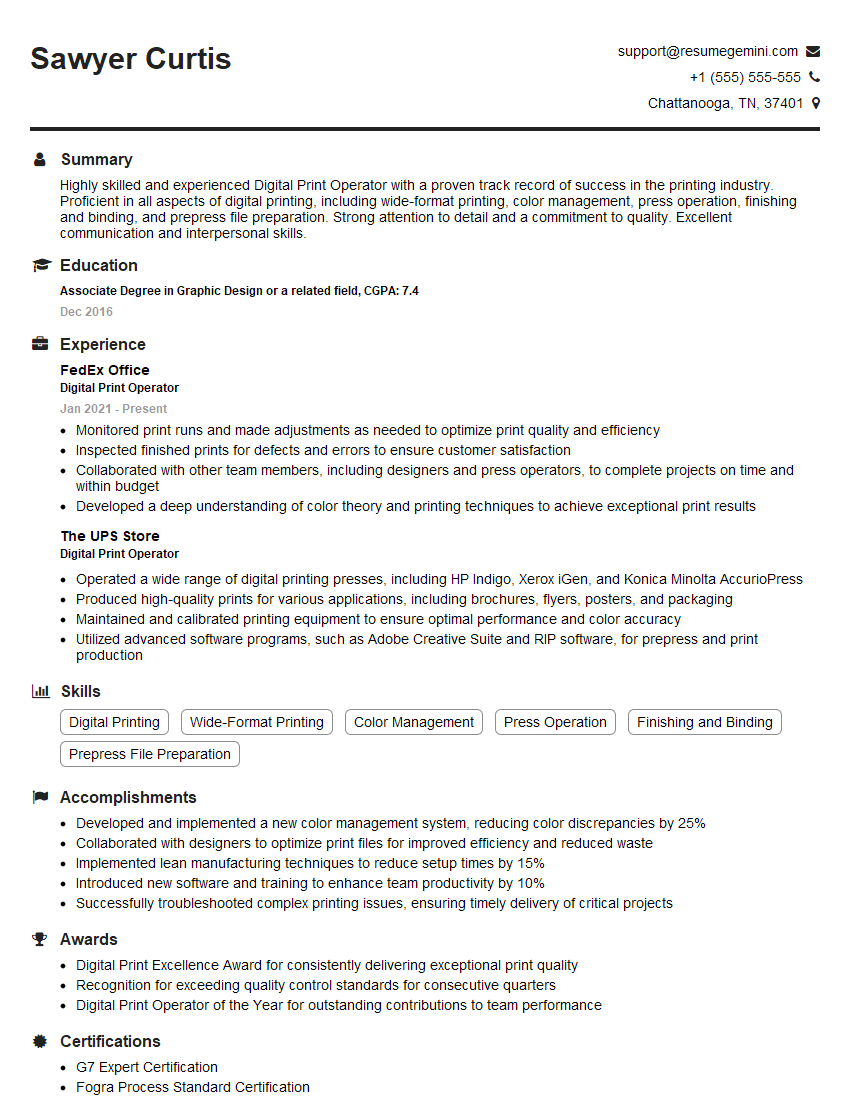
Mastering Digital Printing Concepts is crucial for career advancement in this dynamic field. A strong understanding of these principles will make you a highly competitive candidate and open doors to exciting opportunities. To maximize your job prospects, create an ATS-friendly resume that highlights your skills and experience effectively. ResumeGemini is a trusted resource that can help you build a professional and impactful resume tailored to the specific requirements of digital printing roles. Examples of resumes tailored to Digital Printing Concepts are available to guide you through the process.


Explore more articles
Users Rating of Our Blogs
Share Your Experience
We value your feedback! Please rate our content and share your thoughts (optional).
What Readers Say About Our Blog
Very informative content, great job.
good