Interviews are more than just a Q&A session—they’re a chance to prove your worth. This blog dives into essential Digital Video and Audio Editing interview questions and expert tips to help you align your answers with what hiring managers are looking for. Start preparing to shine!
Questions Asked in Digital Video and Audio Editing Interview
Q 1. What video editing software are you proficient in?
I’m highly proficient in several industry-standard video editing software packages. My primary software is Adobe Premiere Pro, which I’ve used extensively for over eight years on a wide range of projects, from short corporate videos to longer-form documentaries. I’m also comfortable with DaVinci Resolve, particularly appreciating its powerful color grading capabilities, and have experience with Final Cut Pro X, which I find excellent for streamlined workflows on certain projects. My proficiency extends beyond just the basic functionalities; I’m adept at utilizing advanced features like keyframing, motion tracking, and sophisticated effects.
For example, on a recent documentary project, Premiere Pro’s advanced timeline features were crucial in managing complex multi-camera edits and seamlessly integrating archival footage. The ability to nest sequences and work with proxies greatly improved efficiency.
Q 2. What audio editing software are you proficient in?
My audio editing expertise centers around Adobe Audition, which I consider the industry gold standard for its comprehensive suite of tools. I’m very familiar with its features for noise reduction, equalization, compression, and mastering. I also have experience with Audacity, a free and open-source option excellent for quick edits or basic audio cleanup. My approach to audio editing is always mindful of the overall visual narrative, ensuring a cohesive and impactful audio landscape that complements the video.
For instance, in a recent project involving a busy cityscape, I used Audition’s spectral editing capabilities to surgically remove unwanted background noise like traffic and sirens, ensuring clear dialogue and a professional audio track.
Q 3. Explain your workflow for editing a typical video project.
My video editing workflow is meticulous and iterative, prioritizing organization and efficiency. It generally follows these steps:
- Project Planning & Ingest: I begin by reviewing the project brief, understanding the client’s vision and objectives. Then, I organize all the source material (footage, audio, graphics) in a clearly labeled and structured project folder. This step is crucial for avoiding chaos later on.
- Rough Cut: I assemble a rough cut, focusing on the narrative flow and pacing. This involves selecting the best takes and arranging them in a logical sequence. This stage allows for quick adjustments to the structure.
- Fine Cut: Once the narrative is solid, I move into the fine cut, refining the pacing, adding transitions, and fine-tuning the overall timing. This is often iterative, adjusting based on client feedback.
- Color Correction & Grading: I then undertake color correction to achieve consistency and accuracy in the footage’s colors. Grading follows, adding stylistic choices to create the desired mood and look.
- Audio Editing & Mixing: Simultaneously, I work on the audio, cleaning up dialogue, adding sound effects, and mixing to create a balanced and immersive soundscape.
- Final Export & Delivery: Finally, I export the video in the appropriate format and resolution, ensuring it meets the client’s specifications and delivery requirements.
Q 4. Describe your experience with color correction and grading.
Color correction and grading are crucial aspects of my workflow. Color correction aims to ensure accurate and consistent color representation across the entire project. This typically involves adjusting white balance, exposure, and contrast. Grading, on the other hand, is a more stylistic process, using color to create a particular mood or enhance the narrative. I’m proficient in using tools like color wheels, curves, and Lumetri Color in Premiere Pro and DaVinci Resolve’s powerful node-based system for precise control.
For instance, in a music video, I might use grading to create a vibrant, energetic feel with saturated colors, while a documentary might benefit from a more naturalistic, desaturated look. Understanding the emotional impact of color is paramount.
Q 5. How do you handle audio mixing and mastering?
Audio mixing and mastering are intertwined but distinct processes. Mixing involves balancing and adjusting individual audio tracks (dialogue, music, sound effects) to create a cohesive and balanced mix. Mastering is the final stage, where I optimize the overall loudness, dynamics, and frequency response of the final audio to ensure optimal playback across different devices and listening environments. This often includes dynamic range compression, limiting, and equalization.
My approach often involves referencing industry-standard loudness levels to ensure consistency and avoid distortion. I use careful listening and metering to achieve a professional and pleasing final audio output.
Q 6. What are your strategies for noise reduction and audio cleanup?
Noise reduction is a crucial skill in audio post-production. My strategies involve a combination of techniques, starting with preventative measures during recording—using appropriate microphones and minimizing background noise. In post-production, I utilize tools like Adobe Audition’s noise reduction features, which often employ spectral analysis to identify and remove unwanted frequencies. I might also use dynamic processing such as gates and expanders to manage background noise. The key is to reduce noise without compromising the clarity or naturalness of the remaining audio.
For example, removing the hum from a vintage microphone recording might involve a combination of noise reduction filters and careful equalization.
Q 7. Explain your experience with different video codecs and formats.
I have extensive experience with various video codecs and formats. Understanding the trade-offs between file size, compression, and quality is essential. Common codecs I work with include H.264 (for web distribution), ProRes (for editing), and DNxHD (for high-quality intermediate files). I choose the codec based on the project’s requirements – a high-resolution film project may require a higher-quality codec like ProRes, whereas a web video might use H.264 for efficient streaming.
Furthermore, familiarity with different container formats like MP4, MOV, and AVI is also essential, as these dictate how the video and audio data are packaged together.
Q 8. How do you manage large video files efficiently?
Managing large video files efficiently is crucial for smooth workflow and preventing project delays. It involves a multi-pronged approach focusing on storage, organization, and editing techniques.
Storage Solutions: Utilizing high-capacity external drives (SSD or NVMe for speed) and cloud storage services (like Backblaze or Wasabi for cost-effective backups) is essential. RAID configurations (Redundant Array of Independent Disks) can provide redundancy and speed boosts for high-end systems.
Proxy Workflow: Many editing software packages support proxy workflows. This involves creating smaller, lower-resolution versions of your footage for editing. You then replace these proxies with the original high-resolution files during the final export. This is like building a Lego castle with smaller bricks initially, then replacing them with larger, detailed ones at the end. This significantly speeds up editing without compromising final quality.
File Organization: A well-organized project folder structure is critical. Use a clear naming convention (e.g., YYYYMMDD_Project_ShotNumber.mp4) and separate folders for footage, audio, graphics, and rendered output. Think of it like a library—a chaotic one is frustrating to use, while an organized one is efficient and effective.
Optimized Editing Techniques: Avoid unnecessary effects or layers. Render sections of your timeline frequently to avoid overwhelming the RAM. Learn keyboard shortcuts to streamline your workflow. For instance, in Adobe Premiere Pro, using the Source Monitor for quick edits dramatically improves speed.
Q 9. Describe your experience with motion graphics and animation.
I have extensive experience in motion graphics and animation, encompassing both 2D and 3D techniques. My expertise includes using software like Adobe After Effects and Cinema 4D to create everything from simple lower-thirds and title sequences to complex animated explainers and motion graphics for commercials.
For example, I recently worked on a project where I needed to create a stylized animated logo reveal for a tech startup. This involved designing the logo in Illustrator, importing it into After Effects, and using keyframes and expressions to animate the logo’s components to create a smooth, visually appealing reveal. In another instance, I used Cinema 4D to model and animate 3D objects for a product demonstration video, creating realistic textures and lighting to highlight product features.
My skills also extend to incorporating motion tracking, rotoscoping, and compositing techniques to integrate animated elements seamlessly within live-action footage. I’m adept at working within client brand guidelines and understanding their vision to create visually compelling content.
Q 10. How do you handle revisions and feedback from clients or directors?
Handling revisions and feedback is a crucial aspect of video production. My approach involves establishing clear communication channels and using version control systems effectively.
Version Control: I save different versions of the project with clear naming conventions (e.g., v1, v2_ClientFeedback, v3_Final). This allows easy access to previous iterations, ensuring that no work is lost and changes can be easily tracked.
Feedback Management: I prefer using detailed, organized feedback forms or annotation tools within the editing software to ensure clarity and organization. This minimizes misunderstandings and keeps the revision process streamlined. Visual feedback is always helpful.
Client Collaboration: I maintain open communication with clients throughout the revision process, addressing their questions and explaining the technical limitations or possibilities related to their requests.
Project Management Software: Using tools like Asana or Trello to track changes and deadlines adds additional clarity and ensures everyone is on the same page.
For example, in a recent corporate video project, I used Adobe Premiere Pro’s collaborative features to share a preview with the client for feedback. Their comments were logged within the system and allowed me to track every change implemented. This collaborative workflow ensured smooth and efficient revisions.
Q 11. What is your experience with video compression techniques?
Video compression is essential for reducing file size without significantly impacting quality. I’m proficient in various compression techniques and codecs (coder-decoder).
Codec Understanding: I understand the differences between codecs like H.264 (AVC), H.265 (HEVC), and ProRes. H.264 is widely compatible but can be computationally intensive to encode. H.265 offers better compression ratios but may require more powerful hardware. ProRes is a lossless or near-lossless codec ideal for editing but results in larger file sizes. The choice of codec depends on the project’s requirements and target platform.
Bitrate Management: I can adjust bitrate settings to balance file size and quality. A higher bitrate results in a larger file size but better quality, while a lower bitrate reduces file size but may introduce compression artifacts. Understanding the trade-offs is crucial.
Software Proficiency: I use professional video editing software that allows fine-grained control over compression settings, enabling me to optimize the encoding process for each specific project.
For instance, when preparing a video for online streaming (like YouTube), I’d likely use H.264 with a carefully chosen bitrate to balance quality and streaming compatibility. For a high-quality master file for archival purposes, ProRes would be a more suitable choice.
Q 12. How do you ensure the quality of your video and audio output?
Ensuring high-quality video and audio output requires attention to detail throughout the entire production process.
High-Quality Source Material: Starting with high-resolution footage and properly recorded audio is paramount. This sets the foundation for a good final product. Poor quality source material is impossible to fully recover in post-production.
Color Grading and Correction: I utilize color grading techniques to achieve a consistent look and feel across the video, adjusting brightness, contrast, saturation, and white balance. This creates a visually appealing and professional look.
Audio Mixing and Mastering: Careful audio mixing is essential. I use equalization (EQ) and compression to adjust individual audio tracks and then create a balanced and clear mix. Mastering involves final adjustments to ensure the audio sounds optimal across various playback systems.
Regular Monitoring: I use high-quality monitors and headphones calibrated for accurate color representation and audio reproduction. This ensures that the output meets professional standards across various devices.
Test Outputs: Testing the final video and audio on multiple platforms (computers, smartphones, tablets) before delivery is crucial to verify compatibility and quality across various devices.
Q 13. What are some common challenges you’ve faced in video/audio editing and how did you solve them?
Throughout my career, I’ve encountered several common challenges in video and audio editing.
Problem: Dealing with inconsistent footage (poor lighting, shaky camera work).
Solution: Utilizing stabilization tools (like Warp Stabilizer in After Effects), color correction, and selective masking to smooth out inconsistencies. I often shoot B-roll to help cover any gaps or problematic shots.Problem: Working with noisy audio.
Solution: Employing noise reduction techniques in audio editing software (like Adobe Audition). This involves identifying and isolating noise frequencies and applying filters to reduce unwanted sounds.Problem: Meeting tight deadlines.
Solution: Efficient project planning, utilizing proxies, and focusing on the critical aspects first. Open and honest communication with clients about potential delays is vital.Problem: Difficulties in incorporating client feedback.
Solution: Clear and concise communication channels and a robust version control system are critical in effectively incorporating client feedback while maintaining track of revisions.
Q 14. Explain your understanding of different audio file formats (WAV, MP3, etc.)
Different audio file formats offer various trade-offs between file size, audio quality, and compatibility.
WAV (Waveform Audio File Format): A lossless format that preserves the original audio quality. It’s widely used in professional audio production due to its high fidelity but results in larger file sizes. It’s like having a high-resolution photograph—it captures all the details.
MP3 (MPEG Audio Layer III): A lossy compressed format that reduces file size by discarding some audio data. It’s widely compatible and commonly used for music distribution due to its smaller file sizes, but it sacrifices some audio quality. It’s like a slightly compressed image; details are lost to make it smaller.
AAC (Advanced Audio Coding): A lossy compressed format that often provides better quality at lower bitrates compared to MP3. It’s widely used for streaming and digital distribution, finding a sweet spot between quality and file size.
AIFF (Audio Interchange File Format): Similar to WAV, this is a lossless format commonly used on macOS systems.
The choice of format depends on the application. For professional audio editing, lossless formats (WAV, AIFF) are preferred. For online distribution or streaming, lossy formats (MP3, AAC) are more suitable to reduce storage and bandwidth requirements.
Q 15. How familiar are you with the concept of dynamic range compression?
Dynamic range compression (DRC) is a signal processing technique used to reduce the difference between the loudest and quietest parts of an audio or video signal. Think of it like taking a very tall mountain and flattening it out a bit, making the peaks less extreme and the valleys less deep. This is achieved by attenuating (reducing the volume of) loud signals and amplifying (increasing the volume of) quiet signals.
In audio, DRC makes quieter sounds more audible while preventing loud sounds from clipping (distorting). In video, this often refers to the luminance (brightness) and can impact the overall perceived contrast and clarity. For instance, in a music video, DRC can ensure a consistent listening experience across various listening devices and environments, preventing sudden loud bursts that could startle the listener, while simultaneously ensuring quiet passages remain clear and understandable.
Different compressors offer various parameters to control the compression effect, including the threshold (the point at which compression begins), the ratio (how much the signal is reduced above the threshold), the attack time (how quickly the compression engages), and the release time (how quickly the compression disengages). Mastering DRC requires a keen ear and careful adjustment of these parameters to achieve a natural and pleasing result, avoiding unnatural ‘pumping’ or ‘breathing’ artifacts often heard in poorly compressed audio.
Career Expert Tips:
- Ace those interviews! Prepare effectively by reviewing the Top 50 Most Common Interview Questions on ResumeGemini.
- Navigate your job search with confidence! Explore a wide range of Career Tips on ResumeGemini. Learn about common challenges and recommendations to overcome them.
- Craft the perfect resume! Master the Art of Resume Writing with ResumeGemini’s guide. Showcase your unique qualifications and achievements effectively.
- Don’t miss out on holiday savings! Build your dream resume with ResumeGemini’s ATS optimized templates.
Q 16. Explain your experience with working with different camera formats and aspect ratios.
I’ve worked extensively with various camera formats, from standard definition (SD) to high definition (HD) and ultra-high definition (UHD or 4K), encompassing codecs like H.264, ProRes, and RAW. My experience extends to different sensor sizes, influencing depth of field and image quality. I’m familiar with cameras ranging from professional cinema cameras like ARRI Alexa and RED cameras, to more consumer-oriented DSLRs and mirrorless systems.
Aspect ratios are equally important; I’m comfortable working with 4:3, 16:9, 2.39:1 (wide screen) and even more unconventional formats. Understanding the implications of each aspect ratio on storytelling and composition is crucial. For instance, a widescreen ratio (like 2.39:1) is often used in cinematic productions to immerse the viewer while a 4:3 ratio, reminiscent of older TV formats, can evoke a specific nostalgic feel. I am adept at scaling and reformatting video to meet different broadcast standards and platform requirements while minimizing quality loss.
My experience includes color grading and correcting footage from these varied sources ensuring consistency across all footage, regardless of its origins. This often involves dealing with variations in exposure, white balance and colour temperature between different camera takes or even shots within the same take.
Q 17. What are your skills in sound design and Foley?
Sound design and Foley are integral to my workflow. Sound design involves creating and manipulating sounds to enhance the emotional impact and realism of a project. This can include anything from creating ambient soundscapes to designing specific sound effects for actions. I’m proficient in using various sound libraries and software like Adobe Audition and Pro Tools to craft these sonic elements.
Foley, on the other hand, is the process of recreating everyday sounds in a studio setting to synchronize with the visuals. I’ve recorded and edited Foley for footsteps, clothing rustling, and various other effects. For example, I once had to recreate the sound of a character walking on gravel, which involved meticulously recording various textures to achieve realism. This requires a high degree of creativity and attention to detail, perfectly matching the sounds to the on-screen action.
My approach always starts with the director’s vision, tailoring the sounds to best support the narrative and maintain consistency in tone and style.
Q 18. What’s your understanding of audio equalization and compression?
Audio equalization (EQ) is the process of adjusting the frequency balance of an audio signal. Think of it as a graphic equalizer on your stereo; it allows you to boost or cut specific frequencies to shape the tone of the sound. For example, boosting high frequencies can make the sound brighter, while cutting low frequencies can reduce muddiness.
Audio compression, as discussed earlier, reduces the dynamic range of a signal. In audio editing, this is used to increase loudness, control dynamics, and improve clarity. Both EQ and compression are essential tools in audio post-production. For instance, I might use EQ to remove unwanted background noise before compression. Then I use compression to make speech clearer and consistent in levels throughout a dialogue scene. Poorly used compression can result in a ‘squashed’ sound while poor equalization can result in a muddy or tinny sound.
I’m experienced in using both parametric and graphic EQs, applying different compression techniques (like multi-band compression) depending on the specific needs of the project. A crucial aspect is understanding how EQ and compression interact; often, adjustments in one area necessitate subsequent adjustments in the other to achieve a balanced and professional sound.
Q 19. Describe your experience with creating subtitles and closed captions.
Creating subtitles and closed captions is a process that demands accuracy and attention to detail. I use software like Adobe Premiere Pro and Final Cut Pro, which offer built-in captioning tools or integrate seamlessly with captioning software. The process typically begins with a script or transcript of the dialogue. I then synchronize the text with the video, paying close attention to timing and punctuation.
Beyond simple transcription, creating accurate closed captions involves considerations of timing, readability, and accessibility. It’s important to adhere to style guides and best practices to ensure they are easily understood by a wide audience, including those with hearing impairments. Furthermore, this includes handling multiple languages and ensuring that the captions are culturally appropriate and sensitive.
For example, I’ve worked on projects requiring subtitles in multiple languages, each demanding careful translation and synchronization to reflect the subtleties of the spoken dialogue accurately. My experience encompasses both hard-coded and soft-coded subtitles, adapting to diverse platform requirements.
Q 20. How do you handle different audio inputs during the editing process?
Handling multiple audio inputs during editing requires careful organization and management. I typically begin by labeling each input clearly, specifying its source (e.g., microphone 1, background music, sound effects). This facilitates easy identification and selection during the editing process. I also use track grouping, routing, and submixing to manage and organize the different audio streams efficiently. This keeps complex projects manageable.
Furthermore, I use advanced techniques like panning (positioning sounds in the stereo field) and audio-level matching to achieve a balanced and immersive soundscape. For instance, dialogue might be panned to center while background music and sound effects might be panned to the left and right channels to create a sense of spatial depth. I ensure there are no clashes between different inputs, paying special attention to volume levels to avoid audio masking or unwanted overlaps.
Issues like noise reduction, equalization, and compression are applied individually or in combination for each track to achieve the desired sonic quality. A clear understanding of signal flow and the ability to troubleshoot any issues in this process are vital skills.
Q 21. How do you ensure consistency in video style and branding across multiple projects?
Maintaining consistent video style and branding across multiple projects requires a structured and methodical approach. This often involves creating style guides specifying color palettes, font choices, graphic elements, and visual transitions. These elements are then applied consistently across all projects. I typically create templates and presets within my editing software (like Premiere Pro or Final Cut Pro) to expedite the process and ensure uniformity.
For example, I’ve developed standardized lower-thirds, intro sequences, and outro sequences that reflect the brand identity and style of a client. This consistency contributes to brand recognition and enhances the viewer experience. A crucial aspect is communication with clients to define the brand style precisely and to gain their approval before starting work. This ensures everyone is on the same page and avoids costly revisions later in the process.
Version control systems are used to manage the various elements and to keep all aspects of the projects clearly documented, enabling easy collaboration and retrieval if ever required.
Q 22. Explain your understanding of different video resolutions (HD, 4K, etc.)
Video resolution refers to the number of pixels used to create an image. Higher resolution means more pixels, resulting in a sharper, more detailed picture. Think of it like comparing a painting made with a few large brushstrokes to one with thousands of tiny dots – the latter is far more detailed.
- HD (High Definition): Typically refers to 720p (1280 x 720 pixels) and 1080p (1920 x 1080 pixels). 1080p is considered Full HD and is still widely used for online videos and Blu-ray discs.
- 4K (Ultra High Definition): Around four times the resolution of 1080p, typically 3840 x 2160 pixels. Provides significantly improved clarity and detail, making it ideal for large screens and cinematic experiences. This is becoming increasingly common for streaming services and high-end televisions.
- 8K: Even higher resolution than 4K, offering unparalleled detail. Currently less prevalent due to the higher processing demands and bandwidth requirements.
Choosing the right resolution depends on the intended viewing platform and audience. While 4K is stunning, it requires more storage space and processing power, making it less suitable for platforms or viewers with limited bandwidth.
Q 23. What is your experience with delivering videos in various formats for different platforms?
Delivering videos in various formats is crucial for ensuring compatibility across different platforms. I’ve extensive experience encoding videos for:
- Web (YouTube, Vimeo, etc.): Usually H.264 or H.265 codecs with MP4 containers. Resolution and bitrate are adjusted based on target audience and platform recommendations to balance quality and file size.
- Mobile (iOS, Android): Optimized for specific device resolutions and often require lower bitrates for efficient streaming. H.264 and H.265 are commonly used.
- Broadcast (Television): This usually requires specific codecs and formats dictated by broadcast standards, often involving higher bitrates and resolutions.
- Streaming Services (Netflix, Amazon Prime, etc.): Each platform has specific encoding guidelines, including resolution, frame rate, bitrate, and codec requirements, which I meticulously follow to ensure optimal playback.
I use professional encoding software such as Adobe Media Encoder or FFmpeg to create various versions of the same video, ensuring broad compatibility and optimal playback across platforms.
Q 24. How do you collaborate with other team members in a post-production environment?
Collaboration is key in post-production. I utilize project management software like Asana or Monday.com to track tasks, deadlines, and revisions. For direct communication and feedback, I rely on tools like Slack or Zoom for quick queries and detailed reviews.
I believe in transparent communication. I actively share project updates, challenges, and progress with the team. During the editing process, I frequently share rough cuts and invite feedback on specific scenes or transitions. This iterative process allows for collaborative decision-making and ensures the final product reflects the collective vision.
For sharing large files, we use cloud storage solutions like Dropbox or Google Drive, ensuring easy access and version control.
Q 25. What methods do you use to organize and manage your project files?
Organized project files are vital for efficient workflow. I employ a consistent folder structure, typically using a naming convention based on project name, date, and file type. For example, [ProjectName]_[Date]_[FileType]. This allows for quick identification and retrieval of specific files.
I leverage media asset management (MAM) systems where applicable for large-scale projects, enabling metadata tagging, keyword searching, and version control. For smaller projects, I utilize the folder structure described above and rely on robust file naming to ensure that I can quickly locate any file.
Regular backups are a must. I use both local and cloud backups to protect against data loss.
Q 26. How do you ensure the accessibility of your video content for people with disabilities?
Creating accessible video content is paramount. I incorporate several strategies:
- Closed Captions/Subtitles: Essential for hearing-impaired viewers. I always include accurate and timely captions, ensuring they’re synchronized with the audio.
- Audio Descriptions: For visually impaired viewers, providing descriptive narration of visual elements adds significant context and inclusivity.
- Descriptive Video Titles and Metadata: Adding detailed descriptions to video titles and metadata helps search engines and assistive technologies index the content accurately.
- Color Contrast: Ensuring adequate color contrast between text and background prevents issues for viewers with low vision.
I adhere to accessibility guidelines like WCAG (Web Content Accessibility Guidelines) to ensure compliance and best practices. Tools like Adobe Premiere Pro offer built-in features to assist with captioning and metadata creation.
Q 27. Explain your understanding of copyright and licensing related to video and audio materials.
Copyright and licensing are critical. I understand that using copyrighted audio or video without permission is illegal. I always ensure that I have the necessary rights to use any material in my projects.
This involves:
- Using royalty-free content: Sites offering royalty-free music, sound effects, and stock footage are used extensively.
- Securing licenses: When necessary, I obtain explicit licenses from copyright holders for any specific material I intend to use.
- Proper attribution: Always giving credit where it’s due, including citing sources and following licensing requirements for attribution.
- Understanding Creative Commons licenses: I am familiar with the various Creative Commons licenses and their implications for usage rights.
Ignoring copyright laws can lead to legal repercussions, so due diligence is always my priority.
Q 28. Describe your experience using a digital audio workstation (DAW)
I have extensive experience with Digital Audio Workstations (DAWs), primarily using Logic Pro X and Ableton Live. My proficiency extends beyond basic audio editing; I’m adept at:
- Audio recording and editing: Cleaning up audio, removing noise, and applying effects to enhance sound quality.
- Mixing and mastering: Balancing audio levels, applying equalization, compression, and other effects to achieve a professional sound.
- Sound design: Creating custom sound effects and manipulating existing ones to achieve specific sonic qualities.
- Music composition and arrangement (basic): I can create and arrange simple musical pieces, utilizing virtual instruments and MIDI sequencing.
For example, I recently used Logic Pro X to create a custom soundscape for a documentary film, combining field recordings, ambient sounds, and original musical compositions to enhance the emotional impact. I understand audio signal flow, different types of effects processing, and how to effectively create a dynamic soundscape.
Key Topics to Learn for Your Digital Video and Audio Editing Interview
Ace your interview by mastering these core concepts and demonstrating your practical skills. Remember, showcasing your problem-solving abilities is just as important as technical knowledge.
- Video Editing Software Proficiency: Deep understanding of at least one professional-grade NLE (e.g., Adobe Premiere Pro, Final Cut Pro, Avid Media Composer). Be prepared to discuss your experience with its features, workflows, and keyboard shortcuts.
- Audio Editing Principles: Demonstrate knowledge of audio mixing, mastering, equalization, compression, noise reduction, and the use of effects. Practice applying these techniques to improve audio quality and clarity.
- Video Compression and Formats: Understand different video codecs (H.264, H.265, ProRes), resolutions (4K, 1080p, 720p), and file formats (MP4, MOV, AVI). Be able to discuss the trade-offs between quality, file size, and compatibility.
- Color Correction and Grading: Explain your experience with color correction techniques, including white balance, exposure, contrast, and color grading to achieve a specific look and feel. Prepare examples of your work.
- Workflow and Project Management: Discuss your approach to organizing projects, managing assets, collaborating with teams, and meeting deadlines. Highlight your efficiency and problem-solving skills in demanding situations.
- Post-Production Techniques: Be ready to discuss your experience with keying, compositing, motion graphics, and visual effects (VFX). This could include integrating footage from various sources or adding special effects.
- Storytelling and Visual Communication: Demonstrate understanding of how editing choices impact the narrative and the overall message. Discuss the importance of pacing, rhythm, and visual storytelling techniques.
Next Steps: Level Up Your Career
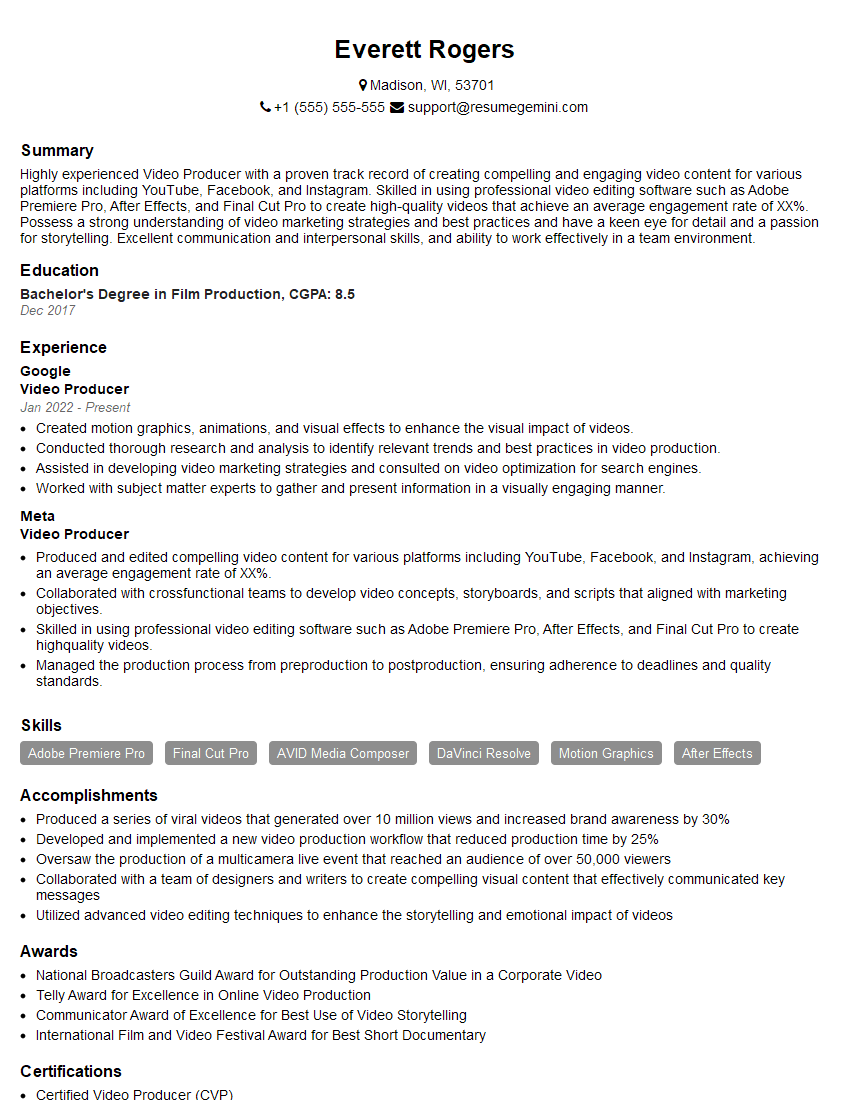
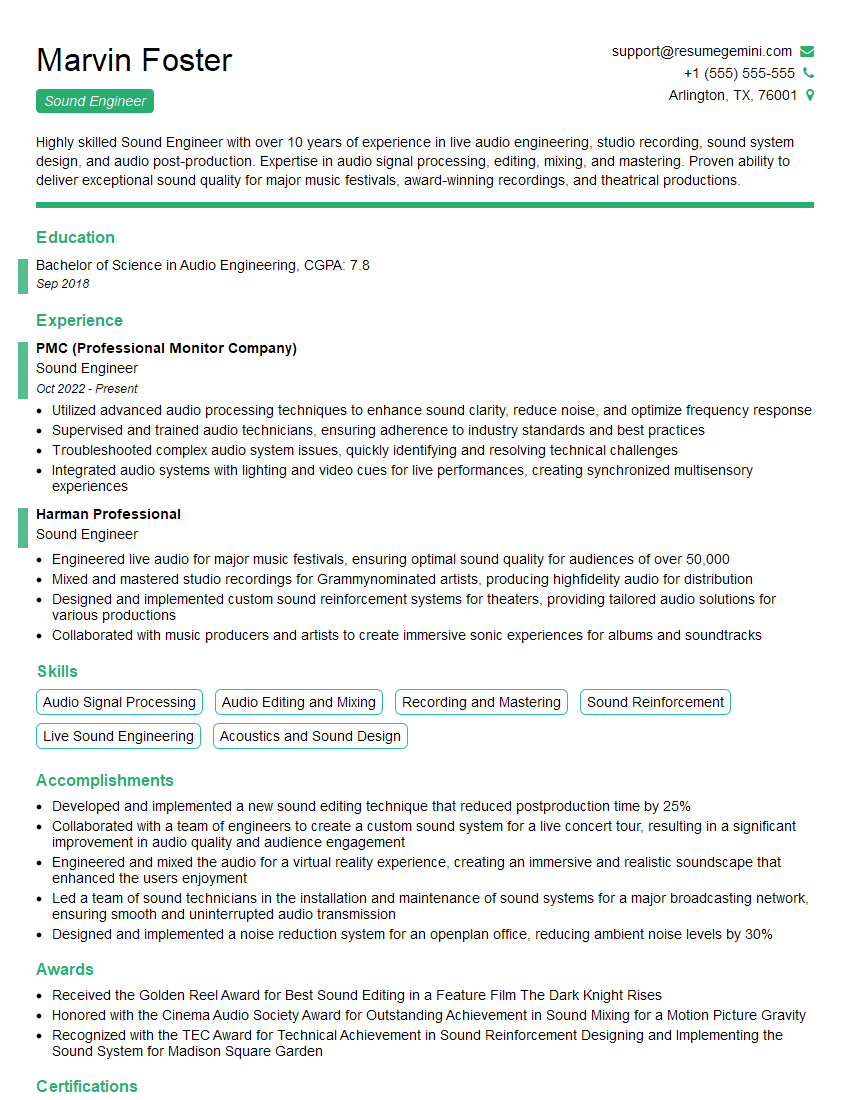
Mastering digital video and audio editing opens doors to exciting and rewarding careers in film, television, advertising, and more. To maximize your job prospects, create a strong, ATS-friendly resume that highlights your skills and experience effectively. ResumeGemini is a trusted resource to help you build a professional resume that stands out. We provide examples of resumes tailored to Digital Video and Audio Editing to help you get started. Invest in your future – invest in a powerful resume today!


Explore more articles
Users Rating of Our Blogs
Share Your Experience
We value your feedback! Please rate our content and share your thoughts (optional).
What Readers Say About Our Blog
Very informative content, great job.
good