Feeling uncertain about what to expect in your upcoming interview? We’ve got you covered! This blog highlights the most important Duplex Printing interview questions and provides actionable advice to help you stand out as the ideal candidate. Let’s pave the way for your success.
Questions Asked in Duplex Printing Interview
Q 1. Explain the difference between simplex and duplex printing.
Simplex printing is like writing on only one side of a piece of paper – you print on one side, and the other remains blank. Duplex printing, on the other hand, is like printing on both sides, significantly reducing paper consumption and saving costs. Think of it as writing on both sides of a single sheet, maximizing its use.
Q 2. Describe the various duplex printing methods (e.g., long-edge, short-edge).
Duplex printing offers two main methods for handling paper:
- Long-edge binding: The paper is flipped along its longer side. Imagine printing a booklet; the pages would be bound along the longer edge. This is ideal for documents that will be bound or stapled along that edge.
- Short-edge binding: The paper is flipped along its shorter side. This is common for documents that will be folded in half, such as brochures or flyers.
The specific method used depends on the printer’s capabilities and the document’s intended use. Most modern printers offer the option to select the binding type before printing.
Q 3. What are the advantages and disadvantages of duplex printing?
Advantages of Duplex Printing:
- Paper Saving: The most significant advantage is reducing paper consumption by half, contributing to environmental sustainability and cost savings.
- Cost Reduction: Lower paper usage translates directly into lower printing costs.
- Space Saving: Duplex-printed documents take up half the physical space compared to simplex documents.
- Professional Appearance: Double-sided printing often looks more professional for reports, presentations, and other formal documents.
Disadvantages of Duplex Printing:
- Slightly Slower Speed: Duplex printing generally takes longer than simplex printing as the paper needs to be flipped.
- Potential for Paper Jams: Duplex printing can increase the chances of paper jams, especially with thicker paper types.
- Not Suitable for All Papers: Certain paper types might not be compatible with duplex printing due to thickness or texture.
Q 4. How does duplex printing affect printing speed and efficiency?
Duplex printing inherently slows down the overall printing process. The time required for the paper to be flipped and fed back into the printer adds to the total print time. The extent of the speed reduction depends on the printer’s duplexing mechanism, the paper type, and the document’s size and complexity. For instance, a high-volume duplex printer might only experience a minimal speed decrease compared to a smaller, slower model. However, the overall efficiency increases as it significantly reduces the number of sheets used, thus saving time in paper handling and storage.
Q 5. What paper types are best suited for duplex printing?
Not all paper types are created equal for duplex printing. Generally, lighter weight paper (around 20-24 lb) works best. Thicker papers can cause jams or feeding issues. The paper should also be smooth and free from excessive texture to avoid problems with the printer’s rollers and feeding mechanism. Always refer to your printer’s manual for specific paper weight and type recommendations.
Q 6. How do you troubleshoot paper jams in a duplex printer?
Troubleshooting paper jams in a duplex printer requires a systematic approach:
- Turn off the printer: Safety first! Always power down the printer before attempting to clear a jam.
- Open access panels: Carefully open all access panels to inspect the paper path.
- Locate the jam: Look for any visible obstructions or jammed paper. Often, paper will be caught near the rollers or in the duplexing unit itself.
- Remove the jammed paper: Gently remove the jammed paper. Avoid tearing it, as this can cause more problems.
- Check for debris: Look for any small pieces of paper or debris that might have broken off during the jam. Remove them carefully.
- Inspect rollers: Check the rollers for any damage, dirt, or paper residue. Clean them with a lint-free cloth if necessary.
- Reassemble and test: Carefully close all access panels, turn on the printer, and try printing a test page to ensure the jam is fully cleared.
If the problem persists, consult your printer’s manual or contact technical support.
Q 7. Explain the importance of driver settings in achieving optimal duplex printing.
Printer drivers are essential for optimal duplex printing. They act as the communication bridge between your computer and the printer. Incorrect driver settings can lead to problems like simplex printing when duplex is selected, incorrect page orientation, or even paper jams. Crucial settings to check include:
- Duplex Mode: Make sure the correct duplex mode (long-edge or short-edge) is selected to match your needs.
- Page Orientation: Ensure the page orientation (portrait or landscape) is correctly set before printing.
- Paper Size and Type: Double-check that the paper size and type settings in the driver match the actual paper loaded in the printer.
Using the correct driver settings is vital for preventing errors and ensuring efficient, high-quality duplex printing. Installing the latest drivers from the manufacturer’s website is always a best practice.
Q 8. What are common duplex printing errors and how do you resolve them?
Duplex printing, while efficient, can sometimes lead to errors. Common issues include paper jams, misaligned printing (where the back side doesn’t perfectly align with the front), and blank pages. Let’s address these:
- Paper Jams: These often stem from using the wrong paper type or weight for your printer. The solution? Check your printer’s manual for compatible paper specifications. Ensure the paper tray is properly loaded and free from obstructions. If the jam persists, carefully remove the jammed paper, following your printer’s instructions to avoid damaging internal components.
- Misaligned Printing: This can result from improper paper path adjustments within the printer. The solution here is often to adjust the printer’s duplex settings. Many printers have options to fine-tune the paper path for optimal duplex printing. Check your printer’s control panel or driver for these settings. If adjustments don’t resolve the issue, a service call may be necessary.
- Blank Pages: This often indicates a problem with the duplex unit itself, or a driver issue. First, check the duplex settings and ensure the ‘duplex’ option is correctly selected. Restarting your printer and computer can also help. If the problem continues, check for driver updates or contact printer support.
Remember, always consult your printer’s manual for specific troubleshooting steps. Taking preventative measures, like regularly cleaning your printer and using high-quality paper, can significantly reduce the occurrence of these errors.
Q 9. How does duplex printing impact ink or toner consumption?
Duplex printing generally reduces ink or toner consumption by approximately 50%, compared to simplex (one-sided) printing. This is because you’re using both sides of the paper. Think of it like writing on both sides of a piece of notebook paper instead of just one. The savings can be substantial, particularly for high-volume printing jobs. However, the precise reduction depends on the document’s content and the printer’s efficiency. Text-heavy documents will typically show greater savings than image-rich documents.
Q 10. Describe your experience with different duplex printing technologies.
My experience encompasses several duplex printing technologies. I’ve worked extensively with:
- Manual Duplex: This older method requires you to manually flip the stack of paper after the first-side print. While simple, it’s time-consuming and prone to misalignment, particularly with larger print jobs. It’s rarely used except in situations where automatic duplex is unavailable.
- Automatic Duplex (Reversing Unit): This is the most common type in many printers. The printer has a built-in mechanism to automatically reverse the paper after the first side is printed. I’ve found these to be generally reliable, offering good efficiency and alignment.
- Parallel Duplex (Two-Sided printing simultaneously): This sophisticated technology uses two print heads to print both sides of a sheet at the same time. This significantly increases speed, but it’s more expensive to implement and is found primarily in high-volume industrial printers.
Each technology has its trade-offs in terms of cost, speed, and reliability. My expertise lies in identifying the optimal technology based on the specific printing needs and budget of the organization.
Q 11. What are the environmental benefits of duplex printing?
Duplex printing offers significant environmental benefits. The most obvious is paper conservation. By using both sides of a sheet, you reduce paper consumption by half, minimizing the demand on forests and reducing the waste sent to landfills. This translates to less deforestation, less energy used in paper manufacturing, and a smaller carbon footprint. In a professional setting, implementing duplex printing as a company-wide policy can have a considerable impact on sustainability efforts.
Q 12. How do you optimize printer settings for different duplex printing jobs?
Optimizing printer settings for various duplex printing jobs depends on the document type and the printer’s capabilities. For example:
- Text-heavy documents: These generally require simpler settings. You might choose a standard duplex mode with the default paper settings.
- Image-heavy documents: For high-quality images, it’s crucial to select the appropriate paper type (e.g., photo paper) and possibly a higher print resolution. The printer driver often allows you to adjust image quality and sharpness for duplex printing.
- Brochures or booklets: Many printers offer specialized duplex settings for booklets, which automatically arrange pages for correct folding. These settings often involve selecting the page layout and ensuring the correct number of pages are sent to the printer.
Understanding your printer’s capabilities and choosing the appropriate settings is key. Experimentation and consulting the printer manual are recommended.
Q 13. How do you ensure high-quality output in duplex printing?
High-quality duplex output requires attention to several factors:
- Paper Selection: Use high-quality paper appropriate for your printer and the type of document. Thinner paper can lead to show-through (where ink on one side is visible on the other), whereas thicker paper might cause jams. The correct paper weight is crucial.
- Driver Settings: Optimize print resolution and color settings. Higher resolution typically produces better quality but increases print time. Ensure that the color mode is appropriate for the document (e.g., grayscale for text-heavy documents).
- Printer Maintenance: Regular printer maintenance, including cleaning and replacing toner or ink cartridges, helps ensure consistent and high-quality output.
- Duplex Settings: Correctly selecting the duplex mode (standard, booklet, etc.) and checking for any available alignment settings is essential.
Addressing these points ensures consistent results, minimizing show-through, misalignments, and other quality issues.
Q 14. What are the cost implications of duplex printing versus simplex printing?
The cost implication of duplex vs. simplex printing is primarily driven by paper consumption. Duplex printing saves approximately 50% on paper costs. However, the initial investment for a duplex-capable printer might be slightly higher than a simplex-only printer. Over time, the savings on paper usually outweigh the potential higher initial investment, especially for organizations with high printing volumes. This should be factored into the total cost of ownership (TCO) when making purchasing decisions.
Q 15. How do you handle different paper sizes and weights in duplex printing?
Handling different paper sizes and weights in duplex printing involves understanding the printer’s specifications and making appropriate adjustments. Most modern duplex printers automatically detect paper size, but you need to ensure the paper tray is correctly configured. For paper weight, the printer’s manual will specify a range (e.g., 16lb – 24lb bond). Using paper outside this range can lead to jams or poor printing quality. Think of it like baking a cake – you need the right ingredients (paper type) and oven temperature (printer settings) for the best results. Heavier paper requires adjusting the printer settings to accommodate for the increased thickness, often involving a setting to select heavier paper stock. Sometimes, a manual adjustment to the paper feed rollers might be needed, but this should always be done according to the manufacturer’s instructions. Incorrect settings could result in misaligned prints or paper jams.
For example, if I’m printing a large document on heavier cardstock, I’d first check my printer’s manual to confirm the maximum weight it supports. Then, I would select the correct paper type and weight in the printer’s driver settings. If the printer offers adjustable paper feed settings, I’d adjust them accordingly to avoid misfeeds. I’d also perform a test print to verify the alignment and quality before proceeding with the full print job.
Career Expert Tips:
- Ace those interviews! Prepare effectively by reviewing the Top 50 Most Common Interview Questions on ResumeGemini.
- Navigate your job search with confidence! Explore a wide range of Career Tips on ResumeGemini. Learn about common challenges and recommendations to overcome them.
- Craft the perfect resume! Master the Art of Resume Writing with ResumeGemini’s guide. Showcase your unique qualifications and achievements effectively.
- Don’t miss out on holiday savings! Build your dream resume with ResumeGemini’s ATS optimized templates.
Q 16. Describe your experience with maintaining and troubleshooting duplex printers.
My experience with maintaining and troubleshooting duplex printers spans several years and various models. Regular maintenance is key. This includes checking paper trays for obstructions, cleaning the rollers with a lint-free cloth (never use harsh chemicals!), and ensuring the printer’s internal mechanisms are free from dust and debris. Think of it like regular car maintenance – preventative care avoids major problems later. I also regularly check toner levels and replace cartridges as needed. Troubleshooting usually begins with identifying the error message or symptom. A common issue is paper jams, often caused by incorrect paper type or overloaded trays. I systematically investigate the paper path, carefully removing any jammed paper, ensuring to follow the manufacturer’s instructions to prevent damage. Other problems include connectivity issues, which I troubleshoot using network diagnostic tools, and print quality problems which are often solved by recalibrating the printer or checking the toner cartridges.
For instance, I once encountered a duplex printer consistently producing skewed prints. After inspecting the rollers and finding no obvious damage, I discovered a slight misalignment in the paper path. A minor adjustment resolved the problem. Another time, a recurring paper jam in a high-volume office pointed to worn feed rollers – replacing them fixed the issue.
Q 17. What are some best practices for managing duplex printing in a large-scale environment?
Managing duplex printing in a large-scale environment requires a proactive approach. First, centralize printer management using a print server or a management solution like those provided by many print manufacturers. This allows for easier monitoring of toner levels, paper supplies, and overall printer health. Implementing a robust print policy is crucial; it should specify acceptable paper types, duplex printing as a default, and potentially impose limits on print jobs to reduce waste and ensure fair resource allocation. Think of it like managing a warehouse – you need a system to track inventory and optimize efficiency.
Regular preventative maintenance is critical, ideally scheduled during off-peak hours to minimize disruption. It involves rotating toner cartridges, cleaning printer components and routinely inspecting the paper paths. Training staff on proper printer usage and troubleshooting basic problems can also reduce support tickets and ensure better operational efficiency. Properly configuring duplex printing as the default in the print drivers or using a print server can ensure users conserve paper by default.
Q 18. How do you ensure consistent results when duplex printing large volumes?
Consistent results during high-volume duplex printing rely heavily on several factors. First, use high-quality paper that is consistent in weight and thickness. Variations in paper can lead to misfeeds and skewed printing. Secondly, regular maintenance is paramount, as described earlier. Worn rollers or dirty components can significantly impact print quality and alignment, especially during continuous, high-volume printing. Thirdly, ensure the printer’s firmware is up-to-date. Firmware updates often contain improvements to print quality and reliability.
Finally, perform test prints periodically throughout large print jobs to check for any anomalies. Think of it as quality control in a manufacturing process. Early detection of problems allows for timely adjustments or interventions, preventing large-scale issues later. Regularly monitoring the printer’s performance metrics (like print speed and error rates) can also help in identifying potential problems before they escalate.
Q 19. What software or applications are you familiar with for managing duplex printing?
I’m familiar with a range of software and applications for managing duplex printing. This includes printer driver software from various manufacturers (HP, Canon, Xerox, etc.), which allows for configuring duplex printing settings, managing paper trays, and monitoring printer status. Additionally, I have experience using print management software like PaperCut, which provides centralized control over printing across an organization, enforcing print policies, tracking print usage, and providing detailed reports. Network management tools such as those included with many operating systems (Windows Server, etc.) can also be used for managing and troubleshooting network printers and print queues.
For instance, PaperCut allows for setting up rules to automatically enforce duplex printing, limiting the number of pages that can be printed, and even requiring authentication before printing to reduce wastage. Printer drivers offer the ability to fine-tune duplex settings, selecting long-edge or short-edge binding, and addressing specific paper-handling settings.
Q 20. Explain the role of firmware updates in improving duplex printing performance.
Firmware updates play a crucial role in enhancing duplex printing performance. These updates often include bug fixes, improving reliability and reducing the frequency of errors like paper jams or print quality issues. They also incorporate performance enhancements, potentially speeding up the printing process or improving the overall efficiency of the duplex printing mechanism. Think of it as updating the operating system of your printer. These updates often include refinements to the algorithms that control the paper path, leading to smoother and more accurate feeding of pages during the duplex printing process.
For example, a firmware update might fix a bug that causes misalignment during two-sided printing, leading to cleaner and more professional results. Another update could optimize the printer’s memory management, allowing it to handle larger print jobs more effectively without encountering errors. Keeping the printer’s firmware up-to-date is a critical aspect of ensuring optimal performance and avoiding frustrating problems.
Q 21. How do you troubleshoot connectivity issues when duplex printing?
Troubleshooting connectivity issues when duplex printing involves a systematic approach. First, verify that the printer is correctly connected to the network – check the network cable, Wi-Fi connection (if applicable), and the printer’s IP address. Then, check the printer’s status on the network – is it online and reachable? Use network diagnostic tools (ping, tracert) to identify potential network bottlenecks. If the printer is connected directly to a computer, verify the USB cable is properly plugged in and the correct drivers are installed.
Next, check the printer’s settings – is the correct network protocol (TCP/IP, etc.) configured? Is the printer properly assigned to a print queue? Look for error messages on the printer’s display or in the printer driver software to pinpoint the cause. If using a print server, check the server’s logs for any connection errors. Sometimes, a simple reboot of the printer, computer, or network device can resolve temporary connectivity glitches. If issues persist, contacting the IT department or printer support is advisable to rule out more complex network problems or printer hardware failures.
Q 22. Describe your experience with different printer brands and their duplex capabilities.
My experience with duplex printing spans a wide range of printer brands, each with its own strengths and weaknesses in duplex capabilities. I’ve worked extensively with HP, Canon, Ricoh, and Xerox printers, encompassing both laser and inkjet technologies. HP printers, for example, often boast robust duplex units with advanced features like automatic two-sided printing and booklet creation. Canon printers generally offer reliable duplex functionality, often seamlessly integrated into their driver software. Ricoh and Xerox, known for their enterprise-grade solutions, provide high-volume duplex printing with sophisticated finishing options, such as stapling and hole-punching. However, even within a brand, the specific duplex capabilities can vary significantly depending on the model. A budget-friendly model might offer only manual duplexing (requiring you to manually flip the pages after the first side prints), while a high-end model might offer automatic duplexing with various paper handling options. Understanding these nuances is crucial for selecting the right printer for a specific need.
For instance, in a previous role, we needed a high-volume printer for a marketing campaign. We compared HP’s high-volume laser printers against Ricoh’s offerings. While HP offered faster print speeds, Ricoh’s printer excelled in handling thicker stocks and specialized paper types for our brochures during duplex printing. This comparison allowed us to choose the best option based on our specific requirements.
Q 23. What are the security considerations related to duplex printing?
Security considerations in duplex printing are often overlooked but are crucial, especially in sensitive environments. The primary concerns revolve around data leakage and unauthorized access. Leaving print jobs unattended on a duplex printer can expose confidential information. Secure print release solutions are essential, requiring users to authenticate at the printer before releasing their documents. Additionally, data encryption during the printing process can further protect sensitive information. Many modern printers allow for password protection on specific print jobs, and some offer features like encrypted printing directly from the device. Data remnants on the printer’s hard drive also need to be addressed through regular data clearing or secure erase functions. Implementing strong access controls on the printer itself, including network security measures, helps prevent unauthorized access and printing. Regular security audits and firmware updates are vital for maintaining a robust security posture.
Q 24. How do you handle special finishing requirements when duplex printing?
Handling special finishing requirements during duplex printing involves careful planning and leveraging the printer’s capabilities or using external finishing equipment. For example, if a project requires booklet printing, many modern printers offer built-in booklet-making functions that automatically collate and fold the pages during duplex printing. However, more complex projects might necessitate additional steps. For instance, if I need to print a document on high-gloss paper with specific fold lines, I would test the paper’s compatibility with the printer and its duplex unit beforehand. If the printer struggles with the paper’s weight or texture, I might need to adjust the printer settings or use an external finishing machine, like a professional folding machine for greater accuracy. Other special requirements such as perforations or specialized finishes like embossing might require sending the output to a print shop with specialized equipment.
Q 25. Explain your experience with different duplex printing finishing options.
My experience with duplex printing finishing options includes a wide range of features, depending on the printer and its capabilities. Basic duplex printing simply prints on both sides of the paper. Beyond that, many printers offer features such as:
- Stapling: Automatically staples printed documents for easy handling.
- Hole-punching: Creates holes for binding or filing.
- Booklet creation: Automatically folds and collates pages to create booklets.
- Folding: Folds documents into various formats.
Some high-end printers even offer advanced finishing options, such as saddle stitching or trimming. The choice of finishing options heavily depends on the type of document being printed and the desired final product. For example, a simple report might only require stapling, whereas a marketing brochure might require booklet creation and potentially folding.
Q 26. What metrics do you use to assess the efficiency of a duplex printing process?
Assessing the efficiency of a duplex printing process involves several key metrics. These metrics typically include:
- Print speed (ppm): Pages per minute, indicating how quickly the printer can produce both sides of a document.
- Throughput: The overall number of pages printed per unit of time, considering factors like paper jams and processing time.
- Paper handling efficiency: This measures how well the printer handles paper feeding, reducing jams and improving overall print speed.
- Job completion time: Total time from submitting the job to receiving the final printed output.
- Cost per page: Includes the cost of toner, paper, and electricity.
By analyzing these metrics, I can identify bottlenecks and optimize the printing process. For example, if throughput is low despite high print speed, it might indicate paper-handling issues needing attention.
Q 27. How would you train a new employee on the intricacies of duplex printing?
Training a new employee on duplex printing would involve a multi-stage approach. I would begin with a comprehensive overview of duplex printing principles, including different types (manual vs. automatic) and the importance of paper selection. Then, I would provide hands-on training, starting with simple print jobs and progressively increasing complexity. I’d focus on teaching them how to properly configure the printer settings for duplex printing, including selecting the correct paper tray and orientation. We would practice troubleshooting common issues, such as paper jams and misaligned prints. Crucially, I’d emphasize the importance of security best practices, including secure print release and proper document handling. Finally, I’d equip them with documentation and resources, including manufacturer’s guides and troubleshooting guides. I would also create a checklist for them to follow, ensuring consistency and efficiency.
Q 28. Describe a time you had to troubleshoot a complex duplex printing issue.
In a previous role, we encountered a perplexing issue with a high-volume duplex printer. The printer was consistently producing partially printed pages on the second side, appearing as though the toner wasn’t transferring correctly. My troubleshooting steps involved:
- Visual Inspection: Checked the toner cartridges for low levels and physical damage. Everything appeared normal.
- Paper Test: Used different paper weights and types to see if it was a paper-related problem. The issue persisted.
- Driver and Firmware Check: Updated the printer’s driver and firmware. No improvement.
- Drum Unit Check: The issue turned out to be a faulty imaging drum unit. After replacing the drum unit, the problem was immediately resolved.
This experience highlighted the importance of a methodical approach to troubleshooting, starting with simple checks and gradually moving towards more complex components. It also reinforced the value of having spare parts on hand to minimize downtime.
Key Topics to Learn for Duplex Printing Interview
- Duplex Printing Mechanisms: Understanding the different methods of duplex printing (hardware and software), including simplex to duplex conversion and their respective advantages and disadvantages.
- Paper Handling and Configuration: Learn about paper tray settings, driver configurations, and troubleshooting common paper jams related to duplex printing.
- Driver and Software Integration: Explore how duplex printing is implemented within various operating systems and print drivers. Understand the role of print settings and their impact on duplex output.
- Print Quality and Optimization: Investigate factors affecting print quality in duplex mode, such as paper type, ink/toner selection, and print resolution. Learn how to optimize settings for best results.
- Troubleshooting and Maintenance: Familiarize yourself with common issues encountered in duplex printing (e.g., misaligned prints, blank pages) and their solutions. Understand basic maintenance procedures relevant to ensuring reliable duplex printing.
- Cost Optimization and Efficiency: Analyze the cost implications of duplex printing compared to simplex printing. Learn about strategies for maximizing efficiency and minimizing waste.
- Security Considerations: Explore security implications related to duplex printing, particularly in sensitive environments. Understand the relevance of print job management and access control.
Next Steps
Mastering duplex printing techniques significantly enhances your value to employers in print-related industries, showcasing a comprehensive understanding of printing processes and cost-effective practices. A strong understanding of duplex printing opens doors to advanced roles and higher earning potential.
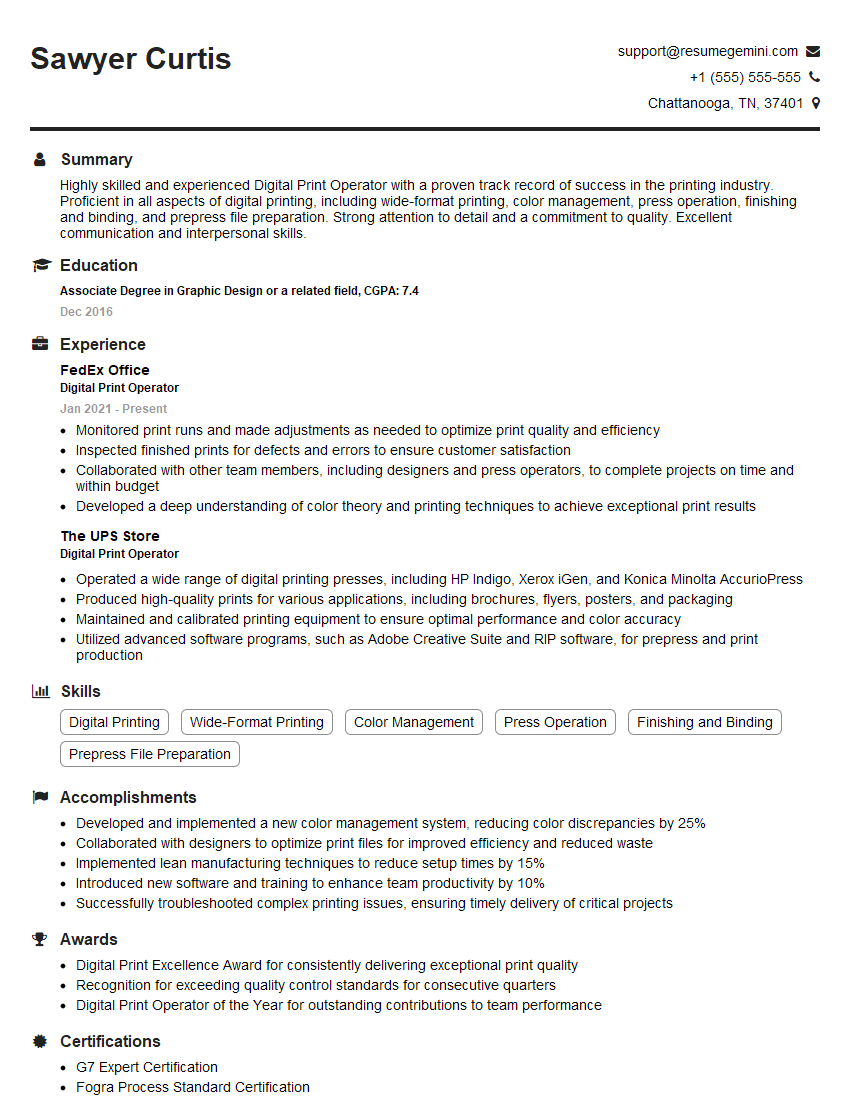
To maximize your job prospects, create an ATS-friendly resume that highlights your skills and experience effectively. ResumeGemini is a trusted resource that can help you build a professional and impactful resume tailored to the specific demands of the job market. Examples of resumes specifically tailored to showcasing Duplex Printing expertise are available through ResumeGemini.




Explore more articles
Users Rating of Our Blogs
Share Your Experience
We value your feedback! Please rate our content and share your thoughts (optional).
What Readers Say About Our Blog
Very informative content, great job.
good