Preparation is the key to success in any interview. In this post, we’ll explore crucial Effective Presentation interview questions and equip you with strategies to craft impactful answers. Whether you’re a beginner or a pro, these tips will elevate your preparation.
Questions Asked in Effective Presentation Interview
Q 1. Describe your preferred methodology for structuring a compelling presentation.
My preferred methodology for structuring a compelling presentation follows a clear narrative arc, much like a good story. It begins with a strong opening that grabs the audience’s attention and clearly states the presentation’s objective. This is followed by a body, logically structured to build upon the initial points. I utilize a variety of techniques here, including chronological order, problem-solution, comparative analysis, or even a story-based approach, depending on the subject matter. Each section has a clear purpose and transitions smoothly into the next. Finally, a strong conclusion summarizes key takeaways, reiterates the main points, and leaves a lasting impression. I often employ the ‘Tell them what you’ll tell them, tell them, then tell them what you told them’ structure for clarity and impact. For example, a presentation on improving team efficiency might start by highlighting the current challenges, then present solutions (new tools, processes), and finally reiterate how these solutions will lead to improved efficiency and specific measurable results.
Q 2. How do you tailor a presentation to different audiences?
Tailoring a presentation to different audiences is crucial for effective communication. I begin by understanding the audience’s prior knowledge, interests, and expectations. Who are they? What are their roles? What do they already know about the topic? What are their potential concerns or biases? This analysis informs my content and delivery. For instance, a presentation on a complex technical topic for a group of engineers would be far different than one for a group of non-technical executives. For the engineers, I might delve deeper into technical details, focusing on specifics and using technical jargon appropriately. For the executives, I’d focus on the high-level impact and business implications, simplifying technical terms and using visual aids to illustrate key concepts. I also adjust my communication style – formal vs. informal – to suit the audience’s preferences.
Q 3. Explain your process for designing visually engaging presentation slides.
Visually engaging slides are essential for maintaining audience interest. My process involves prioritizing clarity, simplicity, and visual consistency. I avoid cluttering slides with excessive text; instead, I use bullet points, short phrases, and impactful visuals (charts, graphs, images). I maintain a consistent design theme throughout, using a limited color palette and a clear font. I pay close attention to the use of whitespace to make the slides easy on the eyes. High-quality images and relevant data visualizations are crucial for making the information easily digestible. For example, instead of a lengthy paragraph describing sales figures, I would use a dynamic chart to show trends visually. Ultimately, the goal is to support the spoken content, not to replace it. The slides act as visual aids, guiding the audience and enhancing their understanding.
Q 4. What strategies do you use to maintain audience engagement throughout a presentation?
Maintaining audience engagement requires a multifaceted approach. I use techniques such as incorporating interactive elements (polls, quizzes, Q&A sessions), telling stories and anecdotes to connect with the audience on a personal level, and using humor appropriately to lighten the mood. I also vary my delivery style, incorporating pauses for emphasis, changing tone and pace, and moving around the stage to maintain visual interest. I encourage audience participation by asking questions and responding to their comments or expressions. Using visual aids effectively helps to illustrate concepts and break up lengthy explanations. Regular eye contact and a genuine enthusiastic approach fosters a more engaging presentation.
Q 5. How do you handle unexpected questions or challenges during a presentation?
Handling unexpected questions or challenges requires composure and quick thinking. My approach is to listen carefully to the question, acknowledging its importance. If I know the answer, I provide it clearly and concisely. If I don’t know the answer, I honestly admit it, promising to follow up later with the information. I might say something like, ‘That’s an excellent question, and I don’t have the exact answer offhand, but I’ll be happy to research it and get back to you.’ If the challenge is technical, I try to break down the issue into smaller, manageable parts. For example, if the projector fails, I would transition smoothly to a backup plan (handouts, a different presentation method), focusing on maintaining the flow of the presentation and minimizing disruption. Maintaining a calm, professional demeanor is key to successfully navigating unexpected situations.
Q 6. Describe your experience using presentation software (e.g., PowerPoint, Google Slides).
I have extensive experience using both PowerPoint and Google Slides, leveraging their strengths for different presentation needs. PowerPoint offers more advanced animation and design options, ideal for creating visually impactful presentations. Google Slides’ real-time collaboration capabilities are invaluable for teamwork and quick edits. My proficiency includes creating master slides for consistent branding, using animation effectively to emphasize key points (without being distracting), employing various chart and graph types to present data clearly, and embedding media like videos or audio to enhance engagement. I also understand how to optimize presentations for different screen sizes and devices. I choose the software based on the specific needs of the presentation and the collaborative requirements of my team.
Q 7. How do you incorporate storytelling into your presentations?
Storytelling is a powerful tool for making presentations memorable and engaging. I weave narratives into my presentations to make the information more relatable and human. A good story provides context, illustrates a point more powerfully than data alone, and helps the audience connect emotionally with the subject matter. For example, instead of simply stating statistics about employee turnover, I might share a story about a former employee and the reasons for their departure. This approach makes the data more meaningful and creates a more personal connection with the audience. I identify the key message or insight and build a narrative around it, creating characters, conflict, and a resolution to ensure audience engagement and understanding. The story should always serve the presentation’s purpose, supporting the overall message and providing a more memorable experience.
Q 8. What techniques do you use to overcome stage fright or nervousness?
Stage fright is a common experience, but with the right strategies, it’s entirely manageable. My approach is multifaceted, focusing on preparation, relaxation techniques, and positive self-talk. Preparation is key; thorough rehearsal reduces uncertainty and boosts confidence. I practice my presentation multiple times, not just reading the slides, but actively engaging with the material as if I’m in front of an audience. This allows me to anticipate potential questions and smooth out any rough patches.
To manage pre-presentation anxiety, I utilize relaxation techniques like deep breathing exercises and mindfulness. Taking a few minutes before a presentation to focus on my breath helps calm my nervous system. Positive self-talk is equally important; I replace negative thoughts like ‘I’m going to mess this up’ with affirmations like ‘I’m prepared and capable.’ Finally, I visualize a successful presentation, focusing on the positive aspects – engaging the audience, delivering my message clearly, and receiving positive feedback.
For example, before a crucial product launch presentation, I spent an entire day rehearsing, even practicing in front of colleagues to get feedback and refine my delivery. The combination of thorough preparation and relaxation exercises significantly reduced my anxiety, allowing me to deliver a confident and engaging presentation.
Q 9. How do you ensure your presentation aligns with the overall objectives?
Aligning a presentation with overall objectives requires a clear understanding of the desired outcome. Before I even begin creating slides, I work closely with stakeholders to define specific, measurable, achievable, relevant, and time-bound (SMART) goals. For instance, is the objective to inform, persuade, or inspire? What specific actions do I want the audience to take after the presentation?
Once the objectives are clear, I structure the presentation to directly support them. Each slide and section should contribute to the overall message and move the audience closer to the desired outcome. I might use a narrative structure to build a compelling case, or a problem-solution approach to address a specific challenge. I consistently check my content against the defined objectives, ensuring every element serves a purpose and contributes to the desired result.
For instance, if the objective is to secure funding for a new project, my presentation would focus on the market opportunity, the project’s feasibility, and the potential return on investment. Every slide would be tailored to showcase the project’s value proposition and address potential concerns of the investors.
Q 10. Explain your approach to incorporating data and visuals effectively.
Data and visuals are crucial for engaging and persuading an audience. My approach emphasizes clarity, simplicity, and relevance. I avoid overwhelming the audience with excessive numbers or complex charts. Instead, I focus on key data points that support my message, presenting them in a visually appealing and easily digestible format. I use charts and graphs strategically, choosing the most appropriate type for the data and ensuring the visuals are clearly labeled and easy to interpret.
I always consider the audience’s level of expertise when selecting visuals. For a technical audience, I might use more detailed charts and graphs. For a less technical audience, I would simplify the data and use more illustrative visuals. I use high-quality images and graphics to enhance the visual appeal of the presentation and maintain a consistent visual style throughout.
For example, instead of presenting a complex table of sales figures, I might use a line graph to show the trend over time, highlighting key growth periods. Or, instead of listing complex technical specifications, I might use an infographic to illustrate the key features and benefits of a product.
Q 11. How do you manage your time effectively during a presentation?
Effective time management is crucial for a successful presentation. I begin by creating a detailed outline that allocates a specific amount of time to each section. This ensures that I cover all the essential points without rushing or exceeding the allotted time. During rehearsals, I meticulously time each segment, making adjustments as needed to stay within the constraints.
I use visual cues on my slides, like a timer or progress bar, to keep myself on track during the actual presentation. I also incorporate concise language and avoid unnecessary details to maintain a good pace. If a section is running over time, I’m prepared to gracefully omit less critical information to stay within the allotted time frame. I also incorporate contingency time for potential delays or questions from the audience.
For example, if I have a 30-minute presentation, I might allocate 5 minutes for introductions, 15 minutes for the main content, 5 minutes for Q&A, and 5 minutes for a conclusion and call to action. By consistently tracking time during rehearsals, I can ensure that the presentation flows smoothly and stays within the time limit.
Q 12. Describe your experience with different presentation formats (e.g., webinars, in-person presentations).
I have extensive experience with various presentation formats, adapting my approach to suit each context. In-person presentations allow for more direct engagement with the audience through nonverbal cues and immediate feedback. I use this opportunity to gauge audience understanding and tailor my delivery accordingly. I might incorporate more impromptu interactions and adapt my language and tone based on the audience’s reactions.
Webinars, on the other hand, require a different approach. Since I lack the immediate feedback of an in-person audience, I focus on creating visually engaging content and incorporating interactive elements like polls, Q&A sessions, and chat features to foster engagement. I also pay close attention to the technical aspects, ensuring a smooth and reliable online experience for the participants.
For example, during an in-person presentation to a group of executives, I might adjust my presentation based on their body language and questions, moving more quickly or dwelling on certain points based on their reactions. During a webinar, I would rely heavily on visual aids and pre-planned interactions to maintain engagement with a more dispersed audience.
Q 13. How do you use body language to enhance your presentation?
Body language plays a vital role in enhancing a presentation. It conveys confidence, enthusiasm, and credibility. I maintain good posture, making eye contact with different individuals in the audience to create a connection. I use purposeful gestures to emphasize key points and avoid distracting mannerisms. My facial expressions reflect the content, conveying emotion and sincerity.
Effective movement adds dynamism and keeps the audience engaged. I might move purposefully around the stage or presentation area to illustrate a point or shift focus. However, movement should be deliberate and purposeful, never distracting. Maintaining an open and approachable stance ensures a welcoming atmosphere.
For instance, when discussing a particularly impactful statistic, I might pause, make eye contact with the audience, and use a deliberate gesture to emphasize the importance of the information. This helps to drive home the key message and create a lasting impression.
Q 14. How do you incorporate audience interaction into your presentations?
Audience interaction is essential for an engaging and memorable presentation. I incorporate interaction strategically throughout the presentation, using various techniques to suit the context and audience. This might involve posing questions to the audience, encouraging them to share their thoughts and experiences, conducting polls or quizzes, or facilitating a Q&A session.
The method of interaction should align with the presentation’s objective and the audience’s size and dynamics. For a large audience, polls or Q&A sessions are effective. For a smaller group, more open-ended discussions might be suitable. By actively involving the audience, I create a more dynamic and interactive experience, fostering a sense of community and participation.
For example, in a presentation about teamwork, I might ask the audience to share their experiences working in teams and discuss the challenges and successes they encountered. This encourages active participation and makes the presentation more relatable and impactful.
Q 15. How do you adapt your presentation style based on the context (e.g., formal vs. informal)?
Adapting presentation style to the context is crucial for effective communication. A formal setting, like a board meeting, demands a different approach than an informal team brainstorming session. In formal settings, I prioritize a structured, professional tone, using precise language and avoiding colloquialisms. My attire and body language reflect this formality. The presentation itself would be highly polished, data-driven, and focused on key takeaways. Visuals would be clean and professional. For example, I might use a sophisticated template and focus on charts and graphs rather than playful animations. Conversely, in an informal setting, I aim for a more conversational and engaging style. I might use humor, anecdotes, and interactive elements to foster a collaborative atmosphere. The language would be more relaxed, and the visuals could be less formal. Imagine a team brainstorming session where a less formal presentation using a whiteboard style, maybe even using sticky notes as visuals, would be perfectly acceptable and even encourage participation.
Career Expert Tips:
- Ace those interviews! Prepare effectively by reviewing the Top 50 Most Common Interview Questions on ResumeGemini.
- Navigate your job search with confidence! Explore a wide range of Career Tips on ResumeGemini. Learn about common challenges and recommendations to overcome them.
- Craft the perfect resume! Master the Art of Resume Writing with ResumeGemini’s guide. Showcase your unique qualifications and achievements effectively.
- Don’t miss out on holiday savings! Build your dream resume with ResumeGemini’s ATS optimized templates.
Q 16. How do you handle feedback after a presentation?
Handling feedback is essential for growth. I actively solicit feedback after every presentation, both formally through surveys or feedback forms and informally through one-on-one conversations. I listen attentively, taking notes without interruption. I approach feedback with an open mind, separating constructive criticism from personal opinions. If the feedback points to areas for improvement, I analyze what went well and what could be improved – content, delivery, engagement, etc. I create action items based on the feedback, actively working to incorporate these improvements into future presentations. For example, if feedback consistently highlights a lack of clarity in one area, I’d restructure that section, ensuring it’s more concise and uses simpler language. I then document these changes and their impact in my presentation improvement log, so I learn from each experience.
Q 17. What metrics do you use to measure the success of your presentations?
Measuring presentation success goes beyond audience applause. I use a multi-faceted approach, combining quantitative and qualitative metrics. Quantitative metrics include audience attendance (if applicable), survey responses measuring comprehension and satisfaction, and any measurable changes in behavior resulting from the presentation (e.g., increased sales, improved team performance based on subsequent actions). Qualitative metrics involve gathering feedback on clarity, engagement, and the overall impact of the presentation through post-presentation surveys, informal discussions, and observation of audience reactions during the presentation itself. For example, if presenting on a new sales strategy, I would track sales figures in the following weeks to determine if the presentation had a positive effect. If presenting internal training, I’d use a post-training knowledge assessment to gauge the effectiveness of knowledge transfer.
Q 18. How do you ensure your presentations are accessible to all audiences?
Accessibility is paramount. I ensure presentations are inclusive by using clear and concise language, avoiding jargon, and providing alternative text for all images and visuals. I use sufficient color contrast to ensure readability for those with visual impairments. I also consider font size and style for optimal legibility. When delivering the presentation, I speak clearly and at a moderate pace. If there are specific accessibility needs identified in advance, I proactively adapt the presentation accordingly, such as providing transcripts, audio recordings, or large-print materials. For example, for presentations with visually impaired attendees, I’ll ensure detailed audio descriptions are integrated into the presentation or alternative formats are made available.
Q 19. Describe your experience creating presentations for executive-level audiences.
Presenting to executive audiences requires a strategic approach. I meticulously research the audience’s priorities and concerns. Presentations are concise, data-driven, and focused on high-level strategic implications. I ensure the content aligns perfectly with their decision-making needs, highlighting key performance indicators (KPIs) and return on investment (ROI). The style is professional, confident, and results-oriented. For example, when presenting a new market entry strategy to the CEO and board, I’d focus on financial projections, market analysis, and the potential competitive advantage, avoiding unnecessary detail and focusing on the overall strategic fit and expected impact on the company’s bottom line. The visuals are clean, professional, and impactful, emphasizing key data points and avoiding clutter.
Q 20. How do you use technology to enhance your presentations?
Technology significantly enhances presentations. I use presentation software (like PowerPoint or Google Slides) to create visually appealing and engaging presentations with high-quality visuals, data visualizations, and animations when appropriate. I integrate interactive elements like polls, quizzes, and Q&A sessions using presentation tools or dedicated platforms. I also utilize multimedia such as videos and audio clips to add depth and context. For example, I might incorporate a short customer testimonial video to add credibility to a product presentation. I leverage technology to ensure seamless delivery – using presentation remotes, microphones, and projectors that are reliable and appropriate for the venue. I practice the technology beforehand to anticipate and resolve any potential issues.
Q 21. How do you prepare for a presentation in a limited timeframe?
Preparing a presentation in a short timeframe requires a focused approach. My strategy is to prioritize the essential information, focusing on the key message and supporting evidence. I use a structured outline to organize my thoughts. I leverage existing materials or data whenever possible. I opt for simple, visually impactful designs rather than complex ones. I also rehearse the presentation several times, focusing on clarity and smooth transitions. For example, if I only have a day to prepare, I might prioritize a few key points and build the presentation around them, using concise bullet points and clear visuals. I would also leverage existing charts and graphs to support my key points, rather than create new ones from scratch. Effective time management and prioritization are key for delivering a strong presentation even with a short preparation time.
Q 22. Describe your process for developing presentation content.
My process for developing presentation content is a structured, iterative approach focused on audience engagement and clear communication. It begins with a deep understanding of the audience – their prior knowledge, interests, and expectations. I then define clear learning objectives; what do I want my audience to know, understand, or be able to do after the presentation?
Next, I structure the content logically, typically following a narrative arc: introduction, body (with supporting evidence and examples), and conclusion with a clear call to action. I create a detailed outline, breaking down complex information into digestible chunks. This allows for a smooth flow of information, making it easier for the audience to follow along. I then craft compelling visuals, including charts, graphs, and images to support the key messages. Finally, I rehearse extensively to ensure a smooth delivery and adjust the content based on feedback.
For example, if presenting on a new software tool, I would start by outlining the benefits for different user groups (e.g., marketing, sales, customer service). Each section would then delve deeper into specific features and functionalities, using screenshots and practical examples to demonstrate their application. This ensures the presentation remains relevant and engaging for everyone.
Q 23. What are some common mistakes to avoid when delivering a presentation?
Common mistakes in presentations often stem from a lack of preparation or audience awareness. Reading directly from slides is a major one; it disengages the audience and prevents natural connection. Another is overcrowding slides with text; visuals should enhance, not replace, verbal communication. Speaking too fast or too softly can also hinder comprehension. Failing to manage time effectively, rushing through crucial information or dragging on unnecessarily, is detrimental. Finally, neglecting the visual aspects—poorly designed slides, distracting backgrounds, or illegible fonts—can severely impact the presentation’s impact.
Imagine a presentation on a new marketing strategy: Reading directly from bullet points listing the strategy’s components makes it boring. Conversely, using engaging visuals, like charts showing projected ROI or before-and-after examples of successful campaigns, paired with concise verbal explanations, would create a much more effective and memorable presentation.
Q 24. How do you incorporate Q&A sessions effectively?
Effective Q&A sessions are crucial for audience engagement and understanding. I start by explicitly stating that there will be time for questions. To foster participation, I might begin with an icebreaker question or a simple poll to gauge understanding. During the Q&A, I actively listen to each question, rephrasing if necessary to ensure clarity. I provide concise, insightful answers, acknowledging and addressing any underlying concerns or misunderstandings. If I don’t know the answer, I say so honestly and promise to follow up. Importantly, I manage the time allotted for Q&A effectively, politely ending the session if time runs out.
For instance, after a presentation on financial projections, I might ask a preliminary question like, ‘What aspect of the projections are you most interested in understanding further?’ This opens the floor and helps to focus the discussion. I find that actively listening and respectfully handling even challenging questions demonstrates professionalism and reinforces credibility.
Q 25. Describe your experience with creating and delivering online presentations.
My experience with online presentations includes using various platforms like Zoom, WebEx, and Microsoft Teams. I’ve delivered presentations to audiences ranging from small groups to hundreds of participants. To maintain engagement in the virtual environment, I use interactive elements like polls, Q&A features, breakout rooms for discussions, and screen sharing with visuals. I also ensure the presentation is visually appealing, using clear, concise slides and high-quality audio and video. I’ve also utilized pre-recorded presentations with live Q&A segments for situations requiring greater control over the message and visual aspects.
For example, while presenting a product demo online, I’d use screen sharing to show the product in action, pausing to interact with the audience through the chat or Q&A feature. Pre-recorded segments could be used for complex demonstrations that might otherwise disrupt the flow of the live session.
Q 26. What are your strengths and weaknesses regarding public speaking and presentation skills?
My strengths lie in my ability to connect with the audience, adapting my communication style to suit diverse groups. I am comfortable handling unexpected questions and maintaining composure under pressure. I am also proficient in crafting compelling narratives and designing visually engaging presentations. However, like many presenters, I occasionally struggle with managing nerves, especially when addressing very large audiences. I actively mitigate this by thorough preparation, practicing my delivery, and using techniques to manage anxiety.
My public speaking has improved through consistent practice and seeking constructive feedback. For instance, I’ve learned to incorporate pauses for emphasis and actively solicit audience interaction to break the tension during larger presentations. I’m also developing more skill in using humor effectively to connect with my audience.
Q 27. How do you ensure your presentation materials are consistent with your organization’s branding guidelines?
Maintaining brand consistency is paramount. I always start by reviewing the organization’s branding guidelines, paying close attention to logo usage, color palettes, fonts, and messaging style. I ensure all presentation materials, including slides, handouts, and even online backgrounds, adhere to these guidelines. This includes using the organization’s approved templates and ensuring the tone and style of communication align with the brand’s voice. Tools such as brand style guides and template libraries streamline this process. Inconsistent branding can dilute the message and damage the organization’s reputation.
For example, if my organization uses a specific shade of blue as its primary color, I will consistently use that same shade in all my slides. I’ll also make sure the font, imagery style and the overall tone of the language consistently reflects the organization’s preferred style guide.
Key Topics to Learn for Effective Presentation Interview
- Understanding Your Audience: Analyze your audience’s background, knowledge level, and interests to tailor your presentation effectively. Practical Application: Practice adapting your message for different audiences – imagine presenting the same concept to a technical team versus senior management.
- Structuring a Compelling Narrative: Craft a clear, concise, and engaging storyline with a strong introduction, logical flow, and memorable conclusion. Practical Application: Develop a presentation outline using storytelling techniques to highlight key achievements and contributions.
- Mastering Visual Aids: Utilize visuals (charts, graphs, images) to enhance understanding and engagement, avoiding cluttered or irrelevant content. Practical Application: Practice designing clear and concise slides that support, not replace, your verbal delivery.
- Nonverbal Communication: Develop confident body language, including posture, eye contact, and gestures, to project authority and build rapport. Practical Application: Record yourself practicing a presentation and analyze your nonverbal cues for improvement.
- Handling Questions and Feedback: Prepare for potential questions, anticipate objections, and respond professionally and thoughtfully to feedback. Practical Application: Practice answering common interview questions related to your presentation skills and experience.
- Using Technology Effectively: Become proficient with presentation software and be prepared for potential technical difficulties. Practical Application: Practice your presentation using the software you’ll use in the interview, ensuring smooth transitions and functionality.
Next Steps
Mastering effective presentation skills is crucial for career advancement. Strong communication translates to greater influence, increased opportunities, and ultimately, career success. To maximize your job prospects, it’s essential to create an ATS-friendly resume that showcases your skills effectively. We highly recommend using ResumeGemini to build a professional and impactful resume that highlights your presentation abilities. Examples of resumes tailored to emphasize Effective Presentation skills are available below, providing valuable templates and inspiration for your own resume creation. This will ensure your qualifications stand out and secure you that crucial interview invitation.
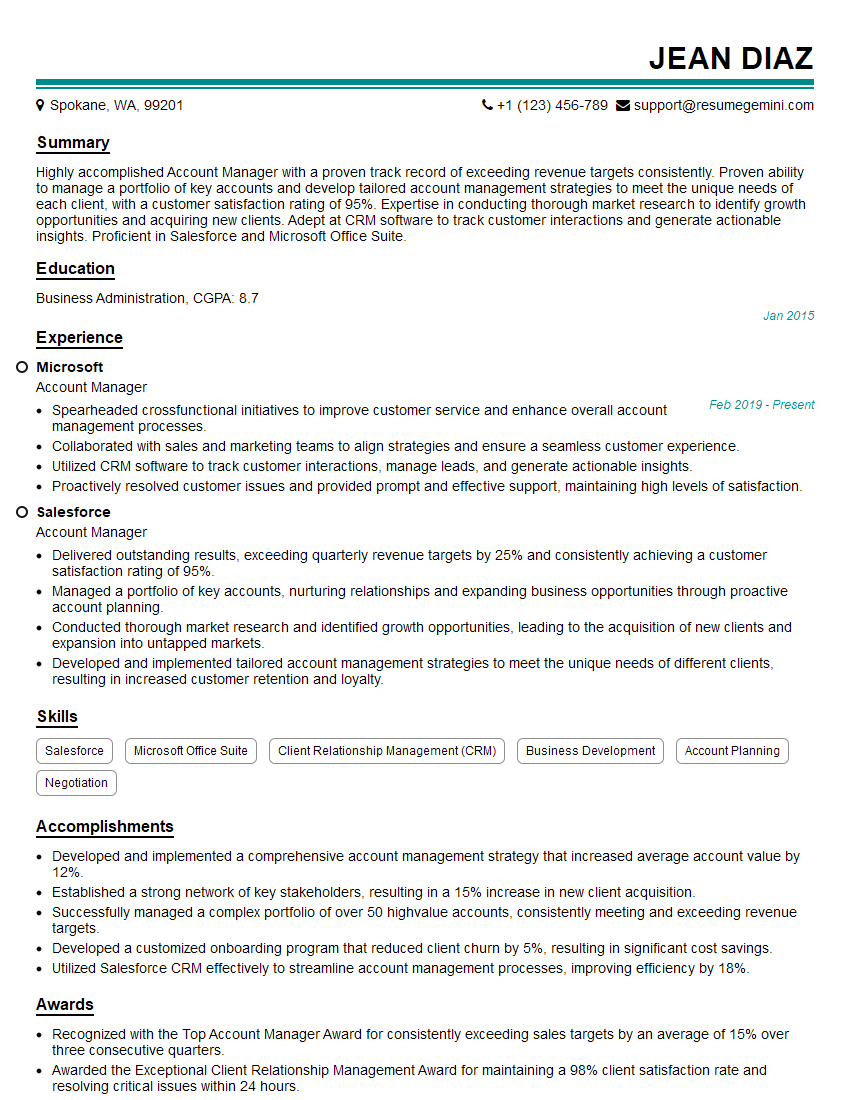
Account Manager Resume Sample
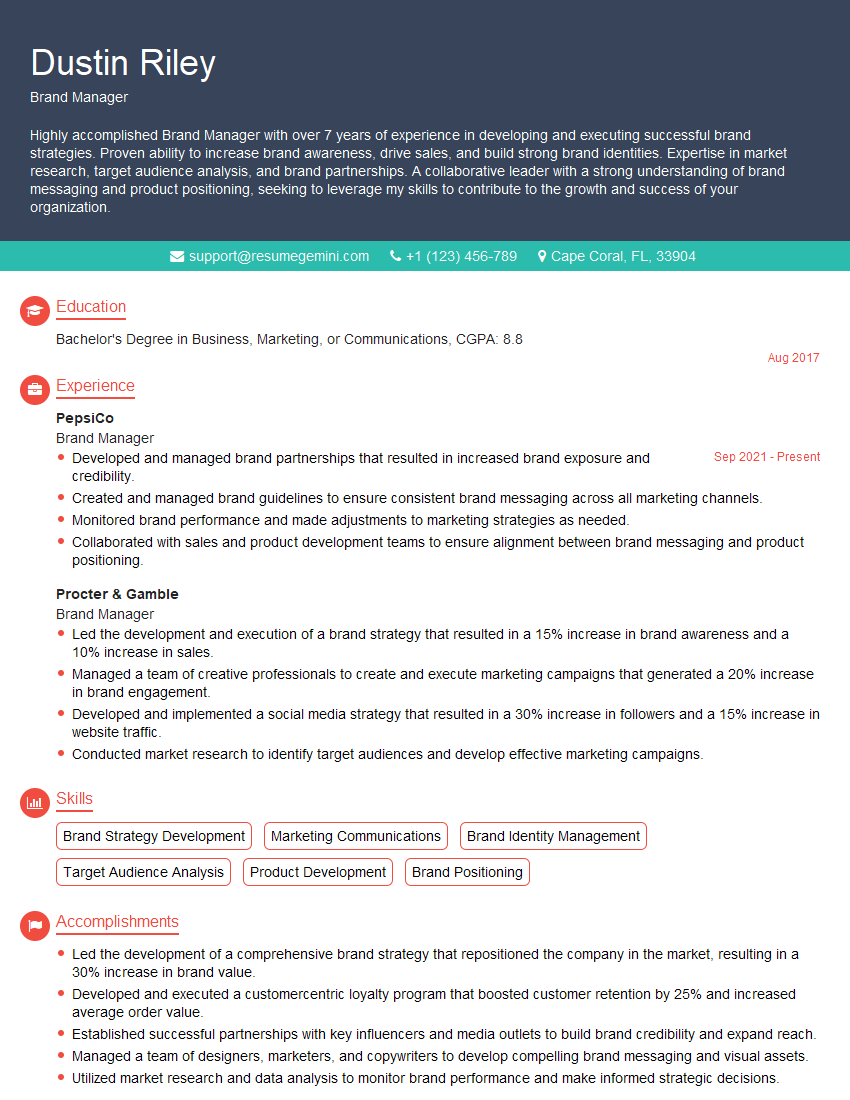
Brand Manager Resume Sample
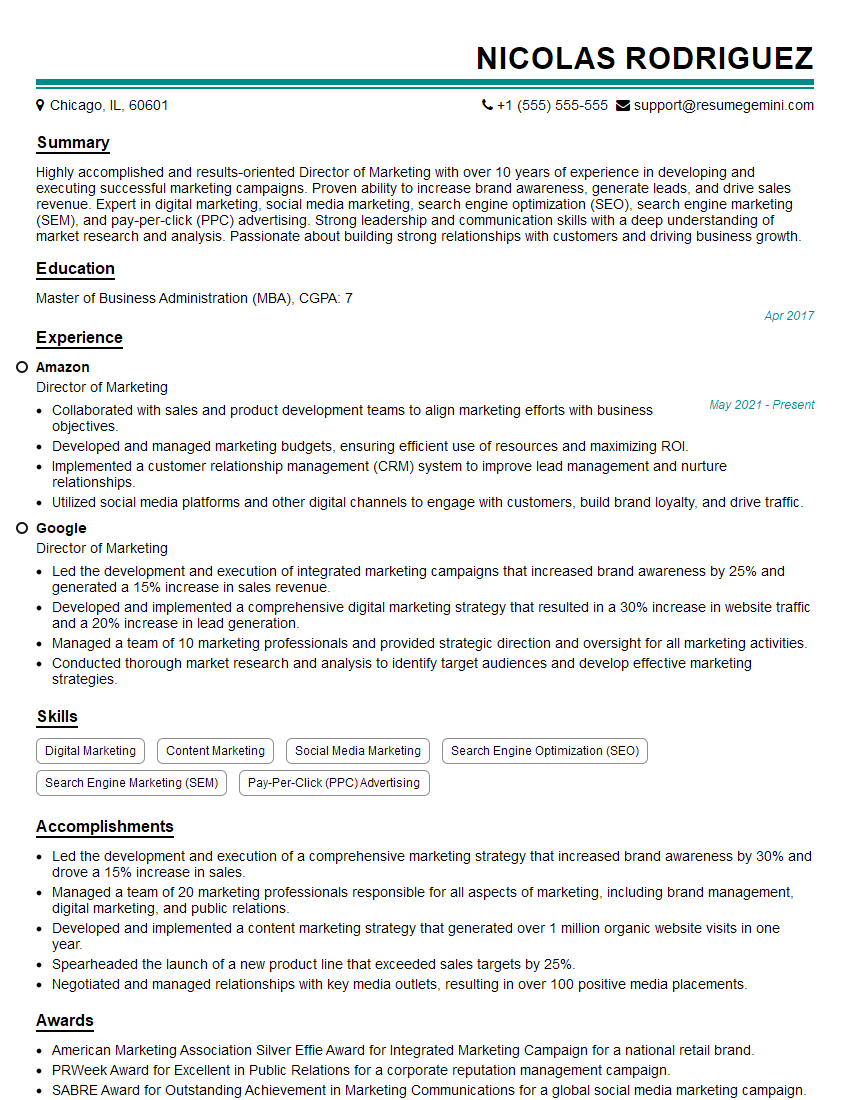
Director of Marketing Resume Sample
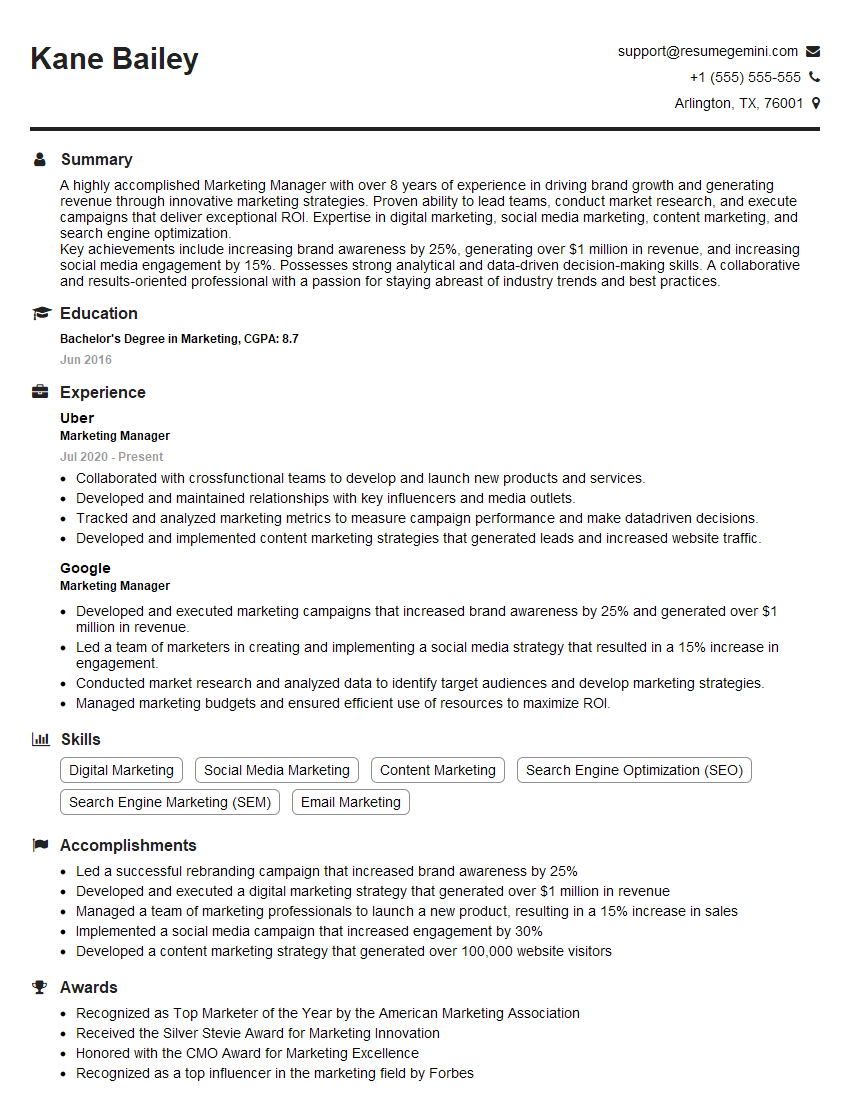
Marketing Manager Resume Sample
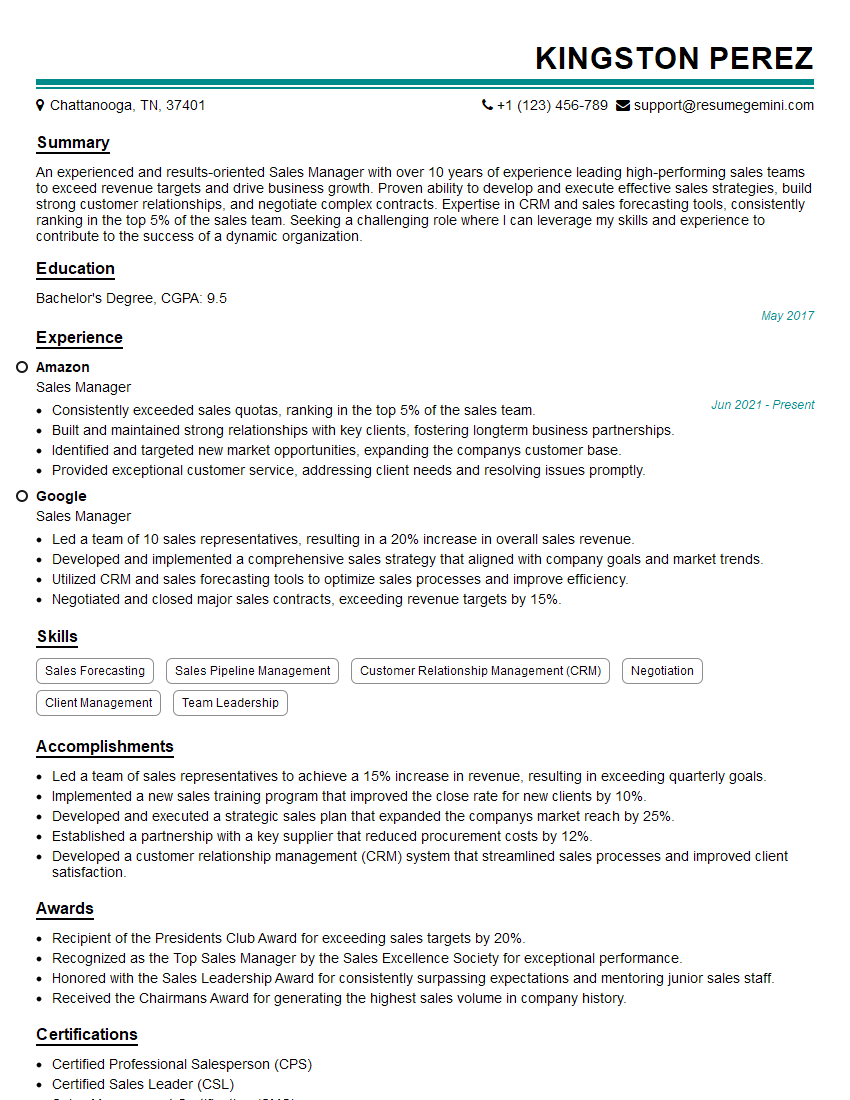
Sales Manager Resume Sample

Product Manager Resume Sample

Communications Director Resume Sample

Communications Manager Resume Sample
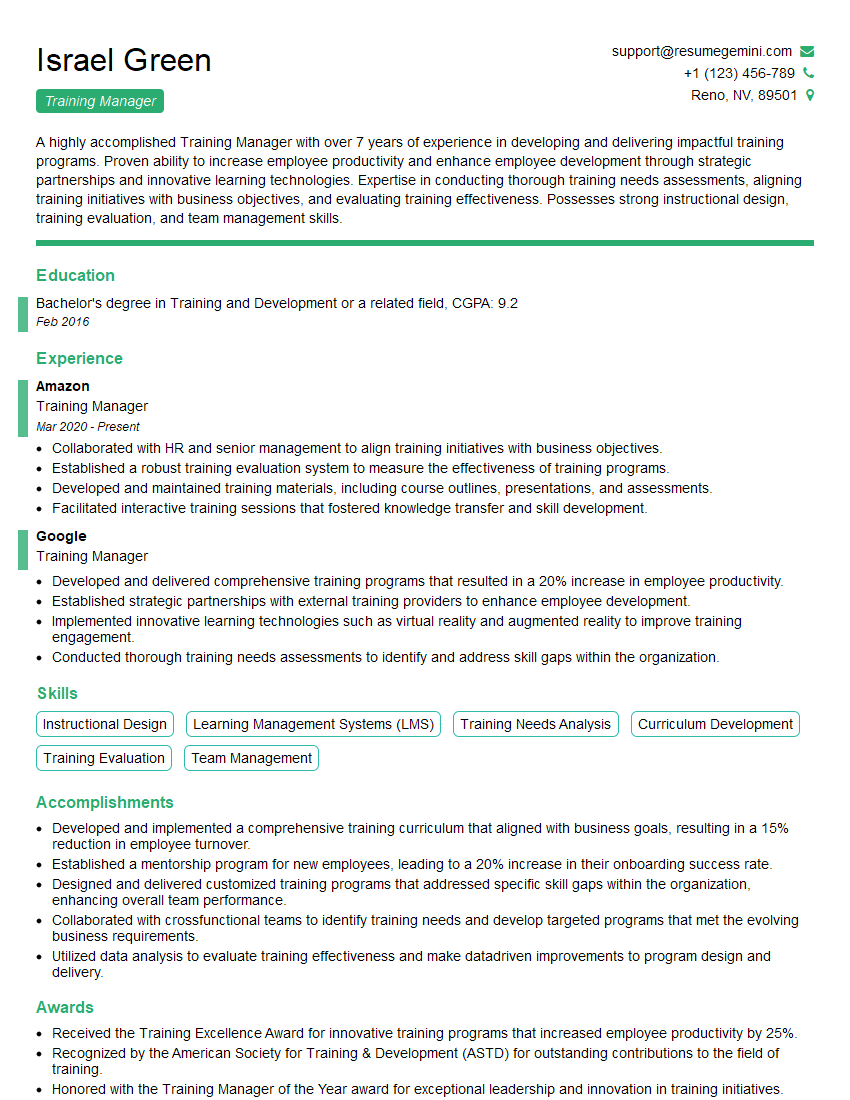
Training Manager Resume Sample

Project Manager Resume Sample

Business Analyst Resume Sample

Curriculum Developer Resume Sample

Social Media Manager Resume Sample

Instructional Designer Resume Sample

Technical Writer Resume Sample

Content Creator Resume Sample
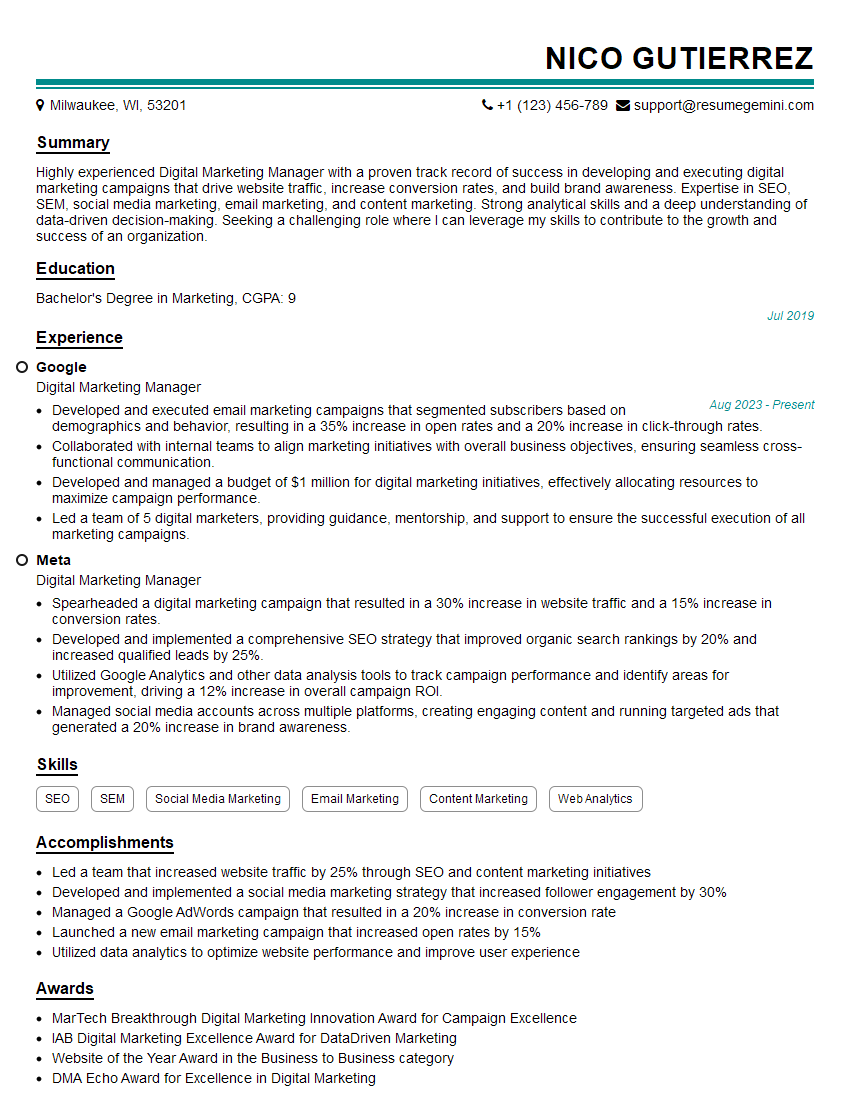
Digital Marketing Manager Resume Sample
- Account Manager
- Brand Manager
- Director of Marketing
- Marketing Manager
- Sales Manager
- Product Manager
- Communications Director
- Communications Manager
- Training Manager
- Project Manager
- Business Analyst
- Curriculum Developer
- Social Media Manager
- Instructional Designer
- Technical Writer
- Content Creator
- Digital Marketing Manager
Explore more articles
Users Rating of Our Blogs
Share Your Experience
We value your feedback! Please rate our content and share your thoughts (optional).
What Readers Say About Our Blog
Very informative content, great job.
good