Unlock your full potential by mastering the most common Emerson Ovation interview questions. This blog offers a deep dive into the critical topics, ensuring you’re not only prepared to answer but to excel. With these insights, you’ll approach your interview with clarity and confidence.
Questions Asked in Emerson Ovation Interview
Q 1. Explain the architecture of the Emerson Ovation system.
The Emerson Ovation system architecture is a distributed, client-server system designed for high availability and scalability. Think of it like a well-orchestrated team: each component has a specific role, and they all work together seamlessly.
At its core is the Application Server, the brain of the operation, running the control application logic. This communicates with the I/O Subsystem, the system’s hands and feet, which collects data from field devices and sends control signals to them. This I/O subsystem can be spread across geographically diverse locations, connected via various communication networks.
Redundancy is a key architectural feature. Critical components, such as the Application Server and I/O subsystems, are typically duplicated to ensure uninterrupted operation in case of a failure. The system also utilizes a Relational Database to store real-time and historical process data, accessible by various clients.
Finally, Operator Workstations provide the human interface to the system, allowing operators to monitor the process, make changes, and respond to alarms. These workstations communicate with the Application Server to access real-time data and make changes to the control application. The system design ensures that if one component fails, the system is designed to switch over to a redundant component with minimal impact on the process.
Q 2. Describe the different types of I/O modules used in Ovation.
Ovation employs a wide array of I/O modules, each tailored for specific signal types and communication protocols. Think of them as specialized tools in a toolbox, each suited for a particular job.
- Analog Input Modules: These modules measure continuous signals like temperature, pressure, and flow, converting them into digital values for the system to process. For example, a thermocouple reading the temperature of a reactor.
- Digital Input Modules: These modules receive discrete signals, typically on/off states from switches, limit switches, or other binary devices. A classic example is a high-level alarm from a tank.
- Analog Output Modules: These modules send continuous control signals, such as setting a valve position or controlling a speed drive. An example would be modulating the position of a control valve to regulate flow.
- Digital Output Modules: These modules send discrete control signals to actuate devices like pumps, motors, or solenoids. Turning a pump on or off is a prime example.
- Communication Modules: These modules facilitate communication with other systems, using protocols like Profibus, Modbus, or Ethernet/IP. This allows seamless integration with other parts of the plant infrastructure.
The specific module chosen depends heavily on the type of signal being measured or controlled, the required accuracy, and the communication protocol used by the field device. Careful selection is key for optimal system performance.
Q 3. How do you troubleshoot communication issues in an Ovation system?
Troubleshooting communication issues in Ovation requires a systematic approach. I would employ a step-by-step process to isolate the problem. Think of it like diagnosing a car problem: you start with the basics and progressively investigate further.
- Check the obvious: Verify network connectivity – cable connections, network switches, and IP address configuration. A simple loose cable can cause hours of trouble!
- Utilize Ovation’s diagnostics tools: Ovation provides built-in diagnostics to check the status of communication channels and I/O modules. These tools provide valuable information regarding errors and signal integrity.
- Inspect I/O module status: Check the status of the I/O modules on both the controller and the field device side. Look for error messages indicating communication problems.
- Examine communication logs: Review communication logs for error messages that provide details about failed communications. The timestamps and error codes are critical for pinpointing the issue.
- Use loopback tests: Perform loopback tests on communication cables and network interfaces to verify physical connectivity.
- Consider environmental factors: Extreme temperatures or electromagnetic interference can impact communication. Sometimes it is something as simple as poor grounding that can cause intermittent problems.
Often, a combination of these methods is required to identify and resolve the communication problem efficiently. Documentation is key – detailed records of the steps and findings prevent future headaches.
Q 4. What are the different types of alarms in Ovation and how are they configured?
Ovation offers various alarm types, all designed to alert operators to critical process conditions. They’re configured using the Ovation engineering tools. Think of them as different levels of urgency in an emergency response system.
- Analog Alarms: Triggered when process variables exceed predefined limits (high/low). Imagine a high-temperature alarm in a boiler.
- Digital Alarms: Triggered by changes in the state of digital inputs (e.g., a pump failure). This could be a level switch indicating a tank is full.
- Rate-of-Change Alarms: Triggered when a process variable changes too rapidly. A sudden pressure drop could trigger this.
- Time-Delay Alarms: Introduced to prevent nuisance alarms from minor, short-duration deviations. Useful for preventing false alarms from small, temporary fluctuations.
Alarm configuration involves setting the alarm limits, assigning alarm classes (severity levels), specifying the response required, and identifying the affected equipment. A user-friendly interface guides users through the process, ensuring that alarms are correctly configured for optimal performance and reliability.
Q 5. Explain the process of creating a new Ovation application.
Creating a new Ovation application is a structured process. It’s similar to building a house – you need a solid plan and careful execution. The first step is detailed process understanding, data collection, and the creation of a process design.
- Process Definition: A thorough understanding of the process is paramount. What are the inputs, outputs, control strategies, and safety requirements? This involves close collaboration with process engineers.
- Database Design: The process variables and their associated data types must be defined in the Ovation database. Careful planning minimizes data redundancy and maximizes data integrity.
- Graphic Development: The operator interface (HMI) is created to visually represent the process. This involves creating displays showing process variables, alarm summaries, and control elements. It should be intuitive and informative, crucial for efficient operation.
- Logic Programming: Control strategies are implemented using Ovation’s control language. This involves writing functions, sequences, and control algorithms to manage the process.
- Testing and Commissioning: The application undergoes rigorous testing in a simulated environment before deploying it to the actual control system. This verification ensures the application’s reliability and correctness. This stage is crucial to avoid issues in live operation.
Careful planning and structured execution are key to creating a reliable and maintainable Ovation application. Good documentation throughout the process is essential.
Q 6. Describe your experience with Ovation’s historian and trending capabilities.
Ovation’s historian and trending capabilities are essential for process analysis and optimization. They provide valuable insights into the process behavior over time. Think of it as having a detailed record book for your plant’s performance.
The historian stores process data, allowing for detailed historical analysis. This data can be used to identify trends, pinpoint process anomalies, optimize control strategies, and support regulatory compliance efforts. Historical data are essential to troubleshooting and investigation of events or incidents.
Trending allows for the visualization of process variables over time. This enables operators and engineers to quickly identify deviations from normal operation, predict potential problems, and make data-driven decisions.
In my experience, I’ve utilized Ovation’s historian to identify periodic process fluctuations that were not readily apparent during real-time monitoring. This led to improvements in control strategies, resulting in a more stable and efficient process.
Q 7. How do you perform a backup and restore of an Ovation system?
Backing up and restoring an Ovation system is a crucial aspect of system maintenance and disaster recovery. Think of it as creating a safety net for your entire control system.
Backup: This involves creating copies of the critical system components, including the application database, configuration files, and I/O data. The backup process can be automated using scheduling tools to create regularly scheduled backups. Regular backups are paramount for quick recovery in case of failure.
Restore: This involves loading the backed-up data into a new or existing Ovation system. This process will typically restore the entire application and configuration parameters, returning the system to a known good state.
The specific procedures will vary slightly based on the Ovation version and system architecture, but the underlying principles remain the same. Detailed documentation and testing of the backup and restore procedures are vital to ensure that the system can be quickly recovered in an emergency.
Following strict procedures and conducting regular, thorough testing is paramount to ensure a successful restore operation in case of a system failure.
Q 8. What are the security considerations for an Ovation system?
Security in an Ovation system is paramount, as it protects critical infrastructure. It’s a multi-layered approach encompassing network security, user access control, and data integrity. Think of it like a castle with multiple defenses.
- Network Security: This involves firewalls, intrusion detection systems, and secure network segmentation to prevent unauthorized access. We need to ensure only authorized devices and users can communicate with the Ovation system. For example, isolating the Ovation network from the general plant network is crucial.
- User Access Control: Role-based access control is fundamental. Different users (operators, engineers, administrators) have varying levels of access, preventing accidental or malicious changes. This is similar to having different keys for different rooms in a building; an operator might only have access to the control room, while an administrator has access to the whole system.
- Data Integrity: Regular backups and version control are essential to prevent data loss and ensure system integrity. Auditing trails track all changes, allowing us to identify and investigate any suspicious activity. This is like keeping detailed records of all transactions to detect any fraud.
- Physical Security: Protecting the physical hardware is also vital. Access to the Ovation server room needs to be restricted and monitored. This is like having security guards protecting the building itself.
A well-defined security policy, regular security audits, and employee training are crucial to maintaining a secure Ovation system.
Q 9. Explain your experience with Ovation’s graphic development tools.
I have extensive experience using Ovation’s graphic development tools, from creating simple trend displays to complex, dynamic process displays. The system offers a powerful suite of tools allowing the creation of highly customized and informative screens. I’m proficient in using the various graphic objects, including mimic diagrams, alarms, trends, and custom-designed faceplates.
For instance, in a recent project, I developed a comprehensive graphic display for a large water treatment plant. This involved creating interactive mimic diagrams of the entire process, integrating real-time data from various sensors, and implementing alarm and notification features. I used dynamic objects to visually represent the process flow and status at a glance. This improved operator situational awareness and reduced response times to potential issues.
I am also familiar with using scripting to enhance the graphics and add custom functionalities. For example, I have used scripting to create dynamic calculations on the display based on real-time data values.
Q 10. How do you handle version control in an Ovation project?
Version control is crucial in any Ovation project to manage changes, track modifications, and easily revert to previous versions if necessary. We typically utilize Emerson’s own version control within Ovation or integrate with external systems like GIT.
- Emerson’s built-in version control: This allows for easy comparison of different versions of the application, databases, and graphics. This is a very convenient solution for managing smaller projects.
- External Version Control (e.g., Git): For larger, more complex projects, an external version control system like Git can be integrated. This gives a more robust history and allows for collaborative development across multiple engineers.
In either case, a well-defined branching strategy is essential. This ensures that different developers can work on features concurrently without interfering with each other’s work, before merging changes into the main branch. This strategy helps manage and track modifications efficiently and prevents conflicts.
Thorough documentation of each change is essential, detailing the modifications made, the reason for the change, and the impact on the system.
Q 11. Describe your experience with Ovation’s alarming and event management system.
Ovation’s alarming and event management system is a critical component, providing real-time notification of process deviations and facilitating efficient troubleshooting. It’s built upon a robust architecture that supports various alarm classes, acknowledgement procedures, and sophisticated reporting features.
I have experience configuring alarm limits, defining alarm priorities, and setting up alarm suppression rules. I’ve also worked extensively with the event logging system, analyzing historical events to identify trends and potential issues. For example, I once used the event log to pinpoint a recurring problem that only occurred under specific process conditions.
Furthermore, I’m experienced in customizing alarm displays and notifications. I have configured the system to send out emails and SMS alerts to key personnel based on alarm severity and urgency. This allows quicker response to critical situations.
A well-configured alarming system is vital for proactive maintenance. By analyzing alarm trends, we can anticipate potential equipment failures and schedule maintenance before they lead to downtime.
Q 12. Explain the process of configuring analog and digital I/O in Ovation.
Configuring analog and digital I/O in Ovation involves defining the physical connections between the system and the field devices, setting up scaling and engineering units for analog signals, and configuring digital signal behavior.
For analog I/O, this begins with assigning physical I/O points to specific field devices (sensors, actuators) within the Ovation configuration. Then, we define engineering units (e.g., degrees Celsius, PSI), specify scaling factors to convert raw sensor readings to engineering units, and set alarm limits. For example, a temperature sensor might have a range of 0-10 volts, which we would scale to 0-100 degrees Celsius.
For digital I/O, we configure the direction of the signal (input or output) and define the behavior of the digital signal. For example, a digital input could represent a limit switch, where a closed switch signifies a 1 and an open switch signifies a 0. A digital output could control a pump, where a 1 turns the pump on and a 0 turns it off.
Proper configuration of I/O is crucial for accurate data acquisition and reliable control. Incorrect scaling or wiring can lead to inaccurate readings or unexpected behavior.
Q 13. How do you troubleshoot a control loop in Ovation?
Troubleshooting a control loop in Ovation involves a systematic approach using available tools and diagnostics. It’s a detective process, systematically eliminating potential issues.
- Review the Control Strategy: First, we examine the control loop’s configuration, checking the tuning parameters (Kp, Ki, Kd), setpoint, and any other limiting functions. Incorrect tuning often leads to poor control performance.
- Analyze the Process Data: We use the Ovation historian to analyze trends of the controlled variable, setpoint, manipulated variable, and other relevant signals. This helps identify patterns and anomalies.
- Check the I/O: We verify that the analog and digital inputs and outputs are functioning correctly. Incorrect scaling or faulty sensors can significantly affect the control loop’s performance.
- Examine Alarms and Events: Ovation’s event log can help identify any unusual events that may have affected the control loop’s behavior.
- Use Simulation Tools: Ovation’s simulation capabilities can be used to model the process and test different control strategies. This helps diagnose issues without affecting the real process.
For example, if a control loop is exhibiting excessive oscillations, this suggests the controller might be overtuned (high Kp or Ki). Reducing these parameters can generally improve stability. Conversely, slow response indicates possible undertuning.
Q 14. What are the different types of control strategies used in Ovation?
Ovation supports a wide range of control strategies to optimize different processes. The choice depends on the process characteristics and control objectives.
- PID Control: This is the most common control strategy, using proportional, integral, and derivative terms to adjust the manipulated variable to maintain the controlled variable at the setpoint. It’s widely used for temperature, pressure, and flow control.
- Advanced Process Control (APC): APC strategies, such as model predictive control (MPC), optimize multiple variables simultaneously to achieve overall process optimization. This is useful for complex processes with interacting variables.
- Ratio Control: This maintains a specific ratio between two variables. For instance, maintaining a fixed fuel-to-air ratio in a combustion process.
- Cascade Control: This uses multiple control loops, where one loop’s output is the setpoint for another. This enhances control performance by addressing multiple levels of control.
- Feedforward Control: This anticipates disturbances and adjusts the manipulated variable to compensate, improving response time and reducing the impact of disturbances.
Selecting the appropriate control strategy requires a deep understanding of the process dynamics and control objectives. It’s often a matter of balancing simplicity, performance, and robustness.
Q 15. Describe your experience with Ovation’s reporting and analysis tools.
Ovation offers robust reporting and analysis tools crucial for operational efficiency and regulatory compliance. I’ve extensively used its historical trending capabilities to identify patterns and anomalies in process variables, leading to improved optimization strategies. For instance, I once used historical data from Ovation to pinpoint the root cause of recurring pressure fluctuations in a boiler system. The system’s reporting engine allows for customized reports, including various data formats (CSV, PDF, etc.). Beyond historical data, Ovation also provides real-time data analysis tools, enabling immediate responses to process deviations. These tools frequently leverage alarm and event logs to facilitate efficient troubleshooting. Finally, Ovation’s reporting features allow for the creation of sophisticated dashboards displaying key performance indicators (KPIs) that are essential for management decision-making.
Specifically, I’m proficient in using the Ovation’s built-in reporting tools to generate trend reports, alarm summaries, and performance summaries. I can configure reports to show specific data points, time ranges, and levels of detail, providing tailored insights for different stakeholders. I’ve also utilized third-party data visualization software in conjunction with Ovation’s data export capabilities to create more visually engaging and comprehensive reports.
Career Expert Tips:
- Ace those interviews! Prepare effectively by reviewing the Top 50 Most Common Interview Questions on ResumeGemini.
- Navigate your job search with confidence! Explore a wide range of Career Tips on ResumeGemini. Learn about common challenges and recommendations to overcome them.
- Craft the perfect resume! Master the Art of Resume Writing with ResumeGemini’s guide. Showcase your unique qualifications and achievements effectively.
- Don’t miss out on holiday savings! Build your dream resume with ResumeGemini’s ATS optimized templates.
Q 16. How do you perform a system upgrade in Ovation?
Upgrading an Ovation system is a multi-stage process that requires meticulous planning and execution. It’s not a task to be undertaken lightly, as downtime needs to be minimized. The first step involves thorough assessment of the current system configuration and the desired upgrade path. This includes evaluating compatibility with new hardware and software versions, as well as validating the impact on existing applications and customizations. Emerson provides upgrade guides and documentation that are essential for this phase.
Next comes the meticulous creation of a detailed upgrade plan, encompassing various phases. This includes securing necessary resources (hardware, software, personnel), scheduling downtime, creating detailed test procedures, and implementing a robust rollback strategy in case of unforeseen issues. Testing in a controlled environment—ideally a replica of the production system—is crucial. We generally employ a phased rollout approach, beginning with a pilot test on a non-critical segment before full-scale implementation. Post-upgrade verification is absolutely essential, encompassing thorough validation of all system functions and a review of system logs for any anomalies.
Throughout the process, adherence to Emerson’s best practices and recommendations is paramount. The use of their provided tools and utilities greatly streamlines the process and reduces the risk of errors. Regular communication with stakeholders keeps everyone informed of progress and potential challenges.
Q 17. Explain your experience with Ovation’s redundancy and failover mechanisms.
Ovation’s redundancy and failover mechanisms are critical for ensuring high availability and preventing system outages. I have extensive experience configuring and troubleshooting these features. Ovation offers various redundancy options, including redundant processors, power supplies, network interfaces, and communication pathways. The system’s design ensures seamless failover in case of component failure, minimizing disruption to operations. The specific configuration depends on the criticality of the application and the desired level of redundancy.
For example, in one project, we implemented a dual-processor system with a hot-standby configuration. This meant that a backup processor would immediately take over if the primary processor failed, ensuring continuous operation. Regular testing of the failover mechanisms is vital to guarantee that they function as intended. This often involves simulating component failures to verify the system’s resilience and recovery capabilities. I’ve used Ovation’s built-in diagnostics tools to monitor the health of redundant components and proactively address potential issues before they impact operations.
Q 18. Describe your experience with Ovation’s network configuration and communication protocols.
My experience with Ovation’s network configuration encompasses various aspects, including physical network layout, IP addressing schemes, network security protocols, and communication protocols. Ovation primarily uses Ethernet for communication, with support for various protocols like Modbus TCP, OPC UA, and DNP3, depending on the connected devices and system requirements. I am skilled in configuring network settings, including IP addresses, subnet masks, gateways, and DNS servers, ensuring seamless data exchange between the Ovation system and other plant equipment.
Security is a major consideration. I’ve implemented firewalls and intrusion detection systems to protect the Ovation network from unauthorized access and cyber threats. Understanding and managing network traffic is key; I’ve used network monitoring tools to identify bottlenecks and optimize network performance, ensuring reliable data transmission for real-time control and reporting. For instance, I once diagnosed a network slowdown impacting the responsiveness of the HMI by analyzing network traffic patterns and identifying a faulty network switch.
Q 19. What are the best practices for maintaining an Ovation system?
Maintaining an Ovation system involves a combination of proactive and reactive measures. Proactive maintenance includes regular backups of system configuration and data, scheduled system checks, and preventative maintenance on hardware components. This ensures the system operates optimally and minimizes the risk of unexpected failures. A well-defined maintenance schedule is crucial, encompassing tasks like checking network connectivity, reviewing system logs for errors and warnings, and performing software updates.
Reactive maintenance addresses issues that arise unexpectedly. This requires a thorough understanding of Ovation’s diagnostic tools and troubleshooting techniques to effectively diagnose and resolve problems quickly and efficiently. I regularly perform software updates and apply patches provided by Emerson to address known vulnerabilities and enhance system performance. Documentation is key—maintaining comprehensive records of all maintenance activities, including changes made to the system configuration, facilitates efficient troubleshooting and minimizes downtime in the future.
Q 20. How do you ensure data integrity in an Ovation system?
Data integrity is paramount in an Ovation system. I employ several strategies to ensure its accuracy and reliability. These include implementing robust data validation checks within the application logic to prevent incorrect data entry and ensuring that data is consistently and reliably archived. Regular system backups are crucial, providing a recovery point in case of data corruption or loss. The backup strategy should include both the system configuration and historical data, stored in multiple locations to guard against catastrophic events. Furthermore, I regularly review system logs and audit trails to detect any anomalies or inconsistencies that could suggest data compromise.
The use of Emerson’s recommended backup utilities, along with a well-defined backup schedule and testing of recovery procedures, ensures data integrity. I also follow best practices for data security to prevent unauthorized access or modifications. This includes implementing appropriate user access controls and network security measures. Finally, regular data audits can help to identify any potential issues and improve the overall data quality.
Q 21. Explain your experience with Ovation’s operator interface and human-machine interface (HMI).
Ovation’s operator interface (OI) and Human-Machine Interface (HMI) are vital for efficient process monitoring and control. I have extensive experience designing, configuring, and customizing these interfaces for various applications. The HMI provides operators with a clear and intuitive view of the process, enabling efficient monitoring and control. The key is to create an intuitive and visually informative interface that reduces operator workload and improves decision-making speed. This involves careful selection of displayed variables, alarm configurations, and overall interface layout.
I’ve worked on projects where we customized the HMI to meet specific operational requirements, including designing custom graphics, configuring alarm annunciators, and implementing advanced control features. For example, I created a custom graphic to visually represent the flow of materials in a complex production line. Ovation offers tools to create interactive displays, allowing operators to drill down into specific data points for detailed analysis. Thorough testing is necessary to ensure the HMI is user-friendly, reliable, and meets the specific needs of the plant operators.
Q 22. Describe your experience with scripting or programming within the Ovation environment.
My experience with Ovation scripting encompasses both the built-in Ovation scripting language and integrating external scripting languages like Python. The Ovation scripting language allows for automating repetitive tasks like data logging, alarm management, and report generation. For instance, I’ve created scripts to automatically generate daily production reports, consolidating data from various points across the plant. This significantly reduced manual effort and improved data accuracy.
Integrating Python through the Ovation’s OPC UA interface offers more advanced capabilities. I used Python to build custom algorithms for predictive maintenance, analyzing sensor data from Ovation to predict potential equipment failures before they occur. This resulted in reduced downtime and proactive maintenance scheduling. A simple example of an Ovation script might involve reading a tag value and sending an email based on a threshold condition.
Example: IF TagValue("TankLevel") < 10 THEN SendEmail("Low Tank Level Alert!") ENDIFI also leveraged scripting to create custom user interfaces within Ovation, tailoring the display to better suit operator needs and improving overall situational awareness. The key here is to balance the power of scripting with maintainability and robustness. Well-documented and modular scripts are crucial for long-term success.
Q 23. How do you handle complex control algorithms within Ovation?
Ovation offers various ways to handle complex control algorithms. For simple algorithms, the built-in function blocks are sufficient. However, for more intricate control schemes, advanced control strategies can be implemented using custom control blocks and advanced function blocks. I have extensive experience developing these custom blocks for applications such as cascade control, model predictive control (MPC), and advanced regulatory control (ARC).
For instance, I developed a custom control block for an MPC algorithm to optimize a refinery's crude distillation unit. This algorithm considered multiple variables such as feedstock quality, product demand, and energy consumption to dynamically adjust the operating parameters for maximum efficiency and product yield. This involved careful selection of sampling rates and control parameters, rigorous testing and simulation, and collaboration with process engineers to ensure accuracy and stability.
Furthermore, Ovation's open architecture allows integration with third-party advanced process control (APC) packages. This provides another avenue for implementing complex algorithms, offering advanced features like optimization and constraint handling. The choice of method depends on the complexity of the algorithm and the existing infrastructure. Robust testing and validation are essential in all cases.
Q 24. Explain your experience with integrating Ovation with other systems.
My experience with integrating Ovation with other systems is extensive. I've worked with various communication protocols like OPC UA, Modbus TCP/IP, and Profibus to connect Ovation to SCADA systems, historians, and enterprise resource planning (ERP) systems. A prime example is the integration of Ovation with a corporate historian for long-term data archiving and trend analysis, providing valuable insights for process optimization and troubleshooting. This involved configuring communication drivers, defining data mappings, and testing the integrity of data transfer.
Another key integration I managed involved connecting Ovation to a third-party ERP system. This allowed for real-time visibility into production data, facilitating accurate inventory management and production scheduling. This involved customizing data formats, designing interfaces, and coordinating with IT and operations teams to ensure seamless data exchange and system security. Security considerations, including authentication and data encryption, are crucial during the integration process.
In all integrations, clear communication and documentation are key. Careful planning, testing, and validation are critical to ensure a stable and reliable system.
Q 25. What are some common challenges encountered when working with Ovation, and how did you overcome them?
Common Ovation challenges include data redundancy issues, dealing with legacy systems, and ensuring system security. Data redundancy can stem from multiple data sources or inconsistent data formats. I overcame this by developing data reconciliation algorithms and implementing data validation checks within Ovation to ensure data integrity. This involved careful analysis of data sources, implementing data filters, and developing custom scripts to resolve inconsistencies.
Integrating Ovation with legacy systems often presents challenges due to incompatibility issues. I resolved these by using appropriate communication gateways and custom scripts to bridge the communication gap between Ovation and legacy equipment. Careful planning of the integration, thorough testing, and robust error handling are crucial here. A staged approach, starting with a pilot integration before full deployment, is often beneficial.
System security is paramount. I ensured system security by implementing strict access controls, regular security audits, and keeping the system software updated. This involved using strong passwords, restricting network access, and conducting regular security vulnerability scans to identify and mitigate threats.
Q 26. Describe your experience with performance tuning an Ovation system.
Performance tuning an Ovation system involves optimizing various aspects to ensure responsiveness and stability. This includes analyzing CPU utilization, memory usage, and network traffic. Tools provided within Ovation, combined with external network monitoring tools, help identify bottlenecks. For example, I identified a performance bottleneck in a large Ovation system caused by excessive data logging. I optimized the data logging configuration by reducing the sampling rate of non-critical parameters and archiving data more efficiently. This resulted in a significant improvement in system responsiveness.
Another area of focus is optimizing control loop configurations. Inappropriate control parameters or high sampling rates can lead to performance degradation. Fine-tuning PID parameters and adjusting sampling rates based on process dynamics can significantly improve control performance and reduce computational load. Regular system health checks, thorough documentation, and understanding the interplay of different system components are essential for proactive performance management.
Q 27. How do you diagnose and resolve hardware failures in an Ovation system?
Diagnosing and resolving hardware failures in an Ovation system starts with utilizing the system's built-in diagnostic tools. These tools provide real-time information on CPU utilization, memory usage, and I/O status. Analyzing these parameters can pinpoint the source of the problem. For example, high CPU usage may indicate a faulty process or a software bug, while I/O errors may indicate a hardware problem with an I/O module or field device.
If the built-in diagnostics don't pinpoint the problem, more advanced troubleshooting techniques are used. This involves checking physical connections, inspecting I/O modules, and running loopback tests to identify faulty hardware. Documentation is incredibly important here, so maintaining a well-organized system configuration is vital for quick troubleshooting. Emerson's technical support resources and documentation are invaluable in these situations. Finally, a methodical approach, starting with the simplest checks before moving to more complex diagnostics, is often the most effective strategy.
Q 28. Explain your experience with Ovation's cybersecurity features and best practices.
Ovation's cybersecurity features involve multiple layers of protection, including network segmentation, access controls, and intrusion detection systems. Network segmentation isolates critical control systems from other networks, limiting the impact of a potential breach. Implementing strong passwords, multi-factor authentication, and regularly updating the system's software are critical security measures. Regular security audits and penetration testing further strengthen the system's defenses.
Best practices involve adhering to industry standards such as ISA/IEC 62443, which provides a comprehensive framework for industrial control system cybersecurity. This includes establishing a security policy, implementing regular vulnerability scans, and establishing incident response plans to handle security incidents. Regular training for personnel on cybersecurity best practices is crucial for maintaining a strong security posture. Staying up-to-date with the latest cybersecurity threats and vulnerabilities is paramount, and adopting a proactive, layered security approach is essential for mitigating risks.
Key Topics to Learn for Emerson Ovation Interview
- System Architecture: Understand the overall architecture of Emerson Ovation, including its various components and how they interact. Consider the different levels of the system and their functionalities.
- Data Acquisition and Processing: Familiarize yourself with how Ovation acquires, processes, and displays real-time data. Be prepared to discuss data handling, alarm management, and historical trending.
- Control Strategies: Explore different control strategies implemented within Ovation, such as PID control, advanced regulatory control, and cascade control. Understand their applications and limitations.
- Human-Machine Interface (HMI): Master the navigation and functionalities of the Ovation HMI. Be ready to discuss different display types, alarm management within the HMI, and operator interaction.
- Networking and Communication: Understand the network protocols and communication methods used by Ovation. This includes network topologies and security considerations.
- Troubleshooting and Problem Solving: Develop your approach to troubleshooting common issues within the Ovation system. Practice identifying problems, analyzing data, and proposing solutions.
- Safety and Security: Understand the safety and security features implemented in Ovation and their importance in industrial automation.
- Specific Applications (if applicable): Depending on the job description, delve deeper into specific applications of Ovation within your area of interest (e.g., power generation, oil & gas, water treatment).
Next Steps
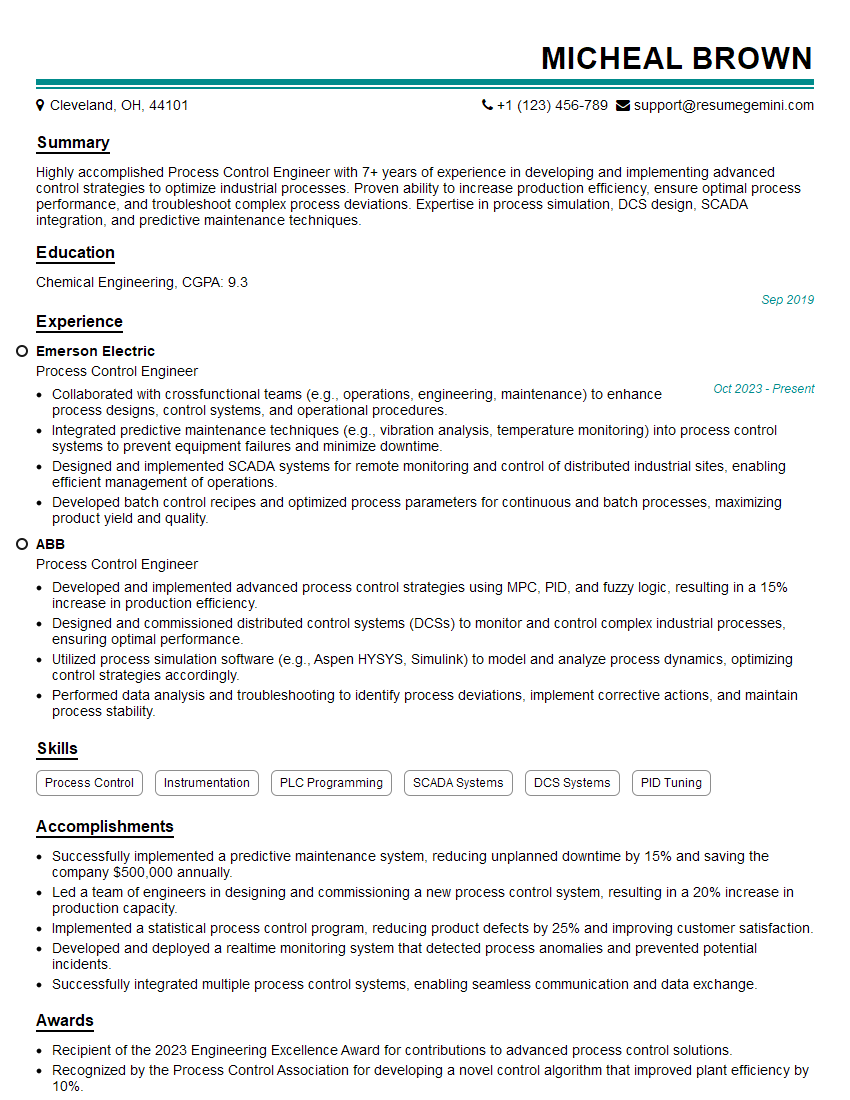
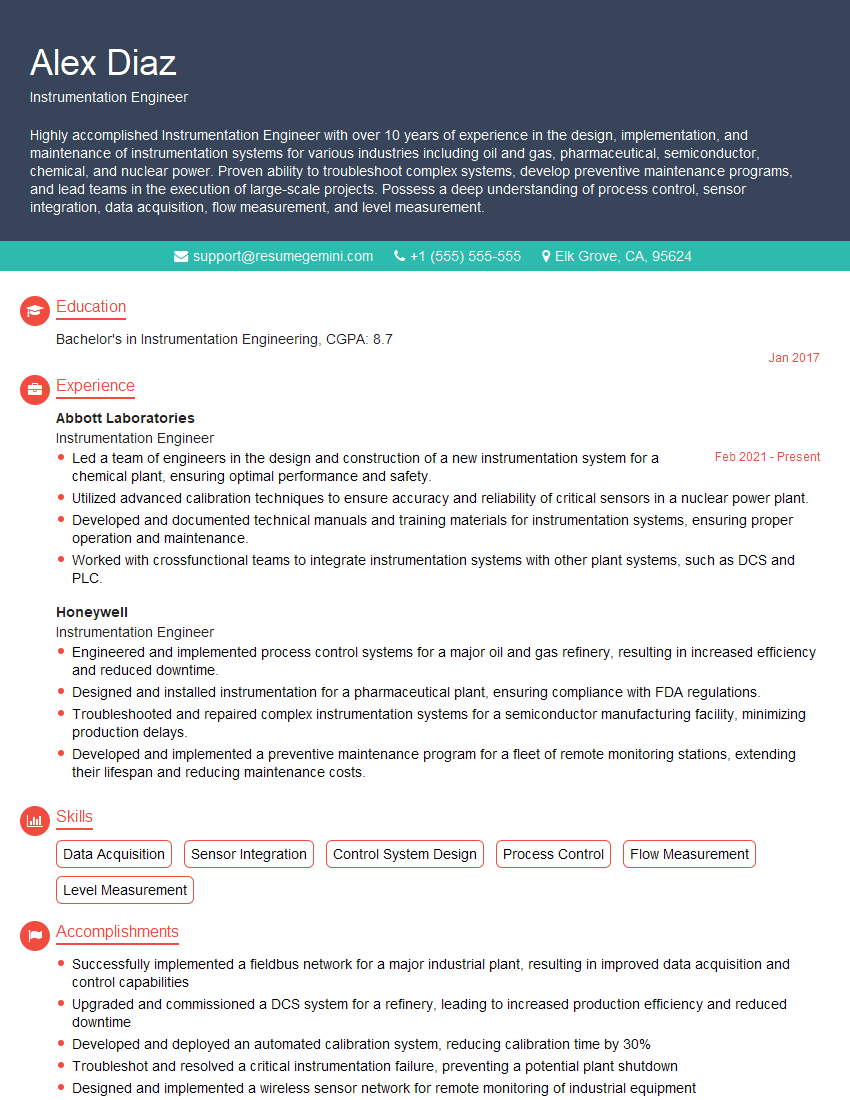
Mastering Emerson Ovation opens doors to exciting career opportunities in the process automation industry, offering rewarding challenges and significant professional growth. To maximize your chances of success, crafting a compelling and ATS-friendly resume is crucial. ResumeGemini is a trusted resource that can help you build a professional resume tailored to highlight your skills and experience effectively. Examples of resumes specifically tailored for Emerson Ovation roles are available to guide you in this process.


Explore more articles
Users Rating of Our Blogs
Share Your Experience
We value your feedback! Please rate our content and share your thoughts (optional).
What Readers Say About Our Blog
Very informative content, great job.
good