Feeling uncertain about what to expect in your upcoming interview? We’ve got you covered! This blog highlights the most important Equipment Documentation interview questions and provides actionable advice to help you stand out as the ideal candidate. Let’s pave the way for your success.
Questions Asked in Equipment Documentation Interview
Q 1. Explain your experience with different documentation formats (e.g., PDF, HTML, XML).
My experience spans a wide range of documentation formats, each chosen strategically based on the needs of the equipment and its intended audience. PDFs remain a staple for their portability and wide compatibility, ideal for delivering comprehensive user manuals or maintenance guides that need to be printed or viewed offline. However, for dynamic content requiring updates or interactive elements, HTML shines. Think of online help systems or web-based training materials that benefit from hyperlinks, embedded videos, and searchable content. Finally, XML, with its structured data, provides the foundation for creating adaptable documentation that can be repurposed for different platforms or translated into multiple languages. For instance, we used XML to create a single source of information for multiple languages, drastically reducing translation time and ensuring consistency.
For example, I’ve worked on projects where the core content was stored in XML, then transformed into both PDF and HTML outputs using XSLT transformations. This allowed us to maintain a single source of truth while efficiently creating multiple versions of the same documentation.
Q 2. Describe your process for creating user manuals for complex equipment.
Creating user manuals for complex equipment is a methodical process that begins with a thorough understanding of the equipment’s functionality and its target audience. I start with detailed analysis of the equipment, typically involving hands-on experience and close collaboration with engineers and subject matter experts. This informs the structure and content of the manual. Then, I design the information architecture, outlining the logical flow of information, ensuring a clear and easy-to-follow sequence of steps for users. Writing style is carefully considered to maintain clarity and avoid technical jargon where possible, prioritizing plain language. I incorporate numerous visual aids, such as diagrams, illustrations, and screenshots, to enhance understanding. Finally, thorough testing and review cycles with end-users are crucial to identify and correct any ambiguity or errors.
For example, when documenting a new medical imaging system, I focused on creating step-by-step instructions for common procedures with high-quality images to guide users through the process. This resulted in a user-friendly manual that significantly improved user satisfaction and reduced troubleshooting calls.
Q 3. How do you ensure your documentation is accurate and up-to-date?
Accuracy and timeliness are paramount in equipment documentation. To ensure this, I implement a version control system, typically using a dedicated software like Git, allowing for tracked revisions and easy rollback capabilities. This allows for a clear audit trail of all changes made to the documentation. Furthermore, a rigorous review process involves multiple stakeholders including engineers, technical writers, and end-users to identify and rectify any inconsistencies or errors. Regular updates, scheduled according to the equipment’s modification history, are crucial. A detailed change log documents all revisions, providing transparency and traceability. Finally, I encourage feedback loops with users to identify areas requiring improvements or clarifications.
For example, on one project, we implemented a system of automated notifications that sent updates directly to users as soon as a new version of the documentation was published, increasing user access to the latest accurate information.
Q 4. What software or tools are you proficient in for creating and managing equipment documentation?
My toolset includes a blend of industry-standard software and specialized applications. I’m proficient in MadCap Flare for creating and managing complex documentation projects, leveraging its features for single-sourcing, version control, and output generation in various formats (PDF, HTML, etc.). Microsoft Word and Adobe Acrobat Pro remain valuable tools for specific tasks. For image editing and creation, I use Adobe Photoshop and Illustrator. Git is essential for version control, and collaborative platforms like SharePoint or Confluence facilitate team collaboration and knowledge sharing.
For instance, I used MadCap Flare to create a responsive HTML help system for a software application that works seamlessly across multiple devices, which is an essential skill for creating modern accessible documentation.
Q 5. How do you handle conflicting information from different sources when creating documentation?
Conflicting information is a common challenge. My approach involves a systematic process of verification and reconciliation. First, I meticulously trace each piece of information back to its original source, evaluating the credibility and reliability of each. This may involve consulting design documents, schematics, test results, or even interviewing engineers directly. Then, I prioritize information based on authoritative sources and resolve conflicts by referring to established standards, design specifications, or internal procedures. Any remaining ambiguities are documented and discussed with relevant stakeholders to reach a consensus. The decision-making process and rationale are documented transparently, ensuring traceability and clarity. This ensures the final documentation is consistent and accurate.
For example, I once encountered conflicting information regarding the power requirements of a device. By carefully examining the original design documents and conducting a test, I identified the correct specification and corrected the documentation, preventing potential safety hazards.
Q 6. Explain your experience with Single Sourcing or other content reuse strategies.
Single-sourcing is a cornerstone of my documentation strategy. It involves creating a single source of content that can be repurposed for multiple outputs. This significantly improves efficiency and consistency. Instead of maintaining multiple versions of the same information, updates are made only once in the single source, ensuring all outputs reflect the latest revision. This is achieved using tools like MadCap Flare and structured authoring techniques. Content reuse strategies go hand-in-hand with single-sourcing. By identifying and extracting reusable components (e.g., procedures, definitions, diagrams), I create a library of components that can be incorporated into various documents, reducing redundancy and improving consistency.
For example, in a large-scale project, we used single-sourcing to create user manuals, training materials, and troubleshooting guides from the same central content repository. This approach dramatically reduced development time and ensured consistent messaging.
Q 7. How do you ensure your documentation meets regulatory compliance standards?
Ensuring regulatory compliance is a critical aspect of my work. This involves careful review of all applicable standards and regulations, which may include industry-specific guidelines, safety certifications (e.g., CE marking, UL listing), and government regulations. My process begins with a thorough understanding of these requirements, which often involves collaborating with regulatory specialists. I incorporate the necessary information into the documentation, ensuring that all safety warnings, operating procedures, and compliance declarations are correctly presented and appropriately emphasized. The documentation itself may require specific formatting or structure to meet the requirements. Regular audits and updates are conducted to ensure continued compliance as regulations evolve.
For example, when documenting medical devices, we ensured compliance with ISO 13485 and FDA regulations, including detailed sections on risk management, quality system, and post-market surveillance. We also engaged an independent third-party auditor to confirm our documentation’s compliance.
Q 8. Describe your experience with creating and maintaining a content management system for documentation.
Building and maintaining a content management system (CMS) for equipment documentation requires a blend of technical expertise and an understanding of user needs. My experience involves selecting the right platform, structuring content effectively, and ensuring seamless collaboration. For example, in a previous role, I implemented a DITA-based CMS using Oxygen XML Author. This allowed us to manage thousands of documents for a complex industrial machinery line, enabling easy updates, version control, and automated publishing to various formats (PDF, HTML, online help). We structured the content using a topic-based approach, making it modular and reusable. This meant that updating a single component’s description automatically reflected across all relevant documents, saving significant time and reducing errors. We also implemented a robust workflow with approval stages, ensuring quality control before publication. Prior to that, I worked with simpler systems like SharePoint, adapting them to suit documentation needs through custom metadata and workflows.
Q 9. How do you incorporate user feedback into the documentation process?
User feedback is crucial for improving documentation. I actively solicit feedback through various channels. This includes integrating feedback forms directly into the documentation, conducting user surveys, and organizing focus groups with end-users to gain insights into their experience with the documents. For instance, during one project involving software documentation, we incorporated a feedback button at the bottom of each page. Users could directly suggest improvements, report errors, or request clarifications. This real-time feedback greatly helped us identify areas requiring immediate attention and iterate quickly. We meticulously track and analyze feedback, prioritizing issues based on their impact and frequency. This iterative approach ensures the documentation remains relevant, accurate, and user-friendly.
Q 10. What is your experience with creating visual aids such as diagrams and illustrations?
Visual aids are essential for effective communication, especially in technical documentation. My experience spans various tools and techniques for creating diagrams, illustrations, and other visual content. I’m proficient in using industry-standard software like Adobe Illustrator and Photoshop to create professional-quality graphics. For example, when documenting a complex assembly process, I created a series of exploded diagrams, clearly showing the sequence of steps and the relationship between individual components. I also utilize simpler tools like PowerPoint and draw.io for quick diagrams and flowcharts. The key is to choose the right tool for the job, balancing quality and efficiency. Beyond technical skill, I focus on clear visual communication; using consistent styles, labels, and color schemes to create intuitive and easily understandable visual aids.
Q 11. How do you manage large and complex documentation projects?
Managing large and complex documentation projects necessitates a structured approach. I typically utilize a project management methodology like Agile, breaking down the project into smaller, manageable tasks. This includes defining clear deliverables, setting timelines, and assigning responsibilities to team members. I leverage project management software (e.g., Jira, Asana) to track progress, manage deadlines, and facilitate collaboration. For example, when documenting a new aircraft engine, we utilized a task-based approach, dividing the documentation into modules based on engine subsystems. This allowed parallel development and ensured efficient resource allocation. Regular status meetings and progress reports kept everyone informed and on track. Crucially, consistent communication and clear documentation of decisions are key to maintaining transparency and ensuring the project remains aligned with objectives.
Q 12. Explain your experience with version control for documentation.
Version control is paramount in any documentation project. I have extensive experience using Git, and understand its branching strategies, merging, and conflict resolution. This allows for collaborative editing, tracking changes, and reverting to previous versions if needed. For example, in a past project, we used Git to manage a large set of documentation for a medical device. Using branching allowed multiple team members to work on different sections concurrently, without interfering with each other’s work. This enabled rapid iteration and minimized conflicts. We also utilized Git’s ability to track changes, allowing us to easily identify who made what changes and when, which was invaluable for auditing and quality assurance.
Q 13. Describe your workflow for reviewing and editing documentation.
My documentation review and editing workflow involves several steps. First, I conduct a thorough self-review to identify any initial errors or inconsistencies. Then, a peer review takes place where another technical writer or subject matter expert reviews the document for accuracy, clarity, and style. We often use a checklist of common errors. Following peer review, I make revisions incorporating feedback. Finally, a final review is conducted before publication, often involving a senior editor. This multi-stage process ensures thorough quality control and consistency throughout the documentation. Throughout this process, we maintain detailed comments and track changes using tools within our CMS or version control system.
Q 14. How familiar are you with different documentation standards (e.g., DITA, S1000D)?
I have working knowledge of several documentation standards, including DITA (Darwin Information Typing Architecture) and S1000D. DITA is a highly structured authoring standard that allows for reusability and modularity, making it ideal for managing large volumes of technical information. S1000D is a more specialized standard used in the aerospace and defense industries. I understand their respective strengths and how to apply them based on project requirements. My experience with DITA, in particular, has given me a deep understanding of XML-based authoring, topic-based writing, and content reuse. This enables me to create efficient and maintainable documentation for complex systems.
Q 15. Explain your experience with translating technical information for diverse audiences.
Translating technical information requires understanding both the intricate details of the equipment and the knowledge level of the target audience. I’ve worked with audiences ranging from highly skilled engineers to end-users with minimal technical background. My approach involves simplifying complex concepts without sacrificing accuracy. For engineers, I might include detailed schematics and technical specifications. For end-users, I focus on clear, concise instructions and visually appealing diagrams, minimizing jargon and using plain language. For example, when documenting a complex industrial robot, I would provide engineers with detailed programming instructions and troubleshooting guides, while end-users would receive simple operational manuals with troubleshooting tips focused on common issues. This requires a keen ability to adapt the language and format to the intended readership, ensuring the information is both accessible and informative.
Career Expert Tips:
- Ace those interviews! Prepare effectively by reviewing the Top 50 Most Common Interview Questions on ResumeGemini.
- Navigate your job search with confidence! Explore a wide range of Career Tips on ResumeGemini. Learn about common challenges and recommendations to overcome them.
- Craft the perfect resume! Master the Art of Resume Writing with ResumeGemini’s guide. Showcase your unique qualifications and achievements effectively.
- Don’t miss out on holiday savings! Build your dream resume with ResumeGemini’s ATS optimized templates.
Q 16. Describe a time you had to troubleshoot a problem related to documentation.
During the documentation of a new CNC milling machine, we discovered a discrepancy between the programmed toolpath and the actual cuts made by the machine. The documentation initially reflected the programmed path, which led to confusion among users. Troubleshooting involved collaboration with the engineering team to identify the root cause. We discovered a minor software bug causing a slight offset in the milling process. The solution was a two-pronged approach: First, we corrected the software bug. Second, we updated the documentation to reflect both the corrected program and a clear explanation of the previously encountered issue, including visual aids highlighting the difference between the original and corrected toolpaths. This experience highlighted the critical importance of thorough testing and verification of the documented information against the actual equipment performance.
Q 17. How do you prioritize tasks when working on multiple documentation projects?
Prioritizing multiple documentation projects involves a structured approach. I use a combination of techniques, starting with a clear understanding of deadlines and dependencies. I then employ a prioritization matrix, considering factors such as project urgency, complexity, and impact. For example, a critical safety update for a medical device would take precedence over a minor update to a user manual for a less critical piece of equipment. I also break down large projects into smaller, manageable tasks to improve focus and track progress. Using project management tools allows me to efficiently monitor task completion, allocate resources effectively, and adapt to changing priorities as needed. This ensures efficient workflow and timely delivery of all documentation.
Q 18. What are some key challenges you’ve faced in creating equipment documentation?
Creating equipment documentation presents several challenges. One major hurdle is keeping up with frequent equipment updates and revisions. Maintaining consistency across multiple documents, especially when dealing with a team of writers, can also be difficult. Another common challenge is ensuring the information is clear, concise, and accessible to the target audience. For example, balancing the need for technical accuracy with the need for easy understanding for non-technical users requires careful planning and writing skills. Finally, coordinating with engineers and other subject matter experts to gather accurate and complete information is vital for creating effective documentation. It requires efficient communication and collaboration to ensure that all aspects of the equipment are accurately reflected in the documentation.
Q 19. How do you ensure consistency and clarity throughout your documentation?
Consistency and clarity are paramount. I use a style guide, meticulously defining terminology, formatting conventions, and writing styles. For example, the style guide would dictate the use of specific units of measurement, capitalization rules, and the preferred structure for diagrams. We use a centralized content repository to manage all documentation and ensure consistent terminology across all documents. Regular reviews and cross-checking ensure consistency in style and language. Additionally, using templates for commonly used document types helps maintain a consistent format and ensures important sections are not omitted. This methodical approach reduces errors and promotes clear, easily understandable documentation.
Q 20. Describe your experience with creating training materials related to equipment.
My experience in creating training materials focuses on making complex information easy to digest. I leverage a variety of methods, including interactive tutorials, videos, and hands-on exercises. For example, when creating training materials for a new software-controlled lathe, I would include videos demonstrating the setup process, step-by-step guides for common tasks, and interactive simulations to allow users to practice without risk. I always tailor the training to the learners’ experience level, ensuring a balance between theoretical understanding and practical application. The goal is to equip trainees with the knowledge and confidence to operate the equipment safely and effectively. Feedback from previous training sessions is incorporated to continually improve the materials and ensure they are engaging and effective.
Q 21. Explain your experience using a style guide for technical documentation.
Style guides are fundamental for ensuring consistency and professionalism. I have extensive experience using style guides to standardize terminology, formatting, and writing style within technical documentation. A well-defined style guide covers aspects such as tone, voice, grammar, punctuation, and visual elements. For instance, a style guide might specify the use of active voice, the consistent use of metric units, and the formatting of tables and figures. Adhering to a style guide ensures that the documentation is professional, readable, and easily understood. It also simplifies the editing process and maintains consistency across different documents and contributors. Furthermore, a well-maintained style guide helps onboard new team members quickly, enabling them to contribute effectively to the documentation process.
Q 22. How do you handle changes in project scope or requirements for documentation?
Handling changes in project scope or requirements for equipment documentation requires a proactive and flexible approach. Think of it like building with LEGOs – a change in the project scope is like someone adding or removing a section of the instructions. You need to adapt efficiently.
- Version Control: I utilize version control systems (like Git) to track all changes. This allows me to revert to previous versions if needed and clearly see the evolution of the documentation. For example, if a new feature is added, I create a new branch, document the changes, and merge it back into the main branch once reviewed.
- Change Management Process: I establish a clear change management process with stakeholders, outlining how changes are requested, reviewed, approved, and implemented. This often includes a formal request form with impact assessments, ensuring minimal disruption and maintaining documentation integrity. This is particularly important for ensuring all affected documents are updated consistently.
- Communication: Open communication with engineers and other stakeholders is paramount. Regular meetings and updates keep everyone informed of changes and their potential impact on the documentation. Imagine a team building a complex machine; seamless communication prevents them from building incompatible parts.
- Impact Analysis: Before implementing any change, I perform a thorough impact analysis to determine which sections of the documentation need to be updated and the potential ripple effects on other related documents. This structured analysis prevents costly mistakes down the line.
By employing these strategies, I ensure that the documentation remains accurate, up-to-date, and reflects the current state of the equipment.
Q 23. How do you measure the effectiveness of your equipment documentation?
Measuring the effectiveness of equipment documentation isn’t simply about counting pages; it’s about assessing its impact on users. We want to know if our documentation is helping people successfully use and maintain the equipment. I use a multifaceted approach:
- User Feedback: Surveys, interviews, and feedback forms directly from end-users provide invaluable insights into their experience with the documentation. This includes gathering feedback on clarity, completeness, and ease of use. A simple question like, “On a scale of 1-5, how easy was it to follow the instructions?” can be incredibly revealing.
- Task Completion Rates: Tracking how successfully users complete tasks using the documentation provides a concrete measure of its effectiveness. This can be tracked through usage data or by asking users if they successfully completed a specific procedure.
- Support Ticket Analysis: Examining support tickets helps identify areas where documentation is lacking or confusing. A high volume of tickets related to a particular section indicates a need for improvement or clarification.
- Usability Testing: Conducting formal usability testing with representative users allows for observation of their interactions with the documentation. This provides direct insights into areas for improvement. This is like watching someone try to assemble something using the instructions—you see firsthand where the instructions fail them.
By combining these methods, I get a holistic view of the documentation’s effectiveness and identify areas needing improvement.
Q 24. Describe your experience with working collaboratively with engineers and other technical staff.
Collaboration with engineers and technical staff is essential in creating effective equipment documentation. I view myself as a translator, bridging the gap between technical expertise and user understanding. My experience includes:
- Joint Authoring Sessions: I actively participate in joint authoring sessions with engineers, ensuring that the technical details are accurate and presented in a user-friendly manner. It’s a collaborative effort where we combine technical know-how and clear communication skills.
- Technical Review Cycles: I incorporate multiple rounds of technical review by engineers to validate the accuracy and completeness of the information. This ensures that the documentation aligns perfectly with the equipment’s specifications.
- Feedback Incorporation: I actively solicit and incorporate feedback from engineers throughout the documentation process. This iterative process ensures the final product meets the needs of both users and developers.
- Tools and Platforms: I leverage collaborative tools like shared document editing platforms (e.g., Google Docs, Microsoft SharePoint) to streamline the review and editing process, facilitating efficient communication and real-time collaboration.
This collaborative approach ensures that the documentation is both technically accurate and easily understood by its intended audience.
Q 25. How do you ensure your documentation is accessible to users with disabilities?
Ensuring accessibility for users with disabilities is a fundamental aspect of responsible documentation design. My approach follows established accessibility guidelines, including WCAG (Web Content Accessibility Guidelines) and Section 508 standards.
- Alternative Text for Images: All images have descriptive alternative text (alt text) that conveys their meaning to screen readers. For example, instead of just

- Structured Content: I use headings, lists, and other structural elements to create a logical document flow that is easily navigable by assistive technologies. This makes it easier for screen readers to interpret the information.
- Color Contrast: I adhere to sufficient color contrast ratios between text and background to ensure readability for users with visual impairments. Tools like WebAIM’s WAVE evaluate the color contrast of webpages.
- Keyboard Navigation: I ensure that all interactive elements (like links and buttons) are easily accessible via keyboard navigation. This is critical for users who cannot use a mouse.
- PDF Accessibility: For PDF documents, I use accessible PDF creation tools and ensure that the document is tagged correctly for screen readers.
By carefully following these guidelines, I create documentation that is inclusive and usable by everyone, regardless of their abilities.
Q 26. What is your experience with using a CMS (Content Management System)?
My experience with CMS (Content Management Systems) is extensive. I’ve used several platforms, including WordPress, Drupal, and Adobe Experience Manager (AEM), to manage and publish equipment documentation. A CMS offers significant advantages in managing large volumes of documents and ensuring consistency across various versions.
- Content Organization: CMS allows for structured organization of documentation, making it easy to categorize, search, and retrieve specific information. Imagine a library; a CMS acts as a sophisticated cataloging system.
- Version Control: Most CMS platforms have built-in version control, enabling easy tracking of revisions and the ability to revert to previous versions if necessary. This helps maintain accuracy and prevents the loss of earlier versions.
- Workflow Management: CMS platforms often include workflow management features, facilitating the review and approval process for documentation updates. This helps ensure quality control and maintain consistency.
- Accessibility Features: Many modern CMS platforms offer built-in accessibility features, helping to simplify the process of creating accessible content. They often include tools to check for accessibility issues and offer guidance on improvements.
- Search Functionality: A well-implemented CMS provides robust search capabilities, allowing users to quickly find the specific information they need. The search function can be customized and optimized to support a broad range of keywords and phrases.
Using a CMS significantly enhances the efficiency and effectiveness of documentation management, providing a centralized and easily accessible repository for all equipment-related information.
Q 27. Describe your process for conducting user research for equipment documentation.
Conducting user research for equipment documentation is crucial for creating effective and user-friendly materials. My approach involves a combination of qualitative and quantitative methods:
- User Interviews: I conduct structured and semi-structured interviews with representative users to understand their needs, experience levels, and challenges in using the equipment. This helps me tailor the documentation to their specific needs.
- Surveys: Online surveys can gather broader feedback from a larger user base, allowing for quantitative analysis of user preferences and satisfaction. This helps identify common issues and pain points across the user group.
- Usability Testing: Observing users interacting with the equipment and the documentation provides valuable insights into usability issues and areas for improvement. This direct observation method captures actual usage patterns, often revealing things that surveys or interviews might miss.
- Contextual Inquiry: Conducting on-site observations of users interacting with the equipment in their natural environment can reveal important contextual factors that influence their use of the documentation. This observational approach helps reveal practical challenges not apparent in more controlled settings.
The data gathered from user research informs the design and content of the documentation, ensuring that it is relevant, accurate, and easy to understand for the intended audience.
Q 28. Explain your experience with creating and maintaining glossaries and terminology lists.
Creating and maintaining glossaries and terminology lists is essential for ensuring consistency and clarity in equipment documentation, especially when dealing with complex technical terms. My process typically includes:
- Term Collection: I begin by systematically collecting all technical terms used throughout the documentation. This often involves reviewing existing documents, engineering specifications, and consulting with subject matter experts.
- Definition Development: For each term, I develop a concise and accurate definition, ensuring consistency in terminology usage across all documentation. I aim for clarity and avoid unnecessary technical jargon.
- Review and Approval: The glossary and terminology lists undergo multiple rounds of review by engineers and technical experts to ensure accuracy and completeness. This critical step guarantees the reliability of the terminology used.
- Format and Maintenance: I use a structured format (often a spreadsheet or a dedicated glossary tool within a CMS) for easy maintenance and update of the glossary. This allows for easy searching, sorting, and updating as needed. Regular updates are key to ensuring the glossary remains current and accurate.
- Integration into Documentation: I seamlessly integrate the glossary and terminology lists into the documentation itself, using cross-referencing where appropriate. This allows users to quickly access definitions and understand technical terms.
Maintaining a well-defined glossary ensures that all users understand the same terms, preventing confusion and ambiguities.
Key Topics to Learn for Equipment Documentation Interview
- Documentation Standards and Procedures: Understanding industry-standard documentation practices (e.g., ISO, ASME), including format, content requirements, and version control.
- Technical Writing Skills: Creating clear, concise, and accurate documentation that is easily understood by a diverse range of users, from technicians to management.
- Data Management and Organization: Efficiently managing large volumes of equipment data, ensuring accessibility and integrity using various systems (e.g., databases, document management systems).
- Illustrations and Diagrams: Producing and incorporating high-quality visuals (schematics, diagrams, flowcharts) to enhance understanding of complex equipment.
- Parts Lists and Bill of Materials (BOM): Creating and maintaining accurate and up-to-date parts lists and BOMs for efficient maintenance and repair.
- Software and Tools: Familiarity with relevant software applications used for creating and managing equipment documentation (e.g., CAD software, document management systems).
- Revision Control and Change Management: Implementing effective processes to track revisions, manage changes, and maintain the accuracy and currency of documentation.
- Troubleshooting and Problem-Solving: Identifying and resolving inconsistencies or errors in existing documentation, and developing solutions for improving documentation processes.
- Collaboration and Communication: Working effectively with engineers, technicians, and other stakeholders to gather information and ensure documentation accuracy.
- Quality Assurance and Compliance: Understanding quality control procedures and regulatory compliance requirements related to equipment documentation.
Next Steps
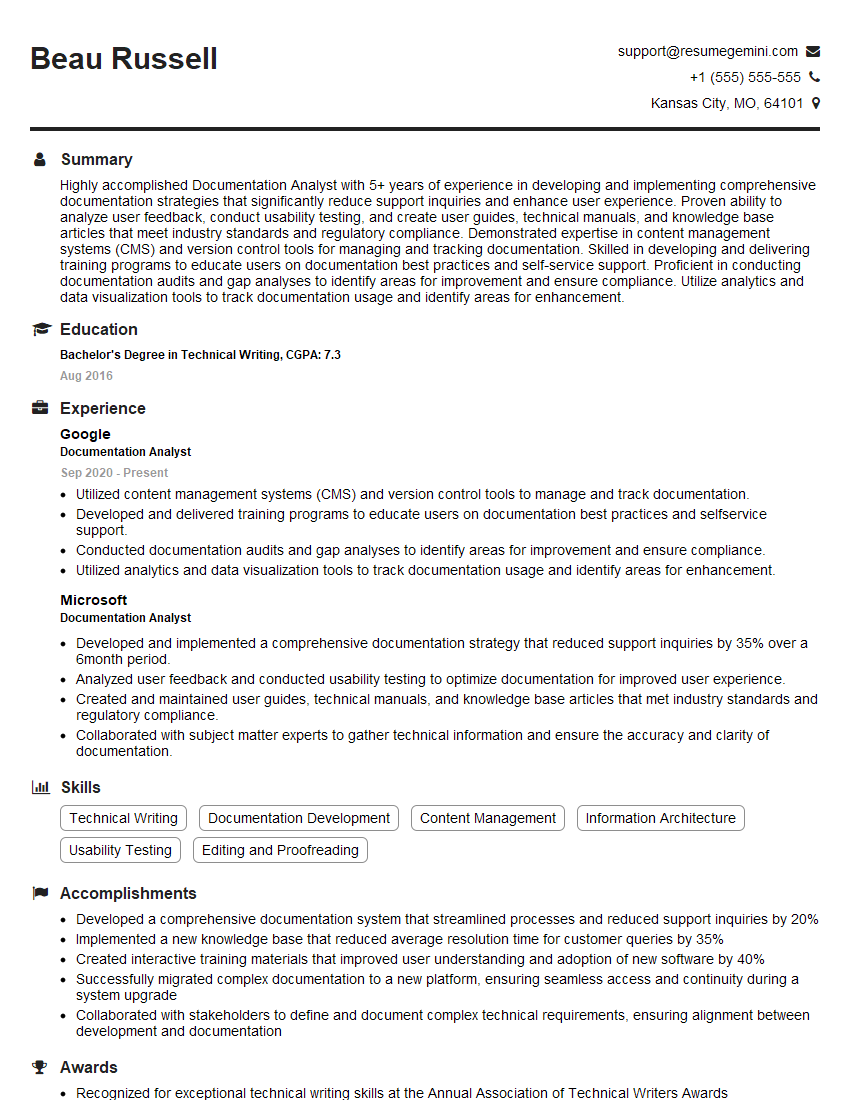
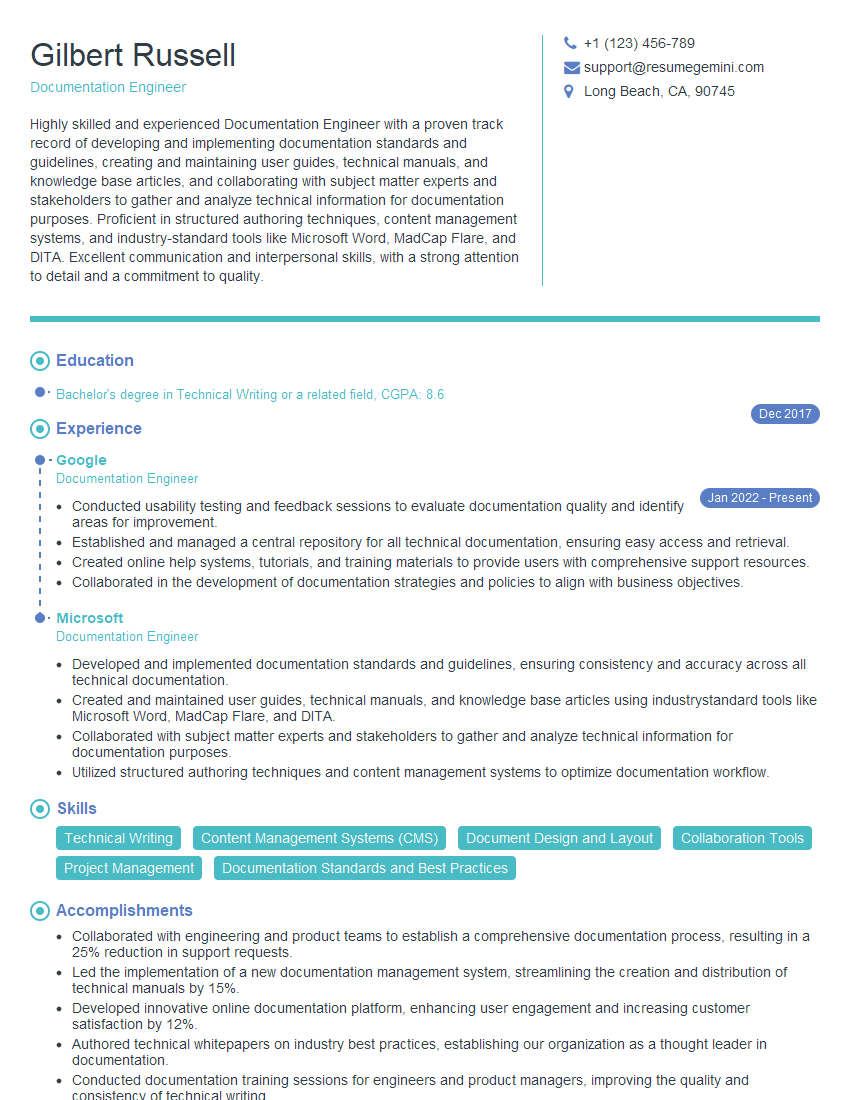
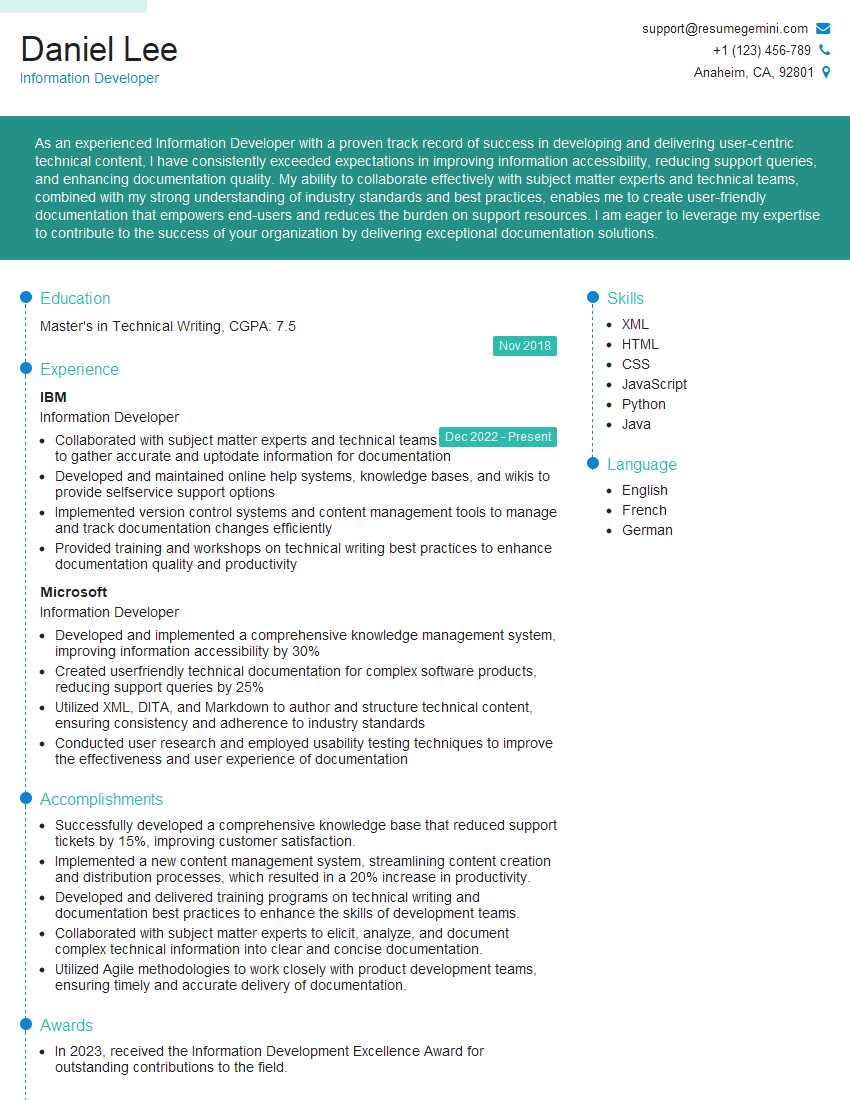
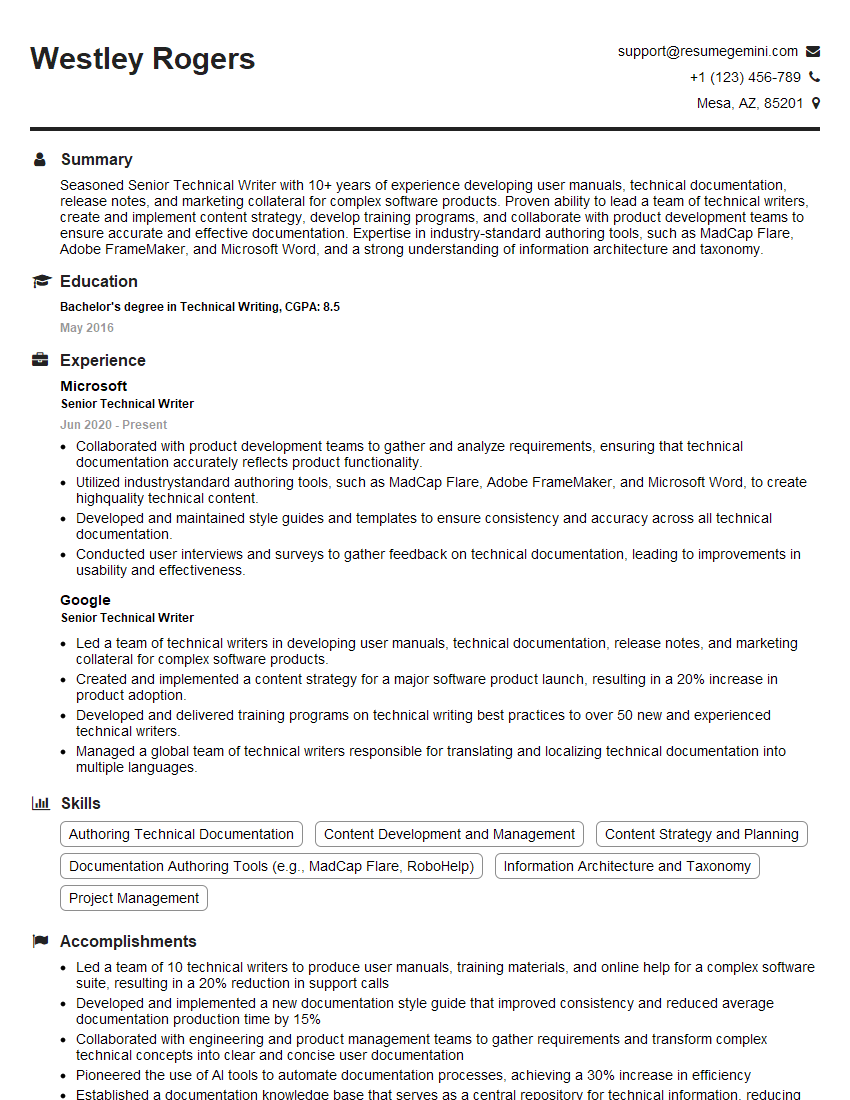
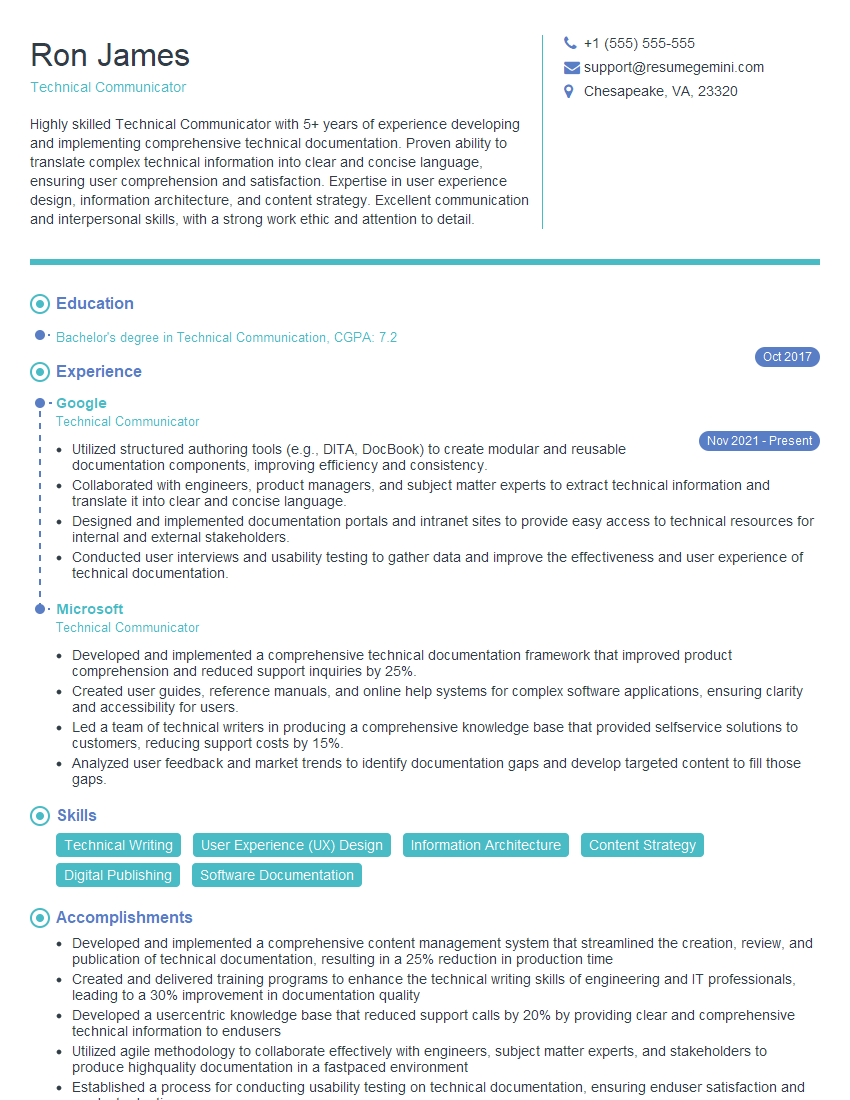
Mastering equipment documentation is crucial for career advancement in many technical fields, opening doors to specialized roles and higher responsibilities. An ATS-friendly resume is vital for showcasing your skills and experience effectively to potential employers. To maximize your job prospects, we strongly recommend using ResumeGemini to craft a professional and impactful resume tailored to the specific requirements of Equipment Documentation roles. Examples of resumes optimized for this field are available to guide you.

Explore more articles
Users Rating of Our Blogs
Share Your Experience
We value your feedback! Please rate our content and share your thoughts (optional).
What Readers Say About Our Blog
Very informative content, great job.
good