Are you ready to stand out in your next interview? Understanding and preparing for Experience in creating responsive and mobile-friendly visuals interview questions is a game-changer. In this blog, we’ve compiled key questions and expert advice to help you showcase your skills with confidence and precision. Let’s get started on your journey to acing the interview.
Questions Asked in Experience in creating responsive and mobile-friendly visuals Interview
Q 1. Explain the concept of responsive web design.
Responsive web design is the approach of building websites that adapt their layout and content to fit the screen size and orientation of any device—be it a desktop computer, tablet, or smartphone. Imagine a chameleon changing its color to blend into its environment; responsive design does something similar, changing its appearance to perfectly fit the user’s screen.
Instead of creating separate websites for each device, responsive design uses a single codebase that adjusts dynamically. This saves time and resources while providing a consistent user experience across all platforms.
Q 2. Describe different approaches to achieving responsive layouts (e.g., fluid grids, flexible images).
Several techniques contribute to responsive layouts:
- Fluid Grids: Instead of fixed-width columns, fluid grids use percentages for widths. This allows the columns to resize proportionally based on the screen size. For example, a three-column layout might use 33% width for each column on a large screen, adjusting to perhaps a single column on a smaller screen.
- Flexible Images: Images are another crucial element. Instead of specifying a fixed width, using percentages or the
max-width: 100%;CSS property ensures images scale down to fit their container without distorting the layout. This avoids horizontal scrollbars on smaller screens. - Flexible Images: Images are another crucial element. Instead of specifying a fixed width, using percentages or the
max-width: 100%;CSS property ensures images scale down to fit their container without distorting the layout. This avoids horizontal scrollbars on smaller screens. - Media Queries: (This is covered in more detail in the next question, but it’s a core component of responsive layouts.)
For instance, a website might use a three-column grid on larger screens, switching to a single-column layout on smaller screens, adapting its image sizes accordingly, creating an optimal viewing experience on each device.
Q 3. What are media queries and how are they used in responsive design?
Media queries are CSS rules that allow you to apply different styles based on the characteristics of the device accessing the website. Think of them as conditional statements for your styling. They check things like screen width, height, orientation (portrait or landscape), and device type (e.g., touch screen).
They’re used within CSS stylesheets and follow this basic structure:
@media (min-width: 768px) { /* Styles for screens 768px wide or larger */ body { font-size: 16px; } }In this example, if the screen width is 768 pixels or more, the body font size will be 16 pixels. You can combine multiple conditions within a single media query or create multiple queries for different breakpoints. These breakpoints define the thresholds at which styles change, typically based on common device screen sizes.
Media queries are essential for tailoring the layout, typography, and even the content to suit the device being used, leading to a smoother and more efficient user journey.
Q 4. How do you ensure your designs are accessible across various devices and screen sizes?
Ensuring accessibility across devices is paramount. It involves considering:
- Semantic HTML: Using appropriate HTML5 tags like
<header>,<nav>,<main>, and<article>provides structure and meaning for assistive technologies like screen readers. - Keyboard Navigation: All interactive elements should be accessible using the keyboard alone. I ensure that tab order is logical and consistent.
- Sufficient Color Contrast: Adequate color contrast between text and background is crucial for readability, especially for users with visual impairments. I usually use tools to check contrast ratios.
- Responsive Images: Properly sized and optimized images ensure faster loading times for all users and avoid visual distortion on different devices.
- Alternative Text for Images: Providing descriptive alternative text (alt text) for images ensures the content is accessible to screen reader users.
By adhering to accessibility guidelines like WCAG (Web Content Accessibility Guidelines), I make sure that the website is usable and understandable for people with diverse abilities and using a wide array of devices.
Q 5. What are your preferred tools for creating responsive designs?
My toolkit for responsive design is constantly evolving, but some key tools remain essential:
- Figma or Sketch: For wireframing, prototyping, and visual design. These tools allow collaborative design and easy iteration.
- Visual Studio Code or Sublime Text: For writing and editing HTML, CSS, and JavaScript code. Good code editors with extensions facilitate development.
- Browser Developer Tools: Chrome DevTools and similar tools are indispensable for debugging, testing responsiveness across various viewport sizes, and analyzing performance.
- Responsive Design Checkers: Online tools can verify and point out any responsiveness issues before deployment.
I find this combination provides an efficient workflow for creating, testing, and refining responsive designs.
Q 6. Explain your process for designing for different screen resolutions.
My process for designing for different screen resolutions starts with understanding user needs and device usage patterns. I usually follow a mobile-first approach, meaning I design for the smallest screen size first, then progressively enhance the design for larger screens. This helps prioritize essential content and ensure that it’s accessible to all users.
I typically define breakpoints based on common screen sizes (e.g., 320px, 768px, 1024px) and use media queries to apply different styles at each breakpoint. During the design phase, I leverage design tools to simulate different screen sizes and resolutions, ensuring the layout and content adapt seamlessly.
Throughout the process, I frequently test on real devices to validate the design’s responsiveness and identify any potential issues. This iterative process ensures a smooth and consistent user experience across all devices.
Q 7. How do you optimize images for web and mobile devices?
Optimizing images is crucial for website performance, especially on mobile devices. My approach involves:
- Choosing the Right Format: I use JPEG for photographs and PNG for graphics with sharp lines and text. WebP is a newer format offering better compression than both JPEG and PNG.
- Compression: I use tools like TinyPNG or ImageOptim to compress images without significant quality loss. This reduces file sizes dramatically, improving loading times.
- Responsive Images: I use the
<picture>element orsrcsetattribute in<img>tags to provide different image sizes for different screen resolutions. This ensures the browser loads the most appropriate image for the device, avoiding unnecessary data transfer. - Lazy Loading: I implement lazy loading to defer the loading of images until they are visible in the viewport. This reduces the initial load time of the page, particularly beneficial for pages with many images.
By employing these techniques, I reduce page load times, improve user experience, and ensure the website performs well on all devices, regardless of connection speed.
Q 8. What are some common challenges you face when creating responsive designs?
Creating truly responsive designs presents several recurring challenges. One major hurdle is maintaining a consistent user experience across the vast array of devices and screen sizes available. What looks perfect on a large desktop monitor might be cramped and unusable on a small smartphone. Another challenge is managing the complexity of different screen resolutions and pixel densities. Images and elements need to scale appropriately without becoming blurry or distorted. Furthermore, optimizing for performance is crucial. Large images and complex layouts can significantly slow down loading times on mobile devices, leading to user frustration and potentially impacting SEO. Finally, balancing design aesthetics with technical limitations requires careful consideration. Certain design choices that are visually appealing might be difficult or impossible to implement responsively without compromising the overall user experience.
- Inconsistent User Experience: Imagine a website with a three-column layout. On a desktop, it’s perfect. On a phone, it becomes a cluttered, single-column mess.
- Image Scaling Issues: Using high-resolution images without proper scaling can result in slow loading times and blurry displays on lower-resolution screens.
- Performance Bottlenecks: Complex animations or heavy JavaScript can significantly impact load times on mobile devices, leading to a negative user experience.
Q 9. How do you test the responsiveness of your designs?
Testing responsiveness is an integral part of my design process. I employ a multi-pronged approach that combines automated testing with manual checks. I utilize browser developer tools to simulate various screen sizes and orientations, allowing me to quickly assess the layout’s adaptability. This helps me catch issues like broken layouts or overlapping elements. Beyond developer tools, I leverage responsive design testing tools such as BrowserStack or LambdaTest, which allow me to test across a wider range of devices and browsers in a more realistic setting. Crucially, I also conduct thorough manual testing on real devices, covering various screen sizes, operating systems, and network conditions. This final step ensures the design functions correctly and provides a seamless user experience in the real world, as simulated environments can’t always capture every nuance of a real device.
For example, I recently worked on a project where developer tools showed a perfect layout. However, manual testing on an older Android device revealed a significant scrolling issue. This highlights the necessity of real-world testing.
Q 10. What are your strategies for designing for different screen orientations (portrait vs. landscape)?
Designing for different screen orientations—portrait and landscape—requires a strategic approach. I typically prioritize a mobile-first strategy, designing for the smaller portrait orientation first and then adapting the layout for landscape mode. The key is to understand how content should reflow and rearrange itself. For instance, elements that are side-by-side in landscape might stack vertically in portrait. I use CSS media queries to define different styles for each orientation. For example, a hero image might be full-width in landscape but occupy less space in portrait. I also consider how navigation menus and other interactive elements will behave in both orientations to guarantee usability. Often, I employ flexible grid systems or frameworks to assist in achieving responsive behavior and ease the transition between the two orientations.
/* Example CSS Media Query for Landscape */ @media (orientation: landscape) { .element { width: 50%; float: left; } }
Q 11. Describe your experience with responsive frameworks (e.g., Bootstrap, Foundation).
I have extensive experience with responsive frameworks like Bootstrap and Foundation. These frameworks provide pre-built CSS and JavaScript components that simplify the process of creating responsive layouts. They offer a grid system, pre-styled components (buttons, navigation bars, etc.), and utility classes that enable rapid development and maintain consistency across projects. While I appreciate the speed and efficiency they offer, I also recognize their limitations. Sometimes, the pre-built styles can clash with the overall design vision, requiring customization or even forgoing certain components entirely. The trade-off lies in balancing the rapid development benefits against the potential need for significant customization. I choose the framework based on the specific project’s needs and complexity. For instance, Bootstrap is often a good choice for simpler projects due to its ease of use and extensive documentation, whereas Foundation might be preferred for more complex projects that require a more robust and flexible framework.
Q 12. How do you balance design aesthetics with technical constraints in responsive design?
Balancing design aesthetics with technical constraints is a constant juggling act in responsive design. It often requires creative problem-solving and a willingness to compromise. For example, a visually stunning parallax scrolling effect might look fantastic on a desktop but cause significant performance issues on mobile devices. In such cases, I might simplify the effect or replace it with a more efficient alternative. I use lightweight images and optimize them for web use, prioritizing image formats that provide a good balance between quality and file size. I also leverage progressive enhancement, starting with a basic, functional layout that works on all devices and gradually adding more sophisticated design elements for larger screens. This ensures accessibility and functionality are not sacrificed for aesthetics, especially on lower-powered devices.
Q 13. Explain the importance of mobile-first design.
Mobile-first design is crucial because it prioritizes the user experience on the most constrained devices. By designing for smaller screens first, I ensure that the core functionality and content are accessible and usable on all devices. This approach forces me to focus on essential elements and streamline the design, eliminating unnecessary clutter. Once the core design is finalized for mobile, I can then progressively enhance it for larger screens, adding more features and visual details as screen real estate increases. This iterative process minimizes the risk of creating a design that is overly complex or difficult to use on smaller devices. A mobile-first approach also often leads to improved performance across all devices as it encourages optimization from the outset.
Q 14. What are your strategies for handling different browser compatibility issues?
Handling browser compatibility issues requires a proactive approach. I use a combination of techniques, including thorough testing across various browsers and using CSS preprocessors like Sass or Less, that help to manage browser-specific styles efficiently. I also leverage CSS resets or normalize.css to standardize the rendering of HTML elements across different browsers. Finally, if necessary, I implement browser-specific CSS hacks to address compatibility problems on a case-by-case basis. For instance, prefixing CSS properties with vendor prefixes (-webkit-, -moz-, etc.) ensures broader compatibility. This is especially important for newer CSS features or properties that may not be consistently supported by all browsers.
Q 15. How do you approach designing for low-bandwidth connections?
Designing for low-bandwidth connections requires a strategic approach focused on optimization. The goal is to deliver a usable experience even with slow internet speeds or limited data. This involves several key strategies:
- Image Optimization: Using appropriately sized images is crucial. I utilize lossy compression techniques (like WebP) to reduce file sizes without significantly impacting visual quality. I also employ responsive images, providing different image resolutions for different screen sizes and bandwidth capabilities (
<picture>element orsrcsetattribute). This ensures users aren’t downloading larger images than necessary. - Lazy Loading: This technique delays the loading of images until they are about to enter the viewport. It prevents the initial page load from being bogged down by many large images. I’ve implemented this successfully using JavaScript libraries like Intersection Observer API.
- CSS Optimization: Minimizing CSS file sizes and utilizing efficient selectors significantly impacts page load speed. I often use CSS preprocessors (Sass or Less) for better organization and then minimize the final CSS file before deployment.
- Content Prioritization: I prioritize above-the-fold content, making sure essential information is available quickly. Less critical elements can be loaded later using techniques like lazy loading or JavaScript-based progressive enhancement.
- Caching Strategies: Implementing browser caching and using Content Delivery Networks (CDNs) ensure that content is served from servers closer to the user and avoids repeated downloads.
For example, on a project for a non-profit organization with a predominantly low-bandwidth user base, implementing lazy loading reduced page load time by 40%, significantly improving the user experience.
Career Expert Tips:
- Ace those interviews! Prepare effectively by reviewing the Top 50 Most Common Interview Questions on ResumeGemini.
- Navigate your job search with confidence! Explore a wide range of Career Tips on ResumeGemini. Learn about common challenges and recommendations to overcome them.
- Craft the perfect resume! Master the Art of Resume Writing with ResumeGemini’s guide. Showcase your unique qualifications and achievements effectively.
- Don’t miss out on holiday savings! Build your dream resume with ResumeGemini’s ATS optimized templates.
Q 16. Explain the difference between fluid and fixed layouts.
Fluid and fixed layouts represent two fundamentally different approaches to responsive web design.
- Fixed Layouts: These layouts use fixed pixel widths. The content remains the same size regardless of the screen resolution. This can lead to horizontal scrollbars on smaller screens and wasted space on larger ones. Think of a website designed with a fixed width of 960 pixels – it’ll look the same on a desktop and a phone, but it won’t scale appropriately.
- Fluid Layouts: These use relative units like percentages (
%) for width. The content scales proportionally to the browser window size, adapting seamlessly to different screen sizes. This ensures the website looks good on any device without horizontal scrollbars. For example, a section withwidth: 75%;will occupy 75% of the screen width, adjusting automatically based on the screen’s size.
In practice, I usually favor fluid layouts with a combination of media queries to provide specific styles for different screen sizes. This combines the advantages of both approaches, creating a flexible yet controlled design.
Q 17. How do you ensure consistent branding across different devices?
Maintaining consistent branding across devices requires a multi-faceted approach. The key is to define the brand’s visual identity precisely and translate it into a comprehensive design system.
- Style Guide/Design System: This is a central repository containing all the brand’s visual elements: color palettes, typography, logo usage guidelines, spacing, and component specifications. This document serves as a single source of truth for all designers and developers.
- Component-Based Design: Building the website with reusable components, each styled consistently according to the design system, ensures uniformity across all pages and devices. I use CSS frameworks (like Bootstrap or Tailwind CSS) or create custom components that strictly adhere to our design system.
- Responsive Typography: Using relative units for font sizes (
emorrem) allows text to scale appropriately with the screen size while maintaining the brand’s typographic style. This ensures readability across all devices. - Image Consistency: Utilizing high-quality images optimized for different screen sizes (as mentioned in question 1) is critical for consistent brand representation.
- Thorough Testing: Testing the design across a range of devices and browsers is crucial to identifying and fixing inconsistencies. Tools like BrowserStack or Sauce Labs help in this process.
On a recent project for a large e-commerce client, our meticulously developed design system ensured that the branding remained cohesive and consistent across their website, mobile app, and even print materials.
Q 18. How do you measure the success of a responsive design?
Measuring the success of responsive design involves a combination of qualitative and quantitative metrics. It’s not just about how it looks but also about how well it performs and how users interact with it.
- Conversion Rates: Tracking conversion rates (e.g., sales, sign-ups) on different devices helps determine if the responsive design is equally effective across platforms.
- Bounce Rates: A high bounce rate on mobile could indicate usability issues or a poor mobile experience. Analyzing bounce rates by device gives insights into areas requiring improvement.
- Page Load Speed: Slow page load times can negatively impact the user experience. Using tools like Google PageSpeed Insights and GTmetrix helps identify and fix performance bottlenecks.
- User Feedback: Gathering user feedback through surveys, A/B testing, or usability testing provides crucial insights into the effectiveness and user satisfaction with the responsive design.
- Analytics Data: Analyzing data from Google Analytics or similar tools provides valuable information on user behavior across different devices, including screen resolutions, device types, and popular pages.
For example, in a recent project, we saw a 20% increase in mobile conversion rates after implementing user feedback and optimizing the mobile design for speed. This showed the responsive design’s effectiveness in improving user interaction and driving business goals.
Q 19. Describe your experience working with design systems or style guides.
I have extensive experience working with design systems and style guides. I find them absolutely essential for creating consistent and scalable designs, particularly in large-scale projects or collaborative environments.
- Contribution: I’ve actively contributed to the creation and maintenance of several design systems. This includes defining design tokens (colors, typography, spacing), creating reusable component libraries, and establishing clear guidelines for usage.
- Implementation: I’ve used design systems to build responsive websites, ensuring consistency in visual elements, layout, and interactive components. I leverage tools like Storybook or Zeroheight to facilitate component management and documentation.
- Benefits: Using a design system streamlines development, improves consistency across the project, makes collaboration easier among team members, and facilitates faster development cycles. It is an invaluable tool in large-scale, long-term projects.
For instance, in one project, implementing a design system reduced development time by 30% while significantly improving design consistency across the website.
Q 20. How do you incorporate user feedback into your responsive design process?
User feedback is invaluable in the iterative process of responsive design. I integrate user feedback at various stages of the design and development process:
- Usability Testing: Conducting usability testing sessions with real users on various devices helps identify pain points, navigation issues, and areas requiring improvement.
- Surveys and Feedback Forms: Collecting feedback through surveys and feedback forms embedded on the website or through email provides valuable insights into user satisfaction and preferences.
- A/B Testing: Using A/B testing to compare different design options and assess their impact on user behavior helps to make data-driven decisions.
- Analytics Monitoring: Continuously monitoring website analytics data helps identify patterns in user behavior and pinpoint areas where the design might be falling short.
- Iterative Design: Using user feedback to refine and iterate on the design, ensuring the responsive design continuously improves to meet user needs.
For example, after receiving feedback from a user survey indicating difficulty navigating a specific section on mobile, I redesigned that section, resulting in a significant improvement in mobile usability.
Q 21. What are some common performance issues associated with responsive design and how do you address them?
Responsive design, while offering flexibility, can introduce performance issues if not carefully managed. Some common challenges include:
- Slow Page Load Times: Large images, unoptimized CSS, and excessive JavaScript can significantly slow down page load times, especially on mobile devices. Solutions include lazy loading, image optimization, and minimizing CSS and JavaScript files.
- Layout Rendering Issues: Complex layouts, especially those using JavaScript-heavy frameworks, can lead to rendering problems on different devices and browsers. Solutions include optimizing layout code, prioritizing critical rendering path elements, and using a lightweight CSS framework.
- High CPU and Battery Usage: Resource-intensive animations or interactions can drain battery life and increase CPU usage, especially on mobile devices. Solutions include optimizing animations, using CSS transitions instead of JavaScript animations, and avoiding unnecessary JavaScript calculations.
- Accessibility Concerns: Incorrect implementation of responsive design can create accessibility issues for users with disabilities. Solutions include proper semantic HTML, alt text for images, and keyboard navigation support.
Addressing these issues requires a proactive approach involving performance testing, optimization strategies, and careful attention to detail throughout the development process.
Q 22. How do you design for different user interactions on different devices?
Designing for diverse user interactions across various devices hinges on understanding the unique capabilities and limitations of each platform. It’s not just about shrinking a desktop design; it’s about reimagining the user experience for optimal usability. This involves considering screen size, input methods (touchscreen vs. mouse), processing power, and network connectivity.
For instance, a desktop website might rely heavily on mouse hovers for interactive elements. On a mobile device, this would be impractical. Instead, we’d use tappable buttons or clear visual cues to indicate interactive areas. Similarly, complex animations that perform well on powerful desktops could be resource-intensive and slow on older mobile devices, requiring simplification or alternative approaches.
- Smaller screens: Prioritize essential content, utilize responsive layouts (fluid grids and flexible images), and consider using navigation patterns optimized for touch interaction (e.g., hamburger menus).
- Touch input: Design larger tap targets to improve usability, avoid requiring precise mouse-like movements, and provide clear visual feedback on user interactions.
- Limited processing power: Optimize images and animations, and consider progressive enhancement—starting with a basic, functional design and adding enhancements as the device allows.
Q 23. Explain your experience with A/B testing responsive design elements.
A/B testing is crucial for validating responsive design choices. I’ve extensively used this method to compare different layout variations, button styles, and navigation patterns. For example, I once A/B tested two versions of a product landing page—one with a prominent call-to-action button at the top and another with it placed midway. By tracking key metrics like conversion rates and bounce rates, we determined that the top placement significantly outperformed the alternative.
The process typically involves using A/B testing tools (like Optimizely or Google Optimize) to create different versions of the design and split test them across a representative sample of users. This allows for data-driven decision-making, ensuring the design is both visually appealing and effective.
Q 24. How do you handle the design challenges of various operating systems and browsers?
Handling design challenges across various operating systems and browsers requires a multi-pronged approach. Inconsistent rendering across platforms is a common issue. For example, a subtle shadow effect implemented with CSS might appear differently in Chrome, Firefox, and Safari. To mitigate this, I utilize a comprehensive testing strategy. This involves:
- Cross-browser testing: Manually testing the design on different browsers and operating systems to identify discrepancies. Tools like BrowserStack and Sauce Labs automate this process.
- CSS resets and frameworks: Employing a CSS reset (like normalize.css) to standardize default styles and using frameworks like Bootstrap or Foundation to leverage pre-built, cross-browser compatible components.
- CSS feature detection: Using JavaScript to detect browser capabilities and apply appropriate styles based on the features available. This prevents the use of CSS properties not supported by some browsers.
- Progressive enhancement: Prioritizing functionality and basic visual presentation and gradually adding enhanced effects where browser capabilities allow.
Q 25. How familiar are you with different CSS techniques for responsive layout?
I am proficient in various CSS techniques for responsive layout. My go-to methods include:
- Media queries: These allow me to apply different styles based on screen size, orientation, and other device characteristics. For example:
@media (max-width: 768px) { .main-nav { display: none; } } - Fluid grids and flexible images: Instead of using fixed widths, I employ percentages or viewport units (vw, vh) to ensure elements scale proportionally with the screen size. Images are set to
max-width: 100%;to prevent them from overflowing their containers. - Flexbox and Grid: These modern layout modules offer powerful tools for creating responsive and adaptable designs, allowing for efficient arrangement of elements in both one and two dimensions.
- Viewport meta tag: Ensuring the viewport is correctly configured to prevent zooming and ensure the page renders optimally. This is crucial for avoiding unnecessary scaling and ensuring a good mobile experience.
Q 26. What are your preferred methods for optimizing website loading speed for mobile?
Optimizing website loading speed for mobile is paramount for a positive user experience. Here are my preferred methods:
- Image optimization: Compressing images without sacrificing quality is critical. I use tools like TinyPNG or ImageOptim. I also implement responsive images using
srcsetattributes to serve appropriately sized images for different devices. - Minification and concatenation: Reducing the file size of CSS and JavaScript files by removing unnecessary whitespace and comments and combining multiple files into fewer requests.
- Caching: Leveraging browser caching and CDNs (Content Delivery Networks) to reduce server load and improve response times.
- Lazy loading: Images below the fold are only loaded when they come into view, improving initial load time.
- Code splitting: For large JavaScript applications, only loading the code required for the initial page view, and loading additional code on demand.
Q 27. Explain your understanding of viewport meta tags and their importance in responsive design.
The viewport meta tag is a crucial element in responsive design. It controls how the page is zoomed and scaled on mobile devices. Without proper configuration, a webpage designed for a desktop might render tiny or oversized, creating a frustrating experience. The tag typically looks like this:
<meta name="viewport" content="width=device-width, initial-scale=1.0">width=device-width sets the viewport width to the device’s width, preventing horizontal scrolling. initial-scale=1.0 sets the initial zoom level to 100%, ensuring the page is displayed at its natural size.
Other important attributes include maximum-scale and minimum-scale which control the user’s ability to zoom in and out. Careful selection of these values ensures optimal readability and usability across various screen sizes.
Q 28. Describe a time you had to adapt a design to meet a specific mobile device’s limitations.
I once worked on a project where we needed to adapt the design for an older, lower-resolution mobile device with limited processing power. The original design featured rich animations and high-resolution images, which significantly impacted the performance on this specific device.
To address this, we had to make several adjustments:
- Simplified animations: We replaced complex animations with simpler transitions and micro-interactions that consumed less processing power.
- Optimized images: We significantly compressed images and used smaller image dimensions tailored for the device’s resolution.
- Removed unnecessary elements: We removed less essential visual elements and prioritized core functionality to reduce overall complexity.
- Reduced JavaScript: We optimized the JavaScript code and potentially reduced functionality to improve performance.
Through this iterative process of testing and refinement, we ensured that the design provided a usable and acceptable experience even on the most constrained device, demonstrating a commitment to inclusivity in design.
Key Topics to Learn for Experience in creating responsive and mobile-friendly visuals Interview
- Responsive Design Principles: Understanding fluid grids, flexible images, and media queries. How these concepts ensure optimal viewing across various screen sizes.
- Mobile-First Approach: Designing for mobile devices first and then scaling up to larger screens. Discuss the benefits and practical implementation.
- Image Optimization Techniques: Learn about using appropriate image formats (WebP, JPEG, PNG), compression strategies, and responsive image techniques (srcset, picture element) for fast loading times.
- Cross-Browser Compatibility: Understanding how to create visuals that render consistently across different browsers and devices. Discuss debugging strategies and common issues.
- User Experience (UX) for Mobile: Designing intuitive and user-friendly interfaces specifically for mobile users, considering factors like touch interactions and navigation.
- Testing and Debugging: Mastering tools and techniques for testing responsiveness and identifying potential issues on different devices and browsers. Discuss practical debugging approaches.
- Performance Optimization: Strategies to minimize page load times and enhance the overall performance of responsive designs. Include techniques like lazy loading and code optimization.
- Accessibility Considerations: Designing visuals that are accessible to users with disabilities, adhering to WCAG guidelines.
- Common Frameworks and Tools: Familiarity with popular frameworks like Bootstrap or Tailwind CSS, and design tools relevant to responsive design.
Next Steps
Mastering the creation of responsive and mobile-friendly visuals is crucial for career advancement in today’s digital landscape. Employers highly value candidates who can deliver seamless user experiences across all devices. To significantly improve your job prospects, focus on crafting an ATS-friendly resume that highlights your skills and experience effectively. ResumeGemini is a trusted resource to help you build a professional and impactful resume that showcases your expertise in responsive design. Examples of resumes tailored to showcasing experience in creating responsive and mobile-friendly visuals are available within ResumeGemini to help guide you. Take the next step towards your dream job!

Art Director Resume Sample

Creative Director Resume Sample

Web Designer Resume Sample
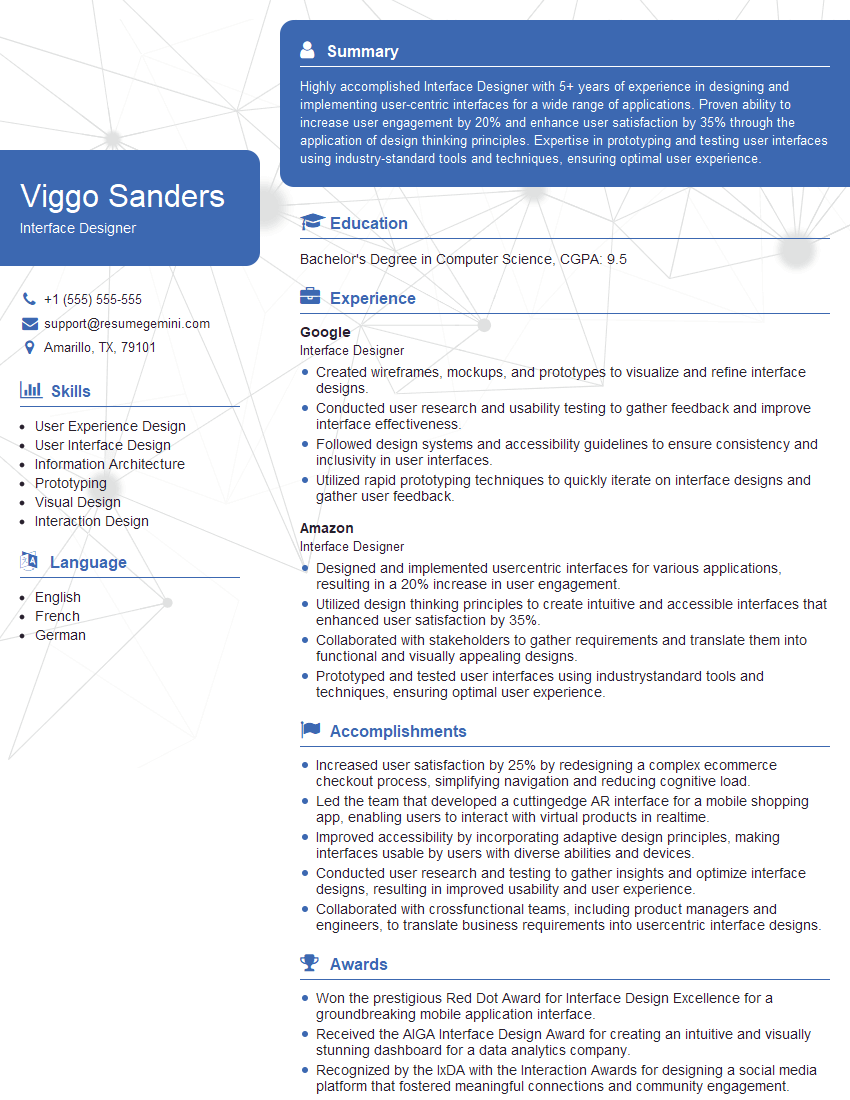
Interface Designer Resume Sample

Web Developer Resume Sample

Product Designer Resume Sample

Graphic Designer Resume Sample

Front-End Developer Resume Sample

UX Designer Resume Sample
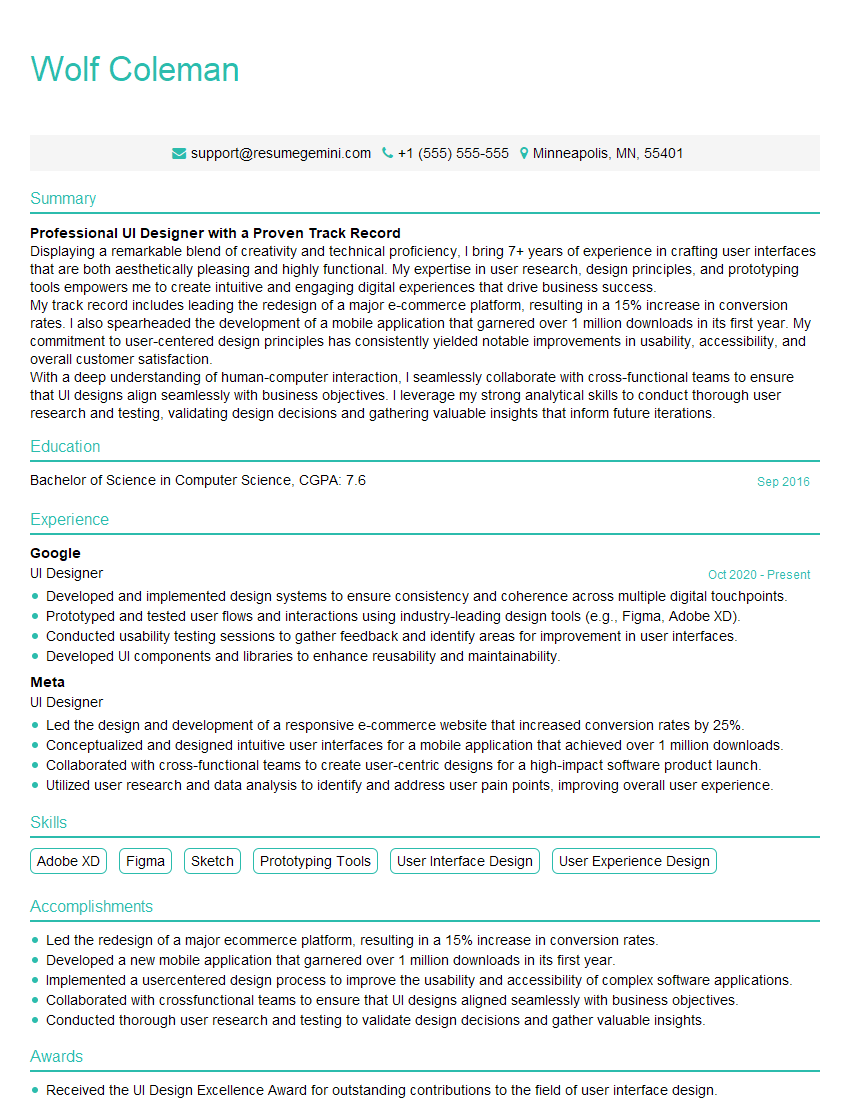
UI Designer Resume Sample
Explore more articles
Users Rating of Our Blogs
Share Your Experience
We value your feedback! Please rate our content and share your thoughts (optional).
What Readers Say About Our Blog
Very informative content, great job.
good