Preparation is the key to success in any interview. In this post, we’ll explore crucial Experience in music production and engineering interview questions and equip you with strategies to craft impactful answers. Whether you’re a beginner or a pro, these tips will elevate your preparation.
Questions Asked in Experience in music production and engineering Interview
Q 1. Explain your experience with various Digital Audio Workstations (DAWs).
My experience with DAWs spans over a decade, encompassing a wide range of software. I’m highly proficient in Pro Tools, Logic Pro X, and Ableton Live. Each DAW has its strengths; Pro Tools excels in large-scale projects and its industry-standard compatibility, Logic Pro X shines with its extensive virtual instrument collection and intuitive workflow, while Ableton Live’s session view is unparalleled for improvisation and live performance. My choice depends on the project’s specific needs. For instance, a large orchestral recording might benefit from Pro Tools’ robust session management, while an electronic music project could leverage Ableton Live’s flexibility.
Beyond these three, I have working knowledge of Cubase, Studio One, and Reaper, allowing me to adapt quickly to different studio environments and client preferences. This versatility is crucial in a collaborative setting where different engineers might have their preferred DAWs.
Q 2. Describe your mixing process, including your approach to EQ, compression, and dynamics.
My mixing process is iterative and focused on achieving clarity and balance. It begins with careful gain staging, ensuring all tracks sit comfortably within the DAW’s headroom. Then comes the crucial EQ phase. I don’t believe in applying EQ indiscriminately; I listen carefully to identify frequencies causing muddiness or harshness, and target those specifically, using surgical cuts and gentle boosts. For example, I might use a high-pass filter to remove low-end rumble from vocals or a narrow cut to tame a piercing frequency in a guitar.
Next is compression. I use compression to control dynamics, gluing elements together, and adding punch. I rarely go for extreme compression ratios unless it’s stylistic, preferring gentler settings to maintain the natural feel of the instruments. For example, a gentle compression on a drum bus can even out the dynamic range and add a cohesive sound. Dynamics processing – like limiting and expansion – follows, ensuring the final mix is appropriately loud while preserving detail and impact.
The entire process is a constant cycle of listening, adjusting, and refining. I use reference tracks throughout the process to gauge the overall balance and make comparisons.
Q 3. How do you handle feedback during a live sound reinforcement situation?
Handling feedback in live sound reinforcement is about proactive prevention and quick reaction. The first step is proper system setup: gain staging is critical, ensuring that no single component is overly amplified. Microphones should be positioned carefully to avoid picking up unwanted sound reflections, particularly from monitors. A properly configured PA system with effective equalization can also greatly reduce the potential for feedback.
During a live performance, if feedback occurs, my immediate response involves lowering the gain on the offending channel, adjusting the EQ to cut the frequency causing the feedback (often a high-frequency resonant peak), and perhaps slightly repositioning the microphone. Knowing your system intimately is vital in reacting quickly and effectively. Employing techniques like using notch filters can provide targeted feedback suppression.
It’s also beneficial to engage the performers in feedback prevention; making them aware of microphone techniques and stage volume helps keep issues to a minimum.
Q 4. What are your preferred methods for noise reduction and restoration?
Noise reduction and restoration are often intertwined. My approach depends on the type and severity of the noise. For low-level background hiss, I might use a noise gate or a spectral noise reduction plugin like iZotope RX, which excels at intelligently identifying and reducing noise without affecting the desired audio. For more aggressive noise reduction, like eliminating clicks or pops, I prefer a combination of manual editing and dedicated tools within software like RX.
Restoration involves tackling more complex issues, such as crackles, pops, and tape hiss. Again, iZotope RX is a powerful tool, offering modules for click repair, declicking, and decrackling. Sometimes, however, manual editing using tools like fades is the most precise method.
The key to effective noise reduction and restoration is a balanced approach. Over-processing can lead to artifacts or unnatural-sounding results. The goal is always to achieve the cleanest possible audio while retaining the natural character and quality of the recording.
Q 5. Explain your understanding of signal flow in a typical recording studio setup.
Understanding signal flow in a recording studio is fundamental. Typically, it begins with the source (e.g., a microphone or instrument) which sends the signal to a preamplifier, where the signal is amplified and shaped.
From the preamp, the signal might go through various processing units like EQ, compression, and effects (reverb, delay, etc.). These processed signals then route to an audio interface, a crucial piece of hardware that converts the analog signal into a digital format for the DAW to handle. Inside the DAW, the signal undergoes further processing, mixing, and editing. Finally, the mixed signal is sent back through the audio interface to the studio monitors, allowing engineers to listen to the processed audio. For mastering, it could be sent to a dedicated mastering system. Throughout this chain, attention to gain staging is crucial to prevent clipping and maintain signal integrity.
A simple signal flow might be: Microphone > Preamp > Compressor > EQ > Audio Interface > DAW > Monitors
Q 6. Describe your experience with microphone selection and placement techniques.
Microphone selection and placement are critical for capturing the best possible sound. The choice of microphone depends on the source. For vocals, I often prefer large-diaphragm condenser microphones for their warmth and detail, while dynamic mics are more robust and suitable for louder sources like drums and guitar amps. Small-diaphragm condensers are excellent for capturing ambience and delicate details.
Placement is equally important. For vocals, I’d typically position the microphone a few inches from the mouth, aiming for a balanced sound. For acoustic instruments like guitars, I might experiment with different distances and angles to find the sweet spot, capturing the resonance while minimizing unwanted noise. For drums, microphone placement is intricate, aiming for isolation and balance across the kit. Proximity effect, which causes a boost in bass frequencies at closer distances, needs to be considered. This often requires experimentation and listening.
Understanding polar patterns (cardioid, omnidirectional, figure-8) is also crucial for controlling what each microphone picks up.
Q 7. How do you approach mastering a track for different platforms (e.g., streaming, vinyl)?
Mastering for different platforms requires a nuanced approach. Streaming services prioritize loudness and dynamic range, often within specific loudness targets (like LUFS). I use a combination of limiting and dynamic processing to achieve the desired loudness without squashing the dynamics excessively. Vinyl mastering, on the other hand, requires a focus on maintaining warmth, depth, and avoiding harshness or unwanted distortions, as it’s constrained by limitations of the vinyl format. It typically involves less aggressive limiting and compression.
I always consider the playback systems. For instance, a mastering for car audio might emphasize clarity in lower frequencies, while a mastering for headphones would need to consider the frequency response of headphones. Careful spectral analysis and attention to detail are essential to ensure the master sounds optimal across various playback systems and platforms.
Q 8. What are your preferred plugins and why?
My plugin choices depend heavily on the project’s genre and desired aesthetic, but some staples remain consistent. For EQ, I heavily rely on FabFilter Pro-Q 3 for its surgical precision and intuitive interface; its dynamic EQ capabilities are invaluable for taming problem frequencies without sacrificing the overall mix’s dynamics. For compression, I often reach for Waves CLA-76 for its classic character and punch, perfect for drums and vocals, and UAD’s Fairchild 670 for a more subtle, warmer compression on instruments and entire mixes. For reverb, ValhallaRoom is a go-to for its versatility and ability to create immersive spaces. Its unique algorithms allow for creative control without overwhelming the listener. Finally, I use Izotope Ozone for mastering; its intelligent features automate many processes while still offering granular control when necessary. These plugins represent a balance of power, usability, and sound quality that suits most of my projects.
Q 9. Explain your workflow for creating sound effects.
My sound effects workflow is iterative and depends on the desired outcome. I typically start with source material – this could be anything from field recordings to synthesizers. Then comes manipulation. I might use granular synthesis to break down and rebuild sounds, adding texture and unusual timbres. For example, I’ve created a convincing ‘monster roar’ using manipulated foghorn recordings. I frequently employ delay, reverb, and EQ to shape the sound further. Pitch shifting is another invaluable tool that can change the character completely. Compression helps to control dynamics and create punch, while distortion can add grit and intensity. I often use layering, combining multiple processed sounds to create a richer and more complex result. The entire process is non-linear; I frequently go back and forth between processing techniques, tweaking and refining until the sound fits perfectly within the context of the project.
Q 10. How do you troubleshoot technical issues during a recording session?
Troubleshooting during recording is crucial. My approach is systematic. First, I identify the issue: Is it a hardware problem (microphone not working, computer crash), software glitch (plugin error, driver conflict), or something else (room noise, poor performance)? Once identified, I move systematically. For instance, if it’s a software problem, I’ll check for driver updates, restart the computer, or try reinstalling faulty plugins. If it’s hardware-related, I might check cabling and power connections. If the problem persists, I might try a different microphone, instrument, or even a different computer. Communication with the musicians is key; sometimes it’s a simple fix like adjusting the instrument’s output level. Keeping a detailed log of equipment, software versions, and session specifics helps to pin down the source of problems later on. Preventing issues is important too – regular maintenance, backups, and pre-session equipment checks are vital.
Q 11. Discuss your experience with various microphone types and their applications.
My experience spans various microphone types, each with its own character and ideal applications. Large-diaphragm condenser microphones like Neumann U 87 Ai are excellent for vocals and acoustic instruments requiring detail and clarity. Their sensitivity captures subtle nuances. Small-diaphragm condensers, such as the AKG C 414 XLS, offer versatility; they’re adept at handling both close and distant miking, making them suitable for both acoustic instruments and overhead drum recording. Dynamic microphones, like the Shure SM57, are workhorses, highly durable and well-suited for loud sources like snare drums and guitar amps. Their robustness handles high SPL without distortion. Ribbon microphones, such as Royer R-121, are known for their smooth, warm sound, perfect for capturing a natural feel on guitar amps or horns. The choice depends on the source and the desired sonic character. Choosing the wrong microphone can significantly impact the final product’s quality, highlighting the importance of understanding each type’s unique properties.
Q 12. Describe your understanding of room acoustics and how they impact recording quality.
Room acoustics profoundly affect recording quality. A poorly treated room leads to unwanted reflections, resonances, and muddiness. Understanding concepts like reverberation time (RT60), frequency response, and standing waves is essential. Ideally, a recording space should have minimal reflections in the low-mid to high frequency ranges. This reduces unwanted coloration and allows the true sound of the instrument or voice to shine through. Acoustic treatment – using bass traps, diffusers, and absorption panels – is vital to minimize these problems. Bass traps, for example, effectively control low-frequency buildup in the corners of a room, preventing muddiness in recordings. Diffusers scatter sound waves, creating a more natural and less artificial sound, avoiding harsh reflections. Careful room treatment ensures a balanced and accurate capture of sound, resulting in cleaner, more controlled recordings that require less post-production cleanup.
Q 13. How do you collaborate effectively with musicians and other audio professionals?
Effective collaboration is built on clear communication and mutual respect. Before a session, I establish clear goals and expectations with musicians. This includes discussing the desired sound, instrumentation, and technical requirements. During recording, I maintain open communication, addressing any concerns or questions promptly. Active listening is crucial – understanding the musicians’ creative vision and offering technical expertise to realize that vision. With other audio professionals, collaboration involves clear roles and responsibilities. I might work with a mixing engineer to refine the sonic landscape, a mastering engineer for final touches, or a composer to flesh out a musical arrangement. Transparency and efficient workflow are keys to successful collaboration; regular communication and progress updates keep everyone on the same page.
Q 14. Explain your familiarity with different audio formats (e.g., WAV, AIFF, MP3).
I’m thoroughly familiar with various audio formats. WAV and AIFF are lossless formats, preserving the original audio data without any compression. They are preferred for studio work and archiving because they maintain the highest audio fidelity. MP3 is a lossy format that uses compression to reduce file size, resulting in some data loss. It’s suitable for online streaming and distribution due to its smaller file sizes, but it’s not ideal for mastering or high-fidelity applications. Other formats like FLAC (Free Lossless Audio Codec) also offer lossless compression, providing a balance between file size and audio quality. Choosing the appropriate format depends on the intended use; lossless formats are crucial for the highest sound quality, while lossy formats are more practical for distribution. Understanding these differences is essential for maintaining audio quality throughout the production process.
Q 15. What are your strategies for managing large audio projects?
Managing large audio projects effectively requires a structured approach. Think of it like conducting a large orchestra – each instrument (audio track) needs its place and time to shine, but the overall harmony is paramount. My strategy involves meticulous organization, leveraging session templates, and utilizing efficient workflow techniques.
- Session Templates: I create custom templates for different project types (e.g., pop song, orchestral score) with pre-configured tracks, buses, and effects chains. This saves significant time and ensures consistency.
- Folder Structure: I use a hierarchical folder system within my Digital Audio Workstation (DAW) to organize audio files, MIDI data, and project-related documents. This helps prevent confusion and makes locating assets incredibly easy, especially in complex projects.
- Color-coding Tracks: Visually grouping tracks by instrument or function (e.g., drums, vocals, bass) aids in navigation and efficient workflow. This is particularly useful when dealing with hundreds of tracks.
- Regular Backups: Frequent backups are non-negotiable. I utilize both automated backups and manual copies to different drives to safeguard against data loss. This peace of mind is priceless.
- Bounce-in-place: For complex effects chains or instrument layers, using bounce-in-place minimizes processing load and simplifies the project over time.
For example, on a recent orchestral project with over 100 tracks, employing these strategies allowed me to navigate and manage the session seamlessly, avoiding common pitfalls like track overload and audio file management issues.
Career Expert Tips:
- Ace those interviews! Prepare effectively by reviewing the Top 50 Most Common Interview Questions on ResumeGemini.
- Navigate your job search with confidence! Explore a wide range of Career Tips on ResumeGemini. Learn about common challenges and recommendations to overcome them.
- Craft the perfect resume! Master the Art of Resume Writing with ResumeGemini’s guide. Showcase your unique qualifications and achievements effectively.
- Don’t miss out on holiday savings! Build your dream resume with ResumeGemini’s ATS optimized templates.
Q 16. How do you ensure the quality of your work meets industry standards?
Meeting industry standards requires a multi-faceted approach that combines technical proficiency, artistic sensibility, and a commitment to quality control. It’s not just about technical specs; it’s about the overall listening experience.
- Mastering Quality: I always work with a high-resolution bit depth (typically 24-bit) and sample rate (44.1 kHz or 48 kHz) throughout the production process. This preserves audio fidelity and reduces the risk of unwanted quantization noise.
- Reference Tracks: I frequently compare my mixes to commercially released tracks of similar genres to ensure my work is competitive and meets professional standards.
- Monitoring Environment: Accuracy is vital. I work in a properly treated listening room to minimize acoustic anomalies that could skew my perception of the mix’s balance and frequency response.
- Critical Listening: Taking breaks during mixing and returning with fresh ears is crucial. I listen on various playback systems (headphones, speakers, car stereo) to identify frequency response issues and imbalances.
- Professional Mastering: I almost always send my final mix to a professional mastering engineer. This ensures a polished, radio-ready product that is optimized for various playback systems.
Consider a recent pop track I produced; by employing these techniques, the final mastered track sounded polished, radio-ready, and competitive within the pop music landscape.
Q 17. Explain your experience with audio editing software.
I’m proficient in several industry-standard audio editing software packages, including Pro Tools, Logic Pro X, and Ableton Live. My expertise extends beyond basic editing to include advanced techniques like pitch correction, time stretching, and restoration.
Pro Tools: I’ve extensively used Pro Tools for large-scale projects, leveraging its powerful session management tools, automation capabilities, and robust plugin ecosystem. Its extensive MIDI capabilities also make it a versatile choice.
Logic Pro X: I’ve used Logic Pro X’s intuitive interface and extensive library of virtual instruments for many projects. Its powerful editing tools and flexible workflow are ideal for various creative applications.
Ableton Live: Ableton Live’s session view is perfect for experimental projects and live performance preparation. I utilize its clip-based workflow to create loops, build unique arrangements, and experiment with sound design.
My experience spans various aspects of audio editing software, from basic waveform manipulation to advanced processing and automation. I adapt my software choice to the specific requirements of each project.
Q 18. Describe your understanding of different equalization techniques.
Equalization (EQ) is the art of shaping the frequency response of an audio signal. Think of it as a sculptor refining a piece of clay – you’re carefully adjusting different frequencies to achieve a desired sonic outcome. I use several techniques to achieve the best results:
- Subtractive EQ: This involves reducing specific frequencies to remove unwanted muddiness, harshness, or resonance. For example, cutting around 250 Hz can reduce muddiness in a bass guitar.
- Additive EQ: This involves boosting specific frequencies to enhance certain aspects of the sound. For instance, boosting around 3-5 kHz can add presence and clarity to a vocal.
- Parametric EQ: This offers the most control, allowing precise adjustment of frequency, gain, and Q (bandwidth). I use this for fine-tuning specific frequencies.
- Dynamic EQ: This automatically adjusts gain at certain frequencies based on the input signal’s loudness. It’s helpful for taming harsh peaks or boosting quieter parts dynamically.
- High-pass and Low-pass filtering: These are fundamental EQ techniques. High-pass filters remove low-frequency rumble, while low-pass filters remove unwanted high-frequency noise.
For example, in mixing a rock song, I might use subtractive EQ to remove muddiness from the bass drum around 80-100Hz, additive EQ to add presence to the snare around 5kHz, and a high-pass filter to remove low-frequency rumble from the vocals.
Q 19. How do you approach creating a balanced mix?
Creating a balanced mix involves achieving a harmonious blend of all the instruments and vocals while ensuring each element occupies its sonic space. It’s a delicate balance of art and science.
- Gain Staging: This is the foundation of a good mix. I ensure proper levels throughout the signal chain to avoid clipping and maintain headroom.
- Panning: Strategically positioning instruments in the stereo field enhances the spaciousness and creates a wider soundstage. For example, placing the guitar slightly to the left and vocals centered.
- EQ: I use EQ to shape the frequencies of individual instruments to prevent clashes and create sonic space.
- Compression: Compression controls the dynamics of the audio, making it more consistent in volume and enhancing punch.
- Stereo Width: I use various techniques to create a balanced and engaging stereo image that doesn’t sound too wide or narrow.
- Reference Tracks: I constantly refer to professionally mixed tracks to assess my mix against industry standards.
Imagine it like arranging furniture in a room: each piece (instrument) needs its own space, but the overall arrangement must be aesthetically pleasing and functional. The same applies to mixing – it’s a careful blend of artistic vision and technical precision.
Q 20. What are your methods for optimizing audio for different playback systems?
Optimizing audio for different playback systems is crucial for ensuring a consistent listening experience regardless of the output device. Different playback systems have different frequency responses and characteristics.
- Loudness Normalization: I use LUFS (Loudness Units relative to Full Scale) metering to ensure consistent loudness across different platforms. This prevents the track from sounding too quiet or too loud compared to other content.
- Frequency Response Considerations: I take into account how different playback systems might reproduce frequencies. For example, smaller speakers often lack low-end clarity, so I might add a bit of low-frequency enhancement during mastering.
- Stereo Imaging: I ensure my mixes translate well to mono playback (e.g., car radios) by avoiding extreme stereo effects that might collapse to muddiness when played in mono.
- Mastering for Different Platforms: Different streaming services might have specific requirements. For example, Spotify might require a certain LUFS level.
For example, when preparing a track for release on Spotify, I’d make sure the LUFS is in line with Spotify’s specifications to ensure the track’s dynamic range is preserved and sounds consistent with other music.
Q 21. Describe your experience with automation and MIDI.
Automation and MIDI are indispensable tools in modern music production. They allow for dynamic control and creative expression.
- Automation: I use automation to control various parameters over time, such as volume, panning, EQ, and effects. This enables dynamic changes in the music that would be impossible to perform manually. For instance, I might automate the volume of a synth pad to create a gradual build-up during a song’s climax.
- MIDI: MIDI (Musical Instrument Digital Interface) allows for communication between electronic musical instruments and computers. I use MIDI to record keyboard performances, control virtual instruments, and synchronize various elements within a song. This gives me the ability to create and edit complex musical arrangements efficiently.
- MIDI Editing: I’m proficient in MIDI editing techniques such as quantization, velocity editing, and note automation. This allows me to refine MIDI performances and create precise musical parts.
Imagine creating a complex orchestral arrangement: automation might control the volume and panning of different sections over time, while MIDI data records each instrument’s individual performance. The combination of automation and MIDI provides an unparalleled level of flexibility and control in music production.
Q 22. Explain your understanding of phase cancellation and how to avoid it.
Phase cancellation is a phenomenon where two or more sound waves, when combined, result in a reduction of overall volume or even silence. This happens because the peaks of one wave align with the troughs of another, effectively canceling each other out. Imagine two identical waves, but one is flipped upside down; where one is positive, the other is negative. Adding them together results in zero. In music production, this often occurs with microphones picking up the same sound source from slightly different positions, or when using multiple instances of the same effect plugin. For example, if two identical bass lines are played slightly out of sync, parts of the signal will cancel out, making the bass sound weaker or thinner than it should.
Avoiding phase cancellation requires careful microphone placement and signal processing. When recording multiple sources, use the ‘phase-coherent’ microphone technique – placing microphones close together to ensure minimal time difference between signals. Using a stereo pair with a very narrow stereo image is a good example. It’s often easier to control phase in mono. When mixing, carefully check the polarity (positive or negative) of individual tracks. If a track sounds unusually quiet or thin, try inverting its phase using the polarity switch to see if that improves the sound. Some digital audio workstations (DAWs) also offer phase meters, which visually represent the phase alignment of signals, aiding in identification and correction of cancellation. Finally, careful monitoring in a properly acoustically treated room is key to detecting these issues.
Q 23. How do you ensure consistency across different parts of a track?
Maintaining consistency across a track involves a multi-faceted approach focusing on several key elements. First, and most fundamentally, is maintaining a consistent tonal balance. This means ensuring the relative levels of different instruments and frequencies stay proportionate throughout the entire song. This includes ensuring that the low-end doesn’t become overpowering in some sections while disappearing in others. You achieve this through careful gain staging, equalization, and compression. Imagine a journey through a soundscape – the journey itself should feel connected even though you are experiencing different environments.
Secondly, rhythmic consistency is crucial. This goes beyond simply maintaining the tempo – it also includes groove and feel. A consistent rhythmic pulse contributes significantly to the cohesiveness of a song. A subtle shift in feel across sections will betray an inconsistency. It is important to use a click track and quantisation to guide rhythmic precision. However, it is more important to develop and maintain a solid groove than to adhere strictly to the click. Finally, dynamic consistency matters. Maintaining an appropriate range of dynamics throughout the track ensures engagement without fatigue. Suddenly shifting to an overly loud section may shock the listener and disrupt the flow of the music, requiring attention to consistent dynamics.
Q 24. Describe your experience working with different studio equipment.
My experience spans a wide range of studio equipment, from vintage analog gear to the latest digital tools. I’m proficient with various consoles, including Neve, API, and SSL, appreciating their unique sonic characteristics. I have extensive experience with a variety of outboard processors including compressors (like LA-2A, 1176, DBX 160), EQs (Pultec, API 550A, and numerous digital options), and reverbs (Lexicon, EMT, and various plugins). My digital workflow is built around DAWs like Pro Tools, Logic Pro X, and Ableton Live, and I’m comfortable with various plugin manufacturers such as Waves, Universal Audio, FabFilter, and iZotope.
I have considerable experience with microphones, from dynamic workhorses like the Shure SM57 and Sennheiser MD 421 to more delicate condenser mics such as Neumann U 87 Ai and AKG C 414. The choice of equipment always depends on the project and the desired sonic outcome. Knowing the strengths and limitations of each piece of equipment allows me to choose the appropriate tools for the job and deliver the best possible results. This is the essence of audio engineering.
Q 25. Explain your approach to achieving a desired sonic aesthetic in a mix.
Achieving a desired sonic aesthetic is a holistic process that begins with understanding the artistic vision for the project. It involves close collaboration with artists to ensure that the final mix aligns with their creative intentions. This begins with the initial recording, aiming to capture the essence of the performance with fidelity and nuance. Then I carefully select the appropriate outboard gear to colour the sounds, choosing the tools that will meet specific requirements. For example, a vintage tape sound might require a specific analog emulation or hardware.
The mixing process itself is iterative. I begin by establishing a solid foundation, focusing on gain staging, frequency balancing, and creating a clear and well-defined stereo image. Then, I carefully sculpt the tone of each instrument using EQ and compression to fit into the overall mix. This includes both creative EQing to emphasize or de-emphasize certain frequencies and corrective EQing to address any imbalances. Reverb, delay, and other effects are applied judiciously to add depth and space to the mix without overwhelming the overall sound. Throughout the process, I continuously monitor the mix across multiple playback systems, ensuring its consistent translation across different environments. This process of refining and shaping the sounds is as much art as it is science, guided by both technical knowledge and creative intuition. The goal is always to create a mix that is both sonically pleasing and emotionally resonant.
Q 26. How do you handle creative differences with artists or clients?
Handling creative differences is a vital skill in music production. My approach emphasizes open and respectful communication. I start by actively listening to the artist or client’s vision and understanding their expectations. I also explain my technical perspective and suggest different approaches, offering options rather than imposing solutions. The goal is collaborative problem-solving rather than a confrontation. I value every contributor’s creative input, whether it is musically inspired or technically driven. My approach is to highlight the merits of each idea and seek common ground, ensuring every participant has a voice and feels heard.
Sometimes compromises are necessary. I might suggest A/B comparisons to allow the artist to make an informed choice, ensuring both the artistic vision and technical feasibility are considered. Documenting all decisions, including any compromises or adjustments is important for transparency and accountability. Ultimately, a successful collaboration thrives on mutual respect and a shared commitment to creating the best possible product. My aim is to make sure the final product reflects everyone’s best work and creativity.
Q 27. How do you stay up-to-date with the latest advancements in music technology?
Staying current in music technology requires a multi-pronged approach. I regularly attend industry conferences and workshops to learn about new hardware and software. I subscribe to relevant magazines and online publications, keeping abreast of the latest trends and innovations. I also actively participate in online communities and forums, engaging in discussions with other producers and engineers, exchanging knowledge and perspectives. These interactions and exchanges allow me to remain aware of the many approaches to solving problems.
Furthermore, I dedicate time to testing new plugins and software, experimenting with different workflows and techniques. This hands-on experience helps me to critically evaluate new technologies and understand their practical applications. This hands-on approach, combined with regular professional development, helps me integrate new tools into my workflow, always striving to enhance my skill-set and optimize my production process.
Q 28. Describe a time you had to solve a complex technical problem during a production.
During a recent project, we encountered a significant issue with a live recording of a string quartet. The acoustics in the venue were problematic, resulting in excessive resonance and muddiness in the low frequencies. Initial attempts at equalization to correct this proved ineffective and even introduced other sonic issues.
To solve this, I employed a multi-faceted approach. First, I carefully analyzed the frequency spectrum of the recording to pinpoint the problematic resonances. Then, I utilized a combination of subtractive equalization and multi-band compression to target those frequencies. This involved using a parametric EQ to precisely notch out the troublesome frequencies and a multi-band compressor to tame the excessive energy in those problematic ranges. Additionally, I implemented a de-esser to address harsh high frequencies. The problem stemmed from insufficient room treatment, so I experimented with various plugins that simulate room treatment to compensate for the acoustic issues in post-production.
By carefully combining these techniques, I was able to significantly improve the clarity and definition of the string quartet recordings without significantly altering their natural character. This experience highlighted the importance of a thorough understanding of acoustic principles and the ability to creatively utilize available tools to overcome technical challenges. The combination of careful analysis and creative problem-solving was key to success.
Key Topics to Learn for Your Music Production & Engineering Interview
- Digital Audio Workstations (DAWs): Understanding the functionality of popular DAWs like Pro Tools, Logic Pro X, Ableton Live, etc. This includes navigating the interface, managing projects, and utilizing essential features.
- Audio Recording Techniques: Mastering microphone techniques, signal flow, gain staging, and troubleshooting common recording issues. Practical application involves discussing experiences with various microphone types and recording environments.
- Signal Processing & Effects: Demonstrating knowledge of EQ, compression, reverb, delay, and other effects, including their practical application in mixing and mastering. Be prepared to discuss specific plugins and their uses.
- Mixing & Mastering Principles: Understanding the fundamental principles of achieving a balanced and professional-sounding mix and master. This includes concepts like frequency balancing, dynamics processing, and stereo imaging.
- Music Theory Fundamentals: A solid grasp of music theory, including scales, chords, harmony, and rhythm, is crucial for understanding musical structure and arrangement.
- Production Workflow & Collaboration: Describing your approach to project management, collaboration with artists and other engineers, and efficient workflow strategies.
- Troubleshooting & Problem Solving: Be ready to discuss instances where you overcame technical challenges during the production process. Highlight your problem-solving skills and analytical thinking.
- Software & Hardware Knowledge: Showcase familiarity with various audio interfaces, controllers, and relevant software plugins. This demonstrates a practical understanding of the tools of the trade.
Next Steps
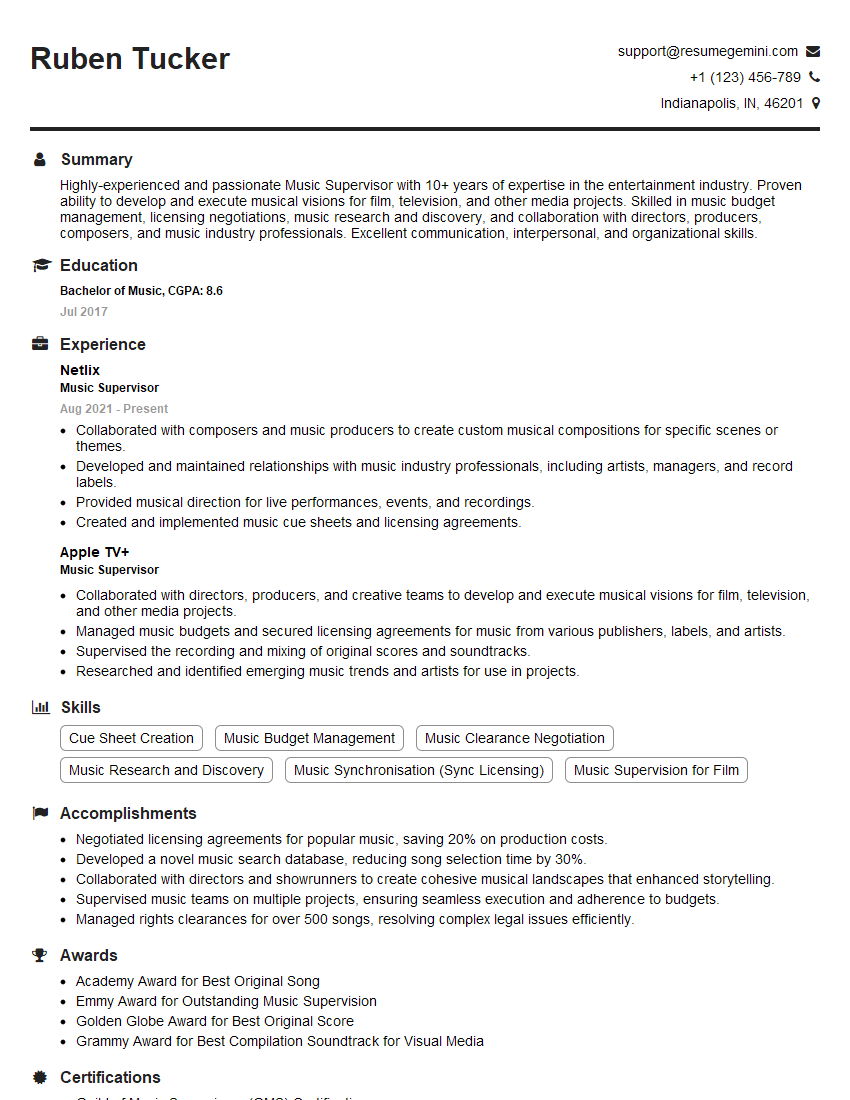
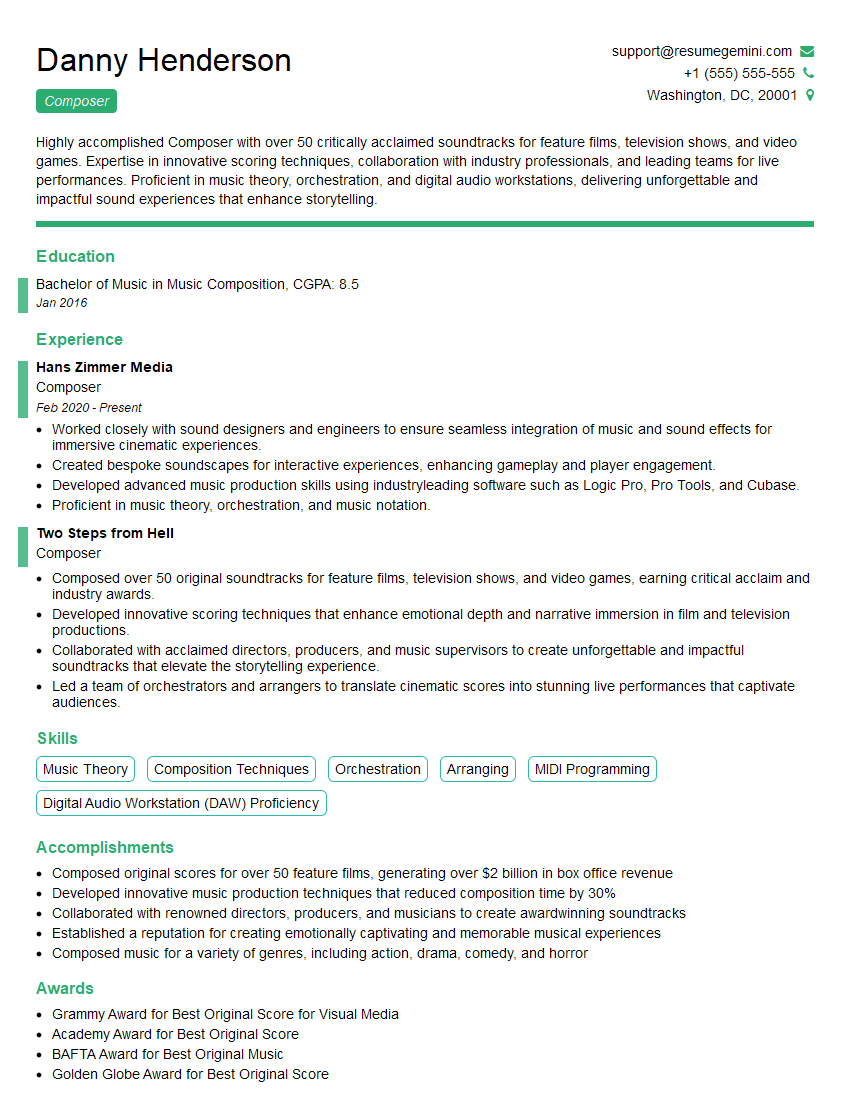
Mastering music production and engineering opens doors to exciting and rewarding careers in the music industry. A strong resume is your key to unlocking these opportunities. Creating an ATS-friendly resume is crucial for getting your application noticed by recruiters and hiring managers. To help you build a compelling and effective resume, we recommend using ResumeGemini. ResumeGemini provides a user-friendly platform and helpful resources to build a professional document. Examples of resumes tailored to music production and engineering experience are available to help guide you.






Explore more articles
Users Rating of Our Blogs
Share Your Experience
We value your feedback! Please rate our content and share your thoughts (optional).
What Readers Say About Our Blog
Very informative content, great job.
good