Interviews are opportunities to demonstrate your expertise, and this guide is here to help you shine. Explore the essential Experience in using design software interview questions that employers frequently ask, paired with strategies for crafting responses that set you apart from the competition.
Questions Asked in Experience in using design software Interview
Q 1. What are your preferred design software applications and why?
My preferred design software applications are Figma, Adobe Photoshop, and Adobe Illustrator. This combination offers a powerful workflow for diverse design needs.
I choose Figma primarily for its collaborative features, real-time editing capabilities, and its strong prototyping tools. Its vector-based design is perfect for UI/UX and web design. For example, I recently used Figma’s collaboration features to seamlessly work with a team of developers and product managers on a large e-commerce website redesign.
Adobe Photoshop remains my go-to for raster-based image editing and manipulation, particularly for photo retouching, creating high-fidelity mockups, and image compositing. Its advanced features are invaluable when dealing with complex photo manipulations or creating detailed graphic elements. I’ve used it extensively to create visually stunning marketing materials.
Finally, Adobe Illustrator is crucial for creating scalable vector graphics (SVGs), logos, and illustrations. Its precision tools are perfect for ensuring assets are crisp and maintain quality at any size, crucial for branding and print design work. For instance, I recently used Illustrator to design a logo for a new startup, ensuring its scalability across various applications.
Q 2. Describe your workflow when designing a user interface.
My UI design workflow is iterative and user-centered. It typically involves these key stages:
- Research and Planning: This starts with understanding the target audience, their needs, and the project goals. I conduct user research, analyze existing designs (competitor analysis), and define the project scope and requirements.
- Information Architecture & Wireframing: I then create wireframes, low-fidelity visual representations of the UI structure, focusing on content hierarchy and user flow. This helps to determine the optimal placement of elements and overall usability. I often use pen and paper for this initial stage to foster quick iteration and exploration.
- Mockup Creation: Once the wireframes are approved, I move to creating high-fidelity mockups using Figma or Photoshop. This is where I focus on visual design, incorporating branding guidelines, typography, color palettes, and imagery.
- Prototyping: Interactive prototypes are crucial. I use Figma’s prototyping capabilities to simulate user interactions, allowing me to test the usability and navigation of the design. This involves creating clickable elements and transitions, often including micro-interactions to enhance user experience.
- Testing and Iteration: Throughout the process, usability testing is key. This involves conducting user testing sessions to gather feedback and identify areas for improvement. Based on feedback, I iterate on the design until it meets the required usability standards.
- Handoff: The final stage involves preparing design assets for developers. This involves providing specifications, style guides, and assets in suitable formats such as SVGs, PNGs, and design specs.
Q 3. How do you handle design feedback and incorporate it into your process?
Handling design feedback is a crucial aspect of the design process. I approach it constructively and collaboratively.
- Active Listening: I actively listen to feedback, asking clarifying questions to ensure I fully understand the concerns and suggestions. I try to understand the reasoning behind the feedback, not just the feedback itself.
- Categorization and Prioritization: I categorize feedback based on its nature (e.g., usability issues, visual concerns, technical limitations) and prioritize it based on impact and feasibility. Some feedback might be incorporated immediately, while others might require further investigation or discussion.
- Iteration and Refinement: I use the feedback to make adjustments to the design, creating new iterations to address the concerns. I always document these changes, providing explanations for why certain decisions were made or not made.
- Transparent Communication: I maintain transparent communication throughout the process, keeping stakeholders informed of the changes and rationale behind them. This keeps everyone aligned and builds trust.
For example, in a recent project, a stakeholder suggested a significant change to the navigation structure. While it was a substantial alteration, I carefully considered its implications, tested it with users, and ultimately incorporated it after demonstrating its positive effect on user flow and task completion rates.
Q 4. Explain the difference between UX and UI design.
UX (User Experience) and UI (User Interface) design are closely related but distinct disciplines. Think of it this way: UX is the what and why, while UI is the how.
UX design focuses on the overall user experience. It encompasses the entire process a user undergoes when interacting with a product or service. This includes user research, information architecture, interaction design, usability testing, and overall user satisfaction. A good UX designer anticipates user needs and creates a seamless and enjoyable experience.
UI design, on the other hand, focuses on the visual aspects of the interface – the look and feel. It’s about creating visually appealing and intuitive interfaces that are easy to navigate and use. UI designers work on the visual elements such as typography, color palettes, layout, and imagery. They ensure the design is consistent with the brand and meets accessibility guidelines.
In essence, UX paves the road, while UI makes the road look nice and easy to drive on. A successful product requires both a well-thought-out UX and an appealing, functional UI.
Q 5. How proficient are you with Adobe Photoshop, Illustrator, and InDesign?
I’m highly proficient in Adobe Photoshop, Illustrator, and InDesign. My experience spans years and encompasses a wide range of projects.
Photoshop: I’m adept at image retouching, manipulation, creating high-fidelity mockups, compositing images, and designing raster-based graphics. I’m familiar with advanced features like layer styles, blending modes, and masking techniques.
Illustrator: I can create and manipulate vector graphics, logos, illustrations, and scalable assets with precision. I understand the nuances of working with vector art and its benefits for print and web.
InDesign: My InDesign skills include page layout, typography management, creating brochures, magazines, and other print publications. I’m comfortable working with master pages, styles, and other tools to create professional-looking print designs.
I regularly utilize these applications in tandem for projects, leveraging the strengths of each program to achieve optimal results. For example, I might create a logo in Illustrator, then refine it in Photoshop, and finally integrate it into a brochure layout in InDesign.
Q 6. Describe your experience using Figma or Sketch.
I have extensive experience using Figma, and some experience with Sketch.
Figma: Figma is my primary design tool, due to its collaborative features, real-time editing capabilities, and robust prototyping features. I’ve used it to design and prototype web and mobile applications, landing pages, and various marketing materials. I’m proficient in using its vector editing tools, component libraries, and design systems. I find its collaborative features invaluable for team projects. For instance, I’ve utilized Figma’s version history to easily revert to previous design iterations and to track changes made by multiple designers working on the same project.
Sketch: While I’ve used Sketch in the past, Figma has become my preferred platform due to its superior collaborative features and cross-platform capabilities. However, I retain a solid understanding of Sketch’s functionalities and can effectively utilize it if the need arises.
Q 7. Have you used version control for design files? If so, which systems?
Yes, I have significant experience using version control for design files. My primary system is Abstract, a platform specifically designed for managing design files collaboratively. Abstract allows for efficient branching, merging, and reviewing of design files, similar to Git for code. This ensures design consistency, allows for easy rollback to previous versions, and promotes a more organized and collaborative design process. I’ve also used GitHub for storing design assets, particularly when working closely integrated with development teams. Utilizing version control in design, much like in development, safeguards against accidental loss of work and greatly facilitates collaboration and iteration within teams.
Q 8. How do you ensure design consistency across different platforms?
Maintaining design consistency across platforms—web, mobile, desktop—is crucial for a cohesive brand experience. Think of it like building with LEGOs; you want all your bricks to fit together seamlessly. This requires a robust design system (more on that in the next answer) and meticulous attention to detail.
I achieve this by:
- Utilizing a style guide: This document acts as a single source of truth, outlining brand colors, typography, spacing, and component specifications. It ensures everyone, from designers to developers, is on the same page.
- Employing a component-based approach: I break down designs into reusable components (buttons, navigation bars, etc.). This allows for consistent application across different platforms. Changes made to a core component automatically update its instances everywhere.
- Leveraging design tools effectively: Tools like Figma or Sketch allow for version control and collaborative design, ensuring consistency across team members and projects. Their ability to export assets in various formats simplifies implementation across platforms.
- Regular audits and reviews: Periodically checking for inconsistencies and updating the style guide prevents drift over time. This is akin to regularly cleaning and organizing your LEGO collection.
For example, I recently worked on a project where we had a web app and a mobile app. Using a centralized style guide and reusable components allowed us to maintain a consistent look and feel despite the differences in platform constraints.
Q 9. How do you create and maintain a design system?
A design system is a collection of reusable components, guidelines, and documentation that enables consistent and efficient design and development. It’s the instruction manual for your brand’s visual identity. It streamlines the design process, improves collaboration, and ensures brand consistency.
My approach to creating and maintaining a design system includes:
- Identifying core components: Starting with the most frequently used elements like buttons, input fields, and navigation. We analyze existing designs and identify recurring patterns to define these components.
- Defining component specifications: Documenting each component’s behavior, appearance (including states like hover and active), and responsive behavior across different screen sizes. This often includes code snippets and detailed specifications.
- Building a style guide: Creating a centralized repository that includes color palettes, typography guidelines, iconography, and branding specifications. This is the design system’s foundational document.
- Creating a component library: Implementing the components within a design tool (like Figma) to enable designers to easily reuse them. This accelerates design workflow and enforces consistency.
- Regularly updating and iterating: The design system is not static. It must be updated to reflect new design patterns, user feedback, and technological advancements. This is a continuous process of refinement.
Imagine a restaurant’s kitchen—the design system is like its standardized recipes and procedures, ensuring consistency and efficiency in delivering a quality product.
Q 10. Explain your process for creating wireframes and prototypes.
My process for creating wireframes and prototypes begins with a thorough understanding of user needs and project goals. I then translate these insights into low-fidelity wireframes, followed by higher-fidelity prototypes for user testing.
The process typically involves:
- Information architecture: Organizing content and functionality logically to ensure intuitive user navigation.
- Low-fidelity wireframing: Creating simple, skeletal representations of the user interface using basic shapes and text to focus on functionality and information hierarchy. Tools like Balsamiq are ideal for this stage.
- User testing (low-fidelity): Gathering feedback on the wireframes to identify potential usability issues early in the process.
- High-fidelity prototyping: Developing interactive prototypes using tools like Figma or Adobe XD. These prototypes incorporate visual design elements and interactive features to simulate the actual user experience.
- User testing (high-fidelity): Testing the interactive prototypes with users to evaluate the design’s effectiveness and identify areas for improvement.
- Iteration and refinement: Based on user feedback, iteratively refining the design through multiple rounds of testing and revision.
It’s like building a house; you start with blueprints (wireframes) before constructing the actual structure (prototype) and then making improvements based on inspections.
Q 11. How do you conduct user research and translate findings into design solutions?
User research is paramount in designing effective and user-centric products. It’s about understanding the ‘why’ behind user behavior. I employ a variety of research methods to gather insights, and then translate these findings into actionable design solutions.
My approach involves:
- Defining research objectives: Clearly articulating what needs to be learned through research, and how those insights will influence design decisions.
- Choosing appropriate research methods: This may include user interviews, surveys, usability testing, A/B testing, competitive analysis, etc., tailored to the specific research questions.
- Conducting user research: Gathering data through the chosen methods, ensuring rigorous data collection and analysis.
- Synthesizing research findings: Identifying patterns, themes, and key insights from the gathered data.
- Translating insights into design solutions: Using the research findings to inform design decisions, creating solutions that directly address user needs and pain points.
- Iterative design: Continuously testing and refining designs based on user feedback.
For example, during a recent project, user interviews revealed that users struggled with a particular feature. This insight led to a redesign that simplified the workflow, resulting in a significant improvement in user satisfaction.
Q 12. Describe your experience with responsive design.
Responsive design ensures that a website or application adapts seamlessly to different screen sizes and devices (desktops, tablets, smartphones). It’s about providing a consistent and optimal user experience regardless of the device used. Think of it like a chameleon; it changes its appearance to blend seamlessly with its environment.
My experience with responsive design involves:
- Using flexible layouts: Employing techniques like fluid grids and flexible images to adapt the layout based on screen size.
- Utilizing CSS media queries: Applying different styles based on device characteristics, such as screen width, orientation, and resolution.
@media (max-width: 768px) { /* Styles for smaller screens */ } - Designing for different contexts: Considering how users interact with the design on various devices, optimizing for touch interactions on mobile and keyboard/mouse interactions on desktop.
- Testing across devices: Thoroughly testing the design on different devices and browsers to ensure optimal performance and appearance.
I recently redesigned a website that wasn’t responsive. By implementing a fluid grid system and using media queries, I ensured the website functioned flawlessly on all devices, improving user engagement significantly.
Q 13. How do you ensure accessibility in your designs?
Accessibility is about designing for inclusivity, ensuring that everyone, regardless of their abilities, can access and use your design. This includes users with visual, auditory, motor, or cognitive impairments. It’s not just about following guidelines; it’s about empathy and understanding.
I ensure accessibility in my designs by:
- Following accessibility guidelines (WCAG): Adhering to Web Content Accessibility Guidelines (WCAG) to meet established standards.
- Using sufficient color contrast: Ensuring adequate contrast between text and background colors to improve readability for users with low vision.
- Providing alternative text for images: Describing images using alt text, making them accessible to screen readers.
- Using keyboard navigation: Designing interfaces that are fully navigable using only a keyboard, for users who cannot use a mouse.
- Adding captions and transcripts for videos and audio: Making multimedia content accessible to users with hearing impairments.
- Using clear and concise language: Avoiding jargon and complex sentence structures for users with cognitive impairments.
Accessibility is not an afterthought; it should be integrated into the design process from the start. Think of it as building a ramp alongside stairs so that everyone can access the building.
Q 14. How do you measure the success of your designs?
Measuring the success of a design involves a multifaceted approach, going beyond subjective opinions. It requires objective data and user feedback to understand if the design achieves its intended goals.
My methods for measuring design success include:
- Key Performance Indicators (KPIs): Tracking metrics like conversion rates, bounce rates, task completion rates, and time on task to evaluate the effectiveness of the design in achieving specific goals.
- User feedback: Collecting feedback through user surveys, interviews, and usability testing to understand user satisfaction and identify areas for improvement.
- A/B testing: Comparing different design variations to determine which performs better based on measurable metrics.
- Analytics tools: Utilizing tools like Google Analytics to track user behavior and identify areas of success and failure.
- Heatmaps and eye-tracking: Using these tools to visualize user interaction patterns and understand how users engage with the design.
For example, if a design’s goal is to increase conversion rates, I would track the conversion rate before and after the design implementation and use A/B testing to validate the improvement. Success is defined by achieving those set goals, backed by data.
Q 15. What are some common design patterns you use?
Common design patterns are reusable solutions to recurring design problems. They improve efficiency and consistency. I frequently use several, depending on the project’s needs. For example:
- Card patterns: These are excellent for displaying information concisely, like product listings or news articles. Think of how Netflix displays movie thumbnails – each a self-contained ‘card’ with an image, title, and rating.
- Navigation patterns: These dictate how users move through a site or app. I often employ hamburger menus for compact navigation or tabs for clear section separation, choosing the best based on the context and user experience goals.
- Modal patterns: Modals temporarily overlay the main content to display important information or require user input. I use these for things like login forms or confirmation dialogs, making sure they don’t disrupt the workflow too much.
- Progressive disclosure: This pattern reveals information gradually, reducing cognitive load. A good example is a website’s FAQ section, where a user clicks on a question to reveal the answer, rather than showing everything at once.
Choosing the right pattern is crucial. It’s not just about aesthetics; it’s about ensuring intuitive and efficient user interaction. I carefully analyze the user needs and the context before selecting a pattern.
Career Expert Tips:
- Ace those interviews! Prepare effectively by reviewing the Top 50 Most Common Interview Questions on ResumeGemini.
- Navigate your job search with confidence! Explore a wide range of Career Tips on ResumeGemini. Learn about common challenges and recommendations to overcome them.
- Craft the perfect resume! Master the Art of Resume Writing with ResumeGemini’s guide. Showcase your unique qualifications and achievements effectively.
- Don’t miss out on holiday savings! Build your dream resume with ResumeGemini’s ATS optimized templates.
Q 16. Explain the concept of user-centered design.
User-centered design (UCD) prioritizes the needs, wants, and limitations of the end-user throughout the entire design process. It’s not about designing what *you* think is cool; it’s about designing what best serves the user. This involves deep user research, including:
- User research: Understanding the target audience through surveys, interviews, and usability testing. For example, before designing a mobile banking app, I’d conduct user interviews to understand their financial habits and pain points.
- Information architecture: Organizing and structuring content in a way that’s easy for users to navigate and find what they need. Think of a well-organized online store, where users can easily filter products and find the right one.
- Usability testing: Observing real users interacting with a prototype to identify usability issues. I frequently conduct A/B testing on various design elements to pinpoint which one works best.
- Iterative design: Continuously refining the design based on user feedback. This often involves multiple rounds of prototyping and testing to optimize for the best user experience.
UCD is a philosophy, not just a process. It demands empathy and a commitment to creating designs that are not only aesthetically pleasing but also effective and enjoyable to use.
Q 17. How familiar are you with design thinking methodologies?
I’m very familiar with design thinking methodologies. It’s a human-centered, iterative approach to problem-solving that I use regularly. It typically involves five stages:
- Empathize: Understanding the user’s needs and challenges through research.
- Define: Clearly articulating the problem to be solved.
- Ideate: Generating creative solutions through brainstorming and sketching.
- Prototype: Creating tangible representations of the solutions to test.
- Test: Gathering feedback on the prototypes and iterating on the design.
I often use design thinking frameworks like the double diamond model, which visually represents the divergent and convergent thinking phases of the process. Design thinking isn’t just a linear process; it’s a cyclical one – learning from each iteration to refine the solution.
Q 18. What are some design challenges you’ve faced and how did you overcome them?
One significant challenge was designing a website for a client with very specific, and sometimes conflicting, requirements. They wanted a modern, minimalist design but also insisted on including a large amount of content. This presented a design conflict—how to maintain a clean aesthetic while still providing easy access to all the information.
My solution involved a multi-step process:
- Content audit: First, I conducted a thorough review of all content, identifying key information and prioritizing it based on user needs.
- Information architecture redesign: I reorganized the content into logical sections and categories, making navigation intuitive.
- Progressive disclosure and filtering: Instead of presenting everything at once, I implemented progressive disclosure—revealing more detailed information only when requested, and filtering tools to aid users in finding specific information.
- Modular design system: To maintain consistency and visual appeal while accommodating the substantial content, I designed a modular component system, allowing content to be easily adapted and reused across various sections.
This combination resolved the conflict. The end result was a website that felt both sleek and informative, successfully balancing the client’s seemingly opposing needs.
Q 19. How do you stay current with the latest design trends and technologies?
Staying updated in the rapidly evolving design landscape is vital. I use a multi-pronged approach:
- Following design publications and blogs: I regularly read publications like A List Apart, Smashing Magazine, and UX Collective to stay abreast of the latest trends and best practices.
- Attending industry conferences and webinars: Conferences and webinars offer invaluable opportunities to learn from leading designers and network with peers.
- Exploring online design communities: Sites like Dribbble and Behance provide a platform to discover new design styles and approaches.
- Experimenting with new tools and techniques: I dedicate time to exploring and testing emerging design software and technologies. This hands-on approach allows me to adapt my skillset quickly.
Continuous learning is not just about keeping up; it’s about actively seeking out new ideas and innovations that can enhance my design process and output. It’s a constant evolution, and I embrace the changes.
Q 20. Describe your experience with prototyping tools (e.g., InVision, Axure).
I have extensive experience with prototyping tools like InVision, Figma, and Axure. My choice depends on the project’s complexity and needs.
- InVision: Excellent for creating interactive prototypes with high fidelity. I’ve used it extensively to demonstrate user flows and micro-interactions, providing clients with a clear sense of the final product.
- Figma: I leverage Figma’s collaborative features for team projects and its versatility for both low- and high-fidelity prototyping. It allows for real-time collaboration and makes sharing prototypes seamless.
- Axure: Powerful for complex, interactive prototypes with advanced features like dynamic content and conditional logic. I use Axure when the project requires extensive interactivity and data manipulation.
Prototyping isn’t just about creating a visual representation; it’s about using these tools to test and iterate designs, enabling me to identify usability problems early and refine the design before development begins.
Q 21. How do you collaborate with developers during the design process?
Collaboration with developers is crucial for successful product development. I prioritize clear and consistent communication throughout the design process. I use various methods:
- Design specifications and style guides: I create comprehensive design specifications, including detailed descriptions of all UI elements, interactions, and animations, along with style guides to ensure consistency. This allows the developers to accurately translate my designs into code.
- Regular design reviews and feedback sessions: I hold regular meetings with the developers to review the design, discuss implementation challenges, and address any questions they may have.
- Version control and shared design files: Using tools like Figma facilitates seamless collaboration and version control, so everyone is working with the most up-to-date design files.
- Prototyping and user testing: I use prototypes to demonstrate design interactions and gather feedback from developers early on, addressing potential implementation challenges upfront.
Open communication and a shared understanding of the design vision are essential to a smooth collaborative process, and I strive to build strong working relationships with developers.
Q 22. What is your preferred method for presenting design work to clients or stakeholders?
My preferred method for presenting design work involves a multi-stage approach tailored to the client’s needs and preferences. I begin with a clear and concise overview of the project’s goals and the design’s rationale. This often includes a mood board showcasing the overall aesthetic direction. Then, I present the designs themselves, usually using a slideshow or interactive prototype (depending on the complexity). I focus on showcasing the user flow and key features, highlighting how each element contributes to a positive user experience. Finally, I conclude with a Q&A session, actively encouraging feedback and addressing any concerns or questions the client might have. For example, for a website redesign, I might present wireframes first, followed by mockups, and finally interactive prototypes showcasing the actual functionality. For a logo design, I would start with concept sketches before presenting refined vector versions and showcasing how the logo would work on different applications. Throughout, I use clear, concise language, avoiding jargon, and tailoring my explanations to the client’s level of design expertise.
Q 23. Describe your experience working with design specifications and style guides.
Working with design specifications and style guides is crucial for maintaining consistency and brand identity. My experience involves meticulously reviewing these documents at the project’s outset to understand the core brand elements, typography, color palettes, and UI patterns. I ensure all my designs strictly adhere to these guidelines, using them as a reference point throughout the design process. For instance, if a style guide specifies a specific shade of blue for primary call-to-action buttons, I consistently use that exact color. I’m proficient in using design tools that allow seamless integration with style guides, such as Adobe XD’s asset panels or Figma’s style management features. If discrepancies arise between the design specifications and the client’s vision, I proactively address them through clear communication, proposing potential solutions and revising the design documents accordingly. This ensures that the final product aligns perfectly with the brand guidelines while meeting the client’s requirements.
Q 24. How do you handle conflicting design requirements?
Conflicting design requirements are a common challenge. My approach is to facilitate open and honest communication with all stakeholders involved. I start by clearly documenting all requirements, identifying points of conflict, and analyzing the underlying reasons for these conflicts. Then, I prioritize requirements based on their importance and impact on the overall user experience and business goals. Sometimes, compromise is necessary. For example, if a client wants a highly minimalist design while also wanting a large amount of content, I would present design options that balance minimalism with effective content organization using techniques like effective visual hierarchy and micro-interactions. I’ll present different design solutions that explore various compromises and involve the stakeholders in the decision-making process. Documentation of these decisions is key. Ultimately, the goal is to find a design solution that addresses the core needs of all stakeholders while delivering a strong user experience.
Q 25. How do you prioritize design tasks within a project timeline?
Prioritizing design tasks requires a strategic approach. I typically start by understanding the project’s critical path and milestones. Then, I break down the project into smaller, manageable tasks, assigning each a priority level based on its impact on the overall project timeline and user experience. I use project management tools like Jira or Asana to visualize tasks and track progress. I frequently employ techniques like the MoSCoW method (Must have, Should have, Could have, Won’t have) to help determine task priority in collaboration with stakeholders. This ensures that critical features are delivered on time while less critical elements can be addressed later if needed. Regularly reviewing the timeline and adjusting priorities as needed is crucial for effective project management. This iterative approach helps to adapt to evolving requirements and unforeseen challenges.
Q 26. What is your experience with A/B testing and iterative design?
I have extensive experience with A/B testing and iterative design. A/B testing allows for data-driven design decisions, improving the user experience based on real user behavior. For example, I might test two different button designs to see which one has a higher click-through rate. Iterative design, on the other hand, involves creating a prototype, testing it with users, gathering feedback, and then revising the design based on that feedback. This cycle repeats until the optimal design is achieved. I’m proficient with tools like Google Optimize and Optimizely to conduct these tests, analyzing the data to inform design choices and improve conversion rates. For example, I might use A/B testing to compare the effectiveness of different calls to action on a landing page or test variations of a website’s navigation menu. I believe that A/B testing and iterative design are essential for creating user-centered designs that achieve the desired business outcomes.
Q 27. Explain your understanding of color theory and typography.
Color theory and typography are fundamental to effective design. My understanding of color theory involves using color palettes to evoke specific emotions and create visual hierarchy. I understand the principles of color harmony (complementary, analogous, triadic, etc.) and how different color combinations impact the user experience. For instance, using warm colors like reds and oranges can create a sense of urgency, while cooler colors like blues and greens can convey calmness. Typography involves selecting and using typefaces to enhance readability and create a visual style. I understand the importance of choosing appropriate font pairings, considering factors like readability, legibility, and overall aesthetic appeal. I am experienced in using different font weights, sizes, and styles to create hierarchy and emphasis within the design. I typically use tools like Google Fonts or Adobe Fonts to find and implement appropriate typefaces.
Q 28. Describe your experience using animation and micro-interactions in your designs.
I have significant experience using animation and micro-interactions to enhance the user experience. Animation can guide users through the interface, provide feedback, and make interactions more engaging. Micro-interactions are small, subtle animations that provide feedback to user actions, improving the overall usability and delight. For example, a subtle animation on a button press can confirm that the action has been registered. I’m proficient in using design software like Adobe After Effects or Figma to create animations and micro-interactions. However, I always prioritize usability. Animations should enhance, not detract from, the user experience. Overuse of animations can be distracting and negatively impact the user experience. Therefore, I apply animation and micro-interactions judiciously, ensuring they add value and contribute positively to the overall design.
Key Topics to Learn for Experience in using design software Interview
- Software Proficiency: Demonstrate a deep understanding of the design software you’ve used (e.g., Adobe Creative Suite, Figma, Sketch, etc.). Be prepared to discuss your experience level with each, highlighting your strengths and areas of expertise.
- Design Principles: Showcase your knowledge of fundamental design principles like typography, color theory, layout, and visual hierarchy. Be ready to explain how you apply these principles in your work.
- Workflow and Process: Describe your typical design workflow, from initial concept to final product. Highlight your ability to manage projects efficiently and collaborate effectively with teams.
- Problem-Solving & Creativity: Prepare examples of how you’ve used design software to solve specific design challenges. Emphasize your creative problem-solving skills and ability to iterate on designs based on feedback.
- Technical Skills: Depending on the role, you may need to discuss specific technical skills, such as image editing, vector graphics, animation, or 3D modeling. Focus on your proficiency and practical experience.
- Software-Specific Features: Familiarize yourself with advanced features and functionalities of your chosen design software. Being able to discuss these demonstrates a deeper understanding beyond basic usage.
- File Formats & Exporting: Understanding different file formats (e.g., JPG, PNG, SVG, PDF) and how to optimize images for different platforms is crucial. Be ready to discuss your experience with exporting designs for various applications.
Next Steps
Mastering design software is paramount for career advancement in the creative industry. A strong command of these tools opens doors to exciting opportunities and higher earning potential. To maximize your chances, create an ATS-friendly resume that effectively showcases your skills and experience. ResumeGemini is a trusted resource that can help you build a professional and impactful resume. Examples of resumes tailored to highlight experience in using design software are available to guide you. Invest time in crafting a compelling resume – it’s your first impression on potential employers.
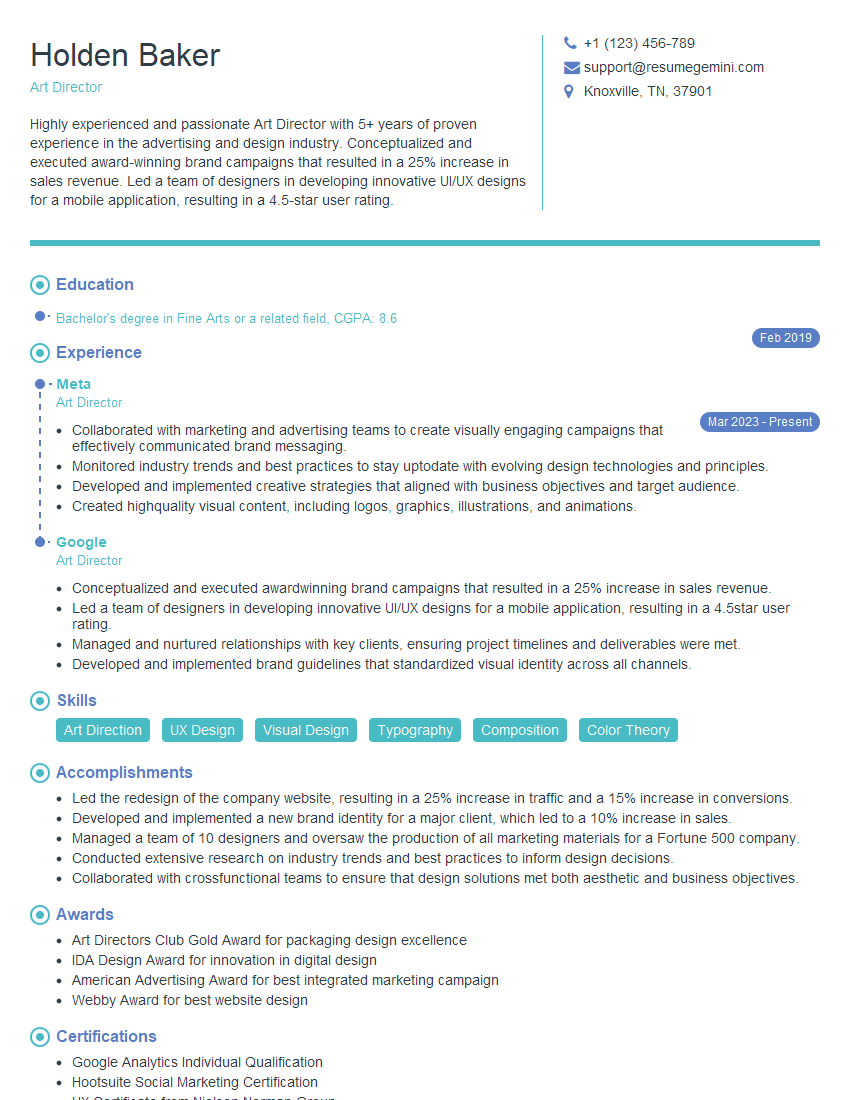
Art Director Resume Sample

Creative Director Resume Sample

Information Architect Resume Sample
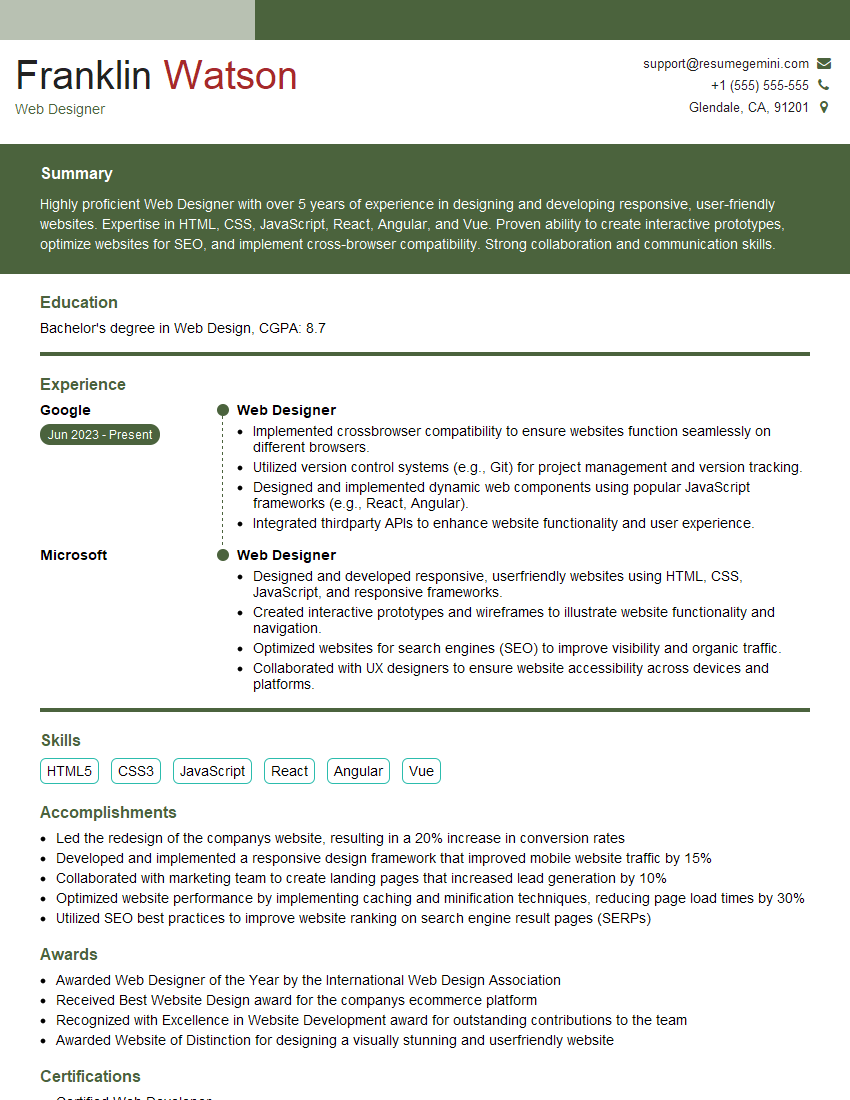
Web Designer Resume Sample
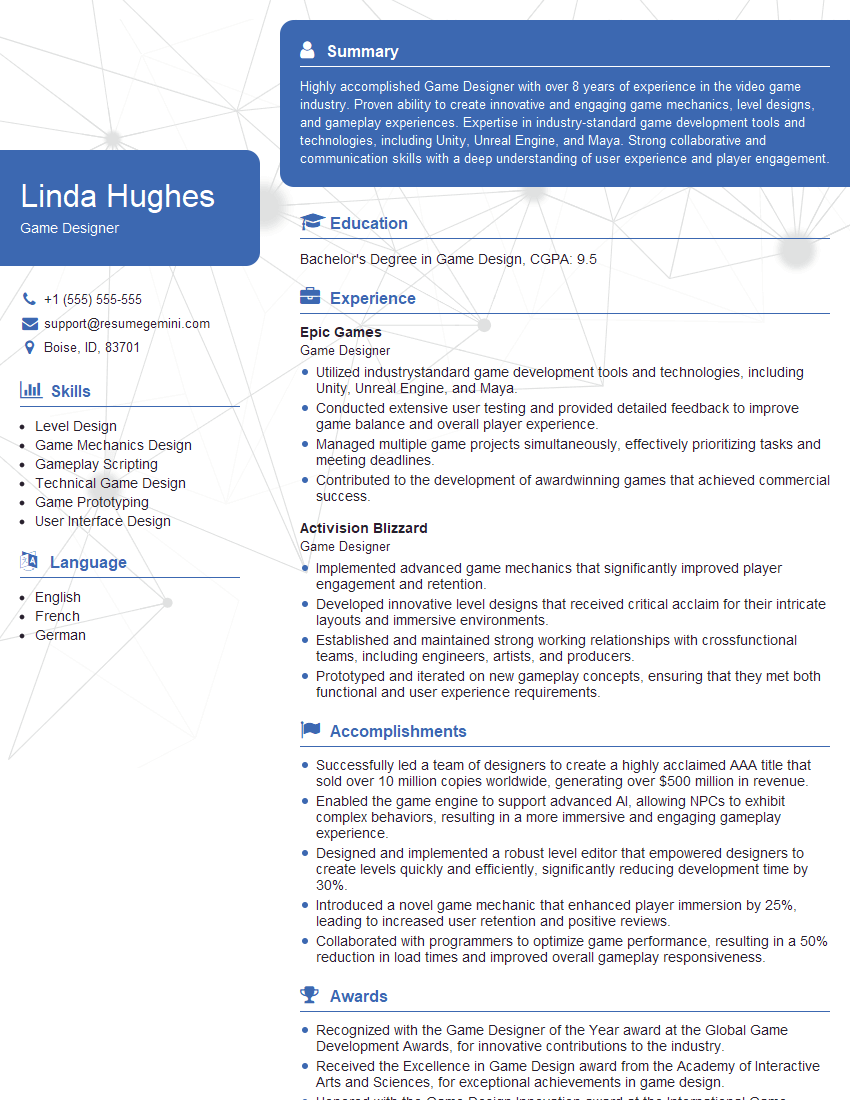
Game Designer Resume Sample
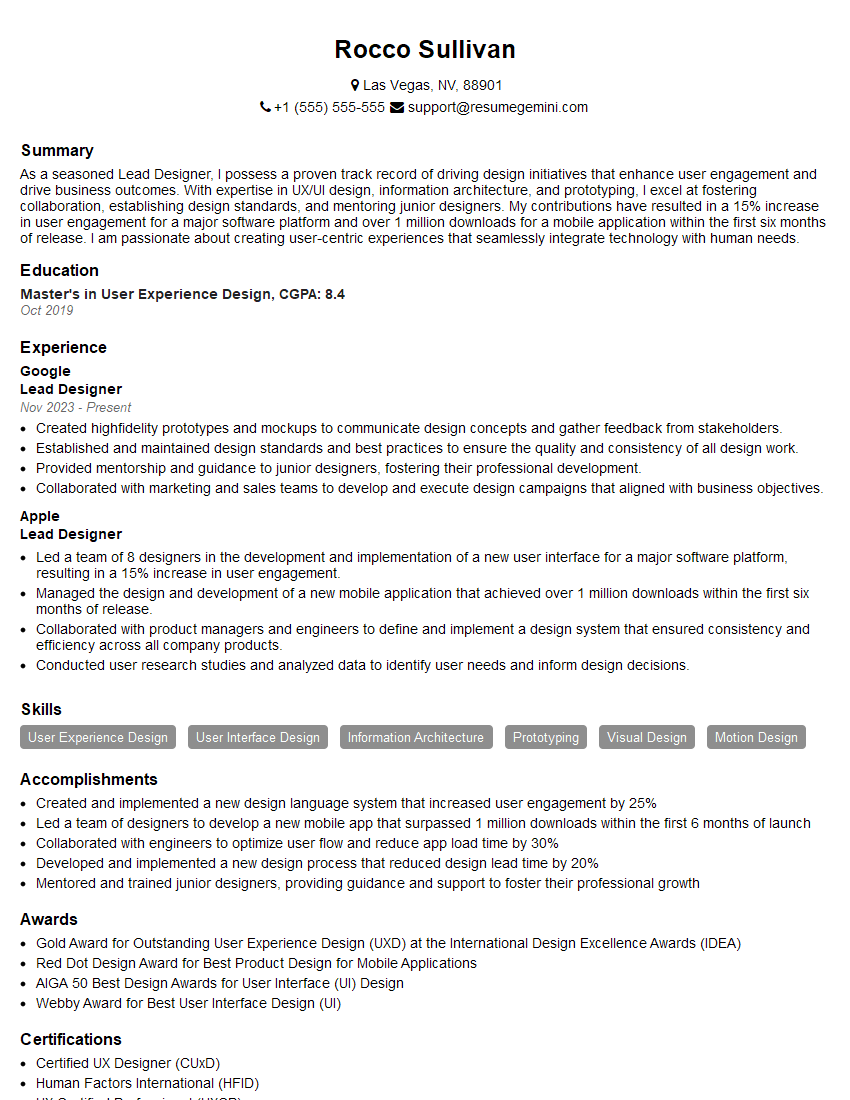
Lead Designer Resume Sample
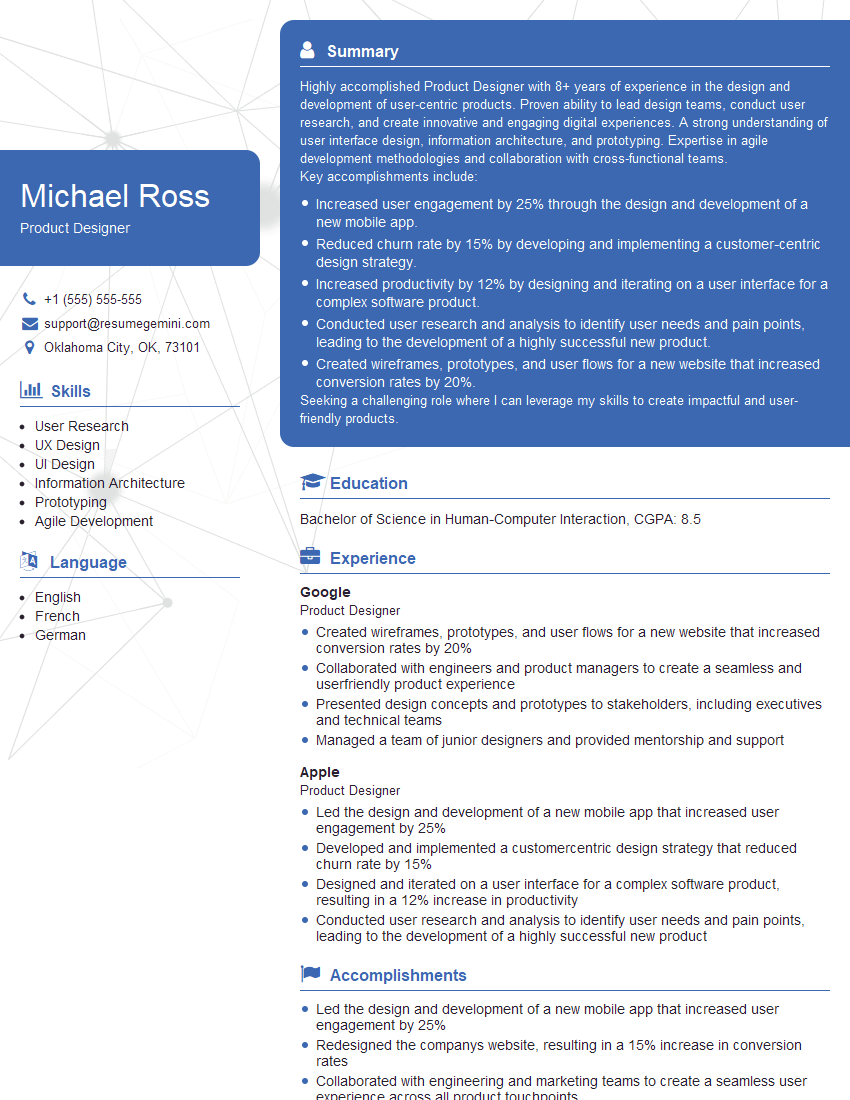
Product Designer Resume Sample
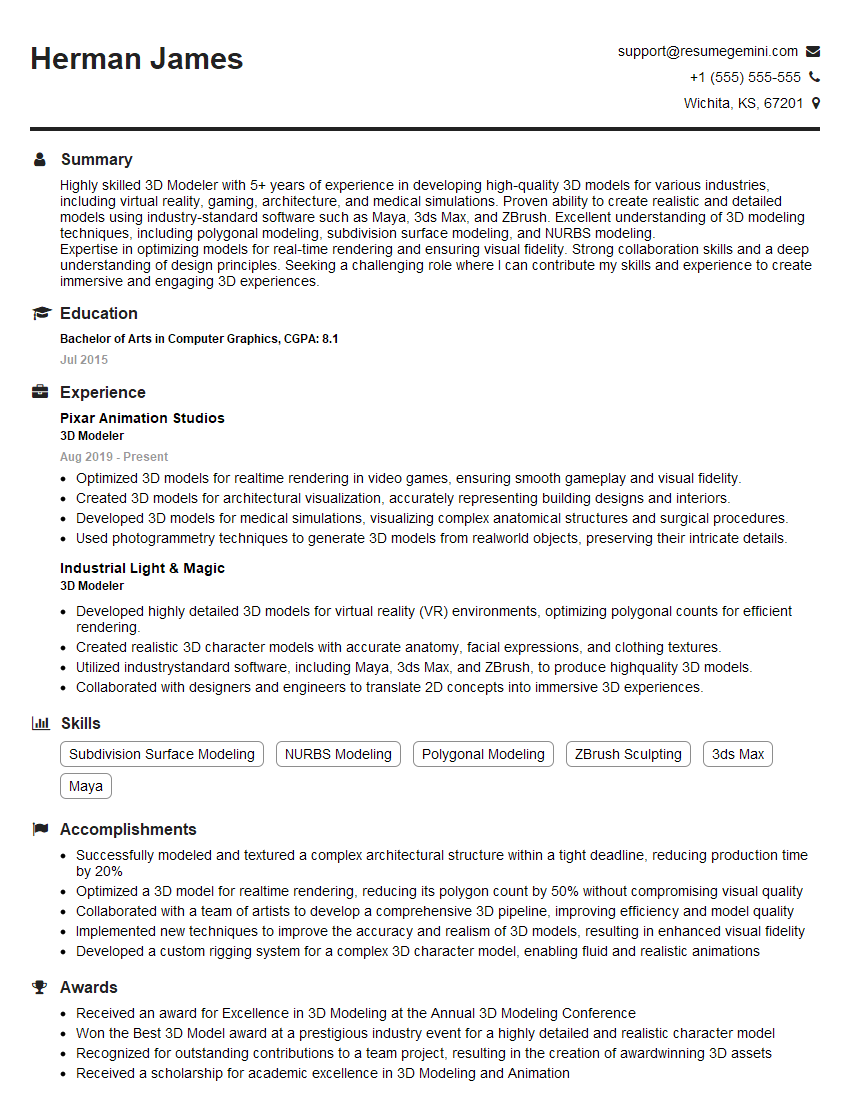
3D Modeler Resume Sample
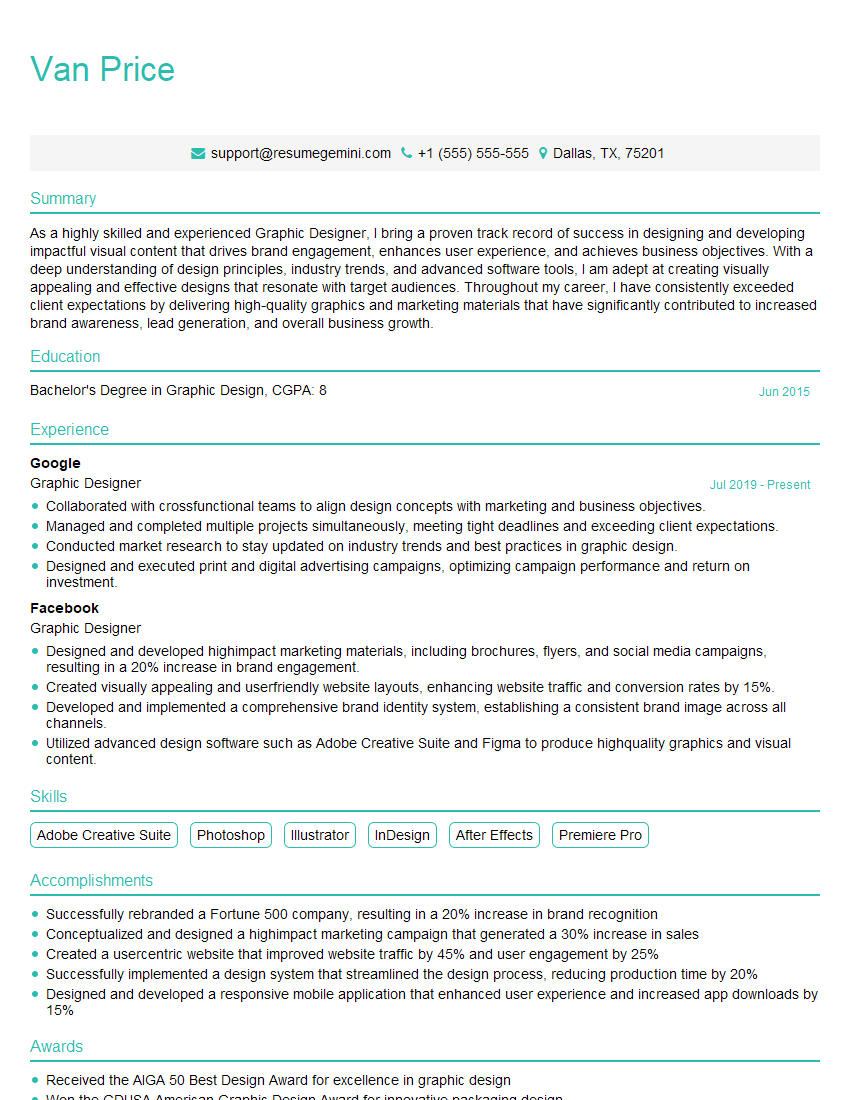
Graphic Designer Resume Sample
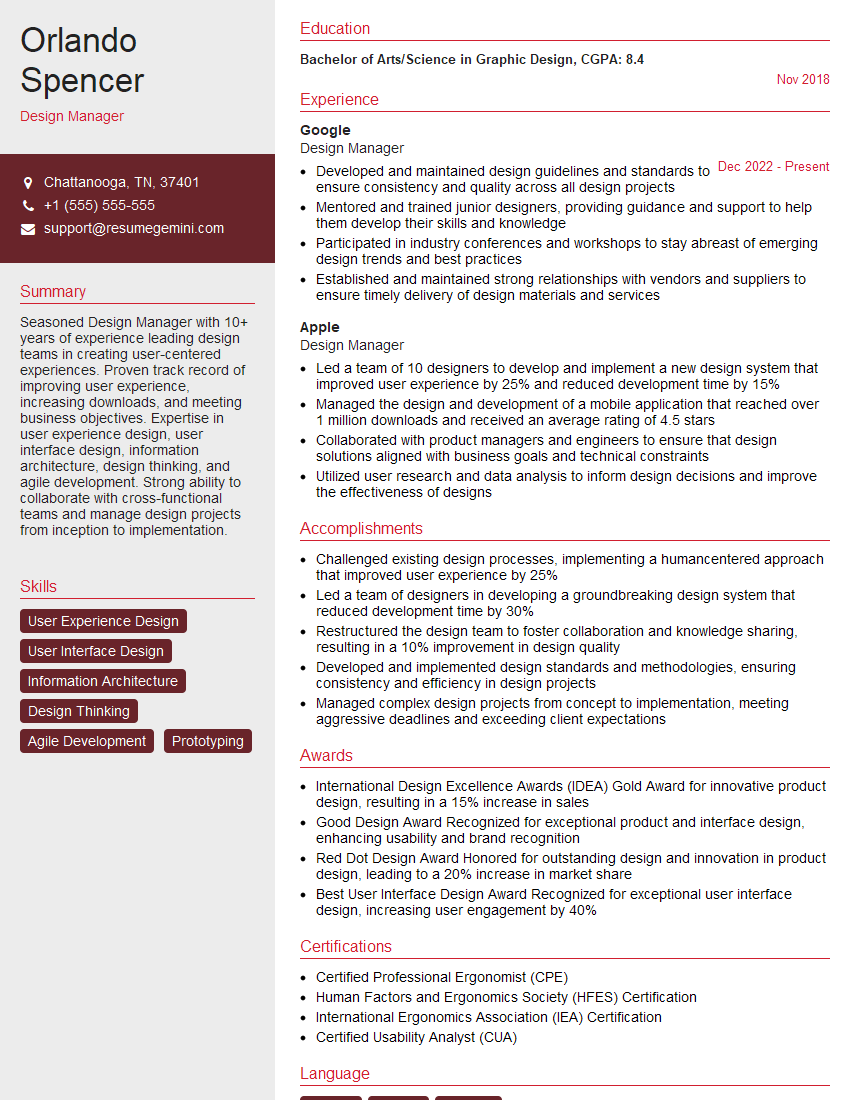
Design Manager Resume Sample
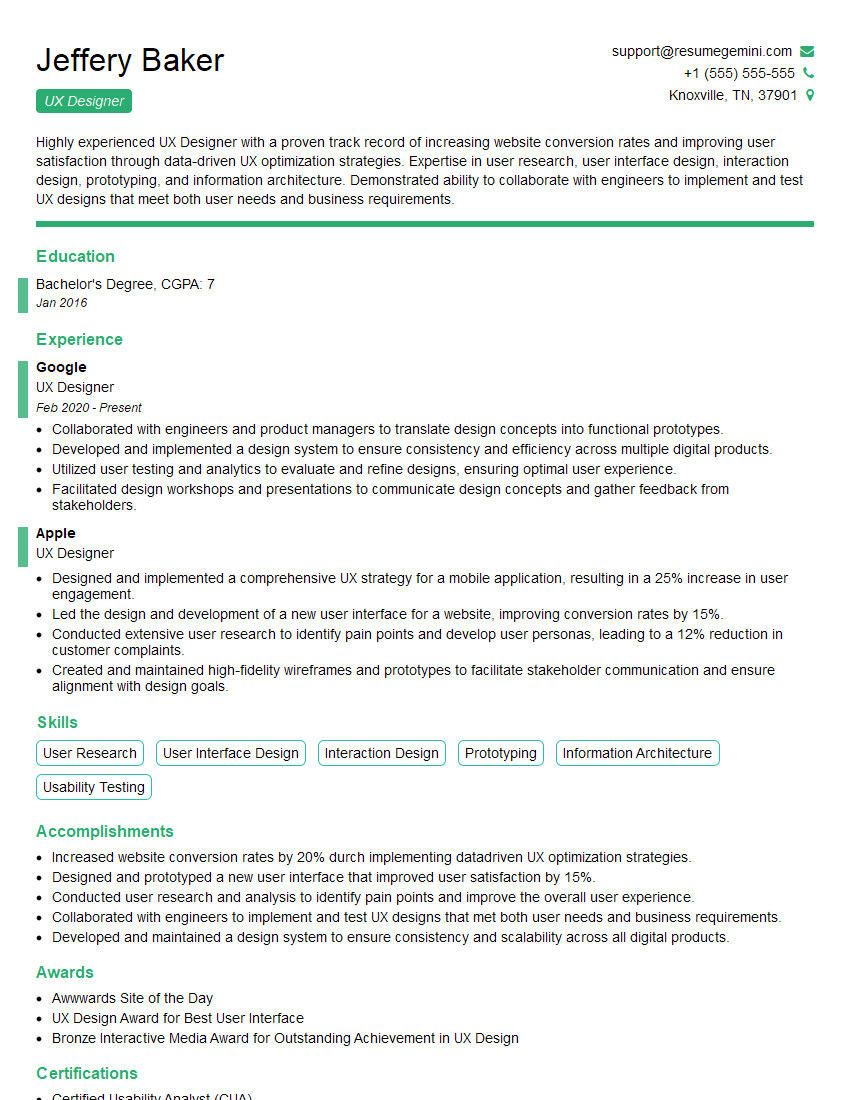
UX Designer Resume Sample
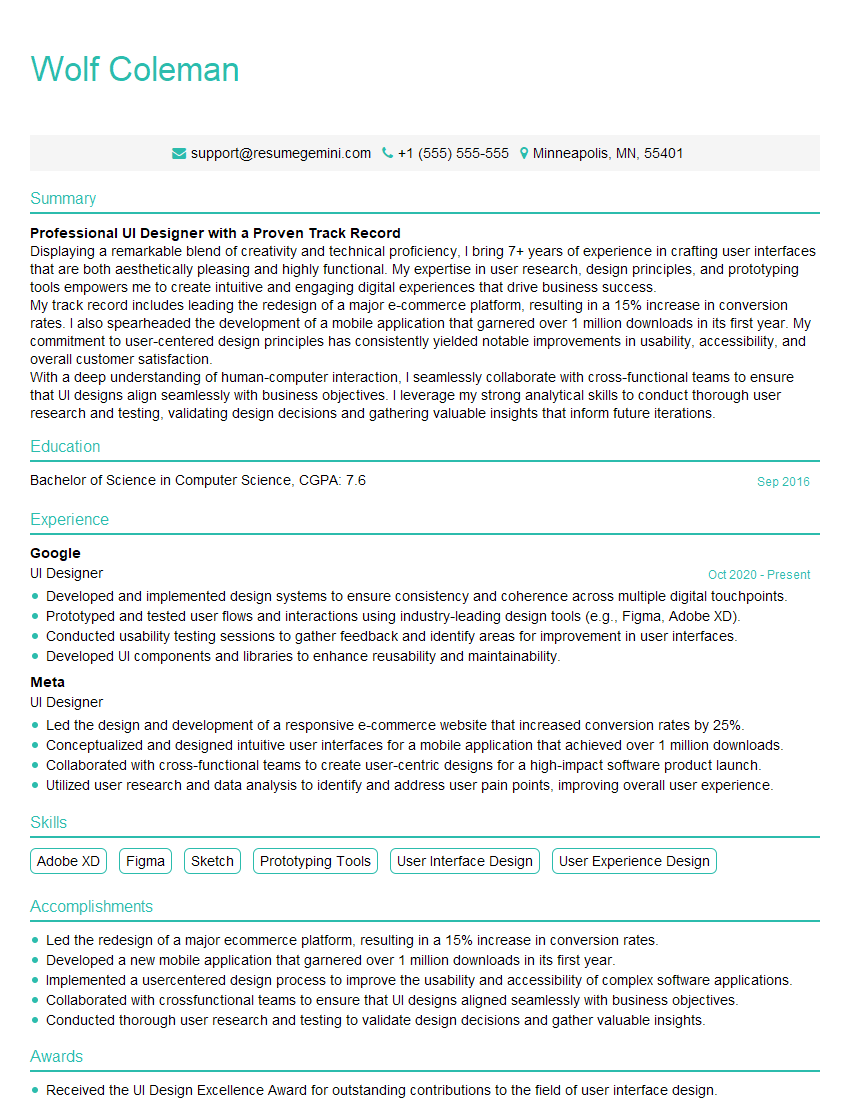
UI Designer Resume Sample
Explore more articles
Users Rating of Our Blogs
Share Your Experience
We value your feedback! Please rate our content and share your thoughts (optional).
What Readers Say About Our Blog
Very informative content, great job.
good