Interviews are more than just a Q&A session—they’re a chance to prove your worth. This blog dives into essential Experience with data entry software interview questions and expert tips to help you align your answers with what hiring managers are looking for. Start preparing to shine!
Questions Asked in Experience with data entry software Interview
Q 1. What data entry software are you proficient in?
I’m proficient in a variety of data entry software, including industry-standard applications like Microsoft Excel, Google Sheets, and specialized software such as Salesforce, SAP, and SQL databases. My experience also extends to using dedicated data entry applications designed for specific tasks, including those focused on inventory management, customer relationship management (CRM), and accounting. I’m comfortable navigating different user interfaces and adapting quickly to new software.
For instance, in a previous role, I used Salesforce daily to input and update customer information, ensuring data accuracy and accessibility across the sales team. In another project, I utilized a custom-built inventory management system to track thousands of items, demonstrating my adaptability across diverse platforms.
Q 2. Describe your experience with data validation and error correction.
Data validation and error correction are crucial for maintaining data integrity. My approach involves implementing a multi-step process. First, I understand the data structure and identify potential validation rules. This might involve checking for data type consistency (e.g., ensuring a phone number field only contains numerical characters), checking for ranges (e.g., age should be between 0 and 120), and verifying data completeness (e.g., all required fields are filled).
Then, I use built-in validation features within the software to enforce these rules, catching errors during entry. When errors are detected, I employ various correction methods. For minor errors like typos, I correct them directly. For more significant discrepancies, I may need to consult source documents or refer to the relevant department for clarification. I always meticulously document any corrections made, maintaining an audit trail.
For example, if I encounter an age of ‘200’, I know it’s incorrect, so I wouldn’t just change it. Instead, I would check the source document to confirm the correct age or reach out to the relevant team to resolve this discrepancy. This meticulous approach ensures the final data is both accurate and consistent.
Q 3. How do you ensure data accuracy and consistency?
Ensuring data accuracy and consistency is paramount. My strategy involves a combination of proactive measures and rigorous checks. I begin by carefully reviewing the data entry guidelines and field specifications before starting any project. This prevents misunderstandings and minimizes errors from the outset. During data entry, I use several techniques: double-checking entries, using data validation rules (as explained previously), and regularly comparing my entered data to the source documents.
I also utilize software functionalities like auto-fill and drop-down menus whenever possible to reduce manual entry and increase speed and consistency. Following data entry, I perform a thorough review, utilizing data analysis techniques to identify any inconsistencies or outliers. Any inconsistencies are thoroughly investigated and corrected.
Imagine entering customer addresses. I’d use address validation features to ensure the address is correctly formatted and exists, using a lookup against a database. This proactive strategy minimizes errors and improves overall data quality.
Q 4. What is your typing speed and accuracy rate?
My typing speed is consistently above 75 words per minute with an accuracy rate exceeding 99%. These metrics are regularly tested and maintained through practice and consistent use of keyboard shortcuts and efficient typing techniques. I understand that speed is important, but accuracy is paramount. Therefore, I prioritize accuracy over speed, ensuring the integrity of the data being entered.
Q 5. How do you handle large volumes of data entry?
Handling large volumes of data requires a structured and efficient approach. I break down large projects into smaller, manageable tasks. This allows for better organization and reduces the risk of errors stemming from fatigue. I utilize automation wherever possible, such as employing macros in Excel or utilizing import functions in other applications. I also prioritize regular breaks to maintain focus and accuracy. This prevents burnout and ensures consistent performance throughout the project.
Furthermore, I regularly back up my work to prevent data loss and utilize software features, like progress bars and reporting tools, to track my progress and estimate completion times effectively. Clear communication with stakeholders keeps everyone informed of progress and potential challenges.
Q 6. Explain your experience with different data entry methods (e.g., keyboard, scanner, OCR).
My experience encompasses various data entry methods. I’m highly proficient with keyboard entry, employing efficient techniques to maximize speed and accuracy. I’m also experienced with using scanners and OCR (Optical Character Recognition) software to digitize paper documents. This includes using scanner software to create digital copies of documents and OCR software to convert those scanned images into editable text. This allows for quick and efficient data input from paper-based sources.
For example, I have used scanners and OCR to digitize customer forms, and then imported that data into a CRM system. The use of OCR reduces manual effort and greatly speeds up the data entry process for large quantities of documents. I understand the limitations of OCR, and always review its output for accuracy, manually correcting any errors.
Q 7. How do you prioritize tasks when dealing with multiple data entry projects?
When juggling multiple data entry projects, effective prioritization is crucial. I utilize a combination of techniques, including: understanding project deadlines, assessing the urgency and importance of each project, and considering the potential consequences of delays. I create a prioritized task list, often using project management software to track progress and deadlines effectively. I also communicate regularly with project stakeholders to address any unexpected issues or changes in priorities.
For instance, I might prioritize a time-sensitive project with immediate consequences over one with a more flexible deadline, even if the latter has a larger data volume. I always document the prioritization rationale so decisions are transparent and easily understood. This structured approach keeps me on track and helps deliver high-quality results across multiple projects.
Q 8. Describe your experience with data cleansing and deduplication.
Data cleansing and deduplication are crucial for maintaining data quality. Cleansing involves identifying and correcting or removing inaccurate, incomplete, irrelevant, duplicated, or improperly formatted data. Deduplication focuses specifically on identifying and removing duplicate entries. Think of it like spring cleaning your data – getting rid of the clutter and ensuring everything is accurate and consistent.
In my experience, I’ve used various techniques for both. For cleansing, I often utilize scripting languages like Python with libraries such as Pandas to automate tasks like standardizing date formats (e.g., converting ’01/02/2024′ to ‘2024-01-02’), correcting spelling errors using fuzzy matching algorithms, and handling missing values through imputation or removal. For deduplication, I employ techniques like comparing records based on unique identifiers (if available) or using more sophisticated methods like record linkage, which accounts for variations in data entry.
For example, I once worked on a project with a customer database containing thousands of entries. Using Python and Pandas, I identified and corrected inconsistencies in address formats, standardized phone numbers, and removed duplicate entries based on a combination of name and address fields, resulting in a significantly improved data quality for targeted marketing campaigns.
Q 9. What strategies do you use to maintain focus and avoid errors during prolonged data entry?
Maintaining focus during prolonged data entry is paramount to accuracy. I employ several strategies to minimize errors and ensure high quality. It’s a bit like running a marathon; you need a plan to pace yourself and stay energized.
- Regular Breaks: I schedule short breaks every hour, allowing my eyes and mind to rest. This prevents burnout and reduces the risk of careless mistakes.
- Ergonomics: Maintaining a comfortable posture with proper lighting and equipment is crucial. An uncomfortable workspace leads to fatigue and errors.
- Stretching and Movement: Simple stretches and getting up to move around periodically improves blood circulation and reduces stiffness, improving focus and energy levels.
- Techniques like the Pomodoro Technique: Working in focused bursts followed by short breaks enhances concentration and productivity.
- Proofreading and Verification: I regularly verify entered data against source documents, often using double entry or checksum verification methods, to detect discrepancies early.
Q 10. How familiar are you with data security protocols and best practices?
Data security is a top priority for me. I’m very familiar with various protocols and best practices, understanding that data breaches can have severe consequences.
- Access Control: I strictly adhere to access control procedures, only accessing data systems and files for which I have authorized permissions.
- Password Security: I use strong, unique passwords and follow password management best practices.
- Data Encryption: I understand the importance of encrypting sensitive data both in transit and at rest.
- Compliance: I’m familiar with regulations such as HIPAA and GDPR, adapting my practices to meet compliance requirements where applicable.
- Reporting: I know the importance of promptly reporting any suspected security incidents or breaches.
In practical terms, this means ensuring I log out of systems when finished, never sharing passwords, and being vigilant about phishing attempts or suspicious emails.
Q 11. Have you worked with any data entry software integration with other systems?
Yes, I have significant experience integrating data entry software with other systems. This often involves using APIs (Application Programming Interfaces) or ETL (Extract, Transform, Load) processes.
For example, I’ve worked on projects where data entered into a custom CRM (Customer Relationship Management) system was automatically integrated with a marketing automation platform via an API. This allowed for seamless data flow and automated marketing campaign triggers based on the newly entered customer data. Another project involved using ETL tools to extract data from various spreadsheets, transform it into a consistent format, and load it into a central database. This required understanding different data formats and the processes needed to standardize them.
Q 12. How do you handle conflicting or ambiguous data?
Handling conflicting or ambiguous data requires a systematic approach. It’s like being a detective, carefully examining clues to find the most accurate information.
- Identify the source of conflict: Determining where the conflicting information originates helps understand the reason for discrepancy. Are multiple sources providing different information, or is there an issue with data entry?
- Investigate further: Check original source documents, if possible, to verify accuracy. Look for patterns in the data that might indicate a systemic problem.
- Prioritize data sources: Decide which data source is more trustworthy based on reliability and accuracy.
- Document decisions: Maintain detailed logs of all decisions made, including justifications and resolutions for future reference and traceability.
- Escalate when needed: If conflicts can’t be resolved, escalate the issue to relevant parties for further investigation or clarification.
For example, if I encounter conflicting birthdates for the same individual, I would investigate both sources. If one source is a formal government record and the other is self-reported, I’d prioritize the government record as the more reliable source.
Q 13. Describe your experience working with different data formats (e.g., CSV, XML, JSON).
I’m proficient in working with various data formats, including CSV, XML, and JSON. Each has its strengths and weaknesses, and I adapt my approach accordingly.
- CSV (Comma Separated Values): Simple and widely used for tabular data; I often use spreadsheet software or scripting languages to process it.
- XML (Extensible Markup Language): Used for structured data; I utilize XML parsers to extract information. I understand how to navigate XML structures and access specific data elements using XPath.
- JSON (JavaScript Object Notation): Widely used for web APIs and data exchange; I use JSON parsers in various programming languages to easily interact with JSON-formatted data. I’m familiar with its key-value pair structure and nested objects.
My experience includes using these formats for tasks such as importing data from various sources, converting between formats, and using scripting to automate data processing tasks involving these formats.
Q 14. How do you troubleshoot common data entry problems?
Troubleshooting data entry problems involves a methodical approach.
- Identify the type of error: Is it a data entry error, a system error, or a data quality issue?
- Review data entry procedures: Check if the data entry process has any weaknesses or gaps that might lead to errors. This could include training, process documentation, or software issues.
- Check data source: Confirm the accuracy of the data source. Inaccurate source data is a primary reason for errors.
- Examine software logs and error messages: System logs and error messages are crucial clues in pinpointing technical problems.
- Test and retest: Once potential solutions are identified, thoroughly test and retest data entry processes to ensure the issue is resolved.
- Seek assistance: If problems persist, involve IT or other relevant support personnel to help resolve complex technical problems.
For instance, if I find a pattern of incorrect zip codes, I’d investigate if there’s an issue with the data source or if there’s a problem in the data entry form itself that is prompting incorrect input.
Q 15. Explain your experience with data backup and recovery procedures.
Data backup and recovery are crucial for ensuring data integrity and business continuity. My experience involves implementing and managing various backup strategies, including both local and cloud-based solutions. For local backups, I’ve utilized tools like Windows Server Backup, creating incremental and differential backups to minimize storage space and backup times. For cloud solutions, I have extensive experience with services like AWS S3 and Azure Blob Storage, leveraging their scalability and redundancy features. Recovery procedures are equally critical. I’m proficient in restoring data from backups using both GUI-based tools and command-line interfaces, ensuring a rapid and accurate recovery in case of data loss due to hardware failure, accidental deletion, or malware attacks. I always meticulously test the recovery process to validate its effectiveness and identify potential bottlenecks. For example, during a recent project involving a large database, I implemented a scheduled differential backup strategy to AWS S3, which significantly reduced the backup window and ensured rapid recovery of individual tables if needed, minimizing downtime.
Career Expert Tips:
- Ace those interviews! Prepare effectively by reviewing the Top 50 Most Common Interview Questions on ResumeGemini.
- Navigate your job search with confidence! Explore a wide range of Career Tips on ResumeGemini. Learn about common challenges and recommendations to overcome them.
- Craft the perfect resume! Master the Art of Resume Writing with ResumeGemini’s guide. Showcase your unique qualifications and achievements effectively.
- Don’t miss out on holiday savings! Build your dream resume with ResumeGemini’s ATS optimized templates.
Q 16. What is your understanding of data quality metrics?
Data quality metrics are essential for assessing the accuracy, completeness, consistency, and timeliness of data. Key metrics include:
- Accuracy: The percentage of data entries that are free from errors. This can be measured by comparing entered data against a trusted source.
- Completeness: The proportion of required data fields that have been populated. A low completeness score highlights missing information.
- Consistency: The degree to which data is uniformly formatted and follows established standards. Inconsistent data can lead to inaccuracies in analysis.
- Timeliness: How quickly data is entered and made available for use. Delayed data can hinder decision-making.
- Uniqueness: Measures the absence of duplicate records. Duplicates can skew analysis and create inefficiencies.
Monitoring these metrics allows for proactive identification of data quality issues and enables the implementation of corrective measures. For example, if the accuracy metric for a particular data field is consistently low, it might indicate a need for improved data entry training or a more robust data validation process. Regular reporting on these metrics ensures the ongoing quality of data.
Q 17. How do you stay up-to-date with the latest data entry technologies and trends?
Staying current in the rapidly evolving field of data entry requires a multi-faceted approach. I regularly attend webinars and online courses offered by industry leaders such as Coursera and Udemy focusing on new software, automation tools, and data validation techniques. I also actively follow industry blogs, publications (like those from Gartner and Forrester), and professional networking sites like LinkedIn to stay abreast of emerging trends. Participation in online forums and communities allows for the exchange of best practices and solutions to common challenges with other data entry professionals. Furthermore, I actively seek out opportunities to learn and implement new software and methodologies in my projects to ensure I’m always enhancing my skillset. For example, recently I explored and implemented Robotic Process Automation (RPA) for a repetitive data entry task, which dramatically increased efficiency and accuracy.
Q 18. Describe a time you had to meet a tight deadline for a data entry project.
During a critical project involving the urgent input of customer data for a new marketing campaign, we faced a very tight deadline. The initial timeline was unrealistic given the volume of data. To meet the deadline, I collaborated closely with my team to prioritize the data based on urgency and campaign requirements. We divided the work efficiently, each team member focusing on specific data fields or subsets of the data. I implemented a robust quality control system, incorporating regular checks to ensure data accuracy. This included utilizing data validation tools and cross-referencing against existing databases. Finally, we implemented a flexible work schedule to ensure consistent progress around the clock. Although stressful, by implementing these strategies, we successfully completed the project on time and met the client’s requirements. This experience taught me the value of effective teamwork, flexible planning, and proactive risk management in data entry projects.
Q 19. How do you maintain confidentiality when handling sensitive data?
Confidentiality is paramount when handling sensitive data. I adhere strictly to all company policies and regulatory requirements regarding data protection, such as HIPAA or GDPR. This includes using secure passwords, employing encryption methods, and limiting access to sensitive data on a need-to-know basis. I always ensure that data is stored securely, both during processing and after completion of the project, adhering to best practices for data disposal. I never share confidential data with unauthorized individuals and meticulously document all access and processing activities. For example, during a project involving patient health information, I used a secure, encrypted workstation and followed all HIPAA compliance guidelines, logging all data access and maintaining an audit trail.
Q 20. How comfortable are you working independently and as part of a team?
I’m highly comfortable working both independently and as part of a team. Independent work requires strong self-discipline and organizational skills, which I possess and have honed through years of experience managing my own projects and workloads. Conversely, I thrive in collaborative environments. Teamwork allows for the efficient distribution of tasks, the sharing of knowledge, and the cross-checking of work to maintain high quality and consistency. My collaborative strengths include effective communication, active listening, and a willingness to contribute my expertise while also learning from others. I believe that a combination of independent and collaborative approaches yields the best results in data entry projects.
Q 21. What are your strengths and weaknesses in data entry?
My strengths lie in my accuracy, attention to detail, and efficiency in data entry. I’m proficient in using various data entry software and adept at adapting to new systems quickly. My ability to identify and resolve data inconsistencies is also a key asset. However, like anyone, I have areas for improvement. While I’m comfortable working with large datasets, optimizing my speed with exceptionally complex or unstructured data remains an area I’m actively focusing on improving. I continually look for ways to enhance my efficiency through the implementation of automation tools and streamline workflows to improve my overall productivity.
Q 22. How do you handle repetitive tasks to maintain efficiency and accuracy?
Maintaining efficiency and accuracy in data entry, especially with repetitive tasks, relies heavily on developing effective strategies and leveraging available tools. Think of it like an assembly line – each step needs to be optimized.
- Macro Creation: For highly repetitive tasks, I utilize macros in software like Excel or dedicated data entry programs. For example, if I’m consistently entering data formatted as ‘LastName, FirstName; DateOfBirth; Address’, I’d create a macro to automate this process, significantly reducing errors and time spent.
- Keyboard Shortcuts: Mastering keyboard shortcuts (like Ctrl+C for copy and Ctrl+V for paste) is crucial. Beyond the basics, I familiarize myself with software-specific shortcuts to navigate and manipulate data swiftly. This is like learning the shortcuts on your phone – it drastically speeds things up.
- Data Validation: Before beginning any large data entry project, I carefully examine the data source and establish clear validation rules to prevent inconsistencies. This might involve ensuring date formats are consistent, or that numerical data is within a reasonable range. Think of this as having a blueprint before you start building.
- Regular Breaks: Surprisingly, regular short breaks are vital to maintain focus and accuracy. Prolonged periods of data entry can lead to errors from fatigue. It’s akin to a marathon runner needing water stops along the way.
Q 23. Describe your experience with data entry quality control processes.
Data entry quality control is not an afterthought; it’s an integrated process. My experience involves multiple layers of checks and balances.
- Data Validation Checks: I employ data validation rules within the data entry software itself, such as input masks to restrict entry to specific formats (e.g., only numerical values or specific date formats). This is the first line of defense, preventing invalid data from entering the system in the first place.
- Cross-Referencing: Whenever possible, I cross-reference data against multiple sources to ensure consistency and accuracy. For instance, if entering customer information, I might compare it against an existing database to detect any discrepancies.
- Regular Spot Checks: I conduct regular spot checks of my own work to catch errors early on, ideally while the data is still fresh in my memory. This is similar to a proofreader checking their work, and ideally you should do this before any larger-scale checks occur.
- Data Profiling: After a significant portion of data is entered, I often generate data profiles to identify potential anomalies, such as unexpected values or missing data. This is like taking a ‘health check’ of the data – identifying unusual patterns before they become bigger problems.
Q 24. What measures do you take to protect against data loss or corruption?
Protecting data is paramount. My approach is multi-faceted and proactive.
- Regular Backups: I perform regular, incremental backups of my work to external storage, ensuring I have multiple versions in case of data loss. This is like having multiple copies of an important document stored in different locations.
- Version Control: When working on shared projects, I leverage version control systems to track changes and revert to previous versions if needed. This is like having a history of edits for a document, allowing you to easily go back if something goes wrong.
- Data Encryption: I always use data encryption for sensitive information, both during transmission and storage, safeguarding data confidentiality. This is similar to locking your important documents in a safe.
- Following Security Protocols: I strictly adhere to all company security policies and protocols regarding data access, storage, and handling, including strong passwords and secure login procedures.
Q 25. What are some common errors to avoid in data entry?
Common data entry errors are often preventable with careful attention to detail. Some of the most frequent include:
- Typos: Double-checking each entry carefully or using spell-check features are crucial in avoiding simple typos which can lead to significant downstream errors.
- Incorrect Formatting: Adhering strictly to specified formats (dates, numbers, etc.) is vital. Inconsistent formatting can severely impact data analysis.
- Data Duplication: Thoroughly reviewing data to detect and prevent duplicate entries which can skew results.
- Transposition Errors: These are where digits or characters are swapped (e.g., entering 1234 as 1324). Careful double-checking, especially numerical data, can minimize these mistakes.
- Missing Data: Ensuring all required fields are populated correctly is important; incomplete data renders the dataset less useful.
Q 26. How do you manage your workload and prioritize tasks when working with multiple projects?
Managing multiple projects effectively requires a structured approach.
- Prioritization: I use tools like project management software (Trello, Asana, etc.) to prioritize tasks based on deadlines and urgency, ensuring high-priority items are addressed first. This is like using a to-do list, but for multiple projects.
- Time Blocking: I allocate specific time blocks to each project, minimizing context switching and improving focus. This is similar to setting a timer for different tasks to maintain focus and track your progress.
- Regular Check-ins: I conduct regular check-ins on my progress against project plans, adjusting timelines as needed. This helps prevent unexpected delays.
- Communication: Open communication with stakeholders is crucial to manage expectations and address any issues promptly.
Q 27. How do you adapt to changes in data entry procedures or software?
Adaptability is key in the ever-evolving field of data entry.
- Continuous Learning: I actively seek out training and resources to stay current with the latest data entry software and techniques. This includes online tutorials and self-directed learning.
- Openness to Feedback: I am receptive to feedback on my performance and actively seek ways to improve my skills and efficiency.
- Problem Solving: When faced with new procedures or software, I approach it methodically, breaking down complex tasks into smaller, manageable steps.
- Seeking Clarification: If I’m unsure about a new procedure, I actively seek clarification from supervisors or colleagues to avoid errors.
Q 28. Explain your experience with using different keyboard shortcuts to enhance efficiency.
Keyboard shortcuts are a cornerstone of my efficiency. I’ve built a repertoire over years of experience, tailoring my usage to different software.
- Common Shortcuts: I use the standard Ctrl+C (copy), Ctrl+X (cut), Ctrl+V (paste), Ctrl+Z (undo), and Ctrl+Y (redo) extensively across applications.
- Software-Specific Shortcuts: For specific software like Excel, I use shortcuts like Ctrl+Shift+↓ (select to the end of the column) or Ctrl+F (find) to speed up data entry and manipulation.
- Navigation Shortcuts: I use Tab, Enter, and arrow keys effectively for navigating within data entry forms, minimizing mouse usage which enhances efficiency.
- Custom Shortcuts: Some data entry software allows customization of keyboard shortcuts; I leverage this to create shortcuts specifically tailored to my frequent tasks. It’s like creating your own ‘cheat codes’ for efficiency.
Key Topics to Learn for Data Entry Software Interview
- Data Entry Software Proficiency: Understanding various data entry software applications (e.g., spreadsheets, databases, specialized entry systems). Discuss your experience with different interfaces and functionalities.
- Data Validation and Accuracy: Explain your methods for ensuring data accuracy, including techniques like double-checking, using validation rules, and identifying inconsistencies. Showcase examples of how you’ve addressed data errors.
- Keyboarding Skills and Speed: Highlight your typing speed and accuracy. Discuss strategies for maintaining efficiency and minimizing errors during high-volume data entry.
- Data Formatting and Standardization: Explain how you format data to meet specific requirements, including consistent use of naming conventions, data types, and units of measure. Describe your experience with data cleaning and transformation.
- Data Security and Confidentiality: Discuss your understanding of data security protocols and your experience handling sensitive information responsibly. Explain how you would protect data from breaches or unauthorized access.
- Software Specifics: If you have experience with particular software (e.g., SAP, Salesforce, specific database systems), be prepared to discuss your expertise and relevant features.
- Problem-Solving and Troubleshooting: Describe instances where you encountered data entry challenges and how you successfully resolved them. Highlight your analytical skills in identifying and resolving data discrepancies.
- Workflow Optimization: Discuss your experience streamlining data entry processes, improving efficiency, and identifying areas for improvement. Quantify your contributions wherever possible.
Next Steps
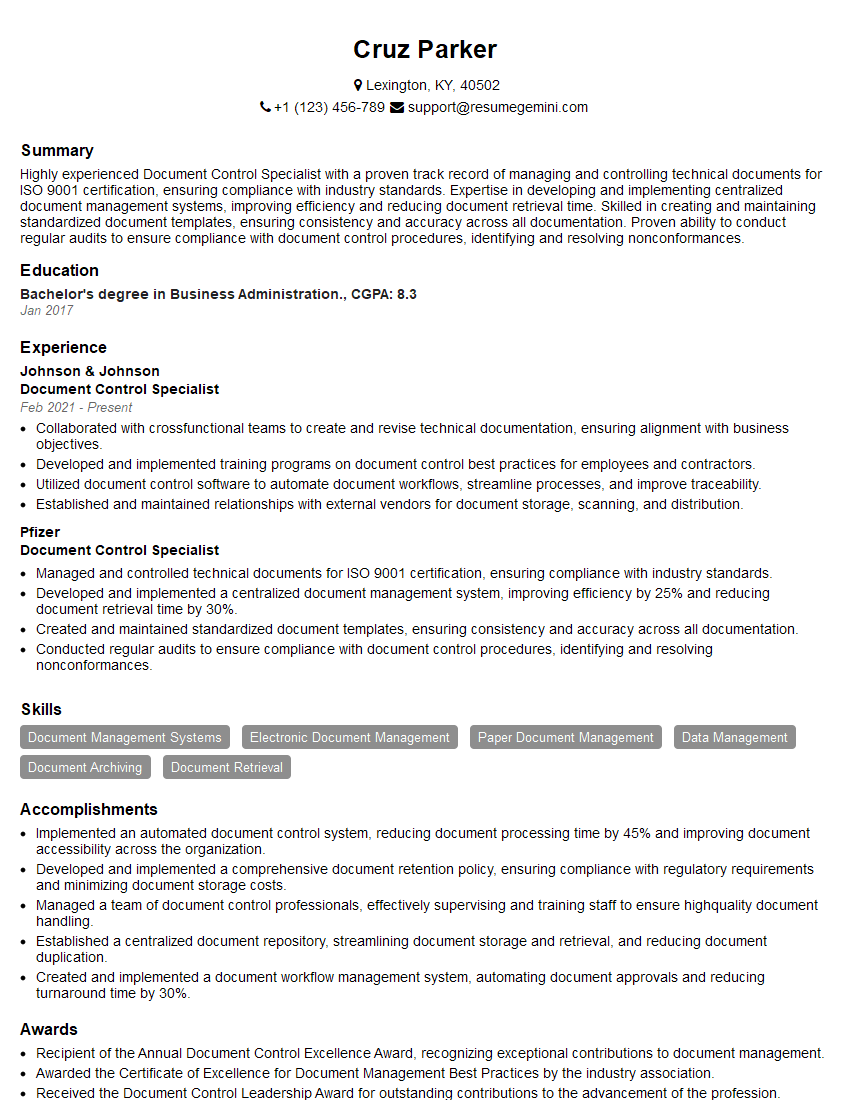
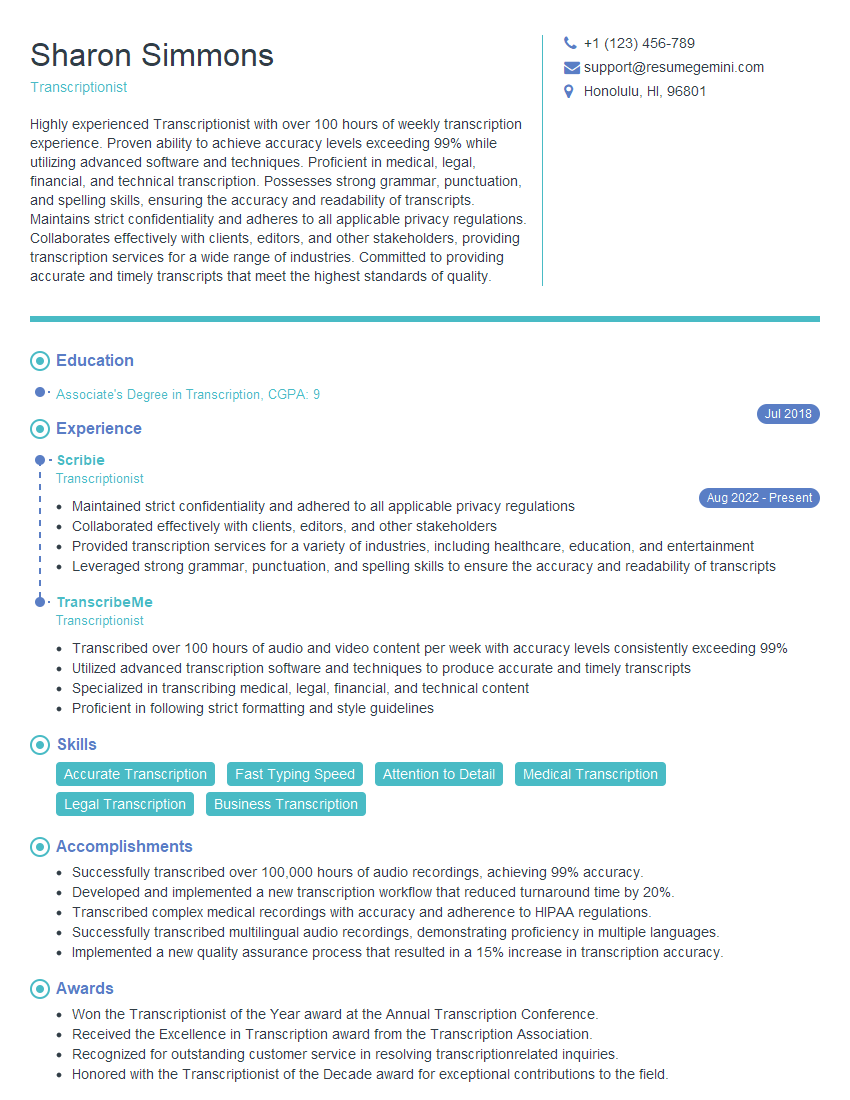
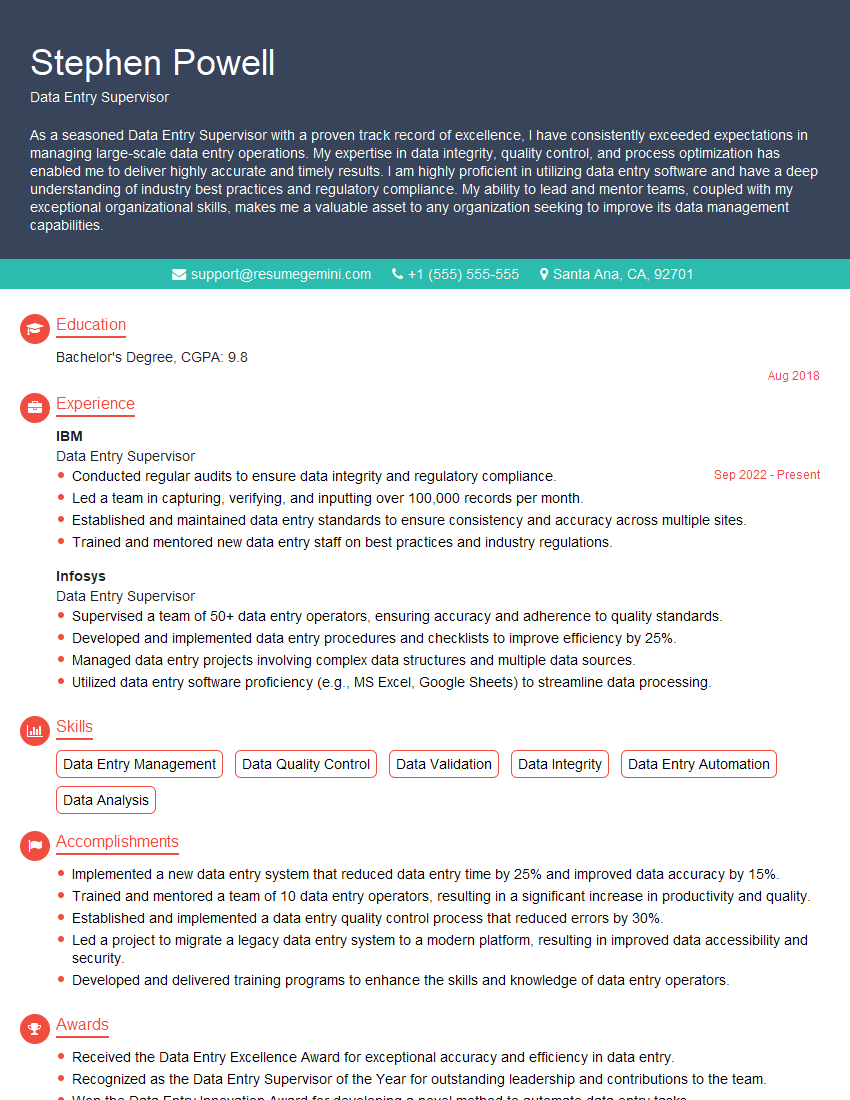
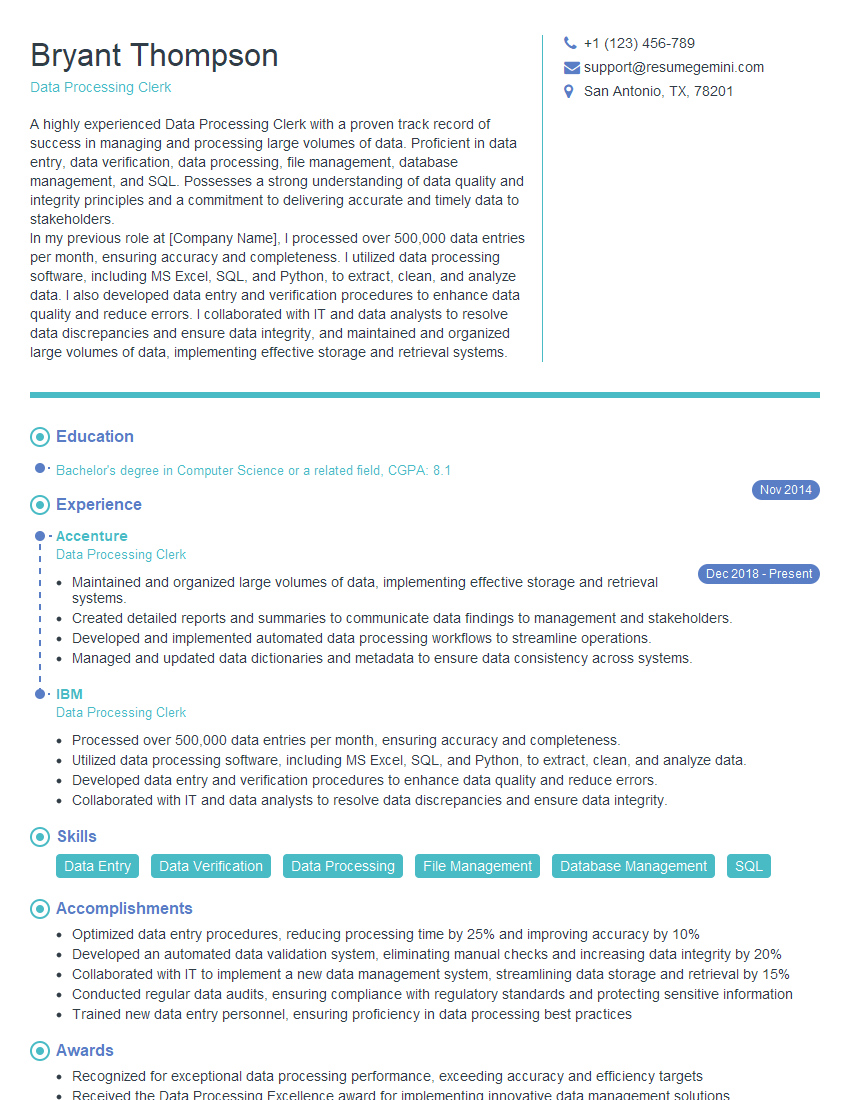
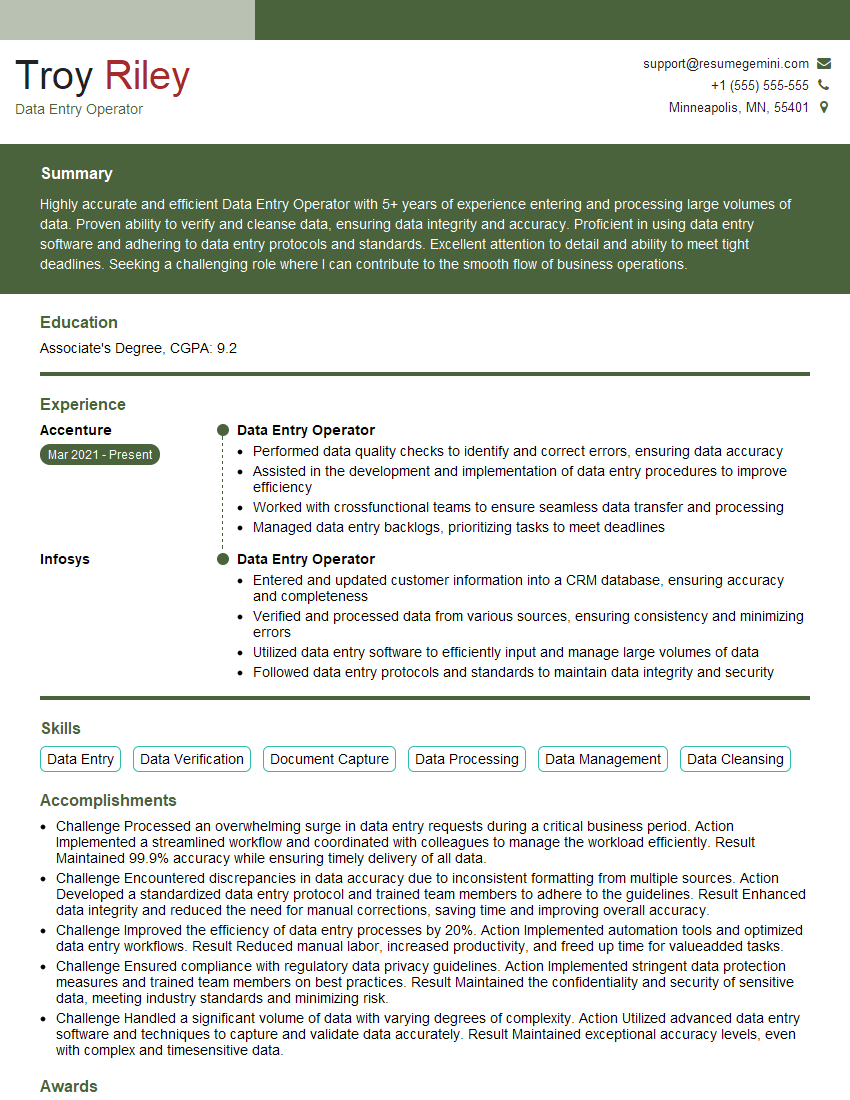
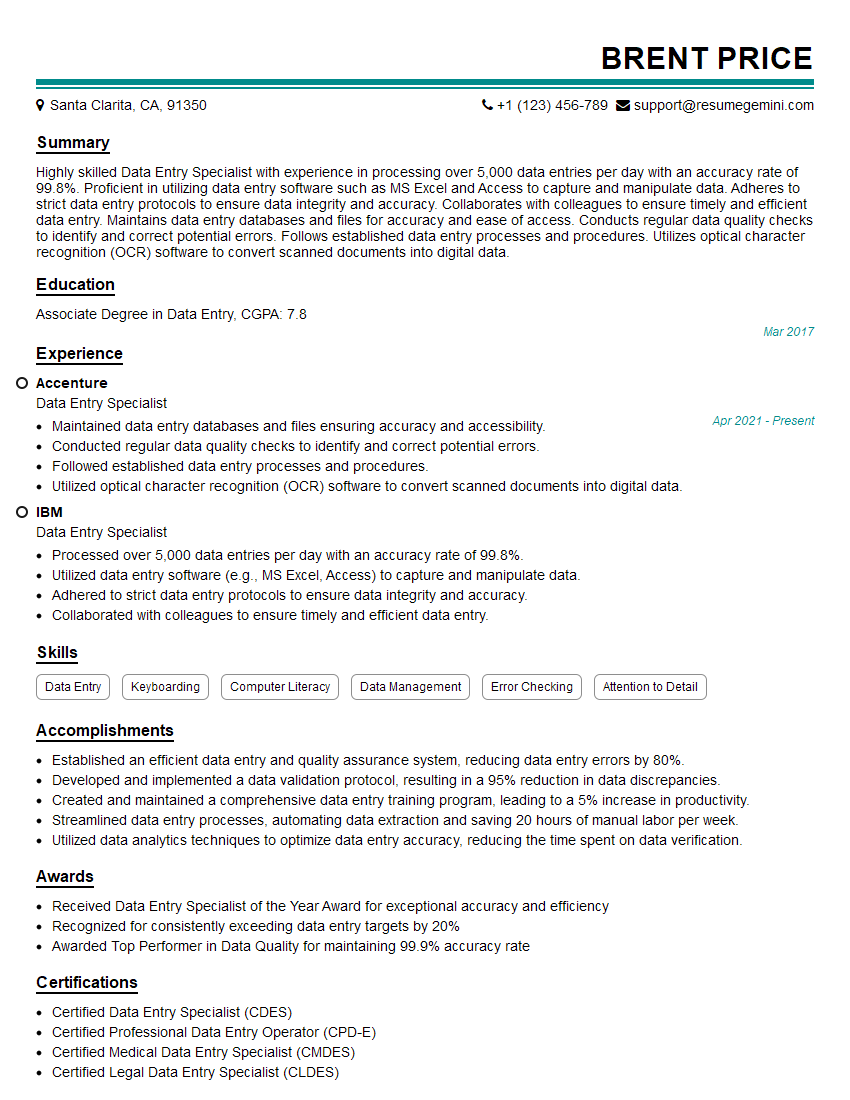
Mastering data entry software is crucial for a successful career in various fields, opening doors to roles demanding accuracy, efficiency, and attention to detail. An ATS-friendly resume is essential for getting your application noticed by recruiters. To maximize your job prospects, craft a compelling resume that highlights your skills and experience effectively. ResumeGemini is a trusted resource for building professional, ATS-friendly resumes. We offer examples of resumes tailored to data entry software experience to help you get started.

Explore more articles
Users Rating of Our Blogs
Share Your Experience
We value your feedback! Please rate our content and share your thoughts (optional).
What Readers Say About Our Blog
Very informative content, great job.
good