Cracking a skill-specific interview, like one for Experience with wireframing and prototyping, requires understanding the nuances of the role. In this blog, we present the questions you’re most likely to encounter, along with insights into how to answer them effectively. Let’s ensure you’re ready to make a strong impression.
Questions Asked in Experience with wireframing and prototyping Interview
Q 1. Explain the difference between wireframing and prototyping.
Wireframing and prototyping are both crucial stages in the UX design process, but they serve different purposes. Think of wireframing as sketching the blueprint of a house, while prototyping is building a scale model.
Wireframing focuses on the structure and functionality of an interface. It’s a low-fidelity representation, typically using simple shapes and text to outline the placement of elements like buttons, menus, and content areas. The goal is to map out the user flow and information architecture, ensuring a logical and intuitive user experience.
Prototyping, on the other hand, is about simulating the interaction and behavior of the interface. It can range from low-fidelity (like a clickable PDF) to high-fidelity (closely resembling the final product). Prototypes allow users to interact with a working version of the design, providing valuable feedback before development begins. They help identify usability issues early in the process, saving time and resources.
Q 2. What are the key principles of effective wireframing?
Effective wireframing relies on several key principles:
- Focus on Functionality: Prioritize core functionality and user flows over visual aesthetics. The goal is to test the usability of the design, not its visual appeal.
- Clarity and Simplicity: Use simple shapes and labels to represent UI elements. Avoid unnecessary details that can distract from the core functionality.
- Consistency: Maintain consistent design patterns and layouts throughout the wireframe. This helps users understand how to navigate the interface.
- User-Centered Approach: Design wireframes with the target users in mind. Consider their needs, goals, and tasks when defining the layout and functionality.
- Iterative Design: Wireframing is an iterative process. Expect to revise and refine your wireframes based on feedback and testing.
For example, instead of meticulously designing a button with gradients and shadows, a simple rectangle with the label “Submit” is sufficient in a wireframe.
Q 3. Describe your preferred wireframing tools and why you choose them.
My preferred wireframing tools are Figma and Balsamiq.
I choose Figma for its collaborative capabilities and its ability to easily transition to prototyping. Its vector-based nature allows for scalability and easy sharing amongst team members. It also supports real-time collaboration, making feedback and revisions incredibly efficient.
I use Balsamiq for its low-fidelity, hand-drawn aesthetic, which helps keep the focus on functionality and encourages brainstorming and quick iterations. Its simplicity reduces the temptation to get bogged down in visual details prematurely.
The choice between the two depends on the project’s needs. For collaborative projects requiring high fidelity later, Figma is my go-to. For quick brainstorming and early-stage exploration, Balsamiq’s rapid sketching capabilities are invaluable.
Q 4. How do you incorporate user feedback into your wireframes?
Incorporating user feedback is crucial. I use a variety of methods:
- Usability Testing: Observing users interacting with a clickable prototype (even a low-fidelity one) reveals pain points and areas for improvement.
- Surveys and Questionnaires: Gathering feedback on specific aspects of the design, like navigation or task completion.
- Heuristic Evaluation: Expert review of the wireframes against established usability principles. This can help identify potential problems that users might not readily notice.
- A/B Testing: Comparing different versions of wireframes to see which performs better.
I document all feedback, prioritizing critical issues based on severity and frequency. These insights then directly inform revisions to the wireframes, ensuring the final design addresses user needs and expectations. For example, if users consistently struggle with a particular navigation element, I’d redesign that section, simplifying it or providing clearer labels.
Q 5. What are the different types of prototypes and when would you use each?
There’s a spectrum of prototype types:
- Low-Fidelity Prototypes: These are quick and rough representations, often paper-based or using simple tools like Balsamiq. They’re ideal for early-stage testing and exploring various design concepts. A paper prototype, for instance, simply uses paper cut-outs simulating UI elements.
- Mid-Fidelity Prototypes: These offer a more refined representation, often incorporating interactive elements but without the polished look of high-fidelity prototypes. Tools like Figma are commonly used to create these.
- High-Fidelity Prototypes: These closely resemble the final product in terms of visual design and functionality. They’re used for comprehensive testing and can even be used for client presentations.
- Interactive Prototypes: These allow for user interaction, mimicking the actual behavior of the final product. This is where tools like Figma, Adobe XD, or Axure shine.
The choice of prototype type depends on the project phase and the level of detail required. Early in the design process, low-fidelity prototypes are sufficient for exploring basic interactions. As the design matures, higher-fidelity prototypes are used to refine the interaction design and address specific usability challenges.
Q 6. Explain your process for creating a low-fidelity prototype.
My process for creating a low-fidelity prototype is iterative and focuses on speed and clarity:
- Sketching: I start by sketching the basic layout on paper, focusing on the overall structure and placement of UI elements.
- Digitalization (Optional): I might then use a tool like Balsamiq to create a digital version of my sketch, allowing for easier sharing and collaboration.
- User Flow Mapping: I define the user’s journey through the application, ensuring a clear and intuitive flow from one screen to another.
- Testing & Iteration: I test the prototype with users to gather feedback, identifying areas for improvement. Based on the feedback, I iterate on my wireframes and refine the design.
The key is to keep the process fast and flexible. The goal is not to create a visually perfect prototype, but rather a functional representation that allows for testing and iteration.
Q 7. How do you create high-fidelity prototypes?
Creating high-fidelity prototypes involves a more detailed approach. It’s about making the prototype look and feel as close to the final product as possible:
- Visual Design: I establish a consistent visual style and design system, using appropriate colors, typography, and imagery. This usually involves creating style guides for consistent branding.
- Interactive Elements: I add interactive elements, such as buttons, links, and animations, to simulate the final product’s behavior. This is where tools like Figma become essential.
- Micro-interactions: I incorporate subtle animations and feedback mechanisms to enhance the user experience. For example, a subtle animation when a button is clicked, providing visual confirmation of the action.
- Data Integration (Optional): I might integrate dummy data to simulate real-world scenarios, making the prototype more realistic and engaging.
- Testing and Refinement: High-fidelity prototypes are also rigorously tested, using usability testing methods to identify potential issues before development begins.
The goal is to create a polished prototype that accurately represents the final product, giving stakeholders and users a realistic preview of the user experience. This often involves collaboration with designers and developers.
Q 8. What tools do you use for prototyping?
My prototyping toolkit is quite diverse, reflecting the need for flexibility depending on the project’s scope and fidelity requirements. For low-fidelity wireframing, I frequently use Figma, its collaborative features and ease of use make it perfect for quick iterations and stakeholder feedback. For higher-fidelity prototypes, incorporating interactive elements and animations, I might leverage Adobe XD or InVision Studio. These tools allow for more realistic simulations of user interactions. In situations where I need to quickly test specific interactions or micro-interactions, I might use a simpler tool like Balsamiq for quick wireframes, or even paper prototyping for initial brainstorming sessions. The choice of tool always depends on the specific project needs and the desired level of detail.
Q 9. How do you handle iterative design changes during prototyping?
Iterative design is the lifeblood of successful prototyping. I embrace change as an opportunity for improvement. When changes arise, I document them meticulously, ensuring that everyone on the team is aware. Using version control within my chosen prototyping tool (like Figma’s version history) is crucial. This allows us to revert to previous iterations if necessary, fostering a risk-free experimentation environment. I also make sure to clearly communicate the rationale behind changes to stakeholders, justifying alterations with user testing results or emerging design principles. For example, if user testing reveals an unexpected interaction, we might iterate on the prototype to improve the flow and address the usability issue immediately.
Q 10. How do you test your prototypes?
Testing is an integral part of my prototyping process. I employ a combination of methods. Usability testing with real users is paramount. I typically create testing scenarios, observe users interacting with the prototype, and gather feedback. I also conduct A/B testing to compare different design solutions and identify the most effective approach. This involves creating two versions of the prototype with slightly different designs and then observing user behavior to determine which version performs better. Finally, I conduct heuristic evaluations, reviewing the prototype against established usability heuristics (Nielsen’s 10 Heuristics, for example) to identify potential usability problems.
Q 11. Describe your experience with user testing methodologies.
My experience with user testing methodologies is extensive. I’m proficient in various approaches including moderated and unmoderated user testing. Moderated testing allows for direct interaction and observation, facilitating deeper insights into user behavior. Unmoderated testing, often utilizing tools like UserTesting.com, provides a broader reach and allows for a larger sample size. I also utilize methods like think-aloud protocols, where users verbalize their thought process while interacting with the prototype, offering valuable insights into their decision-making. Furthermore, I leverage card sorting and tree testing to understand user mental models and information architecture preferences. The choice of methodology depends on the project goals, available resources, and the stage of the design process.
Q 12. How do you measure the success of your prototypes?
Measuring prototype success is multifaceted. Key metrics include task completion rates, error rates, time on task, and user satisfaction (often measured through System Usability Scale or SUS scores). Qualitative data from user interviews and observations is equally important. Success isn’t solely determined by quantitative data; I analyze both quantitative and qualitative data to create a holistic picture of the prototype’s performance and identify areas for improvement. For example, a high task completion rate with low user satisfaction might suggest a successful but frustrating experience, requiring design iteration. A low error rate coupled with high user satisfaction indicates a well-designed and effective prototype.
Q 13. What are some common pitfalls to avoid when wireframing and prototyping?
Common pitfalls to avoid include neglecting user research before starting the wireframing and prototyping phase; this leads to prototypes that don’t address real user needs. Another is focusing too much on visual design before the core functionality and information architecture are well-defined. Jumping into high-fidelity prototyping too early can be inefficient and costly. Failing to iterate based on user feedback also hinders improvement. Lastly, not involving stakeholders early and often can result in a disconnect between the prototype and business goals. Addressing these issues through thorough planning, iterative design, and robust user testing minimizes risks.
Q 14. How do you balance fidelity and speed in prototyping?
Balancing fidelity and speed requires strategic thinking. Early in the design process, low-fidelity prototypes are ideal for quickly exploring different design concepts and gathering feedback. This might involve simple wireframes or paper prototypes. As the design matures, I gradually increase the fidelity, focusing on specific areas needing detailed interaction design. This might involve interactive prototypes with animations and micro-interactions. The key is to avoid unnecessary detail early on, focusing on core functionality and user flows. It’s often more effective to create multiple low-fidelity prototypes exploring different options, rather than one high-fidelity prototype that may prove to be off-track after user testing.
Q 15. How do you communicate design decisions to stakeholders using wireframes and prototypes?
Communicating design decisions effectively to stakeholders is crucial for a successful project. I use wireframes and prototypes as visual tools to bridge the gap between abstract ideas and tangible representations. With wireframes, I focus on the skeletal structure – the information architecture and placement of key elements. I use these early-stage visuals to discuss user flows, page layouts, and content hierarchy, fostering a shared understanding of the core functionality before diving into visual design. This iterative process, starting with low-fidelity wireframes and progressing to high-fidelity prototypes, allows for early feedback and adjustments. For example, showing a wireframe of a checkout process allows stakeholders to understand the steps involved and identify potential pain points early on. Prototypes, on the other hand, are more interactive, showcasing functionality and user experience. They allow for hands-on testing and feedback, further clarifying design decisions and validating assumptions. A clickable prototype of a checkout process, for example, would enable stakeholders to experience the flow directly and offer feedback on the ease of navigation and overall user experience. By employing a combination of wireframes and prototypes, I ensure that my design decisions are not only understood but also validated and refined through collaborative feedback.
Career Expert Tips:
- Ace those interviews! Prepare effectively by reviewing the Top 50 Most Common Interview Questions on ResumeGemini.
- Navigate your job search with confidence! Explore a wide range of Career Tips on ResumeGemini. Learn about common challenges and recommendations to overcome them.
- Craft the perfect resume! Master the Art of Resume Writing with ResumeGemini’s guide. Showcase your unique qualifications and achievements effectively.
- Don’t miss out on holiday savings! Build your dream resume with ResumeGemini’s ATS optimized templates.
Q 16. Explain your approach to designing for different screen sizes and devices.
Designing for various screen sizes and devices requires a responsive design approach. I start by understanding the target audience and their typical devices. I then utilize a mobile-first approach, designing the core user experience for the smallest screen size first, and then progressively enhancing it for larger screens. This prioritizes usability and accessibility for the most constrained environment. I leverage tools and techniques like flexible grids, responsive images, and CSS media queries to create layouts that adapt seamlessly across different devices. For example, on a smaller phone screen, I might prioritize essential elements and use a single-column layout. As the screen size increases, I can then introduce additional content and columns, maintaining a consistent brand experience across all platforms. Furthermore, I conduct thorough testing on various devices to ensure optimal functionality and visual appeal across different screen sizes and resolutions, always prioritizing user experience. I utilize testing tools and involve real users in testing to understand how my designs perform in real-world conditions.
Q 17. How do you handle constraints like budget, time, and resources when prototyping?
Budget, time, and resource constraints are realities in most projects. My approach involves prioritizing features and functionalities based on their importance to the user experience. I start by creating a low-fidelity prototype to validate core concepts and user flows before investing significant resources in high-fidelity mockups. I might choose to use free or low-cost prototyping tools initially, moving to more advanced options only when necessary. For instance, I might use simple tools like Balsamiq for initial wireframes and then transition to Figma or Adobe XD for interactive prototypes only once core functionality is validated. I also break down the prototyping process into manageable phases, focusing on delivering incremental value. This agile approach allows for iterative feedback and adjustments, mitigating risks associated with resource limitations. Prioritization and strategic use of tools are crucial in managing constraints effectively.
Q 18. Describe your process for creating interactive prototypes.
Creating interactive prototypes involves a systematic process. I begin with user research and requirement gathering to define the scope and functionality of the prototype. Then, I create wireframes to outline the basic structure and user flow. I carefully plan the interactions, considering user actions and the desired system responses. I then utilize prototyping tools like Figma, Adobe XD, or InVision to create interactive elements, such as clickable buttons, transitions, and animations. During this stage, I carefully consider the user experience, ensuring that interactions are intuitive and engaging. For example, I might use micro-interactions, such as subtle animations on button clicks, to enhance the user experience. Once the interactive prototype is completed, I conduct user testing to identify areas for improvement. The feedback from this testing informs further iterations and refinements of the prototype, leading to a more polished and user-friendly final product. This iterative process ensures the final prototype closely reflects user needs and expectations.
Q 19. How do you ensure consistency across different screens in your prototypes?
Consistency across screens is paramount for a cohesive and professional user experience. I establish a style guide early in the process, defining key design elements such as typography, color palettes, button styles, and spacing. This style guide serves as a blueprint for all screens, ensuring uniformity. I also utilize design systems and component libraries to create reusable components, avoiding discrepancies in design across different screens. For example, I might create a reusable button component with consistent styling and behavior across all screens. I maintain consistency in navigation elements, ensuring clear and consistent pathways for users to navigate the application. Regular reviews and audits of the prototype are conducted to identify and correct any inconsistencies. Ultimately, consistent design strengthens brand identity and improves usability.
Q 20. How do you use wireframes to solve specific design problems?
Wireframes are powerful tools for solving design problems. For instance, if I’m facing a problem with complex user flows, I might create low-fidelity wireframes to map out different pathways and identify potential pain points. This allows for early identification and resolution of navigation issues. If the issue is related to information architecture, wireframes help to visualize the relationship between different pages and content sections, leading to a more logical and intuitive structure. Wireframes also help solve problems related to information prioritization. By visually arranging information on the page, I can assess whether essential content is prominent enough and less important details are appropriately de-emphasized. In essence, wireframes provide a blueprint to explore and solve problems before investing significant time and resources in visual design. It’s a crucial step in problem-solving, enabling iterative refinement based on feedback.
Q 21. How do you incorporate accessibility considerations into your designs?
Accessibility is a fundamental consideration throughout my design process. I adhere to WCAG (Web Content Accessibility Guidelines) to ensure that my prototypes are usable by people with disabilities. I use sufficient color contrast to ensure readability for users with visual impairments. I provide alternative text for images, allowing screen readers to describe the visual content to visually impaired users. I ensure that all interactive elements are accessible via keyboard navigation, accommodating users who cannot use a mouse. I use clear and concise language, avoiding jargon, and I pay attention to font sizes and readability. Regular accessibility testing and audits are crucial to ensure compliance and usability for all users. Inclusive design benefits all users, not just those with disabilities, improving the overall user experience.
Q 22. How do you use analytics to inform your wireframes and prototypes?
Analytics are crucial for creating effective wireframes and prototypes. Before I even start sketching, I analyze existing data to understand user behavior, preferences, and pain points. This might involve reviewing website analytics (e.g., Google Analytics) to identify popular pages, bounce rates, and conversion funnels. For mobile apps, I’d look at app store reviews and in-app analytics. This data helps inform my design decisions, ensuring I’m addressing real user needs and challenges.
For example, if analytics show a high bounce rate on a specific product page, I’ll incorporate changes in my wireframe to improve the page’s clarity and navigation. Perhaps a more prominent call-to-action or a simplified layout would be beneficial. This data-driven approach makes my designs more impactful and aligned with business goals.
I also utilize heatmaps and session recordings to visualize user interactions. Seeing where users click, scroll, and hesitate gives invaluable insights into usability issues that might not be apparent otherwise. This allows me to refine the information architecture and interaction design in my prototypes, making them more efficient and enjoyable to use.
Q 23. Explain your experience with A/B testing prototypes.
A/B testing is an integral part of my prototyping workflow. I often create two or more variations of a prototype, each with different design elements (e.g., button placement, wording, form layout). Then, I present these variations to representative user groups and track key metrics like task completion rate, task time, and error rate. This allows me to objectively compare the effectiveness of different designs.
For instance, when designing a checkout process, I might A/B test two versions: one with a single-page checkout and another with a multi-step process. By analyzing the results, I can determine which approach leads to higher conversion rates and a more streamlined user experience. Tools like Optimizely or VWO are invaluable in facilitating this process. The data collected informs further iterations and ensures we’re constantly optimizing for the best user experience.
Q 24. How do you handle conflicting feedback from stakeholders?
Stakeholder feedback can sometimes be contradictory. My approach is to facilitate a collaborative discussion, ensuring everyone understands the design goals and user needs. I find it beneficial to use a shared platform (like Miro or Mural) where everyone can contribute and visualize design ideas. This transparent approach helps foster understanding and compromise.
I start by summarizing all feedback points, highlighting both agreements and disagreements. Then, I prioritize feedback based on its impact on the overall user experience. For example, feedback concerning accessibility would take precedence over purely aesthetic concerns. I might also present data from usability testing to support my design choices when faced with conflicting opinions. Ultimately, the goal is to reach a consensus that balances stakeholder needs with user-centric design principles. Compromise and clear communication are key.
Q 25. Describe a time you had to pivot your design based on user feedback.
During a project for a food delivery app, initial user testing revealed that users found the search functionality confusing. They struggled to filter results effectively. My initial design featured a complex multi-filter system. Based on user feedback – specifically their frustration and low task success rate – I pivoted to a simpler, more intuitive search bar with auto-suggest and clear categorization of results.
The pivot involved redesigning the search screen in my prototype, simplifying the interface, and emphasizing core search features. Post-pivot usability testing showed a significant improvement in task completion rates and user satisfaction. This experience highlighted the importance of iterative design and the value of adapting quickly to user feedback. Embracing change and flexibility are critical to success.
Q 26. How do you ensure your prototypes are user-friendly and intuitive?
Creating user-friendly and intuitive prototypes requires a focus on clarity, consistency, and accessibility. I follow established design principles like Gestalt principles (proximity, similarity, closure) to ensure visual coherence. I use clear visual hierarchies to guide the user’s eye, prioritize key information, and minimize cognitive load. Furthermore, I adhere to accessibility guidelines (WCAG) to make prototypes usable by people with disabilities.
For example, I would ensure that all interactive elements have sufficient contrast, provide alternative text for images, and use keyboard navigation wherever possible. I also conduct regular usability testing throughout the prototyping process to identify and address any usability issues early on. Think of it like building with LEGOs – each block needs to connect seamlessly and logically to create a stable and fun structure.
Q 27. How do you stay up-to-date with the latest trends in wireframing and prototyping?
Staying current in this rapidly evolving field is essential. I actively participate in online communities (e.g., UX forums, Reddit), attend webinars and conferences, and follow key influencers and publications on social media. I also experiment with new prototyping tools and techniques. This keeps me abreast of new methodologies, design trends, and technological advancements.
Specifically, I regularly explore new prototyping tools, testing their capabilities and evaluating their suitability for different projects. I also dedicate time to reading industry blogs and research papers to understand the latest UX research and design best practices. Continuous learning is crucial for maintaining a competitive edge and delivering cutting-edge designs.
Q 28. What are your strengths and weaknesses in wireframing and prototyping?
Strengths: I excel at translating complex requirements into simple, user-friendly designs. My strong analytical skills allow me to effectively utilize data to inform design decisions. I’m also proficient in various prototyping tools (Figma, Adobe XD, Axure) and have a proven track record of creating effective prototypes that meet both business objectives and user needs. I am a collaborative team player and comfortable working with diverse stakeholders.
Weaknesses: While I am highly proficient in most aspects of the process, I could improve my skills in advanced animation and micro-interaction design within prototypes. I also recognize the need to further refine my knowledge of specific niche areas, such as voice UI design. Continuous learning and improvement are my focus.
Key Topics to Learn for Experience with Wireframing and Prototyping Interview
- Understanding User Needs: Learn how to effectively translate user research into wireframes and prototypes. Consider user journeys and information architecture.
- Wireframing Techniques: Master various wireframing methods (low-fidelity, mid-fidelity, high-fidelity) and choose the appropriate level of detail for different project phases.
- Prototyping Tools and Software: Gain proficiency in popular prototyping tools like Figma, Adobe XD, InVision, or Sketch. Understand their capabilities and limitations.
- Interaction Design Principles: Apply principles of usability and user experience (UX) to create intuitive and user-friendly prototypes. Focus on navigation, feedback mechanisms, and error handling.
- Iteration and Feedback: Explain your process for incorporating user feedback and iterating on designs based on testing and analysis.
- Collaboration and Communication: Discuss your experience collaborating with designers, developers, and stakeholders throughout the design process.
- Accessibility Considerations: Demonstrate understanding of accessibility best practices and how to incorporate them into wireframes and prototypes.
- Responsive Design Principles: Explain your approach to creating prototypes that adapt seamlessly to different screen sizes and devices.
- Testing and Evaluation Methods: Describe methods for testing prototypes, gathering feedback, and using that data to improve designs (e.g., A/B testing, user interviews).
- Case Studies and Portfolio Preparation: Prepare compelling case studies showcasing your wireframing and prototyping skills and the positive impact you’ve had on projects.
Next Steps
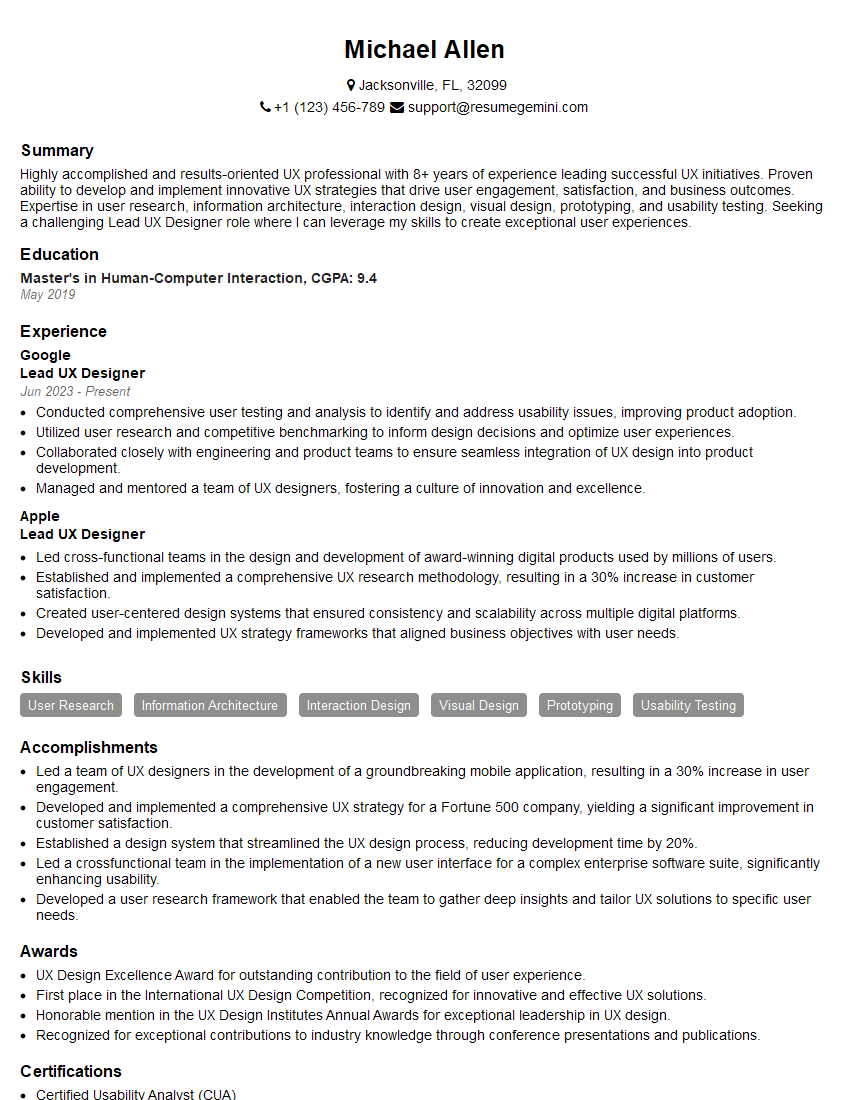
Mastering wireframing and prototyping is crucial for career advancement in UX/UI design and related fields. A strong portfolio showcasing your skills is essential. To maximize your job prospects, create an ATS-friendly resume that highlights your accomplishments and skills effectively. ResumeGemini is a trusted resource to help you build a professional and impactful resume. Examples of resumes tailored to showcasing experience with wireframing and prototyping are available to help guide you.





Explore more articles
Users Rating of Our Blogs
Share Your Experience
We value your feedback! Please rate our content and share your thoughts (optional).
What Readers Say About Our Blog
Very informative content, great job.
good