Every successful interview starts with knowing what to expect. In this blog, we’ll take you through the top filing and Archiving System interview questions, breaking them down with expert tips to help you deliver impactful answers. Step into your next interview fully prepared and ready to succeed.
Questions Asked in filing and Archiving System Interview
Q 1. Explain the difference between physical and digital archiving.
Physical archiving involves storing documents in a tangible format, such as paper files in cabinets or boxes. Digital archiving, on the other hand, utilizes electronic storage, like hard drives, cloud servers, or optical media, to preserve documents in digital formats. The key difference lies in the storage medium and access method. Physical archives require physical access to the documents, while digital archives can be accessed remotely and instantly.
Think of it like this: a physical archive is like a vast library with rows upon rows of shelves, while a digital archive is like a powerful, searchable online database. Physical archiving requires significant space and careful handling to prevent damage, whereas digital archiving offers scalability, easy searchability, and potentially lower storage costs in the long run. However, digital archiving introduces its own challenges, such as data security, format obsolescence, and the need for robust backup systems.
Q 2. Describe your experience with various filing systems (alphabetical, numerical, chronological, subject-based).
Throughout my career, I’ve extensively utilized various filing systems, tailoring my approach to the specific needs of the project or organization. Alphabetical filing is straightforward, organizing documents by the first letter of the client’s name or a key identifier. Numerical filing employs a sequential numbering system, providing a simple method for retrieval, especially effective with high-volume transactions. Chronological filing, arranging documents by date, proves invaluable for tracking events and progress over time. Finally, subject-based filing groups documents based on their content or topic, allowing for easy access to information related to specific projects or areas of expertise.
For instance, in a legal firm, chronological filing might be crucial for tracking case developments, while in a marketing department, a subject-based system focusing on campaign types would be more efficient. I’ve found that a hybrid approach often works best, combining different methods to achieve optimal organization and retrieval based on the organization’s specific data structure.
Q 3. What are the key principles of records management?
The key principles of records management center around creating, maintaining, using, and disposing of records effectively and efficiently while adhering to legal and ethical standards. These principles include:
- Authenticity: Ensuring the integrity and accuracy of records.
- Reliability: Maintaining the trustworthiness and dependability of records.
- Usability: Making records readily accessible and easily understandable.
- Integrity: Preserving the completeness and un-altered state of records.
- Confidentiality: Protecting sensitive information from unauthorized access.
- Compliance: Adhering to all relevant legal and regulatory requirements.
- Cost-effectiveness: Managing records in a way that is both efficient and economical.
Successful records management relies on a well-defined retention policy, clear naming conventions, and a robust system for tracking and accessing records.
Q 4. How do you ensure the confidentiality and security of archived documents?
Ensuring confidentiality and security of archived documents requires a multi-layered approach. For physical archives, this includes secure storage locations with restricted access, utilizing fireproof and waterproof containers, and implementing strict access control measures. For digital archives, encryption is paramount, protecting data both in transit and at rest. Access controls, including user authentication and authorization, prevent unauthorized access. Regular security audits and vulnerability assessments are essential to identify and address potential weaknesses.
Furthermore, robust backup and disaster recovery plans are crucial to safeguard against data loss due to hardware failure, natural disasters, or cyberattacks. Employee training on data security best practices and adherence to organizational policies is equally important. Think of it as building a fortress around your data – multiple layers of defense working together.
Q 5. What are your preferred methods for metadata tagging and indexing?
My preferred methods for metadata tagging and indexing involve using a combination of controlled vocabularies and free-text keywords. Controlled vocabularies, using standardized terms and subject headings, ensure consistency and facilitate accurate searching. This allows for better searchability and retrieval of information. Free-text keywords provide flexibility to capture nuances and specific details not covered by a controlled vocabulary. The use of both methods provides a rich and accurate metadata description, maximizing the efficiency of information retrieval.
For example, a controlled vocabulary might include pre-defined terms for document types (e.g., ‘contract’, ‘report’, ‘invoice’), while free-text keywords could capture additional information about the contents of the document, such as ‘project X’ or ‘client Y’. This robust approach is essential for effective management and retrieval of information. A well-structured metadata schema significantly improves the searchability and usability of the archive.
Q 6. Describe your experience with different types of archiving software.
I have experience with a range of archiving software, including enterprise content management (ECM) systems like M-Files and SharePoint, as well as specialized archival software such as Archivematica and OpenText. ECM systems typically provide functionalities for document management, workflow automation, and collaboration, in addition to archiving capabilities. Specialized archival software, on the other hand, focuses primarily on long-term preservation and access to archival materials, offering advanced features for metadata management and digital preservation.
My experience extends to cloud-based solutions as well, leveraging the scalability and accessibility of cloud storage for archiving large volumes of data. The choice of software depends heavily on the specific needs and budget of the organization. For instance, a small organization might opt for a cloud-based solution, while a large enterprise might need a more comprehensive on-premise ECM system.
Q 7. How do you handle document retention policies and schedules?
Handling document retention policies and schedules requires a thorough understanding of legal and regulatory requirements, as well as organizational needs. I start by identifying all record types and assessing their legal, regulatory, and business value. This leads to the development of a comprehensive retention schedule outlining how long each record type should be kept, where it should be stored (physical or digital), and what disposition methods will be used (e.g., secure destruction, transfer to archives).
Implementing this schedule requires establishing a clear process for managing records throughout their lifecycle, from creation to disposal. This process should include regular reviews of the retention schedule to ensure its continued relevance and compliance. Failure to adhere to retention schedules can have serious legal and financial repercussions, therefore a systematic and well-documented approach is crucial.
Q 8. Explain the importance of proper document disposal procedures.
Proper document disposal procedures are crucial for maintaining compliance, protecting sensitive information, and freeing up valuable storage space. Think of it like spring cleaning for your organization’s data. Improper disposal can lead to hefty fines, legal ramifications, and reputational damage. It’s not just about throwing things away; it’s about a systematic process ensuring data is securely destroyed or archived according to legal and regulatory requirements.
- Data Privacy: Confidential client information, employee records, and financial data need to be handled according to strict regulations like GDPR or HIPAA. Shredding, secure electronic deletion, or offsite destruction by a certified vendor are typical methods.
- Legal Compliance: Many industries have specific document retention policies. Failing to adhere to these can result in severe penalties. For instance, financial institutions are often obligated to keep records for a set number of years.
- Storage Optimization: Proper disposal frees up physical and digital storage space, reducing costs associated with maintaining outdated or unnecessary information.
In my experience, I’ve implemented a tiered approach to document disposal, categorized by sensitivity and retention requirements. This involves a detailed schedule, documented procedures, and regular audits to ensure compliance.
Q 9. How do you manage large volumes of documents efficiently?
Managing vast document volumes requires a multifaceted strategy emphasizing automation, smart storage, and efficient retrieval. Imagine trying to find a specific needle in a haystack – you need a system!
- Digitalization: Converting paper documents to digital format is the first step. This allows for easier searching, indexing, and storage. Optical Character Recognition (OCR) technology plays a key role in making digital copies searchable.
- Metadata tagging and Indexing: Assigning descriptive keywords and metadata to each document makes it easily retrievable. Think of it like creating a detailed index for a library.
- Cloud storage and Document Management Systems (DMS): Cloud solutions offer scalable storage and increased accessibility. DMS software provides tools for version control, collaboration, and efficient workflows.
- Record Retention Policies: Establish a clear policy defining how long documents need to be kept, based on legal and business needs. This allows for systematic purging of outdated information.
For example, in a previous role, we implemented a DMS that integrated with our cloud storage, automating the workflow from document creation to archiving. This significantly improved efficiency and reduced storage costs.
Q 10. What strategies do you employ to ensure data integrity in an archiving system?
Data integrity in archiving is paramount. It’s about ensuring the accuracy, completeness, and reliability of information over time. We’re talking about trust – trust that the data you retrieve is the same as what was originally stored.
- Version Control: Tracking changes made to documents over time is essential. This prevents accidental overwrites and ensures the availability of previous versions.
- Data Validation: Implementing checksums or hash functions verifies data integrity during storage and retrieval. Any discrepancies indicate corruption.
- Regular Backups: Multiple backups, ideally stored in different locations (on-site and off-site), protect against data loss due to hardware failure or disaster.
- Access Control: Restricting access to archived documents based on roles and permissions prevents unauthorized modification or deletion.
- Audit Trails: Recording all actions performed on archived documents allows for tracking and accountability.
In my experience, using a combination of checksums and robust backup strategies, coupled with a well-defined access control system, has proven highly effective in maintaining data integrity.
Q 11. Describe your experience with disaster recovery and business continuity planning for archives.
Disaster recovery and business continuity planning for archives are critical for ensuring the survival of vital information. Imagine losing years of irreplaceable data due to a fire or flood. It’s a nightmare scenario.
- Offsite backups: Storing backups in a geographically separate location protects against local disasters.
- Redundant systems: Using multiple servers and storage locations ensures high availability.
- Data replication: Creating copies of data in real-time to another location ensures quick recovery.
- Recovery procedures: Establishing detailed procedures for restoring data in case of disaster is crucial. Regular testing of these procedures is essential.
- Secure data transfer methods: Implementing secure and encrypted transfer methods when moving data between locations is vital.
I’ve been involved in several disaster recovery exercises where we successfully restored archived data from offsite backups within a short time frame, ensuring business continuity.
Q 12. How do you prioritize tasks when managing multiple archiving projects?
Prioritizing archiving projects requires a systematic approach. It’s all about balance and understanding the bigger picture. I typically use a combination of methods:
- Urgency and Impact: Projects with immediate deadlines or significant impact on business operations are prioritized first. Think of it like a triage system in a hospital – attending to the most critical cases first.
- Dependencies: Projects that depend on the completion of others are scheduled accordingly. Like building blocks, you need a solid foundation before moving to the next level.
- Resource Allocation: Considering the resources (time, personnel, budget) needed for each project is crucial for effective planning.
- Risk Assessment: Evaluating potential risks and challenges associated with each project and prioritizing those with the highest risks.
Using project management software with features like Gantt charts and Kanban boards is also extremely helpful in visualizing project timelines and dependencies.
Q 13. What are the key challenges you’ve faced in managing an archiving system?
Managing archiving systems presents various challenges. Here are some I’ve encountered:
- Data growth: The ever-increasing volume of digital data requires constant monitoring and optimization of storage solutions.
- Compliance and regulations: Staying compliant with evolving data privacy and retention regulations is an ongoing challenge.
- Integration complexities: Integrating archiving systems with other business applications can be technically complex and time-consuming.
- Budget constraints: Balancing the need for robust archiving solutions with limited budgets requires careful planning and resource allocation.
- Legacy systems: Dealing with outdated systems and migrating data from them can be a significant undertaking.
For instance, migrating from a legacy system to a cloud-based solution involved careful planning, data cleansing, and extensive testing to minimize disruption.
Q 14. How do you stay current with best practices in filing and archiving?
Staying current in filing and archiving demands continuous learning. The field is constantly evolving with new technologies and regulations.
- Professional development courses and certifications: Taking courses and pursuing certifications from reputable organizations keeps me abreast of the latest best practices and technologies.
- Industry publications and conferences: Attending conferences and reading industry publications provides valuable insights into emerging trends and challenges.
- Networking with peers: Sharing experiences and knowledge with other professionals through networking events and online forums helps stay informed.
- Following industry thought leaders: Staying updated on the work of leading experts in the field provides valuable guidance and insights.
I actively participate in industry forums and subscribe to relevant publications, ensuring I remain informed about evolving best practices and new technologies in the field.
Q 15. Describe your experience with database management systems related to archiving.
My experience with database management systems (DBMS) in archiving is extensive. I’ve worked with various systems, from relational databases like MySQL and PostgreSQL to NoSQL databases like MongoDB. The choice of DBMS depends heavily on the type and volume of data being archived. For instance, relational databases excel with structured data where relationships between records are crucial, such as metadata associated with archived documents. They allow for efficient querying and reporting, essential for retrieving specific archived items. NoSQL databases, on the other hand, are better suited for handling unstructured or semi-structured data, like images or scanned documents, where schema flexibility is needed. In practice, I often combine these approaches, using a relational database for metadata management and a NoSQL database for the storage of the actual documents themselves.
In one project, we utilized PostgreSQL to track metadata – document ID, creation date, author, keywords, etc. – and linked this to a MongoDB instance storing the digitized documents. This hybrid approach enabled powerful searching and retrieval capabilities, while effectively handling different data types. I am also proficient in optimizing database performance for archiving, using techniques like indexing, partitioning, and query optimization to ensure fast access to archived information, even with large datasets.
Career Expert Tips:
- Ace those interviews! Prepare effectively by reviewing the Top 50 Most Common Interview Questions on ResumeGemini.
- Navigate your job search with confidence! Explore a wide range of Career Tips on ResumeGemini. Learn about common challenges and recommendations to overcome them.
- Craft the perfect resume! Master the Art of Resume Writing with ResumeGemini’s guide. Showcase your unique qualifications and achievements effectively.
- Don’t miss out on holiday savings! Build your dream resume with ResumeGemini’s ATS optimized templates.
Q 16. How do you ensure compliance with relevant regulations (e.g., GDPR, HIPAA)?
Compliance with regulations like GDPR and HIPAA is paramount in archiving. My approach involves a multi-faceted strategy. First, I implement robust access control mechanisms, ensuring that only authorized personnel can access specific archived data based on their roles and responsibilities. This typically involves integrating the archiving system with the organization’s identity and access management (IAM) system.
Secondly, I ensure data is anonymized or pseudonymized wherever possible to protect sensitive information. For instance, when archiving patient data (HIPAA), personally identifiable information (PII) may be redacted or replaced with unique identifiers. Thirdly, data retention policies are rigorously defined and enforced, adhering strictly to the guidelines set by relevant regulations. This involves setting automated deletion schedules for data that is no longer needed or legally required to be retained. Finally, comprehensive audit trails are maintained, documenting all access, modifications, and deletions of archived data. This helps with accountability and facilitates investigations in case of data breaches or compliance audits. Regular audits and training sessions for staff further strengthen our commitment to compliance.
Q 17. Explain your understanding of different file formats and their compatibility.
Understanding file formats and their compatibility is critical for effective archiving. Different file formats have varying levels of longevity, security, and suitability for different types of data. For example, PDF is widely used for document archiving due to its platform independence and good security features. However, for images, a lossless format like TIFF might be preferred to prevent data degradation over time. Other formats, such as XML or JSON, are better suited for structured data, allowing for easier parsing and analysis.
My experience covers a broad range of formats, and I always consider long-term accessibility during the archiving process. We often utilize metadata to track the file format and version, which is key for future compatibility. We might also employ format conversion tools to migrate older, less-compatible formats into more current and stable ones. For example, converting legacy Word documents (.doc) to the more current (.docx) format helps ensure future accessibility. This process requires careful consideration of potential data loss during conversion, and we often perform rigorous testing to mitigate such risks.
Q 18. How would you approach the migration of a physical archive to a digital system?
Migrating a physical archive to a digital system is a complex process requiring careful planning and execution. The approach involves several key steps:
- Assessment: Thorough inventory of the physical archive, including document types, volume, condition, and metadata. This informs the selection of appropriate digitization technologies and storage solutions.
- Digitization: Employing suitable scanners, ensuring high-quality image capture. For delicate documents, specialized equipment might be necessary.
- Quality Control: Rigorous checks to ensure accurate and complete digitization, correcting errors and addressing inconsistencies.
- Metadata Creation: Assigning appropriate metadata to each document, which is crucial for retrieval and searchability. This often involves manual review and tagging.
- Storage and Management: Selecting a suitable digital repository, ensuring long-term data preservation and accessibility. This includes regular backups and disaster recovery planning.
- Indexing and Search: Implementing a robust search function, allowing for efficient retrieval of documents.
- Security and Access Control: Establishing robust security measures to protect sensitive data.
- Disposal of Physical Archives: Securely disposing of physical documents, after ensuring all necessary data has been digitized and verified. This might involve secure shredding or other methods.
The process is iterative, and continuous monitoring is necessary to ensure the accuracy and integrity of the digital archive.
Q 19. What is your experience with version control in an archiving system?
Version control is crucial in archiving, especially when dealing with evolving documents. It ensures that all versions of a document are preserved, enabling tracking of changes over time and facilitating retrieval of specific versions if needed. I’ve implemented version control using various methods. In some cases, we leverage the versioning features built into document management systems. This could involve features like automatic version history or check-in/check-out functionality.
In other cases, particularly when dealing with large datasets or complex workflows, we employ dedicated version control systems like Git (although not typically directly on the documents themselves, but rather on the metadata or associated files). This allows for robust tracking of changes, branching, and merging of different versions. Regardless of the method, maintaining clear version history with detailed change logs is critical to maintain the auditability and integrity of the archive. The choice of method depends on the specific context and needs of the organization.
Q 20. Describe your experience with indexing and retrieval methods.
Efficient indexing and retrieval are the cornerstones of a successful archiving system. Indexing involves creating searchable metadata for documents, allowing for rapid retrieval based on various criteria. I’ve employed various indexing methods, including keyword indexing, full-text indexing, and metadata-based indexing. Keyword indexing involves assigning relevant keywords to documents. Full-text indexing allows searching within the document’s content. Metadata-based indexing uses structured metadata fields, such as author, date, or subject, to facilitate searching.
For retrieval, I’ve used various methods such as Boolean searches (using AND, OR, NOT operators), proximity searches (finding terms that appear near each other), and fuzzy searches (allowing for minor spelling variations). The choice of indexing and retrieval methods depends on the type and volume of data, and the specific needs of the users. For example, a large archive of scanned documents might benefit from OCR (Optical Character Recognition) combined with full-text indexing for efficient searching. I always strive to optimize retrieval times while maintaining accuracy and minimizing false positives.
Q 21. How do you handle requests for access to archived documents?
Handling requests for access to archived documents involves a structured process that prioritizes security and compliance. The first step involves verifying the identity and authorization of the requester. This usually involves checking against the organization’s authentication system. Once verified, the request is reviewed to determine if the requester has the necessary access rights based on their role, the sensitivity of the requested documents, and any applicable legal or regulatory restrictions.
If access is granted, the documents are retrieved through the archiving system’s search capabilities, and a record of the access is logged for auditing purposes. If access is denied, the requester is notified with a clear explanation of the reason for denial. In many cases, requests are subject to a formal process involving approvals from designated personnel, especially when dealing with sensitive information. The entire process is documented to maintain accountability and demonstrate compliance with relevant regulations. We also might utilize technologies like digital rights management (DRM) to control access and usage of the retrieved documents.
Q 22. What are your skills in data analysis related to archival data?
My data analysis skills concerning archival data extend beyond simple descriptive statistics. I’m proficient in using various tools and techniques to extract meaningful insights from often complex and heterogeneous datasets. This includes leveraging scripting languages like Python with libraries such as Pandas and NumPy for data cleaning, transformation, and analysis. I can identify trends, anomalies, and patterns within the data to inform decision-making regarding archival storage, access, and preservation. For instance, I recently analyzed metadata from a large digital archive to identify file types most at risk of degradation, allowing us to prioritize preservation efforts and allocate resources effectively. This involved analyzing file formats, creation dates, and access frequency to understand the overall health of the archive and to pinpoint areas needing attention.
Furthermore, I’m experienced in using visualization tools like Tableau or Power BI to present complex findings in a clear and understandable manner for both technical and non-technical audiences. This allows stakeholders to readily grasp the implications of the data and make informed decisions based on data-driven insights.
Q 23. How do you manage conflicting requirements in an archiving system?
Managing conflicting requirements in an archiving system often involves careful prioritization and compromise. Think of it like building a house – you have various stakeholders (clients, budget constraints, technical limitations) each with their own vision and priorities. A common conflict might be between long-term preservation needs and immediate access requirements. High-resolution video files, for example, require extensive storage, while quick retrieval might necessitate storing frequently accessed files on faster but potentially less durable media. My approach involves:
- Clearly Defining Requirements: Holding workshops and meetings with all stakeholders to explicitly document their needs and constraints.
- Prioritization Matrix: Creating a matrix that weights the importance and feasibility of each requirement. This helps objectively compare and prioritize.
- Negotiation and Compromise: Facilitating discussions to find solutions that meet the majority of requirements, possibly involving tiered storage solutions to balance preservation and access needs.
- Documentation and Communication: Maintaining thorough documentation of decisions and rationale, ensuring transparency and understanding among stakeholders.
In a recent project, we faced a conflict between budget limitations and the need for a robust disaster recovery plan. Through careful negotiation, we implemented a phased approach, prioritizing the most critical data for immediate recovery and gradually extending the plan over time based on budget availability.
Q 24. Describe your experience with auditing archiving systems.
My auditing experience encompasses both physical and digital archiving systems. Auditing ensures the system’s integrity, security, and compliance with regulations and internal policies. The process typically involves:
- Review of Policies and Procedures: Examining the existing documentation to ensure alignment with best practices and regulatory compliance.
- Data Integrity Checks: Verifying data accuracy, completeness, and consistency across different storage locations.
- Security Assessment: Evaluating access controls, encryption measures, and overall system security to identify vulnerabilities.
- Disaster Recovery Planning: Reviewing the disaster recovery plans to assess their effectiveness and identify potential weaknesses.
- Compliance Audit: Checking for compliance with relevant legal and regulatory frameworks (e.g., GDPR, HIPAA).
During a recent audit of a university archive, I discovered a significant security gap in access controls, leading to an immediate update of the security protocols and retraining of personnel. This highlights the importance of regular auditing to prevent potential data breaches and ensure the long-term integrity of the archive.
Q 25. How do you ensure the long-term preservation of digital archives?
Ensuring long-term preservation of digital archives requires a multi-faceted approach that considers both technological and organizational aspects. It’s a bit like preserving a historical manuscript – you need to protect it from physical damage, ensure readability for future generations, and maintain its context.
- Migration Strategies: Regularly migrating data to newer storage technologies to keep up with technological advancements and prevent obsolescence.
- Data Formats: Using open, widely supported file formats that are less likely to become obsolete. Avoid proprietary formats.
- Metadata Management: Maintaining comprehensive and accurate metadata to ensure context and searchability of the data in the future. Use controlled vocabularies where possible.
- Storage Redundancy: Employing redundant storage mechanisms, such as geographically dispersed backups, to protect against data loss due to disasters or equipment failures.
- Regular Audits: Periodically reviewing and assessing the health of the archive, including data integrity checks and system performance monitoring.
- Preservation Planning: Developing and implementing a comprehensive preservation plan, outlining the procedures, strategies, and technologies used to ensure long-term accessibility.
For example, we recently implemented a multi-tiered storage strategy for a client’s digital archive, moving frequently accessed data to faster storage while preserving less frequently accessed data on less expensive, more robust long-term storage.
Q 26. What is your experience with optical media storage and its management?
My experience with optical media storage, such as CDs, DVDs, and Blu-ray discs, highlights the importance of understanding their limitations. While seemingly inexpensive, they are prone to degradation over time and require specific environmental conditions for optimal preservation. Effective management involves:
- Media Quality: Using high-quality archival-grade media designed for long-term storage.
- Environmental Controls: Storing optical media in a cool, dry, and dark environment to minimize degradation.
- Regular Inspections: Periodically checking for physical damage or signs of deterioration.
- Data Migration: Regularly migrating data from optical media to more durable and robust storage formats, such as hard drives or cloud storage.
- Metadata Tracking: Maintaining detailed metadata about the media, including storage location, creation date, and content description, to ensure easy retrieval and tracking.
I’ve witnessed firsthand the consequences of neglecting these measures. In a previous role, we had to undertake a costly and time-consuming data recovery project due to significant degradation of improperly stored CDs. This reinforced the importance of proactive management strategies for optical media.
Q 27. What is your understanding of metadata schemas and their application?
Metadata schemas are essentially the blueprints for organizing and describing data. They are crucial for ensuring data findability, interoperability, and long-term accessibility within an archiving system. They provide a standardized structure for describing the contents, context, and properties of archived items. Think of them as the table of contents and index of a very large library – making it easy to locate what you need.
My understanding encompasses various schemas, including Dublin Core, MODS (Metadata Object Description Schema), and PREMIS (Preservation Metadata Implementation Strategy). I’m proficient in applying these schemas to different types of archival materials, ensuring consistency and facilitating seamless integration with other systems. For example, I’ve developed custom metadata schemas for a client’s collection of digital photographs, including fields for date, location, subject matter, and copyright information, which greatly enhanced searchability and discoverability.
Choosing the right schema depends on the specific needs and context. A well-designed schema ensures efficient data management, improves searchability, and contributes significantly to the long-term preservation and accessibility of the archive.
Q 28. Describe your experience with cloud-based archiving solutions.
My experience with cloud-based archiving solutions is extensive, covering various platforms such as Amazon S3, Azure Blob Storage, and Google Cloud Storage. These solutions offer several advantages, including scalability, cost-effectiveness, and enhanced disaster recovery capabilities. However, choosing and implementing them requires careful consideration of various factors.
- Security and Compliance: Understanding and implementing appropriate security measures to protect sensitive data, ensuring compliance with relevant regulations (e.g., GDPR, HIPAA).
- Data Governance: Establishing clear policies and procedures for data management, access control, and retention.
- Vendor Selection: Choosing a reputable vendor with a proven track record in providing reliable and secure cloud archiving services. Considering factors like service level agreements (SLAs) and data transfer speeds is also crucial.
- Cost Optimization: Analyzing storage needs and selecting the appropriate storage tiers to balance cost and performance requirements.
- Integration: Ensuring seamless integration with existing on-premises systems, preserving workflows and data accessibility.
In a recent project, we migrated a large digital archive to a cloud-based solution, resulting in significant cost savings and improved scalability. Careful planning and consideration of the factors mentioned above were key to the successful migration and ongoing management of the archive.
Key Topics to Learn for Filing and Archiving System Interviews
- File Classification & Organization: Understanding different filing systems (alphabetical, numerical, chronological, subject-based) and their practical application in various organizational contexts. Consider the strengths and weaknesses of each system and when one might be preferred over another.
- Data Retention Policies & Compliance: Learn about legal and regulatory requirements regarding document retention, including understanding data lifecycle management and potential penalties for non-compliance. Explore how these policies inform filing and archiving practices.
- Record Management Software & Tools: Familiarize yourself with common software used for document management, including both cloud-based and on-premise solutions. Be prepared to discuss your experience (or potential to learn quickly) with different platforms and their functionalities.
- Indexing & Retrieval Methods: Master the art of effective indexing to ensure efficient retrieval of documents. Discuss different indexing techniques and their impact on search functionality. Consider the importance of metadata in this process.
- Security & Confidentiality: Understand the importance of data security within a filing and archiving system. Discuss best practices for protecting sensitive information, both physical and digital, and how to comply with relevant security protocols.
- Archiving Procedures & Best Practices: Explore different archiving methods, both physical (e.g., offsite storage) and digital (e.g., cloud storage). Discuss the process of transferring files to an archive, ensuring data integrity, and managing long-term storage.
- Problem-Solving & Troubleshooting: Be ready to discuss how you would approach common challenges, such as lost or misplaced files, corrupted data, or system failures. Highlight your analytical and problem-solving skills in this context.
Next Steps
Mastering filing and archiving systems is crucial for career advancement, opening doors to roles with increased responsibility and higher earning potential. A well-structured, ATS-friendly resume is essential for showcasing your skills and experience to potential employers. ResumeGemini is a trusted resource to help you create a professional and impactful resume that highlights your qualifications effectively. We provide examples of resumes tailored specifically to filing and archiving system roles to help you get started. Take the next step towards your dream job – build your best resume yet!
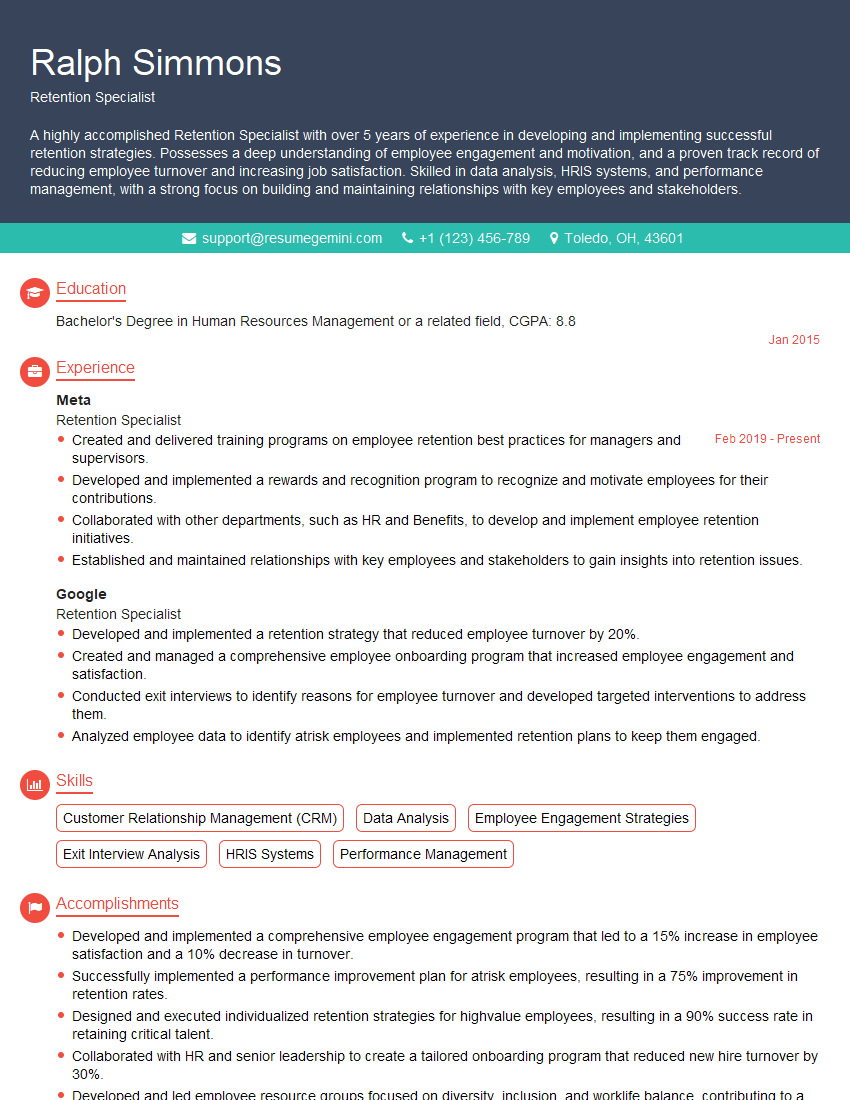
Retention Specialist Resume Sample
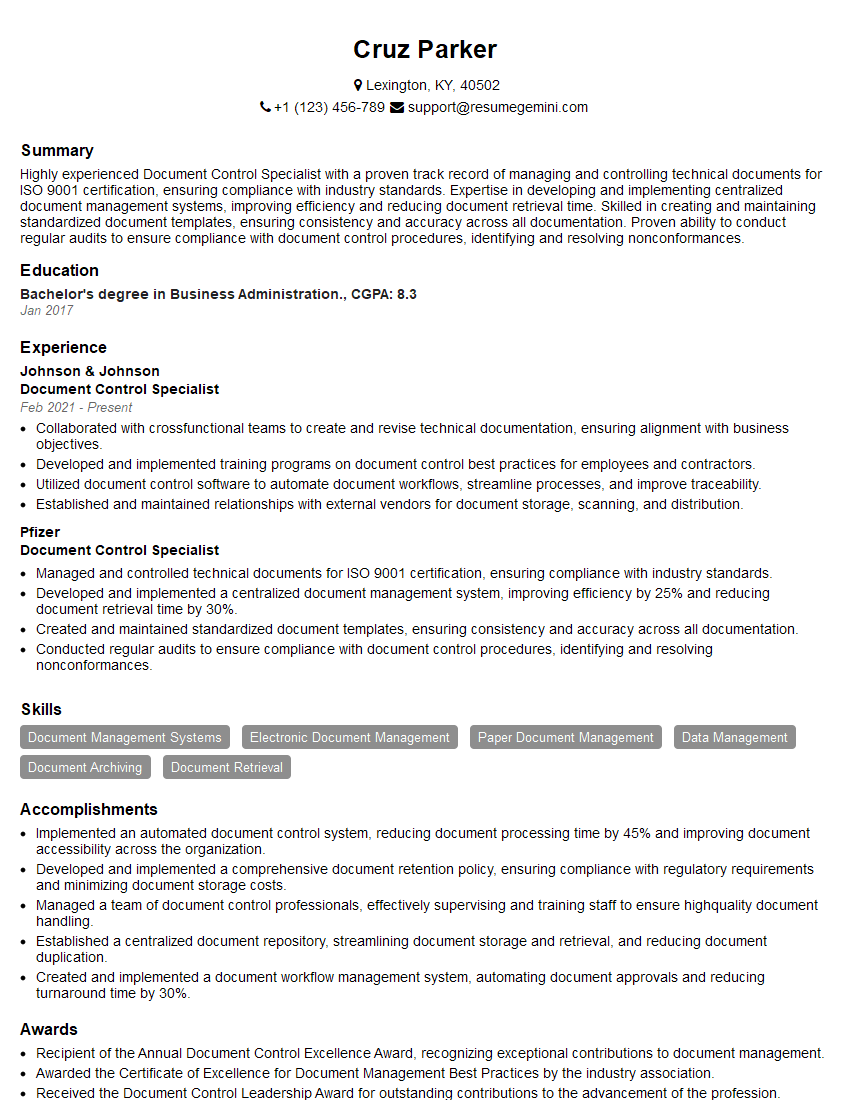
Document Control Specialist Resume Sample
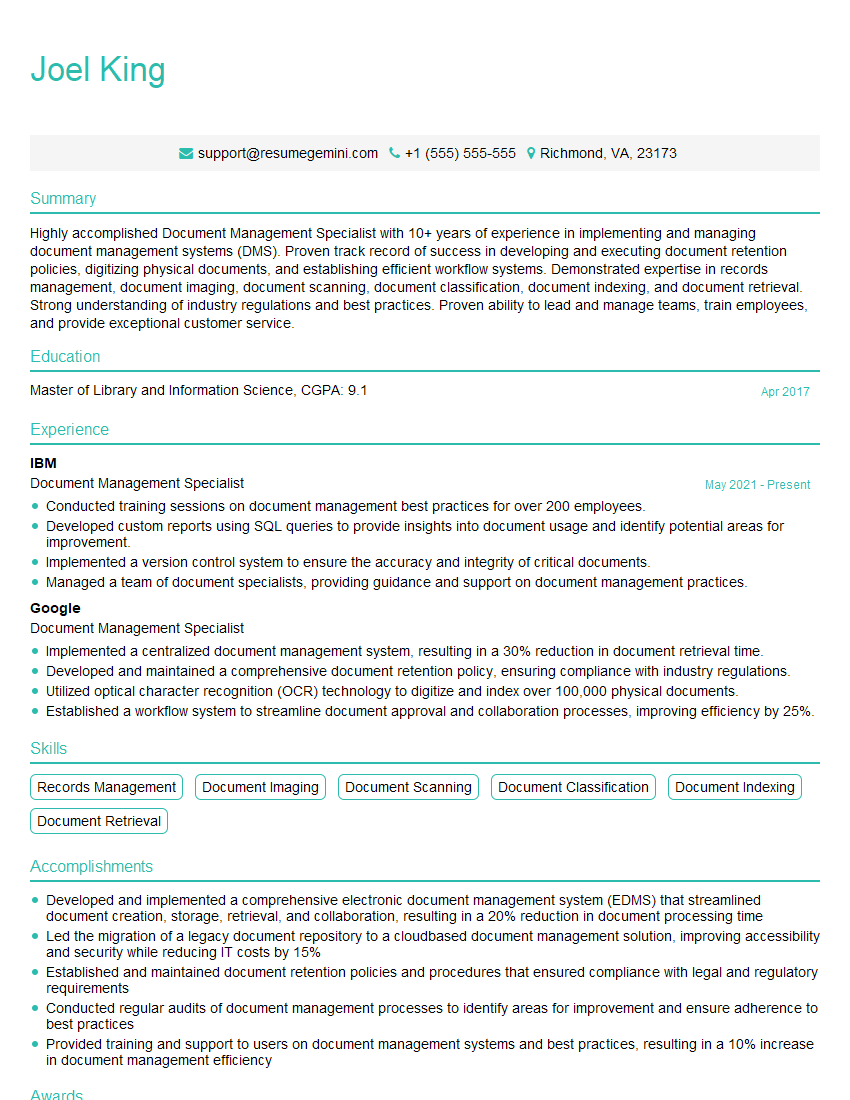
Document Management Specialist Resume Sample
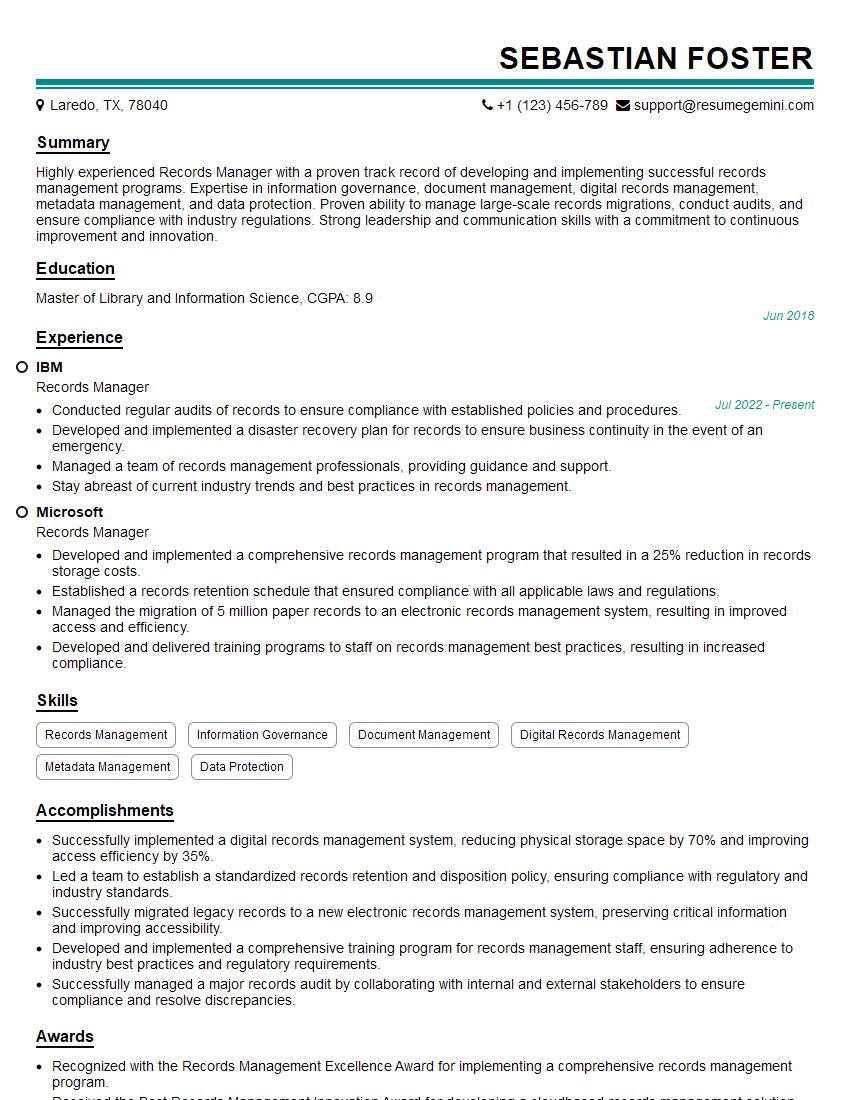
Records Manager Resume Sample
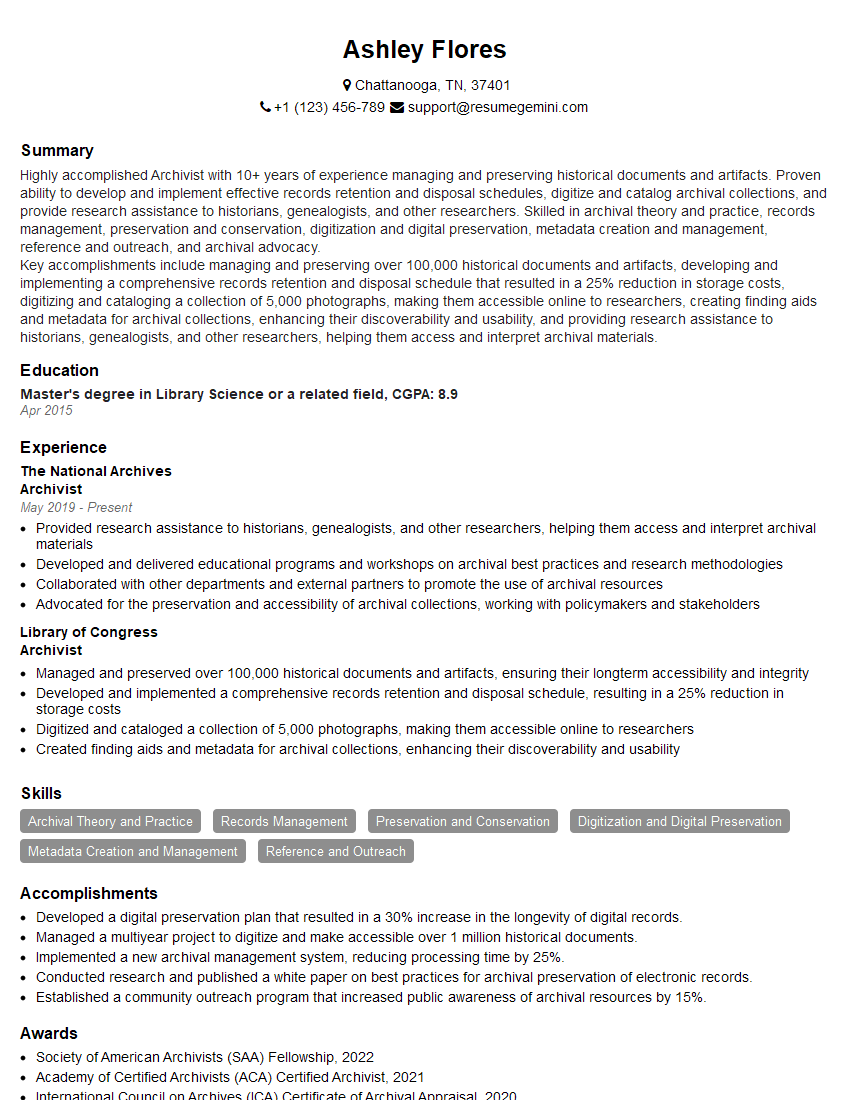
Archivist Resume Sample
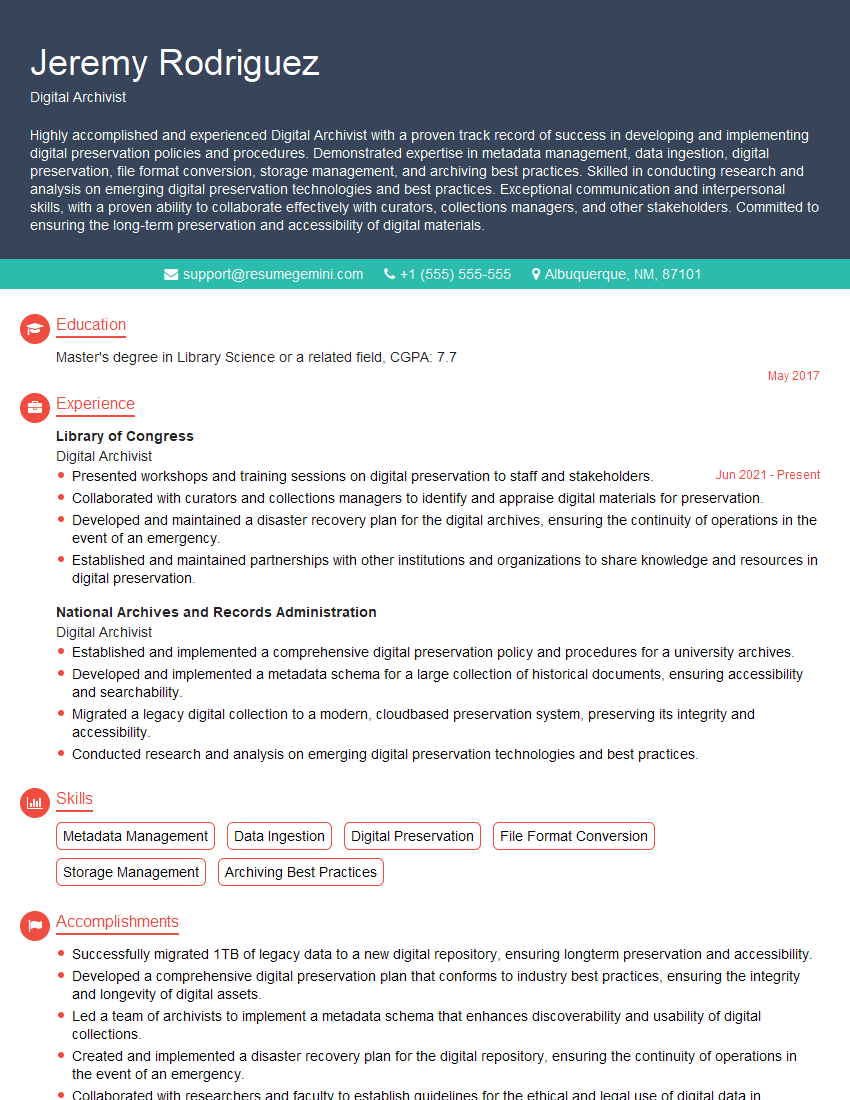
Digital Archivist Resume Sample
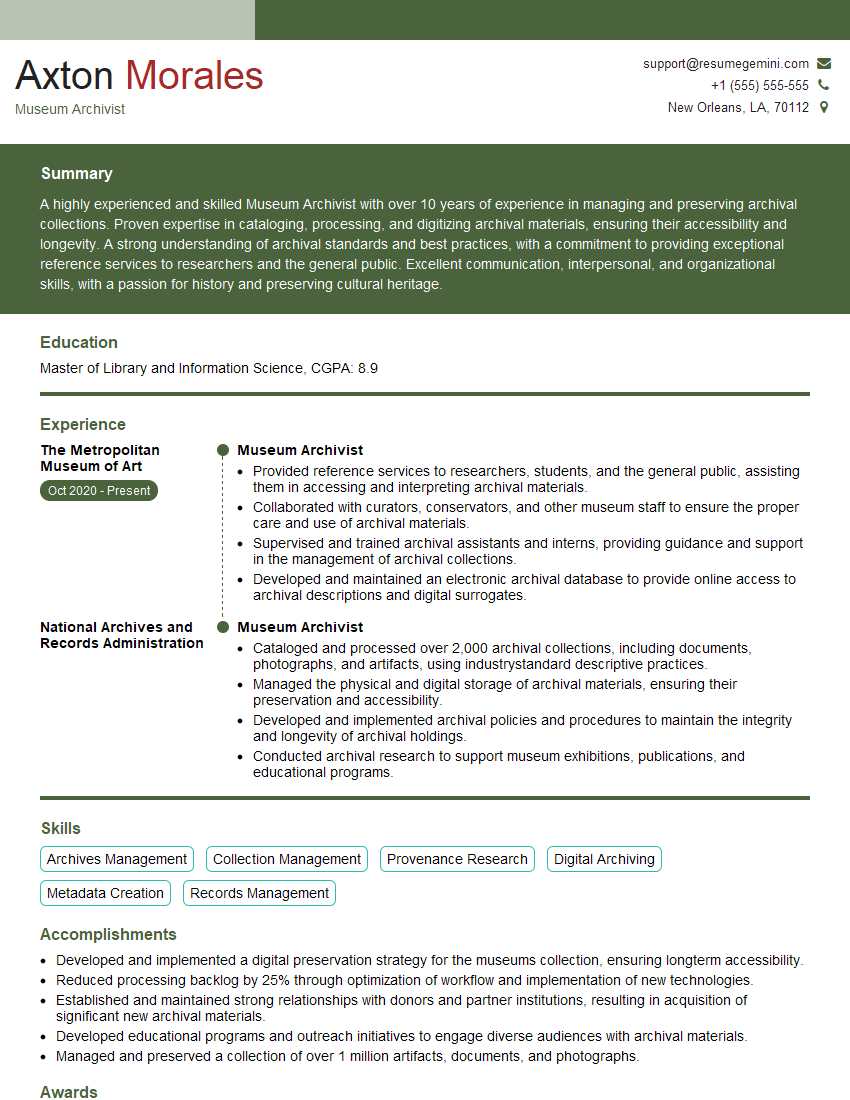
Museum Archivist Resume Sample
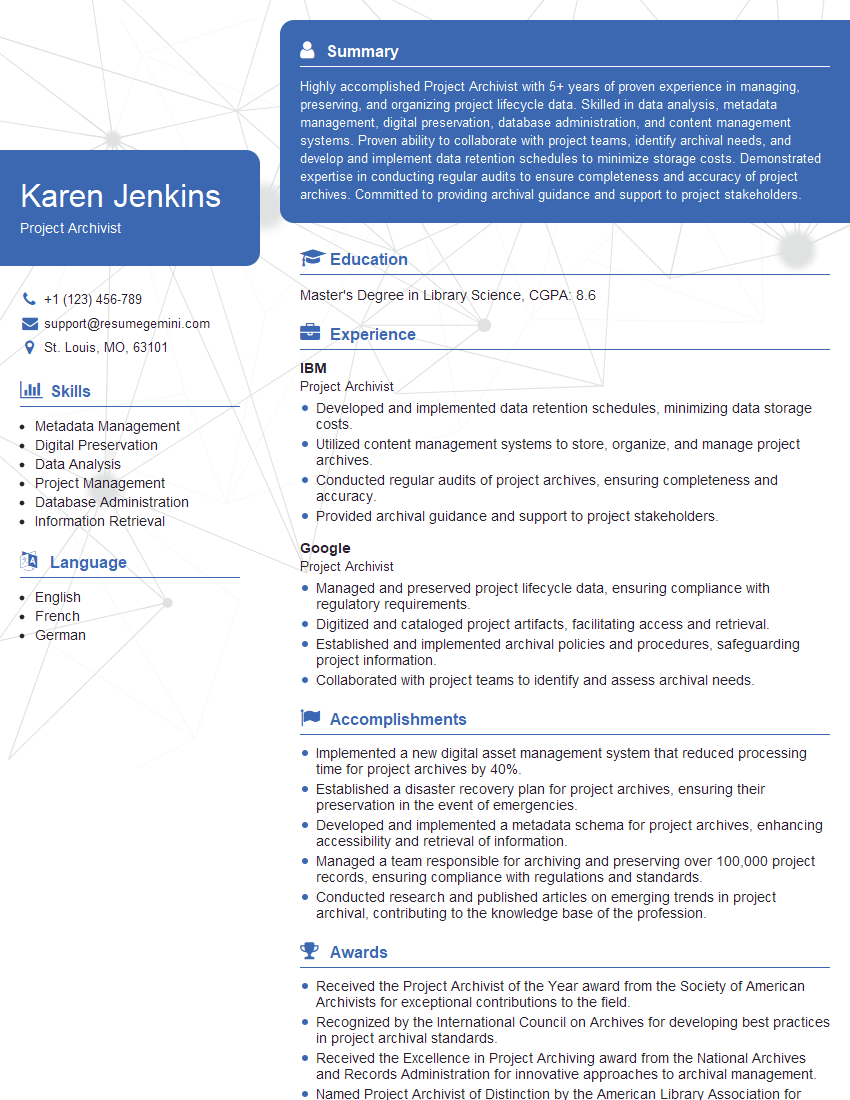
Project Archivist Resume Sample
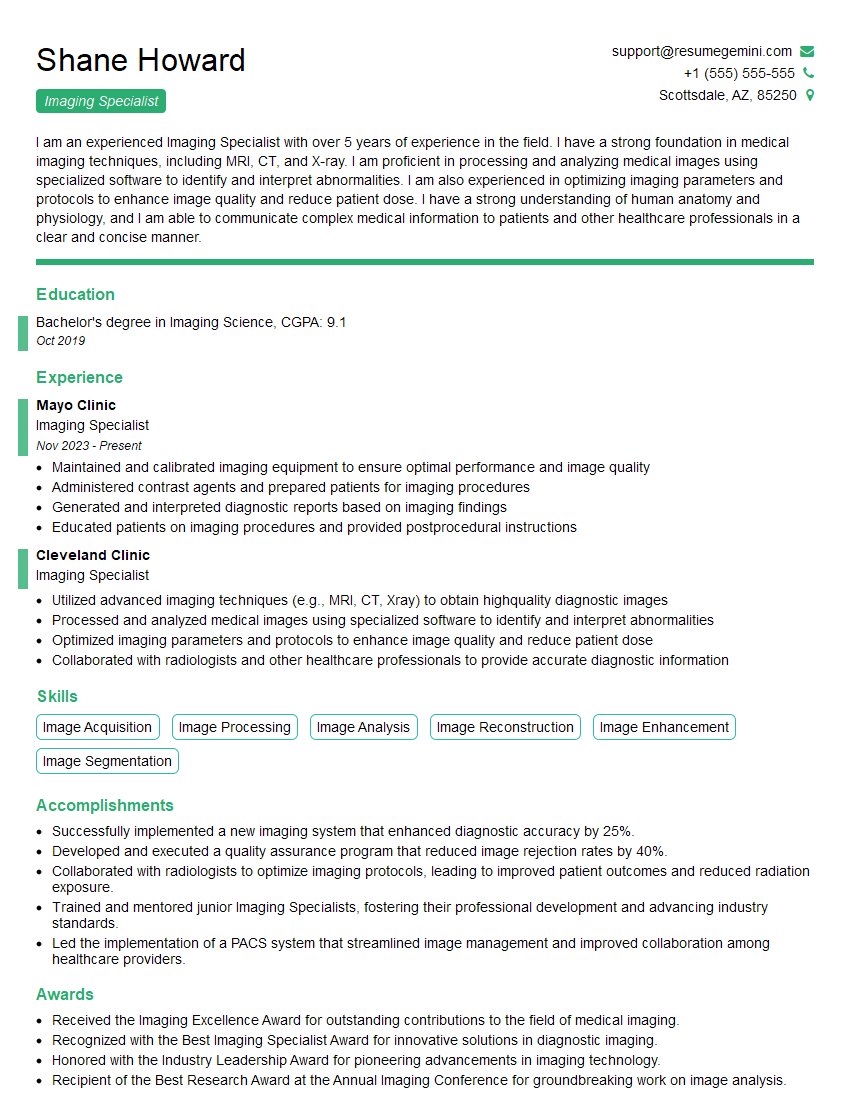
Imaging Specialist Resume Sample
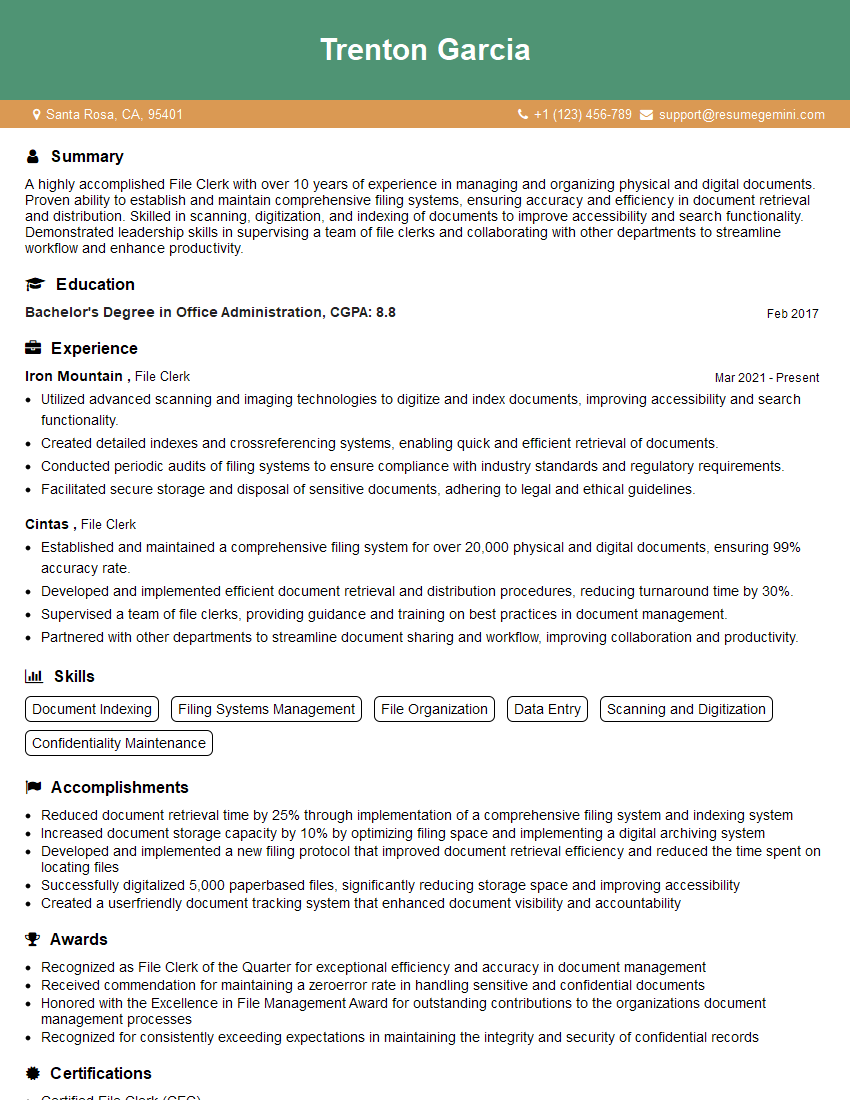
File Clerk Resume Sample

Records Analyst Resume Sample

Records Technician Resume Sample
Explore more articles
Users Rating of Our Blogs
Share Your Experience
We value your feedback! Please rate our content and share your thoughts (optional).
What Readers Say About Our Blog
Very informative content, great job.
good