Feeling uncertain about what to expect in your upcoming interview? We’ve got you covered! This blog highlights the most important Finite Element Analysis (FEA) using ANSYS or ABAQUS interview questions and provides actionable advice to help you stand out as the ideal candidate. Let’s pave the way for your success.
Questions Asked in Finite Element Analysis (FEA) using ANSYS or ABAQUS Interview
Q 1. Explain the basic principles of the Finite Element Method (FEM).
The Finite Element Method (FEM) is a powerful numerical technique used to solve complex engineering problems. Imagine trying to understand the stress in a complexly shaped part under load. Instead of trying to solve the problem as a whole, FEM breaks the part down into many small, simple shapes called ‘finite elements’. Each element is governed by a set of simple equations. By solving these simple equations for each element and then connecting the solutions at the shared boundaries (nodes), we can approximate the overall behavior of the entire structure. This approximation gets more accurate as we use more, smaller elements.
Think of it like building a mosaic. Each tiny tile is an element, and the overall image represents the real-world structure. The more tiles (elements) you use, the more detailed and accurate your final image (solution) will be.
Q 2. What are the different types of elements used in FEA?
FEA employs a variety of element types, each chosen depending on the nature of the problem and the desired accuracy. The most common categories include:
- 1D Elements (Line Elements): These are used for modeling beams, trusses, and other one-dimensional structures. Examples include bar elements and beam elements.
- 2D Elements (Plane Elements): These are suitable for analyzing two-dimensional structures like plates and shells. Common examples include triangular elements (like linear or quadratic triangles) and quadrilateral elements (like rectangles or general quadrilaterals).
- 3D Elements (Solid Elements): These are used for modeling three-dimensional solids. Tetrahedral (four-sided) and hexahedral (six-sided) elements are popular choices.
- Special Purpose Elements: This category encompasses specialized elements designed for specific applications, such as shell elements for thin-walled structures, or spring and damper elements for modeling joints.
The choice of element type depends heavily on the problem’s geometry and expected stress gradients. For instance, areas with high stress concentrations often benefit from a finer mesh with smaller elements, perhaps using higher-order elements for improved accuracy.
Q 3. Describe the process of meshing in FEA and its importance.
Meshing is the process of dividing the geometry of a part or assembly into a collection of discrete elements and nodes. Think of it as creating a digital blueprint composed of these finite elements. It’s a crucial step in FEA because the accuracy and efficiency of the analysis heavily depend on the quality of the mesh.
Importance of Meshing:
- Accuracy: A finer mesh (smaller elements) typically leads to more accurate results, particularly in areas with complex geometry or high stress gradients. But excessively fine meshes can drastically increase computation time.
- Convergence: A well-refined mesh is essential for achieving convergence, ensuring that the solution doesn’t change significantly with further mesh refinement.
- Computational Efficiency: An overly dense mesh increases the computation time and resource requirements, potentially making the analysis impractical. Optimal meshing seeks the balance between accuracy and efficiency.
Meshing strategies include structured meshing (regular pattern) and unstructured meshing (irregular pattern), with the choice depending on geometry complexity. Mesh refinement techniques (locally denser meshes) are used to capture stress concentrations accurately.
Q 4. Explain the concept of convergence in FEA.
Convergence in FEA refers to the process where the solution obtained from the analysis stabilizes as the mesh is refined. As you increase the number of elements (decrease element size), the solution should approach a true value. If the solution keeps changing significantly with mesh refinement, it indicates a lack of convergence, possibly due to issues like poor mesh quality, incorrect boundary conditions, or numerical instability within the solver.
A convergence study involves running the analysis with progressively finer meshes and observing the changes in key results (e.g., stress, displacement). Once the changes become negligible, you can consider the solution to have converged.
For example, if you are calculating the stress in a beam, running the simulation with different mesh densities and observing stress values will tell if the solution is converging to a stable value. If the variation of stress values decreases with increasing mesh density, this shows good convergence and confidence in the results.
Q 5. How do you handle boundary conditions in FEA?
Boundary conditions define how a model interacts with its surroundings. They specify the constraints and loads applied to the model’s boundaries. These conditions are crucial because they dictate the response of the structure to external stimuli. Incorrectly defined boundary conditions can lead to inaccurate or meaningless results.
In ANSYS or ABAQUS, you define boundary conditions through specific tools and commands. For instance, you might fix a node’s displacement in all directions (fixed support), apply a pressure load on a surface, or impose a temperature on a section of the model. The accurate representation of real-world constraints is critical for obtaining meaningful results.
Consider a simple example: Analyzing a cantilever beam. You would apply a fixed support boundary condition at one end to constrain its movement, and a load (force or moment) at the other end to simulate the external force.
Q 6. What are the different types of boundary conditions?
Several types of boundary conditions exist, each representing a different type of constraint or load:
- Fixed Support/Fixed Constraint: Restricts all degrees of freedom (translation and rotation) at a specific node or surface.
- Displacement Constraint: Restricts the movement in one or more directions at a specific node or surface. For example, you might constrain only the vertical displacement while allowing horizontal movement.
- Force/Pressure Load: Applies a force or pressure to a specific node, edge, or surface.
- Moment Load: Applies a moment (torque) to a specific node or edge.
- Temperature Load: Applies a temperature to nodes or elements, causing thermal stresses and deformations.
- Symmetry Boundary Conditions: Used to reduce the model size for structures with symmetrical geometry and loading.
- Contact Boundary Conditions: Define interactions between different parts of the model, accounting for friction and surface separation. This is critical for assemblies.
The correct selection and application of boundary conditions are essential for obtaining realistic and meaningful results from the FEA simulation.
Q 7. What is the difference between static and dynamic analysis?
The key difference lies in how they handle time.
- Static Analysis: Assumes that loads are applied slowly and that inertial effects are negligible. The system is assumed to be in equilibrium at all times. Think of slowly placing a weight on a shelf – the shelf deforms, but the deformation is relatively slow, and dynamic effects (vibrations, accelerations) are minimal. This is used for problems where the load application is gradual and the structure’s response is primarily governed by its stiffness.
- Dynamic Analysis: Accounts for time-varying loads and inertial effects. It is used when the load application is rapid or the structure’s response is significantly influenced by its mass and inertia. Imagine dropping a heavy weight onto the shelf – the rapid impact generates vibrations and transient stresses, effects that static analysis wouldn’t capture. Dynamic analysis can be further categorized into transient (time-dependent loads) and modal (eigenfrequency) analyses.
Choosing the right type of analysis depends on the nature of the problem and the desired information. If the loading is slow and inertia effects are insignificant, a static analysis is usually sufficient. However, if the loading is rapid, dynamic effects need to be considered using a dynamic analysis approach.
Q 8. Explain linear and non-linear FEA.
Linear FEA assumes a linear relationship between load and response. This means that if you double the load, the displacement doubles. It simplifies calculations significantly, but it only applies to situations where material behavior, geometry, and boundary conditions remain constant. Think of stretching a rubber band slightly – the relationship between the force applied and the stretch is nearly linear within a limited range. In contrast, non-linear FEA accounts for changes in material properties, geometry, or boundary conditions as the load is applied. This is crucial for accurate analysis of scenarios involving large deformations, plasticity, contact, and other complex phenomena. For example, analyzing a car crash requires non-linear FEA because the metal undergoes significant plastic deformation.
In essence, linear FEA is a simplified model, perfect for preliminary design or when non-linearities are negligible, while non-linear FEA provides a more accurate representation of reality for complex engineering problems.
Q 9. What are the different types of non-linearity?
Non-linearity in FEA can stem from several sources:
- Material Non-linearity: This refers to materials that don’t follow Hooke’s Law (stress is not directly proportional to strain). Examples include plasticity (permanent deformation), hyperelasticity (large deformation of rubber-like materials), and viscoelasticity (time-dependent behavior).
- Geometric Non-linearity: This occurs when large deformations significantly alter the geometry of the structure, affecting the stiffness and stress distribution. Consider a thin beam buckling under load – the bending significantly changes the beam’s shape and stiffness.
- Boundary Non-linearity: This arises from changes in boundary conditions during the analysis. A classic example is contact between two parts, where the contact area and forces change as the load is applied.
Many analyses involve multiple types of non-linearity simultaneously, making the solution process computationally expensive but significantly more accurate.
Q 10. Describe the concept of modal analysis.
Modal analysis is a technique used to determine the natural frequencies and mode shapes of a structure. Imagine plucking a guitar string – it vibrates at specific frequencies, its natural frequencies. These frequencies and the corresponding shapes (how the string deforms) are its modes. In FEA, modal analysis is performed to predict how a structure will respond to dynamic loading, such as vibrations or earthquakes. The results are crucial for avoiding resonance (where the excitation frequency matches a natural frequency, leading to potentially catastrophic failure).
The process involves solving an eigenvalue problem, where the eigenvalues represent the natural frequencies and the eigenvectors represent the corresponding mode shapes. Software like ANSYS and ABAQUS automatically perform this calculation. Engineers use modal analysis in the design of bridges, airplanes, and buildings to ensure they can withstand dynamic loads without failure.
Q 11. Explain how you would perform a fatigue analysis using FEA.
Fatigue analysis aims to predict the lifespan of a component under cyclic loading. It considers the fact that materials weaken over time under repeated stress cycles, eventually leading to failure. In FEA, this is often done using methods such as the Stress-Life approach or the Strain-Life approach.
The process typically involves:
- Stress or Strain Calculation: Perform a FEA simulation to determine the stress or strain cycles at critical locations.
- S-N Curve: Obtain the S-N (Stress-Number of cycles to failure) curve for the material from experimental data or literature. This curve relates the stress amplitude to the number of cycles to failure.
- Fatigue Life Prediction: Use the calculated stresses or strains and the S-N curve to estimate the fatigue life of the component, often using Miner’s rule which accounts for multiple stress levels.
Software like ANSYS and ABAQUS offer built-in tools to automate this process, often incorporating various fatigue models beyond the basic stress-life method.
Q 12. How do you validate your FEA results?
Validating FEA results is crucial for ensuring their reliability. This involves comparing the simulated results with experimental data or results from other validated models. Several methods are employed:
- Experimental Validation: This is the most direct method, involving physical testing of the component or a scaled-down prototype. Measurements like displacements, strains, or stresses are compared against the FEA predictions.
- Comparison with Analytical Solutions: For simple geometries and loading conditions, analytical solutions may exist. Comparing the FEA results with these solutions helps assess accuracy.
- Benchmarking: Comparing results with published data from similar analyses or experiments provides another layer of validation. This is especially useful for complex geometries or loading scenarios where experimental validation is difficult or expensive.
Discrepancies between FEA results and validated data need thorough investigation, potentially necessitating refinement of the FEA model (mesh, material properties, boundary conditions, etc.).
Q 13. What are some common sources of error in FEA?
Several factors can introduce errors into FEA results:
- Meshing Errors: Inadequate mesh density, skewed elements, or poor element quality can significantly affect accuracy. A finer mesh generally leads to better accuracy but increases computational cost.
- Material Model Errors: Using inappropriate or inaccurate material properties leads to inaccurate results. Proper material characterization is essential.
- Boundary Condition Errors: Improperly defined boundary conditions (supports, loads) can drastically alter the results. Careful consideration of real-world constraints is important.
- Modeling Errors: Simplifying assumptions made during model creation (e.g., neglecting certain effects) can introduce errors. Balancing model complexity with computational cost is key.
- Software Errors: Although rare, bugs or incorrect settings within the FEA software can affect results. Carefully checking software settings is necessary.
A thorough understanding of the limitations of the model and careful attention to detail are crucial to minimize errors.
Q 14. How do you choose the appropriate element type for a given problem?
Selecting the appropriate element type is critical for accurate and efficient FEA. The choice depends on several factors:
- Geometry: For complex geometries, hexahedral elements (bricks) are generally preferred for their accuracy and stability, though tetrahedral elements are often more practical for complex shapes and automatic meshing.
- Stress Gradient: In regions with high stress gradients, a finer mesh with smaller elements is required to capture the variations accurately. Refinement near stress concentrations is frequently used.
- Type of Analysis: Different element types are better suited for different analyses. For example, shell elements are commonly used for thin structures, while beam elements are suitable for slender members.
- Computational Cost: Higher-order elements (quadratic, cubic) offer greater accuracy but require more computational resources than linear elements.
Experience and engineering judgment are crucial in making this selection. Sometimes, a convergence study is performed to investigate how element type and size impact the solution.
Q 15. Explain the concept of mesh refinement and its impact on accuracy.
Mesh refinement in Finite Element Analysis (FEA) refers to the process of increasing the density of elements in a mesh, thereby reducing the size of individual elements. Think of it like drawing a picture – the more pixels (elements) you use, the more detailed and accurate the image (solution) becomes.
The impact on accuracy is significant. A coarser mesh (larger elements) can lead to significant errors, particularly in regions with high stress gradients or complex geometries. These errors manifest as inaccurate stress and displacement predictions. Refining the mesh in these critical areas improves the accuracy of the solution by capturing more detail in the model’s behavior. However, excessively fine meshes can lead to increased computational cost and time without proportional improvements in accuracy; this is a crucial aspect of mesh convergence studies where we systematically refine the mesh until a solution converges.
For instance, consider analyzing a part with a small hole. A coarse mesh might simply ‘average’ the stress concentration around the hole, providing a substantially underestimated peak stress. Refining the mesh around the hole allows the software to capture the highly localized stress peaks more accurately, providing a more reliable result for engineering design decisions. This principle applies broadly to FEA simulations across diverse engineering applications.
Career Expert Tips:
- Ace those interviews! Prepare effectively by reviewing the Top 50 Most Common Interview Questions on ResumeGemini.
- Navigate your job search with confidence! Explore a wide range of Career Tips on ResumeGemini. Learn about common challenges and recommendations to overcome them.
- Craft the perfect resume! Master the Art of Resume Writing with ResumeGemini’s guide. Showcase your unique qualifications and achievements effectively.
- Don’t miss out on holiday savings! Build your dream resume with ResumeGemini’s ATS optimized templates.
Q 16. Describe your experience with ANSYS Workbench or ABAQUS/CAE.
I have extensive experience with both ANSYS Workbench and ABAQUS/CAE, having used them for various projects throughout my career. ANSYS Workbench’s intuitive graphical user interface (GUI) makes it excellent for streamlined workflow and design optimization studies. I find its built-in DesignModeler particularly useful for complex geometries. On the other hand, ABAQUS/CAE offers more control and flexibility for advanced modeling techniques, especially for nonlinear analysis and material model definition. I am proficient in creating models, applying boundary conditions, defining materials, running simulations, and post-processing results in both platforms. For example, in a recent project involving the crashworthiness of a vehicle component, I utilized ABAQUS/CAE’s explicit solver to simulate high-velocity impacts and accurately predict the component’s deformation and failure modes. In another project using ANSYS, I performed a detailed modal analysis on a turbine blade, leveraging Workbench’s automated meshing features for efficient processing.
Q 17. How do you handle contact problems in FEA?
Handling contact problems in FEA requires careful consideration of several factors. Contact involves the interaction between two or more surfaces which can significantly influence the overall structural response. The key is to accurately define the contact interaction between the surfaces to simulate realistic behavior. This includes specifying the contact pair (the interacting surfaces), the contact type (bonded, frictionless, frictional), and the relevant contact parameters (friction coefficient, penalty stiffness, etc.).
In my workflow, I typically start by identifying the contact surfaces within my model and meticulously define the appropriate contact algorithm and parameters. For instance, I’d use a penalty-based approach for simpler contact scenarios, while employing augmented Lagrangian methods for more complex nonlinear contact behaviors. It is crucial to properly assess potential contact issues, such as self-contact or penetration during the simulation, and adapt the model accordingly. Verification and validation are critical steps to ensure the accuracy of the contact results.
For example, in simulating a bolted joint, I carefully define the contact surfaces between the bolt head, nut, and the clamped parts, considering friction to accurately represent the clamping force and stress distribution. A failure to properly model these interactions could lead to significant errors in stress prediction, potentially compromising the design’s safety and reliability.
Q 18. What are the different contact algorithms?
Different contact algorithms exist in FEA software to handle the complexities of contact interactions. The choice of algorithm depends heavily on the specific problem and desired accuracy. Some commonly used algorithms include:
- Penalty method: This is a relatively simple method where the contact is enforced by adding a penalty stiffness to the system. It’s computationally efficient but can lead to some penetration between the surfaces.
- Lagrangian method: This method enforces contact constraints directly, eliminating penetration. It’s more accurate than the penalty method but can be computationally more expensive.
- Augmented Lagrangian method: This combines features of both penalty and Lagrangian methods, offering a balance between accuracy and computational efficiency. It gradually reduces penetration while maintaining stability.
Within these broad categories, many variations and enhancements exist. The selection of the optimal contact algorithm often involves a trade-off between accuracy, computational cost, and robustness, often requiring iterative refinement and validation.
Q 19. Explain your experience with different material models in FEA.
My experience with material models in FEA spans a wide range, from simple linear elastic materials to complex nonlinear constitutive models. I’m proficient in defining material properties for various applications, including metals, polymers, composites, and concrete. I’m adept at utilizing both built-in material models and user-defined material subroutines where necessary. For example, I have extensive experience with:
- Linear Elastic: This simple model is suitable for many applications where material behavior is linear and stress levels remain low.
- Plasticity: This model accounts for the permanent deformation of materials beyond their elastic limit, often using models like von Mises or Drucker-Prager.
- Hyperelasticity: Crucial for simulating large deformations and stresses in materials like rubber or elastomers, commonly employed in the automotive or biomedical industries.
- Creep: This model accounts for time-dependent deformation under constant stress, vital for applications at high temperatures.
- Viscoelasticity: This models materials that exhibit both viscous and elastic properties, essential for polymers and many biological tissues.
Selecting the appropriate material model is crucial for obtaining accurate and reliable FEA results. The selection is guided by understanding the material’s behavior under the loading conditions and the level of accuracy required for the analysis.
Q 20. How do you perform a thermal analysis using FEA?
Performing a thermal analysis using FEA involves defining the thermal properties of the materials (thermal conductivity, specific heat, density), applying thermal loads (heat flux, convection, radiation, temperature boundary conditions), and solving for the temperature distribution within the model. Similar to structural analysis, meshing plays a critical role; finer meshes are needed in regions with high temperature gradients.
The process typically starts by defining the geometry and meshing the model. Then, material properties are assigned, followed by the definition of thermal loads and boundary conditions. Next, the solver is set up to handle the heat transfer equations, and the solution is obtained. The solver will output temperature fields, heat fluxes, and other relevant thermal quantities. I often use steady-state analysis for time-invariant problems and transient analysis for problems where temperature changes over time. For instance, I’ve used transient thermal analysis to model the heating and cooling cycle of a circuit board, helping optimize cooling systems and predict component temperature rise.
Q 21. Describe your experience with post-processing FEA results.
Post-processing FEA results is a crucial step in extracting meaningful insights from the simulation. It involves visualizing and analyzing the results to validate the model and inform design decisions. My post-processing experience includes the use of contour plots, vector plots, animations, and data extraction tools. I am proficient in using different visualization techniques to extract meaningful data, such as stress contours, deformation plots, temperature distributions, and factor of safety plots.
For example, to evaluate the stress distribution in a component, I would typically generate contour plots of von Mises stress, enabling the identification of potential stress concentration areas. I often utilize animation to visualize the dynamic behavior of structures, like the deformation of a crash test dummy. Furthermore, I extract data at specific points or regions of interest for further analysis and reporting. I ensure the results are presented clearly and comprehensively, making them understandable to both technical and non-technical audiences. Data validation and comparison against experimental data are always part of my post-processing workflow.
Q 22. How do you interpret stress and strain results from an FEA analysis?
Interpreting stress and strain results from an FEA analysis involves understanding the context of the simulation and critically evaluating the output data. Stress represents the internal forces within a material, expressed as force per unit area (Pascals or PSI). Strain, on the other hand, represents the deformation of the material, expressed as a dimensionless ratio or percentage change in length. Both are crucial for assessing structural integrity and predicting potential failure.
Types of Stress and Strain: We need to differentiate between various stress types like von Mises stress (a scalar measure representing the combined effect of all stress components), principal stresses (maximum and minimum normal stresses at a point), and shear stress. Similarly, strain can be categorized as normal strain (change in length along an axis) and shear strain (change in angle between two initially perpendicular lines). The specific type of stress and strain we examine depends on the analysis goal.
Visualizing Results: FEA software provides various visualization tools: contour plots, deformed shapes, and vector plots, all allowing for a detailed examination of stress and strain distribution. Contour plots show the variation of stress or strain across the model, with color scales representing the magnitude. Deformed shapes show the actual displacement of the model under load. Vector plots show the direction and magnitude of forces.
Real-world example: In designing a bridge, analyzing the von Mises stress helps to identify areas susceptible to yielding or fracture. High stress concentrations might indicate the need for design modifications, like adding reinforcement or changing material selection. Similarly, the strain results can be used to verify that deformations remain within acceptable limits to prevent functional issues.
Q 23. Explain your experience with scripting or programming in FEA (e.g., APDL, Python).
I have extensive experience with scripting and programming in FEA, primarily using Python and APDL (ANSYS Parametric Design Language). Python’s versatility allows for automation of pre-processing tasks like meshing complex geometries, post-processing tasks such as data extraction and visualization, and seamless integration with other software. I’ve used it to automate repetitive tasks, leading to significant time savings and increased efficiency. An example would be creating a script that automatically generates FEA models for a range of different parameters, improving design optimization studies.
APDL, on the other hand, provides a powerful and direct interface within ANSYS to customize and control the FEA process. I’ve used APDL to create custom elements, automate complex solution sequences, and manipulate results for detailed analysis and reporting. For instance, I’ve employed APDL to automate mesh refinement in critical stress regions based on initial FEA results, significantly enhancing the accuracy of the analysis.
#Example Python snippet for meshing: #import pyansys #...meshing commands...Q 24. How do you manage large FEA models?
Managing large FEA models requires a multi-pronged approach, focusing on efficient model creation, meshing strategies, and solver techniques. The key is to balance accuracy and computational cost.
- Model Simplification: This includes employing symmetry conditions, reducing model detail in less critical areas, and using representative volume elements (RVEs) for complex microstructures.
- Mesh Optimization: Using adaptive meshing techniques concentrates elements in high-stress areas, refining the mesh where it’s needed while keeping the overall element count manageable. Different element types can be chosen strategically, using higher-order elements only where crucial.
- Submodeling: This technique analyzes smaller sections of a large model in greater detail, providing more accurate results in critical areas without increasing the overall computational expense.
- Component Mode Synthesis (CMS): This allows for the analysis of large models by breaking them down into smaller, manageable components. These components are analyzed individually, and the results are then combined to obtain the solution for the complete structure.
Moreover, effective use of storage and data management is crucial. Utilizing cloud-based storage for large datasets and employing efficient data structures within the FEA software can improve overall workflow and reduce bottlenecks.
Q 25. Describe your experience with parallel processing in FEA.
Parallel processing is essential for handling large and computationally demanding FEA models. It significantly reduces solution time by distributing the computational load across multiple processors or cores. My experience includes using both shared-memory and distributed-memory parallel processing techniques. Shared-memory parallel processing leverages multiple cores within a single machine, offering easy implementation and good scalability for moderate-sized models. For truly massive models, distributed-memory parallel processing across a cluster of machines is necessary. This requires careful consideration of data communication and load balancing.
I’m familiar with the parallel processing capabilities of both ANSYS and ABAQUS. Both solvers offer options for configuring the number of processors and managing the parallel solution process. The effectiveness of parallel processing depends on the model size, solver type, and the architecture of the computing hardware. Optimization of parallel processing involves choosing appropriate algorithms, distributing the mesh effectively, and ensuring efficient communication between processing units. Monitoring the solution progress through progress bars and log files is vital for efficient management.
Q 26. How would you approach solving a complex FEA problem?
Solving a complex FEA problem requires a structured approach. It’s not just about clicking buttons; it’s about understanding the physics and carefully planning the analysis. My typical approach involves these steps:
- Problem Definition: Clearly defining the problem, including objectives, boundary conditions, loads, and material properties. Understanding the physics behind the problem is paramount.
- Model Creation: Building a representative FEA model using appropriate simplifications. This might include creating geometry, defining mesh parameters, and assigning material properties. Validation of the model is an important step, for example by comparing it with existing experimental data.
- Meshing: Creating a mesh that appropriately captures the geometry and anticipated stress gradients. This often involves mesh refinement in areas of high stress concentration.
- Solution: Choosing the appropriate solver and solution settings based on the problem type (static, dynamic, thermal, etc.). Convergence criteria and tolerance settings need careful attention.
- Post-processing and Interpretation: Analyzing the results, focusing on critical stress points and displacements. Correlating numerical results to experimental or theoretical data when possible. A thorough understanding of FEA limitations and potential sources of error is critical.
- Validation and Verification: Comparing FEA results to known solutions or experimental data to confirm the accuracy and reliability of the analysis.
Throughout this process, iteration and refinement are key. Often, initial results may indicate the need for model adjustments, mesh refinement, or different solution strategies. Documentation is essential throughout the process for clarity and reproducibility.
Q 27. What are your strengths and weaknesses regarding FEA?
Strengths: My strengths lie in my deep understanding of FEA theory and my ability to apply that knowledge to solve complex real-world engineering problems. I’m proficient in both ANSYS and ABAQUS, skilled in scripting (Python and APDL), adept at managing large models and parallel processing, and have experience validating results against experimental data. I’m also a strong communicator, able to explain complex technical concepts to both technical and non-technical audiences.
Weaknesses: While I’m very proficient in linear FEA, my experience with nonlinear FEA, particularly in areas like large deformations and contact analysis, is less extensive. I am continuously seeking opportunities to expand my skills and knowledge in these areas through professional development and tackling challenging projects.
Q 28. Describe a challenging FEA project you have worked on and how you overcame the challenges.
One challenging project involved the FEA of a complex aerospace component subjected to high-frequency vibrations. The component had intricate geometry and required a very fine mesh, leading to a huge model size. The high-frequency vibrations demanded a high-precision transient dynamic analysis, further increasing the computational cost. The initial analysis attempts failed due to memory limitations and excessively long computation times.
To overcome these challenges, I implemented a multi-pronged strategy. First, I simplified the geometry by using symmetry conditions where possible and implemented submodeling for critical regions, enabling a significant reduction in the model size. Second, I adopted advanced meshing techniques, focusing mesh refinement only where necessary, balancing accuracy and computational cost. Third, I harnessed the power of parallel processing across a high-performance computing cluster, reducing solution time significantly. Finally, I used model order reduction techniques to further simplify the calculations. Through this iterative process of model refinement, mesh optimization and parallel computing, I successfully completed the FEA analysis within acceptable time constraints and provided valuable insights into the component’s vibrational behavior, leading to design improvements.
Key Topics to Learn for Finite Element Analysis (FEA) using ANSYS or ABAQUS Interview
- Fundamental FEA Concepts: Understanding meshing techniques (structured, unstructured, adaptive), element types (e.g., linear, quadratic), and their applications in different scenarios.
- Material Modeling: Proficiency in defining material properties (linear elastic, plastic, hyperelastic) and selecting appropriate constitutive models for various engineering materials.
- Boundary Conditions and Loads: Mastering the application of various boundary conditions (fixed supports, prescribed displacements, etc.) and load types (forces, pressures, moments) accurately reflecting real-world scenarios.
- Solver Theory and Solution Techniques: Understanding the underlying numerical methods (e.g., direct and iterative solvers) and their impact on solution accuracy and computational efficiency.
- Post-Processing and Results Interpretation: Proficiently extracting meaningful results (stress, strain, displacement) from FEA simulations and interpreting them in the context of engineering design and analysis.
- Practical Applications: Demonstrating experience with FEA applications in areas such as structural analysis, heat transfer, fluid dynamics, or other relevant fields, depending on the specific job description.
- ANSYS/ABAQUS Specifics: Familiarity with the software interface, pre-processing tools, and specific features relevant to your target role. This includes understanding the workflow and capabilities of each software.
- Error Analysis and Validation: Understanding sources of error in FEA simulations (mesh dependency, material model limitations) and methods for validating results against experimental data or analytical solutions.
- Advanced Topics (depending on the role): Explore topics like nonlinear analysis, contact mechanics, fatigue analysis, optimization techniques, and coupled-physics simulations.
Next Steps
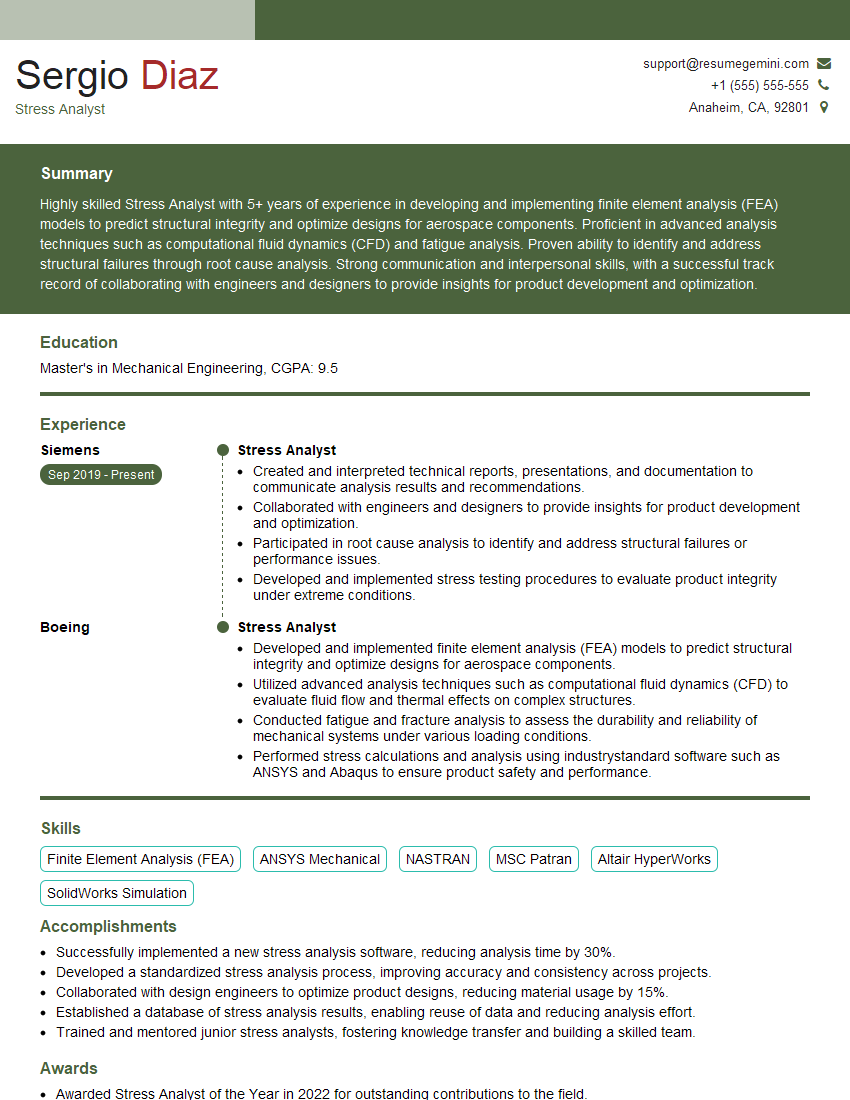
Mastering Finite Element Analysis using ANSYS or ABAQUS is crucial for a successful career in engineering and related fields. It opens doors to challenging and rewarding roles where you can leverage your analytical skills to solve complex problems. To maximize your job prospects, create a compelling and ATS-friendly resume that showcases your expertise effectively. ResumeGemini is a trusted resource that can help you build a professional resume that highlights your FEA skills and experience. Examples of resumes tailored to Finite Element Analysis (FEA) using ANSYS or ABAQUS are available to guide you.
Explore more articles
Users Rating of Our Blogs
Share Your Experience
We value your feedback! Please rate our content and share your thoughts (optional).
What Readers Say About Our Blog
Very informative content, great job.
good