The thought of an interview can be nerve-wracking, but the right preparation can make all the difference. Explore this comprehensive guide to Flexographic Printing Knowledge interview questions and gain the confidence you need to showcase your abilities and secure the role.
Questions Asked in Flexographic Printing Knowledge Interview
Q 1. Explain the difference between solvent-based and water-based inks in flexographic printing.
The primary difference between solvent-based and water-based inks in flexographic printing lies in their composition and environmental impact. Solvent-based inks utilize volatile organic compounds (VOCs) as solvents to dissolve the pigments and resins. These solvents evaporate during the drying process, leaving behind the printed image. They offer excellent adhesion, vibrant color, and fast drying times, particularly on challenging substrates like plastics. However, VOCs are harmful to the environment and pose health risks, leading to stricter regulations and increased disposal costs.
Water-based inks, conversely, use water as the solvent. This makes them significantly more environmentally friendly, reducing VOC emissions and improving workplace safety. While they offer excellent color saturation in many applications, they can sometimes exhibit slower drying times and may require specialized treatments to adhere properly to certain substrates like plastics. The choice between solvent and water-based inks often involves balancing print quality, substrate compatibility, environmental concerns, and cost.
For example, a company printing food packaging might opt for water-based inks to comply with food safety regulations and reduce environmental impact, even if it means slightly longer drying times. Conversely, a company printing high-volume plastic labels might favor solvent-based inks for their superior adhesion and fast drying, though careful consideration of environmental regulations would be necessary.
Q 2. Describe the process of plate mounting and registration in flexo printing.
Plate mounting and registration are critical steps in flexographic printing, directly impacting print quality and consistency. Plate mounting involves precisely attaching the flexible printing plate – typically a photopolymer plate – onto the printing cylinder. This requires careful attention to detail to avoid any distortion or misalignment. It is usually done using a mounting tape specifically designed for this purpose, ensuring a secure and consistent hold. The plate needs to be seamlessly mounted without any air bubbles or wrinkles.
Registration refers to aligning the multiple printing plates used for different colors (or print elements). In multicolor printing, the colors must perfectly overlap to create the final desired image. Accurate registration ensures sharp images and prevents color misregistration (a common defect seen as blurred or offset colors). Achieving precise registration involves a series of steps, including pre-press adjustments, precise mounting of plates, and ongoing monitoring during the print run. This often involves using registration marks printed on the substrate and adjusting the cylinder positions to ensure perfect alignment. Misregistration can be catastrophic and lead to significant waste.
Imagine printing a label with a logo and text. Incorrect registration would cause the logo and text to be slightly offset, resulting in a visually flawed and unacceptable product. Therefore, precise registration is crucial for maintaining the highest quality output.
Q 3. What are the common causes of print defects in flexography, and how are they addressed?
Several factors can cause print defects in flexography. Common issues include poor ink transfer (resulting in light or mottled print), misregistration (as discussed above), print defects from the plate itself (scratches, damage), improper anilox roller settings, substrate issues (wrinkles, unevenness), and insufficient drying.
- Poor ink transfer: This can be caused by worn anilox rollers, incorrect ink viscosity, or inadequate ink supply. Solution: Check anilox cell volume, adjust ink viscosity, or clean the ink system.
- Misregistration: Caused by improper plate mounting or press setup. Solution: Verify plate mounting, adjust press settings, and use registration marks for accurate alignment.
- Plate defects: Scratches or damage on the plate will lead to defects in the print. Solution: Carefully inspect plates, replace damaged plates.
- Anilox roller issues: Incorrect cell volume or worn rollers can lead to inconsistent ink transfer. Solution: Inspect and replace as needed; adjust settings.
- Substrate problems: Wrinkles or unevenness in the substrate will lead to uneven print. Solution: Ensure proper substrate handling and preparation.
- Drying issues: Insufficient drying can lead to set-off (ink transfer to the next print). Solution: Adjust dryer settings or consider using a faster-drying ink.
Troubleshooting print defects often involves a systematic approach. Begin by inspecting the printed material carefully, identifying the type of defect, and then investigating potential causes based on this observation.
Q 4. Explain the role of anilox rollers in flexographic printing.
Anilox rollers are the heart of ink transfer in flexographic printing. They are engraved cylinders with precisely sized cells that meter the amount of ink transferred to the printing plate. The cell size and volume (the amount of ink each cell holds) are crucial to controlling ink density and print quality. The roller’s surface is etched with thousands of tiny cells, and as it rotates, it picks up ink from the ink fountain and transfers a metered amount to the printing plate. The anilox roller ensures consistent ink coverage across the print, influencing the color density and overall print quality.
Different applications require different anilox cell sizes and volumes. For example, fine-line work requires a smaller cell volume to prevent excessive ink lay-down and blurring, while solid color printing might benefit from a larger cell volume for greater coverage and color saturation. Improper anilox selection or maintenance can cause significant print defects, such as uneven color coverage or poor print sharpness. Regular maintenance and cleaning of anilox rollers are essential to maintain consistent performance and prevent the buildup of ink, which can clog cells and impact ink transfer.
Q 5. How do you ensure consistent color accuracy throughout a flexographic print run?
Maintaining consistent color accuracy throughout a flexographic print run is paramount. This involves a multi-faceted approach starting long before the printing process begins.
- Color management system (CMS): Implementing a robust CMS is crucial. This involves using color profiles for all components of the printing process—inks, plates, and substrates—to accurately predict and reproduce colors. This requires calibration and profiling of your printing press and color measurement devices.
- Ink formulation and consistency: Using consistent ink formulations, stored and handled correctly, is crucial. Ink mixing should follow strict protocols to guarantee consistent batches.
- Regular color checks: Periodic color checks using a spectrophotometer during the print run are essential. This allows for immediate adjustments to maintain accurate color reproduction throughout the run.
- Substrate consistency: Ensuring consistent substrate material is critical as different batches of material might impact the absorption of ink and alter color reproduction.
- Press operator training: Well-trained press operators are vital to the process. Training should include color management techniques, proper press operation, and the recognition and handling of color variations.
By combining these elements, you can minimize color variation and ensure consistent high-quality color reproduction for every printed piece. Consider implementing a color control chart to track and manage color consistency throughout the print run. This will help detect any inconsistencies early on and allow for corrective actions before a significant defect arises.
Q 6. What are the different types of flexographic printing presses, and what are their applications?
Flexographic printing presses come in various configurations tailored to specific applications and production volumes. The main types include:
- Central Impression Presses: These presses utilize a central impression cylinder that brings the printing plate and substrate together. They’re generally suited for medium-to-high-volume production and offer good register accuracy and consistent print quality. They are commonly used for packaging and labels.
- Surface Printing Presses: This type of press uses a flat printing plate, making it suited for printing on unusual materials, such as textiles or uneven surfaces. They are often used for smaller print runs or specialized applications where a central impression press would not be as suitable.
- Stack-Type Presses: These presses are characterized by a stacked configuration of printing units, allowing for the efficient production of multi-color jobs. They are favored for high-volume, multi-color printing, such as for flexible packaging or labels.
- Narrow-Web Presses: Used for narrower materials, like labels or tags, often found in smaller operations or where more specialized print features are required.
- Wide-Web Presses: Designed for wider materials, such as large-format packaging, often in high-volume industrial settings.
The choice of press is dictated by production volume, substrate type, print quality requirements, and budget. A small label printer might use a narrow-web press, while a large packaging company might invest in a high-speed wide-web stack-type press.
Q 7. Describe your experience with different types of flexographic printing substrates.
My experience encompasses a broad range of flexographic printing substrates. I have worked extensively with various films, papers, and foils used in flexible packaging, labels, and other applications.
- Films: This includes BOPP (biaxially oriented polypropylene), PET (polyethylene terephthalate), and PE (polyethylene) films. Each film has unique properties affecting ink adhesion, printability, and the overall quality of the print. For instance, BOPP is a popular choice due to its excellent printability and gloss, but it requires specific ink formulations and press settings for optimal results.
- Papers: I’ve worked with various paper types, including coated and uncoated papers, as well as specialty papers, such as those with unique textures or finishes. The choice of paper influences the overall look and feel of the final product and dictates ink absorption and drying times. For instance, coated papers generally provide sharper images and greater color density compared to uncoated papers.
- Foils: Working with metallized foils adds another layer of complexity, requiring specific inks and press adjustments to ensure proper adhesion and prevent scratching or damage to the delicate foil surface. Metalized foils are popular for their luxurious appearance and often require specific inks and printing parameters to achieve optimal results.
Understanding the characteristics of each substrate is crucial for optimizing the printing process and achieving the desired print quality. For example, different substrates will require different drying times; understanding this is vital in preventing set-off (ink smearing) during the printing process.
Q 8. How do you troubleshoot common issues related to ink viscosity and transfer?
Ink viscosity and transfer are critical in flexographic printing. Incorrect viscosity leads to poor print quality, including light or heavy ink coverage, uneven color, and print defects. Troubleshooting starts with measuring the ink’s viscosity using a suitable viscometer, ensuring it aligns with the press’s and ink manufacturer’s specifications.
- Too Thick: If the ink is too thick, it may not transfer properly to the substrate, resulting in light areas or missing details. Solutions involve adding the correct reducer (following manufacturer instructions), thorough mixing, and checking the anilox roll for potential issues (clogging or wear).
- Too Thin: Conversely, if the ink is too thin, it might lead to excessive ink laydown, resulting in blurry prints or unwanted ink buildup (hilling). Solutions involve adding the correct amount of additive to thicken the ink, again, following the manufacturer’s guidelines carefully.
- Uneven Transfer: Uneven ink transfer can stem from problems with the anilox roll (scratches, damage), doctor blade settings (incorrect angle or pressure), or improper ink distribution in the ink pan. Inspect the anilox roll carefully for wear and clean it thoroughly. Adjust the doctor blade to ensure proper ink metering and check ink circulation system for air bubbles.
Remember to always meticulously document your adjustments and their effects to improve efficiency and problem-solving in the future. For example, I once encountered significant print variations across the web; a systematic approach involving ink viscosity checks, anilox roll inspection and doctor blade adjustments resolved the issue, highlighting the importance of a systematic approach.
Q 9. Explain the importance of maintaining proper pressure settings on a flexographic press.
Maintaining proper pressure settings on a flexographic press is paramount for consistent and high-quality printing. Pressure affects ink transfer, print sharpness, and substrate damage. Too little pressure leads to light prints, while too much can cause the print to be too heavy or even damage the plate or substrate. The pressure settings are usually adjusted using impression cylinders and are specific to each printing job depending on the substrate, ink, and plate type.
- Impression Cylinder Pressure: This controls the contact between the printing plate and the substrate. Incorrect pressure here results in uneven ink transfer and print quality issues. Proper settings are crucial to maintain optimal contact while minimizing damage to the plate and substrate.
- Plate Cylinder Pressure: This ensures proper contact between the plate and the anilox roll. Insufficient pressure can result in inconsistent ink transfer, while excessive pressure can damage the plate.
- Monitoring Pressure: Regular monitoring and adjustments are essential. Use pressure gauges and other measuring tools to ensure pressure remains within specified parameters. Regular maintenance of the press components is also vital to maintain consistent pressure.
For instance, when printing on a thin film, higher pressure could cause the film to stretch or wrinkle. Conversely, if using a thicker substrate, lower pressure might produce a lighter print. Therefore, carefully adjusting pressure based on substrate properties is crucial for optimal printing quality.
Q 10. What are your experiences with different types of flexographic plates?
My experience encompasses various flexographic plate types, each with its advantages and limitations. The choice depends on factors like print length, image quality requirements, and budget.
- Photopolymer Plates: These are the most common, offering a good balance between cost and quality. They are durable, relatively easy to process, and produce excellent print quality. I have extensive experience with different photopolymer plate materials, each with unique properties like hardness, flexibility, and chemical resistance, impacting their suitability for different applications.
- Digital Plates: These plates are produced digitally, eliminating the need for film, reducing costs, and improving turnaround times. I’ve worked with several digital platemaking systems and have seen firsthand their improvements in efficiency and accuracy. The quality of digitally made plates is rapidly improving, making them suitable for a wider range of applications.
- Rubber Plates: While less common now, rubber plates are still used in specific applications, especially where high-durability and long runs are required. Their durability is unmatched, but they are more challenging to create and maintain.
In my past role, we transitioned from photopolymer plates to a digital platemaking system which reduced our platemaking time by approximately 50% and eliminated the need for film and its associated costs, improving our overall efficiency and reducing environmental impact.
Q 11. Describe your experience with quality control procedures in flexographic printing.
Quality control (QC) in flexographic printing is a multifaceted process that begins even before the printing begins and continues throughout the run. It involves rigorous checks at each stage to ensure consistency, accuracy, and adherence to specifications.
- Pre-Press QC: This includes checking the artwork, ensuring color accuracy, and verifying that the plates are made correctly. This often involves using densitometers and spectrophotometers to ensure consistent color reproduction.
- Press-Side QC: Ongoing monitoring during printing is crucial. This involves regular checks on color consistency (using spectrophotometers), register accuracy, print sharpness, ink density, and substrate defects. We regularly take samples at intervals, compare them against targets, and make adjustments to maintain quality.
- Post-Press QC: Final inspection involves checking for defects like scratches, smudges, or inconsistent color. This often involves visual inspection and automated defect detection systems. We perform measurements to ensure that finished goods meet the quality expectations and specifications.
Implementing a robust QC system, including regular calibration of equipment and maintaining detailed records, is key to consistent high-quality printing. A well-defined QC system allows for timely identification and correction of problems, minimizing waste and maximizing customer satisfaction. For example, a statistical process control (SPC) chart can be used to track key metrics over time and quickly highlight deviations from the target, allowing for preventive maintenance.
Q 12. How do you manage waste and maintain environmental responsibility during flexographic printing?
Environmental responsibility is a key concern in flexographic printing. Waste management and minimizing our environmental footprint require a multi-pronged approach.
- Waste Reduction: Implementing lean manufacturing principles to minimize waste is vital. This involves optimizing ink usage, reducing plate cleaning solvents, and employing efficient processes to minimize material waste. For example, using a closed-loop ink system can reduce solvent usage significantly.
- Solvent Management: Responsible disposal of solvents and cleaning materials is essential. This often involves partnering with licensed waste disposal companies and implementing measures to reduce solvent usage.
- Sustainable Inks: Using inks with lower volatile organic compounds (VOCs) or water-based inks significantly minimizes environmental impact. We also regularly evaluate and select inks that comply with current environmental regulations.
- Recycling: We actively recycle materials whenever possible, such as paper, plastic, and metal waste from packaging and platemaking.
In my experience, adopting environmentally friendly practices not only reduces our environmental impact, but it can also lead to cost savings through reduced waste disposal costs and increased efficiency. It also enhances our brand reputation and customer loyalty, as many clients now prioritize sustainability.
Q 13. How familiar are you with different drying systems used in flexographic printing?
Drying systems are crucial in flexographic printing, ensuring that the printed ink is dry enough for further processing or handling. The choice of drying system depends on factors like the ink type, substrate, and production speed.
- Air Drying: The simplest method, suitable for low-speed printing and inks that dry quickly. This relies on natural air circulation and is generally the least efficient.
- Infrared (IR) Drying: Uses infrared radiation to heat and dry the ink quickly. It’s efficient for many applications but requires careful control to avoid damaging the substrate. I’ve worked extensively with IR drying systems and find them effective for medium to high-speed production.
- Hot Air Drying: Uses heated air to dry the ink. It’s effective for a wide range of inks and substrates but can be energy intensive.
- UV Curing: This method employs ultraviolet (UV) light to instantly cure inks, making it ideal for high-speed applications and certain substrates. This is particularly useful for high-speed production lines. UV curing offers excellent adhesion and fast drying times.
In a previous project, we had to transition to UV curing to meet the high-speed production demands of a new client. This change required careful consideration of the inks, substrates, and press modifications, highlighting the importance of thoroughly evaluating various drying methods in relation to the specific application.
Q 14. Explain your understanding of color management and profile creation.
Color management is essential to ensure accurate and consistent color reproduction in flexographic printing. It involves controlling the entire color workflow from design to print, using color profiles to bridge the gap between different devices.
- Color Profiles (ICC Profiles): These are mathematical descriptions of a device’s color capabilities, acting as a translator between the design software, the platemaker, and the printing press. Using accurate ICC profiles is critical to achieving consistent color reproduction.
- Color Space Conversion: Converting colors between different color spaces (e.g., RGB to CMYK) is a crucial step in color management. This involves carefully choosing the appropriate conversion methods to minimize color shifts.
- Proofing: Soft proofing and hard proofing methods help to preview the printed colors before committing to a large run, preventing costly reprints due to color inconsistencies. These proofing methods help to compare the digital representation of colors to the final printed output.
- Spectrophotometer Use: These devices precisely measure color, enabling accurate color matching and profile creation. Precise color measurement is critical to ensuring that the printed colors match the design specifications.
For example, creating a custom ICC profile for our printing press significantly improved our color accuracy. We use spectrophotometers to measure color and then create profiles that compensate for the unique characteristics of our press, resulting in more consistent and accurate color reproduction across all our jobs. This has resulted in reduced waste and increased customer satisfaction.
Q 15. How do you handle customer complaints regarding print quality?
Handling customer complaints about print quality starts with active listening and a thorough investigation. I always begin by understanding the specific nature of the complaint, gathering as much detail as possible – including images of the affected print, the substrate used, and the quantity of flawed prints. This allows me to pinpoint the root cause efficiently.
Next, I meticulously analyze the provided information. Possible causes range from issues with the printing plates (scratches, damage, improper exposure), ink problems (incorrect viscosity, improper mixing, or contamination), press issues (register problems, inconsistent pressure), or even substrate inconsistencies. I often refer to our detailed quality control checklists and production records to trace the print run’s history.
Once the root cause is identified, I collaborate with the relevant team members (prepress, press operators, quality control) to develop a corrective action plan. This could involve remaking plates, adjusting ink formulations, recalibrating the press, or addressing a substrate issue with the supplier. Transparency with the customer throughout this process is crucial, providing regular updates and clearly communicating the steps taken to resolve the issue. Finally, I ensure a thorough review of the corrective actions to prevent similar issues in the future, often documenting findings and implementing process improvements.
For example, one time a customer complained about inconsistent color density across a large print run. Our investigation revealed that the anilox roll was slightly worn, leading to inconsistent ink transfer. Replacing the anilox roll immediately resolved the problem, and the customer was satisfied with our prompt and effective response.
Career Expert Tips:
- Ace those interviews! Prepare effectively by reviewing the Top 50 Most Common Interview Questions on ResumeGemini.
- Navigate your job search with confidence! Explore a wide range of Career Tips on ResumeGemini. Learn about common challenges and recommendations to overcome them.
- Craft the perfect resume! Master the Art of Resume Writing with ResumeGemini’s guide. Showcase your unique qualifications and achievements effectively.
- Don’t miss out on holiday savings! Build your dream resume with ResumeGemini’s ATS optimized templates.
Q 16. Describe your experience with prepress processes, including file preparation and proofing.
My experience in prepress encompasses the entire workflow, from file reception to final proof approval. I’m proficient in various software including Adobe Illustrator, Photoshop, and specialized RIP software for flexographic workflows. File preparation involves careful attention to detail, ensuring color profiles are correctly set (e.g., using a specific CMYK profile optimized for the flexographic printing process), images are high resolution, and artwork meets the technical specifications of the printing press (e.g., trap settings, minimum text size).
I meticulously check for any potential issues that may cause problems during the printing process. This includes identifying low-resolution images, color inconsistencies, or fonts that might not be suitable for printing. I always ensure correct color separation and ensure all components of the artwork align perfectly. This prevents costly errors later on.
Proofing is a crucial step, and I utilize both digital soft proofs (on screen, often using a calibrated monitor) and physical hard proofs, printed using a high-quality proofing system. This allows for a thorough assessment of color accuracy, registration, and overall print quality. I collaborate closely with clients, ensuring they approve the final proof before proceeding to the actual printing process, helping to minimize the chance of errors and rework.
Q 17. How do you ensure the safety of yourself and your colleagues in a flexographic printing environment?
Safety is paramount in a flexographic printing environment. My approach to safety is proactive, focusing on both personal safety and the safety of my colleagues. This involves strict adherence to all safety regulations and company policies. I’m trained in the safe handling of chemicals, including inks, solvents, and cleaning agents, and always use appropriate personal protective equipment (PPE), such as gloves, eye protection, and respirators when necessary.
I regularly inspect machinery for potential hazards, ensuring that all guards are in place and that the equipment is in good working order. I proactively report any maintenance issues to prevent accidents and breakdowns. I’m also trained in lockout/tagout procedures, ensuring that machinery is properly shut down and secured before performing any maintenance or cleaning tasks.
Beyond individual actions, fostering a strong safety culture within the team is essential. This involves regular safety meetings, training sessions, and actively promoting a culture of reporting near-miss incidents. Open communication and a shared commitment to safety are vital to creating a safe working environment. A near-miss incident for me involved realizing a solvent tank was missing its safety valve; my prompt reporting led to immediate replacement, preventing a potential hazardous situation.
Q 18. Explain your experience with different types of flexographic printing equipment maintenance.
My experience encompasses maintenance of various flexographic printing equipment, including press maintenance, plate-making equipment, and ancillary systems. I’m familiar with both preventative maintenance (PM) procedures and corrective maintenance tasks. Preventative maintenance involves regularly scheduled inspections, cleaning, and lubrication of press components, such as rollers, gears, and bearings. This extends to cleaning and maintaining the anilox rolls, ensuring consistent ink transfer, and the careful handling and storage of printing plates.
Corrective maintenance addresses unforeseen issues, such as malfunctions or breakdowns. This may involve troubleshooting electrical problems, replacing worn parts, or addressing mechanical issues. I’m proficient in diagnosing problems, identifying faulty components, and making necessary repairs or replacements, often using manufacturer’s manuals and technical support when needed.
For instance, I once diagnosed a problem with inconsistent impression pressure on the printing press. After methodical checking, I discovered a worn pressure roller. By replacing the roller with a calibrated one and ensuring proper adjustment, the press ran perfectly again, avoiding substantial downtime and preventing quality issues.
Q 19. Describe your problem-solving skills in a high-pressure flexographic printing environment.
Problem-solving in a high-pressure flexographic printing environment demands a systematic approach. I follow a structured process: first, I identify the problem clearly, gathering all relevant information. Next, I brainstorm potential causes, considering all aspects of the printing process, from prepress to finishing. I then prioritize potential causes based on likelihood and impact.
To test hypotheses, I leverage my understanding of the equipment and the printing process to perform targeted tests, systematically eliminating possible causes. This often involves analyzing print samples, checking press settings, inspecting equipment, and reviewing production records. Finally, I implement the solution, carefully monitor results, and document the entire process for future reference.
For example, we once experienced a significant decrease in print quality midway through a large order. Through methodical investigation, we determined that the issue stemmed from a gradual change in the viscosity of the ink due to temperature fluctuations in the pressroom. By implementing a system for constant ink temperature monitoring and adjustment, we resolved the issue and completed the order with consistent quality.
Q 20. How do you stay up to date with the latest advancements in flexographic printing technology?
Staying current with the latest advancements in flexographic printing technology requires a multifaceted approach. I actively participate in industry conferences and trade shows, attending workshops and seminars to learn about new equipment, inks, and software. I subscribe to industry publications and online resources, including specialized journals and websites, to stay informed about technological advancements and best practices.
I also engage in continuous learning through online courses and training programs, often focusing on specific areas to further develop my expertise. Networking with other professionals in the field, attending webinars, and participating in online forums allow me to exchange knowledge and learn from the experiences of others.
Additionally, I actively seek out opportunities to learn about and implement new technologies in my current work. This might involve experimenting with new inks, exploring different plate-making techniques, or familiarizing myself with advanced press controls. For example, recently I took a course on the use of 7-color printing and its benefits in enhanced color gamut and overall print quality, then effectively implemented those concepts on a project that resulted in significantly more vibrant prints for the customer.
Q 21. What is your experience with different types of impression cylinders and their impact on print quality?
Different types of impression cylinders significantly impact print quality. The choice of cylinder material, surface treatment, and construction influences factors such as print sharpness, dot gain, ink transfer, and overall print consistency. Common types include steel, ceramic, and rubber cylinders.
Steel cylinders, while durable, require careful surface treatment to ensure proper ink transfer and to avoid damaging the printing plates. Ceramic cylinders offer superior hardness and wear resistance, leading to longer life and consistent print quality over extended periods. Rubber cylinders, on the other hand, are softer and more flexible, providing a more forgiving impression for substrates with textural variations.
The surface texture of the impression cylinder also plays a critical role. A smooth surface is ideal for high-resolution printing, while a textured surface may be preferred for certain substrates or applications where a softer, more tactile print is desirable. The choice of impression cylinder type and surface treatment depends on the specific printing job, considering factors such as substrate type, ink viscosity, and the desired print quality.
For example, when printing on a textured paper, a rubber impression cylinder might be better suited to ensure full and even ink coverage, unlike a stiffer steel cylinder that might result in uneven ink transfer, causing inconsistencies in the finished product.
Q 22. Explain your understanding of the relationship between line screen and print resolution.
Line screen and print resolution are intrinsically linked in flexographic printing. Line screen refers to the fineness of the halftone dots used to create an image. It’s measured in lines per inch (lpi), representing the number of rows and columns of dots within an inch. Higher lpi equates to finer dots, resulting in smoother tonal gradations and improved detail. Print resolution, on the other hand, describes the overall sharpness and clarity of the printed image. While line screen significantly influences print resolution, other factors like ink spread, plate quality, and substrate also play a role.
Think of it like a painting: a higher line screen (more lpi) is like using a finer brush, allowing for more precise detail and smoother transitions between colors. A lower line screen is like using a broader brush, resulting in a more impressionistic or less detailed image. A typical range for flexographic printing is 133-150 lpi, though this can vary depending on the application and substrate.
For example, printing a high-quality photograph might require a 150 lpi screen to capture detail, whereas a simple logo might only need 85 lpi. The selection of the appropriate line screen is crucial to optimizing print quality without unnecessary expense or technical challenges.
Q 23. How do you manage production schedules and meet deadlines in flexographic printing?
Managing production schedules and meeting deadlines in flexographic printing requires meticulous planning and proactive problem-solving. I utilize project management tools and techniques, including creating detailed Gantt charts, defining critical path activities, and establishing clear communication channels with all stakeholders.
This includes careful pre-press planning, considering factors such as platemaking time, ink procurement, and material availability. I also regularly monitor progress against the schedule and proactively address any potential delays. For example, if a specific ink is delayed, I immediately explore alternative solutions or communicate the delay to clients, ensuring transparency and minimizing disruption.
Furthermore, effective team management is key. I foster a collaborative environment where issues are addressed openly and solutions are collaboratively developed. This proactive approach ensures that we consistently deliver high-quality prints within the stipulated deadlines.
Q 24. What is your experience with different types of flexographic printing inks?
My experience encompasses a wide range of flexographic inks, including solvent-based, water-based, UV-curable, and EB-curable inks. Each type possesses unique properties that influence their suitability for various applications.
- Solvent-based inks offer excellent print quality and vibrant colors but involve volatile organic compounds (VOCs) and require specialized handling and disposal procedures.
- Water-based inks are environmentally friendly, but their lower viscosity might impact print quality on certain substrates. They are ideal for food packaging applications.
- UV-curable inks offer instant drying, increased productivity, and a wider color gamut, making them suitable for high-speed printing. However, they may require specialized equipment.
- EB-curable inks are similar to UV but offer deeper cure and even better adhesion. They are often used for applications requiring high durability and resistance to chemicals.
Selecting the appropriate ink depends on factors such as substrate type, printing speed, desired print quality, environmental regulations, and budget. For instance, water-based inks are preferred for food packaging due to their safety profile, while UV-curable inks are ideal for high-speed applications requiring rapid drying and curing.
Q 25. Explain your understanding of the impact of different substrates on print quality.
Different substrates significantly impact print quality in flexography. The substrate’s surface characteristics, such as porosity, smoothness, and absorbency, directly influence ink adhesion, dot gain, and overall print clarity.
For example, printing on a highly porous substrate like uncoated paper will lead to greater ink absorption and potentially fuzzy print details due to ink spread. Conversely, printing on a smooth substrate like film or coated paper results in sharper details and more vibrant colors due to less ink penetration. The substrate’s composition (e.g., paper, film, foil) will also influence its suitability for different ink types.
Understanding these substrate-related factors is critical for optimizing print parameters and achieving the desired results. I always consider the substrate’s properties when selecting inks, screens, and anilox rollers to ensure optimal print quality and adhere to the specific needs of the job. For instance, a substrate with poor ink receptivity might necessitate a different ink type or a modification of the printing press settings.
Q 26. How familiar are you with the various types of doctor blades and their applications?
I’m proficient in using various doctor blade types, each optimized for specific applications. The choice of doctor blade depends on factors like ink viscosity, printing speed, and desired ink transfer.
- Steel doctor blades are common due to their durability and affordability, however they can be prone to scratching.
- Ceramic doctor blades offer superior hardness and smoothness compared to steel, reducing wear and tear on the anilox roller. They’re preferred for high-quality printing.
- Polymer doctor blades (such as polyurethane) are flexible and can conform to the anilox roller’s surface, reducing the risk of scratching, but they have shorter lifespans than ceramic or steel.
The blade’s angle and pressure are also crucial parameters. Incorrect blade settings can lead to uneven ink transfer, resulting in color variations and print defects. Regular blade maintenance, including cleaning and replacement, is crucial to maintain consistent print quality and prevent downtime.
Q 27. Describe your experience with different types of flexographic printing adhesives.
My experience includes working with various flexographic adhesives, each tailored for specific substrate combinations and application requirements. Adhesive selection depends on factors such as the type of substrate (e.g., paper, film, foil), the need for peel strength, tack, and the environmental conditions.
Common types include hot-melt, pressure-sensitive, and water-based adhesives. Hot-melt adhesives offer high initial tack and strong bonds but require specialized application equipment. Pressure-sensitive adhesives provide good adhesion but often require a longer dwell time. Water-based adhesives are environmentally friendly but can have lower bond strengths compared to other options. Choosing the right adhesive is critical for ensuring proper label adhesion and preventing premature label failure.
For example, in a food packaging application where label removal is important, a removable adhesive would be necessary. In a durable application like industrial labeling, a high-strength permanent adhesive is preferred. Proper adhesive selection always needs to consider the required performance, regulatory compliance, and potential environmental impact.
Q 28. What are your skills in troubleshooting and resolving mechanical issues on a flexographic press?
Troubleshooting and resolving mechanical issues on a flexographic press requires a systematic approach and a strong understanding of the machine’s components. My approach involves a combination of practical experience and methodical problem-solving.
I begin by identifying the symptoms of the malfunction – Is it a print quality issue, a registration problem, or a mechanical failure? Once identified, I systematically check all related components: This could include inspecting the anilox roller, doctor blade, print cylinders, impression rollers, and drive systems. I use diagnostic tools and my knowledge of the machine’s operating principles to isolate the root cause.
For example, if I encounter inconsistent ink transfer, I would check the anilox roller for wear, the doctor blade for damage, and the ink supply system for blockages. If the issue is a registration problem, I’d examine the print cylinder settings and the gear train for misalignment. Following a thorough investigation, I implement the necessary corrective measures, making sure to document the problem and solution for future reference. My goal is to minimize downtime and maintain efficient press operation.
Key Topics to Learn for Your Flexographic Printing Knowledge Interview
- Press Operation & Maintenance: Understanding the mechanics of flexographic printing presses, including different types (central impression, surface), their components, and routine maintenance procedures. Consider troubleshooting common press issues.
- Plate Making & Mounting: Knowledge of different plate materials (photopolymer, etc.), plate making processes (exposure, processing, proofing), and proper plate mounting techniques for optimal print quality and register.
- Ink & Ink Systems: Familiarity with various ink types (water-based, UV-curable, solvent-based), their properties, and how they interact with different substrates. Understanding ink viscosity, metering systems, and color management is crucial.
- Substrate Handling & Printing Parameters: Knowledge of different substrates (paper, film, foil), their properties, and how they affect print quality. Understanding the role of pressure, speed, and tension in achieving optimal results.
- Color Management & Proofing: Understanding color theory, color spaces (CMYK, Pantone), and color proofing methods. Experience with colorimetric measurements and adjustments is highly valuable.
- Quality Control & Process Optimization: Knowledge of quality control procedures, including visual inspection, densitometry, and other relevant testing methods. Understanding process optimization techniques to improve efficiency and reduce waste.
- Safety Procedures & Regulations: Demonstrate understanding of relevant safety regulations and procedures within a flexographic printing environment. This includes handling chemicals, operating machinery safely, and following environmental guidelines.
- Troubleshooting & Problem-Solving: Prepare to discuss your approach to troubleshooting common printing issues, demonstrating analytical skills and your ability to identify root causes and implement effective solutions.
Next Steps
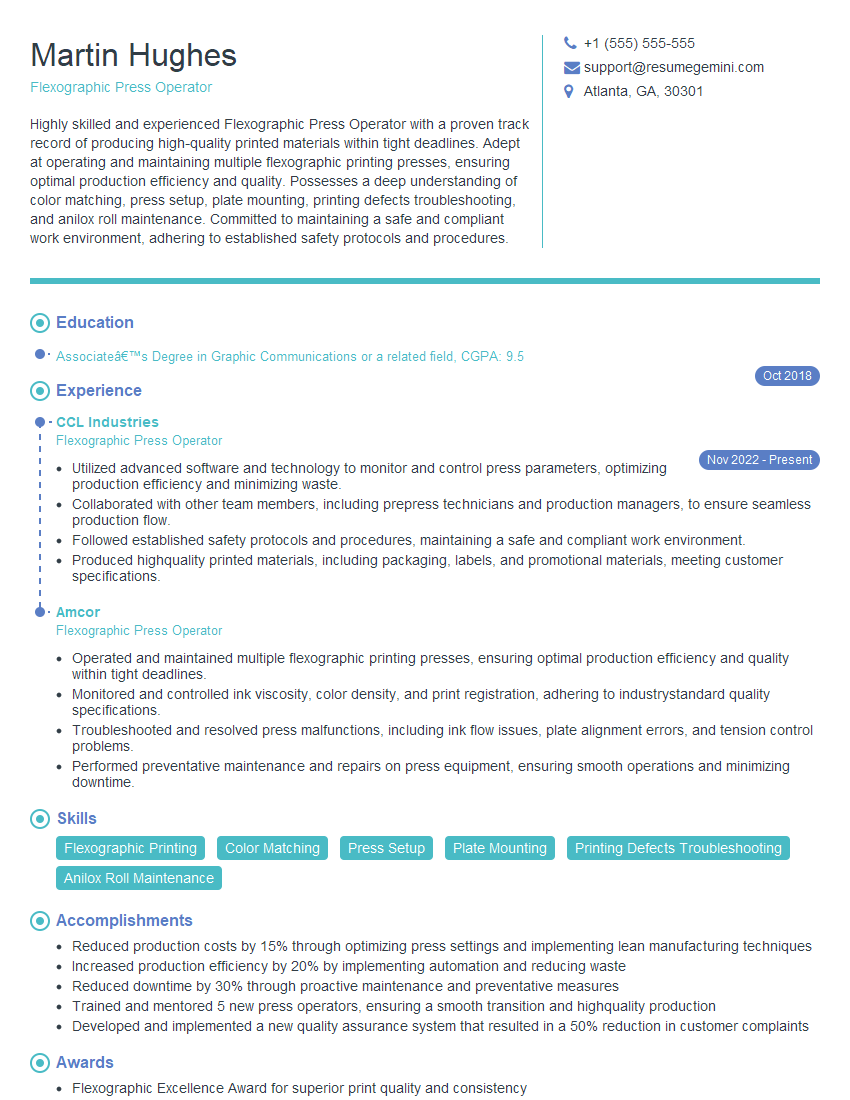
Mastering flexographic printing knowledge is key to advancing your career in this dynamic industry. A strong understanding of these principles will significantly improve your interview performance and open doors to exciting opportunities. To maximize your job prospects, focus on crafting an ATS-friendly resume that highlights your skills and experience effectively. ResumeGemini is a trusted resource that can help you build a professional and impactful resume, tailored to the specific requirements of flexographic printing roles. Examples of resumes tailored to Flexographic Printing Knowledge are available to help you create the perfect document. Invest time in building a strong resume – it’s your first impression with potential employers.
Explore more articles
Users Rating of Our Blogs
Share Your Experience
We value your feedback! Please rate our content and share your thoughts (optional).
What Readers Say About Our Blog
Very informative content, great job.
good