Interviews are opportunities to demonstrate your expertise, and this guide is here to help you shine. Explore the essential GIS Mapping and Documentation interview questions that employers frequently ask, paired with strategies for crafting responses that set you apart from the competition.
Questions Asked in GIS Mapping and Documentation Interview
Q 1. Explain the difference between vector and raster data.
Vector and raster data are two fundamental ways of representing geographic information in GIS. Think of it like drawing a map: vector uses points, lines, and polygons to define features, while raster uses a grid of cells or pixels to represent them.
Vector Data: Imagine drawing a precise outline of a building on a map. That’s vector data. Each line segment is defined by its coordinates, and the collection of lines forms the polygon representing the building. Vector data is ideal for representing discrete features with well-defined boundaries, like roads, buildings, or political boundaries. It’s typically more accurate for representing features at larger scales, and file sizes tend to be smaller.
Raster Data: Now, imagine taking a satellite photograph of the same area. That’s raster data. The image is composed of a grid of pixels, each with a specific color value representing the ground surface. Raster data is excellent for representing continuous phenomena like elevation, temperature, or land cover. It’s easier to handle imagery but can become very large in file size, and accuracy is influenced by the resolution of the grid.
- Vector Advantages: Precise representation, smaller file sizes, good for thematic maps.
- Vector Disadvantages: Can be complex to process, less suitable for continuous data.
- Raster Advantages: Good for representing continuous data, easy visualization, readily available from remote sensing.
- Raster Disadvantages: Large file sizes, can be less accurate at higher scales.
Q 2. What are the common file formats used in GIS?
GIS uses a variety of file formats, each with its strengths and weaknesses. Here are some of the most common:
- Shapefile (.shp): A widely used vector format. It actually comprises multiple files (.shp, .shx, .dbf, etc.) to store geometry, index, and attribute data.
- GeoTIFF (.tif, .tiff): A popular raster format that supports georeferencing information (location data) directly within the file. It’s ideal for storing satellite imagery and elevation models.
- GeoJSON (.geojson): A text-based vector format that’s increasingly popular due to its simplicity and compatibility with web mapping applications. It’s easily readable by humans and machines.
- KML/KMZ (.kml, .kmz): Keyhole Markup Language, developed by Google Earth, is used for storing geographic data and creating 3D models and placemarks. KMZ is a compressed version of KML.
- File Geodatabase (.gdb): A powerful, database-like format used in ArcGIS, enabling the storage and management of both vector and raster data in a structured environment.
The choice of file format depends on the type of data, the intended use, and the software being used. For example, if you are working with satellite imagery, GeoTIFF is likely your best choice, while shapefiles are common for vector maps of cities.
Q 3. Describe your experience with different coordinate systems (e.g., UTM, WGS84).
Coordinate systems are crucial for accurately locating geographic features. Different systems use different reference points and projections to represent the Earth’s curved surface on a flat map. Two commonly used systems are:
- WGS84 (World Geodetic System 1984): This is a global coordinate system using latitude and longitude, representing locations on the Earth’s surface relative to a reference ellipsoid (a model of the Earth’s shape). It’s commonly used by GPS devices and many online mapping services. Think of it as a global address.
- UTM (Universal Transverse Mercator): This is a projected coordinate system dividing the Earth into 60 zones. Each zone uses a transverse Mercator projection, minimizing distortion within its region. UTM coordinates are expressed in meters, making distance calculations easier. Think of it as a local address that’s still well connected to the global address.
My experience includes transforming data between different coordinate systems, a common task that requires understanding projection parameters and using appropriate GIS software functions. Incorrect transformations can lead to significant inaccuracies in spatial analysis. For example, I’ve worked on projects where converting data from WGS84 to a local UTM projection was critical for accurate distance and area calculations. I’m adept at using tools and techniques to ensure data is consistently and correctly referenced.
Q 4. How do you ensure data accuracy and quality in GIS projects?
Ensuring data accuracy and quality is paramount in any GIS project. It’s like building a house – if the foundation is weak, the entire structure is at risk. My approach involves several key steps:
- Data Source Evaluation: I carefully assess the reliability and accuracy of all data sources. This includes checking the source’s reputation, metadata, and any known limitations.
- Data Cleaning and Preprocessing: This crucial step involves identifying and correcting errors like inconsistencies, duplicate entries, and missing values. Tools like spatial data editing software are used.
- Data Validation and Verification: I employ various techniques, including visual inspection, attribute checks, and spatial consistency analysis, to ensure the data aligns with reality. Ground truthing, or physically verifying the location of some features, might be employed.
- Metadata Management: Comprehensive metadata provides crucial information about the data’s origin, processing steps, and limitations, ensuring transparency and repeatability. This is like providing an instruction manual for the data itself.
- Quality Control Procedures: Regular quality checks and audits throughout the project lifecycle, from data acquisition to final output, help maintain accuracy and identify any discrepancies that may have emerged.
For example, in a project mapping land cover, I’d validate the classification by comparing the results with high-resolution aerial imagery and, if possible, conduct field surveys to verify the accuracy of land-cover assignments.
Q 5. What are the various methods for georeferencing?
Georeferencing is the process of assigning geographic coordinates (latitude and longitude or UTM coordinates) to data that doesn’t inherently have them. It’s like giving an address to a picture. Several methods exist:
- Using Ground Control Points (GCPs): This is a common method for georeferencing raster data (like scanned maps or aerial photos). GCPs are identifiable points with known coordinates that are located on both the image and a reference map. GIS software then uses these points to transform the image to a known coordinate system.
- Using Existing Georeferenced Data: If the data already has some form of georeferencing information (e.g., a map with coordinate markings), this can be used as a basis for alignment.
- Using GPS Data: GPS devices directly provide coordinate information, so integrating GPS data is a straightforward approach when the data is captured via GPS.
- Using Metadata: Some image formats embed georeferencing information in their metadata. This can be leveraged for automatic georeferencing.
The choice of method depends on the data type, its availability, and the desired accuracy. For instance, GCPs are ideal for highly accurate georeferencing of historical maps, while GPS data can be used directly for real-time mapping.
Q 6. Describe your experience with spatial analysis techniques (e.g., buffering, overlay, proximity analysis).
Spatial analysis techniques are powerful tools for extracting insights from geographic data. My experience encompasses several common methods:
- Buffering: This creates zones around features, indicating proximity. For example, I might create a 500-meter buffer around a river to identify areas susceptible to flooding.
- Overlay Analysis: This combines multiple layers of data to identify relationships between features. For example, overlaying a land use map with a soil type map can reveal areas with specific land use on particular soil types, useful for agricultural planning.
- Proximity Analysis: This involves measuring the distance or closeness of features. For example, I can determine the nearest hospital to each residence in a city, aiding in emergency response planning.
I’ve used these techniques in various applications, from determining the optimal location for a new school to analyzing environmental impacts of infrastructure projects. For example, by overlaying land use maps with environmental sensitivity maps, I can identify areas where a proposed development would have a significant ecological impact, helping guide more environmentally-sound planning.
Q 7. How familiar are you with different GIS software packages (e.g., ArcGIS, QGIS)?
I’m proficient in several GIS software packages, including:
- ArcGIS: I’m experienced with ArcGIS Desktop (ArcMap, ArcCatalog), ArcGIS Pro, and online ArcGIS services. I’ve used its extensive tools for data management, spatial analysis, cartography, and geoprocessing.
- QGIS: I’m comfortable using QGIS, a powerful open-source GIS platform, for various tasks including data visualization, spatial analysis, and map creation. Its open-source nature and extensive plugin library make it very versatile.
My experience extends to using these tools for a range of applications, from basic map creation to advanced geospatial modeling. I’m adept at selecting the right software for a given task, leveraging the strengths of each package while understanding their limitations.
For instance, for a large-scale project requiring advanced geoprocessing tools and the ability to manage large datasets effectively, ArcGIS Pro’s capabilities are usually preferred. On the other hand, for smaller, more agile projects, or situations where budget is a constraint, QGIS is a strong and versatile alternative.
Q 8. Explain your experience with database management systems related to GIS data.
My experience with database management systems (DBMS) in the context of GIS is extensive. I’ve worked extensively with both relational databases like PostgreSQL/PostGIS and spatial databases like Oracle Spatial and Esri’s geodatabases. Understanding the nuances of these systems is crucial for effective GIS work. A relational database stores data in tables with rows and columns, but PostGIS extends this functionality to include spatial data types, enabling efficient storage and querying of geographic information. For instance, I used PostGIS to manage a large dataset of road networks for a transportation planning project, leveraging its spatial functions to perform network analysis and optimize routing. Oracle Spatial, on the other hand, provides robust spatial capabilities for large-scale enterprise deployments, offering advanced features like topology management which I utilized in a land parcel management project to ensure data integrity and prevent spatial errors.
The choice of DBMS depends on the project’s scale, complexity, and specific requirements. For example, smaller projects might benefit from the ease of use of a file geodatabase, while large-scale projects necessitate the scalability and advanced features offered by enterprise-level spatial databases.
Q 9. Describe your experience in creating and maintaining geodatabases.
Creating and maintaining geodatabases involves a systematic approach. I’m proficient in designing geodatabases within ArcGIS Pro and other GIS software. This includes defining feature classes, setting appropriate data types, establishing relationships between tables (for example, relating a ‘roads’ feature class to a ‘road_segments’ table for detailed attribute information), and implementing topology rules to maintain data integrity. For example, during a project involving urban planning, I created a geodatabase to integrate various datasets including land use, zoning, and infrastructure. Careful planning of the geodatabase schema is crucial for efficiency and maintainability. I always meticulously document the database design and data structures to ensure future users can understand the data organization.
Maintaining the geodatabase involves regular data backups, data validation, and updating the schema as needed. I’ve used versioning tools to manage concurrent edits and track changes made to the geodatabase over time, preventing conflicts and ensuring data accuracy. Think of versioning like using ‘track changes’ in a word processor but for geographic data.
Q 10. How do you handle data projection and transformations?
Data projection and transformation are critical aspects of GIS work, as geographic data can be represented in various coordinate systems (e.g., UTM, State Plane, Geographic). Inaccurate projections can lead to significant errors in spatial analysis. I use GIS software like ArcGIS Pro to perform these transformations. The process typically involves identifying the source and target coordinate systems and then applying the appropriate transformation method. Common methods include datum transformations (like NAD27 to NAD83) and coordinate system conversions (like Geographic to Projected).
For instance, in a project analyzing wildfire spread, the data might come from various sources with different projections. Before analysis, I need to project all the data into a common coordinate system – ensuring accurate calculations of distances, areas, and spatial relationships. This step is fundamental to avoid significant errors in the analysis results.
Q 11. How do you perform spatial joins and relate tables in a GIS environment?
Spatial joins and table relations are essential for integrating data from different sources within a GIS environment. A spatial join combines attributes from one feature class (e.g., parcels) to another based on spatial location (e.g., joining parcel data to census block data based on which block each parcel falls within). Table relations, on the other hand, establish links between tables based on common fields. For example, I might have a table of street names and another table with street segments; the common field would be a unique street ID. This allows me to efficiently retrieve related attributes.
Imagine analyzing crime incidents. A spatial join would allow linking crime data points to census tracts to understand crime rates by demographic information. Then, table relations can be used to integrate data on social-economic factors from a separate table. Tools such as ArcGIS Pro’s join functionality make this process streamlined and efficient.
Q 12. Explain your experience with creating maps and cartographic design principles.
Creating effective maps is as much an art as a science. I understand and apply cartographic design principles to produce clear, informative, and aesthetically pleasing maps. This includes considering map elements like title, legend, scale, north arrow, and appropriate symbology. The choice of map projection, color schemes, and labeling is crucial for communicating information effectively. For example, using a choropleth map to show population density across different regions requires careful selection of color ramps to avoid misinterpretations.
I’ve created various maps throughout my career, ranging from simple location maps to complex thematic maps incorporating multiple data layers. My focus always includes ensuring readability and providing context for the data presented. I’m proficient in using different cartographic techniques and software to enhance map quality and make data easily interpretable.
Q 13. How do you ensure data integrity and version control in a GIS project?
Data integrity and version control are paramount in any GIS project. Ensuring data accuracy, consistency, and preventing errors is achieved through various strategies. Data validation rules, implemented during geodatabase design, check for logical and structural errors in the data. For example, a rule might prevent negative values in a field representing population. Regular data audits and quality checks identify inconsistencies and potential issues.
Versioning tools within GIS software (like ArcGIS Pro’s geodatabase versioning) track changes made by different users, allowing for collaboration without data conflicts. This is critical in large projects with multiple contributors. In addition to version control, I maintain comprehensive metadata that documents the data sources, processing steps, and any limitations of the data. This metadata ensures transparency and facilitates reproducibility.
Q 14. Describe your experience with remote sensing data and its applications.
My experience with remote sensing data involves working with satellite imagery and aerial photography from various sources (e.g., Landsat, Sentinel, NAIP). I’m proficient in processing, analyzing, and interpreting this data for various applications. This includes tasks such as image classification (e.g., identifying land cover types), orthorectification (geometric correction of imagery), and change detection (monitoring land use changes over time). I use specialized software (e.g., ENVI, ERDAS IMAGINE, ArcGIS) for these purposes.
For instance, I’ve used Landsat data to assess deforestation in a rainforest region. Through image classification, I could map the extent of deforestation and quantify the changes over several years, providing critical information for environmental monitoring and conservation efforts. The process involves pre-processing steps like atmospheric correction, followed by classification using techniques like supervised or unsupervised classification depending on the available ground truth data.
Q 15. How do you address data inconsistencies and errors during a GIS project?
Addressing data inconsistencies and errors is crucial for the reliability of any GIS project. Think of it like building a house – you wouldn’t want to use mismatched bricks or faulty foundations! My approach involves a multi-step process. First, I employ rigorous data validation techniques during the import and pre-processing stages. This includes checking for attribute errors (e.g., incorrect data types, missing values), spatial inconsistencies (e.g., overlaps, gaps, slivers), and topological errors (e.g., dangling lines, unclosed polygons). Tools like ArcGIS Pro’s data checker and FME offer powerful capabilities for automated error detection.
Next, I utilize visual inspection techniques – zooming in to examine features on the map and comparing them with reliable data sources like high-resolution imagery or ground surveys. For instance, if I notice a road segment that abruptly ends, I’ll cross-reference it with other map layers and potentially use on-the-ground verification to correct the error. For more complex issues, I employ statistical methods such as outlier analysis to identify anomalous data points that might indicate errors or inconsistencies.
Finally, data editing and correction is done. This may involve updating attribute values, editing geometries using editing tools, or even removing erroneous data entirely. I always maintain a detailed record of all changes, including dates, descriptions, and the user who made the change, using version control or a change log to ensure traceability and maintain data integrity. Addressing inconsistencies systematically ensures the accuracy and reliability of our final GIS product.
Career Expert Tips:
- Ace those interviews! Prepare effectively by reviewing the Top 50 Most Common Interview Questions on ResumeGemini.
- Navigate your job search with confidence! Explore a wide range of Career Tips on ResumeGemini. Learn about common challenges and recommendations to overcome them.
- Craft the perfect resume! Master the Art of Resume Writing with ResumeGemini’s guide. Showcase your unique qualifications and achievements effectively.
- Don’t miss out on holiday savings! Build your dream resume with ResumeGemini’s ATS optimized templates.
Q 16. What are some common challenges in GIS projects and how do you handle them?
GIS projects often face several challenges. One common hurdle is data acquisition – obtaining complete, accurate, and up-to-date data can be difficult and time-consuming. This is especially true when dealing with disparate sources and differing data formats. For instance, integrating data from multiple agencies with their unique coordinate systems and projection methods can be challenging.
Another challenge is data management. Working with large datasets can overwhelm storage capacity and processing power. Efficient data organization and implementation of data compression techniques are crucial. I’ve found the use of geodatabases and cloud-based storage solutions particularly helpful for large-scale projects. Efficient data management not only optimizes storage but also speeds up analysis.
Finally, technical challenges can arise. Difficulties with software compatibility, integration of various spatial analysis tools, and the need for specialized hardware or software are real issues. I tackle these by carefully planning the technical aspects from the outset, conducting thorough software testing, and staying abreast of new technologies and best practices. A well-planned project approach with proper risk assessment minimizes these issues significantly.
Q 17. Explain your experience with using scripting languages (e.g., Python) in GIS.
Python is an indispensable tool in my GIS workflow. I use it extensively for automation, data manipulation, and spatial analysis. For example, I’ve used Python scripts to automate the process of converting data from various formats into a standardized geodatabase. Here’s a snippet showing how I’d automatically add a new field to a shapefile:
import arcpy
arcpy.AddField_management(in_table="myShapefile.shp", field_name="NewField", field_type="TEXT", field_length=255)
Furthermore, Python’s libraries like NumPy and Pandas enable efficient processing of large datasets. I’ve used this functionality to perform statistical analyses on spatial data, such as calculating zonal statistics or identifying spatial outliers. I also utilize Python to create custom GIS tools and workflows, optimizing efficiency and productivity and creating reusable scripts that can be used across various projects. Python significantly enhances my ability to address complex GIS tasks, providing efficient and scalable solutions.
Q 18. How do you create and manage metadata for GIS data?
Metadata is the backbone of any successful GIS project. It’s the descriptive information about data – think of it as the data’s identity card and instructions for use. Creating and managing metadata involves documenting all relevant aspects of the data, including its source, creation date, spatial reference, accuracy, and intended use. I use both metadata standards and software tools to ensure consistency and interoperability.
I typically use metadata standards like FGDC-CSDGM (Federal Geographic Data Committee Content Standard for Digital Geospatial Metadata) or ISO 19115 to structure the metadata in a standardized way. This ensures that anyone accessing the data can easily understand its attributes and constraints. ArcGIS Pro and other GIS software packages offer excellent tools to create and edit metadata, automating many parts of the process. I always ensure that metadata is well-maintained and updated whenever the data changes. Proper metadata management is crucial for data discoverability, usability, and long-term preservation.
Q 19. Describe your experience with creating and using map layouts and symbology.
Map layouts and symbology are fundamental to effective communication of spatial information. I’ve extensive experience in designing both print and web maps. The design process starts with defining the target audience and the map’s purpose. For example, a map designed for public consumption will differ greatly from one intended for expert analysis. Therefore, I tailor the map’s content, symbology, and layout to convey the information effectively.
I utilize various cartographic principles such as visual hierarchy, color theory, and map layout design to create clear, readable, and aesthetically pleasing maps. Choosing appropriate symbology is crucial to avoid visual clutter and accurately represent spatial features. I use different symbol types (points, lines, polygons), sizes, and colors to effectively differentiate features and highlight key information. Software such as ArcGIS Pro and QGIS provide powerful tools for creating and managing map layouts, offering options for incorporating legends, scale bars, north arrows, and other essential map elements. My goal is always to create maps that are not just informative but also visually appealing and easy to interpret.
Q 20. How do you evaluate the accuracy and completeness of GIS data?
Evaluating the accuracy and completeness of GIS data is a critical step in ensuring the reliability of any GIS project. This involves a combination of quantitative and qualitative methods. Quantitatively, I assess positional accuracy using root mean square error (RMSE) calculations or comparing data with higher-accuracy data sources like LiDAR or ground surveys. For instance, a comparison with ground control points can reveal any positional discrepancies.
Completeness assessment involves evaluating whether all required data has been captured. This might involve comparing the spatial extent of the data with the defined project area, or checking the presence of all attributes. Qualitative assessment focuses on the logical consistency and plausibility of data. This might involve a visual inspection or analysis of attribute values. For example, detecting attributes of roads or buildings which are illogical may indicate an issue with the data.
This comprehensive evaluation leads to a clear understanding of data quality, allowing for informed decision-making during the project lifecycle. Identifying areas where data is inaccurate or incomplete allows for corrective actions, such as data acquisition, editing or the use of appropriate statistical modeling to address any gaps.
Q 21. What is your experience with GPS data and its integration into GIS projects?
GPS data is an essential component of many GIS projects, providing real-time location information. My experience includes collecting, processing, and integrating GPS data into GIS applications. This involves using GPS receivers to collect field data, which can then be utilized for various purposes, including creating new spatial features, updating existing features, and performing georeferencing.
Processing GPS data involves correcting for errors inherent in the technology, such as atmospheric effects and satellite geometry using techniques like differential GPS (DGPS) or Real-Time Kinematic (RTK). This ensures the accuracy and reliability of the position data. I’m proficient in using various software packages and techniques for importing, transforming, and integrating GPS data into the GIS environment. After importing into a GIS, data is typically subject to further quality checks and validation before integration into larger projects. My experience with GPS data collection and integration contributes significantly to the accuracy and completeness of GIS projects.
Q 22. Explain your knowledge of spatial indexing and its importance in GIS.
Spatial indexing is a crucial technique in GIS that dramatically speeds up the process of finding geographic features. Imagine searching for a specific house in a city – without an index, you’d have to look through every single house one by one. Spatial indexing is like creating a detailed map of the map itself, allowing us to quickly locate specific features based on their location.
It works by organizing spatial data (points, lines, polygons) into a hierarchical structure. Common methods include R-trees, quadtrees, and grid indexes. Each method divides the spatial area into smaller regions, indexing features based on their location within these regions. When a query is made (e.g., find all restaurants within a 5km radius), the index is used to efficiently narrow down the search area, avoiding a full dataset scan.
Importance: In GIS, we often deal with massive datasets containing millions or even billions of features. Without spatial indexing, simple queries could take hours or even days to complete. Spatial indexing ensures that queries run efficiently, allowing for real-time analysis and map interaction, which is critical for applications like navigation, emergency response, and environmental monitoring.
Example: An R-tree index might divide a map of a country into regions, then sub-regions, and so on, ultimately creating a tree-like structure to locate features efficiently. A query for all hospitals within a city would only require searching the relevant branches of the R-tree, significantly reducing processing time.
Q 23. How familiar are you with cloud-based GIS platforms (e.g., ArcGIS Online, Google Earth Engine)?
I’m highly familiar with several cloud-based GIS platforms, including ArcGIS Online and Google Earth Engine. I have extensive experience utilizing them for various tasks.
ArcGIS Online: I’ve used ArcGIS Online for creating and sharing interactive web maps, integrating data from various sources, performing spatial analysis, and managing geospatial data. For instance, I used it to build a web map showcasing deforestation trends across the Amazon rainforest, incorporating satellite imagery, deforestation rates, and protected area boundaries. The cloud-based nature of the platform facilitated seamless collaboration with colleagues.
Google Earth Engine: I’ve leveraged Google Earth Engine’s vast dataset archive and powerful processing capabilities for large-scale geospatial analysis. A notable project involved analyzing land cover changes using time-series satellite imagery. GEE’s ability to handle petabytes of data efficiently was crucial for this project. The Javascript API provided flexibility in scripting custom analysis workflows.
My experience includes both data management and advanced analysis tasks on these platforms. I’m comfortable with their respective APIs and workflows.
Q 24. Describe your experience with data visualization and map communication techniques.
Effective data visualization is paramount in GIS to communicate complex spatial information clearly and concisely. My experience encompasses a wide range of techniques, focusing on creating maps that tell a compelling story.
Techniques: I utilize various cartographic principles, including appropriate map projections, symbolization (color, size, shape), labeling, and legends. Choosing the right chart type (e.g., choropleth maps for showing spatial distribution, proportional symbol maps for quantitative data) is crucial. I also incorporate interactive elements like tooltips and pop-ups to enhance user engagement. The overall aesthetic design, including color palettes and fonts, is carefully considered to ensure readability and clarity.
Examples: For a client needing to understand traffic congestion patterns, I created an animated map displaying traffic flow densities over time, highlighting areas with significant congestion. For another project involving soil erosion, I created a series of choropleth maps illustrating erosion risk levels for different soil types and land uses. These visualizations helped stakeholders understand the complexities of the issue.
Communication: Beyond the map itself, effective communication involves carefully selecting the right format for the audience. I tailor my communication style and the level of detail based on the audience’s technical understanding. This often includes presenting the map findings in reports, presentations, or interactive dashboards.
Q 25. How do you work with large datasets within a GIS environment?
Working with large datasets in GIS requires strategic approaches to manage data efficiently and perform analysis without compromising performance. I employ several techniques to handle this challenge:
Data Subsetting: I frequently work with subsets of the full dataset to focus analysis on a specific area or time period. This greatly reduces the processing time and memory requirements.
Data Compression: Techniques like using lossless compression (e.g., GeoTIFF) can significantly reduce storage space and improve processing speeds.
Database Management Systems (DBMS): I leverage spatial databases like PostGIS (integrated with PostgreSQL) for efficient data storage and retrieval. Spatial queries within a database are highly optimized for large datasets.
Parallel Processing: Many GIS software packages support parallel processing, allowing calculations to be divided amongst multiple cores, significantly accelerating processing times for computationally intensive tasks.
Cloud Computing: Cloud-based GIS platforms like Google Earth Engine or ArcGIS Online offer scalable resources for handling datasets that are too large to process on a single machine.
Data approximation and generalization: For some analyses, approximating data by reducing the level of detail can make processing significantly faster. This is especially relevant for visualization purposes.
Q 26. Explain your experience with GIS-related hardware and software troubleshooting.
My experience with GIS hardware and software troubleshooting is extensive. I have successfully resolved various issues ranging from software glitches to hardware malfunctions.
Software Troubleshooting: I am proficient in diagnosing and resolving issues related to data import/export problems, projection inconsistencies, software crashes, plugin conflicts, and script errors. I’m adept at identifying error messages, understanding their root causes, and implementing solutions. My approach often involves systematically checking data integrity, software configurations, and dependencies.
Hardware Troubleshooting: I have experience with troubleshooting hardware issues such as insufficient memory, slow processing speeds, storage limitations, and connectivity problems. I understand the importance of choosing the right hardware specifications for specific tasks, considering RAM, processing power, and storage capacity.
Examples: I once resolved a software crash by identifying a conflict between two plugins. Another time, I diagnosed a slow processing speed issue by identifying a bottleneck in data access and optimizing database queries. I also resolved a data import failure by correctly handling coordinate systems and projections.
Q 27. Describe your experience with collaborating with other professionals in a GIS project.
Collaboration is essential in GIS projects. My experience includes working effectively with diverse teams, including geographers, environmental scientists, urban planners, and engineers. I excel at fostering a collaborative environment where everyone’s expertise is valued.
Communication: Clear and concise communication is key. I utilize various methods such as regular meetings, email updates, and shared online platforms (e.g., ArcGIS Online, Google Drive) to ensure everyone is informed and on the same page. I actively solicit feedback and address concerns promptly.
Data Sharing: I utilize established data management protocols and version control systems (e.g., Git) to manage shared datasets efficiently and ensure data integrity. This includes documenting data sources, metadata, and processing workflows.
Workflow Optimization: I contribute to streamlining workflows by identifying tasks that can be parallelized or automated. This involves leveraging scripting languages (e.g., Python) to automate repetitive processes.
Example: In a recent project involving urban planning, I worked closely with urban designers, engineers, and stakeholders to develop a land-use plan. I facilitated communication between team members with varying technical expertise, translating complex spatial data into easily understandable visualizations.
Q 28. How do you stay up-to-date with the latest advancements in GIS technology?
Staying up-to-date in the rapidly evolving field of GIS is critical. I employ a multi-faceted approach to ensure my knowledge remains current.
Professional Conferences and Workshops: I regularly attend conferences like the Esri User Conference and other industry-specific workshops to learn about the latest advancements in software, techniques, and applications.
Online Courses and Webinars: I actively participate in online courses and webinars offered by platforms like Coursera, edX, and various GIS software vendors. These provide opportunities to deepen my understanding of specific topics.
Industry Publications and Journals: I regularly read publications like GIS World, GeoWorld, and peer-reviewed journals that focus on advancements in geospatial technology and research.
Professional Networks: I’m an active member of online communities and professional organizations related to GIS, engaging in discussions and sharing knowledge with other professionals. This provides opportunities for learning from peers and experts.
Self-directed Learning: I engage in self-directed learning by exploring new software tools and techniques through online tutorials, documentation, and personal projects. This allows me to delve into topics of particular interest.
Key Topics to Learn for GIS Mapping and Documentation Interview
- Spatial Data Structures: Understanding vector and raster data models, their strengths and weaknesses, and appropriate applications for each. Consider how data storage impacts processing speed and analysis capabilities.
- Geoprocessing Techniques: Familiarize yourself with common geoprocessing operations like buffering, overlay analysis (union, intersect, difference), spatial joins, and proximity analysis. Be prepared to discuss practical applications of these techniques in real-world scenarios.
- Cartographic Principles: Master the fundamentals of map design, including symbolization, labeling, scale, projection, and map composition. Practice creating clear and effective maps that communicate information concisely.
- GIS Software Proficiency: Demonstrate a strong understanding of at least one major GIS software package (e.g., ArcGIS, QGIS). Be prepared to discuss your experience with data manipulation, analysis, and map production within that software.
- Data Management and Metadata: Explain the importance of proper data management, including data quality control, attribute table management, and metadata creation. Understand the role of metadata in ensuring data discoverability and usability.
- Spatial Analysis and Interpretation: Practice interpreting spatial patterns and relationships revealed through GIS analysis. Be prepared to discuss how you would use GIS to solve real-world problems, such as identifying optimal locations for infrastructure or analyzing the spread of a disease.
- Coordinate Systems and Projections: Understand the different types of coordinate systems and map projections and their implications for spatial analysis and map accuracy. Be able to explain the importance of choosing the appropriate projection for a given task.
- Data Visualization and Communication: Develop strong skills in presenting GIS data and analyses effectively. This includes creating clear and informative maps, charts, and reports tailored to your audience.
- Remote Sensing Fundamentals (if applicable): If the job description mentions remote sensing, be prepared to discuss basic concepts like image interpretation, spectral signatures, and common remote sensing applications.
Next Steps
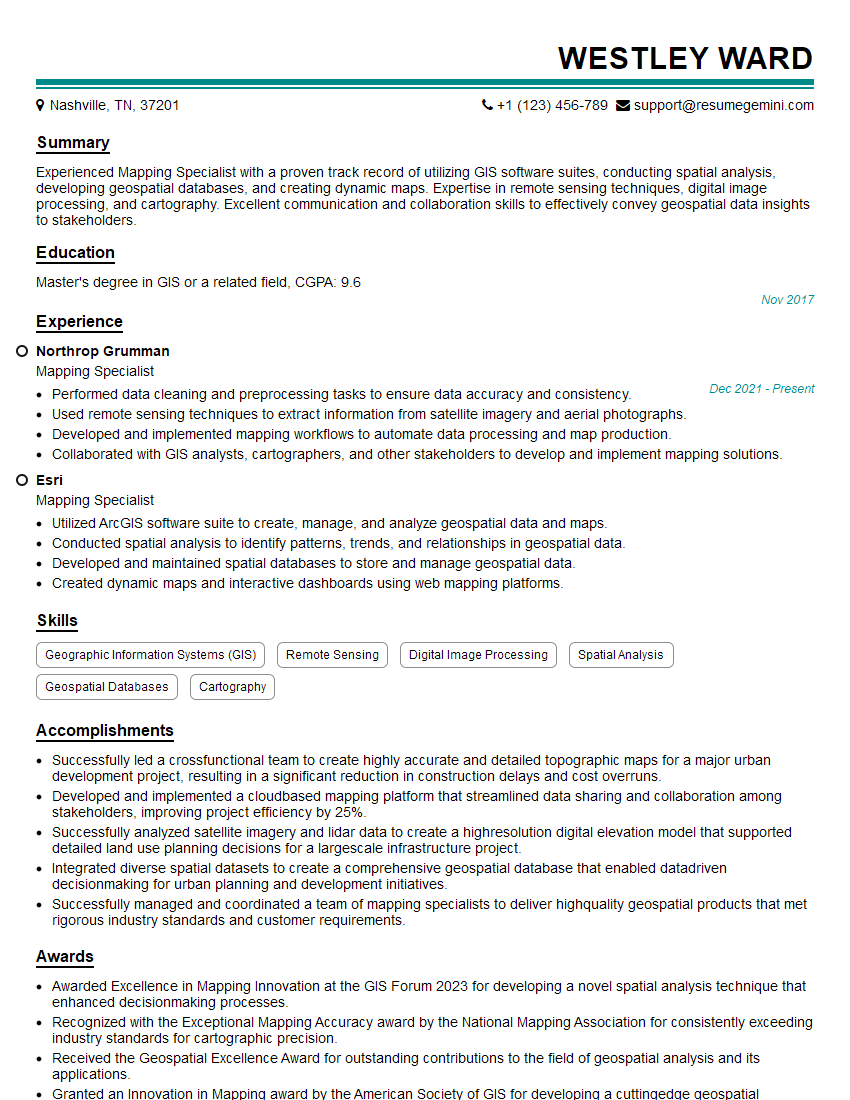
Mastering GIS Mapping and Documentation is crucial for a successful and fulfilling career in this rapidly growing field. Strong GIS skills are highly sought after across diverse industries, offering excellent job security and opportunities for advancement. To maximize your job prospects, creating a strong, ATS-friendly resume is essential. ResumeGemini is a trusted resource that can help you build a professional and impactful resume, showcasing your skills and experience effectively. ResumeGemini provides examples of resumes tailored specifically to GIS Mapping and Documentation roles, helping you present yourself in the best possible light to potential employers.



Explore more articles
Users Rating of Our Blogs
Share Your Experience
We value your feedback! Please rate our content and share your thoughts (optional).
What Readers Say About Our Blog
Very informative content, great job.
good